<?xml version="1.0" encoding="UTF-8"?>
<?xml-stylesheet type="text/xsl" media="screen" href="/~files/atom-premium.xsl"?>
                                                                                                                                                                                                                                                                                                                                                                                                                                                                                                                                             
<feed xmlns="http://www.w3.org/2005/Atom" xmlns:feedpress="https://feed.press/xmlns" xmlns:media="http://search.yahoo.com/mrss/" xmlns:podcast="https://podcastindex.org/namespace/1.0">
  <feedpress:locale>en</feedpress:locale>
  <link rel="hub" href="https://feedpress.superfeedr.com/"/>
  <logo>https://static.feedpress.com/logo/telerik-blogs-web-vue-61850e6cb2eca.jpg</logo>
  <title type="text">Telerik Blogs | Web | Vue</title>
  <subtitle type="text">The official blog of Progress Telerik - expert articles and tutorials for developers.</subtitle>
  <id>uuid:b3a3254f-56b8-4ac0-986f-f2830d0fea25;id=6055</id>
  <updated>2026-10-19T20:23:48Z</updated>
  <link rel="alternate" href="https://www.telerik.com/"/>
  <link rel="self" type="application/atom+xml" href="https://feeds.telerik.com/blogs/web-vue"/>
  <entry>
    <id>urn:uuid:b729f375-472c-4ecc-9eee-f958ec731719</id>
    <title type="text">Creating a Copy Code Button in Kendo UI for Vue</title>
    <summary type="text">Let’s create a copy code button for the Kendo UI for Vue Editor. It automatically uses the correct styling and the built-in copy icon.</summary>
    <published>2026-10-19T15:37:36Z</published>
    <updated>2026-10-19T20:23:48Z</updated>
    <author>
      <name>Jonathan Gamble </name>
    </author>
    <link rel="alternate" href="https://feeds.telerik.com/link/23057/17500799/creating-copy-code-button-kendo-ui-vue"/>
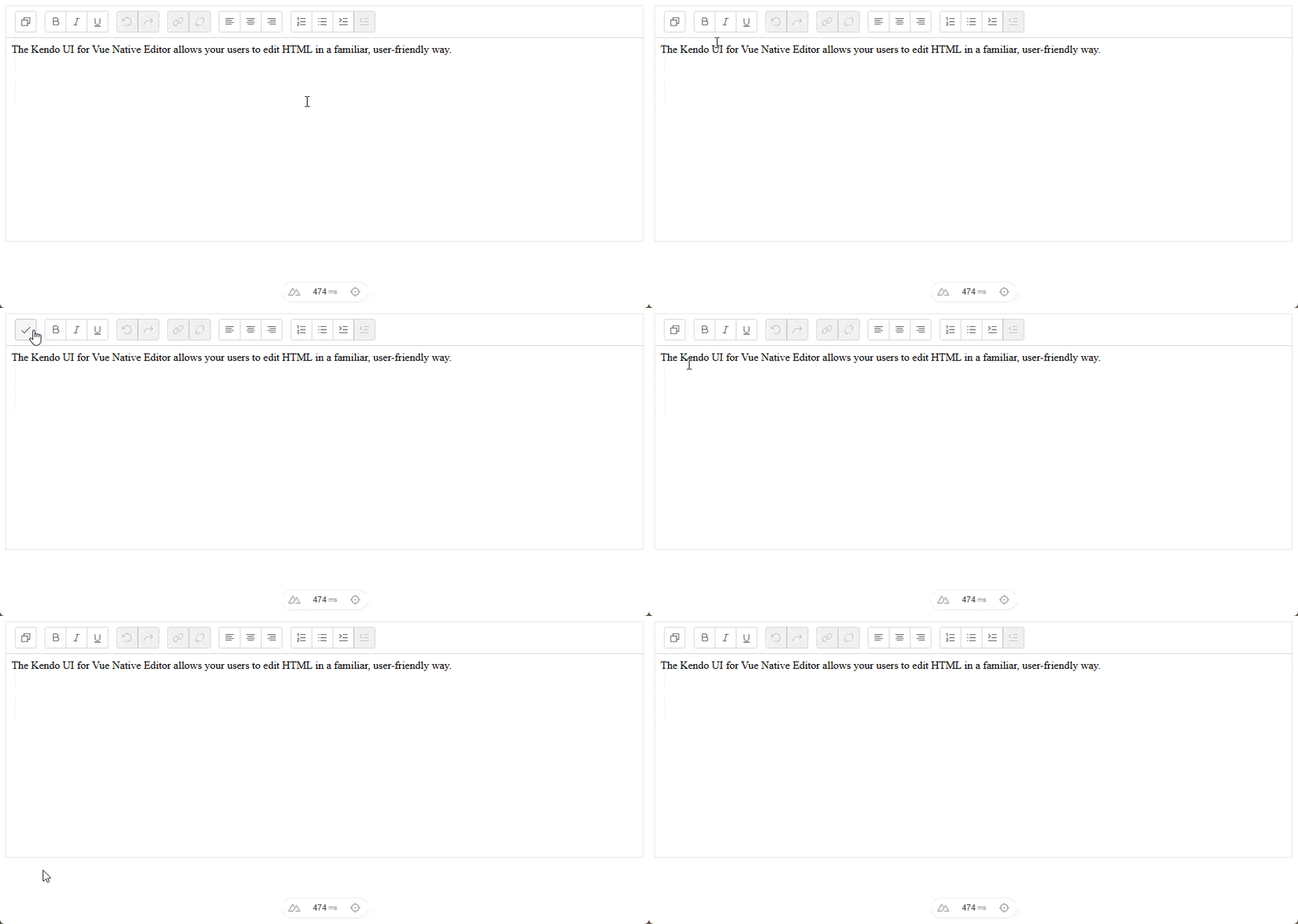
    <content type="text"><![CDATA[<p><span class="featured">Let&rsquo;s create a copy code button for the Kendo UI for Vue Editor, with correct styling and the copy icon built in.</span></p><p>Progress <a target="_blank" href="https://www.telerik.com/kendo-vue-ui/components/editor">Kendo UI for Vue</a> has a very useful editor, and it is also extensible!</p><h2 id="tldr">TL;DR</h2><p>This allows you to create a copy code button for Kendo UI for Vue and add it to the Editor. This will automatically use the correct styling and the built-in copy icon.</p><p><img src="https://www.telerik.com/sfimages/default-source/blogs/2026/2026-10/vue-editor-copy-code-button.gif?sfvrsn=1d579aa8_2" alt="In a Vue editor, user clicks the copy button, which changes icon to a checkmark" /></p><h2 id="setup">Setup</h2><p>Create a new <a target="_blank" href="https://nuxt.com/">Nuxt</a> App. You can also use <a target="_blank" href="https://vuejs.org/">Vue.js</a> directly.</p><pre class=" language-bash"><code class="prism  language-bash"><span class="token function">npm</span> create nuxt@latest
</code></pre><h3 id="get-a-kendo-ui-for-vue-license">Get a Kendo UI for Vue License</h3><p>Log in to Progress Telerik and purchase a Kendo UI License for Vue or use the free trial.</p><p><img src="https://www.telerik.com/feeds/sfimages/default-source/blogs/2026/2026-10/license-key.png" alt="Progress Telerik license keys page" /></p><p>Download the actual key, as you will need it later for deployment.</p><h3 id="install-kendo-licensing">Install Kendo Licensing</h3><pre class=" language-bash"><code class="prism  language-bash"><span class="token function">npm</span> i -S @progress/kendo-licensing
</code></pre><p>Then run:</p><pre class=" language-bash"><code class="prism  language-bash">npx kendo-ui-license activate
</code></pre><p>This will set up Kendo UI on your local machine for this project. Make sure you have a working license at this point, and to <a target="_blank" href="https://www.telerik.com/kendo-vue-ui/components/my-license">follow the correct setup</a>.</p><h3 id="install-packages">Install Packages</h3><pre class=" language-tsx"><code class="prism  language-tsx">npm i -S @progress/kendo-drawing @progress/kendo-svg-icons @progress/kendo-theme-fluent @progress/kendo-vue-buttons @progress/kendo-vue-dialogs @progress/kendo-vue-dropdowns @progress/kendo-vue-editor @progress/kendo-vue-inputs @progress/kendo-vue-intl @progress/kendo-vue-layout @progress/kendo-vue-pdf @progress/kendo-vue-popup @progress/kendo-vue-progressbars
</code></pre><p>Install all the packages you will need for this demo.</p><h3 id="nuxt-setup">Nuxt Setup</h3><p>Update your <code>nuxt.config.ts</code> to optimize Vue dependencies and include the CSS for the <a target="_blank" href="https://www.telerik.com/design-system/docs/themes/get-started/introduction/">Kendo UI Theme</a> you want to use. Progress Kendo UI has a <a target="_blank" href="https://www.telerik.com/kendo-vue-ui/components/styling/theme-builder">Custom ThemeBuilder</a> for any colors you want!</p><pre class=" language-tsx"><code class="prism  language-tsx">import tailwindcss from '@tailwindcss/vite'

// https://nuxt.com/docs/api/configuration/nuxt-config
export default defineNuxtConfig({
  compatibilityDate: '2025-07-15',
  devtools: { enabled: true },
  css: ['~/assets/css/tailwind.css', '@progress/kendo-theme-fluent/dist/all.css'],
  vite: {
    plugins: [tailwindcss()],
    optimizeDeps: {
      include: [
        '@progress/kendo-svg-icons',
        '@progress/kendo-vue-buttons',
        '@progress/kendo-vue-editor',
        '@vue/devtools-core',
        '@vue/devtools-kit',
      ]
    }
  }
})
</code></pre><h2 id="copy-button-editor">Copy Button Editor</h2><p>First, we need functionality.</p><h3 id="copy-button-composable">Copy Button Composable</h3><p>We need a reusable composable that can be used in any component.</p><pre class=" language-tsx"><code class="prism  language-tsx">export function useCopyCode(timeoutMs = 1500) {
    const copied = ref(false);
    let resetTimer: ReturnType&lt;typeof setTimeout&gt; | undefined;

    async function copyCode(value: string) {
        await navigator.clipboard.writeText(value);

        copied.value = true;

        if (resetTimer) {
            clearTimeout(resetTimer);
        }

        resetTimer = setTimeout(() =&gt; {
            copied.value = false;
        }, timeoutMs);
    }

    onScopeDispose(() =&gt; {
        if (resetTimer) {
            clearTimeout(resetTimer);
        }
    });

    return {
        copied: readonly(copied),
        copyCode,
    };
}
</code></pre><ul><li><a target="_blank" href="https://developer.mozilla.org/en-US/docs/Web/API/Navigator/clipboard">Navigator</a> has a clipboard property that is widely available in all browsers.</li><li>We set a <em>timeout</em> so that the button looks more fluid for the UX. We can get rid of the timer when the composable is unmounted with <code>onScopeDispose</code>.</li><li>We also return the <code>copied</code> value.</li></ul><h3 id="editor-copy-component">Editor Copy Component</h3><p>Next, we configure the editor.</p><pre class=" language-html"><code class="prism  language-html"><span class="token tag"><span class="token tag"><span class="token punctuation">&lt;</span>script</span> <span class="token attr-name">setup</span> <span class="token attr-name">lang</span><span class="token attr-value"><span class="token punctuation">=</span><span class="token punctuation">"</span>ts<span class="token punctuation">"</span></span><span class="token punctuation">&gt;</span></span><span class="token script language-javascript">
<span class="token keyword">import</span> <span class="token punctuation">{</span> Button <span class="token punctuation">}</span> <span class="token keyword">from</span> <span class="token string">"@progress/kendo-vue-buttons"</span><span class="token punctuation">;</span>
<span class="token keyword">import</span> <span class="token punctuation">{</span> Editor<span class="token punctuation">,</span> type EditorChangeEvent <span class="token punctuation">}</span> <span class="token keyword">from</span> <span class="token string">"@progress/kendo-vue-editor"</span><span class="token punctuation">;</span>
<span class="token keyword">import</span> <span class="token punctuation">{</span> checkIcon<span class="token punctuation">,</span> copyIcon <span class="token punctuation">}</span> <span class="token keyword">from</span> <span class="token string">"@progress/kendo-svg-icons"</span><span class="token punctuation">;</span>

<span class="token keyword">const</span> content <span class="token operator">=</span> <span class="token template-string"><span class="token string">`&lt;p&gt;The Kendo UI for Vue Native Editor allows your users to edit HTML in a familiar, user-friendly way.&lt;/p&gt;`</span></span><span class="token punctuation">;</span>

<span class="token keyword">const</span> editorHtml <span class="token operator">=</span> <span class="token function">ref</span><span class="token punctuation">(</span>content<span class="token punctuation">)</span><span class="token punctuation">;</span>

<span class="token keyword">function</span> <span class="token function">handleEditorChange</span><span class="token punctuation">(</span>event<span class="token punctuation">:</span> EditorChangeEvent<span class="token punctuation">)</span> <span class="token punctuation">{</span>
  editorHtml<span class="token punctuation">.</span>value <span class="token operator">=</span> event<span class="token punctuation">.</span>html<span class="token punctuation">;</span>
<span class="token punctuation">}</span>

<span class="token keyword">const</span> tools <span class="token operator">=</span> <span class="token punctuation">[</span>
  <span class="token punctuation">[</span><span class="token punctuation">{</span> render<span class="token punctuation">:</span> <span class="token string">"CopyCodeTool"</span> <span class="token punctuation">}</span><span class="token punctuation">]</span><span class="token punctuation">,</span>
  <span class="token punctuation">[</span><span class="token string">"Bold"</span><span class="token punctuation">,</span> <span class="token string">"Italic"</span><span class="token punctuation">,</span> <span class="token string">"Underline"</span><span class="token punctuation">]</span><span class="token punctuation">,</span>
  <span class="token punctuation">[</span><span class="token string">"Undo"</span><span class="token punctuation">,</span> <span class="token string">"Redo"</span><span class="token punctuation">]</span><span class="token punctuation">,</span>
  <span class="token punctuation">[</span><span class="token string">"Link"</span><span class="token punctuation">,</span> <span class="token string">"Unlink"</span><span class="token punctuation">]</span><span class="token punctuation">,</span>
  <span class="token punctuation">[</span><span class="token string">"AlignLeft"</span><span class="token punctuation">,</span> <span class="token string">"AlignCenter"</span><span class="token punctuation">,</span> <span class="token string">"AlignRight"</span><span class="token punctuation">]</span><span class="token punctuation">,</span>
  <span class="token punctuation">[</span><span class="token string">"OrderedList"</span><span class="token punctuation">,</span> <span class="token string">"UnorderedList"</span><span class="token punctuation">,</span> <span class="token string">"Indent"</span><span class="token punctuation">,</span> <span class="token string">"Outdent"</span><span class="token punctuation">]</span><span class="token punctuation">,</span>
<span class="token punctuation">]</span><span class="token punctuation">;</span>

<span class="token keyword">const</span> <span class="token punctuation">{</span> copied<span class="token punctuation">,</span> copyCode <span class="token punctuation">}</span> <span class="token operator">=</span> <span class="token function">useCopyCode</span><span class="token punctuation">(</span><span class="token punctuation">)</span><span class="token punctuation">;</span>
</span><span class="token tag"><span class="token tag"><span class="token punctuation">&lt;/</span>script</span><span class="token punctuation">&gt;</span></span>

<span class="token tag"><span class="token tag"><span class="token punctuation">&lt;</span>template</span><span class="token punctuation">&gt;</span></span>
  <span class="token tag"><span class="token tag"><span class="token punctuation">&lt;</span>Editor</span>
    <span class="token attr-name">class</span><span class="token attr-value"><span class="token punctuation">=</span><span class="token punctuation">"</span>mx-auto w-full max-w-180<span class="token punctuation">"</span></span>
    <span class="token attr-name">:tools</span><span class="token attr-value"><span class="token punctuation">=</span><span class="token punctuation">"</span>tools<span class="token punctuation">"</span></span>
    <span class="token attr-name">:value</span><span class="token attr-value"><span class="token punctuation">=</span><span class="token punctuation">"</span>editorHtml<span class="token punctuation">"</span></span>
    <span class="token attr-name">@change</span><span class="token attr-value"><span class="token punctuation">=</span><span class="token punctuation">"</span>handleEditorChange($event)<span class="token punctuation">"</span></span>
  <span class="token punctuation">&gt;</span></span>
    <span class="token tag"><span class="token tag"><span class="token punctuation">&lt;</span>template</span> <span class="token attr-name">#CopyCodeTool</span><span class="token punctuation">&gt;</span></span>
      <span class="token tag"><span class="token tag"><span class="token punctuation">&lt;</span>Button</span>
        <span class="token attr-name">type</span><span class="token attr-value"><span class="token punctuation">=</span><span class="token punctuation">"</span>button<span class="token punctuation">"</span></span>
        <span class="token attr-name">class</span><span class="token attr-value"><span class="token punctuation">=</span><span class="token punctuation">"</span>k-toolbar-button<span class="token punctuation">"</span></span>
        <span class="token attr-name">:svg-icon</span><span class="token attr-value"><span class="token punctuation">=</span><span class="token punctuation">"</span>copied ? checkIcon : copyIcon<span class="token punctuation">"</span></span>
        <span class="token attr-name">:title</span><span class="token attr-value"><span class="token punctuation">=</span><span class="token punctuation">"</span>copied ? <span class="token punctuation">'</span>Copied<span class="token punctuation">'</span> : <span class="token punctuation">'</span>Copy Code<span class="token punctuation">'</span><span class="token punctuation">"</span></span>
        <span class="token attr-name">:aria-label</span><span class="token attr-value"><span class="token punctuation">=</span><span class="token punctuation">"</span>copied ? <span class="token punctuation">'</span>Copied<span class="token punctuation">'</span> : <span class="token punctuation">'</span>Copy Code<span class="token punctuation">'</span><span class="token punctuation">"</span></span>
        <span class="token attr-name">@mousedown.prevent</span>
        <span class="token attr-name">@click</span><span class="token attr-value"><span class="token punctuation">=</span><span class="token punctuation">"</span>copyCode(editorHtml)<span class="token punctuation">"</span></span>
      <span class="token punctuation">/&gt;</span></span>
    <span class="token tag"><span class="token tag"><span class="token punctuation">&lt;/</span>template</span><span class="token punctuation">&gt;</span></span>
  <span class="token tag"><span class="token tag"><span class="token punctuation">&lt;/</span>Editor</span><span class="token punctuation">&gt;</span></span>
<span class="token tag"><span class="token tag"><span class="token punctuation">&lt;/</span>template</span><span class="token punctuation">&gt;</span></span>
</code></pre><ul><li>We really only need <code>handleEditorChange</code> for more advanced use cases.</li><li>We pass the HTML to the copy code function in the composable, and we use the state to toggle the icon.</li></ul><p>Each tools group the buttons into sections.</p><pre class=" language-tsx"><code class="prism  language-tsx">const tools = [
  [{ render: "CopyCodeTool" }],
  ["Bold", "Italic", "Underline"],
  ["Undo", "Redo"],
  ["Link", "Unlink"],
  ["AlignLeft", "AlignCenter", "AlignRight"],
  ["OrderedList", "UnorderedList", "Indent", "Outdent"],
];
</code></pre><p>Here we use <code>render</code> to show the component we want inside our <code>template</code>.</p><pre class=" language-tsx"><code class="prism  language-tsx">&lt;template #CopyCodeTool&gt;
  &lt;Button
    type="button"
    class="k-toolbar-button"
    :svg-icon="copied ? checkIcon : copyIcon"
    :title="copied ? 'Copied' : 'Copy Code'"
    :aria-label="copied ? 'Copied' : 'Copy Code'"
    @mousedown.prevent
    @click="copyText"
  /&gt;
&lt;/template&gt;
</code></pre><h2 id="-bonus-copy-code-block-button"> Bonus: Copy Code Block Button</h2><p>I created a code block copy button using our composable.</p><pre class=" language-html"><code class="prism  language-html"><span class="token tag"><span class="token tag"><span class="token punctuation">&lt;</span>script</span> <span class="token attr-name">setup</span> <span class="token attr-name">lang</span><span class="token attr-value"><span class="token punctuation">=</span><span class="token punctuation">"</span>ts<span class="token punctuation">"</span></span><span class="token punctuation">&gt;</span></span><span class="token script language-javascript">
<span class="token keyword">import</span> <span class="token punctuation">{</span> Button <span class="token punctuation">}</span> <span class="token keyword">from</span> <span class="token string">"@progress/kendo-vue-buttons"</span><span class="token punctuation">;</span>

<span class="token keyword">const</span> exampleCode <span class="token operator">=</span> <span class="token template-string"><span class="token string">`function copyCode(value) {
  return navigator.clipboard.writeText(value);
}`</span></span><span class="token punctuation">;</span>

<span class="token keyword">const</span> <span class="token punctuation">{</span> copied<span class="token punctuation">,</span> copyCode <span class="token punctuation">}</span> <span class="token operator">=</span> <span class="token function">useCopyCode</span><span class="token punctuation">(</span><span class="token punctuation">)</span><span class="token punctuation">;</span>
</span><span class="token tag"><span class="token tag"><span class="token punctuation">&lt;/</span>script</span><span class="token punctuation">&gt;</span></span>

<span class="token tag"><span class="token tag"><span class="token punctuation">&lt;</span>template</span><span class="token punctuation">&gt;</span></span>
  <span class="token tag"><span class="token tag"><span class="token punctuation">&lt;</span>section</span> <span class="token attr-name">class</span><span class="token attr-value"><span class="token punctuation">=</span><span class="token punctuation">"</span>mx-auto w-full max-w-180<span class="token punctuation">"</span></span><span class="token punctuation">&gt;</span></span>
    <span class="token tag"><span class="token tag"><span class="token punctuation">&lt;</span>p</span>
      <span class="token attr-name">class</span><span class="token attr-value"><span class="token punctuation">=</span><span class="token punctuation">"</span>mb-3 text-sm font-semibold uppercase tracking-[0.08em] text-slate-600<span class="token punctuation">"</span></span>
    <span class="token punctuation">&gt;</span></span>
      Code Block
    <span class="token tag"><span class="token tag"><span class="token punctuation">&lt;/</span>p</span><span class="token punctuation">&gt;</span></span>

    <span class="token tag"><span class="token tag"><span class="token punctuation">&lt;</span>div</span> <span class="token attr-name">class</span><span class="token attr-value"><span class="token punctuation">=</span><span class="token punctuation">"</span>relative<span class="token punctuation">"</span></span><span class="token punctuation">&gt;</span></span>
      <span class="token tag"><span class="token tag"><span class="token punctuation">&lt;</span>div</span> <span class="token attr-name">class</span><span class="token attr-value"><span class="token punctuation">=</span><span class="token punctuation">"</span>absolute right-4 top-4 z-10<span class="token punctuation">"</span></span><span class="token punctuation">&gt;</span></span>
        <span class="token tag"><span class="token tag"><span class="token punctuation">&lt;</span>Button</span>
          <span class="token attr-name">type</span><span class="token attr-value"><span class="token punctuation">=</span><span class="token punctuation">"</span>button<span class="token punctuation">"</span></span>
          <span class="token attr-name">fill-mode</span><span class="token attr-value"><span class="token punctuation">=</span><span class="token punctuation">"</span>flat<span class="token punctuation">"</span></span>
          <span class="token attr-name">class</span><span class="token attr-value"><span class="token punctuation">=</span><span class="token punctuation">"</span>h-8! w-8! rounded-lg! border-0! bg-transparent! p-0! text-slate-300! shadow-none! transition hover:bg-white/10! hover:text-white! focus:shadow-none!<span class="token punctuation">"</span></span>
          <span class="token attr-name">:title</span><span class="token attr-value"><span class="token punctuation">=</span><span class="token punctuation">"</span>copied ? <span class="token punctuation">'</span>Copied<span class="token punctuation">'</span> : <span class="token punctuation">'</span>Copy Code<span class="token punctuation">'</span><span class="token punctuation">"</span></span>
          <span class="token attr-name">:aria-label</span><span class="token attr-value"><span class="token punctuation">=</span><span class="token punctuation">"</span>copied ? <span class="token punctuation">'</span>Copied<span class="token punctuation">'</span> : <span class="token punctuation">'</span>Copy code<span class="token punctuation">'</span><span class="token punctuation">"</span></span>
          <span class="token attr-name">@mousedown.prevent</span>
          <span class="token attr-name">@click</span><span class="token attr-value"><span class="token punctuation">=</span><span class="token punctuation">"</span>copyCode(exampleCode)<span class="token punctuation">"</span></span>
        <span class="token punctuation">&gt;</span></span>
          <span class="token tag"><span class="token tag"><span class="token punctuation">&lt;</span>svg</span>
            <span class="token attr-name">v-if</span><span class="token attr-value"><span class="token punctuation">=</span><span class="token punctuation">"</span>copied<span class="token punctuation">"</span></span>
            <span class="token attr-name">aria-hidden</span><span class="token attr-value"><span class="token punctuation">=</span><span class="token punctuation">"</span>true<span class="token punctuation">"</span></span>
            <span class="token attr-name">class</span><span class="token attr-value"><span class="token punctuation">=</span><span class="token punctuation">"</span>h-4.5 w-4.5<span class="token punctuation">"</span></span>
            <span class="token attr-name">viewBox</span><span class="token attr-value"><span class="token punctuation">=</span><span class="token punctuation">"</span>0 0 24 24<span class="token punctuation">"</span></span>
            <span class="token attr-name">fill</span><span class="token attr-value"><span class="token punctuation">=</span><span class="token punctuation">"</span>none<span class="token punctuation">"</span></span>
            <span class="token attr-name">stroke</span><span class="token attr-value"><span class="token punctuation">=</span><span class="token punctuation">"</span>currentColor<span class="token punctuation">"</span></span>
            <span class="token attr-name">stroke-width</span><span class="token attr-value"><span class="token punctuation">=</span><span class="token punctuation">"</span>2.75<span class="token punctuation">"</span></span>
            <span class="token attr-name">stroke-linecap</span><span class="token attr-value"><span class="token punctuation">=</span><span class="token punctuation">"</span>round<span class="token punctuation">"</span></span>
            <span class="token attr-name">stroke-linejoin</span><span class="token attr-value"><span class="token punctuation">=</span><span class="token punctuation">"</span>round<span class="token punctuation">"</span></span>
          <span class="token punctuation">&gt;</span></span>
            <span class="token tag"><span class="token tag"><span class="token punctuation">&lt;</span>path</span> <span class="token attr-name">d</span><span class="token attr-value"><span class="token punctuation">=</span><span class="token punctuation">"</span>M20 6 9 17l-5-5<span class="token punctuation">"</span></span> <span class="token punctuation">/&gt;</span></span>
          <span class="token tag"><span class="token tag"><span class="token punctuation">&lt;/</span>svg</span><span class="token punctuation">&gt;</span></span>

          <span class="token tag"><span class="token tag"><span class="token punctuation">&lt;</span>svg</span>
            <span class="token attr-name">v-else</span>
            <span class="token attr-name">aria-hidden</span><span class="token attr-value"><span class="token punctuation">=</span><span class="token punctuation">"</span>true<span class="token punctuation">"</span></span>
            <span class="token attr-name">class</span><span class="token attr-value"><span class="token punctuation">=</span><span class="token punctuation">"</span>h-4.5 w-4.5<span class="token punctuation">"</span></span>
            <span class="token attr-name">viewBox</span><span class="token attr-value"><span class="token punctuation">=</span><span class="token punctuation">"</span>0 0 24 24<span class="token punctuation">"</span></span>
            <span class="token attr-name">fill</span><span class="token attr-value"><span class="token punctuation">=</span><span class="token punctuation">"</span>none<span class="token punctuation">"</span></span>
            <span class="token attr-name">stroke</span><span class="token attr-value"><span class="token punctuation">=</span><span class="token punctuation">"</span>currentColor<span class="token punctuation">"</span></span>
            <span class="token attr-name">stroke-width</span><span class="token attr-value"><span class="token punctuation">=</span><span class="token punctuation">"</span>2.5<span class="token punctuation">"</span></span>
            <span class="token attr-name">stroke-linecap</span><span class="token attr-value"><span class="token punctuation">=</span><span class="token punctuation">"</span>round<span class="token punctuation">"</span></span>
            <span class="token attr-name">stroke-linejoin</span><span class="token attr-value"><span class="token punctuation">=</span><span class="token punctuation">"</span>round<span class="token punctuation">"</span></span>
          <span class="token punctuation">&gt;</span></span>
            <span class="token tag"><span class="token tag"><span class="token punctuation">&lt;</span>rect</span> <span class="token attr-name">x</span><span class="token attr-value"><span class="token punctuation">=</span><span class="token punctuation">"</span>8<span class="token punctuation">"</span></span> <span class="token attr-name">y</span><span class="token attr-value"><span class="token punctuation">=</span><span class="token punctuation">"</span>8<span class="token punctuation">"</span></span> <span class="token attr-name">width</span><span class="token attr-value"><span class="token punctuation">=</span><span class="token punctuation">"</span>10<span class="token punctuation">"</span></span> <span class="token attr-name">height</span><span class="token attr-value"><span class="token punctuation">=</span><span class="token punctuation">"</span>10<span class="token punctuation">"</span></span> <span class="token attr-name">rx</span><span class="token attr-value"><span class="token punctuation">=</span><span class="token punctuation">"</span>1.5<span class="token punctuation">"</span></span> <span class="token punctuation">/&gt;</span></span>
            <span class="token tag"><span class="token tag"><span class="token punctuation">&lt;</span>path</span> <span class="token attr-name">d</span><span class="token attr-value"><span class="token punctuation">=</span><span class="token punctuation">"</span>M6 14H5a2 2 0 0 1-2-2V5a2 2 0 0 1 2-2h7a2 2 0 0 1 2 2v1<span class="token punctuation">"</span></span> <span class="token punctuation">/&gt;</span></span>
          <span class="token tag"><span class="token tag"><span class="token punctuation">&lt;/</span>svg</span><span class="token punctuation">&gt;</span></span>
        <span class="token tag"><span class="token tag"><span class="token punctuation">&lt;/</span>Button</span><span class="token punctuation">&gt;</span></span>
      <span class="token tag"><span class="token tag"><span class="token punctuation">&lt;/</span>div</span><span class="token punctuation">&gt;</span></span>

      <span class="token tag"><span class="token tag"><span class="token punctuation">&lt;</span>pre</span>
        <span class="token attr-name">class</span><span class="token attr-value"><span class="token punctuation">=</span><span class="token punctuation">"</span>m-0 overflow-x-auto rounded-2xl border border-slate-300 bg-slate-900 p-5 pr-20 text-[0.95rem] leading-relaxed text-slate-50<span class="token punctuation">"</span></span>
      <span class="token punctuation">&gt;</span></span><span class="token tag"><span class="token tag"><span class="token punctuation">&lt;</span>code</span><span class="token punctuation">&gt;</span></span>{{ exampleCode }}<span class="token tag"><span class="token tag"><span class="token punctuation">&lt;/</span>code</span><span class="token punctuation">&gt;</span></span><span class="token tag"><span class="token tag"><span class="token punctuation">&lt;/</span>pre</span><span class="token punctuation">&gt;</span></span>
    <span class="token tag"><span class="token tag"><span class="token punctuation">&lt;/</span>div</span><span class="token punctuation">&gt;</span></span>
  <span class="token tag"><span class="token tag"><span class="token punctuation">&lt;/</span>section</span><span class="token punctuation">&gt;</span></span>
<span class="token tag"><span class="token tag"><span class="token punctuation">&lt;/</span>template</span><span class="token punctuation">&gt;</span></span>

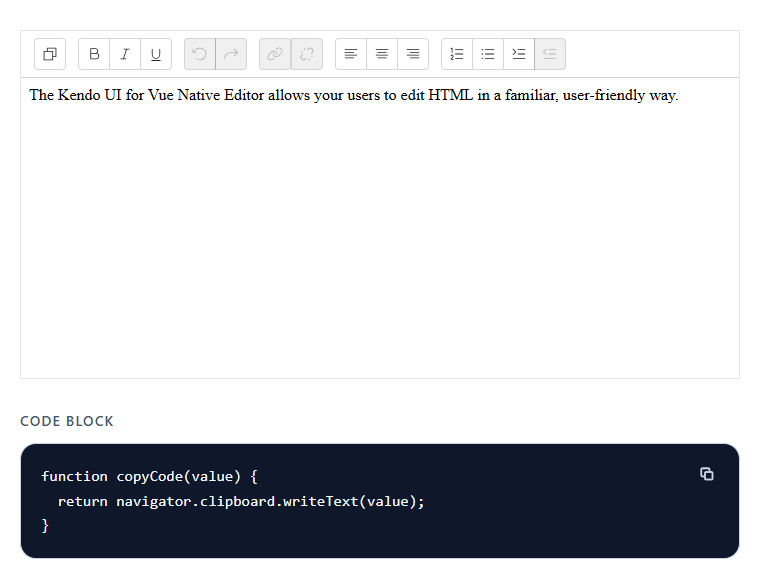
</code></pre><ul><li>I generated some SVG Copy buttons, as the Kendo UI Copy Buttons didn&rsquo;t look correct for this use case. The composable works the exact same way and is extremely easy to use.</li></ul><p><img src="https://www.telerik.com/sfimages/default-source/blogs/2026/2026-10/vue-editor-code-block.png?sfvrsn=37951246_2" alt="Vue editor and code block" /></p><ul><li>The norm for code blocks is to use <code>pre</code> and <code>code</code> tags.</li><li>If you plan on displaying code blocks in your app, you should install a Syntax Highlighting Library.
    <ul><li><a target="_blank" href="https://prismjs.com/">Prism.js</a></li><li><a target="_blank" href="https://highlightjs.org/">Highlight.js</a></li></ul></li></ul><p><strong>Repo:</strong> <a target="_blank" href="https://github.com/jdgamble555/nuxt-copy-code">GitHub</a><br /><strong>Demo:</strong> <a target="_blank" href="https://nuxt-copy-code.vercel.app/">Vercel Serverless</a></p><hr /><blockquote><p>Remember, Kendo UI for Vue comes with a free 30-day trial!</p><br /><p><a href="https://www.telerik.com/try/kendo-vue-ui" target="_blank" class="Btn">Try Now</a></p></blockquote><img src="https://feeds.telerik.com/link/23057/17500799.gif" height="1" width="1"/>]]></content>
  </entry>
  <entry>
    <id>urn:uuid:26a33a34-1fe8-4d65-99de-ef04288be1e4</id>
    <title type="text">React for Vue Developers, Part 4: Forms, useFormStatus and useOptimistic</title>
    <summary type="text">React 19 for Vue 3 Developers, Part 4: Where in Vue you use `v-model` and `ref` or use a library, React leans on the plain HTML `&lt;form&gt;` and hooks.</summary>
    <published>2026-10-15T16:41:14Z</published>
    <updated>2026-10-19T20:23:48Z</updated>
    <author>
      <name>Marina Mosti </name>
    </author>
    <link rel="alternate" href="https://feeds.telerik.com/link/23057/17498307/react-vue-developers-part-4-forms-useformstatus-useoptimistic"/>
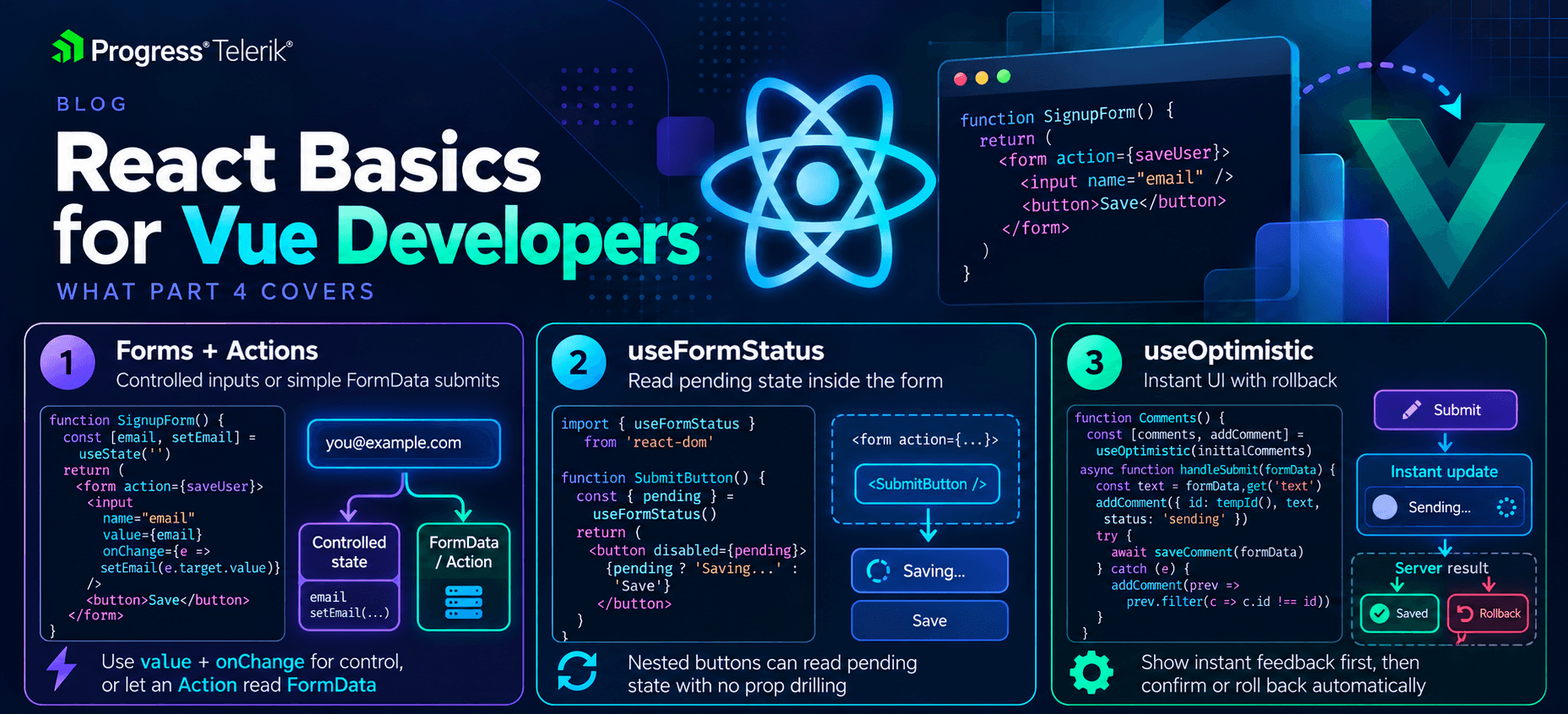
    <content type="text"><![CDATA[<p><span class="featured">React 19 for Vue 3 Developers, Part 4: Where in Vue you use <code>v-model</code> and <code>ref</code> or use a library, React leans on the plain HTML <code>&lt;form&gt;</code> and hooks.</span></p><p>In <a target="_blank" href="https://www.telerik.com/blogs/react-vue-developers-part-3-server-components-use-actions">Part 3 of this series</a> we met Actions, and we saw a form call one through the <code>action</code> prop. This time we stay in that world and go deeper. Forms are where a lot of React 19 finally clicks, so this is the fun part.</p><p>In Vue, you already have a comfortable setup for forms. You bind inputs with <code>v-model</code>, you track a loading <code>ref</code> by hand, and for anything extra you reach for a library like VeeValidate. React 19 takes a different route. It leans on the plain HTML <code>&lt;form&gt;</code> and gives you a few small hooks that remove most of the manual work.</p><p>None of these hooks is big on its own. Put together, though, they replace a lot of the form glue you write by hand in Vue, and that is the whole point. Let&rsquo;s take a look.</p><p><img sf-image-responsive="true" src="https://www.telerik.com/sfimages/default-source/blogs/2026/2026-10/react-basics-for-vue-developers-4.png?sfvrsn=76f613a6_2" height="846" style="max-width:100%;height:auto;" title="React Basics for Vue Developers 4" width="1859" alt="React Basics for Vue Developers 4 - forms and actions, useFormStatus, useOptimistic" sf-size="1799174" /><br /><span style="font-size:11px;">Image generated with AI</span></p><h2 id="controlled-inputs-the-manual-v-model">Controlled Inputs: The Manual v-model</h2><p>The first thing every Vue developer misses on day one is <code>v-model</code>. React does not have it. There is no single attribute that both shows a value and updates it when the user types. You wire those two halves up yourself.</p><p><code>NameField.vue</code></p><pre class=" language-vue"><code class="prism  language-vue">&lt;script setup&gt;
import { ref } from 'vue'

const name = ref('')
&lt;/script&gt;

&lt;template&gt;
  &lt;input v-model="name" /&gt;
  &lt;p&gt;Hello, {{ name }}&lt;/p&gt;
&lt;/template&gt;
</code></pre><p><code>NameField.jsx</code></p><pre class=" language-jsx"><code class="prism  language-jsx"><span class="token keyword">import</span> <span class="token punctuation">{</span> useState <span class="token punctuation">}</span> <span class="token keyword">from</span> <span class="token string">'react'</span>

<span class="token keyword">function</span> <span class="token function">NameField</span><span class="token punctuation">(</span><span class="token punctuation">)</span> <span class="token punctuation">{</span>
  <span class="token keyword">const</span> <span class="token punctuation">[</span>name<span class="token punctuation">,</span> setName<span class="token punctuation">]</span> <span class="token operator">=</span> <span class="token function">useState</span><span class="token punctuation">(</span><span class="token string">''</span><span class="token punctuation">)</span>

  <span class="token keyword">return</span> <span class="token punctuation">(</span>
    <span class="token operator">&lt;</span><span class="token operator">&gt;</span>
      <span class="token tag"><span class="token tag"><span class="token punctuation">&lt;</span>input</span> <span class="token attr-name">value</span><span class="token script language-javascript"><span class="token punctuation">=</span><span class="token punctuation">{</span>name<span class="token punctuation">}</span></span> <span class="token attr-name">onChange</span><span class="token script language-javascript"><span class="token punctuation">=</span><span class="token punctuation">{</span><span class="token punctuation">(</span>event<span class="token punctuation">)</span> <span class="token operator">=&gt;</span> <span class="token function">setName</span><span class="token punctuation">(</span>event<span class="token punctuation">.</span>target<span class="token punctuation">.</span>value<span class="token punctuation">)</span><span class="token punctuation">}</span></span> <span class="token punctuation">/&gt;</span></span>
      <span class="token tag"><span class="token tag"><span class="token punctuation">&lt;</span>p</span><span class="token punctuation">&gt;</span></span>Hello<span class="token punctuation">,</span> <span class="token punctuation">{</span>name<span class="token punctuation">}</span><span class="token tag"><span class="token tag"><span class="token punctuation">&lt;/</span>p</span><span class="token punctuation">&gt;</span></span>
    <span class="token operator">&lt;</span><span class="token operator">/</span><span class="token operator">&gt;</span>
  <span class="token punctuation">)</span>
<span class="token punctuation">}</span>
</code></pre><p>Let&rsquo;s break it down. In Vue, <code>v-model</code> does two jobs at once. It puts <code>name</code> into the input, and it writes the input back into <code>name</code> when you type. In React, you do both jobs by hand. <code>value={name}</code> shows the current value, and <code>onChange</code> runs on every keystroke and calls <code>setName</code> with the new text. You read the typed value from <code>event.target.value</code>.</p><p>An input wired up like this, where React owns the value through state, is called a <strong>controlled input</strong>. React controls what is in the box, not the browser. So <code>v-model="name"</code> becomes <code>value={name}</code> plus <code>onChange</code>, and that pair is something you will type a lot.</p><p>Notice this is more code than Vue for the simple case, and I won&rsquo;t pretend otherwise. The upside comes later, because having the value in your own state makes validation, formatting and conditional logic very direct. You already have the value, so you just use it.</p><p>What about a form with five fields? In Vue you would add five <code>v-model</code> bindings and move on. A controlled approach in React means five pieces of state, one per field, each with its own <code>value</code> and <code>onChange</code>. That is a lot of wiring for a big form. It is the main reason the next pattern exists. When a form is really just &ldquo;fill it in and submit,&rdquo; you do not have to control every input at all.</p><h2 id="letting-the-form-do-the-work">Letting the Form Do the Work</h2><p>Here is the part that surprised me coming from Vue. You do not always need controlled inputs. React 19 can read the values straight from the form when it submits, the way plain HTML always could.</p><p>Remember Actions from Part 3. When you pass a function to a form&rsquo;s <code>action</code> prop, React calls it on submit and hands it the form&rsquo;s <code>FormData</code>. That means you can skip the per-input state and just read the values at the end.</p><p><code>SignupForm.jsx</code></p><pre class=" language-jsx"><code class="prism  language-jsx"><span class="token string">'use client'</span>

<span class="token keyword">import</span> <span class="token punctuation">{</span> useActionState <span class="token punctuation">}</span> <span class="token keyword">from</span> <span class="token string">'react'</span>

<span class="token keyword">function</span> <span class="token function">SignupForm</span><span class="token punctuation">(</span><span class="token punctuation">)</span> <span class="token punctuation">{</span>
  <span class="token keyword">const</span> <span class="token punctuation">[</span>error<span class="token punctuation">,</span> signupAction<span class="token punctuation">,</span> isPending<span class="token punctuation">]</span> <span class="token operator">=</span> <span class="token function">useActionState</span><span class="token punctuation">(</span>
    <span class="token keyword">async</span> <span class="token punctuation">(</span>previousState<span class="token punctuation">,</span> formData<span class="token punctuation">)</span> <span class="token operator">=&gt;</span> <span class="token punctuation">{</span>
      <span class="token keyword">const</span> email <span class="token operator">=</span> formData<span class="token punctuation">.</span><span class="token keyword">get</span><span class="token punctuation">(</span><span class="token string">'email'</span><span class="token punctuation">)</span>
      <span class="token keyword">const</span> response <span class="token operator">=</span> <span class="token keyword">await</span> <span class="token function">fetch</span><span class="token punctuation">(</span><span class="token string">'https://myapp.com/signup'</span><span class="token punctuation">,</span> <span class="token punctuation">{</span>
        method<span class="token punctuation">:</span> <span class="token string">'POST'</span><span class="token punctuation">,</span>
        headers<span class="token punctuation">:</span> <span class="token punctuation">{</span> <span class="token string">'Content-Type'</span><span class="token punctuation">:</span> <span class="token string">'application/json'</span> <span class="token punctuation">}</span><span class="token punctuation">,</span>
        body<span class="token punctuation">:</span> JSON<span class="token punctuation">.</span><span class="token function">stringify</span><span class="token punctuation">(</span><span class="token punctuation">{</span> email <span class="token punctuation">}</span><span class="token punctuation">)</span><span class="token punctuation">,</span>
      <span class="token punctuation">}</span><span class="token punctuation">)</span>
      <span class="token keyword">if</span> <span class="token punctuation">(</span><span class="token operator">!</span>response<span class="token punctuation">.</span>ok<span class="token punctuation">)</span> <span class="token punctuation">{</span>
        <span class="token keyword">return</span> <span class="token string">'Something went wrong, please try again'</span>
      <span class="token punctuation">}</span>
      <span class="token keyword">return</span> <span class="token keyword">null</span>
    <span class="token punctuation">}</span><span class="token punctuation">,</span>
    <span class="token keyword">null</span>
  <span class="token punctuation">)</span>

  <span class="token keyword">return</span> <span class="token punctuation">(</span>
    <span class="token tag"><span class="token tag"><span class="token punctuation">&lt;</span>form</span> <span class="token attr-name">action</span><span class="token script language-javascript"><span class="token punctuation">=</span><span class="token punctuation">{</span>signupAction<span class="token punctuation">}</span></span><span class="token punctuation">&gt;</span></span>
      <span class="token tag"><span class="token tag"><span class="token punctuation">&lt;</span>input</span> <span class="token attr-name">name</span><span class="token attr-value"><span class="token punctuation">=</span><span class="token punctuation">"</span>email<span class="token punctuation">"</span></span> <span class="token attr-name">type</span><span class="token attr-value"><span class="token punctuation">=</span><span class="token punctuation">"</span>email<span class="token punctuation">"</span></span> <span class="token punctuation">/&gt;</span></span>
      <span class="token tag"><span class="token tag"><span class="token punctuation">&lt;</span>button</span> <span class="token attr-name">disabled</span><span class="token script language-javascript"><span class="token punctuation">=</span><span class="token punctuation">{</span>isPending<span class="token punctuation">}</span></span><span class="token punctuation">&gt;</span></span>Sign up<span class="token tag"><span class="token tag"><span class="token punctuation">&lt;/</span>button</span><span class="token punctuation">&gt;</span></span>
      <span class="token punctuation">{</span>error <span class="token operator">&amp;&amp;</span> <span class="token tag"><span class="token tag"><span class="token punctuation">&lt;</span>p</span><span class="token punctuation">&gt;</span></span><span class="token punctuation">{</span>error<span class="token punctuation">}</span><span class="token tag"><span class="token tag"><span class="token punctuation">&lt;/</span>p</span><span class="token punctuation">&gt;</span></span><span class="token punctuation">}</span>
    <span class="token tag"><span class="token tag"><span class="token punctuation">&lt;/</span>form</span><span class="token punctuation">&gt;</span></span>
  <span class="token punctuation">)</span>
<span class="token punctuation">}</span>
</code></pre><p>We met <code>useActionState</code> in Part 3, so here is the short recap. You give it your async action and a starting state. It gives you back three things:</p><ul><li><strong>The current state</strong>: I use it to hold an error message, or <code>null</code> when things went fine.</li><li><strong>A wrapped action</strong>: The function you pass to the form&rsquo;s <code>action</code>.</li><li><strong><code>isPending</code></strong>: A boolean React sets to <code>true</code> while the action runs, then back to <code>false</code>.</li></ul><p>Notice there is no <code>ref</code> for the email input. The input just has a <code>name</code>, and we read it with <code>formData.get('email')</code> when the form submits. There is also no <code>isSubmitting</code> flag that you flip by hand, and no <code>try/finally</code>. React tracks the pending state for you and clears it when the action settles.</p><p>Big disclaimer though. Uncontrolled inputs like this are great for simple submits, but the moment you need live validation as the user types, or you need to react to a value before submit, you will want controlled inputs again. Both styles are fine. Pick the one the app actually needs.</p><h2 id="useformstatus-pending-state-without-prop-drilling">useFormStatus: Pending State Without Prop Drilling</h2><p>Now, a common problem. You have a submit button, and you want it to show a spinner while the form is submitting. In the example above, that was easy because <code>isPending</code> lived right next to the button. But real forms get split into pieces. Your button often lives in its own small component, several layers down from the form.</p><p>In Vue, you would pass an <code>isSubmitting</code> prop down through each layer, or reach for <code>provide</code> and <code>inject</code> to skip the middle. React 19 gives you a hook made for exactly this. <code>useFormStatus</code> reads the status of the nearest <code>&lt;form&gt;</code> above it, with no props at all.</p><p><code>SubmitButton.jsx</code></p><pre class=" language-jsx"><code class="prism  language-jsx"><span class="token string">'use client'</span>

<span class="token keyword">import</span> <span class="token punctuation">{</span> useFormStatus <span class="token punctuation">}</span> <span class="token keyword">from</span> <span class="token string">'react-dom'</span>

<span class="token keyword">function</span> <span class="token function">SubmitButton</span><span class="token punctuation">(</span><span class="token punctuation">)</span> <span class="token punctuation">{</span>
  <span class="token keyword">const</span> <span class="token punctuation">{</span> pending <span class="token punctuation">}</span> <span class="token operator">=</span> <span class="token function">useFormStatus</span><span class="token punctuation">(</span><span class="token punctuation">)</span>

  <span class="token keyword">return</span> <span class="token punctuation">(</span>
    <span class="token tag"><span class="token tag"><span class="token punctuation">&lt;</span>button</span> <span class="token attr-name">disabled</span><span class="token script language-javascript"><span class="token punctuation">=</span><span class="token punctuation">{</span>pending<span class="token punctuation">}</span></span><span class="token punctuation">&gt;</span></span>
      <span class="token punctuation">{</span>pending <span class="token operator">?</span> <span class="token string">'Sending...'</span> <span class="token punctuation">:</span> <span class="token string">'Sign up'</span><span class="token punctuation">}</span>
    <span class="token tag"><span class="token tag"><span class="token punctuation">&lt;/</span>button</span><span class="token punctuation">&gt;</span></span>
  <span class="token punctuation">)</span>
<span class="token punctuation">}</span>
</code></pre><p>Let&rsquo;s break it down. The button asks <code>useFormStatus</code> for the current form status and reads <code>pending</code> from it. When the parent form is submitting, <code>pending</code> is <code>true</code>, so the button disables itself and swaps its label. The button never receives a prop. It looks up the tree, finds the form it sits inside and reads the status from there.</p><p>There is one rule that trips people up, so read this twice. <code>useFormStatus</code> reports on the form it is <strong>inside of</strong>, not a form in the same component. So the button has to be rendered within the <code>&lt;form&gt;</code>, and it has to be its own component. If you called <code>useFormStatus</code> in the same component that renders the <code>&lt;form&gt;</code>, it would not see that form. Think of it like Vue&rsquo;s <code>inject</code>. It only sees what an ancestor provides, so it has to sit below the form in the tree.</p><p>The hook comes from <code>react-dom</code>, not <code>react</code>, because it is tied to the DOM <code>&lt;form&gt;</code> element. That is an easy import to get wrong the first time.</p><p><code>useFormStatus</code> gives you more than <code>pending</code>. It also returns:</p><ul><li><strong><code>pending</code></strong>: <code>true</code> while the form is submitting.</li><li><strong><code>data</code></strong>: The <code>FormData</code> being sent, so a child can read what the user just submitted.</li><li><strong><code>method</code></strong> and <strong><code>action</code></strong>: The HTTP method and the action function the form is using.</li></ul><p>Most days, you only reach for <code>pending</code>. But <code>data</code> is handy when a nested component needs to show what is on its way to the server, like a preview of the comment someone just posted.</p><h2 id="useoptimistic-instant-ui-built-in">useOptimistic: Instant UI, Built In</h2><p>The last hook is my favorite, and if you read my earlier article on <a target="_blank" href="https://www.telerik.com/blogs/optimistic-updates-tanstack-query-vue">Optimistic Updates with TanStack Query in Vue</a>, the idea will feel familiar. An optimistic update shows the result right away, before the server confirms it. If the request fails, you roll back. It makes an app feel instant.</p><p>In the Vue TanStack piece, we did this through the query cache. We wrote the new value into the cache, kept a snapshot and rolled back on error. React 19 bakes the same idea into a hook called <code>useOptimistic</code>, and it does the rollback for you.</p><p><code>LikeButton.jsx</code></p><pre class=" language-jsx"><code class="prism  language-jsx"><span class="token string">'use client'</span>

<span class="token keyword">import</span> <span class="token punctuation">{</span> useOptimistic <span class="token punctuation">}</span> <span class="token keyword">from</span> <span class="token string">'react'</span>

<span class="token keyword">function</span> <span class="token function">LikeButton</span><span class="token punctuation">(</span><span class="token punctuation">{</span> likes<span class="token punctuation">,</span> likeAction <span class="token punctuation">}</span><span class="token punctuation">)</span> <span class="token punctuation">{</span>
  <span class="token keyword">const</span> <span class="token punctuation">[</span>optimisticLikes<span class="token punctuation">,</span> addOptimisticLike<span class="token punctuation">]</span> <span class="token operator">=</span> <span class="token function">useOptimistic</span><span class="token punctuation">(</span>
    likes<span class="token punctuation">,</span>
    <span class="token punctuation">(</span>current<span class="token punctuation">)</span> <span class="token operator">=&gt;</span> current <span class="token operator">+</span> <span class="token number">1</span>
  <span class="token punctuation">)</span>

  <span class="token keyword">const</span> handleLike <span class="token operator">=</span> <span class="token keyword">async</span> <span class="token punctuation">(</span><span class="token punctuation">)</span> <span class="token operator">=&gt;</span> <span class="token punctuation">{</span>
    <span class="token function">addOptimisticLike</span><span class="token punctuation">(</span><span class="token punctuation">)</span>
    <span class="token keyword">await</span> <span class="token function">likeAction</span><span class="token punctuation">(</span><span class="token punctuation">)</span>
  <span class="token punctuation">}</span>

  <span class="token keyword">return</span> <span class="token punctuation">(</span>
    <span class="token tag"><span class="token tag"><span class="token punctuation">&lt;</span>form</span> <span class="token attr-name">action</span><span class="token script language-javascript"><span class="token punctuation">=</span><span class="token punctuation">{</span>handleLike<span class="token punctuation">}</span></span><span class="token punctuation">&gt;</span></span>
      <span class="token tag"><span class="token tag"><span class="token punctuation">&lt;</span>button</span><span class="token punctuation">&gt;</span></span><span class="token punctuation">{</span>optimisticLikes<span class="token punctuation">}</span> likes<span class="token tag"><span class="token tag"><span class="token punctuation">&lt;/</span>button</span><span class="token punctuation">&gt;</span></span>
    <span class="token tag"><span class="token tag"><span class="token punctuation">&lt;/</span>form</span><span class="token punctuation">&gt;</span></span>
  <span class="token punctuation">)</span>
<span class="token punctuation">}</span>
</code></pre><p>Let&rsquo;s break it down. <code>useOptimistic</code> takes the real value, here the <code>likes</code> count from the server and a function that says how to change it for the optimistic view. It gives you back two things:</p><ul><li><strong><code>optimisticLikes</code></strong>: The value to show. While an action is running, this is the optimistic version. The rest of the time it is the real value.</li><li><strong><code>addOptimisticLike</code></strong>: The function you call to apply the optimistic change.</li></ul><p>When the user clicks, we call <code>addOptimisticLike()</code> first, so the count jumps up right away. Then we <code>await likeAction()</code> to tell the server. Here is the nice part. If the action fails, React throws away the optimistic value and shows the real one again. You do not write the rollback yourself, which is the piece that was always fiddly in the manual Vue version.</p><p>One thing to keep in mind about success. The count only stays up if the real <code>likes</code> value updates too, usually because the action returns the fresh count or the data gets refetched. When the action finishes, <code>useOptimistic</code> lines back up with whatever the real value is at that point. So it is not a place to store state, it is a way to show the change early while the real value catches up.</p><p>The update function is worth a second look. It receives the current value, and if you pass a value into <code>addOptimisticLike</code>, it receives that too. So you are not stuck with &ldquo;add one.&rdquo; A very common shape is a list. You show a new comment in the list the moment the user hits send, then let the server catch up. The pattern is the same as the counter. You just describe how to add the item instead of how to bump a number.</p><p>Notice that this only works while an action is running. <code>useOptimistic</code> is built to pair with the Actions and forms we have been using all through this article, so it fits right into the same flow.</p><h2 id="where-validation-lives">Where Validation Lives</h2><p>One honest gap before we wrap up. Vue developers often lean on VeeValidate for validation, and React does not ship anything like that. React 19 gives you the form plumbing, the pending state and optimistic updates, but it does not give you a validation library. In React, you either check values inside your action and return errors, like we did above, or you bring in a library. The common one is React Hook Form, usually with a schema tool like Zod.</p><p>Checking inside the action is nicer than it sounds. You read the values from <code>formData</code>, run your checks and return an error when something is off. Then you show it, exactly like the <code>error</code> state we used in the signup form. For more than one field, return an object keyed by field name:</p><pre class=" language-jsx"><code class="prism  language-jsx"><span class="token keyword">async</span> <span class="token punctuation">(</span>previousState<span class="token punctuation">,</span> formData<span class="token punctuation">)</span> <span class="token operator">=&gt;</span> <span class="token punctuation">{</span>
  <span class="token keyword">const</span> email <span class="token operator">=</span> formData<span class="token punctuation">.</span><span class="token keyword">get</span><span class="token punctuation">(</span><span class="token string">'email'</span><span class="token punctuation">)</span>
  <span class="token keyword">if</span> <span class="token punctuation">(</span><span class="token operator">!</span>email<span class="token punctuation">.</span><span class="token function">includes</span><span class="token punctuation">(</span><span class="token string">'@'</span><span class="token punctuation">)</span><span class="token punctuation">)</span> <span class="token punctuation">{</span>
    <span class="token keyword">return</span> <span class="token punctuation">{</span> email<span class="token punctuation">:</span> <span class="token string">'That does not look like an email'</span> <span class="token punctuation">}</span>
  <span class="token punctuation">}</span>
  <span class="token comment">// save the user here, then:</span>
  <span class="token keyword">return</span> <span class="token keyword">null</span>
<span class="token punctuation">}</span>
</code></pre><p>Now <code>error</code> holds that object, and each input can show its own message by reading something like <code>error?.email</code> next to it. It is manual work, but it is easy to follow, and for a login or signup form it is all you need.</p><p>For big forms with lots of rules, a library saves you from writing every check by hand. That is where React Hook Form and Zod come in. A Vue developer who has used VeeValidate with a schema will find the ideas familiar, even though the API looks different. We will line these up properly in the next part, so I will keep it short here. For now, just know that &ldquo;which validation library&rdquo; is a real question you answer on a React team.</p><h2 id="wrapping-up">Wrapping Up</h2><p>Forms are where React 19 pays off. You give up <code>v-model</code> and wire inputs yourself with <code>value</code> and <code>onChange</code>, which is the controlled-input pattern. For simple submits you can skip that and let the form hand you its <code>FormData</code> through an Action.</p><p><code>useFormStatus</code> lets a nested button read the form&rsquo;s pending state with no props, as long as it sits inside the form. And <code>useOptimistic</code> gives you instant UI with automatic rollback, the same idea as the TanStack optimistic updates you may already know from Vue, now built into React.</p><p>For the details, the React docs on <a target="_blank" href="https://react.dev/reference/react-dom/hooks/useFormStatus"><code>useFormStatus</code></a> and <a target="_blank" href="https://react.dev/reference/react/useOptimistic"><code>useOptimistic</code></a> are the best place to go, and they show more of the shapes each hook returns.</p><p>Next time, we finish the series with a full cheat sheet that lines up each Vue tool next to its React counterpart. It covers routing, state management, data fetching and validation, so you have one page to keep open on the job.</p><p>Happy submitting!</p><hr /><blockquote><p>Want to build a beautifully designed, feature-rich form with ease? Check out the <a href="https://www.telerik.com/kendo-react-ui/form" target="_blank">KendoReact Form component</a>.</p></blockquote><img src="https://feeds.telerik.com/link/23057/17498307.gif" height="1" width="1"/>]]></content>
  </entry>
  <entry>
    <id>urn:uuid:a5564819-4b16-44c3-a9c0-748fe79d20d5</id>
    <title type="text">Using Kendo UI with Svelte</title>
    <summary type="text">Even though there isn’t a native Svelte Kendo UI library, you can still use the Kendo UI for jQuery library of components with Svelte.</summary>
    <published>2026-10-12T16:13:00Z</published>
    <updated>2026-10-19T20:23:48Z</updated>
    <author>
      <name>Jonathan Gamble </name>
    </author>
    <link rel="alternate" href="https://feeds.telerik.com/link/23057/17494685/using-kendo-ui-svelte"/>
    <content type="text"><![CDATA[<p><span class="featured">Even though there isn&rsquo;t a native Svelte Kendo UI library, you can still use one of the Kendo UI component libraries with Svelte.</span></p><p>Progress Kendo UI does not have a Svelte version by default. It specializes in Angular, Vue, React and jQuery. However, that does not mean you Svelte fans out there are out of luck! JavaScript is just JavaScript, and there are work arounds to meet different needs.</p><h2 id="tldr">TL;DR</h2><p>You can use <a target="_blank" href="https://www.telerik.com/kendo-jquery-ui">Kendo UI for jQuery</a> in any JavaScript framework, or you can use <a target="_blank" href="https://astro.build/">Astro</a> to mix components from multiple frameworks (React, Vue, Angular). The jQuery version is not perfect for server-side rendering, but it can work in pure Svelte, while Astro can work wonders with any framework component.</p><h2 id="svelte-kendo-ui-for-jquery">✔️ Svelte with Kendo UI for jQuery</h2><p>Svelte allows you to import any JS you want. It is just JavaScript.</p><h3 id="create-a-new-sveltekit-project">Create a New SvelteKit Project</h3><pre class=" language-bash"><code class="prism  language-bash">npx sv create my-app
</code></pre><p>Install Tailwind and any other <a target="_blank" href="https://svelte.dev/docs/kit/creating-a-project">SvelteKit options</a> you need.</p><h3 id="install-packages">Install Packages</h3><pre class=" language-bash"><code class="prism  language-bash"><span class="token function">npm</span> i @progress/kendo-theme-meridian @progress/kendo-ui @progress/kendo-data-query @progress/kendo-date-math @progress/kendo-licensing @progress/kendo-popup-common jquery
</code></pre><p>with types:</p><pre class=" language-bash"><code class="prism  language-bash"><span class="token function">npm</span> <span class="token function">install</span> -D @types/jquery @types/node
</code></pre><h3 id="activate-kendo-ui">Activate Kendo UI</h3><pre class=" language-bash"><code class="prism  language-bash">npx kendo-ui-license activate
</code></pre><p>Get your key ready and follow any other <a target="_blank" href="https://www.telerik.com/kendo-jquery-ui/documentation/intro/installation/licensing/using-license-file">activation instructions</a>.</p><h3 id="create-a-jquery-declaration-file">Create a jQuery Declaration File</h3><p>Put it in <code>lib/types/kendo-ui-module.d.ts</code> or wherever makes sense.</p><pre class=" language-tsx"><code class="prism  language-tsx">/// &lt;reference types="@progress/kendo-ui" /&gt;

declare module '@progress/kendo-ui' {
export {};
}

declare module '@progress/kendo-ui/kendo.all.js' {
export {};
}

declare global {
interface Window {
jQuery: JQueryStatic;
$: JQueryStatic;
}
}

export {};
</code></pre><ul><li><code>jQuery</code> types do not work as expected on the client without it.</li></ul><h3 id="dynamically-import-jquery-on-the-browser">Dynamically Import jQuery on the Browser</h3><pre class=" language-bash"><code class="prism  language-bash"><span class="token function">export</span> async <span class="token keyword">function</span> loadKendoUi<span class="token punctuation">(</span><span class="token punctuation">)</span> <span class="token punctuation">{</span>
// @ts-expect-error Kendo UI exposes this runtime entry but ships global-only typings.
await import<span class="token punctuation">(</span><span class="token string">'@progress/kendo-ui/kendo.all.js'</span><span class="token punctuation">)</span><span class="token punctuation">;</span>
<span class="token punctuation">}</span>
</code></pre><p>This allows you to load Kendo UI dynamically. Kendo UI for jQuery cannot run on the server, as it needs <code>window</code> objects, etc.</p><h3 id="handle-css">Handle CSS</h3><pre class=" language-tsx"><code class="prism  language-tsx">@import 'tailwindcss';
@import '@progress/kendo-theme-meridian/dist/meridian-main.css';
</code></pre><p>Make sure your global <code>layout.css</code> or <code>app.css</code> file contains tailwind and the correct Progress theme CSS.</p><h3 id="load-a-grid-element">Load a Grid Element</h3><pre class=" language-tsx"><code class="prism  language-tsx">&lt;script lang="ts"&gt;
import { loadKendoUi } from '$lib/kendo-ui';
import { onMount, tick } from 'svelte';
import ProductGridSkeleton from './ProductGridSkeleton.svelte';

let gridEl = $state&lt;HTMLDivElement&gt;();
let isGridLoading = $state(true);

const products = [
{ ProductName: 'Chai', UnitPrice: 18, UnitsInStock: 39, Discontinued: false },
{ ProductName: 'Chang', UnitPrice: 19, UnitsInStock: 17, Discontinued: false },
{ ProductName: 'Aniseed Syrup', UnitPrice: 10, UnitsInStock: 13, Discontinued: false }
];

onMount(() =&gt; {
let mounted = true;
let jquery: JQueryStatic | undefined;

(async () =&gt; {
const jqueryModule = await import('jquery');

jquery = jqueryModule.default;

window.jQuery = jquery;
window.$ = jquery;

await loadKendoUi();

if (!mounted) return;

isGridLoading = false;
await tick();

if (!mounted || !gridEl) return;

jquery(gridEl).kendoGrid({
dataSource: {
data: products,
pageSize: 20
},
height: 550,
scrollable: true,
sortable: true,
filterable: true,
pageable: {
input: true,
numeric: false
},
columns: [
{ field: 'ProductName' },
{ field: 'UnitPrice', title: 'Unit Price', format: '{0:c}', width: 130 },
{ field: 'UnitsInStock', title: 'Units In Stock', width: 130 },
{ field: 'Discontinued', width: 130 }
]
});
})();

return () =&gt; {
mounted = false;

if (!jquery || !gridEl) return;

jquery(gridEl).data('kendoGrid')?.destroy();
jquery(gridEl).empty();
};
});
&lt;/script&gt;

&lt;main class="flex items-center justify-center p-6"&gt;
&lt;section class="w-full max-w-5xl overflow-hidden rounded-lg border border-gray-200 bg-white shadow-sm"&gt;
{#if isGridLoading}
&lt;ProductGridSkeleton /&gt;
{:else}
&lt;div bind:this={gridEl}&gt;&lt;/div&gt;
{/if}
&lt;/section&gt;
&lt;/main&gt;
</code></pre><ul><li>We load Kendo UI in <code>onMount</code> so that it won&rsquo;t have problems loading on the server.</li><li>We use a <code>$state</code> signal to show a loading skeleton.</li><li><code>jQuery</code> and <code>kendoGrid</code> are dynamically loaded, and then the products are added to the grid.</li></ul><h3 id="create-a-loader">Create a Loader</h3><p>Since the component takes a second to load, we want to show a loading skeleton in the interim. Notice we use <code>kendo</code> style classes to match our grid.</p><pre class=" language-tsx"><code class="prism  language-tsx">&lt;script lang="ts"&gt;
const skeletonRows = Array.from({ length: 8 }, (_, index) =&gt; index);
&lt;/script&gt;

&lt;div class="k-grid k-grid-md k-grid-display-block h-137.5" aria-label="Loading product grid"&gt;
&lt;div class="k-grid-header"&gt;
&lt;div class="k-grid-header-wrap"&gt;
&lt;table class="k-grid-header-table k-table k-table-md"&gt;
&lt;colgroup&gt;
&lt;col /&gt;
&lt;col class="w-32.5" /&gt;
&lt;/colgroup&gt;
&lt;thead class="k-table-thead"&gt;
&lt;tr class="k-table-row"&gt;
&lt;th class="k-header k-table-th" scope="col"&gt;
&lt;span class="k-cell-inner"&gt;
&lt;span class="k-link"&gt;
&lt;span class="k-column-title"&gt;ProductName&lt;/span&gt;
&lt;/span&gt;
&lt;/span&gt;
&lt;/th&gt;
&lt;th class="k-header k-table-th" scope="col"&gt;
&lt;span class="k-cell-inner"&gt;
&lt;span class="k-link"&gt;
&lt;span class="k-column-title"&gt;Unit Price&lt;/span&gt;
&lt;/span&gt;
&lt;/span&gt;
&lt;/th&gt;
&lt;th class="k-header k-table-th" scope="col"&gt;
&lt;span class="k-cell-inner"&gt;
&lt;span class="k-link"&gt;
&lt;span class="k-column-title"&gt;Units In Stock&lt;/span&gt;
&lt;/span&gt;
&lt;/span&gt;
&lt;/th&gt;
&lt;th class="k-header k-table-th" scope="col"&gt;
&lt;span class="k-cell-inner"&gt;
&lt;span class="k-link"&gt;
&lt;span class="k-column-title"&gt;Discontinued&lt;/span&gt;
&lt;/span&gt;
&lt;/span&gt;
&lt;/th&gt;
&lt;/tr&gt;
&lt;/thead&gt;
&lt;/table&gt;
&lt;/div&gt;
&lt;/div&gt;

&lt;div class="k-grid-container"&gt;
&lt;div class="k-grid-content k-auto-scrollable"&gt;
&lt;table class="k-grid-table k-table k-table-md"&gt;
&lt;colgroup&gt;
&lt;col /&gt;
&lt;col class="w-32.5" /&gt;
&lt;/colgroup&gt;
&lt;tbody class="k-table-tbody"&gt;
{#each skeletonRows as row (row)}
&lt;tr class="k-table-row"&gt;
&lt;td class="k-table-td"&gt;
&lt;span class="block h-4 w-64 max-w-full animate-pulse rounded bg-gray-300 text-transparent"&gt;
Loading product
&lt;/span&gt;
&lt;/td&gt;
&lt;td class="k-table-td"&gt;
&lt;span class="block h-4 w-24 animate-pulse rounded bg-gray-300 text-transparent"&gt;
0.00
&lt;/span&gt;
&lt;/td&gt;
&lt;td class="k-table-td"&gt;
&lt;span class="block h-4 w-24 animate-pulse rounded bg-gray-300 text-transparent"&gt;
000
&lt;/span&gt;
&lt;/td&gt;
&lt;td class="k-table-td"&gt;
&lt;span class="block h-4 w-20 animate-pulse rounded bg-gray-300 text-transparent"&gt;
False
&lt;/span&gt;
&lt;/td&gt;
&lt;/tr&gt;
{/each}
&lt;/tbody&gt;
&lt;/table&gt;
&lt;/div&gt;
&lt;/div&gt;
&lt;/div&gt;
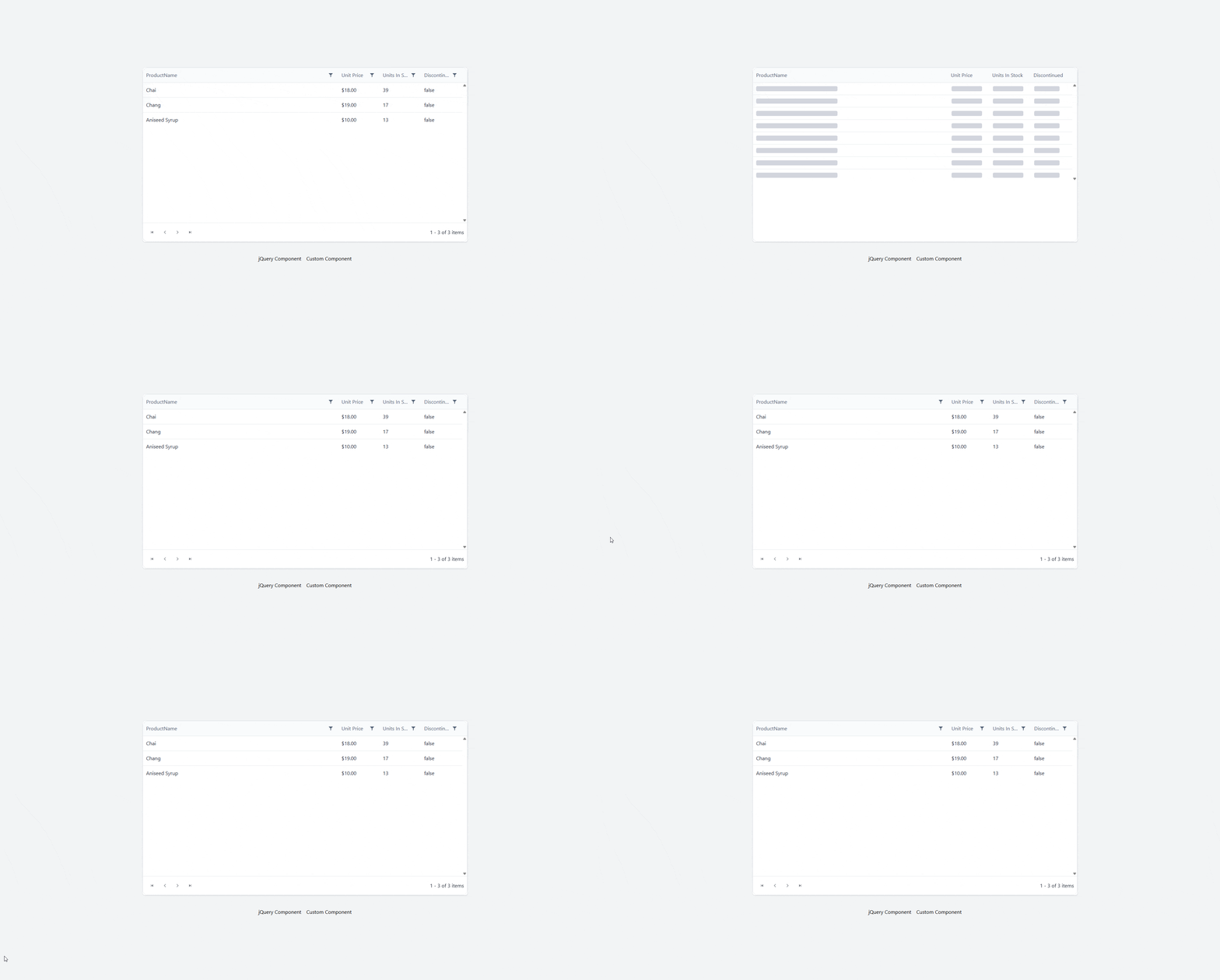
</code></pre><p>We could equally have used a spinner.</p><p><img src="https://www.telerik.com/sfimages/default-source/blogs/2026/2026-10/chrome_vzeabbkhqo.gif?sfvrsn=137ca374_2" alt="Kendo UI for jQuery with Svelte in a grid" /></p><h2 id="kendo-ui-in-astro">✔️ Kendo UI in Astro</h2><p>Using <a target="_blank" href="https://astro.build/">Astro</a> is by far the best approach. You are not building in Svelte, but you can use any other framework with Astro, and have everything else built with Svelte.</p><h3 id="install-astro">Install Astro</h3><p>Create a new Astro project.</p><pre class=" language-bash"><code class="prism  language-bash"><span class="token function">npm</span> create astro@latest
</code></pre><ul><li>Don&rsquo;t forget to <a target="_blank" href="https://tailwindcss.com/docs/installation/framework-guides/astro">add Tailwind</a>.</li></ul><h3 id="choose-your-kendo-ui-framework">Choose Your Kendo UI Framework</h3><ul><li><a target="_blank" href="https://www.telerik.com/kendo-react-ui">KendoReact</a></li><li><a target="_blank" href="https://www.telerik.com/kendo-vue-ui">Kendo UI for Vue</a></li><li><a target="_blank" href="https://www.telerik.com/kendo-angular-ui">Kendo UI for Angular</a></li></ul><p>Install the Svelte Astro Plugin:</p><ul><li><a target="_blank" href="https://docs.astro.build/en/guides/integrations-guide/svelte/">Svelte</a></li></ul><p>Install the proper Astro plugin:</p><ul><li><a target="_blank" href="https://docs.astro.build/en/guides/integrations-guide/react/">React</a></li><li><a target="_blank" href="https://docs.astro.build/en/guides/integrations-guide/vue/">Vue</a></li><li><a target="_blank" href="https://analogjs.org/docs/packages/astro-angular/overview">Angular</a> (unofficial)</li></ul><p>For this demo, I chose Vue and I copied all the <a target="_blank" href="https://www.telerik.com/kendo-vue-ui/components/grid">Kendo UI for Vue</a> grid components in Astro.</p><h3 id="install-dependencies">Install Dependencies</h3><pre class=" language-bash"><code class="prism  language-bash"><span class="token function">npm</span> i @progress/kendo-data-query @progress/kendo-drawing @progress/kendo-licensing @progress/kendo-svg-icons @progress/kendo-theme-default @progress/kendo-vue-animation @progress/kendo-vue-buttons @progress/kendo-vue-charts @progress/kendo-vue-data-tools @progress/kendo-vue-dateinputs @progress/kendo-vue-dropdowns @progress/kendo-vue-grid @progress/kendo-vue-excel-export @progress/kendo-vue-inputs @progress/kendo-vue-intl @progress/kendo-vue-pdf @progress/kendo-vue-popup @progress/kendo-vue-treeview
</code></pre><h3 id="configure-css">Configure CSS</h3><pre class=" language-bash"><code class="prism  language-bash">@import <span class="token string">"tailwindcss"</span><span class="token punctuation">;</span>
@import <span class="token string">'@progress/kendo-theme-default/dist/all.css'</span><span class="token punctuation">;</span>
</code></pre><p>Put in <code>styles/global.css</code>.</p><h3 id="activate-your-kendo-ui-license">Activate Your Kendo UI License</h3><pre class=" language-bash"><code class="prism  language-bash">npx kendo-ui-license activate
</code></pre><ul><li><a target="_blank" href="https://www.telerik.com/kendo-react-ui/components/my-license">KendoReact Setup</a></li><li><a target="_blank" href="https://www.telerik.com/kendo-vue-ui/components/my-license">Kendo UI for Vue Setup</a></li><li><a target="_blank" href="https://www.telerik.com/kendo-angular-ui/components/licensing">Kendo UI for Angular Setup</a></li></ul><p> You can also use more than one or all of them with Astro! (Progress offers a <a target="_blank" href="https://www.telerik.com/devcraft">DevCraft bundle</a>, if you code in more than one framework.)</p><h3 id="create-svelte-component">Create Svelte Component</h3><p>We want to mix our components, so we create a Svelte Component that can accept any other component as a child.</p><pre class=" language-bash"><code class="prism  language-bash"><span class="token operator">&lt;</span>script lang<span class="token operator">=</span><span class="token string">"ts"</span><span class="token operator">&gt;</span>
  <span class="token keyword">let</span> <span class="token punctuation">{</span> children <span class="token punctuation">}</span> <span class="token operator">=</span> <span class="token variable">$props</span><span class="token punctuation">(</span><span class="token punctuation">)</span><span class="token punctuation">;</span>

  <span class="token keyword">let</span> count <span class="token operator">=</span> <span class="token variable">$state</span><span class="token punctuation">(</span>0<span class="token punctuation">)</span><span class="token punctuation">;</span>
<span class="token operator">&lt;</span>/script<span class="token operator">&gt;</span>

<span class="token operator">&lt;</span>section
  class<span class="token operator">=</span><span class="token string">"mx-auto mt-5 w-full max-w-4xl rounded-3xl border border-pink-200 bg-linear-to-br from-pink-50 via-yellow-50 to-sky-50 p-6 shadow-[0_20px_60px_rgba(244,114,182,0.18)] ring-1 ring-white/70 sm:p-8"</span>
<span class="token operator">&gt;</span>
  <span class="token operator">&lt;</span>div class<span class="token operator">=</span><span class="token string">"mb-5 flex items-center justify-between gap-3"</span><span class="token operator">&gt;</span>
    <span class="token operator">&lt;</span>div class<span class="token operator">=</span><span class="token string">"flex items-center gap-3"</span><span class="token operator">&gt;</span>
      <span class="token operator">&lt;</span>div
        class<span class="token operator">=</span><span class="token string">"flex h-12 w-12 items-center justify-center rounded-2xl bg-linear-to-br from-pink-500 to-rose-400 text-2xl shadow-lg shadow-pink-200/60"</span>
      <span class="token operator">&gt;</span>
        ⭐
      <span class="token operator">&lt;</span>/div<span class="token operator">&gt;</span>

      <span class="token operator">&lt;</span>div<span class="token operator">&gt;</span>
        <span class="token operator">&lt;</span>p
          class<span class="token operator">=</span><span class="token string">"text-xs font-semibold uppercase tracking-[0.32em] text-pink-500"</span>
        <span class="token operator">&gt;</span>
          For kids
        <span class="token operator">&lt;</span>/p<span class="token operator">&gt;</span>
        <span class="token operator">&lt;</span>h2 class<span class="token operator">=</span><span class="token string">"text-2xl font-bold text-slate-800 sm:text-3xl"</span><span class="token operator">&gt;</span>
          Fun learning card
        <span class="token operator">&lt;</span>/h2<span class="token operator">&gt;</span>
      <span class="token operator">&lt;</span>/div<span class="token operator">&gt;</span>
    <span class="token operator">&lt;</span>/div<span class="token operator">&gt;</span>

    <span class="token operator">&lt;</span>button
      type<span class="token operator">=</span><span class="token string">"button"</span>
      class<span class="token operator">=</span><span class="token string">"inline-flex items-center gap-2 rounded-full bg-sky-500 px-4 py-2 text-sm font-semibold text-white shadow-md shadow-sky-200 transition hover:-translate-y-0.5 hover:bg-sky-600 active:translate-y-0"</span>
      onclick<span class="token operator">=</span><span class="token punctuation">{</span><span class="token punctuation">(</span><span class="token punctuation">)</span> <span class="token operator">=</span><span class="token operator">&gt;</span> <span class="token punctuation">(</span>count +<span class="token operator">=</span> 1<span class="token punctuation">)</span><span class="token punctuation">}</span>
      aria-label<span class="token operator">=</span><span class="token string">"Increase counter"</span>
    <span class="token operator">&gt;</span>
      Count <span class="token operator">&lt;</span>span class<span class="token operator">=</span><span class="token string">"min-w-5 text-center"</span><span class="token operator">&gt;</span><span class="token punctuation">{</span>count<span class="token punctuation">}</span><span class="token operator">&lt;</span>/span<span class="token operator">&gt;</span>
    <span class="token operator">&lt;</span>/button<span class="token operator">&gt;</span>
  <span class="token operator">&lt;</span>/div<span class="token operator">&gt;</span>

  <span class="token operator">&lt;</span>div
    class<span class="token operator">=</span><span class="token string">"rounded-2xl bg-white/80 p-4 shadow-inner shadow-white/60 ring-1 ring-pink-100 sm:p-6"</span>
  <span class="token operator">&gt;</span>
    <span class="token punctuation">{</span>@render children?.<span class="token punctuation">(</span><span class="token punctuation">)</span><span class="token punctuation">}</span>
  <span class="token operator">&lt;</span>/div<span class="token operator">&gt;</span>

  <span class="token operator">&lt;</span>div class<span class="token operator">=</span><span class="token string">"mt-5 flex items-center justify-between text-sm text-slate-500"</span><span class="token operator">&gt;</span>
    <span class="token operator">&lt;</span>span<span class="token operator">&gt;</span>Made <span class="token keyword">for</span> bright ideas and happy moments.<span class="token operator">&lt;</span>/span<span class="token operator">&gt;</span>
    <span class="token operator">&lt;</span>span
      class<span class="token operator">=</span><span class="token string">"rounded-full bg-yellow-200 px-3 py-1 font-medium text-yellow-900"</span>
      <span class="token operator">&gt;</span>New<span class="token operator">&lt;</span>/span
    <span class="token operator">&gt;</span>
  <span class="token operator">&lt;</span>/div<span class="token operator">&gt;</span>
<span class="token operator">&lt;</span>/section<span class="token operator">&gt;</span>
</code></pre><p>This component has a simple button counter that uses Runes.</p><h3 id="create-our-grid-component">Create our Grid Component</h3><pre class=" language-bash"><code class="prism  language-bash"><span class="token operator">&lt;</span>script setup<span class="token operator">&gt;</span>
<span class="token function">import</span> <span class="token punctuation">{</span> ref, computed <span class="token punctuation">}</span> from <span class="token string">'vue'</span><span class="token punctuation">;</span>
<span class="token function">import</span> Grid from <span class="token string">'./grid/Grid.vue'</span><span class="token punctuation">;</span>
<span class="token function">import</span> <span class="token punctuation">{</span>
    load,
    LocalizationProvider,
    IntlProvider,
    loadMessages,
<span class="token punctuation">}</span> from <span class="token string">'@progress/kendo-vue-intl'</span><span class="token punctuation">;</span>

<span class="token function">import</span> <span class="token punctuation">{</span> enComponentMessages, enCustomMessages <span class="token punctuation">}</span> from <span class="token string">'./grid/en-US'</span><span class="token punctuation">;</span>
<span class="token function">import</span> <span class="token punctuation">{</span> esComponentMessages, esCustomMessages <span class="token punctuation">}</span> from <span class="token string">'./grid/es'</span><span class="token punctuation">;</span>
<span class="token function">import</span> <span class="token punctuation">{</span> frComponentMessages, frCustomMessages <span class="token punctuation">}</span> from <span class="token string">'./grid/fr'</span><span class="token punctuation">;</span>

<span class="token function">import</span> likelySubtags from <span class="token string">'cldr-core/supplemental/likelySubtags.json'</span><span class="token punctuation">;</span>
<span class="token function">import</span> currencyData from <span class="token string">'cldr-core/supplemental/currencyData.json'</span><span class="token punctuation">;</span>
<span class="token function">import</span> weekData from <span class="token string">'cldr-core/supplemental/weekData.json'</span><span class="token punctuation">;</span>

<span class="token function">import</span> numbers from <span class="token string">'cldr-numbers-full/main/es/numbers.json'</span><span class="token punctuation">;</span>
<span class="token function">import</span> caGregorian from <span class="token string">'cldr-dates-full/main/es/ca-gregorian.json'</span><span class="token punctuation">;</span>
<span class="token function">import</span> dateFields from <span class="token string">'cldr-dates-full/main/es/dateFields.json'</span><span class="token punctuation">;</span>
<span class="token function">import</span> timeZoneNames from <span class="token string">'cldr-dates-full/main/es/timeZoneNames.json'</span><span class="token punctuation">;</span>
<span class="token function">import</span> esNumbers from <span class="token string">'cldr-numbers-full/main/es/numbers.json'</span><span class="token punctuation">;</span>
<span class="token function">import</span> esCurrencies from <span class="token string">'cldr-numbers-full/main/es/currencies.json'</span><span class="token punctuation">;</span>

<span class="token function">import</span> frNumbers from <span class="token string">'cldr-numbers-full/main/fr/numbers.json'</span><span class="token punctuation">;</span>
<span class="token function">import</span> frCaGregorian from <span class="token string">'cldr-dates-full/main/fr/ca-gregorian.json'</span><span class="token punctuation">;</span>
<span class="token function">import</span> frDateFields from <span class="token string">'cldr-dates-full/main/fr/dateFields.json'</span><span class="token punctuation">;</span>
<span class="token function">import</span> frTimeZoneNames from <span class="token string">'cldr-dates-full/main/fr/timeZoneNames.json'</span><span class="token punctuation">;</span>
<span class="token function">import</span> frCurrencies from <span class="token string">'cldr-numbers-full/main/fr/currencies.json'</span><span class="token punctuation">;</span>

load<span class="token punctuation">(</span>
    likelySubtags,
    currencyData,
    weekData,
    numbers,
    caGregorian,
    dateFields,
    timeZoneNames,
    esNumbers,
    esCurrencies,
    frNumbers,
    frCaGregorian,
    frDateFields,
    frTimeZoneNames,
    frCurrencies
<span class="token punctuation">)</span><span class="token punctuation">;</span>

loadMessages<span class="token punctuation">(</span>enCustomMessages, <span class="token string">'English'</span><span class="token punctuation">)</span><span class="token punctuation">;</span>
loadMessages<span class="token punctuation">(</span>enComponentMessages, <span class="token string">'English'</span><span class="token punctuation">)</span><span class="token punctuation">;</span>
loadMessages<span class="token punctuation">(</span>esCustomMessages, <span class="token string">'Spanish'</span><span class="token punctuation">)</span><span class="token punctuation">;</span>
loadMessages<span class="token punctuation">(</span>esComponentMessages, <span class="token string">'Spanish'</span><span class="token punctuation">)</span><span class="token punctuation">;</span>
loadMessages<span class="token punctuation">(</span>frCustomMessages, <span class="token string">'French'</span><span class="token punctuation">)</span><span class="token punctuation">;</span>
loadMessages<span class="token punctuation">(</span>frComponentMessages, <span class="token string">'French'</span><span class="token punctuation">)</span><span class="token punctuation">;</span>

const localizationLanguage <span class="token operator">=</span> ref<span class="token punctuation">(</span><span class="token string">'English'</span><span class="token punctuation">)</span><span class="token punctuation">;</span>
const locale <span class="token operator">=</span> computed<span class="token punctuation">((</span><span class="token punctuation">)</span> <span class="token operator">=</span><span class="token operator">&gt;</span> <span class="token punctuation">{</span>
    <span class="token keyword">if</span> <span class="token punctuation">(</span>localizationLanguage.value <span class="token operator">==</span><span class="token operator">=</span> <span class="token string">'Spanish'</span><span class="token punctuation">)</span> <span class="token keyword">return</span> <span class="token string">'es'</span><span class="token punctuation">;</span>
    <span class="token keyword">if</span> <span class="token punctuation">(</span>localizationLanguage.value <span class="token operator">==</span><span class="token operator">=</span> <span class="token string">'French'</span><span class="token punctuation">)</span> <span class="token keyword">return</span> <span class="token string">'fr'</span><span class="token punctuation">;</span>
    <span class="token keyword">return</span> <span class="token string">'en'</span><span class="token punctuation">;</span>
<span class="token punctuation">}</span><span class="token punctuation">)</span><span class="token punctuation">;</span>

const onLocalizationLanguageChange <span class="token operator">=</span> <span class="token punctuation">(</span>e<span class="token punctuation">)</span> <span class="token operator">=</span><span class="token operator">&gt;</span> <span class="token punctuation">{</span>
    localizationLanguage.value <span class="token operator">=</span> e<span class="token punctuation">;</span>
<span class="token punctuation">}</span><span class="token punctuation">;</span>
<span class="token operator">&lt;</span>/script<span class="token operator">&gt;</span>

<span class="token operator">&lt;</span>template<span class="token operator">&gt;</span>
  <span class="token operator">&lt;</span>div<span class="token operator">&gt;</span>
    <span class="token operator">&lt;</span>LocalizationProvider :language<span class="token operator">=</span><span class="token string">"localizationLanguage"</span><span class="token operator">&gt;</span>
      <span class="token operator">&lt;</span>IntlProvider :locale<span class="token operator">=</span><span class="token string">"locale"</span><span class="token operator">&gt;</span>
        <span class="token operator">&lt;</span>Grid @localizationLanguageChange<span class="token operator">=</span><span class="token string">"onLocalizationLanguageChange"</span> /<span class="token operator">&gt;</span>
      <span class="token operator">&lt;</span>/IntlProvider<span class="token operator">&gt;</span>
    <span class="token operator">&lt;</span>/LocalizationProvider<span class="token operator">&gt;</span>
  <span class="token operator">&lt;</span>/div<span class="token operator">&gt;</span>
<span class="token operator">&lt;</span>/template<span class="token operator">&gt;</span>
</code></pre><p>The Grid component is broken up in several files and is copied directly from the <a target="_blank" href="https://www.telerik.com/kendo-vue-ui/components/grid#kendo-ui-for-vue-native-grid-demo">Grid Demo</a>.</p><h3 id="load-vue-with-svelte">Load Vue with Svelte</h3><p>We create our Astro page under <code>pages/index.astro</code>.</p><pre class=" language-bash"><code class="prism  language-bash">---
<span class="token function">import</span> Panel from <span class="token string">"../components/Panel.svelte"</span><span class="token punctuation">;</span>
<span class="token function">import</span> Grid from <span class="token string">"../components/kendo-grid.vue"</span><span class="token punctuation">;</span>
<span class="token function">import</span> <span class="token string">"../styles/global.css"</span><span class="token punctuation">;</span>
---

<span class="token operator">&lt;</span>html lang<span class="token operator">=</span><span class="token string">"en"</span><span class="token operator">&gt;</span>
  <span class="token operator">&lt;</span>head<span class="token operator">&gt;</span>
    <span class="token operator">&lt;</span>meta charset<span class="token operator">=</span><span class="token string">"utf-8"</span> /<span class="token operator">&gt;</span>
    <span class="token operator">&lt;</span>link rel<span class="token operator">=</span><span class="token string">"icon"</span> type<span class="token operator">=</span><span class="token string">"image/svg+xml"</span> href<span class="token operator">=</span><span class="token string">"/favicon.svg"</span> /<span class="token operator">&gt;</span>
    <span class="token operator">&lt;</span>link rel<span class="token operator">=</span><span class="token string">"icon"</span> href<span class="token operator">=</span><span class="token string">"/favicon.ico"</span> /<span class="token operator">&gt;</span>
    <span class="token operator">&lt;</span>meta name<span class="token operator">=</span><span class="token string">"viewport"</span> content<span class="token operator">=</span><span class="token string">"width=device-width"</span> /<span class="token operator">&gt;</span>
    <span class="token operator">&lt;</span>meta name<span class="token operator">=</span><span class="token string">"generator"</span> content<span class="token operator">=</span><span class="token punctuation">{</span>Astro.generator<span class="token punctuation">}</span> /<span class="token operator">&gt;</span>
    <span class="token operator">&lt;</span>title<span class="token operator">&gt;</span>Astro<span class="token operator">&lt;</span>/title<span class="token operator">&gt;</span>
  <span class="token operator">&lt;</span>/head<span class="token operator">&gt;</span>
  <span class="token operator">&lt;</span>body<span class="token operator">&gt;</span>
    <span class="token operator">&lt;</span>Panel client:load<span class="token operator">&gt;</span>
      <span class="token operator">&lt;</span>Grid client:load /<span class="token operator">&gt;</span>
    <span class="token operator">&lt;</span>/Panel<span class="token operator">&gt;</span>
  <span class="token operator">&lt;</span>/body<span class="token operator">&gt;</span>
<span class="token operator">&lt;</span>/html<span class="token operator">&gt;</span>
</code></pre><ul><li>Notice we are importing both a <code>.svelte</code> and a <code>.vue</code> component in the same file!</li><li>We use <code>client:load</code> to show that the component is dynamic.</li><li><code>Grid</code> is a child of <code>Panel</code>.</li></ul><p><img sf-image-responsive="true" src="https://www.telerik.com/sfimages/default-source/blogs/2026/2026-10/chrome_ic0nsd7axj.gif?sfvrsn=7ed7ef64_2" height="1031" style="max-width:100%;height:auto;" title="Kendo UI with Svelte" width="1920" alt="Kendo UI with Svelte - Fun learning card" sf-size="339356" /></p><p>And we have Kendo UI for Vue and a Svelte Component in one!</p><h2 id="resources">Resources</h2><ul><li><a target="_blank" href="https://github.com/jdgamble555/svelte-kendo-ui">Svelte Repo on GitHub</a></li><li><a target="_blank" href="https://svelte-kendo-ui.vercel.app/">Svelte Demo on Vercel Serverless</a></li><li><a target="_blank" href="https://github.com/jdgamble555/astro-kendo">Astro Repo on GitHub</a></li><li><a target="_blank" href="https://astro-kendo.vercel.app/">Astro Demo on GitHub</a></li></ul><hr /><h2>Try Kendo UI</h2><p>All the Progress Kendo UI component libraries come with a free 30-day trial so you can explore them yourself.</p><p><a target="_blank" href="https://astro-kendo.vercel.app/" data-sf-ec-immutable="https://www.telerik.com/try/kendo-ui" class="Btn">Try Now</a></p><img src="https://feeds.telerik.com/link/23057/17494685.gif" height="1" width="1"/>]]></content>
  </entry>
  <entry>
    <id>urn:uuid:c2a8086c-4a10-4660-a8a1-b2eb3861f00e</id>
    <title type="text">React for Vue Developers, Part 3: Server Components, use and Actions</title>
    <summary type="text">React 19 for Vue 3 Developers, Part 3: Server Components vs. the Vue SSR you know (the least Vue-like part of React 19).</summary>
    <published>2026-10-07T16:25:35Z</published>
    <updated>2026-10-19T20:23:48Z</updated>
    <author>
      <name>Marina Mosti </name>
    </author>
    <link rel="alternate" href="https://feeds.telerik.com/link/23057/17491476/react-vue-developers-part-3-server-components-use-actions"/>
    <content type="text"><![CDATA[<p><span class="featured">React 19 for Vue 3 Developers, Part 3: Server Components vs. the Vue SSR you know (the least Vue-like part of React 19).</span></p><p>In <a target="_blank" href="https://www.telerik.com/blogs/react-vue-developers-part-2-state-effects-why-react-re-renders-differently">Part 2 of this series</a>, we dug into state and effects, and the big takeaway was that React reruns your component function to render, where Vue tracks dependencies and updates in place. That was all about what happens in the browser. Today we cross a bigger line, the one between the server and the client.</p><p>This is the part of React 19 that has the least clean mapping onto Vue, so I want to set expectations up front. Some of what we cover here (Server Components especially) is not something you wire up by hand the way you do a <code>ref</code>. It lives at the framework level, which in practice means Next.js and its App Router. So think of this article as the mental model you need so that when you open a Next.js codebase, the <code>"use client"</code> at the top of some files and the <code>async</code> on some components stop looking like typos. Let&rsquo;s translate.</p><p><img sf-image-responsive="true" src="https://www.telerik.com/sfimages/default-source/blogs/2026/2026-10/react-basics-for-vue-developers-3.png?sfvrsn=7344e939_2" height="846" style="max-width:100%;height:auto;" title="React Basics for Vue Developers-3" width="1859" alt="React for Vue Devs. Server components, async and use, actions and server functions" sf-size="1764673" /><br /><span style="font-size:11px;">Image generated with AI</span></p><h2 id="server-components-vs.-the-vue-ssr-you-know">Server Components vs. the Vue SSR You Know</h2><p>If you have shipped a Nuxt app, you already have the foundation for this. You know that a component can render on the server to produce HTML, get sent to the browser, and then &ldquo;hydrate,&rdquo; meaning React (or Vue) attaches event listeners and takes over so the page becomes interactive. The whole component tree renders in both places.</p><p>React Server Components change that deal in one important way. A Server Component renders only on the server, and it ships zero JavaScript to the browser for itself. Mind you, not less JavaScript. None. What lands in the browser is the finished HTML the component produced, never the component itself.</p><p>That means a Server Component can do things you would normally keep well away from the client: read from a database directly, use server-only secrets, hit the filesystem, all without exposing any of it.</p><p>The catch is the flip side. Because a Server Component never runs in the browser, it cannot use any of the things that only make sense there. No <code>useState</code>, no <code>useEffect</code>, no event handlers like <code>onClick</code>, no <code>window</code>. The moment you need interactivity, you cross back over to a regular component, now called a Client Component, and you mark that boundary with a directive.</p><p><code>LikeButton.jsx</code></p><pre class=" language-jsx"><code class="prism  language-jsx"><span class="token string">'use client'</span>

<span class="token keyword">import</span> <span class="token punctuation">{</span> useState <span class="token punctuation">}</span> <span class="token keyword">from</span> <span class="token string">'react'</span>

<span class="token keyword">function</span> <span class="token function">LikeButton</span><span class="token punctuation">(</span><span class="token punctuation">)</span> <span class="token punctuation">{</span>
  <span class="token keyword">const</span> <span class="token punctuation">[</span>liked<span class="token punctuation">,</span> setLiked<span class="token punctuation">]</span> <span class="token operator">=</span> <span class="token function">useState</span><span class="token punctuation">(</span><span class="token boolean">false</span><span class="token punctuation">)</span>

  <span class="token keyword">return</span> <span class="token punctuation">(</span>
    <span class="token tag"><span class="token tag"><span class="token punctuation">&lt;</span>button</span> <span class="token attr-name">onClick</span><span class="token script language-javascript"><span class="token punctuation">=</span><span class="token punctuation">{</span><span class="token punctuation">(</span><span class="token punctuation">)</span> <span class="token operator">=&gt;</span> <span class="token function">setLiked</span><span class="token punctuation">(</span><span class="token punctuation">(</span>prev<span class="token punctuation">)</span> <span class="token operator">=&gt;</span> <span class="token operator">!</span>prev<span class="token punctuation">)</span><span class="token punctuation">}</span></span><span class="token punctuation">&gt;</span></span>
      <span class="token punctuation">{</span>liked <span class="token operator">?</span> <span class="token string">'Liked'</span> <span class="token punctuation">:</span> <span class="token string">'Like'</span><span class="token punctuation">}</span>
    <span class="token tag"><span class="token tag"><span class="token punctuation">&lt;/</span>button</span><span class="token punctuation">&gt;</span></span>
  <span class="token punctuation">)</span>
<span class="token punctuation">}</span>
</code></pre><p>Let&rsquo;s break it down. That <code>'use client'</code> string at the very top of the file is the boundary marker. It tells the bundler &ldquo;everything in this file, and the client components it pulls in, ships to the browser and runs there.&rdquo; Without it, in a framework that defaults to Server Components, this file would be treated as server-only, and the <code>useState</code> and <code>onClick</code> would not make sense.</p><p>Quick heads-up before we go on, because this is the bit that trips people up. You will see both kinds of component in the examples below, server and client. The way to tell them apart is one line. If a file starts with <code>'use client'</code>, it runs in the browser. If it does not, it runs only on the server. That is the whole tell.</p><p>Here is the mental flip for a Vue developer. In Nuxt, you occasionally opt <em>out</em> of running on the server (think <code>&lt;ClientOnly&gt;</code> or a browser-only guard). In the React Server Components world, everything is server-only by default and you opt <em>in</em> to the client with <code>'use client'</code>. The default is flipped around, and it&rsquo;s very easy to miss.</p><p>Notice that this means your interactive, stateful components become the leaves of the tree, and the static data-fetching shell around them stays on the server.</p><p>Big disclaimer though. This only works inside a framework that implements Server Components, and that in practice means Next.js with the App Router. (React Router v7 and others are catching up, but Next is where most jobs will put you.) You cannot sprinkle Server Components into a plain Vite single-page app. If your React job is a classic client-rendered SPA, you may never touch this, and that is fine.</p><h2 id="async-components-and-the-use-api">Async Components and the use API</h2><p>Here is something that is not immediately obvious at first glance. A Server Component can be <code>async</code>, and you can <code>await</code> right inside it.</p><p><code>UserProfile.jsx</code></p><pre class=" language-jsx"><code class="prism  language-jsx"><span class="token keyword">async</span> <span class="token keyword">function</span> <span class="token function">UserProfile</span><span class="token punctuation">(</span><span class="token punctuation">{</span> id <span class="token punctuation">}</span><span class="token punctuation">)</span> <span class="token punctuation">{</span>
  <span class="token keyword">const</span> response <span class="token operator">=</span> <span class="token keyword">await</span> <span class="token function">fetch</span><span class="token punctuation">(</span><span class="token template-string"><span class="token string">`https://myapp.com/users/</span><span class="token interpolation"><span class="token interpolation-punctuation punctuation">${</span>id<span class="token interpolation-punctuation punctuation">}</span></span><span class="token string">`</span></span><span class="token punctuation">)</span>
  <span class="token keyword">if</span> <span class="token punctuation">(</span><span class="token operator">!</span>response<span class="token punctuation">.</span>ok<span class="token punctuation">)</span> <span class="token punctuation">{</span>
    <span class="token keyword">throw</span> <span class="token keyword">new</span> <span class="token class-name">Error</span><span class="token punctuation">(</span><span class="token string">'Failed to fetch user'</span><span class="token punctuation">)</span>
  <span class="token punctuation">}</span>
  <span class="token keyword">const</span> user <span class="token operator">=</span> <span class="token keyword">await</span> response<span class="token punctuation">.</span><span class="token function">json</span><span class="token punctuation">(</span><span class="token punctuation">)</span>

  <span class="token keyword">return</span> <span class="token tag"><span class="token tag"><span class="token punctuation">&lt;</span>h1</span><span class="token punctuation">&gt;</span></span><span class="token punctuation">{</span>user<span class="token punctuation">.</span>name<span class="token punctuation">}</span><span class="token tag"><span class="token tag"><span class="token punctuation">&lt;/</span>h1</span><span class="token punctuation">&gt;</span></span>
<span class="token punctuation">}</span>
</code></pre><p>No <code>useEffect</code>, no loading <code>ref</code>, no <code>onMounted</code>. The component awaits its data and returns the markup. This is the closest React gets to Vue&rsquo;s async <code>setup</code>, and if you have used a top-level <code>await</code> inside <code>&lt;script setup&gt;</code> behind a <code>&lt;Suspense&gt;</code>, this will feel familiar (Vue&rsquo;s <code>&lt;Suspense&gt;</code> is still officially experimental, but the mental model is the same). The data fetching moves into the component itself instead of into a lifecycle hook.</p><p>Warning! <code>async</code>/<code>await</code> in the component body only works in Server Components. In a Client Component, you cannot make the function <code>async</code>, because rendering has to stay synchronous there. That is where the new <code>use</code> API comes in. <code>use</code> lets you read the value of a promise during render, and it tells React to suspend (show a fallback) until that promise resolves.</p><p><code>Comments.jsx</code></p><pre class=" language-jsx"><code class="prism  language-jsx"><span class="token string">'use client'</span>

<span class="token keyword">import</span> <span class="token punctuation">{</span> use <span class="token punctuation">}</span> <span class="token keyword">from</span> <span class="token string">'react'</span>

<span class="token keyword">function</span> <span class="token function">Comments</span><span class="token punctuation">(</span><span class="token punctuation">{</span> commentsPromise <span class="token punctuation">}</span><span class="token punctuation">)</span> <span class="token punctuation">{</span>
  <span class="token keyword">const</span> comments <span class="token operator">=</span> <span class="token function">use</span><span class="token punctuation">(</span>commentsPromise<span class="token punctuation">)</span>

  <span class="token keyword">return</span> <span class="token punctuation">(</span>
    <span class="token tag"><span class="token tag"><span class="token punctuation">&lt;</span>ul</span><span class="token punctuation">&gt;</span></span>
      <span class="token punctuation">{</span>comments<span class="token punctuation">.</span><span class="token function">map</span><span class="token punctuation">(</span><span class="token punctuation">(</span>comment<span class="token punctuation">)</span> <span class="token operator">=&gt;</span> <span class="token punctuation">(</span>
        <span class="token tag"><span class="token tag"><span class="token punctuation">&lt;</span>li</span> <span class="token attr-name">key</span><span class="token script language-javascript"><span class="token punctuation">=</span><span class="token punctuation">{</span>comment<span class="token punctuation">.</span>id<span class="token punctuation">}</span></span><span class="token punctuation">&gt;</span></span><span class="token punctuation">{</span>comment<span class="token punctuation">.</span>text<span class="token punctuation">}</span><span class="token tag"><span class="token tag"><span class="token punctuation">&lt;/</span>li</span><span class="token punctuation">&gt;</span></span>
      <span class="token punctuation">)</span><span class="token punctuation">)</span><span class="token punctuation">}</span>
    <span class="token tag"><span class="token tag"><span class="token punctuation">&lt;/</span>ul</span><span class="token punctuation">&gt;</span></span>
  <span class="token punctuation">)</span>
<span class="token punctuation">}</span>
</code></pre><p>The component receives a <code>promise</code> as a prop (typically created up in a Server Component and passed down). <code>use(commentsPromise)</code> unwraps it. If the promise is still pending, the component suspends and the nearest <code>&lt;Suspense&gt;</code> boundary shows its fallback. When it resolves, <code>use</code> hands back the value and the component renders with it. This is where React&rsquo;s <code>&lt;Suspense&gt;</code> and Vue&rsquo;s <code>&lt;Suspense&gt;</code> overlap. They both let a child announce &ldquo;I am not ready yet&rdquo; and let a parent boundary show something in the meantime.</p><p>There is one more trick worth knowing, because it breaks a rule you learned in Part 2. Every other hook has to run unconditionally at the top of your component. <code>use</code> does not. You are allowed to call it inside an <code>if</code> or after an early <code>return</code>. That makes it handy for conditionally reading context:</p><p><code>UserMenu.jsx</code></p><pre class=" language-jsx"><code class="prism  language-jsx"><span class="token keyword">function</span> <span class="token function">UserMenu</span><span class="token punctuation">(</span><span class="token punctuation">{</span> isLoggedIn <span class="token punctuation">}</span><span class="token punctuation">)</span> <span class="token punctuation">{</span>
  <span class="token keyword">if</span> <span class="token punctuation">(</span>isLoggedIn<span class="token punctuation">)</span> <span class="token punctuation">{</span>
    <span class="token keyword">const</span> session <span class="token operator">=</span> <span class="token function">use</span><span class="token punctuation">(</span>SessionContext<span class="token punctuation">)</span>
    <span class="token keyword">return</span> <span class="token tag"><span class="token tag"><span class="token punctuation">&lt;</span>nav</span><span class="token punctuation">&gt;</span></span>Signed <span class="token keyword">in</span> <span class="token keyword">as</span> <span class="token punctuation">{</span>session<span class="token punctuation">.</span>name<span class="token punctuation">}</span><span class="token tag"><span class="token tag"><span class="token punctuation">&lt;/</span>nav</span><span class="token punctuation">&gt;</span></span>
  <span class="token punctuation">}</span>
  <span class="token keyword">return</span> <span class="token tag"><span class="token tag"><span class="token punctuation">&lt;</span>nav</span><span class="token punctuation">&gt;</span></span>Sign <span class="token keyword">in</span><span class="token tag"><span class="token tag"><span class="token punctuation">&lt;/</span>nav</span><span class="token punctuation">&gt;</span></span>
<span class="token punctuation">}</span>
</code></pre><p>Reading context with <code>use</code> is the same idea as Vue&rsquo;s <code>inject</code>, grabbing a value some ancestor provided, and here you can do it conditionally.</p><p>Big disclaimer. Do not create the promise inside the component you pass it to and expect it to be stable. Because the component reruns on every render (Part 2, again), a promise created inline would be a brand-new promise each time, and <code>use</code> would never settle. Create the promise where it is stable, usually in a Server Component or a cached data layer, and pass it down.</p><h2 id="actions-when-vue-would-reach-for-a-manual-handler">Actions: When Vue Would Reach for a Manual Handler</h2><p>The last piece for today is <code>Actions</code>. In Vue, when the user submits something, you write a handler. Set a loading <code>ref</code> to true, <code>await</code> your fetch or mutation, handle the error, set loading back to false, maybe show a toast. I&rsquo;m sure you&rsquo;ve written this a hundred times before.</p><p>React 19 gives that dance a name. An <strong>Action</strong> is just an async function you hand to React (through a form or a transition) and in return React manages the pending state, errors and sequencing for you. You stop hand-rolling the <code>isLoading</code> flag.</p><p>The most common way you will meet Actions is passing one straight to a form&rsquo;s <code>action</code> prop. Here is the contrast.</p><p><code>NewsletterForm.vue</code></p><pre class=" language-vue"><code class="prism  language-vue">&lt;script setup&gt;
import { ref } from 'vue'

const email = ref('')
const isSubmitting = ref(false)

const subscribe = async () =&gt; {
  isSubmitting.value = true
  try {
    const response = await fetch('https://myapp.com/subscribe', {
      method: 'POST',
      body: JSON.stringify({ email: email.value }),
    })
    if (!response.ok) {
      throw new Error('Subscription failed')
    }
  } finally {
    isSubmitting.value = false
  }
}
&lt;/script&gt;

&lt;template&gt;
  &lt;form @submit.prevent="subscribe"&gt;
    &lt;input v-model="email" type="email" /&gt;
    &lt;button :disabled="isSubmitting"&gt;Subscribe&lt;/button&gt;
  &lt;/form&gt;
&lt;/template&gt;
</code></pre><p><code>NewsletterForm.jsx</code></p><pre class=" language-jsx"><code class="prism  language-jsx"><span class="token string">'use client'</span>

<span class="token keyword">import</span> <span class="token punctuation">{</span> useActionState <span class="token punctuation">}</span> <span class="token keyword">from</span> <span class="token string">'react'</span>

<span class="token keyword">function</span> <span class="token function">NewsletterForm</span><span class="token punctuation">(</span><span class="token punctuation">)</span> <span class="token punctuation">{</span>
  <span class="token keyword">const</span> <span class="token punctuation">[</span>error<span class="token punctuation">,</span> subscribeAction<span class="token punctuation">,</span> isPending<span class="token punctuation">]</span> <span class="token operator">=</span> <span class="token function">useActionState</span><span class="token punctuation">(</span>
    <span class="token keyword">async</span> <span class="token punctuation">(</span>previousState<span class="token punctuation">,</span> formData<span class="token punctuation">)</span> <span class="token operator">=&gt;</span> <span class="token punctuation">{</span>
      <span class="token keyword">const</span> response <span class="token operator">=</span> <span class="token keyword">await</span> <span class="token function">fetch</span><span class="token punctuation">(</span><span class="token string">'https://myapp.com/subscribe'</span><span class="token punctuation">,</span> <span class="token punctuation">{</span>
        method<span class="token punctuation">:</span> <span class="token string">'POST'</span><span class="token punctuation">,</span>
        body<span class="token punctuation">:</span> JSON<span class="token punctuation">.</span><span class="token function">stringify</span><span class="token punctuation">(</span><span class="token punctuation">{</span> email<span class="token punctuation">:</span> formData<span class="token punctuation">.</span><span class="token keyword">get</span><span class="token punctuation">(</span><span class="token string">'email'</span><span class="token punctuation">)</span> <span class="token punctuation">}</span><span class="token punctuation">)</span><span class="token punctuation">,</span>
      <span class="token punctuation">}</span><span class="token punctuation">)</span>
      <span class="token keyword">if</span> <span class="token punctuation">(</span><span class="token operator">!</span>response<span class="token punctuation">.</span>ok<span class="token punctuation">)</span> <span class="token punctuation">{</span>
        <span class="token keyword">return</span> <span class="token string">'Subscription failed'</span>
      <span class="token punctuation">}</span>
      <span class="token keyword">return</span> <span class="token keyword">null</span>
    <span class="token punctuation">}</span><span class="token punctuation">,</span>
    <span class="token keyword">null</span>
  <span class="token punctuation">)</span>

  <span class="token keyword">return</span> <span class="token punctuation">(</span>
    <span class="token tag"><span class="token tag"><span class="token punctuation">&lt;</span>form</span> <span class="token attr-name">action</span><span class="token script language-javascript"><span class="token punctuation">=</span><span class="token punctuation">{</span>subscribeAction<span class="token punctuation">}</span></span><span class="token punctuation">&gt;</span></span>
      <span class="token tag"><span class="token tag"><span class="token punctuation">&lt;</span>input</span> <span class="token attr-name">name</span><span class="token attr-value"><span class="token punctuation">=</span><span class="token punctuation">"</span>email<span class="token punctuation">"</span></span> <span class="token attr-name">type</span><span class="token attr-value"><span class="token punctuation">=</span><span class="token punctuation">"</span>email<span class="token punctuation">"</span></span> <span class="token punctuation">/&gt;</span></span>
      <span class="token tag"><span class="token tag"><span class="token punctuation">&lt;</span>button</span> <span class="token attr-name">disabled</span><span class="token script language-javascript"><span class="token punctuation">=</span><span class="token punctuation">{</span>isPending<span class="token punctuation">}</span></span><span class="token punctuation">&gt;</span></span>Subscribe<span class="token tag"><span class="token tag"><span class="token punctuation">&lt;/</span>button</span><span class="token punctuation">&gt;</span></span>
      <span class="token punctuation">{</span>error <span class="token operator">&amp;&amp;</span> <span class="token tag"><span class="token tag"><span class="token punctuation">&lt;</span>p</span><span class="token punctuation">&gt;</span></span><span class="token punctuation">{</span>error<span class="token punctuation">}</span><span class="token tag"><span class="token tag"><span class="token punctuation">&lt;/</span>p</span><span class="token punctuation">&gt;</span></span><span class="token punctuation">}</span>
    <span class="token tag"><span class="token tag"><span class="token punctuation">&lt;/</span>form</span><span class="token punctuation">&gt;</span></span>
  <span class="token punctuation">)</span>
<span class="token punctuation">}</span>
</code></pre><p>Let&rsquo;s break it down, because a lot is being handled for you. <code>useActionState</code> takes your async action and an initial state, and hands back three things:</p><ul><li><strong>The current state</strong>: Here I am using it to hold an error message, or <code>null</code> when the submission went fine (it&rsquo;s the return value which we decide to name error for convenience).</li><li><strong>A wrapped action</strong>: The function you actually hand to the form&rsquo;s <code>action</code> prop.</li><li><strong><code>isPending</code></strong>: A boolean React flips to <code>true</code> while the action runs and back to <code>false</code> once it settles.</li></ul><p>Did you notice what is <em>missing</em> compared to the Vue version? There is no <code>isSubmitting</code> ref that you flip true and false by hand, and there is no <code>try/finally</code>. React owns that bookkeeping now. The action also receives the <code>FormData</code> directly, so you do not even wire up a <code>ref</code> per input. You read from <code>formData.get('email')</code> where <code>email</code> is the input&rsquo;s <code>name</code>.</p><p>We will go much deeper on forms, <code>useFormStatus</code> and optimistic updates in the next article, so treat this as the introduction. The point for now is the shift in thinking. Vue has you orchestrate the async lifecycle manually. React 19 wants you to hand it an async function and let it own the pending and error bookkeeping.</p><h2 id="server-functions-actions-that-run-on-the-server">Server Functions: Actions That Run on the Server</h2><p>Stack the two ideas together and you get the piece with genuinely no Vue equivalent. An Action can be a <strong>Server Function</strong>, an async function that runs on the server but that you can call directly from your client code, marked with the <code>"use server"</code> directive. React handles the network request for you, so there is no <code>fetch</code>, no API route you write by hand, no endpoint to name.</p><p><code>actions.js</code></p><pre class=" language-js"><code class="prism  language-js"><span class="token string">'use server'</span>

<span class="token keyword">export</span> <span class="token keyword">async</span> <span class="token keyword">function</span> <span class="token function">subscribe</span><span class="token punctuation">(</span>previousState<span class="token punctuation">,</span> formData<span class="token punctuation">)</span> <span class="token punctuation">{</span>
  <span class="token keyword">const</span> email <span class="token operator">=</span> formData<span class="token punctuation">.</span><span class="token keyword">get</span><span class="token punctuation">(</span><span class="token string">'email'</span><span class="token punctuation">)</span>
  <span class="token keyword">await</span> db<span class="token punctuation">.</span>subscribers<span class="token punctuation">.</span><span class="token function">create</span><span class="token punctuation">(</span><span class="token punctuation">{</span> email <span class="token punctuation">}</span><span class="token punctuation">)</span>
  <span class="token keyword">return</span> <span class="token keyword">null</span>
<span class="token punctuation">}</span>
</code></pre><p>Then a Client Component imports that function and feeds it through <code>useActionState</code>, exactly like the local action above:</p><pre class=" language-jsx"><code class="prism  language-jsx"><span class="token keyword">const</span> <span class="token punctuation">[</span>error<span class="token punctuation">,</span> subscribeAction<span class="token punctuation">,</span> isPending<span class="token punctuation">]</span> <span class="token operator">=</span> <span class="token function">useActionState</span><span class="token punctuation">(</span>subscribe<span class="token punctuation">,</span> <span class="token keyword">null</span><span class="token punctuation">)</span>
</code></pre><p>It then passes the returned <code>subscribeAction</code> to the form&rsquo;s <code>action</code>. When the form submits, React serializes the form data, calls <code>subscribe</code> on the server and hands back its result.</p><p>You wrote what looks like a normal function call, and the network hop happened invisibly. (If you instead passed the raw <code>subscribe</code> straight to <code>action={subscribe}</code>, React would call it with the <code>FormData</code> as the <em>first</em> argument, so the two-parameter shape above is really the <code>useActionState</code> signature.)</p><p>Do not confuse the two directives, because they are near opposites. <code>'use client'</code> marks a boundary where code starts running in the browser. <code>"use server"</code> marks functions that run on the server but are callable from the client. One pushes code toward the browser, the other exposes server code to it.</p><p>Here is where the analogy fully breaks, and I would rather be honest than force it. Vue has no built-in equivalent to Server Functions. The closest thing in spirit is the pattern you get from Nuxt&rsquo;s server routes plus a composable like <code>useFetch</code>, but that is you assembling an endpoint and a client call, not the framework erasing the boundary. If this feels like new territory, that is because it genuinely is. It is worth learning on its own terms rather than reaching for a Vue analogy that does not quite exist.</p><h2 id="wrapping-up">Wrapping Up</h2><p>We covered a lot of ground that sits above the component API you are used to.</p><ul><li>Server Components render only on the server and ship no JavaScript, which inverts the Nuxt default that everything is server-only until you opt into the browser with <code>'use client'</code>.</li><li>Async Server Components let you <code>await</code> data right in the component, and the <code>use</code> API brings a piece of that to Client Components by reading a promise (or context, even conditionally) and suspending until it resolves.</li><li>Actions give a name and a set of built-in guarantees to the async submit lifecycle you used to hand-roll in Vue, and Server Functions marked with <code>"use server"</code> let you call server code from the client with no endpoint in between.</li></ul><p>Don&rsquo;t worry, this layer is the least Vue-like part of React 19, and most of it only comes alive inside a framework like Next.js. If your day job is a client-rendered SPA, file it away as context.</p><p>For the details, the React docs on <a target="_blank" href="https://react.dev/reference/rsc/server-components">Server Components</a> and <a target="_blank" href="https://react.dev/reference/react/use"><code>use</code></a> are the best references, and they assume exactly the framework setup we described.</p><p>Next time, we will zoom back into the browser and go deep on forms, <code>useFormStatus</code> and <code>useOptimistic</code>, which is where a lot of this finally pays off in everyday code.</p><p>Happy server rendering!</p><p><a href="https://www.telerik.com/blogs/react-vue-developers-part-4-forms-useformstatus-useoptimistic" target="_blank" class="Btn">Read Part 4</a></p><img src="https://feeds.telerik.com/link/23057/17491476.gif" height="1" width="1"/>]]></content>
  </entry>
  <entry>
    <id>urn:uuid:21f0cf00-b082-4c6e-90ad-6fdad3e88400</id>
    <title type="text">React for Vue Developers, Part 2: State, Effects and Why React Re-renders Differently</title>
    <summary type="text">React 19 for Vue 3 Developers, Part 2: React reruns your component function to render; Vue tracks dependencies and updates in place.</summary>
    <published>2026-10-01T17:33:23Z</published>
    <updated>2026-10-19T20:23:48Z</updated>
    <author>
      <name>Marina Mosti </name>
    </author>
    <link rel="alternate" href="https://feeds.telerik.com/link/23057/17483296/react-vue-developers-part-2-state-effects-why-react-re-renders-differently"/>
    <content type="text"><![CDATA[<p><span class="featured">React 19 for Vue 3 Developers, Part 2: React reruns your component function to render; Vue tracks dependencies and updates in place.</span></p><p>In <a target="_blank" href="https://www.telerik.com/blogs/react-vue-developers-part-1-components-props-mental-reset">Part 1 of this series</a> we reset the mental model: a React component is just a function, JSX is JavaScript with markup, props are the first argument and <code>children</code> is your default slot. I ended that piece with one sentence I asked you to carry forward, and now it is time to collect on it: React props are not reactive the way Vue props are, because the whole component function reruns to produce the next render.</p><p>That single fact is the key to this entire article. Almost every React quirk that annoys a Vue developer (state that seems to update &ldquo;one step late,&rdquo; values that are mysteriously frozen inside a callback, effects that fire more often than you expected) comes back to the same root cause. So before we touch a single hook, let&rsquo;s really internalize how React decides to re-render, because it is genuinely different from Vue.</p><p><img sf-image-responsive="true" src="https://www.telerik.com/sfimages/default-source/blogs/2026/2026-09/react-basics-for-vue-developers.png?sfvrsn=6c55943f_2" height="846" style="max-width:100%;height:auto;" title="React Basics for Vue Developers" width="1859" alt="React Basics for Vue Developers Part 2" sf-size="1598227" /><br /><span style="font-size:11px;">Image generated with AI</span></p><h2 id="the-core-difference-vue-tracks-react-reruns">The Core Difference: Vue Tracks, React Reruns</h2><p>In Vue, reactivity is fine-grained and automatic. When you create a <code>ref</code> and use it in your template, Vue quietly records that dependency. When you later change <code>.value</code>, Vue knows exactly which pieces of the DOM depend on it and updates only those. Your <code>setup</code> runs once. The reactive system does the ongoing work.</p><p>React does not track dependencies like this. When a piece of state changes, React reruns your entire component function from the top, produces a new description of the UI, compares it to the previous one and patches the differences into the DOM. Your component body is not a one-time setup; it is a render function that runs again and again.</p><p>Hold onto that mental image, because it explains everything below. In Vue, you write code that <em>sets up</em> reactive relationships once. In React, you write code that <em>describes the UI for the current values</em>, and it runs every render.</p><h2 id="usestate-vs.-ref">useState vs. ref</h2><p>Let&rsquo;s start with the most common thing you do: local component state. In Vue, you reach for <code>ref</code> (or <code>reactive</code>), read and write through <code>.value</code>, and Vue handles the rest.</p><p><code>Counter.vue</code></p><pre class=" language-vue"><code class="prism  language-vue">&lt;script setup&gt;
import { ref } from 'vue'

const count = ref(0)

const increment = () =&gt; {
  count.value++
}
&lt;/script&gt;

&lt;template&gt;
  &lt;button @click="increment"&gt;Count is {{ count }}&lt;/button&gt;
&lt;/template&gt;
</code></pre><p>In React, the equivalent is the <code>useState</code> hook. It returns a pair: the current value and a function to set it. The naming convention is <code>[thing, setThing]</code>, and you almost always destructure it inline.</p><p><code>Counter.jsx</code></p><pre class=" language-jsx"><code class="prism  language-jsx"><span class="token keyword">import</span> <span class="token punctuation">{</span> useState <span class="token punctuation">}</span> <span class="token keyword">from</span> <span class="token string">'react'</span>

<span class="token keyword">function</span> <span class="token function">Counter</span><span class="token punctuation">(</span><span class="token punctuation">)</span> <span class="token punctuation">{</span>
  <span class="token keyword">const</span> <span class="token punctuation">[</span>count<span class="token punctuation">,</span> setCount<span class="token punctuation">]</span> <span class="token operator">=</span> <span class="token function">useState</span><span class="token punctuation">(</span><span class="token number">0</span><span class="token punctuation">)</span>

  <span class="token keyword">const</span> <span class="token function-variable function">increment</span> <span class="token operator">=</span> <span class="token punctuation">(</span><span class="token punctuation">)</span> <span class="token operator">=&gt;</span> <span class="token punctuation">{</span>
    <span class="token function">setCount</span><span class="token punctuation">(</span>count <span class="token operator">+</span> <span class="token number">1</span><span class="token punctuation">)</span>
  <span class="token punctuation">}</span>

  <span class="token keyword">return</span> <span class="token tag"><span class="token tag"><span class="token punctuation">&lt;</span>button</span> <span class="token attr-name">onClick</span><span class="token script language-javascript"><span class="token punctuation">=</span><span class="token punctuation">{</span>increment<span class="token punctuation">}</span></span><span class="token punctuation">&gt;</span></span>Count is <span class="token punctuation">{</span>count<span class="token punctuation">}</span><span class="token tag"><span class="token tag"><span class="token punctuation">&lt;/</span>button</span><span class="token punctuation">&gt;</span></span>
<span class="token punctuation">}</span>
</code></pre><p>Let&rsquo;s break it down. <code>useState(0)</code> declares one piece of state with an initial value of <code>0</code>. It hands back <code>count</code> (a plain number, not a wrapper object, so no <code>.value</code>) and <code>setCount</code> (the only sanctioned way to change it). Reading state is just reading the variable. Writing state means calling the setter.</p><p>That last point is the big behavioral difference. In Vue, you <em>mutate</em>: <code>count.value++</code>. In React, you do not mutate, you <em>replace</em>: you call <code>setCount</code> with the new value and React schedules a re-render. There is no <code>count = count + 1</code> and there is no <code>count.value</code>. In fact, you cannot reassign <code>count</code> at all; it is a <code>const</code>, so that line just throws. And even if it were a plain <code>let</code>, changing it would not update the screen, because React only re-renders when the setter is called.</p><p>Notice there is also no deep reactivity here. <code>count</code> is a snapshot for this render (React&rsquo;s own docs call this the &ldquo;state as a snapshot&rdquo; model, and it is worth reading that page once it clicks). When you call <code>setCount</code>, React does not surgically update the button text the way Vue would. It reruns <code>Counter</code> from scratch, <code>useState</code> hands back the new value and the returned JSX reflects it. Same visible result, completely different machinery.</p><h2 id="state-updates-are-a-snapshot-not-a-live-value">State Updates Are a Snapshot, Not a Live Value</h2><p>Here is the first place this bites people, and it is worth seeing early. Suppose you want to increment twice in one handler:</p><pre class=" language-jsx"><code class="prism  language-jsx"><span class="token keyword">const</span> <span class="token function-variable function">incrementTwice</span> <span class="token operator">=</span> <span class="token punctuation">(</span><span class="token punctuation">)</span> <span class="token operator">=&gt;</span> <span class="token punctuation">{</span>
  <span class="token function">setCount</span><span class="token punctuation">(</span>count <span class="token operator">+</span> <span class="token number">1</span><span class="token punctuation">)</span>
  <span class="token function">setCount</span><span class="token punctuation">(</span>count <span class="token operator">+</span> <span class="token number">1</span><span class="token punctuation">)</span>
<span class="token punctuation">}</span>
</code></pre><p>Coming from Vue, you would bet money this adds 2. Surprise, it adds 1!</p><p>The reason is that <code>count</code> is a constant captured for this particular render. Both calls read the same <code>count</code>, compute the same <code>count + 1</code> and set the same value. React does not update <code>count</code> in place between the two lines, because <code>count</code> is just a number from this render&rsquo;s snapshot.</p><p>The fix is the functional updater form of the setter, which hands you the latest pending value:</p><pre class=" language-jsx"><code class="prism  language-jsx"><span class="token keyword">const</span> <span class="token function-variable function">incrementTwice</span> <span class="token operator">=</span> <span class="token punctuation">(</span><span class="token punctuation">)</span> <span class="token operator">=&gt;</span> <span class="token punctuation">{</span>
  <span class="token function">setCount</span><span class="token punctuation">(</span><span class="token punctuation">(</span>c<span class="token punctuation">)</span> <span class="token operator">=&gt;</span> c <span class="token operator">+</span> <span class="token number">1</span><span class="token punctuation">)</span>
  <span class="token function">setCount</span><span class="token punctuation">(</span><span class="token punctuation">(</span>c<span class="token punctuation">)</span> <span class="token operator">=&gt;</span> c <span class="token operator">+</span> <span class="token number">1</span><span class="token punctuation">)</span>
<span class="token punctuation">}</span>
</code></pre><p>Now each call receives the most recent value and returns the next one, so this adds 2. My rule of thumb: the moment your new state depends on the previous state, reach for the function form. In Vue, you never think about this because <code>count.value</code> is always the live current value. In React, the value is frozen per render, so you ask React for the freshest one explicitly.</p><h2 id="useeffect-vs.-watcheffect-watch-and-onmounted">useEffect vs. watchEffect, watch and onMounted</h2><p>Next up: running side effects. In Vue, you have a small family of tools. <code>onMounted</code> for &ldquo;do this once after the component mounts,&rdquo; <code>watchEffect</code> for &ldquo;run this and rerun it whenever its reactive dependencies change&rdquo; (tracked automatically), and <code>watch</code> for &ldquo;run this when these specific sources change.&rdquo; Cleanup happens via <code>onUnmounted</code> or the cleanup callback inside a watcher.</p><p>React folds most of that into a single hook, <code>useEffect</code>, with one crucial twist: it does not track dependencies for you. You list them yourself in an array, and that array is the manual version of Vue&rsquo;s automatic tracking.</p><p>Let&rsquo;s fetch a user when an <code>id</code> prop changes, side by side.</p><p><code>UserProfile.vue</code></p><pre class=" language-vue"><code class="prism  language-vue">&lt;script setup&gt;
import { ref, watch } from 'vue'

const props = defineProps({ id: Number })
const user = ref(null)

watch(
  () =&gt; props.id,
  async (id) =&gt; {
    const response = await fetch(`https://myapp.com/users/${id}`)
    if (!response.ok) {
      throw new Error('Failed to fetch user')
    }
    user.value = await response.json()
  },
  { immediate: true }
)
&lt;/script&gt;

&lt;template&gt;
  &lt;p v-if="user"&gt;{{ user.name }}&lt;/p&gt;
&lt;/template&gt;
</code></pre><p><code>UserProfile.jsx</code></p><pre class=" language-jsx"><code class="prism  language-jsx"><span class="token keyword">import</span> <span class="token punctuation">{</span> useState<span class="token punctuation">,</span> useEffect <span class="token punctuation">}</span> <span class="token keyword">from</span> <span class="token string">'react'</span>

<span class="token keyword">function</span> <span class="token function">UserProfile</span><span class="token punctuation">(</span><span class="token punctuation">{</span> id <span class="token punctuation">}</span><span class="token punctuation">)</span> <span class="token punctuation">{</span>
  <span class="token keyword">const</span> <span class="token punctuation">[</span>user<span class="token punctuation">,</span> setUser<span class="token punctuation">]</span> <span class="token operator">=</span> <span class="token function">useState</span><span class="token punctuation">(</span><span class="token keyword">null</span><span class="token punctuation">)</span>

  <span class="token function">useEffect</span><span class="token punctuation">(</span><span class="token punctuation">(</span><span class="token punctuation">)</span> <span class="token operator">=&gt;</span> <span class="token punctuation">{</span>
    <span class="token keyword">const</span> loadUser <span class="token operator">=</span> <span class="token keyword">async</span> <span class="token punctuation">(</span><span class="token punctuation">)</span> <span class="token operator">=&gt;</span> <span class="token punctuation">{</span>
      <span class="token keyword">const</span> response <span class="token operator">=</span> <span class="token keyword">await</span> <span class="token function">fetch</span><span class="token punctuation">(</span><span class="token template-string"><span class="token string">`https://myapp.com/users/</span><span class="token interpolation"><span class="token interpolation-punctuation punctuation">${</span>id<span class="token interpolation-punctuation punctuation">}</span></span><span class="token string">`</span></span><span class="token punctuation">)</span>
      <span class="token keyword">if</span> <span class="token punctuation">(</span><span class="token operator">!</span>response<span class="token punctuation">.</span>ok<span class="token punctuation">)</span> <span class="token punctuation">{</span>
        <span class="token keyword">throw</span> <span class="token keyword">new</span> <span class="token class-name">Error</span><span class="token punctuation">(</span><span class="token string">'Failed to fetch user'</span><span class="token punctuation">)</span>
      <span class="token punctuation">}</span>
      <span class="token function">setUser</span><span class="token punctuation">(</span><span class="token keyword">await</span> response<span class="token punctuation">.</span><span class="token function">json</span><span class="token punctuation">(</span><span class="token punctuation">)</span><span class="token punctuation">)</span>
    <span class="token punctuation">}</span>
    <span class="token function">loadUser</span><span class="token punctuation">(</span><span class="token punctuation">)</span>
  <span class="token punctuation">}</span><span class="token punctuation">,</span> <span class="token punctuation">[</span>id<span class="token punctuation">]</span><span class="token punctuation">)</span>

  <span class="token keyword">return</span> user <span class="token operator">?</span> <span class="token tag"><span class="token tag"><span class="token punctuation">&lt;</span>p</span><span class="token punctuation">&gt;</span></span><span class="token punctuation">{</span>user<span class="token punctuation">.</span>name<span class="token punctuation">}</span><span class="token tag"><span class="token tag"><span class="token punctuation">&lt;/</span>p</span><span class="token punctuation">&gt;</span></span> <span class="token punctuation">:</span> <span class="token keyword">null</span>
<span class="token punctuation">}</span>
</code></pre><p>Let&rsquo;s break it down, because there is a lot of mapping packed in here.</p><ul><li><strong>The effect body</strong> is what runs, the same as your <code>watch</code> callback. Note that <code>useEffect</code>'s callback cannot itself be <code>async</code> (it may only return a cleanup function or nothing), so we define an inner <code>async</code> function and call it. That is a small React idiom you will repeat often.</li><li><strong>The dependency array <code>[id]</code></strong> is the manual <code>watch</code> source. It tells React &ldquo;rerun this effect whenever <code>id</code> changes between renders.&rdquo; Vue figured out that dependency for you from the getter; in React, you name it.</li><li><strong><code>{ immediate: true }</code></strong> in the Vue watcher has no separate switch in React. Effects always run after the first render, so &ldquo;run on mount&rdquo; is the default, not an option.</li></ul><p>Here is the quick translation table for the dependency array (the bit with <code>[id]</code>), since it is the part that confuses everyone. I have led with the case a Vue developer cares about most:</p><ul><li><strong>Empty array <code>[]</code></strong>: Runs once after the first render. This is your <code>onMounted</code>.</li><li><strong>A populated array like <code>[id]</code></strong>: Runs after the first render and again on any render where <code>id</code> differs from the last one. This is your <code>watch</code> on specific sources.</li><li><strong>No array at all</strong>: Runs after <em>every</em> render. You almost never want this.</li></ul><p>One honest footnote on that first case: Vue&rsquo;s <code>onMounted</code> runs after the DOM is in place but before the browser paints, while <code>useEffect</code> runs after paint. For fetching or focusing an input, the difference is invisible. But if you need to measure layout before the user sees it, <code>useLayoutEffect</code> is the closer match to <code>onMounted</code>.</p><p>Cleanup works the way a Vue watcher&rsquo;s cleanup callback does. Vue reruns that callback before the next run and on teardown, and React&rsquo;s returned function is the same deal: it fires on the way to the next effect run and one last time as the component goes away. This is where you clear intervals, remove listeners or abort requests.</p><pre class=" language-jsx"><code class="prism  language-jsx"><span class="token function">useEffect</span><span class="token punctuation">(</span><span class="token punctuation">(</span><span class="token punctuation">)</span> <span class="token operator">=&gt;</span> <span class="token punctuation">{</span>
  <span class="token keyword">const</span> timer <span class="token operator">=</span> <span class="token function">setInterval</span><span class="token punctuation">(</span><span class="token punctuation">(</span><span class="token punctuation">)</span> <span class="token operator">=&gt;</span> <span class="token punctuation">{</span>
    <span class="token function">setCount</span><span class="token punctuation">(</span><span class="token punctuation">(</span>c<span class="token punctuation">)</span> <span class="token operator">=&gt;</span> c <span class="token operator">+</span> <span class="token number">1</span><span class="token punctuation">)</span>
  <span class="token punctuation">}</span><span class="token punctuation">,</span> <span class="token number">1000</span><span class="token punctuation">)</span>

  <span class="token keyword">return</span> <span class="token punctuation">(</span><span class="token punctuation">)</span> <span class="token operator">=&gt;</span> <span class="token function">clearInterval</span><span class="token punctuation">(</span>timer<span class="token punctuation">)</span>
<span class="token punctuation">}</span><span class="token punctuation">,</span> <span class="token punctuation">[</span><span class="token punctuation">]</span><span class="token punctuation">)</span>
</code></pre><p>That returned arrow is your <code>onUnmounted</code>. Same idea as a watcher&rsquo;s cleanup callback, same reason: don&rsquo;t leave timers and listeners lying around.</p><p>Big disclaimer though! The dependency array is the single biggest source of bugs for people new to React, and the mistake is always the same, leaving something out. If your effect reads a value from props or state, that value belongs in the array. Omitting it does not make the effect "run less."Iit makes the effect run with a stale value, which brings us neatly to the trap that catches every Vue developer.</p><h2 id="the-stale-closure-trap">The Stale-Closure Trap</h2><p>This is the one I want you to tattoo somewhere visible, because it does not exist in Vue and it will confuse you the first few times.</p><p>Remember that the component function reruns on every render, and that every function you define inside it (event handlers, effect callbacks, timeouts) closes over the variables from <em>that specific render</em>. Those variables are constants. They never change after that render. So if a callback outlives the render that created it, it is still looking at old values.</p><p>Here is the classic broken version:</p><p><code>Timer.jsx</code></p><pre class=" language-jsx"><code class="prism  language-jsx"><span class="token keyword">function</span> <span class="token function">Timer</span><span class="token punctuation">(</span><span class="token punctuation">)</span> <span class="token punctuation">{</span>
  <span class="token keyword">const</span> <span class="token punctuation">[</span>count<span class="token punctuation">,</span> setCount<span class="token punctuation">]</span> <span class="token operator">=</span> <span class="token function">useState</span><span class="token punctuation">(</span><span class="token number">0</span><span class="token punctuation">)</span>

  <span class="token function">useEffect</span><span class="token punctuation">(</span><span class="token punctuation">(</span><span class="token punctuation">)</span> <span class="token operator">=&gt;</span> <span class="token punctuation">{</span>
    <span class="token keyword">const</span> timer <span class="token operator">=</span> <span class="token function">setInterval</span><span class="token punctuation">(</span><span class="token punctuation">(</span><span class="token punctuation">)</span> <span class="token operator">=&gt;</span> <span class="token punctuation">{</span>
      <span class="token function">setCount</span><span class="token punctuation">(</span>count <span class="token operator">+</span> <span class="token number">1</span><span class="token punctuation">)</span>
    <span class="token punctuation">}</span><span class="token punctuation">,</span> <span class="token number">1000</span><span class="token punctuation">)</span>

    <span class="token keyword">return</span> <span class="token punctuation">(</span><span class="token punctuation">)</span> <span class="token operator">=&gt;</span> <span class="token function">clearInterval</span><span class="token punctuation">(</span>timer<span class="token punctuation">)</span>
  <span class="token punctuation">}</span><span class="token punctuation">,</span> <span class="token punctuation">[</span><span class="token punctuation">]</span><span class="token punctuation">)</span>

  <span class="token keyword">return</span> <span class="token tag"><span class="token tag"><span class="token punctuation">&lt;</span>p</span><span class="token punctuation">&gt;</span></span><span class="token punctuation">{</span>count<span class="token punctuation">}</span><span class="token tag"><span class="token tag"><span class="token punctuation">&lt;/</span>p</span><span class="token punctuation">&gt;</span></span>
<span class="token punctuation">}</span>
</code></pre><p>You would expect this to count up forever. It goes <code>0</code>, then <code>1</code> and then it sticks. The effect ran once (empty array), so the interval callback closed over <code>count</code> from the very first render, where <code>count</code> was <code>0</code>. Every tick computes <code>0 + 1</code>. The value is frozen in the closure. (In development with React&rsquo;s StrictMode on, you may also see effects run an extra mount-then-cleanup cycle. That is intentional and not the bug we are chasing here.)</p><p>In Vue, this bug simply cannot happen, because <code>count.value</code> always reads through the ref to the current value. There is no snapshot to go stale. In React, you have two clean fixes:</p><ul><li><strong>Use the functional updater</strong>, so you never read the stale <code>count</code> at all: <code>setCount((c) =&gt; c + 1)</code>. This is the right fix here.</li><li><strong>Add the value to the dependency array</strong> (<code>[count]</code>), so the effect tears down and resubscribes with a fresh closure each time it changes. Correct, but for an interval it means resetting the timer on every tick, so the updater form is better.</li></ul><p>The lesson generalizes: whenever a value inside a long-lived callback looks &ldquo;wrong&rdquo; or &ldquo;old&rdquo; in React, you are almost certainly looking at a stale closure. Ninety percent of the time, the fix is either the functional updater or an honest dependency array.</p><h2 id="useref-for-values-that-should-not-re-render">useRef for Values That Should Not Re-render</h2><p>Last piece. Sometimes you need a mutable value that persists across renders but should <em>not</em> trigger a re-render when it changes. Think of a reference to a DOM node, an interval id, or a &ldquo;did this already run&rdquo; flag. In Vue, template refs cover the DOM case, and for the non-reactive-value case you would just use a plain variable outside your reactive state (or a <code>ref</code> you deliberately never depend on).</p><p>React&rsquo;s tool for both jobs is <code>useRef</code>. It returns an object with a single <code>current</code> property that you can read and mutate freely, and mutating it never causes a render.</p><p><code>TextInput.vue</code></p><pre class=" language-vue"><code class="prism  language-vue">&lt;script setup&gt;
import { ref, onMounted } from 'vue'

const inputRef = ref(null)

onMounted(() =&gt; {
  inputRef.value.focus()
})
&lt;/script&gt;

&lt;template&gt;
  &lt;input ref="inputRef" /&gt;
&lt;/template&gt;
</code></pre><p><code>TextInput.jsx</code></p><pre class=" language-jsx"><code class="prism  language-jsx"><span class="token keyword">import</span> <span class="token punctuation">{</span> useRef<span class="token punctuation">,</span> useEffect <span class="token punctuation">}</span> <span class="token keyword">from</span> <span class="token string">'react'</span>

<span class="token keyword">function</span> <span class="token function">TextInput</span><span class="token punctuation">(</span><span class="token punctuation">)</span> <span class="token punctuation">{</span>
  <span class="token keyword">const</span> inputRef <span class="token operator">=</span> <span class="token function">useRef</span><span class="token punctuation">(</span><span class="token keyword">null</span><span class="token punctuation">)</span>

  <span class="token function">useEffect</span><span class="token punctuation">(</span><span class="token punctuation">(</span><span class="token punctuation">)</span> <span class="token operator">=&gt;</span> <span class="token punctuation">{</span>
    inputRef<span class="token punctuation">.</span>current<span class="token punctuation">.</span><span class="token function">focus</span><span class="token punctuation">(</span><span class="token punctuation">)</span>
  <span class="token punctuation">}</span><span class="token punctuation">,</span> <span class="token punctuation">[</span><span class="token punctuation">]</span><span class="token punctuation">)</span>

  <span class="token keyword">return</span> <span class="token tag"><span class="token tag"><span class="token punctuation">&lt;</span>input</span> <span class="token attr-name">ref</span><span class="token script language-javascript"><span class="token punctuation">=</span><span class="token punctuation">{</span>inputRef<span class="token punctuation">}</span></span> <span class="token punctuation">/&gt;</span></span>
<span class="token punctuation">}</span>
</code></pre><p>Notice how close these are. You create the ref, attach it to an element with the <code>ref</code> attribute and read it after mount. The only real difference is <code>.value</code> in Vue versus <code>.current</code> in React, and the fact that in React you reach for the DOM inside an effect (because the node does not exist until after render).</p><p>The part worth underlining is the second job of <code>useRef</code>. Think of a mutable box that survives renders without causing them. If you wrote <code>let x = 0</code> directly in the component body, it would reset to <code>0</code> on every render, because the whole function reruns. If you used <code>useState</code>, changing it would trigger a render. <code>useRef</code> is the in-between: it keeps its value across renders like state, but writing to <code>.current</code> is silent like a plain variable. That is exactly what you want for things the user never sees directly, like storing a timer id or the previous value of a prop.</p><h2 id="wrapping-up">Wrapping Up</h2><p>The one thing you absolutely need to take away from this read is that React reruns your component function to render, where Vue tracks dependencies and updates in place. Once that clicks, the rest follows.</p><p><code>useState</code> gives you a value plus a setter. The value is a per-render snapshot, so you replace instead of mutate, and you use the functional updater when new state depends on old. <code>useEffect</code> is your <code>watch</code>, <code>watchEffect</code> and <code>onMounted</code> rolled together, except you list dependencies by hand and return a cleanup function. And <code>useRef</code> is your escape hatch for mutable values that should not trigger a render, DOM nodes included.</p><p>For the deeper details, the <a target="_blank" href="https://react.dev/learn/state-a-components-memory">React docs on state</a> and the <a target="_blank" href="https://react.dev/learn/you-might-not-need-an-effect">&ldquo;You Might Not Need an Effect&rdquo;</a> guide are both excellent, and that second one will save you from reaching for <code>useEffect</code> when you do not actually need it.</p><p>Next time we move up a level and look at Server Components, the new <code>use</code> API and Actions, framed against the Vue SSR and data-fetching mental model you already have.</p><p>Happy state-ing!</p><p><a href="https://www.telerik.com/blogs/react-vue-developers-part-3-server-components-use-actions" target="_blank" class="Btn">Read Part 3</a></p><img src="https://feeds.telerik.com/link/23057/17483296.gif" height="1" width="1"/>]]></content>
  </entry>
  <entry>
    <id>urn:uuid:83eb7639-450c-4005-a61f-3dff4f4ed2c3</id>
    <title type="text">React for Vue Developers, Part 1: Components, Props and the Mental Reset</title>
    <summary type="text">React 19 for Vue 3 Developers, Part 1: What a component actually is, how props work and how you put one component inside another.</summary>
    <published>2026-09-24T19:12:58Z</published>
    <updated>2026-10-19T20:23:48Z</updated>
    <author>
      <name>Marina Mosti </name>
    </author>
    <link rel="alternate" href="https://feeds.telerik.com/link/23057/17472592/react-vue-developers-part-1-components-props-mental-reset"/>
    <content type="text"><![CDATA[<p><span class="featured">React 19 for Vue 3 Developers, Part 1: What a component actually is, how props work and how you put one component inside another.</span></p><p>So you know Vue 3. You know it well. You can reach for <code>&lt;script setup&gt;</code> in your sleep, you have opinions about <code>ref</code> versus <code>reactive</code>, and you have shipped real apps.</p><p>And now, for one reason or another, you have landed in React. Maybe it was a new job, maybe a client project, maybe a team that already made the choice before you arrived. Either way, here you are, staring at a file full of curly braces and wondering why everyone is so calm about it.</p><p>Here is the good news, and it is genuinely good news: you are not starting from zero. Not even close. The overwhelming majority of what you already understand about building component-based UIs transfers directly. Components, props, one-way data flow, composition over inheritance, the way you break an interface into pieces, it is all shared vocabulary.</p><p>What changes is the syntax, a handful of mental defaults and a few places where the analogy you are carrying over from Vue will quietly mislead you.</p><p>This is the first article in a series where we map Vue 3 onto React 19 piece by piece. The format is always the same: the Vue thing you already know, its React counterpart, and then the honest part where I tell you exactly where the comparison falls apart so you do not get burned.</p><p>Today we start at the foundation: what a component actually is, how props work and how you put one component inside another.</p><p><img sf-image-responsive="true" src="https://www.telerik.com/sfimages/default-source/blogs/2026/2026-09/react-for-vue-devs-1-teaser.png?sfvrsn=84c39aa5_2" height="846" style="max-width:100%;height:auto;" title="react-for-vue-devs-1-teaser" width="1858" alt="" sf-size="1476567" /><br /><span style="font-size:11px;">Image generated with AI</span></p><h2 id="a-component-is-just-a-function">A Component Is Just a Function</h2><p>Let&rsquo;s get the biggest conceptual shift out of the way first, because everything else hangs off it.</p><p>In Vue, a component is a thing. It is an object (or a <code>&lt;script setup&gt;</code> block that compiles into one) with a defined shape: a setup, some props, a template, maybe some lifecycle hooks. The framework instantiates it, tracks its reactivity and re-renders the parts of the template that need updating when your reactive state changes.</p><p>In React, a component is a function. That is the whole definition. It is a JavaScript function that takes some input and returns some markup. There is no special object, none of Vue&rsquo;s <code>defineComponent</code> or compiler-macro ceremony doing work behind your back. If it is a function whose name starts with a capital letter and it returns JSX, React will treat it as a component.</p><p>Here is the same trivial component in both worlds.</p><p><code>Greeting.vue</code></p><pre class=" language-vue"><code class="prism  language-vue">&lt;script setup&gt;
const name = 'Marina'
&lt;/script&gt;

&lt;template&gt;
  &lt;h1&gt;Hello, {{ name }}&lt;/h1&gt;
&lt;/template&gt;
</code></pre><p><code>Greeting.jsx</code></p><pre class=" language-jsx"><code class="prism  language-jsx"><span class="token keyword">function</span> <span class="token function">Greeting</span><span class="token punctuation">(</span><span class="token punctuation">)</span> <span class="token punctuation">{</span>
  <span class="token keyword">const</span> name <span class="token operator">=</span> <span class="token string">'Marina'</span>
  <span class="token keyword">return</span> <span class="token tag"><span class="token tag"><span class="token punctuation">&lt;</span>h1</span><span class="token punctuation">&gt;</span></span>Hello<span class="token punctuation">,</span> <span class="token punctuation">{</span>name<span class="token punctuation">}</span><span class="token tag"><span class="token tag"><span class="token punctuation">&lt;/</span>h1</span><span class="token punctuation">&gt;</span></span>
<span class="token punctuation">}</span>

<span class="token keyword">export</span> <span class="token keyword">default</span> Greeting
</code></pre><p>Let&rsquo;s break it down. In the Vue file, we have two distinct zones: the <code>&lt;script setup&gt;</code> where our logic lives, and the <code>&lt;template&gt;</code> where our markup lives. The compiler stitches them together. In the React file, there are no zones. The logic and the markup live in the same function body, and the markup is the return value. That <code>&lt;h1&gt;</code> is not a string and it is not a template; it is JSX, which we will get to in a second.</p><p>Notice the capital <code>G</code> in <code>Greeting</code>. That is not a style preference, it is necessary. React uses the casing of the name to decide whether <code>&lt;Greeting /&gt;</code> means &ldquo;render my component&rdquo; or &ldquo;render a plain HTML element called greeting.&rdquo; Lowercase is reserved for DOM elements. This trips up everyone at least once.</p><h2 id="jsx-is-not-a-template">JSX Is Not a Template</h2><p>The thing that feels most foreign coming from Vue is JSX. In Vue, your template is HTML-shaped, and you sprinkle in special attributes (<code>v-if</code>, <code>v-for</code>, <code>v-bind</code>, <code>@click</code>) that the compiler understands. The template is its own little language sitting on top of HTML.</p><p>JSX is the opposite philosophy. Instead of putting JavaScript powers into your HTML, JSX puts HTML-shaped syntax into your JavaScript. There are no directives because you do not need them. You have the entire language available already.</p><p>This is the single biggest adjustment, so let&rsquo;s look at the three things you do constantly in a template and how each one translates.</p><h3 id="interpolation">Interpolation</h3><p><code>Interpolation.vue</code></p><pre class=" language-vue"><code class="prism  language-vue">&lt;script setup&gt;
const user = { firstName: 'Ada' }
&lt;/script&gt;

&lt;template&gt;
  &lt;p&gt;Welcome back, {{ user.firstName }}&lt;/p&gt;
&lt;/template&gt;
</code></pre><p><code>Interpolation.jsx</code></p><pre class=" language-jsx"><code class="prism  language-jsx"><span class="token keyword">function</span> <span class="token function">Interpolation</span><span class="token punctuation">(</span><span class="token punctuation">)</span> <span class="token punctuation">{</span>
  <span class="token keyword">const</span> user <span class="token operator">=</span> <span class="token punctuation">{</span> firstName<span class="token punctuation">:</span> <span class="token string">'Ada'</span> <span class="token punctuation">}</span>
  <span class="token keyword">return</span> <span class="token tag"><span class="token tag"><span class="token punctuation">&lt;</span>p</span><span class="token punctuation">&gt;</span></span>Welcome back<span class="token punctuation">,</span> <span class="token punctuation">{</span>user<span class="token punctuation">.</span>firstName<span class="token punctuation">}</span><span class="token tag"><span class="token tag"><span class="token punctuation">&lt;/</span>p</span><span class="token punctuation">&gt;</span></span>
<span class="token punctuation">}</span>
</code></pre><p>Single curly braces instead of double. Inside those braces, you can put any JavaScript expression, exactly like you can inside <code>{{ }}</code> in Vue. Same idea, one fewer brace.</p><h3 id="conditionals">Conditionals</h3><p>There is no <code>v-if</code>. There is no directive at all, because a conditional is just JavaScript, and you already know how to write a conditional in JavaScript. In practice, you reach for the ternary operator or short-circuit evaluation with <code>&amp;&amp;</code>.</p><p><code>Conditional.vue</code></p><pre class=" language-vue"><code class="prism  language-vue">&lt;script setup&gt;
import { ref } from 'vue'

const isLoggedIn = ref(false)
&lt;/script&gt;

&lt;template&gt;
  &lt;p v-if="isLoggedIn"&gt;Welcome back!&lt;/p&gt;
  &lt;p v-else&gt;Please log in.&lt;/p&gt;
&lt;/template&gt;
</code></pre><p><code>Conditional.jsx</code></p><pre class=" language-jsx"><code class="prism  language-jsx"><span class="token keyword">import</span> <span class="token punctuation">{</span> useState <span class="token punctuation">}</span> <span class="token keyword">from</span> <span class="token string">'react'</span>

<span class="token keyword">function</span> <span class="token function">Conditional</span><span class="token punctuation">(</span><span class="token punctuation">)</span> <span class="token punctuation">{</span>
  <span class="token keyword">const</span> <span class="token punctuation">[</span>isLoggedIn<span class="token punctuation">]</span> <span class="token operator">=</span> <span class="token function">useState</span><span class="token punctuation">(</span><span class="token boolean">false</span><span class="token punctuation">)</span>

  <span class="token keyword">return</span> isLoggedIn <span class="token operator">?</span> <span class="token tag"><span class="token tag"><span class="token punctuation">&lt;</span>p</span><span class="token punctuation">&gt;</span></span>Welcome back<span class="token operator">!</span><span class="token tag"><span class="token tag"><span class="token punctuation">&lt;/</span>p</span><span class="token punctuation">&gt;</span></span> <span class="token punctuation">:</span> <span class="token tag"><span class="token tag"><span class="token punctuation">&lt;</span>p</span><span class="token punctuation">&gt;</span></span>Please log <span class="token keyword">in</span><span class="token punctuation">.</span><span class="token tag"><span class="token tag"><span class="token punctuation">&lt;/</span>p</span><span class="token punctuation">&gt;</span></span>
<span class="token punctuation">}</span>
</code></pre><p>Ignore the <code>useState</code> line for now, that is Part 2&rsquo;s whole topic. Focus on the markup. Where Vue gives you <code>v-if</code> and <code>v-else</code> as a matched pair, React gives you a ternary inside curly braces. When you only have an &ldquo;if&rdquo; with no &ldquo;else,&rdquo; you will usually see the <code>&amp;&amp;</code> pattern instead:</p><pre class=" language-jsx"><code class="prism  language-jsx"><span class="token punctuation">{</span>isLoggedIn <span class="token operator">&amp;&amp;</span> <span class="token tag"><span class="token tag"><span class="token punctuation">&lt;</span>p</span><span class="token punctuation">&gt;</span></span>Welcome back<span class="token operator">!</span><span class="token tag"><span class="token tag"><span class="token punctuation">&lt;/</span>p</span><span class="token punctuation">&gt;</span></span><span class="token punctuation">}</span>
</code></pre><p>That reads as &ldquo;if <code>isLoggedIn</code> is truthy, render the paragraph.&rdquo; It works because <code>false &amp;&amp; ...</code> evaluates to <code>false</code>, which React simply renders as nothing.</p><p>Big disclaimer though: be careful with <code>&amp;&amp;</code> when the left side is a number. <code>{items.length &amp;&amp; &lt;List /&gt;}</code> will happily render a literal <code>0</code> on the screen when the array is empty, because <code>0</code> is falsy, but React still renders it as text. This is one of those papercuts you will hit, so reach for a real boolean (<code>items.length &gt; 0 &amp;&amp; ...</code>) or a ternary when in doubt.</p><p>The one thing that ternary did not need, but which you will reach for constantly, is a Fragment. A React component&rsquo;s <code>return</code> has to be a single root. Our ternary already resolves to a single element, so it returns fine on its own, but the moment you have two siblings with no natural wrapper, you have to group them. Vue (v3) happily lets a component have multiple root nodes. React makes you wrap them in an empty <code>&lt;&gt;&lt;/&gt;</code>, which is the Fragment:</p><pre class=" language-jsx"><code class="prism  language-jsx"><span class="token keyword">return</span> <span class="token punctuation">(</span>
  <span class="token operator">&lt;</span><span class="token operator">&gt;</span>
    <span class="token tag"><span class="token tag"><span class="token punctuation">&lt;</span>h1</span><span class="token punctuation">&gt;</span></span>Welcome back<span class="token operator">!</span><span class="token tag"><span class="token tag"><span class="token punctuation">&lt;/</span>h1</span><span class="token punctuation">&gt;</span></span>
    <span class="token tag"><span class="token tag"><span class="token punctuation">&lt;</span>p</span><span class="token punctuation">&gt;</span></span>Glad to see you again<span class="token punctuation">.</span><span class="token tag"><span class="token tag"><span class="token punctuation">&lt;/</span>p</span><span class="token punctuation">&gt;</span></span>
  <span class="token operator">&lt;</span><span class="token operator">/</span><span class="token operator">&gt;</span>
<span class="token punctuation">)</span>
</code></pre><p>It is the same instinct as dropping a <code>&lt;template&gt;</code> wrapper around the contents of a <code>v-for</code> or <code>v-if</code> in Vue when you do not want an extra DOM element. (You can also hand back an array or <code>null</code>, but a single root is the everyday case.)</p><h3 id="lists">Lists</h3><p><code>List.vue</code></p><pre class=" language-vue"><code class="prism  language-vue">&lt;script setup&gt;
const items = [
  { id: 1, label: 'Apples' },
  { id: 2, label: 'Oranges' },
]
&lt;/script&gt;

&lt;template&gt;
  &lt;ul&gt;
    &lt;li v-for="item in items" :key="item.id"&gt;{{ item.label }}&lt;/li&gt;
  &lt;/ul&gt;
&lt;/template&gt;
</code></pre><p><code>List.jsx</code></p><pre class=" language-jsx"><code class="prism  language-jsx"><span class="token keyword">function</span> <span class="token function">List</span><span class="token punctuation">(</span><span class="token punctuation">)</span> <span class="token punctuation">{</span>
  <span class="token keyword">const</span> items <span class="token operator">=</span> <span class="token punctuation">[</span>
    <span class="token punctuation">{</span> id<span class="token punctuation">:</span> <span class="token number">1</span><span class="token punctuation">,</span> label<span class="token punctuation">:</span> <span class="token string">'Apples'</span> <span class="token punctuation">}</span><span class="token punctuation">,</span>
    <span class="token punctuation">{</span> id<span class="token punctuation">:</span> <span class="token number">2</span><span class="token punctuation">,</span> label<span class="token punctuation">:</span> <span class="token string">'Oranges'</span> <span class="token punctuation">}</span><span class="token punctuation">,</span>
  <span class="token punctuation">]</span>

  <span class="token keyword">return</span> <span class="token punctuation">(</span>
    <span class="token tag"><span class="token tag"><span class="token punctuation">&lt;</span>ul</span><span class="token punctuation">&gt;</span></span>
      <span class="token punctuation">{</span>items<span class="token punctuation">.</span><span class="token function">map</span><span class="token punctuation">(</span><span class="token punctuation">(</span>item<span class="token punctuation">)</span> <span class="token operator">=&gt;</span> <span class="token punctuation">(</span>
        <span class="token tag"><span class="token tag"><span class="token punctuation">&lt;</span>li</span> <span class="token attr-name">key</span><span class="token script language-javascript"><span class="token punctuation">=</span><span class="token punctuation">{</span>item<span class="token punctuation">.</span>id<span class="token punctuation">}</span></span><span class="token punctuation">&gt;</span></span><span class="token punctuation">{</span>item<span class="token punctuation">.</span>label<span class="token punctuation">}</span><span class="token tag"><span class="token tag"><span class="token punctuation">&lt;/</span>li</span><span class="token punctuation">&gt;</span></span>
      <span class="token punctuation">)</span><span class="token punctuation">)</span><span class="token punctuation">}</span>
    <span class="token tag"><span class="token tag"><span class="token punctuation">&lt;/</span>ul</span><span class="token punctuation">&gt;</span></span>
  <span class="token punctuation">)</span>
<span class="token punctuation">}</span>
</code></pre><p>No <code>v-for</code>. You map over the array yourself with plain <code>Array.prototype.map</code>, returning a piece of JSX for each element. If you have ever written a <code>v-for</code>, you already know the shape of this, you are just doing the iteration in JavaScript instead of in an attribute.</p><p>Notice the <code>key</code>. This is one place where the analogy holds perfectly.</p><p>React&rsquo;s <code>key</code> does the exact same job as Vue&rsquo;s <code>:key</code>. It helps the reconciler match elements between renders so it can update them efficiently instead of tearing them down and rebuilding. The difference is purely cultural. In Vue, forgetting <code>:key</code> is a lint warning you might ignore. In React, the <code>key</code> is on you every single time you map, and forgetting it produces a console warning that you will see constantly until you internalize it.</p><p>While we are here, a couple of small JSX quirks that catch Vue developers: it is <code>className</code>, not <code>class</code>, because <code>class</code> is a reserved word in JavaScript. And event handlers are camelCased props, so <code>@click</code> becomes <code>onClick</code> and <code>@input</code> becomes <code>onInput</code>. There is no <code>@</code> and there is no <code>v-on</code>.</p><p>One heads-up for form fields: idiomatic React reaches for <code>onChange</code>, and unlike the native DOM <code>change</code> event, React&rsquo;s <code>onChange</code> fires on every keystroke (the way Vue&rsquo;s <code>@input</code> does), so do not expect blur-time behavior from it.</p><h2 id="props-are-just-function-arguments">Props Are Just Function Arguments</h2><p>In Vue 3, you declare props with the <code>defineProps</code> macro, and the compiler wires them up into a reactive <code>props</code> object.</p><p><code>UserCard.vue</code></p><pre class=" language-vue"><code class="prism  language-vue">&lt;script setup&gt;
const props = defineProps({
  name: String,
  role: String,
})
&lt;/script&gt;

&lt;template&gt;
  &lt;div class="card"&gt;
    &lt;h2&gt;{{ props.name }}&lt;/h2&gt;
    &lt;p&gt;{{ props.role }}&lt;/p&gt;
  &lt;/div&gt;
&lt;/template&gt;
</code></pre><p>In React, remember that a component is just a function. So props are just the first argument to that function. There is no macro, there is no declaration step, there is just a parameter. The convention is to destructure it right there in the signature.</p><p><code>UserCard.jsx</code></p><pre class=" language-jsx"><code class="prism  language-jsx"><span class="token keyword">function</span> <span class="token function">UserCard</span><span class="token punctuation">(</span><span class="token punctuation">{</span> name<span class="token punctuation">,</span> role <span class="token punctuation">}</span><span class="token punctuation">)</span> <span class="token punctuation">{</span>
  <span class="token keyword">return</span> <span class="token punctuation">(</span>
    <span class="token tag"><span class="token tag"><span class="token punctuation">&lt;</span>div</span> <span class="token attr-name">className</span><span class="token attr-value"><span class="token punctuation">=</span><span class="token punctuation">"</span>card<span class="token punctuation">"</span></span><span class="token punctuation">&gt;</span></span>
      <span class="token tag"><span class="token tag"><span class="token punctuation">&lt;</span>h2</span><span class="token punctuation">&gt;</span></span><span class="token punctuation">{</span>name<span class="token punctuation">}</span><span class="token tag"><span class="token tag"><span class="token punctuation">&lt;/</span>h2</span><span class="token punctuation">&gt;</span></span>
      <span class="token tag"><span class="token tag"><span class="token punctuation">&lt;</span>p</span><span class="token punctuation">&gt;</span></span><span class="token punctuation">{</span>role<span class="token punctuation">}</span><span class="token tag"><span class="token tag"><span class="token punctuation">&lt;/</span>p</span><span class="token punctuation">&gt;</span></span>
    <span class="token tag"><span class="token tag"><span class="token punctuation">&lt;/</span>div</span><span class="token punctuation">&gt;</span></span>
  <span class="token punctuation">)</span>
<span class="token punctuation">}</span>
</code></pre><p>And you pass them down the way you would expect, which looks almost identical to Vue minus the colon prefix for bound values.</p><pre class=" language-jsx"><code class="prism  language-jsx"><span class="token tag"><span class="token tag"><span class="token punctuation">&lt;</span>UserCard</span> <span class="token attr-name">name</span><span class="token attr-value"><span class="token punctuation">=</span><span class="token punctuation">"</span>Marina<span class="token punctuation">"</span></span> <span class="token attr-name">role</span><span class="token attr-value"><span class="token punctuation">=</span><span class="token punctuation">"</span>Frontend Engineer<span class="token punctuation">"</span></span> <span class="token punctuation">/&gt;</span></span>
</code></pre><p>For a static string, you write it bare (like above), just like Vue. When you want to pass a non-string value (a number, a boolean, an object, a function), you wrap it in curly braces: <code>&lt;UserCard age={42} isAdmin={true} /&gt;</code>. That is the React equivalent of Vue&rsquo;s <code>v-bind</code> or the <code>:</code> shorthand. In Vue <code>:age="42"</code> tells the compiler &ldquo;evaluate this as JavaScript,&rdquo; and in React <code>{42}</code> does the same job.</p><p>One-way data flow is identical between the two frameworks, and this is worth pausing on because it is a place your instincts are correct. Props flow down, and a child should not reassign its own props. In Vue you will get a dev warning if you reassign a prop (though Vue will not catch a deep mutation of an object prop). In React, props are simply a plain object that the parent owns, and reassigning them does nothing useful, so the same discipline applies for the same reasons.</p><p>Here is where the analogy breaks, though, and it&rsquo;s important. Vue props are reactive in the deep, automatic sense you are used to. When the parent changes a value, Vue&rsquo;s reactivity system surgically updates exactly the bits of the child&rsquo;s template that depend on it. React props are not reactive in that sense at all. They are just the arguments from the most recent render. When a parent re-renders and passes a new value down, the child function reruns top to bottom with the new argument. There is no fine-grained tracking happening. That difference is the whole reason Part 2 of this series exists, so file it away for now and we will dig into it properly there.</p><h2 id="children-is-your-default-slot">children Is Your Default Slot</h2><p>The last foundational piece is composition: putting components inside other components. In Vue you use slots. The default slot is the catch-all for whatever markup a parent nests inside your component&rsquo;s tags.</p><p><code>Panel.vue</code></p><pre class=" language-vue"><code class="prism  language-vue">&lt;template&gt;
  &lt;div class="panel"&gt;
    &lt;slot /&gt;
  &lt;/div&gt;
&lt;/template&gt;
</code></pre><pre class=" language-vue"><code class="prism  language-vue">&lt;Panel&gt;
  &lt;p&gt;Anything I put here lands in the slot.&lt;/p&gt;
&lt;/Panel&gt;
</code></pre><p>React has a direct equivalent, and it is delightfully boring once you see it. Whatever you nest inside a component&rsquo;s tags arrives as a prop called <code>children</code>. That is it. It is a normal prop with a special name that React populates for you.</p><p><code>Panel.jsx</code></p><pre class=" language-jsx"><code class="prism  language-jsx"><span class="token keyword">function</span> <span class="token function">Panel</span><span class="token punctuation">(</span><span class="token punctuation">{</span> children <span class="token punctuation">}</span><span class="token punctuation">)</span> <span class="token punctuation">{</span>
  <span class="token keyword">return</span> <span class="token tag"><span class="token tag"><span class="token punctuation">&lt;</span>div</span> <span class="token attr-name">className</span><span class="token attr-value"><span class="token punctuation">=</span><span class="token punctuation">"</span>panel<span class="token punctuation">"</span></span><span class="token punctuation">&gt;</span></span><span class="token punctuation">{</span>children<span class="token punctuation">}</span><span class="token tag"><span class="token tag"><span class="token punctuation">&lt;/</span>div</span><span class="token punctuation">&gt;</span></span>
<span class="token punctuation">}</span>
</code></pre><pre class=" language-jsx"><code class="prism  language-jsx"><span class="token tag"><span class="token tag"><span class="token punctuation">&lt;</span>Panel</span><span class="token punctuation">&gt;</span></span>
  <span class="token tag"><span class="token tag"><span class="token punctuation">&lt;</span>p</span><span class="token punctuation">&gt;</span></span>Anything I put here lands <span class="token keyword">in</span> children<span class="token punctuation">.</span><span class="token tag"><span class="token tag"><span class="token punctuation">&lt;/</span>p</span><span class="token punctuation">&gt;</span></span>
<span class="token tag"><span class="token tag"><span class="token punctuation">&lt;/</span>Panel</span><span class="token punctuation">&gt;</span></span>
</code></pre><p>Let&rsquo;s break it down. The nested <code>&lt;p&gt;</code> becomes the value of <code>children</code>, and you render it by dropping <code>{children}</code> wherever you want it to appear. If the default <code>&lt;slot /&gt;</code> is the only slot you have ever really needed, then honestly <code>children</code> will cover the vast majority of your day-to-day, and the mapping could not be cleaner.</p><p>Here&rsquo;s the catch, though. Vue&rsquo;s slot system is richer than a single <code>children</code> prop. You have named slots for distributing content into multiple locations, and you have scoped slots for handing data from the child back up to the parent&rsquo;s markup. React has no built-in syntax for either of those, because it does not need new syntax. It just uses props.</p><p>For multiple &ldquo;slots,&rdquo; you pass JSX as named props:</p><p><code>Layout.jsx</code></p><pre class=" language-jsx"><code class="prism  language-jsx"><span class="token keyword">function</span> <span class="token function">Layout</span><span class="token punctuation">(</span><span class="token punctuation">{</span> header<span class="token punctuation">,</span> children<span class="token punctuation">,</span> footer <span class="token punctuation">}</span><span class="token punctuation">)</span> <span class="token punctuation">{</span>
  <span class="token keyword">return</span> <span class="token punctuation">(</span>
    <span class="token tag"><span class="token tag"><span class="token punctuation">&lt;</span>div</span><span class="token punctuation">&gt;</span></span>
      <span class="token tag"><span class="token tag"><span class="token punctuation">&lt;</span>header</span><span class="token punctuation">&gt;</span></span><span class="token punctuation">{</span>header<span class="token punctuation">}</span><span class="token tag"><span class="token tag"><span class="token punctuation">&lt;/</span>header</span><span class="token punctuation">&gt;</span></span>
      <span class="token tag"><span class="token tag"><span class="token punctuation">&lt;</span>main</span><span class="token punctuation">&gt;</span></span><span class="token punctuation">{</span>children<span class="token punctuation">}</span><span class="token tag"><span class="token tag"><span class="token punctuation">&lt;/</span>main</span><span class="token punctuation">&gt;</span></span>
      <span class="token tag"><span class="token tag"><span class="token punctuation">&lt;</span>footer</span><span class="token punctuation">&gt;</span></span><span class="token punctuation">{</span>footer<span class="token punctuation">}</span><span class="token tag"><span class="token tag"><span class="token punctuation">&lt;/</span>footer</span><span class="token punctuation">&gt;</span></span>
    <span class="token tag"><span class="token tag"><span class="token punctuation">&lt;/</span>div</span><span class="token punctuation">&gt;</span></span>
  <span class="token punctuation">)</span>
<span class="token punctuation">}</span>
</code></pre><pre class=" language-jsx"><code class="prism  language-jsx"><span class="token tag"><span class="token tag"><span class="token punctuation">&lt;</span>Layout</span>
  <span class="token attr-name">header={&lt;h1</span><span class="token punctuation">&gt;</span></span>My Site<span class="token tag"><span class="token tag"><span class="token punctuation">&lt;/</span>h1</span><span class="token punctuation">&gt;</span></span><span class="token punctuation">}</span>
  footer<span class="token operator">=</span><span class="token punctuation">{</span><span class="token tag"><span class="token tag"><span class="token punctuation">&lt;</span>small</span><span class="token punctuation">&gt;</span></span>&copy; <span class="token number">2026</span><span class="token tag"><span class="token tag"><span class="token punctuation">&lt;/</span>small</span><span class="token punctuation">&gt;</span></span><span class="token punctuation">}</span>
<span class="token operator">&gt;</span>
  <span class="token tag"><span class="token tag"><span class="token punctuation">&lt;</span>p</span><span class="token punctuation">&gt;</span></span>Main content goes here<span class="token punctuation">.</span><span class="token tag"><span class="token tag"><span class="token punctuation">&lt;/</span>p</span><span class="token punctuation">&gt;</span></span>
<span class="token tag"><span class="token tag"><span class="token punctuation">&lt;/</span>Layout</span><span class="token punctuation">&gt;</span></span>
</code></pre><p>A named slot is just a prop whose value happens to be JSX. And for scoped slots, the equivalent is the <a target="_blank" href="https://react.dev/reference/react/cloneElement#passing-data-with-a-render-prop">render prop</a> pattern (React&rsquo;s own docs cover it under that name), where you pass a function that the child calls with data and that returns markup. That is its own meaty topic and it is the one part of this comparison that genuinely takes some getting used to, so I will not cram it in here. The thing to hold onto is the principle: anywhere Vue gives you a dedicated slot feature, React leans on the fact that a prop can hold JSX or a function, and you compose from there.</p><h2 id="wrapping-up">Wrapping Up</h2><p>Let&rsquo;s recap the mental reset, because that is really what Part 1 is about.</p><ul><li>A React component is a plain function that returns JSX. JSX is JavaScript with HTML-shaped syntax, so instead of directives you use the language directly: ternaries and <code>&amp;&amp;</code> for conditionals, <code>.map()</code> for lists, and the same <code>key</code> discipline you already know from Vue.</li><li>Props are just the function&rsquo;s first argument. You destructure them, and one-way data flow works the way your instincts expect.</li><li>And <code>children</code> is your default slot, with named props and render props covering the richer slot patterns.</li></ul><p>The one thing I want you to carry into the next article is this: React props are not reactive the way Vue props are. They are a snapshot from the latest render, and the component function reruns to produce the next one. That single fact is the key that unlocks how state, effects and re-rendering work, which is exactly where we are headed next.</p><p>For the canonical reference as you go, keep the <a target="_blank" href="https://react.dev">React docs</a> open in a tab, especially the &ldquo;Describing the UI&rdquo; section, which covers components, JSX and props in depth.</p><p>Happy React-ing!</p><p><a href="https://www.telerik.com/blogs/react-vue-developers-part-2-state-effects-why-react-re-renders-differently" target="_blank" class="Btn">Go on to Part 2</a></p><hr /><blockquote><p>If you want to start playing around with a React UI library, check out the 50+ components you can use with <a href="https://www.telerik.com/kendo-react-ui/free-react-components" target="_blank">KendoReact Free</a>.</p></blockquote><img src="https://feeds.telerik.com/link/23057/17472592.gif" height="1" width="1"/>]]></content>
  </entry>
  <entry>
    <id>urn:uuid:6e30ec53-74c0-4de1-936d-6a2de6575ab5</id>
    <title type="text">Testing Vue Components That Use TanStack Query</title>
    <summary type="text">Here are the quirks to note about testing in TanStack Query that may differ from other Vue component testing and how to get set up so it feels like regular testing again.</summary>
    <published>2026-09-02T20:01:00Z</published>
    <updated>2026-10-19T20:23:48Z</updated>
    <author>
      <name>Marina Mosti </name>
    </author>
    <link rel="alternate" href="https://feeds.telerik.com/link/23057/17437432/testing-vue-components-use-tanstack-query"/>
    <content type="text"><![CDATA[<p><span class="featured">Here are the quirks to note about testing in TanStack Query that may differ from other Vue component testing and how to get set up so it feels like regular testing again.</span></p><p>A while back, I wrote about <a target="_blank" href="https://www.telerik.com/blogs/how-manage-composition-api-refs-vue-3-unit-testing">How to Manage Composition API Refs in Vue 3 When Unit Testing</a>, and more recently we&rsquo;ve been working through the TanStack Query series, finishing up with <a target="_blank" href="https://www.telerik.com/blogs/handling-mutations-tanstack-query-vue">mutations</a> and <a href="https://www.telerik.com/blogs/pagination-infinite-queries-tanstack-query-vue" target="_blank">pagination</a>.</p><p>Now we get to the part nobody really wants to write but that pays for itself the first time a refactor doesn&rsquo;t break in production: tests. Testing components that use TanStack Query has a few specific gotchas that don&rsquo;t really come up with regular Vue components, and I want to walk through how I usually approach it.</p><h2 id="what-makes-tanstack-query-tricky-to-test">What Makes TanStack Query Tricky to Test?</h2><p>A normal component test is straightforward: mount the component, assert what&rsquo;s in the DOM, maybe simulate some clicks, assert again. Done.</p><p>A TanStack Query component adds a few wrinkles:</p><ul><li>It needs a <code>QueryClient</code> provided through the app instance. Mount it without one and you&rsquo;ll get a vague error.</li><li>It does asynchronous work as soon as it mounts, so the very first thing you assert is going to be a loading state.</li><li>The thing it&rsquo;s asynchronously talking to (<code>fetch</code>, <code>axios</code>, whatever) needs to be mocked, or your tests will hit your real API.</li><li>It caches across renders. If you don&rsquo;t reset the cache between tests, one test can pollute another.</li></ul><p>Each of these is solvable in a couple of lines. The trick is knowing where each line goes.</p><h2 id="setting-up-a-test-queryclient">Setting Up a Test QueryClient</h2><p>The first thing we need is a way to mount a component with a fresh <code>QueryClient</code> in each test. I usually wrap this in a small helper.</p><p><code>tests/utils/withQueryClient.js</code></p><pre class=" language-javascript"><code class="prism  language-javascript"><span class="token keyword">import</span> <span class="token punctuation">{</span> mount <span class="token punctuation">}</span> <span class="token keyword">from</span> <span class="token string">'@vue/test-utils'</span>
<span class="token keyword">import</span> <span class="token punctuation">{</span> QueryClient<span class="token punctuation">,</span> VueQueryPlugin <span class="token punctuation">}</span> <span class="token keyword">from</span> <span class="token string">'@tanstack/vue-query'</span>

<span class="token keyword">export</span> <span class="token keyword">const</span> <span class="token function-variable function">mountWithQuery</span> <span class="token operator">=</span> <span class="token punctuation">(</span>component<span class="token punctuation">,</span> options <span class="token operator">=</span> <span class="token punctuation">{</span><span class="token punctuation">}</span><span class="token punctuation">)</span> <span class="token operator">=&gt;</span> <span class="token punctuation">{</span>
  <span class="token keyword">const</span> queryClient <span class="token operator">=</span> <span class="token keyword">new</span> <span class="token class-name">QueryClient</span><span class="token punctuation">(</span><span class="token punctuation">{</span>
    defaultOptions<span class="token punctuation">:</span> <span class="token punctuation">{</span>
      queries<span class="token punctuation">:</span> <span class="token punctuation">{</span>
        retry<span class="token punctuation">:</span> <span class="token boolean">false</span><span class="token punctuation">,</span>
        gcTime<span class="token punctuation">:</span> <span class="token number">0</span><span class="token punctuation">,</span>
      <span class="token punctuation">}</span><span class="token punctuation">,</span>
    <span class="token punctuation">}</span><span class="token punctuation">,</span>
  <span class="token punctuation">}</span><span class="token punctuation">)</span>

  <span class="token keyword">return</span> <span class="token function">mount</span><span class="token punctuation">(</span>component<span class="token punctuation">,</span> <span class="token punctuation">{</span>
    <span class="token operator">...</span>options<span class="token punctuation">,</span>
    global<span class="token punctuation">:</span> <span class="token punctuation">{</span>
      <span class="token operator">...</span><span class="token punctuation">(</span>options<span class="token punctuation">.</span>global <span class="token operator">?</span><span class="token operator">?</span> <span class="token punctuation">{</span><span class="token punctuation">}</span><span class="token punctuation">)</span><span class="token punctuation">,</span>
      plugins<span class="token punctuation">:</span> <span class="token punctuation">[</span>
        <span class="token operator">...</span><span class="token punctuation">(</span>options<span class="token punctuation">.</span>global<span class="token operator">?</span><span class="token punctuation">.</span>plugins <span class="token operator">?</span><span class="token operator">?</span> <span class="token punctuation">[</span><span class="token punctuation">]</span><span class="token punctuation">)</span><span class="token punctuation">,</span>
        <span class="token punctuation">[</span>VueQueryPlugin<span class="token punctuation">,</span> <span class="token punctuation">{</span> queryClient <span class="token punctuation">}</span><span class="token punctuation">]</span><span class="token punctuation">,</span>
      <span class="token punctuation">]</span><span class="token punctuation">,</span>
    <span class="token punctuation">}</span><span class="token punctuation">,</span>
  <span class="token punctuation">}</span><span class="token punctuation">)</span>
<span class="token punctuation">}</span>
</code></pre><p>A few things worth pointing out:</p><ul><li>We create a fresh <code>QueryClient</code> for each test. This is critical. If you reuse a single client across tests, the cache from one test bleeds into the next, and you&rsquo;ll spend an afternoon hunting down phantom failures.</li><li><code>retry: false</code> disables the default retry behavior. In a test, we want failures to be failures, not &ldquo;wait three seconds for two more retries before giving up.&rdquo;</li><li><code>gcTime: 0</code> makes sure cached data isn&rsquo;t kept around. Combined with the fresh client, this gives us proper isolation.</li></ul><p>In real codebases, I usually expose this as a helper from a <code>tests/utils/</code> folder and have my test files import it. Whether you use Vitest or Jest, the shape is the same.</p><h2 id="mocking-fetch">Mocking Fetch</h2><p>Now for the API. Our component reaches the outside world through <code>fetch</code>, and in a test we absolutely do not want it talking to a real server. So we swap <code>fetch</code> for a stub that returns whatever we tell it to.</p><p>Vitest makes this painless with <code>vi.stubGlobal</code>. I set it up once in a global setup file so every test starts with a fresh, fake <code>fetch</code> and the real one gets restored when the test is done.</p><p><code>tests/setup.js</code></p><pre class=" language-javascript"><code class="prism  language-javascript"><span class="token keyword">import</span> <span class="token punctuation">{</span> afterEach<span class="token punctuation">,</span> beforeEach<span class="token punctuation">,</span> vi <span class="token punctuation">}</span> <span class="token keyword">from</span> <span class="token string">'vitest'</span>

<span class="token function">beforeEach</span><span class="token punctuation">(</span><span class="token punctuation">(</span><span class="token punctuation">)</span> <span class="token operator">=&gt;</span> <span class="token punctuation">{</span>
  vi<span class="token punctuation">.</span><span class="token function">stubGlobal</span><span class="token punctuation">(</span><span class="token string">'fetch'</span><span class="token punctuation">,</span> vi<span class="token punctuation">.</span><span class="token function">fn</span><span class="token punctuation">(</span><span class="token punctuation">)</span><span class="token punctuation">)</span>
<span class="token punctuation">}</span><span class="token punctuation">)</span>

<span class="token function">afterEach</span><span class="token punctuation">(</span><span class="token punctuation">(</span><span class="token punctuation">)</span> <span class="token operator">=&gt;</span> <span class="token punctuation">{</span>
  vi<span class="token punctuation">.</span><span class="token function">unstubAllGlobals</span><span class="token punctuation">(</span><span class="token punctuation">)</span>
<span class="token punctuation">}</span><span class="token punctuation">)</span>
</code></pre><p>Point Vitest at this file with <code>setupFiles: ['./tests/setup.js']</code> in your <code>vitest.config.js</code>, and every test gets a clean <code>fetch</code> mock for free.</p><p>There&rsquo;s one slightly annoying detail. <code>fetch</code> doesn&rsquo;t resolve to your data directly, it resolves to a <code>Response</code> object with <code>.ok</code>, <code>.status</code>, and a <code>.json()</code> method. Since we&rsquo;ll be building those over and over, a tiny helper keeps the tests readable.</p><p><code>tests/utils/jsonResponse.js</code></p><pre class=" language-javascript"><code class="prism  language-javascript"><span class="token keyword">export</span> <span class="token keyword">const</span> <span class="token function-variable function">jsonResponse</span> <span class="token operator">=</span> <span class="token punctuation">(</span>data<span class="token punctuation">,</span> <span class="token punctuation">{</span> ok <span class="token operator">=</span> <span class="token boolean">true</span><span class="token punctuation">,</span> status <span class="token operator">=</span> <span class="token number">200</span> <span class="token punctuation">}</span> <span class="token operator">=</span> <span class="token punctuation">{</span><span class="token punctuation">}</span><span class="token punctuation">)</span> <span class="token operator">=&gt;</span> <span class="token punctuation">(</span><span class="token punctuation">{</span>
  ok<span class="token punctuation">,</span>
  status<span class="token punctuation">,</span>
  json<span class="token punctuation">:</span> <span class="token keyword">async</span> <span class="token punctuation">(</span><span class="token punctuation">)</span> <span class="token operator">=&gt;</span> data<span class="token punctuation">,</span>
<span class="token punctuation">}</span><span class="token punctuation">)</span>
</code></pre><p>That&rsquo;s the entire mocking setup. No extra dependencies, nothing intercepting at the network level, just a fake function that hands back the same shape <code>fetch</code> would.</p><h2 id="writing-your-first-test">Writing Your First Test</h2><p>Let&rsquo;s put it all together. Imagine we have the following component:</p><p><code>UserList.vue</code></p><pre class=" language-vue"><code class="prism  language-vue">&lt;script setup&gt;
import { useQuery } from '@tanstack/vue-query'

const fetchUsers = async () =&gt; {
  const response = await fetch('https://myapp.com/users')
  if (!response.ok) {
    throw new Error('Failed to fetch users')
  }
  return response.json()
}

const { data, isPending, isError } = useQuery({
  queryKey: ['users'],
  queryFn: fetchUsers,
})
&lt;/script&gt;

&lt;template&gt;
  &lt;p v-if="isPending"&gt;Loading...&lt;/p&gt;
  &lt;p v-else-if="isError"&gt;Error&lt;/p&gt;
  &lt;ul v-else&gt;
    &lt;li v-for="user in data" :key="user.id"&gt;{{ user.name }}&lt;/li&gt;
  &lt;/ul&gt;
&lt;/template&gt;
</code></pre><p>And here&rsquo;s the test.</p><p><code>UserList.spec.js</code></p><pre class=" language-javascript"><code class="prism  language-javascript"><span class="token keyword">import</span> <span class="token punctuation">{</span> describe<span class="token punctuation">,</span> it<span class="token punctuation">,</span> expect <span class="token punctuation">}</span> <span class="token keyword">from</span> <span class="token string">'vitest'</span>
<span class="token keyword">import</span> <span class="token punctuation">{</span> flushPromises <span class="token punctuation">}</span> <span class="token keyword">from</span> <span class="token string">'@vue/test-utils'</span>
<span class="token keyword">import</span> <span class="token punctuation">{</span> mountWithQuery <span class="token punctuation">}</span> <span class="token keyword">from</span> <span class="token string">'./utils/withQueryClient'</span>
<span class="token keyword">import</span> <span class="token punctuation">{</span> jsonResponse <span class="token punctuation">}</span> <span class="token keyword">from</span> <span class="token string">'./utils/jsonResponse'</span>
<span class="token keyword">import</span> UserList <span class="token keyword">from</span> <span class="token string">'../src/components/UserList.vue'</span>

<span class="token function">describe</span><span class="token punctuation">(</span><span class="token string">'UserList'</span><span class="token punctuation">,</span> <span class="token punctuation">(</span><span class="token punctuation">)</span> <span class="token operator">=&gt;</span> <span class="token punctuation">{</span>
  <span class="token function">it</span><span class="token punctuation">(</span><span class="token string">'shows a loading state and then the user list'</span><span class="token punctuation">,</span> <span class="token keyword">async</span> <span class="token punctuation">(</span><span class="token punctuation">)</span> <span class="token operator">=&gt;</span> <span class="token punctuation">{</span>
    fetch<span class="token punctuation">.</span><span class="token function">mockResolvedValue</span><span class="token punctuation">(</span>
      <span class="token function">jsonResponse</span><span class="token punctuation">(</span><span class="token punctuation">[</span>
        <span class="token punctuation">{</span> id<span class="token punctuation">:</span> <span class="token number">1</span><span class="token punctuation">,</span> name<span class="token punctuation">:</span> <span class="token string">'Ada Lovelace'</span> <span class="token punctuation">}</span><span class="token punctuation">,</span>
        <span class="token punctuation">{</span> id<span class="token punctuation">:</span> <span class="token number">2</span><span class="token punctuation">,</span> name<span class="token punctuation">:</span> <span class="token string">'Grace Hopper'</span> <span class="token punctuation">}</span><span class="token punctuation">,</span>
      <span class="token punctuation">]</span><span class="token punctuation">)</span>
    <span class="token punctuation">)</span>

    <span class="token keyword">const</span> wrapper <span class="token operator">=</span> <span class="token function">mountWithQuery</span><span class="token punctuation">(</span>UserList<span class="token punctuation">)</span>

    <span class="token function">expect</span><span class="token punctuation">(</span>wrapper<span class="token punctuation">.</span><span class="token function">text</span><span class="token punctuation">(</span><span class="token punctuation">)</span><span class="token punctuation">)</span><span class="token punctuation">.</span><span class="token function">toContain</span><span class="token punctuation">(</span><span class="token string">'Loading...'</span><span class="token punctuation">)</span>

    <span class="token keyword">await</span> <span class="token function">flushPromises</span><span class="token punctuation">(</span><span class="token punctuation">)</span>

    <span class="token function">expect</span><span class="token punctuation">(</span>wrapper<span class="token punctuation">.</span><span class="token function">text</span><span class="token punctuation">(</span><span class="token punctuation">)</span><span class="token punctuation">)</span><span class="token punctuation">.</span><span class="token function">toContain</span><span class="token punctuation">(</span><span class="token string">'Ada Lovelace'</span><span class="token punctuation">)</span>
    <span class="token function">expect</span><span class="token punctuation">(</span>wrapper<span class="token punctuation">.</span><span class="token function">text</span><span class="token punctuation">(</span><span class="token punctuation">)</span><span class="token punctuation">)</span><span class="token punctuation">.</span><span class="token function">toContain</span><span class="token punctuation">(</span><span class="token string">'Grace Hopper'</span><span class="token punctuation">)</span>
  <span class="token punctuation">}</span><span class="token punctuation">)</span>
<span class="token punctuation">}</span><span class="token punctuation">)</span>
</code></pre><p>Let&rsquo;s break it down. First we tell our fake <code>fetch</code> what to resolve to (because the setup file stubbed it globally, we can reach for <code>fetch</code> directly). Then we mount the component, immediately assert that the loading state is visible (the query hasn&rsquo;t resolved yet), <code>flushPromises</code> to let the microtasks run, and finally assert that the list rendered.</p><p><code>flushPromises</code> from <code>@vue/test-utils</code> is the easiest way I&rsquo;ve found to get past the async boundary. It awaits every queued promise, including the mocked <code>fetch</code> and the reactive update inside TanStack Query. If you forget it, you&rsquo;ll see the loading state forever and a confused test runner.</p><p>If <code>flushPromises</code> isn&rsquo;t enough (some flows need a few extra ticks), you can also lean on <code>vi.waitFor</code> or the equivalent in your test runner, which retries an assertion until it passes or times out.</p><h2 id="testing-the-error-path">Testing the Error Path</h2><p>Errors are easy to test once the happy path works. We just tell <code>fetch</code> to resolve to a failed response for that one test:</p><pre class=" language-javascript"><code class="prism  language-javascript"><span class="token function">it</span><span class="token punctuation">(</span><span class="token string">'shows an error state when the API fails'</span><span class="token punctuation">,</span> <span class="token keyword">async</span> <span class="token punctuation">(</span><span class="token punctuation">)</span> <span class="token operator">=&gt;</span> <span class="token punctuation">{</span>
  fetch<span class="token punctuation">.</span><span class="token function">mockResolvedValue</span><span class="token punctuation">(</span>
    <span class="token function">jsonResponse</span><span class="token punctuation">(</span><span class="token punctuation">{</span> message<span class="token punctuation">:</span> <span class="token string">'oops'</span> <span class="token punctuation">}</span><span class="token punctuation">,</span> <span class="token punctuation">{</span> ok<span class="token punctuation">:</span> <span class="token boolean">false</span><span class="token punctuation">,</span> status<span class="token punctuation">:</span> <span class="token number">500</span> <span class="token punctuation">}</span><span class="token punctuation">)</span>
  <span class="token punctuation">)</span>

  <span class="token keyword">const</span> wrapper <span class="token operator">=</span> <span class="token function">mountWithQuery</span><span class="token punctuation">(</span>UserList<span class="token punctuation">)</span>
  <span class="token keyword">await</span> <span class="token function">flushPromises</span><span class="token punctuation">(</span><span class="token punctuation">)</span>

  <span class="token function">expect</span><span class="token punctuation">(</span>wrapper<span class="token punctuation">.</span><span class="token function">text</span><span class="token punctuation">(</span><span class="token punctuation">)</span><span class="token punctuation">)</span><span class="token punctuation">.</span><span class="token function">toContain</span><span class="token punctuation">(</span><span class="token string">'Error'</span><span class="token punctuation">)</span>
<span class="token punctuation">}</span><span class="token punctuation">)</span>
</code></pre><p>Notice how our component checks <code>response.ok</code> and throws when it&rsquo;s false. That thrown error is what flows through TanStack Query into the <code>isError</code> branch, which is exactly what we&rsquo;re asserting on. This is also why <code>retry: false</code> in our helper matters so much: without it, the query would dutifully retry the failing request a few times before giving up, and your test would crawl.</p><p>Because the setup file gives every test a brand-new <code>fetch</code> mock, this <code>mockResolvedValue</code> only affects this one test. Nothing to clean up by hand.</p><h2 id="testing-mutations">Testing Mutations</h2><p>Mutations are very similar, but with a twist. Because they don&rsquo;t fire automatically on mount, we have to actually trigger them. Let&rsquo;s say we have a component that creates a user when a button is clicked.</p><p><code>CreateUser.spec.js</code></p><pre class=" language-javascript"><code class="prism  language-javascript"><span class="token keyword">import</span> <span class="token punctuation">{</span> describe<span class="token punctuation">,</span> it<span class="token punctuation">,</span> expect <span class="token punctuation">}</span> <span class="token keyword">from</span> <span class="token string">'vitest'</span>
<span class="token keyword">import</span> <span class="token punctuation">{</span> flushPromises <span class="token punctuation">}</span> <span class="token keyword">from</span> <span class="token string">'@vue/test-utils'</span>
<span class="token keyword">import</span> <span class="token punctuation">{</span> mountWithQuery <span class="token punctuation">}</span> <span class="token keyword">from</span> <span class="token string">'./utils/withQueryClient'</span>
<span class="token keyword">import</span> <span class="token punctuation">{</span> jsonResponse <span class="token punctuation">}</span> <span class="token keyword">from</span> <span class="token string">'./utils/jsonResponse'</span>
<span class="token keyword">import</span> CreateUser <span class="token keyword">from</span> <span class="token string">'../src/components/CreateUser.vue'</span>

<span class="token function">it</span><span class="token punctuation">(</span><span class="token string">'creates a user when the form is submitted'</span><span class="token punctuation">,</span> <span class="token keyword">async</span> <span class="token punctuation">(</span><span class="token punctuation">)</span> <span class="token operator">=&gt;</span> <span class="token punctuation">{</span>
  fetch<span class="token punctuation">.</span><span class="token function">mockResolvedValue</span><span class="token punctuation">(</span>
    <span class="token function">jsonResponse</span><span class="token punctuation">(</span>
      <span class="token punctuation">{</span> id<span class="token punctuation">:</span> <span class="token number">1</span><span class="token punctuation">,</span> name<span class="token punctuation">:</span> <span class="token string">'Ada'</span><span class="token punctuation">,</span> email<span class="token punctuation">:</span> <span class="token string">'ada@example.com'</span> <span class="token punctuation">}</span><span class="token punctuation">,</span>
      <span class="token punctuation">{</span> status<span class="token punctuation">:</span> <span class="token number">201</span> <span class="token punctuation">}</span>
    <span class="token punctuation">)</span>
  <span class="token punctuation">)</span>

  <span class="token keyword">const</span> wrapper <span class="token operator">=</span> <span class="token function">mountWithQuery</span><span class="token punctuation">(</span>CreateUser<span class="token punctuation">)</span>

  <span class="token keyword">await</span> wrapper<span class="token punctuation">.</span><span class="token function">find</span><span class="token punctuation">(</span><span class="token string">'input[name="name"]'</span><span class="token punctuation">)</span><span class="token punctuation">.</span><span class="token function">setValue</span><span class="token punctuation">(</span><span class="token string">'Ada'</span><span class="token punctuation">)</span>
  <span class="token keyword">await</span> wrapper<span class="token punctuation">.</span><span class="token function">find</span><span class="token punctuation">(</span><span class="token string">'input[name="email"]'</span><span class="token punctuation">)</span><span class="token punctuation">.</span><span class="token function">setValue</span><span class="token punctuation">(</span><span class="token string">'ada@example.com'</span><span class="token punctuation">)</span>
  <span class="token keyword">await</span> wrapper<span class="token punctuation">.</span><span class="token function">find</span><span class="token punctuation">(</span><span class="token string">'form'</span><span class="token punctuation">)</span><span class="token punctuation">.</span><span class="token function">trigger</span><span class="token punctuation">(</span><span class="token string">'submit'</span><span class="token punctuation">)</span>
  <span class="token keyword">await</span> <span class="token function">flushPromises</span><span class="token punctuation">(</span><span class="token punctuation">)</span>

  <span class="token keyword">const</span> <span class="token punctuation">[</span>url<span class="token punctuation">,</span> options<span class="token punctuation">]</span> <span class="token operator">=</span> fetch<span class="token punctuation">.</span>mock<span class="token punctuation">.</span>calls<span class="token punctuation">[</span><span class="token number">0</span><span class="token punctuation">]</span>
  <span class="token function">expect</span><span class="token punctuation">(</span>url<span class="token punctuation">)</span><span class="token punctuation">.</span><span class="token function">toBe</span><span class="token punctuation">(</span><span class="token string">'https://myapp.com/users'</span><span class="token punctuation">)</span>
  <span class="token function">expect</span><span class="token punctuation">(</span>JSON<span class="token punctuation">.</span><span class="token function">parse</span><span class="token punctuation">(</span>options<span class="token punctuation">.</span>body<span class="token punctuation">)</span><span class="token punctuation">)</span><span class="token punctuation">.</span><span class="token function">toEqual</span><span class="token punctuation">(</span><span class="token punctuation">{</span>
    name<span class="token punctuation">:</span> <span class="token string">'Ada'</span><span class="token punctuation">,</span>
    email<span class="token punctuation">:</span> <span class="token string">'ada@example.com'</span><span class="token punctuation">,</span>
  <span class="token punctuation">}</span><span class="token punctuation">)</span>
  <span class="token function">expect</span><span class="token punctuation">(</span>wrapper<span class="token punctuation">.</span><span class="token function">text</span><span class="token punctuation">(</span><span class="token punctuation">)</span><span class="token punctuation">)</span><span class="token punctuation">.</span><span class="token function">toContain</span><span class="token punctuation">(</span><span class="token string">'User created'</span><span class="token punctuation">)</span>
<span class="token punctuation">}</span><span class="token punctuation">)</span>
</code></pre><p>Two things to call out. First, because <code>fetch</code> is a <code>vi.fn()</code>, every call is recorded. <code>fetch.mock.calls[0]</code> gives us the arguments of the first call, so we can pull out the URL and the request options and assert against them. We parse <code>options.body</code> back from JSON to confirm the right payload went out the door, not just that <em>something</em> happened. That&rsquo;s the part of a mutation that actually tends to break.</p><p>Second, we&rsquo;re using two <code>await</code>s back to back: one for the form submission, and <code>flushPromises</code> to let the mutation&rsquo;s async work resolve. You&rsquo;ll see this pattern a lot. When in doubt, throw in another <code>await flushPromises()</code> and see if your assertion passes.</p><h2 id="testing-cache-invalidation">Testing Cache Invalidation</h2><p>One of the most valuable tests you can write covers the interaction between a mutation and the queries it invalidates. When you create a user, does the list actually refresh? This is the integration that breaks most often, and it&rsquo;s easy to get subtly wrong: forget <code>invalidateQueries</code> in your mutation or invalidate the wrong key, and the list just sits there showing stale data.</p><p>To test it, we mount a page that brings both pieces together. Picture a <code>UserPage</code> that renders the user list and a create form (the form is probably its own child component, but from the test&rsquo;s point of view we just mount the page and treat it as one unit). We create a user, then assert the new name appears in the list.</p><p>This is actually where mocking <code>fetch</code> directly reads quite nicely. The component makes three requests in a known order, so we queue up three responses with <code>mockResolvedValueOnce</code>.</p><p><code>UserPage.spec.js</code></p><pre class=" language-javascript"><code class="prism  language-javascript"><span class="token keyword">import</span> <span class="token punctuation">{</span> describe<span class="token punctuation">,</span> it<span class="token punctuation">,</span> expect <span class="token punctuation">}</span> <span class="token keyword">from</span> <span class="token string">'vitest'</span>
<span class="token keyword">import</span> <span class="token punctuation">{</span> flushPromises <span class="token punctuation">}</span> <span class="token keyword">from</span> <span class="token string">'@vue/test-utils'</span>
<span class="token keyword">import</span> <span class="token punctuation">{</span> mountWithQuery <span class="token punctuation">}</span> <span class="token keyword">from</span> <span class="token string">'./utils/withQueryClient'</span>
<span class="token keyword">import</span> <span class="token punctuation">{</span> jsonResponse <span class="token punctuation">}</span> <span class="token keyword">from</span> <span class="token string">'./utils/jsonResponse'</span>
<span class="token keyword">import</span> UserPage <span class="token keyword">from</span> <span class="token string">'../src/pages/UserPage.vue'</span>

<span class="token function">it</span><span class="token punctuation">(</span><span class="token string">'refreshes the user list after creating a user'</span><span class="token punctuation">,</span> <span class="token keyword">async</span> <span class="token punctuation">(</span><span class="token punctuation">)</span> <span class="token operator">=&gt;</span> <span class="token punctuation">{</span>
  fetch
    <span class="token comment">// initial list load</span>
    <span class="token punctuation">.</span><span class="token function">mockResolvedValueOnce</span><span class="token punctuation">(</span><span class="token function">jsonResponse</span><span class="token punctuation">(</span><span class="token punctuation">[</span><span class="token punctuation">{</span> id<span class="token punctuation">:</span> <span class="token number">1</span><span class="token punctuation">,</span> name<span class="token punctuation">:</span> <span class="token string">'Ada'</span> <span class="token punctuation">}</span><span class="token punctuation">]</span><span class="token punctuation">)</span><span class="token punctuation">)</span>
    <span class="token comment">// the create mutation</span>
    <span class="token punctuation">.</span><span class="token function">mockResolvedValueOnce</span><span class="token punctuation">(</span>
      <span class="token function">jsonResponse</span><span class="token punctuation">(</span><span class="token punctuation">{</span> id<span class="token punctuation">:</span> <span class="token number">2</span><span class="token punctuation">,</span> name<span class="token punctuation">:</span> <span class="token string">'Grace'</span> <span class="token punctuation">}</span><span class="token punctuation">,</span> <span class="token punctuation">{</span> status<span class="token punctuation">:</span> <span class="token number">201</span> <span class="token punctuation">}</span><span class="token punctuation">)</span>
    <span class="token punctuation">)</span>
    <span class="token comment">// the refetch triggered by invalidateQueries</span>
    <span class="token punctuation">.</span><span class="token function">mockResolvedValueOnce</span><span class="token punctuation">(</span>
      <span class="token function">jsonResponse</span><span class="token punctuation">(</span><span class="token punctuation">[</span>
        <span class="token punctuation">{</span> id<span class="token punctuation">:</span> <span class="token number">1</span><span class="token punctuation">,</span> name<span class="token punctuation">:</span> <span class="token string">'Ada'</span> <span class="token punctuation">}</span><span class="token punctuation">,</span>
        <span class="token punctuation">{</span> id<span class="token punctuation">:</span> <span class="token number">2</span><span class="token punctuation">,</span> name<span class="token punctuation">:</span> <span class="token string">'Grace'</span> <span class="token punctuation">}</span><span class="token punctuation">,</span>
      <span class="token punctuation">]</span><span class="token punctuation">)</span>
    <span class="token punctuation">)</span>

  <span class="token keyword">const</span> wrapper <span class="token operator">=</span> <span class="token function">mountWithQuery</span><span class="token punctuation">(</span>UserPage<span class="token punctuation">)</span>
  <span class="token keyword">await</span> <span class="token function">flushPromises</span><span class="token punctuation">(</span><span class="token punctuation">)</span>

  <span class="token function">expect</span><span class="token punctuation">(</span>wrapper<span class="token punctuation">.</span><span class="token function">text</span><span class="token punctuation">(</span><span class="token punctuation">)</span><span class="token punctuation">)</span><span class="token punctuation">.</span><span class="token function">toContain</span><span class="token punctuation">(</span><span class="token string">'Ada'</span><span class="token punctuation">)</span>
  <span class="token function">expect</span><span class="token punctuation">(</span>wrapper<span class="token punctuation">.</span><span class="token function">text</span><span class="token punctuation">(</span><span class="token punctuation">)</span><span class="token punctuation">)</span><span class="token punctuation">.</span>not<span class="token punctuation">.</span><span class="token function">toContain</span><span class="token punctuation">(</span><span class="token string">'Grace'</span><span class="token punctuation">)</span>

  <span class="token keyword">await</span> wrapper<span class="token punctuation">.</span><span class="token function">find</span><span class="token punctuation">(</span><span class="token string">'input[name="name"]'</span><span class="token punctuation">)</span><span class="token punctuation">.</span><span class="token function">setValue</span><span class="token punctuation">(</span><span class="token string">'Grace'</span><span class="token punctuation">)</span>
  <span class="token keyword">await</span> wrapper<span class="token punctuation">.</span><span class="token function">find</span><span class="token punctuation">(</span><span class="token string">'form'</span><span class="token punctuation">)</span><span class="token punctuation">.</span><span class="token function">trigger</span><span class="token punctuation">(</span><span class="token string">'submit'</span><span class="token punctuation">)</span>
  <span class="token keyword">await</span> <span class="token function">flushPromises</span><span class="token punctuation">(</span><span class="token punctuation">)</span>
  <span class="token keyword">await</span> <span class="token function">flushPromises</span><span class="token punctuation">(</span><span class="token punctuation">)</span>

  <span class="token function">expect</span><span class="token punctuation">(</span>wrapper<span class="token punctuation">.</span><span class="token function">text</span><span class="token punctuation">(</span><span class="token punctuation">)</span><span class="token punctuation">)</span><span class="token punctuation">.</span><span class="token function">toContain</span><span class="token punctuation">(</span><span class="token string">'Grace'</span><span class="token punctuation">)</span>
<span class="token punctuation">}</span><span class="token punctuation">)</span>
</code></pre><p>Let&rsquo;s break it down. The three <code>mockResolvedValueOnce</code> calls line up with the exact sequence of requests the page makes: the list loads on mount, the form submission POSTs the new user and then <code>invalidateQueries</code> fires off a fresh GET for the list.</p><p>Notice the two <code>flushPromises</code> after the submit. This is the longest async cascade in the article (submit, the mutation resolves, its <code>onSuccess</code> calls <code>invalidateQueries</code>, the list refetches, <em>then</em> the DOM updates), and that&rsquo;s more hops than a single flush reliably drains.</p><p>When a test like this comes out flaky, an extra <code>await flushPromises()</code> is almost always the fix. If you&rsquo;d rather not count ticks by hand, wrap the final assertion in <code>vi.waitFor(() =&gt; expect(wrapper.text()).toContain('Grace'))</code>, which retries until it passes or times out.</p><p>This test mirrors what an actual user does: see the list, submit a form, see the updated list. It catches a whole class of bug that narrow unit tests don&rsquo;t, like forgetting <code>invalidateQueries</code> in your mutation or invalidating the wrong key.</p><p>I&rsquo;ve found that having one or two of these per major flow (create, update, delete) catches more real regressions than a hundred isolated component tests.</p><h2 id="a-few-conventions-that-have-saved-me-hours">A Few Conventions That Have Saved Me Hours</h2><ul><li><strong>One QueryClient per test</strong>: I cannot stress this enough. The fresh-client helper at the top of this article is the single most useful thing I do.</li><li><strong>Disable retries in tests</strong>: A failing test that takes nine seconds to fail because of three retries is a debugging nightmare.</li><li><strong>Reach for the happy-path response by default, override per test for the unhappy path</strong>: <code>mockResolvedValue</code> for the common case, a one-off <code>mockResolvedValueOnce</code> or <code>mockRejectedValue</code> for the test that needs something different. Keeps each test focused on what&rsquo;s special about it.</li><li><strong>Don&rsquo;t try to test internal TanStack Query behavior</strong>: If you find yourself writing a test that asserts something about <code>staleTime</code> or refetching, pause. That&rsquo;s the library&rsquo;s responsibility, not yours. Test what your component does, not what TanStack Query does.</li></ul><p>To be quite honest with you, that last point is the one I see violated the most. People write a test that mocks the whole <code>useQuery</code> composable, then assert that their component &ldquo;calls useQuery with the right key.&rdquo; Those tests don&rsquo;t actually catch any real bugs, they just assert that the code is the code. Mock <code>fetch</code>, not the library.</p><h2 id="wrapping-up">Wrapping Up</h2><p>Once you have a <code>mountWithQuery</code> helper, a setup file that stubs <code>fetch</code> and the rhythm of <code>flushPromises</code>, testing TanStack Query components stops feeling weird and starts feeling like regular component testing. You&rsquo;re back to &ldquo;render the component, simulate a thing, assert what&rsquo;s in the DOM.&rdquo;</p><p>For more on the testing side specifically, the <a target="_blank" href="https://tanstack.com/query/latest/docs/framework/react/guides/testing">official testing guide</a> is worth a read (it&rsquo;s React-flavored but the patterns translate cleanly), and the <a target="_blank" href="https://vitest.dev/guide/mocking">Vitest mocking docs</a> are great if you want to go deeper on stubbing globals and inspecting mock calls.</p><p>Happy testing!</p><img src="https://feeds.telerik.com/link/23057/17437432.gif" height="1" width="1"/>]]></content>
  </entry>
  <entry>
    <id>urn:uuid:95f1dfc0-ae27-4012-8837-def73ab792c0</id>
    <title type="text">Query Keys: Patterns for Scaling TanStack Query</title>
    <summary type="text">Check out what might be the cleanest way to manage query keys at scale, patterns to use and why this an underrated part of using TanStack Query.</summary>
    <published>2026-08-04T12:52:01Z</published>
    <updated>2026-10-19T20:23:48Z</updated>
    <author>
      <name>Marina Mosti </name>
    </author>
    <link rel="alternate" href="https://feeds.telerik.com/link/23057/17403335/query-keys-patterns-scaling-tanstack-query"/>
    <content type="text"><![CDATA[<p><span class="featured">Check out what might be the cleanest way to manage query keys at scale, patterns to use and why this an underrated part of using TanStack Query.</span></p><p>Throughout this TanStack Query series (including the posts on <a href="https://www.telerik.com/blogs/data-fetching-tanstack-query-vue" target="_blank">data fetching</a>, <a href="https://www.telerik.com/blogs/handling-mutations-tanstack-query-vue" target="_blank">mutations</a>, <a href="https://www.telerik.com/blogs/optimistic-updates-tanstack-query-vue" target="_blank">optimistic updates</a> and <a href="https://www.telerik.com/blogs/pagination-infinite-queries-tanstack-query-vue" target="_blank">pagination</a>), we&rsquo;ve been writing query keys as plain inline arrays: <code>['users']</code>, <code>['user', userId]</code>, <code>['posts']</code>. That works perfectly fine when you have three or four queries in a small app. It starts to fall apart somewhere between 50 and 100 queries, which is a number you reach faster than you&rsquo;d think.</p><p>Today I want to walk through what I&rsquo;ve found to be the cleanest way to manage query keys at scale, the patterns I reach for, and why I think this is one of the most underrated parts of using TanStack Query well.</p><h2 id="why-query-keys-matter-more-than-you-think">Why Query Keys Matter More Than You Think</h2><p>Let&rsquo;s start with the why. A query key is the unique address of a piece of cached data, and it&rsquo;s also the handle you use for everything you do <em>to</em> that piece of data: refetching, invalidating, prefetching, reading directly from the cache.</p><p>When your keys are scattered around as inline arrays, a few things tend to happen:</p><ul><li>You misspell a key in an <code>invalidateQueries</code> call and silently nothing happens. The list doesn&rsquo;t refresh, you don&rsquo;t see an error, you just see stale data.</li><li>You change the shape of a key (say, from <code>['user', id]</code> to <code>['users', 'detail', id]</code>) and now have to track down every single place that referenced the old shape.</li><li>You can&rsquo;t tell at a glance which queries are related to which entity, so invalidation strategies become guesswork.</li><li>New developers on the team have no central place to look up: &ldquo;how do we cache users in this app?&rdquo;</li></ul><p>The patterns below address all four. They&rsquo;re not mandatory, plenty of small apps get along just fine without them. But once your codebase is large enough that you&rsquo;ve forgotten about half the queries you&rsquo;ve written, they pay for themselves in a single afternoon.</p><h2 id="the-naive-approach-and-where-it-hurts">The Naive Approach (and Where It Hurts)</h2><p>Here&rsquo;s what most apps look like before they hit the wall:</p><pre class=" language-javascript"><code class="prism  language-javascript"><span class="token comment">// In UserList.vue</span>
<span class="token function">useQuery</span><span class="token punctuation">(</span><span class="token punctuation">{</span> queryKey<span class="token punctuation">:</span> <span class="token punctuation">[</span><span class="token string">'users'</span><span class="token punctuation">]</span><span class="token punctuation">,</span> queryFn<span class="token punctuation">:</span> fetchUsers <span class="token punctuation">}</span><span class="token punctuation">)</span>

<span class="token comment">// In UserDetail.vue</span>
<span class="token function">useQuery</span><span class="token punctuation">(</span><span class="token punctuation">{</span>
  queryKey<span class="token punctuation">:</span> <span class="token punctuation">[</span><span class="token string">'user'</span><span class="token punctuation">,</span> userId<span class="token punctuation">]</span><span class="token punctuation">,</span>
  queryFn<span class="token punctuation">:</span> <span class="token punctuation">(</span><span class="token punctuation">)</span> <span class="token operator">=&gt;</span> <span class="token function">fetchUser</span><span class="token punctuation">(</span>userId<span class="token punctuation">.</span>value<span class="token punctuation">)</span><span class="token punctuation">,</span>
<span class="token punctuation">}</span><span class="token punctuation">)</span>

<span class="token comment">// In a mutation somewhere</span>
queryClient<span class="token punctuation">.</span><span class="token function">invalidateQueries</span><span class="token punctuation">(</span><span class="token punctuation">{</span> queryKey<span class="token punctuation">:</span> <span class="token punctuation">[</span><span class="token string">'users'</span><span class="token punctuation">]</span> <span class="token punctuation">}</span><span class="token punctuation">)</span>
queryClient<span class="token punctuation">.</span><span class="token function">invalidateQueries</span><span class="token punctuation">(</span><span class="token punctuation">{</span> queryKey<span class="token punctuation">:</span> <span class="token punctuation">[</span><span class="token string">'user'</span><span class="token punctuation">]</span> <span class="token punctuation">}</span><span class="token punctuation">)</span>
</code></pre><p>Notice the inconsistency already creeping in. Is it <code>'users'</code> or <code>'user'</code>? Plural for the list, singular for the detail? Six months from now when someone adds a &ldquo;user posts&rdquo; query, are they going to use <code>['user', userId, 'posts']</code> or <code>['userPosts', userId]</code>? Both are reasonable. Both are wrong, only because they&rsquo;re inconsistent with what the rest of the team chose.</p><p>This is the meat of the problem. Query keys are a contract, and contracts only work if everyone speaks the same language.</p><h2 id="query-key-factories">Query Key Factories</h2><p>The pattern that saves us is the <strong>query key factory</strong>: a single object per entity that owns every key shape for that entity. This convention was popularized by Dominik (TanStack Query&rsquo;s maintainer) in his <a target="_blank" href="https://tkdodo.eu/blog/effective-react-query-keys">Effective React Query Keys</a> post, and it has become something of a community standard. The shape below is the one I keep coming back to.</p><p><code>queryKeys/users.js</code></p><pre class=" language-javascript"><code class="prism  language-javascript"><span class="token keyword">export</span> <span class="token keyword">const</span> userKeys <span class="token operator">=</span> <span class="token punctuation">{</span>
  all<span class="token punctuation">:</span> <span class="token punctuation">[</span><span class="token string">'users'</span><span class="token punctuation">]</span><span class="token punctuation">,</span>
  lists<span class="token punctuation">:</span> <span class="token punctuation">(</span><span class="token punctuation">)</span> <span class="token operator">=&gt;</span> <span class="token punctuation">[</span><span class="token operator">...</span>userKeys<span class="token punctuation">.</span>all<span class="token punctuation">,</span> <span class="token string">'list'</span><span class="token punctuation">]</span><span class="token punctuation">,</span>
  list<span class="token punctuation">:</span> <span class="token punctuation">(</span>filters<span class="token punctuation">)</span> <span class="token operator">=&gt;</span> <span class="token punctuation">[</span><span class="token operator">...</span>userKeys<span class="token punctuation">.</span><span class="token function">lists</span><span class="token punctuation">(</span><span class="token punctuation">)</span><span class="token punctuation">,</span> <span class="token punctuation">{</span> filters <span class="token punctuation">}</span><span class="token punctuation">]</span><span class="token punctuation">,</span>
  details<span class="token punctuation">:</span> <span class="token punctuation">(</span><span class="token punctuation">)</span> <span class="token operator">=&gt;</span> <span class="token punctuation">[</span><span class="token operator">...</span>userKeys<span class="token punctuation">.</span>all<span class="token punctuation">,</span> <span class="token string">'detail'</span><span class="token punctuation">]</span><span class="token punctuation">,</span>
  detail<span class="token punctuation">:</span> <span class="token punctuation">(</span>id<span class="token punctuation">)</span> <span class="token operator">=&gt;</span> <span class="token punctuation">[</span><span class="token operator">...</span>userKeys<span class="token punctuation">.</span><span class="token function">details</span><span class="token punctuation">(</span><span class="token punctuation">)</span><span class="token punctuation">,</span> id<span class="token punctuation">]</span><span class="token punctuation">,</span>
<span class="token punctuation">}</span>
</code></pre><p>Now, anywhere we want to use a user-related query key, we import this object. There is exactly one source of truth for the shape.</p><pre class=" language-javascript"><code class="prism  language-javascript"><span class="token keyword">import</span> <span class="token punctuation">{</span> userKeys <span class="token punctuation">}</span> <span class="token keyword">from</span> <span class="token string">'@/queryKeys/users'</span>

<span class="token comment">// In UserList.vue</span>
<span class="token function">useQuery</span><span class="token punctuation">(</span><span class="token punctuation">{</span>
  queryKey<span class="token punctuation">:</span> userKeys<span class="token punctuation">.</span><span class="token function">list</span><span class="token punctuation">(</span><span class="token punctuation">{</span> status<span class="token punctuation">:</span> <span class="token string">'active'</span> <span class="token punctuation">}</span><span class="token punctuation">)</span><span class="token punctuation">,</span>
  queryFn<span class="token punctuation">:</span> fetchUsers<span class="token punctuation">,</span>
<span class="token punctuation">}</span><span class="token punctuation">)</span>

<span class="token comment">// In UserDetail.vue</span>
<span class="token function">useQuery</span><span class="token punctuation">(</span><span class="token punctuation">{</span>
  queryKey<span class="token punctuation">:</span> userKeys<span class="token punctuation">.</span><span class="token function">detail</span><span class="token punctuation">(</span>userId<span class="token punctuation">)</span><span class="token punctuation">,</span>
  queryFn<span class="token punctuation">:</span> <span class="token punctuation">(</span><span class="token punctuation">)</span> <span class="token operator">=&gt;</span> <span class="token function">fetchUser</span><span class="token punctuation">(</span>userId<span class="token punctuation">.</span>value<span class="token punctuation">)</span><span class="token punctuation">,</span>
<span class="token punctuation">}</span><span class="token punctuation">)</span>

<span class="token comment">// In a mutation</span>
queryClient<span class="token punctuation">.</span><span class="token function">invalidateQueries</span><span class="token punctuation">(</span><span class="token punctuation">{</span> queryKey<span class="token punctuation">:</span> userKeys<span class="token punctuation">.</span>all <span class="token punctuation">}</span><span class="token punctuation">)</span>
</code></pre><p>Let&rsquo;s break it down. The shape of the factory is doing a lot of work:</p><ul><li><strong><code>all</code></strong>: The root key for everything user-related. Invalidating this invalidates <em>every</em> user query in the cache.</li><li><strong><code>lists()</code></strong>: The root for any list of users. Invalidating this invalidates every list, regardless of filters, but leaves details alone.</li><li><strong><code>list(filters)</code></strong>: A specific list with a specific set of filters. Each unique filter set gets its own cache entry.</li><li><strong><code>details()</code></strong>: The root for any detail view.</li><li><strong><code>detail(id)</code></strong>: A specific user&rsquo;s detail.</li></ul><p>Notice how each more specific key is composed from the more general one above it. That&rsquo;s the secret sauce.</p><h2 id="hierarchical-invalidation">Hierarchical Invalidation</h2><p>The whole reason for nesting keys this way is what TanStack Query calls partial matching. When you call <code>invalidateQueries({ queryKey: someKey })</code>, <em>every</em> cached query whose key <em>starts with</em> <code>someKey</code> gets invalidated.</p><p>So with the factory above:</p><ul><li><code>invalidateQueries({ queryKey: userKeys.all })</code> invalidates lists <em>and</em> details <em>and</em> anything else nested under users. Useful after a bulk operation.</li><li><code>invalidateQueries({ queryKey: userKeys.lists() })</code> invalidates only the list queries, regardless of filters. Useful after creating a new user, since detail pages don&rsquo;t need a refresh.</li><li><code>invalidateQueries({ queryKey: userKeys.detail(userId) })</code> invalidates only that one user&rsquo;s detail. Useful after editing one specific user.</li></ul><p>That last one is what unlocks really nice mutation patterns:</p><pre class=" language-javascript"><code class="prism  language-javascript"><span class="token keyword">const</span> updateUser <span class="token operator">=</span> <span class="token function">useMutation</span><span class="token punctuation">(</span><span class="token punctuation">{</span>
  mutationFn<span class="token punctuation">:</span> patchUser<span class="token punctuation">,</span>
  onSuccess<span class="token punctuation">:</span> <span class="token punctuation">(</span>updated<span class="token punctuation">)</span> <span class="token operator">=&gt;</span> <span class="token punctuation">{</span>
    queryClient<span class="token punctuation">.</span><span class="token function">invalidateQueries</span><span class="token punctuation">(</span><span class="token punctuation">{</span> queryKey<span class="token punctuation">:</span> userKeys<span class="token punctuation">.</span><span class="token function">detail</span><span class="token punctuation">(</span>updated<span class="token punctuation">.</span>id<span class="token punctuation">)</span> <span class="token punctuation">}</span><span class="token punctuation">)</span>
    queryClient<span class="token punctuation">.</span><span class="token function">invalidateQueries</span><span class="token punctuation">(</span><span class="token punctuation">{</span> queryKey<span class="token punctuation">:</span> userKeys<span class="token punctuation">.</span><span class="token function">lists</span><span class="token punctuation">(</span><span class="token punctuation">)</span> <span class="token punctuation">}</span><span class="token punctuation">)</span>
  <span class="token punctuation">}</span><span class="token punctuation">,</span>
<span class="token punctuation">}</span><span class="token punctuation">)</span>
</code></pre><p>We invalidate the specific detail (it changed) and any list view (the row in the list might be showing the old name). We do <em>not</em> invalidate every other user&rsquo;s detail page, because they didn&rsquo;t change. Surgical and predictable.</p><h2 id="a-convention-that-scales">A Convention That Scales</h2><p>Here&rsquo;s the convention I default to. Each entity gets its own factory file under <code>queryKeys/</code>. Each factory has a consistent shape:</p><pre class=" language-javascript"><code class="prism  language-javascript"><span class="token keyword">export</span> <span class="token keyword">const</span> xxxKeys <span class="token operator">=</span> <span class="token punctuation">{</span>
  all<span class="token punctuation">:</span> <span class="token punctuation">[</span><span class="token string">'xxx'</span><span class="token punctuation">]</span><span class="token punctuation">,</span>
  lists<span class="token punctuation">:</span> <span class="token punctuation">(</span><span class="token punctuation">)</span> <span class="token operator">=&gt;</span> <span class="token punctuation">[</span><span class="token operator">...</span>xxxKeys<span class="token punctuation">.</span>all<span class="token punctuation">,</span> <span class="token string">'list'</span><span class="token punctuation">]</span><span class="token punctuation">,</span>
  list<span class="token punctuation">:</span> <span class="token punctuation">(</span>params<span class="token punctuation">)</span> <span class="token operator">=&gt;</span> <span class="token punctuation">[</span><span class="token operator">...</span>xxxKeys<span class="token punctuation">.</span><span class="token function">lists</span><span class="token punctuation">(</span><span class="token punctuation">)</span><span class="token punctuation">,</span> <span class="token punctuation">{</span> params <span class="token punctuation">}</span><span class="token punctuation">]</span><span class="token punctuation">,</span>
  details<span class="token punctuation">:</span> <span class="token punctuation">(</span><span class="token punctuation">)</span> <span class="token operator">=&gt;</span> <span class="token punctuation">[</span><span class="token operator">...</span>xxxKeys<span class="token punctuation">.</span>all<span class="token punctuation">,</span> <span class="token string">'detail'</span><span class="token punctuation">]</span><span class="token punctuation">,</span>
  detail<span class="token punctuation">:</span> <span class="token punctuation">(</span>id<span class="token punctuation">)</span> <span class="token operator">=&gt;</span> <span class="token punctuation">[</span><span class="token operator">...</span>xxxKeys<span class="token punctuation">.</span><span class="token function">details</span><span class="token punctuation">(</span><span class="token punctuation">)</span><span class="token punctuation">,</span> id<span class="token punctuation">]</span><span class="token punctuation">,</span>
  <span class="token comment">// entity-specific keys go below</span>
<span class="token punctuation">}</span>
</code></pre><p>For nested resources, just add a nested function:</p><pre class=" language-javascript"><code class="prism  language-javascript"><span class="token keyword">export</span> <span class="token keyword">const</span> userKeys <span class="token operator">=</span> <span class="token punctuation">{</span>
  all<span class="token punctuation">:</span> <span class="token punctuation">[</span><span class="token string">'users'</span><span class="token punctuation">]</span><span class="token punctuation">,</span>
  lists<span class="token punctuation">:</span> <span class="token punctuation">(</span><span class="token punctuation">)</span> <span class="token operator">=&gt;</span> <span class="token punctuation">[</span><span class="token operator">...</span>userKeys<span class="token punctuation">.</span>all<span class="token punctuation">,</span> <span class="token string">'list'</span><span class="token punctuation">]</span><span class="token punctuation">,</span>
  list<span class="token punctuation">:</span> <span class="token punctuation">(</span>filters<span class="token punctuation">)</span> <span class="token operator">=&gt;</span> <span class="token punctuation">[</span><span class="token operator">...</span>userKeys<span class="token punctuation">.</span><span class="token function">lists</span><span class="token punctuation">(</span><span class="token punctuation">)</span><span class="token punctuation">,</span> <span class="token punctuation">{</span> filters <span class="token punctuation">}</span><span class="token punctuation">]</span><span class="token punctuation">,</span>
  details<span class="token punctuation">:</span> <span class="token punctuation">(</span><span class="token punctuation">)</span> <span class="token operator">=&gt;</span> <span class="token punctuation">[</span><span class="token operator">...</span>userKeys<span class="token punctuation">.</span>all<span class="token punctuation">,</span> <span class="token string">'detail'</span><span class="token punctuation">]</span><span class="token punctuation">,</span>
  detail<span class="token punctuation">:</span> <span class="token punctuation">(</span>id<span class="token punctuation">)</span> <span class="token operator">=&gt;</span> <span class="token punctuation">[</span><span class="token operator">...</span>userKeys<span class="token punctuation">.</span><span class="token function">details</span><span class="token punctuation">(</span><span class="token punctuation">)</span><span class="token punctuation">,</span> id<span class="token punctuation">]</span><span class="token punctuation">,</span>
  posts<span class="token punctuation">:</span> <span class="token punctuation">(</span>userId<span class="token punctuation">)</span> <span class="token operator">=&gt;</span> <span class="token punctuation">[</span><span class="token operator">...</span>userKeys<span class="token punctuation">.</span><span class="token function">detail</span><span class="token punctuation">(</span>userId<span class="token punctuation">)</span><span class="token punctuation">,</span> <span class="token string">'posts'</span><span class="token punctuation">]</span><span class="token punctuation">,</span>
<span class="token punctuation">}</span>
</code></pre><p>Now <code>userKeys.posts(1)</code> evaluates to <code>['users', 'detail', 1, 'posts']</code>. Invalidating <code>userKeys.detail(1)</code> will <em>also</em> invalidate the user&rsquo;s posts query, because of partial matching. That nested ownership is exactly what we want for cross-entity dependencies.</p><h2 id="filter-objects-as-plain-objects">Filter Objects as Plain Objects</h2><p>Notice that I&rsquo;m passing filters as an object: <code>{ filters: { status: 'active', search: 'ada' } }</code>. TanStack Query hashes query keys deterministically, so two equivalent filter objects produce the same hash regardless of property order. You don&rsquo;t need to sort the keys yourself.</p><p>What you <em>do</em> need to be careful about is using stable values. Don&rsquo;t pass a fresh object literal that contains a <code>Date</code> instance or a function reference, because those won&rsquo;t hash to the same value across renders. Stick to JSON-serializable plain data, and you&rsquo;ll be fine.</p><p>A common mistake I see is passing a reactive ref directly:</p><pre class=" language-javascript"><code class="prism  language-javascript"><span class="token function">useQuery</span><span class="token punctuation">(</span><span class="token punctuation">{</span>
  queryKey<span class="token punctuation">:</span> userKeys<span class="token punctuation">.</span><span class="token function">list</span><span class="token punctuation">(</span>filtersRef<span class="token punctuation">)</span><span class="token punctuation">,</span>
  queryFn<span class="token punctuation">:</span> <span class="token operator">...</span><span class="token punctuation">,</span>
<span class="token punctuation">}</span><span class="token punctuation">)</span>
</code></pre><p>That works because TanStack Query unwraps refs in the key array, but if <code>filtersRef</code> is a ref to an object, you want to make sure that object identity actually changes when the contents change, otherwise the query won&rsquo;t refetch. When in doubt, pass <code>filtersRef.value</code> and let your factory take a plain object.</p><h2 id="typescript-a-bonus-win">TypeScript: A Bonus Win</h2><p>If you&rsquo;re on TypeScript, query key factories give you free type safety on query keys. Every key shape is a tuple type, and the factory functions can be typed to require valid arguments. This is one of those quiet quality of life improvements that you don&rsquo;t appreciate until you accidentally pass a string where a number was expected and the compiler catches it for you.</p><pre class=" language-typescript"><code class="prism  language-typescript"><span class="token keyword">export</span> <span class="token keyword">const</span> userKeys <span class="token operator">=</span> <span class="token punctuation">{</span>
  all<span class="token punctuation">:</span> <span class="token punctuation">[</span><span class="token string">'users'</span><span class="token punctuation">]</span> <span class="token keyword">as</span> <span class="token keyword">const</span><span class="token punctuation">,</span>
  detail<span class="token punctuation">:</span> <span class="token punctuation">(</span>id<span class="token punctuation">:</span> <span class="token keyword">number</span><span class="token punctuation">)</span> <span class="token operator">=&gt;</span> <span class="token punctuation">[</span><span class="token operator">...</span>userKeys<span class="token punctuation">.</span>all<span class="token punctuation">,</span> <span class="token string">'detail'</span><span class="token punctuation">,</span> id<span class="token punctuation">]</span> <span class="token keyword">as</span> <span class="token keyword">const</span><span class="token punctuation">,</span>
<span class="token punctuation">}</span>
</code></pre><p>The <code>as const</code> is what makes the tuple type tight enough to be useful. Without it, you&rsquo;d just get <code>string[]</code> and lose the structural typing.</p><h2 id="where-i-keep-these-files">Where I Keep These Files</h2><p>For team conventions, here&rsquo;s the layout I default to:</p><pre class=" language-markdown"><code class="prism  language-markdown">src/
  queryKeys/
<span class="token code keyword" spellcheck="false">    users.js</span>
<span class="token code keyword" spellcheck="false">    posts.js</span>
<span class="token code keyword" spellcheck="false">    comments.js</span>
<span class="token code keyword" spellcheck="false">    index.js</span>
  queries/
<span class="token code keyword" spellcheck="false">    useUserList.js</span>
<span class="token code keyword" spellcheck="false">    useUserDetail.js</span>
  mutations/
<span class="token code keyword" spellcheck="false">    useCreateUser.js</span>
<span class="token code keyword" spellcheck="false">    useUpdateUser.js</span>
</code></pre><p>The <code>queryKeys/</code> folder is the authoritative list of what gets cached in the app. The <code>queries/</code> and <code>mutations/</code> folders wrap <code>useQuery</code> and <code>useMutation</code> per use case, so components never call them directly. Components just import <code>useUserList()</code> and get back a clean composable.</p><p>This isn&rsquo;t strictly necessary, but I&rsquo;ve found it scales better than scattering <code>useQuery</code> calls throughout components. When a query needs to change, you change one file. When you want to know what queries exist, you look in one folder.</p><h2 id="a-working-example-a-real-mutation-flow">A Working Example: A Real Mutation Flow</h2><p>Let&rsquo;s tie everything together with a realistic example. Imagine we&rsquo;re editing a user&rsquo;s profile and we want to:</p><ol><li>Optimistically update the user&rsquo;s detail in the cache.</li><li>Invalidate the user&rsquo;s details and any list that contains them, but nothing else.</li><li>Leave other entities (posts, comments) untouched.</li></ol><p><code>useUpdateUser.js</code></p><pre class=" language-javascript"><code class="prism  language-javascript"><span class="token keyword">import</span> <span class="token punctuation">{</span> useMutation<span class="token punctuation">,</span> useQueryClient <span class="token punctuation">}</span> <span class="token keyword">from</span> <span class="token string">'@tanstack/vue-query'</span>
<span class="token keyword">import</span> <span class="token punctuation">{</span> userKeys <span class="token punctuation">}</span> <span class="token keyword">from</span> <span class="token string">'@/queryKeys/users'</span>

<span class="token keyword">export</span> <span class="token keyword">const</span> <span class="token function-variable function">useUpdateUser</span> <span class="token operator">=</span> <span class="token punctuation">(</span><span class="token punctuation">)</span> <span class="token operator">=&gt;</span> <span class="token punctuation">{</span>
  <span class="token keyword">const</span> queryClient <span class="token operator">=</span> <span class="token function">useQueryClient</span><span class="token punctuation">(</span><span class="token punctuation">)</span>

  <span class="token keyword">return</span> <span class="token function">useMutation</span><span class="token punctuation">(</span><span class="token punctuation">{</span>
    mutationFn<span class="token punctuation">:</span> <span class="token keyword">async</span> <span class="token punctuation">(</span>user<span class="token punctuation">)</span> <span class="token operator">=&gt;</span> <span class="token punctuation">{</span>
      <span class="token keyword">const</span> response <span class="token operator">=</span> <span class="token keyword">await</span> <span class="token function">fetch</span><span class="token punctuation">(</span><span class="token template-string"><span class="token string">`https://myapp.com/users/</span><span class="token interpolation"><span class="token interpolation-punctuation punctuation">${</span>user<span class="token punctuation">.</span>id<span class="token interpolation-punctuation punctuation">}</span></span><span class="token string">`</span></span><span class="token punctuation">,</span> <span class="token punctuation">{</span>
        method<span class="token punctuation">:</span> <span class="token string">'PATCH'</span><span class="token punctuation">,</span>
        headers<span class="token punctuation">:</span> <span class="token punctuation">{</span> <span class="token string">'Content-Type'</span><span class="token punctuation">:</span> <span class="token string">'application/json'</span> <span class="token punctuation">}</span><span class="token punctuation">,</span>
        body<span class="token punctuation">:</span> JSON<span class="token punctuation">.</span><span class="token function">stringify</span><span class="token punctuation">(</span>user<span class="token punctuation">)</span><span class="token punctuation">,</span>
      <span class="token punctuation">}</span><span class="token punctuation">)</span>
      <span class="token keyword">if</span> <span class="token punctuation">(</span><span class="token operator">!</span>response<span class="token punctuation">.</span>ok<span class="token punctuation">)</span> <span class="token punctuation">{</span>
        <span class="token keyword">throw</span> <span class="token keyword">new</span> <span class="token class-name">Error</span><span class="token punctuation">(</span><span class="token string">'Failed to update user'</span><span class="token punctuation">)</span>
      <span class="token punctuation">}</span>
      <span class="token keyword">return</span> response<span class="token punctuation">.</span><span class="token function">json</span><span class="token punctuation">(</span><span class="token punctuation">)</span>
    <span class="token punctuation">}</span><span class="token punctuation">,</span>
    onMutate<span class="token punctuation">:</span> <span class="token keyword">async</span> <span class="token punctuation">(</span>user<span class="token punctuation">)</span> <span class="token operator">=&gt;</span> <span class="token punctuation">{</span>
      <span class="token keyword">const</span> detailKey <span class="token operator">=</span> userKeys<span class="token punctuation">.</span><span class="token function">detail</span><span class="token punctuation">(</span>user<span class="token punctuation">.</span>id<span class="token punctuation">)</span>
      <span class="token keyword">await</span> queryClient<span class="token punctuation">.</span><span class="token function">cancelQueries</span><span class="token punctuation">(</span><span class="token punctuation">{</span> queryKey<span class="token punctuation">:</span> detailKey <span class="token punctuation">}</span><span class="token punctuation">)</span>
      <span class="token keyword">const</span> previous <span class="token operator">=</span> queryClient<span class="token punctuation">.</span><span class="token function">getQueryData</span><span class="token punctuation">(</span>detailKey<span class="token punctuation">)</span>
      queryClient<span class="token punctuation">.</span><span class="token function">setQueryData</span><span class="token punctuation">(</span>detailKey<span class="token punctuation">,</span> <span class="token punctuation">(</span>old<span class="token punctuation">)</span> <span class="token operator">=&gt;</span> <span class="token punctuation">(</span><span class="token punctuation">{</span> <span class="token operator">...</span>old<span class="token punctuation">,</span> <span class="token operator">...</span>user <span class="token punctuation">}</span><span class="token punctuation">)</span><span class="token punctuation">)</span>
      <span class="token keyword">return</span> <span class="token punctuation">{</span> previous<span class="token punctuation">,</span> detailKey <span class="token punctuation">}</span>
    <span class="token punctuation">}</span><span class="token punctuation">,</span>
    onError<span class="token punctuation">:</span> <span class="token punctuation">(</span>err<span class="token punctuation">,</span> user<span class="token punctuation">,</span> context<span class="token punctuation">)</span> <span class="token operator">=&gt;</span> <span class="token punctuation">{</span>
      queryClient<span class="token punctuation">.</span><span class="token function">setQueryData</span><span class="token punctuation">(</span>context<span class="token punctuation">.</span>detailKey<span class="token punctuation">,</span> context<span class="token punctuation">.</span>previous<span class="token punctuation">)</span>
    <span class="token punctuation">}</span><span class="token punctuation">,</span>
    onSettled<span class="token punctuation">:</span> <span class="token punctuation">(</span>data<span class="token punctuation">,</span> error<span class="token punctuation">,</span> user<span class="token punctuation">)</span> <span class="token operator">=&gt;</span> <span class="token punctuation">{</span>
      queryClient<span class="token punctuation">.</span><span class="token function">invalidateQueries</span><span class="token punctuation">(</span><span class="token punctuation">{</span> queryKey<span class="token punctuation">:</span> userKeys<span class="token punctuation">.</span><span class="token function">detail</span><span class="token punctuation">(</span>user<span class="token punctuation">.</span>id<span class="token punctuation">)</span> <span class="token punctuation">}</span><span class="token punctuation">)</span>
      queryClient<span class="token punctuation">.</span><span class="token function">invalidateQueries</span><span class="token punctuation">(</span><span class="token punctuation">{</span> queryKey<span class="token punctuation">:</span> userKeys<span class="token punctuation">.</span><span class="token function">lists</span><span class="token punctuation">(</span><span class="token punctuation">)</span> <span class="token punctuation">}</span><span class="token punctuation">)</span>
    <span class="token punctuation">}</span><span class="token punctuation">,</span>
  <span class="token punctuation">}</span><span class="token punctuation">)</span>
<span class="token punctuation">}</span>
</code></pre><p>Notice how clean this is. Every key comes from the factory, the optimistic write goes to a precise location, and the invalidation surgically targets the detail and the lists without touching anything else. There&rsquo;s no string typo bug waiting to happen, and if we ever rename <code>'users'</code> to something else, we change <em>one</em> line in <code>queryKeys/users.js</code> and the entire app keeps working.</p><p>This is the payoff. The investment in factories looks like overhead at first, but it actively prevents the most common class of bugs in larger TanStack Query codebases.</p><h2 id="when-to-skip-all-this">When to Skip All This</h2><p>Big disclaimer, though: If you have eight queries in a small app, you do not need a query key factory. Just write <code>['users']</code> inline and move on with your life. Premature abstraction is real, and a key factory for a tiny app is overkill.</p><p>I usually start reaching for factories when I notice one of the following:</p><ul><li>I&rsquo;m writing the same key shape in three or more places.</li><li>I&rsquo;m not sure what the right key for a given query should be without checking what someone else wrote.</li><li>I&rsquo;ve had a bug where an invalidation didn&rsquo;t fire because the key was slightly off.</li></ul><p>Any one of those is the signal that it&rsquo;s time to extract.</p><h2 id="wrapping-up">Wrapping Up</h2><p>Query keys are the contract that holds your cache together. Treat them casually, and you&rsquo;ll spend afternoons hunting down stale data and missed invalidations. Treat them as a first-class concern, with a factory per entity and a consistent shape, and you get hierarchical invalidation, type safety and a single source of truth for every query in your app.</p><p>The <a target="_blank" href="https://tanstack.com/query/latest/docs/framework/vue/guides/query-keys">official query keys guide</a> and <a target="_blank" href="https://tkdodo.eu/blog/effective-react-query-keys">Effective React Query Keys</a> by Dominik (TanStack Query&rsquo;s maintainer) are both worth reading. The post is React-flavored, but every single pattern translates one-to-one to Vue.</p><p>Happy querying!</p><img src="https://feeds.telerik.com/link/23057/17403335.gif" height="1" width="1"/>]]></content>
  </entry>
  <entry>
    <id>urn:uuid:cb2db139-5ad1-4ed1-9053-0ed2941fc77c</id>
    <title type="text">Pagination and Infinite Queries with TanStack Query in Vue</title>
    <summary type="text">Let’s explore two patterns of pagination in TanStack Query for Vue: paginated queries and infinite queries.</summary>
    <published>2026-07-22T16:39:40Z</published>
    <updated>2026-10-19T20:23:48Z</updated>
    <author>
      <name>Marina Mosti </name>
    </author>
    <link rel="alternate" href="https://feeds.telerik.com/link/23057/17384904/pagination-infinite-queries-tanstack-query-vue"/>
    <content type="text"><![CDATA[<p><span class="featured">Let&rsquo;s explore two patterns of pagination in TanStack Query for Vue: paginated queries and infinite queries.</span></p><p>In my previous article on <a href="https://www.telerik.com/blogs/handling-mutations-tanstack-query-vue" target="_blank">Handling Mutations with TanStack Query for Vue</a>, we wrapped up the read-write side of TanStack Query. Now I want to circle back to the read side and tackle one of the trickiest UX problems we as developers run into all the time: paginating through a long list of data.</p><p>I&rsquo;ll be honest with you. Pagination is one of those things that sounds simple until you start implementing it. Page boundaries, cached pages getting out of sync, the awkward jump when filters change, &ldquo;load more&rdquo; vs. traditional page numbers vs. infinite scroll.</p><p>TanStack Query has a few tools that take a lot of the pain out of all of this, and we&rsquo;re going to walk through them today.</p><h2 id="two-flavors-of-pagination">Two Flavors of Pagination</h2><p>There are really two patterns we run into in real applications, and they correspond to two different APIs in TanStack Query.</p><p>The first is <strong>paginated queries</strong>: The user clicks &ldquo;next&rdquo; and &ldquo;previous&rdquo; buttons (or a numbered set of pages), and we fetch exactly one page at a time. Each page replaces the previous one in the UI. This is what you&rsquo;d build for an admin table or a search result with explicit pagination controls.</p><p>The second is <strong>infinite queries</strong>: The user scrolls or clicks &ldquo;load more&rdquo; and we <em>append</em> the next page to what&rsquo;s already on screen. The data accumulates rather than replacing. This is what you&rsquo;d build for a social feed, a chat history or any &ldquo;show me more&rdquo; interaction.</p><p>The first uses regular <code>useQuery</code> with a small twist. The second uses <code>useInfiniteQuery</code>, which is its own dedicated composable. Let&rsquo;s tackle each in turn.</p><h2 id="standard-pagination-with-usequery">Standard Pagination with useQuery</h2><p>Let&rsquo;s start with the simpler case. Suppose we have an API endpoint that takes a <code>page</code> query parameter and returns a fixed number of users per page.</p><p><code>UserList.vue</code></p><pre class=" language-vue"><code class="prism  language-vue">&lt;script setup&gt;
import { ref } from 'vue'
import { useQuery } from '@tanstack/vue-query'

const page = ref(1)

const fetchUsers = async (pageNumber) =&gt; {
  const response = await fetch(`https://myapp.com/users?page=${pageNumber}`)
  if (!response.ok) {
    throw new Error('Failed to fetch users')
  }
  return response.json()
}

const { data, isPending, isFetching, isPlaceholderData } = useQuery({
  queryKey: ['users', page],
  queryFn: () =&gt; fetchUsers(page.value),
  placeholderData: (previousData) =&gt; previousData,
})
&lt;/script&gt;

&lt;template&gt;
  &lt;p v-if="isPending"&gt;Loading users...&lt;/p&gt;
  &lt;ul v-else&gt;
    &lt;li v-for="user in data.users" :key="user.id"&gt;{{ user.name }}&lt;/li&gt;
  &lt;/ul&gt;

  &lt;button :disabled="page === 1" @click="page--"&gt;Previous&lt;/button&gt;
  &lt;button
    :disabled="isPlaceholderData || !data?.hasMore"
    @click="page++"
  &gt;
    Next
  &lt;/button&gt;

  &lt;span v-if="isFetching"&gt; Fetching...&lt;/span&gt;
&lt;/template&gt;
</code></pre><p>Let&rsquo;s break it down. There are a couple of nice tricks happening here.</p><p>First, notice that our <code>queryKey</code> includes the <code>page</code> ref. Because TanStack Query treats different query keys as different queries, each page is cached separately. When the user navigates back to page 1 after looking at page 2, page 1&rsquo;s data is already cached and shows up instantly.</p><blockquote><p>Note: Passing a ref as part of the key is perfectly acceptable, and a great way to make your keys dynamic!</p></blockquote><p>Second, and this is the really nice part, we&rsquo;re using <code>placeholderData: (previousData) =&gt; previousData</code>. Without this option, every time the page changes we&rsquo;d see the loading state flash before the new data appears (because <code>useQuery</code> treats each new key as a brand new query). With it, while the new page is loading, TanStack Query keeps showing the data from the previous page. The result is a much smoother feel. The list stays put, the &ldquo;Next&rdquo; button briefly disables, and then the rows update.</p><p>The <code>isPlaceholderData</code> flag tells us whether what we&rsquo;re currently rendering is the previous page&rsquo;s data being held over. We use it to disable the &ldquo;Next&rdquo; button so the user can&rsquo;t fire requests faster than they can resolve.</p><p>This pattern works beautifully for traditional paginated tables. The cache means that going back to a previous page is instantaneous, and <code>placeholderData</code> smooths out the transitions in either direction.</p><p>In the above example, we assume a <code>hasMore</code> property returned from the API that tells us if there&rsquo;s a next page, this could also be a <code>totalItems</code> that we check against the <code>currentPage</code> x <code>itemsPerPage</code> depending on your API.</p><h3 id="cursor-vs.-offset">Cursor vs. Offset</h3><p>Before we move on, a quick word on the API side. The example above uses an offset-based API (<code>?page=N</code>). Plenty of modern APIs use cursor-based pagination instead, where each page returns a <code>nextCursor</code> value that you pass back to fetch the next one.</p><p>For standard <code>useQuery</code>, the only thing that changes is what you put in your <code>queryKey</code>. Instead of a page number, you&rsquo;d track the current cursor as a ref, and use it both in the key and in the fetch function. Everything else works the same way.</p><p>Cursor pagination really comes into its own with <code>useInfiniteQuery</code>, which we&rsquo;re getting to next.</p><h2 id="infinite-queries-with-useinfinitequery">Infinite Queries with useInfiniteQuery</h2><p>Now let&rsquo;s tackle the &ldquo;load more&rdquo; pattern. Same data, different UX. Instead of replacing one page with another, we want each new page to be appended to the list.</p><p><code>Feed.vue</code></p><pre class=" language-vue"><code class="prism  language-vue">&lt;script setup&gt;
import { useInfiniteQuery } from '@tanstack/vue-query'

const fetchPosts = async ({ pageParam }) =&gt; {
  const response = await fetch(`https://myapp.com/posts?page=${pageParam}`)
  if (!response.ok) {
    throw new Error('Failed to fetch posts')
  }
  return response.json()
}

const {
  data,
  fetchNextPage,
  hasNextPage,
  isFetchingNextPage,
  isPending,
} = useInfiniteQuery({
  queryKey: ['posts'],
  queryFn: fetchPosts,
  initialPageParam: 1,
  getNextPageParam: (lastPage, allPages) =&gt; {
    return lastPage.hasMore ? allPages.length + 1 : undefined
  },
})
&lt;/script&gt;

&lt;template&gt;
  &lt;p v-if="isPending"&gt;Loading...&lt;/p&gt;
  &lt;template v-else&gt;
    &lt;ul&gt;
      &lt;template v-for="(page, index) in data.pages" :key="index"&gt;
        &lt;li v-for="post in page.posts" :key="post.id"&gt;{{ post.title }}&lt;/li&gt;
      &lt;/template&gt;
    &lt;/ul&gt;

    &lt;button
      v-if="hasNextPage"
      :disabled="isFetchingNextPage"
      @click="fetchNextPage"
    &gt;
      {{ isFetchingNextPage ? 'Loading more...' : 'Load more' }}
    &lt;/button&gt;
  &lt;/template&gt;
&lt;/template&gt;
</code></pre><p>There&rsquo;s a lot to unpack here. Let&rsquo;s break it down.</p><p>The most important new property is <code>getNextPageParam</code>. This function receives the last page that was fetched (and the entire array of pages so far) and returns the parameter that should be used for the <em>next</em> fetch. If it returns <code>undefined</code>, TanStack Query knows there are no more pages, and <code>hasNextPage</code> becomes <code>false</code>.</p><p>In the example above, our backend returns a <code>hasMore</code> boolean on each page. We use that to decide whether there&rsquo;s a next page, and we use the count of pages we already have to compute the next page number.</p><p>The shape of <code>data</code> is also different from a regular <code>useQuery</code>. Instead of getting the response directly, we get an object with two properties:</p><ul><li><code>data.pages</code>: An array of every page we&rsquo;ve fetched so far, in order</li><li><code>data.pageParams</code>: An array of the parameters we used to fetch each page</li></ul><p>This is why our template loops through <code>data.pages</code> and then over the posts within each page. If you&rsquo;d rather have a flat array, you can transform it with a <code>select</code> option or just flat-map in a computed:</p><pre class=" language-javascript"><code class="prism  language-javascript"><span class="token keyword">import</span> <span class="token punctuation">{</span> computed <span class="token punctuation">}</span> <span class="token keyword">from</span> <span class="token string">'vue'</span>
<span class="token keyword">const</span> allPosts <span class="token operator">=</span> <span class="token function">computed</span><span class="token punctuation">(</span><span class="token punctuation">(</span><span class="token punctuation">)</span> <span class="token operator">=&gt;</span> data<span class="token punctuation">.</span>value<span class="token operator">?</span><span class="token punctuation">.</span>pages<span class="token punctuation">.</span><span class="token function">flatMap</span><span class="token punctuation">(</span><span class="token punctuation">(</span>page<span class="token punctuation">)</span> <span class="token operator">=&gt;</span> page<span class="token punctuation">.</span>posts<span class="token punctuation">)</span> <span class="token operator">?</span><span class="token operator">?</span> <span class="token punctuation">[</span><span class="token punctuation">]</span><span class="token punctuation">)</span>
</code></pre><p>Notice how <code>fetchNextPage</code> is what we call to actually load the next page. It&rsquo;s a function returned by the composable, similar to <code>refetch</code> but specifically for this use case. The accompanying <code>isFetchingNextPage</code> flag lets us show a &ldquo;loading more&rdquo; state on the button without flipping the whole list back to a loading state.</p><h3 id="cursor-based-infinite-queries">Cursor-Based Infinite Queries</h3><p>If your API returns a cursor instead of a page number, the structure stays the same, you just use the cursor in <code>getNextPageParam</code>:</p><pre class=" language-javascript"><code class="prism  language-javascript"><span class="token function">useInfiniteQuery</span><span class="token punctuation">(</span><span class="token punctuation">{</span>
  queryKey<span class="token punctuation">:</span> <span class="token punctuation">[</span><span class="token string">'posts'</span><span class="token punctuation">]</span><span class="token punctuation">,</span>
  queryFn<span class="token punctuation">:</span> <span class="token punctuation">(</span><span class="token punctuation">{</span> pageParam <span class="token punctuation">}</span><span class="token punctuation">)</span> <span class="token operator">=&gt;</span> <span class="token function">fetchPosts</span><span class="token punctuation">(</span>pageParam<span class="token punctuation">)</span><span class="token punctuation">,</span>
  initialPageParam<span class="token punctuation">:</span> <span class="token keyword">null</span><span class="token punctuation">,</span>
  getNextPageParam<span class="token punctuation">:</span> <span class="token punctuation">(</span>lastPage<span class="token punctuation">)</span> <span class="token operator">=&gt;</span> lastPage<span class="token punctuation">.</span>nextCursor <span class="token operator">?</span><span class="token operator">?</span> undefined<span class="token punctuation">,</span>
<span class="token punctuation">}</span><span class="token punctuation">)</span>
</code></pre><p>Honestly, cursor-based APIs play more naturally with infinite queries than offset-based ones do. The cursor encodes &ldquo;where to pick up from&rdquo; without any of the off-by-one issues you can hit with page numbers when items are inserted or removed mid-scroll.</p><h2 id="load-more-vs.-infinite-scroll">&lsquo;Load More&rsquo; vs. Infinite Scroll</h2><p>The example above gives the user a &ldquo;Load more&rdquo; button. I&rsquo;d encourage you to consider that pattern as a default, even if your designer is asking for endless infinite scroll. A button is accessible, gives the user explicit control and doesn&rsquo;t surprise them with extra fetches when they&rsquo;re trying to reach the footer.</p><p>That said, if you do need infinite scroll, the wiring is straightforward. Use an <code>IntersectionObserver</code> (or a composable like VueUse&rsquo;s <code>useIntersectionObserver</code>) on a sentinel element near the bottom of the list, and call <code>fetchNextPage()</code> when it becomes visible. The TanStack Query side doesn&rsquo;t change at all.</p><pre class=" language-vue"><code class="prism  language-vue">&lt;script setup&gt;
import { ref } from 'vue'
import { useIntersectionObserver } from '@vueuse/core'

const sentinel = ref(null)

useIntersectionObserver(sentinel, ([entry]) =&gt; {
  if (entry.isIntersecting &amp;&amp; hasNextPage.value &amp;&amp; !isFetchingNextPage.value) {
    fetchNextPage()
  }
})
&lt;/script&gt;

&lt;template&gt;
  &lt;!-- list rendering up here... --&gt;
  &lt;div ref="sentinel"&gt;&lt;/div&gt;
&lt;/template&gt;
</code></pre><p>Just please, please, also expose a manual button somewhere in case the observer fails or the user is using a screen reader.</p><h2 id="a-word-on-refetching-infinite-queries">A Word on Refetching Infinite Queries</h2><p>One thing that catches people off guard with infinite queries: when an infinite query gets refetched (because of window focus, invalidation, etc.), TanStack Query refetches <em>all</em> the pages that have been loaded so far, in order. This keeps the data consistent and makes sure you don&rsquo;t end up with a frankenstein list of fresh pages 1 and 2 alongside stale pages 3 and 4.</p><p>That&rsquo;s usually exactly what you want, but it does mean that an infinite query that has loaded twenty pages will fire 20 network requests on a refetch. Keep that in mind for high-volume feeds, and consider adjusting <code>staleTime</code> or <code>refetchOnWindowFocus</code> to prevent expensive surprise refetches.</p><h2 id="prefetching-the-next-page">Prefetching the Next Page</h2><p>One of my favorite tricks with paginated queries is prefetching. Once a page loads, you can quietly fire off the request for the <em>next</em> page in the background, so by the time the user clicks &ldquo;Next&rdquo; the data is already cached and shows up instantly.</p><pre class=" language-javascript"><code class="prism  language-javascript"><span class="token keyword">import</span> <span class="token punctuation">{</span> useQuery<span class="token punctuation">,</span> useQueryClient <span class="token punctuation">}</span> <span class="token keyword">from</span> <span class="token string">'@tanstack/vue-query'</span>
<span class="token keyword">import</span> <span class="token punctuation">{</span> watchEffect <span class="token punctuation">}</span> <span class="token keyword">from</span> <span class="token string">'vue'</span>

<span class="token keyword">const</span> queryClient <span class="token operator">=</span> <span class="token function">useQueryClient</span><span class="token punctuation">(</span><span class="token punctuation">)</span>

<span class="token keyword">const</span> <span class="token punctuation">{</span> data <span class="token punctuation">}</span> <span class="token operator">=</span> <span class="token function">useQuery</span><span class="token punctuation">(</span><span class="token punctuation">{</span>
  queryKey<span class="token punctuation">:</span> <span class="token punctuation">[</span><span class="token string">'users'</span><span class="token punctuation">,</span> page<span class="token punctuation">]</span><span class="token punctuation">,</span>
  queryFn<span class="token punctuation">:</span> <span class="token punctuation">(</span><span class="token punctuation">)</span> <span class="token operator">=&gt;</span> <span class="token function">fetchUsers</span><span class="token punctuation">(</span>page<span class="token punctuation">.</span>value<span class="token punctuation">)</span><span class="token punctuation">,</span>
<span class="token punctuation">}</span><span class="token punctuation">)</span>

<span class="token function">watchEffect</span><span class="token punctuation">(</span><span class="token punctuation">(</span><span class="token punctuation">)</span> <span class="token operator">=&gt;</span> <span class="token punctuation">{</span>
  <span class="token keyword">if</span> <span class="token punctuation">(</span>data<span class="token punctuation">.</span>value<span class="token operator">?</span><span class="token punctuation">.</span>hasMore<span class="token punctuation">)</span> <span class="token punctuation">{</span>
    queryClient<span class="token punctuation">.</span><span class="token function">prefetchQuery</span><span class="token punctuation">(</span><span class="token punctuation">{</span>
      queryKey<span class="token punctuation">:</span> <span class="token punctuation">[</span><span class="token string">'users'</span><span class="token punctuation">,</span> page<span class="token punctuation">.</span>value <span class="token operator">+</span> <span class="token number">1</span><span class="token punctuation">]</span><span class="token punctuation">,</span>
      queryFn<span class="token punctuation">:</span> <span class="token punctuation">(</span><span class="token punctuation">)</span> <span class="token operator">=&gt;</span> <span class="token function">fetchUsers</span><span class="token punctuation">(</span>page<span class="token punctuation">.</span>value <span class="token operator">+</span> <span class="token number">1</span><span class="token punctuation">)</span><span class="token punctuation">,</span>
    <span class="token punctuation">}</span><span class="token punctuation">)</span>
  <span class="token punctuation">}</span>
<span class="token punctuation">}</span><span class="token punctuation">)</span>
</code></pre><p><code>prefetchQuery</code> does exactly what <code>useQuery</code> does, but without subscribing a component to the result. It just warms the cache. When <code>useQuery</code> later mounts with that key, it finds the data already there and skips the loading state entirely.</p><p>I tend to use this sparingly. It costs an extra request per page view, so on a long table where most users only look at the first page, prefetching aggressively wastes bandwidth. But for a stepper or wizard where the user almost always continues forward, it&rsquo;s a really nice quality-of-life touch.</p><h2 id="combining-pagination-with-filters">Combining Pagination with Filters</h2><p>One last gotcha worth calling out. If your list also has filters (search input, status dropdown, sort order), make sure every filter is included in your <code>queryKey</code>. Otherwise TanStack Query will hand you cached data from a different filter set and you&rsquo;ll spend an afternoon wondering why the search isn&rsquo;t working.</p><pre class=" language-javascript"><code class="prism  language-javascript"><span class="token keyword">const</span> <span class="token punctuation">{</span> data <span class="token punctuation">}</span> <span class="token operator">=</span> <span class="token function">useQuery</span><span class="token punctuation">(</span><span class="token punctuation">{</span>
  queryKey<span class="token punctuation">:</span> <span class="token punctuation">[</span><span class="token string">'users'</span><span class="token punctuation">,</span> page<span class="token punctuation">,</span> search<span class="token punctuation">,</span> sort<span class="token punctuation">]</span><span class="token punctuation">,</span>
  queryFn<span class="token punctuation">:</span> <span class="token punctuation">(</span><span class="token punctuation">)</span> <span class="token operator">=&gt;</span> <span class="token function">fetchUsers</span><span class="token punctuation">(</span>page<span class="token punctuation">.</span>value<span class="token punctuation">,</span> search<span class="token punctuation">.</span>value<span class="token punctuation">,</span> sort<span class="token punctuation">.</span>value<span class="token punctuation">)</span><span class="token punctuation">,</span>
  placeholderData<span class="token punctuation">:</span> <span class="token punctuation">(</span>previousData<span class="token punctuation">)</span> <span class="token operator">=&gt;</span> previousData<span class="token punctuation">,</span>
<span class="token punctuation">}</span><span class="token punctuation">)</span>
</code></pre><p>The same applies to infinite queries. Each unique combination of filters produces its own infinite query, and switching filters resets the accumulated pages cleanly. That&rsquo;s the behavior you want.</p><h2 id="wrapping-up">Wrapping Up</h2><p>Pagination is one of those problems where TanStack Query&rsquo;s caching really shines. With <code>useQuery</code> and <code>placeholderData</code> you get smooth back-and-forth navigation through pages with cached data showing up instantly. With <code>useInfiniteQuery</code> and <code>getNextPageParam</code> you get an accumulating feed pattern with a clean API for both offset and cursor based backends.</p><p>The <a target="_blank" href="https://tanstack.com/query/latest/docs/framework/vue/guides/paginated-queries">official paginated queries guide</a> and the <a target="_blank" href="https://tanstack.com/query/latest/docs/framework/vue/guides/infinite-queries">infinite queries guide</a> are both worth a read once you have the basics down, especially for things like bidirectional infinite queries (loading both up and down, useful for chat) and removing or replacing items in the middle of the cached pages.</p><p>Happy paginating!</p><img src="https://feeds.telerik.com/link/23057/17384904.gif" height="1" width="1"/>]]></content>
  </entry>
  <entry>
    <id>urn:uuid:af49060b-9d0c-49a8-9cd9-80511c4cddc1</id>
    <title type="text">Optimistic Updates with TanStack Query in Vue</title>
    <summary type="text">Optimistic updates in Vue can help interactions feel instantaneous for improved UI. They don't improve performance though. Get the details for how and when to use them.</summary>
    <published>2026-07-15T15:30:17Z</published>
    <updated>2026-10-19T20:23:48Z</updated>
    <author>
      <name>Marina Mosti </name>
    </author>
    <link rel="alternate" href="https://feeds.telerik.com/link/23057/17380790/optimistic-updates-tanstack-query-vue"/>
    <content type="text"><![CDATA[<p><span class="featured">Optimistic updates in Vue can help interactions feel instantaneous for improved UI. They don&rsquo;t improve performance though. Get the details for how and when to use them.</span></p><p>In my previous article on <a target="_blank" href="https://www.telerik.com/blogs/handling-mutations-tanstack-query-vue">Handling Mutations with TanStack Query for Vue</a>, we covered the basics of mutations, lifecycle callbacks and <code>invalidateQueries</code>. We brushed over optimistic updates with a quick example, but I wanted to come back and give them their own dedicated piece because they really deserve it.</p><p>Optimistic updates are one of those features that, when used well, make your app feel instantaneous. Used poorly, though, they can introduce some of the most frustrating bugs you&rsquo;ll ever try to debug.</p><p>Today we&rsquo;ll walk through the full flow with <code>onMutate</code>, the snapshot and rollback dance, and <code>onSettled</code>, plus we&rsquo;ll talk honestly about when to reach for them and when to leave them alone.</p><h2 id="what-is-an-optimistic-update">What Is an Optimistic Update?</h2><p>The default behavior with mutations goes like this:</p><ol><li>The user clicks a button.</li><li>The request fires.</li><li>You wait for the response.</li><li>Then, finally, you update the UI.</li></ol><p>For most flows, that&rsquo;s perfectly fine, especially if you&rsquo;re showing a loading state on the button itself.</p><p>But there are some interactions where waiting feels wrong. A like button is the classic example. The user expects that heart to fill in <em>immediately</em>, not 250ms later when the API responds. The same goes for things like favoriting an item, toggling a setting, marking a todo as done or any inline edit that should feel like the user is editing local state directly.</p><p>An optimistic update flips the script. Instead of waiting for the server, we update the cached data right away as if the mutation had already succeeded. The mutation still runs in the background, and if it fails we roll back to where we were. That&rsquo;s the whole idea in a nutshell.</p><p>The reason TanStack Query is so good at this is the cache. We already have one place where the data lives, so optimistically writing into it and then either keeping or rolling back that change is very clean.</p><h2 id="the-lifecycle-we-care-about">The Lifecycle We Care About</h2><p>Three of the lifecycle callbacks from <code>useMutation</code> carry the whole flow:</p><ul><li><strong><code>onMutate</code></strong>: Fires <em>before</em> the <code>mutationFn</code> runs. This is where we cancel any in flight queries that could overwrite our optimistic value, take a snapshot of the current cache and write the new value in.</li><li><strong><code>onError</code></strong>: Fires if the mutation rejects. This is where we restore the snapshot we took in <code>onMutate</code>.</li><li><strong><code>onSettled</code></strong>: Fires after either success or error. This is where we invalidate the query so the server eventually wins, no matter what happened in between.</li></ul><p>Notice that <code>onSuccess</code> doesn&rsquo;t really play a role here. The whole point is, we already updated the UI in <code>onMutate</code>, so there&rsquo;s nothing extra to do on success. The cache is already showing the new value, we just want the next refetch to confirm it.</p><h2 id="a-like-button-end-to-end">A Like Button, End to End</h2><p>Let&rsquo;s build a like button on a post that flips a <code>liked</code> flag and increments a <code>likes</code> counter. Assume we already have a query that fetches the list of posts.</p><p><code>PostList.vue</code></p><pre class=" language-vue"><code class="prism  language-vue">&lt;script setup&gt;
import { useQuery } from '@tanstack/vue-query'
import LikeButton from './LikeButton.vue'

const fetchPosts = async () =&gt; {
  const response = await fetch('https://myapp.com/posts')
  if (!response.ok) {
    throw new Error('Failed to fetch posts')
  }
  return response.json()
}

const { data: posts, isPending } = useQuery({
  queryKey: ['posts'],
  queryFn: fetchPosts,
})
&lt;/script&gt;

&lt;template&gt;
  &lt;p v-if="isPending"&gt;Loading...&lt;/p&gt;
  &lt;ul v-else&gt;
    &lt;li v-for="post in posts" :key="post.id"&gt;
      &lt;!-- Render the title and a like button per each post --&gt;
      {{ post.title }}

      &lt;LikeButton :post="post" /&gt;
    &lt;/li&gt;
  &lt;/ul&gt;
&lt;/template&gt;
</code></pre><p>Nothing surprising there. Now for the interesting part, let&rsquo;s look at the <code>LikeButton</code> component itself.</p><p><code>LikeButton.vue</code></p><pre class=" language-vue"><code class="prism  language-vue">&lt;script setup&gt;
import { useMutation, useQueryClient } from '@tanstack/vue-query'

const props = defineProps({
  post: { type: Object, required: true },
})

const queryClient = useQueryClient()

const toggleLike = async (postId) =&gt; {
  const response = await fetch(`https://myapp.com/posts/${postId}/like`, {
    method: 'POST',
  })
  if (!response.ok) {
    throw new Error('Failed to toggle like')
  }
  return response.json()
}

const { mutate } = useMutation({
  mutationFn: toggleLike,
  onMutate: async (postId) =&gt; {
    await queryClient.cancelQueries({ queryKey: ['posts'] })

    const previousPosts = queryClient.getQueryData(['posts'])

    queryClient.setQueryData(['posts'], (old) =&gt;
      old.map((p) =&gt;
        p.id === postId
          ? { 
            ...p, 
            liked: !p.liked, 
            likes: p.liked ? p.likes - 1 : p.likes + 1 
          }
          : p
      )
    )

    return { previousPosts }
  },
  onError: (err, postId, context) =&gt; {
    queryClient.setQueryData(['posts'], context.previousPosts)
  },
  onSettled: () =&gt; {
    queryClient.invalidateQueries({ queryKey: ['posts'] })
  },
})
&lt;/script&gt;

&lt;template&gt;
  &lt;button @click="mutate(post.id)"&gt;
    {{ post.liked ? '&hearts;' : '♡' }} {{ post.likes }}
  &lt;/button&gt;
&lt;/template&gt;
</code></pre><p>Let&rsquo;s break it down step by step, because there&rsquo;s a lot happening.</p><h3 id="step-1-cancel-in-flight-queries">Step 1: Cancel In-flight Queries</h3><pre class=" language-javascript"><code class="prism  language-javascript"><span class="token keyword">await</span> queryClient<span class="token punctuation">.</span><span class="token function">cancelQueries</span><span class="token punctuation">(</span><span class="token punctuation">{</span> queryKey<span class="token punctuation">:</span> <span class="token punctuation">[</span><span class="token string">'posts'</span><span class="token punctuation">]</span> <span class="token punctuation">}</span><span class="token punctuation">)</span>
</code></pre><p>This is the easiest one to skip and the easiest one to regret skipping. If a refetch of <code>['posts']</code> is currently happening (say, because the user just tabbed back to the window), it could finish <em>after</em> we write our optimistic value, with stale server data, and stomp all over our update. <code>cancelQueries</code> makes sure we have a clean slate before we touch the cache.</p><h3 id="step-2-snapshot-the-current-cache">Step 2: Snapshot the Current Cache</h3><pre class=" language-javascript"><code class="prism  language-javascript"><span class="token keyword">const</span> previousPosts <span class="token operator">=</span> queryClient<span class="token punctuation">.</span><span class="token function">getQueryData</span><span class="token punctuation">(</span><span class="token punctuation">[</span><span class="token string">'posts'</span><span class="token punctuation">]</span><span class="token punctuation">)</span>
</code></pre><p>We grab whatever is currently in the cache for that query. This is our &ldquo;undo&rdquo; state. If the mutation fails, this is the value we&rsquo;ll restore.</p><h3 id="step-3-write-the-optimistic-value">Step 3: Write the Optimistic Value</h3><pre class=" language-javascript"><code class="prism  language-javascript">queryClient<span class="token punctuation">.</span><span class="token function">setQueryData</span><span class="token punctuation">(</span><span class="token punctuation">[</span><span class="token string">'posts'</span><span class="token punctuation">]</span><span class="token punctuation">,</span> <span class="token punctuation">(</span>old<span class="token punctuation">)</span> <span class="token operator">=&gt;</span>
  old<span class="token punctuation">.</span><span class="token function">map</span><span class="token punctuation">(</span><span class="token punctuation">(</span>p<span class="token punctuation">)</span> <span class="token operator">=&gt;</span>
    p<span class="token punctuation">.</span>id <span class="token operator">===</span> postId
      <span class="token operator">?</span> <span class="token punctuation">{</span> 
        <span class="token operator">...</span>p<span class="token punctuation">,</span> 
        liked<span class="token punctuation">:</span> <span class="token operator">!</span>p<span class="token punctuation">.</span>liked<span class="token punctuation">,</span> 
        likes<span class="token punctuation">:</span> p<span class="token punctuation">.</span>liked <span class="token operator">?</span> p<span class="token punctuation">.</span>likes <span class="token operator">-</span> <span class="token number">1</span> <span class="token punctuation">:</span> p<span class="token punctuation">.</span>likes <span class="token operator">+</span> <span class="token number">1</span> 
      <span class="token punctuation">}</span>
      <span class="token punctuation">:</span> p
  <span class="token punctuation">)</span>
<span class="token punctuation">)</span>
</code></pre><p><code>setQueryData</code> accepts either a value or an updater function. Using the function form is much safer here because it gives us the latest cached value directly from the cache, rather than relying on something we read earlier.</p><p><strong>⚠️ Important!</strong> Notice how we map and spread instead of mutating in place. Returning a new array (and a new object for the updated post) is what triggers Vue&rsquo;s reactivity through TanStack Query&rsquo;s reactive layer, and it also keeps the snapshot we took above intact for rollback.</p><h3 id="step-4-return-the-context">Step 4: Return the Context</h3><pre class=" language-javascript"><code class="prism  language-javascript"><span class="token keyword">return</span> <span class="token punctuation">{</span> previousPosts <span class="token punctuation">}</span>
</code></pre><p>Whatever you return from <code>onMutate</code> shows up as the third argument (<code>context</code>) in <code>onError</code> and <code>onSettled</code>. This is the official way to thread the snapshot through the lifecycle. Don&rsquo;t be tempted to stash it in a regular variable in your <code>&lt;script setup&gt;</code>, it will get the wrong value if multiple mutations are in flight at once.</p><h3 id="step-5-roll-back-on-error">Step 5: Roll Back on Error</h3><pre class=" language-javascript"><code class="prism  language-javascript">onError<span class="token punctuation">:</span> <span class="token punctuation">(</span>err<span class="token punctuation">,</span> postId<span class="token punctuation">,</span> context<span class="token punctuation">)</span> <span class="token operator">=&gt;</span> <span class="token punctuation">{</span>
  queryClient<span class="token punctuation">.</span><span class="token function">setQueryData</span><span class="token punctuation">(</span><span class="token punctuation">[</span><span class="token string">'posts'</span><span class="token punctuation">]</span><span class="token punctuation">,</span> context<span class="token punctuation">.</span>previousPosts<span class="token punctuation">)</span>
<span class="token punctuation">}</span>
</code></pre><p>If the mutation fails, we put the snapshot back. The UI flips back to its previous state. From the user&rsquo;s perspective the like just didn&rsquo;t happen.</p><p>In a production app, though, you may want to use a toast or something similar to alert the user that something went wrong. Otherwise, they will only see the button revert back to its previous state with no extra information.</p><h3 id="step-6-invalidate-on-settled">Step 6: Invalidate on Settled</h3><pre class=" language-javascript"><code class="prism  language-javascript">onSettled<span class="token punctuation">:</span> <span class="token punctuation">(</span><span class="token punctuation">)</span> <span class="token operator">=&gt;</span> <span class="token punctuation">{</span>
  queryClient<span class="token punctuation">.</span><span class="token function">invalidateQueries</span><span class="token punctuation">(</span><span class="token punctuation">{</span> queryKey<span class="token punctuation">:</span> <span class="token punctuation">[</span><span class="token string">'posts'</span><span class="token punctuation">]</span> <span class="token punctuation">}</span><span class="token punctuation">)</span>
<span class="token punctuation">}</span>
</code></pre><p>Win or lose, we invalidate the query. On success, this confirms whatever the server actually saved (which might differ from what we optimistically wrote). On error, this gives us authoritative data to overwrite whatever rollback state we ended up in. Either way the cache ends up in sync with the server.</p><h2 id="a-note-on-cancelqueries-and-race-conditions">A Note on cancelQueries and Race Conditions</h2><p>I want to spend an extra moment on <code>cancelQueries</code>, because every time I&rsquo;ve seen optimistic updates go subtly wrong in production, it has been because of this.</p><p>Imagine the user clicks the like button at the same moment that a background refetch from window focus is in flight. Without <code>cancelQueries</code>, the refetch finishes a few milliseconds after our optimistic write and overwrites our heart icon with the old server data. The user sees their like flicker in and then back out. They click again. Now we have a double-fire problem and a confused user.</p><p>Calling <code>cancelQueries</code> aborts that in flight fetch and prevents it from touching the cache. It&rsquo;s one line that prevents an entire category of bugs.</p><h2 id="a-second-example-inline-edit">A Second Example: Inline Edit</h2><p>The like button is the textbook case, but optimistic updates really shine for inline edits too. Imagine an editable title on a document where the user clicks, types and tabs away, and you don&rsquo;t want them to wait for the round trip before the new title is visible.</p><p><code>EditableTitle.vue</code></p><pre class=" language-vue"><code class="prism  language-vue">&lt;script setup&gt;
import { ref, watch } from 'vue'
import { useMutation, useQueryClient } from '@tanstack/vue-query'

const props = defineProps({
  doc: { type: Object, required: true },
})

const draft = ref(props.doc.title)
watch(() =&gt; props.doc.title, (next) =&gt; { draft.value = next })

const queryClient = useQueryClient()

const updateTitle = async ({ id, title }) =&gt; {
  const response = await fetch(`https://myapp.com/docs/${id}`, {
    method: 'PATCH',
    headers: { 'Content-Type': 'application/json' },
    body: JSON.stringify({ title }),
  })
  if (!response.ok) {
    throw new Error('Failed to update title')
  }
  return response.json()
}

const { mutate } = useMutation({
  mutationFn: updateTitle,
  onMutate: async ({ id, title }) =&gt; {
    await queryClient.cancelQueries({ queryKey: ['doc', id] })
    const previousDoc = queryClient.getQueryData(['doc', id])
    queryClient.setQueryData(['doc', id], (old) =&gt; ({ ...old, title }))
    return { previousDoc }
  },
  onError: (err, { id }, context) =&gt; {
    queryClient.setQueryData(['doc', id], context.previousDoc)
  },
  onSettled: (data, error, { id }) =&gt; {
    queryClient.invalidateQueries({ queryKey: ['doc', id] })
  },
})

const onBlur = () =&gt; {
  if (draft.value !== props.doc.title) {
    mutate({ id: props.doc.id, title: draft.value })
  }
}
&lt;/script&gt;

&lt;template&gt;
  &lt;input v-model="draft" @blur="onBlur" /&gt;
&lt;/template&gt;
</code></pre><p>The shape is identical to the like button: cancel, snapshot, write, invalidate. The only difference is that the variables passed to <code>mutate</code> carry both an <code>id</code> and a <code>title</code>, so we destructure them in each callback.</p><p>Notice how the <code>id</code> is part of every callback&rsquo;s variables. This is what lets us roll back the <em>correct</em> document if multiple inline edits are happening on different documents at the same time. Generic context that isn&rsquo;t keyed by entity ID is one of the easiest ways to introduce bugs in this pattern.</p><h2 id="when-to-use-optimistic-updates">When to Use Optimistic Updates</h2><p>I&rsquo;ll be quite honest with you: I don&rsquo;t reach for optimistic updates by default. The plain &ldquo;spinner plus invalidate&rdquo; flow is fine for the majority of forms, edit screens and CRUD buttons in a typical app. The complexity of optimistic updates only pays off in specific situations.</p><p>The cases where they really earn their keep:</p><ul><li><strong>Toggle interactions</strong>: Likes, favorites, follows, bookmarks. Anything with a strong &ldquo;this should feel local&rdquo; expectation.</li><li><strong>High-frequency edits</strong>: Inline editing of titles, drag-to-reorder, slider inputs that round-trip per change.</li><li><strong>Slow networks</strong>: Anywhere you know your users may be on flaky mobile data and a 500ms round trip will feel painful.</li></ul><p>Cases where I would skip them:</p><ul><li><strong>Form submissions</strong>: A clear loading state on the submit button is honest and easy to reason about.</li><li><strong>Destructive actions</strong>: Deleting something optimistically and then having to &ldquo;undelete&rdquo; it on error is a worse experience than waiting half a second.</li><li><strong>Anything where the server might transform the payload</strong>: If the response is going to differ in non-trivial ways from what you optimistically wrote, you&rsquo;ll spend more time fighting reconciliation than you saved on perceived speed.</li></ul><p>Big disclaimer though, optimistic updates are a UX tool, not a performance one. They don&rsquo;t make your API faster, they just hide latency. If your real problem is that the API is slow, fix the API. </p><h2 id="wrapping-up">Wrapping Up</h2><p>Optimistic updates take a bit more wiring than a regular mutation, but the four steps are always the same: cancel related queries, snapshot the cache, write the optimistic value and reconcile on settled. Once you&rsquo;ve written one, the rest tend to be variations on the same theme.</p><p>We covered the lifecycle, walked through a like button end to end, and talked about when to reach for optimistic updates or skip them.</p><p>The <a target="_blank" href="https://tanstack.com/query/latest/docs/framework/vue/guides/optimistic-updates">official optimistic updates guide</a> goes into a few more patterns, including using the cache to drive the optimistic value directly from the variables passed to <code>mutate</code>, which is worth a read once you have the basics down.</p><p>Happy mutating!</p><aside><hr data-sf-ec-immutable="" /><div class="row"><div class="col-4 u-normal-full u-small-mb0"><h4 class="u-fs20 u-fw5 u-lh125 u-mb0">Vue Basics: A Comprehensive Guide to Vue 3 Directives</h4></div><div class="col-8"><p class="u-fs16 u-mb0">New to <a target="_blank" href="https://www.telerik.com/blogs/vue-basics-comprehensive-guide-vue-3-directives">Vue 3? This guide breaks down everything you need to know about directives</a>, from dynamic bindings to conditional rendering and custom behaviors, with examples you can use right away.</p></div></div></aside><img src="https://feeds.telerik.com/link/23057/17380790.gif" height="1" width="1"/>]]></content>
  </entry>
  <entry>
    <id>urn:uuid:f5a4c7a4-71fb-4e97-ab13-8a36d26866be</id>
    <title type="text">Handling Mutations with TanStack Query for Vue</title>
    <summary type="text">Learn how to handle mutations with TanStack Query in Vue to be able to send data back the server and keep the whole app in sync.</summary>
    <published>2026-06-23T19:43:24Z</published>
    <updated>2026-10-19T20:23:48Z</updated>
    <author>
      <name>Marina Mosti </name>
    </author>
    <link rel="alternate" href="https://feeds.telerik.com/link/23057/17366162/handling-mutations-tanstack-query-vue"/>
    <content type="text"><![CDATA[<p><span class="featured">Learn how to handle mutations with TanStack Query in Vue to be able to send data back the server and keep the whole app in sync.</span></p><p>In my previous article on <a target="_blank" href="https://www.telerik.com/blogs/data-fetching-tanstack-query-vue">Data Fetching with TanStack Query for Vue</a>, we went through all the things TanStack Query gives us for free when it comes to pulling data from an API: caching, automatic refetching on window focus, stale times, polling and a much cleaner template than the usual <code>ref</code> plus <code>onMounted</code> dance.</p><p>But of course, fetching data is only half of the story. At some point you&rsquo;re going to need to actually <em>send</em> data back to the server. Creating users, updating records, deleting items, triggering actions. That&rsquo;s where mutations come in!</p><p>In this article we&rsquo;ll take a look at how to handle mutations with TanStack Query in Vue, how to hook into their lifecycle, how to keep the rest of your app in sync after something changes, and a little bit on optimistic updates.</p><h2 id="what-is-a-mutation">What Is a Mutation?</h2><p>In the context of TanStack Query, a mutation is any operation that changes server state. <code>POST</code>, <code>PUT</code>, <code>PATCH</code>, <code>DELETE</code>, basically anything that isn&rsquo;t a <code>GET</code>. Queries fetch data; mutations change it.</p><p>The reason TanStack Query treats mutations as their own concept instead of just &ldquo;another query&rdquo; is because they behave very differently:</p><ul><li>Queries run automatically when a component mounts or when their key changes.</li><li>Mutations are fired manually, usually as a reaction to a user action like submitting a form or clicking a button.</li><li>Queries are cached. Mutations are not.</li><li>After a mutation succeeds, other queries might now hold outdated data that we need to refresh.</li></ul><p>We&rsquo;ll address all of these, let&rsquo;s start with the basics.</p><h2 id="your-first-mutation-with-usemutation">Your First Mutation with useMutation</h2><p>The composable we&rsquo;re going to use is <code>useMutation</code>, and the API is refreshingly simple. Let&rsquo;s build a form that creates a new user.</p><p><code>CreateUser.vue</code></p><pre class=" language-vue"><code class="prism  language-vue">&lt;script setup&gt;
import { ref } from 'vue'
import { useMutation } from '@tanstack/vue-query'

const name = ref('')
const email = ref('')

const createUser = async (payload) =&gt; {
  const response = await fetch('https://myapp.com/users', {
    method: 'POST',
    headers: { 'Content-Type': 'application/json' },
    body: JSON.stringify(payload),
  })

  if (!response.ok) {
    throw new Error('Failed to create user')
  }

  return response.json()
}

const { mutate, isPending, isError, error } = useMutation({
  mutationFn: createUser,
})

const onSubmit = () =&gt; {
  mutate({ name: name.value, email: email.value })
}
&lt;/script&gt;

&lt;template&gt;
  &lt;form @submit.prevent="onSubmit"&gt;
    &lt;input v-model="name" placeholder="Name" /&gt;
    &lt;input v-model="email" placeholder="Email" /&gt;
    &lt;button :disabled="isPending" type="submit"&gt;
      {{ isPending ? 'Saving...' : 'Create user' }}
    &lt;/button&gt;
    &lt;p v-if="isError"&gt;Something went wrong: {{ error.message }}&lt;/p&gt;
  &lt;/form&gt;
&lt;/template&gt;
</code></pre><p>Let&rsquo;s break it down. <code>useMutation</code> takes a configuration object with one essential property:</p><ul><li><strong><code>mutationFn</code></strong>: The async function that actually performs the mutation. It <strong>must</strong> return a promise. If the promise rejects, TanStack Query considers the mutation failed.</li></ul><p>Notice that unlike <code>useQuery</code>, there&rsquo;s no <code>mutationKey</code> required here. Mutations can be given a key for advanced scenarios, but for most applications you&rsquo;ll never need one.</p><p>The composable returns several reactive properties, and the ones you&rsquo;ll end up using the most are:</p><ul><li><strong><code>mutate</code></strong>: The function you call to actually trigger the mutation. Any arguments you pass here are forwarded as the first parameter of your <code>mutationFn</code>.</li><li><strong><code>isPending</code></strong>: A boolean that is <code>true</code> while the mutation is in flight. This one used to be called <code>isLoading</code> in older versions, so if you come across old examples online, that&rsquo;s why.</li><li><strong><code>isError</code> / <code>isSuccess</code></strong>: Booleans that reflect the final state of the last attempt.</li><li><strong><code>error</code></strong>: Whatever error was thrown from the <code>mutationFn</code> if it failed.</li><li><strong><code>data</code></strong>: The resolved value from the <code>mutationFn</code> if it succeeded.</li></ul><p>I can&rsquo;t stress enough how much cleaner this ends up being compared to writing your own <code>try/catch</code> plus a <code>loading</code> ref plus an <code>error</code> ref every single time you need a form submission.</p><h2 id="mutate-vs-mutateasync">mutate vs. mutateAsync</h2><p><code>useMutation</code> actually returns two different functions that you can use to trigger the mutation: <code>mutate</code> and <code>mutateAsync</code>. They do the same thing but in different ways.</p><ul><li><code>mutate(variables)</code> is fire and forget. It does not return a promise. Errors are swallowed by TanStack Query and surfaced through the reactive <code>isError</code> and <code>error</code> properties. You cannot <code>await</code> it.</li><li><code>mutateAsync(variables)</code> returns a promise that you can <code>await</code>. If the mutation fails, the promise rejects, and you&rsquo;re expected to handle the error yourself with a try/catch.</li></ul><p>I normally use <code>mutate</code> most of the time because the reactive state is usually all I need. <code>mutateAsync</code> is really nice when you need to chain multiple operations together or when you&rsquo;re inside a larger async flow and you want the mutation to behave like any other awaited call.</p><pre class=" language-javascript"><code class="prism  language-javascript"><span class="token keyword">const</span> <span class="token punctuation">{</span> mutateAsync <span class="token punctuation">}</span> <span class="token operator">=</span> <span class="token function">useMutation</span><span class="token punctuation">(</span><span class="token punctuation">{</span> mutationFn<span class="token punctuation">:</span> createUser <span class="token punctuation">}</span><span class="token punctuation">)</span>

<span class="token keyword">const</span> onSubmit <span class="token operator">=</span> <span class="token keyword">async</span> <span class="token punctuation">(</span><span class="token punctuation">)</span> <span class="token operator">=&gt;</span> <span class="token punctuation">{</span>
  <span class="token keyword">try</span> <span class="token punctuation">{</span>
    <span class="token keyword">const</span> user <span class="token operator">=</span> <span class="token keyword">await</span> <span class="token function">mutateAsync</span><span class="token punctuation">(</span><span class="token punctuation">{</span> name<span class="token punctuation">:</span> name<span class="token punctuation">.</span>value <span class="token punctuation">}</span><span class="token punctuation">)</span>
    router<span class="token punctuation">.</span><span class="token function">push</span><span class="token punctuation">(</span><span class="token template-string"><span class="token string">`/users/</span><span class="token interpolation"><span class="token interpolation-punctuation punctuation">${</span>user<span class="token punctuation">.</span>id<span class="token interpolation-punctuation punctuation">}</span></span><span class="token string">`</span></span><span class="token punctuation">)</span>
  <span class="token punctuation">}</span> <span class="token keyword">catch</span> <span class="token punctuation">(</span><span class="token class-name">err</span><span class="token punctuation">)</span> <span class="token punctuation">{</span>
    console<span class="token punctuation">.</span><span class="token function">error</span><span class="token punctuation">(</span><span class="token string">'Could not create user'</span><span class="token punctuation">,</span> err<span class="token punctuation">)</span>
  <span class="token punctuation">}</span>
<span class="token punctuation">}</span>
</code></pre><p>A word of caution: if you use <code>mutateAsync</code> and forget the try/catch, you&rsquo;ll get an unhandled promise rejection warning in your console.</p><h2 id="lifecycle-callbacks">Lifecycle Callbacks</h2><p>Let&rsquo;s dive into the juicy bits of mutations now.</p><p>One of the things that makes <code>useMutation</code> so useful in real applications is the set of lifecycle callbacks it exposes. You can pass them either when you create the mutation or when you call <code>mutate</code>.</p><pre class=" language-javascript"><code class="prism  language-javascript"><span class="token keyword">const</span> <span class="token punctuation">{</span> mutate <span class="token punctuation">}</span> <span class="token operator">=</span> <span class="token function">useMutation</span><span class="token punctuation">(</span><span class="token punctuation">{</span>
  mutationFn<span class="token punctuation">:</span> createUser<span class="token punctuation">,</span>
  onSuccess<span class="token punctuation">:</span> <span class="token punctuation">(</span>data<span class="token punctuation">,</span> variables<span class="token punctuation">)</span> <span class="token operator">=&gt;</span> <span class="token punctuation">{</span>
    <span class="token comment">// data is what mutationFn returned</span>
    console<span class="token punctuation">.</span><span class="token function">log</span><span class="token punctuation">(</span><span class="token string">'User created!'</span><span class="token punctuation">,</span> data<span class="token punctuation">)</span>
  <span class="token punctuation">}</span><span class="token punctuation">,</span>
  onError<span class="token punctuation">:</span> <span class="token punctuation">(</span>error<span class="token punctuation">,</span> variables<span class="token punctuation">)</span> <span class="token operator">=&gt;</span> <span class="token punctuation">{</span>
    console<span class="token punctuation">.</span><span class="token function">error</span><span class="token punctuation">(</span><span class="token string">'Something broke'</span><span class="token punctuation">,</span> error<span class="token punctuation">)</span>
  <span class="token punctuation">}</span><span class="token punctuation">,</span>
  onSettled<span class="token punctuation">:</span> <span class="token punctuation">(</span>data<span class="token punctuation">,</span> error<span class="token punctuation">,</span> variables<span class="token punctuation">)</span> <span class="token operator">=&gt;</span> <span class="token punctuation">{</span>
    <span class="token comment">// Runs no matter what, after onSuccess or onError</span>
  <span class="token punctuation">}</span><span class="token punctuation">,</span>
<span class="token punctuation">}</span><span class="token punctuation">)</span>
</code></pre><p>The three callbacks you&rsquo;ll use the most are:</p><ul><li><strong><code>onSuccess</code></strong>: Fires when the mutation resolves successfully. Perfect for showing a toast, closing a modal, resetting a form or navigating away.</li><li><strong><code>onError</code></strong>: Fires when the mutation rejects. Great for surfacing error messages to the user.</li><li><strong><code>onSettled</code></strong>: Fires after either <code>onSuccess</code> or <code>onError</code>. Ideal for cleanup logic that needs to run regardless of outcome.</li></ul><p>Keep in mind that you can also pass these callbacks directly to the <code>mutate</code>:</p><pre class=" language-javascript"><code class="prism  language-javascript"><span class="token function">mutate</span><span class="token punctuation">(</span>payload<span class="token punctuation">,</span> <span class="token punctuation">{</span>
  onSuccess<span class="token punctuation">:</span> <span class="token punctuation">(</span><span class="token punctuation">)</span> <span class="token operator">=&gt;</span> <span class="token punctuation">{</span>
    <span class="token function">showToast</span><span class="token punctuation">(</span><span class="token string">'Saved!'</span><span class="token punctuation">)</span>
    <span class="token function">closeModal</span><span class="token punctuation">(</span><span class="token punctuation">)</span>
  <span class="token punctuation">}</span><span class="token punctuation">,</span>
<span class="token punctuation">}</span><span class="token punctuation">)</span>
</code></pre><p>If you define callbacks in both places, both will run. The ones on <code>useMutation</code> fire first, then the ones passed to <code>mutate</code>. Remember this if you end up seeing duplicate toasts or double navigations!</p><p>Normally you would use the <code>mutate</code> call callbacks whenever you need a specific call of the mutation to do something additional to what is already defined on the <code>useMutation</code> call.</p><h2 id="invalidating-queries-after-a-mutation">Invalidating Queries After a Mutation</h2><p>Here&rsquo;s where mutations really start to shine, and where most of the real world value of TanStack Query lives.</p><p>Picture this scenario. You have a user list page that uses <code>useQuery</code> with the key <code>['users']</code>. The user clicks a button to create a new user, the mutation fires, the backend responds happily with a 201, and&hellip; <em>queue drumroll</em>, the list on the screen still shows the old data. The cache has no idea anything changed.</p><p>The fix is to tell TanStack Query that the <code>['users']</code> query is now stale and should be refetched. We do that via the query client&rsquo;s <code>invalidateQueries</code> method.</p><pre class=" language-javascript"><code class="prism  language-javascript"><span class="token keyword">import</span> <span class="token punctuation">{</span> useMutation<span class="token punctuation">,</span> useQueryClient <span class="token punctuation">}</span> <span class="token keyword">from</span> <span class="token string">'@tanstack/vue-query'</span>

<span class="token keyword">const</span> queryClient <span class="token operator">=</span> <span class="token function">useQueryClient</span><span class="token punctuation">(</span><span class="token punctuation">)</span>

<span class="token keyword">const</span> <span class="token punctuation">{</span> mutate <span class="token punctuation">}</span> <span class="token operator">=</span> <span class="token function">useMutation</span><span class="token punctuation">(</span><span class="token punctuation">{</span>
  mutationFn<span class="token punctuation">:</span> createUser<span class="token punctuation">,</span>
  onSuccess<span class="token punctuation">:</span> <span class="token punctuation">(</span><span class="token punctuation">)</span> <span class="token operator">=&gt;</span> <span class="token punctuation">{</span>
    queryClient<span class="token punctuation">.</span><span class="token function">invalidateQueries</span><span class="token punctuation">(</span><span class="token punctuation">{</span> queryKey<span class="token punctuation">:</span> <span class="token punctuation">[</span><span class="token string">'users'</span><span class="token punctuation">]</span> <span class="token punctuation">}</span><span class="token punctuation">)</span>
  <span class="token punctuation">}</span><span class="token punctuation">,</span>
<span class="token punctuation">}</span><span class="token punctuation">)</span>
</code></pre><p>Any query with a matching key is marked stale and, if it is being observed by a mounted component, refetched immediately. If no component is currently observing it, it will simply be refetched the next time it gets mounted.</p><p>Pay close attention to what you set to the <code>queryKey</code>!</p><p><code>invalidateQueries({ queryKey: ['users'] })</code> will also invalidate <code>['users', 1]</code>, <code>['users', 2]</code> and so on. This default behavior is usually what you will want for you applications, and you will end up setting up keys with specific words like <code>users</code> that you want to invalidate in groups.</p><p>If you only want to invalidate exact matches, you can pass <code>exact: true</code>.</p><pre class=" language-javascript"><code class="prism  language-javascript">queryClient<span class="token punctuation">.</span><span class="token function">invalidateQueries</span><span class="token punctuation">(</span><span class="token punctuation">{</span> queryKey<span class="token punctuation">:</span> <span class="token punctuation">[</span><span class="token string">'users'</span><span class="token punctuation">]</span><span class="token punctuation">,</span> exact<span class="token punctuation">:</span> <span class="token boolean">true</span> <span class="token punctuation">}</span><span class="token punctuation">)</span>
</code></pre><p>I&rsquo;ve found that 95% of the mutations I write end up following the exact same shape: do the thing, then invalidate the related list and/or detail queries. Once this clicks for you, you&rsquo;ll start thinking of your data in terms of which queries each mutation affects.</p><h2 id="optimistic-updates">Optimistic Updates</h2><p>Sometimes waiting for the server feels sluggish. A user clicks &ldquo;like&rdquo; on a post, and the heart icon just sits there for 300ms while the request round trips. The fix for this is optimistic updates: update the UI as if the mutation already succeeded, then reconcile with the server afterward.</p><p>TanStack Query has first class support for this through the <code>onMutate</code> callback. The general idea goes like this:</p><ol><li>On <code>onMutate</code>, cancel any in flight queries for the related key, grab a snapshot of the current cached data, and write the optimistic value into the cache.</li><li>Return the snapshot from <code>onMutate</code> so you can use it later.</li><li>On <code>onError</code>, roll back to the snapshot.</li><li>On <code>onSettled</code>, invalidate the query to make sure the real server data eventually wins.</li></ol><pre class=" language-javascript"><code class="prism  language-javascript"><span class="token keyword">const</span> <span class="token function-variable function">likePost</span> <span class="token operator">=</span> <span class="token punctuation">(</span><span class="token punctuation">)</span> <span class="token operator">=&gt;</span> <span class="token punctuation">{</span> <span class="token function">someApiCall</span><span class="token punctuation">(</span><span class="token punctuation">)</span> <span class="token punctuation">}</span>
<span class="token keyword">const</span> queryClient <span class="token operator">=</span> <span class="token function">useQueryClient</span><span class="token punctuation">(</span><span class="token punctuation">)</span>

<span class="token keyword">const</span> <span class="token punctuation">{</span> mutate <span class="token punctuation">}</span> <span class="token operator">=</span> <span class="token function">useMutation</span><span class="token punctuation">(</span><span class="token punctuation">{</span>
  mutationFn<span class="token punctuation">:</span> likePost<span class="token punctuation">,</span>
  onMutate<span class="token punctuation">:</span> <span class="token keyword">async</span> <span class="token punctuation">(</span>postId<span class="token punctuation">)</span> <span class="token operator">=&gt;</span> <span class="token punctuation">{</span>
    <span class="token keyword">await</span> queryClient<span class="token punctuation">.</span><span class="token function">cancelQueries</span><span class="token punctuation">(</span><span class="token punctuation">{</span> queryKey<span class="token punctuation">:</span> <span class="token punctuation">[</span><span class="token string">'posts'</span><span class="token punctuation">]</span> <span class="token punctuation">}</span><span class="token punctuation">)</span>

    <span class="token keyword">const</span> previousPosts <span class="token operator">=</span> queryClient<span class="token punctuation">.</span><span class="token function">getQueryData</span><span class="token punctuation">(</span><span class="token punctuation">[</span><span class="token string">'posts'</span><span class="token punctuation">]</span><span class="token punctuation">)</span>

    <span class="token comment">// We find the postId and add +1 the likes in the query data</span>
    queryClient<span class="token punctuation">.</span><span class="token function">setQueryData</span><span class="token punctuation">(</span><span class="token punctuation">[</span><span class="token string">'posts'</span><span class="token punctuation">]</span><span class="token punctuation">,</span> <span class="token punctuation">(</span>old<span class="token punctuation">)</span> <span class="token operator">=&gt;</span>
      old<span class="token punctuation">.</span><span class="token function">map</span><span class="token punctuation">(</span><span class="token punctuation">(</span>p<span class="token punctuation">)</span> <span class="token operator">=&gt;</span> p<span class="token punctuation">.</span>id <span class="token operator">===</span> postId <span class="token operator">?</span> <span class="token punctuation">{</span> <span class="token operator">...</span>p<span class="token punctuation">,</span> likes<span class="token punctuation">:</span> p<span class="token punctuation">.</span>likes <span class="token operator">+</span> <span class="token number">1</span> <span class="token punctuation">}</span> <span class="token punctuation">:</span> p<span class="token punctuation">)</span>
    <span class="token punctuation">)</span>

    <span class="token comment">// Don't forget to retun the modified data!</span>
    <span class="token keyword">return</span> <span class="token punctuation">{</span> previousPosts <span class="token punctuation">}</span>
  <span class="token punctuation">}</span><span class="token punctuation">,</span>
  onError<span class="token punctuation">:</span> <span class="token punctuation">(</span>err<span class="token punctuation">,</span> variables<span class="token punctuation">,</span> context<span class="token punctuation">)</span> <span class="token operator">=&gt;</span> <span class="token punctuation">{</span>
    <span class="token comment">// The `context` here is what we returned in onMutate</span>
    queryClient<span class="token punctuation">.</span><span class="token function">setQueryData</span><span class="token punctuation">(</span><span class="token punctuation">[</span><span class="token string">'posts'</span><span class="token punctuation">]</span><span class="token punctuation">,</span> context<span class="token punctuation">.</span>previousPosts<span class="token punctuation">)</span>
  <span class="token punctuation">}</span><span class="token punctuation">,</span>
  onSettled<span class="token punctuation">:</span> <span class="token punctuation">(</span><span class="token punctuation">)</span> <span class="token operator">=&gt;</span> <span class="token punctuation">{</span>
    queryClient<span class="token punctuation">.</span><span class="token function">invalidateQueries</span><span class="token punctuation">(</span><span class="token punctuation">{</span> queryKey<span class="token punctuation">:</span> <span class="token punctuation">[</span><span class="token string">'posts'</span><span class="token punctuation">]</span> <span class="token punctuation">}</span><span class="token punctuation">)</span>
  <span class="token punctuation">}</span><span class="token punctuation">,</span>
<span class="token punctuation">}</span><span class="token punctuation">)</span>
</code></pre><p>To be quite honest with you, optimistic updates are one of those features that sound wonderful on paper but that I only reach for when the UX genuinely demands it.</p><p>For the vast majority of forms and buttons in a typical CRUD app, the plain old &ldquo;show a spinner, invalidate on success&rdquo; flow is perfectly fine and a lot easier to reason about. Reach for optimistic updates when the snappiness actually matters, not by default.</p><h2 id="wrapping-up">Wrapping Up</h2><p>Mutations are the missing half of the TanStack Query story, and once you pair them with <code>invalidateQueries</code>, the library really starts to pay for itself. You get a consistent way to handle every form, every button, every &ldquo;do something on the server&rdquo; action across your entire app. No more scattered loading refs, no more forgetting to refetch data after an update.</p><p>Today we covered the basics of <code>useMutation</code>, the difference between <code>mutate</code> and <code>mutateAsync</code>, the lifecycle callbacks, query invalidation and a quick look at optimistic updates. From here I&rsquo;d recommend poking around the <a target="_blank" href="https://tanstack.com/query/latest/docs/framework/vue/guides/mutations">official mutations guide</a> to see the more advanced patterns like mutation scopes and retry configuration.</p><p>Happy mutating!</p><img src="https://feeds.telerik.com/link/23057/17366162.gif" height="1" width="1"/>]]></content>
  </entry>
  <entry>
    <id>urn:uuid:ab0667e5-0b14-47dd-ac74-880d6313ec8e</id>
    <title type="text">Data Fetching with TanStack Query for Vue</title>
    <summary type="text">Learn how to set up TanStack Query in a Vue app, fetch data with useQuery, leverage automatic caching and control refetching behavior.</summary>
    <published>2026-06-09T17:26:45Z</published>
    <updated>2026-10-19T20:23:48Z</updated>
    <author>
      <name>Marina Mosti </name>
    </author>
    <link rel="alternate" href="https://feeds.telerik.com/link/23057/17357047/data-fetching-tanstack-query-vue"/>
    <content type="text"><![CDATA[<p><span class="featured">Learn how to set up TanStack Query in a Vue app, fetch data with useQuery, leverage automatic caching and control refetching behavior.</span></p><p>If you have been building Vue applications for any amount of time, you&rsquo;ve likely run into the same pattern over and over: call <code>fetch</code> or <code>axios</code> inside <code>onMounted</code>, store the result in a <code>ref</code>, manually track whether the request is loading, handle errors, and then figure out when and how to refetch the data when it goes stale. It works, but it doesn&rsquo;t scale well, and it quickly becomes a mess of boilerplate scattered across your components.</p><p>In my previous article on <a target="_blank" href="https://www.telerik.com/blogs/vue-basics-pinia-state-management">Pinia state management</a>, I mentioned TanStack Query as a powerful tool for managing asynchronous state that comes from your API. In this article, we&rsquo;ll explore how to set it up in a Vue app, fetch data with <code>useQuery</code>, leverage automatic caching and control refetching behavior.</p><h2 id="what-is-tanstack-query">What Is TanStack Query?</h2><p><a target="_blank" href="https://tanstack.com/query/latest">TanStack Query</a> (which curiously enough started as a React lib, React Query) is an async state management library that has since become framework-agnostic, with first class support for Vue. It is specifically designed to manage data that lives on your API and needs to be fetched, cached, synchronized and updated.</p><p>TanStack Query gives you out-of-the-box automatic caching, background refetching, request deduplication, loading and error states&mdash;all of this for free with the basic hands-off configuration.</p><p>It&rsquo;s important to understand when to reach for TanStack Query vs. something like Pinia. Pinia is excellent for managing client state, things like UI preferences, form data, or any state that originates and lives entirely in the browser.</p><p>TanStack Query, on the other hand, shines when dealing with server state, data that comes from an API and that other users or processes could change at any time. They complement each other rather than compete.</p><p>Big disclaimer though: I highly recommend not mixing the two. I&rsquo;ve yet to find a production grade application where I needed to use Pinia in conjuction with Tanstack. If you do end up needing both, make sure that you don&rsquo;t overlap them. Keep your client and server data separate or it can become spaghetti code very quickly.</p><aside><hr data-sf-ec-immutable="" /><div class="row"><div class="col-4 u-normal-full u-small-mb0"><h4 class="u-fs20 u-fw5 u-lh125 u-mb0">Vue Basics: State Management in Vue</h4></div><div class="col-8"><p class="u-fs16 u-mb0">Learn how to <a target="_blank" href="https://www.telerik.com/blogs/vue-basics-state-management-vue">scale Vue state management</a> with ref/reactive, props/emits, provide/inject and Pinia as your app grows.</p></div></div><hr class="u-mb3" /></aside><h2 id="setting-up-tanstack-query">Setting Up TanStack Query</h2><p>Setting up TanStack Query for a Vue 3 application is straightforward. First, install the package:</p><pre><code>npm install @tanstack/vue-query
# or
yarn add @tanstack/vue-query
</code></pre><p>Then, head over to your <code>main.js</code> (or wherever you are mounting your app) and register the plugin.</p><p><strong>main.js</strong></p><pre class=" language-javascript"><code class="prism  language-javascript"><span class="token keyword">import</span> <span class="token punctuation">{</span> createApp <span class="token punctuation">}</span> <span class="token keyword">from</span> <span class="token string">'vue'</span>
<span class="token keyword">import</span> <span class="token punctuation">{</span> VueQueryPlugin <span class="token punctuation">}</span> <span class="token keyword">from</span> <span class="token string">'@tanstack/vue-query'</span>
<span class="token keyword">import</span> App <span class="token keyword">from</span> <span class="token string">'./App.vue'</span>

<span class="token keyword">const</span> app <span class="token operator">=</span> <span class="token function">createApp</span><span class="token punctuation">(</span>App<span class="token punctuation">)</span>

app<span class="token punctuation">.</span><span class="token function">use</span><span class="token punctuation">(</span>VueQueryPlugin<span class="token punctuation">)</span>

app<span class="token punctuation">.</span><span class="token function">mount</span><span class="token punctuation">(</span><span class="token string">'#app'</span><span class="token punctuation">)</span>
</code></pre><p>That&rsquo;s it! Under the hood, <code>VueQueryPlugin</code> creates a <code>QueryClient</code> for us and provides it to the entire application. If you need to customize default options, you can pass a configuration object to the plugin.</p><p>In the example below, we can set a global <code>staleTime</code> (the time that it takes the application to consider data that is already pulled &ldquo;stale&rdquo; and, thus, marks it for refetch).</p><pre class=" language-javascript"><code class="prism  language-javascript">app<span class="token punctuation">.</span><span class="token function">use</span><span class="token punctuation">(</span>VueQueryPlugin<span class="token punctuation">,</span> <span class="token punctuation">{</span>
  queryClientConfig<span class="token punctuation">:</span> <span class="token punctuation">{</span>
    defaultOptions<span class="token punctuation">:</span> <span class="token punctuation">{</span>
      queries<span class="token punctuation">:</span> <span class="token punctuation">{</span>
        staleTime<span class="token punctuation">:</span> <span class="token number">1000</span> <span class="token operator">*</span> <span class="token number">60</span> <span class="token operator">*</span> <span class="token number">5</span><span class="token punctuation">,</span> <span class="token comment">// 5 minutes</span>
      <span class="token punctuation">}</span><span class="token punctuation">,</span>
    <span class="token punctuation">}</span><span class="token punctuation">,</span>
  <span class="token punctuation">}</span><span class="token punctuation">,</span>
<span class="token punctuation">}</span><span class="token punctuation">)</span>
</code></pre><p>With the plugin registered, we are now ready to start fetching data.</p><h2 id="your-first-query-with-usequery">Your First Query with useQuery</h2><p>The core of TanStack Query is the <code>useQuery</code> composable. It takes a configuration object and returns a set of reactive properties that we can use directly in our templates. Let&rsquo;s build a simple component that fetches a list of users.</p><p><strong>UserList.vue</strong></p><pre class=" language-vue"><code class="prism  language-vue">&lt;script setup&gt;
import { useQuery } from '@tanstack/vue-query'

const fetchUsers = async () =&gt; {
  const response = await fetch('https://myapp.com/users')
  if (!response.ok) {
    throw new Error('Failed to fetch users')
  }
  return response.json()
}

const { data, isLoading, isError, error } = useQuery({
  queryKey: ['users'],
  queryFn: fetchUsers,
})
&lt;/script&gt;

&lt;template&gt;
  &lt;p v-if="isLoading"&gt;Loading users...&lt;/p&gt;
  &lt;p v-else-if="isError"&gt;Something went wrong: {{ error.message }}&lt;/p&gt;
  &lt;ul v-else&gt;
    &lt;li v-for="user in data" :key="user.id"&gt;
      {{ user.name }}
    &lt;/li&gt;
  &lt;/ul&gt;
&lt;/template&gt;
</code></pre><p>Let&rsquo;s break this down. The <code>useQuery</code> composable receives an object with two essential properties:</p><ul><li><code>queryKey</code>: An array that uniquely identifies this query. TanStack Query uses this key to cache, deduplicate and refetch the data. Think of it as a unique ID for this particular piece of server state.</li><li><code>queryFn</code>: An async function that actually fetches the data. It <strong>must</strong> return a promise that resolves with the data or throws an error.</li></ul><p>The composable returns several reactive properties, but the ones you&rsquo;ll use most often are:</p><ul><li><code>data</code>: The resolved data from the query function. It&rsquo;s <code>undefined</code> until the query resolves!</li><li><code>isLoading</code>: A boolean that is <code>true</code> while the query is fetching for the <em>first time</em> (no cached data exists yet).</li><li><code>isFetching</code>: A boolean that is <code>true</code> while the query is fetching. This includes background refetches.</li><li><code>isError</code>: A boolean that is <code>true</code> if the query encountered an error.</li><li><code>error</code>: The error object if the query failed.</li></ul><p>Notice how clean our template is. We don&rsquo;t need to manually set up loading flags or try/catch blocks. TanStack Query handles all of that for us.</p><p>I highly recommend that you read through the <a target="_blank" href="https://tanstack.com/query/latest/docs/framework/react/guides/queries">Query basics</a> page from the Tanstack documentation to really understand the different states and how to manage them.</p><h3 id="query-keys">Query Keys</h3><p>Query keys deserve a bit more attention. They are not just static identifiers; they can be dynamic. For example, if we wanted to fetch a single user by ID, we could write:</p><pre class=" language-javascript"><code class="prism  language-javascript"><span class="token keyword">const</span> <span class="token punctuation">{</span> data <span class="token punctuation">}</span> <span class="token operator">=</span> <span class="token function">useQuery</span><span class="token punctuation">(</span><span class="token punctuation">{</span>
  queryKey<span class="token punctuation">:</span> <span class="token punctuation">[</span><span class="token string">'user'</span><span class="token punctuation">,</span> userId<span class="token punctuation">]</span><span class="token punctuation">,</span>
  queryFn<span class="token punctuation">:</span> <span class="token punctuation">(</span><span class="token punctuation">)</span> <span class="token operator">=&gt;</span> <span class="token function">fetchUserById</span><span class="token punctuation">(</span>userId<span class="token punctuation">.</span>value<span class="token punctuation">)</span><span class="token punctuation">,</span>
<span class="token punctuation">}</span><span class="token punctuation">)</span>
</code></pre><p>Whenever <code>userId</code> changes, TanStack Query will automatically recognize it as a <em>different</em> query and fetch the new data accordingly. If the data for that particular key was already cached, it will be returned instantly while a background refetch happens. This is extremely powerful and removes a lot of the manual <code>watch</code> logic you would otherwise have to write.</p><p>If you&rsquo;re having a hard time wrapping your head around this one, think about what an API endpoint usually looks like:</p><ul><li><code>myapp.com/user/1</code></li><li><code>myApp.com/user/2</code></li></ul><p>The <code>user</code> portion of the <code>queryKey</code> closely matches our API endpoint syntax (this doesn&rsquo;t have to be like this, this is merely a suggestion). More importantly, the <code>userId</code> reactive value will represent the ID (1/2) that we are sending to the API. We definitely want the caches for both of the calls above to be <em>different</em> from one another.</p><h2 id="caching-and-stale-data">Caching and Stale Data</h2><p>One of the biggest advantages of TanStack Query is its built-in caching. Once a query resolves, the result is stored in memory and associated with its query key. If another component (or the same component after a navigation) requests data with the same query key, the cached data is returned immediately (if it&rsquo;s not stale), so no other call has to be made to the API.</p><p>This is particularly noticeable when navigating between pages. Say you have a user list on one page and a user detail on another. When your user navigates back to the list, the data will already be there. No loading spinner, no flash of empty content.</p><p>TanStack Query manages this through two important concepts:</p><ul><li><code>staleTime</code>: How long (in milliseconds) the data is considered &ldquo;fresh.&rdquo; While data is fresh, TanStack Query will <em>never</em> refetch it. The default is <code>0</code>, meaning data is immediately considered stale after fetching.</li><li><code>gcTime</code> (garbage collection time): How long unused cached data is kept in memory before being garbage collected. The default is 5 minutes.</li></ul><p>You can configure these per query:</p><pre class=" language-javascript"><code class="prism  language-javascript"><span class="token keyword">const</span> <span class="token punctuation">{</span> data <span class="token punctuation">}</span> <span class="token operator">=</span> <span class="token function">useQuery</span><span class="token punctuation">(</span><span class="token punctuation">{</span>
  queryKey<span class="token punctuation">:</span> <span class="token punctuation">[</span><span class="token string">'users'</span><span class="token punctuation">]</span><span class="token punctuation">,</span>
  queryFn<span class="token punctuation">:</span> fetchUsers<span class="token punctuation">,</span>
  staleTime<span class="token punctuation">:</span> <span class="token number">1000</span> <span class="token operator">*</span> <span class="token number">60</span> <span class="token operator">*</span> <span class="token number">10</span><span class="token punctuation">,</span> <span class="token comment">// 10 minutes</span>
  gcTime<span class="token punctuation">:</span> <span class="token number">1000</span> <span class="token operator">*</span> <span class="token number">60</span> <span class="token operator">*</span> <span class="token number">30</span><span class="token punctuation">,</span>    <span class="token comment">// 30 minutes</span>
<span class="token punctuation">}</span><span class="token punctuation">)</span>
</code></pre><p>In this example, after the data is first fetched, it will be considered fresh for 10 minutes. During that time, any component mounting with the same <code>['users']</code> query key will get the cached data instantly with zero network requests. After 10 minutes, the data is marked stale and will be refetched the next time it is needed. If no component uses the <code>['users']</code> query for 30 minutes, the cache entry is garbage collected entirely.</p><p>To be quite honest with you, I&rsquo;ve personally never bother setting or modifying the default <code>gcTime</code>, but it&rsquo;s an important concept to keep in mind when using Tanstack.</p><h2 id="refetching">Refetching</h2><p>TanStack Query doesn&rsquo;t just fetch your data once and forget about it. It comes with several mechanisms to keep your data up to date, both automatic and manual.</p><h3 id="automatic-refetching">Automatic Refetching</h3><p>By default, TanStack Query will automatically refetch stale queries in the following situations:</p><ul><li><strong>Window focus</strong>: When the user leaves your app and comes back (tabs away and returns), stale queries are refetched. This is incredibly useful and one of my favorite benefits of Tanstack that you get for free&mdash;your users always see fresh data without lifting a finger.</li><li><strong>Network reconnect</strong>: If the user loses their internet connection and reconnects, stale queries are refetched automatically.</li></ul><p>You can control these behaviors individually:</p><pre class=" language-javascript"><code class="prism  language-javascript"><span class="token keyword">const</span> <span class="token punctuation">{</span> data <span class="token punctuation">}</span> <span class="token operator">=</span> <span class="token function">useQuery</span><span class="token punctuation">(</span><span class="token punctuation">{</span>
  queryKey<span class="token punctuation">:</span> <span class="token punctuation">[</span><span class="token string">'users'</span><span class="token punctuation">]</span><span class="token punctuation">,</span>
  queryFn<span class="token punctuation">:</span> fetchUsers<span class="token punctuation">,</span>
  refetchOnWindowFocus<span class="token punctuation">:</span> <span class="token boolean">false</span><span class="token punctuation">,</span> <span class="token comment">// disable window focus refetch</span>
  refetchOnReconnect<span class="token punctuation">:</span> <span class="token boolean">true</span><span class="token punctuation">,</span>    <span class="token comment">// this is the default</span>
<span class="token punctuation">}</span><span class="token punctuation">)</span>
</code></pre><h3 id="polling-with-refetchinterval">Polling with refetchInterval</h3><p>For data that needs to be updated on a regular cadence, for example a notifications counter or a live feed, you can set up polling with <code>refetchInterval</code>.</p><pre class=" language-javascript"><code class="prism  language-javascript"><span class="token keyword">const</span> <span class="token punctuation">{</span> data <span class="token punctuation">}</span> <span class="token operator">=</span> <span class="token function">useQuery</span><span class="token punctuation">(</span><span class="token punctuation">{</span>
  queryKey<span class="token punctuation">:</span> <span class="token punctuation">[</span><span class="token string">'notifications'</span><span class="token punctuation">]</span><span class="token punctuation">,</span>
  queryFn<span class="token punctuation">:</span> fetchNotifications<span class="token punctuation">,</span>
  refetchInterval<span class="token punctuation">:</span> <span class="token number">1000</span> <span class="token operator">*</span> <span class="token number">30</span><span class="token punctuation">,</span> <span class="token comment">// refetch every 30 seconds</span>
<span class="token punctuation">}</span><span class="token punctuation">)</span>
</code></pre><p>This will fire a background refetch every 30 seconds regardless of user interaction and regardless of stale state. The UI updates seamlessly since the cached data is replaced when the new data arrives. Keep in mind that all <code>data</code> returned by <code>useQuery</code> is reactive.</p><h3 id="manual-refetching">Manual Refetching</h3><p>Sometimes you want to give the user explicit control over when to refresh data. The <code>useQuery</code> composable returns a <code>refetch</code> function for exactly this purpose.</p><p><strong>UserList.vue</strong></p><pre class=" language-vue"><code class="prism  language-vue">&lt;script setup&gt;
import { useQuery } from '@tanstack/vue-query'

const { data, isLoading, refetch, isFetching } = useQuery({
  queryKey: ['users'],
  queryFn: fetchUsers,
})
&lt;/script&gt;

&lt;template&gt;
  &lt;button @click="refetch" :disabled="isFetching"&gt;
    Refresh
  &lt;/button&gt;

  &lt;p v-if="isLoading"&gt;Loading users...&lt;/p&gt;
  &lt;ul v-else&gt;
    &lt;li v-for="user in data" :key="user.id"&gt;
      {{ user.name }}
    &lt;/li&gt;
  &lt;/ul&gt;
&lt;/template&gt;
</code></pre><p>Notice we&rsquo;re using <code>isFetching</code> here instead of <code>isLoading</code> to control the button&rsquo;s disabled state. The distinction is important: <code>isLoading</code> is only <code>true</code> when there is <em>no cached data</em> and a fetch is in progress (first load), while <code>isFetching</code> is <code>true</code> whenever <em>any</em> fetch is happening, including background refetches. This allows us to show the cached data in the list while indicating that a refresh is in progress.</p><h3 id="conditional-queries-with-enabled">Conditional Queries with Enabled</h3><p>One last option worth mentioning is <code>enabled</code>. Sometimes you don&rsquo;t want a query to fire immediately. Perhaps you need to wait for a user to select something first, or you want to set up a <code>computed</code> property with some conditions that need to occur first.</p><pre class=" language-javascript"><code class="prism  language-javascript"><span class="token keyword">const</span> <span class="token punctuation">{</span> data <span class="token punctuation">}</span> <span class="token operator">=</span> <span class="token function">useQuery</span><span class="token punctuation">(</span><span class="token punctuation">{</span>
  queryKey<span class="token punctuation">:</span> <span class="token punctuation">[</span><span class="token string">'users'</span><span class="token punctuation">,</span> userId<span class="token punctuation">]</span><span class="token punctuation">,</span>
  queryFn<span class="token punctuation">:</span> <span class="token punctuation">(</span><span class="token punctuation">)</span> <span class="token operator">=&gt;</span> <span class="token function">fetchUserById</span><span class="token punctuation">(</span>userId<span class="token punctuation">.</span>value<span class="token punctuation">)</span><span class="token punctuation">,</span>
  enabled<span class="token punctuation">:</span> <span class="token punctuation">(</span><span class="token punctuation">)</span> <span class="token operator">=&gt;</span> <span class="token operator">!</span><span class="token operator">!</span>userId<span class="token punctuation">.</span>value<span class="token punctuation">,</span>
<span class="token punctuation">}</span><span class="token punctuation">)</span>
</code></pre><p>The query will only execute when <code>enabled</code> evaluates to <code>true</code>. Once <code>userId</code> gets a value. Tanstack query will fire automatically once the reactive property returns <code>true</code>. If this property reverts to <code>false</code> the query no longer refetch when stale.</p><h2 id="wrapping-up">Wrapping Up</h2><p>TanStack Query takes a lot of the pain out of data fetching in Vue applications. With minimal setup, we get automatic caching, configurable stale times, background refetching on window focus and reconnect, polling, and clean loading and error states.</p><p>We&rsquo;ve only scratched the surface here. TanStack Query also supports mutations for creating and updating data, optimistic updates, infinite queries for pagination and a fantastic set of <a target="_blank" href="https://tanstack.com/query/latest/docs/framework/vue/devtools">devtools</a> for debugging your queries in the browser.</p><p>I recommend taking a deep dive into the <a target="_blank" href="https://tanstack.com/query/latest/docs/framework/vue/overview">official documentation</a> as it is very well written and packed with examples.</p><p>Happy fetching!</p><img src="https://feeds.telerik.com/link/23057/17357047.gif" height="1" width="1"/>]]></content>
  </entry>
  <entry>
    <id>urn:uuid:65c6b712-ad6d-4054-9c95-70203ccef9b9</id>
    <title type="text">Vue Basics: A Comprehensive Guide to Vue 3 Directives</title>
    <summary type="text">New to Vue 3? This guide breaks down everything you need to know about directives, from dynamic bindings to conditional rendering and custom behaviors, with examples you can use right away.</summary>
    <published>2026-02-04T17:14:41Z</published>
    <updated>2026-10-19T20:23:48Z</updated>
    <author>
      <name>David Adeneye Abiodun </name>
    </author>
    <link rel="alternate" href="https://feeds.telerik.com/link/23057/17270008/vue-basics-comprehensive-guide-vue-3-directives"/>
    <content type="text"><![CDATA[<p><span class="featured">New to Vue 3? This guide breaks down everything you need to know about directives, from dynamic bindings to conditional rendering and custom behaviors, with examples you can use right away.</span></p><p>When first working with Vue, you&rsquo;ll quickly notice how efficiently you can build dynamic applications, thanks in large part to one of its core features: directives. These <code>v-</code> prefixed attributes drive Vue&rsquo;s way of syncing the DOM with your data, handling conditional rendering, binding and event listening seamlessly.</p><p>Directives define how Vue extends HTML with dynamic behaviors, forming the backbone of its reactivity. Understanding how directives observe and react to data changes is key to mastering Vue&rsquo;s reactive system and creating dynamic interfaces.</p><p>In this guide, we&rsquo;ll break down how Vue 3 directives work, explore the core built-in directives you&rsquo;ll use every day, learn how to create them and look at some best practices to keep your templates clean and efficient. Whether you&rsquo;re just starting out or brushing up on your Vue fundamentals, this post will give you a solid, practical understanding of how directives fit into Vue&rsquo;s reactive world.</p><h2 id="what-are-directives-in-vue-">What Are Directives in Vue ?</h2><p>At their core, directives are special HTML attributes that start with <code>v-</code> and apply reactive behavior to a DOM element.</p><p>Think of them as Vue&rsquo;s way of giving HTML a &ldquo;brain.&rdquo; Instead of writing manual DOM logic, you describe what you want to happen, and Vue handles the how.</p><p>Here&rsquo;s a simple example:</p><pre class=" language-html"><code class="prism  language-html"><span class="token tag"><span class="token tag"><span class="token punctuation">&lt;</span>p</span> <span class="token attr-name">v-if</span><span class="token attr-value"><span class="token punctuation">=</span><span class="token punctuation">"</span>isVisible<span class="token punctuation">"</span></span><span class="token punctuation">&gt;</span></span>Hello Vue!<span class="token tag"><span class="token tag"><span class="token punctuation">&lt;/</span>p</span><span class="token punctuation">&gt;</span></span>
</code></pre><p>When <code>isVisible</code> is <code>true</code>, Vue renders the paragraph. When it&rsquo;s <code>false</code>, Vue removes it from the DOM. No manual toggling, no query selectors, no manual updates. Just reactive behavior, declaratively defined.</p><h3 id="the-anatomy-of-a-directive">The Anatomy of a Directive</h3><p>A directive looks like this:</p><pre><code>v-directiveName:argument.modifier="expression"
</code></pre><p>Let&rsquo;s break that down:</p><ul><li>Directive name: E.g, <code>v-if</code>, <code>v-bind</code>, <code>v-model</code></li><li>Argument (optional): Targets something specific, like <code>v-bind:href</code></li><li>Modifier (optional): Tweaks behavior, like <code>.prevent</code> or <code>.once</code></li><li>Expression (optional): The data or logic it depends on</li></ul><p>Here&rsquo;s a quick example showing all parts in action:</p><pre class=" language-html"><code class="prism  language-html"><span class="token tag"><span class="token tag"><span class="token punctuation">&lt;</span>a</span> <span class="token attr-name"><span class="token namespace">v-bind:</span>href</span><span class="token attr-value"><span class="token punctuation">=</span><span class="token punctuation">"</span>url<span class="token punctuation">"</span></span> <span class="token attr-name">@click.prevent</span><span class="token attr-value"><span class="token punctuation">=</span><span class="token punctuation">"</span>trackClick<span class="token punctuation">"</span></span><span class="token punctuation">&gt;</span></span>Visit<span class="token tag"><span class="token tag"><span class="token punctuation">&lt;/</span>a</span><span class="token punctuation">&gt;</span></span>
</code></pre><p>Here:</p><ul><li><code>v-bind</code> binds the <code>href</code> attributes to your component&rsquo;s <code>url</code>.</li><li><code>@click.prevent</code> is shorthand for <code>v-on:click.prevent</code>, meaning &ldquo;listen for a click and prevent the default browser behavior.&rdquo;</li></ul><p>Vue directives combine clean syntax with smart reactivity, and once you get used to them, you&rsquo;ll rarely want to go back to manual DOM manipulation.</p><h2 id="built-in-directives-you’ll-use-every-day">Built-in Directives You&rsquo;ll Use Every Day</h2><p>Vue ships with a handful of built-in directives that cover almost every common DOM scenario. Let&rsquo;s go through the most important ones.</p><h3 id="v-bind-dynamic-attribute-binding">v-bind: Dynamic Attribute Binding</h3><p><code>v-bind</code> connects your templates to your component&rsquo;s reactive data. You can bind any attribute&mdash;<code>src</code>, <code>href</code>, <code>class</code>, <code>style</code> and more to a reactive value.</p><pre class=" language-html"><code class="prism  language-html"><span class="token tag"><span class="token tag"><span class="token punctuation">&lt;</span>img</span> <span class="token attr-name"><span class="token namespace">v-bind:</span>src</span><span class="token attr-value"><span class="token punctuation">=</span><span class="token punctuation">"</span>imageUrl<span class="token punctuation">"</span></span> <span class="token punctuation">/&gt;</span></span>
</code></pre><p>That&rsquo;s the long form. The shorthand is much more common:</p><pre class=" language-html"><code class="prism  language-html"><span class="token tag"><span class="token tag"><span class="token punctuation">&lt;</span>img</span> <span class="token attr-name">:src</span><span class="token attr-value"><span class="token punctuation">=</span><span class="token punctuation">"</span>imageUrl<span class="token punctuation">"</span></span> <span class="token punctuation">/&gt;</span></span>
</code></pre><p>You can even bind multiple attributes using an object:</p><pre class=" language-html"><code class="prism  language-html"><span class="token tag"><span class="token tag"><span class="token punctuation">&lt;</span>div</span> <span class="token attr-name">v-bind</span><span class="token attr-value"><span class="token punctuation">=</span><span class="token punctuation">"</span>{ id: someId, class: someClass }<span class="token punctuation">"</span></span><span class="token punctuation">&gt;</span></span><span class="token tag"><span class="token tag"><span class="token punctuation">&lt;/</span>div</span><span class="token punctuation">&gt;</span></span>
</code></pre><h3 id="v-model-two-way-data-binding">v-model: Two-Way Data Binding</h3><p><code>v-model</code> is one of Vue&rsquo;s most magical features. It keeps your form inputs in sync with component data&mdash;automatically.</p><pre class=" language-html"><code class="prism  language-html"><span class="token tag"><span class="token tag"><span class="token punctuation">&lt;</span>input</span> <span class="token attr-name">v-model</span><span class="token attr-value"><span class="token punctuation">=</span><span class="token punctuation">"</span>message<span class="token punctuation">"</span></span> <span class="token attr-name">placeholder</span><span class="token attr-value"><span class="token punctuation">=</span><span class="token punctuation">"</span>Type something...<span class="token punctuation">"</span></span> <span class="token punctuation">/&gt;</span></span>
<span class="token tag"><span class="token tag"><span class="token punctuation">&lt;</span>p</span><span class="token punctuation">&gt;</span></span>{{ message }}<span class="token tag"><span class="token tag"><span class="token punctuation">&lt;/</span>p</span><span class="token punctuation">&gt;</span></span>
</code></pre><p>Every time you type, the data updates. Every time the data changes, the input updates. No event listeners, no manual syncing. Just pure reactivity.</p><p>You can even use modifiers like <code>.lazy</code>, <code>.number</code> and <code>.trim</code>:</p><pre class=" language-html"><code class="prism  language-html"><span class="token tag"><span class="token tag"><span class="token punctuation">&lt;</span>input</span> <span class="token attr-name">v-model.lazy</span><span class="token attr-value"><span class="token punctuation">=</span><span class="token punctuation">"</span>username<span class="token punctuation">"</span></span> <span class="token punctuation">/&gt;</span></span>
</code></pre><p>This tells Vue to update the data after the input loses focus, rather than on every keystroke.</p><h3 id="v-if-v-else-if-v-else-conditional-rendering">v-if, v-else-if, v-else: Conditional Rendering</h3><p>These control whether an element appears in the DOM based on a condition.</p><pre class=" language-html"><code class="prism  language-html"><span class="token tag"><span class="token tag"><span class="token punctuation">&lt;</span>p</span> <span class="token attr-name">v-if</span><span class="token attr-value"><span class="token punctuation">=</span><span class="token punctuation">"</span>user<span class="token punctuation">"</span></span><span class="token punctuation">&gt;</span></span>Welcome back, {{ user.name }}!<span class="token tag"><span class="token tag"><span class="token punctuation">&lt;/</span>p</span><span class="token punctuation">&gt;</span></span>
<span class="token tag"><span class="token tag"><span class="token punctuation">&lt;</span>p</span> <span class="token attr-name">v-else</span><span class="token punctuation">&gt;</span></span>Login to continue<span class="token tag"><span class="token tag"><span class="token punctuation">&lt;/</span>p</span><span class="token punctuation">&gt;</span></span>
</code></pre><p>When the condition is <code>false</code>, the element is literally removed from the DOM, not just hidden. That&rsquo;s great for performance when toggling expensive UI sections.</p><h3 id="v-show-toggle-visibility">v-show: Toggle Visibility</h3><p><code>v-show</code> is similar to <code>v-if</code>, but instead of removing elements from the DOM, it simply toggles its <code>display</code> style:</p><pre class=" language-html"><code class="prism  language-html"><span class="token tag"><span class="token tag"><span class="token punctuation">&lt;</span>p</span> <span class="token attr-name">v-show</span><span class="token attr-value"><span class="token punctuation">=</span><span class="token punctuation">"</span>isVisible<span class="token punctuation">"</span></span><span class="token punctuation">&gt;</span></span>This element is still in the DOM<span class="token tag"><span class="token tag"><span class="token punctuation">&lt;/</span>p</span><span class="token punctuation">&gt;</span></span>
</code></pre><p>Use <code>v-show</code> when you need frequent toggling and don&rsquo;t want to destroy/recreate elements each time.</p><p>Quick rule of thumb:</p><ul><li>Use <code>v-if</code> when toggling rarely (it&rsquo;s more expensive to re-create elements).</li><li>Use <code>v-show</code> when toggling frequently (it&rsquo;s faster to show/hide).</li></ul><h3 id="v-for-list-rendering">v-for: List Rendering</h3><p><code>v-for</code> lets you loop through arrays (or objects) to render lists.</p><pre class=" language-html"><code class="prism  language-html"><span class="token tag"><span class="token tag"><span class="token punctuation">&lt;</span>ul</span><span class="token punctuation">&gt;</span></span>
  <span class="token tag"><span class="token tag"><span class="token punctuation">&lt;</span>li</span> <span class="token attr-name">v-for</span><span class="token attr-value"><span class="token punctuation">=</span><span class="token punctuation">"</span>(todo, index) in todos<span class="token punctuation">"</span></span> <span class="token attr-name">:key</span><span class="token attr-value"><span class="token punctuation">=</span><span class="token punctuation">"</span>index<span class="token punctuation">"</span></span><span class="token punctuation">&gt;</span></span>
    {{ todo.text }}
  <span class="token tag"><span class="token tag"><span class="token punctuation">&lt;/</span>li</span><span class="token punctuation">&gt;</span></span>
<span class="token tag"><span class="token tag"><span class="token punctuation">&lt;/</span>ul</span><span class="token punctuation">&gt;</span></span>
</code></pre><p>Always remember to include a unique <code>:key</code>. It helps Vue efficiently track changes and re-render only what&rsquo;s necessary.</p><h3 id="v-on-event-handling">v-on: Event Handling</h3><p>This one handles DOM events. It&rsquo;s used to listen for and react to user actions.</p><pre class=" language-html"><code class="prism  language-html"><span class="token tag"><span class="token tag"><span class="token punctuation">&lt;</span>ul</span><span class="token punctuation">&gt;</span></span>
  <span class="token tag"><span class="token tag"><span class="token punctuation">&lt;</span>li</span> <span class="token attr-name">v-for</span><span class="token attr-value"><span class="token punctuation">=</span><span class="token punctuation">"</span>(todo, index) in todos<span class="token punctuation">"</span></span> <span class="token attr-name">:key</span><span class="token attr-value"><span class="token punctuation">=</span><span class="token punctuation">"</span>index<span class="token punctuation">"</span></span><span class="token punctuation">&gt;</span></span>
    {{ todo.text }}
  <span class="token tag"><span class="token tag"><span class="token punctuation">&lt;/</span>li</span><span class="token punctuation">&gt;</span></span>
<span class="token tag"><span class="token tag"><span class="token punctuation">&lt;/</span>ul</span><span class="token punctuation">&gt;</span></span>
</code></pre><p>Or, with shorthand:</p><pre class=" language-html"><code class="prism  language-html"><span class="token tag"><span class="token tag"><span class="token punctuation">&lt;</span>button</span> <span class="token attr-name">@click</span><span class="token attr-value"><span class="token punctuation">=</span><span class="token punctuation">"</span>count++<span class="token punctuation">"</span></span><span class="token punctuation">&gt;</span></span>Clicked {{ count }} times<span class="token tag"><span class="token tag"><span class="token punctuation">&lt;/</span>button</span><span class="token punctuation">&gt;</span></span>
</code></pre><p>You can chain event modifiers to control behavior:</p><pre class=" language-html"><code class="prism  language-html"><span class="token tag"><span class="token tag"><span class="token punctuation">&lt;</span>form</span> <span class="token attr-name">@submit.prevent</span><span class="token attr-value"><span class="token punctuation">=</span><span class="token punctuation">"</span>submitForm<span class="token punctuation">"</span></span><span class="token punctuation">&gt;</span></span>
  <span class="token tag"><span class="token tag"><span class="token punctuation">&lt;</span>input</span> <span class="token attr-name">v-model</span><span class="token attr-value"><span class="token punctuation">=</span><span class="token punctuation">"</span>name<span class="token punctuation">"</span></span> <span class="token punctuation">/&gt;</span></span>
<span class="token tag"><span class="token tag"><span class="token punctuation">&lt;/</span>form</span><span class="token punctuation">&gt;</span></span>
</code></pre><p>The <code>.prevent</code> modifier cancels the default browser action, just like <code>event.preventDefault()</code> would.</p><h3 id="v-html-rendering-raw-html">v-html: Rendering Raw HTML</h3><p>This directive lets you render HTML content directly into the DOM.</p><pre class=" language-html"><code class="prism  language-html"><span class="token tag"><span class="token tag"><span class="token punctuation">&lt;</span>div</span> <span class="token attr-name">v-html</span><span class="token attr-value"><span class="token punctuation">=</span><span class="token punctuation">"</span>rawHtml<span class="token punctuation">"</span></span><span class="token punctuation">&gt;</span></span><span class="token tag"><span class="token tag"><span class="token punctuation">&lt;/</span>div</span><span class="token punctuation">&gt;</span></span>
</code></pre><p>Use it carefully, because if <code>rawHtml</code> contains user-generated content, it could expose you to XSS attacks. For most cases, stick with <code>{{ }}</code> interpolation instead.</p><h2 id="modifiers-and-arguments-in-action">Modifiers and Arguments in Action</h2><p>Modifiers and arguments are what make directives flexible.</p><pre class=" language-html"><code class="prism  language-html"><span class="token tag"><span class="token tag"><span class="token punctuation">&lt;</span>input</span> <span class="token attr-name">v-model.trim</span><span class="token attr-value"><span class="token punctuation">=</span><span class="token punctuation">"</span>username<span class="token punctuation">"</span></span> <span class="token punctuation">/&gt;</span></span>
<span class="token tag"><span class="token tag"><span class="token punctuation">&lt;</span>button</span> <span class="token attr-name">@click.once</span><span class="token attr-value"><span class="token punctuation">=</span><span class="token punctuation">"</span>handleClick<span class="token punctuation">"</span></span><span class="token punctuation">&gt;</span></span>Click me once<span class="token tag"><span class="token tag"><span class="token punctuation">&lt;/</span>button</span><span class="token punctuation">&gt;</span></span>
</code></pre><ul><li><code>.trim</code> cleans whitespace automatically.</li><li><code>.once</code> means the event only fires once.</li></ul><p>These small touches make Vue&rsquo;s syntax incredibly expressive and readable.</p><h2 id="creating-custom-directives">Creating Custom Directives</h2><p>Sometimes, the built-ins don&rsquo;t cover what you need. Maybe you need to auto-focus an input, trigger animations on scroll or integrate with a third-party library. That&rsquo;s when custom directives come in.</p><p>Here&rsquo;s a simple example:</p><pre class=" language-js"><code class="prism  language-js">app<span class="token punctuation">.</span><span class="token function">directive</span><span class="token punctuation">(</span><span class="token string">'focus'</span><span class="token punctuation">,</span> <span class="token punctuation">{</span>
  <span class="token function">mounted</span><span class="token punctuation">(</span>el<span class="token punctuation">)</span> <span class="token punctuation">{</span>
    el<span class="token punctuation">.</span><span class="token function">focus</span><span class="token punctuation">(</span><span class="token punctuation">)</span>
  <span class="token punctuation">}</span>
<span class="token punctuation">}</span><span class="token punctuation">)</span>
</code></pre><p>Usage:</p><pre class=" language-html"><code class="prism  language-html"><span class="token tag"><span class="token tag"><span class="token punctuation">&lt;</span>input</span> <span class="token attr-name">v-focus</span> <span class="token punctuation">/&gt;</span></span>
</code></pre><p>Boom&mdash;instant auto-focus whenever the element mounts.</p><p>Custom directives have their own lifecycle hooks:</p><ul><li><code>created</code></li><li><code>beforeMount</code></li><li><code>mounted</code></li><li><code>beforeUpdate</code></li><li><code>updated</code></li><li><code>beforeUnmount</code></li><li><code>unmounted</code></li></ul><p>Each hook gives you access to the element and the binding data, so you can respond to changes however you like.</p><h2 id="best-practices-for-using-directives">Best Practices for Using Directives</h2><p>Here are a few best practices for using directives:</p><ul><li>Keep logic inside directives simple. For complex logic, use computed properties or watchers.</li><li>Avoid stacking too many directives on one element&mdash;it becomes harder to read.</li><li>Use <code>v-if</code> and <code>v-show</code> appropriately based on how often the element toggles.</li><li>Create custom directives only when a pattern truly repeats across components.</li></ul><p>Think of directives as glue between Vue&rsquo;s reactivity and the DOM, not as replacements for component logic.</p><h2 id="common-pitfalls-to-avoid">Common Pitfalls to Avoid</h2><p>Here are some common pitfalls to avoid when using directives:</p><ul><li>Using <code>v-html</code> with untrusted content (security risk)</li><li>Forgetting to add a <code>key</code> in <code>v-for</code> loops</li><li>Combining <code>v-if</code> and <code>v-for</code> on the same element (always separate them)</li><li>Overcomplicating templates with too much logic inside directives.</li></ul><p>Directives are powerful, but they&rsquo;re meant to stay declarative. The heavy lifting should still live in your component logic.</p><h2 id="putting-it-all-together—a-mini-example">Putting It All Together&mdash;A Mini Example</h2><p>It&rsquo;s one thing to read about directives, but seeing them in action ties everything together.</p><p>Below is a small Vue Todo app that shows how multiple directives work in harmony&mdash;from conditional rendering to event handling and even custom directives.</p><p>You can try this example live in <a href="https://codesandbox.io/" target="_blank">CodeSandbox</a> or <a href="https://stackblitz.com/" target="_blank">StackBlitz</a>, or drop it into your local Vue project to see it run.</p><p>You can try this example live in CodeSandbox or StackBlitz, or drop it into your local Vue project to see it run.</p><pre class=" language-html"><code class="prism  language-html"><span class="token tag"><span class="token tag"><span class="token punctuation">&lt;</span>template</span><span class="token punctuation">&gt;</span></span>
  <span class="token tag"><span class="token tag"><span class="token punctuation">&lt;</span>div</span> <span class="token attr-name">class</span><span class="token attr-value"><span class="token punctuation">=</span><span class="token punctuation">"</span>todo-app<span class="token punctuation">"</span></span><span class="token punctuation">&gt;</span></span>
    <span class="token tag"><span class="token tag"><span class="token punctuation">&lt;</span>h2</span><span class="token punctuation">&gt;</span></span>My Todo List<span class="token tag"><span class="token tag"><span class="token punctuation">&lt;/</span>h2</span><span class="token punctuation">&gt;</span></span>

    <span class="token comment">&lt;!-- Input field with v-model and a custom v-focus directive --&gt;</span>
    <span class="token tag"><span class="token tag"><span class="token punctuation">&lt;</span>input</span>
      <span class="token attr-name">v-model.trim</span><span class="token attr-value"><span class="token punctuation">=</span><span class="token punctuation">"</span>newTodo<span class="token punctuation">"</span></span>
      <span class="token attr-name">v-focus</span>
      <span class="token attr-name">placeholder</span><span class="token attr-value"><span class="token punctuation">=</span><span class="token punctuation">"</span>Add a new todo<span class="token punctuation">"</span></span>
      <span class="token attr-name">@keyup.enter</span><span class="token attr-value"><span class="token punctuation">=</span><span class="token punctuation">"</span>addTodo<span class="token punctuation">"</span></span>
    <span class="token punctuation">/&gt;</span></span>

    <span class="token comment">&lt;!-- Conditional rendering using v-if / v-else --&gt;</span>
    <span class="token tag"><span class="token tag"><span class="token punctuation">&lt;</span>p</span> <span class="token attr-name">v-if</span><span class="token attr-value"><span class="token punctuation">=</span><span class="token punctuation">"</span>todos.length === 0<span class="token punctuation">"</span></span><span class="token punctuation">&gt;</span></span>No todos yet. Add one above <span class="token tag"><span class="token tag"><span class="token punctuation">&lt;/</span>p</span><span class="token punctuation">&gt;</span></span>
    <span class="token tag"><span class="token tag"><span class="token punctuation">&lt;</span>ul</span> <span class="token attr-name">v-else</span><span class="token punctuation">&gt;</span></span>
      <span class="token comment">&lt;!-- Loop through todos using v-for --&gt;</span>
      <span class="token tag"><span class="token tag"><span class="token punctuation">&lt;</span>li</span>
        <span class="token attr-name">v-for</span><span class="token attr-value"><span class="token punctuation">=</span><span class="token punctuation">"</span>(todo, index) in todos<span class="token punctuation">"</span></span>
        <span class="token attr-name">:key</span><span class="token attr-value"><span class="token punctuation">=</span><span class="token punctuation">"</span>index<span class="token punctuation">"</span></span>
        <span class="token attr-name">:class</span><span class="token attr-value"><span class="token punctuation">=</span><span class="token punctuation">"</span>{ done: todo.done }<span class="token punctuation">"</span></span>
      <span class="token punctuation">&gt;</span></span>
        <span class="token comment">&lt;!-- Toggling state with v-on --&gt;</span>
        <span class="token tag"><span class="token tag"><span class="token punctuation">&lt;</span>span</span> <span class="token attr-name">@click</span><span class="token attr-value"><span class="token punctuation">=</span><span class="token punctuation">"</span>toggleDone(todo)<span class="token punctuation">"</span></span><span class="token punctuation">&gt;</span></span>
          {{ todo.text }}
        <span class="token tag"><span class="token tag"><span class="token punctuation">&lt;/</span>span</span><span class="token punctuation">&gt;</span></span>

        <span class="token comment">&lt;!-- Delete button --&gt;</span>
        <span class="token tag"><span class="token tag"><span class="token punctuation">&lt;</span>button</span> <span class="token attr-name">@click.prevent</span><span class="token attr-value"><span class="token punctuation">=</span><span class="token punctuation">"</span>removeTodo(index)<span class="token punctuation">"</span></span><span class="token punctuation">&gt;</span></span>x<span class="token tag"><span class="token tag"><span class="token punctuation">&lt;/</span>button</span><span class="token punctuation">&gt;</span></span>
      <span class="token tag"><span class="token tag"><span class="token punctuation">&lt;/</span>li</span><span class="token punctuation">&gt;</span></span>
    <span class="token tag"><span class="token tag"><span class="token punctuation">&lt;/</span>ul</span><span class="token punctuation">&gt;</span></span>

    <span class="token comment">&lt;!-- Show summary using v-show --&gt;</span>
    <span class="token tag"><span class="token tag"><span class="token punctuation">&lt;</span>p</span> <span class="token attr-name">v-show</span><span class="token attr-value"><span class="token punctuation">=</span><span class="token punctuation">"</span>todos.length &gt; 0<span class="token punctuation">"</span></span><span class="token punctuation">&gt;</span></span>
      {{ remaining }} remaining
    <span class="token tag"><span class="token tag"><span class="token punctuation">&lt;/</span>p</span><span class="token punctuation">&gt;</span></span>
  <span class="token tag"><span class="token tag"><span class="token punctuation">&lt;/</span>div</span><span class="token punctuation">&gt;</span></span>
<span class="token tag"><span class="token tag"><span class="token punctuation">&lt;/</span>template</span><span class="token punctuation">&gt;</span></span>

<span class="token tag"><span class="token tag"><span class="token punctuation">&lt;</span>script</span> <span class="token attr-name">setup</span><span class="token punctuation">&gt;</span></span><span class="token script language-javascript">
<span class="token keyword">import</span> <span class="token punctuation">{</span> ref<span class="token punctuation">,</span> computed <span class="token punctuation">}</span> <span class="token keyword">from</span> <span class="token string">'vue'</span>

<span class="token comment">// Custom directive: auto-focus input on mount</span>
<span class="token keyword">const</span> vFocus <span class="token operator">=</span> <span class="token punctuation">{</span>
  <span class="token function">mounted</span><span class="token punctuation">(</span>el<span class="token punctuation">)</span> <span class="token punctuation">{</span>
    el<span class="token punctuation">.</span><span class="token function">focus</span><span class="token punctuation">(</span><span class="token punctuation">)</span>
  <span class="token punctuation">}</span><span class="token punctuation">,</span>
<span class="token punctuation">}</span>

<span class="token keyword">const</span> todos <span class="token operator">=</span> <span class="token function">ref</span><span class="token punctuation">(</span><span class="token punctuation">[</span><span class="token punctuation">]</span><span class="token punctuation">)</span>
<span class="token keyword">const</span> newTodo <span class="token operator">=</span> <span class="token function">ref</span><span class="token punctuation">(</span><span class="token string">''</span><span class="token punctuation">)</span>

<span class="token keyword">const</span> <span class="token function-variable function">addTodo</span> <span class="token operator">=</span> <span class="token punctuation">(</span><span class="token punctuation">)</span> <span class="token operator">=&gt;</span> <span class="token punctuation">{</span>
  <span class="token keyword">if</span> <span class="token punctuation">(</span>newTodo<span class="token punctuation">.</span>value<span class="token punctuation">.</span><span class="token function">trim</span><span class="token punctuation">(</span><span class="token punctuation">)</span><span class="token punctuation">)</span> <span class="token punctuation">{</span>
    todos<span class="token punctuation">.</span>value<span class="token punctuation">.</span><span class="token function">push</span><span class="token punctuation">(</span><span class="token punctuation">{</span> text<span class="token punctuation">:</span> newTodo<span class="token punctuation">.</span>value<span class="token punctuation">,</span> done<span class="token punctuation">:</span> <span class="token boolean">false</span> <span class="token punctuation">}</span><span class="token punctuation">)</span>
    newTodo<span class="token punctuation">.</span>value <span class="token operator">=</span> <span class="token string">''</span>
  <span class="token punctuation">}</span>
<span class="token punctuation">}</span>

<span class="token keyword">const</span> <span class="token function-variable function">removeTodo</span> <span class="token operator">=</span> <span class="token punctuation">(</span>index<span class="token punctuation">)</span> <span class="token operator">=&gt;</span> <span class="token punctuation">{</span>
  todos<span class="token punctuation">.</span>value<span class="token punctuation">.</span><span class="token function">splice</span><span class="token punctuation">(</span>index<span class="token punctuation">,</span> <span class="token number">1</span><span class="token punctuation">)</span>
<span class="token punctuation">}</span>

<span class="token keyword">const</span> <span class="token function-variable function">toggleDone</span> <span class="token operator">=</span> <span class="token punctuation">(</span>todo<span class="token punctuation">)</span> <span class="token operator">=&gt;</span> <span class="token punctuation">{</span>
  todo<span class="token punctuation">.</span>done <span class="token operator">=</span> <span class="token operator">!</span>todo<span class="token punctuation">.</span>done
<span class="token punctuation">}</span>

<span class="token keyword">const</span> remaining <span class="token operator">=</span> <span class="token function">computed</span><span class="token punctuation">(</span><span class="token punctuation">(</span><span class="token punctuation">)</span> <span class="token operator">=&gt;</span> todos<span class="token punctuation">.</span>value<span class="token punctuation">.</span><span class="token function">filter</span><span class="token punctuation">(</span><span class="token punctuation">(</span>t<span class="token punctuation">)</span> <span class="token operator">=&gt;</span> <span class="token operator">!</span>t<span class="token punctuation">.</span>done<span class="token punctuation">)</span><span class="token punctuation">.</span>length<span class="token punctuation">)</span>
</span><span class="token tag"><span class="token tag"><span class="token punctuation">&lt;/</span>script</span><span class="token punctuation">&gt;</span></span>

<span class="token tag"><span class="token tag"><span class="token punctuation">&lt;</span>style</span> <span class="token attr-name">scoped</span><span class="token punctuation">&gt;</span></span><span class="token style language-css">
<span class="token selector"><span class="token class">.todo-app</span> </span><span class="token punctuation">{</span>
  <span class="token property">max-width</span><span class="token punctuation">:</span> <span class="token number">400</span>px<span class="token punctuation">;</span>
  <span class="token property">margin</span><span class="token punctuation">:</span> <span class="token number">2</span>rem auto<span class="token punctuation">;</span>
  <span class="token property">text-align</span><span class="token punctuation">:</span> left<span class="token punctuation">;</span>
  <span class="token property">font-family</span><span class="token punctuation">:</span> system-ui, sans-serif<span class="token punctuation">;</span>
<span class="token punctuation">}</span>
<span class="token selector"><span class="token class">.done</span> </span><span class="token punctuation">{</span>
  <span class="token property">text-decoration</span><span class="token punctuation">:</span> line-through<span class="token punctuation">;</span>
  <span class="token property">color</span><span class="token punctuation">:</span> gray<span class="token punctuation">;</span>
<span class="token punctuation">}</span>
<span class="token selector">button </span><span class="token punctuation">{</span>
  <span class="token property">margin-left</span><span class="token punctuation">:</span> <span class="token number">0.5</span>rem<span class="token punctuation">;</span>
  <span class="token property">background</span><span class="token punctuation">:</span> none<span class="token punctuation">;</span>
  <span class="token property">border</span><span class="token punctuation">:</span> none<span class="token punctuation">;</span>
  <span class="token property">color</span><span class="token punctuation">:</span> crimson<span class="token punctuation">;</span>
  <span class="token property">cursor</span><span class="token punctuation">:</span> pointer<span class="token punctuation">;</span>
<span class="token punctuation">}</span>
<span class="token selector">button<span class="token pseudo-class">:hover</span> </span><span class="token punctuation">{</span>
  <span class="token property">color</span><span class="token punctuation">:</span> red<span class="token punctuation">;</span>
<span class="token punctuation">}</span>
</span><span class="token tag"><span class="token tag"><span class="token punctuation">&lt;/</span>style</span><span class="token punctuation">&gt;</span></span>
</code></pre><h3 id="what’s-happening-here">What&rsquo;s Happening Here</h3><p>This small example brings together almost every directive we&rsquo;ve talked about:</p><ul><li><code>v-model</code> keeps the input field and data in sync.</li><li><code>v-focus</code> (a custom directive) automatically focuses the input when mounted.</li><li><code>v-if</code> / <code>v-else</code> handle conditional rendering for the &ldquo;todo yet&rdquo; message.</li><li><code>v-for</code> loops through the list of todos and binds a unique <code>:key</code>.</li><li><code>@click</code> (shorthand for <code>v-on:click</code>) handles toggling and removing items.</li><li><code>v-show</code> conditionally shows the &ldquo;remaining&rdquo; count without removing it from the DOM.</li></ul><p>This little component shows how directives make your templates reactive, declarative and readable. No manual DOM code, no boilerplate event logic, just Vue doing what it does best.</p><h2 id="wrapping-it-up">Wrapping It Up</h2><p>Directives are one of those features that make Vue feel effortless once you understand them. Instead of micromanaging the DOM, you describe what you want to happen, and Vue handles the rest. From dynamic bindings to conditional rendering and custom behaviors, a directive is the bridge between your data and your UI.</p><p>If you&rsquo;ve followed along up to this point, you&rsquo;ve already touched nearly every directive you&rsquo;ll use in day-to-day Vue work, and even built your first custom one. That&rsquo;s a solid step toward thinking declaratively and writing cleaner, more maintainable Vue components.</p><p>In our previous post, we went a level deeper and looked at <a href="https://www.telerik.com/blogs/vue-basics-mastering-vue-lifecycle-hooks" target="_blank">Vue&rsquo;s lifecycle hooks</a>, the what happens inside a component. Understanding the lifecycle will help you know exactly when to run logic, register listeners or clean things up as your components mount and unmount.</p><p>​If you&rsquo;ve been enjoying this series, stick around, we&rsquo;re just getting started. Follow along for more <a href="https://www.telerik.com/blogs/tag/vue-basics" target="_blank">Vue Basics</a>&nbsp;guides where we&rsquo;ll continue breaking down the framework piece by piece, in a way that feels practical and developer-friendly.</p><img src="https://feeds.telerik.com/link/23057/17270008.gif" height="1" width="1"/>]]></content>
  </entry>
  <entry>
    <id>urn:uuid:c8d7bc17-d937-4dfc-88a4-c61863477c1c</id>
    <title type="text">Vue Basics: Ultimate Guide to Vue 3 Reactivity</title>
    <summary type="text">A hands-on guide to understanding Vue 3’s reactivity system. Learn how ref, reactive, computed and watch work together to keep your UI automatically in sync with your data. Includes practical examples, gotchas and best practices for mastering reactivity in Vue.</summary>
    <published>2026-01-27T17:43:48Z</published>
    <updated>2026-10-19T20:23:48Z</updated>
    <author>
      <name>David Adeneye Abiodun </name>
    </author>
    <link rel="alternate" href="https://feeds.telerik.com/link/23057/17264612/vue-basics-ultimate-guide-vue-3-reactivity"/>
    <content type="text"><![CDATA[<p><span class="featured">A hands-on guide to understanding Vue 3&rsquo;s reactivity system. Learn how <code>ref</code>, <code>reactive</code>, <code>computed</code> and <code>watch</code> work together to keep your UI automatically in sync with your data. Includes practical examples, gotchas and best practices for mastering reactivity in Vue.</span></p><p>If you&rsquo;ve ever wondered why Vue feels so effortless, why your UI just knows when to update, it all boils down to one thing: <strong>reactivity</strong>. Vue&rsquo;s reactivity system is the magic behind its simplicity. It turns plain JavaScript data into a living, self-updating state that automatically keeps your UI in sync with your logic.</p><p>In this guide, we&rsquo;ll go beyond &ldquo;it just works&rdquo; and unpack how Vue 3&rsquo;s reactivity actually functions, what makes it so intuitive, what&rsquo;s happening under the hood and how you can use it effectively in your own components.</p><h2 id="what-reactivity-means-and-why-it’s-awesome">What Reactivity Means (and Why It&rsquo;s Awesome)</h2><p>Before Vue (and frameworks like it), updating the UI meant manually syncing your data and the DOM. Change a value? You&rsquo;d have to find the element, update the text and keep track of what&rsquo;s what.</p><p>Vue&rsquo;s reactivity flips that process on its head. Now, your data becomes the <strong>single source of truth</strong>, and Vue automatically keeps your UI in sync with it. Change the data, and the DOM reacts. That&rsquo;s the essence of reactivity.</p><p>Here&rsquo;s a quick taste:</p><pre class=" language-js"><code class="prism  language-js"><span class="token keyword">import</span> <span class="token punctuation">{</span> reactive <span class="token punctuation">}</span> <span class="token keyword">from</span> <span class="token string">'vue'</span>
<span class="token keyword">const</span> state <span class="token operator">=</span> <span class="token function">reactive</span><span class="token punctuation">(</span><span class="token punctuation">{</span> count<span class="token punctuation">:</span> <span class="token number">0</span> <span class="token punctuation">}</span><span class="token punctuation">)</span>

<span class="token keyword">function</span> <span class="token function">increment</span><span class="token punctuation">(</span><span class="token punctuation">)</span> <span class="token punctuation">{</span>
  state<span class="token punctuation">.</span>count<span class="token operator">++</span>
  <span class="token comment">// The DOM updates automatically</span>
<span class="token punctuation">}</span>
</code></pre><p>For example, after you make <code>state</code> reactive, you no longer need to manually update the DOM; Vue handles this using dependency tracking.</p><p>Behind the scenes, Vue 3&rsquo;s reactivity system is powered by modern <strong>JavaScript Proxies</strong>. When you make an object reactive, Vue wraps it in a proxy that &ldquo;intercepts&rdquo; reads and writes:</p><ul><li>When you <strong>read </strong>a property, Vue tracks that dependency.</li><li>When you <strong>change </strong>it, Vue knows exactly which parts of the DOM depend on it and updates them efficiently.<br />Think of it as a super-smart observer pattern baked directly into your data layer.</li></ul><h2 id="the-core-apis-you’ll-use">The Core APIs You&rsquo;ll Use</h2><p>Let&rsquo;s walk through the main tools Vue provides to make your data reactive and useful.</p><h3 id="reactive-make-objects-reactive">reactive(): Make Objects Reactive</h3><p>Use <code>reactive()</code> when working with objects, arrays, or anything with multiple properties.</p><pre class=" language-js"><code class="prism  language-js"><span class="token keyword">import</span> <span class="token punctuation">{</span> reactive <span class="token punctuation">}</span> <span class="token keyword">from</span> <span class="token string">'vue'</span>

<span class="token keyword">const</span> user <span class="token operator">=</span> <span class="token function">reactive</span><span class="token punctuation">(</span><span class="token punctuation">{</span>
  name<span class="token punctuation">:</span> <span class="token string">'David'</span><span class="token punctuation">,</span>
  age<span class="token punctuation">:</span> <span class="token number">25</span>
<span class="token punctuation">}</span><span class="token punctuation">)</span>

user<span class="token punctuation">.</span>age<span class="token operator">++</span> <span class="token comment">// reactivity in action</span>
</code></pre><p>Every nested property inside <code>reactive()</code> is tracked automatically, giving you deep reactivity out of the box.</p><h3 id="ref-reactivity-for-primitives">ref(): Reactivity for Primitives</h3><p>Objects work great with <code>reactive</code>, but what about primitives like numbers, strings or booleans?</p><p>That&rsquo;s where <code>ref()</code> comes in:</p><pre class=" language-js"><code class="prism  language-js"><span class="token keyword">import</span> <span class="token punctuation">{</span> ref <span class="token punctuation">}</span> <span class="token keyword">from</span> <span class="token string">'vue'</span>

<span class="token keyword">const</span> count <span class="token operator">=</span> <span class="token function">ref</span><span class="token punctuation">(</span><span class="token number">0</span><span class="token punctuation">)</span>

<span class="token keyword">function</span> <span class="token function">increment</span><span class="token punctuation">(</span><span class="token punctuation">)</span> <span class="token punctuation">{</span>
  count<span class="token punctuation">.</span>value<span class="token operator">++</span>
<span class="token punctuation">}</span>
</code></pre><p>Notice <code>value</code>? That&rsquo;s how you access the actual value inside a ref. Vue adds this layer because primitive values (like numbers or strings) can&rsquo;t be wrapped in proxies directly.</p><p>The cool part: inside templates, Vue automatically unwraps refs, so you can use <code>{{ count }} instead of</code>{{ count.value }}` in your template.</p><p>Rule of thumb:</p><ul><li>Use <code>ref()</code> for single values (primitives).</li><li>Use <code>reactive</code> for objects and collections.</li></ul><h3 id="computed-derived-read-only-state">computed(): Derived, Read-Only State</h3><p>Sometimes, your data depends on other data. Instead of manually updating values, let Vue handle it with <code>computed()</code>.</p><pre class=" language-js"><code class="prism  language-js"><span class="token keyword">import</span> <span class="token punctuation">{</span> ref<span class="token punctuation">,</span> computed <span class="token punctuation">}</span> <span class="token keyword">from</span> <span class="token string">'vue'</span>

<span class="token keyword">const</span> price <span class="token operator">=</span> <span class="token function">ref</span><span class="token punctuation">(</span><span class="token number">100</span><span class="token punctuation">)</span>
<span class="token keyword">const</span> quantity <span class="token operator">=</span> <span class="token function">ref</span><span class="token punctuation">(</span><span class="token number">2</span><span class="token punctuation">)</span>

<span class="token keyword">const</span> total <span class="token operator">=</span> <span class="token function">computed</span><span class="token punctuation">(</span><span class="token punctuation">(</span><span class="token punctuation">)</span> <span class="token operator">=&gt;</span> price<span class="token punctuation">.</span>value <span class="token operator">*</span> quantity<span class="token punctuation">.</span>value<span class="token punctuation">)</span>
</code></pre><p><code>computed</code> properties are cached and only rerun when their dependencies change&mdash;perfect for anything derived from existing state.</p><h3 id="watch-and-watcheffect-responding-to-changes">watch() and watchEffect(): Responding to Changes</h3><p><code>watch()</code> is your go-to for running side effects when reactive data changes&mdash;for example, saving data to localStorage or triggering an API call.</p><pre class=" language-js"><code class="prism  language-js"><span class="token keyword">import</span> <span class="token punctuation">{</span> ref<span class="token punctuation">,</span> watch <span class="token punctuation">}</span> <span class="token keyword">from</span> <span class="token string">'vue'</span>

<span class="token keyword">const</span> username <span class="token operator">=</span> <span class="token function">ref</span><span class="token punctuation">(</span><span class="token string">''</span><span class="token punctuation">)</span>

<span class="token function">watch</span><span class="token punctuation">(</span>username<span class="token punctuation">,</span> <span class="token punctuation">(</span>newValue<span class="token punctuation">)</span> <span class="token operator">=&gt;</span> <span class="token punctuation">{</span>
  localStorage<span class="token punctuation">.</span><span class="token function">setItem</span><span class="token punctuation">(</span><span class="token string">'username'</span><span class="token punctuation">,</span> newValue<span class="token punctuation">)</span>
<span class="token punctuation">}</span><span class="token punctuation">)</span>
</code></pre><p><code>watchEffect</code> works similarly but is even more automatic. It immediately runs and tracks dependencies on its own:</p><pre class=" language-js"><code class="prism  language-js"><span class="token keyword">import</span> <span class="token punctuation">{</span> ref<span class="token punctuation">,</span> watchEffect <span class="token punctuation">}</span> <span class="token keyword">from</span> <span class="token string">'vue'</span>

<span class="token keyword">const</span> count <span class="token operator">=</span> <span class="token function">ref</span><span class="token punctuation">(</span><span class="token number">0</span><span class="token punctuation">)</span>

<span class="token function">watchEffect</span><span class="token punctuation">(</span><span class="token punctuation">(</span><span class="token punctuation">)</span> <span class="token operator">=&gt;</span> <span class="token punctuation">{</span>
  console<span class="token punctuation">.</span><span class="token function">log</span><span class="token punctuation">(</span><span class="token template-string"><span class="token string">`Count is now </span><span class="token interpolation"><span class="token interpolation-punctuation punctuation">${</span>count<span class="token punctuation">.</span>value<span class="token interpolation-punctuation punctuation">}</span></span><span class="token string">`</span></span><span class="token punctuation">)</span>
<span class="token punctuation">}</span><span class="token punctuation">)</span>
</code></pre><p>If you&rsquo;re not sure which one to use, start with <code>watchEffect()</code>. It&rsquo;s simpler for quick reactions to state.</p><h2 id="how-vue’s-reactivity-works-under-the-hood">How Vue&rsquo;s Reactivity Works Under the Hood</h2><p>Here&rsquo;s a high-level mental model of how Vue&rsquo;s reactivity works:</p><ol><li>You access a reactive property &rarr; Vue tracks it.</li><li>You change that property &rarr; Vue triggers updates.</li><li>Vue efficiently re-renders only what depends on it.</li></ol><p>Want to peek behind the curtain? Here&rsquo;s a simplified reactivity system you can try yourself:</p><pre class=" language-js"><code class="prism  language-js"><span class="token keyword">let</span> value
<span class="token keyword">const</span> subscribers <span class="token operator">=</span> <span class="token keyword">new</span> <span class="token class-name">Set</span><span class="token punctuation">(</span><span class="token punctuation">)</span>

<span class="token keyword">function</span> <span class="token function">effect</span><span class="token punctuation">(</span>fn<span class="token punctuation">)</span> <span class="token punctuation">{</span>
  subscribers<span class="token punctuation">.</span><span class="token function">add</span><span class="token punctuation">(</span>fn<span class="token punctuation">)</span>
  <span class="token function">fn</span><span class="token punctuation">(</span><span class="token punctuation">)</span>
<span class="token punctuation">}</span>

<span class="token keyword">function</span> <span class="token keyword">set</span><span class="token punctuation">(</span>newVal<span class="token punctuation">)</span> <span class="token punctuation">{</span>
  value <span class="token operator">=</span> newVal
  subscribers<span class="token punctuation">.</span><span class="token function">forEach</span><span class="token punctuation">(</span>fn <span class="token operator">=&gt;</span> <span class="token function">fn</span><span class="token punctuation">(</span><span class="token punctuation">)</span><span class="token punctuation">)</span>
<span class="token punctuation">}</span>

<span class="token comment">// Usage</span>
<span class="token function">effect</span><span class="token punctuation">(</span><span class="token punctuation">(</span><span class="token punctuation">)</span> <span class="token operator">=&gt;</span> console<span class="token punctuation">.</span><span class="token function">log</span><span class="token punctuation">(</span><span class="token string">'Value is'</span><span class="token punctuation">,</span> value<span class="token punctuation">)</span><span class="token punctuation">)</span>
<span class="token keyword">set</span><span class="token punctuation">(</span><span class="token number">1</span><span class="token punctuation">)</span> <span class="token comment">// logs "Value is 1"</span>
<span class="token keyword">set</span><span class="token punctuation">(</span><span class="token number">2</span><span class="token punctuation">)</span> <span class="token comment">// logs "Value is 2"</span>
</code></pre><p>That&rsquo;s basically what Vue does, just much more optimized and feature-rich.</p><p>Reactivity in the Composition API<br />The Composition API is built entirely on top of reactivity. Inside <code>setup()</code>, you can freely mix <code>ref()</code>, <code>reactive()</code>, <code>computed()</code> and <code>watch()</code> to manage state and logic cleanly:</p><pre class=" language-html"><code class="prism  language-html"><span class="token tag"><span class="token tag"><span class="token punctuation">&lt;</span>script</span> <span class="token attr-name">setup</span><span class="token punctuation">&gt;</span></span><span class="token script language-javascript">
<span class="token keyword">import</span> <span class="token punctuation">{</span> reactive<span class="token punctuation">,</span> computed <span class="token punctuation">}</span> <span class="token keyword">from</span> <span class="token string">'vue'</span>

<span class="token keyword">const</span> cart <span class="token operator">=</span> <span class="token function">reactive</span><span class="token punctuation">(</span><span class="token punctuation">{</span>
  items<span class="token punctuation">:</span> <span class="token punctuation">[</span><span class="token punctuation">]</span><span class="token punctuation">,</span>
<span class="token punctuation">}</span><span class="token punctuation">)</span>

<span class="token keyword">const</span> total <span class="token operator">=</span> <span class="token function">computed</span><span class="token punctuation">(</span><span class="token punctuation">(</span><span class="token punctuation">)</span> <span class="token operator">=&gt;</span>
  cart<span class="token punctuation">.</span>items<span class="token punctuation">.</span><span class="token function">reduce</span><span class="token punctuation">(</span><span class="token punctuation">(</span>sum<span class="token punctuation">,</span> item<span class="token punctuation">)</span> <span class="token operator">=&gt;</span> sum <span class="token operator">+</span> item<span class="token punctuation">.</span>price<span class="token punctuation">,</span> <span class="token number">0</span><span class="token punctuation">)</span>
<span class="token punctuation">)</span>

<span class="token keyword">function</span> <span class="token function">addItem</span><span class="token punctuation">(</span>item<span class="token punctuation">)</span> <span class="token punctuation">{</span>
  cart<span class="token punctuation">.</span>items<span class="token punctuation">.</span><span class="token function">push</span><span class="token punctuation">(</span>item<span class="token punctuation">)</span>
<span class="token punctuation">}</span>
</span><span class="token tag"><span class="token tag"><span class="token punctuation">&lt;/</span>script</span><span class="token punctuation">&gt;</span></span>
</code></pre><p>Everything inside <code>setup()</code> stays reactive and automatically updates your template whenever your state changes .</p><h2 id="practical-example-a-reactive-todo-list">Practical Example&mdash;A Reactive Todo List</h2><p>Here is everything in action:</p><pre class=" language-html"><code class="prism  language-html"><span class="token tag"><span class="token tag"><span class="token punctuation">&lt;</span>script</span> <span class="token attr-name">setup</span><span class="token punctuation">&gt;</span></span><span class="token script language-javascript">
<span class="token keyword">import</span> <span class="token punctuation">{</span> reactive<span class="token punctuation">,</span> computed<span class="token punctuation">,</span> watch <span class="token punctuation">}</span> <span class="token keyword">from</span> <span class="token string">'vue'</span>

<span class="token keyword">const</span> todos <span class="token operator">=</span> <span class="token function">reactive</span><span class="token punctuation">(</span><span class="token punctuation">{</span>
  list<span class="token punctuation">:</span> <span class="token punctuation">[</span><span class="token punctuation">]</span><span class="token punctuation">,</span>
  newTodo<span class="token punctuation">:</span> <span class="token string">''</span>
<span class="token punctuation">}</span><span class="token punctuation">)</span>

<span class="token keyword">const</span> total <span class="token operator">=</span> <span class="token function">computed</span><span class="token punctuation">(</span><span class="token punctuation">(</span><span class="token punctuation">)</span> <span class="token operator">=&gt;</span> todos<span class="token punctuation">.</span>list<span class="token punctuation">.</span>length<span class="token punctuation">)</span>

<span class="token keyword">function</span> <span class="token function">addTodo</span><span class="token punctuation">(</span><span class="token punctuation">)</span> <span class="token punctuation">{</span>
  <span class="token keyword">if</span> <span class="token punctuation">(</span><span class="token operator">!</span>todos<span class="token punctuation">.</span>newTodo<span class="token punctuation">)</span> <span class="token keyword">return</span>
  todos<span class="token punctuation">.</span>list<span class="token punctuation">.</span><span class="token function">push</span><span class="token punctuation">(</span>todos<span class="token punctuation">.</span>newTodo<span class="token punctuation">)</span>
  todos<span class="token punctuation">.</span>newTodo <span class="token operator">=</span> <span class="token string">''</span>
<span class="token punctuation">}</span>

<span class="token function">watch</span><span class="token punctuation">(</span>
  <span class="token punctuation">(</span><span class="token punctuation">)</span> <span class="token operator">=&gt;</span> todos<span class="token punctuation">.</span>list<span class="token punctuation">,</span>
  <span class="token punctuation">(</span>newList<span class="token punctuation">)</span> <span class="token operator">=&gt;</span> localStorage<span class="token punctuation">.</span><span class="token function">setItem</span><span class="token punctuation">(</span><span class="token string">'todos'</span><span class="token punctuation">,</span> JSON<span class="token punctuation">.</span><span class="token function">stringify</span><span class="token punctuation">(</span>newList<span class="token punctuation">)</span><span class="token punctuation">)</span><span class="token punctuation">,</span>
  <span class="token punctuation">{</span> deep<span class="token punctuation">:</span> <span class="token boolean">true</span> <span class="token punctuation">}</span>
<span class="token punctuation">)</span>
</span><span class="token tag"><span class="token tag"><span class="token punctuation">&lt;/</span>script</span><span class="token punctuation">&gt;</span></span>

<span class="token tag"><span class="token tag"><span class="token punctuation">&lt;</span>template</span><span class="token punctuation">&gt;</span></span>
  <span class="token tag"><span class="token tag"><span class="token punctuation">&lt;</span>div</span><span class="token punctuation">&gt;</span></span>
    <span class="token tag"><span class="token tag"><span class="token punctuation">&lt;</span>input</span> <span class="token attr-name">v-model</span><span class="token attr-value"><span class="token punctuation">=</span><span class="token punctuation">"</span>todos.newTodo<span class="token punctuation">"</span></span> <span class="token attr-name">placeholder</span><span class="token attr-value"><span class="token punctuation">=</span><span class="token punctuation">"</span>Add a todo<span class="token punctuation">"</span></span> <span class="token punctuation">/&gt;</span></span>
    <span class="token tag"><span class="token tag"><span class="token punctuation">&lt;</span>button</span> <span class="token attr-name">@click</span><span class="token attr-value"><span class="token punctuation">=</span><span class="token punctuation">"</span>addTodo<span class="token punctuation">"</span></span><span class="token punctuation">&gt;</span></span>Add<span class="token tag"><span class="token tag"><span class="token punctuation">&lt;/</span>button</span><span class="token punctuation">&gt;</span></span>
    <span class="token tag"><span class="token tag"><span class="token punctuation">&lt;</span>p</span><span class="token punctuation">&gt;</span></span>Total: {{ total }}<span class="token tag"><span class="token tag"><span class="token punctuation">&lt;/</span>p</span><span class="token punctuation">&gt;</span></span>

    <span class="token tag"><span class="token tag"><span class="token punctuation">&lt;</span>ul</span><span class="token punctuation">&gt;</span></span>
      <span class="token tag"><span class="token tag"><span class="token punctuation">&lt;</span>li</span> <span class="token attr-name">v-for</span><span class="token attr-value"><span class="token punctuation">=</span><span class="token punctuation">"</span>todo in todos.list<span class="token punctuation">"</span></span> <span class="token attr-name">:key</span><span class="token attr-value"><span class="token punctuation">=</span><span class="token punctuation">"</span>todo<span class="token punctuation">"</span></span><span class="token punctuation">&gt;</span></span>{{ todo }}<span class="token tag"><span class="token tag"><span class="token punctuation">&lt;/</span>li</span><span class="token punctuation">&gt;</span></span>
    <span class="token tag"><span class="token tag"><span class="token punctuation">&lt;/</span>ul</span><span class="token punctuation">&gt;</span></span>
  <span class="token tag"><span class="token tag"><span class="token punctuation">&lt;/</span>div</span><span class="token punctuation">&gt;</span></span>
<span class="token tag"><span class="token tag"><span class="token punctuation">&lt;/</span>template</span><span class="token punctuation">&gt;</span></span>
</code></pre><p>In this example:</p><ul><li><code>reactive()</code> manages our state object</li><li><code>computed()</code> handles derived totals</li><li>And <code>watch()</code> persists the data</li></ul><p>Everything is tied together by Vue&rsquo;s reactivity system. Everything stays perfectly in sync without a single manual DOM update.</p><h2 id="gotchas-and-edge-cases">Gotchas and Edge Cases</h2><p>Even though Vue&rsquo;s reactivity feels seamless, there are a few quirks worth remembering:</p><ul><li>Destructuring breaks reactivity:</li></ul><pre class=" language-js"><code class="prism  language-js"><span class="token keyword">const</span> <span class="token punctuation">{</span> count <span class="token punctuation">}</span> <span class="token operator">=</span> <span class="token function">reactive</span><span class="token punctuation">(</span><span class="token punctuation">{</span> count<span class="token punctuation">:</span> <span class="token number">0</span> <span class="token punctuation">}</span><span class="token punctuation">)</span>
count<span class="token operator">++</span> <span class="token comment">// ❌ not reactive anymore</span>
</code></pre><p>Always access properties directly from the reactive object.</p><ul><li>Ref vs. reactive confusion: You can&rsquo;t use <code>.value</code> on a reactive object, only on a ref.</li><li>Shallow reactivity: If you only need top-level tracking, <code>shallowReactive()</code> or <code>shallowRef()</code> might be better for performance-heavy objects.</li><li>Reassigning reactive objects: Reassigning a whole reactive object breaks its reference. Mutate its properties instead.</li></ul><h2 id="wrapping-up">Wrapping Up</h2><p>Understanding Vue&rsquo;s reactivity is like unlocking the framework&rsquo;s secret language. Once you understand how data flows and updates behind the scenes, everything from state management to the Composition API starts to click.</p><p>As an add-on, take a look at these best practices for working with reactivity:</p><ul><li>Prefer <code>computed</code> over <code>watch</code> for derived state.</li><li>Keep watchers side-effect-free.</li><li>Avoid unnecessary <code>.value</code> access&mdash;templates handle that for you.</li><li>Be cautious when mixing reactive and non-reactive data.</li><li>Don&rsquo;t overuse reactivity&mdash;keep it simple and purposeful.</li></ul><p>In addition, here are tips for debugging reactivity when things don&rsquo;t seem to update as expected:</p><ul><li>Use <code>isReactive()</code> or <code>isRef()</code> to check what&rsquo;s reactive.</li><li>Use <code>toRaw()</code> if you need the original, unwrapped object (for logging or external libraries).</li><li>Vue DevTools can visualize your reactivity graph&mdash;extremely helpful for debugging complex state.</li></ul><p>If you&rsquo;ve enjoyed this deep dive, stick around&mdash;this article in this Vue Basics series explores <a href="https://www.telerik.com/blogs/vue-basics-mastering-vue-lifecycle-hooks" target="_blank">how Vue&rsquo;s lifecycle hooks tie into reactive state</a> and when to tap into them for precise control over your components.</p><img src="https://feeds.telerik.com/link/23057/17264612.gif" height="1" width="1"/>]]></content>
  </entry>
  <entry>
    <id>urn:uuid:be61fd5b-ee6a-4c5f-9f05-6a0b091be7a9</id>
    <title type="text">Vue Basics: State Management in Vue</title>
    <summary type="text">Learn how to scale Vue state management with ref/reactive, props/emits, provide/inject and Pinia as your app grows.</summary>
    <published>2025-10-08T15:06:44Z</published>
    <updated>2026-10-19T20:23:48Z</updated>
    <author>
      <name>David Adeneye Abiodun </name>
    </author>
    <link rel="alternate" href="https://feeds.telerik.com/link/23057/17181510/vue-basics-state-management-vue"/>
    <content type="text"><![CDATA[<p><span class="featured">Learn how to scale Vue state management with ref/reactive, props/emits, provide/inject and Pinia as your app grows.</span></p><p>State is one of the first core concepts you&rsquo;ll encounter when building anything interactive with Vue. Whether it&rsquo;s the text in a form, the items in a cart or the logged-in user&rsquo;s profile, managing that state properly is essential for keeping your app stable, reactive and easy to scale.</p><p>Vue 3 introduced the Composition API along with a revamped reactivity system, giving developers more powerful and flexible ways to manage state than ever before. In this guide, we&rsquo;ll explore how Vue 3 handles state&mdash;starting from local state with <code class="inline-code">ref</code> and <code class="inline-code">reactive</code>, to sharing data with <code class="inline-code">props</code> and <code class="inline-code">provide/inject</code>, and finally leveling up to Pinia, Vue&rsquo;s official state management library. By the end, you&rsquo;ll have a clear roadmap for choosing the right tool for your app&rsquo;s needs.</p><h2 id="understanding-the-concept-of-state-management-in-vue">Understanding the Concept of State Management in Vue</h2><p>State is at the heart of every interactive Vue app. It&rsquo;s what makes your UI dynamic&mdash;update the state, and Vue automatically reflects those changes in the DOM.</p><p>Broadly, there are two types of state:</p><ul><li>Local state: Exists inside a single component (e.g., a <code class="inline-code">count</code> variable in a counter component)</li><li>Global state: Shared across multiple components or sections of your app (e.g., user authentication status)</li></ul><p>By default, every Vue component maintains its own reactive state, which we often refer to as local state. Let&rsquo;s start here before exploring how to share state across components and eventually manage it globally with Pinia.</p><h2 id="local-state-with-ref-and-reactive">Local State with ref and reactive</h2><p>To manage local reactive state, the Vue 3 Composition API offers two main tools: <code class="inline-code">ref</code> and <code class="inline-code">reactive</code>. If you&rsquo;re new to Vue, deciding which to use can be confusing&mdash;so let&rsquo;s break it down, building on our understanding of local state.</p><h3 id="using-ref">Using ref</h3><p>Use <code class="inline-code">ref</code> when working with primitive values (numbers, strings, booleans).</p><pre class=" language-vue"><code class="prism  language-vue">&lt;script setup&gt;
import { ref } from 'vue'

//state
const count = ref(0)

//actions
function increment() {
  count.value++
}
&lt;/script&gt;

&lt;!-- view --&gt;
&lt;template&gt;
  &lt;button @click="increment"&gt;Count is: {{ count }}&lt;/button&gt;
&lt;/template&gt;
</code></pre><p>Here,<code class="inline-code">count</code> is wrapped in a <code class="inline-code">ref</code>, and its value is accessed via <code class="inline-code">.value</code>.</p><h3 id="using-reactive">Using reactive</h3><p>Use <code class="inline-code">reactive</code> when working with objects or arrays.</p><pre class=" language-vue"><code class="prism  language-vue">&lt;script setup&gt;
import { reactive } from 'vue'

const user = reactive({
  name: ' ',
  age: 25
})
&lt;/script&gt;

&lt;template&gt;
   &lt;input v-model="user.name" placeholder="Enter your name" /&gt;
  &lt;p&gt;{{ user.name }} is {{ user.age }} years old.&lt;/p&gt;
&lt;/template&gt;
</code></pre><p>Behind the scenes, Vue wraps the object in a Proxy, so it can automatically track changes and update the DOM.</p><p>Local state is the simplest example of Vue&rsquo;s one-way data flow: the state drives the UI. But once multiple components need to share the same piece of state, managing it locally becomes difficult, and that&rsquo;s when we move beyond local state.</p><h2 id="sharing-state-between-components">Sharing State Between Components</h2><p>Local state works fine for a single component, but what if multiple components need the same data? Vue gives us several ways to share state: props/emits and provide/inject.</p><h3 id="props-and-emits">Props and Emits</h3><p>Props let a parent pass state down, while emits let children send events up.</p><p>Let&rsquo;s take a look at this simple demo below:</p><h4 id="parent-component">Parent Component</h4><p>You can pass data from parent to child via props.</p><pre class=" language-vue"><code class="prism  language-vue">&lt;!-- Parent.vue --&gt;
&lt;template&gt;
  &lt;Child :count="count" @increment="count++" /&gt;
&lt;/template&gt;

&lt;script setup&gt;
import { ref } from 'vue'
import Child from './Child.vue'

const count = ref(0)
&lt;/script&gt;
</code></pre><h4 id="child-component">Child Component</h4><p>When the child needs to update the parent&rsquo;s state, it can emit an event.</p><pre class=" language-vue"><code class="prism  language-vue">&lt;!-- Child.vue --&gt;
&lt;template&gt;
  &lt;button @click="$emit('increment')"&gt;Clicked&lt;/button&gt;
&lt;/template&gt;

&lt;script setup&gt;
defineProps(['count'])
defineEmits(['increment'])
&lt;/script&gt;
</code></pre><p>This approach works well for small apps, but if you have deeply nested components, passing props and emits around quickly becomes messy, leading to another problem known as <a target="_blank" href="https://vuejs.org/guide/components/provide-inject.html#prop-drilling">prop drilling</a>. To avoid this, Vue provides an alternative option: provide/inject.</p><h3 id="provideinject-avoiding-prop-drilling">Provide/inject: Avoiding Prop Drilling</h3><p>The <code class="inline-code">provide/inject</code> API in Vue makes it easy for a parent component to share data with its children, no matter how deeply nested they are, without having to pass props down through every intermediate layer.</p><p>Let&rsquo;s take a look at this simple code demo below:</p><h4 id="parent-component-1">Parent Component</h4><pre class=" language-vue"><code class="prism  language-vue">&lt;!-- ParentComponent.vue --&gt;
&lt;script setup&gt;
import { ref, provide } from 'vue'
import ChildComponent from './ChildComponent.vue'

   const count = ref(0)
   provide('count', count)

   const increment = () =&gt; {
      count.value++
  }
&lt;/script&gt;

&lt;template&gt;
  &lt;div&gt;
    &lt;h2&gt;Parent Count: {{ count }}&lt;/h2&gt;
    &lt;button @click="increment"&gt;Increment&lt;/button&gt;
    &lt;!-- Pass down without props --&gt;
    &lt;ChildComponent /&gt;
  &lt;/div&gt;
&lt;/template&gt;
</code></pre><p>The <code class="inline-code">provide()</code> function is used in a parent component to make data available to its descendants. It takes two arguments: an injection key and a value. The key can be either a string or a symbol, and descendant components will use that key to access the corresponding value through <code class="inline-code">inject()</code>. A single component isn&rsquo;t limited to one call; you can call <code class="inline-code">provide()</code> multiple times with different keys to share different values.</p><p>The second argument of <code class="inline-code">provide()</code> is the data you want to share, which can be of any type&mdash;primitives, objects, functions or even reactive state like <code class="inline-code">ref</code> or <code class="inline-code">reactive</code>. When you provide a reactive value, Vue doesn&rsquo;t pass a copy; it establishes a live connection, allowing descendant components that <code class="inline-code">inject()</code> it to automatically stay in sync with the provider.</p><h4 id="child-component-1">Child Component</h4><pre class=" language-vue"><code class="prism  language-vue">&lt;!-- ChildComponent.vue --&gt;
&lt;script setup&gt;
import GrandChildComponent from './GrandChildComponent.vue'
&lt;/script&gt;
&lt;template&gt;
  &lt;div&gt;
    &lt;h3&gt;I am the Child&lt;/h3&gt;
    &lt;!-- Notice: no prop passing --&gt;
    &lt;GrandChildComponent /&gt;
  &lt;/div&gt;
&lt;/template&gt;
</code></pre><p>To inject data provided by an ancestor component, make use of the <code class="inline-code">inject()</code> function in the <code class="inline-code">GrandChildComponent.vue</code>:</p><pre class=" language-vue"><code class="prism  language-vue">&lt;!-- GrandChildComponent.vue --&gt;
&lt;script setup&gt;
import { inject } from 'vue'
const count = inject('count')
&lt;/script&gt;
&lt;template&gt;
  &lt;div&gt;
    &lt;p&gt;Grandchild sees count: {{ count }}&lt;/p&gt;
  &lt;/div&gt;
&lt;/template&gt;
</code></pre><p>In the code demo above, the ParentComponent provides the reactive <code class="inline-code">count</code>, so the ChildComponent doesn&rsquo;t need to do anything&mdash;it just passes the slot/children down. Then the GrandChildComponent can directly inject <code class="inline-code">count</code> and stay reactive to parent updates</p><p>This is a basic demo of how to use the <code class="inline-code">provide/inject</code> pattern; however, if you want to learn more, this post covers it in great detail: <a target="_blank" href="https://www.telerik.com/blogs/vue-basics-exploring-vue-provide-inject-pattern">Vue Basics: Exploring Vue&rsquo;s Provide/Inject Pattern</a>.</p><p>The <code class="inline-code">provide/inject</code> pattern is perfect for avoiding prop drilling in medium-sized apps. However, as your app grows, managing dependencies this way can get complicated. For larger and complex apps, we need a dedicated state management solution that is more structured and scalable, which is where libraries like Pinia come in.</p><h2 id="state-at-scale-with-pinia">State at Scale with Pinia</h2><p>As your app grows, manually managing state across multiple components quickly turns into a headache. The patterns we covered earlier work fine for smaller projects, but once you&rsquo;re building a large-scale production application, there are many things to consider:</p><ul><li>Hot Module Replacement</li><li>Stronger conventions for team collaboration</li><li>Integrating with the Vue DevTools, including timeline, in-component inspection and time-travel debugging</li><li>Server-side rendering support</li></ul><p>You need a central store, a single source of truth that multiple components can read and write to, and that is where <a target="_blank" href="https://pinia.vuejs.org/">Pinia</a> comes in.</p><p>Pinia is the official state management library for Vue 3 and the successor to Vuex. It&rsquo;s designed to handle all the scenarios we listed above. It&rsquo;s much simpler, more intuitive and built to work seamlessly with the Composition API.</p><p>Before we dive into the code demo, let&rsquo;s make sure we&rsquo;re clear on the fundamentals. At its core, state management is about where your data lives, how you read it and how to update it. Pinia formalizes this with four concepts:</p><ul><li>State: This is your actual reactive data. Think of it as the source of truth for your app. For example, a user&rsquo;s profile details, the item in a cart or whether a modal is open.</li><li>Store: The centralized container that holds your state. Instead of scattering data across multiple components, the store centralizes it, so any components can access and update it without messy prop drilling.</li><li>Getters: These act like computed properties for your store. They let you derive or transform state values (for example, calculating the cost of items in a cart) without duplication logic in multiple places.</li><li>Actions: Functions that update your state. They&rsquo;re like methods in a Vue component, and they&rsquo;re where you keep the logic for making changes, whether it&rsquo;s incrementing a counter, adding an item to a list or fetching data from an API.</li></ul><p>Think of it this way:</p><ul><li>State is what you have</li><li>Getters are how you view it</li><li>Actions define how it changes</li><li>The store is where it all lives</li></ul><p>So let&rsquo;s demonstrate how to integrate Pinia with our counter demo app.</p><h2 id="setting-up-pinia">Setting Up Pinia</h2><p>Setting up Pinia for a Vue 3 single-page application is straightforward. If you&rsquo;re creating a new project from scratch using the Vue CLI or create-vue, the setup wizard will even ask if you want to use Pinia as your state management of choice.</p><p>To set up Pinia manually in a new project&mdash;or add it to an existing app&mdash;follow these steps:</p><p>First, install the Pinia package using either <code class="inline-code">npm</code> or <code class="inline-code">yarn</code>:</p><pre><code>npm install pinia

# or

yarn install pinia
</code></pre><p>To register Pinia in your app, open your entry file (usually <code class="inline-code">main.js</code> or <code class="inline-code">main.ts</code>) where the app is mounted, and call <code class="inline-code">app.use(pinia)</code> on your Vue application instance:</p><p><strong>main.js</strong></p><pre class=" language-js"><code class="prism  language-js"><span class="token comment">// main.js</span>
<span class="token keyword">import</span> <span class="token punctuation">{</span> createApp <span class="token punctuation">}</span> <span class="token keyword">from</span> <span class="token string">'vue'</span>
<span class="token keyword">import</span> <span class="token punctuation">{</span> createPinia <span class="token punctuation">}</span> <span class="token keyword">from</span> <span class="token string">'pinia'</span>
<span class="token keyword">import</span> App <span class="token keyword">from</span> <span class="token string">'./App.vue'</span>

<span class="token keyword">const</span> pinia <span class="token operator">=</span> <span class="token function">createPinia</span><span class="token punctuation">(</span><span class="token punctuation">)</span>
<span class="token keyword">const</span> app <span class="token operator">=</span> <span class="token function">createApp</span><span class="token punctuation">(</span>App<span class="token punctuation">)</span>

app<span class="token punctuation">.</span><span class="token function">use</span><span class="token punctuation">(</span>pinia<span class="token punctuation">)</span>
app<span class="token punctuation">.</span><span class="token function">mount</span><span class="token punctuation">(</span><span class="token string">'#app'</span><span class="token punctuation">)</span>
</code></pre><p>Now we can move to creating the store for the counter demo app.</p><h3 id="creating-a-store">Creating a Store</h3><p>Here&rsquo;s a simple counter store that demonstrates all four concepts. To create a store, start by making a new file that holds its code. A good practice is to place these files inside a dedicated <code class="inline-code">stores</code> folder to keep your project organized.</p><p><strong>CounterStore.js</strong></p><pre class=" language-js"><code class="prism  language-js"><span class="token keyword">export</span> <span class="token keyword">const</span> useCounterStore <span class="token operator">=</span> <span class="token function">defineStore</span><span class="token punctuation">(</span><span class="token string">'counter'</span><span class="token punctuation">,</span>  <span class="token punctuation">{</span>

<span class="token operator">--</span><span class="token operator">--</span>

<span class="token punctuation">}</span><span class="token punctuation">)</span>
</code></pre><p>To create a store, we use Pinia&rsquo;s <code class="inline-code">defineStore</code> method. It takes two main arguments: the first is the store&rsquo;s <code class="inline-code">id</code>, which must be unique across your application. You can name it anything you like, but for this example, <code class="inline-code">counter</code> is the most fitting since that&rsquo;s exactly what our store manages.</p><p>The second argument is an object that defines the store&rsquo;s options. Let&rsquo;s break down what we can include inside it:</p><h3 id="state">State</h3><p>The first option to define in a store is <code class="inline-code">state</code>. If you&rsquo;ve worked with Vue&rsquo;s Options API, this will feel familiar. It&rsquo;s simply a function that returns an object holding all the reactive data your store should manage. For our counter app demo, we&rsquo;ll add <code class="inline-code">count</code> property to the state:</p><pre class=" language-js"><code class="prism  language-js"><span class="token keyword">export</span> <span class="token keyword">const</span> useCounterStore <span class="token operator">=</span> <span class="token function">defineStore</span><span class="token punctuation">(</span><span class="token string">'counter'</span><span class="token punctuation">,</span>  <span class="token punctuation">{</span>
<span class="token comment">// State &mdash; the reactive shared data</span>
  state<span class="token punctuation">:</span> <span class="token punctuation">(</span><span class="token punctuation">)</span> <span class="token operator">=&gt;</span> <span class="token punctuation">(</span><span class="token punctuation">{</span>
     count<span class="token punctuation">:</span> <span class="token number">0</span><span class="token punctuation">,</span>
<span class="token punctuation">}</span><span class="token punctuation">)</span>
</code></pre><p>Then we can easily import this store in our <code class="inline-code">CounterButton.vue</code> component and make use of the <code class="inline-code">count</code> states.</p><p><strong>CounterButton.vue</strong></p><pre class=" language-vue"><code class="prism  language-vue">&lt;script setup&gt;
import { useCounterStore } from '../stores/CounterStore.js&rsquo;
const counter = useCounterStore()
&lt;/script&gt;
&lt;template&gt;
  &lt;div&gt;
  &lt;button &gt;
    Clicked {{ counter.count }} times
 &lt;/button&gt;
 
  &lt;/div&gt;
&lt;/template&gt;
</code></pre><p>In the above code example, we imported the <code class="inline-code">useCounterStore</code> and then called the method. This will return a copy of the counter store that we created earlier. The state in this store is global, meaning any updates made to it will automatically be reflected across all components that use the store.</p><h3 id="getters">Getters</h3><p>Just like Vue&rsquo;s computed properties, Pinia stores allow us to define <code class="inline-code">getters</code>. A getter is essentially a computed value that&rsquo;s derived from the store&rsquo;s state. They&rsquo;re useful when you want to transform, filter or calculate something based on the existing state without duplicating logic across components. For example, we can calculate the multiplication of the current state using the getter method:</p><p>Update your <code class="inline-code">CounterStore.js</code> with the following code:</p><pre class=" language-js"><code class="prism  language-js"><span class="token keyword">export</span> <span class="token keyword">const</span> useCounterStore <span class="token operator">=</span> <span class="token function">defineStore</span><span class="token punctuation">(</span><span class="token string">'counter'</span><span class="token punctuation">,</span>  <span class="token punctuation">{</span>

<span class="token comment">// State &mdash; the reactive shared data</span>
  state<span class="token punctuation">:</span> <span class="token punctuation">(</span><span class="token punctuation">)</span> <span class="token operator">=&gt;</span> <span class="token punctuation">(</span><span class="token punctuation">{</span>
     count<span class="token punctuation">:</span> <span class="token number">0</span><span class="token punctuation">,</span>
<span class="token punctuation">}</span><span class="token punctuation">)</span>

<span class="token comment">// Getters &mdash; derived state</span>
  getters<span class="token punctuation">:</span> <span class="token punctuation">{</span>
    doubleCount<span class="token punctuation">:</span> <span class="token punctuation">(</span>state<span class="token punctuation">)</span> <span class="token operator">=&gt;</span> state<span class="token punctuation">.</span>count <span class="token operator">*</span> <span class="token number">2</span>
  <span class="token punctuation">}</span><span class="token punctuation">,</span>

<span class="token punctuation">}</span><span class="token punctuation">)</span>
</code></pre><p>That is it. Now we now have a <code class="inline-code">doubleCount</code> property that we can use across any component.</p><p>Create a <code class="inline-code">CounterDispay.vue</code> component to use the <code class="inline-code">doubleCount</code> property to display message to the user.</p><pre class=" language-vue"><code class="prism  language-vue">&lt;script setup&gt;
import { useCounterStore } from '../stores/CounterStore.js'
const counter = useCounterStore()
&lt;/script&gt;

&lt;template&gt;
  &lt;div&gt;
    &lt;p&gt;Current Count: {{ counter.count }}&lt;/p&gt;
    &lt;p&gt;Double Count: {{ counter.doubleCount }}&lt;/p&gt;
  &lt;/div&gt;
&lt;/template&gt;
</code></pre><p>Getters are synchronous by design. If you need to perform asynchronous work (like fetching data), use an action instead.</p><h3 id="actions">Actions</h3><p>The last option we can define in our store is actions. Think of actions as the store&rsquo;s version of component methods&mdash;they encapsulate the logic for changing state or performing tasks. Unlike getters, which are only for deriving and returning data, actions are designed to update state and handle side effects.</p><p>One major advantage of actions is that they can be asynchronous, unlike getters. This makes them ideal for tasks such as fetching data from an API, handling form submissions or performing any operation that takes time before committing the result back to the store. For example, this is a good location to create a logic to increment the state <code class="inline-code">count</code> or fetch the initial <code class="inline-code">count</code> data from your API.</p><p>Open our <code class="inline-code">CounterStore.js</code> and update with the following code:</p><pre class=" language-js"><code class="prism  language-js"><span class="token keyword">export</span> <span class="token keyword">const</span> useCounterStore <span class="token operator">=</span> <span class="token function">defineStore</span><span class="token punctuation">(</span><span class="token string">'counter'</span><span class="token punctuation">,</span>  <span class="token punctuation">{</span>

<span class="token comment">// State &mdash; the reactive shared data</span>
  state<span class="token punctuation">:</span> <span class="token punctuation">(</span><span class="token punctuation">)</span> <span class="token operator">=&gt;</span> <span class="token punctuation">(</span><span class="token punctuation">{</span>
     count<span class="token punctuation">:</span> <span class="token number">0</span><span class="token punctuation">,</span>
<span class="token punctuation">}</span><span class="token punctuation">)</span>

<span class="token comment">// Getters &mdash; derived state</span>
  getters<span class="token punctuation">:</span> <span class="token punctuation">{</span>
    doubleCount<span class="token punctuation">:</span> <span class="token punctuation">(</span>state<span class="token punctuation">)</span> <span class="token operator">=&gt;</span> state<span class="token punctuation">.</span>count <span class="token operator">*</span> <span class="token number">2</span>
  <span class="token punctuation">}</span><span class="token punctuation">,</span>

<span class="token comment">// Actions &mdash; logic to update state</span>
actions<span class="token punctuation">:</span> <span class="token punctuation">{</span>
    <span class="token function">increment</span><span class="token punctuation">(</span><span class="token punctuation">)</span> <span class="token punctuation">{</span>
      <span class="token keyword">this</span><span class="token punctuation">.</span>count<span class="token operator">++</span>
    <span class="token punctuation">}</span><span class="token punctuation">,</span>

    <span class="token keyword">async</span> <span class="token function">fetchInitialCount</span><span class="token punctuation">(</span><span class="token punctuation">)</span> <span class="token punctuation">{</span>
      <span class="token keyword">const</span> res <span class="token operator">=</span> <span class="token keyword">await</span> <span class="token function">fetch</span><span class="token punctuation">(</span><span class="token string">'/api/count'</span><span class="token punctuation">)</span>
      <span class="token keyword">const</span> data <span class="token operator">=</span> <span class="token keyword">await</span> res<span class="token punctuation">.</span><span class="token function">json</span><span class="token punctuation">(</span><span class="token punctuation">)</span>
      <span class="token keyword">this</span><span class="token punctuation">.</span>count <span class="token operator">=</span> data<span class="token punctuation">.</span>value
    <span class="token punctuation">}</span>
  <span class="token punctuation">}</span>

  <span class="token punctuation">}</span>

<span class="token punctuation">}</span><span class="token punctuation">)</span>
</code></pre><p>Now inside a <code class="inline-code">CounterButton.vue</code> component, you can call the action instead of directly mutating the state:</p><pre class=" language-vue"><code class="prism  language-vue">&lt;script setup&gt;
import { useCounterStore } from '../stores/CounterStore.js&rsquo;
const counter = useCounterStore()
&lt;/script&gt;

&lt;template&gt;
  &lt;button @click="counter.increment"&gt;Increment&lt;/button&gt;
  &lt;button @click="counter.fetchInitialCount"&gt;Load Initial Count&lt;/button&gt;
  &lt;p&gt;Count is: {{ counter.count }}&lt;/p&gt;
&lt;/template&gt;
</code></pre><p>From the code modification above, the <code class="inline-code">increment()</code> is a simple action that directly modifies the store&rsquo;s state, while the <code class="inline-code">fetchInitialCount()</code> demonstrates that action also handles asynchronous tasks, like timers or APIs. And since Pinia stores are reactive, once an action updates the state, all components using that store will instantly reflect the new value.</p><h2 id="wrapping-up">Wrapping Up</h2><p>State management in Vue doesn&rsquo;t have to be overwhelming. Start small with <code class="inline-code">ref</code> and <code class="inline-code">reactive</code> for local state. When components need to communicate, <code class="inline-code">props</code> and <code class="inline-code">emits</code> are a natural fit. As your app grows, <code class="inline-code">provide/inject</code> helps reduce prop drilling and keeps things organized.</p><p>But when your application requires a state that&rsquo;s shared and consistent across many components, Pinia stands out. It provides a centralized, scalable store that serves as the single source of truth for your app.</p><p>Knowing when to use each approach is the real key. You don&rsquo;t need Pinia from day one, but as your project becomes more complex, you&rsquo;ll appreciate its structure and reliability. With these options in hand, you can manage state confidently&mdash;whether you&rsquo;re building a small widget or a full-scale production app.</p><p>If you want to go beyond the basics, the official <a target="_blank" href="https://pinia.vuejs.org/">Pinia documentation</a> is the best next step. It dives into plugins, advanced patterns, devtools integration and more&mdash;all explained in a clear and practical way.</p><img src="https://feeds.telerik.com/link/23057/17181510.gif" height="1" width="1"/>]]></content>
  </entry>
</feed>