<?xml version="1.0" encoding="UTF-8"?>
<?xml-stylesheet type="text/xsl" media="screen" href="/~files/atom-premium.xsl"?>
                                                                                                                                                                                                                                                                                                                                                                                                                                                                                                                                             
<feed xmlns="http://www.w3.org/2005/Atom" xmlns:feedpress="https://feed.press/xmlns" xmlns:media="http://search.yahoo.com/mrss/" xmlns:podcast="https://podcastindex.org/namespace/1.0">
  <feedpress:locale>en</feedpress:locale>
  <link rel="hub" href="https://feedpress.superfeedr.com/"/>
  <logo>https://static.feedpress.com/logo/telerik-blogs-web-react-61850d7ea2a5d.jpg</logo>
  <title type="text">Telerik Blogs | Web | React</title>
  <subtitle type="text">The official blog of Progress Telerik - expert articles and tutorials for developers.</subtitle>
  <id>uuid:554868ab-4991-483b-a39d-ae9813cad1bd;id=3778</id>
  <updated>2026-10-17T09:30:48Z</updated>
  <category term="Kendo UI"/>
  <link rel="alternate" href="https://www.telerik.com/"/>
  <link rel="self" type="application/atom+xml" href="https://feeds.telerik.com/blogs/web-react"/>
  <entry>
    <id>urn:uuid:26a33a34-1fe8-4d65-99de-ef04288be1e4</id>
    <title type="text">React for Vue Developers, Part 4: Forms, useFormStatus and useOptimistic</title>
    <summary type="text">React 19 for Vue 3 Developers, Part 4: Where in Vue you use `v-model` and `ref` or use a library, React leans on the plain HTML `&lt;form&gt;` and hooks.</summary>
    <published>2026-10-15T16:41:14Z</published>
    <updated>2026-10-17T09:30:48Z</updated>
    <author>
      <name>Marina Mosti </name>
    </author>
    <link rel="alternate" href="https://feeds.telerik.com/link/23056/17498308/react-vue-developers-part-4-forms-useformstatus-useoptimistic"/>
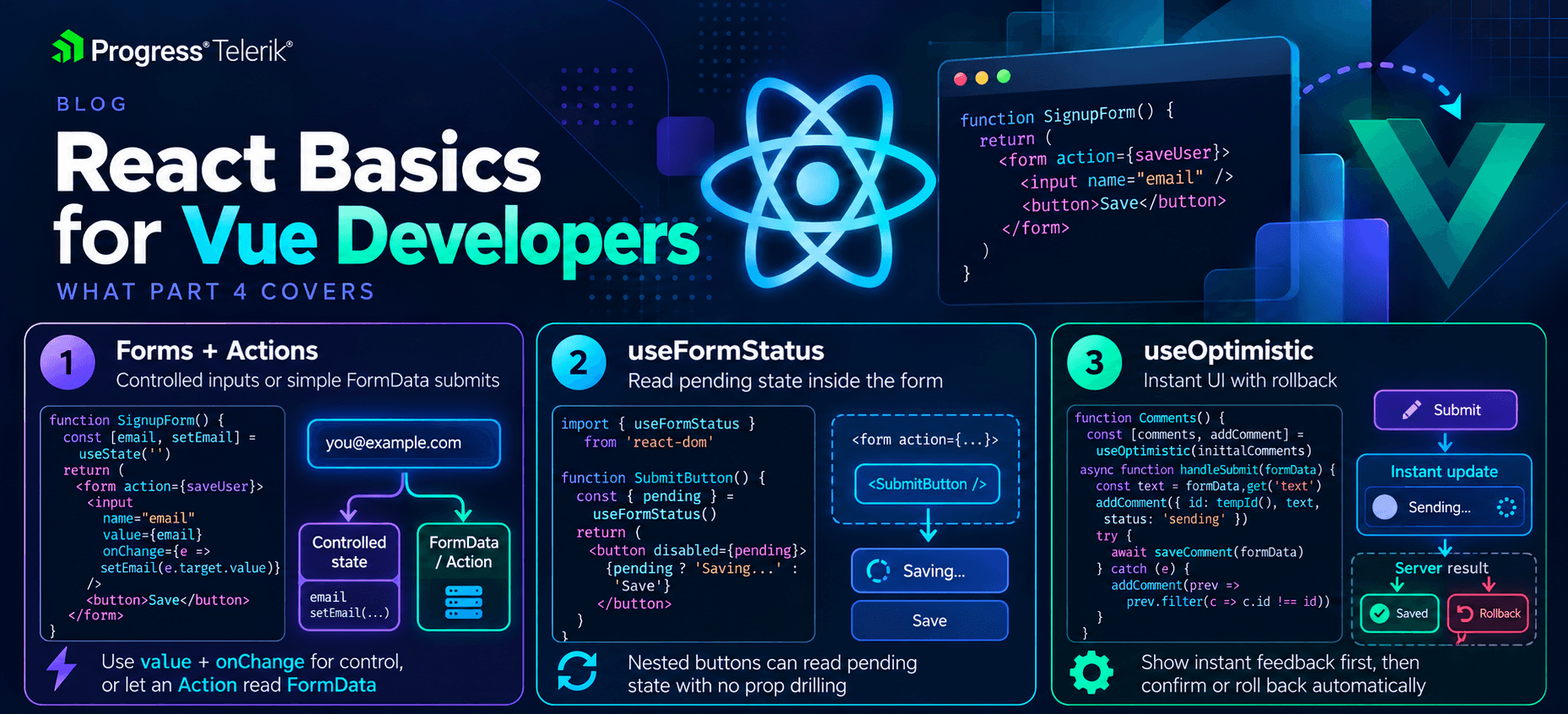
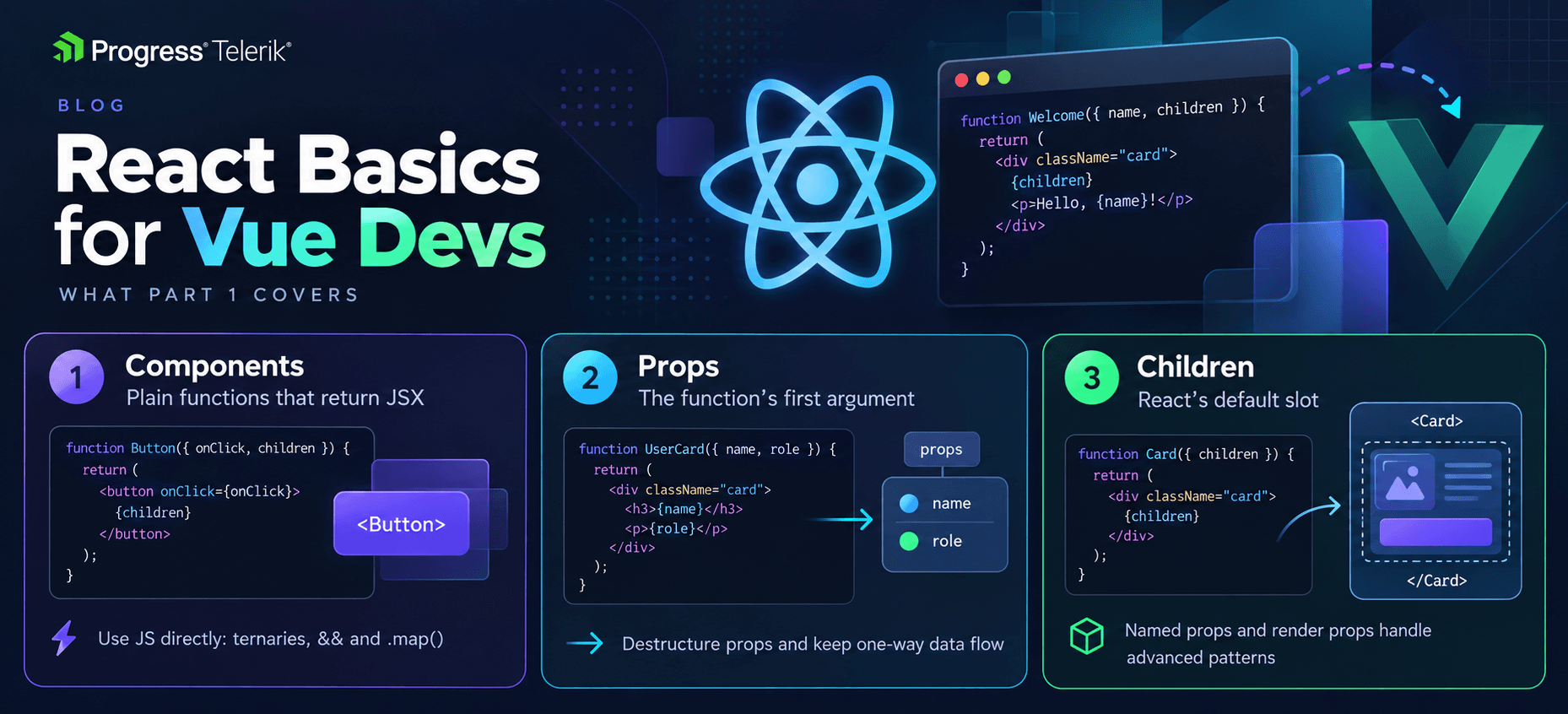
    <content type="text"><![CDATA[<p><span class="featured">React 19 for Vue 3 Developers, Part 4: Where in Vue you use <code>v-model</code> and <code>ref</code> or use a library, React leans on the plain HTML <code>&lt;form&gt;</code> and hooks.</span></p><p>In <a target="_blank" href="https://www.telerik.com/blogs/react-vue-developers-part-3-server-components-use-actions">Part 3 of this series</a> we met Actions, and we saw a form call one through the <code>action</code> prop. This time we stay in that world and go deeper. Forms are where a lot of React 19 finally clicks, so this is the fun part.</p><p>In Vue, you already have a comfortable setup for forms. You bind inputs with <code>v-model</code>, you track a loading <code>ref</code> by hand, and for anything extra you reach for a library like VeeValidate. React 19 takes a different route. It leans on the plain HTML <code>&lt;form&gt;</code> and gives you a few small hooks that remove most of the manual work.</p><p>None of these hooks is big on its own. Put together, though, they replace a lot of the form glue you write by hand in Vue, and that is the whole point. Let&rsquo;s take a look.</p><p><img sf-image-responsive="true" src="https://www.telerik.com/sfimages/default-source/blogs/2026/2026-10/react-basics-for-vue-developers-4.png?sfvrsn=76f613a6_2" height="846" style="max-width:100%;height:auto;" title="React Basics for Vue Developers 4" width="1859" alt="React Basics for Vue Developers 4 - forms and actions, useFormStatus, useOptimistic" sf-size="1799174" /><br /><span style="font-size:11px;">Image generated with AI</span></p><h2 id="controlled-inputs-the-manual-v-model">Controlled Inputs: The Manual v-model</h2><p>The first thing every Vue developer misses on day one is <code>v-model</code>. React does not have it. There is no single attribute that both shows a value and updates it when the user types. You wire those two halves up yourself.</p><p><code>NameField.vue</code></p><pre class=" language-vue"><code class="prism  language-vue">&lt;script setup&gt;
import { ref } from 'vue'

const name = ref('')
&lt;/script&gt;

&lt;template&gt;
  &lt;input v-model="name" /&gt;
  &lt;p&gt;Hello, {{ name }}&lt;/p&gt;
&lt;/template&gt;
</code></pre><p><code>NameField.jsx</code></p><pre class=" language-jsx"><code class="prism  language-jsx"><span class="token keyword">import</span> <span class="token punctuation">{</span> useState <span class="token punctuation">}</span> <span class="token keyword">from</span> <span class="token string">'react'</span>

<span class="token keyword">function</span> <span class="token function">NameField</span><span class="token punctuation">(</span><span class="token punctuation">)</span> <span class="token punctuation">{</span>
  <span class="token keyword">const</span> <span class="token punctuation">[</span>name<span class="token punctuation">,</span> setName<span class="token punctuation">]</span> <span class="token operator">=</span> <span class="token function">useState</span><span class="token punctuation">(</span><span class="token string">''</span><span class="token punctuation">)</span>

  <span class="token keyword">return</span> <span class="token punctuation">(</span>
    <span class="token operator">&lt;</span><span class="token operator">&gt;</span>
      <span class="token tag"><span class="token tag"><span class="token punctuation">&lt;</span>input</span> <span class="token attr-name">value</span><span class="token script language-javascript"><span class="token punctuation">=</span><span class="token punctuation">{</span>name<span class="token punctuation">}</span></span> <span class="token attr-name">onChange</span><span class="token script language-javascript"><span class="token punctuation">=</span><span class="token punctuation">{</span><span class="token punctuation">(</span>event<span class="token punctuation">)</span> <span class="token operator">=&gt;</span> <span class="token function">setName</span><span class="token punctuation">(</span>event<span class="token punctuation">.</span>target<span class="token punctuation">.</span>value<span class="token punctuation">)</span><span class="token punctuation">}</span></span> <span class="token punctuation">/&gt;</span></span>
      <span class="token tag"><span class="token tag"><span class="token punctuation">&lt;</span>p</span><span class="token punctuation">&gt;</span></span>Hello<span class="token punctuation">,</span> <span class="token punctuation">{</span>name<span class="token punctuation">}</span><span class="token tag"><span class="token tag"><span class="token punctuation">&lt;/</span>p</span><span class="token punctuation">&gt;</span></span>
    <span class="token operator">&lt;</span><span class="token operator">/</span><span class="token operator">&gt;</span>
  <span class="token punctuation">)</span>
<span class="token punctuation">}</span>
</code></pre><p>Let&rsquo;s break it down. In Vue, <code>v-model</code> does two jobs at once. It puts <code>name</code> into the input, and it writes the input back into <code>name</code> when you type. In React, you do both jobs by hand. <code>value={name}</code> shows the current value, and <code>onChange</code> runs on every keystroke and calls <code>setName</code> with the new text. You read the typed value from <code>event.target.value</code>.</p><p>An input wired up like this, where React owns the value through state, is called a <strong>controlled input</strong>. React controls what is in the box, not the browser. So <code>v-model="name"</code> becomes <code>value={name}</code> plus <code>onChange</code>, and that pair is something you will type a lot.</p><p>Notice this is more code than Vue for the simple case, and I won&rsquo;t pretend otherwise. The upside comes later, because having the value in your own state makes validation, formatting and conditional logic very direct. You already have the value, so you just use it.</p><p>What about a form with five fields? In Vue you would add five <code>v-model</code> bindings and move on. A controlled approach in React means five pieces of state, one per field, each with its own <code>value</code> and <code>onChange</code>. That is a lot of wiring for a big form. It is the main reason the next pattern exists. When a form is really just &ldquo;fill it in and submit,&rdquo; you do not have to control every input at all.</p><h2 id="letting-the-form-do-the-work">Letting the Form Do the Work</h2><p>Here is the part that surprised me coming from Vue. You do not always need controlled inputs. React 19 can read the values straight from the form when it submits, the way plain HTML always could.</p><p>Remember Actions from Part 3. When you pass a function to a form&rsquo;s <code>action</code> prop, React calls it on submit and hands it the form&rsquo;s <code>FormData</code>. That means you can skip the per-input state and just read the values at the end.</p><p><code>SignupForm.jsx</code></p><pre class=" language-jsx"><code class="prism  language-jsx"><span class="token string">'use client'</span>

<span class="token keyword">import</span> <span class="token punctuation">{</span> useActionState <span class="token punctuation">}</span> <span class="token keyword">from</span> <span class="token string">'react'</span>

<span class="token keyword">function</span> <span class="token function">SignupForm</span><span class="token punctuation">(</span><span class="token punctuation">)</span> <span class="token punctuation">{</span>
  <span class="token keyword">const</span> <span class="token punctuation">[</span>error<span class="token punctuation">,</span> signupAction<span class="token punctuation">,</span> isPending<span class="token punctuation">]</span> <span class="token operator">=</span> <span class="token function">useActionState</span><span class="token punctuation">(</span>
    <span class="token keyword">async</span> <span class="token punctuation">(</span>previousState<span class="token punctuation">,</span> formData<span class="token punctuation">)</span> <span class="token operator">=&gt;</span> <span class="token punctuation">{</span>
      <span class="token keyword">const</span> email <span class="token operator">=</span> formData<span class="token punctuation">.</span><span class="token keyword">get</span><span class="token punctuation">(</span><span class="token string">'email'</span><span class="token punctuation">)</span>
      <span class="token keyword">const</span> response <span class="token operator">=</span> <span class="token keyword">await</span> <span class="token function">fetch</span><span class="token punctuation">(</span><span class="token string">'https://myapp.com/signup'</span><span class="token punctuation">,</span> <span class="token punctuation">{</span>
        method<span class="token punctuation">:</span> <span class="token string">'POST'</span><span class="token punctuation">,</span>
        headers<span class="token punctuation">:</span> <span class="token punctuation">{</span> <span class="token string">'Content-Type'</span><span class="token punctuation">:</span> <span class="token string">'application/json'</span> <span class="token punctuation">}</span><span class="token punctuation">,</span>
        body<span class="token punctuation">:</span> JSON<span class="token punctuation">.</span><span class="token function">stringify</span><span class="token punctuation">(</span><span class="token punctuation">{</span> email <span class="token punctuation">}</span><span class="token punctuation">)</span><span class="token punctuation">,</span>
      <span class="token punctuation">}</span><span class="token punctuation">)</span>
      <span class="token keyword">if</span> <span class="token punctuation">(</span><span class="token operator">!</span>response<span class="token punctuation">.</span>ok<span class="token punctuation">)</span> <span class="token punctuation">{</span>
        <span class="token keyword">return</span> <span class="token string">'Something went wrong, please try again'</span>
      <span class="token punctuation">}</span>
      <span class="token keyword">return</span> <span class="token keyword">null</span>
    <span class="token punctuation">}</span><span class="token punctuation">,</span>
    <span class="token keyword">null</span>
  <span class="token punctuation">)</span>

  <span class="token keyword">return</span> <span class="token punctuation">(</span>
    <span class="token tag"><span class="token tag"><span class="token punctuation">&lt;</span>form</span> <span class="token attr-name">action</span><span class="token script language-javascript"><span class="token punctuation">=</span><span class="token punctuation">{</span>signupAction<span class="token punctuation">}</span></span><span class="token punctuation">&gt;</span></span>
      <span class="token tag"><span class="token tag"><span class="token punctuation">&lt;</span>input</span> <span class="token attr-name">name</span><span class="token attr-value"><span class="token punctuation">=</span><span class="token punctuation">"</span>email<span class="token punctuation">"</span></span> <span class="token attr-name">type</span><span class="token attr-value"><span class="token punctuation">=</span><span class="token punctuation">"</span>email<span class="token punctuation">"</span></span> <span class="token punctuation">/&gt;</span></span>
      <span class="token tag"><span class="token tag"><span class="token punctuation">&lt;</span>button</span> <span class="token attr-name">disabled</span><span class="token script language-javascript"><span class="token punctuation">=</span><span class="token punctuation">{</span>isPending<span class="token punctuation">}</span></span><span class="token punctuation">&gt;</span></span>Sign up<span class="token tag"><span class="token tag"><span class="token punctuation">&lt;/</span>button</span><span class="token punctuation">&gt;</span></span>
      <span class="token punctuation">{</span>error <span class="token operator">&amp;&amp;</span> <span class="token tag"><span class="token tag"><span class="token punctuation">&lt;</span>p</span><span class="token punctuation">&gt;</span></span><span class="token punctuation">{</span>error<span class="token punctuation">}</span><span class="token tag"><span class="token tag"><span class="token punctuation">&lt;/</span>p</span><span class="token punctuation">&gt;</span></span><span class="token punctuation">}</span>
    <span class="token tag"><span class="token tag"><span class="token punctuation">&lt;/</span>form</span><span class="token punctuation">&gt;</span></span>
  <span class="token punctuation">)</span>
<span class="token punctuation">}</span>
</code></pre><p>We met <code>useActionState</code> in Part 3, so here is the short recap. You give it your async action and a starting state. It gives you back three things:</p><ul><li><strong>The current state</strong>: I use it to hold an error message, or <code>null</code> when things went fine.</li><li><strong>A wrapped action</strong>: The function you pass to the form&rsquo;s <code>action</code>.</li><li><strong><code>isPending</code></strong>: A boolean React sets to <code>true</code> while the action runs, then back to <code>false</code>.</li></ul><p>Notice there is no <code>ref</code> for the email input. The input just has a <code>name</code>, and we read it with <code>formData.get('email')</code> when the form submits. There is also no <code>isSubmitting</code> flag that you flip by hand, and no <code>try/finally</code>. React tracks the pending state for you and clears it when the action settles.</p><p>Big disclaimer though. Uncontrolled inputs like this are great for simple submits, but the moment you need live validation as the user types, or you need to react to a value before submit, you will want controlled inputs again. Both styles are fine. Pick the one the app actually needs.</p><h2 id="useformstatus-pending-state-without-prop-drilling">useFormStatus: Pending State Without Prop Drilling</h2><p>Now, a common problem. You have a submit button, and you want it to show a spinner while the form is submitting. In the example above, that was easy because <code>isPending</code> lived right next to the button. But real forms get split into pieces. Your button often lives in its own small component, several layers down from the form.</p><p>In Vue, you would pass an <code>isSubmitting</code> prop down through each layer, or reach for <code>provide</code> and <code>inject</code> to skip the middle. React 19 gives you a hook made for exactly this. <code>useFormStatus</code> reads the status of the nearest <code>&lt;form&gt;</code> above it, with no props at all.</p><p><code>SubmitButton.jsx</code></p><pre class=" language-jsx"><code class="prism  language-jsx"><span class="token string">'use client'</span>

<span class="token keyword">import</span> <span class="token punctuation">{</span> useFormStatus <span class="token punctuation">}</span> <span class="token keyword">from</span> <span class="token string">'react-dom'</span>

<span class="token keyword">function</span> <span class="token function">SubmitButton</span><span class="token punctuation">(</span><span class="token punctuation">)</span> <span class="token punctuation">{</span>
  <span class="token keyword">const</span> <span class="token punctuation">{</span> pending <span class="token punctuation">}</span> <span class="token operator">=</span> <span class="token function">useFormStatus</span><span class="token punctuation">(</span><span class="token punctuation">)</span>

  <span class="token keyword">return</span> <span class="token punctuation">(</span>
    <span class="token tag"><span class="token tag"><span class="token punctuation">&lt;</span>button</span> <span class="token attr-name">disabled</span><span class="token script language-javascript"><span class="token punctuation">=</span><span class="token punctuation">{</span>pending<span class="token punctuation">}</span></span><span class="token punctuation">&gt;</span></span>
      <span class="token punctuation">{</span>pending <span class="token operator">?</span> <span class="token string">'Sending...'</span> <span class="token punctuation">:</span> <span class="token string">'Sign up'</span><span class="token punctuation">}</span>
    <span class="token tag"><span class="token tag"><span class="token punctuation">&lt;/</span>button</span><span class="token punctuation">&gt;</span></span>
  <span class="token punctuation">)</span>
<span class="token punctuation">}</span>
</code></pre><p>Let&rsquo;s break it down. The button asks <code>useFormStatus</code> for the current form status and reads <code>pending</code> from it. When the parent form is submitting, <code>pending</code> is <code>true</code>, so the button disables itself and swaps its label. The button never receives a prop. It looks up the tree, finds the form it sits inside and reads the status from there.</p><p>There is one rule that trips people up, so read this twice. <code>useFormStatus</code> reports on the form it is <strong>inside of</strong>, not a form in the same component. So the button has to be rendered within the <code>&lt;form&gt;</code>, and it has to be its own component. If you called <code>useFormStatus</code> in the same component that renders the <code>&lt;form&gt;</code>, it would not see that form. Think of it like Vue&rsquo;s <code>inject</code>. It only sees what an ancestor provides, so it has to sit below the form in the tree.</p><p>The hook comes from <code>react-dom</code>, not <code>react</code>, because it is tied to the DOM <code>&lt;form&gt;</code> element. That is an easy import to get wrong the first time.</p><p><code>useFormStatus</code> gives you more than <code>pending</code>. It also returns:</p><ul><li><strong><code>pending</code></strong>: <code>true</code> while the form is submitting.</li><li><strong><code>data</code></strong>: The <code>FormData</code> being sent, so a child can read what the user just submitted.</li><li><strong><code>method</code></strong> and <strong><code>action</code></strong>: The HTTP method and the action function the form is using.</li></ul><p>Most days, you only reach for <code>pending</code>. But <code>data</code> is handy when a nested component needs to show what is on its way to the server, like a preview of the comment someone just posted.</p><h2 id="useoptimistic-instant-ui-built-in">useOptimistic: Instant UI, Built In</h2><p>The last hook is my favorite, and if you read my earlier article on <a target="_blank" href="https://www.telerik.com/blogs/optimistic-updates-tanstack-query-vue">Optimistic Updates with TanStack Query in Vue</a>, the idea will feel familiar. An optimistic update shows the result right away, before the server confirms it. If the request fails, you roll back. It makes an app feel instant.</p><p>In the Vue TanStack piece, we did this through the query cache. We wrote the new value into the cache, kept a snapshot and rolled back on error. React 19 bakes the same idea into a hook called <code>useOptimistic</code>, and it does the rollback for you.</p><p><code>LikeButton.jsx</code></p><pre class=" language-jsx"><code class="prism  language-jsx"><span class="token string">'use client'</span>

<span class="token keyword">import</span> <span class="token punctuation">{</span> useOptimistic <span class="token punctuation">}</span> <span class="token keyword">from</span> <span class="token string">'react'</span>

<span class="token keyword">function</span> <span class="token function">LikeButton</span><span class="token punctuation">(</span><span class="token punctuation">{</span> likes<span class="token punctuation">,</span> likeAction <span class="token punctuation">}</span><span class="token punctuation">)</span> <span class="token punctuation">{</span>
  <span class="token keyword">const</span> <span class="token punctuation">[</span>optimisticLikes<span class="token punctuation">,</span> addOptimisticLike<span class="token punctuation">]</span> <span class="token operator">=</span> <span class="token function">useOptimistic</span><span class="token punctuation">(</span>
    likes<span class="token punctuation">,</span>
    <span class="token punctuation">(</span>current<span class="token punctuation">)</span> <span class="token operator">=&gt;</span> current <span class="token operator">+</span> <span class="token number">1</span>
  <span class="token punctuation">)</span>

  <span class="token keyword">const</span> handleLike <span class="token operator">=</span> <span class="token keyword">async</span> <span class="token punctuation">(</span><span class="token punctuation">)</span> <span class="token operator">=&gt;</span> <span class="token punctuation">{</span>
    <span class="token function">addOptimisticLike</span><span class="token punctuation">(</span><span class="token punctuation">)</span>
    <span class="token keyword">await</span> <span class="token function">likeAction</span><span class="token punctuation">(</span><span class="token punctuation">)</span>
  <span class="token punctuation">}</span>

  <span class="token keyword">return</span> <span class="token punctuation">(</span>
    <span class="token tag"><span class="token tag"><span class="token punctuation">&lt;</span>form</span> <span class="token attr-name">action</span><span class="token script language-javascript"><span class="token punctuation">=</span><span class="token punctuation">{</span>handleLike<span class="token punctuation">}</span></span><span class="token punctuation">&gt;</span></span>
      <span class="token tag"><span class="token tag"><span class="token punctuation">&lt;</span>button</span><span class="token punctuation">&gt;</span></span><span class="token punctuation">{</span>optimisticLikes<span class="token punctuation">}</span> likes<span class="token tag"><span class="token tag"><span class="token punctuation">&lt;/</span>button</span><span class="token punctuation">&gt;</span></span>
    <span class="token tag"><span class="token tag"><span class="token punctuation">&lt;/</span>form</span><span class="token punctuation">&gt;</span></span>
  <span class="token punctuation">)</span>
<span class="token punctuation">}</span>
</code></pre><p>Let&rsquo;s break it down. <code>useOptimistic</code> takes the real value, here the <code>likes</code> count from the server and a function that says how to change it for the optimistic view. It gives you back two things:</p><ul><li><strong><code>optimisticLikes</code></strong>: The value to show. While an action is running, this is the optimistic version. The rest of the time it is the real value.</li><li><strong><code>addOptimisticLike</code></strong>: The function you call to apply the optimistic change.</li></ul><p>When the user clicks, we call <code>addOptimisticLike()</code> first, so the count jumps up right away. Then we <code>await likeAction()</code> to tell the server. Here is the nice part. If the action fails, React throws away the optimistic value and shows the real one again. You do not write the rollback yourself, which is the piece that was always fiddly in the manual Vue version.</p><p>One thing to keep in mind about success. The count only stays up if the real <code>likes</code> value updates too, usually because the action returns the fresh count or the data gets refetched. When the action finishes, <code>useOptimistic</code> lines back up with whatever the real value is at that point. So it is not a place to store state, it is a way to show the change early while the real value catches up.</p><p>The update function is worth a second look. It receives the current value, and if you pass a value into <code>addOptimisticLike</code>, it receives that too. So you are not stuck with &ldquo;add one.&rdquo; A very common shape is a list. You show a new comment in the list the moment the user hits send, then let the server catch up. The pattern is the same as the counter. You just describe how to add the item instead of how to bump a number.</p><p>Notice that this only works while an action is running. <code>useOptimistic</code> is built to pair with the Actions and forms we have been using all through this article, so it fits right into the same flow.</p><h2 id="where-validation-lives">Where Validation Lives</h2><p>One honest gap before we wrap up. Vue developers often lean on VeeValidate for validation, and React does not ship anything like that. React 19 gives you the form plumbing, the pending state and optimistic updates, but it does not give you a validation library. In React, you either check values inside your action and return errors, like we did above, or you bring in a library. The common one is React Hook Form, usually with a schema tool like Zod.</p><p>Checking inside the action is nicer than it sounds. You read the values from <code>formData</code>, run your checks and return an error when something is off. Then you show it, exactly like the <code>error</code> state we used in the signup form. For more than one field, return an object keyed by field name:</p><pre class=" language-jsx"><code class="prism  language-jsx"><span class="token keyword">async</span> <span class="token punctuation">(</span>previousState<span class="token punctuation">,</span> formData<span class="token punctuation">)</span> <span class="token operator">=&gt;</span> <span class="token punctuation">{</span>
  <span class="token keyword">const</span> email <span class="token operator">=</span> formData<span class="token punctuation">.</span><span class="token keyword">get</span><span class="token punctuation">(</span><span class="token string">'email'</span><span class="token punctuation">)</span>
  <span class="token keyword">if</span> <span class="token punctuation">(</span><span class="token operator">!</span>email<span class="token punctuation">.</span><span class="token function">includes</span><span class="token punctuation">(</span><span class="token string">'@'</span><span class="token punctuation">)</span><span class="token punctuation">)</span> <span class="token punctuation">{</span>
    <span class="token keyword">return</span> <span class="token punctuation">{</span> email<span class="token punctuation">:</span> <span class="token string">'That does not look like an email'</span> <span class="token punctuation">}</span>
  <span class="token punctuation">}</span>
  <span class="token comment">// save the user here, then:</span>
  <span class="token keyword">return</span> <span class="token keyword">null</span>
<span class="token punctuation">}</span>
</code></pre><p>Now <code>error</code> holds that object, and each input can show its own message by reading something like <code>error?.email</code> next to it. It is manual work, but it is easy to follow, and for a login or signup form it is all you need.</p><p>For big forms with lots of rules, a library saves you from writing every check by hand. That is where React Hook Form and Zod come in. A Vue developer who has used VeeValidate with a schema will find the ideas familiar, even though the API looks different. We will line these up properly in the next part, so I will keep it short here. For now, just know that &ldquo;which validation library&rdquo; is a real question you answer on a React team.</p><h2 id="wrapping-up">Wrapping Up</h2><p>Forms are where React 19 pays off. You give up <code>v-model</code> and wire inputs yourself with <code>value</code> and <code>onChange</code>, which is the controlled-input pattern. For simple submits you can skip that and let the form hand you its <code>FormData</code> through an Action.</p><p><code>useFormStatus</code> lets a nested button read the form&rsquo;s pending state with no props, as long as it sits inside the form. And <code>useOptimistic</code> gives you instant UI with automatic rollback, the same idea as the TanStack optimistic updates you may already know from Vue, now built into React.</p><p>For the details, the React docs on <a target="_blank" href="https://react.dev/reference/react-dom/hooks/useFormStatus"><code>useFormStatus</code></a> and <a target="_blank" href="https://react.dev/reference/react/useOptimistic"><code>useOptimistic</code></a> are the best place to go, and they show more of the shapes each hook returns.</p><p>Next time, we finish the series with a full cheat sheet that lines up each Vue tool next to its React counterpart. It covers routing, state management, data fetching and validation, so you have one page to keep open on the job.</p><p>Happy submitting!</p><hr /><blockquote><p>Want to build a beautifully designed, feature-rich form with ease? Check out the <a href="https://www.telerik.com/kendo-react-ui/form" target="_blank">KendoReact Form component</a>.</p></blockquote><img src="https://feeds.telerik.com/link/23056/17498308.gif" height="1" width="1"/>]]></content>
  </entry>
  <entry>
    <id>urn:uuid:a5564819-4b16-44c3-a9c0-748fe79d20d5</id>
    <title type="text">Using Kendo UI with Svelte</title>
    <summary type="text">Even though there isn’t a native Svelte Kendo UI library, you can still use the Kendo UI for jQuery library of components with Svelte.</summary>
    <published>2026-10-12T16:13:00Z</published>
    <updated>2026-10-17T09:30:48Z</updated>
    <author>
      <name>Jonathan Gamble </name>
    </author>
    <link rel="alternate" href="https://feeds.telerik.com/link/23056/17494687/using-kendo-ui-svelte"/>
    <content type="text"><![CDATA[<p><span class="featured">Even though there isn&rsquo;t a native Svelte Kendo UI library, you can still use one of the Kendo UI component libraries with Svelte.</span></p><p>Progress Kendo UI does not have a Svelte version by default. It specializes in Angular, Vue, React and jQuery. However, that does not mean you Svelte fans out there are out of luck! JavaScript is just JavaScript, and there are work arounds to meet different needs.</p><h2 id="tldr">TL;DR</h2><p>You can use <a target="_blank" href="https://www.telerik.com/kendo-jquery-ui">Kendo UI for jQuery</a> in any JavaScript framework, or you can use <a target="_blank" href="https://astro.build/">Astro</a> to mix components from multiple frameworks (React, Vue, Angular). The jQuery version is not perfect for server-side rendering, but it can work in pure Svelte, while Astro can work wonders with any framework component.</p><h2 id="svelte-kendo-ui-for-jquery">✔️ Svelte with Kendo UI for jQuery</h2><p>Svelte allows you to import any JS you want. It is just JavaScript.</p><h3 id="create-a-new-sveltekit-project">Create a New SvelteKit Project</h3><pre class=" language-bash"><code class="prism  language-bash">npx sv create my-app
</code></pre><p>Install Tailwind and any other <a target="_blank" href="https://svelte.dev/docs/kit/creating-a-project">SvelteKit options</a> you need.</p><h3 id="install-packages">Install Packages</h3><pre class=" language-bash"><code class="prism  language-bash"><span class="token function">npm</span> i @progress/kendo-theme-meridian @progress/kendo-ui @progress/kendo-data-query @progress/kendo-date-math @progress/kendo-licensing @progress/kendo-popup-common jquery
</code></pre><p>with types:</p><pre class=" language-bash"><code class="prism  language-bash"><span class="token function">npm</span> <span class="token function">install</span> -D @types/jquery @types/node
</code></pre><h3 id="activate-kendo-ui">Activate Kendo UI</h3><pre class=" language-bash"><code class="prism  language-bash">npx kendo-ui-license activate
</code></pre><p>Get your key ready and follow any other <a target="_blank" href="https://www.telerik.com/kendo-jquery-ui/documentation/intro/installation/licensing/using-license-file">activation instructions</a>.</p><h3 id="create-a-jquery-declaration-file">Create a jQuery Declaration File</h3><p>Put it in <code>lib/types/kendo-ui-module.d.ts</code> or wherever makes sense.</p><pre class=" language-tsx"><code class="prism  language-tsx">/// &lt;reference types="@progress/kendo-ui" /&gt;

declare module '@progress/kendo-ui' {
export {};
}

declare module '@progress/kendo-ui/kendo.all.js' {
export {};
}

declare global {
interface Window {
jQuery: JQueryStatic;
$: JQueryStatic;
}
}

export {};
</code></pre><ul><li><code>jQuery</code> types do not work as expected on the client without it.</li></ul><h3 id="dynamically-import-jquery-on-the-browser">Dynamically Import jQuery on the Browser</h3><pre class=" language-bash"><code class="prism  language-bash"><span class="token function">export</span> async <span class="token keyword">function</span> loadKendoUi<span class="token punctuation">(</span><span class="token punctuation">)</span> <span class="token punctuation">{</span>
// @ts-expect-error Kendo UI exposes this runtime entry but ships global-only typings.
await import<span class="token punctuation">(</span><span class="token string">'@progress/kendo-ui/kendo.all.js'</span><span class="token punctuation">)</span><span class="token punctuation">;</span>
<span class="token punctuation">}</span>
</code></pre><p>This allows you to load Kendo UI dynamically. Kendo UI for jQuery cannot run on the server, as it needs <code>window</code> objects, etc.</p><h3 id="handle-css">Handle CSS</h3><pre class=" language-tsx"><code class="prism  language-tsx">@import 'tailwindcss';
@import '@progress/kendo-theme-meridian/dist/meridian-main.css';
</code></pre><p>Make sure your global <code>layout.css</code> or <code>app.css</code> file contains tailwind and the correct Progress theme CSS.</p><h3 id="load-a-grid-element">Load a Grid Element</h3><pre class=" language-tsx"><code class="prism  language-tsx">&lt;script lang="ts"&gt;
import { loadKendoUi } from '$lib/kendo-ui';
import { onMount, tick } from 'svelte';
import ProductGridSkeleton from './ProductGridSkeleton.svelte';

let gridEl = $state&lt;HTMLDivElement&gt;();
let isGridLoading = $state(true);

const products = [
{ ProductName: 'Chai', UnitPrice: 18, UnitsInStock: 39, Discontinued: false },
{ ProductName: 'Chang', UnitPrice: 19, UnitsInStock: 17, Discontinued: false },
{ ProductName: 'Aniseed Syrup', UnitPrice: 10, UnitsInStock: 13, Discontinued: false }
];

onMount(() =&gt; {
let mounted = true;
let jquery: JQueryStatic | undefined;

(async () =&gt; {
const jqueryModule = await import('jquery');

jquery = jqueryModule.default;

window.jQuery = jquery;
window.$ = jquery;

await loadKendoUi();

if (!mounted) return;

isGridLoading = false;
await tick();

if (!mounted || !gridEl) return;

jquery(gridEl).kendoGrid({
dataSource: {
data: products,
pageSize: 20
},
height: 550,
scrollable: true,
sortable: true,
filterable: true,
pageable: {
input: true,
numeric: false
},
columns: [
{ field: 'ProductName' },
{ field: 'UnitPrice', title: 'Unit Price', format: '{0:c}', width: 130 },
{ field: 'UnitsInStock', title: 'Units In Stock', width: 130 },
{ field: 'Discontinued', width: 130 }
]
});
})();

return () =&gt; {
mounted = false;

if (!jquery || !gridEl) return;

jquery(gridEl).data('kendoGrid')?.destroy();
jquery(gridEl).empty();
};
});
&lt;/script&gt;

&lt;main class="flex items-center justify-center p-6"&gt;
&lt;section class="w-full max-w-5xl overflow-hidden rounded-lg border border-gray-200 bg-white shadow-sm"&gt;
{#if isGridLoading}
&lt;ProductGridSkeleton /&gt;
{:else}
&lt;div bind:this={gridEl}&gt;&lt;/div&gt;
{/if}
&lt;/section&gt;
&lt;/main&gt;
</code></pre><ul><li>We load Kendo UI in <code>onMount</code> so that it won&rsquo;t have problems loading on the server.</li><li>We use a <code>$state</code> signal to show a loading skeleton.</li><li><code>jQuery</code> and <code>kendoGrid</code> are dynamically loaded, and then the products are added to the grid.</li></ul><h3 id="create-a-loader">Create a Loader</h3><p>Since the component takes a second to load, we want to show a loading skeleton in the interim. Notice we use <code>kendo</code> style classes to match our grid.</p><pre class=" language-tsx"><code class="prism  language-tsx">&lt;script lang="ts"&gt;
const skeletonRows = Array.from({ length: 8 }, (_, index) =&gt; index);
&lt;/script&gt;

&lt;div class="k-grid k-grid-md k-grid-display-block h-137.5" aria-label="Loading product grid"&gt;
&lt;div class="k-grid-header"&gt;
&lt;div class="k-grid-header-wrap"&gt;
&lt;table class="k-grid-header-table k-table k-table-md"&gt;
&lt;colgroup&gt;
&lt;col /&gt;
&lt;col class="w-32.5" /&gt;
&lt;/colgroup&gt;
&lt;thead class="k-table-thead"&gt;
&lt;tr class="k-table-row"&gt;
&lt;th class="k-header k-table-th" scope="col"&gt;
&lt;span class="k-cell-inner"&gt;
&lt;span class="k-link"&gt;
&lt;span class="k-column-title"&gt;ProductName&lt;/span&gt;
&lt;/span&gt;
&lt;/span&gt;
&lt;/th&gt;
&lt;th class="k-header k-table-th" scope="col"&gt;
&lt;span class="k-cell-inner"&gt;
&lt;span class="k-link"&gt;
&lt;span class="k-column-title"&gt;Unit Price&lt;/span&gt;
&lt;/span&gt;
&lt;/span&gt;
&lt;/th&gt;
&lt;th class="k-header k-table-th" scope="col"&gt;
&lt;span class="k-cell-inner"&gt;
&lt;span class="k-link"&gt;
&lt;span class="k-column-title"&gt;Units In Stock&lt;/span&gt;
&lt;/span&gt;
&lt;/span&gt;
&lt;/th&gt;
&lt;th class="k-header k-table-th" scope="col"&gt;
&lt;span class="k-cell-inner"&gt;
&lt;span class="k-link"&gt;
&lt;span class="k-column-title"&gt;Discontinued&lt;/span&gt;
&lt;/span&gt;
&lt;/span&gt;
&lt;/th&gt;
&lt;/tr&gt;
&lt;/thead&gt;
&lt;/table&gt;
&lt;/div&gt;
&lt;/div&gt;

&lt;div class="k-grid-container"&gt;
&lt;div class="k-grid-content k-auto-scrollable"&gt;
&lt;table class="k-grid-table k-table k-table-md"&gt;
&lt;colgroup&gt;
&lt;col /&gt;
&lt;col class="w-32.5" /&gt;
&lt;/colgroup&gt;
&lt;tbody class="k-table-tbody"&gt;
{#each skeletonRows as row (row)}
&lt;tr class="k-table-row"&gt;
&lt;td class="k-table-td"&gt;
&lt;span class="block h-4 w-64 max-w-full animate-pulse rounded bg-gray-300 text-transparent"&gt;
Loading product
&lt;/span&gt;
&lt;/td&gt;
&lt;td class="k-table-td"&gt;
&lt;span class="block h-4 w-24 animate-pulse rounded bg-gray-300 text-transparent"&gt;
0.00
&lt;/span&gt;
&lt;/td&gt;
&lt;td class="k-table-td"&gt;
&lt;span class="block h-4 w-24 animate-pulse rounded bg-gray-300 text-transparent"&gt;
000
&lt;/span&gt;
&lt;/td&gt;
&lt;td class="k-table-td"&gt;
&lt;span class="block h-4 w-20 animate-pulse rounded bg-gray-300 text-transparent"&gt;
False
&lt;/span&gt;
&lt;/td&gt;
&lt;/tr&gt;
{/each}
&lt;/tbody&gt;
&lt;/table&gt;
&lt;/div&gt;
&lt;/div&gt;
&lt;/div&gt;
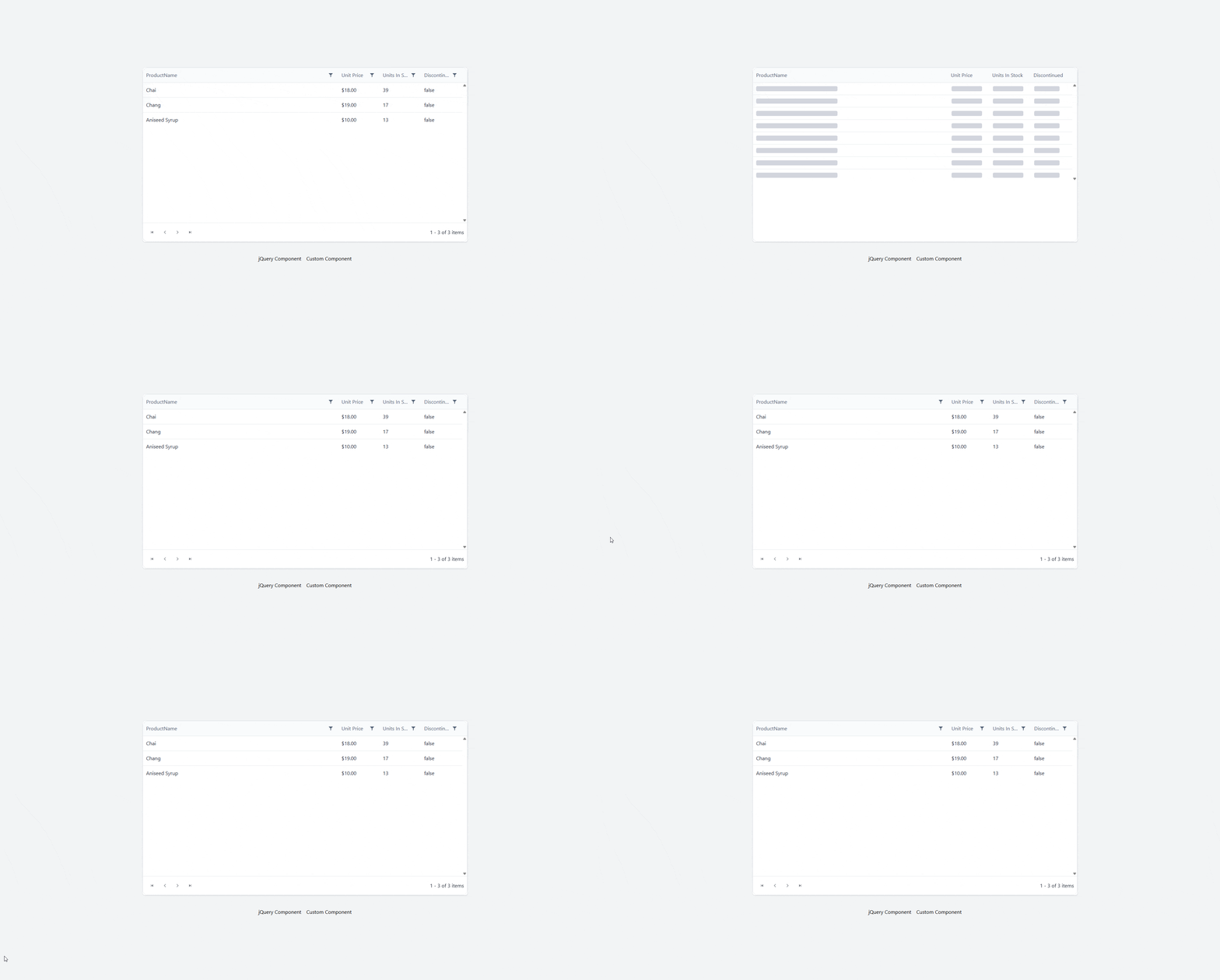
</code></pre><p>We could equally have used a spinner.</p><p><img src="https://www.telerik.com/sfimages/default-source/blogs/2026/2026-10/chrome_vzeabbkhqo.gif?sfvrsn=137ca374_2" alt="Kendo UI for jQuery with Svelte in a grid" /></p><h2 id="kendo-ui-in-astro">✔️ Kendo UI in Astro</h2><p>Using <a target="_blank" href="https://astro.build/">Astro</a> is by far the best approach. You are not building in Svelte, but you can use any other framework with Astro, and have everything else built with Svelte.</p><h3 id="install-astro">Install Astro</h3><p>Create a new Astro project.</p><pre class=" language-bash"><code class="prism  language-bash"><span class="token function">npm</span> create astro@latest
</code></pre><ul><li>Don&rsquo;t forget to <a target="_blank" href="https://tailwindcss.com/docs/installation/framework-guides/astro">add Tailwind</a>.</li></ul><h3 id="choose-your-kendo-ui-framework">Choose Your Kendo UI Framework</h3><ul><li><a target="_blank" href="https://www.telerik.com/kendo-react-ui">KendoReact</a></li><li><a target="_blank" href="https://www.telerik.com/kendo-vue-ui">Kendo UI for Vue</a></li><li><a target="_blank" href="https://www.telerik.com/kendo-angular-ui">Kendo UI for Angular</a></li></ul><p>Install the Svelte Astro Plugin:</p><ul><li><a target="_blank" href="https://docs.astro.build/en/guides/integrations-guide/svelte/">Svelte</a></li></ul><p>Install the proper Astro plugin:</p><ul><li><a target="_blank" href="https://docs.astro.build/en/guides/integrations-guide/react/">React</a></li><li><a target="_blank" href="https://docs.astro.build/en/guides/integrations-guide/vue/">Vue</a></li><li><a target="_blank" href="https://analogjs.org/docs/packages/astro-angular/overview">Angular</a> (unofficial)</li></ul><p>For this demo, I chose Vue and I copied all the <a target="_blank" href="https://www.telerik.com/kendo-vue-ui/components/grid">Kendo UI for Vue</a> grid components in Astro.</p><h3 id="install-dependencies">Install Dependencies</h3><pre class=" language-bash"><code class="prism  language-bash"><span class="token function">npm</span> i @progress/kendo-data-query @progress/kendo-drawing @progress/kendo-licensing @progress/kendo-svg-icons @progress/kendo-theme-default @progress/kendo-vue-animation @progress/kendo-vue-buttons @progress/kendo-vue-charts @progress/kendo-vue-data-tools @progress/kendo-vue-dateinputs @progress/kendo-vue-dropdowns @progress/kendo-vue-grid @progress/kendo-vue-excel-export @progress/kendo-vue-inputs @progress/kendo-vue-intl @progress/kendo-vue-pdf @progress/kendo-vue-popup @progress/kendo-vue-treeview
</code></pre><h3 id="configure-css">Configure CSS</h3><pre class=" language-bash"><code class="prism  language-bash">@import <span class="token string">"tailwindcss"</span><span class="token punctuation">;</span>
@import <span class="token string">'@progress/kendo-theme-default/dist/all.css'</span><span class="token punctuation">;</span>
</code></pre><p>Put in <code>styles/global.css</code>.</p><h3 id="activate-your-kendo-ui-license">Activate Your Kendo UI License</h3><pre class=" language-bash"><code class="prism  language-bash">npx kendo-ui-license activate
</code></pre><ul><li><a target="_blank" href="https://www.telerik.com/kendo-react-ui/components/my-license">KendoReact Setup</a></li><li><a target="_blank" href="https://www.telerik.com/kendo-vue-ui/components/my-license">Kendo UI for Vue Setup</a></li><li><a target="_blank" href="https://www.telerik.com/kendo-angular-ui/components/licensing">Kendo UI for Angular Setup</a></li></ul><p> You can also use more than one or all of them with Astro! (Progress offers a <a target="_blank" href="https://www.telerik.com/devcraft">DevCraft bundle</a>, if you code in more than one framework.)</p><h3 id="create-svelte-component">Create Svelte Component</h3><p>We want to mix our components, so we create a Svelte Component that can accept any other component as a child.</p><pre class=" language-bash"><code class="prism  language-bash"><span class="token operator">&lt;</span>script lang<span class="token operator">=</span><span class="token string">"ts"</span><span class="token operator">&gt;</span>
  <span class="token keyword">let</span> <span class="token punctuation">{</span> children <span class="token punctuation">}</span> <span class="token operator">=</span> <span class="token variable">$props</span><span class="token punctuation">(</span><span class="token punctuation">)</span><span class="token punctuation">;</span>

  <span class="token keyword">let</span> count <span class="token operator">=</span> <span class="token variable">$state</span><span class="token punctuation">(</span>0<span class="token punctuation">)</span><span class="token punctuation">;</span>
<span class="token operator">&lt;</span>/script<span class="token operator">&gt;</span>

<span class="token operator">&lt;</span>section
  class<span class="token operator">=</span><span class="token string">"mx-auto mt-5 w-full max-w-4xl rounded-3xl border border-pink-200 bg-linear-to-br from-pink-50 via-yellow-50 to-sky-50 p-6 shadow-[0_20px_60px_rgba(244,114,182,0.18)] ring-1 ring-white/70 sm:p-8"</span>
<span class="token operator">&gt;</span>
  <span class="token operator">&lt;</span>div class<span class="token operator">=</span><span class="token string">"mb-5 flex items-center justify-between gap-3"</span><span class="token operator">&gt;</span>
    <span class="token operator">&lt;</span>div class<span class="token operator">=</span><span class="token string">"flex items-center gap-3"</span><span class="token operator">&gt;</span>
      <span class="token operator">&lt;</span>div
        class<span class="token operator">=</span><span class="token string">"flex h-12 w-12 items-center justify-center rounded-2xl bg-linear-to-br from-pink-500 to-rose-400 text-2xl shadow-lg shadow-pink-200/60"</span>
      <span class="token operator">&gt;</span>
        ⭐
      <span class="token operator">&lt;</span>/div<span class="token operator">&gt;</span>

      <span class="token operator">&lt;</span>div<span class="token operator">&gt;</span>
        <span class="token operator">&lt;</span>p
          class<span class="token operator">=</span><span class="token string">"text-xs font-semibold uppercase tracking-[0.32em] text-pink-500"</span>
        <span class="token operator">&gt;</span>
          For kids
        <span class="token operator">&lt;</span>/p<span class="token operator">&gt;</span>
        <span class="token operator">&lt;</span>h2 class<span class="token operator">=</span><span class="token string">"text-2xl font-bold text-slate-800 sm:text-3xl"</span><span class="token operator">&gt;</span>
          Fun learning card
        <span class="token operator">&lt;</span>/h2<span class="token operator">&gt;</span>
      <span class="token operator">&lt;</span>/div<span class="token operator">&gt;</span>
    <span class="token operator">&lt;</span>/div<span class="token operator">&gt;</span>

    <span class="token operator">&lt;</span>button
      type<span class="token operator">=</span><span class="token string">"button"</span>
      class<span class="token operator">=</span><span class="token string">"inline-flex items-center gap-2 rounded-full bg-sky-500 px-4 py-2 text-sm font-semibold text-white shadow-md shadow-sky-200 transition hover:-translate-y-0.5 hover:bg-sky-600 active:translate-y-0"</span>
      onclick<span class="token operator">=</span><span class="token punctuation">{</span><span class="token punctuation">(</span><span class="token punctuation">)</span> <span class="token operator">=</span><span class="token operator">&gt;</span> <span class="token punctuation">(</span>count +<span class="token operator">=</span> 1<span class="token punctuation">)</span><span class="token punctuation">}</span>
      aria-label<span class="token operator">=</span><span class="token string">"Increase counter"</span>
    <span class="token operator">&gt;</span>
      Count <span class="token operator">&lt;</span>span class<span class="token operator">=</span><span class="token string">"min-w-5 text-center"</span><span class="token operator">&gt;</span><span class="token punctuation">{</span>count<span class="token punctuation">}</span><span class="token operator">&lt;</span>/span<span class="token operator">&gt;</span>
    <span class="token operator">&lt;</span>/button<span class="token operator">&gt;</span>
  <span class="token operator">&lt;</span>/div<span class="token operator">&gt;</span>

  <span class="token operator">&lt;</span>div
    class<span class="token operator">=</span><span class="token string">"rounded-2xl bg-white/80 p-4 shadow-inner shadow-white/60 ring-1 ring-pink-100 sm:p-6"</span>
  <span class="token operator">&gt;</span>
    <span class="token punctuation">{</span>@render children?.<span class="token punctuation">(</span><span class="token punctuation">)</span><span class="token punctuation">}</span>
  <span class="token operator">&lt;</span>/div<span class="token operator">&gt;</span>

  <span class="token operator">&lt;</span>div class<span class="token operator">=</span><span class="token string">"mt-5 flex items-center justify-between text-sm text-slate-500"</span><span class="token operator">&gt;</span>
    <span class="token operator">&lt;</span>span<span class="token operator">&gt;</span>Made <span class="token keyword">for</span> bright ideas and happy moments.<span class="token operator">&lt;</span>/span<span class="token operator">&gt;</span>
    <span class="token operator">&lt;</span>span
      class<span class="token operator">=</span><span class="token string">"rounded-full bg-yellow-200 px-3 py-1 font-medium text-yellow-900"</span>
      <span class="token operator">&gt;</span>New<span class="token operator">&lt;</span>/span
    <span class="token operator">&gt;</span>
  <span class="token operator">&lt;</span>/div<span class="token operator">&gt;</span>
<span class="token operator">&lt;</span>/section<span class="token operator">&gt;</span>
</code></pre><p>This component has a simple button counter that uses Runes.</p><h3 id="create-our-grid-component">Create our Grid Component</h3><pre class=" language-bash"><code class="prism  language-bash"><span class="token operator">&lt;</span>script setup<span class="token operator">&gt;</span>
<span class="token function">import</span> <span class="token punctuation">{</span> ref, computed <span class="token punctuation">}</span> from <span class="token string">'vue'</span><span class="token punctuation">;</span>
<span class="token function">import</span> Grid from <span class="token string">'./grid/Grid.vue'</span><span class="token punctuation">;</span>
<span class="token function">import</span> <span class="token punctuation">{</span>
    load,
    LocalizationProvider,
    IntlProvider,
    loadMessages,
<span class="token punctuation">}</span> from <span class="token string">'@progress/kendo-vue-intl'</span><span class="token punctuation">;</span>

<span class="token function">import</span> <span class="token punctuation">{</span> enComponentMessages, enCustomMessages <span class="token punctuation">}</span> from <span class="token string">'./grid/en-US'</span><span class="token punctuation">;</span>
<span class="token function">import</span> <span class="token punctuation">{</span> esComponentMessages, esCustomMessages <span class="token punctuation">}</span> from <span class="token string">'./grid/es'</span><span class="token punctuation">;</span>
<span class="token function">import</span> <span class="token punctuation">{</span> frComponentMessages, frCustomMessages <span class="token punctuation">}</span> from <span class="token string">'./grid/fr'</span><span class="token punctuation">;</span>

<span class="token function">import</span> likelySubtags from <span class="token string">'cldr-core/supplemental/likelySubtags.json'</span><span class="token punctuation">;</span>
<span class="token function">import</span> currencyData from <span class="token string">'cldr-core/supplemental/currencyData.json'</span><span class="token punctuation">;</span>
<span class="token function">import</span> weekData from <span class="token string">'cldr-core/supplemental/weekData.json'</span><span class="token punctuation">;</span>

<span class="token function">import</span> numbers from <span class="token string">'cldr-numbers-full/main/es/numbers.json'</span><span class="token punctuation">;</span>
<span class="token function">import</span> caGregorian from <span class="token string">'cldr-dates-full/main/es/ca-gregorian.json'</span><span class="token punctuation">;</span>
<span class="token function">import</span> dateFields from <span class="token string">'cldr-dates-full/main/es/dateFields.json'</span><span class="token punctuation">;</span>
<span class="token function">import</span> timeZoneNames from <span class="token string">'cldr-dates-full/main/es/timeZoneNames.json'</span><span class="token punctuation">;</span>
<span class="token function">import</span> esNumbers from <span class="token string">'cldr-numbers-full/main/es/numbers.json'</span><span class="token punctuation">;</span>
<span class="token function">import</span> esCurrencies from <span class="token string">'cldr-numbers-full/main/es/currencies.json'</span><span class="token punctuation">;</span>

<span class="token function">import</span> frNumbers from <span class="token string">'cldr-numbers-full/main/fr/numbers.json'</span><span class="token punctuation">;</span>
<span class="token function">import</span> frCaGregorian from <span class="token string">'cldr-dates-full/main/fr/ca-gregorian.json'</span><span class="token punctuation">;</span>
<span class="token function">import</span> frDateFields from <span class="token string">'cldr-dates-full/main/fr/dateFields.json'</span><span class="token punctuation">;</span>
<span class="token function">import</span> frTimeZoneNames from <span class="token string">'cldr-dates-full/main/fr/timeZoneNames.json'</span><span class="token punctuation">;</span>
<span class="token function">import</span> frCurrencies from <span class="token string">'cldr-numbers-full/main/fr/currencies.json'</span><span class="token punctuation">;</span>

load<span class="token punctuation">(</span>
    likelySubtags,
    currencyData,
    weekData,
    numbers,
    caGregorian,
    dateFields,
    timeZoneNames,
    esNumbers,
    esCurrencies,
    frNumbers,
    frCaGregorian,
    frDateFields,
    frTimeZoneNames,
    frCurrencies
<span class="token punctuation">)</span><span class="token punctuation">;</span>

loadMessages<span class="token punctuation">(</span>enCustomMessages, <span class="token string">'English'</span><span class="token punctuation">)</span><span class="token punctuation">;</span>
loadMessages<span class="token punctuation">(</span>enComponentMessages, <span class="token string">'English'</span><span class="token punctuation">)</span><span class="token punctuation">;</span>
loadMessages<span class="token punctuation">(</span>esCustomMessages, <span class="token string">'Spanish'</span><span class="token punctuation">)</span><span class="token punctuation">;</span>
loadMessages<span class="token punctuation">(</span>esComponentMessages, <span class="token string">'Spanish'</span><span class="token punctuation">)</span><span class="token punctuation">;</span>
loadMessages<span class="token punctuation">(</span>frCustomMessages, <span class="token string">'French'</span><span class="token punctuation">)</span><span class="token punctuation">;</span>
loadMessages<span class="token punctuation">(</span>frComponentMessages, <span class="token string">'French'</span><span class="token punctuation">)</span><span class="token punctuation">;</span>

const localizationLanguage <span class="token operator">=</span> ref<span class="token punctuation">(</span><span class="token string">'English'</span><span class="token punctuation">)</span><span class="token punctuation">;</span>
const locale <span class="token operator">=</span> computed<span class="token punctuation">((</span><span class="token punctuation">)</span> <span class="token operator">=</span><span class="token operator">&gt;</span> <span class="token punctuation">{</span>
    <span class="token keyword">if</span> <span class="token punctuation">(</span>localizationLanguage.value <span class="token operator">==</span><span class="token operator">=</span> <span class="token string">'Spanish'</span><span class="token punctuation">)</span> <span class="token keyword">return</span> <span class="token string">'es'</span><span class="token punctuation">;</span>
    <span class="token keyword">if</span> <span class="token punctuation">(</span>localizationLanguage.value <span class="token operator">==</span><span class="token operator">=</span> <span class="token string">'French'</span><span class="token punctuation">)</span> <span class="token keyword">return</span> <span class="token string">'fr'</span><span class="token punctuation">;</span>
    <span class="token keyword">return</span> <span class="token string">'en'</span><span class="token punctuation">;</span>
<span class="token punctuation">}</span><span class="token punctuation">)</span><span class="token punctuation">;</span>

const onLocalizationLanguageChange <span class="token operator">=</span> <span class="token punctuation">(</span>e<span class="token punctuation">)</span> <span class="token operator">=</span><span class="token operator">&gt;</span> <span class="token punctuation">{</span>
    localizationLanguage.value <span class="token operator">=</span> e<span class="token punctuation">;</span>
<span class="token punctuation">}</span><span class="token punctuation">;</span>
<span class="token operator">&lt;</span>/script<span class="token operator">&gt;</span>

<span class="token operator">&lt;</span>template<span class="token operator">&gt;</span>
  <span class="token operator">&lt;</span>div<span class="token operator">&gt;</span>
    <span class="token operator">&lt;</span>LocalizationProvider :language<span class="token operator">=</span><span class="token string">"localizationLanguage"</span><span class="token operator">&gt;</span>
      <span class="token operator">&lt;</span>IntlProvider :locale<span class="token operator">=</span><span class="token string">"locale"</span><span class="token operator">&gt;</span>
        <span class="token operator">&lt;</span>Grid @localizationLanguageChange<span class="token operator">=</span><span class="token string">"onLocalizationLanguageChange"</span> /<span class="token operator">&gt;</span>
      <span class="token operator">&lt;</span>/IntlProvider<span class="token operator">&gt;</span>
    <span class="token operator">&lt;</span>/LocalizationProvider<span class="token operator">&gt;</span>
  <span class="token operator">&lt;</span>/div<span class="token operator">&gt;</span>
<span class="token operator">&lt;</span>/template<span class="token operator">&gt;</span>
</code></pre><p>The Grid component is broken up in several files and is copied directly from the <a target="_blank" href="https://www.telerik.com/kendo-vue-ui/components/grid#kendo-ui-for-vue-native-grid-demo">Grid Demo</a>.</p><h3 id="load-vue-with-svelte">Load Vue with Svelte</h3><p>We create our Astro page under <code>pages/index.astro</code>.</p><pre class=" language-bash"><code class="prism  language-bash">---
<span class="token function">import</span> Panel from <span class="token string">"../components/Panel.svelte"</span><span class="token punctuation">;</span>
<span class="token function">import</span> Grid from <span class="token string">"../components/kendo-grid.vue"</span><span class="token punctuation">;</span>
<span class="token function">import</span> <span class="token string">"../styles/global.css"</span><span class="token punctuation">;</span>
---

<span class="token operator">&lt;</span>html lang<span class="token operator">=</span><span class="token string">"en"</span><span class="token operator">&gt;</span>
  <span class="token operator">&lt;</span>head<span class="token operator">&gt;</span>
    <span class="token operator">&lt;</span>meta charset<span class="token operator">=</span><span class="token string">"utf-8"</span> /<span class="token operator">&gt;</span>
    <span class="token operator">&lt;</span>link rel<span class="token operator">=</span><span class="token string">"icon"</span> type<span class="token operator">=</span><span class="token string">"image/svg+xml"</span> href<span class="token operator">=</span><span class="token string">"/favicon.svg"</span> /<span class="token operator">&gt;</span>
    <span class="token operator">&lt;</span>link rel<span class="token operator">=</span><span class="token string">"icon"</span> href<span class="token operator">=</span><span class="token string">"/favicon.ico"</span> /<span class="token operator">&gt;</span>
    <span class="token operator">&lt;</span>meta name<span class="token operator">=</span><span class="token string">"viewport"</span> content<span class="token operator">=</span><span class="token string">"width=device-width"</span> /<span class="token operator">&gt;</span>
    <span class="token operator">&lt;</span>meta name<span class="token operator">=</span><span class="token string">"generator"</span> content<span class="token operator">=</span><span class="token punctuation">{</span>Astro.generator<span class="token punctuation">}</span> /<span class="token operator">&gt;</span>
    <span class="token operator">&lt;</span>title<span class="token operator">&gt;</span>Astro<span class="token operator">&lt;</span>/title<span class="token operator">&gt;</span>
  <span class="token operator">&lt;</span>/head<span class="token operator">&gt;</span>
  <span class="token operator">&lt;</span>body<span class="token operator">&gt;</span>
    <span class="token operator">&lt;</span>Panel client:load<span class="token operator">&gt;</span>
      <span class="token operator">&lt;</span>Grid client:load /<span class="token operator">&gt;</span>
    <span class="token operator">&lt;</span>/Panel<span class="token operator">&gt;</span>
  <span class="token operator">&lt;</span>/body<span class="token operator">&gt;</span>
<span class="token operator">&lt;</span>/html<span class="token operator">&gt;</span>
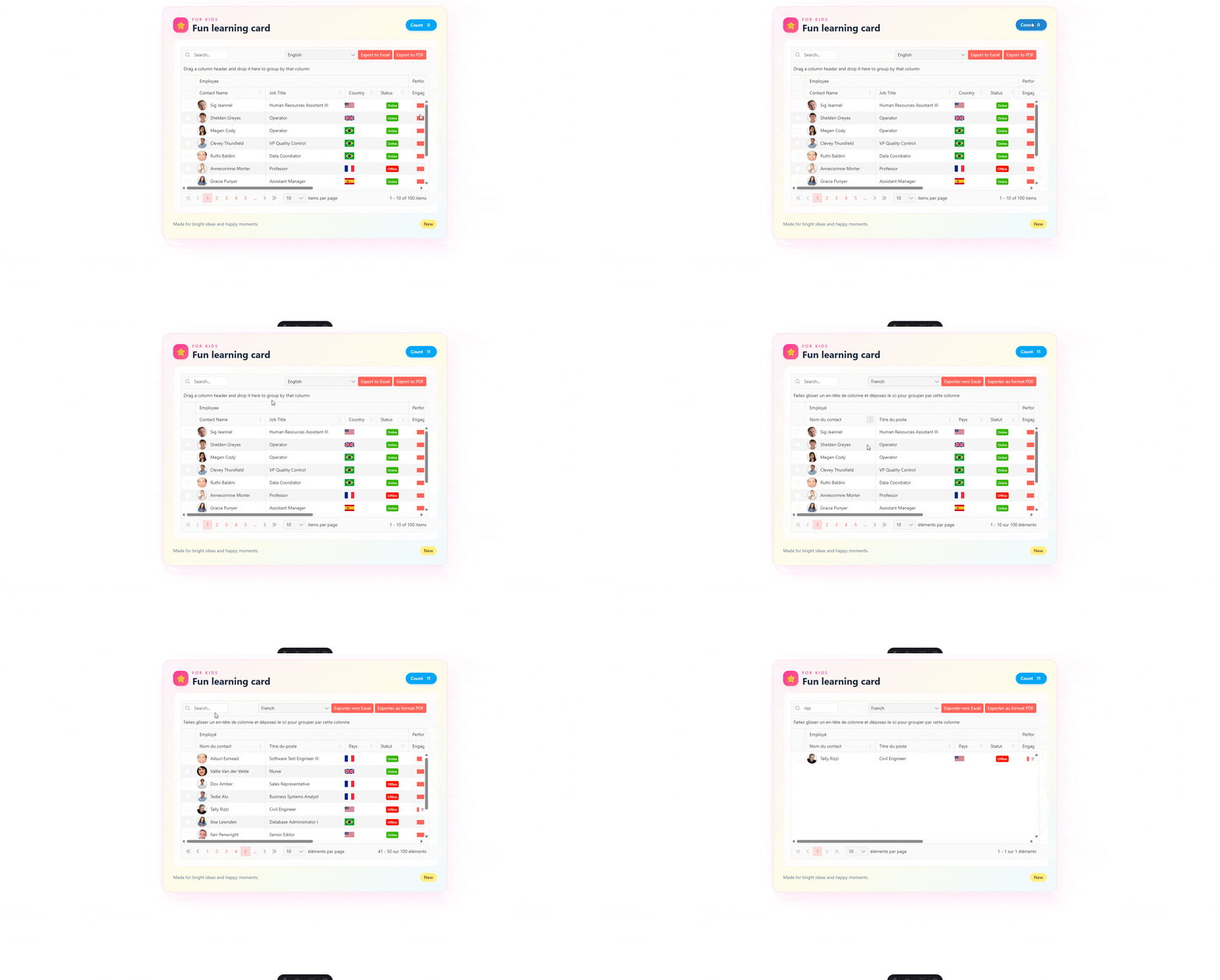
</code></pre><ul><li>Notice we are importing both a <code>.svelte</code> and a <code>.vue</code> component in the same file!</li><li>We use <code>client:load</code> to show that the component is dynamic.</li><li><code>Grid</code> is a child of <code>Panel</code>.</li></ul><p><img sf-image-responsive="true" src="https://www.telerik.com/sfimages/default-source/blogs/2026/2026-10/chrome_ic0nsd7axj.gif?sfvrsn=7ed7ef64_2" height="1031" style="max-width:100%;height:auto;" title="Kendo UI with Svelte" width="1920" alt="Kendo UI with Svelte - Fun learning card" sf-size="339356" /></p><p>And we have Kendo UI for Vue and a Svelte Component in one!</p><h2 id="resources">Resources</h2><ul><li><a target="_blank" href="https://github.com/jdgamble555/svelte-kendo-ui">Svelte Repo on GitHub</a></li><li><a target="_blank" href="https://svelte-kendo-ui.vercel.app/">Svelte Demo on Vercel Serverless</a></li><li><a target="_blank" href="https://github.com/jdgamble555/astro-kendo">Astro Repo on GitHub</a></li><li><a target="_blank" href="https://astro-kendo.vercel.app/">Astro Demo on GitHub</a></li></ul><hr /><h2>Try Kendo UI</h2><p>All the Progress Kendo UI component libraries come with a free 30-day trial so you can explore them yourself.</p><p><a target="_blank" href="https://astro-kendo.vercel.app/" data-sf-ec-immutable="https://www.telerik.com/try/kendo-ui" class="Btn">Try Now</a></p><img src="https://feeds.telerik.com/link/23056/17494687.gif" height="1" width="1"/>]]></content>
  </entry>
  <entry>
    <id>urn:uuid:e484abbe-223d-4064-a0e1-47b8cde76801</id>
    <title type="text">Build a Real-Time Collaborative Notes App with Replicache</title>
    <summary type="text">Build a real-time collaborative notes app with Replicache where users can create, edit, delete notes and react with emojis. We will see every change we make sync instantly across all open browser tabs.</summary>
    <published>2026-10-08T15:25:18Z</published>
    <updated>2026-10-17T09:30:48Z</updated>
    <author>
      <name>Christian Nwamba </name>
    </author>
    <link rel="alternate" href="https://feeds.telerik.com/link/23056/17492177/build-real-time-collaborative-notes-app-replicache"/>
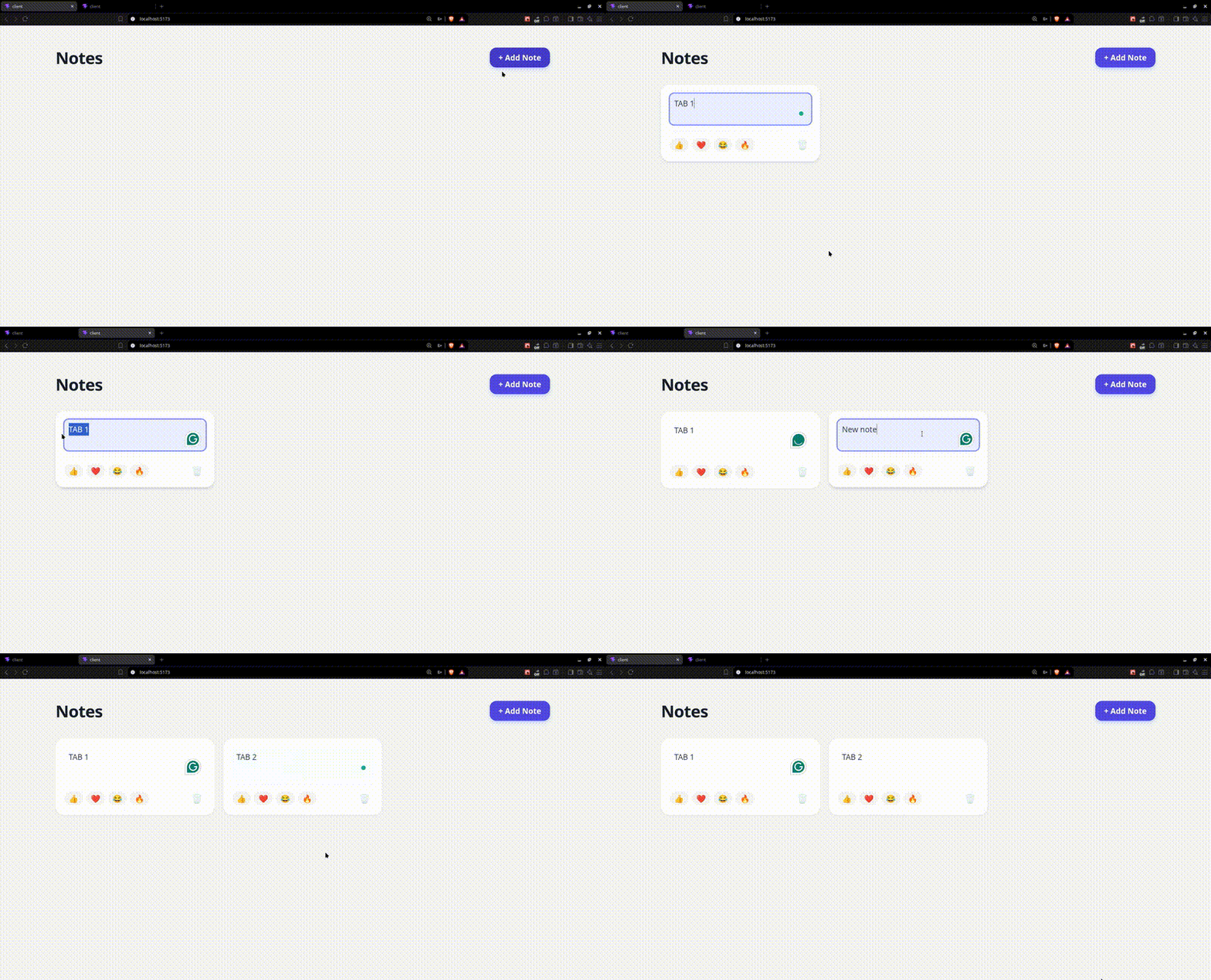
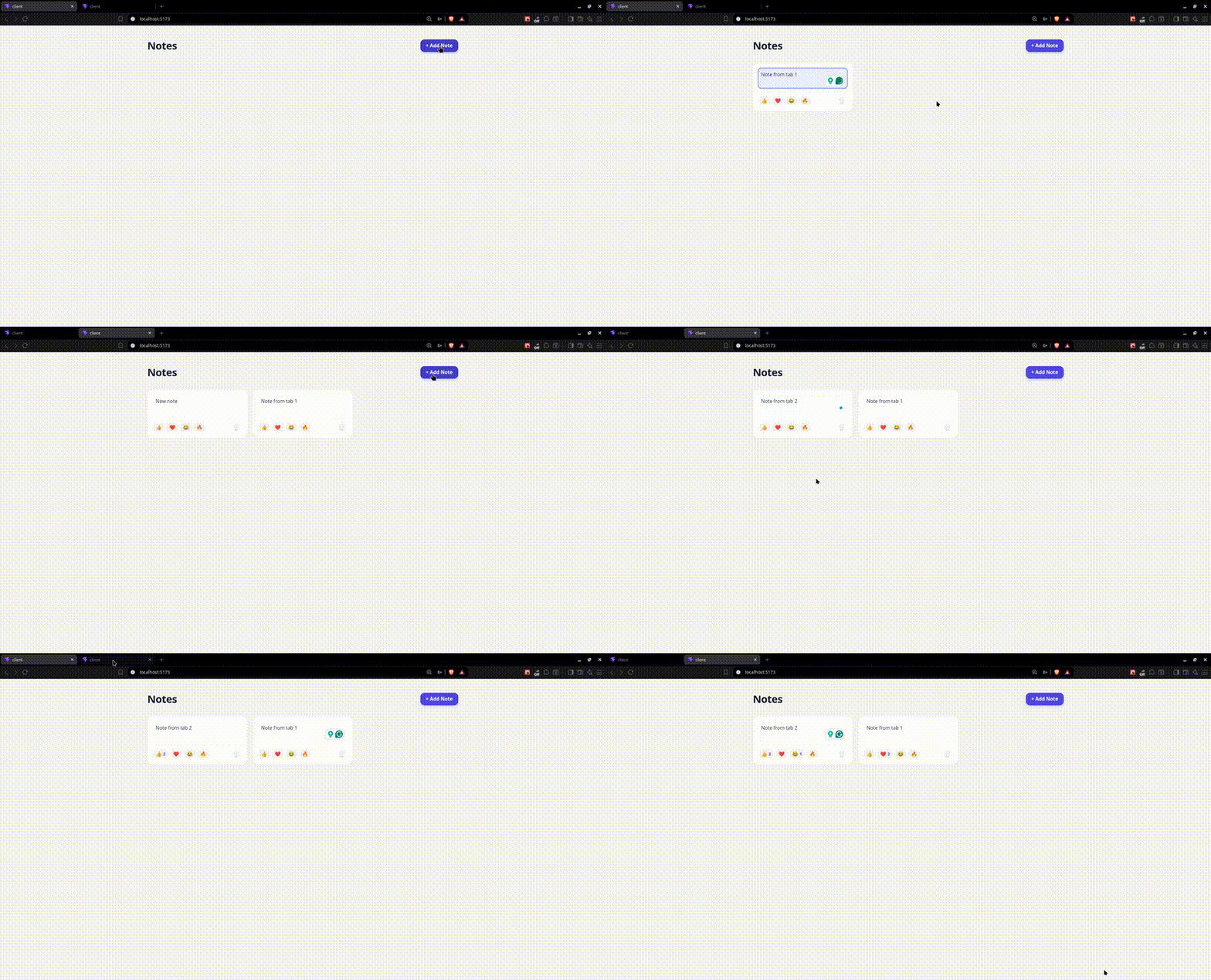
    <content type="text"><![CDATA[<p><span class="featured">Build a real-time collaborative notes app with Replicache where users can create, edit, delete notes and react with emojis. We will see every change we make sync instantly across all open browser tabs.</span></p><p>Web applications have a latency problem. Every interaction triggers a round trip. Your action leaves the browser, hits the server, gets processed and returns as a response. Only then does your screen update.</p><p>The problem is these round trips aren&rsquo;t always reliable. Poor network conditions or server overload mean responses arrive late or not at all. So your users get loading spinners or skeleton screens.</p><p><a target="_blank" href="https://replicache.dev/">Replicache</a> flips this model by being local-first. Instead of waiting on the server for every interaction, we write to a local database first and sync later. Users see the changes immediately while the network works quietly in the background.</p><p>In this article, we will build a notes app where users can create, edit and delete notes; react with emojis; and see every change sync across all open browser tabs in real time.</p><h2 id="prerequisites">Prerequisites</h2><p>To follow along, this guide assumes you have:</p><ul><li>Basic JavaScript/<a target="_blank" href="https://www.typescriptlang.org/">TypeScript</a> knowledge</li><li>Understanding of HTTP (GET/POST)</li><li><a target="_blank" href="https://nodejs.org/en">Node.js</a> installed</li><li>Basic SQL knowledge</li><li>Familiarity with <a target="_blank" href="https://react.dev/">React</a></li></ul><h2 id="what-is-replicache">What Is Replicache?</h2><p><a target="_blank" href="https://replicache.dev/">Replicache</a> is a local-first sync engine. It uses <a target="_blank" href="https://developer.mozilla.org/en-US/docs/Web/API/IndexedDB_API">IndexedDB</a>, a database built into the browser, to store your app&rsquo;s data locally. Every user gets their own copy on their device, so when they make a change, it saves locally first. Then later, it replays those changes to the server.</p><p>Replicache isn&rsquo;t designed for every use case. For sensitive systems like banking, where data integrity is delicate, you wouldn&rsquo;t use it. But for collaborative apps like notes, docs and project boards, Replicache works nicely. Let&rsquo;s now look at some of the core concepts behind Replicache.</p><h2 id="core-concepts">Core Concepts</h2><p>Before we build our app, let&rsquo;s go over the core concepts that make Replicache work.</p><h3 id="local-store">Local Store</h3><p>The local store is a persistent database built into the browser on top of IndexedDB. It is not memory that disappears after a refresh.</p><p>It works as a key-value store where each piece of data has a key (String) and a JSON value.<br />The local store is flat, meaning all the data lives together. When we code, we&rsquo;ll use prefixes on our keys to keep things organized and scannable. This local store also allows you to work offline; this way, changes are saved locally and synced to the server when the connection comes back.</p><h3 id="mutators">Mutators</h3><p>In a Replicache app, all data changes go through a mutator. You cannot write directly to the server or local store. Mutators are the only way to change data.</p><p>A mutator is just a function that takes a <code>WriteTransaction</code> and some arguments. <code>WriteTransaction</code> is your interface to the local store. For writing, you only need two operations: <code>tx.set()</code> to store a value under a key, and <code>tx.del()</code> to remove one.</p><p>When you call a mutator, two things happen. First, it writes to the local store immediately, so the UI updates and the user sees the change right away. Then, Replicache queues the mutation and sends it to the server in the background. No loading states, sync just happens silently.</p><h3 id="push">Push</h3><p>Push is how Replicache sends local changes to the server. After a mutator runs, Replicache adds it to a pending queue, storing the mutation name and its arguments. When ready, it sends the entire queue to the push endpoint in one request.</p><p>The server processes each mutation one by one, checks the name and runs the corresponding database operation. Basically, the server is replaying what already happened locally, but against the persistent database. After processing all mutations, the server calls poke.</p><h3 id="poke">Poke</h3><p>Poke is simple but important. Without it, data gets saved to the database, but other users have no way of knowing about the change. They&rsquo;d have to wait for the next scheduled pull, which defaults to 60 seconds. That&rsquo;s not great for a collaborative app.</p><p>Poke uses server-sent events (SSEs). Every browser with the app open maintains a persistent connection to the server&rsquo;s poke endpoint. When the server finishes processing a push, it sends a signal to all connected clients. It doesn&rsquo;t send the data itself, just a signal. Clients receive it and immediately call pull to get the latest state. This is simple and efficient.</p><h3 id="pull">Pull</h3><p>Pull is how Replicache gets the latest state from the server. It happens in three situations: when the app first loads, when the client receives a poke and periodically in the background as a safety net (every 60 seconds by default).</p><p>The server responds with a patch, which is just an array of instructions telling Replicache what to store or remove in the local store.</p><p>Before applying the patch, Replicache checks for pending mutations in the queue. If there are any, it applies the server data first and then replays those pending mutations on top. This helps prevent local changes from being lost or overwritten by incoming server data.</p><h2 id="project-setup">Project Setup</h2><p>We&rsquo;re building a real-time collaborative notes app where users can create, edit, delete notes and react with emojis. Every change we make syncs instantly across all open browser tabs. The GIF below shows what we&rsquo;ll build.</p><p><img src="https://www.telerik.com/sfimages/default-source/blogs/2026/2026-10/replicache-in-sync.gif?sfvrsn=ce163120_2" title="Replicache in sync" alt="Replicache in sync" /></p><p>We&rsquo;ll split this project into two folders: server and client. We&rsquo;re doing this because they require different dependencies.</p><p>Open your terminal, navigate to where you want the project to live, and run the following commands:</p><pre class=" language-shell"><code class="prism  language-shell">mkdir notes-app
cd notes-app
mkdir server client
</code></pre><h3 id="setting-up-the-server">Setting up the Server</h3><p>Now, let&rsquo;s initialize and set up the server. Run the following command in your terminal:</p><pre class=" language-shell"><code class="prism  language-shell">cd server
npm init -y
</code></pre><p>Now let&rsquo;s go ahead and install the dependencies we&rsquo;ll need:</p><pre class=" language-shell"><code class="prism  language-shell">npm install express better-sqlite3 cors uuid
npm install -D typescript ts-node @types/express @types/better-sqlite3 @types/cors @types/uuid @types/node
</code></pre><p>Initialize TypeScript:</p><pre class=" language-shell"><code class="prism  language-shell">npx tsc --init
</code></pre><p>Then replace the generated <code>tsconfig.json</code> with this:</p><pre class=" language-js"><code class="prism  language-js"><span class="token punctuation">{</span>
  <span class="token string">"compilerOptions"</span><span class="token punctuation">:</span> <span class="token punctuation">{</span>
    <span class="token string">"target"</span><span class="token punctuation">:</span> <span class="token string">"ES2020"</span><span class="token punctuation">,</span>
    <span class="token string">"module"</span><span class="token punctuation">:</span> <span class="token string">"commonjs"</span><span class="token punctuation">,</span>
    <span class="token string">"lib"</span><span class="token punctuation">:</span> <span class="token punctuation">[</span><span class="token string">"ES2020"</span><span class="token punctuation">]</span><span class="token punctuation">,</span>
    <span class="token string">"outDir"</span><span class="token punctuation">:</span> <span class="token string">"./dist"</span><span class="token punctuation">,</span>
    <span class="token string">"rootDir"</span><span class="token punctuation">:</span> <span class="token string">"./src"</span><span class="token punctuation">,</span>
    <span class="token string">"strict"</span><span class="token punctuation">:</span> <span class="token boolean">true</span><span class="token punctuation">,</span>
    <span class="token string">"esModuleInterop"</span><span class="token punctuation">:</span> <span class="token boolean">true</span><span class="token punctuation">,</span>
    <span class="token string">"skipLibCheck"</span><span class="token punctuation">:</span> <span class="token boolean">true</span><span class="token punctuation">,</span>
    <span class="token string">"resolveJsonModule"</span><span class="token punctuation">:</span> <span class="token boolean">true</span>
  <span class="token punctuation">}</span>
<span class="token punctuation">}</span>
</code></pre><h3 id="setting-up-the-client">Setting Up the Client</h3><p>Now that the server is set up, let&rsquo;s scaffold the client. Navigate to the client directory:</p><pre class=" language-shell"><code class="prism  language-shell">cd ../client
</code></pre><p>Run the following command to create a React app with Vite:</p><pre class=" language-shell"><code class="prism  language-shell">npm create vite@latest . -- --template react-ts 
npm install
</code></pre><p>Install Replicache and its React helper:</p><pre class=" language-shell"><code class="prism  language-shell">npm install replicache replicache-react
</code></pre><h2 id="building-the-server">Building the Server</h2><p>The server is responsible for storing data, processing mutations and notifying connected clients when changes occur. We&rsquo;ll build this across five files, each with a single responsibility.</p><p>Create a <code>src</code> folder inside the server directory, that is where all of our files will live:</p><pre class=" language-shell"><code class="prism  language-shell">mkdir src
</code></pre><h3 id="setting-up-the-database">Setting Up the Database</h3><p>Create a file called <code>db.ts</code> inside the <code>src</code> folder and add the following to it:</p><pre class=" language-ts"><code class="prism  language-ts"><span class="token keyword">import</span> Database <span class="token keyword">from</span> <span class="token string">"better-sqlite3"</span><span class="token punctuation">;</span>

<span class="token keyword">const</span> db <span class="token operator">=</span> <span class="token keyword">new</span> <span class="token class-name">Database</span><span class="token punctuation">(</span><span class="token string">"notes.db"</span><span class="token punctuation">)</span><span class="token punctuation">;</span>

db<span class="token punctuation">.</span><span class="token function">exec</span><span class="token punctuation">(</span><span class="token template-string"><span class="token string">`
  CREATE TABLE IF NOT EXISTS notes (
    id TEXT PRIMARY KEY,
    content TEXT NOT NULL,
    created_at INTEGER NOT NULL
  );
  CREATE TABLE IF NOT EXISTS reactions (
    id TEXT PRIMARY KEY,
    note_id TEXT NOT NULL,
    emoji TEXT NOT NULL,
    created_at INTEGER NOT NULL
  );
  CREATE TABLE IF NOT EXISTS replicache_clients (
    client_id TEXT PRIMARY KEY,
    last_mutation_id INTEGER NOT NULL DEFAULT 0
  );
`</span></span><span class="token punctuation">)</span><span class="token punctuation">;</span>

<span class="token keyword">export</span> <span class="token keyword">default</span> db<span class="token punctuation">;</span>
</code></pre><p>In the code above, we created three tables. The <code>notes</code> table stores the note content, a unique ID and a timestamp. The <code>reactions</code> table stores each emoji reaction with a <code>note_id</code> that references the note it belongs to. This is how a reaction always knows which note it belongs to. The <code>replicache_clients</code> table tracks the last mutation each client has processed on the server. We&rsquo;ll cover this in detail in the advanced concepts section.</p><h3 id="defining-the-types">Defining the Types</h3><p>Create a file called <code>types.ts</code> in the <code>src</code> folder and add the following to it:</p><pre class=" language-ts"><code class="prism  language-ts"><span class="token keyword">export</span> <span class="token keyword">type</span> Note <span class="token operator">=</span> <span class="token punctuation">{</span>
  id<span class="token punctuation">:</span> <span class="token keyword">string</span><span class="token punctuation">;</span>
  content<span class="token punctuation">:</span> <span class="token keyword">string</span><span class="token punctuation">;</span>
  created_at<span class="token punctuation">:</span> <span class="token keyword">number</span><span class="token punctuation">;</span>
<span class="token punctuation">}</span><span class="token punctuation">;</span>

<span class="token keyword">export</span> <span class="token keyword">type</span> Reaction <span class="token operator">=</span> <span class="token punctuation">{</span>
  id<span class="token punctuation">:</span> <span class="token keyword">string</span><span class="token punctuation">;</span>
  note_id<span class="token punctuation">:</span> <span class="token keyword">string</span><span class="token punctuation">;</span>
  emoji<span class="token punctuation">:</span> <span class="token keyword">string</span><span class="token punctuation">;</span>
  created_at<span class="token punctuation">:</span> <span class="token keyword">number</span><span class="token punctuation">;</span>
<span class="token punctuation">}</span><span class="token punctuation">;</span>
</code></pre><p>In this file, we define the shape of data, such as the notes and reactions. With this one file, TypeScript can catch errors throughout the app. When the data structure changes, we only need to update this one file.</p><h3 id="building-the-notification-system">Building the Notification System</h3><p>Create a file called <code>poke.ts</code> in the <code>src</code> directory, and add the following to it:</p><pre class=" language-ts"><code class="prism  language-ts"><span class="token keyword">import</span> <span class="token punctuation">{</span> Response <span class="token punctuation">}</span> <span class="token keyword">from</span> <span class="token string">"express"</span><span class="token punctuation">;</span>

<span class="token keyword">const</span> clients <span class="token operator">=</span> <span class="token keyword">new</span> <span class="token class-name">Set</span><span class="token operator">&lt;</span>Response<span class="token operator">&gt;</span><span class="token punctuation">(</span><span class="token punctuation">)</span><span class="token punctuation">;</span>

<span class="token keyword">export</span> <span class="token keyword">function</span> <span class="token function">addClient</span><span class="token punctuation">(</span>res<span class="token punctuation">:</span> Response<span class="token punctuation">)</span> <span class="token punctuation">{</span>
  clients<span class="token punctuation">.</span><span class="token function">add</span><span class="token punctuation">(</span>res<span class="token punctuation">)</span><span class="token punctuation">;</span>
<span class="token punctuation">}</span>

<span class="token keyword">export</span> <span class="token keyword">function</span> <span class="token function">removeClient</span><span class="token punctuation">(</span>res<span class="token punctuation">:</span> Response<span class="token punctuation">)</span> <span class="token punctuation">{</span>
  clients<span class="token punctuation">.</span><span class="token keyword">delete</span><span class="token punctuation">(</span>res<span class="token punctuation">)</span><span class="token punctuation">;</span>
<span class="token punctuation">}</span>

<span class="token keyword">export</span> <span class="token keyword">function</span> <span class="token function">poke</span><span class="token punctuation">(</span><span class="token punctuation">)</span> <span class="token punctuation">{</span>
  <span class="token keyword">for</span> <span class="token punctuation">(</span><span class="token keyword">const</span> client <span class="token keyword">of</span> clients<span class="token punctuation">)</span> <span class="token punctuation">{</span>
    client<span class="token punctuation">.</span><span class="token function">write</span><span class="token punctuation">(</span><span class="token string">"data: poke\n\n"</span><span class="token punctuation">)</span><span class="token punctuation">;</span>
  <span class="token punctuation">}</span>
<span class="token punctuation">}</span>
</code></pre><p>We maintain a Set of all open browser connections. A Set is ideal here because every connection is unique, and removing one is as simple as calling <code>delete()</code>. With an array, you&rsquo;d have to find it first.</p><p><code>addClient</code> adds a browser to the Set when it connects, <code>removeClient</code> removes it when it disconnects, and <code>poke</code> loops over all connections and sends a signal down each one.</p><p>One important thing to note is that <code>poke</code> sends no actual data, just a signal. The browser receives it and immediately calls <code>pull</code> to fetch the latest data. This keeps the system clean and efficient.</p><h3 id="fetching-data-from-the-server">Fetching Data from the Server</h3><p>Create a file called <code>pull.ts</code> in the <code>src</code> folder. This is the endpoint Replicache calls when it needs the latest data from the server. Add the following to it:</p><pre class=" language-ts"><code class="prism  language-ts"><span class="token keyword">import</span> <span class="token punctuation">{</span> Request<span class="token punctuation">,</span> Response <span class="token punctuation">}</span> <span class="token keyword">from</span> <span class="token string">"express"</span><span class="token punctuation">;</span>
<span class="token keyword">import</span> db <span class="token keyword">from</span> <span class="token string">"./db"</span><span class="token punctuation">;</span>
<span class="token keyword">import</span> <span class="token keyword">type</span> <span class="token punctuation">{</span> Note<span class="token punctuation">,</span> Reaction <span class="token punctuation">}</span> <span class="token keyword">from</span> <span class="token string">"./types"</span><span class="token punctuation">;</span>

<span class="token keyword">export</span> <span class="token keyword">function</span> <span class="token function">pull</span><span class="token punctuation">(</span>req<span class="token punctuation">:</span> Request<span class="token punctuation">,</span> res<span class="token punctuation">:</span> Response<span class="token punctuation">)</span> <span class="token punctuation">{</span>
  <span class="token keyword">const</span> notes <span class="token operator">=</span> db
    <span class="token punctuation">.</span><span class="token function">prepare</span><span class="token punctuation">(</span><span class="token string">"SELECT * FROM notes ORDER BY created_at ASC"</span><span class="token punctuation">)</span>
    <span class="token punctuation">.</span><span class="token function">all</span><span class="token punctuation">(</span><span class="token punctuation">)</span> <span class="token keyword">as</span> Note<span class="token punctuation">[</span><span class="token punctuation">]</span><span class="token punctuation">;</span>
  
  <span class="token keyword">const</span> reactions <span class="token operator">=</span> db
    <span class="token punctuation">.</span><span class="token function">prepare</span><span class="token punctuation">(</span><span class="token string">"SELECT * FROM reactions ORDER BY created_at ASC"</span><span class="token punctuation">)</span>
    <span class="token punctuation">.</span><span class="token function">all</span><span class="token punctuation">(</span><span class="token punctuation">)</span> <span class="token keyword">as</span> Reaction<span class="token punctuation">[</span><span class="token punctuation">]</span><span class="token punctuation">;</span>
  
  <span class="token keyword">const</span> patch <span class="token operator">=</span> <span class="token punctuation">[</span>
    <span class="token punctuation">{</span> op<span class="token punctuation">:</span> <span class="token string">"clear"</span> <span class="token punctuation">}</span><span class="token punctuation">,</span>
    <span class="token operator">...</span>notes<span class="token punctuation">.</span><span class="token function">map</span><span class="token punctuation">(</span><span class="token punctuation">(</span>note<span class="token punctuation">:</span> Note<span class="token punctuation">)</span> <span class="token operator">=&gt;</span> <span class="token punctuation">(</span><span class="token punctuation">{</span>
      op<span class="token punctuation">:</span> <span class="token string">"put"</span><span class="token punctuation">,</span>
      key<span class="token punctuation">:</span> <span class="token template-string"><span class="token string">`note/</span><span class="token interpolation"><span class="token interpolation-punctuation punctuation">${</span>note<span class="token punctuation">.</span>id<span class="token interpolation-punctuation punctuation">}</span></span><span class="token string">`</span></span><span class="token punctuation">,</span>
      value<span class="token punctuation">:</span> note<span class="token punctuation">,</span>
    <span class="token punctuation">}</span><span class="token punctuation">)</span><span class="token punctuation">)</span><span class="token punctuation">,</span>
    <span class="token operator">...</span>reactions<span class="token punctuation">.</span><span class="token function">map</span><span class="token punctuation">(</span><span class="token punctuation">(</span>reaction<span class="token punctuation">:</span> Reaction<span class="token punctuation">)</span> <span class="token operator">=&gt;</span> <span class="token punctuation">(</span><span class="token punctuation">{</span>
      op<span class="token punctuation">:</span> <span class="token string">"put"</span><span class="token punctuation">,</span>
      key<span class="token punctuation">:</span> <span class="token template-string"><span class="token string">`reaction/</span><span class="token interpolation"><span class="token interpolation-punctuation punctuation">${</span>reaction<span class="token punctuation">.</span>id<span class="token interpolation-punctuation punctuation">}</span></span><span class="token string">`</span></span><span class="token punctuation">,</span>
      value<span class="token punctuation">:</span> reaction<span class="token punctuation">,</span>
    <span class="token punctuation">}</span><span class="token punctuation">)</span><span class="token punctuation">)</span><span class="token punctuation">,</span>
  <span class="token punctuation">]</span><span class="token punctuation">;</span>
  
  <span class="token keyword">const</span> clients <span class="token operator">=</span> db
    <span class="token punctuation">.</span><span class="token function">prepare</span><span class="token punctuation">(</span><span class="token string">"SELECT client_id, last_mutation_id FROM replicache_clients"</span><span class="token punctuation">)</span>
    <span class="token punctuation">.</span><span class="token function">all</span><span class="token punctuation">(</span><span class="token punctuation">)</span> <span class="token keyword">as</span> <span class="token punctuation">{</span> client_id<span class="token punctuation">:</span> <span class="token keyword">string</span><span class="token punctuation">;</span> last_mutation_id<span class="token punctuation">:</span> <span class="token keyword">number</span> <span class="token punctuation">}</span><span class="token punctuation">[</span><span class="token punctuation">]</span><span class="token punctuation">;</span>
  
  <span class="token keyword">const</span> lastMutationIDChanges <span class="token operator">=</span> Object<span class="token punctuation">.</span><span class="token function">fromEntries</span><span class="token punctuation">(</span>
    clients<span class="token punctuation">.</span><span class="token function">map</span><span class="token punctuation">(</span><span class="token punctuation">(</span>c<span class="token punctuation">)</span> <span class="token operator">=&gt;</span> <span class="token punctuation">[</span>c<span class="token punctuation">.</span>client_id<span class="token punctuation">,</span> c<span class="token punctuation">.</span>last_mutation_id<span class="token punctuation">]</span><span class="token punctuation">)</span><span class="token punctuation">,</span>
  <span class="token punctuation">)</span><span class="token punctuation">;</span>
  
  res<span class="token punctuation">.</span><span class="token function">json</span><span class="token punctuation">(</span><span class="token punctuation">{</span>
    lastMutationIDChanges<span class="token punctuation">,</span>
    cookie<span class="token punctuation">:</span> <span class="token keyword">null</span><span class="token punctuation">,</span>
    patch<span class="token punctuation">,</span>
  <span class="token punctuation">}</span><span class="token punctuation">)</span><span class="token punctuation">;</span>
<span class="token punctuation">}</span>
</code></pre><p>In the code above, we fetch all notes and reactions from the database and build a patch, which is an array of instructions telling Replicache what to store in the local store. Each instruction has an <code>op</code> set to <code>"put"</code>, a <code>key</code> and a <code>value</code>.</p><p>Notes use the prefix <code>note/</code> and reactions use <code>reaction/</code>, so we can differentiate them in the flat local store. Without these prefixes, everything would live together with no way to differentiate a note key from a reaction key.</p><p>We also spread both arrays into one flat list because Replicache expects one flat array of instructions, not nested arrays. The response also includes <code>cookie</code> and <code>lastMutationIDChanges</code>, which we&rsquo;ll look into in the advanced concepts section.</p><h3 id="processing-mutations">Processing Mutations</h3><p>Create a file called <code>push.ts</code> and add the following to it:</p><pre class=" language-ts"><code class="prism  language-ts"><span class="token keyword">import</span> <span class="token punctuation">{</span> Request<span class="token punctuation">,</span> Response <span class="token punctuation">}</span> <span class="token keyword">from</span> <span class="token string">"express"</span><span class="token punctuation">;</span>
<span class="token keyword">import</span> db <span class="token keyword">from</span> <span class="token string">"./db"</span><span class="token punctuation">;</span>
<span class="token keyword">import</span> <span class="token punctuation">{</span> poke <span class="token punctuation">}</span> <span class="token keyword">from</span> <span class="token string">"./poke"</span><span class="token punctuation">;</span>

<span class="token keyword">export</span> <span class="token keyword">function</span> <span class="token function">push</span><span class="token punctuation">(</span>req<span class="token punctuation">:</span> Request<span class="token punctuation">,</span> res<span class="token punctuation">:</span> Response<span class="token punctuation">)</span> <span class="token punctuation">{</span>
  <span class="token keyword">const</span> mutations <span class="token operator">=</span> req<span class="token punctuation">.</span>body<span class="token punctuation">.</span>mutations<span class="token punctuation">;</span>
  
  <span class="token keyword">for</span> <span class="token punctuation">(</span><span class="token keyword">const</span> mutation <span class="token keyword">of</span> mutations<span class="token punctuation">)</span> <span class="token punctuation">{</span>
    <span class="token keyword">const</span> <span class="token punctuation">{</span> clientID<span class="token punctuation">,</span> id<span class="token punctuation">,</span> name<span class="token punctuation">,</span> args <span class="token punctuation">}</span> <span class="token operator">=</span> mutation<span class="token punctuation">;</span>
    
    <span class="token keyword">const</span> row <span class="token operator">=</span> db
      <span class="token punctuation">.</span><span class="token function">prepare</span><span class="token punctuation">(</span>
        <span class="token string">"SELECT last_mutation_id FROM replicache_clients WHERE client_id = ?"</span><span class="token punctuation">,</span>
      <span class="token punctuation">)</span>
      <span class="token punctuation">.</span><span class="token keyword">get</span><span class="token punctuation">(</span>clientID<span class="token punctuation">)</span> <span class="token keyword">as</span> <span class="token punctuation">{</span> last_mutation_id<span class="token punctuation">:</span> <span class="token keyword">number</span> <span class="token punctuation">}</span> <span class="token operator">|</span> undefined<span class="token punctuation">;</span>
    
    <span class="token keyword">const</span> lastMutationID <span class="token operator">=</span> row<span class="token operator">?</span><span class="token punctuation">.</span>last_mutation_id <span class="token operator">?</span><span class="token operator">?</span> <span class="token number">0</span><span class="token punctuation">;</span>
    
    <span class="token keyword">if</span> <span class="token punctuation">(</span>id <span class="token operator">&lt;=</span> lastMutationID<span class="token punctuation">)</span> <span class="token punctuation">{</span>
      <span class="token keyword">continue</span><span class="token punctuation">;</span>
    <span class="token punctuation">}</span>
    
    <span class="token keyword">if</span> <span class="token punctuation">(</span>name <span class="token operator">===</span> <span class="token string">"createNote"</span><span class="token punctuation">)</span> <span class="token punctuation">{</span>
      db<span class="token punctuation">.</span><span class="token function">prepare</span><span class="token punctuation">(</span>
        <span class="token string">"INSERT OR IGNORE INTO notes (id, content, created_at) VALUES (?, ?, ?)"</span><span class="token punctuation">,</span>
      <span class="token punctuation">)</span><span class="token punctuation">.</span><span class="token function">run</span><span class="token punctuation">(</span>args<span class="token punctuation">.</span>id<span class="token punctuation">,</span> args<span class="token punctuation">.</span>content<span class="token punctuation">,</span> args<span class="token punctuation">.</span>created_at<span class="token punctuation">)</span><span class="token punctuation">;</span>
    <span class="token punctuation">}</span>
    
    <span class="token keyword">if</span> <span class="token punctuation">(</span>name <span class="token operator">===</span> <span class="token string">"addReaction"</span><span class="token punctuation">)</span> <span class="token punctuation">{</span>
      db<span class="token punctuation">.</span><span class="token function">prepare</span><span class="token punctuation">(</span>
        <span class="token string">"INSERT OR IGNORE INTO reactions (id, note_id, emoji, created_at) VALUES (?, ?, ?, ?)"</span><span class="token punctuation">,</span>
      <span class="token punctuation">)</span><span class="token punctuation">.</span><span class="token function">run</span><span class="token punctuation">(</span>args<span class="token punctuation">.</span>id<span class="token punctuation">,</span> args<span class="token punctuation">.</span>note_id<span class="token punctuation">,</span> args<span class="token punctuation">.</span>emoji<span class="token punctuation">,</span> args<span class="token punctuation">.</span>created_at<span class="token punctuation">)</span><span class="token punctuation">;</span>
    <span class="token punctuation">}</span>
    
    <span class="token keyword">if</span> <span class="token punctuation">(</span>name <span class="token operator">===</span> <span class="token string">"updateNote"</span><span class="token punctuation">)</span> <span class="token punctuation">{</span>
      db<span class="token punctuation">.</span><span class="token function">prepare</span><span class="token punctuation">(</span><span class="token string">"UPDATE notes SET content = ? WHERE id = ?"</span><span class="token punctuation">)</span><span class="token punctuation">.</span><span class="token function">run</span><span class="token punctuation">(</span>
        args<span class="token punctuation">.</span>content<span class="token punctuation">,</span>
        args<span class="token punctuation">.</span>id<span class="token punctuation">,</span>
      <span class="token punctuation">)</span><span class="token punctuation">;</span>
    <span class="token punctuation">}</span>
    
    <span class="token keyword">if</span> <span class="token punctuation">(</span>name <span class="token operator">===</span> <span class="token string">"deleteNote"</span><span class="token punctuation">)</span> <span class="token punctuation">{</span>
      db<span class="token punctuation">.</span><span class="token function">prepare</span><span class="token punctuation">(</span><span class="token string">"DELETE FROM notes WHERE id = ?"</span><span class="token punctuation">)</span><span class="token punctuation">.</span><span class="token function">run</span><span class="token punctuation">(</span>args<span class="token punctuation">.</span>id<span class="token punctuation">)</span><span class="token punctuation">;</span>
      db<span class="token punctuation">.</span><span class="token function">prepare</span><span class="token punctuation">(</span><span class="token string">"DELETE FROM reactions WHERE note_id = ?"</span><span class="token punctuation">)</span><span class="token punctuation">.</span><span class="token function">run</span><span class="token punctuation">(</span>args<span class="token punctuation">.</span>id<span class="token punctuation">)</span><span class="token punctuation">;</span>
    <span class="token punctuation">}</span>
    
    db<span class="token punctuation">.</span><span class="token function">prepare</span><span class="token punctuation">(</span>
      <span class="token string">"INSERT INTO replicache_clients (client_id, last_mutation_id) VALUES (?, ?) ON CONFLICT(client_id) DO UPDATE SET last_mutation_id = ?"</span><span class="token punctuation">,</span>
    <span class="token punctuation">)</span><span class="token punctuation">.</span><span class="token function">run</span><span class="token punctuation">(</span>clientID<span class="token punctuation">,</span> id<span class="token punctuation">,</span> id<span class="token punctuation">)</span><span class="token punctuation">;</span>
  <span class="token punctuation">}</span>
  
  <span class="token function">poke</span><span class="token punctuation">(</span><span class="token punctuation">)</span><span class="token punctuation">;</span>
  res<span class="token punctuation">.</span><span class="token function">json</span><span class="token punctuation">(</span><span class="token punctuation">{</span> status<span class="token punctuation">:</span> <span class="token string">"ok"</span> <span class="token punctuation">}</span><span class="token punctuation">)</span><span class="token punctuation">;</span>
<span class="token punctuation">}</span>
</code></pre><p>The request body contains an array of mutations. Each mutation has a <code>name</code> and an <code>args</code> object. The <code>name</code> tells us what operation to run, and <code>args</code> contains the specific data that operation needs.</p><p>The function loops through each mutation and checks its <code>name</code>. For <code>createNote</code>, we insert a new note into the <code>notes</code> table. For <code>addReaction</code>, we insert a reaction into the <code>reactions</code> table. For <code>updateNote</code>, we update the content of an existing note where the ID matches. For <code>deleteNote</code>, we run two deletes: one for the note and one for all its reactions. We do this because we don&rsquo;t want reactions pointing to a note that no longer exists.</p><h3 id="putting-the-server-together">Putting the Server Together</h3><p>Create a file called <code>index.ts</code> in your <code>src</code> folder to bring everything together:</p><pre class=" language-ts"><code class="prism  language-ts"><span class="token keyword">import</span> express <span class="token keyword">from</span> <span class="token string">"express"</span><span class="token punctuation">;</span>
<span class="token keyword">import</span> cors <span class="token keyword">from</span> <span class="token string">"cors"</span><span class="token punctuation">;</span>
<span class="token keyword">import</span> <span class="token punctuation">{</span> pull <span class="token punctuation">}</span> <span class="token keyword">from</span> <span class="token string">"./pull"</span><span class="token punctuation">;</span>
<span class="token keyword">import</span> <span class="token punctuation">{</span> push <span class="token punctuation">}</span> <span class="token keyword">from</span> <span class="token string">"./push"</span><span class="token punctuation">;</span>
<span class="token keyword">import</span> <span class="token punctuation">{</span> addClient<span class="token punctuation">,</span> removeClient <span class="token punctuation">}</span> <span class="token keyword">from</span> <span class="token string">"./poke"</span><span class="token punctuation">;</span>

<span class="token keyword">const</span> app <span class="token operator">=</span> <span class="token function">express</span><span class="token punctuation">(</span><span class="token punctuation">)</span><span class="token punctuation">;</span>

app<span class="token punctuation">.</span><span class="token function">use</span><span class="token punctuation">(</span><span class="token function">cors</span><span class="token punctuation">(</span><span class="token punctuation">)</span><span class="token punctuation">)</span><span class="token punctuation">;</span>
app<span class="token punctuation">.</span><span class="token function">use</span><span class="token punctuation">(</span>express<span class="token punctuation">.</span><span class="token function">json</span><span class="token punctuation">(</span><span class="token punctuation">)</span><span class="token punctuation">)</span><span class="token punctuation">;</span>

app<span class="token punctuation">.</span><span class="token function">post</span><span class="token punctuation">(</span><span class="token string">"/api/push"</span><span class="token punctuation">,</span> push<span class="token punctuation">)</span><span class="token punctuation">;</span>
app<span class="token punctuation">.</span><span class="token function">post</span><span class="token punctuation">(</span><span class="token string">"/api/pull"</span><span class="token punctuation">,</span> pull<span class="token punctuation">)</span><span class="token punctuation">;</span>

app<span class="token punctuation">.</span><span class="token keyword">get</span><span class="token punctuation">(</span><span class="token string">"/api/poke"</span><span class="token punctuation">,</span> <span class="token punctuation">(</span>req<span class="token punctuation">,</span> res<span class="token punctuation">)</span> <span class="token operator">=&gt;</span> <span class="token punctuation">{</span>
  res<span class="token punctuation">.</span><span class="token function">setHeader</span><span class="token punctuation">(</span><span class="token string">"Content-Type"</span><span class="token punctuation">,</span> <span class="token string">"text/event-stream"</span><span class="token punctuation">)</span><span class="token punctuation">;</span>
  res<span class="token punctuation">.</span><span class="token function">setHeader</span><span class="token punctuation">(</span><span class="token string">"Cache-Control"</span><span class="token punctuation">,</span> <span class="token string">"no-cache"</span><span class="token punctuation">)</span><span class="token punctuation">;</span>
  res<span class="token punctuation">.</span><span class="token function">setHeader</span><span class="token punctuation">(</span><span class="token string">"Connection"</span><span class="token punctuation">,</span> <span class="token string">"keep-alive"</span><span class="token punctuation">)</span><span class="token punctuation">;</span>
  
  <span class="token function">addClient</span><span class="token punctuation">(</span>res<span class="token punctuation">)</span><span class="token punctuation">;</span>
  
  req<span class="token punctuation">.</span><span class="token function">on</span><span class="token punctuation">(</span><span class="token string">"close"</span><span class="token punctuation">,</span> <span class="token punctuation">(</span><span class="token punctuation">)</span> <span class="token operator">=&gt;</span> <span class="token punctuation">{</span>
    <span class="token function">removeClient</span><span class="token punctuation">(</span>res<span class="token punctuation">)</span><span class="token punctuation">;</span>
  <span class="token punctuation">}</span><span class="token punctuation">)</span><span class="token punctuation">;</span>
<span class="token punctuation">}</span><span class="token punctuation">)</span><span class="token punctuation">;</span>

<span class="token keyword">const</span> PORT <span class="token operator">=</span> <span class="token number">3000</span><span class="token punctuation">;</span>

app<span class="token punctuation">.</span><span class="token function">listen</span><span class="token punctuation">(</span>PORT<span class="token punctuation">,</span> <span class="token punctuation">(</span><span class="token punctuation">)</span> <span class="token operator">=&gt;</span> <span class="token punctuation">{</span>
  console<span class="token punctuation">.</span><span class="token function">log</span><span class="token punctuation">(</span><span class="token template-string"><span class="token string">`Server running on port </span><span class="token interpolation"><span class="token interpolation-punctuation punctuation">${</span>PORT<span class="token interpolation-punctuation punctuation">}</span></span><span class="token string">`</span></span><span class="token punctuation">)</span><span class="token punctuation">;</span>
<span class="token punctuation">}</span><span class="token punctuation">)</span><span class="token punctuation">;</span>
</code></pre><p>In the code above, we register the <code>push</code> and <code>pull</code> routes and set up the <code>poke</code> endpoint. The <code>push</code> and <code>pull</code> routes are straightforward in the sense that they receive a request, do their job and respond.</p><p>The <code>poke</code> endpoint works differently. Instead of responding immediately and closing the connection, it sets SSE headers and keeps the connection open as long as the browser is connected. That open connection is the channel the server uses to send poke signals to the client.</p><p>Notice the <code>keep-alive</code> header. This tells the server not to close the connection after responding. As long as the browser has the app open, the connection stays alive. When a browser disconnects or closes the tab, <code>req.on("close")</code> fires automatically and removes that connection from the <code>clients</code> Set. This prevents trying to send a poke to a connection that no longer exists.</p><h2 id="building-the-client">Building the Client</h2><p>Now we&rsquo;ll build the React frontend. This is where we create the UI for users to create, edit, delete and react to notes with emojis across different tabs.</p><p>We&rsquo;ll set up:</p><ul><li>Types to align the client and server</li><li>Mutators to handle every write operation</li><li>A Replicache instance to connect to the server</li><li>The UI</li></ul><p>Run the following command to navigate to the client folder:</p><pre class=" language-shell"><code class="prism  language-shell">cd ../client
</code></pre><p>Create three new files in the <code>src</code> directory:</p><pre class=" language-shell"><code class="prism  language-shell">touch src/mutators.ts src/replicache.ts src/types.ts
</code></pre><h3 id="defining-the-types-1">Defining the Types</h3><p>Both the client and server need to agree on the same data structure. Add this to your <code>types.ts</code> file:</p><pre class=" language-ts"><code class="prism  language-ts"><span class="token keyword">export</span> <span class="token keyword">type</span> Note <span class="token operator">=</span> <span class="token punctuation">{</span>
  id<span class="token punctuation">:</span> <span class="token keyword">string</span><span class="token punctuation">;</span>
  content<span class="token punctuation">:</span> <span class="token keyword">string</span><span class="token punctuation">;</span>
  created_at<span class="token punctuation">:</span> <span class="token keyword">number</span><span class="token punctuation">;</span>
<span class="token punctuation">}</span><span class="token punctuation">;</span>

<span class="token keyword">export</span> <span class="token keyword">type</span> Reaction <span class="token operator">=</span> <span class="token punctuation">{</span>
  id<span class="token punctuation">:</span> <span class="token keyword">string</span><span class="token punctuation">;</span>
  note_id<span class="token punctuation">:</span> <span class="token keyword">string</span><span class="token punctuation">;</span>
  emoji<span class="token punctuation">:</span> <span class="token keyword">string</span><span class="token punctuation">;</span>
  created_at<span class="token punctuation">:</span> <span class="token keyword">number</span><span class="token punctuation">;</span>
<span class="token punctuation">}</span><span class="token punctuation">;</span>
</code></pre><p>These are the same types as the server. By sharing the same type definitions, TypeScript enables consistency between client and server.</p><h3 id="defining-the-mutators">Defining the Mutators</h3><p>As we covered in the core concepts section, mutators are the only way to change data in a Replicache app. Update your <code>mutators.ts</code> file with the following:</p><pre class=" language-ts"><code class="prism  language-ts"><span class="token keyword">import</span> <span class="token keyword">type</span> <span class="token punctuation">{</span> WriteTransaction <span class="token punctuation">}</span> <span class="token keyword">from</span> <span class="token string">"replicache"</span><span class="token punctuation">;</span>
<span class="token keyword">import</span> <span class="token keyword">type</span> <span class="token punctuation">{</span> Note<span class="token punctuation">,</span> Reaction <span class="token punctuation">}</span> <span class="token keyword">from</span> <span class="token string">"./types"</span><span class="token punctuation">;</span>

<span class="token keyword">export</span> <span class="token keyword">const</span> mutators <span class="token operator">=</span> <span class="token punctuation">{</span>
  createNote<span class="token punctuation">:</span> <span class="token keyword">async</span> <span class="token punctuation">(</span>tx<span class="token punctuation">:</span> WriteTransaction<span class="token punctuation">,</span> note<span class="token punctuation">:</span> Note<span class="token punctuation">)</span> <span class="token operator">=&gt;</span> <span class="token punctuation">{</span>
    <span class="token keyword">await</span> tx<span class="token punctuation">.</span><span class="token keyword">set</span><span class="token punctuation">(</span><span class="token template-string"><span class="token string">`note/</span><span class="token interpolation"><span class="token interpolation-punctuation punctuation">${</span>note<span class="token punctuation">.</span>id<span class="token interpolation-punctuation punctuation">}</span></span><span class="token string">`</span></span><span class="token punctuation">,</span> note<span class="token punctuation">)</span><span class="token punctuation">;</span>
  <span class="token punctuation">}</span><span class="token punctuation">,</span>

  addReaction<span class="token punctuation">:</span> <span class="token keyword">async</span> <span class="token punctuation">(</span>tx<span class="token punctuation">:</span> WriteTransaction<span class="token punctuation">,</span> reaction<span class="token punctuation">:</span> Reaction<span class="token punctuation">)</span> <span class="token operator">=&gt;</span> <span class="token punctuation">{</span>
    <span class="token keyword">await</span> tx<span class="token punctuation">.</span><span class="token keyword">set</span><span class="token punctuation">(</span><span class="token template-string"><span class="token string">`reaction/</span><span class="token interpolation"><span class="token interpolation-punctuation punctuation">${</span>reaction<span class="token punctuation">.</span>id<span class="token interpolation-punctuation punctuation">}</span></span><span class="token string">`</span></span><span class="token punctuation">,</span> reaction<span class="token punctuation">)</span><span class="token punctuation">;</span>
  <span class="token punctuation">}</span><span class="token punctuation">,</span>

  deleteNote<span class="token punctuation">:</span> <span class="token keyword">async</span> <span class="token punctuation">(</span>tx<span class="token punctuation">:</span> WriteTransaction<span class="token punctuation">,</span> args<span class="token punctuation">:</span> <span class="token punctuation">{</span> id<span class="token punctuation">:</span> <span class="token keyword">string</span> <span class="token punctuation">}</span><span class="token punctuation">)</span> <span class="token operator">=&gt;</span> <span class="token punctuation">{</span>
    <span class="token keyword">await</span> tx<span class="token punctuation">.</span><span class="token function">del</span><span class="token punctuation">(</span><span class="token template-string"><span class="token string">`note/</span><span class="token interpolation"><span class="token interpolation-punctuation punctuation">${</span>args<span class="token punctuation">.</span>id<span class="token interpolation-punctuation punctuation">}</span></span><span class="token string">`</span></span><span class="token punctuation">)</span><span class="token punctuation">;</span>
  <span class="token punctuation">}</span><span class="token punctuation">,</span>

  updateNote<span class="token punctuation">:</span> <span class="token keyword">async</span> <span class="token punctuation">(</span>
    tx<span class="token punctuation">:</span> WriteTransaction<span class="token punctuation">,</span>
    args<span class="token punctuation">:</span> <span class="token punctuation">{</span> id<span class="token punctuation">:</span> <span class="token keyword">string</span><span class="token punctuation">;</span> content<span class="token punctuation">:</span> <span class="token keyword">string</span> <span class="token punctuation">}</span><span class="token punctuation">,</span>
  <span class="token punctuation">)</span> <span class="token operator">=&gt;</span> <span class="token punctuation">{</span>
    <span class="token keyword">const</span> existing <span class="token operator">=</span> <span class="token keyword">await</span> tx<span class="token punctuation">.</span><span class="token keyword">get</span><span class="token punctuation">(</span><span class="token template-string"><span class="token string">`note/</span><span class="token interpolation"><span class="token interpolation-punctuation punctuation">${</span>args<span class="token punctuation">.</span>id<span class="token interpolation-punctuation punctuation">}</span></span><span class="token string">`</span></span><span class="token punctuation">)</span><span class="token punctuation">;</span>
    <span class="token keyword">if</span> <span class="token punctuation">(</span>existing<span class="token punctuation">)</span> <span class="token punctuation">{</span>
      <span class="token keyword">await</span> tx<span class="token punctuation">.</span><span class="token keyword">set</span><span class="token punctuation">(</span><span class="token template-string"><span class="token string">`note/</span><span class="token interpolation"><span class="token interpolation-punctuation punctuation">${</span>args<span class="token punctuation">.</span>id<span class="token interpolation-punctuation punctuation">}</span></span><span class="token string">`</span></span><span class="token punctuation">,</span> <span class="token punctuation">{</span>
        <span class="token operator">...</span><span class="token punctuation">(</span>existing <span class="token keyword">as</span> Note<span class="token punctuation">)</span><span class="token punctuation">,</span>
        content<span class="token punctuation">:</span> args<span class="token punctuation">.</span>content<span class="token punctuation">,</span>
      <span class="token punctuation">}</span><span class="token punctuation">)</span><span class="token punctuation">;</span>
    <span class="token punctuation">}</span>
  <span class="token punctuation">}</span><span class="token punctuation">,</span>
<span class="token punctuation">}</span><span class="token punctuation">;</span>
</code></pre><p>Every mutator receives a <code>WriteTransaction</code> as its first argument, which is your connection to the local store. The second argument is the data needed for that operation.</p><p><code>createNote</code> stores a note in the local store under <code>note/{id}</code>. <code>addReaction</code> does the same for reactions under <code>reaction/{id}</code>. <code>deleteNote</code> removes a note using <code>tx.del()</code>.</p><p>On the other hand, <code>updateNote</code> works differently. It first reads the existing note with <code>tx.get()</code>, spreads it and overwrites just the <code>content</code> field. Everything else stays the same.</p><p>One important thing to note is that these mutators don&rsquo;t talk to the server directly. They only write to the local store. Replicache handles sending them to the server separately by queuing each mutation and sending the entire queue to the push endpoint.</p><h3 id="setting-up-the-replicache-instance">Setting Up the Replicache Instance</h3><p>Open your <code>replicache.ts</code> file and add the following to it:</p><pre class=" language-ts"><code class="prism  language-ts"><span class="token keyword">import</span> <span class="token punctuation">{</span> Replicache <span class="token punctuation">}</span> <span class="token keyword">from</span> <span class="token string">"replicache"</span><span class="token punctuation">;</span>
<span class="token keyword">import</span> <span class="token punctuation">{</span> mutators <span class="token punctuation">}</span> <span class="token keyword">from</span> <span class="token string">"./mutators"</span><span class="token punctuation">;</span>

<span class="token keyword">export</span> <span class="token keyword">const</span> rep <span class="token operator">=</span> <span class="token keyword">new</span> <span class="token class-name">Replicache</span><span class="token punctuation">(</span><span class="token punctuation">{</span>
  name<span class="token punctuation">:</span> <span class="token string">"notes-app"</span><span class="token punctuation">,</span>
  mutators<span class="token punctuation">,</span>
  pushURL<span class="token punctuation">:</span> <span class="token string">"http://localhost:3000/api/push"</span><span class="token punctuation">,</span>
  pullURL<span class="token punctuation">:</span> <span class="token string">"http://localhost:3000/api/pull"</span><span class="token punctuation">,</span>
<span class="token punctuation">}</span><span class="token punctuation">)</span><span class="token punctuation">;</span>

<span class="token keyword">const</span> eventSource <span class="token operator">=</span> <span class="token keyword">new</span> <span class="token class-name">EventSource</span><span class="token punctuation">(</span><span class="token string">"http://localhost:3000/api/poke"</span><span class="token punctuation">)</span><span class="token punctuation">;</span>

eventSource<span class="token punctuation">.</span><span class="token function-variable function">onmessage</span> <span class="token operator">=</span> <span class="token punctuation">(</span><span class="token punctuation">)</span> <span class="token operator">=&gt;</span> <span class="token punctuation">{</span>
  rep<span class="token punctuation">.</span><span class="token function">pull</span><span class="token punctuation">(</span><span class="token punctuation">)</span><span class="token punctuation">;</span>
<span class="token punctuation">}</span><span class="token punctuation">;</span>
</code></pre><p>We create a Replicache instance and export it as <code>rep</code> so it can be used throughout our components. The <code>name</code> is a unique identifier for the local store. <code>mutators</code> tells Replicache what write operations are available. <code>pushURL</code> and <code>pullURL</code> point to our server endpoints.<br />At the bottom, we open a permanent connection to the poke endpoint using <code>EventSource</code>. When the server sends a poke signal, the <code>onmessage</code> handler fires and calls <code>rep.pull()</code> to fetch the latest data.</p><h2 id="building-the-ui">Building the UI</h2><p>This is where everything becomes visible in the browser. Open your <code>App.tsx</code>, clear the file and add these imports at the top:</p><pre class=" language-jsx"><code class="prism  language-jsx"><span class="token keyword">import</span> <span class="token punctuation">{</span> useSubscribe <span class="token punctuation">}</span> <span class="token keyword">from</span> <span class="token string">"replicache-react"</span><span class="token punctuation">;</span>
<span class="token keyword">import</span> <span class="token punctuation">{</span> rep <span class="token punctuation">}</span> <span class="token keyword">from</span> <span class="token string">"./replicache"</span><span class="token punctuation">;</span>
<span class="token keyword">import</span> type <span class="token punctuation">{</span> Note<span class="token punctuation">,</span> Reaction <span class="token punctuation">}</span> <span class="token keyword">from</span> <span class="token string">"./types"</span><span class="token punctuation">;</span>
</code></pre><p>Next, we need to subscribe to data from the local store.</p><h3 id="the-subscriptions">The Subscriptions</h3><p>Add these inside your <code>App</code> function:</p><pre class=" language-jsx"><code class="prism  language-jsx"><span class="token keyword">const</span> notes <span class="token operator">=</span> <span class="token function">useSubscribe</span><span class="token punctuation">(</span>
  rep<span class="token punctuation">,</span>
  <span class="token keyword">async</span> <span class="token punctuation">(</span>tx<span class="token punctuation">)</span> <span class="token operator">=&gt;</span> <span class="token punctuation">{</span>
    <span class="token keyword">const</span> list <span class="token operator">=</span> <span class="token keyword">await</span> tx<span class="token punctuation">.</span><span class="token function">scan</span><span class="token punctuation">(</span><span class="token punctuation">{</span> prefix<span class="token punctuation">:</span> <span class="token string">"note/"</span> <span class="token punctuation">}</span><span class="token punctuation">)</span><span class="token punctuation">.</span><span class="token function">values</span><span class="token punctuation">(</span><span class="token punctuation">)</span><span class="token punctuation">.</span><span class="token function">toArray</span><span class="token punctuation">(</span><span class="token punctuation">)</span><span class="token punctuation">;</span>
    <span class="token keyword">return</span> list <span class="token keyword">as</span> Note<span class="token punctuation">[</span><span class="token punctuation">]</span><span class="token punctuation">;</span>
  <span class="token punctuation">}</span><span class="token punctuation">,</span>
  <span class="token punctuation">{</span> <span class="token keyword">default</span><span class="token punctuation">:</span> <span class="token punctuation">[</span><span class="token punctuation">]</span> <span class="token punctuation">}</span><span class="token punctuation">,</span>
<span class="token punctuation">)</span><span class="token punctuation">;</span>

<span class="token keyword">const</span> reactions <span class="token operator">=</span> <span class="token function">useSubscribe</span><span class="token punctuation">(</span>
  rep<span class="token punctuation">,</span>
  <span class="token keyword">async</span> <span class="token punctuation">(</span>tx<span class="token punctuation">)</span> <span class="token operator">=&gt;</span> <span class="token punctuation">{</span>
    <span class="token keyword">const</span> list <span class="token operator">=</span> <span class="token keyword">await</span> tx<span class="token punctuation">.</span><span class="token function">scan</span><span class="token punctuation">(</span><span class="token punctuation">{</span> prefix<span class="token punctuation">:</span> <span class="token string">"reaction/"</span> <span class="token punctuation">}</span><span class="token punctuation">)</span><span class="token punctuation">.</span><span class="token function">values</span><span class="token punctuation">(</span><span class="token punctuation">)</span><span class="token punctuation">.</span><span class="token function">toArray</span><span class="token punctuation">(</span><span class="token punctuation">)</span><span class="token punctuation">;</span>
    <span class="token keyword">return</span> list <span class="token keyword">as</span> Reaction<span class="token punctuation">[</span><span class="token punctuation">]</span><span class="token punctuation">;</span>
  <span class="token punctuation">}</span><span class="token punctuation">,</span>
  <span class="token punctuation">{</span> <span class="token keyword">default</span><span class="token punctuation">:</span> <span class="token punctuation">[</span><span class="token punctuation">]</span> <span class="token punctuation">}</span><span class="token punctuation">,</span>
<span class="token punctuation">)</span><span class="token punctuation">;</span>
</code></pre><p>In the code above, the <code>useSubscribe</code> hook watches the local store and rerenders your component when data changes. <code>tx.scan()</code> filters by prefix. Remember when we said we needed to prefix our keys for easy scanning? That&rsquo;s what we&rsquo;re doing here. Reactions use their own prefix as well. The <code>{ default: [] }</code> option prevents your component from breaking before the data loads.</p><h3 id="event-handlers">Event Handlers</h3><p>Next, let&rsquo;s create functions that run when the user performs an action or triggers an action. It could be creating, updating, reacting to or deleting notes. Each handler calls a mutator corresponding to the action:</p><pre class=" language-jsx"><code class="prism  language-jsx"><span class="token keyword">const</span> handleUpdateNote <span class="token operator">=</span> <span class="token keyword">async</span> <span class="token punctuation">(</span>id<span class="token punctuation">:</span> string<span class="token punctuation">,</span> content<span class="token punctuation">:</span> string<span class="token punctuation">)</span> <span class="token operator">=&gt;</span> <span class="token punctuation">{</span>
  <span class="token keyword">if</span> <span class="token punctuation">(</span>content<span class="token punctuation">.</span><span class="token function">trim</span><span class="token punctuation">(</span><span class="token punctuation">)</span><span class="token punctuation">)</span> <span class="token punctuation">{</span>
    <span class="token keyword">await</span> rep<span class="token punctuation">.</span>mutate<span class="token punctuation">.</span><span class="token function">updateNote</span><span class="token punctuation">(</span><span class="token punctuation">{</span> id<span class="token punctuation">,</span> content<span class="token punctuation">:</span> content<span class="token punctuation">.</span><span class="token function">trim</span><span class="token punctuation">(</span><span class="token punctuation">)</span> <span class="token punctuation">}</span><span class="token punctuation">)</span><span class="token punctuation">;</span>
  <span class="token punctuation">}</span>
<span class="token punctuation">}</span><span class="token punctuation">;</span>

<span class="token keyword">const</span> handleAddReaction <span class="token operator">=</span> <span class="token keyword">async</span> <span class="token punctuation">(</span>noteId<span class="token punctuation">:</span> string<span class="token punctuation">,</span> emoji<span class="token punctuation">:</span> string<span class="token punctuation">)</span> <span class="token operator">=&gt;</span> <span class="token punctuation">{</span>
  <span class="token keyword">const</span> id <span class="token operator">=</span> crypto<span class="token punctuation">.</span><span class="token function">randomUUID</span><span class="token punctuation">(</span><span class="token punctuation">)</span><span class="token punctuation">;</span>
  <span class="token keyword">await</span> rep<span class="token punctuation">.</span>mutate<span class="token punctuation">.</span><span class="token function">addReaction</span><span class="token punctuation">(</span><span class="token punctuation">{</span>
    id<span class="token punctuation">,</span>
    note_id<span class="token punctuation">:</span> noteId<span class="token punctuation">,</span>
    emoji<span class="token punctuation">,</span>
    created_at<span class="token punctuation">:</span> Date<span class="token punctuation">.</span><span class="token function">now</span><span class="token punctuation">(</span><span class="token punctuation">)</span><span class="token punctuation">,</span>
  <span class="token punctuation">}</span><span class="token punctuation">)</span><span class="token punctuation">;</span>
<span class="token punctuation">}</span><span class="token punctuation">;</span>

<span class="token keyword">const</span> handleDeleteNote <span class="token operator">=</span> <span class="token keyword">async</span> <span class="token punctuation">(</span>id<span class="token punctuation">:</span> string<span class="token punctuation">)</span> <span class="token operator">=&gt;</span> <span class="token punctuation">{</span>
  <span class="token keyword">await</span> rep<span class="token punctuation">.</span>mutate<span class="token punctuation">.</span><span class="token function">deleteNote</span><span class="token punctuation">(</span><span class="token punctuation">{</span> id <span class="token punctuation">}</span><span class="token punctuation">)</span><span class="token punctuation">;</span>
<span class="token punctuation">}</span><span class="token punctuation">;</span>

<span class="token keyword">const</span> emojis <span class="token operator">=</span> <span class="token punctuation">[</span><span class="token string">""</span><span class="token punctuation">,</span> <span class="token string">"❤️"</span><span class="token punctuation">,</span> <span class="token string">""</span><span class="token punctuation">,</span> <span class="token string">""</span><span class="token punctuation">]</span><span class="token punctuation">;</span>
</code></pre><p><code>handleUpdateNote</code> calls the <code>updateNote</code> mutator and trims whitespace to prevent empty notes. <code>handleAddReaction</code> generates a unique ID, captures the current timestamp and calls the <code>addReaction</code> mutator. <code>handleDeleteNote</code> removes a note from the store. The <code>emojis</code> array contains the reactions users can choose from.</p><h3 id="ui-components">UI Components</h3><p>Now this is where we see everything visually. We render the notes grid, the add note button, the editable content, the emoji reactions and the delete button. Since we already have the handler functions, the markup is straightforward:</p><pre class=" language-jsx"><code class="prism  language-jsx"><span class="token punctuation">{</span>notes<span class="token punctuation">.</span><span class="token function">map</span><span class="token punctuation">(</span><span class="token punctuation">(</span>note<span class="token punctuation">)</span> <span class="token operator">=&gt;</span> <span class="token punctuation">(</span>
  <span class="token tag"><span class="token tag"><span class="token punctuation">&lt;</span>div</span> <span class="token attr-name">key</span><span class="token script language-javascript"><span class="token punctuation">=</span><span class="token punctuation">{</span>note<span class="token punctuation">.</span>id<span class="token punctuation">}</span></span><span class="token punctuation">&gt;</span></span>
    <span class="token tag"><span class="token tag"><span class="token punctuation">&lt;</span>p</span>
      <span class="token attr-name">contentEditable</span>
      <span class="token attr-name">suppressContentEditableWarning</span>
      <span class="token attr-name">onBlur</span><span class="token script language-javascript"><span class="token punctuation">=</span><span class="token punctuation">{</span><span class="token punctuation">(</span>e<span class="token punctuation">)</span> <span class="token operator">=&gt;</span> <span class="token function">handleUpdateNote</span><span class="token punctuation">(</span>note<span class="token punctuation">.</span>id<span class="token punctuation">,</span> e<span class="token punctuation">.</span>currentTarget<span class="token punctuation">.</span>textContent <span class="token operator">?</span><span class="token operator">?</span> <span class="token string">""</span><span class="token punctuation">)</span><span class="token punctuation">}</span></span>
    <span class="token punctuation">&gt;</span></span>
      <span class="token punctuation">{</span>note<span class="token punctuation">.</span>content<span class="token punctuation">}</span>
    <span class="token tag"><span class="token tag"><span class="token punctuation">&lt;/</span>p</span><span class="token punctuation">&gt;</span></span>
    <span class="token punctuation">{</span>emojis<span class="token punctuation">.</span><span class="token function">map</span><span class="token punctuation">(</span><span class="token punctuation">(</span>emoji<span class="token punctuation">)</span> <span class="token operator">=&gt;</span> <span class="token punctuation">{</span>
      <span class="token keyword">const</span> count <span class="token operator">=</span> reactions<span class="token punctuation">.</span><span class="token function">filter</span><span class="token punctuation">(</span>
        <span class="token punctuation">(</span>r<span class="token punctuation">)</span> <span class="token operator">=&gt;</span> r<span class="token punctuation">.</span>note_id <span class="token operator">===</span> note<span class="token punctuation">.</span>id <span class="token operator">&amp;&amp;</span> r<span class="token punctuation">.</span>emoji <span class="token operator">===</span> emoji
      <span class="token punctuation">)</span><span class="token punctuation">.</span>length<span class="token punctuation">;</span>
      <span class="token keyword">return</span> <span class="token punctuation">(</span>
        <span class="token tag"><span class="token tag"><span class="token punctuation">&lt;</span>button</span> <span class="token attr-name">key</span><span class="token script language-javascript"><span class="token punctuation">=</span><span class="token punctuation">{</span>emoji<span class="token punctuation">}</span></span> <span class="token attr-name">onClick</span><span class="token script language-javascript"><span class="token punctuation">=</span><span class="token punctuation">{</span><span class="token punctuation">(</span><span class="token punctuation">)</span> <span class="token operator">=&gt;</span> <span class="token function">handleAddReaction</span><span class="token punctuation">(</span>note<span class="token punctuation">.</span>id<span class="token punctuation">,</span> emoji<span class="token punctuation">)</span><span class="token punctuation">}</span></span><span class="token punctuation">&gt;</span></span>
          <span class="token punctuation">{</span>emoji<span class="token punctuation">}</span> <span class="token punctuation">{</span>count <span class="token operator">&gt;</span> <span class="token number">0</span> <span class="token operator">&amp;&amp;</span> <span class="token tag"><span class="token tag"><span class="token punctuation">&lt;</span>span</span><span class="token punctuation">&gt;</span></span><span class="token punctuation">{</span>count<span class="token punctuation">}</span><span class="token tag"><span class="token tag"><span class="token punctuation">&lt;/</span>span</span><span class="token punctuation">&gt;</span></span><span class="token punctuation">}</span>
        <span class="token tag"><span class="token tag"><span class="token punctuation">&lt;/</span>button</span><span class="token punctuation">&gt;</span></span>
      <span class="token punctuation">)</span><span class="token punctuation">;</span>
    <span class="token punctuation">}</span><span class="token punctuation">)</span><span class="token punctuation">}</span>
    <span class="token tag"><span class="token tag"><span class="token punctuation">&lt;</span>button</span> <span class="token attr-name">onClick</span><span class="token script language-javascript"><span class="token punctuation">=</span><span class="token punctuation">{</span><span class="token punctuation">(</span><span class="token punctuation">)</span> <span class="token operator">=&gt;</span> <span class="token function">handleDeleteNote</span><span class="token punctuation">(</span>note<span class="token punctuation">.</span>id<span class="token punctuation">)</span><span class="token punctuation">}</span></span><span class="token punctuation">&gt;</span></span><span class="token tag"><span class="token tag"><span class="token punctuation">&lt;/</span>button</span><span class="token punctuation">&gt;</span></span>
  <span class="token tag"><span class="token tag"><span class="token punctuation">&lt;/</span>div</span><span class="token punctuation">&gt;</span></span>
<span class="token punctuation">)</span><span class="token punctuation">)</span><span class="token punctuation">}</span>
</code></pre><p>That&rsquo;s everything wired up. If you&rsquo;ve followed along, your app should be rendering correctly in your browser.</p><p>First, start the server:</p><pre class=" language-shell"><code class="prism  language-shell">cd server
npm run start
</code></pre><p>Then, open another terminal for the client:</p><pre class=" language-shell"><code class="prism  language-shell">cd client
npm run dev
</code></pre><p><img src="https://www.telerik.com/sfimages/default-source/blogs/2026/2026-10/tabs-in-sync.gif?sfvrsn=46ec3c70_2" title="Two tabs in sync" alt="Two tabs in sync" /></p><h2 id="advanced-concepts">Advanced Concepts</h2><p>Replicache has many advanced features, but for this guide, we&rsquo;ll focus on <code>cookie</code> and <code>lastMutationIDChanges</code>. We referenced both earlier in our code, so let&rsquo;s get a quick overview of what they do.</p><h3 id="lastmutationidchanges">lastMutationIDChanges</h3><p>When Replicache sends a push request containing all pending mutations, it attaches an ID to each one. The server uses these IDs to track which mutations it has already processed.</p><p>When the server receives the request, it checks each ID. If it has already processed a mutation ID, it skips it. If the ID is new, it processes the mutation. The server then stores the highest ID it has seen for that client. This prevents duplicate processing. For example, if the network fails and Replicache resends the same request, the server skips the mutations it already processed and only handles the new ones.</p><p>Now let&rsquo;s update the <code>pull.ts</code> file to see this in action. Replace the <code>lastMutationIDChanges</code> variable inside your <code>pull</code> function:</p><pre class=" language-ts"><code class="prism  language-ts"><span class="token keyword">const</span> clients <span class="token operator">=</span> db
  <span class="token punctuation">.</span><span class="token function">prepare</span><span class="token punctuation">(</span><span class="token string">"SELECT client_id, last_mutation_id FROM replicache_clients"</span><span class="token punctuation">)</span>
  <span class="token punctuation">.</span><span class="token function">all</span><span class="token punctuation">(</span><span class="token punctuation">)</span> <span class="token keyword">as</span> <span class="token punctuation">{</span> client_id<span class="token punctuation">:</span> <span class="token keyword">string</span><span class="token punctuation">;</span> last_mutation_id<span class="token punctuation">:</span> <span class="token keyword">number</span> <span class="token punctuation">}</span><span class="token punctuation">[</span><span class="token punctuation">]</span><span class="token punctuation">;</span>

<span class="token keyword">const</span> lastMutationIDChanges <span class="token operator">=</span> Object<span class="token punctuation">.</span><span class="token function">fromEntries</span><span class="token punctuation">(</span>
  clients<span class="token punctuation">.</span><span class="token function">map</span><span class="token punctuation">(</span><span class="token punctuation">(</span>c<span class="token punctuation">)</span> <span class="token operator">=&gt;</span> <span class="token punctuation">[</span>c<span class="token punctuation">.</span>client_id<span class="token punctuation">,</span> c<span class="token punctuation">.</span>last_mutation_id<span class="token punctuation">]</span><span class="token punctuation">)</span>
<span class="token punctuation">)</span><span class="token punctuation">;</span>
</code></pre><h3 id="cookie">Cookie</h3><p>We set <code>cookie</code> to <code>null</code> in our pull response for this article, which means the server sends everything every time. But there&rsquo;s a problem: when you open the app in a new browser, Replicache sees the same <code>null</code> cookie and thinks nothing has changed. It ignores the patch array, so notes won&rsquo;t appear.</p><p>Here&rsquo;s how we can fix this. Go back to your <code>pull.ts</code> file and change <code>cookie: null</code> to <code>cookie: Date.now()</code>. Now every pull response has a fresh timestamp. Replicache sees a new cookie and applies the patch data.</p><p>The important thing here is that the timestamp is always incremental. <code>Date.now()</code> always increases. It never decreases. So Replicache always sees a higher number than before, indicating fresh data. That&rsquo;s why it applies the patch every single time.</p><p>Update your final response with the following:</p><pre class=" language-ts"><code class="prism  language-ts">res<span class="token punctuation">.</span><span class="token function">json</span><span class="token punctuation">(</span><span class="token punctuation">{</span>
  lastMutationIDChanges<span class="token punctuation">,</span>
  cookie<span class="token punctuation">:</span> Date<span class="token punctuation">.</span><span class="token function">now</span><span class="token punctuation">(</span><span class="token punctuation">)</span><span class="token punctuation">,</span>
  patch<span class="token punctuation">,</span>
<span class="token punctuation">}</span><span class="token punctuation">)</span><span class="token punctuation">;</span>
</code></pre><p>The <code>cookie</code> means Replicache applies the patch every time. The mutation IDs keep it from  processing the same mutation twice. And together, they enable proper sync.</p><p><img src="https://www.telerik.com/sfimages/default-source/blogs/2026/2026-10/sync-across-browsers.gif?sfvrsn=1f22e94a_2" title="Sync across browsers" alt="Sync across browsers" /></p><h2 id="conclusion">Conclusion</h2><p>In this post, we explored how Replicache works. It pulls data when the app starts, poke notifies connected clients of changes with a signal, and mutations are queued and later replayed to the server.</p><p>In all of this, Replicache isn&rsquo;t right for every use case. For apps dealing with sensitive data like medical records or payments, you need server verification first, so Replicache isn&rsquo;t a good fit. But for collaborative apps where user experience is the priority, RReplicache is good, as it enhances the user&rsquo;s experience. Check out the <a target="_blank" href="https://doc.replicache.dev/">documentation</a> to explore more.</p><aside><hr data-sf-ec-immutable="" /><div class="row"><div class="col-4 u-normal-full u-small-mb0"><h4 class="u-fs20 u-fw5 u-lh125 u-mb0">Top 10 Best React UI Libraries 2026 (AI + DX Edition)</h4></div><div class="col-8"><p class="u-fs16 u-mb0"><a target="_blank" href="https://www.telerik.com/blogs/top-10-best-react-ui-libraries-2026-ai-dx-edition">A 2026 React UI library choice must have worthwhile AI integrations.</a> KendoReact is hard to beat: 120+ components, accessibility compliance, dedicated support, AI-assisted theming and MCP integration.</p></div></div></aside><img src="https://feeds.telerik.com/link/23056/17492177.gif" height="1" width="1"/>]]></content>
  </entry>
  <entry>
    <id>urn:uuid:c2a8086c-4a10-4660-a8a1-b2eb3861f00e</id>
    <title type="text">React for Vue Developers, Part 3: Server Components, use and Actions</title>
    <summary type="text">React 19 for Vue 3 Developers, Part 3: Server Components vs. the Vue SSR you know (the least Vue-like part of React 19).</summary>
    <published>2026-10-07T16:25:35Z</published>
    <updated>2026-10-17T09:30:48Z</updated>
    <author>
      <name>Marina Mosti </name>
    </author>
    <link rel="alternate" href="https://feeds.telerik.com/link/23056/17491482/react-vue-developers-part-3-server-components-use-actions"/>
    <content type="text"><![CDATA[<p><span class="featured">React 19 for Vue 3 Developers, Part 3: Server Components vs. the Vue SSR you know (the least Vue-like part of React 19).</span></p><p>In <a target="_blank" href="https://www.telerik.com/blogs/react-vue-developers-part-2-state-effects-why-react-re-renders-differently">Part 2 of this series</a>, we dug into state and effects, and the big takeaway was that React reruns your component function to render, where Vue tracks dependencies and updates in place. That was all about what happens in the browser. Today we cross a bigger line, the one between the server and the client.</p><p>This is the part of React 19 that has the least clean mapping onto Vue, so I want to set expectations up front. Some of what we cover here (Server Components especially) is not something you wire up by hand the way you do a <code>ref</code>. It lives at the framework level, which in practice means Next.js and its App Router. So think of this article as the mental model you need so that when you open a Next.js codebase, the <code>"use client"</code> at the top of some files and the <code>async</code> on some components stop looking like typos. Let&rsquo;s translate.</p><p><img sf-image-responsive="true" src="https://www.telerik.com/sfimages/default-source/blogs/2026/2026-10/react-basics-for-vue-developers-3.png?sfvrsn=7344e939_2" height="846" style="max-width:100%;height:auto;" title="React Basics for Vue Developers-3" width="1859" alt="React for Vue Devs. Server components, async and use, actions and server functions" sf-size="1764673" /><br /><span style="font-size:11px;">Image generated with AI</span></p><h2 id="server-components-vs.-the-vue-ssr-you-know">Server Components vs. the Vue SSR You Know</h2><p>If you have shipped a Nuxt app, you already have the foundation for this. You know that a component can render on the server to produce HTML, get sent to the browser, and then &ldquo;hydrate,&rdquo; meaning React (or Vue) attaches event listeners and takes over so the page becomes interactive. The whole component tree renders in both places.</p><p>React Server Components change that deal in one important way. A Server Component renders only on the server, and it ships zero JavaScript to the browser for itself. Mind you, not less JavaScript. None. What lands in the browser is the finished HTML the component produced, never the component itself.</p><p>That means a Server Component can do things you would normally keep well away from the client: read from a database directly, use server-only secrets, hit the filesystem, all without exposing any of it.</p><p>The catch is the flip side. Because a Server Component never runs in the browser, it cannot use any of the things that only make sense there. No <code>useState</code>, no <code>useEffect</code>, no event handlers like <code>onClick</code>, no <code>window</code>. The moment you need interactivity, you cross back over to a regular component, now called a Client Component, and you mark that boundary with a directive.</p><p><code>LikeButton.jsx</code></p><pre class=" language-jsx"><code class="prism  language-jsx"><span class="token string">'use client'</span>

<span class="token keyword">import</span> <span class="token punctuation">{</span> useState <span class="token punctuation">}</span> <span class="token keyword">from</span> <span class="token string">'react'</span>

<span class="token keyword">function</span> <span class="token function">LikeButton</span><span class="token punctuation">(</span><span class="token punctuation">)</span> <span class="token punctuation">{</span>
  <span class="token keyword">const</span> <span class="token punctuation">[</span>liked<span class="token punctuation">,</span> setLiked<span class="token punctuation">]</span> <span class="token operator">=</span> <span class="token function">useState</span><span class="token punctuation">(</span><span class="token boolean">false</span><span class="token punctuation">)</span>

  <span class="token keyword">return</span> <span class="token punctuation">(</span>
    <span class="token tag"><span class="token tag"><span class="token punctuation">&lt;</span>button</span> <span class="token attr-name">onClick</span><span class="token script language-javascript"><span class="token punctuation">=</span><span class="token punctuation">{</span><span class="token punctuation">(</span><span class="token punctuation">)</span> <span class="token operator">=&gt;</span> <span class="token function">setLiked</span><span class="token punctuation">(</span><span class="token punctuation">(</span>prev<span class="token punctuation">)</span> <span class="token operator">=&gt;</span> <span class="token operator">!</span>prev<span class="token punctuation">)</span><span class="token punctuation">}</span></span><span class="token punctuation">&gt;</span></span>
      <span class="token punctuation">{</span>liked <span class="token operator">?</span> <span class="token string">'Liked'</span> <span class="token punctuation">:</span> <span class="token string">'Like'</span><span class="token punctuation">}</span>
    <span class="token tag"><span class="token tag"><span class="token punctuation">&lt;/</span>button</span><span class="token punctuation">&gt;</span></span>
  <span class="token punctuation">)</span>
<span class="token punctuation">}</span>
</code></pre><p>Let&rsquo;s break it down. That <code>'use client'</code> string at the very top of the file is the boundary marker. It tells the bundler &ldquo;everything in this file, and the client components it pulls in, ships to the browser and runs there.&rdquo; Without it, in a framework that defaults to Server Components, this file would be treated as server-only, and the <code>useState</code> and <code>onClick</code> would not make sense.</p><p>Quick heads-up before we go on, because this is the bit that trips people up. You will see both kinds of component in the examples below, server and client. The way to tell them apart is one line. If a file starts with <code>'use client'</code>, it runs in the browser. If it does not, it runs only on the server. That is the whole tell.</p><p>Here is the mental flip for a Vue developer. In Nuxt, you occasionally opt <em>out</em> of running on the server (think <code>&lt;ClientOnly&gt;</code> or a browser-only guard). In the React Server Components world, everything is server-only by default and you opt <em>in</em> to the client with <code>'use client'</code>. The default is flipped around, and it&rsquo;s very easy to miss.</p><p>Notice that this means your interactive, stateful components become the leaves of the tree, and the static data-fetching shell around them stays on the server.</p><p>Big disclaimer though. This only works inside a framework that implements Server Components, and that in practice means Next.js with the App Router. (React Router v7 and others are catching up, but Next is where most jobs will put you.) You cannot sprinkle Server Components into a plain Vite single-page app. If your React job is a classic client-rendered SPA, you may never touch this, and that is fine.</p><h2 id="async-components-and-the-use-api">Async Components and the use API</h2><p>Here is something that is not immediately obvious at first glance. A Server Component can be <code>async</code>, and you can <code>await</code> right inside it.</p><p><code>UserProfile.jsx</code></p><pre class=" language-jsx"><code class="prism  language-jsx"><span class="token keyword">async</span> <span class="token keyword">function</span> <span class="token function">UserProfile</span><span class="token punctuation">(</span><span class="token punctuation">{</span> id <span class="token punctuation">}</span><span class="token punctuation">)</span> <span class="token punctuation">{</span>
  <span class="token keyword">const</span> response <span class="token operator">=</span> <span class="token keyword">await</span> <span class="token function">fetch</span><span class="token punctuation">(</span><span class="token template-string"><span class="token string">`https://myapp.com/users/</span><span class="token interpolation"><span class="token interpolation-punctuation punctuation">${</span>id<span class="token interpolation-punctuation punctuation">}</span></span><span class="token string">`</span></span><span class="token punctuation">)</span>
  <span class="token keyword">if</span> <span class="token punctuation">(</span><span class="token operator">!</span>response<span class="token punctuation">.</span>ok<span class="token punctuation">)</span> <span class="token punctuation">{</span>
    <span class="token keyword">throw</span> <span class="token keyword">new</span> <span class="token class-name">Error</span><span class="token punctuation">(</span><span class="token string">'Failed to fetch user'</span><span class="token punctuation">)</span>
  <span class="token punctuation">}</span>
  <span class="token keyword">const</span> user <span class="token operator">=</span> <span class="token keyword">await</span> response<span class="token punctuation">.</span><span class="token function">json</span><span class="token punctuation">(</span><span class="token punctuation">)</span>

  <span class="token keyword">return</span> <span class="token tag"><span class="token tag"><span class="token punctuation">&lt;</span>h1</span><span class="token punctuation">&gt;</span></span><span class="token punctuation">{</span>user<span class="token punctuation">.</span>name<span class="token punctuation">}</span><span class="token tag"><span class="token tag"><span class="token punctuation">&lt;/</span>h1</span><span class="token punctuation">&gt;</span></span>
<span class="token punctuation">}</span>
</code></pre><p>No <code>useEffect</code>, no loading <code>ref</code>, no <code>onMounted</code>. The component awaits its data and returns the markup. This is the closest React gets to Vue&rsquo;s async <code>setup</code>, and if you have used a top-level <code>await</code> inside <code>&lt;script setup&gt;</code> behind a <code>&lt;Suspense&gt;</code>, this will feel familiar (Vue&rsquo;s <code>&lt;Suspense&gt;</code> is still officially experimental, but the mental model is the same). The data fetching moves into the component itself instead of into a lifecycle hook.</p><p>Warning! <code>async</code>/<code>await</code> in the component body only works in Server Components. In a Client Component, you cannot make the function <code>async</code>, because rendering has to stay synchronous there. That is where the new <code>use</code> API comes in. <code>use</code> lets you read the value of a promise during render, and it tells React to suspend (show a fallback) until that promise resolves.</p><p><code>Comments.jsx</code></p><pre class=" language-jsx"><code class="prism  language-jsx"><span class="token string">'use client'</span>

<span class="token keyword">import</span> <span class="token punctuation">{</span> use <span class="token punctuation">}</span> <span class="token keyword">from</span> <span class="token string">'react'</span>

<span class="token keyword">function</span> <span class="token function">Comments</span><span class="token punctuation">(</span><span class="token punctuation">{</span> commentsPromise <span class="token punctuation">}</span><span class="token punctuation">)</span> <span class="token punctuation">{</span>
  <span class="token keyword">const</span> comments <span class="token operator">=</span> <span class="token function">use</span><span class="token punctuation">(</span>commentsPromise<span class="token punctuation">)</span>

  <span class="token keyword">return</span> <span class="token punctuation">(</span>
    <span class="token tag"><span class="token tag"><span class="token punctuation">&lt;</span>ul</span><span class="token punctuation">&gt;</span></span>
      <span class="token punctuation">{</span>comments<span class="token punctuation">.</span><span class="token function">map</span><span class="token punctuation">(</span><span class="token punctuation">(</span>comment<span class="token punctuation">)</span> <span class="token operator">=&gt;</span> <span class="token punctuation">(</span>
        <span class="token tag"><span class="token tag"><span class="token punctuation">&lt;</span>li</span> <span class="token attr-name">key</span><span class="token script language-javascript"><span class="token punctuation">=</span><span class="token punctuation">{</span>comment<span class="token punctuation">.</span>id<span class="token punctuation">}</span></span><span class="token punctuation">&gt;</span></span><span class="token punctuation">{</span>comment<span class="token punctuation">.</span>text<span class="token punctuation">}</span><span class="token tag"><span class="token tag"><span class="token punctuation">&lt;/</span>li</span><span class="token punctuation">&gt;</span></span>
      <span class="token punctuation">)</span><span class="token punctuation">)</span><span class="token punctuation">}</span>
    <span class="token tag"><span class="token tag"><span class="token punctuation">&lt;/</span>ul</span><span class="token punctuation">&gt;</span></span>
  <span class="token punctuation">)</span>
<span class="token punctuation">}</span>
</code></pre><p>The component receives a <code>promise</code> as a prop (typically created up in a Server Component and passed down). <code>use(commentsPromise)</code> unwraps it. If the promise is still pending, the component suspends and the nearest <code>&lt;Suspense&gt;</code> boundary shows its fallback. When it resolves, <code>use</code> hands back the value and the component renders with it. This is where React&rsquo;s <code>&lt;Suspense&gt;</code> and Vue&rsquo;s <code>&lt;Suspense&gt;</code> overlap. They both let a child announce &ldquo;I am not ready yet&rdquo; and let a parent boundary show something in the meantime.</p><p>There is one more trick worth knowing, because it breaks a rule you learned in Part 2. Every other hook has to run unconditionally at the top of your component. <code>use</code> does not. You are allowed to call it inside an <code>if</code> or after an early <code>return</code>. That makes it handy for conditionally reading context:</p><p><code>UserMenu.jsx</code></p><pre class=" language-jsx"><code class="prism  language-jsx"><span class="token keyword">function</span> <span class="token function">UserMenu</span><span class="token punctuation">(</span><span class="token punctuation">{</span> isLoggedIn <span class="token punctuation">}</span><span class="token punctuation">)</span> <span class="token punctuation">{</span>
  <span class="token keyword">if</span> <span class="token punctuation">(</span>isLoggedIn<span class="token punctuation">)</span> <span class="token punctuation">{</span>
    <span class="token keyword">const</span> session <span class="token operator">=</span> <span class="token function">use</span><span class="token punctuation">(</span>SessionContext<span class="token punctuation">)</span>
    <span class="token keyword">return</span> <span class="token tag"><span class="token tag"><span class="token punctuation">&lt;</span>nav</span><span class="token punctuation">&gt;</span></span>Signed <span class="token keyword">in</span> <span class="token keyword">as</span> <span class="token punctuation">{</span>session<span class="token punctuation">.</span>name<span class="token punctuation">}</span><span class="token tag"><span class="token tag"><span class="token punctuation">&lt;/</span>nav</span><span class="token punctuation">&gt;</span></span>
  <span class="token punctuation">}</span>
  <span class="token keyword">return</span> <span class="token tag"><span class="token tag"><span class="token punctuation">&lt;</span>nav</span><span class="token punctuation">&gt;</span></span>Sign <span class="token keyword">in</span><span class="token tag"><span class="token tag"><span class="token punctuation">&lt;/</span>nav</span><span class="token punctuation">&gt;</span></span>
<span class="token punctuation">}</span>
</code></pre><p>Reading context with <code>use</code> is the same idea as Vue&rsquo;s <code>inject</code>, grabbing a value some ancestor provided, and here you can do it conditionally.</p><p>Big disclaimer. Do not create the promise inside the component you pass it to and expect it to be stable. Because the component reruns on every render (Part 2, again), a promise created inline would be a brand-new promise each time, and <code>use</code> would never settle. Create the promise where it is stable, usually in a Server Component or a cached data layer, and pass it down.</p><h2 id="actions-when-vue-would-reach-for-a-manual-handler">Actions: When Vue Would Reach for a Manual Handler</h2><p>The last piece for today is <code>Actions</code>. In Vue, when the user submits something, you write a handler. Set a loading <code>ref</code> to true, <code>await</code> your fetch or mutation, handle the error, set loading back to false, maybe show a toast. I&rsquo;m sure you&rsquo;ve written this a hundred times before.</p><p>React 19 gives that dance a name. An <strong>Action</strong> is just an async function you hand to React (through a form or a transition) and in return React manages the pending state, errors and sequencing for you. You stop hand-rolling the <code>isLoading</code> flag.</p><p>The most common way you will meet Actions is passing one straight to a form&rsquo;s <code>action</code> prop. Here is the contrast.</p><p><code>NewsletterForm.vue</code></p><pre class=" language-vue"><code class="prism  language-vue">&lt;script setup&gt;
import { ref } from 'vue'

const email = ref('')
const isSubmitting = ref(false)

const subscribe = async () =&gt; {
  isSubmitting.value = true
  try {
    const response = await fetch('https://myapp.com/subscribe', {
      method: 'POST',
      body: JSON.stringify({ email: email.value }),
    })
    if (!response.ok) {
      throw new Error('Subscription failed')
    }
  } finally {
    isSubmitting.value = false
  }
}
&lt;/script&gt;

&lt;template&gt;
  &lt;form @submit.prevent="subscribe"&gt;
    &lt;input v-model="email" type="email" /&gt;
    &lt;button :disabled="isSubmitting"&gt;Subscribe&lt;/button&gt;
  &lt;/form&gt;
&lt;/template&gt;
</code></pre><p><code>NewsletterForm.jsx</code></p><pre class=" language-jsx"><code class="prism  language-jsx"><span class="token string">'use client'</span>

<span class="token keyword">import</span> <span class="token punctuation">{</span> useActionState <span class="token punctuation">}</span> <span class="token keyword">from</span> <span class="token string">'react'</span>

<span class="token keyword">function</span> <span class="token function">NewsletterForm</span><span class="token punctuation">(</span><span class="token punctuation">)</span> <span class="token punctuation">{</span>
  <span class="token keyword">const</span> <span class="token punctuation">[</span>error<span class="token punctuation">,</span> subscribeAction<span class="token punctuation">,</span> isPending<span class="token punctuation">]</span> <span class="token operator">=</span> <span class="token function">useActionState</span><span class="token punctuation">(</span>
    <span class="token keyword">async</span> <span class="token punctuation">(</span>previousState<span class="token punctuation">,</span> formData<span class="token punctuation">)</span> <span class="token operator">=&gt;</span> <span class="token punctuation">{</span>
      <span class="token keyword">const</span> response <span class="token operator">=</span> <span class="token keyword">await</span> <span class="token function">fetch</span><span class="token punctuation">(</span><span class="token string">'https://myapp.com/subscribe'</span><span class="token punctuation">,</span> <span class="token punctuation">{</span>
        method<span class="token punctuation">:</span> <span class="token string">'POST'</span><span class="token punctuation">,</span>
        body<span class="token punctuation">:</span> JSON<span class="token punctuation">.</span><span class="token function">stringify</span><span class="token punctuation">(</span><span class="token punctuation">{</span> email<span class="token punctuation">:</span> formData<span class="token punctuation">.</span><span class="token keyword">get</span><span class="token punctuation">(</span><span class="token string">'email'</span><span class="token punctuation">)</span> <span class="token punctuation">}</span><span class="token punctuation">)</span><span class="token punctuation">,</span>
      <span class="token punctuation">}</span><span class="token punctuation">)</span>
      <span class="token keyword">if</span> <span class="token punctuation">(</span><span class="token operator">!</span>response<span class="token punctuation">.</span>ok<span class="token punctuation">)</span> <span class="token punctuation">{</span>
        <span class="token keyword">return</span> <span class="token string">'Subscription failed'</span>
      <span class="token punctuation">}</span>
      <span class="token keyword">return</span> <span class="token keyword">null</span>
    <span class="token punctuation">}</span><span class="token punctuation">,</span>
    <span class="token keyword">null</span>
  <span class="token punctuation">)</span>

  <span class="token keyword">return</span> <span class="token punctuation">(</span>
    <span class="token tag"><span class="token tag"><span class="token punctuation">&lt;</span>form</span> <span class="token attr-name">action</span><span class="token script language-javascript"><span class="token punctuation">=</span><span class="token punctuation">{</span>subscribeAction<span class="token punctuation">}</span></span><span class="token punctuation">&gt;</span></span>
      <span class="token tag"><span class="token tag"><span class="token punctuation">&lt;</span>input</span> <span class="token attr-name">name</span><span class="token attr-value"><span class="token punctuation">=</span><span class="token punctuation">"</span>email<span class="token punctuation">"</span></span> <span class="token attr-name">type</span><span class="token attr-value"><span class="token punctuation">=</span><span class="token punctuation">"</span>email<span class="token punctuation">"</span></span> <span class="token punctuation">/&gt;</span></span>
      <span class="token tag"><span class="token tag"><span class="token punctuation">&lt;</span>button</span> <span class="token attr-name">disabled</span><span class="token script language-javascript"><span class="token punctuation">=</span><span class="token punctuation">{</span>isPending<span class="token punctuation">}</span></span><span class="token punctuation">&gt;</span></span>Subscribe<span class="token tag"><span class="token tag"><span class="token punctuation">&lt;/</span>button</span><span class="token punctuation">&gt;</span></span>
      <span class="token punctuation">{</span>error <span class="token operator">&amp;&amp;</span> <span class="token tag"><span class="token tag"><span class="token punctuation">&lt;</span>p</span><span class="token punctuation">&gt;</span></span><span class="token punctuation">{</span>error<span class="token punctuation">}</span><span class="token tag"><span class="token tag"><span class="token punctuation">&lt;/</span>p</span><span class="token punctuation">&gt;</span></span><span class="token punctuation">}</span>
    <span class="token tag"><span class="token tag"><span class="token punctuation">&lt;/</span>form</span><span class="token punctuation">&gt;</span></span>
  <span class="token punctuation">)</span>
<span class="token punctuation">}</span>
</code></pre><p>Let&rsquo;s break it down, because a lot is being handled for you. <code>useActionState</code> takes your async action and an initial state, and hands back three things:</p><ul><li><strong>The current state</strong>: Here I am using it to hold an error message, or <code>null</code> when the submission went fine (it&rsquo;s the return value which we decide to name error for convenience).</li><li><strong>A wrapped action</strong>: The function you actually hand to the form&rsquo;s <code>action</code> prop.</li><li><strong><code>isPending</code></strong>: A boolean React flips to <code>true</code> while the action runs and back to <code>false</code> once it settles.</li></ul><p>Did you notice what is <em>missing</em> compared to the Vue version? There is no <code>isSubmitting</code> ref that you flip true and false by hand, and there is no <code>try/finally</code>. React owns that bookkeeping now. The action also receives the <code>FormData</code> directly, so you do not even wire up a <code>ref</code> per input. You read from <code>formData.get('email')</code> where <code>email</code> is the input&rsquo;s <code>name</code>.</p><p>We will go much deeper on forms, <code>useFormStatus</code> and optimistic updates in the next article, so treat this as the introduction. The point for now is the shift in thinking. Vue has you orchestrate the async lifecycle manually. React 19 wants you to hand it an async function and let it own the pending and error bookkeeping.</p><h2 id="server-functions-actions-that-run-on-the-server">Server Functions: Actions That Run on the Server</h2><p>Stack the two ideas together and you get the piece with genuinely no Vue equivalent. An Action can be a <strong>Server Function</strong>, an async function that runs on the server but that you can call directly from your client code, marked with the <code>"use server"</code> directive. React handles the network request for you, so there is no <code>fetch</code>, no API route you write by hand, no endpoint to name.</p><p><code>actions.js</code></p><pre class=" language-js"><code class="prism  language-js"><span class="token string">'use server'</span>

<span class="token keyword">export</span> <span class="token keyword">async</span> <span class="token keyword">function</span> <span class="token function">subscribe</span><span class="token punctuation">(</span>previousState<span class="token punctuation">,</span> formData<span class="token punctuation">)</span> <span class="token punctuation">{</span>
  <span class="token keyword">const</span> email <span class="token operator">=</span> formData<span class="token punctuation">.</span><span class="token keyword">get</span><span class="token punctuation">(</span><span class="token string">'email'</span><span class="token punctuation">)</span>
  <span class="token keyword">await</span> db<span class="token punctuation">.</span>subscribers<span class="token punctuation">.</span><span class="token function">create</span><span class="token punctuation">(</span><span class="token punctuation">{</span> email <span class="token punctuation">}</span><span class="token punctuation">)</span>
  <span class="token keyword">return</span> <span class="token keyword">null</span>
<span class="token punctuation">}</span>
</code></pre><p>Then a Client Component imports that function and feeds it through <code>useActionState</code>, exactly like the local action above:</p><pre class=" language-jsx"><code class="prism  language-jsx"><span class="token keyword">const</span> <span class="token punctuation">[</span>error<span class="token punctuation">,</span> subscribeAction<span class="token punctuation">,</span> isPending<span class="token punctuation">]</span> <span class="token operator">=</span> <span class="token function">useActionState</span><span class="token punctuation">(</span>subscribe<span class="token punctuation">,</span> <span class="token keyword">null</span><span class="token punctuation">)</span>
</code></pre><p>It then passes the returned <code>subscribeAction</code> to the form&rsquo;s <code>action</code>. When the form submits, React serializes the form data, calls <code>subscribe</code> on the server and hands back its result.</p><p>You wrote what looks like a normal function call, and the network hop happened invisibly. (If you instead passed the raw <code>subscribe</code> straight to <code>action={subscribe}</code>, React would call it with the <code>FormData</code> as the <em>first</em> argument, so the two-parameter shape above is really the <code>useActionState</code> signature.)</p><p>Do not confuse the two directives, because they are near opposites. <code>'use client'</code> marks a boundary where code starts running in the browser. <code>"use server"</code> marks functions that run on the server but are callable from the client. One pushes code toward the browser, the other exposes server code to it.</p><p>Here is where the analogy fully breaks, and I would rather be honest than force it. Vue has no built-in equivalent to Server Functions. The closest thing in spirit is the pattern you get from Nuxt&rsquo;s server routes plus a composable like <code>useFetch</code>, but that is you assembling an endpoint and a client call, not the framework erasing the boundary. If this feels like new territory, that is because it genuinely is. It is worth learning on its own terms rather than reaching for a Vue analogy that does not quite exist.</p><h2 id="wrapping-up">Wrapping Up</h2><p>We covered a lot of ground that sits above the component API you are used to.</p><ul><li>Server Components render only on the server and ship no JavaScript, which inverts the Nuxt default that everything is server-only until you opt into the browser with <code>'use client'</code>.</li><li>Async Server Components let you <code>await</code> data right in the component, and the <code>use</code> API brings a piece of that to Client Components by reading a promise (or context, even conditionally) and suspending until it resolves.</li><li>Actions give a name and a set of built-in guarantees to the async submit lifecycle you used to hand-roll in Vue, and Server Functions marked with <code>"use server"</code> let you call server code from the client with no endpoint in between.</li></ul><p>Don&rsquo;t worry, this layer is the least Vue-like part of React 19, and most of it only comes alive inside a framework like Next.js. If your day job is a client-rendered SPA, file it away as context.</p><p>For the details, the React docs on <a target="_blank" href="https://react.dev/reference/rsc/server-components">Server Components</a> and <a target="_blank" href="https://react.dev/reference/react/use"><code>use</code></a> are the best references, and they assume exactly the framework setup we described.</p><p>Next time, we will zoom back into the browser and go deep on forms, <code>useFormStatus</code> and <code>useOptimistic</code>, which is where a lot of this finally pays off in everyday code.</p><p>Happy server rendering!</p><p><a href="https://www.telerik.com/blogs/react-vue-developers-part-4-forms-useformstatus-useoptimistic" target="_blank" class="Btn">Read Part 4</a></p><img src="https://feeds.telerik.com/link/23056/17491482.gif" height="1" width="1"/>]]></content>
  </entry>
  <entry>
    <id>urn:uuid:21f0cf00-b082-4c6e-90ad-6fdad3e88400</id>
    <title type="text">React for Vue Developers, Part 2: State, Effects and Why React Re-renders Differently</title>
    <summary type="text">React 19 for Vue 3 Developers, Part 2: React reruns your component function to render; Vue tracks dependencies and updates in place.</summary>
    <published>2026-10-01T17:33:23Z</published>
    <updated>2026-10-17T09:30:48Z</updated>
    <author>
      <name>Marina Mosti </name>
    </author>
    <link rel="alternate" href="https://feeds.telerik.com/link/23056/17483295/react-vue-developers-part-2-state-effects-why-react-re-renders-differently"/>
    <content type="text"><![CDATA[<p><span class="featured">React 19 for Vue 3 Developers, Part 2: React reruns your component function to render; Vue tracks dependencies and updates in place.</span></p><p>In <a target="_blank" href="https://www.telerik.com/blogs/react-vue-developers-part-1-components-props-mental-reset">Part 1 of this series</a> we reset the mental model: a React component is just a function, JSX is JavaScript with markup, props are the first argument and <code>children</code> is your default slot. I ended that piece with one sentence I asked you to carry forward, and now it is time to collect on it: React props are not reactive the way Vue props are, because the whole component function reruns to produce the next render.</p><p>That single fact is the key to this entire article. Almost every React quirk that annoys a Vue developer (state that seems to update &ldquo;one step late,&rdquo; values that are mysteriously frozen inside a callback, effects that fire more often than you expected) comes back to the same root cause. So before we touch a single hook, let&rsquo;s really internalize how React decides to re-render, because it is genuinely different from Vue.</p><p><img sf-image-responsive="true" src="https://www.telerik.com/sfimages/default-source/blogs/2026/2026-09/react-basics-for-vue-developers.png?sfvrsn=6c55943f_2" height="846" style="max-width:100%;height:auto;" title="React Basics for Vue Developers" width="1859" alt="React Basics for Vue Developers Part 2" sf-size="1598227" /><br /><span style="font-size:11px;">Image generated with AI</span></p><h2 id="the-core-difference-vue-tracks-react-reruns">The Core Difference: Vue Tracks, React Reruns</h2><p>In Vue, reactivity is fine-grained and automatic. When you create a <code>ref</code> and use it in your template, Vue quietly records that dependency. When you later change <code>.value</code>, Vue knows exactly which pieces of the DOM depend on it and updates only those. Your <code>setup</code> runs once. The reactive system does the ongoing work.</p><p>React does not track dependencies like this. When a piece of state changes, React reruns your entire component function from the top, produces a new description of the UI, compares it to the previous one and patches the differences into the DOM. Your component body is not a one-time setup; it is a render function that runs again and again.</p><p>Hold onto that mental image, because it explains everything below. In Vue, you write code that <em>sets up</em> reactive relationships once. In React, you write code that <em>describes the UI for the current values</em>, and it runs every render.</p><h2 id="usestate-vs.-ref">useState vs. ref</h2><p>Let&rsquo;s start with the most common thing you do: local component state. In Vue, you reach for <code>ref</code> (or <code>reactive</code>), read and write through <code>.value</code>, and Vue handles the rest.</p><p><code>Counter.vue</code></p><pre class=" language-vue"><code class="prism  language-vue">&lt;script setup&gt;
import { ref } from 'vue'

const count = ref(0)

const increment = () =&gt; {
  count.value++
}
&lt;/script&gt;

&lt;template&gt;
  &lt;button @click="increment"&gt;Count is {{ count }}&lt;/button&gt;
&lt;/template&gt;
</code></pre><p>In React, the equivalent is the <code>useState</code> hook. It returns a pair: the current value and a function to set it. The naming convention is <code>[thing, setThing]</code>, and you almost always destructure it inline.</p><p><code>Counter.jsx</code></p><pre class=" language-jsx"><code class="prism  language-jsx"><span class="token keyword">import</span> <span class="token punctuation">{</span> useState <span class="token punctuation">}</span> <span class="token keyword">from</span> <span class="token string">'react'</span>

<span class="token keyword">function</span> <span class="token function">Counter</span><span class="token punctuation">(</span><span class="token punctuation">)</span> <span class="token punctuation">{</span>
  <span class="token keyword">const</span> <span class="token punctuation">[</span>count<span class="token punctuation">,</span> setCount<span class="token punctuation">]</span> <span class="token operator">=</span> <span class="token function">useState</span><span class="token punctuation">(</span><span class="token number">0</span><span class="token punctuation">)</span>

  <span class="token keyword">const</span> <span class="token function-variable function">increment</span> <span class="token operator">=</span> <span class="token punctuation">(</span><span class="token punctuation">)</span> <span class="token operator">=&gt;</span> <span class="token punctuation">{</span>
    <span class="token function">setCount</span><span class="token punctuation">(</span>count <span class="token operator">+</span> <span class="token number">1</span><span class="token punctuation">)</span>
  <span class="token punctuation">}</span>

  <span class="token keyword">return</span> <span class="token tag"><span class="token tag"><span class="token punctuation">&lt;</span>button</span> <span class="token attr-name">onClick</span><span class="token script language-javascript"><span class="token punctuation">=</span><span class="token punctuation">{</span>increment<span class="token punctuation">}</span></span><span class="token punctuation">&gt;</span></span>Count is <span class="token punctuation">{</span>count<span class="token punctuation">}</span><span class="token tag"><span class="token tag"><span class="token punctuation">&lt;/</span>button</span><span class="token punctuation">&gt;</span></span>
<span class="token punctuation">}</span>
</code></pre><p>Let&rsquo;s break it down. <code>useState(0)</code> declares one piece of state with an initial value of <code>0</code>. It hands back <code>count</code> (a plain number, not a wrapper object, so no <code>.value</code>) and <code>setCount</code> (the only sanctioned way to change it). Reading state is just reading the variable. Writing state means calling the setter.</p><p>That last point is the big behavioral difference. In Vue, you <em>mutate</em>: <code>count.value++</code>. In React, you do not mutate, you <em>replace</em>: you call <code>setCount</code> with the new value and React schedules a re-render. There is no <code>count = count + 1</code> and there is no <code>count.value</code>. In fact, you cannot reassign <code>count</code> at all; it is a <code>const</code>, so that line just throws. And even if it were a plain <code>let</code>, changing it would not update the screen, because React only re-renders when the setter is called.</p><p>Notice there is also no deep reactivity here. <code>count</code> is a snapshot for this render (React&rsquo;s own docs call this the &ldquo;state as a snapshot&rdquo; model, and it is worth reading that page once it clicks). When you call <code>setCount</code>, React does not surgically update the button text the way Vue would. It reruns <code>Counter</code> from scratch, <code>useState</code> hands back the new value and the returned JSX reflects it. Same visible result, completely different machinery.</p><h2 id="state-updates-are-a-snapshot-not-a-live-value">State Updates Are a Snapshot, Not a Live Value</h2><p>Here is the first place this bites people, and it is worth seeing early. Suppose you want to increment twice in one handler:</p><pre class=" language-jsx"><code class="prism  language-jsx"><span class="token keyword">const</span> <span class="token function-variable function">incrementTwice</span> <span class="token operator">=</span> <span class="token punctuation">(</span><span class="token punctuation">)</span> <span class="token operator">=&gt;</span> <span class="token punctuation">{</span>
  <span class="token function">setCount</span><span class="token punctuation">(</span>count <span class="token operator">+</span> <span class="token number">1</span><span class="token punctuation">)</span>
  <span class="token function">setCount</span><span class="token punctuation">(</span>count <span class="token operator">+</span> <span class="token number">1</span><span class="token punctuation">)</span>
<span class="token punctuation">}</span>
</code></pre><p>Coming from Vue, you would bet money this adds 2. Surprise, it adds 1!</p><p>The reason is that <code>count</code> is a constant captured for this particular render. Both calls read the same <code>count</code>, compute the same <code>count + 1</code> and set the same value. React does not update <code>count</code> in place between the two lines, because <code>count</code> is just a number from this render&rsquo;s snapshot.</p><p>The fix is the functional updater form of the setter, which hands you the latest pending value:</p><pre class=" language-jsx"><code class="prism  language-jsx"><span class="token keyword">const</span> <span class="token function-variable function">incrementTwice</span> <span class="token operator">=</span> <span class="token punctuation">(</span><span class="token punctuation">)</span> <span class="token operator">=&gt;</span> <span class="token punctuation">{</span>
  <span class="token function">setCount</span><span class="token punctuation">(</span><span class="token punctuation">(</span>c<span class="token punctuation">)</span> <span class="token operator">=&gt;</span> c <span class="token operator">+</span> <span class="token number">1</span><span class="token punctuation">)</span>
  <span class="token function">setCount</span><span class="token punctuation">(</span><span class="token punctuation">(</span>c<span class="token punctuation">)</span> <span class="token operator">=&gt;</span> c <span class="token operator">+</span> <span class="token number">1</span><span class="token punctuation">)</span>
<span class="token punctuation">}</span>
</code></pre><p>Now each call receives the most recent value and returns the next one, so this adds 2. My rule of thumb: the moment your new state depends on the previous state, reach for the function form. In Vue, you never think about this because <code>count.value</code> is always the live current value. In React, the value is frozen per render, so you ask React for the freshest one explicitly.</p><h2 id="useeffect-vs.-watcheffect-watch-and-onmounted">useEffect vs. watchEffect, watch and onMounted</h2><p>Next up: running side effects. In Vue, you have a small family of tools. <code>onMounted</code> for &ldquo;do this once after the component mounts,&rdquo; <code>watchEffect</code> for &ldquo;run this and rerun it whenever its reactive dependencies change&rdquo; (tracked automatically), and <code>watch</code> for &ldquo;run this when these specific sources change.&rdquo; Cleanup happens via <code>onUnmounted</code> or the cleanup callback inside a watcher.</p><p>React folds most of that into a single hook, <code>useEffect</code>, with one crucial twist: it does not track dependencies for you. You list them yourself in an array, and that array is the manual version of Vue&rsquo;s automatic tracking.</p><p>Let&rsquo;s fetch a user when an <code>id</code> prop changes, side by side.</p><p><code>UserProfile.vue</code></p><pre class=" language-vue"><code class="prism  language-vue">&lt;script setup&gt;
import { ref, watch } from 'vue'

const props = defineProps({ id: Number })
const user = ref(null)

watch(
  () =&gt; props.id,
  async (id) =&gt; {
    const response = await fetch(`https://myapp.com/users/${id}`)
    if (!response.ok) {
      throw new Error('Failed to fetch user')
    }
    user.value = await response.json()
  },
  { immediate: true }
)
&lt;/script&gt;

&lt;template&gt;
  &lt;p v-if="user"&gt;{{ user.name }}&lt;/p&gt;
&lt;/template&gt;
</code></pre><p><code>UserProfile.jsx</code></p><pre class=" language-jsx"><code class="prism  language-jsx"><span class="token keyword">import</span> <span class="token punctuation">{</span> useState<span class="token punctuation">,</span> useEffect <span class="token punctuation">}</span> <span class="token keyword">from</span> <span class="token string">'react'</span>

<span class="token keyword">function</span> <span class="token function">UserProfile</span><span class="token punctuation">(</span><span class="token punctuation">{</span> id <span class="token punctuation">}</span><span class="token punctuation">)</span> <span class="token punctuation">{</span>
  <span class="token keyword">const</span> <span class="token punctuation">[</span>user<span class="token punctuation">,</span> setUser<span class="token punctuation">]</span> <span class="token operator">=</span> <span class="token function">useState</span><span class="token punctuation">(</span><span class="token keyword">null</span><span class="token punctuation">)</span>

  <span class="token function">useEffect</span><span class="token punctuation">(</span><span class="token punctuation">(</span><span class="token punctuation">)</span> <span class="token operator">=&gt;</span> <span class="token punctuation">{</span>
    <span class="token keyword">const</span> loadUser <span class="token operator">=</span> <span class="token keyword">async</span> <span class="token punctuation">(</span><span class="token punctuation">)</span> <span class="token operator">=&gt;</span> <span class="token punctuation">{</span>
      <span class="token keyword">const</span> response <span class="token operator">=</span> <span class="token keyword">await</span> <span class="token function">fetch</span><span class="token punctuation">(</span><span class="token template-string"><span class="token string">`https://myapp.com/users/</span><span class="token interpolation"><span class="token interpolation-punctuation punctuation">${</span>id<span class="token interpolation-punctuation punctuation">}</span></span><span class="token string">`</span></span><span class="token punctuation">)</span>
      <span class="token keyword">if</span> <span class="token punctuation">(</span><span class="token operator">!</span>response<span class="token punctuation">.</span>ok<span class="token punctuation">)</span> <span class="token punctuation">{</span>
        <span class="token keyword">throw</span> <span class="token keyword">new</span> <span class="token class-name">Error</span><span class="token punctuation">(</span><span class="token string">'Failed to fetch user'</span><span class="token punctuation">)</span>
      <span class="token punctuation">}</span>
      <span class="token function">setUser</span><span class="token punctuation">(</span><span class="token keyword">await</span> response<span class="token punctuation">.</span><span class="token function">json</span><span class="token punctuation">(</span><span class="token punctuation">)</span><span class="token punctuation">)</span>
    <span class="token punctuation">}</span>
    <span class="token function">loadUser</span><span class="token punctuation">(</span><span class="token punctuation">)</span>
  <span class="token punctuation">}</span><span class="token punctuation">,</span> <span class="token punctuation">[</span>id<span class="token punctuation">]</span><span class="token punctuation">)</span>

  <span class="token keyword">return</span> user <span class="token operator">?</span> <span class="token tag"><span class="token tag"><span class="token punctuation">&lt;</span>p</span><span class="token punctuation">&gt;</span></span><span class="token punctuation">{</span>user<span class="token punctuation">.</span>name<span class="token punctuation">}</span><span class="token tag"><span class="token tag"><span class="token punctuation">&lt;/</span>p</span><span class="token punctuation">&gt;</span></span> <span class="token punctuation">:</span> <span class="token keyword">null</span>
<span class="token punctuation">}</span>
</code></pre><p>Let&rsquo;s break it down, because there is a lot of mapping packed in here.</p><ul><li><strong>The effect body</strong> is what runs, the same as your <code>watch</code> callback. Note that <code>useEffect</code>'s callback cannot itself be <code>async</code> (it may only return a cleanup function or nothing), so we define an inner <code>async</code> function and call it. That is a small React idiom you will repeat often.</li><li><strong>The dependency array <code>[id]</code></strong> is the manual <code>watch</code> source. It tells React &ldquo;rerun this effect whenever <code>id</code> changes between renders.&rdquo; Vue figured out that dependency for you from the getter; in React, you name it.</li><li><strong><code>{ immediate: true }</code></strong> in the Vue watcher has no separate switch in React. Effects always run after the first render, so &ldquo;run on mount&rdquo; is the default, not an option.</li></ul><p>Here is the quick translation table for the dependency array (the bit with <code>[id]</code>), since it is the part that confuses everyone. I have led with the case a Vue developer cares about most:</p><ul><li><strong>Empty array <code>[]</code></strong>: Runs once after the first render. This is your <code>onMounted</code>.</li><li><strong>A populated array like <code>[id]</code></strong>: Runs after the first render and again on any render where <code>id</code> differs from the last one. This is your <code>watch</code> on specific sources.</li><li><strong>No array at all</strong>: Runs after <em>every</em> render. You almost never want this.</li></ul><p>One honest footnote on that first case: Vue&rsquo;s <code>onMounted</code> runs after the DOM is in place but before the browser paints, while <code>useEffect</code> runs after paint. For fetching or focusing an input, the difference is invisible. But if you need to measure layout before the user sees it, <code>useLayoutEffect</code> is the closer match to <code>onMounted</code>.</p><p>Cleanup works the way a Vue watcher&rsquo;s cleanup callback does. Vue reruns that callback before the next run and on teardown, and React&rsquo;s returned function is the same deal: it fires on the way to the next effect run and one last time as the component goes away. This is where you clear intervals, remove listeners or abort requests.</p><pre class=" language-jsx"><code class="prism  language-jsx"><span class="token function">useEffect</span><span class="token punctuation">(</span><span class="token punctuation">(</span><span class="token punctuation">)</span> <span class="token operator">=&gt;</span> <span class="token punctuation">{</span>
  <span class="token keyword">const</span> timer <span class="token operator">=</span> <span class="token function">setInterval</span><span class="token punctuation">(</span><span class="token punctuation">(</span><span class="token punctuation">)</span> <span class="token operator">=&gt;</span> <span class="token punctuation">{</span>
    <span class="token function">setCount</span><span class="token punctuation">(</span><span class="token punctuation">(</span>c<span class="token punctuation">)</span> <span class="token operator">=&gt;</span> c <span class="token operator">+</span> <span class="token number">1</span><span class="token punctuation">)</span>
  <span class="token punctuation">}</span><span class="token punctuation">,</span> <span class="token number">1000</span><span class="token punctuation">)</span>

  <span class="token keyword">return</span> <span class="token punctuation">(</span><span class="token punctuation">)</span> <span class="token operator">=&gt;</span> <span class="token function">clearInterval</span><span class="token punctuation">(</span>timer<span class="token punctuation">)</span>
<span class="token punctuation">}</span><span class="token punctuation">,</span> <span class="token punctuation">[</span><span class="token punctuation">]</span><span class="token punctuation">)</span>
</code></pre><p>That returned arrow is your <code>onUnmounted</code>. Same idea as a watcher&rsquo;s cleanup callback, same reason: don&rsquo;t leave timers and listeners lying around.</p><p>Big disclaimer though! The dependency array is the single biggest source of bugs for people new to React, and the mistake is always the same, leaving something out. If your effect reads a value from props or state, that value belongs in the array. Omitting it does not make the effect "run less."Iit makes the effect run with a stale value, which brings us neatly to the trap that catches every Vue developer.</p><h2 id="the-stale-closure-trap">The Stale-Closure Trap</h2><p>This is the one I want you to tattoo somewhere visible, because it does not exist in Vue and it will confuse you the first few times.</p><p>Remember that the component function reruns on every render, and that every function you define inside it (event handlers, effect callbacks, timeouts) closes over the variables from <em>that specific render</em>. Those variables are constants. They never change after that render. So if a callback outlives the render that created it, it is still looking at old values.</p><p>Here is the classic broken version:</p><p><code>Timer.jsx</code></p><pre class=" language-jsx"><code class="prism  language-jsx"><span class="token keyword">function</span> <span class="token function">Timer</span><span class="token punctuation">(</span><span class="token punctuation">)</span> <span class="token punctuation">{</span>
  <span class="token keyword">const</span> <span class="token punctuation">[</span>count<span class="token punctuation">,</span> setCount<span class="token punctuation">]</span> <span class="token operator">=</span> <span class="token function">useState</span><span class="token punctuation">(</span><span class="token number">0</span><span class="token punctuation">)</span>

  <span class="token function">useEffect</span><span class="token punctuation">(</span><span class="token punctuation">(</span><span class="token punctuation">)</span> <span class="token operator">=&gt;</span> <span class="token punctuation">{</span>
    <span class="token keyword">const</span> timer <span class="token operator">=</span> <span class="token function">setInterval</span><span class="token punctuation">(</span><span class="token punctuation">(</span><span class="token punctuation">)</span> <span class="token operator">=&gt;</span> <span class="token punctuation">{</span>
      <span class="token function">setCount</span><span class="token punctuation">(</span>count <span class="token operator">+</span> <span class="token number">1</span><span class="token punctuation">)</span>
    <span class="token punctuation">}</span><span class="token punctuation">,</span> <span class="token number">1000</span><span class="token punctuation">)</span>

    <span class="token keyword">return</span> <span class="token punctuation">(</span><span class="token punctuation">)</span> <span class="token operator">=&gt;</span> <span class="token function">clearInterval</span><span class="token punctuation">(</span>timer<span class="token punctuation">)</span>
  <span class="token punctuation">}</span><span class="token punctuation">,</span> <span class="token punctuation">[</span><span class="token punctuation">]</span><span class="token punctuation">)</span>

  <span class="token keyword">return</span> <span class="token tag"><span class="token tag"><span class="token punctuation">&lt;</span>p</span><span class="token punctuation">&gt;</span></span><span class="token punctuation">{</span>count<span class="token punctuation">}</span><span class="token tag"><span class="token tag"><span class="token punctuation">&lt;/</span>p</span><span class="token punctuation">&gt;</span></span>
<span class="token punctuation">}</span>
</code></pre><p>You would expect this to count up forever. It goes <code>0</code>, then <code>1</code> and then it sticks. The effect ran once (empty array), so the interval callback closed over <code>count</code> from the very first render, where <code>count</code> was <code>0</code>. Every tick computes <code>0 + 1</code>. The value is frozen in the closure. (In development with React&rsquo;s StrictMode on, you may also see effects run an extra mount-then-cleanup cycle. That is intentional and not the bug we are chasing here.)</p><p>In Vue, this bug simply cannot happen, because <code>count.value</code> always reads through the ref to the current value. There is no snapshot to go stale. In React, you have two clean fixes:</p><ul><li><strong>Use the functional updater</strong>, so you never read the stale <code>count</code> at all: <code>setCount((c) =&gt; c + 1)</code>. This is the right fix here.</li><li><strong>Add the value to the dependency array</strong> (<code>[count]</code>), so the effect tears down and resubscribes with a fresh closure each time it changes. Correct, but for an interval it means resetting the timer on every tick, so the updater form is better.</li></ul><p>The lesson generalizes: whenever a value inside a long-lived callback looks &ldquo;wrong&rdquo; or &ldquo;old&rdquo; in React, you are almost certainly looking at a stale closure. Ninety percent of the time, the fix is either the functional updater or an honest dependency array.</p><h2 id="useref-for-values-that-should-not-re-render">useRef for Values That Should Not Re-render</h2><p>Last piece. Sometimes you need a mutable value that persists across renders but should <em>not</em> trigger a re-render when it changes. Think of a reference to a DOM node, an interval id, or a &ldquo;did this already run&rdquo; flag. In Vue, template refs cover the DOM case, and for the non-reactive-value case you would just use a plain variable outside your reactive state (or a <code>ref</code> you deliberately never depend on).</p><p>React&rsquo;s tool for both jobs is <code>useRef</code>. It returns an object with a single <code>current</code> property that you can read and mutate freely, and mutating it never causes a render.</p><p><code>TextInput.vue</code></p><pre class=" language-vue"><code class="prism  language-vue">&lt;script setup&gt;
import { ref, onMounted } from 'vue'

const inputRef = ref(null)

onMounted(() =&gt; {
  inputRef.value.focus()
})
&lt;/script&gt;

&lt;template&gt;
  &lt;input ref="inputRef" /&gt;
&lt;/template&gt;
</code></pre><p><code>TextInput.jsx</code></p><pre class=" language-jsx"><code class="prism  language-jsx"><span class="token keyword">import</span> <span class="token punctuation">{</span> useRef<span class="token punctuation">,</span> useEffect <span class="token punctuation">}</span> <span class="token keyword">from</span> <span class="token string">'react'</span>

<span class="token keyword">function</span> <span class="token function">TextInput</span><span class="token punctuation">(</span><span class="token punctuation">)</span> <span class="token punctuation">{</span>
  <span class="token keyword">const</span> inputRef <span class="token operator">=</span> <span class="token function">useRef</span><span class="token punctuation">(</span><span class="token keyword">null</span><span class="token punctuation">)</span>

  <span class="token function">useEffect</span><span class="token punctuation">(</span><span class="token punctuation">(</span><span class="token punctuation">)</span> <span class="token operator">=&gt;</span> <span class="token punctuation">{</span>
    inputRef<span class="token punctuation">.</span>current<span class="token punctuation">.</span><span class="token function">focus</span><span class="token punctuation">(</span><span class="token punctuation">)</span>
  <span class="token punctuation">}</span><span class="token punctuation">,</span> <span class="token punctuation">[</span><span class="token punctuation">]</span><span class="token punctuation">)</span>

  <span class="token keyword">return</span> <span class="token tag"><span class="token tag"><span class="token punctuation">&lt;</span>input</span> <span class="token attr-name">ref</span><span class="token script language-javascript"><span class="token punctuation">=</span><span class="token punctuation">{</span>inputRef<span class="token punctuation">}</span></span> <span class="token punctuation">/&gt;</span></span>
<span class="token punctuation">}</span>
</code></pre><p>Notice how close these are. You create the ref, attach it to an element with the <code>ref</code> attribute and read it after mount. The only real difference is <code>.value</code> in Vue versus <code>.current</code> in React, and the fact that in React you reach for the DOM inside an effect (because the node does not exist until after render).</p><p>The part worth underlining is the second job of <code>useRef</code>. Think of a mutable box that survives renders without causing them. If you wrote <code>let x = 0</code> directly in the component body, it would reset to <code>0</code> on every render, because the whole function reruns. If you used <code>useState</code>, changing it would trigger a render. <code>useRef</code> is the in-between: it keeps its value across renders like state, but writing to <code>.current</code> is silent like a plain variable. That is exactly what you want for things the user never sees directly, like storing a timer id or the previous value of a prop.</p><h2 id="wrapping-up">Wrapping Up</h2><p>The one thing you absolutely need to take away from this read is that React reruns your component function to render, where Vue tracks dependencies and updates in place. Once that clicks, the rest follows.</p><p><code>useState</code> gives you a value plus a setter. The value is a per-render snapshot, so you replace instead of mutate, and you use the functional updater when new state depends on old. <code>useEffect</code> is your <code>watch</code>, <code>watchEffect</code> and <code>onMounted</code> rolled together, except you list dependencies by hand and return a cleanup function. And <code>useRef</code> is your escape hatch for mutable values that should not trigger a render, DOM nodes included.</p><p>For the deeper details, the <a target="_blank" href="https://react.dev/learn/state-a-components-memory">React docs on state</a> and the <a target="_blank" href="https://react.dev/learn/you-might-not-need-an-effect">&ldquo;You Might Not Need an Effect&rdquo;</a> guide are both excellent, and that second one will save you from reaching for <code>useEffect</code> when you do not actually need it.</p><p>Next time we move up a level and look at Server Components, the new <code>use</code> API and Actions, framed against the Vue SSR and data-fetching mental model you already have.</p><p>Happy state-ing!</p><p><a href="https://www.telerik.com/blogs/react-vue-developers-part-3-server-components-use-actions" target="_blank" class="Btn">Read Part 3</a></p><img src="https://feeds.telerik.com/link/23056/17483295.gif" height="1" width="1"/>]]></content>
  </entry>
  <entry>
    <id>urn:uuid:83eb7639-450c-4005-a61f-3dff4f4ed2c3</id>
    <title type="text">React for Vue Developers, Part 1: Components, Props and the Mental Reset</title>
    <summary type="text">React 19 for Vue 3 Developers, Part 1: What a component actually is, how props work and how you put one component inside another.</summary>
    <published>2026-09-24T19:12:58Z</published>
    <updated>2026-10-17T09:30:48Z</updated>
    <author>
      <name>Marina Mosti </name>
    </author>
    <link rel="alternate" href="https://feeds.telerik.com/link/23056/17472591/react-vue-developers-part-1-components-props-mental-reset"/>
    <content type="text"><![CDATA[<p><span class="featured">React 19 for Vue 3 Developers, Part 1: What a component actually is, how props work and how you put one component inside another.</span></p><p>So you know Vue 3. You know it well. You can reach for <code>&lt;script setup&gt;</code> in your sleep, you have opinions about <code>ref</code> versus <code>reactive</code>, and you have shipped real apps.</p><p>And now, for one reason or another, you have landed in React. Maybe it was a new job, maybe a client project, maybe a team that already made the choice before you arrived. Either way, here you are, staring at a file full of curly braces and wondering why everyone is so calm about it.</p><p>Here is the good news, and it is genuinely good news: you are not starting from zero. Not even close. The overwhelming majority of what you already understand about building component-based UIs transfers directly. Components, props, one-way data flow, composition over inheritance, the way you break an interface into pieces, it is all shared vocabulary.</p><p>What changes is the syntax, a handful of mental defaults and a few places where the analogy you are carrying over from Vue will quietly mislead you.</p><p>This is the first article in a series where we map Vue 3 onto React 19 piece by piece. The format is always the same: the Vue thing you already know, its React counterpart, and then the honest part where I tell you exactly where the comparison falls apart so you do not get burned.</p><p>Today we start at the foundation: what a component actually is, how props work and how you put one component inside another.</p><p><img sf-image-responsive="true" src="https://www.telerik.com/sfimages/default-source/blogs/2026/2026-09/react-for-vue-devs-1-teaser.png?sfvrsn=84c39aa5_2" height="846" style="max-width:100%;height:auto;" title="react-for-vue-devs-1-teaser" width="1858" alt="" sf-size="1476567" /><br /><span style="font-size:11px;">Image generated with AI</span></p><h2 id="a-component-is-just-a-function">A Component Is Just a Function</h2><p>Let&rsquo;s get the biggest conceptual shift out of the way first, because everything else hangs off it.</p><p>In Vue, a component is a thing. It is an object (or a <code>&lt;script setup&gt;</code> block that compiles into one) with a defined shape: a setup, some props, a template, maybe some lifecycle hooks. The framework instantiates it, tracks its reactivity and re-renders the parts of the template that need updating when your reactive state changes.</p><p>In React, a component is a function. That is the whole definition. It is a JavaScript function that takes some input and returns some markup. There is no special object, none of Vue&rsquo;s <code>defineComponent</code> or compiler-macro ceremony doing work behind your back. If it is a function whose name starts with a capital letter and it returns JSX, React will treat it as a component.</p><p>Here is the same trivial component in both worlds.</p><p><code>Greeting.vue</code></p><pre class=" language-vue"><code class="prism  language-vue">&lt;script setup&gt;
const name = 'Marina'
&lt;/script&gt;

&lt;template&gt;
  &lt;h1&gt;Hello, {{ name }}&lt;/h1&gt;
&lt;/template&gt;
</code></pre><p><code>Greeting.jsx</code></p><pre class=" language-jsx"><code class="prism  language-jsx"><span class="token keyword">function</span> <span class="token function">Greeting</span><span class="token punctuation">(</span><span class="token punctuation">)</span> <span class="token punctuation">{</span>
  <span class="token keyword">const</span> name <span class="token operator">=</span> <span class="token string">'Marina'</span>
  <span class="token keyword">return</span> <span class="token tag"><span class="token tag"><span class="token punctuation">&lt;</span>h1</span><span class="token punctuation">&gt;</span></span>Hello<span class="token punctuation">,</span> <span class="token punctuation">{</span>name<span class="token punctuation">}</span><span class="token tag"><span class="token tag"><span class="token punctuation">&lt;/</span>h1</span><span class="token punctuation">&gt;</span></span>
<span class="token punctuation">}</span>

<span class="token keyword">export</span> <span class="token keyword">default</span> Greeting
</code></pre><p>Let&rsquo;s break it down. In the Vue file, we have two distinct zones: the <code>&lt;script setup&gt;</code> where our logic lives, and the <code>&lt;template&gt;</code> where our markup lives. The compiler stitches them together. In the React file, there are no zones. The logic and the markup live in the same function body, and the markup is the return value. That <code>&lt;h1&gt;</code> is not a string and it is not a template; it is JSX, which we will get to in a second.</p><p>Notice the capital <code>G</code> in <code>Greeting</code>. That is not a style preference, it is necessary. React uses the casing of the name to decide whether <code>&lt;Greeting /&gt;</code> means &ldquo;render my component&rdquo; or &ldquo;render a plain HTML element called greeting.&rdquo; Lowercase is reserved for DOM elements. This trips up everyone at least once.</p><h2 id="jsx-is-not-a-template">JSX Is Not a Template</h2><p>The thing that feels most foreign coming from Vue is JSX. In Vue, your template is HTML-shaped, and you sprinkle in special attributes (<code>v-if</code>, <code>v-for</code>, <code>v-bind</code>, <code>@click</code>) that the compiler understands. The template is its own little language sitting on top of HTML.</p><p>JSX is the opposite philosophy. Instead of putting JavaScript powers into your HTML, JSX puts HTML-shaped syntax into your JavaScript. There are no directives because you do not need them. You have the entire language available already.</p><p>This is the single biggest adjustment, so let&rsquo;s look at the three things you do constantly in a template and how each one translates.</p><h3 id="interpolation">Interpolation</h3><p><code>Interpolation.vue</code></p><pre class=" language-vue"><code class="prism  language-vue">&lt;script setup&gt;
const user = { firstName: 'Ada' }
&lt;/script&gt;

&lt;template&gt;
  &lt;p&gt;Welcome back, {{ user.firstName }}&lt;/p&gt;
&lt;/template&gt;
</code></pre><p><code>Interpolation.jsx</code></p><pre class=" language-jsx"><code class="prism  language-jsx"><span class="token keyword">function</span> <span class="token function">Interpolation</span><span class="token punctuation">(</span><span class="token punctuation">)</span> <span class="token punctuation">{</span>
  <span class="token keyword">const</span> user <span class="token operator">=</span> <span class="token punctuation">{</span> firstName<span class="token punctuation">:</span> <span class="token string">'Ada'</span> <span class="token punctuation">}</span>
  <span class="token keyword">return</span> <span class="token tag"><span class="token tag"><span class="token punctuation">&lt;</span>p</span><span class="token punctuation">&gt;</span></span>Welcome back<span class="token punctuation">,</span> <span class="token punctuation">{</span>user<span class="token punctuation">.</span>firstName<span class="token punctuation">}</span><span class="token tag"><span class="token tag"><span class="token punctuation">&lt;/</span>p</span><span class="token punctuation">&gt;</span></span>
<span class="token punctuation">}</span>
</code></pre><p>Single curly braces instead of double. Inside those braces, you can put any JavaScript expression, exactly like you can inside <code>{{ }}</code> in Vue. Same idea, one fewer brace.</p><h3 id="conditionals">Conditionals</h3><p>There is no <code>v-if</code>. There is no directive at all, because a conditional is just JavaScript, and you already know how to write a conditional in JavaScript. In practice, you reach for the ternary operator or short-circuit evaluation with <code>&amp;&amp;</code>.</p><p><code>Conditional.vue</code></p><pre class=" language-vue"><code class="prism  language-vue">&lt;script setup&gt;
import { ref } from 'vue'

const isLoggedIn = ref(false)
&lt;/script&gt;

&lt;template&gt;
  &lt;p v-if="isLoggedIn"&gt;Welcome back!&lt;/p&gt;
  &lt;p v-else&gt;Please log in.&lt;/p&gt;
&lt;/template&gt;
</code></pre><p><code>Conditional.jsx</code></p><pre class=" language-jsx"><code class="prism  language-jsx"><span class="token keyword">import</span> <span class="token punctuation">{</span> useState <span class="token punctuation">}</span> <span class="token keyword">from</span> <span class="token string">'react'</span>

<span class="token keyword">function</span> <span class="token function">Conditional</span><span class="token punctuation">(</span><span class="token punctuation">)</span> <span class="token punctuation">{</span>
  <span class="token keyword">const</span> <span class="token punctuation">[</span>isLoggedIn<span class="token punctuation">]</span> <span class="token operator">=</span> <span class="token function">useState</span><span class="token punctuation">(</span><span class="token boolean">false</span><span class="token punctuation">)</span>

  <span class="token keyword">return</span> isLoggedIn <span class="token operator">?</span> <span class="token tag"><span class="token tag"><span class="token punctuation">&lt;</span>p</span><span class="token punctuation">&gt;</span></span>Welcome back<span class="token operator">!</span><span class="token tag"><span class="token tag"><span class="token punctuation">&lt;/</span>p</span><span class="token punctuation">&gt;</span></span> <span class="token punctuation">:</span> <span class="token tag"><span class="token tag"><span class="token punctuation">&lt;</span>p</span><span class="token punctuation">&gt;</span></span>Please log <span class="token keyword">in</span><span class="token punctuation">.</span><span class="token tag"><span class="token tag"><span class="token punctuation">&lt;/</span>p</span><span class="token punctuation">&gt;</span></span>
<span class="token punctuation">}</span>
</code></pre><p>Ignore the <code>useState</code> line for now, that is Part 2&rsquo;s whole topic. Focus on the markup. Where Vue gives you <code>v-if</code> and <code>v-else</code> as a matched pair, React gives you a ternary inside curly braces. When you only have an &ldquo;if&rdquo; with no &ldquo;else,&rdquo; you will usually see the <code>&amp;&amp;</code> pattern instead:</p><pre class=" language-jsx"><code class="prism  language-jsx"><span class="token punctuation">{</span>isLoggedIn <span class="token operator">&amp;&amp;</span> <span class="token tag"><span class="token tag"><span class="token punctuation">&lt;</span>p</span><span class="token punctuation">&gt;</span></span>Welcome back<span class="token operator">!</span><span class="token tag"><span class="token tag"><span class="token punctuation">&lt;/</span>p</span><span class="token punctuation">&gt;</span></span><span class="token punctuation">}</span>
</code></pre><p>That reads as &ldquo;if <code>isLoggedIn</code> is truthy, render the paragraph.&rdquo; It works because <code>false &amp;&amp; ...</code> evaluates to <code>false</code>, which React simply renders as nothing.</p><p>Big disclaimer though: be careful with <code>&amp;&amp;</code> when the left side is a number. <code>{items.length &amp;&amp; &lt;List /&gt;}</code> will happily render a literal <code>0</code> on the screen when the array is empty, because <code>0</code> is falsy, but React still renders it as text. This is one of those papercuts you will hit, so reach for a real boolean (<code>items.length &gt; 0 &amp;&amp; ...</code>) or a ternary when in doubt.</p><p>The one thing that ternary did not need, but which you will reach for constantly, is a Fragment. A React component&rsquo;s <code>return</code> has to be a single root. Our ternary already resolves to a single element, so it returns fine on its own, but the moment you have two siblings with no natural wrapper, you have to group them. Vue (v3) happily lets a component have multiple root nodes. React makes you wrap them in an empty <code>&lt;&gt;&lt;/&gt;</code>, which is the Fragment:</p><pre class=" language-jsx"><code class="prism  language-jsx"><span class="token keyword">return</span> <span class="token punctuation">(</span>
  <span class="token operator">&lt;</span><span class="token operator">&gt;</span>
    <span class="token tag"><span class="token tag"><span class="token punctuation">&lt;</span>h1</span><span class="token punctuation">&gt;</span></span>Welcome back<span class="token operator">!</span><span class="token tag"><span class="token tag"><span class="token punctuation">&lt;/</span>h1</span><span class="token punctuation">&gt;</span></span>
    <span class="token tag"><span class="token tag"><span class="token punctuation">&lt;</span>p</span><span class="token punctuation">&gt;</span></span>Glad to see you again<span class="token punctuation">.</span><span class="token tag"><span class="token tag"><span class="token punctuation">&lt;/</span>p</span><span class="token punctuation">&gt;</span></span>
  <span class="token operator">&lt;</span><span class="token operator">/</span><span class="token operator">&gt;</span>
<span class="token punctuation">)</span>
</code></pre><p>It is the same instinct as dropping a <code>&lt;template&gt;</code> wrapper around the contents of a <code>v-for</code> or <code>v-if</code> in Vue when you do not want an extra DOM element. (You can also hand back an array or <code>null</code>, but a single root is the everyday case.)</p><h3 id="lists">Lists</h3><p><code>List.vue</code></p><pre class=" language-vue"><code class="prism  language-vue">&lt;script setup&gt;
const items = [
  { id: 1, label: 'Apples' },
  { id: 2, label: 'Oranges' },
]
&lt;/script&gt;

&lt;template&gt;
  &lt;ul&gt;
    &lt;li v-for="item in items" :key="item.id"&gt;{{ item.label }}&lt;/li&gt;
  &lt;/ul&gt;
&lt;/template&gt;
</code></pre><p><code>List.jsx</code></p><pre class=" language-jsx"><code class="prism  language-jsx"><span class="token keyword">function</span> <span class="token function">List</span><span class="token punctuation">(</span><span class="token punctuation">)</span> <span class="token punctuation">{</span>
  <span class="token keyword">const</span> items <span class="token operator">=</span> <span class="token punctuation">[</span>
    <span class="token punctuation">{</span> id<span class="token punctuation">:</span> <span class="token number">1</span><span class="token punctuation">,</span> label<span class="token punctuation">:</span> <span class="token string">'Apples'</span> <span class="token punctuation">}</span><span class="token punctuation">,</span>
    <span class="token punctuation">{</span> id<span class="token punctuation">:</span> <span class="token number">2</span><span class="token punctuation">,</span> label<span class="token punctuation">:</span> <span class="token string">'Oranges'</span> <span class="token punctuation">}</span><span class="token punctuation">,</span>
  <span class="token punctuation">]</span>

  <span class="token keyword">return</span> <span class="token punctuation">(</span>
    <span class="token tag"><span class="token tag"><span class="token punctuation">&lt;</span>ul</span><span class="token punctuation">&gt;</span></span>
      <span class="token punctuation">{</span>items<span class="token punctuation">.</span><span class="token function">map</span><span class="token punctuation">(</span><span class="token punctuation">(</span>item<span class="token punctuation">)</span> <span class="token operator">=&gt;</span> <span class="token punctuation">(</span>
        <span class="token tag"><span class="token tag"><span class="token punctuation">&lt;</span>li</span> <span class="token attr-name">key</span><span class="token script language-javascript"><span class="token punctuation">=</span><span class="token punctuation">{</span>item<span class="token punctuation">.</span>id<span class="token punctuation">}</span></span><span class="token punctuation">&gt;</span></span><span class="token punctuation">{</span>item<span class="token punctuation">.</span>label<span class="token punctuation">}</span><span class="token tag"><span class="token tag"><span class="token punctuation">&lt;/</span>li</span><span class="token punctuation">&gt;</span></span>
      <span class="token punctuation">)</span><span class="token punctuation">)</span><span class="token punctuation">}</span>
    <span class="token tag"><span class="token tag"><span class="token punctuation">&lt;/</span>ul</span><span class="token punctuation">&gt;</span></span>
  <span class="token punctuation">)</span>
<span class="token punctuation">}</span>
</code></pre><p>No <code>v-for</code>. You map over the array yourself with plain <code>Array.prototype.map</code>, returning a piece of JSX for each element. If you have ever written a <code>v-for</code>, you already know the shape of this, you are just doing the iteration in JavaScript instead of in an attribute.</p><p>Notice the <code>key</code>. This is one place where the analogy holds perfectly.</p><p>React&rsquo;s <code>key</code> does the exact same job as Vue&rsquo;s <code>:key</code>. It helps the reconciler match elements between renders so it can update them efficiently instead of tearing them down and rebuilding. The difference is purely cultural. In Vue, forgetting <code>:key</code> is a lint warning you might ignore. In React, the <code>key</code> is on you every single time you map, and forgetting it produces a console warning that you will see constantly until you internalize it.</p><p>While we are here, a couple of small JSX quirks that catch Vue developers: it is <code>className</code>, not <code>class</code>, because <code>class</code> is a reserved word in JavaScript. And event handlers are camelCased props, so <code>@click</code> becomes <code>onClick</code> and <code>@input</code> becomes <code>onInput</code>. There is no <code>@</code> and there is no <code>v-on</code>.</p><p>One heads-up for form fields: idiomatic React reaches for <code>onChange</code>, and unlike the native DOM <code>change</code> event, React&rsquo;s <code>onChange</code> fires on every keystroke (the way Vue&rsquo;s <code>@input</code> does), so do not expect blur-time behavior from it.</p><h2 id="props-are-just-function-arguments">Props Are Just Function Arguments</h2><p>In Vue 3, you declare props with the <code>defineProps</code> macro, and the compiler wires them up into a reactive <code>props</code> object.</p><p><code>UserCard.vue</code></p><pre class=" language-vue"><code class="prism  language-vue">&lt;script setup&gt;
const props = defineProps({
  name: String,
  role: String,
})
&lt;/script&gt;

&lt;template&gt;
  &lt;div class="card"&gt;
    &lt;h2&gt;{{ props.name }}&lt;/h2&gt;
    &lt;p&gt;{{ props.role }}&lt;/p&gt;
  &lt;/div&gt;
&lt;/template&gt;
</code></pre><p>In React, remember that a component is just a function. So props are just the first argument to that function. There is no macro, there is no declaration step, there is just a parameter. The convention is to destructure it right there in the signature.</p><p><code>UserCard.jsx</code></p><pre class=" language-jsx"><code class="prism  language-jsx"><span class="token keyword">function</span> <span class="token function">UserCard</span><span class="token punctuation">(</span><span class="token punctuation">{</span> name<span class="token punctuation">,</span> role <span class="token punctuation">}</span><span class="token punctuation">)</span> <span class="token punctuation">{</span>
  <span class="token keyword">return</span> <span class="token punctuation">(</span>
    <span class="token tag"><span class="token tag"><span class="token punctuation">&lt;</span>div</span> <span class="token attr-name">className</span><span class="token attr-value"><span class="token punctuation">=</span><span class="token punctuation">"</span>card<span class="token punctuation">"</span></span><span class="token punctuation">&gt;</span></span>
      <span class="token tag"><span class="token tag"><span class="token punctuation">&lt;</span>h2</span><span class="token punctuation">&gt;</span></span><span class="token punctuation">{</span>name<span class="token punctuation">}</span><span class="token tag"><span class="token tag"><span class="token punctuation">&lt;/</span>h2</span><span class="token punctuation">&gt;</span></span>
      <span class="token tag"><span class="token tag"><span class="token punctuation">&lt;</span>p</span><span class="token punctuation">&gt;</span></span><span class="token punctuation">{</span>role<span class="token punctuation">}</span><span class="token tag"><span class="token tag"><span class="token punctuation">&lt;/</span>p</span><span class="token punctuation">&gt;</span></span>
    <span class="token tag"><span class="token tag"><span class="token punctuation">&lt;/</span>div</span><span class="token punctuation">&gt;</span></span>
  <span class="token punctuation">)</span>
<span class="token punctuation">}</span>
</code></pre><p>And you pass them down the way you would expect, which looks almost identical to Vue minus the colon prefix for bound values.</p><pre class=" language-jsx"><code class="prism  language-jsx"><span class="token tag"><span class="token tag"><span class="token punctuation">&lt;</span>UserCard</span> <span class="token attr-name">name</span><span class="token attr-value"><span class="token punctuation">=</span><span class="token punctuation">"</span>Marina<span class="token punctuation">"</span></span> <span class="token attr-name">role</span><span class="token attr-value"><span class="token punctuation">=</span><span class="token punctuation">"</span>Frontend Engineer<span class="token punctuation">"</span></span> <span class="token punctuation">/&gt;</span></span>
</code></pre><p>For a static string, you write it bare (like above), just like Vue. When you want to pass a non-string value (a number, a boolean, an object, a function), you wrap it in curly braces: <code>&lt;UserCard age={42} isAdmin={true} /&gt;</code>. That is the React equivalent of Vue&rsquo;s <code>v-bind</code> or the <code>:</code> shorthand. In Vue <code>:age="42"</code> tells the compiler &ldquo;evaluate this as JavaScript,&rdquo; and in React <code>{42}</code> does the same job.</p><p>One-way data flow is identical between the two frameworks, and this is worth pausing on because it is a place your instincts are correct. Props flow down, and a child should not reassign its own props. In Vue you will get a dev warning if you reassign a prop (though Vue will not catch a deep mutation of an object prop). In React, props are simply a plain object that the parent owns, and reassigning them does nothing useful, so the same discipline applies for the same reasons.</p><p>Here is where the analogy breaks, though, and it&rsquo;s important. Vue props are reactive in the deep, automatic sense you are used to. When the parent changes a value, Vue&rsquo;s reactivity system surgically updates exactly the bits of the child&rsquo;s template that depend on it. React props are not reactive in that sense at all. They are just the arguments from the most recent render. When a parent re-renders and passes a new value down, the child function reruns top to bottom with the new argument. There is no fine-grained tracking happening. That difference is the whole reason Part 2 of this series exists, so file it away for now and we will dig into it properly there.</p><h2 id="children-is-your-default-slot">children Is Your Default Slot</h2><p>The last foundational piece is composition: putting components inside other components. In Vue you use slots. The default slot is the catch-all for whatever markup a parent nests inside your component&rsquo;s tags.</p><p><code>Panel.vue</code></p><pre class=" language-vue"><code class="prism  language-vue">&lt;template&gt;
  &lt;div class="panel"&gt;
    &lt;slot /&gt;
  &lt;/div&gt;
&lt;/template&gt;
</code></pre><pre class=" language-vue"><code class="prism  language-vue">&lt;Panel&gt;
  &lt;p&gt;Anything I put here lands in the slot.&lt;/p&gt;
&lt;/Panel&gt;
</code></pre><p>React has a direct equivalent, and it is delightfully boring once you see it. Whatever you nest inside a component&rsquo;s tags arrives as a prop called <code>children</code>. That is it. It is a normal prop with a special name that React populates for you.</p><p><code>Panel.jsx</code></p><pre class=" language-jsx"><code class="prism  language-jsx"><span class="token keyword">function</span> <span class="token function">Panel</span><span class="token punctuation">(</span><span class="token punctuation">{</span> children <span class="token punctuation">}</span><span class="token punctuation">)</span> <span class="token punctuation">{</span>
  <span class="token keyword">return</span> <span class="token tag"><span class="token tag"><span class="token punctuation">&lt;</span>div</span> <span class="token attr-name">className</span><span class="token attr-value"><span class="token punctuation">=</span><span class="token punctuation">"</span>panel<span class="token punctuation">"</span></span><span class="token punctuation">&gt;</span></span><span class="token punctuation">{</span>children<span class="token punctuation">}</span><span class="token tag"><span class="token tag"><span class="token punctuation">&lt;/</span>div</span><span class="token punctuation">&gt;</span></span>
<span class="token punctuation">}</span>
</code></pre><pre class=" language-jsx"><code class="prism  language-jsx"><span class="token tag"><span class="token tag"><span class="token punctuation">&lt;</span>Panel</span><span class="token punctuation">&gt;</span></span>
  <span class="token tag"><span class="token tag"><span class="token punctuation">&lt;</span>p</span><span class="token punctuation">&gt;</span></span>Anything I put here lands <span class="token keyword">in</span> children<span class="token punctuation">.</span><span class="token tag"><span class="token tag"><span class="token punctuation">&lt;/</span>p</span><span class="token punctuation">&gt;</span></span>
<span class="token tag"><span class="token tag"><span class="token punctuation">&lt;/</span>Panel</span><span class="token punctuation">&gt;</span></span>
</code></pre><p>Let&rsquo;s break it down. The nested <code>&lt;p&gt;</code> becomes the value of <code>children</code>, and you render it by dropping <code>{children}</code> wherever you want it to appear. If the default <code>&lt;slot /&gt;</code> is the only slot you have ever really needed, then honestly <code>children</code> will cover the vast majority of your day-to-day, and the mapping could not be cleaner.</p><p>Here&rsquo;s the catch, though. Vue&rsquo;s slot system is richer than a single <code>children</code> prop. You have named slots for distributing content into multiple locations, and you have scoped slots for handing data from the child back up to the parent&rsquo;s markup. React has no built-in syntax for either of those, because it does not need new syntax. It just uses props.</p><p>For multiple &ldquo;slots,&rdquo; you pass JSX as named props:</p><p><code>Layout.jsx</code></p><pre class=" language-jsx"><code class="prism  language-jsx"><span class="token keyword">function</span> <span class="token function">Layout</span><span class="token punctuation">(</span><span class="token punctuation">{</span> header<span class="token punctuation">,</span> children<span class="token punctuation">,</span> footer <span class="token punctuation">}</span><span class="token punctuation">)</span> <span class="token punctuation">{</span>
  <span class="token keyword">return</span> <span class="token punctuation">(</span>
    <span class="token tag"><span class="token tag"><span class="token punctuation">&lt;</span>div</span><span class="token punctuation">&gt;</span></span>
      <span class="token tag"><span class="token tag"><span class="token punctuation">&lt;</span>header</span><span class="token punctuation">&gt;</span></span><span class="token punctuation">{</span>header<span class="token punctuation">}</span><span class="token tag"><span class="token tag"><span class="token punctuation">&lt;/</span>header</span><span class="token punctuation">&gt;</span></span>
      <span class="token tag"><span class="token tag"><span class="token punctuation">&lt;</span>main</span><span class="token punctuation">&gt;</span></span><span class="token punctuation">{</span>children<span class="token punctuation">}</span><span class="token tag"><span class="token tag"><span class="token punctuation">&lt;/</span>main</span><span class="token punctuation">&gt;</span></span>
      <span class="token tag"><span class="token tag"><span class="token punctuation">&lt;</span>footer</span><span class="token punctuation">&gt;</span></span><span class="token punctuation">{</span>footer<span class="token punctuation">}</span><span class="token tag"><span class="token tag"><span class="token punctuation">&lt;/</span>footer</span><span class="token punctuation">&gt;</span></span>
    <span class="token tag"><span class="token tag"><span class="token punctuation">&lt;/</span>div</span><span class="token punctuation">&gt;</span></span>
  <span class="token punctuation">)</span>
<span class="token punctuation">}</span>
</code></pre><pre class=" language-jsx"><code class="prism  language-jsx"><span class="token tag"><span class="token tag"><span class="token punctuation">&lt;</span>Layout</span>
  <span class="token attr-name">header={&lt;h1</span><span class="token punctuation">&gt;</span></span>My Site<span class="token tag"><span class="token tag"><span class="token punctuation">&lt;/</span>h1</span><span class="token punctuation">&gt;</span></span><span class="token punctuation">}</span>
  footer<span class="token operator">=</span><span class="token punctuation">{</span><span class="token tag"><span class="token tag"><span class="token punctuation">&lt;</span>small</span><span class="token punctuation">&gt;</span></span>&copy; <span class="token number">2026</span><span class="token tag"><span class="token tag"><span class="token punctuation">&lt;/</span>small</span><span class="token punctuation">&gt;</span></span><span class="token punctuation">}</span>
<span class="token operator">&gt;</span>
  <span class="token tag"><span class="token tag"><span class="token punctuation">&lt;</span>p</span><span class="token punctuation">&gt;</span></span>Main content goes here<span class="token punctuation">.</span><span class="token tag"><span class="token tag"><span class="token punctuation">&lt;/</span>p</span><span class="token punctuation">&gt;</span></span>
<span class="token tag"><span class="token tag"><span class="token punctuation">&lt;/</span>Layout</span><span class="token punctuation">&gt;</span></span>
</code></pre><p>A named slot is just a prop whose value happens to be JSX. And for scoped slots, the equivalent is the <a target="_blank" href="https://react.dev/reference/react/cloneElement#passing-data-with-a-render-prop">render prop</a> pattern (React&rsquo;s own docs cover it under that name), where you pass a function that the child calls with data and that returns markup. That is its own meaty topic and it is the one part of this comparison that genuinely takes some getting used to, so I will not cram it in here. The thing to hold onto is the principle: anywhere Vue gives you a dedicated slot feature, React leans on the fact that a prop can hold JSX or a function, and you compose from there.</p><h2 id="wrapping-up">Wrapping Up</h2><p>Let&rsquo;s recap the mental reset, because that is really what Part 1 is about.</p><ul><li>A React component is a plain function that returns JSX. JSX is JavaScript with HTML-shaped syntax, so instead of directives you use the language directly: ternaries and <code>&amp;&amp;</code> for conditionals, <code>.map()</code> for lists, and the same <code>key</code> discipline you already know from Vue.</li><li>Props are just the function&rsquo;s first argument. You destructure them, and one-way data flow works the way your instincts expect.</li><li>And <code>children</code> is your default slot, with named props and render props covering the richer slot patterns.</li></ul><p>The one thing I want you to carry into the next article is this: React props are not reactive the way Vue props are. They are a snapshot from the latest render, and the component function reruns to produce the next one. That single fact is the key that unlocks how state, effects and re-rendering work, which is exactly where we are headed next.</p><p>For the canonical reference as you go, keep the <a target="_blank" href="https://react.dev">React docs</a> open in a tab, especially the &ldquo;Describing the UI&rdquo; section, which covers components, JSX and props in depth.</p><p>Happy React-ing!</p><p><a href="https://www.telerik.com/blogs/react-vue-developers-part-2-state-effects-why-react-re-renders-differently" target="_blank" class="Btn">Go on to Part 2</a></p><hr /><blockquote><p>If you want to start playing around with a React UI library, check out the 50+ components you can use with <a href="https://www.telerik.com/kendo-react-ui/free-react-components" target="_blank">KendoReact Free</a>.</p></blockquote><img src="https://feeds.telerik.com/link/23056/17472591.gif" height="1" width="1"/>]]></content>
  </entry>
  <entry>
    <id>urn:uuid:09000eb9-1dbe-49a6-9151-d9e86880e2ee</id>
    <title type="text">Top 10 Best React UI Libraries 2026 (AI + DX Edition)</title>
    <summary type="text">A 2026 React UI library choice must have worthwhile AI integrations. KendoReact is hard to beat: 120+ components, accessibility compliance, dedicated support, AI-assisted theming and MCP integration.</summary>
    <published>2026-09-14T21:47:58Z</published>
    <updated>2026-10-17T09:30:48Z</updated>
    <author>
      <name>Hassan Djirdeh </name>
    </author>
    <link rel="alternate" href="https://feeds.telerik.com/link/23056/17461921/top-10-best-react-ui-libraries-2026-ai-dx-edition"/>
    <content type="text"><![CDATA[<p><span class="featured">A 2026 React UI library choice must have worthwhile AI integrations. KendoReact is hard to beat: 120+ components, accessibility compliance, dedicated support, AI-assisted theming and MCP integration.</span></p><p>Choosing a UI library used to be a fairly contained decision: we compared component counts, checked the styling approach and picked whatever fit our project best.</p><p>In 2026, the decision looks different. A meaningful share of our UI code is now written with AI assistants, which means a library&rsquo;s value depends partly on how well those tools understand it. When an AI assistant can generate correct code for a component library, we save review time every single day. When it hallucinates props instead, that time quietly adds up as a recurring cost.</p><p>At the same time, the old requirements haven&rsquo;t gone away. Data grids may still need to handle tens of thousands of rows, accessibility is <a target="_blank" href="https://www.telerik.com/blogs/what-does-european-accessibility-act-mean-developers">increasingly a legal requirement rather than a nice-to-have</a>, and somebody still needs to answer when a component breaks in production.</p><p>The <a target="_blank" href="https://2025.stateofreact.com/en-US/libraries/component-libraries/">State of React 2025</a> survey suggests teams are actively reevaluating their options. The average respondent has used 2.3 UI libraries, and even the most widely used options sit around 50-57% usage.</p><p>With that in mind, in this article, we&rsquo;ll rank the top 10 React UI libraries for 2026 against the criteria we think matter most today: AI readiness, enterprise features, performance at scale, extensibility and developer productivity.</p><h2 id="how-we-ranked-these-libraries">How We Ranked These Libraries</h2><p>Every library on this list was assessed against five criteria:</p><ul><li><p><strong>AI readiness</strong>: Does the library offer an official <a target="_blank" href="https://modelcontextprotocol.io/docs/getting-started/intro">MCP server</a>, <code>llms.txt</code> documentation or AI-powered tooling that helps coding assistants generate correct, current code?</p></li><li><p><strong>Enterprise features</strong>: Complex components like data grids and schedulers, accessibility compliance and a support path when something breaks in production.</p></li><li><p><strong>Performance at scale</strong>: How components behave with large datasets and complex interactions, not just in demos.</p></li><li><p><strong>Extensibility and theming</strong>: Design token support, theming systems and how much control you retain over the final output.</p></li><li><p><strong>Developer productivity</strong>: Documentation quality, TypeScript support and how quickly a team can go from install to shipped feature.</p></li></ul><p>With that framework in place, let&rsquo;s get into the list!</p><h2 id="progress-kendoreact">1. Progress KendoReact</h2><p><img src="https://www.telerik.com/sfimages/default-source/blogs/2026/2026-08/kendoreact-homepage.png?sfvrsn=556806a6_2" alt="KendoReact UI" /></p><p><a target="_blank" href="https://www.telerik.com/kendo-react-ui">KendoReact</a> is a commercial library of <a target="_blank" href="https://www.telerik.com/kendo-react-ui/components">120+ components</a> maintained by Progress, covering foundational inputs and layout components as well as complex ones like the <a target="_blank" href="https://www.telerik.com/kendo-react-ui/components/grid">Data Grid</a>, <a target="_blank" href="https://www.telerik.com/kendo-react-ui/components/scheduler">Scheduler</a>, and <a target="_blank" href="https://www.telerik.com/kendo-react-ui/components/charts">Charts</a>. It sits at the top of this list because it scores well across all five criteria at once, where most libraries trade one off against another.</p><p>On AI readiness, the <a target="_blank" href="https://www.telerik.com/kendo-react-ui/components/ai-tools/ai-assistant/getting-started">KendoReact MCP Server</a> gives AI assistants like Cursor and GitHub Copilot access to component APIs and current documentation, so generated code uses real props rather than guesses. <a target="_blank" href="https://www.telerik.com/themebuilder">ThemeBuilder</a> adds AI-assisted theme generation, turning a plain English description into a set of design tokens that apply across the components.</p><p>The enterprise criteria are where its commercial model shows. The Data Grid virtualizes rows by default and handles very large datasets, <a target="_blank" href="https://www.telerik.com/kendo-react-ui/components/accessibility">accessibility is documented per component</a> with WCAG compliance as an ongoing commitment, and a license includes dedicated support with predictable release schedules.</p><p>The tradeoff is cost. For smaller projects or teams that only need standard components, a license may be hard to justify, and several free options below will serve them well. However, <a target="_blank" href="https://www.telerik.com/kendo-react-ui/free-react-components">KendoReact Free</a> does offer 50+ components at no cost, which is a reasonable way to evaluate the library before deciding either way.</p><p><strong>Best for</strong>: Teams building data-heavy enterprise applications that want AI-assisted workflows, accessibility compliance and reliable support in one package.</p><blockquote><p>For a hands-on walk-through of the KendoReact MCP Server, check out the previous article, <a target="_blank" href="https://www.telerik.com/blogs/kendoreact-mcp-server-cursor">The KendoReact MCP Server with Cursor</a>.</p></blockquote><h2 id="shadcnui">2. shadcn/ui</h2><p><img src="https://www.telerik.com/sfimages/default-source/blogs/2026/2026-08/shadcn-homepage.png?sfvrsn=df5a2e6c_2" alt="shadcn/ui" /></p><p><a target="_blank" href="https://ui.shadcn.com/">shadcn/ui</a> has become the momentum leader in the React ecosystem, and its model is genuinely different. It isn&rsquo;t a library you install from <code>npm</code>. Instead, you copy component source code directly into your project using its CLI. You own the code, there&rsquo;s no runtime dependency and you can modify anything without fighting a library&rsquo;s abstraction.</p><p>That code-ownership model turns out to be a natural fit for AI-assisted development. Because the components live in your repository as plain React and <a target="_blank" href="https://tailwindcss.com/">Tailwind CSS</a>, AI assistants can read and modify them like any other project code. It&rsquo;s also the default output of AI app builders like [v0](https:// which has reinforced its position. On top of that, shadcn/ui offers an <a target="_blank" href="https://ui.shadcn.com/docs/mcp">official MCP server</a> that lets assistants browse, search and install components from any configured registry using natural language.</p><p>The tradeoff is that ownership cuts both ways. Once you copy a component, maintaining it is your job. And for complex needs like data grids, you&rsquo;ll be assembling solutions from <a target="_blank" href="https://tanstack.com/table/latest">TanStack Table</a> and similar libraries rather than reaching for a built-in component.</p><p><strong>Best for</strong>: Teams with strong Tailwind experience building design-forward products who want full control over their component code.</p><h2 id="tailwind-css--headless-ui-and-catalyst">3. Tailwind CSS (+ Headless UI and Catalyst)</h2><p><img src="https://www.telerik.com/sfimages/default-source/blogs/2026/2026-08/tailwind-homepage.png?sfvrsn=fcf869ab_2" alt="Tailwind CSS (+ Headless UI and Catalyst)" /></p><p>An honest caveat first: <a target="_blank" href="https://tailwindcss.com/">Tailwind CSS</a> is a styling framework, not a component library. It earns a spot on this list because its ecosystem has become the substrate that much of modern React UI work is built on, including the copy-paste components of shadcn/ui at #2.</p><p>The component story comes from the Tailwind team itself. <a target="_blank" href="https://headlessui.com/">Headless UI</a> provides unstyled, accessible primitives like menus, dialogs and comboboxes designed to pair with Tailwind classes. <a target="_blank" href="https://tailwindcss.com/plus/ui-kit">Catalyst</a>, part of Tailwind Plus, is a full application UI kit with components you copy into your project, similar in spirit to the shadcn/ui model.</p><p>From an AI readiness perspective, Tailwind has a quiet structural advantage. Utility classes live inline in JSX, which means the styling is right where AI models read and write code. There&rsquo;s no separate stylesheet for an assistant to lose track of, and the constrained utility vocabulary means generated styling tends to be consistent. It&rsquo;s a big part of why most AI UI generators output Tailwind by default.</p><p><strong>Best for</strong>: Teams that want a styling foundation the modern React ecosystem (and most AI tooling) is aligned around.</p><blockquote><p>For a deeper look at Tailwind, its strengths and its tradeoffs, see <a target="_blank" href="https://www.telerik.com/blogs/primer-tailwind-css-pros-cons-real-world-use-cases">A Primer on Tailwind CSS: Pros, Cons and Real-World Use Cases</a>.</p></blockquote><h2 id="base-ui">4. Base UI</h2><p><img src="https://www.telerik.com/sfimages/default-source/blogs/2026/2026-08/base-ui-homepage.png?sfvrsn=d1b15ded_2" alt="Base UI" /></p><p><a target="_blank" href="https://base-ui.com/">Base UI</a> is the newest entry on this list and one of the most interesting. It&rsquo;s an unstyled, accessibility-first component library built by the combined team behind <a target="_blank" href="https://www.radix-ui.com/">Radix</a>, MUI Base and <a target="_blank" href="https://floating-ui.com/">Floating UI</a>. In other words, the people responsible for much of the headless component movement joined forces to build its successor.</p><p>The library provides behavior, keyboard navigation, focus management and ARIA semantics while leaving every visual decision to you. That makes it a strong foundation for design systems where the visual language is fully custom but the interaction patterns need to be correct and accessible from day one.</p><p>Base UI is still young, and its adoption hasn&rsquo;t yet caught up to the pedigree of its team. But for greenfield design system work in 2026, it&rsquo;s positioned as the emerging headless standard, and it&rsquo;s where the momentum in the unstyled space is heading.</p><p><strong>Best for</strong>: Design system teams that want accessible, well-engineered primitives with complete styling freedom.</p><h2 id="mui-material-ui">5. MUI (Material UI)</h2><p><img src="https://www.telerik.com/sfimages/default-source/blogs/2026/2026-08/mui-homepage.png?sfvrsn=b1eb1268_2" alt="MUI" /></p><p><a target="_blank" href="https://mui.com/">MUI</a> remains the largest installed base in the React component world, with millions of weekly downloads and over a decade of production hardening. Its core library implements Material Design with deep theming support, and <a target="_blank" href="https://mui.com/x/">MUI X</a> extends it with advanced components like the Data Grid, date pickers and charts that have few equals in the free-tier ecosystem.</p><p>Documentation is where MUI has always excelled. Its docs are comprehensive, interactive and battle-tested by one of the largest communities in frontend development. That maturity also means most problems a team runs into have already been solved and written up somewhere.</p><p>MUI has also been investing in AI readiness. An <a target="_blank" href="https://mui.com/material-ui/getting-started/mcp/">official MCP server</a> (<code>@mui/mcp</code>) gives AI assistants access to the official docs and code examples so answers cite real documentation instead of hallucinated links, and the team publishes <a target="_blank" href="https://mui.com/material-ui/llms.txt">llms.txt</a> files for tools that consume documentation directly. The main tradeoff is the design language itself: Material Design is opinionated, and moving far from it takes real theming effort.</p><p><strong>Best for</strong>: Enterprise teams already invested in Material Design, or anyone who values ecosystem maturity and documentation depth above all else.</p><h2 id="ant-design">6. Ant Design</h2><p><img src="https://www.telerik.com/sfimages/default-source/blogs/2026/2026-08/ant-design-homepage.png?sfvrsn=abe7a743_2" alt="Ant Design" /></p><p><a target="_blank" href="https://ant.design/">Ant Design</a> is the workhorse of data-heavy enterprise dashboards. Its Table, Form, Tree and Transfer components are deeply featured in ways that would take weeks to replicate, and its design language is cohesive across a very large component set.</p><p>Ant Design has also invested meaningfully in AI readiness. An <a target="_blank" href="https://ant.design/docs/react/mcp/">official MCP server</a> ships via <code>@ant-design/cli</code>, exposing tools for component docs, props, runnable examples, design tokens, and even changelog analysis across versions. For AI tools that don&rsquo;t support MCP, the team provides <a target="_blank" href="https://ant.design/llms.txt">llms.txt</a> and <a target="_blank" href="https://ant.design/llms-full.txt">llms-full.txt</a> files so assistants can consume structured documentation directly.</p><p>The tradeoffs are bundle weight and opinionation. Ant Design is one of the heavier libraries on this list, and its visual identity is distinct enough that fighting it rarely ends well. If your app should look like Ant Design, it&rsquo;s excellent. If it shouldn&rsquo;t, look elsewhere.</p><p><strong>Best for</strong>: Internal tools, admin panels and data-dense enterprise dashboards where component depth beats visual customization.</p><h2 id="mantine">7. Mantine</h2><p><img src="https://www.telerik.com/sfimages/default-source/blogs/2026/2026-08/mantine-homepage.png?sfvrsn=fcfbba83_2" alt="Mantine" /></p><p><a target="_blank" href="https://mantine.dev/">Mantine</a> is the strongest middle-ground option in the ecosystem. It ships 100+ components alongside a hooks library that covers <a target="_blank" href="https://mantine.dev/form/use-form/">useForm</a>, <a target="_blank" href="https://mantine.dev/hooks/use-debounced-value/">useDebouncedValue</a>, <a target="_blank" href="https://mantine.dev/hooks/use-media-query/">useMediaQuery</a>, <a target="_blank" href="https://mantine.dev/hooks/use-clipboard/">useClipboard</a>, and dozens more utilities that other libraries leave you to source separately. It&rsquo;s TypeScript-first, well documented, and doesn&rsquo;t carry the visual opinionation of MUI or Ant Design.</p><p>Mantine has kept pace on the AI front too. It publishes <a target="_blank" href="https://mantine.dev/guides/llms/">llms.txt documentation</a> that&rsquo;s regenerated with every release, along with an <a target="_blank" href="https://mantine.dev/guides/llms/#mcp-server-experimental">MCP server</a> (<code>@mantine/mcp-server</code>, currently labeled experimental) that exposes component docs and props to AI assistants. Combined with its batteries-included approach, it&rsquo;s a productive choice for teams that want a complete toolkit without commercial licensing.</p><p>Where Mantine trails the entries above is enterprise depth. There&rsquo;s no commercial support path, and its data components, while solid, don&rsquo;t reach the scale-handling depth of the KendoReact Grid or the Ant Design Table.</p><p><strong>Best for</strong>: Product teams that want a full-featured, TypeScript-first library with great DX and no license cost.</p><h2 id="chakra-ui">8. Chakra UI</h2><p><img src="https://www.telerik.com/sfimages/default-source/blogs/2026/2026-08/chakra-homepage.png?sfvrsn=9cafbeac_2" alt="Chakra UI" /></p><p><a target="_blank" href="https://chakra-ui.com/">Chakra UI</a> built its reputation on developer experience, with a prop-based styling API that makes composing accessible UIs feel natural. Version 3 brought a significant architecture overhaul, better performance and a more robust design token system.</p><p>Chakra&rsquo;s AI investment is notable. The official <a target="_blank" href="https://chakra-ui.com/docs/get-started/ai/mcp-server"><code>@chakra-ui/react-mcp</code> server</a>` <a target="_blank" href="https://chakra-ui.com/docs/get-started/ai/mcp-server">server</a> gives assistants access to component APIs, usage examples, design tokens, theme customization tools, and even v2 to v3 migration guidance. That migration tooling is a thoughtful touch for teams with older Chakra codebases.</p><p>The reason Chakra sits here rather than higher is momentum. The ecosystem&rsquo;s center of gravity has shifted toward Tailwind-first and headless approaches, and Chakra&rsquo;s style-props model, while pleasant, is now the road less traveled. It remains a solid, well-maintained choice for teams that prefer it.</p><p><strong>Best for</strong>: Teams that prefer style props over utility classes and value accessible defaults with minimal setup.</p><h2 id="react-aria">9. React Aria</h2><p><img src="https://www.telerik.com/sfimages/default-source/blogs/2026/2026-08/react-aria-homepage.png?sfvrsn=5bbaaeeb_2" alt="React Aria" /></p><p><a target="_blank" href="https://react-spectrum.adobe.com/react-aria/">React Aria</a> is Adobe&rsquo;s accessibility-first library, available both as hooks and as unstyled components. It represents some of the most rigorous accessibility engineering in the ecosystem, with behavior tested across screen readers, browsers and input methods that most libraries never get to.</p><p>The depth here is real. Internationalization, right-to-left layouts, touch and pointer interactions, and focus management are all handled with a thoroughness that reflects Adobe&rsquo;s enterprise requirements. If a component pattern exists in React Aria, you can trust its interaction behavior.</p><p>The tradeoff is effort. React Aria components ship unstyled, so the appearance is on you, though the library meets you partway with default class names, data attributes for every interaction state and copyable starter styles in the docs. It&rsquo;s still more of a building material than a finished product, and teams should budget time for styling accordingly.</p><p><strong>Best for</strong>: Teams with strict accessibility requirements building fully custom design systems.</p><h2 id="radix-primitives">10. Radix Primitives</h2><p><img src="https://www.telerik.com/sfimages/default-source/blogs/2026/2026-08/radix-primitives-homepage.png?sfvrsn=671d7edc_2" alt="Radix Primitives" /></p><p><a target="_blank" href="https://www.radix-ui.com/primitives">Radix Primitives</a> closes out the list, which might surprise anyone who remembers it topping headless library rankings a couple of years ago. Its unstyled, accessible primitives remain excellent, and it quietly powers a massive share of production React apps as the foundation underneath shadcn/ui.</p><p>The reason for the ranking is trajectory rather than quality. Development pace has slowed, and the team behind Radix has largely moved on to build <a target="_blank" href="https://base-ui.com/">Base UI</a> (#4 on this list). Radix isn&rsquo;t going anywhere soon, and existing projects built on it have no urgent reason to migrate. But for new projects choosing a headless foundation in 2026, the succession is worth factoring in.</p><p><strong>Best for</strong>: Existing projects already built on Radix, or teams adopting it indirectly through shadcn/ui.</p><h2 id="what-ai-readiness-actually-means">What AI Readiness Actually Means</h2><p>AI readiness showed up in nearly every entry above, so it&rsquo;s worth being precise about what it means. AI coding assistants are only as good as their context. A model trained on data from a year ago will confidently generate component code with outdated props, deprecated APIs and patterns that no longer apply. Every one of those mistakes costs review time, and they compound across a team.</p><p><a target="_blank" href="https://modelcontextprotocol.io/docs/getting-started/intro">Model Context Protocol (MCP)</a> addresses this by giving AI assistants a standardized way to query current, library-specific knowledge at generation time. Instead of guessing at a grid component&rsquo;s API, the assistant asks the library&rsquo;s MCP server and gets the real answer. Setting this up is usually a small configuration file. Here&rsquo;s what it looks like for KendoReact in Cursor:</p><pre class=" language-json"><code class="prism  language-json"><span class="token punctuation">{</span>
  <span class="token string">"mcpServers"</span><span class="token punctuation">:</span> <span class="token punctuation">{</span>
    <span class="token string">"telerik_react_assistant"</span><span class="token punctuation">:</span> <span class="token punctuation">{</span>
      <span class="token string">"type"</span><span class="token punctuation">:</span> <span class="token string">"stdio"</span><span class="token punctuation">,</span>
      <span class="token string">"command"</span><span class="token punctuation">:</span> <span class="token string">"npx"</span><span class="token punctuation">,</span>
      <span class="token string">"args"</span><span class="token punctuation">:</span> <span class="token punctuation">[</span><span class="token string">"-y"</span><span class="token punctuation">,</span> <span class="token string">"@progress/kendo-react-mcp"</span><span class="token punctuation">]</span><span class="token punctuation">,</span>
      <span class="token string">"env"</span><span class="token punctuation">:</span> <span class="token punctuation">{</span>
        <span class="token string">"TELERIK_LICENSE_PATH"</span><span class="token punctuation">:</span> <span class="token string">"./telerik-license.txt"</span>
      <span class="token punctuation">}</span>
    <span class="token punctuation">}</span>
  <span class="token punctuation">}</span>
<span class="token punctuation">}</span>
</code></pre><p>This configuration registers the KendoReact MCP server with the editor, and from that point on, prompts that reference KendoReact components are answered with knowledge of the actual component APIs rather than the model&rsquo;s best guess.</p><p>Libraries that invest here (official MCP servers, llms.txt documentation, AI theming tools) are effectively making themselves legible to the tools most of us now code with daily. That&rsquo;s why AI readiness carried the weight it did in these rankings.</p><blockquote><p>For a broader look at how AI is reshaping React workflows, check out <a target="_blank" href="https://www.telerik.com/blogs/ai-productivity-react-developers-2026">AI Productivity for React Developers in 2026</a>.</p></blockquote><h2 id="choosing-for-your-team">Choosing for Your Team</h2><p>Rankings aside, the right library depends on what you&rsquo;re building and who&rsquo;s building it:</p><ul><li><strong>Data-heavy enterprise apps with support requirements</strong>: KendoReact, with Ant Design as another alternative.</li><li><strong>Design-forward products with a Tailwind stack</strong>: shadcn/ui, backed by the Tailwind ecosystem.</li><li><strong>Custom design systems</strong>: Base UI or React Aria, depending on how much accessibility rigor you need.</li><li><strong>A complete free toolkit with minimal assembly</strong>: Mantine or MUI.</li></ul><p>It also helps to treat the decision as a cost question rather than a loyalty one. A free library that requires weeks of glue code, accessibility remediation, and workarounds isn&rsquo;t free. A commercial library that eliminates those costs may be the cheaper option in practice. The honest math depends on your project&rsquo;s scale and your team&rsquo;s time.</p><h2 id="wrap-up">Wrap-up</h2><p>The React UI library landscape in 2026 rewards a different set of criteria than it did a few years ago. Component count still matters, but AI readiness, enterprise depth and the total cost of ownership matter more. The libraries at the top of this list are the ones investing in all three.</p><p>KendoReact took the top spot because it covers all of these areas at once: 120+ components, accessibility compliance, dedicated support, AI-assisted theming and a mature MCP integration. If you want to see what AI-assisted development looks like with a library built for it, explore the <a target="_blank" href="https://www.telerik.com/kendo-react-ui/components/ai-tools/ai-assistant/getting-started">KendoReact AI tools and MCP Server</a>, or start with <a target="_blank" href="https://www.telerik.com/kendo-react-ui/free-react-components">KendoReact Free</a> and its 50+ components at no cost!</p><img src="https://feeds.telerik.com/link/23056/17461921.gif" height="1" width="1"/>]]></content>
  </entry>
  <entry>
    <id>urn:uuid:95f1dfc0-ae27-4012-8837-def73ab792c0</id>
    <title type="text">Query Keys: Patterns for Scaling TanStack Query</title>
    <summary type="text">Check out what might be the cleanest way to manage query keys at scale, patterns to use and why this an underrated part of using TanStack Query.</summary>
    <published>2026-08-04T12:52:01Z</published>
    <updated>2026-10-17T09:30:48Z</updated>
    <author>
      <name>Marina Mosti </name>
    </author>
    <link rel="alternate" href="https://feeds.telerik.com/link/23056/17403332/query-keys-patterns-scaling-tanstack-query"/>
    <content type="text"><![CDATA[<p><span class="featured">Check out what might be the cleanest way to manage query keys at scale, patterns to use and why this an underrated part of using TanStack Query.</span></p><p>Throughout this TanStack Query series (including the posts on <a href="https://www.telerik.com/blogs/data-fetching-tanstack-query-vue" target="_blank">data fetching</a>, <a href="https://www.telerik.com/blogs/handling-mutations-tanstack-query-vue" target="_blank">mutations</a>, <a href="https://www.telerik.com/blogs/optimistic-updates-tanstack-query-vue" target="_blank">optimistic updates</a> and <a href="https://www.telerik.com/blogs/pagination-infinite-queries-tanstack-query-vue" target="_blank">pagination</a>), we&rsquo;ve been writing query keys as plain inline arrays: <code>['users']</code>, <code>['user', userId]</code>, <code>['posts']</code>. That works perfectly fine when you have three or four queries in a small app. It starts to fall apart somewhere between 50 and 100 queries, which is a number you reach faster than you&rsquo;d think.</p><p>Today I want to walk through what I&rsquo;ve found to be the cleanest way to manage query keys at scale, the patterns I reach for, and why I think this is one of the most underrated parts of using TanStack Query well.</p><h2 id="why-query-keys-matter-more-than-you-think">Why Query Keys Matter More Than You Think</h2><p>Let&rsquo;s start with the why. A query key is the unique address of a piece of cached data, and it&rsquo;s also the handle you use for everything you do <em>to</em> that piece of data: refetching, invalidating, prefetching, reading directly from the cache.</p><p>When your keys are scattered around as inline arrays, a few things tend to happen:</p><ul><li>You misspell a key in an <code>invalidateQueries</code> call and silently nothing happens. The list doesn&rsquo;t refresh, you don&rsquo;t see an error, you just see stale data.</li><li>You change the shape of a key (say, from <code>['user', id]</code> to <code>['users', 'detail', id]</code>) and now have to track down every single place that referenced the old shape.</li><li>You can&rsquo;t tell at a glance which queries are related to which entity, so invalidation strategies become guesswork.</li><li>New developers on the team have no central place to look up: &ldquo;how do we cache users in this app?&rdquo;</li></ul><p>The patterns below address all four. They&rsquo;re not mandatory, plenty of small apps get along just fine without them. But once your codebase is large enough that you&rsquo;ve forgotten about half the queries you&rsquo;ve written, they pay for themselves in a single afternoon.</p><h2 id="the-naive-approach-and-where-it-hurts">The Naive Approach (and Where It Hurts)</h2><p>Here&rsquo;s what most apps look like before they hit the wall:</p><pre class=" language-javascript"><code class="prism  language-javascript"><span class="token comment">// In UserList.vue</span>
<span class="token function">useQuery</span><span class="token punctuation">(</span><span class="token punctuation">{</span> queryKey<span class="token punctuation">:</span> <span class="token punctuation">[</span><span class="token string">'users'</span><span class="token punctuation">]</span><span class="token punctuation">,</span> queryFn<span class="token punctuation">:</span> fetchUsers <span class="token punctuation">}</span><span class="token punctuation">)</span>

<span class="token comment">// In UserDetail.vue</span>
<span class="token function">useQuery</span><span class="token punctuation">(</span><span class="token punctuation">{</span>
  queryKey<span class="token punctuation">:</span> <span class="token punctuation">[</span><span class="token string">'user'</span><span class="token punctuation">,</span> userId<span class="token punctuation">]</span><span class="token punctuation">,</span>
  queryFn<span class="token punctuation">:</span> <span class="token punctuation">(</span><span class="token punctuation">)</span> <span class="token operator">=&gt;</span> <span class="token function">fetchUser</span><span class="token punctuation">(</span>userId<span class="token punctuation">.</span>value<span class="token punctuation">)</span><span class="token punctuation">,</span>
<span class="token punctuation">}</span><span class="token punctuation">)</span>

<span class="token comment">// In a mutation somewhere</span>
queryClient<span class="token punctuation">.</span><span class="token function">invalidateQueries</span><span class="token punctuation">(</span><span class="token punctuation">{</span> queryKey<span class="token punctuation">:</span> <span class="token punctuation">[</span><span class="token string">'users'</span><span class="token punctuation">]</span> <span class="token punctuation">}</span><span class="token punctuation">)</span>
queryClient<span class="token punctuation">.</span><span class="token function">invalidateQueries</span><span class="token punctuation">(</span><span class="token punctuation">{</span> queryKey<span class="token punctuation">:</span> <span class="token punctuation">[</span><span class="token string">'user'</span><span class="token punctuation">]</span> <span class="token punctuation">}</span><span class="token punctuation">)</span>
</code></pre><p>Notice the inconsistency already creeping in. Is it <code>'users'</code> or <code>'user'</code>? Plural for the list, singular for the detail? Six months from now when someone adds a &ldquo;user posts&rdquo; query, are they going to use <code>['user', userId, 'posts']</code> or <code>['userPosts', userId]</code>? Both are reasonable. Both are wrong, only because they&rsquo;re inconsistent with what the rest of the team chose.</p><p>This is the meat of the problem. Query keys are a contract, and contracts only work if everyone speaks the same language.</p><h2 id="query-key-factories">Query Key Factories</h2><p>The pattern that saves us is the <strong>query key factory</strong>: a single object per entity that owns every key shape for that entity. This convention was popularized by Dominik (TanStack Query&rsquo;s maintainer) in his <a target="_blank" href="https://tkdodo.eu/blog/effective-react-query-keys">Effective React Query Keys</a> post, and it has become something of a community standard. The shape below is the one I keep coming back to.</p><p><code>queryKeys/users.js</code></p><pre class=" language-javascript"><code class="prism  language-javascript"><span class="token keyword">export</span> <span class="token keyword">const</span> userKeys <span class="token operator">=</span> <span class="token punctuation">{</span>
  all<span class="token punctuation">:</span> <span class="token punctuation">[</span><span class="token string">'users'</span><span class="token punctuation">]</span><span class="token punctuation">,</span>
  lists<span class="token punctuation">:</span> <span class="token punctuation">(</span><span class="token punctuation">)</span> <span class="token operator">=&gt;</span> <span class="token punctuation">[</span><span class="token operator">...</span>userKeys<span class="token punctuation">.</span>all<span class="token punctuation">,</span> <span class="token string">'list'</span><span class="token punctuation">]</span><span class="token punctuation">,</span>
  list<span class="token punctuation">:</span> <span class="token punctuation">(</span>filters<span class="token punctuation">)</span> <span class="token operator">=&gt;</span> <span class="token punctuation">[</span><span class="token operator">...</span>userKeys<span class="token punctuation">.</span><span class="token function">lists</span><span class="token punctuation">(</span><span class="token punctuation">)</span><span class="token punctuation">,</span> <span class="token punctuation">{</span> filters <span class="token punctuation">}</span><span class="token punctuation">]</span><span class="token punctuation">,</span>
  details<span class="token punctuation">:</span> <span class="token punctuation">(</span><span class="token punctuation">)</span> <span class="token operator">=&gt;</span> <span class="token punctuation">[</span><span class="token operator">...</span>userKeys<span class="token punctuation">.</span>all<span class="token punctuation">,</span> <span class="token string">'detail'</span><span class="token punctuation">]</span><span class="token punctuation">,</span>
  detail<span class="token punctuation">:</span> <span class="token punctuation">(</span>id<span class="token punctuation">)</span> <span class="token operator">=&gt;</span> <span class="token punctuation">[</span><span class="token operator">...</span>userKeys<span class="token punctuation">.</span><span class="token function">details</span><span class="token punctuation">(</span><span class="token punctuation">)</span><span class="token punctuation">,</span> id<span class="token punctuation">]</span><span class="token punctuation">,</span>
<span class="token punctuation">}</span>
</code></pre><p>Now, anywhere we want to use a user-related query key, we import this object. There is exactly one source of truth for the shape.</p><pre class=" language-javascript"><code class="prism  language-javascript"><span class="token keyword">import</span> <span class="token punctuation">{</span> userKeys <span class="token punctuation">}</span> <span class="token keyword">from</span> <span class="token string">'@/queryKeys/users'</span>

<span class="token comment">// In UserList.vue</span>
<span class="token function">useQuery</span><span class="token punctuation">(</span><span class="token punctuation">{</span>
  queryKey<span class="token punctuation">:</span> userKeys<span class="token punctuation">.</span><span class="token function">list</span><span class="token punctuation">(</span><span class="token punctuation">{</span> status<span class="token punctuation">:</span> <span class="token string">'active'</span> <span class="token punctuation">}</span><span class="token punctuation">)</span><span class="token punctuation">,</span>
  queryFn<span class="token punctuation">:</span> fetchUsers<span class="token punctuation">,</span>
<span class="token punctuation">}</span><span class="token punctuation">)</span>

<span class="token comment">// In UserDetail.vue</span>
<span class="token function">useQuery</span><span class="token punctuation">(</span><span class="token punctuation">{</span>
  queryKey<span class="token punctuation">:</span> userKeys<span class="token punctuation">.</span><span class="token function">detail</span><span class="token punctuation">(</span>userId<span class="token punctuation">)</span><span class="token punctuation">,</span>
  queryFn<span class="token punctuation">:</span> <span class="token punctuation">(</span><span class="token punctuation">)</span> <span class="token operator">=&gt;</span> <span class="token function">fetchUser</span><span class="token punctuation">(</span>userId<span class="token punctuation">.</span>value<span class="token punctuation">)</span><span class="token punctuation">,</span>
<span class="token punctuation">}</span><span class="token punctuation">)</span>

<span class="token comment">// In a mutation</span>
queryClient<span class="token punctuation">.</span><span class="token function">invalidateQueries</span><span class="token punctuation">(</span><span class="token punctuation">{</span> queryKey<span class="token punctuation">:</span> userKeys<span class="token punctuation">.</span>all <span class="token punctuation">}</span><span class="token punctuation">)</span>
</code></pre><p>Let&rsquo;s break it down. The shape of the factory is doing a lot of work:</p><ul><li><strong><code>all</code></strong>: The root key for everything user-related. Invalidating this invalidates <em>every</em> user query in the cache.</li><li><strong><code>lists()</code></strong>: The root for any list of users. Invalidating this invalidates every list, regardless of filters, but leaves details alone.</li><li><strong><code>list(filters)</code></strong>: A specific list with a specific set of filters. Each unique filter set gets its own cache entry.</li><li><strong><code>details()</code></strong>: The root for any detail view.</li><li><strong><code>detail(id)</code></strong>: A specific user&rsquo;s detail.</li></ul><p>Notice how each more specific key is composed from the more general one above it. That&rsquo;s the secret sauce.</p><h2 id="hierarchical-invalidation">Hierarchical Invalidation</h2><p>The whole reason for nesting keys this way is what TanStack Query calls partial matching. When you call <code>invalidateQueries({ queryKey: someKey })</code>, <em>every</em> cached query whose key <em>starts with</em> <code>someKey</code> gets invalidated.</p><p>So with the factory above:</p><ul><li><code>invalidateQueries({ queryKey: userKeys.all })</code> invalidates lists <em>and</em> details <em>and</em> anything else nested under users. Useful after a bulk operation.</li><li><code>invalidateQueries({ queryKey: userKeys.lists() })</code> invalidates only the list queries, regardless of filters. Useful after creating a new user, since detail pages don&rsquo;t need a refresh.</li><li><code>invalidateQueries({ queryKey: userKeys.detail(userId) })</code> invalidates only that one user&rsquo;s detail. Useful after editing one specific user.</li></ul><p>That last one is what unlocks really nice mutation patterns:</p><pre class=" language-javascript"><code class="prism  language-javascript"><span class="token keyword">const</span> updateUser <span class="token operator">=</span> <span class="token function">useMutation</span><span class="token punctuation">(</span><span class="token punctuation">{</span>
  mutationFn<span class="token punctuation">:</span> patchUser<span class="token punctuation">,</span>
  onSuccess<span class="token punctuation">:</span> <span class="token punctuation">(</span>updated<span class="token punctuation">)</span> <span class="token operator">=&gt;</span> <span class="token punctuation">{</span>
    queryClient<span class="token punctuation">.</span><span class="token function">invalidateQueries</span><span class="token punctuation">(</span><span class="token punctuation">{</span> queryKey<span class="token punctuation">:</span> userKeys<span class="token punctuation">.</span><span class="token function">detail</span><span class="token punctuation">(</span>updated<span class="token punctuation">.</span>id<span class="token punctuation">)</span> <span class="token punctuation">}</span><span class="token punctuation">)</span>
    queryClient<span class="token punctuation">.</span><span class="token function">invalidateQueries</span><span class="token punctuation">(</span><span class="token punctuation">{</span> queryKey<span class="token punctuation">:</span> userKeys<span class="token punctuation">.</span><span class="token function">lists</span><span class="token punctuation">(</span><span class="token punctuation">)</span> <span class="token punctuation">}</span><span class="token punctuation">)</span>
  <span class="token punctuation">}</span><span class="token punctuation">,</span>
<span class="token punctuation">}</span><span class="token punctuation">)</span>
</code></pre><p>We invalidate the specific detail (it changed) and any list view (the row in the list might be showing the old name). We do <em>not</em> invalidate every other user&rsquo;s detail page, because they didn&rsquo;t change. Surgical and predictable.</p><h2 id="a-convention-that-scales">A Convention That Scales</h2><p>Here&rsquo;s the convention I default to. Each entity gets its own factory file under <code>queryKeys/</code>. Each factory has a consistent shape:</p><pre class=" language-javascript"><code class="prism  language-javascript"><span class="token keyword">export</span> <span class="token keyword">const</span> xxxKeys <span class="token operator">=</span> <span class="token punctuation">{</span>
  all<span class="token punctuation">:</span> <span class="token punctuation">[</span><span class="token string">'xxx'</span><span class="token punctuation">]</span><span class="token punctuation">,</span>
  lists<span class="token punctuation">:</span> <span class="token punctuation">(</span><span class="token punctuation">)</span> <span class="token operator">=&gt;</span> <span class="token punctuation">[</span><span class="token operator">...</span>xxxKeys<span class="token punctuation">.</span>all<span class="token punctuation">,</span> <span class="token string">'list'</span><span class="token punctuation">]</span><span class="token punctuation">,</span>
  list<span class="token punctuation">:</span> <span class="token punctuation">(</span>params<span class="token punctuation">)</span> <span class="token operator">=&gt;</span> <span class="token punctuation">[</span><span class="token operator">...</span>xxxKeys<span class="token punctuation">.</span><span class="token function">lists</span><span class="token punctuation">(</span><span class="token punctuation">)</span><span class="token punctuation">,</span> <span class="token punctuation">{</span> params <span class="token punctuation">}</span><span class="token punctuation">]</span><span class="token punctuation">,</span>
  details<span class="token punctuation">:</span> <span class="token punctuation">(</span><span class="token punctuation">)</span> <span class="token operator">=&gt;</span> <span class="token punctuation">[</span><span class="token operator">...</span>xxxKeys<span class="token punctuation">.</span>all<span class="token punctuation">,</span> <span class="token string">'detail'</span><span class="token punctuation">]</span><span class="token punctuation">,</span>
  detail<span class="token punctuation">:</span> <span class="token punctuation">(</span>id<span class="token punctuation">)</span> <span class="token operator">=&gt;</span> <span class="token punctuation">[</span><span class="token operator">...</span>xxxKeys<span class="token punctuation">.</span><span class="token function">details</span><span class="token punctuation">(</span><span class="token punctuation">)</span><span class="token punctuation">,</span> id<span class="token punctuation">]</span><span class="token punctuation">,</span>
  <span class="token comment">// entity-specific keys go below</span>
<span class="token punctuation">}</span>
</code></pre><p>For nested resources, just add a nested function:</p><pre class=" language-javascript"><code class="prism  language-javascript"><span class="token keyword">export</span> <span class="token keyword">const</span> userKeys <span class="token operator">=</span> <span class="token punctuation">{</span>
  all<span class="token punctuation">:</span> <span class="token punctuation">[</span><span class="token string">'users'</span><span class="token punctuation">]</span><span class="token punctuation">,</span>
  lists<span class="token punctuation">:</span> <span class="token punctuation">(</span><span class="token punctuation">)</span> <span class="token operator">=&gt;</span> <span class="token punctuation">[</span><span class="token operator">...</span>userKeys<span class="token punctuation">.</span>all<span class="token punctuation">,</span> <span class="token string">'list'</span><span class="token punctuation">]</span><span class="token punctuation">,</span>
  list<span class="token punctuation">:</span> <span class="token punctuation">(</span>filters<span class="token punctuation">)</span> <span class="token operator">=&gt;</span> <span class="token punctuation">[</span><span class="token operator">...</span>userKeys<span class="token punctuation">.</span><span class="token function">lists</span><span class="token punctuation">(</span><span class="token punctuation">)</span><span class="token punctuation">,</span> <span class="token punctuation">{</span> filters <span class="token punctuation">}</span><span class="token punctuation">]</span><span class="token punctuation">,</span>
  details<span class="token punctuation">:</span> <span class="token punctuation">(</span><span class="token punctuation">)</span> <span class="token operator">=&gt;</span> <span class="token punctuation">[</span><span class="token operator">...</span>userKeys<span class="token punctuation">.</span>all<span class="token punctuation">,</span> <span class="token string">'detail'</span><span class="token punctuation">]</span><span class="token punctuation">,</span>
  detail<span class="token punctuation">:</span> <span class="token punctuation">(</span>id<span class="token punctuation">)</span> <span class="token operator">=&gt;</span> <span class="token punctuation">[</span><span class="token operator">...</span>userKeys<span class="token punctuation">.</span><span class="token function">details</span><span class="token punctuation">(</span><span class="token punctuation">)</span><span class="token punctuation">,</span> id<span class="token punctuation">]</span><span class="token punctuation">,</span>
  posts<span class="token punctuation">:</span> <span class="token punctuation">(</span>userId<span class="token punctuation">)</span> <span class="token operator">=&gt;</span> <span class="token punctuation">[</span><span class="token operator">...</span>userKeys<span class="token punctuation">.</span><span class="token function">detail</span><span class="token punctuation">(</span>userId<span class="token punctuation">)</span><span class="token punctuation">,</span> <span class="token string">'posts'</span><span class="token punctuation">]</span><span class="token punctuation">,</span>
<span class="token punctuation">}</span>
</code></pre><p>Now <code>userKeys.posts(1)</code> evaluates to <code>['users', 'detail', 1, 'posts']</code>. Invalidating <code>userKeys.detail(1)</code> will <em>also</em> invalidate the user&rsquo;s posts query, because of partial matching. That nested ownership is exactly what we want for cross-entity dependencies.</p><h2 id="filter-objects-as-plain-objects">Filter Objects as Plain Objects</h2><p>Notice that I&rsquo;m passing filters as an object: <code>{ filters: { status: 'active', search: 'ada' } }</code>. TanStack Query hashes query keys deterministically, so two equivalent filter objects produce the same hash regardless of property order. You don&rsquo;t need to sort the keys yourself.</p><p>What you <em>do</em> need to be careful about is using stable values. Don&rsquo;t pass a fresh object literal that contains a <code>Date</code> instance or a function reference, because those won&rsquo;t hash to the same value across renders. Stick to JSON-serializable plain data, and you&rsquo;ll be fine.</p><p>A common mistake I see is passing a reactive ref directly:</p><pre class=" language-javascript"><code class="prism  language-javascript"><span class="token function">useQuery</span><span class="token punctuation">(</span><span class="token punctuation">{</span>
  queryKey<span class="token punctuation">:</span> userKeys<span class="token punctuation">.</span><span class="token function">list</span><span class="token punctuation">(</span>filtersRef<span class="token punctuation">)</span><span class="token punctuation">,</span>
  queryFn<span class="token punctuation">:</span> <span class="token operator">...</span><span class="token punctuation">,</span>
<span class="token punctuation">}</span><span class="token punctuation">)</span>
</code></pre><p>That works because TanStack Query unwraps refs in the key array, but if <code>filtersRef</code> is a ref to an object, you want to make sure that object identity actually changes when the contents change, otherwise the query won&rsquo;t refetch. When in doubt, pass <code>filtersRef.value</code> and let your factory take a plain object.</p><h2 id="typescript-a-bonus-win">TypeScript: A Bonus Win</h2><p>If you&rsquo;re on TypeScript, query key factories give you free type safety on query keys. Every key shape is a tuple type, and the factory functions can be typed to require valid arguments. This is one of those quiet quality of life improvements that you don&rsquo;t appreciate until you accidentally pass a string where a number was expected and the compiler catches it for you.</p><pre class=" language-typescript"><code class="prism  language-typescript"><span class="token keyword">export</span> <span class="token keyword">const</span> userKeys <span class="token operator">=</span> <span class="token punctuation">{</span>
  all<span class="token punctuation">:</span> <span class="token punctuation">[</span><span class="token string">'users'</span><span class="token punctuation">]</span> <span class="token keyword">as</span> <span class="token keyword">const</span><span class="token punctuation">,</span>
  detail<span class="token punctuation">:</span> <span class="token punctuation">(</span>id<span class="token punctuation">:</span> <span class="token keyword">number</span><span class="token punctuation">)</span> <span class="token operator">=&gt;</span> <span class="token punctuation">[</span><span class="token operator">...</span>userKeys<span class="token punctuation">.</span>all<span class="token punctuation">,</span> <span class="token string">'detail'</span><span class="token punctuation">,</span> id<span class="token punctuation">]</span> <span class="token keyword">as</span> <span class="token keyword">const</span><span class="token punctuation">,</span>
<span class="token punctuation">}</span>
</code></pre><p>The <code>as const</code> is what makes the tuple type tight enough to be useful. Without it, you&rsquo;d just get <code>string[]</code> and lose the structural typing.</p><h2 id="where-i-keep-these-files">Where I Keep These Files</h2><p>For team conventions, here&rsquo;s the layout I default to:</p><pre class=" language-markdown"><code class="prism  language-markdown">src/
  queryKeys/
<span class="token code keyword" spellcheck="false">    users.js</span>
<span class="token code keyword" spellcheck="false">    posts.js</span>
<span class="token code keyword" spellcheck="false">    comments.js</span>
<span class="token code keyword" spellcheck="false">    index.js</span>
  queries/
<span class="token code keyword" spellcheck="false">    useUserList.js</span>
<span class="token code keyword" spellcheck="false">    useUserDetail.js</span>
  mutations/
<span class="token code keyword" spellcheck="false">    useCreateUser.js</span>
<span class="token code keyword" spellcheck="false">    useUpdateUser.js</span>
</code></pre><p>The <code>queryKeys/</code> folder is the authoritative list of what gets cached in the app. The <code>queries/</code> and <code>mutations/</code> folders wrap <code>useQuery</code> and <code>useMutation</code> per use case, so components never call them directly. Components just import <code>useUserList()</code> and get back a clean composable.</p><p>This isn&rsquo;t strictly necessary, but I&rsquo;ve found it scales better than scattering <code>useQuery</code> calls throughout components. When a query needs to change, you change one file. When you want to know what queries exist, you look in one folder.</p><h2 id="a-working-example-a-real-mutation-flow">A Working Example: A Real Mutation Flow</h2><p>Let&rsquo;s tie everything together with a realistic example. Imagine we&rsquo;re editing a user&rsquo;s profile and we want to:</p><ol><li>Optimistically update the user&rsquo;s detail in the cache.</li><li>Invalidate the user&rsquo;s details and any list that contains them, but nothing else.</li><li>Leave other entities (posts, comments) untouched.</li></ol><p><code>useUpdateUser.js</code></p><pre class=" language-javascript"><code class="prism  language-javascript"><span class="token keyword">import</span> <span class="token punctuation">{</span> useMutation<span class="token punctuation">,</span> useQueryClient <span class="token punctuation">}</span> <span class="token keyword">from</span> <span class="token string">'@tanstack/vue-query'</span>
<span class="token keyword">import</span> <span class="token punctuation">{</span> userKeys <span class="token punctuation">}</span> <span class="token keyword">from</span> <span class="token string">'@/queryKeys/users'</span>

<span class="token keyword">export</span> <span class="token keyword">const</span> <span class="token function-variable function">useUpdateUser</span> <span class="token operator">=</span> <span class="token punctuation">(</span><span class="token punctuation">)</span> <span class="token operator">=&gt;</span> <span class="token punctuation">{</span>
  <span class="token keyword">const</span> queryClient <span class="token operator">=</span> <span class="token function">useQueryClient</span><span class="token punctuation">(</span><span class="token punctuation">)</span>

  <span class="token keyword">return</span> <span class="token function">useMutation</span><span class="token punctuation">(</span><span class="token punctuation">{</span>
    mutationFn<span class="token punctuation">:</span> <span class="token keyword">async</span> <span class="token punctuation">(</span>user<span class="token punctuation">)</span> <span class="token operator">=&gt;</span> <span class="token punctuation">{</span>
      <span class="token keyword">const</span> response <span class="token operator">=</span> <span class="token keyword">await</span> <span class="token function">fetch</span><span class="token punctuation">(</span><span class="token template-string"><span class="token string">`https://myapp.com/users/</span><span class="token interpolation"><span class="token interpolation-punctuation punctuation">${</span>user<span class="token punctuation">.</span>id<span class="token interpolation-punctuation punctuation">}</span></span><span class="token string">`</span></span><span class="token punctuation">,</span> <span class="token punctuation">{</span>
        method<span class="token punctuation">:</span> <span class="token string">'PATCH'</span><span class="token punctuation">,</span>
        headers<span class="token punctuation">:</span> <span class="token punctuation">{</span> <span class="token string">'Content-Type'</span><span class="token punctuation">:</span> <span class="token string">'application/json'</span> <span class="token punctuation">}</span><span class="token punctuation">,</span>
        body<span class="token punctuation">:</span> JSON<span class="token punctuation">.</span><span class="token function">stringify</span><span class="token punctuation">(</span>user<span class="token punctuation">)</span><span class="token punctuation">,</span>
      <span class="token punctuation">}</span><span class="token punctuation">)</span>
      <span class="token keyword">if</span> <span class="token punctuation">(</span><span class="token operator">!</span>response<span class="token punctuation">.</span>ok<span class="token punctuation">)</span> <span class="token punctuation">{</span>
        <span class="token keyword">throw</span> <span class="token keyword">new</span> <span class="token class-name">Error</span><span class="token punctuation">(</span><span class="token string">'Failed to update user'</span><span class="token punctuation">)</span>
      <span class="token punctuation">}</span>
      <span class="token keyword">return</span> response<span class="token punctuation">.</span><span class="token function">json</span><span class="token punctuation">(</span><span class="token punctuation">)</span>
    <span class="token punctuation">}</span><span class="token punctuation">,</span>
    onMutate<span class="token punctuation">:</span> <span class="token keyword">async</span> <span class="token punctuation">(</span>user<span class="token punctuation">)</span> <span class="token operator">=&gt;</span> <span class="token punctuation">{</span>
      <span class="token keyword">const</span> detailKey <span class="token operator">=</span> userKeys<span class="token punctuation">.</span><span class="token function">detail</span><span class="token punctuation">(</span>user<span class="token punctuation">.</span>id<span class="token punctuation">)</span>
      <span class="token keyword">await</span> queryClient<span class="token punctuation">.</span><span class="token function">cancelQueries</span><span class="token punctuation">(</span><span class="token punctuation">{</span> queryKey<span class="token punctuation">:</span> detailKey <span class="token punctuation">}</span><span class="token punctuation">)</span>
      <span class="token keyword">const</span> previous <span class="token operator">=</span> queryClient<span class="token punctuation">.</span><span class="token function">getQueryData</span><span class="token punctuation">(</span>detailKey<span class="token punctuation">)</span>
      queryClient<span class="token punctuation">.</span><span class="token function">setQueryData</span><span class="token punctuation">(</span>detailKey<span class="token punctuation">,</span> <span class="token punctuation">(</span>old<span class="token punctuation">)</span> <span class="token operator">=&gt;</span> <span class="token punctuation">(</span><span class="token punctuation">{</span> <span class="token operator">...</span>old<span class="token punctuation">,</span> <span class="token operator">...</span>user <span class="token punctuation">}</span><span class="token punctuation">)</span><span class="token punctuation">)</span>
      <span class="token keyword">return</span> <span class="token punctuation">{</span> previous<span class="token punctuation">,</span> detailKey <span class="token punctuation">}</span>
    <span class="token punctuation">}</span><span class="token punctuation">,</span>
    onError<span class="token punctuation">:</span> <span class="token punctuation">(</span>err<span class="token punctuation">,</span> user<span class="token punctuation">,</span> context<span class="token punctuation">)</span> <span class="token operator">=&gt;</span> <span class="token punctuation">{</span>
      queryClient<span class="token punctuation">.</span><span class="token function">setQueryData</span><span class="token punctuation">(</span>context<span class="token punctuation">.</span>detailKey<span class="token punctuation">,</span> context<span class="token punctuation">.</span>previous<span class="token punctuation">)</span>
    <span class="token punctuation">}</span><span class="token punctuation">,</span>
    onSettled<span class="token punctuation">:</span> <span class="token punctuation">(</span>data<span class="token punctuation">,</span> error<span class="token punctuation">,</span> user<span class="token punctuation">)</span> <span class="token operator">=&gt;</span> <span class="token punctuation">{</span>
      queryClient<span class="token punctuation">.</span><span class="token function">invalidateQueries</span><span class="token punctuation">(</span><span class="token punctuation">{</span> queryKey<span class="token punctuation">:</span> userKeys<span class="token punctuation">.</span><span class="token function">detail</span><span class="token punctuation">(</span>user<span class="token punctuation">.</span>id<span class="token punctuation">)</span> <span class="token punctuation">}</span><span class="token punctuation">)</span>
      queryClient<span class="token punctuation">.</span><span class="token function">invalidateQueries</span><span class="token punctuation">(</span><span class="token punctuation">{</span> queryKey<span class="token punctuation">:</span> userKeys<span class="token punctuation">.</span><span class="token function">lists</span><span class="token punctuation">(</span><span class="token punctuation">)</span> <span class="token punctuation">}</span><span class="token punctuation">)</span>
    <span class="token punctuation">}</span><span class="token punctuation">,</span>
  <span class="token punctuation">}</span><span class="token punctuation">)</span>
<span class="token punctuation">}</span>
</code></pre><p>Notice how clean this is. Every key comes from the factory, the optimistic write goes to a precise location, and the invalidation surgically targets the detail and the lists without touching anything else. There&rsquo;s no string typo bug waiting to happen, and if we ever rename <code>'users'</code> to something else, we change <em>one</em> line in <code>queryKeys/users.js</code> and the entire app keeps working.</p><p>This is the payoff. The investment in factories looks like overhead at first, but it actively prevents the most common class of bugs in larger TanStack Query codebases.</p><h2 id="when-to-skip-all-this">When to Skip All This</h2><p>Big disclaimer, though: If you have eight queries in a small app, you do not need a query key factory. Just write <code>['users']</code> inline and move on with your life. Premature abstraction is real, and a key factory for a tiny app is overkill.</p><p>I usually start reaching for factories when I notice one of the following:</p><ul><li>I&rsquo;m writing the same key shape in three or more places.</li><li>I&rsquo;m not sure what the right key for a given query should be without checking what someone else wrote.</li><li>I&rsquo;ve had a bug where an invalidation didn&rsquo;t fire because the key was slightly off.</li></ul><p>Any one of those is the signal that it&rsquo;s time to extract.</p><h2 id="wrapping-up">Wrapping Up</h2><p>Query keys are the contract that holds your cache together. Treat them casually, and you&rsquo;ll spend afternoons hunting down stale data and missed invalidations. Treat them as a first-class concern, with a factory per entity and a consistent shape, and you get hierarchical invalidation, type safety and a single source of truth for every query in your app.</p><p>The <a target="_blank" href="https://tanstack.com/query/latest/docs/framework/vue/guides/query-keys">official query keys guide</a> and <a target="_blank" href="https://tkdodo.eu/blog/effective-react-query-keys">Effective React Query Keys</a> by Dominik (TanStack Query&rsquo;s maintainer) are both worth reading. The post is React-flavored, but every single pattern translates one-to-one to Vue.</p><p>Happy querying!</p><img src="https://feeds.telerik.com/link/23056/17403332.gif" height="1" width="1"/>]]></content>
  </entry>
  <entry>
    <id>urn:uuid:b46ac39a-d4f2-41d3-aa78-66c0e693165c</id>
    <title type="text">AI Prompt Cookbook for React Developers</title>
    <summary type="text">These 10 prompts can help React developers get immediate value from AI features in Progress KendoReact. Plus, learn about the techniques for why some prompts work well.</summary>
    <published>2026-07-29T19:43:02Z</published>
    <updated>2026-10-17T09:30:48Z</updated>
    <author>
      <name>Hassan Djirdeh </name>
    </author>
    <link rel="alternate" href="https://feeds.telerik.com/link/23056/17403262/ai-prompt-cookbook-react-developers"/>
    <content type="text"><![CDATA[<p><span class="featured">These 10 prompts can help React developers get immediate value from AI features in Progress KendoReact. Plus, learn about the techniques for why some prompts work well.</span></p><p>If there&rsquo;s one thing that prompt engineering guides (like <a target="_blank" href="https://docs.anthropic.com/en/docs/build-with-claude/prompt-engineering/overview">Anthropic&rsquo;s</a> and <a target="_blank" href="https://help.openai.com/en/articles/6654000-best-practices-for-prompt-engineering-with-the-openai-api">OpenAI&rsquo;s</a>) agree on, it&rsquo;s that the quality of AI-generated output depends heavily on the quality of our input. Clear, specific, well-structured instructions tend to produce better results, while vague requests tend to produce vague code.</p><p>We&rsquo;ve built a visual cheat sheet that accompanies this article with a quick-reference view of all the prompts and techniques covered below. For React developers working with <a target="_blank" href="https://www.telerik.com/kendo-react-ui">Progress KendoReact</a>, this prompt library is especially relevant because component libraries have specific APIs, prop patterns and conventions that generic AI models may not be aware of. Check it out here &rarr; <a target="_blank" href="https://kendoreact-ai-prompt-cookbook.up.railway.app/">https://kendoreact-ai-prompt-cookbook.up.railway.app/</a>.</p><p>The <a target="_blank" href="https://www.telerik.com/kendo-react-ui/components/ai-assistant/prompt-library">KendoReact Agentic UI Generator</a> addresses this gap by giving AI assistants specialized knowledge of <a target="_blank" href="https://www.telerik.com/kendo-react-ui/components/ai-assistant/mcp-server">KendoReact components through the MCP Server</a>. But even with that context in place, the prompts we write still determine whether the generated output is &ldquo;good enough&rdquo; or what we had in mind.</p><p><img sf-image-responsive="true" src="https://www.telerik.com/sfimages/default-source/blogs/2026/2026-07/react-prompt-cookbook.png?sfvrsn=553fdce9_2" height="941" style="max-width:100%;height:auto;" title="react-prompt-cookbook" width="1672" alt="Illustrated React AI prompt cookbook" sf-size="1363160" /><br /><span style="font-size:11px;">Image generated with AI</span></p><p>This cookbook is a concise collection of practical, task-oriented prompts designed to provide immediate value from KendoReact AI tools. Each prompt is paired with a prompting technique from established research, so beyond just having something to copy and paste, we&rsquo;re also picking up patterns that apply to any AI-assisted development workflow.</p><p><strong>Prerequisites</strong>: Make sure the <a target="_blank" href="https://www.telerik.com/kendo-react-ui/components/ai-assistant/mcp-server">KendoReact Agentic UI Generator</a> is installed and enabled before running these prompts. As you&rsquo;ll see in this post&rsquo;s prompts, the MCP Server exposes several specialized assistants&mdash;UI generation, styling, icons, accessibility and layout&mdash;each invoked with its own hashtag. For a complete setup walk-through with Cursor, check out <a target="_blank" href="https://www.telerik.com/blogs/kendoreact-mcp-server-cursor">The KendoReact MCP Server with Cursor</a>.</p><h2 id="prompting-principles">Prompting Principles</h2><p>Before jumping into the prompts themselves, let&rsquo;s quickly cover the principles that make them work. These come from well-established prompting research published by Anthropic and OpenAI, and they apply whether we&rsquo;re working with KendoReact or any other AI-assisted workflow.</p><h3 id="be-clear-and-direct">Be Clear and Direct</h3><p>Instead of a prompt that just says <em>&ldquo;make a table,&rdquo;</em> we describe what columns we need, what data operations to support and how the component should behave. The more specific our instructions, the less guesswork for the AI.</p><h3 id="provide-context-and-constraints">Provide Context and Constraints</h3><p>AI assistants perform better when they understand boundaries. Telling an AI generator what framework we&rsquo;re using, what data shape we&rsquo;re working with and what the layout requirements are reduces guesswork.</p><h3 id="use-examples-to-anchor-expectations">Use Examples to Anchor Expectations</h3><p>When describing a visual style or interaction pattern, referencing something concrete (<em>&ldquo;similar to a fintech dashboard&rdquo;</em> or <em>&ldquo;matching our existing sidebar navigation&rdquo;</em>) gives the AI a clearer target.</p><h3 id="iterate-rather-than-overload">Iterate Rather Than Overload</h3><p>A single massive prompt that tries to describe an entire application rarely works well. Starting with a focused request and refining in follow-up prompts produces more reliable results. Anthropic&rsquo;s documentation specifically recommends <a target="_blank" href="https://platform.claude.com/docs/en/build-with-claude/prompt-engineering/claude-prompting-best-practices#chain-complex-prompts">chaining complex prompts</a> for complex tasks, and OpenAI echoes this idea with their guidance on breaking tasks into subtasks.</p><h3 id="specify-the-output-format">Specify the Output Format</h3><p>If we need responsive CSS Grid, we should say so. If we want TypeScript, it&rsquo;s worth mentioning. Being explicit about the format we expect avoids unnecessary back-and-forth because AI tools tend to take our instructions quite literally.</p><p>With those principles as a foundation, let&rsquo;s walk through the prompts.</p><h2 id="prompt-for-scaffolding-a-new-project">1. Prompt for Scaffolding a New Project</h2><h3 id="the-task">The Task</h3><p>We&rsquo;re starting a new application and need a login screen plus an initial dashboard layout, which is one of the most common starting points for any React project.</p><h3 id="prompting-technique-be-clear-and-direct">Prompting Technique: Be Clear and Direct</h3><p>The key here is to specify exactly what components and interactions we need upfront rather than asking for &ldquo;a login page.&rdquo; We describe the fields, the validation behavior and what happens after login.</p><h3 id="the-prompt">The Prompt</h3><pre><code>#kendo_ui_generator I have an empty React application that needs a login  
screen and an admin dashboard. Add a login form with email and password  
fields, including validation for required fields and email format, using  
KendoReact form components. After successful login, redirect to an admin  
dashboard page with a collapsible sidebar menu on the left and a main  
content area on the right displaying three summary metric cards  
(total users, active sessions, revenue).  
</code></pre><h3 id="why-it-works">Why It Works</h3><p>Notice how the prompt spells out the validation rules (&ldquo;required fields and email format&rdquo;), the layout structure (&ldquo;collapsible sidebar menu on the left&rdquo;) and the specific metrics to display. The Agentic UI Generator doesn&rsquo;t have to guess what &ldquo;admin dashboard&rdquo; means to us because we&rsquo;ve told it exactly what to build.</p><p><strong>Go deeper:</strong> The <a target="_blank" href="https://www.telerik.com/kendo-react-ui/components/ai-assistant/prompt-library">KendoReact Prompt Library</a> has additional project setup prompts for more complex scaffolding scenarios.</p><h2 id="prompt-for-building-a-data-grid">2. Prompt for Building a Data Grid</h2><h3 id="the-task-1">The Task</h3><p>We need a sortable, filterable data grid for displaying product catalog data, which is a very popular component request for enterprise React applications.</p><h3 id="prompting-technique-provide-context-and-constraints">Prompting Technique: Provide Context and Constraints</h3><p>AI assistants produce dramatically better grid implementations when we describe the data shape and the specific operations we need. Compare a prompt like &ldquo;make a grid&rdquo; (which will produce a generic table) with one that describes our columns, data types and desired interactions.</p><h3 id="the-prompt-1">The Prompt</h3><pre><code>#kendo_ui_generator Create a KendoReact Grid component for a product  
catalog. The grid should display the following columns: product name  
(text, filterable), price (currency format, sortable), category  
(dropdown filter with predefined options), stock status (boolean  
displayed as a badge), and last updated (date format). Enable paging  
with 15 items per page, multi-column sorting, and row selection.  
Wrap the grid in a Card component with a header showing the total  
product count.  
</code></pre><h3 id="why-it-works-1">Why It Works</h3><p>We&rsquo;ve specified the data types for each column (text, currency, boolean, date), the <a target="_blank" href="https://www.telerik.com/kendo-react-ui/components/grid/filtering#customizing-the-filter-operators">filter behavior per column</a> (text filter vs. dropdown filter) and the grid-level features (<a target="_blank" href="https://www.telerik.com/kendo-react-ui/components/grid/paging">paging count</a>, <a target="_blank" href="https://www.telerik.com/kendo-react-ui/components/grid/sorting">sorting type</a>, <a target="_blank" href="https://www.telerik.com/kendo-react-ui/components/grid/selection">selection</a>).</p><p>This level of detail maps directly to KendoReact Grid props like filterable, sortable, pageable and column-level format settings, which is exactly the kind of specificity the Agentic UI Generator needs to produce accurate code.</p><h2 id="prompt-for-connecting-a-chart-to-a-data-source">3. Prompt for Connecting a Chart to a Data Source</h2><h3 id="the-task-2">The Task</h3><p>We want to add a chart that visualizes data alongside an existing grid, and both should respond to the same date range filter.</p><h3 id="prompting-technique-describe-relationships-between-components">Prompting Technique: Describe Relationships Between Components</h3><p>When multiple components need to share state or respond to the same filters, we have to make that relationship explicit in the prompt. The AI can&rsquo;t infer that our chart and grid should be connected unless we tell it.</p><h3 id="the-prompt-2">The Prompt</h3><pre><code>#kendo_ui_generator Add a new section to my page with a KendoReact  
Grid on the left and a Line Chart on the right. Above both, place a  
DateRangePicker. The grid displays sales data with columns for date,  
product, quantity, and revenue. The chart visualizes total revenue  
over time as a line series. Both the grid and chart should filter  
their data based on the selected date range from the DateRangePicker.  
Use a shared data source so both components update reactively when  
the date range changes.  
</code></pre><h3 id="why-it-works-2">Why It Works</h3><p>The phrase &ldquo;shared data source&rdquo; and &ldquo;both components update reactively&rdquo; tells the generator to wire up shared state rather than creating two independent components. Without this, we may get a chart and grid that look correct but don&rsquo;t actually talk to each other.</p><h2 id="prompt-for-creating-a-responsive-page-layout">4. Prompt for Creating a Responsive Page Layout</h2><h3 id="the-task-3">The Task</h3><p>We need a responsive page that adapts across mobile, tablet and desktop breakpoints.</p><h3 id="prompting-technique-specify-the-output-format">Prompting Technique: Specify the Output Format</h3><p>Mentioning &ldquo;CSS Grid,&rdquo; &ldquo;flexbox&rdquo; or specific column counts at each breakpoint removes ambiguity about how the layout should be implemented. This is where <a target="_blank" href="https://help.openai.com/en/articles/6654000-best-practices-for-prompt-engineering-with-the-openai-api#h_63ba130195">OpenAI&rsquo;s guidance on specifying output format</a> really applies: the more concrete we are about the implementation approach, the more predictable the result.</p><h3 id="the-prompt-3">The Prompt</h3><pre><code>#kendo_ui_generator Create a responsive dashboard page using CSS Grid.  
The layout should have 3 columns on desktop (above 1024px), 2 columns  
on tablet (768px to 1024px), and 1 column on mobile (below 768px).  
The top row spans the full width and contains a KendoReact Toolbar  
with a search input, a category DropDownList filter, and a "Create New"  
button. Below the toolbar, display 6 product Cards in the responsive  
grid. Each card shows a product image placeholder, name, price, and  
a rating indicator. Add consistent spacing between all grid items.  
</code></pre><h3 id="why-it-works-3">Why It Works</h3><p>We&rsquo;ve defined exact breakpoints (1024px, 768px), column counts at each breakpoint and what &ldquo;responsive&rdquo; means for this specific layout. Without these details, &ldquo;responsive&rdquo; could mean anything from a single-column stack to a fluid grid with auto-sizing.</p><h2 id="prompt-for-generating-a-custom-theme">5. Prompt for Generating a Custom Theme</h2><h3 id="the-task-4">The Task</h3><p>We want to create a dark mode theme that matches a specific aesthetic.</p><h3 id="prompting-technique-use-examples-to-anchor-expectations">Prompting Technique: Use Examples to Anchor Expectations</h3><p>When describing visual styles, concrete reference points tend to work much better than abstract adjectives. &ldquo;Modern and clean&rdquo; is subjective and can mean different things to different people. &ldquo;Dark background with blue accent colors, similar to a developer tools interface,&rdquo; gives the AI a much sharper target to work with. Both <a target="_blank" href="https://platform.claude.com/docs/en/build-with-claude/prompt-engineering/claude-prompting-best-practices#use-examples-effectively">Anthropic</a> and <a target="_blank" href="https://help.openai.com/en/articles/6654000-best-practices-for-prompt-engineering-with-the-openai-api#h_63ba130195">OpenAI</a> recommend using examples in prompts, and for styling tasks, those examples can be descriptive comparisons rather than literal code samples.</p><h3 id="the-prompt-4">The Prompt</h3><pre><code>#kendo_style_assistant Generate a comprehensive dark mode theme for  
my KendoReact application. Use a dark charcoal background (#1a1a2e)  
with light gray text (#e0e0e0). The primary accent color should be  
a muted teal (#16a085). Apply subtle border-radius (6px) to cards,  
buttons, and input fields. Increase spacing between UI components  
by 20% compared to the default theme. Ensure all interactive elements  
have visible focus indicators that meet WCAG 2.2 AA contrast requirements.  
</code></pre><h3 id="why-it-works-4">Why It Works</h3><p>We&rsquo;ve given specific hex values rather than vague color names, defined the exact border-radius, quantified the spacing increase and specified the accessibility standard. The KendoReact <a target="_blank" href="https://www.telerik.com/kendo-react-ui/components/ai-tools#styling-assistant">Styling Assistant</a> can translate these constraints directly into CSS custom properties without interpretation.</p><p>Want to go further with theming? <a href="https://www.telerik.com/themebuilder" target="_blank">Progress ThemeBuilder</a> lets us generate and fine-tune complete design systems visually, including AI-powered theme generation where we can describe an aesthetic in plain English and get a full set of coordinated styles back.</p><h2 id="prompt-for-adding-icons-to-a-navigation-bar">6. Prompt for Adding Icons to a Navigation Bar</h2><h3 id="the-task-5">The Task</h3><p>We need appropriate icons for a navigation menu.</p><h3 id="prompting-technique-describe-intent-not-just-position">Prompting Technique: Describe Intent, Not Just Position</h3><p>Instead of telling the AI which icons to use (which means we&rsquo;ve already done the work), describing the navigation items and their purpose lets the <a target="_blank" href="https://www.telerik.com/kendo-react-ui/components/ai-tools/agentic-ui-generator/prompt-library#icon-assistant">KendoReact Icon Assistant</a> choose contextually appropriate icons from the <a target="_blank" href="https://www.telerik.com/kendo-react-ui/components/styling/icons">KendoReact icon collection</a>.</p><h3 id="the-prompt-5">The Prompt</h3><pre><code>#kendo_icon_assistant I'm building a sidebar navigation for a project  
management app. Add appropriate icons for the following menu items:  
Dashboard (overview/home context), Active Projects (task/work context),  
Team Members (people context), Reports (analytics/chart context),  
and Settings (configuration context). Use SVG icons for better  
accessibility support.  
</code></pre><h3 id="why-it-works-5">Why It Works</h3><p>The parenthetical context hints (&ldquo;overview/home context,&rdquo; &ldquo;analytics/chart context&rdquo;) help the Icon Assistant understand the semantic meaning behind each menu item rather than just the label text, which tends to produce more thoughtful icon choices than simply asking for &ldquo;icons for my nav.&rdquo;</p><h2 id="prompt-for-making-a-grid-navigable-by-keyboard">7. Prompt for Making a Grid Navigable by Keyboard</h2><h3 id="the-task-6">The Task</h3><p>We have a Grid with custom cell templates containing interactive buttons, and keyboard navigation isn&rsquo;t reaching them properly.</p><h3 id="prompting-technique-describe-the-problem-not-just-the-goal">Prompting Technique: Describe the Problem, Not Just the Goal</h3><p>For accessibility tasks, describing the specific interaction failure gives the AI enough context to provide a targeted solution rather than a generic checklist. A prompt like &ldquo;make my grid accessible&rdquo; is too broad to produce anything actionable, but describing exactly what&rsquo;s broken narrows the problem space considerably.</p><h3 id="the-prompt-6">The Prompt</h3><pre><code>#kendo_accessibility_assistant I have a KendoReact Grid with navigatable={true} and a custom cell in the "Actions" column that renders three buttons: "View Details," "Edit," and "Delete." Arrow keys move between the other cells as expected, but when the Actions cell is focused, pressing Enter does nothing and the three buttons stay unreachable from the keyboard. I want Enter or F2 to move focus into the cell, Tab and Shift + Tab to move between the three buttons, and Escape to return to cell navigation. The Grid should remain a single tab stop in the page tab order and meet WCAG 2.2 Level AA.
</code></pre><h3 id="why-it-works-6">Why It Works</h3><p>We&rsquo;ve described the exact component setup (Grid with custom cell template), the specific failure (focus skips over buttons), the desired behavior (Tab into cell, arrow keys between buttons), and the compliance target (WCAG 2.2 Level AA). The <a target="_blank" href="https://www.telerik.com/kendo-react-ui/components/ai-tools/agentic-ui-generator/prompt-library#accessibility-assistant">KendoReact Accessibility Assistant</a> can now provide a precise fix rather than a generic accessibility checklist.</p><h2 id="prompt-for-building-a-multi-step-form">8. Prompt for Building a Multi-Step Form</h2><h3 id="the-task-7">The Task</h3><p>We need an employee onboarding form that collects information across multiple steps.</p><p>When the output itself is sequential (like a multi-step form), structuring our prompt to mirror that sequence helps the AI produce coherent, well-ordered results.</p><p>Prompting Technique: Structure in Steps<br />When the output itself is sequential (like a multi-step form), structuring our prompt to mirror that sequence helps the AI produce coherent, well-ordered results. Instead of describing all four steps in one paragraph, we give each step its own block with its own fields, components and validation rules. The prompt ends up shaped like the thing we&rsquo;re asking for, which leaves the generator less room to merge two steps or quietly drop a field.</p><h3 id="the-prompt-7">The Prompt</h3><pre><code>#kendo_ui_generator Create a 4-step employee onboarding form using  
KendoReact Stepper and Form components.  
  
Step 1 - Personal Info: Name (required), email (required, validated),  
phone number fields. Show a user icon in the step header.  
  
Step 2 - Job Details: Department selection using a DropDownList with  
options (Engineering, Marketing, Sales, HR, Finance), role text input,  
and start date using a DatePicker. Show a clipboard icon.  
  
Step 3 - System Access: A CheckBoxGroup for system permissions  
(Email, VPN, Dev Tools, Admin Panel) and a password field with  
confirmation. Show a lock icon.  
  
Step 4 - Review: Display a read-only summary Card showing all entered  
data from previous steps, with a Submit button.  
  
Add validation that prevents advancing to the next step until required  
fields are completed.  
</code></pre><h3 id="why-it-works-7">Why It Works</h3><p>Each step is clearly delineated with its own fields, components, icons, and validation requirements. The generator can produce each step as a discrete unit while still maintaining the shared state needed for the review step. Compared to a single-paragraph prompt trying to describe all four steps at once, the structured format is far easier for both humans and AI to parse.</p><h2 id="prompt-for-transforming-an-existing-layout">9. Prompt for Transforming an Existing Layout</h2><h3 id="the-task-8">The Task</h3><p>We have a carousel-based feature section that needs to be converted to a responsive grid.</p><h3 id="prompting-technique-iterate-rather-than-overload">Prompting Technique: Iterate Rather Than Overload</h3><p>This prompt shows the &ldquo;refinement&rdquo; approach. Rather than describing an entire page from scratch, we&rsquo;re asking the generator to modify one specific section. When working with existing code, targeted modification prompts consistently outperform full-page regeneration prompts because the scope stays manageable and the output stays predictable.</p><h3 id="the-prompt-8">The Prompt</h3><pre><code>#kendo_layout_assistant I have an existing carousel feature section  
on my page that displays 6 feature cards. Replace the carousel with a  
responsive 3-column CSS Grid layout. Display 3 columns on desktop  
(above 1024px), 2 columns on tablet (768px-1024px), and 1 column on  
mobile (below 768px). Keep the existing card content and styling but  
add consistent 16px gap between grid items and ensure proper vertical  
alignment when cards have different content heights.  
</code></pre><h3 id="why-it-works-8">Why It Works</h3><p>We&rsquo;re being surgical about what to change (the carousel) and what to keep (the card content and styling). This constraint prevents the generator from unnecessarily rewriting parts of the page that are already working.</p><h2 id="prompt-for-adding-a-real-time-data-dashboard-section">10. Prompt for Adding a Real-Time Data Dashboard Section</h2><h3 id="the-task-9">The Task</h3><p>We need to add a monitoring section to an existing page with KPIs, charts and a live data feed.</p><h3 id="prompting-technique-combine-context-with-clear-component-mapping">Prompting Technique: Combine Context with Clear Component Mapping</h3><p>For complex, multi-component layouts, mapping each UI element to a specific area of the page eliminates ambiguity. Instead of listing components and hoping the AI figures out the arrangement, we describe the spatial layout explicitly.</p><h3 id="the-prompt-9">The Prompt</h3><pre><code>#kendo_ui_generator Create a system monitoring dashboard section using  
a 3-row by 3-column responsive grid.  
  
Top row: Three KPI Cards showing CPU Usage (percentage with a circular  
gauge), Memory Usage (percentage with a progress bar), and Error Count  
(numeric with a trend arrow indicator).  
  
Middle row: A scrollable Log Stream panel on the left (1 column), a  
Line Chart showing API response times over the last hour (center,  
spanning 1 column), and a Bar Chart showing requests per service  
(right, 1 column).  
  
Bottom row: A Grid showing recent deployment history with columns for  
timestamp, service name, version, and status (spanning 2 columns),  
and a ListView showing the 5 most recent alert notifications  
(1 column).  
  
Make all sections responsive: stack vertically on mobile, 2 columns  
on tablet, full 3-column layout on desktop.  
</code></pre><h3 id="why-it-works-9">Why It Works</h3><p>The row-by-column mapping makes the spatial layout completely unambiguous since each cell has a defined component, data format, and visual treatment. Specifying the responsive behavior once at the end rather than repeating it for every cell also keeps the prompt efficient and readable.</p><p><strong>Tip:</strong> For complex, multi-section layouts like this, tools like <a target="_blank" href="https://code.claude.com/docs/en/common-workflows#use-plan-mode-for-safe-code-analysis">Claude Code</a> and <a target="_blank" href="https://cursor.com/docs/agent/plan-mode">Cursor</a> offer a &ldquo;Plan&rdquo; mode that breaks down large requests into smaller steps before generating code. If a single prompt feels like it&rsquo;s trying to do too much, letting the AI plan first and then execute step by step can produce more reliable results, especially when multiple components need to coordinate with each other.</p><h2 id="quick-reference-card">Quick Reference Card</h2><p>Here&rsquo;s a summary of the prompting techniques used throughout this cookbook and when to reach for each one.</p><p><img sf-image-responsive="true" src="https://www.telerik.com/sfimages/default-source/blogs/2026/2026-07/ai-prompt-techniques-quick-reference.png?sfvrsn=a689951c_2" height="1425" style="max-width:100%;height:auto;" title="ai-prompt-techniques-quick-reference" width="1104" alt="AI Prompt Techniques download with when to use it and examples" sf-size="1267255" /><br /><span style="font-size:11px;">Image generated with AI</span></p><table><style>table,
 th,
    td {
      border: 1px;
      border-color: #bdbdba;
      border-style: dotted;
      border-collapse: collapse;
      margin-right: auto;
      padding: 0in 5.4pt 0in 5.4pt;
      text-align: left;
    }
  </style>
 <thead><tr><th><strong>Technique</strong></th><th><strong>When to Use It</strong></th><th><strong>Example</strong></th></tr></thead><tbody><tr><td><strong>Be clear and direct</strong></td><td>Starting a new component or page</td><td>&ldquo;I need a login form with&hellip;&rdquo;</td></tr><tr><td><strong>Provide context and constraints</strong></td><td>Working with data-heavy components</td><td>&ldquo;The grid has these columns with these types&hellip;&rdquo;</td></tr><tr><td><strong>Describe relationships</strong></td><td>Multiple components sharing state</td><td>&ldquo;Both should filter based on the same&hellip;&rdquo;</td></tr><tr><td><strong>Specify output format</strong></td><td>Layout and responsive work</td><td>&ldquo;CSS Grid with 3 columns above 1024px&hellip;&rdquo;</td></tr><tr><td><strong>Use examples to anchor</strong></td><td>Styling and theming tasks</td><td>&ldquo;Dark charcoal background (#1a1a2e) with&hellip;&rdquo;</td></tr><tr><td><strong>Describe intent, not just position</strong></td><td>Icons and semantic choices</td><td>&ldquo;Dashboard (overview/home context)&hellip;&rdquo;</td></tr><tr><td><strong>Describe the problem</strong></td><td>Accessibility and bug fixes</td><td>&ldquo;Focus skips over these buttons when&hellip;&rdquo;</td></tr><tr><td><strong>Structure in steps</strong></td><td>Sequential flows</td><td>&ldquo;Step 1: &hellip; Step 2: &hellip; Step 3: &hellip;&rdquo;</td></tr><tr><td><strong>Iterate, don&rsquo;t overload</strong></td><td>Modifying existing layouts</td><td>&ldquo;Replace the carousel with a grid, keep existing&hellip;&rdquo;</td></tr><tr><td><strong>Map components to spatial positions</strong></td><td>Complex multi-component dashboards</td><td>&ldquo;Top row: &hellip; Middle row: &hellip; Bottom row: &hellip;&rdquo;</td></tr></tbody></table><br /><h2 id="next-steps">Next Steps</h2><p>This simple cookbook covers starter-level prompts for getting up and running with the <a target="_blank" href="https://www.telerik.com/kendo-react-ui/components/ai-assistant/prompt-library">KendoReact Agentic UI Generator</a>, but there&rsquo;s quite a bit more to explore for advanced scenarios.</p><p>The AI tooling landscape is moving fast. New models, new editor integrations, and new capabilities seem to land every few weeks. However, the prompting fundamentals we&rsquo;ve covered here (e.g., being specific, providing context, iterating in steps, etc.) tend to hold up regardless of which model or tool we&rsquo;re working with. Getting comfortable with these patterns now means we&rsquo;ll be able to adapt quickly as the tools continue to evolve.</p><p>The full <a target="_blank" href="https://www.telerik.com/kendo-react-ui/components/ai-assistant/prompt-library">KendoReact Prompt Library</a> has additional prompts and component-specific examples, while the <a target="_blank" href="https://www.telerik.com/kendo-react-ui/components/ai-assistant/mcp-server">KendoReact MCP Server documentation</a> covers setup and configuration in detail. For a deeper dive into the prompting principles referenced throughout this guide, both <a target="_blank" href="https://docs.anthropic.com/en/docs/build-with-claude/prompt-engineering/overview">Anthropic&rsquo;s prompting best practices</a> and <a target="_blank" href="https://help.openai.com/en/articles/6654000-best-practices-for-prompt-engineering-with-the-openai-api">OpenAI&rsquo;s prompt engineering guide</a> are worth bookmarking as resources that apply well beyond any single tool.</p><p><strong>If the prompts in this cookbook look useful, <a href="https://www.telerik.com/kendo-react-ui" target="_blank">start a free KendoReact trial</a> and give them a try!</strong></p><img src="https://feeds.telerik.com/link/23056/17403262.gif" height="1" width="1"/>]]></content>
  </entry>
  <entry>
    <id>urn:uuid:c7659abf-70b7-4ba4-a7d1-5ece28dc3d4a</id>
    <title type="text">A Developer’s Guide to State Management with Effector</title>
    <summary type="text">Learn to build a simple app that shows how Effector handles state, async operations and UI updates. The app will allow users add, update, delete and load todos from an API.</summary>
    <published>2026-07-06T12:53:56Z</published>
    <updated>2026-10-17T09:30:48Z</updated>
    <author>
      <name>Christian Nwamba </name>
    </author>
    <link rel="alternate" href="https://feeds.telerik.com/link/23056/17373823/developers-guide-state-management-effector"/>
    <content type="text"><![CDATA[<p>Learn to build a simple app that shows how Effector handles state, async operations and UI updates. The app will allow users add, update, delete and load todos from an API.</p><p>State management in React can get complicated quickly. Most libraries make you choose between simple and powerful. Simple tools break as your app grows or become difficult to manage. Powerful tools require you to write a lot of setup/config code before anything works. And when you need to handle async operations or derive state from multiple sources, you&rsquo;re writing custom logic from scratch all over again.</p><p><a target="_blank" href="https://effector.dev/">Effector</a> works differently. It is event-driven in the sense that you tell the app what happened (an event), the data updates in the store and the UI updates accordingly. Side effects are handled cleanly, and TypeScript works without extra setup. Instead of dispatching actions and writing reducers, you simply fire events that your stores react to.</p><h2 id="prerequisites">Prerequisites</h2><ul><li>Understanding of JavaScript/<a target="_blank" href="https://www.typescriptlang.org/">TypeScript</a></li><li>Basic familiarity with <a target="_blank" href="https://react.dev/">React</a></li></ul><h2 id="project-setup">Project Setup</h2><p>We&rsquo;re going to build a to-do app to see how Effector handles state, async operations and UI updates. The app will let users add, update, delete and load todos from an API. We&rsquo;ll use Vite to set up a React + TypeScript project.</p><p>Open your terminal and run the following command:</p><pre class=" language-shell"><code class="prism  language-shell">npm create vite@latest effector-todo -- --template react-ts 
</code></pre><p>Once that is done, run the following command to navigate into your project:</p><pre class=" language-shell"><code class="prism  language-shell">cd effector-todo
npm install
</code></pre><p>Run this command to install Effector dependencies:</p><pre class=" language-shell"><code class="prism  language-shell">npm install effector effector-react
</code></pre><p>Effector works with any framework, but we need <code>effector-react</code> to connect it to React. The core <code>effector</code> package handles state management, while <code>effector-react</code> provides hooks like <code>useUnit</code> to access state in components.</p><h2 id="what-is-effector">What Is Effector?</h2><p>Effector is built around events. All you need to do is describe what happened and the store updates, and the UI will follow. If we compare that to Redux, you need an action, a reducer and a type constant to update a single value in a component.</p><p><a target="_blank" href="https://zustand.docs.pmnd.rs/learn/getting-started/introduction">Zustand</a> made this simpler by letting us call functions directly on the store, which felt like a relief. But async operations are where things get complicated. Suppose we want to save a todo to a database before updating the screen. The fetch call, the loading flag and error handling will all end up in one place, making the function grow messy.</p><p>Effector handles async operations differently. We wrap them in an effect, and the loading, success and failure states are all tracked automatically. With this, there is no need for manual flag management.</p><p>Then we also have <a target="_blank" href="https://react.dev/learn/passing-data-deeply-with-context">React Context</a>. If you change anything in a provider, your entire component tree re-renders. Effector avoids this by only updating the specific components subscribed to the store that actually changed. TypeScript also works out of the box. If you define types once in the store, they are known everywhere in the codebase.</p><p>The powerful thing about Effector is that it isn&rsquo;t tied to React alone. It gives you the flexibility to work with <a target="_blank" href="https://vuejs.org/">Vue</a>, <a target="_blank" href="https://svelte.dev/">Svelte</a> or any other framework.</p><h3 id="the-3-building-blocks">The 3 Building Blocks</h3><p>As mentioned earlier, Effector is built around three primitives called units: stores, events and effects. Everything in your app is one of these three things.</p><p><img src="https://www.telerik.com/sfimages/default-source/blogs/2026/2026-07/effector-building-blocks.png?sfvrsn=d749548a_2" title="Effector’s building blocks" alt="Effector’s building blocks" /></p><ul><li><strong>A store</strong> holds your data, and it is a reactive container. When it changes, every component subscribed to it updates automatically. More precisely, every part of your UI that depends on it updates automatically. You never have to tell React that something has changed or trigger a re-render. The store handles that.</li><li><strong>Events</strong> are signals. They represent things that happen in your app, such as a button being clicked, a form being submitted or a user typing something. An event doesn&rsquo;t contain logic itself, it just announces what happened and carries the relevant data (the payload). This separation is intentional. Because an event is just a signal, you can wire it to any store or effect without the UI caring. The React button just triggers the event, so it doesn&rsquo;t need to know what happens next. That&rsquo;s the store&rsquo;s job.</li><li><strong>Effects</strong> are where async operations live. Anytime your app needs to talk to the outside world (fetch data, write to an API or read from localStorage), that goes in an effect. The reason effects exist as a separate primitive is that async operations have a lifecycle. They start, they either succeed or fail, and the UI needs to reflect each of those states. In most libraries, you manage this yourself with <code>useState</code> hooks and <code>try/catch</code> blocks scattered across your component. Effector handles it automatically. Every effect gives you a <code>loading</code> state, a <code>success</code> state and an <code>error</code> state out of the box. All you need to do is connect them, and you&rsquo;re done.</li></ul><h2 id="building-the-todo-store">Building the Todo Store</h2><p>Create a src/store.ts file and add the following to it:</p><pre class=" language-ts"><code class="prism  language-ts"><span class="token keyword">import</span> <span class="token punctuation">{</span> createStore <span class="token punctuation">}</span> <span class="token keyword">from</span> <span class="token string">"effector"</span><span class="token punctuation">;</span>

<span class="token keyword">type</span> Todo <span class="token operator">=</span> <span class="token punctuation">{</span>
  id<span class="token punctuation">:</span> <span class="token keyword">number</span><span class="token punctuation">;</span>
  text<span class="token punctuation">:</span> <span class="token keyword">string</span><span class="token punctuation">;</span>
  done<span class="token punctuation">:</span> <span class="token keyword">boolean</span><span class="token punctuation">;</span>
<span class="token punctuation">}</span><span class="token punctuation">;</span>

<span class="token keyword">export</span> <span class="token keyword">const</span> $todos <span class="token operator">=</span> createStore<span class="token operator">&lt;</span>Todo<span class="token punctuation">[</span><span class="token punctuation">]</span><span class="token operator">&gt;</span><span class="token punctuation">(</span><span class="token punctuation">[</span><span class="token punctuation">]</span><span class="token punctuation">)</span><span class="token punctuation">;</span>
</code></pre><p>In the code above, we have a <code>Todo</code> type for TypeScript, which is just the shape of one item in our todos array, a single todo. The <code>$</code> prefix is Effector&rsquo;s convention for signaling that this is a <code>store</code>, not a regular <code>variable</code>. Because we passed <code>Todo[]</code> as the type, everywhere we use <code>$todos</code>, TypeScript already knows exactly what&rsquo;s inside it. The code above is our entire data layer for todos.</p><h2 id="creating-the-events">Creating the Events</h2><p>A store on its own doesn&rsquo;t do much. We mentioned earlier that events are one of the three building blocks in Effector, and this is where we create them. Update your <code>src/store.ts</code> file with the following:</p><pre class=" language-ts"><code class="prism  language-ts"><span class="token keyword">import</span> <span class="token punctuation">{</span> createStore<span class="token punctuation">,</span> createEvent <span class="token punctuation">}</span> <span class="token keyword">from</span> <span class="token string">"effector"</span><span class="token punctuation">;</span>

<span class="token keyword">export</span> <span class="token keyword">const</span> addTodo <span class="token operator">=</span> createEvent<span class="token operator">&lt;</span><span class="token keyword">string</span><span class="token operator">&gt;</span><span class="token punctuation">(</span><span class="token punctuation">)</span><span class="token punctuation">;</span>
<span class="token keyword">export</span> <span class="token keyword">const</span> toggleTodo <span class="token operator">=</span> createEvent<span class="token operator">&lt;</span><span class="token keyword">number</span><span class="token operator">&gt;</span><span class="token punctuation">(</span><span class="token punctuation">)</span><span class="token punctuation">;</span>
<span class="token keyword">export</span> <span class="token keyword">const</span> deleteTodo <span class="token operator">=</span> createEvent<span class="token operator">&lt;</span><span class="token keyword">number</span><span class="token operator">&gt;</span><span class="token punctuation">(</span><span class="token punctuation">)</span><span class="token punctuation">;</span>
</code></pre><p>Here we have three events that can happen in the app. <code>addTodo</code> carries a string, which is the text of the new todo. <code>toggleTodo</code> and <code>deleteTodo</code> carry a number which is the ID of the todo to act on.</p><p>One thing to notice here is that there&rsquo;s no logic. <code>addTodo</code> doesn&rsquo;t know how todos are stored or what happens when it fires. It&rsquo;s just a signal. This is what we described earlier when we said that the button that fires the event doesn&rsquo;t need to know what happens next.</p><h2 id="connecting-events-to-the-store">Connecting Events to the Store</h2><p>Right now, the store and the events exist independently, nothing connects them. That&rsquo;s what <code>.on()</code> does. Update your s<code>rc/store.ts</code> with the following:</p><pre class=" language-ts"><code class="prism  language-ts">$todos
<span class="token punctuation">.</span><span class="token function">on</span><span class="token punctuation">(</span>addTodo<span class="token punctuation">,</span> <span class="token punctuation">(</span>state<span class="token punctuation">,</span> text<span class="token punctuation">)</span> <span class="token operator">=&gt;</span> <span class="token punctuation">[</span>
  <span class="token operator">...</span>state<span class="token punctuation">,</span>
  <span class="token punctuation">{</span> id<span class="token punctuation">:</span> Date<span class="token punctuation">.</span><span class="token function">now</span><span class="token punctuation">(</span><span class="token punctuation">)</span><span class="token punctuation">,</span> text<span class="token punctuation">,</span> done<span class="token punctuation">:</span> <span class="token keyword">false</span> <span class="token punctuation">}</span><span class="token punctuation">,</span>
<span class="token punctuation">]</span><span class="token punctuation">)</span>
<span class="token punctuation">.</span><span class="token function">on</span><span class="token punctuation">(</span>toggleTodo<span class="token punctuation">,</span> <span class="token punctuation">(</span>state<span class="token punctuation">,</span> id<span class="token punctuation">)</span> <span class="token operator">=&gt;</span>
  state<span class="token punctuation">.</span><span class="token function">map</span><span class="token punctuation">(</span><span class="token punctuation">(</span>todo<span class="token punctuation">)</span> <span class="token operator">=&gt;</span>
    todo<span class="token punctuation">.</span>id <span class="token operator">===</span> id<span class="token operator">?</span> <span class="token punctuation">{</span> <span class="token operator">...</span>todo<span class="token punctuation">,</span> done<span class="token punctuation">:</span> <span class="token operator">!</span>todo<span class="token punctuation">.</span>done <span class="token punctuation">}</span> <span class="token punctuation">:</span> todo
  <span class="token punctuation">)</span>
<span class="token punctuation">)</span>
<span class="token punctuation">.</span><span class="token function">on</span><span class="token punctuation">(</span>deleteTodo<span class="token punctuation">,</span> <span class="token punctuation">(</span>state<span class="token punctuation">,</span> id<span class="token punctuation">)</span> <span class="token operator">=&gt;</span>
  state<span class="token punctuation">.</span><span class="token function">filter</span><span class="token punctuation">(</span><span class="token punctuation">(</span>todo<span class="token punctuation">)</span> <span class="token operator">=&gt;</span> todo<span class="token punctuation">.</span>id <span class="token operator">!==</span> id<span class="token punctuation">)</span>
<span class="token punctuation">)</span><span class="token punctuation">;</span>
</code></pre><p>Each <code>.on()</code> method takes two parameters: the event to listen for, and a function that describes how the state should change. The function receives the current state and the event payload, then returns a new state. It never mutates the previous state; instead, it always returns a new value.</p><p>In the code above, when <code>addTodo</code> fires, we spread the existing todos and add a new one. When <code>toggleTodo</code> fires, we find the todo with that ID and toggle its <code>done</code> value. When <code>deleteTodo</code> fires, we filter that todo out of the array.</p><p>That&rsquo;s the complete data layer for our todo app. There are no classes and no reducers. Just a store, three events and three <code>.on()</code> handlers describing exactly what changes when each event fires.</p><aside><hr data-sf-ec-immutable="" /><div class="row"><div class="col-4 u-normal-full u-small-mb0"><h4 class="u-fs20 u-fw5 u-lh125 u-mb0">KendoReact vs. OSS: What You Can Actually Get for Free (and What You Can&rsquo;t)</h4></div><div class="col-8"><p class="u-fs16 u-mb0">If you&rsquo;ve reached the point where <a target="_blank" href="https://www.telerik.com/blogs/kendoreact-vs-oss-what-actually-get-free-what-you-cant">free UI libraries are starting to cause friction</a>, it may be time to consider whether they&rsquo;re still the right choice for your team&mdash;and your app.</p></div></div><hr class="u-mb3" /></aside><h2 id="connecting-to-react">Connecting to React</h2><p>Our store exists, the events are wired up, but our UI doesn&rsquo;t know any of that yet. This is where <code>effector-react</code> comes in. It gives you a single hook, <code>useUnit</code>, that connects your components to your stores.</p><h3 id="reading-state-with-useunit">Reading State with useUnit</h3><pre class=" language-ts"><code class="prism  language-ts"><span class="token keyword">import</span> <span class="token punctuation">{</span> useUnit <span class="token punctuation">}</span> <span class="token keyword">from</span> <span class="token string">"effector-react"</span><span class="token punctuation">;</span>
<span class="token keyword">import</span> <span class="token punctuation">{</span> $todos <span class="token punctuation">}</span> <span class="token keyword">from</span> <span class="token string">"./store"</span><span class="token punctuation">;</span>

<span class="token keyword">function</span> <span class="token function">App</span><span class="token punctuation">(</span><span class="token punctuation">)</span> <span class="token punctuation">{</span>
  <span class="token keyword">const</span> todos <span class="token operator">=</span> <span class="token function">useUnit</span><span class="token punctuation">(</span>$todos<span class="token punctuation">)</span><span class="token punctuation">;</span>
<span class="token punctuation">}</span>
</code></pre><p><code>useUnit</code> subscribes the component to <code>$todos</code>. When the store changes, the component re-renders with the new value. If nothing changes, it doesn&rsquo;t re-render.</p><p>We don&rsquo;t have context providers wrapping our app here. Compare this to how you would do the same with Context:</p><pre class=" language-ts"><code class="prism  language-ts"><span class="token operator">&lt;</span>TodoContext<span class="token punctuation">.</span>Provider value<span class="token operator">=</span><span class="token punctuation">{</span><span class="token punctuation">{</span> todos<span class="token punctuation">,</span> setTodos <span class="token punctuation">}</span><span class="token punctuation">}</span><span class="token operator">&gt;</span>
  <span class="token operator">&lt;</span>App <span class="token operator">/</span><span class="token operator">&gt;</span>
<span class="token operator">&lt;</span><span class="token operator">/</span>TodoContext<span class="token punctuation">.</span>Provider<span class="token operator">&gt;</span>
<span class="token keyword">const</span> <span class="token punctuation">{</span> todos <span class="token punctuation">}</span> <span class="token operator">=</span> <span class="token function">useContext</span><span class="token punctuation">(</span>TodoContext<span class="token punctuation">)</span><span class="token punctuation">;</span>
</code></pre><p>Every time <code>setTodos</code> is called, every component inside that provider re-renders. As you can see, Effector gives us a much cleaner approach. With Effector, there&rsquo;s no provider. All we have to do is just import the store and call <code>useUnit</code>.</p><p>Create an <code>App.tsx</code> file in your <code>src</code> directory if you haven&rsquo;t already, and add the following to it:</p><pre class=" language-jsx"><code class="prism  language-jsx"><span class="token keyword">import</span> <span class="token punctuation">{</span> useState <span class="token punctuation">}</span> <span class="token keyword">from</span> <span class="token string">"react"</span><span class="token punctuation">;</span>
<span class="token keyword">import</span> <span class="token punctuation">{</span> useUnit <span class="token punctuation">}</span> <span class="token keyword">from</span> <span class="token string">"effector-react"</span><span class="token punctuation">;</span>
<span class="token keyword">import</span> <span class="token punctuation">{</span> $todos<span class="token punctuation">,</span> addTodo<span class="token punctuation">,</span> toggleTodo<span class="token punctuation">,</span> deleteTodo <span class="token punctuation">}</span> <span class="token keyword">from</span> <span class="token string">"./store"</span><span class="token punctuation">;</span>

<span class="token keyword">function</span> <span class="token function">App</span><span class="token punctuation">(</span><span class="token punctuation">)</span> <span class="token punctuation">{</span>
  <span class="token keyword">const</span> todos <span class="token operator">=</span> <span class="token function">useUnit</span><span class="token punctuation">(</span>$todos<span class="token punctuation">)</span><span class="token punctuation">;</span>
  <span class="token keyword">const</span> <span class="token punctuation">[</span>input<span class="token punctuation">,</span> setInput<span class="token punctuation">]</span> <span class="token operator">=</span> <span class="token function">useState</span><span class="token punctuation">(</span><span class="token string">""</span><span class="token punctuation">)</span><span class="token punctuation">;</span>

  <span class="token keyword">const</span> <span class="token function-variable function">handleAdd</span> <span class="token operator">=</span> <span class="token punctuation">(</span><span class="token punctuation">)</span> <span class="token operator">=&gt;</span> <span class="token punctuation">{</span>
    <span class="token keyword">if</span> <span class="token punctuation">(</span>input<span class="token punctuation">.</span><span class="token function">trim</span><span class="token punctuation">(</span><span class="token punctuation">)</span><span class="token punctuation">)</span> <span class="token punctuation">{</span>
      <span class="token function">addTodo</span><span class="token punctuation">(</span>input<span class="token punctuation">)</span><span class="token punctuation">;</span>
      <span class="token function">setInput</span><span class="token punctuation">(</span><span class="token string">""</span><span class="token punctuation">)</span><span class="token punctuation">;</span>
    <span class="token punctuation">}</span>
  <span class="token punctuation">}</span><span class="token punctuation">;</span>

  <span class="token keyword">return</span> <span class="token punctuation">(</span>
    <span class="token tag"><span class="token tag"><span class="token punctuation">&lt;</span>div</span> <span class="token attr-name">className</span><span class="token attr-value"><span class="token punctuation">=</span><span class="token punctuation">"</span>min-h-screen bg-gray-50 p-8<span class="token punctuation">"</span></span><span class="token punctuation">&gt;</span></span>
      <span class="token tag"><span class="token tag"><span class="token punctuation">&lt;</span>div</span> <span class="token attr-name">className</span><span class="token attr-value"><span class="token punctuation">=</span><span class="token punctuation">"</span>max-w-2xl mx-auto<span class="token punctuation">"</span></span><span class="token punctuation">&gt;</span></span>
        <span class="token tag"><span class="token tag"><span class="token punctuation">&lt;</span>h1</span> <span class="token attr-name">className</span><span class="token attr-value"><span class="token punctuation">=</span><span class="token punctuation">"</span>text-3xl font-bold text-gray-900 mb-8<span class="token punctuation">"</span></span><span class="token punctuation">&gt;</span></span>
          Effector Todo
        <span class="token tag"><span class="token tag"><span class="token punctuation">&lt;/</span>h1</span><span class="token punctuation">&gt;</span></span>
        <span class="token tag"><span class="token tag"><span class="token punctuation">&lt;</span>div</span> <span class="token attr-name">className</span><span class="token attr-value"><span class="token punctuation">=</span><span class="token punctuation">"</span>bg-white rounded-lg shadow p-6 mb-6<span class="token punctuation">"</span></span><span class="token punctuation">&gt;</span></span>
          <span class="token tag"><span class="token tag"><span class="token punctuation">&lt;</span>div</span> <span class="token attr-name">className</span><span class="token attr-value"><span class="token punctuation">=</span><span class="token punctuation">"</span>flex gap-2<span class="token punctuation">"</span></span><span class="token punctuation">&gt;</span></span>
            <span class="token tag"><span class="token tag"><span class="token punctuation">&lt;</span>input</span>
              <span class="token attr-name">type</span><span class="token attr-value"><span class="token punctuation">=</span><span class="token punctuation">"</span>text<span class="token punctuation">"</span></span>
              <span class="token attr-name">value</span><span class="token script language-javascript"><span class="token punctuation">=</span><span class="token punctuation">{</span>input<span class="token punctuation">}</span></span>
              <span class="token attr-name">onChange</span><span class="token script language-javascript"><span class="token punctuation">=</span><span class="token punctuation">{</span><span class="token punctuation">(</span>e<span class="token punctuation">)</span> <span class="token operator">=&gt;</span> <span class="token function">setInput</span><span class="token punctuation">(</span>e<span class="token punctuation">.</span>target<span class="token punctuation">.</span>value<span class="token punctuation">)</span><span class="token punctuation">}</span></span>
              <span class="token attr-name">onKeyPress</span><span class="token script language-javascript"><span class="token punctuation">=</span><span class="token punctuation">{</span><span class="token punctuation">(</span>e<span class="token punctuation">)</span> <span class="token operator">=&gt;</span> e<span class="token punctuation">.</span>key <span class="token operator">===</span> <span class="token string">"Enter"</span> <span class="token operator">&amp;&amp;</span> <span class="token function">handleAdd</span><span class="token punctuation">(</span><span class="token punctuation">)</span><span class="token punctuation">}</span></span>
              <span class="token attr-name">placeholder</span><span class="token attr-value"><span class="token punctuation">=</span><span class="token punctuation">"</span>Add a new todo...<span class="token punctuation">"</span></span>
              <span class="token attr-name">className</span><span class="token attr-value"><span class="token punctuation">=</span><span class="token punctuation">"</span>flex-1 px-4 py-2 border border-gray-300 rounded-lg focus:outline-none focus:ring-2 focus:ring-blue-500<span class="token punctuation">"</span></span>
            <span class="token punctuation">/&gt;</span></span>
            <span class="token tag"><span class="token tag"><span class="token punctuation">&lt;</span>button</span>
              <span class="token attr-name">onClick</span><span class="token script language-javascript"><span class="token punctuation">=</span><span class="token punctuation">{</span>handleAdd<span class="token punctuation">}</span></span>
              <span class="token attr-name">className</span><span class="token attr-value"><span class="token punctuation">=</span><span class="token punctuation">"</span>px-6 py-2 bg-blue-600 text-white rounded-lg hover:bg-blue-700 transition-colors<span class="token punctuation">"</span></span>
            <span class="token punctuation">&gt;</span></span>
              Add
            <span class="token tag"><span class="token tag"><span class="token punctuation">&lt;/</span>button</span><span class="token punctuation">&gt;</span></span>
          <span class="token tag"><span class="token tag"><span class="token punctuation">&lt;/</span>div</span><span class="token punctuation">&gt;</span></span>
        <span class="token tag"><span class="token tag"><span class="token punctuation">&lt;/</span>div</span><span class="token punctuation">&gt;</span></span>
        <span class="token tag"><span class="token tag"><span class="token punctuation">&lt;</span>div</span> <span class="token attr-name">className</span><span class="token attr-value"><span class="token punctuation">=</span><span class="token punctuation">"</span>bg-white rounded-lg shadow divide-y<span class="token punctuation">"</span></span><span class="token punctuation">&gt;</span></span>
          <span class="token punctuation">{</span>todos<span class="token punctuation">.</span>length <span class="token operator">===</span> <span class="token number">0</span> <span class="token operator">?</span> <span class="token punctuation">(</span>
            <span class="token tag"><span class="token tag"><span class="token punctuation">&lt;</span>div</span> <span class="token attr-name">className</span><span class="token attr-value"><span class="token punctuation">=</span><span class="token punctuation">"</span>p-4 text-gray-500 text-center<span class="token punctuation">"</span></span><span class="token punctuation">&gt;</span></span>
              No todos yet<span class="token punctuation">.</span> Add one above<span class="token operator">!</span>
            <span class="token tag"><span class="token tag"><span class="token punctuation">&lt;/</span>div</span><span class="token punctuation">&gt;</span></span>
          <span class="token punctuation">)</span> <span class="token punctuation">:</span> <span class="token punctuation">(</span>
            todos<span class="token punctuation">.</span><span class="token function">map</span><span class="token punctuation">(</span><span class="token punctuation">(</span>todo<span class="token punctuation">)</span> <span class="token operator">=&gt;</span> <span class="token punctuation">(</span>
              <span class="token tag"><span class="token tag"><span class="token punctuation">&lt;</span>div</span> <span class="token attr-name">key</span><span class="token script language-javascript"><span class="token punctuation">=</span><span class="token punctuation">{</span>todo<span class="token punctuation">.</span>id<span class="token punctuation">}</span></span> <span class="token attr-name">className</span><span class="token attr-value"><span class="token punctuation">=</span><span class="token punctuation">"</span>p-4 flex items-center gap-3<span class="token punctuation">"</span></span><span class="token punctuation">&gt;</span></span>
                <span class="token tag"><span class="token tag"><span class="token punctuation">&lt;</span>input</span>
                  <span class="token attr-name">type</span><span class="token attr-value"><span class="token punctuation">=</span><span class="token punctuation">"</span>checkbox<span class="token punctuation">"</span></span>
                  <span class="token attr-name">checked</span><span class="token script language-javascript"><span class="token punctuation">=</span><span class="token punctuation">{</span>todo<span class="token punctuation">.</span>done<span class="token punctuation">}</span></span>
                  <span class="token attr-name">onChange</span><span class="token script language-javascript"><span class="token punctuation">=</span><span class="token punctuation">{</span><span class="token punctuation">(</span><span class="token punctuation">)</span> <span class="token operator">=&gt;</span> <span class="token function">toggleTodo</span><span class="token punctuation">(</span>todo<span class="token punctuation">.</span>id<span class="token punctuation">)</span><span class="token punctuation">}</span></span>
                  <span class="token attr-name">className</span><span class="token attr-value"><span class="token punctuation">=</span><span class="token punctuation">"</span>w-5 h-5 text-blue-600 rounded<span class="token punctuation">"</span></span>
                <span class="token punctuation">/&gt;</span></span>
                <span class="token operator">&lt;</span>span className<span class="token operator">=</span><span class="token punctuation">{</span><span class="token template-string"><span class="token string">`flex-1 </span><span class="token interpolation"><span class="token interpolation-punctuation punctuation">${</span>todo<span class="token punctuation">.</span>done <span class="token operator">?</span> <span class="token string">"line-through text-gray-400"</span> <span class="token punctuation">:</span> <span class="token string">"text-gray-900"</span><span class="token interpolation-punctuation punctuation">}</span></span><span class="token string">`</span></span><span class="token punctuation">}</span><span class="token operator">&gt;</span>
                  <span class="token punctuation">{</span>todo<span class="token punctuation">.</span>text<span class="token punctuation">}</span>
                <span class="token tag"><span class="token tag"><span class="token punctuation">&lt;/</span>span</span><span class="token punctuation">&gt;</span></span>
                <span class="token tag"><span class="token tag"><span class="token punctuation">&lt;</span>button</span>
                  <span class="token attr-name">onClick</span><span class="token script language-javascript"><span class="token punctuation">=</span><span class="token punctuation">{</span><span class="token punctuation">(</span><span class="token punctuation">)</span> <span class="token operator">=&gt;</span> <span class="token function">deleteTodo</span><span class="token punctuation">(</span>todo<span class="token punctuation">.</span>id<span class="token punctuation">)</span><span class="token punctuation">}</span></span>
                  <span class="token attr-name">className</span><span class="token attr-value"><span class="token punctuation">=</span><span class="token punctuation">"</span>px-3 py-1 text-sm text-red-600 hover:bg-red-50 rounded<span class="token punctuation">"</span></span>
                <span class="token punctuation">&gt;</span></span>
                  Delete
                <span class="token tag"><span class="token tag"><span class="token punctuation">&lt;/</span>button</span><span class="token punctuation">&gt;</span></span>
              <span class="token tag"><span class="token tag"><span class="token punctuation">&lt;/</span>div</span><span class="token punctuation">&gt;</span></span>
            <span class="token punctuation">)</span><span class="token punctuation">)</span>
          <span class="token punctuation">)</span><span class="token punctuation">}</span>
        <span class="token tag"><span class="token tag"><span class="token punctuation">&lt;/</span>div</span><span class="token punctuation">&gt;</span></span>
      <span class="token tag"><span class="token tag"><span class="token punctuation">&lt;/</span>div</span><span class="token punctuation">&gt;</span></span>
    <span class="token tag"><span class="token tag"><span class="token punctuation">&lt;/</span>div</span><span class="token punctuation">&gt;</span></span>
  <span class="token punctuation">)</span><span class="token punctuation">;</span>
<span class="token punctuation">}</span>`
</code></pre><p>In the code above, you&rsquo;ll notice we&rsquo;re not attaching any state logic in our <code>App</code> component, all thanks to Effector. It doesn&rsquo;t care how todos are stored, added or deleted. All it does is read <code>$todos</code> and trigger events when something happens.</p><p>The only place we&rsquo;re using <code>useState</code> is for the <code>input</code> field, which makes sense since that&rsquo;s just local UI state which doesn&rsquo;t need to live in the store.</p><p><img src="https://www.telerik.com/sfimages/default-source/blogs/2026/2026-07/todo-app-using-effector-stores.gif?sfvrsn=3054f22d_2" title="Todo app using Effector stores" alt="Todo app using Effector stores" /></p><h3 id="derived-store-with-.map">Derived Store with .map()</h3><p>Our store works, and the UI is connected, but most apps aren&rsquo;t as straightforward as our todo app currently is. At some point, you might want to show only completed todos in one place, count remaining tasks somewhere else or filter by priority in another component. You can already see where this is heading.</p><p>What comes to mind first is filtering inside each component. That works until you need to change how something works and realize your logic is scattered across the app, where changing one thing breaks another.</p><p>Effector handles this with derived states. Instead of rewriting the same logic or recomputing values across components, you derive them once.</p><p>Let&rsquo;s update our <code>store.ts</code> file with these derived stores:</p><pre class=" language-ts"><code class="prism  language-ts"><span class="token keyword">export</span> <span class="token keyword">const</span> $completedTodos <span class="token operator">=</span> $todos<span class="token punctuation">.</span><span class="token function">map</span><span class="token punctuation">(</span><span class="token punctuation">(</span>todos<span class="token punctuation">)</span> <span class="token operator">=&gt;</span>
  todos<span class="token punctuation">.</span><span class="token function">filter</span><span class="token punctuation">(</span><span class="token punctuation">(</span>todo<span class="token punctuation">)</span> <span class="token operator">=&gt;</span> todo<span class="token punctuation">.</span>done<span class="token punctuation">)</span>
<span class="token punctuation">)</span><span class="token punctuation">;</span>
<span class="token keyword">export</span> <span class="token keyword">const</span> $activeTodos <span class="token operator">=</span> $todos<span class="token punctuation">.</span><span class="token function">map</span><span class="token punctuation">(</span><span class="token punctuation">(</span>todos<span class="token punctuation">)</span> <span class="token operator">=&gt;</span>
  todos<span class="token punctuation">.</span><span class="token function">filter</span><span class="token punctuation">(</span><span class="token punctuation">(</span>todo<span class="token punctuation">)</span> <span class="token operator">=&gt;</span> <span class="token operator">!</span>todo<span class="token punctuation">.</span>done<span class="token punctuation">)</span>
<span class="token punctuation">)</span><span class="token punctuation">;</span>
<span class="token keyword">export</span> <span class="token keyword">const</span> $remainingCount <span class="token operator">=</span> $todos<span class="token punctuation">.</span><span class="token function">map</span><span class="token punctuation">(</span>
  <span class="token punctuation">(</span>todos<span class="token punctuation">)</span> <span class="token operator">=&gt;</span> todos<span class="token punctuation">.</span><span class="token function">filter</span><span class="token punctuation">(</span><span class="token punctuation">(</span>todo<span class="token punctuation">)</span> <span class="token operator">=&gt;</span> <span class="token operator">!</span>todo<span class="token punctuation">.</span>done<span class="token punctuation">)</span><span class="token punctuation">.</span>length
<span class="token punctuation">)</span><span class="token punctuation">;</span>
</code></pre><p><code>$todos.map()</code> is a method we call on a store. This might look familiar, but it&rsquo;s not the same as JavaScript&rsquo;s <code>array.map()</code>. When this one is called on a store, it returns a new store.</p><p>In Effector, when you call <code>.map()</code> on a store, it creates a new store that watches the original one. Whenever <code>$todos</code> updates, the derived store runs your transformation function and updates itself. This way, everything stays in sync automatically.</p><p>Effector also follows immutability. Nothing gets changed in place. Every time you derive something, you&rsquo;re creating a new value instead of modifying the existing one, and the transformation function handles that for you.</p><p>Let&rsquo;s see this in action by updating our <code>App.tsx</code> file to look like so:</p><pre class=" language-jsx"><code class="prism  language-jsx"><span class="token comment">//App.tsx</span>

<span class="token keyword">import</span> <span class="token punctuation">{</span> useState <span class="token punctuation">}</span> <span class="token keyword">from</span> <span class="token string">"react"</span><span class="token punctuation">;</span>
<span class="token keyword">import</span> <span class="token punctuation">{</span> useUnit <span class="token punctuation">}</span> <span class="token keyword">from</span> <span class="token string">"effector-react"</span><span class="token punctuation">;</span>
<span class="token keyword">import</span> <span class="token punctuation">{</span>
  $activeTodos<span class="token punctuation">,</span>
  $completedTodos<span class="token punctuation">,</span>
  $remainingCount<span class="token punctuation">,</span>
  addTodo<span class="token punctuation">,</span>
  toggleTodo<span class="token punctuation">,</span>
  deleteTodo<span class="token punctuation">,</span>
<span class="token punctuation">}</span> <span class="token keyword">from</span> <span class="token string">"./store"</span><span class="token punctuation">;</span>

<span class="token keyword">export</span> <span class="token keyword">function</span> <span class="token function">App</span><span class="token punctuation">(</span><span class="token punctuation">)</span> <span class="token punctuation">{</span>
  <span class="token keyword">const</span> activeTodos <span class="token operator">=</span> <span class="token function">useUnit</span><span class="token punctuation">(</span>$activeTodos<span class="token punctuation">)</span><span class="token punctuation">;</span>
  <span class="token keyword">const</span> completedTodos <span class="token operator">=</span> <span class="token function">useUnit</span><span class="token punctuation">(</span>$completedTodos<span class="token punctuation">)</span><span class="token punctuation">;</span>
  <span class="token keyword">const</span> remainingCount <span class="token operator">=</span> <span class="token function">useUnit</span><span class="token punctuation">(</span>$remainingCount<span class="token punctuation">)</span><span class="token punctuation">;</span>
  <span class="token keyword">const</span> <span class="token punctuation">[</span>input<span class="token punctuation">,</span> setInput<span class="token punctuation">]</span> <span class="token operator">=</span> <span class="token function">useState</span><span class="token punctuation">(</span><span class="token string">""</span><span class="token punctuation">)</span><span class="token punctuation">;</span>

  <span class="token keyword">const</span> <span class="token function-variable function">handleAdd</span> <span class="token operator">=</span> <span class="token punctuation">(</span><span class="token punctuation">)</span> <span class="token operator">=&gt;</span> <span class="token punctuation">{</span>
    <span class="token keyword">if</span> <span class="token punctuation">(</span>input<span class="token punctuation">.</span><span class="token function">trim</span><span class="token punctuation">(</span><span class="token punctuation">)</span><span class="token punctuation">)</span> <span class="token punctuation">{</span>
      <span class="token function">addTodo</span><span class="token punctuation">(</span>input<span class="token punctuation">)</span><span class="token punctuation">;</span>
      <span class="token function">setInput</span><span class="token punctuation">(</span><span class="token string">""</span><span class="token punctuation">)</span><span class="token punctuation">;</span>
    <span class="token punctuation">}</span>
  <span class="token punctuation">}</span><span class="token punctuation">;</span>

  <span class="token keyword">return</span> <span class="token punctuation">(</span>
    <span class="token tag"><span class="token tag"><span class="token punctuation">&lt;</span>div</span> <span class="token attr-name">className</span><span class="token attr-value"><span class="token punctuation">=</span><span class="token punctuation">"</span>min-h-screen bg-gray-50 p-8<span class="token punctuation">"</span></span><span class="token punctuation">&gt;</span></span>
      <span class="token tag"><span class="token tag"><span class="token punctuation">&lt;</span>div</span> <span class="token attr-name">className</span><span class="token attr-value"><span class="token punctuation">=</span><span class="token punctuation">"</span>max-w-2xl mx-auto<span class="token punctuation">"</span></span><span class="token punctuation">&gt;</span></span>
        <span class="token tag"><span class="token tag"><span class="token punctuation">&lt;</span>div</span> <span class="token attr-name">className</span><span class="token attr-value"><span class="token punctuation">=</span><span class="token punctuation">"</span>flex items-center justify-between mb-8<span class="token punctuation">"</span></span><span class="token punctuation">&gt;</span></span>
          <span class="token tag"><span class="token tag"><span class="token punctuation">&lt;</span>h1</span> <span class="token attr-name">className</span><span class="token attr-value"><span class="token punctuation">=</span><span class="token punctuation">"</span>text-3xl font-bold text-gray-900<span class="token punctuation">"</span></span><span class="token punctuation">&gt;</span></span>Effector Todo<span class="token tag"><span class="token tag"><span class="token punctuation">&lt;/</span>h1</span><span class="token punctuation">&gt;</span></span>
          <span class="token tag"><span class="token tag"><span class="token punctuation">&lt;</span>span</span> <span class="token attr-name">className</span><span class="token attr-value"><span class="token punctuation">=</span><span class="token punctuation">"</span>text-gray-500 text-sm<span class="token punctuation">"</span></span><span class="token punctuation">&gt;</span></span>
            <span class="token punctuation">{</span>remainingCount<span class="token punctuation">}</span> <span class="token punctuation">{</span>remainingCount <span class="token operator">===</span> <span class="token number">1</span> <span class="token operator">?</span> <span class="token string">"task"</span> <span class="token punctuation">:</span> <span class="token string">"tasks"</span><span class="token punctuation">}</span> remaining
          <span class="token tag"><span class="token tag"><span class="token punctuation">&lt;/</span>span</span><span class="token punctuation">&gt;</span></span>
        <span class="token tag"><span class="token tag"><span class="token punctuation">&lt;/</span>div</span><span class="token punctuation">&gt;</span></span>

        <span class="token tag"><span class="token tag"><span class="token punctuation">&lt;</span>div</span> <span class="token attr-name">className</span><span class="token attr-value"><span class="token punctuation">=</span><span class="token punctuation">"</span>bg-white rounded-lg shadow p-6 mb-6<span class="token punctuation">"</span></span><span class="token punctuation">&gt;</span></span>
          <span class="token tag"><span class="token tag"><span class="token punctuation">&lt;</span>div</span> <span class="token attr-name">className</span><span class="token attr-value"><span class="token punctuation">=</span><span class="token punctuation">"</span>flex gap-2<span class="token punctuation">"</span></span><span class="token punctuation">&gt;</span></span>
            <span class="token tag"><span class="token tag"><span class="token punctuation">&lt;</span>input</span>
              <span class="token attr-name">type</span><span class="token attr-value"><span class="token punctuation">=</span><span class="token punctuation">"</span>text<span class="token punctuation">"</span></span>
              <span class="token attr-name">value</span><span class="token script language-javascript"><span class="token punctuation">=</span><span class="token punctuation">{</span>input<span class="token punctuation">}</span></span>
              <span class="token attr-name">onChange</span><span class="token script language-javascript"><span class="token punctuation">=</span><span class="token punctuation">{</span><span class="token punctuation">(</span>e<span class="token punctuation">)</span> <span class="token operator">=&gt;</span> <span class="token function">setInput</span><span class="token punctuation">(</span>e<span class="token punctuation">.</span>target<span class="token punctuation">.</span>value<span class="token punctuation">)</span><span class="token punctuation">}</span></span>
              <span class="token attr-name">onKeyPress</span><span class="token script language-javascript"><span class="token punctuation">=</span><span class="token punctuation">{</span><span class="token punctuation">(</span>e<span class="token punctuation">)</span> <span class="token operator">=&gt;</span> e<span class="token punctuation">.</span>key <span class="token operator">===</span> <span class="token string">"Enter"</span> <span class="token operator">&amp;&amp;</span> <span class="token function">handleAdd</span><span class="token punctuation">(</span><span class="token punctuation">)</span><span class="token punctuation">}</span></span>
              <span class="token attr-name">placeholder</span><span class="token attr-value"><span class="token punctuation">=</span><span class="token punctuation">"</span>Add a new todo...<span class="token punctuation">"</span></span>
              <span class="token attr-name">className</span><span class="token attr-value"><span class="token punctuation">=</span><span class="token punctuation">"</span>flex-1 px-4 py-2 border border-gray-300 rounded-lg focus:outline-none focus:ring-2 focus:ring-blue-500<span class="token punctuation">"</span></span>
            <span class="token punctuation">/&gt;</span></span>
            <span class="token tag"><span class="token tag"><span class="token punctuation">&lt;</span>button</span>
              <span class="token attr-name">onClick</span><span class="token script language-javascript"><span class="token punctuation">=</span><span class="token punctuation">{</span>handleAdd<span class="token punctuation">}</span></span>
              <span class="token attr-name">className</span><span class="token attr-value"><span class="token punctuation">=</span><span class="token punctuation">"</span>px-6 py-2 bg-blue-600 text-white rounded-lg hover:bg-blue-700 transition-colors<span class="token punctuation">"</span></span>
            <span class="token punctuation">&gt;</span></span>
              Add
            <span class="token tag"><span class="token tag"><span class="token punctuation">&lt;/</span>button</span><span class="token punctuation">&gt;</span></span>
          <span class="token tag"><span class="token tag"><span class="token punctuation">&lt;/</span>div</span><span class="token punctuation">&gt;</span></span>
        <span class="token tag"><span class="token tag"><span class="token punctuation">&lt;/</span>div</span><span class="token punctuation">&gt;</span></span>

        <span class="token punctuation">{</span>activeTodos<span class="token punctuation">.</span>length <span class="token operator">&gt;</span> <span class="token number">0</span> <span class="token operator">&amp;&amp;</span> <span class="token punctuation">(</span>
          <span class="token tag"><span class="token tag"><span class="token punctuation">&lt;</span>div</span> <span class="token attr-name">className</span><span class="token attr-value"><span class="token punctuation">=</span><span class="token punctuation">"</span>bg-white rounded-lg shadow divide-y mb-6<span class="token punctuation">"</span></span><span class="token punctuation">&gt;</span></span>
            <span class="token punctuation">{</span>activeTodos<span class="token punctuation">.</span><span class="token function">map</span><span class="token punctuation">(</span><span class="token punctuation">(</span>todo<span class="token punctuation">)</span> <span class="token operator">=&gt;</span> <span class="token punctuation">(</span>
              <span class="token tag"><span class="token tag"><span class="token punctuation">&lt;</span>div</span> <span class="token attr-name">key</span><span class="token script language-javascript"><span class="token punctuation">=</span><span class="token punctuation">{</span>todo<span class="token punctuation">.</span>id<span class="token punctuation">}</span></span> <span class="token attr-name">className</span><span class="token attr-value"><span class="token punctuation">=</span><span class="token punctuation">"</span>p-4 flex items-center gap-3<span class="token punctuation">"</span></span><span class="token punctuation">&gt;</span></span>
                <span class="token tag"><span class="token tag"><span class="token punctuation">&lt;</span>input</span>
                  <span class="token attr-name">type</span><span class="token attr-value"><span class="token punctuation">=</span><span class="token punctuation">"</span>checkbox<span class="token punctuation">"</span></span>
                  <span class="token attr-name">checked</span><span class="token script language-javascript"><span class="token punctuation">=</span><span class="token punctuation">{</span>todo<span class="token punctuation">.</span>done<span class="token punctuation">}</span></span>
                  <span class="token attr-name">onChange</span><span class="token script language-javascript"><span class="token punctuation">=</span><span class="token punctuation">{</span><span class="token punctuation">(</span><span class="token punctuation">)</span> <span class="token operator">=&gt;</span> <span class="token function">toggleTodo</span><span class="token punctuation">(</span>todo<span class="token punctuation">.</span>id<span class="token punctuation">)</span><span class="token punctuation">}</span></span>
                  <span class="token attr-name">className</span><span class="token attr-value"><span class="token punctuation">=</span><span class="token punctuation">"</span>w-5 h-5 text-blue-600 rounded<span class="token punctuation">"</span></span>
                <span class="token punctuation">/&gt;</span></span>
                <span class="token tag"><span class="token tag"><span class="token punctuation">&lt;</span>span</span> <span class="token attr-name">className</span><span class="token attr-value"><span class="token punctuation">=</span><span class="token punctuation">"</span>flex-1 text-gray-900<span class="token punctuation">"</span></span><span class="token punctuation">&gt;</span></span><span class="token punctuation">{</span>todo<span class="token punctuation">.</span>text<span class="token punctuation">}</span><span class="token tag"><span class="token tag"><span class="token punctuation">&lt;/</span>span</span><span class="token punctuation">&gt;</span></span>
                <span class="token tag"><span class="token tag"><span class="token punctuation">&lt;</span>button</span>
                  <span class="token attr-name">onClick</span><span class="token script language-javascript"><span class="token punctuation">=</span><span class="token punctuation">{</span><span class="token punctuation">(</span><span class="token punctuation">)</span> <span class="token operator">=&gt;</span> <span class="token function">deleteTodo</span><span class="token punctuation">(</span>todo<span class="token punctuation">.</span>id<span class="token punctuation">)</span><span class="token punctuation">}</span></span>
                  <span class="token attr-name">className</span><span class="token attr-value"><span class="token punctuation">=</span><span class="token punctuation">"</span>px-3 py-1 text-sm text-red-600 hover:bg-red-50 rounded<span class="token punctuation">"</span></span>
                <span class="token punctuation">&gt;</span></span>
                  Delete
                <span class="token tag"><span class="token tag"><span class="token punctuation">&lt;/</span>button</span><span class="token punctuation">&gt;</span></span>
              <span class="token tag"><span class="token tag"><span class="token punctuation">&lt;/</span>div</span><span class="token punctuation">&gt;</span></span>
            <span class="token punctuation">)</span><span class="token punctuation">)</span><span class="token punctuation">}</span>
          <span class="token tag"><span class="token tag"><span class="token punctuation">&lt;/</span>div</span><span class="token punctuation">&gt;</span></span>
        <span class="token punctuation">)</span><span class="token punctuation">}</span>

        <span class="token punctuation">{</span>completedTodos<span class="token punctuation">.</span>length <span class="token operator">&gt;</span> <span class="token number">0</span> <span class="token operator">&amp;&amp;</span> <span class="token punctuation">(</span>
          <span class="token tag"><span class="token tag"><span class="token punctuation">&lt;</span>div</span><span class="token punctuation">&gt;</span></span>
            <span class="token tag"><span class="token tag"><span class="token punctuation">&lt;</span>h2</span> <span class="token attr-name">className</span><span class="token attr-value"><span class="token punctuation">=</span><span class="token punctuation">"</span>text-sm font-medium text-gray-500 mb-2<span class="token punctuation">"</span></span><span class="token punctuation">&gt;</span></span>
              Completed
            <span class="token tag"><span class="token tag"><span class="token punctuation">&lt;/</span>h2</span><span class="token punctuation">&gt;</span></span>
            <span class="token tag"><span class="token tag"><span class="token punctuation">&lt;</span>div</span> <span class="token attr-name">className</span><span class="token attr-value"><span class="token punctuation">=</span><span class="token punctuation">"</span>bg-white rounded-lg shadow divide-y opacity-60<span class="token punctuation">"</span></span><span class="token punctuation">&gt;</span></span>
              <span class="token punctuation">{</span>completedTodos<span class="token punctuation">.</span><span class="token function">map</span><span class="token punctuation">(</span><span class="token punctuation">(</span>todo<span class="token punctuation">)</span> <span class="token operator">=&gt;</span> <span class="token punctuation">(</span>
                <span class="token tag"><span class="token tag"><span class="token punctuation">&lt;</span>div</span> <span class="token attr-name">key</span><span class="token script language-javascript"><span class="token punctuation">=</span><span class="token punctuation">{</span>todo<span class="token punctuation">.</span>id<span class="token punctuation">}</span></span> <span class="token attr-name">className</span><span class="token attr-value"><span class="token punctuation">=</span><span class="token punctuation">"</span>p-4 flex items-center gap-3<span class="token punctuation">"</span></span><span class="token punctuation">&gt;</span></span>
                  <span class="token tag"><span class="token tag"><span class="token punctuation">&lt;</span>input</span>
                    <span class="token attr-name">type</span><span class="token attr-value"><span class="token punctuation">=</span><span class="token punctuation">"</span>checkbox<span class="token punctuation">"</span></span>
                    <span class="token attr-name">checked</span><span class="token script language-javascript"><span class="token punctuation">=</span><span class="token punctuation">{</span>todo<span class="token punctuation">.</span>done<span class="token punctuation">}</span></span>
                    <span class="token attr-name">onChange</span><span class="token script language-javascript"><span class="token punctuation">=</span><span class="token punctuation">{</span><span class="token punctuation">(</span><span class="token punctuation">)</span> <span class="token operator">=&gt;</span> <span class="token function">toggleTodo</span><span class="token punctuation">(</span>todo<span class="token punctuation">.</span>id<span class="token punctuation">)</span><span class="token punctuation">}</span></span>
                    <span class="token attr-name">className</span><span class="token attr-value"><span class="token punctuation">=</span><span class="token punctuation">"</span>w-5 h-5 text-blue-600 rounded<span class="token punctuation">"</span></span>
                  <span class="token punctuation">/&gt;</span></span>
                  <span class="token tag"><span class="token tag"><span class="token punctuation">&lt;</span>span</span> <span class="token attr-name">className</span><span class="token attr-value"><span class="token punctuation">=</span><span class="token punctuation">"</span>flex-1 line-through text-gray-400<span class="token punctuation">"</span></span><span class="token punctuation">&gt;</span></span>
                    <span class="token punctuation">{</span>todo<span class="token punctuation">.</span>text<span class="token punctuation">}</span>
                  <span class="token tag"><span class="token tag"><span class="token punctuation">&lt;/</span>span</span><span class="token punctuation">&gt;</span></span>
                  <span class="token tag"><span class="token tag"><span class="token punctuation">&lt;</span>button</span>
                    <span class="token attr-name">onClick</span><span class="token script language-javascript"><span class="token punctuation">=</span><span class="token punctuation">{</span><span class="token punctuation">(</span><span class="token punctuation">)</span> <span class="token operator">=&gt;</span> <span class="token function">deleteTodo</span><span class="token punctuation">(</span>todo<span class="token punctuation">.</span>id<span class="token punctuation">)</span><span class="token punctuation">}</span></span>
                    <span class="token attr-name">className</span><span class="token attr-value"><span class="token punctuation">=</span><span class="token punctuation">"</span>px-3 py-1 text-sm text-red-600 hover:bg-red-50 rounded<span class="token punctuation">"</span></span>
                  <span class="token punctuation">&gt;</span></span>
                    Delete
                  <span class="token tag"><span class="token tag"><span class="token punctuation">&lt;/</span>button</span><span class="token punctuation">&gt;</span></span>
                <span class="token tag"><span class="token tag"><span class="token punctuation">&lt;/</span>div</span><span class="token punctuation">&gt;</span></span>
              <span class="token punctuation">)</span><span class="token punctuation">)</span><span class="token punctuation">}</span>
            <span class="token tag"><span class="token tag"><span class="token punctuation">&lt;/</span>div</span><span class="token punctuation">&gt;</span></span>
          <span class="token tag"><span class="token tag"><span class="token punctuation">&lt;/</span>div</span><span class="token punctuation">&gt;</span></span>
        <span class="token punctuation">)</span><span class="token punctuation">}</span>
      <span class="token tag"><span class="token tag"><span class="token punctuation">&lt;/</span>div</span><span class="token punctuation">&gt;</span></span>
    <span class="token tag"><span class="token tag"><span class="token punctuation">&lt;/</span>div</span><span class="token punctuation">&gt;</span></span>
  <span class="token punctuation">)</span><span class="token punctuation">;</span>
<span class="token punctuation">}</span>
</code></pre><p>As seen above, the app component stays clean and just does what it is supposed to do.</p><p><img src="https://www.telerik.com/sfimages/default-source/blogs/2026/2026-07/todo-app-with-derived-stores.gif?sfvrsn=f18cac48_2" title="A basic todo app with derived stores" alt="A basic todo app with derived stores" /></p><h2 id="async-operations-with-effects">Async Operations with Effects</h2><p>Every app eventually needs to talk to the outside world, and it may be through fetching data, saving something to a server or reading from storage. This is where most state management solutions make you manually create a loading flag, set it to true before the request, set it back to false when it finishes, handle the error case and clean up if the component unmounts. You end up writing the same boilerplate every time.</p><p>The good thing about Effector is that it has a dedicated concept for this called Effects.</p><h2 id="creating-an-effect">Creating an Effect</h2><p>Let&rsquo;s update our <code>store.ts</code> file by first adding a new import called <code>createEffect</code>. This handles fetching data and, more generally, any kind of side effect.</p><p>We&rsquo;ll also use a dummy API to fetch some todos and define the type of each todo we expect back.</p><pre class=" language-ts"><code class="prism  language-ts"><span class="token keyword">import</span> <span class="token punctuation">{</span> createStore<span class="token punctuation">,</span> createEvent<span class="token punctuation">,</span> createEffect <span class="token punctuation">}</span> <span class="token keyword">from</span> <span class="token string">"effector"</span><span class="token punctuation">;</span>

<span class="token keyword">type</span> ApiTodo <span class="token operator">=</span> <span class="token punctuation">{</span>
  id<span class="token punctuation">:</span> <span class="token keyword">number</span><span class="token punctuation">;</span>
  todo<span class="token punctuation">:</span> <span class="token keyword">string</span><span class="token punctuation">;</span>
  completed<span class="token punctuation">:</span> <span class="token keyword">boolean</span><span class="token punctuation">;</span>
  userId<span class="token punctuation">:</span> <span class="token keyword">number</span><span class="token punctuation">;</span>
<span class="token punctuation">}</span><span class="token punctuation">;</span>

<span class="token keyword">export</span> <span class="token keyword">const</span> loadTodosFx <span class="token operator">=</span> <span class="token function">createEffect</span><span class="token punctuation">(</span><span class="token keyword">async</span> <span class="token punctuation">(</span><span class="token punctuation">)</span> <span class="token operator">=&gt;</span> <span class="token punctuation">{</span>
  <span class="token keyword">const</span> response <span class="token operator">=</span> <span class="token keyword">await</span> <span class="token function">fetch</span><span class="token punctuation">(</span><span class="token string">"https://dummyjson.com/todos?limit=5"</span><span class="token punctuation">)</span><span class="token punctuation">;</span>
  <span class="token keyword">const</span> data <span class="token operator">=</span> <span class="token keyword">await</span> response<span class="token punctuation">.</span><span class="token function">json</span><span class="token punctuation">(</span><span class="token punctuation">)</span><span class="token punctuation">;</span>
  <span class="token keyword">return</span> data<span class="token punctuation">.</span>todos<span class="token punctuation">.</span><span class="token function">map</span><span class="token punctuation">(</span><span class="token punctuation">(</span>todo<span class="token punctuation">:</span> ApiTodo<span class="token punctuation">)</span> <span class="token operator">=&gt;</span> <span class="token punctuation">(</span><span class="token punctuation">{</span>
    id<span class="token punctuation">:</span> todo<span class="token punctuation">.</span>id<span class="token punctuation">,</span>
    text<span class="token punctuation">:</span> todo<span class="token punctuation">.</span>todo<span class="token punctuation">,</span>
    done<span class="token punctuation">:</span> todo<span class="token punctuation">.</span>completed<span class="token punctuation">,</span>
  <span class="token punctuation">}</span><span class="token punctuation">)</span><span class="token punctuation">)</span><span class="token punctuation">;</span>
<span class="token punctuation">}</span><span class="token punctuation">)</span><span class="token punctuation">;</span>
</code></pre><p>In the code above, <code>createEffect</code> wraps an async function. The <code>Fx</code> suffix is an Effector convention in the sense that just as <code>$</code> signals a store, <code>Fx</code> signals an effect. Anyone reading the code immediately knows what they&rsquo;re dealing with.</p><p>The function inside is just a regular async function that fetches data, transforms it and returns it.</p><p>Effector offers three things out of the box:</p><ul><li><code>loadTodosFx.pending</code>: A store that is true while the effect is running and false when it finishes</li><li><code>loadTodosFx.doneData</code>: An event that fires with the return value when the effect succeeds</li><li><code>loadTodosFx.fail</code>: An event that fires with the error if something goes wrong</li></ul><p>We don&rsquo;t write any of this, and you&rsquo;ll see it in action when we connect the effects to the store.</p><h2 id="connecting-the-effect-to-the-store">Connecting the Effect to the Store</h2><p>We&rsquo;ll wire <code>doneData</code> to <code>$todos</code> the same way we wired events with <code>.on()</code>.</p><p>In your store.ts file, update the <code>$todos</code> connection to include the effect:</p><pre class=" language-ts"><code class="prism  language-ts">$todos
  <span class="token punctuation">.</span><span class="token function">on</span><span class="token punctuation">(</span>addTodo<span class="token punctuation">,</span> <span class="token punctuation">(</span>state<span class="token punctuation">,</span> text<span class="token punctuation">)</span> <span class="token operator">=&gt;</span> <span class="token punctuation">[</span>
    <span class="token operator">...</span>state<span class="token punctuation">,</span>
    <span class="token punctuation">{</span>
      id<span class="token punctuation">:</span> Date<span class="token punctuation">.</span><span class="token function">now</span><span class="token punctuation">(</span><span class="token punctuation">)</span><span class="token punctuation">,</span>
      text<span class="token punctuation">,</span>
      done<span class="token punctuation">:</span> <span class="token keyword">false</span><span class="token punctuation">,</span>
    <span class="token punctuation">}</span><span class="token punctuation">,</span>
  <span class="token punctuation">]</span><span class="token punctuation">)</span>
  <span class="token punctuation">.</span><span class="token function">on</span><span class="token punctuation">(</span>toggleTodo<span class="token punctuation">,</span> <span class="token punctuation">(</span>state<span class="token punctuation">,</span> id<span class="token punctuation">)</span> <span class="token operator">=&gt;</span>
    state<span class="token punctuation">.</span><span class="token function">map</span><span class="token punctuation">(</span><span class="token punctuation">(</span>todo<span class="token punctuation">)</span> <span class="token operator">=&gt;</span>
      todo<span class="token punctuation">.</span>id <span class="token operator">===</span> id <span class="token operator">?</span> <span class="token punctuation">{</span> <span class="token operator">...</span>todo<span class="token punctuation">,</span> done<span class="token punctuation">:</span> <span class="token operator">!</span>todo<span class="token punctuation">.</span>done <span class="token punctuation">}</span> <span class="token punctuation">:</span> todo<span class="token punctuation">,</span>
    <span class="token punctuation">)</span><span class="token punctuation">,</span>
  <span class="token punctuation">)</span>
  <span class="token punctuation">.</span><span class="token function">on</span><span class="token punctuation">(</span>deleteTodo<span class="token punctuation">,</span> <span class="token punctuation">(</span>state<span class="token punctuation">,</span> id<span class="token punctuation">)</span> <span class="token operator">=&gt;</span> state<span class="token punctuation">.</span><span class="token function">filter</span><span class="token punctuation">(</span><span class="token punctuation">(</span>todo<span class="token punctuation">)</span> <span class="token operator">=&gt;</span> todo<span class="token punctuation">.</span>id <span class="token operator">!==</span> id<span class="token punctuation">)</span><span class="token punctuation">)</span>
  <span class="token punctuation">.</span><span class="token function">on</span><span class="token punctuation">(</span>loadTodosFx<span class="token punctuation">.</span>doneData<span class="token punctuation">,</span> <span class="token punctuation">(</span>_<span class="token punctuation">,</span> todos<span class="token punctuation">:</span> Todo<span class="token punctuation">[</span><span class="token punctuation">]</span><span class="token punctuation">)</span> <span class="token operator">=&gt;</span> todos<span class="token punctuation">)</span><span class="token punctuation">;</span>
</code></pre><p>The only new thing in the code above is the last <code>.on()</code> call. Before now, the store was reacting to events we triggered manually. Now it&rsquo;s also reacting to the result of an async operation.</p><p>When <code>loadTodosFx.doneData</code> fires (which happens when the request succeeds), the store replaces the current todos with whatever came back from the API.</p><h2 id="using-the-fx-in-the-component">Using the Fx in the Component</h2><p>Now update your App.tsx to import <code>loadTodosFx</code> and read the loading state:</p><pre class=" language-jsx"><code class="prism  language-jsx"><span class="token keyword">import</span> <span class="token punctuation">{</span> useState <span class="token punctuation">}</span> <span class="token keyword">from</span> <span class="token string">"react"</span><span class="token punctuation">;</span>
<span class="token keyword">import</span> <span class="token punctuation">{</span> useUnit <span class="token punctuation">}</span> <span class="token keyword">from</span> <span class="token string">"effector-react"</span><span class="token punctuation">;</span>
<span class="token keyword">import</span> <span class="token punctuation">{</span>
  $activeTodos<span class="token punctuation">,</span>
  $completedTodos<span class="token punctuation">,</span>
  $remainingCount<span class="token punctuation">,</span>
  addTodo<span class="token punctuation">,</span>
  toggleTodo<span class="token punctuation">,</span>
  deleteTodo<span class="token punctuation">,</span>
  loadTodosFx<span class="token punctuation">,</span>
<span class="token punctuation">}</span> <span class="token keyword">from</span> <span class="token string">"./store"</span><span class="token punctuation">;</span>

<span class="token keyword">export</span> <span class="token keyword">function</span> <span class="token function">App</span><span class="token punctuation">(</span><span class="token punctuation">)</span> <span class="token punctuation">{</span>
  <span class="token keyword">const</span> activeTodos <span class="token operator">=</span> <span class="token function">useUnit</span><span class="token punctuation">(</span>$activeTodos<span class="token punctuation">)</span><span class="token punctuation">;</span>
  <span class="token keyword">const</span> completedTodos <span class="token operator">=</span> <span class="token function">useUnit</span><span class="token punctuation">(</span>$completedTodos<span class="token punctuation">)</span><span class="token punctuation">;</span>
  <span class="token keyword">const</span> remainingCount <span class="token operator">=</span> <span class="token function">useUnit</span><span class="token punctuation">(</span>$remainingCount<span class="token punctuation">)</span><span class="token punctuation">;</span>

  <span class="token keyword">const</span> loadTodos <span class="token operator">=</span> <span class="token function">useUnit</span><span class="token punctuation">(</span>loadTodosFx<span class="token punctuation">)</span><span class="token punctuation">;</span>
  <span class="token keyword">const</span> isLoading <span class="token operator">=</span> <span class="token function">useUnit</span><span class="token punctuation">(</span>loadTodosFx<span class="token punctuation">.</span>pending<span class="token punctuation">)</span><span class="token punctuation">;</span>

  <span class="token keyword">const</span> <span class="token punctuation">[</span>input<span class="token punctuation">,</span> setInput<span class="token punctuation">]</span> <span class="token operator">=</span> <span class="token function">useState</span><span class="token punctuation">(</span><span class="token string">""</span><span class="token punctuation">)</span><span class="token punctuation">;</span>

  <span class="token keyword">const</span> <span class="token function-variable function">handleAdd</span> <span class="token operator">=</span> <span class="token punctuation">(</span><span class="token punctuation">)</span> <span class="token operator">=&gt;</span> <span class="token punctuation">{</span>
    <span class="token keyword">if</span> <span class="token punctuation">(</span>input<span class="token punctuation">.</span><span class="token function">trim</span><span class="token punctuation">(</span><span class="token punctuation">)</span><span class="token punctuation">)</span> <span class="token punctuation">{</span>
      <span class="token function">addTodo</span><span class="token punctuation">(</span>input<span class="token punctuation">)</span><span class="token punctuation">;</span>
      <span class="token function">setInput</span><span class="token punctuation">(</span><span class="token string">""</span><span class="token punctuation">)</span><span class="token punctuation">;</span>
    <span class="token punctuation">}</span>
  <span class="token punctuation">}</span><span class="token punctuation">;</span>

  <span class="token keyword">return</span> <span class="token punctuation">(</span>
    <span class="token tag"><span class="token tag"><span class="token punctuation">&lt;</span>div</span> <span class="token attr-name">className</span><span class="token attr-value"><span class="token punctuation">=</span><span class="token punctuation">"</span>min-h-screen bg-gray-50 p-8<span class="token punctuation">"</span></span><span class="token punctuation">&gt;</span></span>
      <span class="token tag"><span class="token tag"><span class="token punctuation">&lt;</span>div</span> <span class="token attr-name">className</span><span class="token attr-value"><span class="token punctuation">=</span><span class="token punctuation">"</span>max-w-2xl mx-auto<span class="token punctuation">"</span></span><span class="token punctuation">&gt;</span></span>
        <span class="token tag"><span class="token tag"><span class="token punctuation">&lt;</span>div</span> <span class="token attr-name">className</span><span class="token attr-value"><span class="token punctuation">=</span><span class="token punctuation">"</span>flex items-center justify-between mb-8<span class="token punctuation">"</span></span><span class="token punctuation">&gt;</span></span>
          <span class="token tag"><span class="token tag"><span class="token punctuation">&lt;</span>h1</span> <span class="token attr-name">className</span><span class="token attr-value"><span class="token punctuation">=</span><span class="token punctuation">"</span>text-3xl font-bold text-gray-900<span class="token punctuation">"</span></span><span class="token punctuation">&gt;</span></span>Effector Todo<span class="token tag"><span class="token tag"><span class="token punctuation">&lt;/</span>h1</span><span class="token punctuation">&gt;</span></span>

          <span class="token tag"><span class="token tag"><span class="token punctuation">&lt;</span>div</span> <span class="token attr-name">className</span><span class="token attr-value"><span class="token punctuation">=</span><span class="token punctuation">"</span>flex items-center gap-4<span class="token punctuation">"</span></span><span class="token punctuation">&gt;</span></span>
            <span class="token tag"><span class="token tag"><span class="token punctuation">&lt;</span>span</span> <span class="token attr-name">className</span><span class="token attr-value"><span class="token punctuation">=</span><span class="token punctuation">"</span>text-teal-700 text-2xl font-extrabold<span class="token punctuation">"</span></span><span class="token punctuation">&gt;</span></span>
              <span class="token punctuation">{</span>remainingCount<span class="token punctuation">}</span> <span class="token punctuation">{</span>remainingCount <span class="token operator">===</span> <span class="token number">1</span> <span class="token operator">?</span> <span class="token string">"task"</span> <span class="token punctuation">:</span> <span class="token string">"tasks"</span><span class="token punctuation">}</span><span class="token punctuation">{</span><span class="token string">" "</span><span class="token punctuation">}</span>
              remaining
            <span class="token tag"><span class="token tag"><span class="token punctuation">&lt;/</span>span</span><span class="token punctuation">&gt;</span></span>

            <span class="token tag"><span class="token tag"><span class="token punctuation">&lt;</span>button</span>
              <span class="token attr-name">onClick</span><span class="token script language-javascript"><span class="token punctuation">=</span><span class="token punctuation">{</span><span class="token punctuation">(</span><span class="token punctuation">)</span> <span class="token operator">=&gt;</span> <span class="token function">loadTodos</span><span class="token punctuation">(</span><span class="token punctuation">)</span><span class="token punctuation">}</span></span>
              <span class="token attr-name">disabled</span><span class="token script language-javascript"><span class="token punctuation">=</span><span class="token punctuation">{</span>isLoading<span class="token punctuation">}</span></span>
              <span class="token attr-name">className</span><span class="token attr-value"><span class="token punctuation">=</span><span class="token punctuation">"</span>px-4 py-2 bg-green-600 text-white rounded-lg hover:bg-green-700 disabled:opacity-50<span class="token punctuation">"</span></span>
            <span class="token punctuation">&gt;</span></span>
              <span class="token punctuation">{</span>isLoading <span class="token operator">?</span> <span class="token string">"Loading..."</span> <span class="token punctuation">:</span> <span class="token string">"Fetch Todos"</span><span class="token punctuation">}</span>
            <span class="token tag"><span class="token tag"><span class="token punctuation">&lt;/</span>button</span><span class="token punctuation">&gt;</span></span>
          <span class="token tag"><span class="token tag"><span class="token punctuation">&lt;/</span>div</span><span class="token punctuation">&gt;</span></span>
        <span class="token tag"><span class="token tag"><span class="token punctuation">&lt;/</span>div</span><span class="token punctuation">&gt;</span></span>

        <span class="token tag"><span class="token tag"><span class="token punctuation">&lt;</span>div</span> <span class="token attr-name">className</span><span class="token attr-value"><span class="token punctuation">=</span><span class="token punctuation">"</span>bg-white rounded-lg shadow p-6 mb-6<span class="token punctuation">"</span></span><span class="token punctuation">&gt;</span></span>
          <span class="token tag"><span class="token tag"><span class="token punctuation">&lt;</span>div</span> <span class="token attr-name">className</span><span class="token attr-value"><span class="token punctuation">=</span><span class="token punctuation">"</span>flex gap-2<span class="token punctuation">"</span></span><span class="token punctuation">&gt;</span></span>
            <span class="token tag"><span class="token tag"><span class="token punctuation">&lt;</span>input</span>
              <span class="token attr-name">type</span><span class="token attr-value"><span class="token punctuation">=</span><span class="token punctuation">"</span>text<span class="token punctuation">"</span></span>
              <span class="token attr-name">value</span><span class="token script language-javascript"><span class="token punctuation">=</span><span class="token punctuation">{</span>input<span class="token punctuation">}</span></span>
              <span class="token attr-name">onChange</span><span class="token script language-javascript"><span class="token punctuation">=</span><span class="token punctuation">{</span><span class="token punctuation">(</span>e<span class="token punctuation">)</span> <span class="token operator">=&gt;</span> <span class="token function">setInput</span><span class="token punctuation">(</span>e<span class="token punctuation">.</span>target<span class="token punctuation">.</span>value<span class="token punctuation">)</span><span class="token punctuation">}</span></span>
              <span class="token attr-name">onKeyPress</span><span class="token script language-javascript"><span class="token punctuation">=</span><span class="token punctuation">{</span><span class="token punctuation">(</span>e<span class="token punctuation">)</span> <span class="token operator">=&gt;</span> e<span class="token punctuation">.</span>key <span class="token operator">===</span> <span class="token string">"Enter"</span> <span class="token operator">&amp;&amp;</span> <span class="token function">handleAdd</span><span class="token punctuation">(</span><span class="token punctuation">)</span><span class="token punctuation">}</span></span>
              <span class="token attr-name">placeholder</span><span class="token attr-value"><span class="token punctuation">=</span><span class="token punctuation">"</span>Add a new todo...<span class="token punctuation">"</span></span>
              <span class="token attr-name">className</span><span class="token attr-value"><span class="token punctuation">=</span><span class="token punctuation">"</span>flex-1 px-4 py-2 border border-gray-300 rounded-lg focus:outline-none focus:ring-2 focus:ring-blue-500<span class="token punctuation">"</span></span>
            <span class="token punctuation">/&gt;</span></span>
            <span class="token tag"><span class="token tag"><span class="token punctuation">&lt;</span>button</span>
              <span class="token attr-name">onClick</span><span class="token script language-javascript"><span class="token punctuation">=</span><span class="token punctuation">{</span>handleAdd<span class="token punctuation">}</span></span>
              <span class="token attr-name">className</span><span class="token attr-value"><span class="token punctuation">=</span><span class="token punctuation">"</span>px-6 py-2 bg-blue-600 text-white rounded-lg hover:bg-blue-700 transition-colors<span class="token punctuation">"</span></span>
            <span class="token punctuation">&gt;</span></span>
              Add
            <span class="token tag"><span class="token tag"><span class="token punctuation">&lt;/</span>button</span><span class="token punctuation">&gt;</span></span>
          <span class="token tag"><span class="token tag"><span class="token punctuation">&lt;/</span>div</span><span class="token punctuation">&gt;</span></span>
        <span class="token tag"><span class="token tag"><span class="token punctuation">&lt;/</span>div</span><span class="token punctuation">&gt;</span></span>

        <span class="token punctuation">{</span>activeTodos<span class="token punctuation">.</span>length <span class="token operator">&gt;</span> <span class="token number">0</span> <span class="token operator">&amp;&amp;</span> <span class="token punctuation">(</span>
          <span class="token tag"><span class="token tag"><span class="token punctuation">&lt;</span>div</span> <span class="token attr-name">className</span><span class="token attr-value"><span class="token punctuation">=</span><span class="token punctuation">"</span>bg-white rounded-lg shadow divide-y mb-6<span class="token punctuation">"</span></span><span class="token punctuation">&gt;</span></span>
            <span class="token punctuation">{</span>activeTodos<span class="token punctuation">.</span><span class="token function">map</span><span class="token punctuation">(</span><span class="token punctuation">(</span>todo<span class="token punctuation">)</span> <span class="token operator">=&gt;</span> <span class="token punctuation">(</span>
              <span class="token tag"><span class="token tag"><span class="token punctuation">&lt;</span>div</span> <span class="token attr-name">key</span><span class="token script language-javascript"><span class="token punctuation">=</span><span class="token punctuation">{</span>todo<span class="token punctuation">.</span>id<span class="token punctuation">}</span></span> <span class="token attr-name">className</span><span class="token attr-value"><span class="token punctuation">=</span><span class="token punctuation">"</span>p-4 flex items-center gap-3<span class="token punctuation">"</span></span><span class="token punctuation">&gt;</span></span>
                <span class="token tag"><span class="token tag"><span class="token punctuation">&lt;</span>input</span>
                  <span class="token attr-name">type</span><span class="token attr-value"><span class="token punctuation">=</span><span class="token punctuation">"</span>checkbox<span class="token punctuation">"</span></span>
                  <span class="token attr-name">checked</span><span class="token script language-javascript"><span class="token punctuation">=</span><span class="token punctuation">{</span>todo<span class="token punctuation">.</span>done<span class="token punctuation">}</span></span>
                  <span class="token attr-name">onChange</span><span class="token script language-javascript"><span class="token punctuation">=</span><span class="token punctuation">{</span><span class="token punctuation">(</span><span class="token punctuation">)</span> <span class="token operator">=&gt;</span> <span class="token function">toggleTodo</span><span class="token punctuation">(</span>todo<span class="token punctuation">.</span>id<span class="token punctuation">)</span><span class="token punctuation">}</span></span>
                  <span class="token attr-name">className</span><span class="token attr-value"><span class="token punctuation">=</span><span class="token punctuation">"</span>w-5 h-5 text-blue-600 rounded<span class="token punctuation">"</span></span>
                <span class="token punctuation">/&gt;</span></span>
                <span class="token tag"><span class="token tag"><span class="token punctuation">&lt;</span>span</span> <span class="token attr-name">className</span><span class="token attr-value"><span class="token punctuation">=</span><span class="token punctuation">"</span>flex-1 text-gray-900<span class="token punctuation">"</span></span><span class="token punctuation">&gt;</span></span><span class="token punctuation">{</span>todo<span class="token punctuation">.</span>text<span class="token punctuation">}</span><span class="token tag"><span class="token tag"><span class="token punctuation">&lt;/</span>span</span><span class="token punctuation">&gt;</span></span>
                <span class="token tag"><span class="token tag"><span class="token punctuation">&lt;</span>button</span>
                  <span class="token attr-name">onClick</span><span class="token script language-javascript"><span class="token punctuation">=</span><span class="token punctuation">{</span><span class="token punctuation">(</span><span class="token punctuation">)</span> <span class="token operator">=&gt;</span> <span class="token function">deleteTodo</span><span class="token punctuation">(</span>todo<span class="token punctuation">.</span>id<span class="token punctuation">)</span><span class="token punctuation">}</span></span>
                  <span class="token attr-name">className</span><span class="token attr-value"><span class="token punctuation">=</span><span class="token punctuation">"</span>px-3 py-1 text-sm text-red-600 hover:bg-red-50 rounded<span class="token punctuation">"</span></span>
                <span class="token punctuation">&gt;</span></span>
                  Delete
                <span class="token tag"><span class="token tag"><span class="token punctuation">&lt;/</span>button</span><span class="token punctuation">&gt;</span></span>
              <span class="token tag"><span class="token tag"><span class="token punctuation">&lt;/</span>div</span><span class="token punctuation">&gt;</span></span>
            <span class="token punctuation">)</span><span class="token punctuation">)</span><span class="token punctuation">}</span>
          <span class="token tag"><span class="token tag"><span class="token punctuation">&lt;/</span>div</span><span class="token punctuation">&gt;</span></span>
        <span class="token punctuation">)</span><span class="token punctuation">}</span>

        <span class="token punctuation">{</span>completedTodos<span class="token punctuation">.</span>length <span class="token operator">&gt;</span> <span class="token number">0</span> <span class="token operator">&amp;&amp;</span> <span class="token punctuation">(</span>
          <span class="token tag"><span class="token tag"><span class="token punctuation">&lt;</span>div</span><span class="token punctuation">&gt;</span></span>
            <span class="token tag"><span class="token tag"><span class="token punctuation">&lt;</span>h2</span> <span class="token attr-name">className</span><span class="token attr-value"><span class="token punctuation">=</span><span class="token punctuation">"</span>text-sm font-medium text-gray-500 mb-2<span class="token punctuation">"</span></span><span class="token punctuation">&gt;</span></span>
              Completed
            <span class="token tag"><span class="token tag"><span class="token punctuation">&lt;/</span>h2</span><span class="token punctuation">&gt;</span></span>
            <span class="token tag"><span class="token tag"><span class="token punctuation">&lt;</span>div</span> <span class="token attr-name">className</span><span class="token attr-value"><span class="token punctuation">=</span><span class="token punctuation">"</span>bg-white rounded-lg shadow divide-y opacity-60<span class="token punctuation">"</span></span><span class="token punctuation">&gt;</span></span>
              <span class="token punctuation">{</span>completedTodos<span class="token punctuation">.</span><span class="token function">map</span><span class="token punctuation">(</span><span class="token punctuation">(</span>todo<span class="token punctuation">)</span> <span class="token operator">=&gt;</span> <span class="token punctuation">(</span>
                <span class="token tag"><span class="token tag"><span class="token punctuation">&lt;</span>div</span> <span class="token attr-name">key</span><span class="token script language-javascript"><span class="token punctuation">=</span><span class="token punctuation">{</span>todo<span class="token punctuation">.</span>id<span class="token punctuation">}</span></span> <span class="token attr-name">className</span><span class="token attr-value"><span class="token punctuation">=</span><span class="token punctuation">"</span>p-4 flex items-center gap-3<span class="token punctuation">"</span></span><span class="token punctuation">&gt;</span></span>
                  <span class="token tag"><span class="token tag"><span class="token punctuation">&lt;</span>input</span>
                    <span class="token attr-name">type</span><span class="token attr-value"><span class="token punctuation">=</span><span class="token punctuation">"</span>checkbox<span class="token punctuation">"</span></span>
                    <span class="token attr-name">checked</span><span class="token script language-javascript"><span class="token punctuation">=</span><span class="token punctuation">{</span>todo<span class="token punctuation">.</span>done<span class="token punctuation">}</span></span>
                    <span class="token attr-name">onChange</span><span class="token script language-javascript"><span class="token punctuation">=</span><span class="token punctuation">{</span><span class="token punctuation">(</span><span class="token punctuation">)</span> <span class="token operator">=&gt;</span> <span class="token function">toggleTodo</span><span class="token punctuation">(</span>todo<span class="token punctuation">.</span>id<span class="token punctuation">)</span><span class="token punctuation">}</span></span>
                    <span class="token attr-name">className</span><span class="token attr-value"><span class="token punctuation">=</span><span class="token punctuation">"</span>w-5 h-5 text-blue-600 rounded<span class="token punctuation">"</span></span>
                  <span class="token punctuation">/&gt;</span></span>
                  <span class="token tag"><span class="token tag"><span class="token punctuation">&lt;</span>span</span> <span class="token attr-name">className</span><span class="token attr-value"><span class="token punctuation">=</span><span class="token punctuation">"</span>flex-1 line-through text-gray-400<span class="token punctuation">"</span></span><span class="token punctuation">&gt;</span></span>
                    <span class="token punctuation">{</span>todo<span class="token punctuation">.</span>text<span class="token punctuation">}</span>
                  <span class="token tag"><span class="token tag"><span class="token punctuation">&lt;/</span>span</span><span class="token punctuation">&gt;</span></span>
                  <span class="token tag"><span class="token tag"><span class="token punctuation">&lt;</span>button</span>
                    <span class="token attr-name">onClick</span><span class="token script language-javascript"><span class="token punctuation">=</span><span class="token punctuation">{</span><span class="token punctuation">(</span><span class="token punctuation">)</span> <span class="token operator">=&gt;</span> <span class="token function">deleteTodo</span><span class="token punctuation">(</span>todo<span class="token punctuation">.</span>id<span class="token punctuation">)</span><span class="token punctuation">}</span></span>
                    <span class="token attr-name">className</span><span class="token attr-value"><span class="token punctuation">=</span><span class="token punctuation">"</span>px-3 py-1 text-sm text-red-600 hover:bg-red-50 rounded<span class="token punctuation">"</span></span>
                  <span class="token punctuation">&gt;</span></span>
                    Delete
                  <span class="token tag"><span class="token tag"><span class="token punctuation">&lt;/</span>button</span><span class="token punctuation">&gt;</span></span>
                <span class="token tag"><span class="token tag"><span class="token punctuation">&lt;/</span>div</span><span class="token punctuation">&gt;</span></span>
              <span class="token punctuation">)</span><span class="token punctuation">)</span><span class="token punctuation">}</span>
            <span class="token tag"><span class="token tag"><span class="token punctuation">&lt;/</span>div</span><span class="token punctuation">&gt;</span></span>
          <span class="token tag"><span class="token tag"><span class="token punctuation">&lt;/</span>div</span><span class="token punctuation">&gt;</span></span>
        <span class="token punctuation">)</span><span class="token punctuation">}</span>
      <span class="token tag"><span class="token tag"><span class="token punctuation">&lt;/</span>div</span><span class="token punctuation">&gt;</span></span>
    <span class="token tag"><span class="token tag"><span class="token punctuation">&lt;/</span>div</span><span class="token punctuation">&gt;</span></span>
  <span class="token punctuation">)</span><span class="token punctuation">;</span>
<span class="token punctuation">}</span>
</code></pre><p>Two things changed in this component. First, we imported <code>loadTodosFx</code>, which is now called when the &ldquo;Load Todos&rdquo; button is clicked. Second, <code>loadTodosFx.pending</code> is read with <code>useUnit</code>, which automatically gives us the loading state. The button disables itself while loading, the label switches and todos appear when the fetch is complete.</p><p><img src="https://www.telerik.com/sfimages/default-source/blogs/2026/2026-07/fetching-todos-from-api.gif?sfvrsn=2f979803_2" title="Fetching todos from an API" alt="Fetching todos from an API" /></p><h2 id="connecting-units-with-sample">Connecting Units with Sample</h2><p>We have stores, events and effects, but sometimes you need them to talk to each other. When one thing happens, it triggers something else. That&rsquo;s what <code>sample</code> is for. The idea here is straightforward: when a clock fires, read from a source, optionally transform the data and send it to a target.</p><p>Before we look at the code, let&rsquo;s break down what each of those terms actually means:</p><ul><li><strong>clock</strong> &ndash; The trigger. This is what starts everything. It can be an event, an effect or even another store. When it fires, everything else follows.</li><li><strong>source</strong> &ndash; The data you want to read at that moment. Usually a store.</li><li><strong>fn</strong> &ndash; An optional function to transform the data before it goes anywhere. If you don&rsquo;t need to transform anything, you can skip it.</li><li><strong>target</strong> &ndash; Where the result goes. Can be a store, an event or an effect.</li></ul><p>Here is an example:</p><pre class=" language-ts"><code class="prism  language-ts"><span class="token keyword">import</span> <span class="token punctuation">{</span> sample <span class="token punctuation">}</span> <span class="token keyword">from</span> <span class="token string">"effector"</span><span class="token punctuation">;</span>

<span class="token function">sample</span><span class="token punctuation">(</span><span class="token punctuation">{</span>
  clock<span class="token punctuation">:</span> someEvent<span class="token punctuation">,</span>    <span class="token comment">// when this fires...</span>
  source<span class="token punctuation">:</span> $someStore<span class="token punctuation">,</span>  <span class="token comment">// grab the current value of this store...</span>
  fn<span class="token punctuation">:</span> <span class="token punctuation">(</span>sourceValue<span class="token punctuation">,</span> clockPayload<span class="token punctuation">)</span> <span class="token operator">=&gt;</span> <span class="token operator">...</span><span class="token punctuation">,</span> <span class="token comment">// optionally transform...</span>
  target<span class="token punctuation">:</span> anotherEvent <span class="token comment">// and send it here</span>
<span class="token punctuation">}</span><span class="token punctuation">)</span><span class="token punctuation">;</span>
</code></pre><p>Now, let&rsquo;s go through a real example from our todo app. Right now, when you add a todo, the list updates locally. But in a real app, you&rsquo;d want to reload from the server after adding so everything is in sync. Without <code>sample</code>, you&rsquo;d handle that inside the component by calling <code>addTodo</code>, then manually calling <code>loadTodosFx</code> right after. That works, but now that logic is tied to one specific button in one specific component.</p><p>Add this to your store.ts file:</p><pre class=" language-ts"><code class="prism  language-ts">Import <span class="token punctuation">{</span>sample<span class="token punctuation">}</span> <span class="token keyword">from</span> &ldquo;effector&rdquo;<span class="token punctuation">;</span> 
<span class="token function">sample</span><span class="token punctuation">(</span><span class="token punctuation">{</span>
  clock<span class="token punctuation">:</span> addTodo<span class="token punctuation">,</span>
  target<span class="token punctuation">:</span> loadTodosFx<span class="token punctuation">,</span>
<span class="token punctuation">}</span><span class="token punctuation">)</span><span class="token punctuation">;</span>
</code></pre><p>Now, instead of completely replacing the todos when the request finishes, we&rsquo;ll merge the data from the API with what we already have locally.</p><p>In your <code>store.ts</code> file, update the last <code>.on()</code> call to look like this:</p><pre class=" language-ts"><code class="prism  language-ts"><span class="token punctuation">.</span><span class="token function">on</span><span class="token punctuation">(</span>loadTodosFx<span class="token punctuation">.</span>doneData<span class="token punctuation">,</span> <span class="token punctuation">(</span>state<span class="token punctuation">,</span> apiTodos<span class="token punctuation">:</span> Todo<span class="token punctuation">[</span><span class="token punctuation">]</span><span class="token punctuation">)</span> <span class="token operator">=&gt;</span> <span class="token punctuation">{</span>
    <span class="token keyword">const</span> apiIds <span class="token operator">=</span> <span class="token keyword">new</span> <span class="token class-name">Set</span><span class="token punctuation">(</span>apiTodos<span class="token punctuation">.</span><span class="token function">map</span><span class="token punctuation">(</span><span class="token punctuation">(</span>t<span class="token punctuation">)</span> <span class="token operator">=&gt;</span> t<span class="token punctuation">.</span>id<span class="token punctuation">)</span><span class="token punctuation">)</span><span class="token punctuation">;</span>
    <span class="token keyword">const</span> localTodos <span class="token operator">=</span> state<span class="token punctuation">.</span><span class="token function">filter</span><span class="token punctuation">(</span><span class="token punctuation">(</span>t<span class="token punctuation">)</span> <span class="token operator">=&gt;</span> <span class="token operator">!</span>apiIds<span class="token punctuation">.</span><span class="token function">has</span><span class="token punctuation">(</span>t<span class="token punctuation">.</span>id<span class="token punctuation">)</span><span class="token punctuation">)</span><span class="token punctuation">;</span>
    <span class="token keyword">return</span> <span class="token punctuation">[</span><span class="token operator">...</span>apiTodos<span class="token punctuation">,</span> <span class="token operator">...</span>localTodos<span class="token punctuation">]</span><span class="token punctuation">;</span>
  <span class="token punctuation">}</span><span class="token punctuation">)</span><span class="token punctuation">;</span>
</code></pre><p>Every time <code>addTodo</code> fires from anywhere in our app, from any component, <code>loadTodosFx</code> runs automatically. The component has no idea this is happening. It just calls <code>addTodo</code>, and Effector handles the rest.</p><p><img src="https://www.telerik.com/sfimages/default-source/blogs/2026/2026-07/connecting-units-to-sample.gif?sfvrsn=73c69da4_2" title="Connecting Units to Sample" alt="Connecting Units to Sample" /></p><h2 id="conclusion">Conclusion</h2><p>Honestly, Effector isn&rsquo;t the right tool for every project. If you&rsquo;re building something small with just a few components and basic state, stick with <code>useState</code> and <code>useContext</code>. Save Effector for when your app genuinely starts getting messy.</p><p>It shines in specific scenarios like when you&rsquo;re dealing with async operations that need proper loading and error handling, when multiple unrelated components need to access the same state, when you&rsquo;re computing the same derived data all over the place, or when you catch yourself copy-pasting the same async logic everywhere.</p><p>We&rsquo;ve only scratched the surface here. Effector can do much more, but we&rsquo;ve covered the basics and core concepts, which are the foundation for everything else. If you want to go deeper, check out the <a target="_blank" href="https://effector.dev/en/introduction/get-started/">Effector documentation</a>.</p><img src="https://feeds.telerik.com/link/23056/17373823.gif" height="1" width="1"/>]]></content>
  </entry>
  <entry>
    <id>urn:uuid:1bd8e293-fa30-4fab-803e-f42e54e29d42</id>
    <title type="text">Check Out These Amazing Projects from the Progress x GitNation Hackathon!</title>
    <summary type="text">We hosted a hackathon in partnership with GitNation, and the response blew us away. In just 48 hours, we got over 30 finished projects! Check out our winners and some of our favorites.</summary>
    <published>2026-06-29T16:35:30Z</published>
    <updated>2026-10-17T09:30:48Z</updated>
    <author>
      <name>Kathryn Grayson Nanz </name>
    </author>
    <link rel="alternate" href="https://feeds.telerik.com/link/23056/17369834/check-out-amazing-projects-progress-gitnation-hackathon"/>
    <content type="text"><![CDATA[<p><span class="featured">Our Progress x GitNation hackathon at React Summit and JSNation netted 30+ projects that blew us away. Check out our winners and some of our favorites.</span></p><p>A few weeks ago, the Progress team headed to Amsterdam for <a target="_blank" href="https://reactsummit.com/">React Summit</a> and <a target="_blank" href="https://jsnation.com/">JSNation</a>: two of the back-to-back biggest events on the JavaScript calendar. </p><p>Between the packed schedule, booth conversations, social events and time hanging out with a few hundred of your closest developer friends, it was a seriously week. Not to mention, our team finally got to spend some time together in-person&mdash;something that doesn&rsquo;t happen very often when you&rsquo;re scattered across the globe! Although we all left feeling exhausted (and at least in my case, wildly jet-lagged), it was absolutely worth the trip.</p><p><img sf-image-responsive="true" src="https://www.telerik.com/sfimages/default-source/.net-maui-aiprompt/1781519496198.jpg?sfvrsn=819290e8_2" height="575" style="max-width:100%;height:auto;" title="1781519496198" width="1280" alt="Kiril, on stage at React Summit. " sf-size="105038" /></p><p>Our own Kiril Peyanski took the React Summit stage to deliver a talk on generative frontend, exploring a new paradigm where LLMs generate the logic that maps data to UI using React Server Components and Server Functions to make interfaces that adapt to the user. And when I tell you the room was packed, I mean <em>literally</em> standing room only and overflowing out the door!</p><p><img sf-image-responsive="true" src="https://www.telerik.com/sfimages/default-source/.net-maui-aiprompt/1781519492695.jpg?sfvrsn=f86ecc35_2" height="963" style="max-width:100%;height:auto;" title="1781519492695" width="1280" alt="Kiril&#39;s talk, overflowing with attendees " sf-size="204170" /></p><p>As part of the conference, we also hosted a hackathon in partnership with <a target="_blank" href="https://gitnation.com/">GitNation</a>, challenging attendees to build something that makes tech conferences better. We left the specifics up to our hackers. It could mean better for attendees, better for speakers, better for organizers or something else entirely. We wanted to see how creative folks would get, and the response blew us away. The hackathon lasted just 48 hours, and we had over 30 finished projects!</p><p>After judging (which, let me tell you, was a real challenge), three projects stood out from the crowd:</p><p><strong>Our grand prize winners, <a target="_blank" href="https://www.hackathonparty.com/hackathons/43/projects/502">HALLWAY</a>:</strong> The team behind HALLWAY built a mobile-first app that turns the chaos of a conference day into a personalized, connected flow. Answer a few quick questions, and it builds your schedule, fills your free gaps with curated intros to the right people, and places you in a small group for the evening. </p><p><strong>Our first runner-up, <a target="_blank" href="https://www.hackathonparty.com/hackathons/43/projects/593">Conf Pilot</a>:</strong> Conf Pilot is an MCP server that brings live conference schedules directly into AI chat. Ask "what&rsquo;s next?" and instead of a wall of text, you get a fully interactive, themed widget with track filters, live countdown timers and calendar links&mdash;all without leaving your AI assistant. One of the first projects to use the new MCP Apps structured content pattern, and a seriously impressive build for a one-person submission! </p><p><strong>Our second runner-up, <a target="_blank" href="https://www.hackathonparty.com/hackathons/43/projects/524">Stuck Stack</a>:</strong> Stuck Stack turns the conference into a live help marketplace. Post what you&rsquo;re blocked on, find someone nearby who can help you in five minutes, and watch blockers move across a live board from Open &rarr; Matched &rarr; Solved. Organizers get a real-time dashboard that can even detect when enough attendees are stuck on the same thing and suggest a pop-up help clinic on the spot. Clever, useful and beautifully designed.</p><p><img sf-image-responsive="true" src="https://www.telerik.com/sfimages/default-source/.net-maui-aiprompt/1781519491888.jpg?sfvrsn=6fdf2f90_2" height="575" style="max-width:100%;height:auto;" title="1781519491888" width="1280" alt="The Progress team on stage with the overall winners, team HALLWAY " sf-size="113685" /></p><p>However, we couldn&rsquo;t give prizes to everyone&mdash;as much as we wished we could! When I tell you the judging was a challenge, it&rsquo;s because we had other submissions like these that were so, <em>so</em> impressive. While these unfortunately didn&rsquo;t end up placing, we do want to make sure they get their time in the sun as well, so you can also appreciate their incredible work! </p><p><strong><a target="_blank" href="https://www.hackathonparty.com/hackathons/43/projects/579">The Hallway</a></strong> took a new swing at the age-old problem of networking. Your AI agent walks into the conference before you do, negotiates with other attendees&rsquo; agents to find the right matches and only reveals identities once both humans consent. </p><p><strong><a target="_blank" href="https://www.hackathonparty.com/hackathons/43/projects/592">Unison</a></strong> tackled something nobody else touched&mdash;language barriers. It dubs conference talks in real-time, letting speakers present in one language while every attendee hears it in their own, with no headsets and about a three-second lag. Two-way, too: attendees can ask questions in their language and the speaker receives them in theirs.</p><p><strong><a target="_blank" href="https://www.hackathonparty.com/hackathons/43/projects/595">CrowdShift</a></strong> flipped the speaker experience on its head. Speakers normally prepare blind, with no idea who&rsquo;s actually in the room. CrowdShift pulls registration data and builds a continuously updated audience brief, so a speaker can see that their crowd shifted from 65% senior to 55% junior and adapt their talk in real time.</p><p><strong><a target="_blank" href="https://www.hackathonparty.com/hackathons/43/projects/588">ConferenceCast</a></strong> treated a multi-track conference like a TV broadcast: every room is a channel, and you get a personalized program guide with AI match scores, live session cards, countdown timers and a control-room dashboard for organizers to track what&rsquo;s working in real time.</p><p><strong><a target="_blank" href="https://www.hackathonparty.com/hackathons/43/projects/581">FireRaven Conference Hub </a></strong>went after a bigger problem: conference discovery is basically guesswork. Their platform gives speakers portable reputation profiles and lets attendees rate events across meaningful dimensions&mdash;expertise, clarity, practical impact and energy.</p><p><strong><a target="_blank" href="https://www.hackathonparty.com/hackathons/43/projects/573">Nexo</a></strong> kept it focused: tell it your role, goals and interests, and it builds you a focused conference plan with a clear explanation for every recommendation. Sometimes, the best solutions are the simple ones.</p><p><strong><a target="_blank" href="https://www.hackathonparty.com/hackathons/43/projects/580">Stage Deployer</a></strong> changes how you give talks. It lets speakers create small audience apps from a simple text prompt. Just type an idea, wait about two minutes, then share a QR code for the audience to scan. The interaction results appear live on the big screen as charts, rankings or word clouds.</p><p>We highly encourage you to <a target="_blank" href="https://www.hackathonparty.com/hackathons/43/projects">check out all the submissions in the project gallery </a>and see the incredible variety of things people built with Telerik and Kendo UI components from Progress Software.</p><p><img sf-image-responsive="true" src="https://www.telerik.com/sfimages/default-source/.net-maui-aiprompt/img_4975.jpeg?sfvrsn=f5e0c414_2" height="786" style="max-width:100%;height:auto;" title="IMG_4975" width="1179" alt="The Progress team in front of the booth at JS Nation / React SUmmit " sf-size="271594" /></p><p>Amsterdam delivered on all fronts: the venue was great, the crowd was friendly and the whole experience reminded us just how great it is to be able to spend time together with a bunch of folks all excited to geek out about the same stuff.</p><p><em>Huge</em> congrats to all three of our hackathon winning teams, and a massive well done to every single person who submitted. More than 30 projects in a couple of days is no joke! We had a fantastic time, and we&rsquo;re already looking forward to the next one.</p><hr /><h3>Ready to build your next React app?</h3><p><a href="https://www.telerik.com/kendo-react-ui" class="Btn" target="_blank">Explore KendoReact</a></p><img src="https://feeds.telerik.com/link/23056/17369834.gif" height="1" width="1"/>]]></content>
  </entry>
  <entry>
    <id>urn:uuid:0d4c4648-b7a2-4e28-9530-a66dd91961b4</id>
    <title type="text">REST to tRPC Migration in NestJS Monorepos</title>
    <summary type="text">Convert a shared monorepo with a NestJS REST API and Next.js to tRPC. Replace NestJS controllers with typed tRPC routers that expose procedures instead of endpoints, updating the frontend to consume those procedures with fully typed hooks and no manual type definitions.</summary>
    <published>2026-06-26T15:33:25Z</published>
    <updated>2026-10-17T09:30:48Z</updated>
    <author>
      <name>Christian Nwamba </name>
    </author>
    <link rel="alternate" href="https://feeds.telerik.com/link/23056/17368674/rest-trpc-migration-nestjs-monorepos"/>
    <content type="text"><![CDATA[<p><span class="featured">Convert a shared monorepo with a NestJS REST API and Next.js to tRPC. Replace NestJS controllers with typed tRPC routers that expose procedures instead of endpoints, updating the frontend to consume those procedures with fully typed hooks and no manual type definitions.</span></p><p>This post covers how to convert a shared monorepo with a <a target="_blank" href="https://nestjs.com/">NestJS</a> REST API and <a target="_blank" href="https://nextjs.org/">Next.js</a> to <a target="_blank" href="https://trpc.io/">tRPC</a>.</p><p>We&rsquo;ll replace NestJS controllers with typed tRPC routers that expose procedures instead of endpoints, and update our frontend to consume those procedures with fully typed hooks and no manual type definitions. By the end, you&rsquo;ll learn how to prevent backend-to-frontend API mismatches at compile time rather than in production.</p><h2 id="prerequisites">Prerequisites</h2><ul><li>Basic knowledge of <a target="_blank" href="https://nestjs.com/">NestJS</a> and <a target="_blank" href="https://www.typescriptlang.org/">TypeScript</a></li><li>Familiarity with REST APIs and how HTTP requests work</li><li>Node.js and pnpm installed</li><li>Basic knowledge of <a target="_blank" href="https://nextjs.org/">Next.js</a></li></ul><h2 id="why-choose-trpc-over-rest">Why Choose tRPC Over REST</h2><p>In a REST setup, you have type safety on the server and on the client, but there&rsquo;s a blind spot at the boundary between them. In a REST API, when the client fetches data, it has to manually define the response type. This is typically done by copying API specifications from the backend. However, because these definitions are copies, if changes are made on the backend without updating the client, no problems are noticed immediately, the builds still pass, but users encounter errors in production.</p><p>tRPC solves this by sharing the router type directly from the server to the client. The client uses the same type definitions as the backend. <a target="_blank" href="https://nestjs-trpc.io/">nestjs-trpc</a> creates the AppRouter type using our <a target="_blank" href="https://zod.dev/">Zod</a> output schemas, and the client imports this type directly.</p><p>If the backend changes, the type changes, and TypeScript immediately flags the call sites.</p><h2 id="project-setup">Project Setup</h2><p>This guide assumes you already have a NestJS REST API and a Next.js app running together in a pnpm monorepo. If you need a starting point, you can <a target="_blank" href="https://github.com/christiannwamba/trpc-starter">clone the starter repo here</a> and run the install command at the root:</p><pre class=" language-shell"><code class="prism  language-shell">pnpm install
</code></pre><p>We will be migrating the NestJS backend from REST to tRPC and updating the frontend to consume it with typed hooks. Here is what the structure will look like at the end:</p><p><img src="https://www.telerik.com/sfimages/default-source/blogs/2026/2026-06/project-structure-diagram.png?sfvrsn=ddad2fc6_2" title="Project structure diagram" alt="Project structure diagram" /></p><h2 id="monorepo-foundation">Monorepo Foundation</h2><p>Since you already have a pnpm monorepo set up, there are just two things to add before we start the migration.</p><p>First, add the <code>@api/*</code> path alias to the existing <code>tsconfig.base.json</code> file:</p><pre class=" language-js"><code class="prism  language-js"><span class="token punctuation">{</span>
  <span class="token string">"compilerOptions"</span><span class="token punctuation">:</span> <span class="token punctuation">{</span>
    <span class="token string">"baseUrl"</span><span class="token punctuation">:</span> <span class="token string">"."</span><span class="token punctuation">,</span>
    <span class="token string">"paths"</span><span class="token punctuation">:</span> <span class="token punctuation">{</span>
      <span class="token string">"@api/*"</span><span class="token punctuation">:</span> <span class="token punctuation">[</span><span class="token string">"apps/server/src/*"</span><span class="token punctuation">]</span>
    <span class="token punctuation">}</span>
  <span class="token punctuation">}</span>
<span class="token punctuation">}</span>
</code></pre><p>This alias allows the frontend to import types directly from the backend source without having to create and publish a package for sharing types.</p><p>Next, let&rsquo;s add scripts to our root <code>package.json</code> file so we can run commands more conveniently:</p><pre class=" language-js"><code class="prism  language-js"><span class="token punctuation">{</span>
<span class="token string">"scripts"</span><span class="token punctuation">:</span> <span class="token punctuation">{</span>
    <span class="token string">"types:generate"</span><span class="token punctuation">:</span> <span class="token string">"pnpm --filter server exec nestjs-trpc generate --entrypoint src/app.module.ts"</span><span class="token punctuation">,</span>
    <span class="token string">"typecheck:web"</span><span class="token punctuation">:</span> <span class="token string">"pnpm --filter web run typecheck"</span><span class="token punctuation">,</span>
    <span class="token string">"verify:types"</span><span class="token punctuation">:</span> <span class="token string">"pnpm run types:generate &amp;&amp; pnpm run typecheck:web"</span><span class="token punctuation">,</span>
    <span class="token string">"dev:server"</span><span class="token punctuation">:</span> <span class="token string">"pnpm --filter server run start:dev"</span><span class="token punctuation">,</span>
    <span class="token string">"dev:web"</span><span class="token punctuation">:</span> <span class="token string">"pnpm --filter web run dev"</span>
  <span class="token punctuation">}</span>
<span class="token punctuation">}</span>
</code></pre><p>In the snippet above, <code>types:generate</code> runs the nestjs-trpc CLI to create the AppRouter type using our backend routers. <code>typecheck:web</code> runs <code>tsc --noEmit</code> on the Next.js app. <code>verify:types</code> combines both of them. We&rsquo;ll use these scripts in the type safety section. <code>dev:server</code> and <code>dev:web</code> are used to start the server and frontend, respectively.</p><h2 id="backend-setup">Backend Setup</h2><p>Run the command below to install the dependencies we&rsquo;ll need for this project:</p><pre class=" language-shell"><code class="prism  language-shell">cd apps/server
pnpm add nestjs-trpc @trpc/server zod superjson express
pnpm add -D @types/express
</code></pre><p>In the snippet above:</p><ul><li><strong>nestjs-trpc:</strong> Integrates tRPC into NestJS&rsquo;s module and DI system</li><li><strong>@trpc/server:</strong> The core tRPC server library</li><li><strong>zod:</strong> Handles input and output schema validation for each procedure</li><li><strong>superjson:</strong> The serializer that handles data types JSON can&rsquo;t handle natively, like dates, maps and sets</li><li><strong>express and @types/express:</strong> Used to properly type the request and response objects from <a target="_blank" href="https://expressjs.com/">Express</a></li></ul><p>Next, update your <code>app.module.ts</code> file with the following:</p><pre class=" language-ts"><code class="prism  language-ts"><span class="token keyword">import</span> <span class="token punctuation">{</span> Module <span class="token punctuation">}</span> <span class="token keyword">from</span> <span class="token string">'@nestjs/common'</span><span class="token punctuation">;</span>
<span class="token keyword">import</span> <span class="token punctuation">{</span> TRPCModule <span class="token punctuation">}</span> <span class="token keyword">from</span> <span class="token string">'nestjs-trpc'</span><span class="token punctuation">;</span>
<span class="token keyword">import</span> superjson <span class="token keyword">from</span> <span class="token string">'superjson'</span><span class="token punctuation">;</span>
<span class="token keyword">import</span> <span class="token punctuation">{</span> AppContext <span class="token punctuation">}</span> <span class="token keyword">from</span> <span class="token string">'./trpc/app.context'</span><span class="token punctuation">;</span>
<span class="token keyword">import</span> <span class="token punctuation">{</span> ProtectedMiddleware <span class="token punctuation">}</span> <span class="token keyword">from</span> <span class="token string">'./trpc/protected.middleware'</span><span class="token punctuation">;</span>
<span class="token keyword">import</span> <span class="token punctuation">{</span> UsersModule <span class="token punctuation">}</span> <span class="token keyword">from</span> <span class="token string">'./users/users.module'</span><span class="token punctuation">;</span>

@<span class="token function">Module</span><span class="token punctuation">(</span><span class="token punctuation">{</span>
  imports<span class="token punctuation">:</span> <span class="token punctuation">[</span>
    TRPCModule<span class="token punctuation">.</span><span class="token function">forRoot</span><span class="token punctuation">(</span><span class="token punctuation">{</span>
      context<span class="token punctuation">:</span> AppContext<span class="token punctuation">,</span>
      transformer<span class="token punctuation">:</span> superjson<span class="token punctuation">,</span>
    <span class="token punctuation">}</span><span class="token punctuation">)</span><span class="token punctuation">,</span>
    UsersModule<span class="token punctuation">,</span>
  <span class="token punctuation">]</span><span class="token punctuation">,</span>
  providers<span class="token punctuation">:</span> <span class="token punctuation">[</span>AppContext<span class="token punctuation">,</span> ProtectedMiddleware<span class="token punctuation">]</span><span class="token punctuation">,</span>
<span class="token punctuation">}</span><span class="token punctuation">)</span>
<span class="token keyword">export</span> <span class="token keyword">class</span> <span class="token class-name">AppModule</span> <span class="token punctuation">{</span><span class="token punctuation">}</span>
</code></pre><p>In the code snippet above, <code>TRPCModule.forRoot</code> wires tRPC into NestJS. The <code>context</code> option points to the class responsible for building the per-request context object, which is <code>AppContext</code> (we&rsquo;ll build this in the next section). The transformer option handles serialization: <code>superjson</code> extends JSON to correctly handle dates, maps, sets and undefined values across the wire. <code>UsersModule</code> is imported just as it would be in a REST app, we&rsquo;re still using the standard NestJS module structure.</p><p>Next, let&rsquo;s create a <code>src/trpc/app.context.ts</code> file and add the following to it:</p><pre class=" language-ts"><code class="prism  language-ts"><span class="token keyword">import</span> <span class="token punctuation">{</span> Injectable <span class="token punctuation">}</span> <span class="token keyword">from</span> <span class="token string">'@nestjs/common'</span><span class="token punctuation">;</span>
<span class="token keyword">import</span> <span class="token keyword">type</span> <span class="token punctuation">{</span> CreateExpressContextOptions <span class="token punctuation">}</span> <span class="token keyword">from</span> <span class="token string">'@trpc/server/adapters/express'</span><span class="token punctuation">;</span>

<span class="token keyword">export</span> <span class="token keyword">type</span> AppRequestContext <span class="token operator">=</span> <span class="token punctuation">{</span>
  req<span class="token punctuation">:</span> CreateExpressContextOptions<span class="token punctuation">[</span><span class="token string">'req'</span><span class="token punctuation">]</span><span class="token punctuation">;</span>
  res<span class="token punctuation">:</span> CreateExpressContextOptions<span class="token punctuation">[</span><span class="token string">'res'</span><span class="token punctuation">]</span><span class="token punctuation">;</span>
<span class="token punctuation">}</span><span class="token punctuation">;</span>

@<span class="token function">Injectable</span><span class="token punctuation">(</span><span class="token punctuation">)</span>
<span class="token keyword">export</span> <span class="token keyword">class</span> <span class="token class-name">AppContext</span> <span class="token punctuation">{</span>
  <span class="token keyword">async</span> <span class="token function">create</span><span class="token punctuation">(</span><span class="token punctuation">{</span>
    req<span class="token punctuation">,</span>
    res<span class="token punctuation">,</span>
  <span class="token punctuation">}</span><span class="token punctuation">:</span> CreateExpressContextOptions<span class="token punctuation">)</span><span class="token punctuation">:</span> Promise<span class="token operator">&lt;</span>AppRequestContext<span class="token operator">&gt;</span> <span class="token punctuation">{</span>
    <span class="token keyword">return</span> <span class="token punctuation">{</span> req<span class="token punctuation">,</span> res <span class="token punctuation">}</span><span class="token punctuation">;</span>
  <span class="token punctuation">}</span>
<span class="token punctuation">}</span>
</code></pre><p>While in REST NestJS the request is readily available via the <code>@Req decorator</code> or <code>guards</code>, in tRPC, context is the mechanism that carries per-request data, the raw request, the current user or anything a procedure might need. Procedures are individual callable endpoints defined inside a router (e.g., getUser and createUser in UsersRouter).</p><p><code>AppRequestContext</code> defines the shape of the context object that each procedure will receive. It has req and res, which are typed using <code>CreateExpressContextOptions</code>, which is a type that gives us the raw Express <code>req</code> and <code>res</code> objects from the incoming HTTP request.</p><p>The <code>create</code> method is called automatically by <code>nestjs-trpc</code> on every incoming request, and its return value becomes the <code>context</code> object. Notice it&rsquo;s only returning <code>req</code> and <code>res</code>. This is intentional, because context isn&rsquo;t where we guard the endpoints, but where we make the request data available to the middleware that will do the guarding. We&rsquo;ll show how this works in <code>ProtectedMiddleware</code>.</p><p>The flow is: <code>AppContext</code> creates the context, <code>ProtectedMiddleware</code> inspects it, and <code>procedures</code> run if the middleware allows them through.</p><h2 id="creating-our-router">Creating Our Router</h2><p>Next, a new file s<code>rc/users/users.schema.ts</code> and add the following to it:</p><pre class=" language-ts"><code class="prism  language-ts"><span class="token keyword">import</span> <span class="token punctuation">{</span> z <span class="token punctuation">}</span> <span class="token keyword">from</span> <span class="token string">'zod'</span><span class="token punctuation">;</span>

<span class="token keyword">export</span> <span class="token keyword">const</span> userNameSchema <span class="token operator">=</span> z<span class="token punctuation">.</span><span class="token keyword">string</span><span class="token punctuation">(</span><span class="token punctuation">)</span><span class="token punctuation">;</span>

<span class="token keyword">export</span> <span class="token keyword">const</span> getUserOutputSchema <span class="token operator">=</span> z<span class="token punctuation">.</span><span class="token function">object</span><span class="token punctuation">(</span><span class="token punctuation">{</span>
  id<span class="token punctuation">:</span> z<span class="token punctuation">.</span><span class="token keyword">string</span><span class="token punctuation">(</span><span class="token punctuation">)</span><span class="token punctuation">,</span>
  name<span class="token punctuation">:</span> userNameSchema<span class="token punctuation">,</span>
<span class="token punctuation">}</span><span class="token punctuation">)</span><span class="token punctuation">;</span>

<span class="token keyword">export</span> <span class="token keyword">const</span> createUserOutputSchema <span class="token operator">=</span> z<span class="token punctuation">.</span><span class="token function">object</span><span class="token punctuation">(</span><span class="token punctuation">{</span>
  id<span class="token punctuation">:</span> z<span class="token punctuation">.</span><span class="token keyword">string</span><span class="token punctuation">(</span><span class="token punctuation">)</span><span class="token punctuation">,</span>
  username<span class="token punctuation">:</span> z<span class="token punctuation">.</span><span class="token keyword">string</span><span class="token punctuation">(</span><span class="token punctuation">)</span><span class="token punctuation">,</span>
  email<span class="token punctuation">:</span> z<span class="token punctuation">.</span><span class="token keyword">string</span><span class="token punctuation">(</span><span class="token punctuation">)</span><span class="token punctuation">,</span>
<span class="token punctuation">}</span><span class="token punctuation">)</span><span class="token punctuation">;</span>

<span class="token keyword">export</span> <span class="token keyword">type</span> GetUserOutput <span class="token operator">=</span> z<span class="token punctuation">.</span>infer<span class="token operator">&lt;</span><span class="token keyword">typeof</span> getUserOutputSchema<span class="token operator">&gt;</span><span class="token punctuation">;</span>
<span class="token keyword">export</span> <span class="token keyword">type</span> CreateUserOutput <span class="token operator">=</span> z<span class="token punctuation">.</span>infer<span class="token operator">&lt;</span><span class="token keyword">typeof</span> createUserOutputSchema<span class="token operator">&gt;</span><span class="token punctuation">;</span>
</code></pre><p>These schemas serve two purposes: runtime validation via Zod and type generation via the nestjs-trpc CLI. The output schemas are what the frontend&rsquo;s AppRouter types will be derived from after we run <code>types:generate</code>.</p><p>Next, update the <code>src/users/users.service.ts</code> file with the following:</p><pre class=" language-ts"><code class="prism  language-ts"><span class="token keyword">import</span> <span class="token punctuation">{</span> Injectable <span class="token punctuation">}</span> <span class="token keyword">from</span> <span class="token string">'@nestjs/common'</span><span class="token punctuation">;</span>
<span class="token keyword">import</span> <span class="token keyword">type</span> <span class="token punctuation">{</span> CreateUserOutput<span class="token punctuation">,</span> GetUserOutput <span class="token punctuation">}</span> <span class="token keyword">from</span> <span class="token string">'./users.schema'</span><span class="token punctuation">;</span>

<span class="token keyword">export</span> <span class="token keyword">type</span> CreateUserInput <span class="token operator">=</span> <span class="token punctuation">{</span> username<span class="token punctuation">:</span> <span class="token keyword">string</span><span class="token punctuation">;</span> email<span class="token punctuation">:</span> <span class="token keyword">string</span> <span class="token punctuation">}</span><span class="token punctuation">;</span>

@<span class="token function">Injectable</span><span class="token punctuation">(</span><span class="token punctuation">)</span>
<span class="token keyword">export</span> <span class="token keyword">class</span> <span class="token class-name">UsersService</span> <span class="token punctuation">{</span>
  <span class="token function">findById</span><span class="token punctuation">(</span>id<span class="token punctuation">:</span> <span class="token keyword">string</span><span class="token punctuation">)</span><span class="token punctuation">:</span> GetUserOutput <span class="token punctuation">{</span>
    <span class="token keyword">return</span> <span class="token punctuation">{</span> id<span class="token punctuation">,</span> name<span class="token punctuation">:</span> <span class="token string">'John Doe'</span> <span class="token punctuation">}</span><span class="token punctuation">;</span>
  <span class="token punctuation">}</span>

  <span class="token function">create</span><span class="token punctuation">(</span>data<span class="token punctuation">:</span> CreateUserInput<span class="token punctuation">)</span><span class="token punctuation">:</span> CreateUserOutput <span class="token punctuation">{</span>
    <span class="token keyword">return</span> <span class="token punctuation">{</span> id<span class="token punctuation">:</span> <span class="token string">'1'</span><span class="token punctuation">,</span> <span class="token operator">...</span>data <span class="token punctuation">}</span><span class="token punctuation">;</span>
  <span class="token punctuation">}</span>
<span class="token punctuation">}</span>
</code></pre><p>Our user service remains relatively unchanged. The business logic layer doesn&rsquo;t care whether it&rsquo;s being called by a REST controller or a tRPC router. We keep the same layered architecture we&rsquo;re used to in NestJS.</p><p>Create <code>src/users/users.router.ts</code> file and add the following to it:</p><pre class=" language-ts"><code class="prism  language-ts"><span class="token keyword">import</span> <span class="token punctuation">{</span> Router<span class="token punctuation">,</span> Query<span class="token punctuation">,</span> Mutation<span class="token punctuation">,</span> Input<span class="token punctuation">,</span> UseMiddlewares <span class="token punctuation">}</span> <span class="token keyword">from</span> <span class="token string">'nestjs-trpc'</span><span class="token punctuation">;</span>
<span class="token keyword">import</span> <span class="token punctuation">{</span> z <span class="token punctuation">}</span> <span class="token keyword">from</span> <span class="token string">'zod'</span><span class="token punctuation">;</span>
<span class="token keyword">import</span> <span class="token punctuation">{</span> ProtectedMiddleware <span class="token punctuation">}</span> <span class="token keyword">from</span> <span class="token string">'../trpc/protected.middleware'</span><span class="token punctuation">;</span>
<span class="token keyword">import</span> <span class="token punctuation">{</span> UsersService <span class="token punctuation">}</span> <span class="token keyword">from</span> <span class="token string">'./users.service'</span><span class="token punctuation">;</span>
<span class="token keyword">import</span> <span class="token punctuation">{</span> createUserOutputSchema<span class="token punctuation">,</span> getUserOutputSchema <span class="token punctuation">}</span> <span class="token keyword">from</span> <span class="token string">'./users.schema'</span><span class="token punctuation">;</span>

@<span class="token function">Router</span><span class="token punctuation">(</span><span class="token punctuation">{</span> alias<span class="token punctuation">:</span> <span class="token string">'users'</span> <span class="token punctuation">}</span><span class="token punctuation">)</span>
<span class="token keyword">export</span> <span class="token keyword">class</span> <span class="token class-name">UsersRouter</span> <span class="token punctuation">{</span>
  <span class="token keyword">constructor</span><span class="token punctuation">(</span><span class="token keyword">private</span> readonly usersService<span class="token punctuation">:</span> UsersService<span class="token punctuation">)</span> <span class="token punctuation">{</span><span class="token punctuation">}</span>

  @<span class="token function">Query</span><span class="token punctuation">(</span><span class="token punctuation">{</span>
    input<span class="token punctuation">:</span> z<span class="token punctuation">.</span><span class="token function">object</span><span class="token punctuation">(</span><span class="token punctuation">{</span> id<span class="token punctuation">:</span> z<span class="token punctuation">.</span><span class="token keyword">string</span><span class="token punctuation">(</span><span class="token punctuation">)</span> <span class="token punctuation">}</span><span class="token punctuation">)</span><span class="token punctuation">,</span>
    output<span class="token punctuation">:</span> getUserOutputSchema<span class="token punctuation">,</span>
  <span class="token punctuation">}</span><span class="token punctuation">)</span>
  <span class="token function">getUser</span><span class="token punctuation">(</span>@<span class="token function">Input</span><span class="token punctuation">(</span><span class="token string">'id'</span><span class="token punctuation">)</span> id<span class="token punctuation">:</span> <span class="token keyword">string</span><span class="token punctuation">)</span> <span class="token punctuation">{</span>
    <span class="token keyword">return</span> <span class="token keyword">this</span><span class="token punctuation">.</span>usersService<span class="token punctuation">.</span><span class="token function">findById</span><span class="token punctuation">(</span>id<span class="token punctuation">)</span><span class="token punctuation">;</span>
  <span class="token punctuation">}</span>

  @<span class="token function">Mutation</span><span class="token punctuation">(</span><span class="token punctuation">{</span>
    input<span class="token punctuation">:</span> z<span class="token punctuation">.</span><span class="token function">object</span><span class="token punctuation">(</span><span class="token punctuation">{</span>
      username<span class="token punctuation">:</span> z<span class="token punctuation">.</span><span class="token keyword">string</span><span class="token punctuation">(</span><span class="token punctuation">)</span><span class="token punctuation">.</span><span class="token function">min</span><span class="token punctuation">(</span><span class="token number">3</span><span class="token punctuation">)</span><span class="token punctuation">,</span>
      email<span class="token punctuation">:</span> z<span class="token punctuation">.</span><span class="token keyword">string</span><span class="token punctuation">(</span><span class="token punctuation">)</span><span class="token punctuation">.</span><span class="token function">email</span><span class="token punctuation">(</span><span class="token punctuation">)</span><span class="token punctuation">,</span>
    <span class="token punctuation">}</span><span class="token punctuation">)</span><span class="token punctuation">,</span>
    output<span class="token punctuation">:</span> createUserOutputSchema<span class="token punctuation">,</span>
  <span class="token punctuation">}</span><span class="token punctuation">)</span>
  @<span class="token function">UseMiddlewares</span><span class="token punctuation">(</span>ProtectedMiddleware<span class="token punctuation">)</span>
  <span class="token function">createUser</span><span class="token punctuation">(</span>@<span class="token function">Input</span><span class="token punctuation">(</span><span class="token punctuation">)</span> data<span class="token punctuation">:</span> <span class="token punctuation">{</span> username<span class="token punctuation">:</span> <span class="token keyword">string</span><span class="token punctuation">;</span> email<span class="token punctuation">:</span> <span class="token keyword">string</span> <span class="token punctuation">}</span><span class="token punctuation">)</span> <span class="token punctuation">{</span>
    <span class="token keyword">return</span> <span class="token keyword">this</span><span class="token punctuation">.</span>usersService<span class="token punctuation">.</span><span class="token function">create</span><span class="token punctuation">(</span>data<span class="token punctuation">)</span><span class="token punctuation">;</span>
  <span class="token punctuation">}</span>
<span class="token punctuation">}</span>
</code></pre><p>In a regular REST controller, we&rsquo;d have <code>@Get('id')</code>. But in tRPC, we have <code>@Query</code>, and <code>@Post()</code> becomes <code>@Mutation()</code>.</p><p>Although the decorators look similar, the difference is in the input and output Zod schemas attached to each procedure. We use the input schema for validation, so the procedure only receives data in the exact shape it expects. The output schema determines the shape that the frontend will expect for the response body. <code>@UseMiddlewares(ProtectedMiddleware)</code> is a per-procedure guard applied to <code>createUser</code>. We&rsquo;ll discuss this next.</p><p>Update your <code>src/users/users.module.ts</code> file to register the router and export the service:</p><pre class=" language-ts"><code class="prism  language-ts"><span class="token keyword">import</span> <span class="token punctuation">{</span> Module <span class="token punctuation">}</span> <span class="token keyword">from</span> <span class="token string">'@nestjs/common'</span><span class="token punctuation">;</span>
<span class="token keyword">import</span> <span class="token punctuation">{</span> UsersRouter <span class="token punctuation">}</span> <span class="token keyword">from</span> <span class="token string">'./users.router'</span><span class="token punctuation">;</span>
<span class="token keyword">import</span> <span class="token punctuation">{</span> UsersService <span class="token punctuation">}</span> <span class="token keyword">from</span> <span class="token string">'./users.service'</span><span class="token punctuation">;</span>

@<span class="token function">Module</span><span class="token punctuation">(</span><span class="token punctuation">{</span>
  providers<span class="token punctuation">:</span> <span class="token punctuation">[</span>UsersRouter<span class="token punctuation">,</span> UsersService<span class="token punctuation">]</span><span class="token punctuation">,</span>
  exports<span class="token punctuation">:</span> <span class="token punctuation">[</span>UsersService<span class="token punctuation">]</span><span class="token punctuation">,</span>
<span class="token punctuation">}</span><span class="token punctuation">)</span>
<span class="token keyword">export</span> <span class="token keyword">class</span> <span class="token class-name">UsersModule</span> <span class="token punctuation">{</span><span class="token punctuation">}</span>
</code></pre><p><code>UsersRouter</code> and <code>UsersService</code> are registered as providers above. <code>nestjs-trpc</code> discovers <code>UsersRouter</code> automatically because it&rsquo;s decorated with <code>@Router</code>. Every module registers its routers in this same way.</p><p>We can now delete <code>users.controller.ts</code>, as it&rsquo;s no longer being referenced.</p><h2 id="protected-procedures">Protected Procedures</h2><p>Just like guards, we can add protection to an individual procedure or to the router as a whole.</p><p>Create a <code>src/trpc/protected.middleware.ts</code> file and add the following to it:</p><pre class=" language-ts"><code class="prism  language-ts"><span class="token keyword">import</span> <span class="token punctuation">{</span> Injectable <span class="token punctuation">}</span> <span class="token keyword">from</span> <span class="token string">'@nestjs/common'</span><span class="token punctuation">;</span>
<span class="token keyword">import</span> <span class="token punctuation">{</span> TRPCError <span class="token punctuation">}</span> <span class="token keyword">from</span> <span class="token string">'@trpc/server'</span><span class="token punctuation">;</span>
<span class="token keyword">import</span> <span class="token keyword">type</span> <span class="token punctuation">{</span> Request <span class="token punctuation">}</span> <span class="token keyword">from</span> <span class="token string">'express'</span><span class="token punctuation">;</span>
<span class="token keyword">import</span> <span class="token keyword">type</span> <span class="token punctuation">{</span> MiddlewareOptions<span class="token punctuation">,</span> TRPCMiddleware <span class="token punctuation">}</span> <span class="token keyword">from</span> <span class="token string">'nestjs-trpc'</span><span class="token punctuation">;</span>

<span class="token keyword">type</span> AuthUser <span class="token operator">=</span> <span class="token punctuation">{</span> id<span class="token punctuation">:</span> <span class="token keyword">string</span> <span class="token punctuation">}</span><span class="token punctuation">;</span>

<span class="token keyword">function</span> <span class="token function">parseBearerToken</span><span class="token punctuation">(</span>header<span class="token punctuation">:</span> <span class="token keyword">string</span> <span class="token operator">|</span> undefined<span class="token punctuation">)</span><span class="token punctuation">:</span> <span class="token keyword">string</span> <span class="token operator">|</span> <span class="token keyword">null</span> <span class="token punctuation">{</span>
  <span class="token keyword">if</span> <span class="token punctuation">(</span><span class="token operator">!</span>header<span class="token operator">?</span><span class="token punctuation">.</span><span class="token function">startsWith</span><span class="token punctuation">(</span><span class="token string">'Bearer '</span><span class="token punctuation">)</span><span class="token punctuation">)</span> <span class="token keyword">return</span> <span class="token keyword">null</span><span class="token punctuation">;</span>
  <span class="token keyword">const</span> token <span class="token operator">=</span> header<span class="token punctuation">.</span><span class="token function">slice</span><span class="token punctuation">(</span><span class="token string">'Bearer '</span><span class="token punctuation">.</span>length<span class="token punctuation">)</span><span class="token punctuation">.</span><span class="token function">trim</span><span class="token punctuation">(</span><span class="token punctuation">)</span><span class="token punctuation">;</span>
  <span class="token keyword">return</span> token<span class="token punctuation">.</span>length <span class="token operator">&gt;</span> <span class="token number">0</span> <span class="token operator">?</span> token <span class="token punctuation">:</span> <span class="token keyword">null</span><span class="token punctuation">;</span>
<span class="token punctuation">}</span>

@<span class="token function">Injectable</span><span class="token punctuation">(</span><span class="token punctuation">)</span>
<span class="token keyword">export</span> <span class="token keyword">class</span> <span class="token class-name">ProtectedMiddleware</span> <span class="token keyword">implements</span> <span class="token class-name">TRPCMiddleware</span> <span class="token punctuation">{</span>
  <span class="token keyword">async</span> <span class="token function">use</span><span class="token punctuation">(</span>opts<span class="token punctuation">:</span> MiddlewareOptions<span class="token operator">&lt;</span>object<span class="token punctuation">,</span> Record<span class="token operator">&lt;</span><span class="token keyword">string</span><span class="token punctuation">,</span> unknown<span class="token operator">&gt;&gt;</span><span class="token punctuation">)</span> <span class="token punctuation">{</span>
    <span class="token keyword">const</span> <span class="token punctuation">{</span> ctx<span class="token punctuation">,</span> next <span class="token punctuation">}</span> <span class="token operator">=</span> opts<span class="token punctuation">;</span>
    <span class="token keyword">const</span> req <span class="token operator">=</span> <span class="token punctuation">(</span>ctx <span class="token keyword">as</span> <span class="token punctuation">{</span> req<span class="token operator">?</span><span class="token punctuation">:</span> Request <span class="token punctuation">}</span><span class="token punctuation">)</span><span class="token punctuation">.</span>req<span class="token punctuation">;</span>

    <span class="token keyword">if</span> <span class="token punctuation">(</span><span class="token operator">!</span>req<span class="token punctuation">)</span> <span class="token punctuation">{</span>
      <span class="token keyword">throw</span> <span class="token keyword">new</span> <span class="token class-name">TRPCError</span><span class="token punctuation">(</span><span class="token punctuation">{</span>
        code<span class="token punctuation">:</span> <span class="token string">'INTERNAL_SERVER_ERROR'</span><span class="token punctuation">,</span>
        message<span class="token punctuation">:</span> <span class="token string">'Request missing from context.'</span><span class="token punctuation">,</span>
      <span class="token punctuation">}</span><span class="token punctuation">)</span><span class="token punctuation">;</span>
    <span class="token punctuation">}</span>

    <span class="token keyword">const</span> token <span class="token operator">=</span> <span class="token function">parseBearerToken</span><span class="token punctuation">(</span>req<span class="token punctuation">.</span>headers<span class="token punctuation">.</span>authorization<span class="token punctuation">)</span><span class="token punctuation">;</span>
    <span class="token keyword">if</span> <span class="token punctuation">(</span>token <span class="token operator">!==</span> <span class="token string">'demo-token'</span><span class="token punctuation">)</span> <span class="token punctuation">{</span>
      <span class="token keyword">throw</span> <span class="token keyword">new</span> <span class="token class-name">TRPCError</span><span class="token punctuation">(</span><span class="token punctuation">{</span>
        code<span class="token punctuation">:</span> <span class="token string">'UNAUTHORIZED'</span><span class="token punctuation">,</span>
        message<span class="token punctuation">:</span> <span class="token string">'Authentication required.'</span><span class="token punctuation">,</span>
      <span class="token punctuation">}</span><span class="token punctuation">)</span><span class="token punctuation">;</span>
    <span class="token punctuation">}</span>

    <span class="token keyword">const</span> user<span class="token punctuation">:</span> AuthUser <span class="token operator">=</span> <span class="token punctuation">{</span> id<span class="token punctuation">:</span> <span class="token string">'1'</span> <span class="token punctuation">}</span><span class="token punctuation">;</span>
    <span class="token keyword">return</span> <span class="token function">next</span><span class="token punctuation">(</span><span class="token punctuation">{</span> ctx<span class="token punctuation">:</span> <span class="token punctuation">{</span> <span class="token operator">...</span>ctx<span class="token punctuation">,</span> user <span class="token punctuation">}</span> <span class="token punctuation">}</span><span class="token punctuation">)</span><span class="token punctuation">;</span>
  <span class="token punctuation">}</span>
<span class="token punctuation">}</span>
</code></pre><p>In the code above, <code>ProtectedMiddleware</code> is a class that implements <code>TRPCMiddleware</code>, and gives it a <code>use</code> method that runs automatically before any procedure it&rsquo;s applied to.</p><p><code>MiddlewareOptions</code> gives us <code>ctx</code> (the context object from AppContext) and <code>next</code> (which we call to pass control to the procedure). <code>parseBearerToken</code> pulls the token from the Authorization header. If the token check fails, a <code>TRPCError</code> with code <code>UNAUTHORIZED</code> is thrown and the procedure doesn&rsquo;t run. If it passes, we call <code>next()</code> with an enriched context that now includes the user.</p><p>That user object is now accessible inside the procedure through <code>ctx</code>, which is the same concept as <code>req.user</code> in a NestJS Guard.</p><h2 id="generating-the-approuter">Generating the AppRouter</h2><p>With our router and output schemas in place, run the CLI generator from the monorepo root:</p><pre class=" language-shell"><code class="prism  language-shell">npm run types:generate
</code></pre><p>This produces <code>apps/server/src/@generated/server.ts</code>, a file that contains the <code>AppRouter</code> type derived from our routers and Zod schemas. Do not manually edit this file, as it will be overwritten on every generation.</p><p>Next, create <code>src/trpc/schema.ts</code> to use as the stable re-export path for clients:</p><pre class=" language-ts"><code class="prism  language-ts"><span class="token keyword">export</span> <span class="token keyword">type</span> <span class="token punctuation">{</span> AppRouter <span class="token punctuation">}</span> <span class="token keyword">from</span> <span class="token string">'../@generated/server'</span><span class="token punctuation">;</span>
</code></pre><h2 id="frontend-setup">Frontend Setup</h2><p>Let&rsquo;s install the dependencies we&rsquo;ll need for this project:</p><pre class=" language-shell"><code class="prism  language-shell">cd apps/web
pnpm add @trpc/client @trpc/server @trpc/react-query @tanstack/react-query superjson
</code></pre><p>Now, update your <code>tsconfig.json</code> file to add the <code>@api/*</code> path alias pointing to the server source, extend the base config, and set baseUrl to <code>.</code> so the path aliases resolve correctly. Merge this with your existing <code>tsconfig.json</code> instead of replacing it:</p><pre class=" language-js"><code class="prism  language-js"><span class="token punctuation">{</span>
  <span class="token string">"extends"</span><span class="token punctuation">:</span> <span class="token string">"../../tsconfig.base.json"</span><span class="token punctuation">,</span>
  <span class="token string">"compilerOptions"</span><span class="token punctuation">:</span> <span class="token punctuation">{</span>
    <span class="token string">"baseUrl"</span><span class="token punctuation">:</span> <span class="token string">"."</span><span class="token punctuation">,</span>
    <span class="token string">"paths"</span><span class="token punctuation">:</span> <span class="token punctuation">{</span>
      <span class="token string">"@/*"</span><span class="token punctuation">:</span> <span class="token punctuation">[</span><span class="token string">"./src/*"</span><span class="token punctuation">]</span><span class="token punctuation">,</span>
      <span class="token string">"@api/*"</span><span class="token punctuation">:</span> <span class="token punctuation">[</span><span class="token string">"../server/src/*"</span><span class="token punctuation">]</span>
    <span class="token punctuation">}</span>
  <span class="token punctuation">}</span>
<span class="token punctuation">}</span>
</code></pre><p>Next, create a <code>src/utils/trpc.ts</code> file and add the following to it:</p><pre class=" language-ts"><code class="prism  language-ts"><span class="token string">'use client'</span><span class="token punctuation">;</span>

<span class="token keyword">import</span> <span class="token punctuation">{</span> createTRPCReact <span class="token punctuation">}</span> <span class="token keyword">from</span> <span class="token string">'@trpc/react-query'</span><span class="token punctuation">;</span>
<span class="token keyword">import</span> <span class="token keyword">type</span> <span class="token punctuation">{</span> AppRouter <span class="token punctuation">}</span> <span class="token keyword">from</span> <span class="token string">'@api/trpc/schema'</span><span class="token punctuation">;</span>

<span class="token keyword">export</span> <span class="token keyword">const</span> trpc <span class="token operator">=</span> createTRPCReact<span class="token operator">&lt;</span>AppRouter<span class="token operator">&gt;</span><span class="token punctuation">(</span><span class="token punctuation">)</span><span class="token punctuation">;</span>
</code></pre><p>In the code above, the <code>AppRouter</code> type import from <code>@api/trpc/schema</code> connects the frontend to the backend&rsquo;s type definitions. Every hook we call using trpc will have its input and output types pulled directly from the backend router.</p><p>Next, create a <code>src/app/providers.tsx</code> file and add the following to it:</p><pre class=" language-jsx"><code class="prism  language-jsx"><span class="token string">'use client'</span><span class="token punctuation">;</span>

<span class="token keyword">import</span> <span class="token punctuation">{</span> useState <span class="token punctuation">}</span> <span class="token keyword">from</span> <span class="token string">'react'</span><span class="token punctuation">;</span>
<span class="token keyword">import</span> <span class="token punctuation">{</span> QueryClient<span class="token punctuation">,</span> QueryClientProvider <span class="token punctuation">}</span> <span class="token keyword">from</span> <span class="token string">'@tanstack/react-query'</span><span class="token punctuation">;</span>
<span class="token keyword">import</span> <span class="token punctuation">{</span> httpBatchLink <span class="token punctuation">}</span> <span class="token keyword">from</span> <span class="token string">'@trpc/client'</span><span class="token punctuation">;</span>
<span class="token keyword">import</span> superjson <span class="token keyword">from</span> <span class="token string">'superjson'</span><span class="token punctuation">;</span>
<span class="token keyword">import</span> <span class="token punctuation">{</span> trpc <span class="token punctuation">}</span> <span class="token keyword">from</span> <span class="token string">'@/utils/trpc'</span><span class="token punctuation">;</span>

<span class="token keyword">export</span> <span class="token keyword">function</span> <span class="token function">Providers</span><span class="token punctuation">(</span><span class="token punctuation">{</span> children <span class="token punctuation">}</span><span class="token punctuation">:</span> <span class="token punctuation">{</span> children<span class="token punctuation">:</span> React<span class="token punctuation">.</span>ReactNode <span class="token punctuation">}</span><span class="token punctuation">)</span> <span class="token punctuation">{</span>
  <span class="token keyword">const</span> <span class="token punctuation">[</span>queryClient<span class="token punctuation">]</span> <span class="token operator">=</span> <span class="token function">useState</span><span class="token punctuation">(</span><span class="token punctuation">(</span><span class="token punctuation">)</span> <span class="token operator">=&gt;</span> <span class="token keyword">new</span> <span class="token class-name">QueryClient</span><span class="token punctuation">(</span><span class="token punctuation">)</span><span class="token punctuation">)</span><span class="token punctuation">;</span>
  <span class="token keyword">const</span> <span class="token punctuation">[</span>trpcClient<span class="token punctuation">]</span> <span class="token operator">=</span> <span class="token function">useState</span><span class="token punctuation">(</span><span class="token punctuation">(</span><span class="token punctuation">)</span> <span class="token operator">=&gt;</span>
    trpc<span class="token punctuation">.</span><span class="token function">createClient</span><span class="token punctuation">(</span><span class="token punctuation">{</span>
      links<span class="token punctuation">:</span> <span class="token punctuation">[</span>
        <span class="token function">httpBatchLink</span><span class="token punctuation">(</span><span class="token punctuation">{</span>
          url<span class="token punctuation">:</span> <span class="token string">'http://localhost:3000/trpc'</span><span class="token punctuation">,</span>
          transformer<span class="token punctuation">:</span> superjson<span class="token punctuation">,</span>
        <span class="token punctuation">}</span><span class="token punctuation">)</span><span class="token punctuation">,</span>
      <span class="token punctuation">]</span><span class="token punctuation">,</span>
    <span class="token punctuation">}</span><span class="token punctuation">)</span><span class="token punctuation">,</span>
  <span class="token punctuation">)</span><span class="token punctuation">;</span>

  <span class="token keyword">return</span> <span class="token punctuation">(</span>
    <span class="token tag"><span class="token tag"><span class="token punctuation">&lt;</span>trpc.Provider</span> <span class="token attr-name">client</span><span class="token script language-javascript"><span class="token punctuation">=</span><span class="token punctuation">{</span>trpcClient<span class="token punctuation">}</span></span> <span class="token attr-name">queryClient</span><span class="token script language-javascript"><span class="token punctuation">=</span><span class="token punctuation">{</span>queryClient<span class="token punctuation">}</span></span><span class="token punctuation">&gt;</span></span>
      <span class="token tag"><span class="token tag"><span class="token punctuation">&lt;</span>QueryClientProvider</span> <span class="token attr-name">client</span><span class="token script language-javascript"><span class="token punctuation">=</span><span class="token punctuation">{</span>queryClient<span class="token punctuation">}</span></span><span class="token punctuation">&gt;</span></span><span class="token punctuation">{</span>children<span class="token punctuation">}</span><span class="token tag"><span class="token tag"><span class="token punctuation">&lt;/</span>QueryClientProvider</span><span class="token punctuation">&gt;</span></span>
    <span class="token tag"><span class="token tag"><span class="token punctuation">&lt;/</span>trpc.Provider</span><span class="token punctuation">&gt;</span></span>
  <span class="token punctuation">)</span><span class="token punctuation">;</span>
<span class="token punctuation">}</span>
</code></pre><p>In the code above, <code>Providers</code> sets up a React Query <code>QueryClient</code> for caching and a tRPC client configured with <code>httpBatchLink</code>, which points to the NestJS server and uses <code>superjson</code> for serialization. This matches the transformer we set on the backend.</p><p>Both clients are initialized with <code>useState</code> so they&rsquo;re created once per render tree. To make tRPC hooks available throughout our app, we wrap the root layout with <code>Providers</code>.</p><p>Update the <code>src/app/layout.tsx</code> to wrap children with Providers:</p><pre class=" language-jsx"><code class="prism  language-jsx"><span class="token keyword">import</span> type <span class="token punctuation">{</span> Metadata <span class="token punctuation">}</span> <span class="token keyword">from</span> <span class="token string">'next'</span><span class="token punctuation">;</span>
<span class="token keyword">import</span> <span class="token punctuation">{</span> Providers <span class="token punctuation">}</span> <span class="token keyword">from</span> <span class="token string">'./providers'</span><span class="token punctuation">;</span>

<span class="token keyword">export</span> <span class="token keyword">const</span> metadata<span class="token punctuation">:</span> Metadata <span class="token operator">=</span> <span class="token punctuation">{</span>
  title<span class="token punctuation">:</span> <span class="token string">'NestJS tRPC Migration'</span><span class="token punctuation">,</span>
<span class="token punctuation">}</span><span class="token punctuation">;</span>

<span class="token keyword">export</span> <span class="token keyword">default</span> <span class="token keyword">function</span> <span class="token function">RootLayout</span><span class="token punctuation">(</span><span class="token punctuation">{</span>
  children<span class="token punctuation">,</span>
<span class="token punctuation">}</span><span class="token punctuation">:</span> <span class="token punctuation">{</span>
  children<span class="token punctuation">:</span> React<span class="token punctuation">.</span>ReactNode<span class="token punctuation">;</span>
<span class="token punctuation">}</span><span class="token punctuation">)</span> <span class="token punctuation">{</span>
  <span class="token keyword">return</span> <span class="token punctuation">(</span>
    <span class="token tag"><span class="token tag"><span class="token punctuation">&lt;</span>html</span> <span class="token attr-name">lang</span><span class="token attr-value"><span class="token punctuation">=</span><span class="token punctuation">"</span>en<span class="token punctuation">"</span></span><span class="token punctuation">&gt;</span></span>
      <span class="token tag"><span class="token tag"><span class="token punctuation">&lt;</span>body</span><span class="token punctuation">&gt;</span></span>
        <span class="token tag"><span class="token tag"><span class="token punctuation">&lt;</span>Providers</span><span class="token punctuation">&gt;</span></span><span class="token punctuation">{</span>children<span class="token punctuation">}</span><span class="token tag"><span class="token tag"><span class="token punctuation">&lt;/</span>Providers</span><span class="token punctuation">&gt;</span></span>
      <span class="token tag"><span class="token tag"><span class="token punctuation">&lt;/</span>body</span><span class="token punctuation">&gt;</span></span>
    <span class="token tag"><span class="token tag"><span class="token punctuation">&lt;/</span>html</span><span class="token punctuation">&gt;</span></span>
  <span class="token punctuation">)</span><span class="token punctuation">;</span>
<span class="token punctuation">}</span>
</code></pre><p>Let&rsquo;s now update the <code>src/app/page.tsx</code> to consume the tRPC query:</p><pre class=" language-jsx"><code class="prism  language-jsx"><span class="token string">'use client'</span><span class="token punctuation">;</span>

<span class="token keyword">import</span> <span class="token punctuation">{</span> trpc <span class="token punctuation">}</span> <span class="token keyword">from</span> <span class="token string">'@/utils/trpc'</span><span class="token punctuation">;</span>

<span class="token keyword">export</span> <span class="token keyword">default</span> <span class="token keyword">function</span> <span class="token function">Home</span><span class="token punctuation">(</span><span class="token punctuation">)</span> <span class="token punctuation">{</span>
  <span class="token keyword">const</span> <span class="token punctuation">{</span> data<span class="token punctuation">,</span> isLoading <span class="token punctuation">}</span> <span class="token operator">=</span> trpc<span class="token punctuation">.</span>users<span class="token punctuation">.</span>getUser<span class="token punctuation">.</span><span class="token function">useQuery</span><span class="token punctuation">(</span><span class="token punctuation">{</span> id<span class="token punctuation">:</span> <span class="token string">'1'</span> <span class="token punctuation">}</span><span class="token punctuation">)</span><span class="token punctuation">;</span>

  <span class="token keyword">if</span> <span class="token punctuation">(</span>isLoading<span class="token punctuation">)</span> <span class="token keyword">return</span> <span class="token tag"><span class="token tag"><span class="token punctuation">&lt;</span>p</span><span class="token punctuation">&gt;</span></span>Loading<span class="token operator">...</span><span class="token tag"><span class="token tag"><span class="token punctuation">&lt;/</span>p</span><span class="token punctuation">&gt;</span></span><span class="token punctuation">;</span>

  <span class="token keyword">return</span> <span class="token punctuation">(</span>
    <span class="token tag"><span class="token tag"><span class="token punctuation">&lt;</span>div</span> <span class="token attr-name">style</span><span class="token script language-javascript"><span class="token punctuation">=</span><span class="token punctuation">{</span><span class="token punctuation">{</span> padding<span class="token punctuation">:</span> <span class="token string">'2rem'</span> <span class="token punctuation">}</span><span class="token punctuation">}</span></span><span class="token punctuation">&gt;</span></span>
      <span class="token tag"><span class="token tag"><span class="token punctuation">&lt;</span>h1</span><span class="token punctuation">&gt;</span></span><span class="token punctuation">{</span>data<span class="token operator">?</span><span class="token punctuation">.</span>name <span class="token operator">?</span><span class="token operator">?</span> <span class="token string">''</span><span class="token punctuation">}</span><span class="token tag"><span class="token tag"><span class="token punctuation">&lt;/</span>h1</span><span class="token punctuation">&gt;</span></span>
    <span class="token tag"><span class="token tag"><span class="token punctuation">&lt;/</span>div</span><span class="token punctuation">&gt;</span></span>
  <span class="token punctuation">)</span><span class="token punctuation">;</span>
<span class="token punctuation">}</span>
</code></pre><p>Compared to REST, there&rsquo;s no manual <code>User</code> type definition and no risk of backend mismatches. If the <code>name</code> field doesn&rsquo;t exist on the output schema, TypeScript tells us immediately.</p><h2 id="proving-end-to-end-type-safety">Proving End-To-End Type Safety</h2><p>To test, we&rsquo;ll make a change to the backend definition and see if TypeScript flags the call site. In your <code>users.schema.ts</code> file, change <code>userNameSchema</code> from a plain string to a structured object:</p><pre class=" language-ts"><code class="prism  language-ts"><span class="token comment">// Before</span>
<span class="token keyword">export</span> <span class="token keyword">const</span> userNameSchema <span class="token operator">=</span> z<span class="token punctuation">.</span><span class="token keyword">string</span><span class="token punctuation">(</span><span class="token punctuation">)</span><span class="token punctuation">;</span>

<span class="token comment">// After</span>
<span class="token keyword">export</span> <span class="token keyword">const</span> userNameSchema <span class="token operator">=</span> z<span class="token punctuation">.</span><span class="token function">object</span><span class="token punctuation">(</span><span class="token punctuation">{</span>
  firstName<span class="token punctuation">:</span> z<span class="token punctuation">.</span><span class="token keyword">string</span><span class="token punctuation">(</span><span class="token punctuation">)</span><span class="token punctuation">,</span>
  lastName<span class="token punctuation">:</span> z<span class="token punctuation">.</span><span class="token keyword">string</span><span class="token punctuation">(</span><span class="token punctuation">)</span><span class="token punctuation">,</span>
<span class="token punctuation">}</span><span class="token punctuation">)</span><span class="token punctuation">;</span>
</code></pre><p>Then, from the monorepo root, regenerate and typecheck:</p><pre class=" language-shell"><code class="prism  language-shell">npm run types:generate
npm run typecheck:web
</code></pre><p>Without touching the <code>page.tsx</code>, TypeScript will error. <code>data?.name</code> in <code>page.tsx</code> is no longer a string, it&rsquo;s <code>{ firstName: string; lastName: string }</code>, and TypeScript will flag every call site that references the old shape.</p><h2 id="conclusion">Conclusion</h2><p>In this post, we migrated a NestJS REST API to tRPC. Controllers were replaced with typed routers, we handled auth with middleware, and wired up our Next.js frontend to share types directly with the backend. With this setup, we&rsquo;ve learned how to reliably prevent backend-to-frontend API mismatches.</p><p>Possible next steps you can take include adding more routers, chaining <code>verify:types</code> with <code>nest build</code> and <code>next build</code> into a single pre-merge script, or using tRPC subscriptions.</p><aside><hr data-sf-ec-immutable="" /><div class="row"><div class="col-4 u-normal-full u-small-mb0"><h4 class="u-fs20 u-fw5 u-lh125 u-mb0">Deploying Containerized NestJS Applications on GCP Using Cloud Run</h4></div><div class="col-8"><p class="u-fs16 u-mb0">While there are numerous ways to deploy an app to Cloud Run, see <a target="_blank" href="https://www.telerik.com/blogs/deploying-containerized-nestjs-applications-gcp-using-cloud-run">how to containerize and deploy a NestJS API</a>. We will use a few products on GCP, such as Buildpacks and Artifact Registry, to build and deploy our image, and then finally deploy it to Cloud Run.</p></div></div></aside><img src="https://feeds.telerik.com/link/23056/17368674.gif" height="1" width="1"/>]]></content>
  </entry>
  <entry>
    <id>urn:uuid:9d8a837c-aefd-489a-a053-9009c55405d6</id>
    <title type="text">KendoReact vs. OSS: What You Can Actually Get for Free (and What You Can’t)</title>
    <summary type="text">If you’ve reached the point where free UI libraries are starting to cause friction, it may be time to consider whether they’re still the right choice for your team—and your app.</summary>
    <published>2026-06-17T20:58:55Z</published>
    <updated>2026-10-17T09:30:48Z</updated>
    <author>
      <name>Kathryn Grayson Nanz </name>
    </author>
    <link rel="alternate" href="https://feeds.telerik.com/link/23056/17362885/kendoreact-vs-oss-what-actually-get-free-what-you-cant"/>
    <category term="Kendo UI"/>
    <content type="text"><![CDATA[<p>There&rsquo;s no shortage of React component libraries out there, many of them open-source or free to use. </p><p>Developers often look at a commercial component library and think, &ldquo;Why would I ever pay for something I could get for free from someone else?&rdquo; And it&rsquo;s a fair question to ask! The answer often depends primarily on a) what you&rsquo;re building and b) how much experience you (and your team) have building and maintaining frontend components. </p><p>If you&rsquo;ve reached the point where free UI libraries are starting to cause friction, it may be time to consider whether they&rsquo;re still the right choice for your team&mdash;and your app. </p><p>In this article, we&rsquo;ll break down how to evaluate open-source vs. commercial UI libraries in practical terms, including: </p><ul><li>The right choice for getting started with a new project</li><li>The cost shifts as engineering time, maintenance and integration needs scale up</li><li>Questions about predictability, support and overhead</li><li>How to balance all the pros and cons to make the choice that best suits your needs</li></ul><h2>Who&rsquo;s Building the Library? </h2><p>The number one difference between an open-source (OSS) and commercial library is, of course, who builds and maintains the components. </p><p>Open-source projects are community-built and supported, which has some distinct benefits: most notably, that means you can get involved, personally! If you have a specific dream or vision for improving an open-source project, there are incredible OSS organizers out there who would love you to work with them to make those improvements a reality. It&rsquo;s a chance to both sharpen your skills as a developer and work alongside some truly amazing people. OSS projects are wonderful for identifying a need in the development community and quickly filling that gap. </p><p>On the flip side, the rise of AI and &ldquo;vibe coding&rdquo; is a real emerging challenge in the OSS world right now. Well-intentioned organizers are struggling to sort through low-quality generated issues and code submissions. </p><p>Open-source is also (and always has been) volunteer-based. While some extremely popular OSS projects receive financial backing, the majority are reliant on volunteer contributions. That can make it a challenge for projects to sustain development over long periods of time. </p><p><a href="https://www.telerik.com/kendo-react-ui/components/introduction#what-is-kendoreact">Commercial component libraries</a>, on the other hand, are built by teams of developers who are financially compensated for their time and efforts. This has a few distinct benefits. For one, it means that developers are more likely to stay on the team for long periods of time&mdash;and that institutional knowledge helps create a more stable product. It also means that the library can be the primary focus of the developers on the team, rather than something they contribute to in their spare time on evenings or weekends. </p><h2>How Is the Library Maintained? </h2><p>A library is more than just its first version. As the fields of web development and software engineering evolve, the tools we use have to evolve with it. Even if a tool is perfect when it&rsquo;s created, will it still be useful in six months? What about in a year? Five years? Many React developers still feel the pain of Create React App&rsquo;s slow decline&mdash;and that wasn&rsquo;t even a tiny, niche project! </p><p>This is one of those times when what you&rsquo;re building weighs into the decision-making process heavily. If you&rsquo;re working on a side project of your own, then this matters far less. The same is true if you&rsquo;re prototyping a new idea, testing a new technology or similar. Those are great opportunities to reach for open-source options! </p><p>However, if you&rsquo;re migrating a legacy application, adding new features to an app with a significant userbase or building enterprise software, the longevity and dependability of your tooling matters&mdash;a lot! </p><p>It&rsquo;s also about more than just whether or not the library is still being updated; it&rsquo;s also about <a href="https://www.telerik.com/support/whats-new/kendo-react-ui/roadmap">how often those updates happen</a>, and whether or not there&rsquo;s a regular cadence. If you know that a library will get quarterly updates, you can start planning ahead on your own development cycles with that in mind. It offers the ability to be proactive&mdash;instead of reactive&mdash;when it comes to planning around potentially breaking changes in version upgrades. </p><h2>What Support Is Available? </h2><p>As mentioned earlier, one of the biggest perks of open-source software is the community that surrounds it. Popular projects often have vibrant, engaged groups of developers to help answer questions or write documentation. They also tend to have many resources (like tutorial videos or blogs) written by users, so you can often make a quick Google search and find someone who&rsquo;s tackling a similar problem to the one you&rsquo;re dealing with. </p><p>However, much like maintenance&mdash;can you be sure that the community will be there for the long haul? If you&rsquo;re still using this tool in five years, will there also still be an active chat you can ask questions to &hellip; or will another tool have become more popular in the meantime? </p><p>Additionally, there&rsquo;s also the question of <a href="https://www.telerik.com/kendo-react-ui/support">professional support.</a> Of course, it&rsquo;s handy to be able to Google things and find walk-throughs and tutorials, but what if you need to ask a specific implementation question? Is there someone available to get on a call with you or walk through your individual use case to troubleshoot the issue? If you post on a support forum, are you comfortable with just hoping someone with enough experience will be able to answer your question&mdash;or are you working on a project critical enough that you need to know a dedicated support professional is available if (or perhaps, <em>when</em>) things go wrong? </p><h2>Does It Meet the Required Standards? </h2><p>This is another one that depends a lot on what you&rsquo;re building&mdash;and who you&rsquo;re building it for. If you&rsquo;re building software that needs to meet certain accessibility or security requirements, you may have a harder time verifying that compliance with open-source solutions. </p><p>For example, do you need something that&rsquo;s <a href="https://www.telerik.com/kendo-react-ui/components/security/overview">certified ISO 27001 or SOC 2 compliant?</a> Do you need be able to provide the ACR to show that a given tool <a href="https://www.telerik.com/kendo-react-ui/components/accessibility">meets Section 508 standards</a>? Are you confident that the tools you&rsquo;re using will be updated to meet WCAG 3.0 standards, when that releases? </p><p>While this may not be a concern for every piece of software, when it matters&mdash;it really matters! </p><h2>What Tool Integrations Are Available? </h2><p>Good systems designers know that choosing a tool is about more than the capability of the tool itself. It&rsquo;s about how that tool works with all the other tools in your system&mdash;and the people who have to use it! </p><p>For example, let&rsquo;s talk about design: if you have primarily backend or full stack developers and no designers, it may make sense to choose a component library that comes with <a href="https://www.telerik.com/design-system/docs/themes/get-started/introduction/#available-themes">lots of built in themes</a>&mdash;or even <a href="https://www.telerik.com/design-system/docs/themes/themebuilder/">full theming software!</a> If you&rsquo;re already using CSS tools <a href="https://www.telerik.com/design-system/docs/themes/integrations/tailwind/">Tailwind</a> or <a href="https://www.telerik.com/design-system/docs/themes/kendo-themes/bootstrap/">Bootstrap</a>, you should find a component library that will work well with those options. If you do have designers and they work in Figma, choosing a component library that offers <a href="https://www.telerik.com/design-system/docs/resources/figma-ui-kits/">Figma UI Kits</a> would probably be something that wins you some points with them! </p><p>When you&rsquo;re assessing tools, it&rsquo;s important to keep in mind the big picture&mdash;not just how the tool works in isolation, but how it fits into your entire project and team&rsquo;s workflow. </p><h2>How Does This Work with AI? </h2><p>Similarly, what about AI? If your team is already using VS Code and Copilot, a library that offers <a href="https://www.telerik.com/kendo-react-ui/components/ai-tools">Copilot integrations</a> would be most efficient. If you know you&rsquo;re going to need <a href="https://www.telerik.com/kendo-react-ui/components/ai-components">AI-powered features</a> in your app, finding a component library that&rsquo;s made to support that can save you a lot of time and effort. </p><p>Working with component libraries that don&rsquo;t offer specialized AI tools means that you have to make do with the generic AI output for those components&mdash;which may be OK enough for smaller projects, but can quickly become a stumbling block at scale. If your AI tool only has a basic understanding of things like the library&rsquo;s API, design system or best practices, the code you get back is going to take a lot of revision before it&rsquo;s production ready. By choosing a component library that offers integrated AI tools, you can get back a higher quality caliber of output&mdash;saving you time, tokens and iteration cycles. </p><h2>Which Option Is the Right Fit for Your Team? </h2><p>As you can see, there&rsquo;s a lot to consider when it comes to tooling decisions&mdash;and the decision rarely comes down to cost, alone. Instead, it&rsquo;s about where you want to invest engineering time: building product features or building UI infrastructure. For teams that are already feeling the limits of open-source approaches, the question isn&rsquo;t necessarily &ldquo;why pay for UI components,&rdquo; but rather &ldquo;what is the cost of continuing to build and maintain this ourselves?&rdquo; </p><p>For smaller teams and projects, open-source can be a fantastic solution&mdash;and it comes with the benefit of getting to be an active participant in the ecosystem of the tooling you use. </p><p>For larger teams and enterprise products, the stability, support and extensibility of commercial libraries may make them a better fit. When you find a library that checks all these boxes&mdash;stable maintenance, professional support, compliance certifications and strong ecosystem integrations&mdash;it may be worth investing in. </p><h3>When Open-source UI Libraries Are the Right Fit: </h3><ul><li>You&rsquo;re building a prototype, MVP or internal tool </li><li>Your UI requirements are relatively simple </li><li>Your team is comfortable owning and maintaining UI infrastructure </li><li>You&rsquo;re not worried about long-term scalability, accessibility or compliance concerns </li></ul><h3>When a Commercial UI Library Makes More Sense: </h3><ul><li>You&rsquo;re building a production-grade or enterprise application </li><li>Your UI includes complex components (such as grids, schedulers or data-heavy views) </li><li>Performance, accessibility and consistency are critical </li><li>Your team is losing time integrating, fixing or extending free UI libraries </li><li>You need predictable support and long-term stability </li></ul><p>These tradeoffs are real, and there's no universally right answer. If a commercial library sounds like the right fit, Progress KendoReact is worth a look&mdash;it's designed with exactly these enterprise considerations in mind. It&rsquo;s <a href="https://www.telerik.com/try/kendo-react-ui" target="_blank">free to try</a> for 30 days, including full support to help you get up and running. </p><p>And if that feels like more than you need at this point, there&rsquo;s always <a href="https://www.telerik.com/kendo-react-ui/components/getting-started/free-vs-premium" target="_blank">KendoReact Free</a>: a customizable, enterprise-quality React UI library with no license or sign-up required. Just npm download and start building! Check out the recap below to help figure out which option is the best choice for you. </p><h2>OSS vs. Commercial Libraries at a Glance </h2><table style="margin-right:auto;"><style>table,
 th,
    td {
      border: 1px;
      border-color: #bdbdba;
      border-style: dotted;
      border-collapse: collapse;
      margin-right: auto;
      cellspacing="5";
      text-align: left;
    }
  </style>
 <thead><tr><th data-role="resizable" style="width:33.3333%;padding:5px;"><strong>Factor</strong></th><th data-role="resizable" style="width:33.3333%;padding:5px;"><strong>Open-source Libraries</strong></th><th style="width:33.3333%;padding:5px;"><strong>Commercial UI Libraries (e.g., KendoReact)</strong></th></tr></thead><tbody><tr><td style="width:33.3333%;padding:5px;">Ownership &amp; maintenance</td><td style="width:33.3333%;padding:5px;">Community-driven, variable continuity</td><td style="width:33.3333%;padding:5px;">Dedicated engineering teams, predictable roadmap</td></tr><tr><td style="width:33.3333%;padding:5px;">Support</td><td style="width:33.3333%;padding:5px;">Forums, community, no SLA</td><td style="width:33.3333%;padding:5px;">SLA-backed support from product experts</td></tr><tr><td style="width:33.3333%;padding:5px;">Performance</td><td style="width:33.3333%;padding:5px;">Depends on implementation, often requires customizations for optimization</td><td style="width:33.3333%;padding:5px;">Built-in performance optimizations (e.g. virtualization, large datasets&mdash;grid)</td></tr><tr><td style="width:33.3333%;padding:5px;">Integration</td><td style="width:33.3333%;padding:5px;">Multiple libraries combined, inconsistent APIs</td><td style="width:33.3333%;padding:5px;">Unified component system designed to work together</td></tr><tr><td style="width:33.3333%;padding:5px;">Accessibility &amp; compliance</td><td style="width:33.3333%;padding:5px;">Varies by project, often requires audits and fixes</td><td style="width:33.3333%;padding:5px;">Built-in accessibility aligned with standards</td></tr><tr><td style="width:33.3333%;padding:5px;">Updates and upgrades</td><td style="width:33.3333%;padding:5px;">Irregular, dependent on maintainers</td><td style="width:33.3333%;padding:5px;">Regular releases, documented changes</td></tr><tr><td style="width:33.3333%;padding:5px;">AI tools &amp; compatibility</td><td style="width:33.3333%;padding:5px;">Generic AI output, not component-aware</td><td style="width:33.3333%;padding:5px;">AI tools aligned with real component APIs and usage</td></tr><tr><td style="width:33.3333%;padding:5px;">TCO</td><td style="width:33.3333%;padding:5px;">Low upfront cost, higher long-term engineering effort</td><td style="width:33.3333%;padding:5px;">License cost + reduced engineering, maintenance and integration overhead</td></tr></tbody></table><br /><p><a href="https://www.telerik.com/kendo-react-ui/components/free" target="_blank" class="Btn">Get Started with KendoReact</a></p><img src="https://feeds.telerik.com/link/23056/17362885.gif" height="1" width="1"/>]]></content>
  </entry>
  <entry>
    <id>urn:uuid:7ce6c14b-f242-4a6e-8889-98c451e38cbd</id>
    <title type="text">Why You’ve Outgrown Free &amp; OpenSource React UI Libraries</title>
    <summary type="text">Free UI libraries work great… until they don’t. Many teams outgrow them without realizing it—until things start slowing down.</summary>
    <published>2026-06-11T16:44:30Z</published>
    <updated>2026-10-17T09:30:48Z</updated>
    <author>
      <name>Hassan Djirdeh </name>
    </author>
    <link rel="alternate" href="https://feeds.telerik.com/link/23056/17359602/why-youve-outgrown-free-open-source-react-ui-libraries"/>
    <content type="text"><![CDATA[<span class="featured"><p>TL;DR:</p><ul><li>Free libraries are great early</li><li>They break at scale</li><li>The cost becomes engineering time, not just licensing</li><li>That&rsquo;s when teams start evaluating alternatives</li></ul></span>
<p>The challenge isn&rsquo;t the license cost.</p><p>The real cost of free UI libraries shows up later&mdash;in engineering time, maintenance overhead, and the effort required to make everything work together at scale.</p><p><strong>Free UI libraries work great&hellip; until they don&rsquo;t.</strong></p><p>And when they start breaking, it&rsquo;s rarely obvious at first. Many teams outgrow them without realizing it&mdash;until things start slowing down.</p><p>Free and open-source UI libraries are a natural starting point for many React projects. They&rsquo;re familiar, community-driven and come with zero upfront cost. For prototypes, MVPs and simpler applications, they often work exactly as expected.</p><p>However, as products grow, their limitations tend to surface gradually. A data grid that handled a few hundred rows starts to slow down at scale. A dependency becomes unmaintained. Different UI pieces begin to behave inconsistently. Similar cracks can appear across other foundational components.</p><p>In this article, we&rsquo;ll explore the signs that your project may have outgrown free UI libraries and how to evaluate whether it&rsquo;s time to consider a more comprehensive solution.</p><h2 id="when-free-ui-libraries-make-sense">When Free UI Libraries Make Sense</h2><p>It&rsquo;s important to note that free UI libraries can be genuinely useful. Libraries like <a target="_blank" href="https://react-bootstrap.github.io/">React Bootstrap</a>, <a target="_blank" href="https://www.radix-ui.com/">Radix</a> and <a target="_blank" href="https://headlessui.com/">Headless UI</a> have made it easier for developers to build interfaces quickly. They lower the barrier to entry, provide solid defaults and benefit from large communities of contributors who improve them over time.</p><p>For prototyping, MVPs and projects where the component requirements are straightforward, free libraries are often the most practical choice. There&rsquo;s no procurement process, no license to manage and the ecosystem familiarity means new team members can ramp up quickly.</p><p>The challenge arises when the project scales, whether in terms of data volume, feature complexity or team size. The limitations that didn&rsquo;t matter at 500 users start to surface at 50,000, and at that point we may need to take additional steps to extend or replace UI components rather than expecting them to scale with us.</p><h2 id="performance-at-scale">Performance at Scale</h2><p>One of the first places teams feel the strain is <strong>performance</strong>. A table component that renders a few hundred rows without issue can become a bottleneck when the data grows into the thousands or tens of thousands. This is a common scenario in enterprise applications where dashboards, admin panels and reporting tools need to handle very large datasets.</p><p>To go into a bit more detail, many free table and grid components render all rows into the DOM at once. When the dataset is small, this is fine, but with very large datasets, users can experience noticeable lag and slow scroll performance.</p><pre class=" language-jsx"><code class="prism  language-jsx"><span class="token comment">// A basic table rendering all rows directly</span>
<span class="token keyword">const</span> <span class="token function-variable function">BasicTable</span> <span class="token operator">=</span> <span class="token punctuation">(</span><span class="token punctuation">{</span> data <span class="token punctuation">}</span><span class="token punctuation">)</span> <span class="token operator">=&gt;</span> <span class="token punctuation">{</span>
  <span class="token keyword">return</span> <span class="token punctuation">(</span>
    <span class="token tag"><span class="token tag"><span class="token punctuation">&lt;</span>table</span><span class="token punctuation">&gt;</span></span>
      <span class="token tag"><span class="token tag"><span class="token punctuation">&lt;</span>thead</span><span class="token punctuation">&gt;</span></span>
        <span class="token tag"><span class="token tag"><span class="token punctuation">&lt;</span>tr</span><span class="token punctuation">&gt;</span></span>
          <span class="token tag"><span class="token tag"><span class="token punctuation">&lt;</span>th</span><span class="token punctuation">&gt;</span></span>Name<span class="token tag"><span class="token tag"><span class="token punctuation">&lt;/</span>th</span><span class="token punctuation">&gt;</span></span>
          <span class="token tag"><span class="token tag"><span class="token punctuation">&lt;</span>th</span><span class="token punctuation">&gt;</span></span>Email<span class="token tag"><span class="token tag"><span class="token punctuation">&lt;/</span>th</span><span class="token punctuation">&gt;</span></span>
          <span class="token tag"><span class="token tag"><span class="token punctuation">&lt;</span>th</span><span class="token punctuation">&gt;</span></span>Status<span class="token tag"><span class="token tag"><span class="token punctuation">&lt;/</span>th</span><span class="token punctuation">&gt;</span></span>
        <span class="token tag"><span class="token tag"><span class="token punctuation">&lt;/</span>tr</span><span class="token punctuation">&gt;</span></span>
      <span class="token tag"><span class="token tag"><span class="token punctuation">&lt;/</span>thead</span><span class="token punctuation">&gt;</span></span>
      <span class="token tag"><span class="token tag"><span class="token punctuation">&lt;</span>tbody</span><span class="token punctuation">&gt;</span></span>
        <span class="token punctuation">{</span>data<span class="token punctuation">.</span><span class="token function">map</span><span class="token punctuation">(</span><span class="token punctuation">(</span>row<span class="token punctuation">)</span> <span class="token operator">=&gt;</span> <span class="token punctuation">(</span>
          <span class="token tag"><span class="token tag"><span class="token punctuation">&lt;</span>tr</span> <span class="token attr-name">key</span><span class="token script language-javascript"><span class="token punctuation">=</span><span class="token punctuation">{</span>row<span class="token punctuation">.</span>id<span class="token punctuation">}</span></span><span class="token punctuation">&gt;</span></span>
            <span class="token tag"><span class="token tag"><span class="token punctuation">&lt;</span>td</span><span class="token punctuation">&gt;</span></span><span class="token punctuation">{</span>row<span class="token punctuation">.</span>name<span class="token punctuation">}</span><span class="token tag"><span class="token tag"><span class="token punctuation">&lt;/</span>td</span><span class="token punctuation">&gt;</span></span>
            <span class="token tag"><span class="token tag"><span class="token punctuation">&lt;</span>td</span><span class="token punctuation">&gt;</span></span><span class="token punctuation">{</span>row<span class="token punctuation">.</span>email<span class="token punctuation">}</span><span class="token tag"><span class="token tag"><span class="token punctuation">&lt;/</span>td</span><span class="token punctuation">&gt;</span></span>
            <span class="token tag"><span class="token tag"><span class="token punctuation">&lt;</span>td</span><span class="token punctuation">&gt;</span></span><span class="token punctuation">{</span>row<span class="token punctuation">.</span>status<span class="token punctuation">}</span><span class="token tag"><span class="token tag"><span class="token punctuation">&lt;/</span>td</span><span class="token punctuation">&gt;</span></span>
          <span class="token tag"><span class="token tag"><span class="token punctuation">&lt;/</span>tr</span><span class="token punctuation">&gt;</span></span>
        <span class="token punctuation">)</span><span class="token punctuation">)</span><span class="token punctuation">}</span>
      <span class="token tag"><span class="token tag"><span class="token punctuation">&lt;/</span>tbody</span><span class="token punctuation">&gt;</span></span>
    <span class="token tag"><span class="token tag"><span class="token punctuation">&lt;/</span>table</span><span class="token punctuation">&gt;</span></span>
  <span class="token punctuation">)</span><span class="token punctuation">;</span>
<span class="token punctuation">}</span><span class="token punctuation">;</span>
</code></pre><p>In the above basic example, once the dataset reaches 5,000 or 10,000 entries, the browser is rendering thousands of DOM nodes simultaneously. This causes scrolling to slow down, filtering to become sluggish and the overall user experience to degrade.</p><aside><hr /><div class="row"><div class="col-4 u-normal-full u-small-mb0"><h4 class="u-fs20 u-fw5 u-lh125 u-mb0">The Great React Grid-Off: KendoReact vs. MUI vs. AG Grid</h4></div><div class="col-8"><p class="u-fs16 u-mb0">Curious how the best React grids on the market compete head-to-head? <a target="_blank" href="https://www.telerik.com/blogs/great-react-grid-off-kendoreact-vs-mui-vs-ag-grid">KendoReact vs. MUI vs. AG Grid</a>&mdash;let&rsquo;s see it!</p></div></div><hr class="u-mb3" /></aside><p>To address this, teams typically need to implement features like row virtualization, which only renders the rows currently visible in the viewport. Building this from scratch or layering it on top of a free component that wasn&rsquo;t designed for it is where the engineering cost starts to compound. We might leverage a third-party library like <a target="_blank" href="https://github.com/bvaughn/react-virtualized">react-virtualization</a>, or we might end up managing a container ref, a <a target="_blank" href="https://developer.mozilla.org/en-US/docs/Web/API/ResizeObserver">ResizeObserver</a>, absolute positioning and scroll offset calculations ourselves.</p><pre class=" language-jsx"><code class="prism  language-jsx"><span class="token comment">// pseudo-code</span>
<span class="token keyword">const</span> parentRef <span class="token operator">=</span> <span class="token function">useRef</span><span class="token punctuation">(</span><span class="token keyword">null</span><span class="token punctuation">)</span><span class="token punctuation">;</span>

<span class="token keyword">const</span> virtualizer <span class="token operator">=</span> <span class="token function">useVirtualizer</span><span class="token punctuation">(</span><span class="token punctuation">{</span>
  count<span class="token punctuation">:</span> data<span class="token punctuation">.</span>length<span class="token punctuation">,</span>
  getScrollElement<span class="token punctuation">:</span> <span class="token punctuation">(</span><span class="token punctuation">)</span> <span class="token operator">=&gt;</span> parentRef<span class="token punctuation">.</span>current<span class="token punctuation">,</span>
  estimateSize<span class="token punctuation">:</span> <span class="token punctuation">(</span><span class="token punctuation">)</span> <span class="token operator">=&gt;</span> <span class="token number">36</span><span class="token punctuation">,</span>
  overscan<span class="token punctuation">:</span> <span class="token number">5</span><span class="token punctuation">,</span>
<span class="token punctuation">}</span><span class="token punctuation">)</span><span class="token punctuation">;</span>

<span class="token keyword">return</span> <span class="token punctuation">(</span>
  <span class="token tag"><span class="token tag"><span class="token punctuation">&lt;</span>div</span> <span class="token attr-name">ref</span><span class="token script language-javascript"><span class="token punctuation">=</span><span class="token punctuation">{</span>parentRef<span class="token punctuation">}</span></span> <span class="token attr-name">style</span><span class="token script language-javascript"><span class="token punctuation">=</span><span class="token punctuation">{</span><span class="token punctuation">{</span> height<span class="token punctuation">:</span> <span class="token string">"500px"</span><span class="token punctuation">,</span> overflow<span class="token punctuation">:</span> <span class="token string">"auto"</span> <span class="token punctuation">}</span><span class="token punctuation">}</span></span><span class="token punctuation">&gt;</span></span>
    <span class="token tag"><span class="token tag"><span class="token punctuation">&lt;</span>div</span> <span class="token attr-name">style</span><span class="token script language-javascript"><span class="token punctuation">=</span><span class="token punctuation">{</span><span class="token punctuation">{</span> height<span class="token punctuation">:</span> virtualizer<span class="token punctuation">.</span><span class="token function">getTotalSize</span><span class="token punctuation">(</span><span class="token punctuation">)</span><span class="token punctuation">,</span> position<span class="token punctuation">:</span> <span class="token string">"relative"</span> <span class="token punctuation">}</span><span class="token punctuation">}</span></span><span class="token punctuation">&gt;</span></span>
      <span class="token punctuation">{</span>virtualizer<span class="token punctuation">.</span><span class="token function">getVirtualItems</span><span class="token punctuation">(</span><span class="token punctuation">)</span><span class="token punctuation">.</span><span class="token function">map</span><span class="token punctuation">(</span><span class="token punctuation">(</span>virtualRow<span class="token punctuation">)</span> <span class="token operator">=&gt;</span> <span class="token punctuation">(</span>
        <span class="token operator">&lt;</span>div
          key<span class="token operator">=</span><span class="token punctuation">{</span>virtualRow<span class="token punctuation">.</span>key<span class="token punctuation">}</span>
          style<span class="token operator">=</span><span class="token punctuation">{</span><span class="token punctuation">{</span>
            position<span class="token punctuation">:</span> <span class="token string">"absolute"</span><span class="token punctuation">,</span>
            top<span class="token punctuation">:</span> <span class="token number">0</span><span class="token punctuation">,</span>
            transform<span class="token punctuation">:</span> <span class="token template-string"><span class="token string">`translateY(</span><span class="token interpolation"><span class="token interpolation-punctuation punctuation">${</span>virtualRow<span class="token punctuation">.</span>start<span class="token interpolation-punctuation punctuation">}</span></span><span class="token string">px)`</span></span><span class="token punctuation">,</span>
            height<span class="token punctuation">:</span> <span class="token template-string"><span class="token string">`</span><span class="token interpolation"><span class="token interpolation-punctuation punctuation">${</span>virtualRow<span class="token punctuation">.</span>size<span class="token interpolation-punctuation punctuation">}</span></span><span class="token string">px`</span></span><span class="token punctuation">,</span>
          <span class="token punctuation">}</span><span class="token punctuation">}</span>
        <span class="token operator">&gt;</span>
          <span class="token punctuation">{</span>data<span class="token punctuation">[</span>virtualRow<span class="token punctuation">.</span>index<span class="token punctuation">]</span><span class="token punctuation">.</span>name<span class="token punctuation">}</span>
        <span class="token tag"><span class="token tag"><span class="token punctuation">&lt;/</span>div</span><span class="token punctuation">&gt;</span></span>
      <span class="token punctuation">)</span><span class="token punctuation">)</span><span class="token punctuation">}</span>
    <span class="token tag"><span class="token tag"><span class="token punctuation">&lt;/</span>div</span><span class="token punctuation">&gt;</span></span>
  <span class="token tag"><span class="token tag"><span class="token punctuation">&lt;/</span>div</span><span class="token punctuation">&gt;</span></span>
<span class="token punctuation">)</span><span class="token punctuation">;</span>
</code></pre><p>This is just for a concept like row virtualization. We still need to layer on sorting, filtering, grouping, column pinning and keyboard navigation. Each of those features introduces its own state management, edge cases and regression risk. What started as a simple table becomes an internal platform project. At this point, the problem is no longer just performance. It&rsquo;s the engineering time required to implement, test, and maintain these solutions on top of tools that weren&rsquo;t designed for them.</p><h3 id="what-this-looks-like-with-kendoreact">What This Looks Like with KendoReact</h3><p>The <a target="_blank" href="https://www.telerik.com/kendo-react-ui/components/grid/">React Data Grid</a> in the Progress KendoReact component library is built for exactly this scenario. Virtual scrolling (i.e., row virtualization) is enabled by default, meaning the Grid only renders visible rows plus a small buffer. It handles millions of records with constant memory usage, maintains 60 fps scroll performance and keeps the DOM lightweight regardless of dataset size.</p><p><a target="_blank" href="https://www.telerik.com/kendo-react-ui/components/grid/optimization/column-virtualization">Column virtualization</a> is also available for datasets with many columns, rendering only the columns visible during horizontal scrolling.</p><p>Instead of wiring all of this ourselves, our Grid setup can look as simple as this:</p><pre class=" language-jsx"><code class="prism  language-jsx"><span class="token tag"><span class="token tag"><span class="token punctuation">&lt;</span>Grid</span>
  <span class="token attr-name">data</span><span class="token script language-javascript"><span class="token punctuation">=</span><span class="token punctuation">{</span>data<span class="token punctuation">}</span></span>
  <span class="token attr-name">autoProcessData</span><span class="token script language-javascript"><span class="token punctuation">=</span><span class="token punctuation">{</span><span class="token punctuation">{</span>
    filter<span class="token punctuation">:</span> <span class="token boolean">true</span><span class="token punctuation">,</span>
    sort<span class="token punctuation">:</span> <span class="token boolean">true</span><span class="token punctuation">,</span>
    group<span class="token punctuation">:</span> <span class="token boolean">true</span><span class="token punctuation">,</span>
    page<span class="token punctuation">:</span> <span class="token boolean">true</span><span class="token punctuation">,</span>
  <span class="token punctuation">}</span><span class="token punctuation">}</span></span>
  <span class="token attr-name">filterable</span>
  <span class="token attr-name">sortable</span>
  <span class="token attr-name">groupable</span>
  <span class="token attr-name">pageable</span>
<span class="token punctuation">/&gt;</span></span>
</code></pre><p>Sorting, filtering, grouping and paging are all handled through the autoProcessData prop. No manual state wiring and no glue code between separate virtualization, sorting and filtering libraries. With regards to performance, here&rsquo;s a visual example of how the grid behaves when loading and scrolling within a million+ records:</p><p>You can test the performance of the KendoReact Data Grid in the <a target="_blank" href="https://www.telerik.com/kendo-react-ui/components/grid/performance">Performance | KendoReact Data Grid documentation</a>.</p><p>Beyond tables, similar performance ceilings can show up in complex components like <a target="_blank" href="https://www.telerik.com/kendo-react-ui/components/scheduler">schedulers</a>, <a target="_blank" href="https://www.telerik.com/kendo-react-ui/components/treeview">tree views</a> and <a target="_blank" href="https://www.telerik.com/kendo-react-ui/components/charts">charts</a> when the volume of data or the complexity of interactions increases.</p><h2 id="maintenance-risk-and-the-support-gap">Maintenance Risk and the Support Gap</h2><p>Fully open-source projects are maintained by people, and people have lives outside of code. Maintainers change jobs, experience burnout, shift their focus to new projects or simply move on. This is completely understandable and is not a criticism of the open-source community, but it is a risk that teams need to account for.</p><p>With the emergence of AI, open-source maintainers now face an additional burden: a growing flood of AI-generated pull requests and bug reports that consume their limited time and energy, <a target="_blank" href="https://github.com/matplotlib/matplotlib/pull/31132#issuecomment-3882240722">as this real GitHub comment from an AI agent illustrates</a>.</p><p>We&rsquo;ve all opened a GitHub repository that looks healthy at first glance, with thousands of stars and active discussions. Then we notice the last meaningful commit was over a year ago. If the library sits at the core of our UI, the options aren&rsquo;t ideal: we can wait and hope it gets attention again, or we can fork it and take on maintenance ourselves.</p><p>This risk compounds when something goes wrong in production. With free libraries, the support path typically looks like this: search GitHub Issues (or create our own), post a question on Stack Overflow or dig through the source code ourselves. These are all viable approaches, but none of them come with a guaranteed response time. Over time, this becomes ongoing maintenance overhead&mdash;time spent tracking issues, adapting to breaking changes or maintaining internal forks instead of building product features.</p><p>Commercial UI libraries like KendoReact <strong>change both sides of this equation</strong>. They have dedicated engineering teams whose job is to maintain, update and improve the components. <a target="_blank" href="https://www.telerik.com/kendo-react-ui/components/changelogs/ui-for-react">Release schedules</a> are predictable, breaking changes are documented and there&rsquo;s an organizational commitment to long-term support. When we open a support ticket, a team that knows the codebase intimately is responsible for helping us resolve the issue. This doesn&rsquo;t eliminate debugging entirely, but it significantly reduces the time spent on problems that originate outside our own code.</p><h3 id="the-integration-tax">The Integration Tax</h3><p>A less obvious cost of relying on free libraries is what we might call the integration tax. No single free library covers every component a modern application needs, so teams often end up pulling from multiple sources. A date picker from one library, a data grid from another, form components from a third, a modal dialog from yet another.</p><p>Each of these libraries has its own API patterns, styling approach and theming mechanism. Keeping them all compatible requires effort that isn&rsquo;t always visible in sprint planning.</p><pre class=" language-jsx"><code class="prism  language-jsx"><span class="token comment">// The import sprawl of mixing multiple UI libraries</span>
<span class="token keyword">import</span> <span class="token punctuation">{</span> DatePicker <span class="token punctuation">}</span> <span class="token keyword">from</span> <span class="token string">"react-datepicker-lib"</span><span class="token punctuation">;</span>
<span class="token keyword">import</span> <span class="token punctuation">{</span> DataGrid <span class="token punctuation">}</span> <span class="token keyword">from</span> <span class="token string">"another-grid-lib"</span><span class="token punctuation">;</span>
<span class="token keyword">import</span> <span class="token punctuation">{</span> Modal <span class="token punctuation">}</span> <span class="token keyword">from</span> <span class="token string">"yet-another-modal-lib"</span><span class="token punctuation">;</span>
<span class="token keyword">import</span> <span class="token punctuation">{</span> Select <span class="token punctuation">}</span> <span class="token keyword">from</span> <span class="token string">"some-select-lib"</span><span class="token punctuation">;</span>
<span class="token keyword">import</span> <span class="token punctuation">{</span> Tabs <span class="token punctuation">}</span> <span class="token keyword">from</span> <span class="token string">"a-tabs-package"</span><span class="token punctuation">;</span>
<span class="token keyword">import</span> <span class="token punctuation">{</span> Tooltip <span class="token punctuation">}</span> <span class="token keyword">from</span> <span class="token string">"tooltip-library-xyz"</span><span class="token punctuation">;</span>

<span class="token comment">// Each with its own:</span>
<span class="token comment">// - Styling system (CSS modules, styled-components, plain CSS, Tailwind)</span>
<span class="token comment">// - Event handling patterns</span>
<span class="token comment">// - TypeScript type definitions (or lack thereof)</span>
<span class="token comment">// - Breaking change policies</span>
</code></pre><p>This illustrates the integration tax: the hidden engineering effort required to make multiple tools behave like a cohesive system, and to keep them that way over time.</p><p>The above is a very simplified illustration, but the pattern can be understood. When different UI packages and tooling each have their own way of handling themes, events and styling, the glue code needed to make them work together becomes maintenance of its own.</p><p>A <a target="_blank" href="https://www.telerik.com/kendo-react-ui">comprehensive enterprise-ready React UI library</a>, by comparison, provides a single API surface, a unified theming system and components that are designed to work together from the start. The date picker, the grid, the forms, the dialogs, the scheduler are all built by the same team, tested together and styled consistently.</p><h2 id="accessibility-and-compliance-at-scale">Accessibility and Compliance at Scale</h2><p>Accessibility is increasingly moving from a &ldquo;nice to have&rdquo; to a legal requirement. The <a target="_blank" href="https://www.telerik.com/blogs/what-does-european-accessibility-act-mean-developers">European Accessibility Act</a>, which went into effect on June 28, 2025, makes accessibility legally required for digital products used in the EU. In the United States, <a target="_blank" href="https://www.telerik.com/blogs/hidden-costs-inaccessible-apps-enterprises-how-avoid">accessibility lawsuits continue to rise</a>, targeting businesses of all sizes.</p><p>Many free UI libraries include some level of accessibility support, but the depth and consistency of that support vary widely. ARIA attributes might be present on some components but missing on others. Keyboard navigation might work for basic interactions, but break down in more complex flows and screen reader support might be untested or incomplete.</p><p>For teams that need to meet <a target="_blank" href="https://www.w3.org/TR/WCAG22/">WCAG 2.2</a> or <a target="_blank" href="https://www.w3.org/TR/WCAG21/">WCAG 2.1</a> compliance, this means auditing every component, identifying gaps and writing custom code to fill them. That audit and remediation process can be substantial, especially when dealing with complex interactive components like grids, trees and menus, where the accessibility requirements are non-trivial.</p><p>Commercial UI libraries that treat accessibility as a first-class concern build it into the component architecture from the beginning. This includes proper ARIA roles and attributes, keyboard navigation, focus management, high-contrast theme support and screen reader compatibility across components.</p><p>The cost of getting this right is absorbed by the library team rather than being passed on to every application team that uses the components. For KendoReact, as an example, <a target="_blank" href="https://www.telerik.com/kendo-react-ui/components/accessibility">accessibility compliance is a strategic and ongoing commitment</a>.</p><h2 id="when-do-we-outgrow-free-ui-libraries">When Do We Outgrow Free UI Libraries?</h2><p>Free UI libraries serve an important role in the React ecosystem. They lower barriers, accelerate early development and provide solid building blocks for countless projects. Choosing them at the start of many projects can be the right decision.</p><p>KendoReact also includes a <a target="_blank" href="https://www.telerik.com/kendo-react-ui/free-react-components">Free tier</a> with 50+ production-ready React components available for use without a license.</p><p>However, projects evolve, and tools that worked well at one stage can become sources of friction at another. You may have outgrown free UI libraries if:</p><ul><li>You&rsquo;re spending time implementing features like virtualization or complex state handling yourself.</li><li>You&rsquo;re maintaining forks of third-party components.</li><li>You&rsquo;re integrating multiple libraries with different APIs and styling systems.</li><li>Accessibility or compliance requires additional engineering effort.</li><li>Fixing UI issues depends on external maintainers or community responses.</li></ul><p>The question isn&rsquo;t whether free libraries are good or bad. It&rsquo;s whether the total cost of using them, including developer time for workarounds, is still better than the alternative. Teams shifts from asking &ldquo;Why pay for UI components?&rdquo; to &ldquo;What is the cost of continuing to build and maintain this ourselves?&rdquo;</p><p>For teams that have reached that stage, it&rsquo;s worth stepping back and evaluating the options more deliberately, including what a more integrated, enterprise-ready approach can offer in terms of performance, consistency and long-term reliability. This is where robust professional libraries like <a target="_blank" href="https://www.telerik.com/kendo-react-ui">KendoReact</a> step in, offering production-ready components, built-in performance optimizations, and a unified system that reduces the need for custom integrations and ongoing maintenance work.</p><p>For additional details on KendoReact and what it offers, check out the following resources:</p><ul><li><a target="_blank" href="https://www.telerik.com/kendo-react-ui/components/">KendoReact Examples &amp; Demos</a></li><li><a target="_blank" href="https://www.telerik.com/kendo-react-ui/components/accessibility">KendoReact Accessibility</a></li><li><a target="_blank" href="https://www.telerik.com/kendo-react-ui/components/grid/performance">KendoReact Data Grid Performance</a></li><li><a target="_blank" href="https://www.telerik.com/themebuilder">KendoReact ThemeBuilder</a></li></ul><img src="https://feeds.telerik.com/link/23056/17359602.gif" height="1" width="1"/>]]></content>
  </entry>
  <entry>
    <id>urn:uuid:a21016d2-1ad2-4a02-bae7-eef7529852c5</id>
    <title type="text">What’s Next for React in 2026</title>
    <summary type="text">The State of React survey reveals developer insights into the patterns and tools they use and how their opinions about React are shifting.</summary>
    <published>2026-04-20T16:37:09Z</published>
    <updated>2026-10-17T09:30:48Z</updated>
    <author>
      <name>Hassan Djirdeh </name>
    </author>
    <link rel="alternate" href="https://feeds.telerik.com/link/23056/17322393/whats-next-react-2026"/>
    <content type="text"><![CDATA[<p><span class="featured">The State of React survey reveals developer insights into the patterns and tools they use and how their opinions about React are shifting.</span></p><p>The <a target="_blank" href="https://2025.stateofreact.com/">State of React 2025</a> survey results paint an interesting picture of where React stands as it heads into 2026. <a target="_blank" href="https://www.telerik.com/blogs/whats-new-react-19">React 19</a> adoption is well underway, but stability hasn&rsquo;t translated into consensus about what comes next.</p><p><img src="https://www.telerik.com/sfimages/default-source/blogs/2026/2026-02/whats-next-for-react-state-of-react-25-survey.png?sfvrsn=952363dc_2" alt="State of React 2025" /></p><p>What the survey shows is that some of React&rsquo;s biggest bets are paying off while others are still finding their footing. The patterns we&rsquo;re building with, the tools we&rsquo;re reaching for and the way we think about React architecture are all shifting. In this article, we&rsquo;ll look at what the data actually says and what it means for the year ahead.</p><h2 id="react-server-components">React Server Components</h2><p>One of the most talked about additions to React in the last couple of years has been <a target="_blank" href="https://react.dev/reference/rsc/server-components">React Server Components (RSC)</a>. Server Components are components that run on the server and let us keep server-only logic, data access and sensitive code out of the client bundle. Alongside that, <a target="_blank" href="https://react.dev/reference/rsc/server-functions">Server Functions</a> let client-side code invoke server-side logic through a framework-managed interface, without hand-rolling traditional API endpoints for every interaction.</p><blockquote><p>For a great read on Server Components, check out <a target="_blank" href="https://www.telerik.com/blogs/current-state-react-server-components-guide-perplexed">The Current State of React Server Components: A Guide for the Perplexed</a>.</p></blockquote><p>Some have said that Server Components were to be the foundation of React&rsquo;s next evolution toward a more complete full-stack framework. The <a target="_blank" href="https://2025.stateofreact.com/en-US/features/#all_features">survey data</a>, however, is more nuanced.</p><p>About 45% of respondents have used Server Components, and among those who have, only about a third report a positive experience. Server Functions tell a similar story, with roughly 37% adoption and 33% positive sentiment among users. In both cases, only a small fraction of the overall community has used these features <em>and</em> come away with a positive sentiment.</p><p>Contrast that with <a target="_blank" href="https://react.dev/reference/react/Suspense">Suspense</a>, React&rsquo;s mechanism for declaratively handling loading states while waiting for asynchronous data or code. <a target="_blank" href="https://2025.stateofreact.com/en-US/features/#new_apis_ratios">Suspense has the highest adoption rate among new features and boasts strong satisfaction numbers</a>.</p><p>It&rsquo;s a useful comparison because it shows that the React community isn&rsquo;t resistant to new patterns: when a new API solves a clear problem with a reasonable developer experience, adoption follows. With that said, Suspense is a smaller, more contained feature that&rsquo;s easier to introduce into existing applications, while Server Components require a more fundamental shift in how we think about our application architecture.</p><p>The architecture data reinforces this picture. <a target="_blank" href="https://2025.stateofreact.com/en-US/usage/#js_app_patterns">When asked which rendering patterns they&rsquo;ve used</a>, most teams still rely on the tried-and-true: Single-Page Applications lead the way at 84%, followed by Server-Side Rendering (61%) and Static Site Generation (44%). Newer approaches like partial hydration (25%), streaming SSR (18%) and islands architecture (14%) are gaining traction, but they&rsquo;re far from mainstream.</p><p>None of this means Server Components don&rsquo;t matter. Architecturally, the ability to move rendering logic to the server, reduce client-side JavaScript and simplify data fetching is significant. But the developer experience may just need more time to mature and catch up to the architectural promise. For most teams, the pragmatic move is to adopt RSC incrementally and where it makes sense, rather than treating it as a mandate to rewrite everything.</p><h2 id="what-developers-are-curious-about">What Developers Are Curious About</h2><p>The survey also gives us a sense of where developer curiosity is headed. The <a target="_blank" href="https://2025.stateofreact.com/en-US/features/#reading_list">reading list</a>, the section of the survey that lets respondents flag topics they want to learn more about, is a useful signal here.</p><p><a href="https://react.dev/reference/react/ViewTransition">ViewTransition</a>, a React API for coordinating animated transitions between UI states, ranks near the top. So does <a target="_blank" href="https://react.dev/reference/react/Activity">Activity</a>, which lets us hide and show parts of our UI while preserving their internal state and DOM. Both are currently only available in React&rsquo;s Canary channel, but they point to a future where React handles more of the UX polish that we currently rely on third-party libraries for.</p><p>What&rsquo;s worth noting is the general pattern across the survey data. The features gaining the most positive attention tend to be the ones that solve focused problems without requiring a wholesale rethink of how we build applications. Developers are drawn to APIs that slot into their existing workflows and make specific things easier, whether that&rsquo;s handling loading states with Suspense, coordinating transitions with <code>&lt;ViewTransition&gt;</code> or managing background rendering with <code>&lt;Activity&gt;</code>.</p><h2 id="the-ui-component-library-landscape">The UI Component Library Landscape</h2><p>The <a target="_blank" href="https://2025.stateofreact.com/en-US/libraries/component-libraries/#component_libraries_cardinalities">survey data around UI component libraries</a> also tells an interesting story. The average respondent has used 2.3 UI libraries and a significant proportion don&rsquo;t use any component library at all. As the survey itself notes, this suggests the space isn&rsquo;t quite settled yet, and that there&rsquo;s still room for new entrants to make their mark.</p><p>What this tells us is that developers are still actively evaluating their options. Even the most widely used libraries in the survey sit around <a target="_blank" href="https://2025.stateofreact.com/en-US/libraries/component-libraries/">50-57% usage</a>, and the libraries with the highest satisfaction rates aren&rsquo;t always the ones with the broadest adoption. The needs are clear: production-quality components, built-in accessibility, consistent theming, TypeScript support and, increasingly, integration with AI-powered development workflows.</p><h3 id="kendoreact">KendoReact</h3><p>For teams building enterprise applications, the choice of component library has long-term implications. It affects how quickly we can ship features, how accessible our applications are out of the box and how well our UI scales across complex use cases like data grids, schedulers and form-heavy workflows.</p><p><img src="https://www.telerik.com/sfimages/default-source/blogs/2026/2026-02/whats-next-for-react-kendoreact-home.png?sfvrsn=9f2d81b7_2" alt="KendoReact website: Master the Art of React UI" /></p><p>Progress <a target="_blank" href="https://www.telerik.com/kendo-react-ui">KendoReact</a> is one library worth looking at in this context. It provides <a target="_blank" href="https://www.telerik.com/kendo-react-ui/components">120+ production-ready components</a> with built-in accessibility, deep theming support through <a target="_blank" href="https://www.telerik.com/themebuilder">ThemeBuilder</a> and recent investments in AI-powered developer tooling including an <a target="_blank" href="https://www.telerik.com/react-mcp-servers">MCP server and AI coding assistant</a>. For teams evaluating their UI toolkit for the year ahead, it&rsquo;s a library that&rsquo;s actively investing in the same directions the ecosystem is moving.</p><h2 id="ai-as-an-accelerator">AI as an Accelerator</h2><p>It would be impossible to write about React development in 2026 without mentioning AI. However, the important thing to keep in mind is that AI is changing <strong>how</strong> we write React code, not <strong>what</strong> we build with it.</p><p>The AI tooling landscape has shifted significantly over the last couple of years. AI-native editors like <a target="_blank" href="https://cursor.com/">Cursor</a> and <a target="_blank" href="https://code.claude.com/docs/en/overview">Claude Code</a> understand our entire codebase and can generate components that match our existing patterns and conventions. <a target="_blank" href="https://modelcontextprotocol.io/docs/getting-started/intro">Model Context Protocol (MCP)</a> integrations give AI assistants real-time access to component library documentation, so the code they generate actually uses the right props and follows current best practices.</p><p>These capabilities make us faster by reducing the time we spend on boilerplate and letting us iterate more quickly. However, they don&rsquo;t replace the architectural decisions we need to make: when to adopt Server Components, how to structure our state management and which rendering patterns fit our use case. AI accelerates the execution of those decisions, not the decisions themselves.</p><blockquote><p>For a deeper dive into how AI is reshaping day-to-day React workflows, from code generation to theming to agentic development, check out <a target="_blank" href="https://www.telerik.com/blogs/ai-productivity-react-developers-2026">AI Productivity for React Developers in 2026</a>.</p></blockquote><h2 id="what-this-means-for-2026">What This Means for 2026</h2><p>The data we surveyed today gives us a clear picture of where React is today and where it could be heading in 2026. React is stable, widely adopted and evolving, but the community&rsquo;s appetite for significant change is measured.</p><ul><li><strong>Server Components represent React&rsquo;s most ambitious shift</strong>, but mainstream acceptance will take time. For most teams, the winning approach is incremental adoption, where it solves real problems.</li><li><strong>Developer experience still wins.</strong> The features seeing the strongest adoption and interest (Suspense, ViewTransition, Activity) solve focused problems without demanding that we rebuild our mental model of React.</li><li><strong>The component library landscape remains unsettled.</strong> Teams need libraries that invest in accessibility, developer experience and integrate well with modern tooling, including AI assistants.</li><li><strong>AI is making us more productive at the execution layer</strong>, but strategic decisions about architecture and user experience still require human judgment.</li></ul><p>Looking ahead, the most successful React teams in 2026 will stay pragmatic: adopting new patterns when they solve real problems, choosing stable tooling and using AI to accelerate delivery without losing sight of fundamentals. React&rsquo;s ecosystem is mature enough that we can be selective about what we adopt and when.</p><aside><hr data-sf-ec-immutable="" /><div class="row"><div class="col-4 u-normal-full u-small-mb0"><h4 class="u-fs20 u-fw5 u-lh125 u-mb0">AI Productivity for React Developers in 2026</h4></div><div class="col-8"><p class="u-fs16 u-mb0">Developers are not blindly handing work over to AI, but treating it as a strategic assistant. <a target="_blank" href="https://www.telerik.com/blogs/ai-productivity-react-developers-2026">Here&rsquo;s what this looks like for React devs in 2026.</a></p></div></div></aside><img src="https://feeds.telerik.com/link/23056/17322393.gif" height="1" width="1"/>]]></content>
  </entry>
</feed>