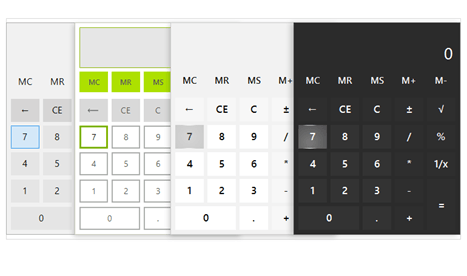
<?xml version="1.0" encoding="UTF-8"?>
<?xml-stylesheet type="text/xsl" media="screen" href="/~files/atom-premium.xsl"?>
                                                                                                                                                                                                                                                                                                                                                                                                                                                                                                                                             
<feed xmlns="http://www.w3.org/2005/Atom" xmlns:feedpress="https://feed.press/xmlns" xmlns:media="http://search.yahoo.com/mrss/" xmlns:podcast="https://podcastindex.org/namespace/1.0">
  <feedpress:locale>en</feedpress:locale>
  <link rel="hub" href="https://feedpress.superfeedr.com/"/>
  <logo>https://static.feedpress.com/logo/telerik-blogs-desktop-winui-6185117f691ad.jpg</logo>
  <title type="text">Telerik Blogs | Desktop | WinUI</title>
  <subtitle type="text">The official blog of Progress Telerik - expert articles and tutorials for developers.</subtitle>
  <id>uuid:900fd552-cb0d-4812-8646-5cb45a28ffde;id=2802</id>
  <updated>2026-04-03T22:09:27Z</updated>
  <contributor>
    <name>Yoan Krumov </name>
  </contributor>
  <contributor>
    <name>Viktoria Grozdancheva </name>
  </contributor>
  <contributor>
    <name>Stefan Stefanov </name>
  </contributor>
  <contributor>
    <name>Kalin Todorov </name>
  </contributor>
  <contributor>
    <name>Sia Aleksieva </name>
  </contributor>
  <contributor>
    <name>Ivan Petrov </name>
  </contributor>
  <contributor>
    <name>Peter Vogel </name>
  </contributor>
  <contributor>
    <name>Sam Basu </name>
  </contributor>
  <link rel="alternate" href="https://www.telerik.com/"/>
  <link rel="self" type="application/atom+xml" href="https://feeds.telerik.com/blogs/desktop-winui"/>
  <entry>
    <id>urn:uuid:35a66f19-70a7-46f3-9d29-c5e988c7cfcf</id>
    <title type="text">What’s New in R2 2023 with Telerik Desktop and Mobile Components</title>
    <summary type="text">Get ready for the latest update on our Progress Telerik products for mobile and desktop as we unveil the highly anticipated R2 2023 release.</summary>
    <published>2023-06-07T13:49:37Z</published>
    <updated>2026-04-03T22:09:27Z</updated>
    <author>
      <name>Yoan Krumov </name>
    </author>
    <link rel="alternate" href="https://feeds.telerik.com/link/23060/16170966/r2-2023-telerik-desktop-mobile-release"/>
    <content type="text"><![CDATA[<p><span class="featured">Get ready for the latest update on our Progress Telerik products for mobile and desktop as we unveil the highly anticipated R2 2023 release.</span></p><p>We are thrilled to share the exciting features and improvements that await you in R2 2023 from our Progress Telerik mobile and desktop UI component libraries. So, sit back, relax and keep reading to stay in the loop!</p><ul><li><a href="https://www.telerik.com#telerik-ui-for-.net-maui" data-sf-ec-immutable="">Telerik UI for .NET MAUI</a></li><li><a href="https://www.telerik.com#telerik-ui-for-wpf" data-sf-ec-immutable="">Telerik UI for WPF</a></li><li><a href="https://www.telerik.com#telerik-ui-for-winforms" data-sf-ec-immutable="">Telerik UI for WinForms</a></li><li><a href="https://www.telerik.com#telerik-ui-for-winui" data-sf-ec-immutable="">Telerik UI for WinUI</a></li><li><a href="https://www.telerik.com#telerik-ui-for-xamarin" data-sf-ec-immutable="">Telerik UI for Xamarin</a></li><li><a href="https://www.telerik.com#telerik-document-processing-libraries" data-sf-ec-immutable="">Telerik Document Processing Libraries</a></li><li><a href="https://www.telerik.com#join-us-for-release-webinar-and-more" data-sf-ec-immutable="">Details for webinar June 8</a></li></ul><h2 id="telerik-ui-for-.net-maui">Telerik UI for .NET MAUI</h2><p>Prepare for an exhilarating update in R2 2023 as Telerik UI for .NET MAUI unveils a series of exciting enhancements. I am thrilled to introduce six brand-new controls: Calendar, PDF Viewer, Chat, SlideView, RichTextEditor and TreeView, each designed to
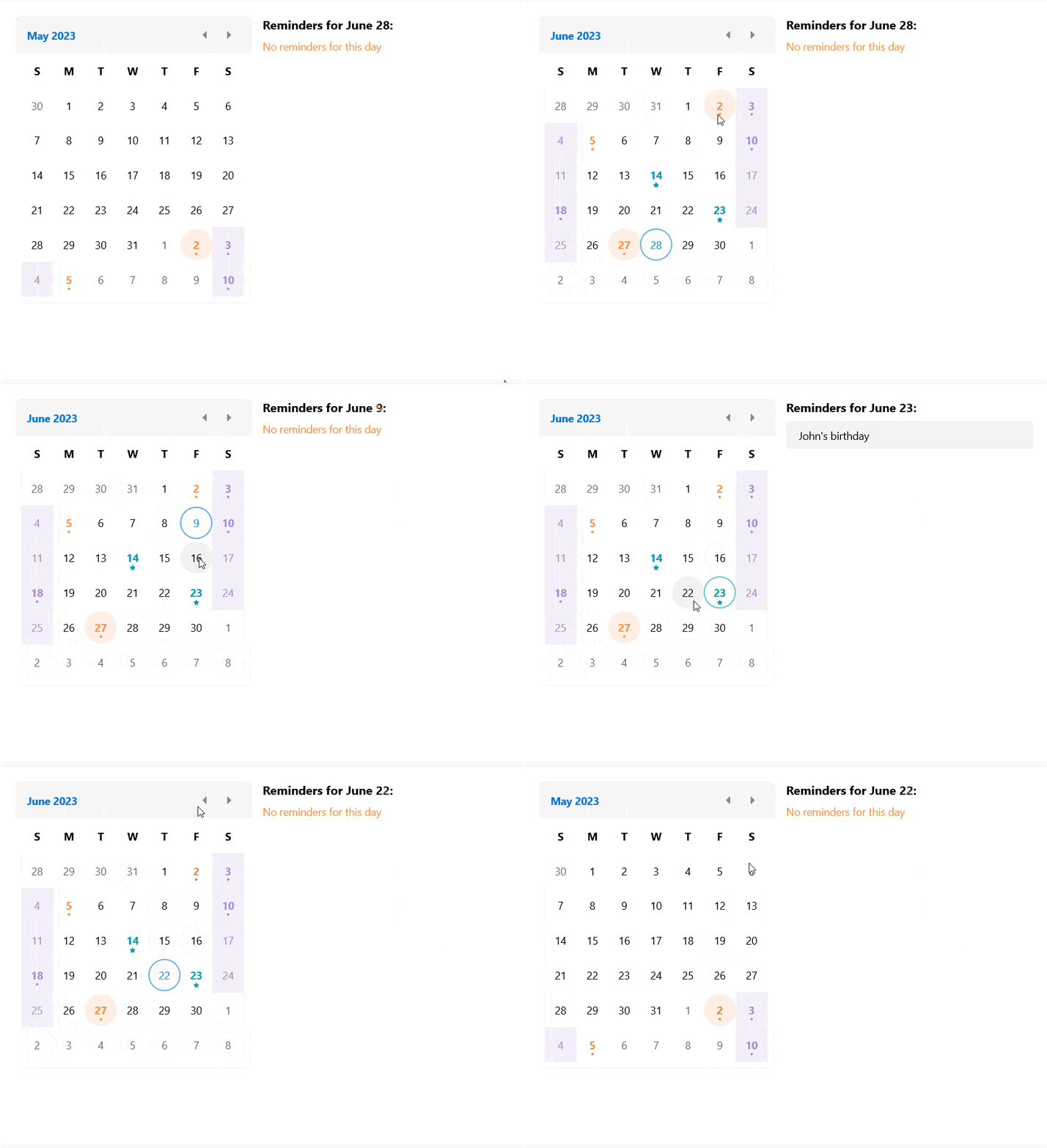
    empower your app development journey. In addition, we have taken steps to refine and enrich our powerful DataGrid control, unlocking even more possibilities. Let&rsquo;s have a sneak peek at the most interesting stuff we have for you in this release.</p><h3 id="calendar">Calendar</h3><p>The new addition to the UI for .NET MAUI family is the Calendar component. It allows you to select single or multiple dates by navigating easily between decades, years and months. The control is culture-aware by providing globalization support. It
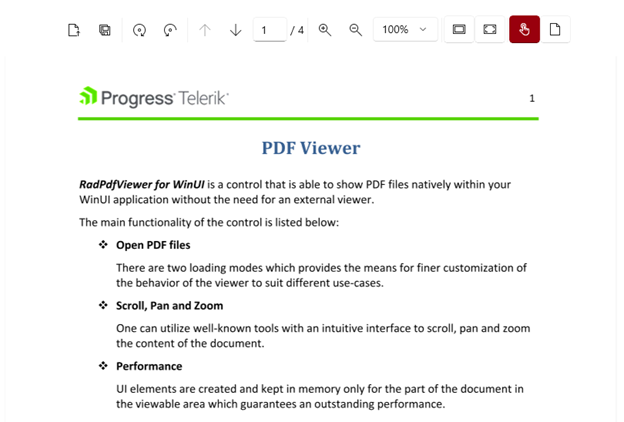
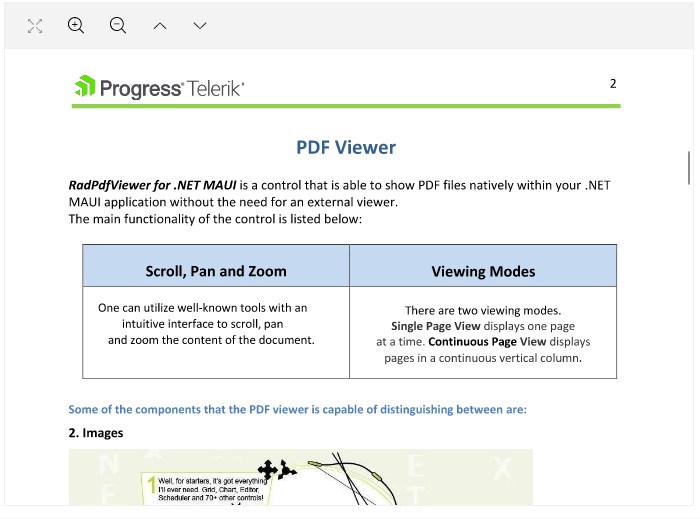
    also provides support for scrolling and navigation, blackout dates and much more.</p><p><img src="https://d585tldpucybw.cloudfront.net/sfimages/default-source/blogs/2023/2023-06/maui-calendar.gif?sfvrsn=7c6b8120_3" alt="A monthly overview shows dots for reminders, stars for birthdays. Clicking on the date opens the details. Arrows allow easy flipping between months" /></p><p>Here is a list of the main features of the control:</p><ul><li><strong>Different display modes</strong>: Calendar features year, month, decade and century display modes.</li><li><strong>Date Ranges</strong>: Restrict the visible/selectable dates in the Calendar by utilizing MinDate and MaxDate properties.</li><li><strong>Different selection modes</strong>: The component provides different types of selection&mdash;Single, Multiple, Range or disabling the selection.</li><li><strong>Buttons for navigation in the current view</strong>: You can easily navigate in the current view by using the buttons in the calendar header.</li><li><strong>Hide the names</strong> of the display days in month view.</li><li><strong>Format the header text</strong> for the corresponding view.</li><li><strong>Templates support</strong>: For customizing the days, months, years and decades in the corresponding views.</li><li><strong>Commands support</strong>: For navigating in the current view or between the views.</li><li><strong>Styling API</strong>: You can style the Calendar border, header border and text, navigation buttons and the content of the corresponding view.</li></ul><p>For more information on getting started with the Telerik UI for <a href="https://docs.telerik.com/devtools/maui/controls/calendar/overview" target="_blank">.NET MAUI Calendar control, visit the documentation</a>.</p><h3 id="pdf-viewer-component">PDF Viewer Component</h3><p>One of the highly requested components for our UI for .NET MAUI suite was the PDF viewer. I am happy to share that it is now available with our latest release. This component empowers the users of your application to directly open and view PDF
    documents within their mobile or desktop app, eliminating the need for any external software installation or switching between different applications. You can visualize PDF documents that include images, shapes, different colors, ordered and
    bulleted lists and more.
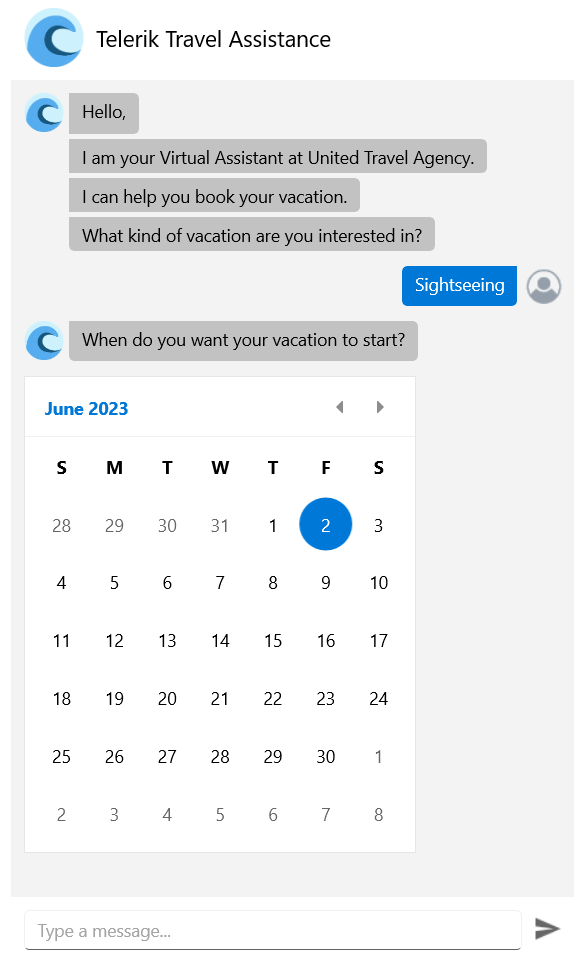
</p><p><img src="https://d585tldpucybw.cloudfront.net/sfimages/default-source/blogs/2023/2023-06/maui-pdf-viewer.png?sfvrsn=d623d07b_3" alt="PDF Viewer shows options for full screen, zoom in and out, page" /></p><p>Here are some of the key features to look for:</p><ul><li><strong>Various document source options</strong>: You can load the PDF document from a stream, from a file added as an embedded resource or a file located on the device, etc.</li><li><strong>Zooming functionality</strong>: The component provides an option for zooming in and zooming out the content of the document.</li><li><strong>Commands support</strong>: The PDF Viewer component offers support for a variety of commands, such as ZoomIn, ZoomOut, NavigateTo (NextPage, PreviousPage, Page) and FitToWidth.</li><li><strong>Single page</strong> and <strong>Continuous Scrolling</strong> <strong>support:</strong> You can choose between two layout modes that allow the document to be scrolled in the viewer.</li><li><strong>Flexible styling API</strong>: You can easily style the toolbar per your requirements.</li></ul><p>For more information on getting started with the <a href="https://docs.telerik.com/devtools/maui/controls/pdfviewer/overview" target="_blank">PDF Viewer control, visit the documentation</a>.</p><h3 id="chat-component-conversational-ui">Chat Component (Conversational UI)</h3><p>The Chat control in Telerik UI for .NET MAUI empowers you to build contemporary chat experiences in your .NET MAUI apps. It smoothly integrates with popular chatbot frameworks and effortlessly facilitates peer-to-peer conversations.</p><p><img sf-custom-thumbnail="true" src="https://d585tldpucybw.cloudfront.net/sfimages/default-source/blogs/2023/2023-06/chatroom.jpg?sfvrsn=6860052e_3" width="300" alt="A chatroom with avatars and text backgrounds in different colors" sf-constrain-proportions="true" /></p><p>The component offers a diverse range of customizable message formats like cards, pickers and suggestions. It also enables you to effortlessly replace forms with an instinctive conversational UI. You can modify messages and cards to include
    text, images and other elements or incorporate details such as message timestamps, sender/recipient names, avatars and much more.</p><p><img sf-custom-thumbnail="true" src="https://d585tldpucybw.cloudfront.net/sfimages/default-source/blogs/2023/2023-06/chatbot.png?sfvrsn=d8b2eade_3" width="300" alt="A travel assistant chatbot asks what kind of vacation the user is interested in and when they want it to start, bringing up a calendar for date selection" sf-constrain-proportions="true" /></p><p>For more information on getting started with the Telerik UI for .NET MAUI <a href="http://docs.telerik.com/devtools/maui/controls/chat/overview" target="_blank">Chat control, visit the  documentation</a>.</p><h3 id="slideview-component">SlideView Component</h3><p>The new SlideView component provides a visually appealing and interactive way to present information or showcase visual content. Whether your goal is to create an image gallery or improve navigation within your .NET MAUI application, the
    SlideView component offers a comprehensive set of features and customizable options to fulfill your requirements.</p><p><img src="https://d585tldpucybw.cloudfront.net/sfimages/default-source/blogs/2023/2023-06/maui-slideview.png?sfvrsn=2dabacd_3" alt="slideview shows a large image of a salad in a carousel. The text below says Salad Recipes, with more text below that." /></p><p>Here are some of the key features to look for:</p><ul><li><strong>Item Template</strong>: Allows you to present the data in the views in the most suitable way for your scenario.</li><li><strong>Control Template support</strong>: You can change the appearance of the SlideView component through a Control Template.</li><li><strong>Customizable indicators and slide buttons</strong>: The SlideView allows you to customize the appearance of the indicators and slide buttons.</li><li><strong>Commands support</strong></li><li><strong>UI virtualization</strong></li></ul><p>For more information on getting started with the <a href="https://docs.telerik.com/devtools/maui/controls/slideview/overview" target="_blank">Telerik UI for .NET MAUI SlideView control, visit the documentation</a>.</p><h3 id="rich-text-editor-component">Rich Text Editor Component</h3><p>The Telerik UI for .NET MAUI RichTextEditor control empowers users to generate rich textual content using a comprehensive array of tools. These tools simplify the creation, editing and formatting of text, paragraphs, lists, hyperlinks
    and various other elements.
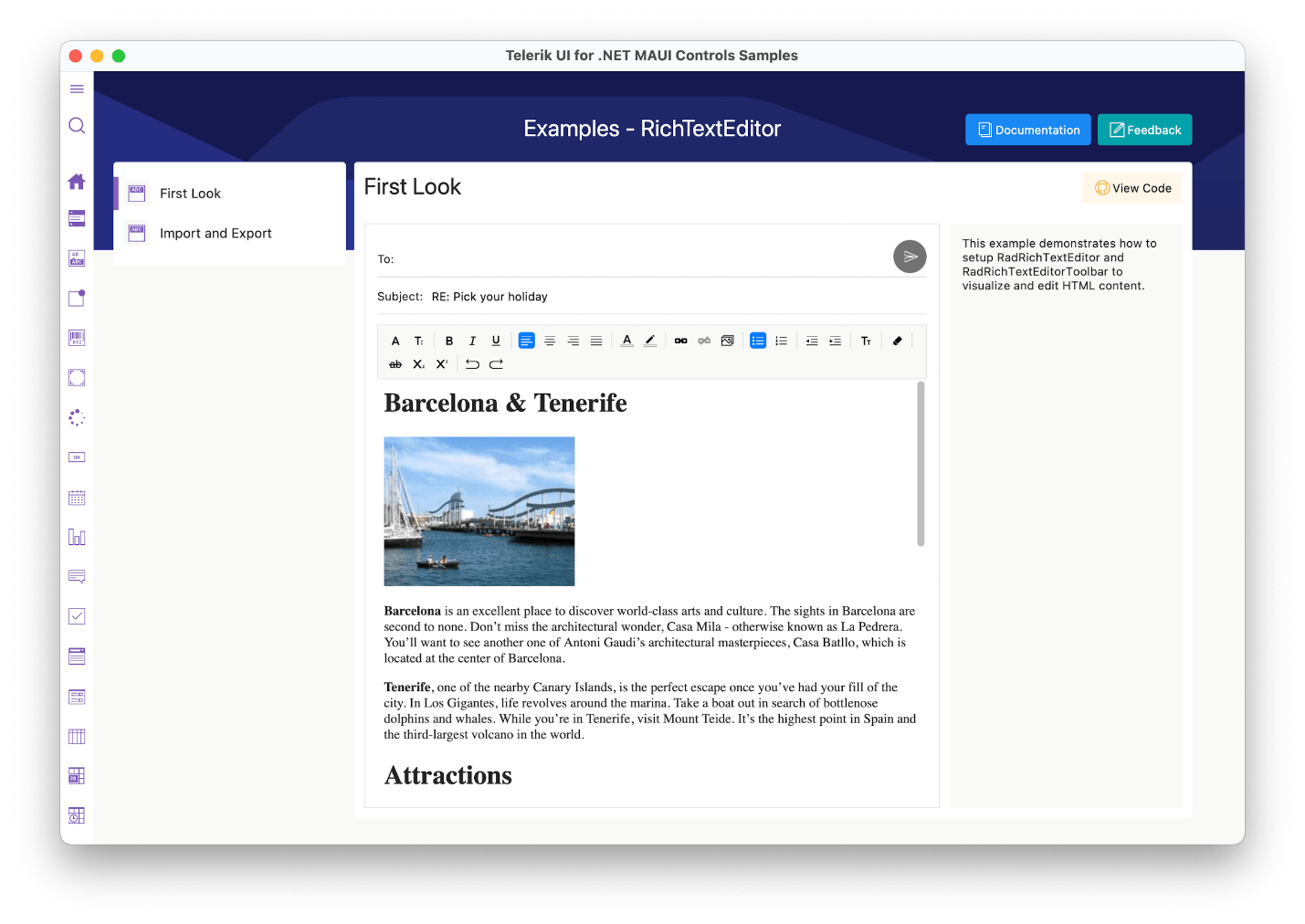
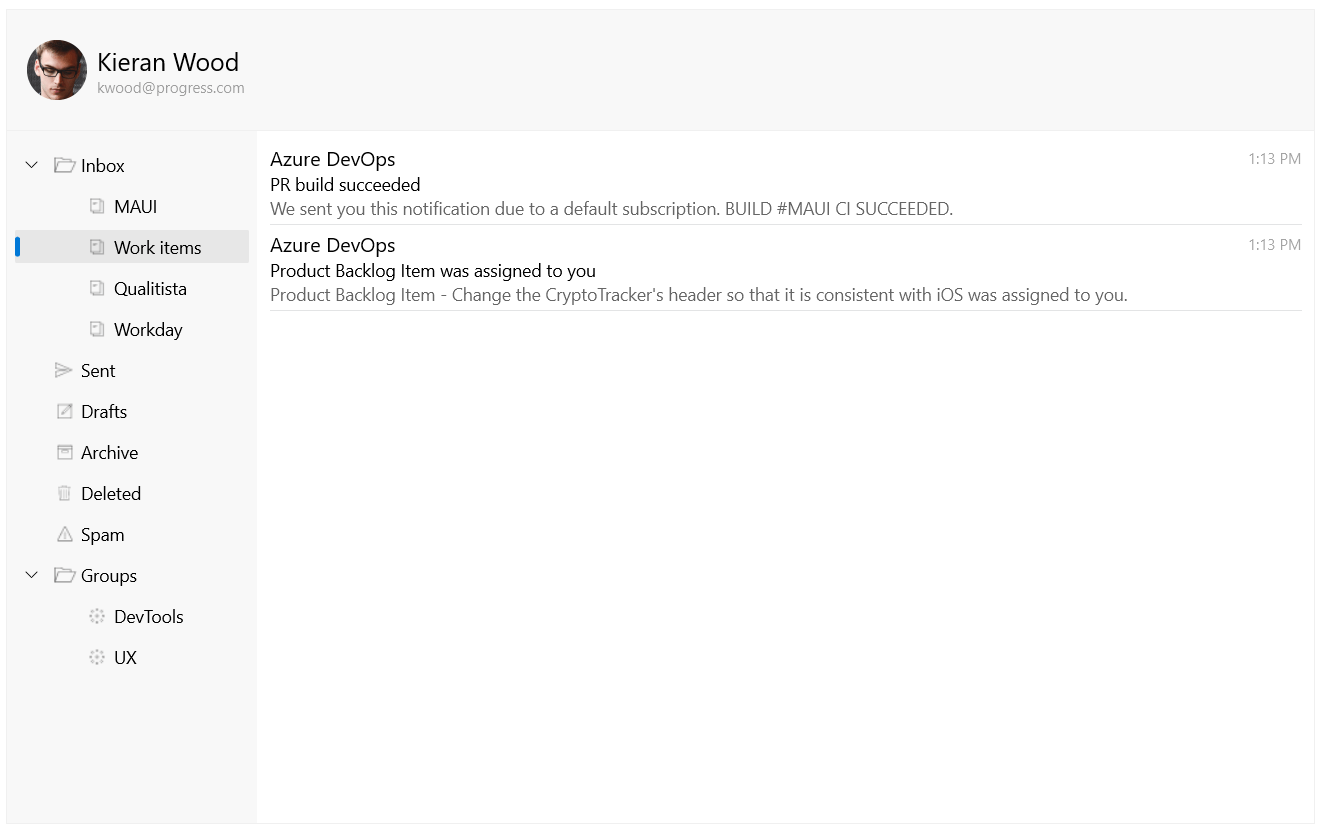
</p><p><img src="https://d585tldpucybw.cloudfront.net/sfimages/default-source/blogs/2023/2023-06/maui-rich-text-editor.png?sfvrsn=d48c1471_3" alt="Rich text editor shows an email with text styling and an image" /></p><p>The Telerik UI for .NET MAUI RichTextEditor control comes with a multitude of editing capabilities, including:</p><ul><li>Text formatting, such as bold, italic, underline and strikethrough</li><li>Font manipulations, such as size, family and color</li><li>Text selection</li><li>Hyperlink manipulations such as creating, editing and removing hyperlinks</li><li>Read-only state that does not allow text editing</li><li>Copy/Paste/Undo/Redo editing actions</li></ul><p>It also has an integrated ToolBar, which effortlessly connects to the commonly used commands provided by the control.</p><p>For more information on getting started, visit the <a href="https://docs.telerik.com/devtools/maui/controls/richtexteditor/overview" target="_blank">Telerik UI for .NET MAUI RichTextEditor control documentation</a>.</p><h3 id="treeview">TreeView</h3><p>The new TreeView component in UI for .NET MAUI allows you to visually represent hierarchical data in a collapsible and expandable tree structure. It provides users with an intuitive way to navigate and explore complex information,
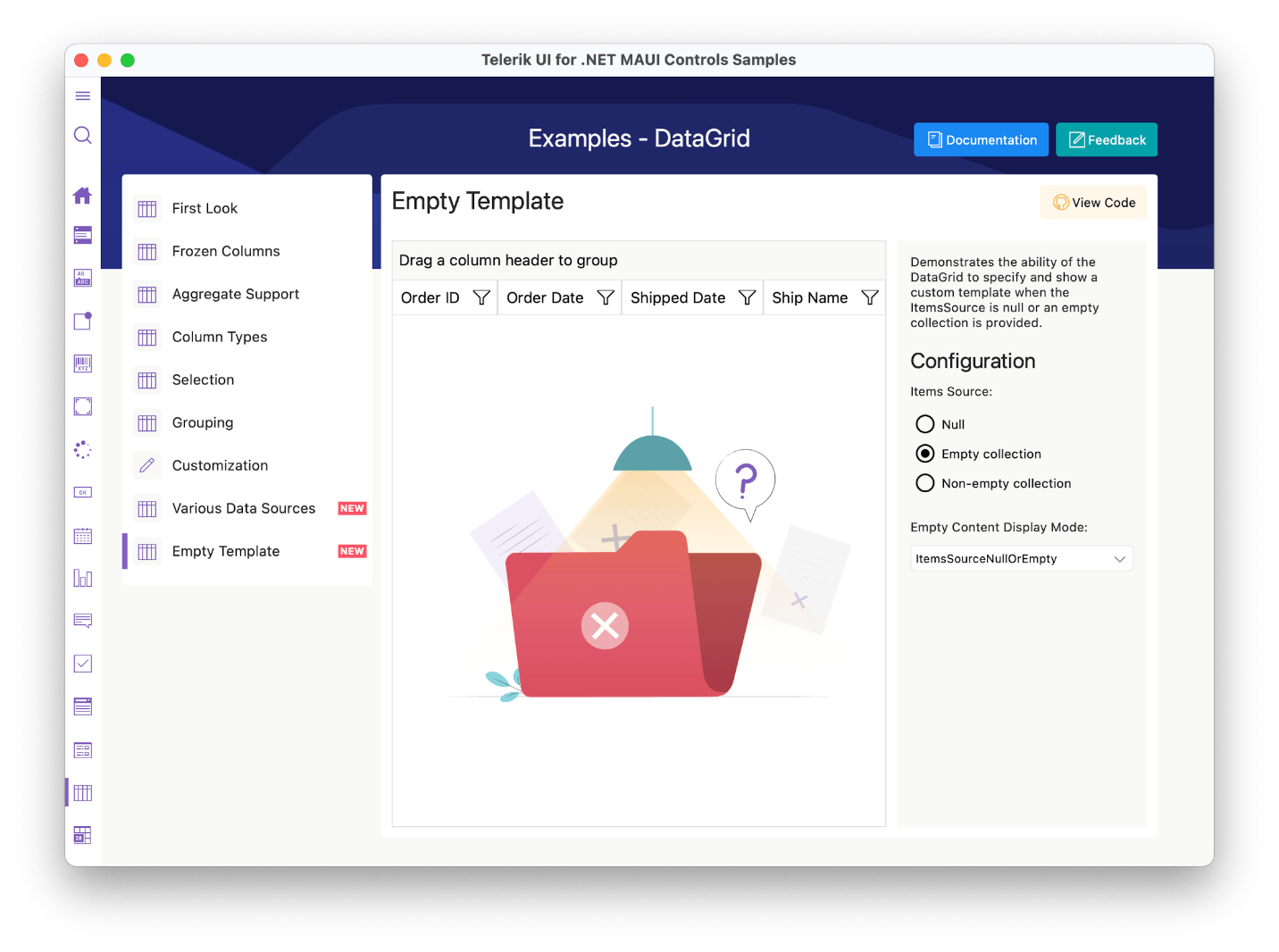
    such as folder structures, organizational charts or category hierarchies.</p><p><img src="https://d585tldpucybw.cloudfront.net/sfimages/default-source/blogs/2023/2023-06/maui-treeview.png?sfvrsn=8434b940_3" alt="An email inbox has four nested folders under Inbox. Work items is one of these folders, and there are two emails inside it." /></p><p>Here are some of the key features to look for:</p><ul><li>Hierarchical navigation</li><li>Expand/Collapse items</li><li>Commands support</li><li>CheckBox support</li><li>UI virtualization</li><li>Single and multiple selection modes</li><li>Empty template support</li><li>Flexible styling API</li></ul><p>For more information on getting started, visit the&nbsp;<a href="https://docs.telerik.com/devtools/maui/controls/treeview/overview" target="_blank">Telerik UI for .NET MAUI TreeView control documentation</a>.</p><h3 id="datagrid-empty-template-support">DataGrid Empty Template Support</h3><p>The Telerik UI for .NET <a href="https://docs.telerik.com/devtools/maui/controls/datagrid/overview" target="_blank">MAUI DataGrid</a> control introduces the Empty Template functionality. This feature enables you to inform your end users when the control has no data to display.</p><p><img src="https://d585tldpucybw.cloudfront.net/sfimages/default-source/blogs/2023/2023-06/maui-datagrid-empty-template.png?sfvrsn=99aca9ad_3" alt="DataGrid empty template shows an illustration of a file folder with nothing inside and a question mark" /></p><h3 id="datagrid-datatable-support">DataGrid DataTable support</h3><p>You can bind your .NET MAUI DataGrid to a DataTable and have access to all the cool features. You can add, remove, select, edit item(s) and update DataGrid&rsquo;s ItemsSource. You can also perform commands and operations like
    filtering, sorting, grouping and selection.
</p><h3 id="net-6--.net-8-support">.NET 6 &amp; .NET 8 Support</h3><p>As you may be aware, Microsoft officially discontinued .NET 6 support for .NET MAUI back in May. We are announcing that our plans align with this change, and we will be ending our support for .NET MAUI in .NET 6 in November&mdash;this
    should give you extra time to get off .NET 6 and onto .NET 7/8.</p><p>This transition marks an exciting milestone as we prepare to welcome the arrival of .NET 8, which will bring a host of new features and enhancements. Rest assured that during this period, we are actively working to ensure a
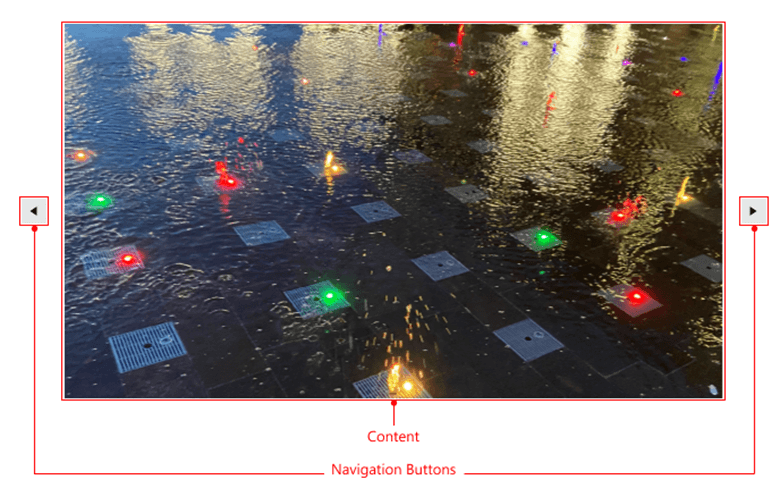
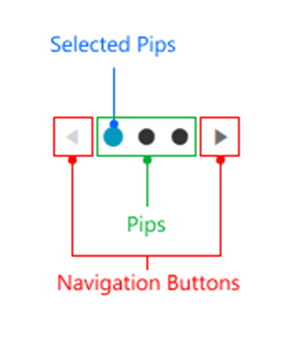
    seamless transition and guarantee an official and robust support system for .NET 8, which we will be ready to launch alongside its official release.</p><h3 id="check-out-the-detailed-release-notes">Check out the Detailed Release Notes</h3><p>To get an overview of all the latest components, features and improvements we&rsquo;ve made, check out the release notes for the product: <a href="https://www.telerik.com/support/whats-new/maui-ui/release-history/telerik-ui-for-net-maui-(version-5-2-0)" target="_blank">Telerik UI for .NET MAUI (Release Notes)</a>.</p><h2 id="telerik-ui-for-wpf">Telerik UI for WPF</h2><h3 id="radslideview-and-radpipspager-components">RadSlideView and RadPipsPager components</h3><p><strong>RadSlideView</strong> is a flexible navigation control that allows you to slide between different views, thus providing an interactive navigation. With it, you can build a gallery display to show your images and content
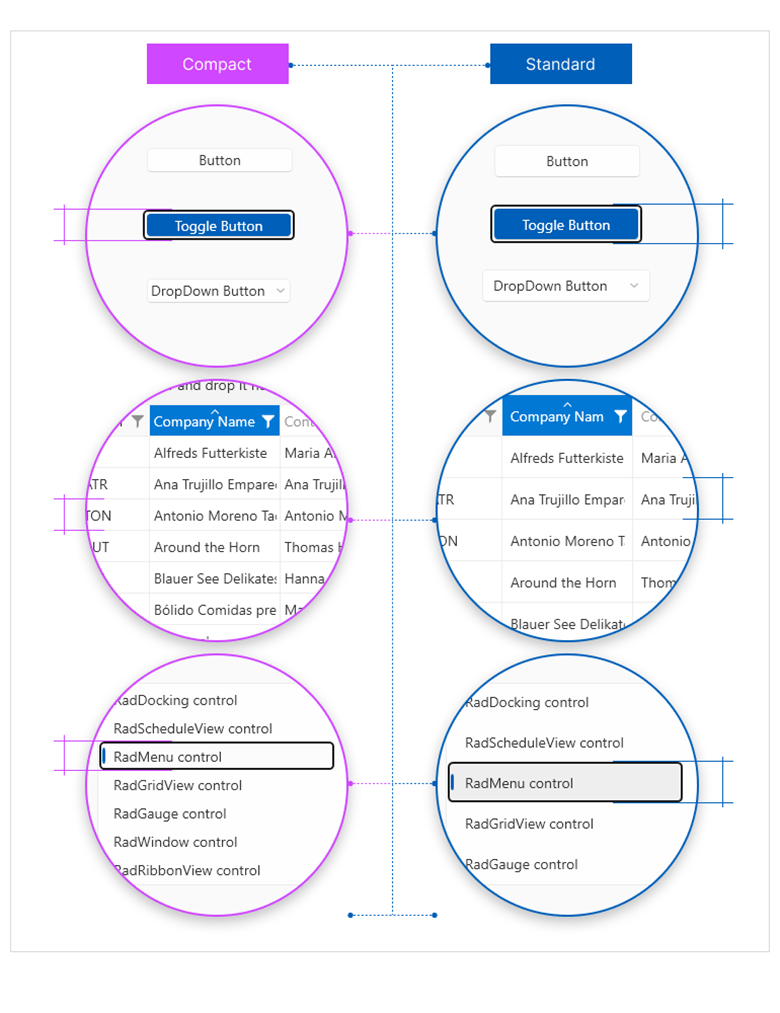
    efficiently.</p><p><img src="https://d585tldpucybw.cloudfront.net/sfimages/default-source/blogs/2023/2023-06/radslideview.png?sfvrsn=ded0a6ee_3" alt="A large image with arrows on either side. The image is labeled &#39;content&#39; and the arrows are labeled &#39;navigation buttons&#39;" /></p><p><strong>RadPipsPager</strong> lets the user navigate a linearly paginated collection using glyphs also known as pips.</p><p><img src="https://d585tldpucybw.cloudfront.net/sfimages/default-source/blogs/2023/2023-06/radpipspager.png?sfvrsn=ffa7404f_3" alt="Pips are large dots. The selected pip is blue rather than black. the navigation buttons are left and right arrows." /></p><p>The two controls work seamlessly with one another to enhance the navigation experience in your applications.</p><img src="https://d585tldpucybw.cloudfront.net/sfimages/default-source/10x/pipspager_integration-with-slideview-(scrolling-pips).gif?sfvrsn=307bf102_1" alt="The image, left and right arrows, and pips showing this image is the first of five" sf-size="100" /><p>They also share some of their main features:</p><ul><li><strong>Navigation</strong>: The controls allow you to navigate through the data either in a loop or from end to end.</li><li><strong>Orientation</strong>: They can be oriented vertically or horizontally.</li><li><strong>Customizing navigation buttons</strong>: The navigation buttons can be easily customized.</li></ul><p>You can find more information about the new components in their respective documentation sections:</p><ul><li><a href="https://docs.telerik.com/devtools/wpf/controls/radslideview/overview" target="_blank">RadSlideView</a></li><li><a href="https://docs.telerik.com/devtools/wpf/controls/radpipspager/overview" target="_blank">RadPipsPager</a></li></ul><h3 id="windows-11-compact-theme">Windows 11 Compact Theme</h3><p><img src="https://d585tldpucybw.cloudfront.net/sfimages/default-source/blogs/2023/2023-06/compact-vs-standard.png?sfvrsn=723f3104_3" alt="Compact vs. Standard theme comparison shows button styles, table or grid styles, and menu styles" /></p><p>Get ready to elevate your app&rsquo;s aesthetics and create a masterpiece with the most innovative addition to the R2 2023 Release&mdash;a new, high-density (or compact) layout option for the Windows 11 theme. Designed for
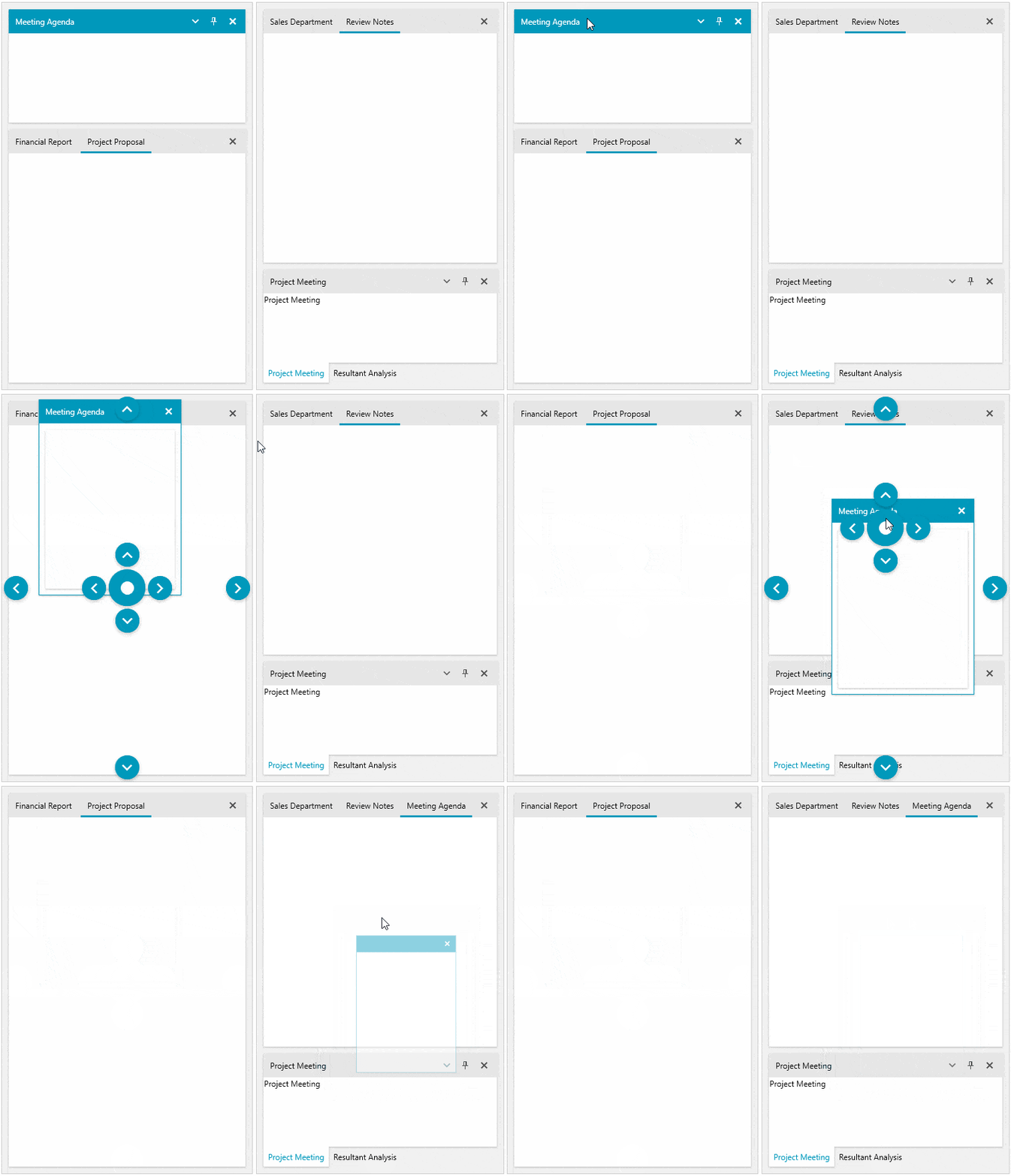
    information rich UI and similar specialized scenarios, this new theme mode brings a stunning and sleek look to your WPF apps.</p><p>While functionality and behavior have not changed and remain consistent across the two size and density options, the default heights and offsets have been updated for all controls to support both density options.</p><p>For more information on getting started with our latest theme, visit the <a href="https://docs.telerik.com/devtools/wpf/styling-and-appearance/themes-suite/windows11#windows-11-compact-mode" target="_blank">Telerik UI for WPF theme documentation</a>.</p><h3 id="raddocking-move-panes-between-multiple-docking-instances">RadDocking: Move Panes Between Multiple Docking Instances</h3><p>No more moving pane restrictions between docking instances. Users can now create a group of dockings in which moving and docking panes are not limited, no matter if dockings are nested or side by side. This enables powerful
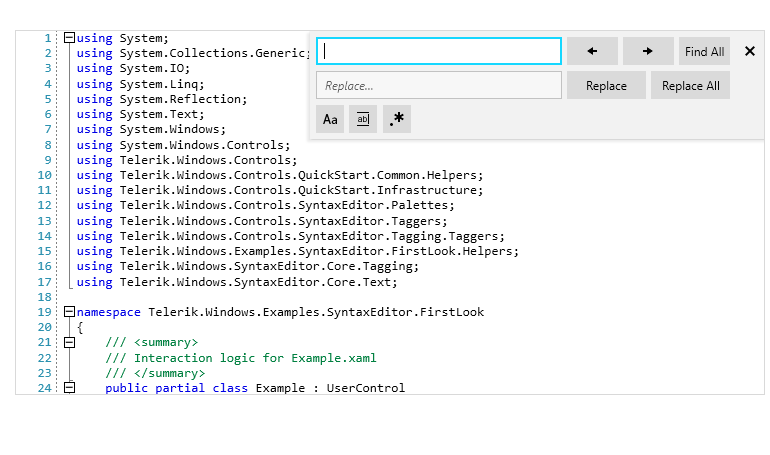
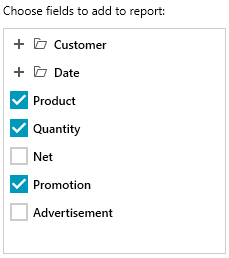
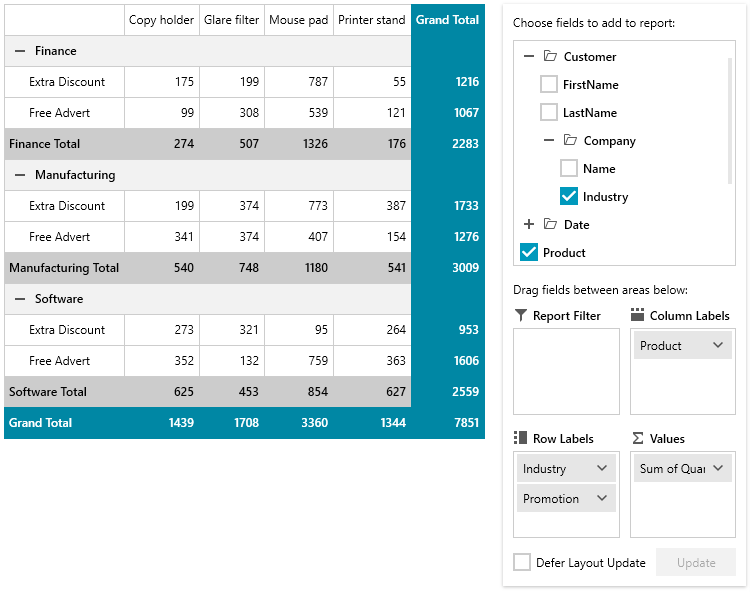
    UI rearrangement abilities in applications with multiple dockings in a single view.</p><p><img src="https://d585tldpucybw.cloudfront.net/sfimages/default-source/10x/movepanesbetweendоckings5.gif?sfvrsn=df624480_1" alt="Four panes are visible: meeting agenda, tabbed financial report/project proposal, tabbed sales department/review notes, and tabbed project meeting/resultant assistant" sf-size="100" /></p><p>For more information on getting started with this powerful feature, visit the <a href="https://docs.telerik.com/devtools/wpf/controls/raddocking/features/drag-and-drop#moving-panes-between-raddocking-instances" target="_blank">Telerik UI for WPF RadDocking documentation</a>.</p><h3 id="syntaxeditor-search-ui-enhancements">SyntaxEditor: Search UI Enhancements</h3><p>To better cover well-known scenarios in text or code editing from VisualStudio or NotePad++, we added more search options in the search panel. <strong>MatchCase</strong>, <strong>MatchWholeWord</strong> and <strong>Regex</strong> settings will give your users the powerful search experience they expect.</p><p><img src="https://d585tldpucybw.cloudfront.net/sfimages/default-source/blogs/2023/2023-06/search-ui.png?sfvrsn=67594153_3" alt="On a coding screen, the search window is up. It has a search, a replace field, and buttons for next/previous, find all, replace, replace all, match case, match whole word, and regular expression" /></p><h3 id="radpivotgrid-localdatasourceprovider-hierarchies">RadPivotGrid LocalDataSourceProvider Hierarchies</h3><p>The LocalDataSourceProvider now allows you to display nested properties of the objects in its ItemsSource in a hierarchy similar to how DateTime properties are visualized in the RadPivotFieldList.</p><p><img src="https://d585tldpucybw.cloudfront.net/sfimages/default-source/blogs/2023/2023-06/nested-datasource.png?sfvrsn=fdd4c364_3" alt="Selection window for choose fields to add to report has nested files" /></p><p>Nested properties can be utilized to create a report in the same manner as non-nested ones.</p><p><img src="https://d585tldpucybw.cloudfront.net/sfimages/default-source/blogs/2023/2023-06/nested-hierarchy-datasource.png?sfvrsn=617a70b1_3" alt="More of the folders from above are opened, revealing more hierarchies" /></p><p>You can enable this functionality by setting the new <strong>EnableHierarchy</strong> property of the LocalDataSourceProvider to <strong>True</strong>. Then you will be able to provide a nested property path as the PropertyName
    of a group description.</p><pre><code class="language-xml">&lt;pivot:LocalDataSourceProvider x:Key="dataProvider" EnableHierarchy="True"&gt;         
       &lt;pivot:LocalDataSourceProvider.RowGroupDescriptions&gt;
              &lt;pivot:PropertyGroupDescription PropertyName="Customer.Company.Industry" /&gt;
              &lt;pivot:PropertyGroupDescription PropertyName="Promotion" /&gt;
      &lt;/pivot:LocalDataSourceProvider.RowGroupDescriptions&gt;
&lt;/pivot:LocalDataSourceProvider&gt;</code></pre><p>To see this in action, check out the <strong>PivotFieldList</strong> demo in the <a href="https://demos.telerik.com/wpf/?_ga=2.220795672.1831998515.1685431128-1241877747.1661502490&amp;_gl=1*1jl079y*_ga*MTI0MTg3Nzc0Ny4xNjYxNTAyNDkw*_ga_9JSNBCSF54*MTY4NTUyOTU0Ni41MzUuMS4xNjg1NTMyNzc3LjQ4LjAuMA.." target="_blank">WPF Examples application</a>.</p><p>Here is also a list of other popular features we updated for you in this release:</p><ul><li><strong>TreeView</strong>: <a href="https://docs.telerik.com/devtools/wpf/controls/radtreeview/features/feautres-treeviewitem-selection#performing-selection-on-the-mouseleftbuttonup-event" target="_blank">Ability to perform selection on mouse up</a></li><li><strong>GridView</strong>: <a href="https://docs.telerik.com/devtools/wpf/controls/radgridview/features/search-as-you-type#searchmode" target="_blank">ExactMatch functionality in search-as-you-type feature</a></li><li><strong>PropertyGrid</strong>: <a href="https://docs.telerik.com/devtools/wpf/controls/radpropertygrid/features/nested-properties#specifying-the-propertydefinition-auto-generating-mode" target="_blank">Allow searching for property fields that are not expanded initially</a></li></ul><h3 id="support-for-.net-8-preview">Support for .NET 8 Preview</h3><p>We are excited to announce that we are extending our support to include the preview versions of .NET 8. While .NET 8 is still in the preview phase, we understand the eagerness to explore its capabilities. We have thoroughly
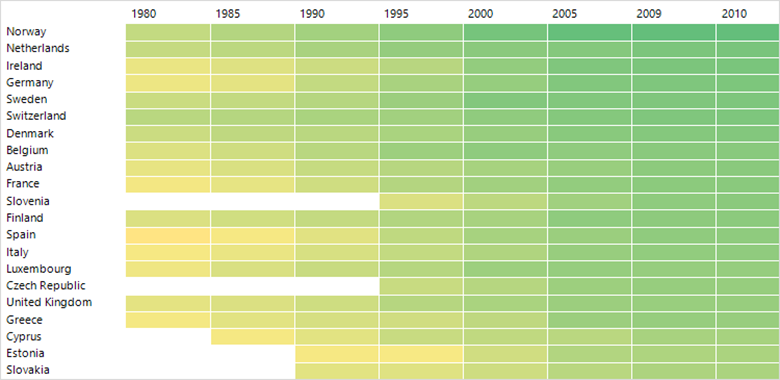
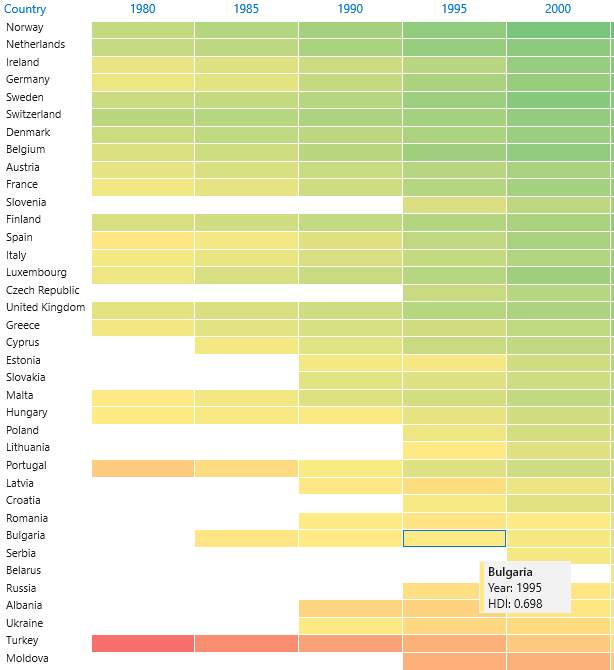
    tested our components and have made sure they are compatible with the latest preview releases.</p><h2 id="telerik-ui-for-winforms">Telerik UI for WinForms</h2><p>The R2 2023 release comes with a brand-new Heat Map control, a dark Visual Studio 2022 theme, modernized Scheduler appointments, LineNumbering in the RichTextEditor and a ton of other improvements.</p><h3 id="heat-map">Heat Map</h3><p>RadHeatMap is here to help you visualize numeric data in a meaningful and straightforward way. It uses a two-dimensional layout with indicative colors to represent data. Each entity is represented by a colored rectangle
    and the applied color maps to the magnitude of its numeric value. At a glimpse, you can spot trends and easily compare different data items.</p><p><img src="https://d585tldpucybw.cloudfront.net/sfimages/default-source/blogs/2023/2023-06/heatmap.png?sfvrsn=3d77f1ac_6" alt="A table with countries and years has shades of yellow and green to serve as a heatmap" /></p><p>The component comes with many features like intuitive API, databinding, unbound mode, different colorizers, labels, selection, tooltips and screentips, and custom painting.</p><p>For more information on getting started with the HeatMap control, visit the <a href="https://docs.telerik.com/devtools/winforms/controls/heatmap/overview" target="_blank">WinForms HeatMap documentation</a>.</p><h3 id="visual-studio-2022-dark-theme">Visual Studio 2022 Dark Theme</h3><p>Yet another member of our family of dark themes is coming. We are expanding this collection because we know that many of you are fans of the <em>dark side</em>. As its name suggests, the theme is inspired by Visual
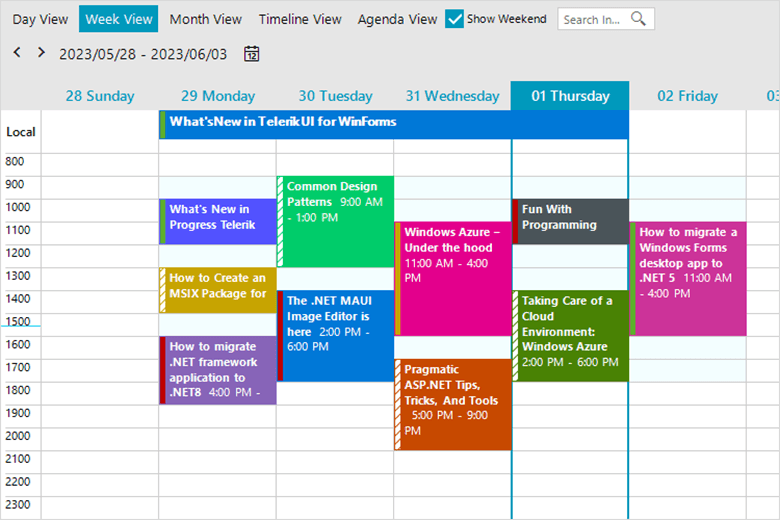
    Studio 2022 and its dark mode.</p><p><img src="https://d585tldpucybw.cloudfront.net/sfimages/default-source/blogs/2023/2023-06/vs-22-dark-mode.png?sfvrsn=e6db00e9_3" alt="VS 2022 dark mode" /></p><p>For more information on getting started with our latest theme, visit the <a href="https://docs.telerik.com/devtools/winforms/styling-and-appearance/themes-style" target="_blank">Telerik UI for WinForms themes documentation</a>.</p><h3 id="scheduler-appointment-styles">Scheduler Appointment Styles</h3><p>We&rsquo;ve always strived to create modern components and designs. It was about time for the RadScheduler look to completely change. New appointment styles are coming to RadScheduler&mdash;they are fresh, bold
    and modern. The styles vary from one theme to another, matching its general look and feel.</p><p><img src="https://d585tldpucybw.cloudfront.net/sfimages/default-source/blogs/2023/2023-06/scheduler-appointments.png?sfvrsn=1208f24b_3" alt="A colorful scheduler shows appointments for the week" /></p><h3 id="line-numbering-in-richtexteditor">Line Numbering in RichTextEditor</h3><p>RadRichTextEditor has a new handy feature&mdash;line numbers. The numbers are displayed at the beginning of each line and, if needed, can work independently in different paragraphs, sections or pages. They are quite
    popular in legal documents, scripts or medical records.
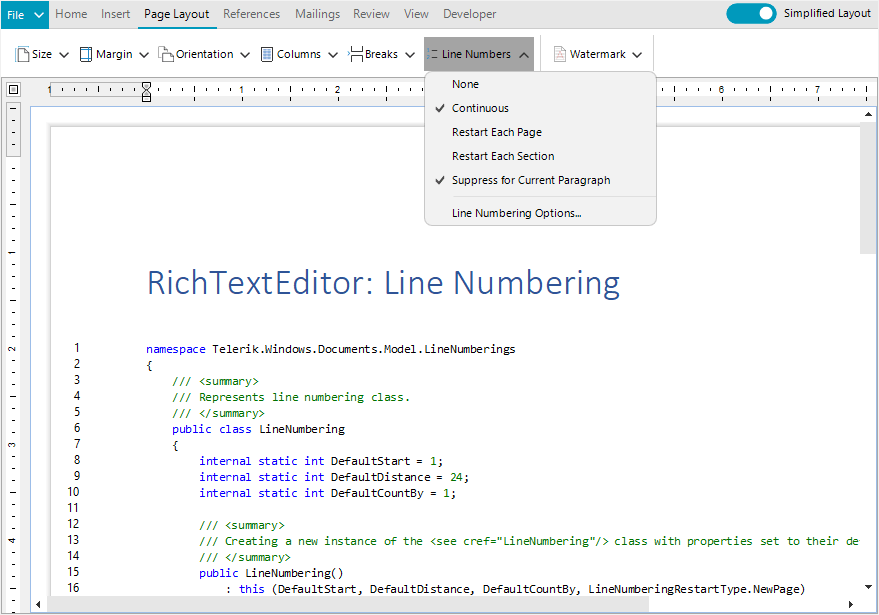
</p><p><img src="https://d585tldpucybw.cloudfront.net/sfimages/default-source/blogs/2023/2023-06/line-numbering.png?sfvrsn=2bc3e86c_3" alt="An editor with code example shows line numbering" /></p><p>For more information on getting started with this powerful feature, visit the <a href="https://docs.telerik.com/devtools/winforms/controls/richtexteditor/features/line-numbering" target="_blank">WinForms Line Numbering in RichTextEditor documentation</a>.</p><h3 id="support-for-.net-8-preview-1">Support for .NET 8 Preview</h3><p>.NET 8 is still in preview but it&rsquo;s getting increasingly stable. We&rsquo;ve also played with this new runtime and so far, could not isolate issues with the components. If you are adventurous enough or
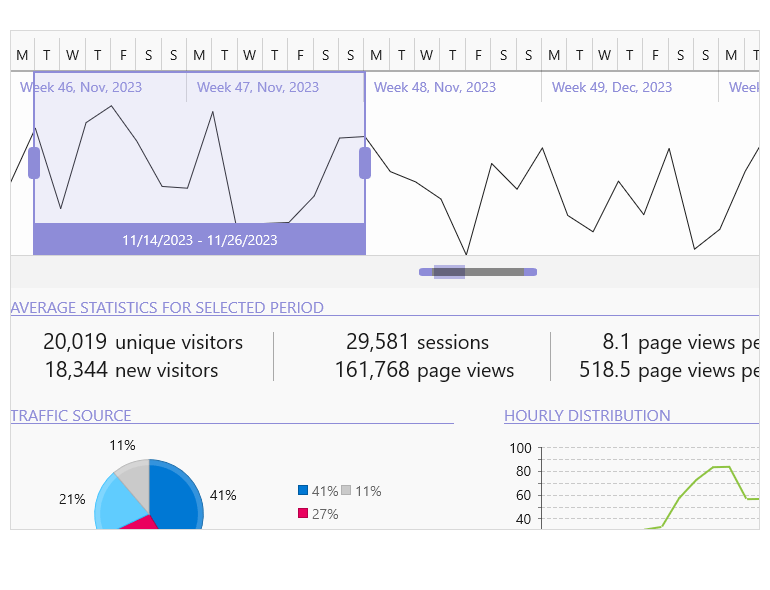
    want to experiment, Telerik UI for WinForms has you covered.</p><h3 id="other-improvements">Other Improvements</h3><p>Besides the highlights above, the 2023 R2 release comes with plenty of other enhancements. I will name just a few that will improve your Telerik UI for WinForms experience:</p><ul><li>Major performance gains in our Visual Studio extensions. Now we are using new APIs allowing us to offload the UI thread. This is an ongoing effort, so expect more in this regard with our next releases.</li><li>We&rsquo;ve decided to update our distribution with assemblies that are digitally signed. So, if you need those, now you can download them straight from your <a href="https://www.telerik.com/account/" target="_blank">Telerik account</a>.</li><li>Many fixes and improvements related to importing, printing and copying documents inside the RadRichTextEditor control.</li></ul><h2 id="telerik-ui-for-winui">Telerik UI for WinUI</h2><h3 id="new-timebar-component">New TimeBar Component</h3><p>RadTimeBar is a time-bound DataVisualization control. Its chief purpose is to allow lightweight scrolling and navigation through large periods of time. Additionally, the control exposes intuitive API which allows
    for both declarative and programmatic manipulation of the control.</p><img src="https://d585tldpucybw.cloudfront.net/sfimages/default-source/10x/timebar_overview-770-px.png?sfvrsn=37af7000_1" alt="Timebar with scrollbar and detailed view" sf-size="100" /><p>The component provides the following features:</p><ul><li><strong>Intervals</strong>: The control allows you to define the available intervals that will be visualized when you zoom in/out on the control.</li><li><strong>Selection</strong>: A time interval can be easily selected via the mouse or by setting a couple of properties of the control.</li><li><strong>Special slots</strong>: This feature can be used to highlight different time intervals in the control.</li><li><strong>Custom intervals and formats</strong>: The intervals can be customized by implementing a couple of interfaces. This way you can modify the intervals and the date-time formats used to define the appearance
        of the periods.</li><li><strong>Localization</strong>: As all controls in the suite, the RadTimeBar supports several languages. The strings that are localized are the date labels (month, week, etc.).</li></ul><p>For more information on getting started, <a href="https://docs.telerik.com/devtools/winui/controls/radtimebar/overview" target="_blank">visit the Telerik UI for WinUI TimeBar control documentation</a>.</p><h2 id="telerik-ui-for-xamarin">Telerik UI for Xamarin</h2><p>In the R2 2023 release, our main focus revolved around Telerik UI for .NET MAUI. However, we are delighted to share that we fulfilled one of the most highly requested features for our Xamarin&rsquo;s DataGrid
    component.</p><h3 id="xamarin-datagrid-enchantment-empty-template-support">Xamarin DataGrid Enchantment: Empty Template Support</h3><p><img sf-custom-thumbnail="true" src="https://d585tldpucybw.cloudfront.net/sfimages/default-source/blogs/2023/2023-06/datagrid-empty-template.png?sfvrsn=bf255248_3" width="450" alt="DataGrid empty template shows an illustration of a file folder with nothing inside and a question mark" sf-constrain-proportions="true" /></p><p>This powerful addition allows you to effectively communicate with end-users when the DataGrid control contains no data to display. By utilizing the Empty Template feature, you can provide informative and
    visually appealing messages (or even images!), enhancing the user experience and ensuring clarity.</p><h2 id="telerik-document-processing-libraries">Telerik Document Processing Libraries</h2><p>With the highly anticipated R2 2023 release, we are thrilled to present a plethora of enhancements that span the entire suite. Let&rsquo;s dive into the highlights of the <a href="https://www.telerik.com/document-processing-libraries" target="_blank">Telerik Document Processing Libraries</a>, where exciting improvements await:</p><h3 id="new-pdfprocessing-improvements-multiple-image-related-enhancements">New PDFProcessing Improvements: Multiple Image-Related Enhancements</h3><p>In the latest update, the PDF Processing library introduces a valuable addition: an image compression setting. This setting empowers you to define the desired compression level when exporting images.
    You now have the flexibility to choose between Default, None and FlateDecode compression options, ensuring optimal output quality.</p><p>Moreover, we are pleased to announce a new default implementation for the ImageUtils&rsquo; JpegImageConverter and ImagePropertiesResolver, leveraging the powerful capabilities of the SkiaSharp library.</p><h3 id="new-spreadstreamprocessing-improvements-support-for-importing-rich-text-as-plain-text">New SpreadStreamProcessing Improvements: Support for Importing Rich Text as Plain Text</h3><p>Now, you have the ability to import rich text and seamlessly extract it as plain text, eliminating any formatting elements. This enhancement simplifies your data processing workflows, allowing you
    to focus solely on the textual content. Say goodbye to complex formatting concerns and embrace the ease of extracting and working with plain text using the SpreadStreamProcessing library.</p><h3 id="document-processing-libraries-fixes-and-quality-improvements">Document Processing Libraries: Fixes and Quality Improvements</h3><p>In the R2 2023 release, the Document Processing team prioritized an extensive range of bug fixes, aiming to deliver a higher level of quality for the library and enhance overall performance.
    There were 20+ bug fixes in the PDF Processing library alone.</p><h2 id="join-us-for-release-webinar-and-more">Join Us for Release Webinar (and More)</h2><h3 id="progress-telerik-.net-web-desktop--mobile-products-r2-2023-release-webinar--june-8">Progress Telerik .NET Web, Desktop &amp; Mobile Products R2 2023 Release Webinar | June 8</h3><p><a href="https://www.telerik.com/campaigns/telerik-r2-2023-release-webinar-web-desktop-mobile-and-cross-platform-products" target="_blank"><img src="https://d585tldpucybw.cloudfront.net/sfimages/default-source/blogs/2023/2023-04/telerik-dev-webinar-r2.png?sfvrsn=6ea4b1c3_3" alt="" /></a></p><p>Discover all updates across Telerik <a href="https://www.telerik.com/blazor-ui" target="_blank">UI for Blazor</a>,
 <a href="https://www.telerik.com/aspnet-core-ui" target="_blank">UI for ASP.NET Core</a>, <a href="https://www.telerik.com/aspnet-mvc" target="_blank">UI for ASP.NET MVC</a>,
 <a href="https://www.telerik.com/products/aspnet-ajax.aspx" target="_blank">UI for ASP.NET AJAX</a>,
 <a href="https://www.telerik.com/products/wpf/overview.aspx" target="_blank">UI for WPF</a>, <a href="https://www.telerik.com/products/winforms.aspx" target="_blank">UI for WinForms</a>,
 <a href="https://www.telerik.com/winui" target="_blank">UI for WinUI</a>, <a href="https://www.telerik.com/maui-ui" target="_blank">UI for .NET MAUI</a> and <a href="https://www.telerik.com/xamarin-ui" target="_blank">UI for Xamarin</a> and
 <a href="https://www.telerik.com/themebuilder" target="_blank">ThemeBuilder</a>.
</p><p><a href="https://www.telerik.com/campaigns/telerik-r2-2023-release-webinar-web-desktop-mobile-and-cross-platform-products" class="Btn" target="_blank">Save Your Seat</a></p><h3 id="join-us-on-twitch">Join Us on Twitch</h3><p>Join the  <a href="https://www.telerik.com/codeitlive" target="_blank">Livestream Release Party</a> on release
    day, June 7, 11 a.m. &ndash; 12:30 p.m. ET to hear the release news and hang out with dev friends.</p><p>The live webinars and Twitch sessions are a great opportunity for you to ask questions before and during the webinars. We&rsquo;ll be waiting to hear from you on Twitter&mdash;just use the <strong>#heyTelerik</strong> and <strong>#heyKendoUI</strong> hashtags. Another great option is the live chat during our release session on&nbsp;<strong><a href="https://www.twitch.tv/codeitlive%22%20/t%20%22_blank" target="_blank">CodeItLive</a>, our Twitch channel</strong>.<br /></p><img src="https://feeds.telerik.com/link/23060/16170966.gif" height="1" width="1"/>]]></content>
  </entry>
  <entry>
    <id>urn:uuid:ffe59532-dc5a-41f1-83ba-a90cea4391ec</id>
    <title type="text">What’s New in Telerik Desktop &amp; Mobile with R1 2023</title>
    <summary type="text">We're excited to share about our R1 2023 release update for our Progress Telerik products for mobile and desktop. Keep reading!</summary>
    <published>2023-01-18T15:41:44Z</published>
    <updated>2026-04-03T22:09:27Z</updated>
    <author>
      <name>Yoan Krumov </name>
    </author>
    <link rel="alternate" href="https://feeds.telerik.com/link/23060/15911268/r1-2023-telerik-desktop-mobile-release"/>
    <content type="text"><![CDATA[<p><span class="featured">We&rsquo;re excited to share about our R1 2023 release update for our Progress Telerik products for mobile and desktop. Keep reading!</span></p><h2 id="telerik-ui-for-winforms">Telerik UI for WinForms</h2><p>Hey, hey, hey! WinForms is here! With the R1 2023 release, our <a target="_blank" href="https://www.telerik.com/products/winforms.aspx">Telerik UI for WinForms</a> suite
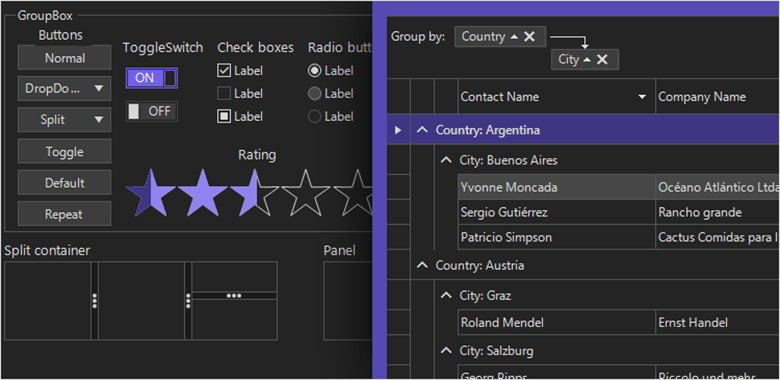
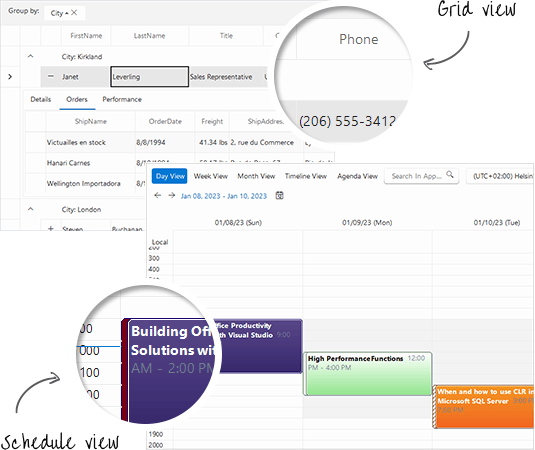
    grows stronger&mdash;from two new controls and a new theme to new functionalities. We are also happy to share that with this official release of Telerik UI for WinForms, .NET 7 is fully supported. Cool, right?</p><p>Now, let&rsquo;s bring more light to the new goodies which come with R1 2023 release. With the current release, the team targets one of the most important obstacles every developer must overcome: designing a functional interface.</p><p>We will start with the new controls, which I think will bring a smile to your face.</p><h3 id="windows-11-theme">Windows 11 Theme</h3><p>New year, new controls, new look. To be up to date with the latest fashion trends and to look shiny as hell, let&rsquo;s welcome <strong>Windows 11</strong> theme to the <strong>Telerik UI for WinForms</strong> suite. To see how cool it looks, you can
    check it out in our Theme Viewer tool, where you can also see all other themes included in Telerik UI for WinForms package.</p><p><img src="https://d585tldpucybw.cloudfront.net/sfimages/default-source/blogs/2023/2023-01/windows11-theme.png?sfvrsn=ead74639_3" title="Windows 11 Theme" alt="Windows 11 Theme with schedule view and grid view"></p><h3 id="toolbarform">ToolbarForm</h3><p>Saving space in large applications is crucial for being user-friendly and staying competitive in the market. The <a href="http://docs.telerik.com/devtools/wpf/controls/radtoolbar/getting-started" target="_blank">RadToolbarForm</a> extends its non-client area and allows adding various UI elements: buttons, dropdown menus, text boxes and more. The title bar is separated into three sections which can be populated with different controls per your requirements. You can use this
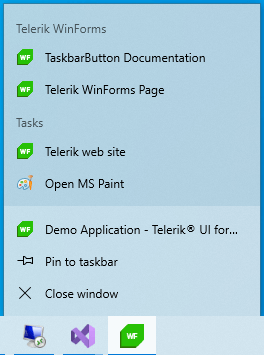
    form to create modern apps like Visual Studio, Microsoft Word or Excel, Outlook, etc.</p><p><img src="https://d585tldpucybw.cloudfront.net/sfimages/default-source/blogs/2023/2023-01/toolbarform_intro.png?sfvrsn=cbe6d74c_3" title="ToolbarForm" alt="ToolbarForm"></p><h3 id="taskbarbutton">TaskbarButton</h3><p>Let me share a secret with you. You can use the taskbar for more than seeing your apps and checking the time.</p><p>The RadTaskbarButton component allows you to interact with the <a href="https://learn.microsoft.com/en-us/windows/win32/uxguide/winenv-taskbar" target="_blank">Windows Taskbar</a> and gives developers the proper API to define the
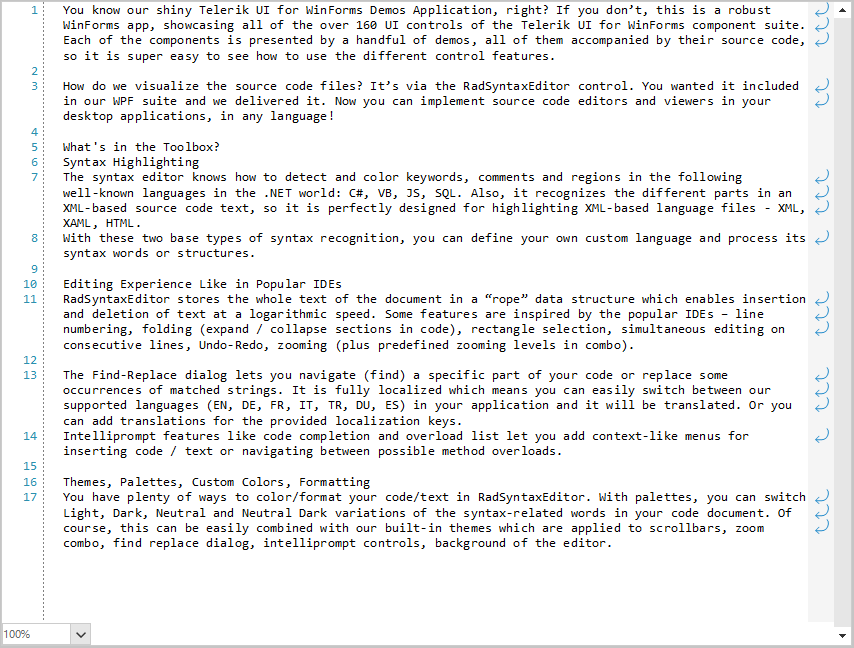
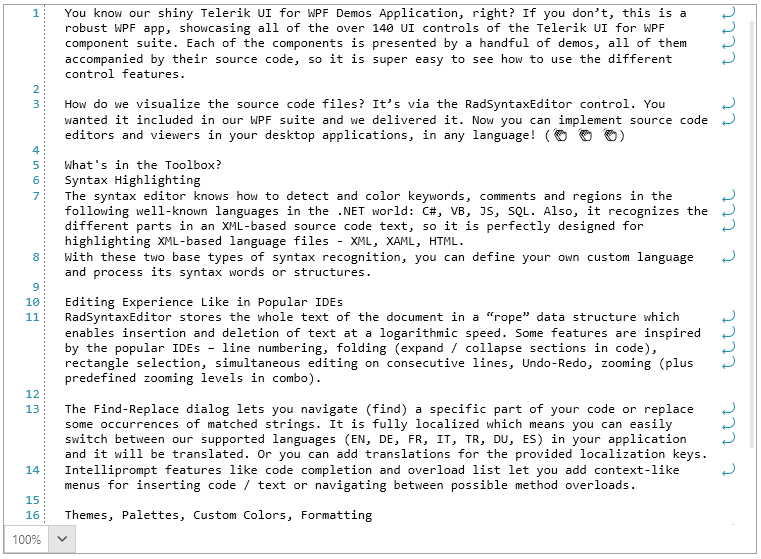
    style for their application&rsquo;s taskbar button.</p><p>By utilizing the taskbar, you can give the end user a shortcut to your application&rsquo;s internal commands or show a loading indicator when the application is loading or a long running task is currently in progress.</p><p>There are other functionalities like showing a badge on the taskbar icon to show the current status of the application, modifying the jump list by adding shortcuts to other related applications, etc.</p><p>These functionalities are only part of the API which you can use. I think you know where you can read more about them, but still I will give you a hint: In our <a href="https://docs.telerik.com/devtools/winforms/controls/taskbar-button/getting-started" target="_blank">RadTaskbarButton Online Documentation</a>.</p><p><img src="https://d585tldpucybw.cloudfront.net/sfimages/default-source/blogs/2023/2023-01/taskbar-button.png?sfvrsn=6eb815e7_3" title="Taskbar Button" alt="Taskbar Button"></p><p>Don&rsquo;t leave your taskbar application icon hanging on the screen like you don&rsquo;t know what to do with it. Show them that they are wrong!</p><p>If you think that is all, let us check some of the other perks.</p><h3 id="syntaxeditor-word-wrapping">SyntaxEditor: Word Wrapping</h3><p>SyntaxEditor control is a great text editor tool which provides built-in syntax highlighting and code editing experience for popular languages. What was missing so far was word wrapping functionality. What is a text editor without word-wrap?</p><p>This release, we add this functionality to the control. When the feature is enabled, the horizontal scroll bar is removed, and all the text is horizontally fit in the available space.</p><p>We have also included an additional margin that holds the icons and can be removed if needed. I&rsquo;m sure you have seen this view mode in many editors and IDEs, so I hope it will make your WinForms applications which use our RadSyntaxEditor more useful
    and user friendly.</p><p><img src="https://d585tldpucybw.cloudfront.net/sfimages/default-source/blogs/2023/2023-01/syntaxeditor_wordwrap.png?sfvrsn=18aef4d3_3" title="Word Wrap" alt="The text editor show where lines have been wrapped rather than being horizontally scrolled"></p><p>To see how to use this functionality, please check the <a href="http://docs.telerik.com/devtools/winforms/controls/syntax-editor/features/word-wrap" target="_blank">Word Wrap</a> article from the SyntaxEditor help documentation.</p><h3 id="net-7-support">.NET 7 Support</h3><p>During the last year, we&rsquo;ve implemented and shipped support for the various preview versions of .NET 7. With this release, we are shipping support for the official version of .NET 7. This is the first major release which fully supports .NET
    7.
</p><p>Also, we have removed the .NET 5 support with the .NET 7 introduction, so please consider upgrading your .NET 5 applications to newer .NET. With the R1 2023 release, DLLs targeting .NET 5 will not be available for download from your account nor the
    NuGet package for .NET 5.</p><h3 id="revamped-icons">Revamped Icons</h3><p>The new release and the new theme brought a new glyph font&mdash;the <strong>TelerikFluentIcons</strong>. It contains a similar set of icons to the TelerikWebUI but with a different visual appearance to better match the Windows 11 iconography. The
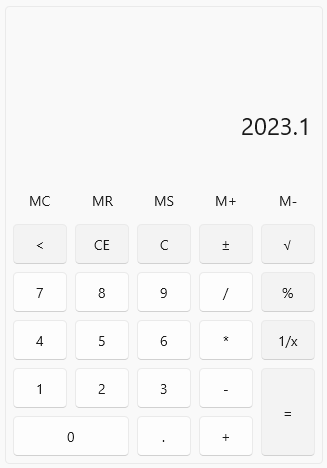
    glyphs have been redesigned to embrace a softer geometry and more modern metaphors.</p><h2 id="winui">WinUI</h2><p>Find out what&rsquo;s new in <a href="https://www.telerik.com/winui" target="_blank">Telerik UI for WinUI</a> 2.4.0!</p><h3 id="calculator">Calculator</h3><p><img src="https://d585tldpucybw.cloudfront.net/sfimages/default-source/blogs/2023/2023-01/calculator.png?sfvrsn=62bba16f_3" alt="Clean looking calculator app"></p><p>Announcing the brand-new <strong>Calculator</strong> control for WinUI! I guess there is no need to explain in detail what Calculator is?! However, let&rsquo;s say couple words about it. <strong>RadCalculator</strong> is a useful component that enables
    your users to perform calculations directly in the WinUI application, without navigating to a different app. The control has an easy-to-use interface providing all basic calculations such as addition, subtraction, multiplication and division,
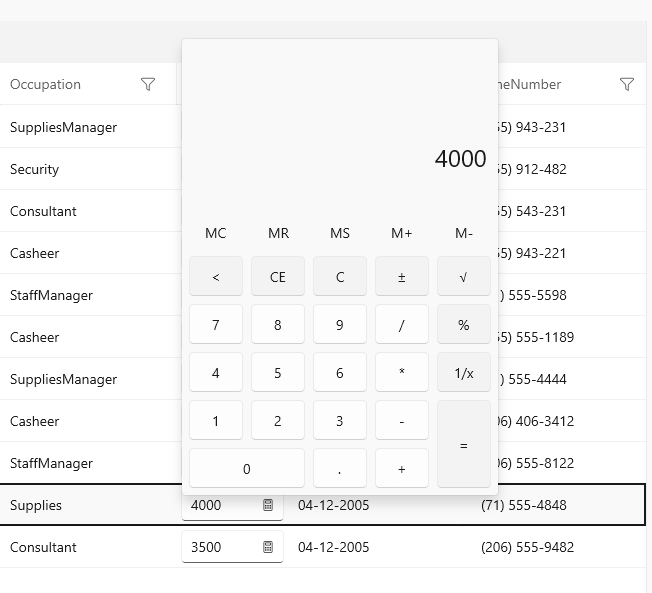
    as well as some more complicated ones&mdash;reciprocal, square root, negate. Furthermore, all the Memory and Clear features are exposed as well.</p><p>Check out the key features below:</p><ul><li><strong>Basic calculations</strong> &mdash; addition, subtraction, multiplication, division</li><li><strong>Additional calculations</strong> &mdash; negate, square root, reciprocal</li><li><strong>Memory functionality</strong></li><li><strong>Clear entry, clear all, delete functionality</strong></li><li><strong>Customized functions</strong></li><li><strong>UI automation support</strong></li></ul><p>For more information about the control, make sure to check out the <a href="https://docs.telerik.com/devtools/winui/controls/radcalculator/overview" target="_blank">Calculator section</a> in our online help documentation.</p><h3 id="calculatorpicker">CalculatorPicker</h3><p><img src="https://d585tldpucybw.cloudfront.net/sfimages/default-source/blogs/2023/2023-01/calculatorpicker.png?sfvrsn=2596c64_3" alt="CalculatorPicker shows a calculator popover on a grid, where one of the columns includes a button to make calculations"></p><p><strong>RadCalculatorPicker</strong> is an additional component that provides a quick way to show and use <strong>RadCalculator</strong> in scenarios where saving space is important. One very useful use case would be to use the Calculator as editor
    of the cell value of DataGrid (as seen in the screenshot above). I&rsquo;m sure you will make good use of it! For more details, check out the <a href="https://docs.telerik.com/devtools/winui/controls/radcalculator/calculatorpicker" target="_blank">CalculatorPicker</a> article in our help documentation.</p><h3 id="net-6-and-windows-app-sdk-1.2-support">.NET 6 and Windows App Sdk 1.2 Support</h3><p>With this release we are removing the .NET 5 support and adding .NET 6 with Windows App SDK 1.2 support. So, if you are still on .NET 5, make sure to migrate to .NET 6. And if you have any issues with migration, do not hesitate to contact us.
    
</p><h3 id="check-out-the-detailed-release-notes">Check out the Detailed Release Notes</h3><p>We have a lot more! To get an overview of all the latest features and improvements we&rsquo;ve made, check out the <a href="https://www.telerik.com/support/whats-new/winui/release-history" target="_blank">Telerik UI for WinUI (Release Notes)</a>.</p><h2 id="telerik-ui-for-wpf">Telerik UI for WPF</h2><p>Let&rsquo;s take a look at what&rsquo;s new in <a href="https://www.telerik.com/products/wpf/overview.aspx" target="_blank">Telerik UI for WPF</a> with R1 2023.
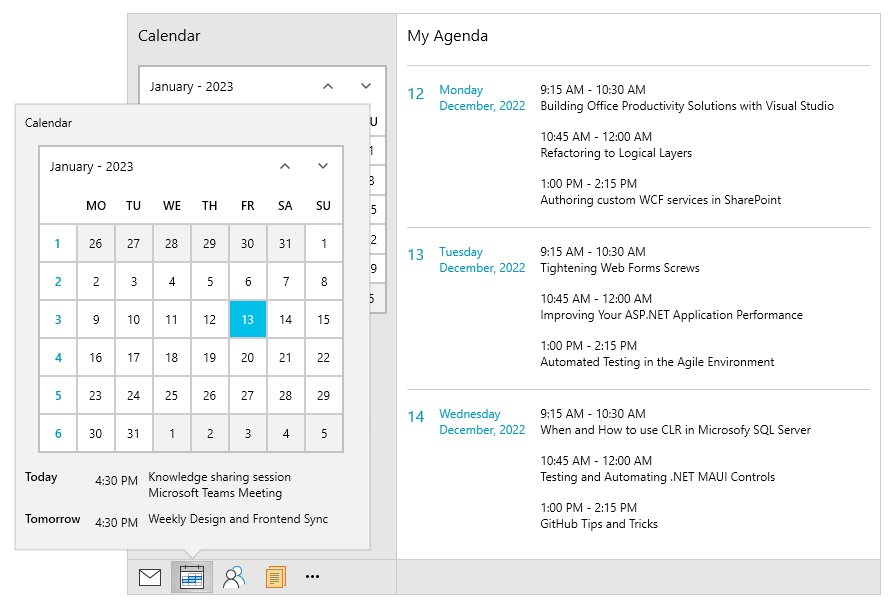
</p><h3 id="officenavigationbar">OfficeNavigationBar</h3><p><img src="https://d585tldpucybw.cloudfront.net/sfimages/default-source/blogs/2023/2023-01/officenavigationbar.png?sfvrsn=2128ee52_3" title="OfficeNavigationBar" alt="Navigation bar has envelope icon, calendar icon, people icon, documents icon, more. Calendar is open with calendar and my agenda views"></p><p>Our brand new <strong>OfficeNavigationBar</strong> component is inspired by the MS Outlook Navigation Bar. It allows you to easily navigate between different views and offers the ability to quicky access a minimalistic subset of a view within
    a popup window.
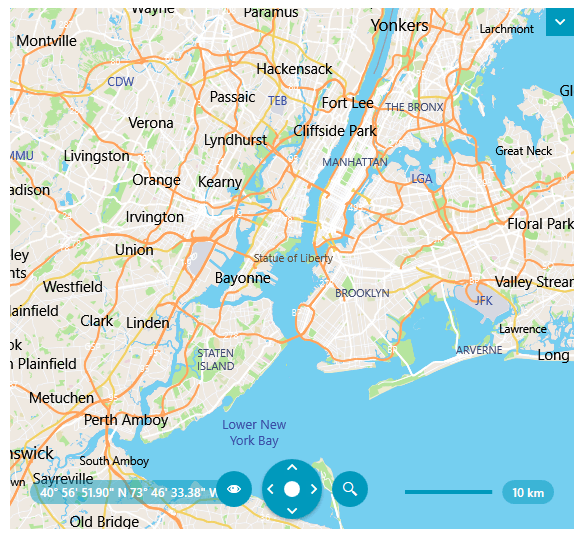
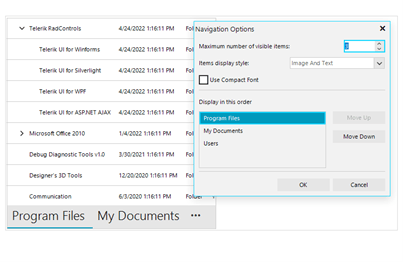
</p><p>Here are some of the features it provides:</p><ul><li><strong>DisplayModes</strong> &ndash; compact or full mode</li><li><strong>Navigation Options Window</strong> &ndash; allows controlling the order and maximum number of visible items, switching between display modes</li><li><strong>Peek Window</strong> &ndash; displays a callout over the selected item (or item under mouse) which can host additional info or UserControls (views) associated with the item</li></ul><p>For more information about the control, make sure to check out <a href="https://docs.telerik.com/devtools/wpf/controls/radofficenavigationbar/overview" target="_blank">its online help docs</a>.</p><h3 id="map-vector-tiles-support">Map: Vector Tiles Support</h3><p><img src="https://d585tldpucybw.cloudfront.net/sfimages/default-source/blogs/2023/2023-01/map_vector.png?sfvrsn=cb0a3b6c_3" alt="Map of NYC"></p><p>We are glad to announce that the most voted Map feature in the latest years&mdash;<a href="https://docs.telerik.com/devtools/wpf/controls/radmap/features/providers/vectortileproviders" target="_blank">support for vector tiles</a>&mdash;is
 now here!</p><p>Vector data consists of mainly geometry and text definitions which is rendered on the client. All data is separated in layers and every layer can be styled with style definition located in JSON file referenced in your application. This brings
    a new level of flexibility and customization options, allowing users to create various map appearances.</p><p>The new map feature consists of several new providers allowing connection to online vector tile services or rendering local vector data:</p><ul><li><a href="https://docs.telerik.com/devtools/wpf/controls/radmap/features/providers/mapboxprovider" target="_blank"><strong>MapBoxMapProvider</strong></a> &ndash; connects to online MapBox vector tile service via access
        token
    </li><li><a href="https://docs.telerik.com/devtools/wpf/controls/radmap/features/providers/vectortileproviders#loading-mbtiles" target="_blank"><strong>MbTilesMapProvider</strong></a> &ndash; renders local <strong>mbtiles data</strong> (sql archives which may contain both vector and raster tile layers)</li><li><a href="https://docs.telerik.com/devtools/wpf/controls/radmap/features/providers/vectortileproviders#loading-pbf-or-mvt-data" target="_blank"><strong>UriVectorTileMapProvider</strong></a> &ndash; renders data from
        local <strong>pbf</strong>/<strong>mvt</strong> vector tile files</li><li><strong>VectorTileMapProvider</strong>, <strong>VectorTileMapSource</strong>, <strong>IMapStreamProvider</strong> &ndash; base public classes / interfaces for developing custom vector providers</li></ul><p>Vector tiles are generally a great opportunity to enrich, customize and provide a modern look to your mapping applications, so we would love to hear any feedback you may have on the matter. Please drop us a line about how it goes when you integrate
    them.
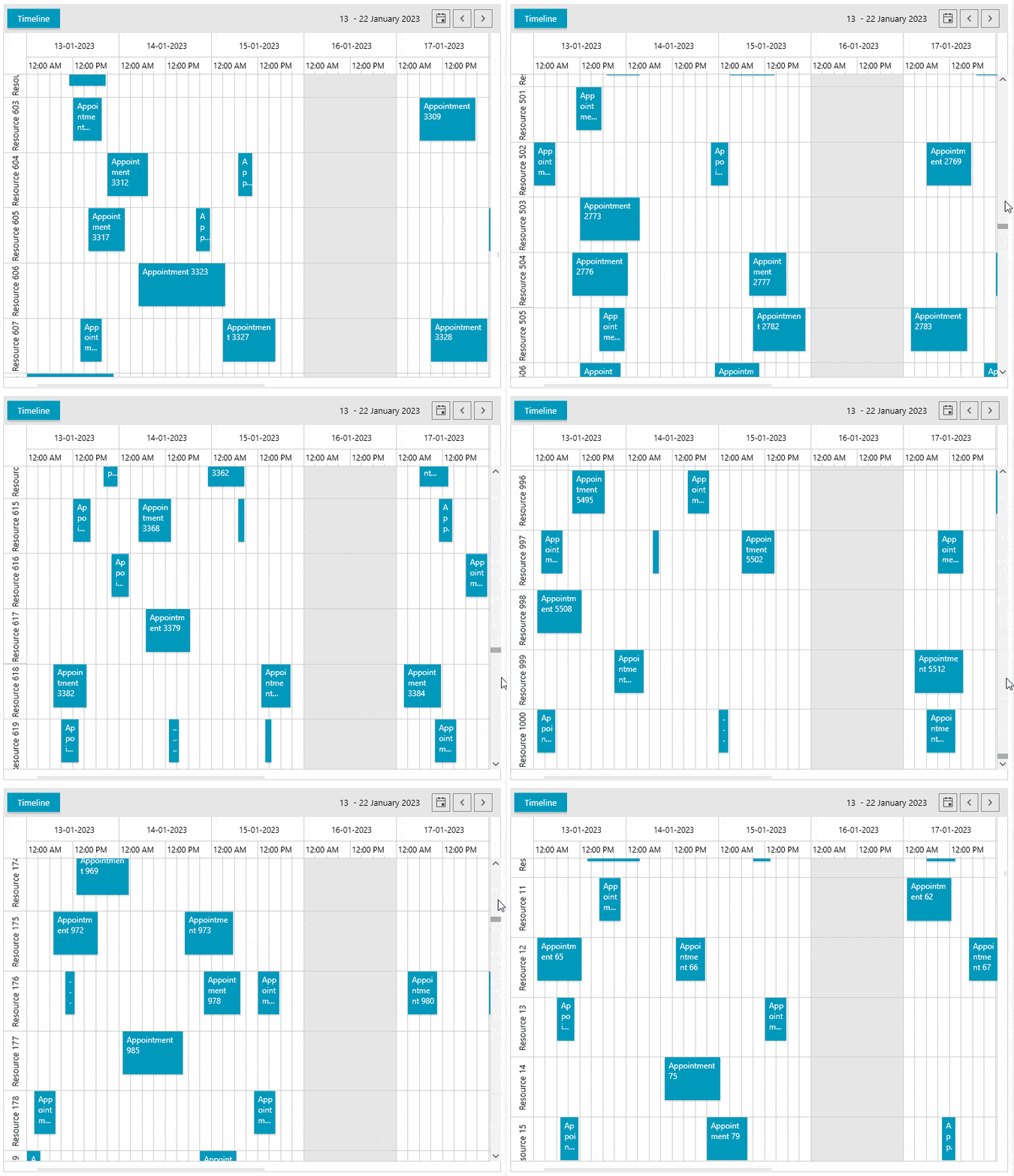
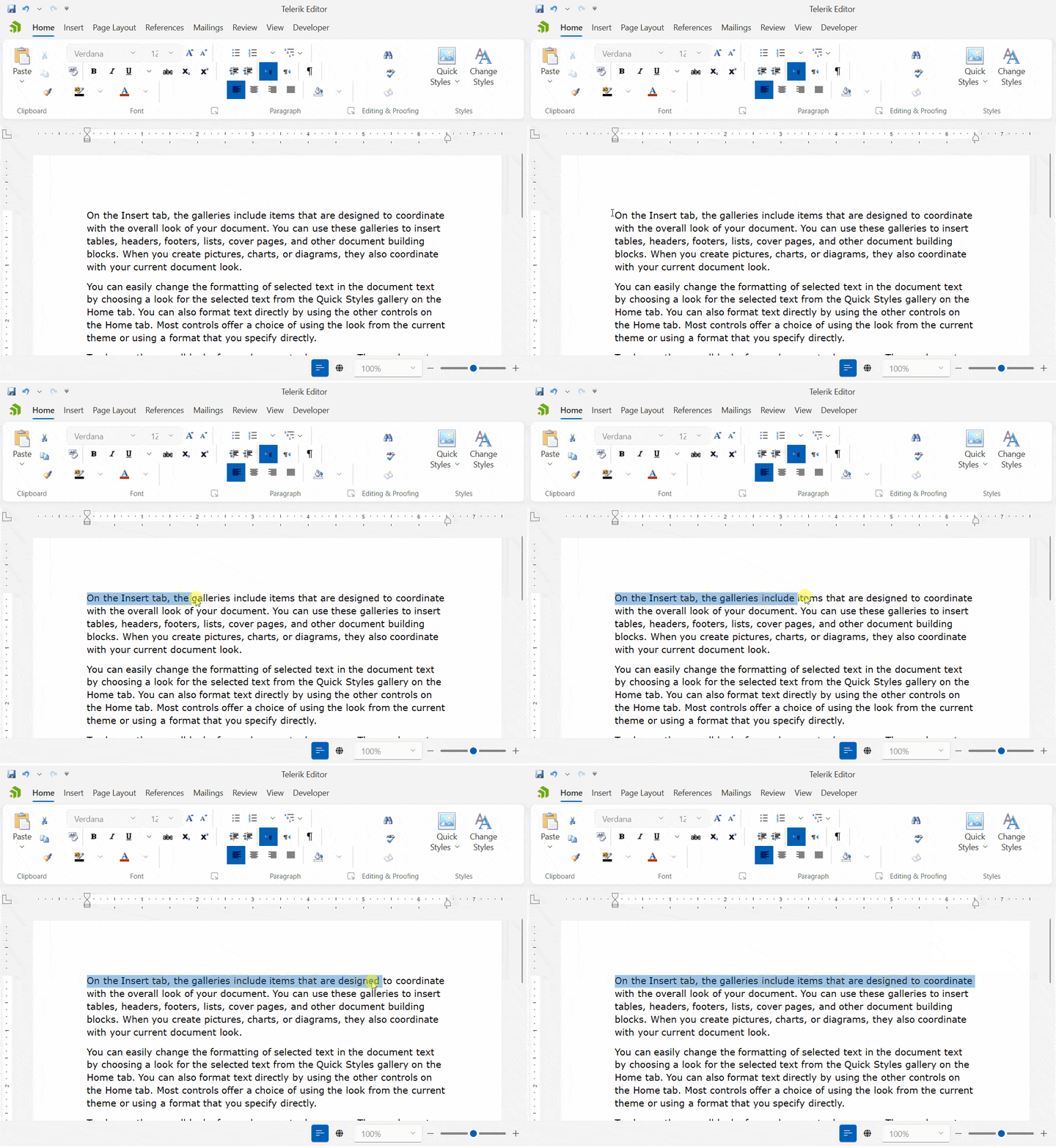
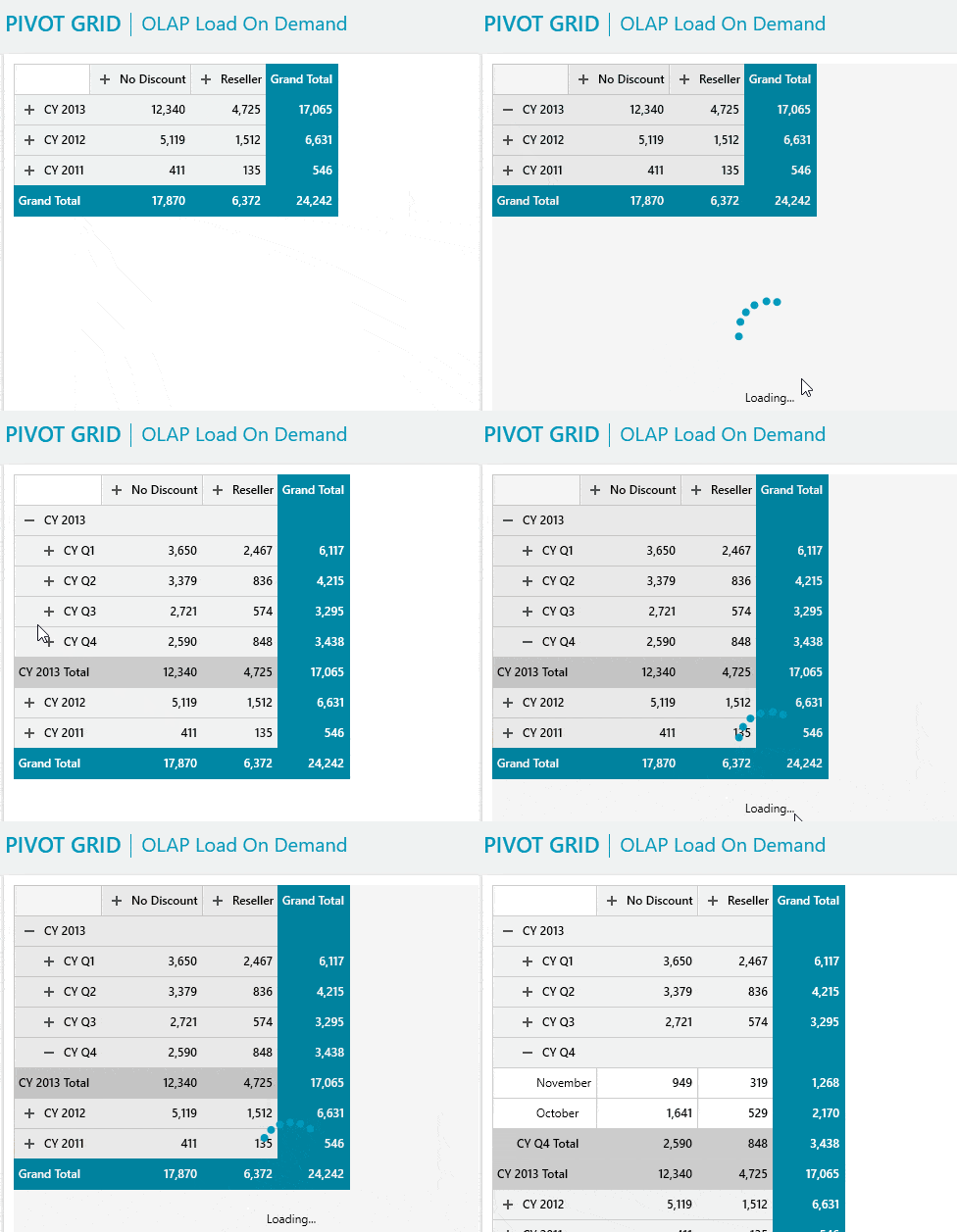
</p><h3 id="scheduleview-improve-performance-with-a-lot-of-resources">ScheduleView: Improve Performance with a Lot of Resources</h3><p>This release, we added a highly requested improvement in the rendering of the resource group headers. They are now virtualized, and this enables a smooth user experience, especially when resources come in hundreds or thousands.</p><p><img src="https://d585tldpucybw.cloudfront.net/sfimages/default-source/blogs/2023/2023-01/schedulew_resources.gif?sfvrsn=73c15537_3" alt="User scrolls through several resources in the displayed days and times"></p><p>You can enable the feature by setting the <strong>IsGroupHeadersVirtualizationEnabled</strong> property to true.</p><p>Previously such heavy UI resulted in thousands of UI elements rendered on load, but now only the resources, special slots and appointments visible in the viewport are generated, allowing smoother scrolling experience.</p><p>To get into more details regarding this feature, you can visit its <a href="https://docs.telerik.com/devtools/wpf/controls/radscheduleview/ui-virtualization" target="_blank">documentation article</a>.</p><h3 id="richtextbox-new-selection-mode">RichTextBox: New Selection Mode</h3><p>The new selection mode allows you to select whole words similarly to Microsoft Word. It can be enabled by setting the <a href="https://docs.telerik.com/devtools/wpf/controls/radrichtextbox/features/selection#advanced-selection-mode" target="_blank"><strong>IsAdvancedSelectionEnabled</strong></a> property. The following GIF shows how this works.</p><p><img src="https://d585tldpucybw.cloudfront.net/sfimages/default-source/blogs/2023/2023-01/richtextbox_selection.gif?sfvrsn=b3c376e1_3" alt="In Telerik Editor, a user holds mouse button at start of sentence and drags it across the sentence. The words are added to the highlighted selection as the mouse crosses them"></p><h3 id="pivotgrid-load-data-from-olap-cube-on-demand-lazy-loading">PivotGrid: Load Data from OLAP Cube on Demand (Lazy Loading)</h3><p><img src="https://d585tldpucybw.cloudfront.net/sfimages/default-source/blogs/2023/2023-01/pivot_load_ondemand.gif?sfvrsn=1e293172_3" alt="When a user clicks to expand sections on a PivotGrid, a loading icon shows it&#39;s being populated"></p><p>The new load on demand feature will increase the performance of your OLAP-based PivotGrid scenarios. It allows you to fetch the needed data only when the associated group gets expanded.</p><p>By default, the <strong>OLAP</strong> data providers (<strong><code>XmlaDataProvider</code></strong> and <strong><code>AdomdDataProvider</code></strong>) will pre-load all the data from the associated cube and display it in the <strong>PivotGrid</strong>.
 To change this behavior, set the <strong><a href="https://docs.telerik.com/devtools/wpf/controls/radpivotgrid/features/olap-providers/load-on-demand" target="_blank"><code>EnableLoadOnDemand</code></a></strong> property
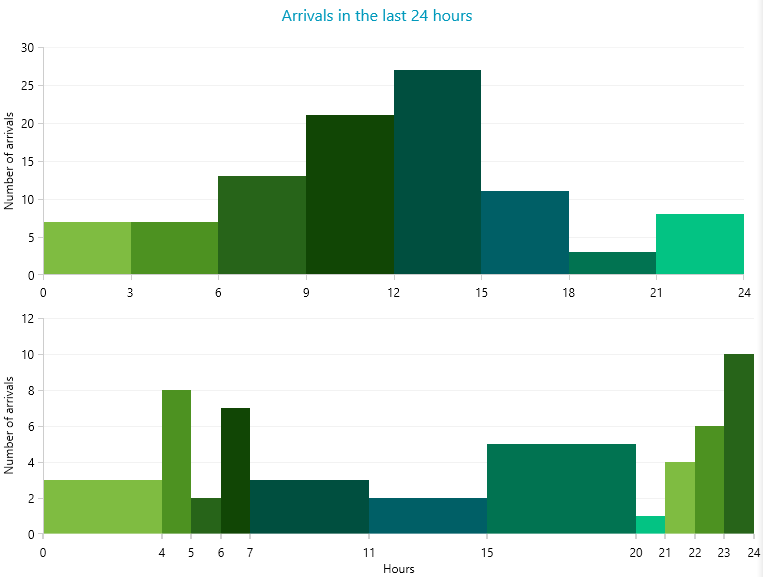
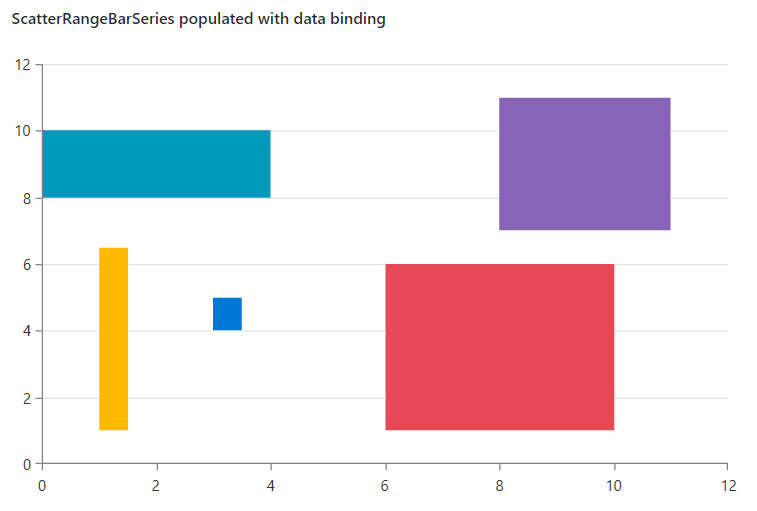
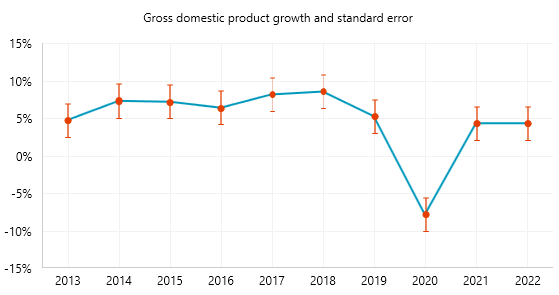
    of the data provider to <code>true</code>.</p><h3 id="chartview-create-histogram-charts-with-scatterrangebarseries-and-charthistogramsource">ChartView: Create Histogram Charts with ScatterRangeBarSeries and ChartHistogramSource</h3><p><img src="https://d585tldpucybw.cloudfront.net/sfimages/default-source/blogs/2023/2023-01/histogram.png?sfvrsn=e5be5a42_3" alt="Histogram of the number of arrivals in the last 24 hours"></p><p>With the new <a href="https://docs.telerik.com/devtools/wpf/controls/radchartview/series/cartesianchart-series/bar-series/scatterrangebarseries" target="_blank">ScatterRangeBarSeries</a> and the <a href="https://docs.telerik.com/devtools/wpf/controls/radchartview/series/cartesianchart-series/bar-series/histogram" target="_blank">ChartHistogramSource</a>, you can now create histogram charts. These types of charts are generally used to visualize continuous data, measured in two directions (values). It is, however, just a use case
    of the ScatterRangeBarSeries which can handle non-continuous data sets too. Here is a quick set up of a sample scatter range bar chart:</p><p>First, we give some data via <strong>ScatterBarInfo</strong> instances:</p><pre class=" language-csharp"><code class="prism  language-csharp"><span class="token keyword">public</span> <span class="token function">MyUserControl</span><span class="token punctuation">(</span><span class="token punctuation">)</span>  
<span class="token punctuation">{</span>  
    <span class="token function">InitializeComponent</span><span class="token punctuation">(</span><span class="token punctuation">)</span><span class="token punctuation">;</span>   
 
    <span class="token keyword">var</span> source <span class="token operator">=</span> <span class="token keyword">new</span> <span class="token class-name">ObservableCollection</span><span class="token operator">&lt;</span>ScatterBarInfo<span class="token operator">&gt;</span><span class="token punctuation">(</span><span class="token punctuation">)</span><span class="token punctuation">;</span> 
    source<span class="token punctuation">.</span><span class="token function">Add</span><span class="token punctuation">(</span><span class="token keyword">new</span> <span class="token class-name">ScatterBarInfo</span><span class="token punctuation">(</span><span class="token number">0</span><span class="token punctuation">,</span> <span class="token number">4</span><span class="token punctuation">,</span> <span class="token number">8</span><span class="token punctuation">,</span> <span class="token number">10</span><span class="token punctuation">)</span><span class="token punctuation">)</span><span class="token punctuation">;</span> 
    source<span class="token punctuation">.</span><span class="token function">Add</span><span class="token punctuation">(</span><span class="token keyword">new</span> <span class="token class-name">ScatterBarInfo</span><span class="token punctuation">(</span><span class="token number">6</span><span class="token punctuation">,</span> <span class="token number">10</span><span class="token punctuation">,</span> <span class="token number">1</span><span class="token punctuation">,</span> <span class="token number">6</span><span class="token punctuation">)</span><span class="token punctuation">)</span><span class="token punctuation">;</span> 
    source<span class="token punctuation">.</span><span class="token function">Add</span><span class="token punctuation">(</span><span class="token keyword">new</span> <span class="token class-name">ScatterBarInfo</span><span class="token punctuation">(</span><span class="token number">1</span><span class="token punctuation">,</span> <span class="token number">1.5</span><span class="token punctuation">,</span> <span class="token number">1</span><span class="token punctuation">,</span> <span class="token number">6.5</span><span class="token punctuation">)</span><span class="token punctuation">)</span><span class="token punctuation">;</span> 
    source<span class="token punctuation">.</span><span class="token function">Add</span><span class="token punctuation">(</span><span class="token keyword">new</span> <span class="token class-name">ScatterBarInfo</span><span class="token punctuation">(</span><span class="token number">3</span><span class="token punctuation">,</span> <span class="token number">3.5</span><span class="token punctuation">,</span> <span class="token number">4</span><span class="token punctuation">,</span> <span class="token number">5</span><span class="token punctuation">)</span><span class="token punctuation">)</span><span class="token punctuation">;</span> 
    source<span class="token punctuation">.</span><span class="token function">Add</span><span class="token punctuation">(</span><span class="token keyword">new</span> <span class="token class-name">ScatterBarInfo</span><span class="token punctuation">(</span><span class="token number">8</span><span class="token punctuation">,</span> <span class="token number">11</span><span class="token punctuation">,</span> <span class="token number">7</span><span class="token punctuation">,</span> <span class="token number">11</span><span class="token punctuation">)</span><span class="token punctuation">)</span><span class="token punctuation">;</span> 
    <span class="token keyword">this</span><span class="token punctuation">.</span>scatterRangeBarSeries<span class="token punctuation">.</span>ItemsSource <span class="token operator">=</span> source<span class="token punctuation">;</span>  
<span class="token punctuation">}</span>
</code></pre><p>Then we bind the data via four major range-definition properties:</p><pre class=" language-csharp"><code class="prism  language-csharp"><span class="token operator">&lt;</span>telerik<span class="token punctuation">:</span>ScatterRangeBarSeries x<span class="token punctuation">:</span>Name<span class="token operator">=</span><span class="token string">"scatterRangeBarSeries"</span>  
                  HorizontalLowBinding<span class="token operator">=</span><span class="token string">"HorizontalLow"</span>  
                               HorizontalHighBinding<span class="token operator">=</span><span class="token string">"HorizontalHigh"</span> 
                               VerticalLowBinding<span class="token operator">=</span><span class="token string">"VerticalLow"</span> 
                               VerticalHighBinding<span class="token operator">=</span><span class="token string">"VerticalHigh"</span> 
               ItemsSource<span class="token operator">=</span><span class="token string">"{Binding}"</span> <span class="token operator">/</span><span class="token operator">&gt;</span> 
</code></pre><p><img src="https://d585tldpucybw.cloudfront.net/sfimages/default-source/blogs/2023/2023-01/chartscatterrangebarseries.png?sfvrsn=d96fb90c_3" alt="Scatter chart has different shaped and colored rectangles"></p><p>Please follow the <a href="https://docs.telerik.com/devtools/wpf/controls/radchartview/series/cartesianchart-series/bar-series/scatterrangebarseries#data-binding" target="_blank">databinding help section</a> to get into
    more details on how to populate the scatter range bars with data in a MVVM way.</p><h3 id="end-of-.net-5-support">End of .NET 5 Support</h3><p>As you may know, since May 2022&nbsp;<a href="https://dotnet.microsoft.com/en-us/platform/support/policy/dotnet-core" target="_blank">.NET 5 is out of Microsoft support</a>. Being up to date with the current technology
    trends, from this release on, we will no longer support .NET 5. This includes assemblies, NuGet packages VS extensions. We generally encourage you to switch your apps to .NET 6 and .NET 7 (you know <a href="https://www.telerik.com/blogs/day-0-support-dotnet-7-across-telerik-libraries-tools" target="_blank">we have Day-Zero, support for .Net7</a>, right ?) in the near future.</p><p>However, if this sounds pressing to you, you can consider using .NET Core 3.1 which we will still ship for several releases (until .NET 8 is released).</p><h3 id="other-features">Other Features</h3><ul><li><strong>Common</strong>: Added <a href="https://docs.telerik.com/devtools/wpf/common-information/validation-error-template?_ga=2.169661793.195846615.1673857624-1435640060.1450266816&amp;_gl=1*boeksb*_ga*MTQzNTY0MDA2MC4xNDUwMjY2ODE2*_ga_9JSNBCSF54*MTY3Mzg4MTM2OS4yOTIuMS4xNjczODgzODI5LjQ4LjAuMA..#display-modes" target="_blank">ValidationErrorTemplateHelper.DisplayMode</a> supporting different kind of visualizations of the error message.</li><li><strong>ChartView:</strong> <a href="https://docs.telerik.com/devtools/wpf/controls/radchartview/features/empty-content#hiding-the-empty-content-message" target="_blank">Added API</a> for showing empty content between
        the axis when there is no data.</li><li><strong>ComboBox:</strong> Added <a href="https://docs.telerik.com/devtools/wpf/controls/radcombobox/features/autocomplete#select-partial-matches" target="_blank">option</a> to select partial matches.</li><li><strong>Diagrams:</strong> Exposed <a href="https://docs.telerik.com/devtools/wpf/controls/raddiagram/features/global-settings" target="_blank">constant</a> to control minimum distance for which snapping next to shapes
        is enabled during connection manipulation.
    </li><li><strong>GridView</strong>: Added <a href="https://docs.telerik.com/devtools/wpf/controls/radgridview/styles-and-templates/styling-a-row?_ga=2.127372298.602048131.1673854081-1754131690.1626945106&amp;_gl=1*1dkscj5*_ga*MTc1NDEzMTY5MC4xNjI2OTQ1MTA2*_ga_9JSNBCSF54*MTY3Mzg2NjMxMS4yODAuMS4xNjczODg0MzU5LjU2LjAuMA..#setting-radgridviews-rowstyle-and-alternaterowstyle" target="_blank">GridViewAlternateRowStyle</a> which can be used for setting an alternating row background.</li><li><strong>GridView:</strong> Implemented an option to change the default number of distinct values shown by setting the <a href="https://docs.telerik.com/devtools/wpf/controls/radgridview/filtering/customizing-distinct-values" target="_blank">DefaultDistinctValuesCount</a> property.</li><li><strong>RichTextBox:</strong> Introduced support for East Asian Font attribute when exporting Run fonts.</li><li><strong>TabControl:</strong> Added <a href="https://docs.telerik.com/devtools/wpf/controls/radtabcontrol/features/controlling-behavior#overflow-mode" target="_blank">option</a> to allow inverting the scroll direction
        when using the mouse wheel over the tab strip panel.</li></ul><h3 id="check-out-the-detailed-release-notes-1">Check out the Detailed Release Notes</h3><p>We have a lot more! To get an overview of all the latest features and improvements we&rsquo;ve made, check out the release notes for the products below:</p><p><a href="https://www.telerik.com/support/whats-new/wpf/release-history" target="_blank">Telerik UI for WPF (Release Notes)</a><br><a href="https://www.telerik.com/support/whats-new/silverlight/release-history" target="_blank">Telerik UI for Silverlight (Release Notes)</a></p><h2 id="telerik-document-processing-libraries">Telerik Document Processing Libraries</h2><p>The R1 2023 release brings numerous improvements across the entire suite. Here are some of the highlights of the <a href="https://www.telerik.com/document-processing-libraries" target="_blank">Telerik Document Processing Libraries</a>:</p><h3 id="new-encryption-mode-supported-in-radpdfprocessing-library">New Encryption Mode Supported in RadPdfProcessing Library</h3><p>We have added support for the Encryption Algorithm 5 with AES-256, which was one of the most demanded features. Here are the currently supported algorithms:</p><ul><li>Supported encryption algorithms for <strong>import</strong> : RC4 (V2), AES-128 (AESV2), AES-256 (AESV3)</li><li>Supported encryption algorithms for <strong>export</strong>: RC4 (V2), AES-256 (AESV3)</li></ul><p>The encryption algorithm is controlled by the <strong>EncryptionType</strong> property of the export settings. Detailed information is available here: <a href="https://docs.telerik.com/devtools/document-processing/libraries/radpdfprocessing/formats-and-conversion/pdf/pdfformatprovider/settings#isencrypted" target="_blank">Export settings</a>.</p><h3 id="new-search-api-in-the-radpdfprocessing-library">New Search API in the RadPdfProcessing Library</h3><p>The new search API allows to search for a specific text in the PDF files. It has many methods that allow you to customize the search criteria and even search with regular expressions. The search result returns the page and the location of the
    searched text. Here is a small example that shows this:</p><pre class=" language-csharp"><code class="prism  language-csharp"><span class="token keyword">var</span> search <span class="token operator">=</span>  <span class="token keyword">new</span>  <span class="token class-name">TextSearch</span><span class="token punctuation">(</span>document<span class="token punctuation">)</span><span class="token punctuation">;</span>
<span class="token keyword">var</span> result <span class="token operator">=</span> search<span class="token punctuation">.</span><span class="token function">FindAll</span><span class="token punctuation">(</span><span class="token string">"Lorem"</span><span class="token punctuation">,</span>  TextSearchOptions<span class="token punctuation">.</span>Default<span class="token punctuation">)</span><span class="token punctuation">;</span>
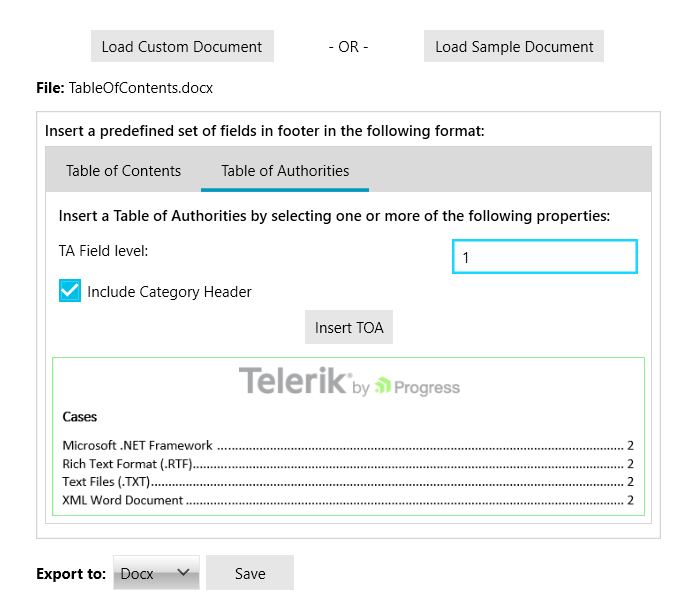
</code></pre><p>Detailed information about this functionality is available in our documentation: <a href="https://docs.telerik.com/devtools/document-processing/libraries/radpdfprocessing/features/search" target="_blank">Search</a>.</p><h3 id="new-fields-in-radwordsprocessing">New Fields in RadWordsProcessing</h3><p>We have added table of contents fields TOC and TC, which allow you to dynamically add a table of contents to your documents using various switches.</p><p>The table of authorities fields&mdash;TOA and TA&mdash;are now supported as well. These fields allow you to add a table of authorities to your document.</p><p>In order to make the TOC and TOA fields work, we have added the <a href="https://docs.telerik.com/devtools/document-processing/libraries/radwordsprocessing/concepts/fields/sequence-field" target="_blank">Sequence field</a> as well.</p><p>Our demo application now has an example of these fields.</p><p><img src="https://d585tldpucybw.cloudfront.net/sfimages/default-source/blogs/2023/2023-01/r1_blog_demo.png?sfvrsn=cab5e7ee_3" alt="App example with TOC and TOA"></p><p>You can see all supported fields in our documentation as well: <a href="https://docs.telerik.com/devtools/document-processing/libraries/radwordsprocessing/concepts/fields/fields" target="_blank">Fields Overview</a>.</p><h2 id="telerik-ui-for-.net-maui">Telerik UI for .NET MAUI</h2><p>R1 2023 brings exciting updates to <a href="https://www.telerik.com/maui-ui" target="_blank">Telerik UI for .NET MAUI</a>, including five brand-new controls&mdash;ToolBar,
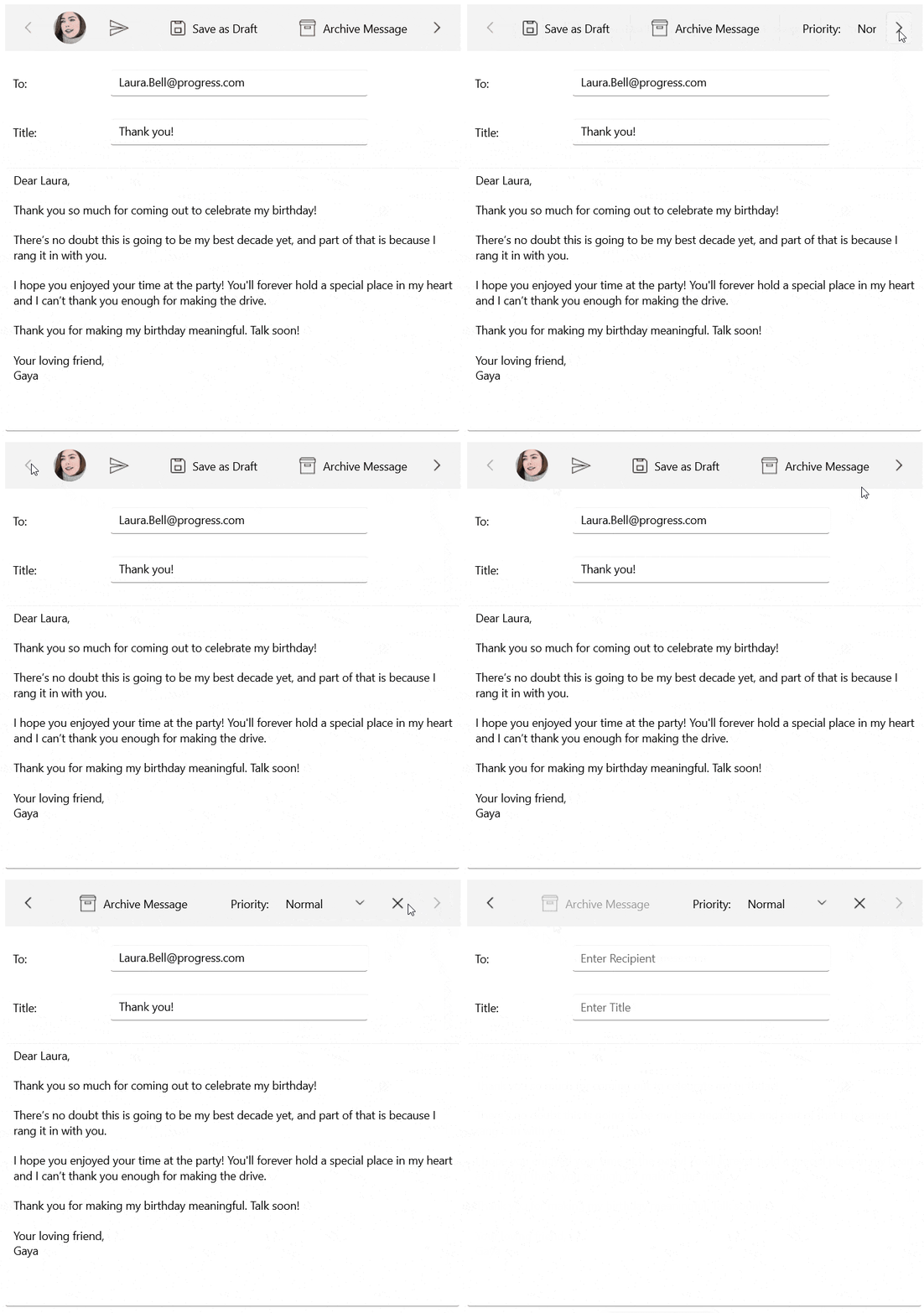
    ImageEditor, SignaturePad, ProgressBar and Accordion. We&rsquo;ve also added some enhancements to our powerful DataGrid control. Let&rsquo;s have a sneak peek at the most interesting stuff we have for you in this release.</p><h3 id="new-.net-maui-toolbar-control">New .NET MAUI ToolBar Control</h3><p>In today&rsquo;s world of mobile and desktop apps, it&rsquo;s important to have a clear and easy-to-use navigation system. That&rsquo;s why we&rsquo;re excited to introduce our new Toolbar component for .NET MAUI! This powerful and versatile
    component allows you to easily create a sleek and professional navigation experience for your app. It can mimic the functionality and behavior of the Visual Studio toolbar with its Strip and Overflow areas.</p><p><img src="https://d585tldpucybw.cloudfront.net/sfimages/default-source/blogs/2023/2023-01/toolbar_firstlook.gif?sfvrsn=cc87c7be_3" alt="In an email app, the topbar has user profile image, send, save as draft, archive message, priority, and it is horizontally scrollable"></p><p>Here are some of the key features you get in the new ToolBar control:</p><ul><li><strong>Rich collection of toolbar items:</strong> navigation button, split button, slider, listpicker, radio buttons and more.</li><li>Support for adding text and image to the toolbar item.</li><li><strong>Horizontal or vertical orientation</strong>: RadToolbar supports both horizontal and vertical orientation.</li><li><strong>Overflow menu</strong>: when the toolbar items cannot fit in the available space, an overflow button is displayed. The items are added in the overflow menu. You can display them using the different modes of the overflow menu.
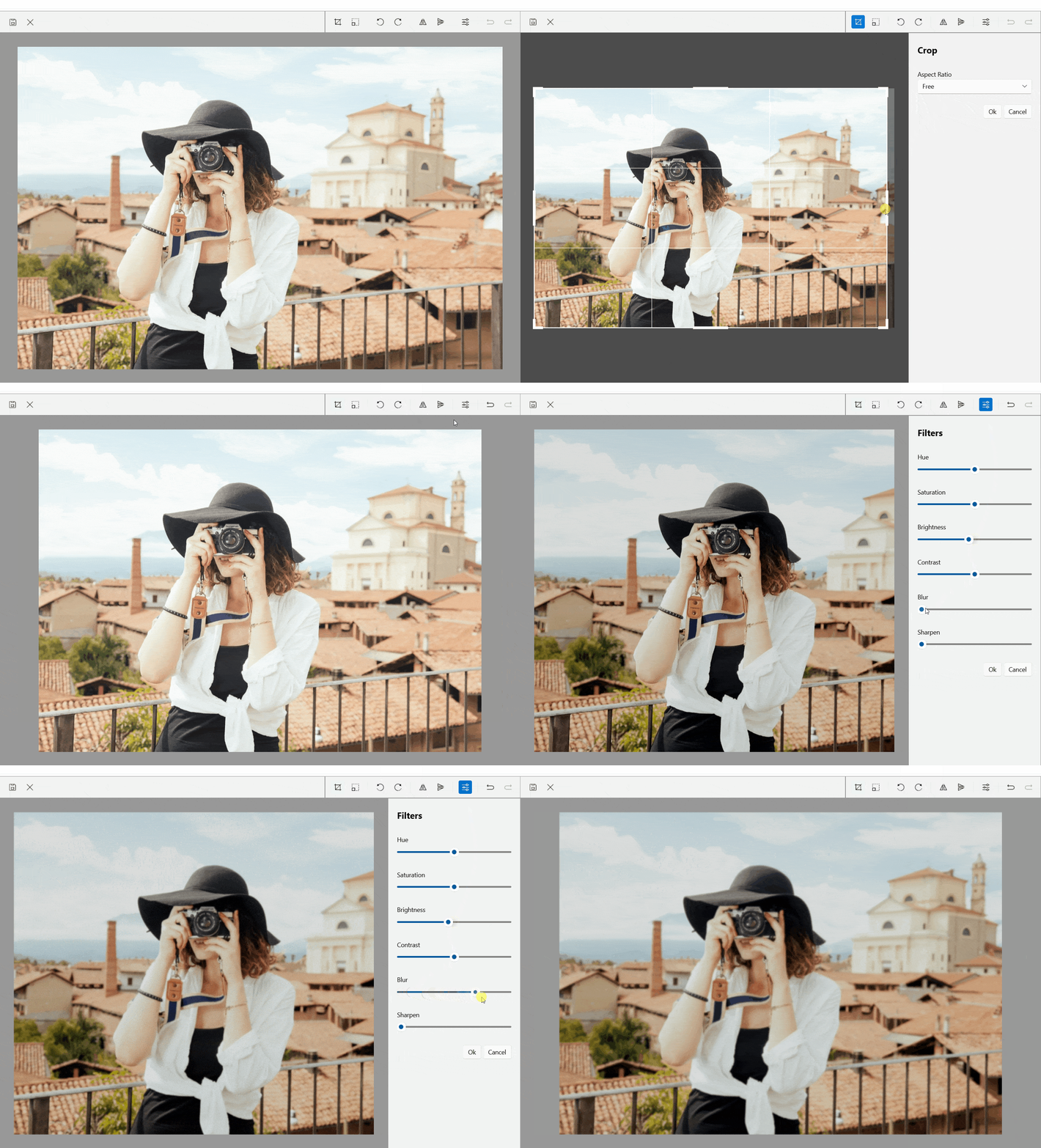
    </li><li>Panning and scrolling through the Toolbar items.</li><li>Options to separate the toolbar items through UI element part of the toolbar items&mdash;SeparatorToolbarItem.</li><li>Options to group the toolbar items.</li></ul><p>Visit our product documentation for more information on getting started with the <a href="https://docs.telerik.com/devtools/maui/controls/accordion/overview" target="_blank">Telerik UI for .NET MAUI ToolBar control</a>.</p><h3 id="net-maui-imageeditor">.NET MAUI ImageEditor</h3><p>You can now easily visualize and edit images in different file formats in your mobile and desktop application with our new ImageEditor control for .NET MAUI. The component comes with convenient image interactions such as zoom and pan,
    flip and rotate, resize and crop.</p><p>It is also packed with a variety of filters which allows you to perform various color adjustments to the image such as adjusting the Hue, Saturation, Brightness and Contrast. If your users are unhappy with an image interaction or the
    set of interactions, they can go back and forth because the ImageEditor has History support.</p><p><img src="https://d585tldpucybw.cloudfront.net/sfimages/default-source/blogs/2023/2023-01/imageeditor.gif?sfvrsn=fd6f9cb9_3" alt="ImageEditor shows image of a person taking a picture with a camera"></p><p>Here are some of the key features you get in the new ImageEditor:</p><ul><li><strong>Importing and exporting images:</strong> The control allows you to import different image formats such as JPEG, PNG, GIF, BMP, and export images in JPEG, PNG, GIF, BMP formats.</li><li><strong>Various image source options:</strong> Load images from a Stream, File (as embedded resource, or image located on the device) and URI.</li><li><strong>Support for undo/redo and reset:</strong> RadImageEditor has a history stack with the changes applied to the image. This means that you can reverse and re-apply actions.</li><li><strong>Support for Interactive Pan and Zoom:</strong> The control has built-in pan and zoom functionality that will help you interact with the image and display it in a convenient way.</li><li><strong>Built-in Toolbar:</strong> the control comes with a ready-to-use toolbar pre-populated with all the items needed to manipulate images.</li><li><strong>Custom Toolbar:</strong> RadImageEditor&rsquo;s Toolbar can be fully customized. You could populate the toolbar with the ToolbarItems needed for editing the image.</li><li><strong>Commands support:</strong> The control provides built-in commands and interactive commands. In addition, there are Toolbar commands.</li><li><strong>Support for Image Transformations:</strong><br>&nbsp;&nbsp;&nbsp;&nbsp;&nbsp;◦ Crop<br>&nbsp;&nbsp;&nbsp;&nbsp;&nbsp;◦ Resize<br>&nbsp;&nbsp;&nbsp;&nbsp;&nbsp;◦ Rotate&mdash;Left and Right<br>&nbsp;&nbsp;&nbsp;&nbsp;&nbsp;◦
 Flip&mdash;Horizontal and Vertical</li><li><strong>Built-in Filters:</strong><br>&nbsp;&nbsp;&nbsp;&nbsp;&nbsp;◦ Hue<br>&nbsp;&nbsp;&nbsp;&nbsp;&nbsp;◦ Saturation<br>&nbsp;&nbsp;&nbsp;&nbsp;&nbsp;◦ Brightness<br>&nbsp;&nbsp;&nbsp;&nbsp;&nbsp;◦ Contrast
        <br>&nbsp;&nbsp;&nbsp;&nbsp;&nbsp;◦ Blur<br>&nbsp;&nbsp;&nbsp;&nbsp;&nbsp;◦ Sharpen
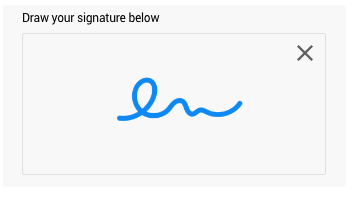
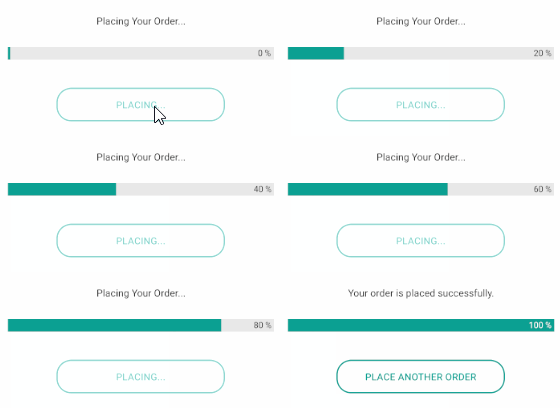
    </li></ul><p>Visit our product documentation for more information on getting started with the <a href="https://docs.telerik.com/devtools/maui/controls/accordion/overview" target="_blank">Telerik UI for .NET MAUI ImageEditor control</a>.</p><h3 id="new-signaturepad-control-for-.net-maui">New SignaturePad Control for .NET MAUI</h3><p>The Telerik SignaturePad control for .NET MAUI is a user-friendly component that allows you to capture and save signatures within your native mobile and desktop applications.</p><p>Upon interacting with it, the component displays the signature path, ensuring that your end user feels a natural pen effect. You can easily customize signature&rsquo;s stroke and color and save the signature as PNG or JPEG.</p><p><img src="https://d585tldpucybw.cloudfront.net/sfimages/default-source/blogs/2023/2023-01/signaturepad-overview.png?sfvrsn=40331ba_3" alt="Draw your signature below with a box for signing"></p><p>Here are some of the key features of the SignaturePad control:</p><ul><li>Configure the stroke thickness and stroke color of the signature to achieve the desired look.</li><li>Exhaustive number of events that are raised when a new stroke is started, completed and an event fired when the surface is cleared.</li><li>Commands Support: Easily clear the signature from the surface using the exposed command.</li></ul><p>Visit our product documentation for more information on getting started with the <a href="https://docs.telerik.com/devtools/maui/controls/accordion/overview" target="_blank">Telerik UI for .NET MAUI SignaturePad control</a>.</p><h3 id="radprogressbar-for-.net-maui">RadProgressBar for .NET MAUI</h3><p>If you need to indicate the progress of a long-running operation in your desktop or mobile application, then our RadProgressBar comes in handy. It can also show multiple forms of progress, such as data loading or a multi-step
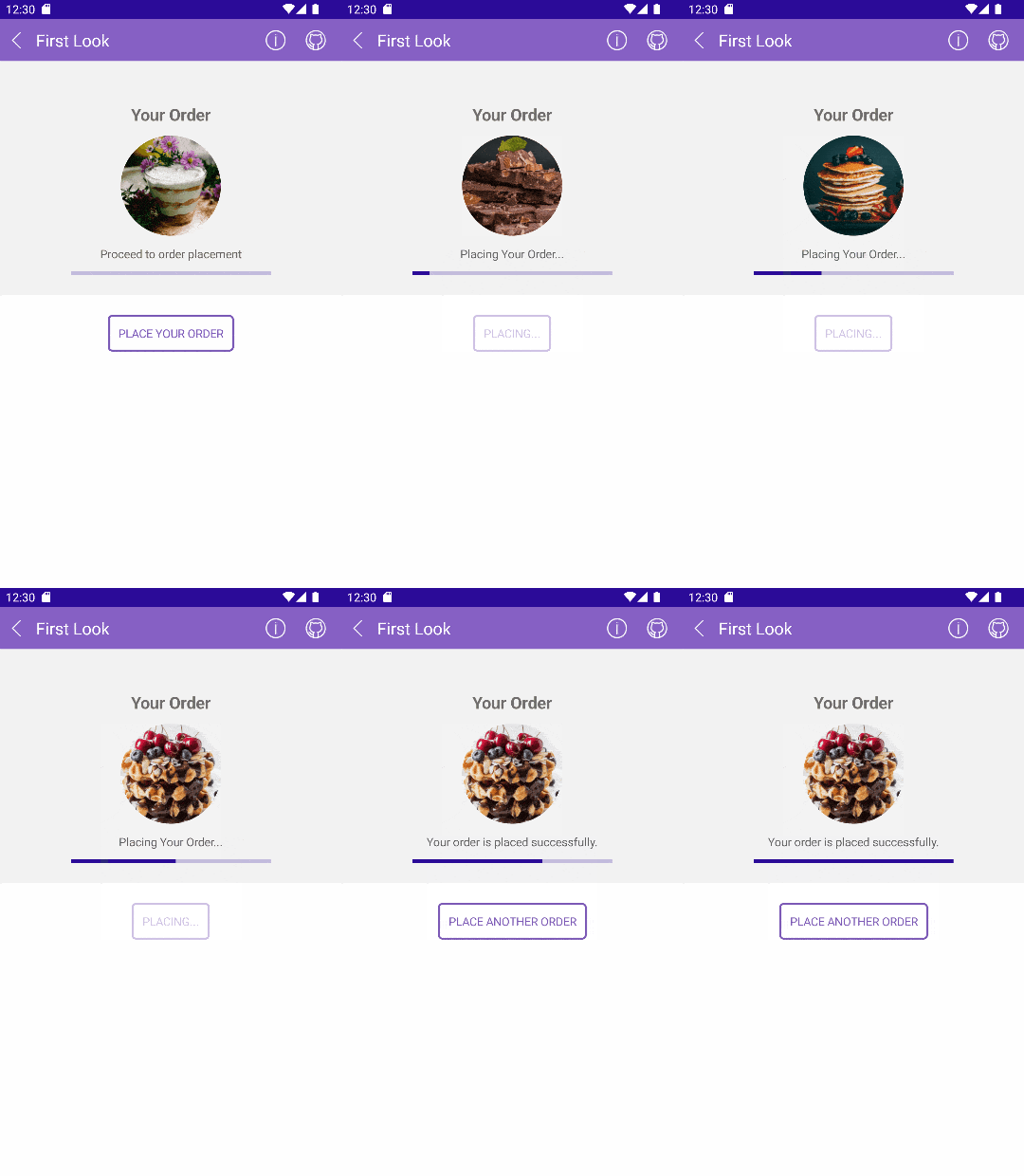
    user action, in which you can visualize how much has been completed and what remains.</p><p><img src="https://d585tldpucybw.cloudfront.net/sfimages/default-source/blogs/2023/2023-01/net-maui-progressbar-control-overview.gif?sfvrsn=10b0fdd_3" style="border:.5px solid black;" width="400" alt="A restaurant app has a progress bar for &#39;placing your order&#39; that fills and then has a button for &#39;place another order&#39;" sf-size="32941"></p><p>Here are some of the key features you get in the new ProgressBar component:</p><ul><li><strong>Value and Progress:</strong> Used to set and report the progress of a task inside the ProgressBar control.</li><li><strong>Value range:</strong> Define value ranges by setting the minimum and maximum values.</li><li><strong>Different value display modes:</strong> The label that shows the current state of the progress can be set to absolute value, percent, text or fully hidden.</li><li><strong>Segments support:</strong> RadProgressBar can be divided in segments.</li><li><strong>Indeterminate mode support:</strong> A mode that displays an animation indicating an unspecified amount of waiting time.</li><li><strong>Different animations:</strong> You can apply different animation easing and animation duration while changing the value of the ProgressBar.</li><li><strong>Flexible styling API:</strong> For customizing the progress fill, track fill, indeterminate fill, label text color, font size and more.</li></ul><p>Please visit our product documentation for more information on getting started with the <a href="https://docs.telerik.com/devtools/maui/controls/accordion/overview" target="_blank">Telerik UI for .NET MAUI ProgressBar</a> control.</p><h3 id="ui-for-.net-maui-accordion">UI for .NET MAUI Accordion</h3><p>RadAccordion is a powerful and versatile component that allows you to easily organize and present large amounts of content in a small space. With its intuitive and user-friendly interface, you can quickly and easily expand
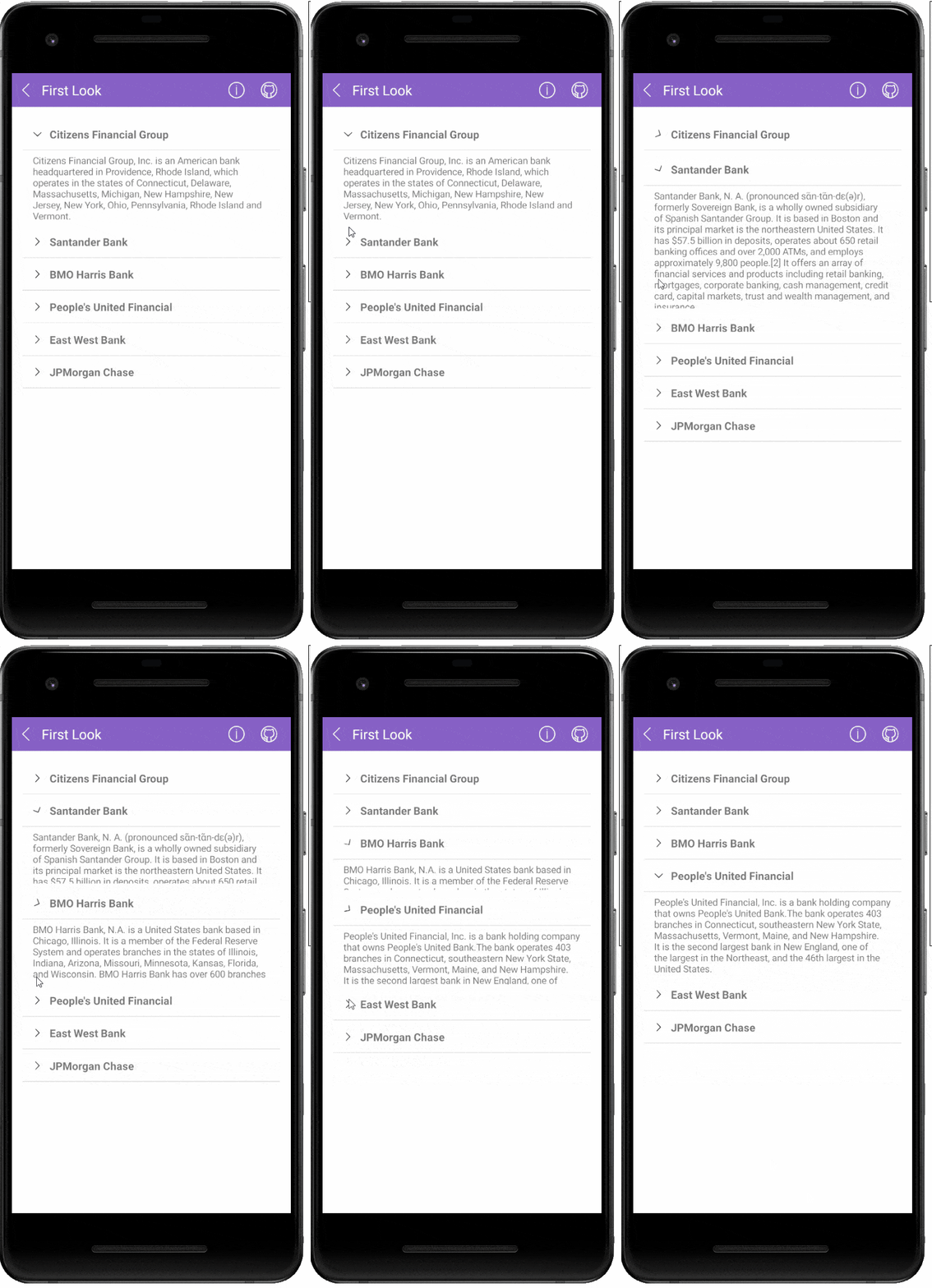
    and collapse sections to view the information you need.</p><p><img src="https://d585tldpucybw.cloudfront.net/sfimages/default-source/blogs/2023/2023-01/accordion_gif.gif?sfvrsn=3f220b5b_3" width="400" alt="In a mobile financial app, the user clicks through different institution names, each time expanding a description and collapsing the previous selection"></p><ul><li><strong>Collapsed/expanded states:</strong> RadAccordion consists of AccordionItems that can host any content. The end users could show or hide this content by interacting with the headers of the control.</li><li><strong>Collapse All Items:</strong> You can allow your app users to collapse all items of the RadAccordion.</li><li><strong>Highly customizable items:</strong> You have full control over the visual appearance of the Accordion items&mdash;you can customize the border style of each item, the border style of items&rsquo; headers, as well
        as the indicator text, font, size, location and color.</li><li><strong>Animation while expanding/collapsing:</strong> RadAccordion provides slick customizable animation played while the expandable content is expanded/collapsed.</li></ul><p>Visit our product documentation for more information on getting started with the <a href="https://docs.telerik.com/devtools/maui/controls/accordion/overview" target="_blank">Telerik UI for .NET MAUI Accordion control</a>.</p><h3 id="new-feature-in-datagrid—frozen-columns">New Feature in DataGrid&mdash;Frozen Columns</h3><p>This powerful feature allows you to &ldquo;freeze&rdquo; or &ldquo;pin&rdquo; certain columns of your DataGrid so that they remain visible and in place even as the user scrolls through the rest of the columns. This is particularly
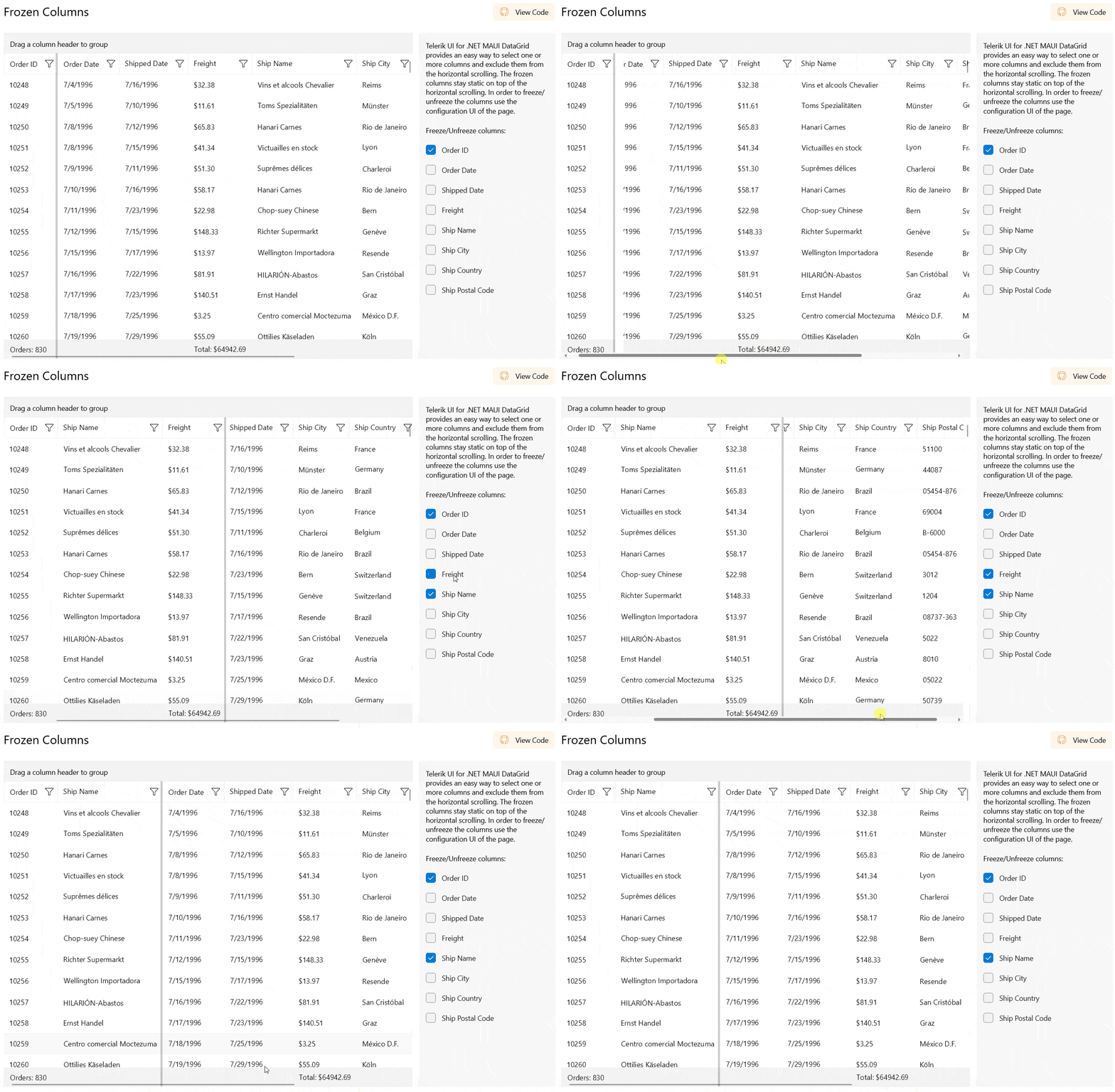
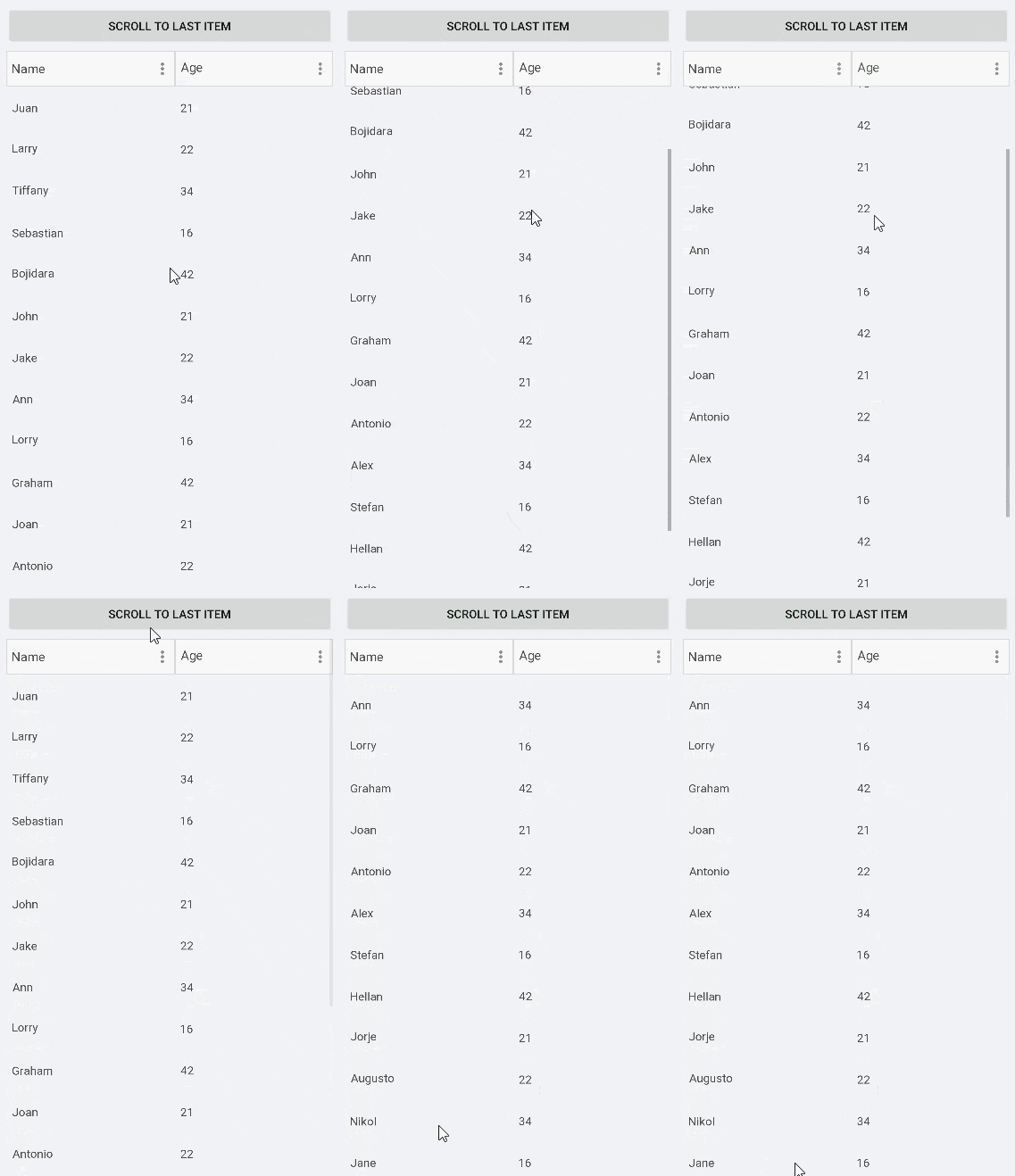
    useful when working with large and complex datasets, as it allows users to easily reference important information while scrolling through the rest of the data.</p><p><img src="https://d585tldpucybw.cloudfront.net/sfimages/default-source/blogs/2023/2023-01/datagrid_frozencolumns.gif?sfvrsn=b691349f_3" alt="User can select multiple columns to freeze"></p><h2 id="telerik-ui-for-xamarin">Telerik UI for Xamarin</h2><p>With R1 2023 our main focus was on Telerik UI for .NET MAUI; however, we were able to deliver two of the most requested features for <a href="https://www.telerik.com/xamarin-ui" target="_blank">UI for Xamarin</a>.</p><h3 id="xamarin-datagrid-enchantment-support-for-scrolling-to-a-specific-item">Xamarin DataGrid Enchantment: Support for Scrolling to a Specific Item</h3><p>Our DataGrid for Xamarin just got a new API that enables you to programmatically scroll a DataGrid so that a specific item is visible on the screen, thus bringing a smoother user experience into your Telerik UI for Xamarin
    app.
</p><p>Here is an example of how to scroll to the last item in the DataGrid by using the new ScrollItemIntoView method (the code executes on a button click):</p><pre class=" language-csharp"><code class="prism  language-csharp"><span class="token keyword">private</span> <span class="token keyword">void</span> <span class="token function">Button_Clicked</span><span class="token punctuation">(</span><span class="token keyword">object</span> sender<span class="token punctuation">,</span> System<span class="token punctuation">.</span>EventArgs e<span class="token punctuation">)</span>
<span class="token punctuation">{</span>
    <span class="token keyword">var</span> item <span class="token operator">=</span> <span class="token keyword">this</span><span class="token punctuation">.</span>vm<span class="token punctuation">.</span>Clubs<span class="token punctuation">[</span><span class="token keyword">this</span><span class="token punctuation">.</span>vm<span class="token punctuation">.</span>Clubs<span class="token punctuation">.</span>Count <span class="token operator">-</span> <span class="token number">1</span><span class="token punctuation">]</span><span class="token punctuation">;</span>
    <span class="token keyword">this</span><span class="token punctuation">.</span>grid<span class="token punctuation">.</span><span class="token function">ScrollItemIntoView</span><span class="token punctuation">(</span>item<span class="token punctuation">)</span><span class="token punctuation">;</span>
<span class="token punctuation">}</span>
</code></pre><p><img src="https://d585tldpucybw.cloudfront.net/sfimages/default-source/blogs/2023/2023-01/datagrid-scroll-item-into-view.gif?sfvrsn=6f4a3433_3" alt="Scroll to last item button jumps the list to the bottom item"></p><p>Visit our product documentation for more information on the <a href="https://testdocs.telerik.com/devtools/xamarin/controls/datagrid/scrolling#programmatic-scrolling" target="_blank">Telerik UI for Xamarin DataGrid control ScrollItemIntoView method</a>.</p><h3 id="new-functionality-in-our-sidedrawer-component-for-xamarin">New Functionality in our SideDrawer Component for Xamarin</h3><p>By default, the SideDrawer Drawer Content area closes when user clicks/taps outside of it. With R1 2023, you can control that behavior by setting using the TapOutsideToClose boolean property. Its default value is True,
    but when setting it to False, the drawer content area of the component remains open if the end user taps/clicks outside of it and the main content area remains active. Here is it in action:</p><p><img src="https://d585tldpucybw.cloudfront.net/sfimages/default-source/blogs/2023/2023-01/sidedrawer-main-content-active.gif?sfvrsn=ca555f0b_3" alt="Button tallying clicks is slid to the right when the hamburger menu is opened, and it can still be clicked"></p><p>Visit our product documentation for more information on the <a href="https://docs.telerik.com/devtools/xamarin/controls/sidedrawer/sidedrawer-features-properties" target="_blank">Telerik UI for Xamarin SideDrawer control TapOutsideToClose property</a>.</p><h2 id="try-them-out--share-your-feedback">Try Them Out &amp; Share Your Feedback</h2><p>Head over to the <a href="https://www.telerik.com/download" target="_blank">Telerik page</a> and download a free trial. If you
    are an active license holder you can grab the latest and greatest from the &ldquo;<a href="https://www.telerik.com/account/downloads" target="_blank">Your Account</a>&rdquo; page or update
    your NuGet package reference to the latest version directly in your .NET solutions.</p><p>Share your thoughts with us on our <a href="https://www.telerik.com/support/feedback" target="_blank">feedback portal</a> and help
    us shape the future of Telerik UI!</p><h2 id="release-webinar">Join Us for Release Webinar (and More)</h2><h3 id="progress-telerik-.net-web-desktop--mobile-products-r1-2023-release-webinar--january-26">Progress Telerik .NET Web, Desktop &amp; Mobile Products R1 2023 Release Webinar | January 26</h3><p><a href="https://www.telerik.com/campaigns/telerik-r1-2023-release-webinar-web-desktop-mobile-products" target="_blank"><img src="https://d585tldpucybw.cloudfront.net/sfimages/default-source/blogs/2023/2023-01/telerik_blog-inline_image_1200x628.png?sfvrsn=21e2eec7_3" alt="" sf-size="39421"></a></p><p>Discover all updates across Telerik <a href="https://www.telerik.com/blazor-ui" target="_blank">UI for Blazor</a>,
 <a href="https://www.telerik.com/aspnet-core-ui" target="_blank">UI for ASP.NET Core</a>, <a href="https://www.telerik.com/aspnet-mvc" target="_blank">UI for ASP.NET MVC</a>, <a href="https://www.telerik.com/products/aspnet-ajax.aspx" target="_blank">UI for ASP.NET AJAX</a>,
 <a href="https://www.telerik.com/products/wpf/overview.aspx" target="_blank">UI for WPF</a>, <a href="https://www.telerik.com/products/winforms.aspx" target="_blank">UI for WinForms</a>, <a href="https://www.telerik.com/winui" target="_blank">UI for WinUI</a>,
 <a href="https://www.telerik.com/maui-ui" target="_blank">UI for .NET MAUI</a> and <a href="https://www.telerik.com/xamarin-ui" target="_blank">UI for Xamarin</a> and <a href="https://www.telerik.com/themebuilder" target="_blank">ThemeBuilder</a>.
</p><p><a href="https://www.telerik.com/campaigns/telerik-r1-2023-release-webinar-web-desktop-mobile-products" class="Btn" target="_blank">Save Your Seat</a></p><h3 id="join-us-on-twitch">Join Us on Twitch</h3><p><a href="https://www.telerik.com/codeitlive" target="_blank"><img src="https://d585tldpucybw.cloudfront.net/sfimages/default-source/blogs/2023/2023-01/fb_li_telerikfiddlerkendoui_1200x628a1cf29e1-b319-453f-9a32-164642ddc274.png?sfvrsn=675e050b_3" alt="" sf-size="40757"></a></p><p>If you can&rsquo;t wait until the webinar to unpack the new release, join the <a href="https://www.telerik.com/codeitlive" target="_blank">Livestream Release Party</a> on January 19, 10 a.m. &ndash; 11:30 a.m. ET to hear the release highlights across the entire Progress Developer Tools portfolio and hang out with friends.</p><p>And for those of you who will be at NDC London on January 25-27, you are welcome at the Progress booth where we can talk about all product developments and the latest release.</p><h3 id="progress-kendo-ui-r1-2023-release-webinar--january-31">Progress Kendo UI R1 2023 Release Webinar | January 31</h3><p><a href="https://www.telerik.com/campaigns/kendo-ui-r1-2023-release-webinar" target="_blank"><img src="https://d585tldpucybw.cloudfront.net/sfimages/default-source/blogs/2023/2023-01/kendo-ui-kendoka_blog-inline_image_1200x628.png?sfvrsn=ad1e18e0_3" alt="" sf-size="34452"></a></p><p>Discover all updates across <a href="https://www.telerik.com/kendo-react-ui" target="_blank">KendoReact</a> and Kendo UI for
    <a href="https://www.telerik.com/kendo-angular-ui" target="_blank">Angular</a>,
 <a href="https://www.telerik.com/kendo-vue-ui" target="_blank">Vue</a> and <a href="https://www.telerik.com/kendo-jquery-ui" target="_blank">jQuery</a>, as well as ThemeBuilder.
</p><p><a href="https://www.telerik.com/campaigns/kendo-ui-r1-2023-release-webinar" class="Btn" target="_blank">Save Your Seat</a></p><h3 id="progress-telerik-reporting-mocking-and-debugging-tools-r1-2023-release-webinar--february-2">Progress Telerik Reporting, Mocking and Debugging Tools R1 2023 Release Webinar | February 2</h3><p><a href="https://www.telerik.com/campaigns/telerik-r1-2023-release-webinar-reporting-fiddler-and-justmock" target="_blank"><img src="https://d585tldpucybw.cloudfront.net/sfimages/default-source/blogs/2023/2023-01/telerik_fiddler_blog-inline_image_1200x628.png?sfvrsn=ffd9ae47_3" alt="" sf-size="42920"></a></p><p>Discover all updates across Telerik <a href="https://www.telerik.com/products/reporting.aspx" target="_blank">Reporting</a>,
 <a href="https://www.telerik.com/products/mocking.aspx" target="_blank">JustMock</a>, <a href="https://www.telerik.com/fiddler/fiddler-everywhere" target="_blank">Fiddler Everywhere</a> and <a href="https://www.telerik.com/fiddler-jam" target="_blank">Fiddler Jam</a>.
</p><p><a href="https://www.telerik.com/campaigns/telerik-r1-2023-release-webinar-reporting-fiddler-and-justmock" class="Btn" target="_blank">Save Your Seat</a></p><img src="https://feeds.telerik.com/link/23060/15911268.gif" height="1" width="1"/>]]></content>
  </entry>
  <entry>
    <id>urn:uuid:7c4e85e1-eab6-4155-b11b-ceed2b423c5d</id>
    <title type="text">Master .NET Object Inspecting With the WinUI PropertyGrid</title>
    <summary type="text">Looking for an easy and versatile approach for processing the properties of any .NET object with the help of automatically generated built-in editors? All that plus the support for nesting and customizing the property definitions, and, of course, the capability to keep it all organized. You got it.</summary>
    <published>2022-10-19T07:34:00Z</published>
    <updated>2026-04-03T22:09:27Z</updated>
    <author>
      <name>Viktoria Grozdancheva </name>
    </author>
    <link rel="alternate" href="https://feeds.telerik.com/link/23060/15725202/master-dotnet-object-inspecting-winui-propertygrid"/>
    <content type="text"><![CDATA[<p><span class="featured">Looking for an easy and versatile approach for processing the properties of any .NET object with the help of automatically generated built-in editors? All that plus the support for nesting and customizing the property definitions, and, of course, the capability to keep it all organized. You got it.</span></p><p>Ahoy, .NET lovers! How many instances of Visual Studio do you have running right at this moment?  I bet it&rsquo;s not just one, and I bet the Properties view is one of the things you use at least once a day. Yes, this one:</p><p><img src="https://d585tldpucybw.cloudfront.net/sfimages/default-source/winui-propertygrid/visualstudioproperties.png?sfvrsn=c361cd8_1" title="Visual Studio Properties" alt="Visual Studio Properties - solution explorer window with MainWindow.xaml selected, and Advanced properties display." sf-size="100" /></p><p>Wanna have it in your WinUI apps, too? Well, step aside and make some noise as the PropertyGrid comes through! Let&rsquo;s examine the brightest star of the <a href="https://www.telerik.com/blogs/r3-2022-telerik-desktop-mobile-release#telerik-ui-for-winui" target="_blank">Telerik UI for WinUI&rsquo;s 2.2.0 release</a> together.</p><h2>What To Expect? </h2><p>An easy and versatile approach for processing the properties of any .NET object with the help of automatically generated built-in editors. Support for nested properties, as well as ability to customize the property definitions and the corresponding data
    editors. And last, but not least, the capability to organize the properties using sorting, grouping and filtering (searching). Read on in the next sections.</p><h2>Where To Start?</h2><p>You will not need any professional training before diving in the deep, but you will need a WinUI project and a reference to the Telerik.WinUI.Controls.dll assembly. And one more essential thing&mdash;a proper <strong>Item</strong> to assign to the PropertyGrid.
    Let&rsquo;s try it out.</p><p>Here is a simple DataInfo class with various property types:</p><pre><code class="language-csharp">public class DataInfo
{
public int IntegerValue { get; set; }
public string StringValue { get; set; }
public bool BoolValue { get; set; }
public DateTime DateTimeValue { get; set; }
public MyEnum EnumValue { get; set; }
public ObservableCollection&lt;string&gt; StringsCollection { get; set; }
}

public enum MyEnum
{
ValueA,
ValueB,
ValueC
}</code></pre><p>What&rsquo;s left is to create an instance of it and assign it to the PropertyGrid&rsquo;s Item property:</p><pre><code class="language-csharp">this.propertyGrid.Item = new DataInfo()
{
IntegerValue = 7,
StringValue = "My String Value",
BoolValue = true,
DateTimeValue = DateTime.Today,
EnumValue = MyEnum.ValueA,
StringsCollection = new ObservableCollection&lt;string&gt;() { "Collection Item 1", "Collection Item 2", "Collection Item 3" }
};</code></pre><p>Ooops, but where is the PropertyGrid?</p><pre><code class="language-xml">&lt;telerikControls:RadPropertyGrid x:Name="propertyGrid"/&gt;</code></pre><p>Eager to see what our powers of wizardry created?</p><p><img src="https://d585tldpucybw.cloudfront.net/sfimages/default-source/winui-propertygrid/propertygridgettingstarted.png?sfvrsn=cfdb97dc_1" title="PropertyGrid Getting Started" alt="PropertyGrid Getting Started - WinUI desktop spp wotj search bar and properties for item including BoolValue, DateTimeValue, EnumValue, IntegerValue, StringsCollection, StringValue" sf-size="100" /></p><p>If this System.Collections.ObjectModel.ObservableCollection1[System.String] annoys you, here is the cure:</p><pre><code class="language-csharp">public class CoolerObservableCollection : ObservableCollection&lt;string&gt;
{
    public override string ToString()
    {
        return "MyAwesomeCollection";
    }
}</code></pre><p>And then, change the StringsCollection to be of type CoolerObservableCollection. The result will be as follows:</p><p><img src="https://d585tldpucybw.cloudfront.net/sfimages/default-source/winui-propertygrid/propertygridcollection.png?sfvrsn=fa9ac69f_1" title="PropertyGrid Collection" alt="StringsCollection now shows MyAwesomeCollection" sf-size="100" /></p><p>While we&rsquo;re on the collections topic, here is another bonus: collection boosters. I am talking about the <strong>CollectionEditor </strong> and <strong>CollectionEditorPicker</strong>&mdash;two components used for visualizing the items in a collection
    and generating editors for each property using&mdash;guess what!&mdash;the built-in PropertyGrid control. </p><p>There is one more&mdash;the <strong>CollectionNavigator</strong>&mdash;which is a component providing seamless navigation and editing of a collection, plus built-in customizable commands, predefined customizable buttons and more. Be sure to check out
    the <a href="https://docs.telerik.com/devtools/winui/controls/radcollectioneditor/overview" target="_blank">CollectionEditor</a> and <a href="https://docs.telerik.com/devtools/winui/controls/radcollectionnavigator/overview" target="_blank">CollectionNavigator</a> sections in the help documentation.</p><p>Now, let&rsquo;s get back to the property grid and extend the data a little to peek at the nest.</p><h2>What&rsquo;s Inside the Nest?</h2><p>The first thing that got to my mind was to create a simple system permissions class:</p><pre><code class="language-csharp">public class SystemPermissionsInfo
{
public bool CanRead { get; set; }
public bool CanWrite { get; set; }
public bool CanModify { get; set; }
}</code></pre><p>Shall we add that to the DataInfo?</p><pre><code class="language-csharp">public SystemPermissionsInfo SystemPermissions { get; set; }</code></pre><p>And, of course, to the Item:</p><pre><code class="language-csharp">SystemPermissions = new SystemPermissionsInfo() { CanRead = true, CanWrite = false, CanModify = false }</code></pre><p>Don&rsquo;t forget to set the <strong>NestedPropertiesVisibility</strong> to Visible like I did, because the only nest you will see is going to be an empty one. </p><p><img src="https://d585tldpucybw.cloudfront.net/sfimages/default-source/winui-propertygrid/propertygridnestedproperties982843a6-2a2b-4ebf-bcd8-ad178ab5bb40.gif?sfvrsn=449a423_1" title="PropertyGrid Nested Properties" alt="Expanding nested SystemPermissions shows properties for CanModify, CanRead, CanWrite each with a checkbox" sf-size="100" /></p><p>In the above GIF, you not only saw what&rsquo;s inside the nest, but you also witnessed that the PropertyGrid allows for editing the property values displayed in the UI. You should totally check out the <a href="https://docs.telerik.com/devtools/winui/controls/radpropertygrid/editing" target="_blank">Editing</a> section of the control&rsquo;s online documentation to learn the tips and tricks for adjusting the editing process.</p><p>I think that a great possibility here would be to change the editor templates for the system permissions. Follow me.</p><pre><code class="language-xml">&lt;telerikControls:RadPropertyGrid x:Name="propertyGrid2"
                                 NestedPropertiesVisibility="Visible"
                                 AutoGeneratePropertyDefinitions="False"
                                 Margin="20"&gt;
    &lt;telerikControls:RadPropertyGrid.PropertyDefinitions&gt;
        &lt;propertyGrid:PropertyDefinition DisplayName="SystemPermissions"
                                         Binding="{Binding SystemPermissions}"&gt;
            &lt;propertyGrid:PropertyDefinition.NestedProperties&gt;
                &lt;propertyGrid:PropertyDefinition DisplayName="CanRead" Binding="{Binding CanRead}"&gt;
                    &lt;propertyGrid:PropertyDefinition.EditorTemplate&gt;
                        &lt;DataTemplate&gt;
                            &lt;ToggleSwitch IsOn="{Binding SystemPermissions.CanRead, Mode=TwoWay}"/&gt;
                        &lt;/DataTemplate&gt;
                    &lt;/propertyGrid:PropertyDefinition.EditorTemplate&gt;
                &lt;/propertyGrid:PropertyDefinition&gt;
                &lt;propertyGrid:PropertyDefinition DisplayName="CanWrite" Binding="{Binding CanWrite}"&gt;
                    &lt;propertyGrid:PropertyDefinition.EditorTemplate&gt;
                        &lt;DataTemplate&gt;
                            &lt;ToggleSwitch IsOn="{Binding SystemPermissions.CanWrite, Mode=TwoWay}"/&gt;
                        &lt;/DataTemplate&gt;
                    &lt;/propertyGrid:PropertyDefinition.EditorTemplate&gt;
                &lt;/propertyGrid:PropertyDefinition&gt;
                &lt;propertyGrid:PropertyDefinition DisplayName="CanModify" Binding="{Binding CanModify}"&gt;
                    &lt;propertyGrid:PropertyDefinition.EditorTemplate&gt;
                        &lt;DataTemplate&gt;
                            &lt;ToggleSwitch IsOn="{Binding SystemPermissions.CanModify, Mode=TwoWay}"/&gt;
                        &lt;/DataTemplate&gt;
                    &lt;/propertyGrid:PropertyDefinition.EditorTemplate&gt;
                &lt;/propertyGrid:PropertyDefinition&gt;
            &lt;/propertyGrid:PropertyDefinition.NestedProperties&gt;
        &lt;/propertyGrid:PropertyDefinition&gt;
    &lt;/telerikControls:RadPropertyGrid.PropertyDefinitions&gt;
&lt;/telerikControls:RadPropertyGrid&gt;</code></pre><p>Yep, I created a second instance of the PropertyGrid and changed the editors for my permissions to ToggleSwitch instead of CheckBox. See how cool it is:</p><p><img src="https://d585tldpucybw.cloudfront.net/sfimages/default-source/winui-propertygrid/propertygridcustomeditortemplate.png?sfvrsn=d0cd798b_1" title="PropertyGrid Custom Editor Template" alt="Expanded nested SystemPermissions nows shows properties for CanModify, CanRead, CanWrite with a toggle switch" sf-size="100" /></p><h2>The Range of Arrangement</h2><p>At the very start of my blog, I listed some expectations. For all these to be met, I need to show you the range of arrangement that the property grid offers. I told you that you can organize the properties through three very common and essential operations&mdash;sorting,
    grouping and filtering (searching).</p><p><img src="https://d585tldpucybw.cloudfront.net/sfimages/default-source/winui-propertygrid/propertygridarrangement.png?sfvrsn=d454011f_1" title="PropertyGrid Arrangement" alt="PropertyGrid has group button, sort button, search box" sf-size="100" /></p><p>This is the visual structure of the PropertyGrid, but the focus is on the visual elements responsible for the above-mentioned operations. I got a great idea where you can see them all in action.</p><p><img src="https://d585tldpucybw.cloudfront.net/sfimages/default-source/2017-06/propertygridoperations.gif?sfvrsn=591536ec_1" title="PropertyGrid Operations" alt="PropertyGrid showing that group button collects properties into categories, sort button lists all properties alphabetically, and search box allows user to type in a property, pulling up possible matches filtering with each letter" sf-size="100" /></p><p>Ladies and gentlemen, this is just the First Look demo of this awesome component&mdash;there is more. Be sure to get the <a href="https://demos.telerik.com/winui/" target="_blank">demos app</a> and check the rest&mdash;it is totally
    worth it.</p><h2>Be at the Wheel</h2><p>Your feedback is very important since it helps us hear your voice and determine the direction to take with the development of the products. If you&rsquo;d like to add or change something, do not stand still&mdash;share your thoughts in the comments below
    or use the <a href="https://feedback.telerik.com/winui" target="_blank">Feedback Portal</a>.</p><p>Plug the PropertyGrid in your WinUI app and let us know what impression it made. Existing customers can access the bits of Telerik UI for WinUI in their Telerik account. New users&mdash;follow the link below.</p><p><a href="https://www.telerik.com/winui" class="Btn" target="_blank">Try Latest Telerik UI for WinUI</a><br /></p><img src="https://feeds.telerik.com/link/23060/15725202.gif" height="1" width="1"/>]]></content>
  </entry>
  <entry>
    <id>urn:uuid:53477106-2554-4712-b6aa-4811356e459b</id>
    <title type="text">What’s New in Telerik Desktop &amp; Mobile With R3 2022</title>
    <summary type="text">Telerik Mobile and Desktop products offer expanded .NET 7 support, improved Document Processing Library features, and new components!</summary>
    <published>2022-09-14T14:58:06Z</published>
    <updated>2026-04-03T22:09:27Z</updated>
    <author>
      <name>Yoan Krumov </name>
    </author>
    <link rel="alternate" href="https://feeds.telerik.com/link/23060/15640829/r3-2022-telerik-desktop-mobile-release"/>
    <content type="text"><![CDATA[<p><span class="featured">Telerik Mobile and Desktop products offer expanded .NET 7 support, improved Document Processing Library features and new components!</span></p><p>As with every release, we are eager to share what the new updates are, so let&rsquo;s jump right in! Hop to your favorite section:
</p><ul><li><a href="https://www.telerik.com#telerik-ui-for-winui" data-sf-ec-immutable="">Telerik UI for WinUI</a></li><li><a href="https://www.telerik.com#telerik-ui-for-wpf" data-sf-ec-immutable="">Telerik UI for WPF</a></li><li><a href="https://www.telerik.com#telerik-ui-for-winforms" data-sf-ec-immutable="">Telerik UI for WinForms</a></li><li><a href="https://www.telerik.com#telerik-document-processing-libraries" data-sf-ec-immutable="">Telerik Document Processing Libraries</a></li><li><a href="https://www.telerik.com#telerik-ui-for-net-maui" data-sf-ec-immutable="">Telerik UI for .NET MAUI</a></li><li><a href="https://www.telerik.com#telerik-ui-for-xamarin" data-sf-ec-immutable="">Telerik UI for Xamarin</a></li><li><a href="https://www.telerik.com#telerik-net-web-desktop-mobile-products-webinar" data-sf-ec-immutable="">Terlerik .NET Web, Desktop &amp; Mobile Webinar &amp; Twitch Sessions</a></li></ul><h2 id="telerik-ui-for-winui">What&rsquo;s New in Telerik UI for WinUI 2.2.0</h2><h3 id="propertygrid">PropertyGrid</h3><p><img src="https://d585tldpucybw.cloudfront.net/sfimages/default-source/blogs/2022/2022-09/propertygrid.png?sfvrsn=75e1a662_3" title="PropertyGrid" alt="PropertyGrid" /></p><p>Announcing the <strong>RadPropertyGrid</strong> component for WinUI! The control provides an easy and versatile approach to processing data objects&rsquo; properties. Utilizing its auto-generation features and the intuitive custom editor capabilities,
    users will be able either to display data in a way that best fits their needs or modify it with minimal effort.</p><p><strong>RadPropertyGrid</strong> can be bound to an item with just a single line of code, and you may start exploring or editing its properties. The proper editor controls are auto-generated&mdash;text fields for string properties, CheckBoxes for Boolean,
    DateTimePickers for dates, etc. In addition, PropertyGrid allows flexible manual setting and customization of editors and their layout via the standard WinUI styling and templating mechanisms. It is highly customizable, allowing the user to modify
    the default look in an easy and intuitive manner.</p><p>Check out the key features below:</p><ul><li><strong>Automatic property generation</strong>&nbsp;&ndash; the control generates fields to read/write all public properties of the target object</li><li><strong>Built-in property editors</strong> &ndash; predefined editors UI for the different data types</li><li><strong>Nested properties support</strong></li><li><strong>Customizable property fields</strong> &ndash; customize the property definitions and the corresponding data editors</li><li><strong>Keyboard support</strong></li><li><strong>Grouping</strong></li><li><strong>Filtering</strong></li><li><strong>Data validation</strong></li></ul><p>For more information about the control, make sure to check out the <a href="https://docs.telerik.com/devtools/winui/controls/radpropertygrid/overview" target="_blank">PropertyGrid section</a> in our online help documentation.</p><h3 id="collectioneditor--collectioneditorpicker">CollectionEditor &amp; CollectionEditorPicker</h3><p><img src="https://d585tldpucybw.cloudfront.net/sfimages/default-source/blogs/2022/2022-09/collectioneditor.png?sfvrsn=8ddfaf2b_3" title="CollectionEditor" alt="CollectionEditor" /></p><p><strong>RadCollectionEditor</strong> and <strong>RadCollectionEditorPicker</strong> are two small components used to visualize the items in a collection and generate editors for each property using the built-in PropertyGrid component. You can use
        the ItemTemplate of the control to specify how the items from the collection should appear. The difference between them is that the <strong>CollectionEditorPicker</strong> uses a dropdown to display the <strong>CollectionEditor</strong>.</p><p>For more details, check out the <a href="https://docs.telerik.com/devtools/winui/controls/radcollectioneditor/overview" target="_blank">CollectionEditor section</a> in our help documentation.</p><h3 id="collectionnavigator">CollectionNavigator</h3><p><img src="https://d585tldpucybw.cloudfront.net/sfimages/default-source/blogs/2022/2022-09/collectionnavigator.png?sfvrsn=a8119512_3" title="CollectionNavigator" alt="CollectionNavigator" /></p><p><strong>RadCollectionNavigator</strong> is the next new control this release. A light component that provides seamless navigation and editing of a collection, it provides built-in customizable commands, predefined customizable buttons and more. For
        more details, make sure to check out the <a href="https://docs.telerik.com/devtools/winui/controls/radcollectionnavigator/overview" target="_blank">CollectionNavigator</a> section from our online help documentation.</p><h3 id="datagrid-export">DataGrid: Export</h3><p><img src="https://d585tldpucybw.cloudfront.net/sfimages/default-source/blogs/2022/2022-09/datagrid-export.png?sfvrsn=6aca6e65_3" title="DataGrid-Export" alt="DataGrid-Export" /></p><p>Our DataGrid gets export support&mdash;thanks to the Telerik <a href="https://www.telerik.com/document-processing-libraries" target="_blank">Document Processing Libraries</a> that are included in the WinUI distribution. The new functionality provides methods to export the current dataset displayed in the control. You can export in a synchronous or an async manner, modify the exported data and the final document.
            Currently the built-in export supports the following formats:</p><ul><li><strong>XLS</strong></li><li><strong>XLSX</strong></li><li><strong>PDF</strong></li><li><strong>CSV</strong></li></ul><p>Hope this feature will be useful. For more details, check out the <a href="https://docs.telerik.com/devtools/winui/controls/raddatagrid/export/overview" target="_blank">Export section</a> from our DataGrid documentation.</p><h3 id="ribbonview--other-updated-windows-11-appearance">RibbonView &amp; Other: Updated Windows 11 Appearance</h3><p><img src="https://d585tldpucybw.cloudfront.net/sfimages/default-source/blogs/2022/2022-09/ribbonview-light.png?sfvrsn=c9c4660d_3" title="RibbonView-Light" alt="RibbonView-Light" /></p><p><img src="https://d585tldpucybw.cloudfront.net/sfimages/default-source/blogs/2022/2022-09/ribbonview-dark.png?sfvrsn=909eba37_3" title="RibbonView-Dark" alt="RibbonView-Dark" /></p><p>In this release, we did many improvements in the default styles of many controls to provide a better Windows 11 look and feel. Now I want to focus on the <a href="https://docs.telerik.com/devtools/winui/controls/radribbonview/overview" target="_blank">RibbonView</a> control&mdash;we completely redesigned it to resemble the <a href="https://support.microsoft.com/en-us/office/the-new-look-of-office-a6cdf19a-b2bd-4be1-9515-d74a37aa59bf" target="_blank">new Office 365 Experience</a>!
 It looks totally awesome and I&rsquo;m sure it will improve the overall appearance of your modern WinUI application. </p><p><img src="https://d585tldpucybw.cloudfront.net/sfimages/default-source/blogs/2022/2022-09/winui-examples.png?sfvrsn=f7cf2042_3" title="WinUI-Examples" alt="WinUI-Examples" /></p><p>Make sure to check out the controls in our refreshed <a href="https://demos.telerik.com/winui/" target="_blank">WinUI examples application</a> and play around with them.</p><h3 id="other-features">Other Features</h3><ul><li><strong>SideDrawer</strong>: Added <a href="https://docs.telerik.com/devtools/winui/controls/radsidedrawer/events" target="_blank">DrawerOpening and DrawerClosing</a></li><li><strong>SideDrawer</strong>: Introduced <a href="https://docs.telerik.com/devtools/winui/controls/radsidedrawer/key-properties" target="_blank">IsOpen property</a></li></ul><h3 id="check-out-the-detailed-release-notes">Check Out the Detailed Release Notes</h3><p>We have a lot more! To get an overview of all the latest features and improvements we&rsquo;ve made, check out the release notes for the products below:</p><p><a href="https://www.telerik.com/support/whats-new/winui/release-history" target="_blank">Telerik UI for WinUI (Release Notes)</a></p><h3 id="share-your-feedback">Share Your Feedback</h3><ul><li><strong>Get in touch by email</strong> &ndash; drop us a line, for anything related to product or just to say hi at <a href="https://www.telerik.commailto:TelerikWinUI@progress.com" target="_blank">TelerikWinUI@progress.com</a></li><li><a href="https://feedback.telerik.com/winui" target="_blank"><strong>Feedback Portal</strong></a> &ndash; share any feature request (or bug reports) that you might have</li><li><a href="https://www.telerik.com/forums/winui" target="_blank"><strong>Telerik Forums</strong></a> &ndash; if you need any technical assistance with the product, let us know and we will help</li></ul><h3 id="get-the-bits">Get the Bits</h3><p>Don&rsquo;t wait&mdash;try out the latest:</p><p><a href="https://www.telerik.com/winui" class="Btn" target="_blank">Telerik UI for WinUI</a></p><p><em>In case you missed it, here are some of the updates from our <a href="https://www.telerik.com/blogs/telerik-kendo-ui-june-2022-update#whats-new-in-r2-2022-sp-for-telerik-ui-for-winui-2.1.0" target="_blank">previous release</a>.</em></p><h2 id="telerik-ui-for-wpf">What&rsquo;s New in Telerik UI for WPF With R3 2022</h2><h3 id="circularprogressbar">CircularProgressBar</h3><p><img src="https://d585tldpucybw.cloudfront.net/sfimages/default-source/blogs/2022/2022-09/circularprogressbar.png?sfvrsn=32c5ec1d_3" title="CircularProgressBar" alt="CircularProgressBar" /></p><p>Announcing our brand-new WPF <strong>CircularProgressBar</strong> component. <strong>CircularProgressBar</strong> is a control that will allow your customers to track the progress of different tasks in a circular manner. It provides many
                    customization options that will allow you to achieve a lot of different scenarios. You have probably seen such components in many different places&mdash;from health tracking smartphone applications to automatic coffee machines. 
                    Now you can easily plug it in your Telerik WPF application as well!</p><p>Check out the list of the major features of the control below:</p><ul><li><strong>Segments</strong>&nbsp;&ndash; CircularProgressBar can be split into numerous segments to indicate different types of progress.</li><li><strong>Color Ranges</strong>&nbsp;&ndash; CircularProgressBar supports defining ranges with different colors.</li><li><strong>Determinate and indeterminate states</strong>&nbsp;&ndash; The determinate state shows a specific amount of the progress. The indeterminate one plays an animation of the circular progress.</li><li><strong>Customizable content</strong>&nbsp;&ndash; CircularProgressBar supports complex implementation for the content of its progress.</li><li><strong>Radius manipulation</strong>&nbsp;&ndash; The control allows you to customize the indicator and track inner and outer radiuses.</li><li><strong>Angles</strong>&nbsp;&ndash; You can control the beginning and ending angles of the component for a more customized appearance.</li><li><strong>Secondary progress indicator</strong>&nbsp;&ndash; CircularProgressBar allows you to visualize an additional progress indicator.</li><li><strong>Indeterminate animation customization</strong>&nbsp;&ndash; You can modify the played animation when CircularProgressBar is in an indeterminate state.</li></ul><p>I hope this control will be useful in various types of applications. For more information, check out our online <a href="https://docs.telerik.com/devtools/wpf/controls/radcircularprogressbar/overview" target="_blank">CircularProgressBar help documentation</a>.</p><h3 id="pivotgrid-configuring-pivotgrid-without-pivotfieldlist">PivotGrid: Configuring PivotGrid Without PivotFieldList</h3><p><img src="https://d585tldpucybw.cloudfront.net/sfimages/default-source/blogs/2022/2022-09/pivot-inlinefieldlist.png?sfvrsn=4f6640ba_3" title="Pivot-InlineFieldList" alt="Pivot-InlineFieldList" /></p><p>The most desired PivotGrid feature is finally here! It allows using the control without the additional <strong>PivotFieldList</strong> control. The new functionality provides support of all existing PivotFieldList features&mdash;directly
                        accessible trough the UI of <strong>RadPivotGrid</strong>. Your customers will be able to filter, sort, modify the descriptions and more through the built-in dropdown menus, dialogs and buttons. The feature can be enabled by simply
                        setting the attached
                        <strong>FieldListBehavior.ShowInline</strong> property as shown below:</p><pre><code>&lt;pivot:RadPivotGrid  x:Name="pivotGrid"  pivot:FieldListBehavior.ShowInline="True"  /&gt;  
</code></pre><p>For more details, make sure to check out the <a href="https://docs.telerik.com/devtools/wpf/controls/radpivotgrid/features/inline-pivotfieldlist" target="_blank">Inline PivotFieldList</a> section from our online
                        help documentation.</p><h3 id="syntaxeditor-word-wrapping">SyntaxEditor: Word Wrapping</h3><p><img src="https://d585tldpucybw.cloudfront.net/sfimages/default-source/blogs/2022/2022-09/syntaxeditor-wordwrap.png?sfvrsn=3f9fdaf1_3" title="Syntax Editor- Word Wrap" alt="SyntaxEditor-WordWrap" /></p><p>A new cool feature for the <strong>SyntaxEditor&nbsp;</strong>is&nbsp;<strong>Word Wrapping</strong>! When the feature is enabled, the horizontal scroll bar is removed and all the text is horizontally fit in the available space. We
                        have also included an additional
                        <a href="https://docs.telerik.com/devtools/wpf/controls/radsyntaxeditor/features/margins" target="_blank">margin</a> that holds the icons and can be removed if needed. I&rsquo;m sure you have seen this view
                        mode in many editors and IDEs, so I hope it will make your WPF applications more useful and user friendly.</p><p>For more info, check out the <a href="https://docs.telerik.com/devtools/wpf/controls/radsyntaxeditor/features/wordwrap" target="_blank">Word Wrap article</a> from the SyntaxEditor help documentation.</p><h3 id="chartview-errorbar-series">ChartView: ErrorBar Series</h3><p><img src="https://d585tldpucybw.cloudfront.net/sfimages/default-source/blogs/2022/2022-09/chart-errorbarseries.png?sfvrsn=6d282099_3" title="Chart-ErrorBarSeries" alt="Chart-ErrorBarSeries" /></p><p>We are adding a new <strong>ChartView</strong> series this release&mdash;<strong>ErrorBar</strong> <strong>Series</strong>! This type of series visualizes its data points using error bar shapes. The error bar shape allows you to
                            display an error or uncertainty in the plotted data. The shape consists of a single line with caps at the two ends. An additional marker that shows the expected measure can be displayed too. </p><p>For more information about all of the setup and customization options of the new series, please check out the <a href="https://docs.telerik.com/devtools/wpf/controls/radchartview/series/cartesianchart-series/bar-series/errorbarseries" target="_blank">ErrorBar Series</a> article from the ChartView help documentation.</p><h3 id="latest-.net-7-preview-support">Latest .NET 7 Preview Support</h3><p>As always, we are up to date with the latest technology trends, and we are happy to announce that Telerik UI for WPF provides support for the latest <a href="https://devblogs.microsoft.com/dotnet/announcing-dotnet-7-preview-7/" target="_blank"><strong>.NET 7 Preview 7</strong></a>. The .NET 7 Preview binaries can be found in a separate zip archive in your account&mdash;download it and give it a try! They will be included in
                            the NuGet packages and in full distribution once .NET 7 becomes official. Also we plan to remove the .NET 5 support with the .NET 7 introduction, so please consider upgrading your .NET 5 applications to newer .NET. (If such
                            a change somehow affects your plans, please contact us and share more details.)</p><h3 id="ribbonview-new-windows11-theme-appearance">RibbonView: New Windows11 Theme Appearance</h3><p><img src="https://d585tldpucybw.cloudfront.net/sfimages/default-source/blogs/2022/2022-09/ribbonview-win11.png?sfvrsn=63911e37_3" title="RibbonView - Win 11" alt="Ribbon View- Win 11" /></p><p>We improved the default <strong>RibbonView</strong> styling for the <strong>Windows 11 theme</strong> in order to resemble the <a href="https://support.microsoft.com/en-us/office/the-new-look-of-office-a6cdf19a-b2bd-4be1-9515-d74a37aa59bf" target="_blank">new Office 365 Experience</a>. Looks nice, doesn&rsquo;t it? </p><p>If you want to see the theme in action, make sure to play around with our <a href="https://demos.telerik.com/wpf/colorthemegenerator/" target="_blank">Color Theme Generator for WPF</a> app! For more details
                            about all the features of the Windows 11 theme, please check out <a href="https://docs.telerik.com/devtools/wpf/styling-and-appearance/themes-suite/windows11" target="_blank">this help article</a>.</p><h3 id="richtextbox-line-numbering">RichTextBox: Line Numbering</h3><p><img src="https://d585tldpucybw.cloudfront.net/sfimages/default-source/blogs/2022/2022-09/rtb-linenumbering.png?sfvrsn=f614404d_3" title="RichTextBox-LineNumbering" alt="RichTextBox-LineNumbering" /></p><p>The latest <strong>RichTextBox</strong> feature enables you to display the appropriate number beside each line of text&mdash;this is useful for specific types of content, such as scripts, legal or medical documents. Through
                                the intuitive API of this feature, you will be able to easily control how the numbering appears. You can change the initial number, the increment number, the distance between the numbering and the document content, and
                                when the numbering should restart. For more information, check out the <a href="https://docs.telerik.com/devtools/wpf/controls/radrichtextbox/features/line-numbering" target="_blank">Line Numbering</a> help article.</p><h3 id="spreadsheet-repeat-specific-rows-or-columns-on-every-printed-page">Spreadsheet: Repeat Specific Rows or Columns on Every Printed Page</h3><p><img src="https://d585tldpucybw.cloudfront.net/sfimages/default-source/blogs/2022/2022-09/spreadsheet-repeatrowscolumns.png?sfvrsn=672d5937_3" title="Spreadsheet-RepeatRowsColumns" alt="Spreadsheet-RepeatRowsColumns" /></p><p>This new <strong>Spreadsheet</strong> functionality allows you to specify a row or a column that will be repeated on every printed page. This functionality is useful when you need to print or export to PDF data spanning multiple
                                pages and still allows the users to see the important information on the top/left side for better orientation. For more details, check out the <a href="https://docs.telerik.com/devtools/wpf/controls/radspreadsheet/features/ui-printing#print-titles" target="_blank">Printing section</a> of our Spreadsheet documentation.</p><h3 id="other-features-1">Other Features</h3><ul><li><strong>SyntaxEditor:</strong> FontWeight and FontStyle of the <a href="https://docs.telerik.com/devtools/wpf/controls/radsyntaxeditor/features/taggers/word-taggers#textformatdefinition" target="_blank">highlighted words</a></li><li><strong>VirtualGrid:</strong> FontWeight and FontStyle of the <a href="https://docs.telerik.com/devtools/wpf/controls/radvirtualgrid/styling-and-appearance/conditional-styling" target="_blank">cells</a></li><li><strong>RibbonWindow:</strong> Windows 11 Theme acrylic effect now can be enabled on all Windows 11 version, not only on the preview ones</li></ul><h3 id="check-out-the-detailed-release-notes-1">Check Out the Detailed Release Notes</h3><p>We have a lot more! To get an overview of all the latest features and improvements we&rsquo;ve made, check out the release notes for the products below:</p><p><a href="https://www.telerik.com/support/whats-new/wpf/release-history" target="_blank">Telerik UI for WPF (Release Notes)</a><br /><a href="https://www.telerik.com/support/whats-new/silverlight/release-history" target="_blank">Telerik UI for Silverlight (Release Notes)</a></p><h3 id="share-your-feedback-1">Share Your Feedback</h3><p>Feel free to drop us a comment below sharing your thoughts. Or visit our Feedback Portals about UI for <a href="https://feedback.telerik.com/wpf" target="_blank">WPF</a>, <a href="https://feedback.telerik.com/silverlight" target="_blank">Silverlight</a> and <a href="https://feedback.telerik.com/document-processing" target="_blank">Document Processing Libraries</a> and let us know if you have
                                any suggestions or if you need any particular features/controls.</p><p>Try out the latest:</p><p><a href="https://www.telerik.com/products/wpf/overview.aspx" class="Btn" target="_blank">Telerik UI for WPF</a>
 <a href="https://www.telerik.com/products/silverlight/overview.aspx" class="Btn" target="_blank">Telerik UI for Silverlight</a></p><p><em>In case you missed it, here are some of the updates from our <a href="https://www.telerik.com/blogs/r2-2022-telerik-desktop-mobile-release#Telerik-UI-for-WPF" target="_blank">last major release</a> and <a href="https://www.telerik.com/blogs/telerik-kendo-ui-june-2022-update#whats-new-in-r2-2022-sp-for-telerik-ui-for-wpf" target="_blank">previous Service Pack</a>.</em></p><h2 id="telerik-ui-for-winforms">What&rsquo;s New in Telerik UI for WinForms With R3 2022</h2><h3 id="spreadsheet-charts">Spreadsheet Charts</h3><p>Hold up? Is that true? Yes, you read it right. Charts are coming to RadSpreadsheet control for Telerik WinForms. What could be a better improvement than visualizing your data beyond the RadSpreadsheet grid? Adding charts
                                    to a workbook can help you identify important statistics and trends in your data that may not be obvious when only looking at numbers. With RadSpreadsheet you can show charts as well as add, remove and manipulate chart
                                    objects in your spreadsheet documents.
                                </p><p><img src="https://d585tldpucybw.cloudfront.net/sfimages/default-source/blogs/2022/2022-09/spreadsheet-charts.gif?sfvrsn=5aec3baa_3" title="spreadsheet-charts" alt="spreadsheet-charts" /></p><h3 id="supported-chart-types">Supported Chart Types</h3><p>Different chart types give you the flexibility that your data requires. From Bar to Line, from Point to Bubble, from Pie to Area, show your users that you care. The Spreadsheet component for WinForms supports more than
                                    a dozen different types of charts allowing you to visualize categorical data, numerical data, time series data and more. You can get familiar with all supported types in the <a href="https://docs.telerik.com/devtools/winforms/controls/spreadsheet/features/ui-charts" target="_blank">RadSpreadsheet Charts</a> help article.</p><h3 id="splash-screen">Splash Screen</h3><p>What could be better to notify the end user that something big is loading than showing a splash screen form? Our newest reinforcement to the Telerik UI for the WinForms suite is here. Splash Screen allows you to display
                                    a Telerik themed control that notifies the user that the program is loading. You can customize the image of the splash screen, its animations and loading process visualization per your requirement.</p><p><img src="https://d585tldpucybw.cloudfront.net/sfimages/default-source/blogs/2022/2022-09/splash-intro.gif?sfvrsn=e6e4c11f_3" title="splash-intro" alt="splash-intro" /></p><h3 id="overlay-and-flyout-screens">Overlay and Flyout Screens</h3><p>If you want something more to sample, just to say &ldquo;give me a second to set up the data,&rdquo; we have just the things for you. Overlay and Flyout Screens will fit perfectly in a case where you want to dim the content
                                    and show the end users to be patient.&nbsp;<span style="background-color:transparent;color:inherit;font-family:inherit;font-size:inherit;text-align:inherit;text-transform:inherit;white-space:inherit;word-spacing:normal;caret-color:auto;"></span><span style="background-color:transparent;color:inherit;font-family:inherit;font-size:inherit;text-align:inherit;text-transform:inherit;white-space:inherit;word-spacing:normal;caret-color:auto;">You could use the Overlay Screen to show only the loading indicator. However, there could be a case where you want to notify the user that he needs to reenter his credentials to continue working on the application.
                                        In this case, Flyout Screen is what you need. The Flyout can be used to display some content over the application or be used as an interactive control. The screen can be customized in a way that you can place input
                                        controls in it, while the Overlay does not accept such customization.</span>
 </p><p><strong>Overlay</strong></p><p><img src="https://d585tldpucybw.cloudfront.net/sfimages/default-source/blogs/2022/2022-09/overlay-gif.gif?sfvrsn=82b241dd_3" title="overlay" alt="overlay" /></p><p><strong>Flyout</strong></p><p><img src="https://d585tldpucybw.cloudfront.net/sfimages/default-source/blogs/2022/2022-09/flyout-gif.gif?sfvrsn=478352a_3" title="flyout" alt="flyout" /></p><h3 id="changes-to-distribution">Changes to Distribution</h3><p>As of R3 2022 in Telerik UI for WinForms, the .NET 2.0 distribution is removed. From this release, the suite offers .NET 4.8 distribution. With this release, you not only get the .NET Framework projects of the Telerik source
                                    code, but .NET Core projects as well.</p><h3 id="bug-fixes--improvements">Bug Fixes &amp; Improvements</h3><p>Our development team managed to fix/improve more than ONE HUNDRED bugs reported by our customers. We always listen to feedback and try to produce the top-notch controls on the market.</p><p>Share your feedback with us in the <a href="https://feedback.telerik.com/winforms" target="_blank"><strong>Feedback Portal</strong></a>!</p><h3 id="get-the-bits">Get the Bits</h3><p>Don&rsquo;t wait&mdash;try out the latest:</p><p><a href="https://www.telerik.com/winforms" class="Btn" target="_blank">Telerik UI for WinForms</a></p><h2 id="telerik-document-processing-libraries">What&rsquo;s New in Telerik Document Processing Libraries With R3 2022</h2><h3 id="pdfprocessing">PdfProcessing</h3><p><a href="https://docs.telerik.com/devtools/document-processing/libraries/radpdfprocessing/formats-and-conversion/convert-to-image/using-image-format-provider" target="_blank"><strong>Export PDF pages to images</strong></a>:
 We have added the ability to convert the pages of a PDF document to images. This feature uses the <a href="https://docs.microsoft.com/en-us/xamarin/xamarin-forms/user-interface/graphics/skiasharp/" target="_blank">SkiaSharp</a> library. It will work with the .NET Standard version and does not depend on any Windows libraries.</p><h3 id="wordsprocessing">WordsProcessing</h3><p><strong>Page Numbering Fields</strong>: <a href="https://docs.telerik.com/devtools/document-processing/libraries/radwordsprocessing/concepts/fields/page-field" target="_blank">PAGE</a>, <a href="https://docs.telerik.com/devtools/document-processing/libraries/radwordsprocessing/concepts/fields/pageref-field" target="_blank">PAGEREF</a>, <a href="https://docs.telerik.com/devtools/document-processing/libraries/radwordsprocessing/concepts/fields/numpages-fields" target="_blank">NUMPAGES</a>,
 <a href="https://docs.telerik.com/devtools/document-processing/libraries/radwordsprocessing/concepts/fields/sectionpages-field" target="_blank">SECTIONPAGES</a>&nbsp;and <a href="https://docs.telerik.com/devtools/document-processing/libraries/radwordsprocessing/concepts/fields/section" target="_blank">SECTION</a> fields are now supported in our library. These are commonly used fields for inserting page numbering. We have added the ability to update the field values as well.</p><p><a href="https://docs.telerik.com/devtools/document-processing/libraries/radwordsprocessing/model/shapes/shapes" target="_blank"><strong>Shapes support</strong></a>: With this release, we have enabled
                                    users to preserve the shapes when importing and exporting a DOCX document. We will continue working on extending the functionality to allow you to insert and manipulate these objects in the next releases.</p><h3 id="spreadstreamprocessing">SpreadStreamProcessing</h3><p><a href="https://docs.telerik.com/devtools/document-processing/libraries/radspreadstreamprocessing/import" target="_blank"><strong>SpreadStreamProcessing Import</strong></a>: We have added support
                                    for reading XLSX and CSV files. This functionality allows you to easily get the data from large files without loading the entire document in the memory. It has great performance as well.</p><h3 id="spreadprocessing">SpreadProcessing</h3><p><a href="https://docs.telerik.com/devtools/document-processing/libraries/radspreadprocessing/features/worksheetpagesetup#repeating-rowscolumns" target="_blank"><strong>Repeat specific rows or columns on every printed page</strong></a>:
 This feature allows you to specify a row or a column that will be repeated on every printed page.</p><h2 id="telerik-ui-for-net-maui">What&rsquo;s New in Telerik UI for .NET MAUI With R3 2022</h2><p>Aloha, and welcome to another Telerik UI for .NET MAUI release! In addition to the mandatory support for the latest version of .NET MAUI, we are now shipping three brand-new controls as part of our growing Telerik UI for
                                    .NET MAUI suite&mdash;DataForm, AutoComplete and Expander components! We&rsquo;ve also added many enhancements to our powerful DataGrid control. Let&rsquo;s have a sneak peek at the most interesting stuff we have for
                                    you in this release.</p><h3 id="latest-.net-maui--visual-studio-2022-support">Latest .NET MAUI &amp; Visual Studio 2022 Support</h3><p>We follow the Microsoft release cadence closely and have consistently offered early support for all new .NET MAUI versions&mdash;including Day-Zero support when the framework was released in General Availability. Since
                                    then, cross-platform developers have been able to use Telerik UI for .NET MAUI, the most comprehensive cross-platform development UI library on the market, together with the latest .NET MAUI features and fixes: an unbeatable
                                    combination.
                                </p><p>Moreover, with .NET MAUI tooling getting formal support in Visual Studio 2022 17.3, Telerik UI for .NET MAUI is now also tightly integrated with the latest VS version. Developers can also take advantage of dedicated Visual
                                    Studio Extensions with <a href="https://docs.telerik.com/devtools/maui/installation/windows/visualstudio-extensions#using-the-telerik-net-maui-app-project-templates" target="_blank">.NET MAUI templates for project creation</a> and a <a href="https://docs.telerik.com/devtools/maui/installation/windows/toolbox-support" target="_blank">UI Toolbox</a>.</p><h3 id="net-maui-dataform">.NET MAUI DataForm</h3><p>I&rsquo;d like to introduce you to the new <strong>DataForm</strong> control in <strong>Telerik UI for .NET MAUI</strong>. This powerful control helps you to automatically create a form for collecting or editing data. For
                                    example, using the <strong>RadDataForm</strong>, you can easily create form-over-data UI for both mobile and desktop, like these:</p><p><strong>Desktop:</strong></p><p><img src="https://d585tldpucybw.cloudfront.net/sfimages/default-source/blogs/2022/2022-09/dataform-firstlook-desktop.png?sfvrsn=a9ff5ddd_3" title=".NET MAUI DataForm" alt=".NET MAUI DataForm" /></p><p><strong>Mobile:</strong></p><p><img sf-custom-thumbnail="true" src="https://d585tldpucybw.cloudfront.net/sfimages/default-source/blogs/2022/2022-09/dataform-mobile-customization.png?sfvrsn=d45a0616_3" title="dataform-mobile-customization" width="400" alt=".NET MAUI DataForm in mobile layout shows a form with fields for name, username, phone, etc. Each field has an icon, title and helper text" sf-constrain-proportions="true" /></p><p>The component supports different commit modes, allowing you to commit property values one by one or to commit the whole form at once. It&rsquo;s also very easy to add validation to your forms and group UI elements to make
                                    large forms more manageable.</p><p>With the DataForm control, you can not only build the needed UI by using the rich set of editors that are provided out of the box, but you can easily customize those forms through the flexible styling API.</p><p>Here are some of the key features you get in the new DataForm:</p><ul><li><strong>Built-in editors:</strong> The DataForm provides a set of built-in editors for the available primitive types such as numeric, string, boolean, enumerations, DateTime and TimeSpan. The control detects the types
                                        of the data object&rsquo;s properties and automatically displays the appropriate editor.</li><li><strong>Validation support:</strong> You can use the built-in validation support that gives you full control over the data collected through the control.</li><li><strong>Commit modes:</strong> DataForm provides editing support with three types of commit modes to determine when the edited value should be synchronized with the business object.</li><li><strong>Grouping support:</strong> This allows you to easily group the form&rsquo;s editors.</li><li><strong>Data Annotations support:</strong> You can decorate the data models using Data Annotations attributes which specify validation conditions to be applied to a specific field in the DataForm. You can use different
                                        annotations like Requires, DataType, Display, RegularExpression and more.</li><li><strong>Different layouts:</strong> You can arrange the editors and the groups by using different layouts such as stack, grid and more.</li><li><strong>Commands support:</strong> You can execute your validation logic or commit/cancel all pending changes in the form by using the built-in commands for these actions.</li></ul><p>Visit our product documentation for more information on getting started with the <a href="https://docs.telerik.com/devtools/maui/controls/dataform/getting-started" target="_blank">Telerik UI for .NET MAUI DataForm control</a>.</p><h3 id="autocomplete-joins-the-family">AutoComplete Joins the Family</h3><p>The AutoComplete component is a popular control for various mobile and desktop applications and use cases. Especially useful when you have to display a long, predefined list to choose from, such as a list of airports
                                        or a list of known recipients. Your app users expect this in modern apps, and now you can deliver it out of the box.</p><p><img src="https://d585tldpucybw.cloudfront.net/sfimages/default-source/blogs/2022/2022-09//autocomplete" alt="autocomplete in each Android, iOS, Windows, macOS" title="Autocomplete" /></p><p>Some of the main features of the .NET MAUI AutoComplete are:</p><ul><li><strong>Tokens support:</strong> You can enable the users of your application to search for and select several items from the source of the AutoComplete. These items appear as tokens that can easily be deselected
                                            using their close button.</li><li><strong>Filtering options:</strong> You can define the filtering behavior to display all the matches that either &ldquo;StartsWith&rdquo; or &ldquo;Contains&rdquo; the typed symbols.</li><li><strong>Different suggest modes support:</strong> RadAutoComplete exposes three different modes (Suggest, Append, SuggestAppend) for providing suggestions.</li><li><strong>Placeholder:</strong> This is used to give guidance to the end user on what should be entered in the text input.</li><li><strong>NoResults message:</strong> NoResults message appears in the popup used for the list of suggestions whenever the control cannot find any matching items. Read more about this <a href="https://docs.telerik.com/devtools/maui/controls/autocomplete/configuration#no-results-message" target="_blank">here</a>.</li><li><strong>Visualized text formatting:</strong> You can modify the displayed details of the selected item by using DisplayTextFormatter property of AutoComplete.</li><li><strong>Custom templates:</strong> If any of the default templates do not fit a particular scenario, you can easily define a custom template.</li><li><strong>Highlight customization:</strong> This gives you the ability to highlight the text inside the custom template.</li><li><strong>Nested properties support:</strong> This allows binding of a complex object to the RadAutoComplete&rsquo;s TextSearchPath property.</li></ul><p>Visit our product documentation for more information on getting started with the <a href="https://docs.telerik.com/devtools/maui/controls/autocomplete/overview" target="_blank">Telerik UI for .NET MAUI AutoComplete control</a>.</p><h3 id="net-maui-expander">.NET MAUI Expander</h3><p>RadExpander is a flexible control that helps you save space and achieve easier navigation through your app. You can place the Expander anywhere on your page and embed any content inside the dropdown area. The Expander
                                            control also gives you control over its ExpandDirection to let you adjust the control as per your custom layout.</p><p><img src="https://d585tldpucybw.cloudfront.net/sfimages/default-source/blogs/2022/2022-09//MAUI_Expander-control-770" alt=".NET MAUI Expander - six cards show small profile pic, name, role (all are sales person) and an amount" title=".NET MAUI Expander" /></p><p>Here are some of the features the Expander control ships with:</p><ul><li><strong>Collapsed and Expanded States:</strong> The control hosts the content in an expandable container that can be easily expanded/collapsed by tapping on its header.</li><li><strong>Animation:</strong> The RadExpander control provides a property that allows you to enable or disable the animation when the content is collapsed/expanded. If you want to enable/disable the animation,
                                                you need to use the IsAnimationEnabled property.</li><li><strong>Customization Options:</strong> The rich API for customization of the Expander component allows you to customize the visual appearance of the control in a variety of ways. You can manipulate the Animation&rsquo;s
                                                duration and easing, the header of the control and its border styles.</li></ul><p>Visit our product documentation for more information on getting started with the <a href="https://docs.telerik.com/devtools/maui/controls/expander/overview" target="_blank">Telerik UI for .NET MAUI Expander control</a>.</p><h3 id="datagrid-just-got-a-new-grouping-ui">DataGrid Just Got a New Grouping UI</h3><p>With our latest release, our powerful DataGrid component has evolved. The new enchantment is the so-called Grouping UI.</p><p><img src="https://d585tldpucybw.cloudfront.net/sfimages/default-source/blogs/2022/2022-09//MAUI_DataGrid-Grouping-UI-770" alt=".NET MAUI DataGrid Grouping UI - GroupBy Ship Country" title=".NET MAUI DataGrid Grouping UI" /></p><p>This area is called the DataGridServicePanel and allows the user to drag and drop column headers into the panel in order to group the data in the RadDataGrid at runtime.</p><p>The user is not limited to group just a single column&mdash;they are allowed to drag several columns into the panel, or rearrange the grouping. Grouping in this manner gives the user power to control how they
                                                want to view the data and reduces the coding part for the developer.</p><p>If you want to restrict the user from grouping the data or limit the grouping to certain columns, you can do it by using DataGrid&rsquo;s intuitive API for that.</p><p>More information about this feature can be found in <a href="https://docs.telerik.com/devtools/maui/controls/datagrid/overview" target="_blank">DataGrid&rsquo;s product documentation</a>.</p><h3 id="datagrid-footers">DataGrid Footers</h3><p><strong>Column Footers</strong><br />The new addition to the DataGrid control&mdash;the Column Footers functionality&mdash;allows you to display additional information which applies to the columns in a specific
                                                    row placed at the bottom of the control. This row consists of individual footer cells for each column. It is of type object, so you are not limited to just using plain text in it.</p><p><img src="https://d585tldpucybw.cloudfront.net/sfimages/default-source/blogs/2022/2022-09//MAUI_DataGridColumnFooters-770" alt="DataGrid Column Footers - at the bottom of a grid, there is a footer under the Name column with 'business representative'; 'phone' column has 'business contact', country has 'country'" title="DataGrid Column Footers " data-sf-ec-immutable="
                                                " /></p><p>By default, column footers are hidden, so if you want to make them visible you have to set the DataGrid&rsquo;s <strong>ShowColumnFooters</strong> property to <strong>True</strong>.</p><p>More information about this feature can be found in DataGrid&rsquo;s product documentation.</p><p><strong>Group Footers</strong><br />DataGrid exposes the Group Footers feature, which provides the option to render a footer under each group in the data grid component. Group footers contain footer cells
                                                    that correspond to data columns and can display group summaries.</p><p>This footer row is also hidden by default. If you want to take advantage of this feature, you will have to enable it by setting the <strong>ShowGroupFooters</strong> property of the DataGrid to True.</p><p>More information about this feature can be found in&nbsp;<a href="https://docs.telerik.com/devtools/maui/controls/datagrid/overview" target="_blank" style="background-color:#ffffff;">DataGrid&rsquo;s product documentation</a>.</p><h3 id="datagrid-aggregate-functions ">DataGrid Aggregate Functions</h3><p>There are situations when displaying numbers in the DataGrid in which users would like to be able to see the results from aggregate calculations at the bottom of the DataGrid&rsquo;s groups or columns.
                                                        Now, this can be easily achieved with the new addition to the DataGrid control&mdash;aggregate functions support. It allows you to display aggregated information for the data in the column&rsquo;s
                                                        footer, in the group&rsquo;s header or in the group&rsquo;s footer.<br /></p><p><strong>DataGrid</strong> offers built-in support for the most popular aggregate functions: <strong>Average</strong>, <strong>Count</strong>, <strong>Sum</strong>, <strong>Min</strong>, <strong>Max</strong> and
                                                        <strong>Count.</strong> All you need to do is to add a <strong>PropertyAggregateDescriptors</strong> into DataGrid&rsquo;s <strong>AggregateDescriptors</strong> with the needed function:</p><pre class=" language-xml
                                                "><code class="prism language-xml "><span class="token tag "><span class="token tag "><span class="token punctuation ">&lt;</span><span class="token namespace ">telerikGrid:</span>RadDataGrid</span><span class="token punctuation ">&gt;</span></span>
  <span class="token tag "><span class="token tag "><span class="token punctuation ">&lt;</span><span class="token namespace ">telerikGrid:</span>RadDataGrid.AggregateDescriptors</span><span class="token punctuation ">&gt;</span></span>
    <span class="token tag "><span class="token tag "><span class="token punctuation ">&lt;</span><span class="token namespace ">telerikCore:</span>PropertyAggregateDescriptor</span>  <span class="token attr-name ">PropertyName</span><span class="token
                                                attr-value "><span class="token punctuation ">=</span><span class="token punctuation ">"</span>Points<span class="token punctuation">"</span></span> <span class="token attr-name">Function</span><span class="token attr-value"><span class="token punctuation">=</span>
                                            <span class="token punctuation">"</span>Average<span class="token punctuation">"</span></span><span class="token punctuation">/&gt;</span></span>
                                                <span class="token tag"><span class="token tag"><span class="token punctuation">&lt;/</span><span class="token namespace">telerikGrid:</span>RadDataGrid.AggregateDescriptors</span><span class="token punctuation">&gt;</span></span>
                                                <span class="token tag"><span class="token tag"><span class="token punctuation">&lt;/</span><span class="token namespace">telerikGrid:</span>RadDataGrid</span><span class="token punctuation">&gt;</span></span>
                                                </code>
                                                        </pre><p>If you have a more complex scenario, you are also covered&mdash;there is an option for creating a custom aggregate function by using a <strong>DelegateAggregateDescriptor</strong>.</p><p>More information about this feature can be found in DataGrid&rsquo;s product documentation.</p><h3 id="sign-up-for-a-trial">Sign Up for a Trial</h3><p>If you&rsquo;re interested in starting to play with .NET MAUI, or if you&rsquo;re already actively working with .NET MAUI to develop applications, I encourage you to check out Telerik UI for .NET
                                                            MAUI.
                                                        </p><p>To get the bits, you just need to sign up for our free 30-day trial, which gives you access to the components as well as our legendary technical support. Head to the <a href="https://www.telerik.com/maui-ui" target="_blank">Telerik UI for .NET MAUI</a> overview page or click the button below and sign up for
                                                            a trial today!</p><p><a href="https://www.telerik.com/try/ui-for-maui" target="_blank" class="Btn">Try Telerik UI For .NET MAUI</a></p><h3 id="share-your-feedback-2">Share Your Feedback</h3><p>Please share your feedback, ideas and suggestions, either by commenting below or by visiting our <a href="https://feedback.telerik.com/maui" target="_blank">Feedback Portal</a> about <a href="https://www.telerik.com/maui-ui" target="_blank">Telerik UI for .NET MAUI</a>. Let us know if
                                                            you have any suggestions and submit your features/controls requests.</p><h2 id="telerik-ui-for-xamarin">What&rsquo;s New in Telerik UI for Xamarin With R3 2022</h2><h3 id="xamarin-datagrid-aggregates">Xamarin DataGrid Aggregates</h3><p>With the new aggregate functions in the Xamarin DataGrid, you can display aggregated information for the data in the group&rsquo;s header, or in the group/column&rsquo;s footer.</p><p><img src="https://d585tldpucybw.cloudfront.net/sfimages/default-source/blogs/2022/2022-09//Xamarin_DataGrid_AggregateSupport" alt="Xamarin DataGrid Aggregate Support" title="Xamarin DataGrid Aggregate Support" /></p><p>The new feature comes with built-in support for the most popular aggregate functions: <strong>Average</strong>, <strong>Count</strong>, <strong>Sum</strong>, <strong>Min</strong>, <strong>Max</strong> and
                                                            <strong>Count.</strong> You can easily set up the aggregates by adding <strong>PropertyAggregateDescriptors</strong> into DataGrid&rsquo;s <strong>AggregateDescriptors</strong> with the desired
                                                            function:
                                                        </p><pre class=" language-xml"><code class="prism  language-xml"><span class="token tag"><span class="token tag"><span class="token punctuation">&lt;</span><span class="token namespace">telerikGrid:</span>RadDataGrid</span><span class="token punctuation">&gt;</span></span>
  <span class="token tag"><span class="token tag"><span class="token punctuation">&lt;</span><span class="token namespace">telerikGrid:</span>RadDataGrid.AggregateDescriptors</span><span class="token punctuation">&gt;</span></span>
    <span class="token tag"><span class="token tag"><span class="token punctuation">&lt;</span><span class="token namespace">telerikCore:</span>PropertyAggregateDescriptor</span>  <span class="token attr-name">PropertyName</span><span class="token attr-value"><span class="token punctuation">=</span><span class="token punctuation">"</span>Points<span class="token punctuation">"</span></span>  <span class="token attr-name">Function</span><span class="token attr-value"><span class="token punctuation">=</span><span class="token punctuation">"</span>Average<span class="token punctuation">"</span></span><span class="token punctuation">/&gt;</span></span>
  <span class="token tag"><span class="token tag"><span class="token punctuation">&lt;/</span><span class="token namespace">telerikGrid:</span>RadDataGrid.AggregateDescriptors</span><span class="token punctuation">&gt;</span></span>
<span class="token tag"><span class="token tag"><span class="token punctuation">&lt;/</span><span class="token namespace">telerikGrid:</span>RadDataGrid</span><span class="token punctuation">&gt;</span></span>
</code></pre><p>The aggregates also support multiple types of complex scenarios through the extensibility point for defining a custom descriptor&mdash;<strong>DelegateAggregateDescriptor</strong>.</p><p>Visit our product documentation for more information on the <a href="https://docs.telerik.com/devtools/xamarin/controls/datagrid/aggregates/overview" target="_blank">Telerik UI for Xamarin Data Grid control and Aggregates</a>.</p><h3 id="xamarin-datagrid-column-footers">Xamarin DataGrid Column Footers</h3><p>The new addition to the DataGrid control&mdash;the Column Footers functionality&mdash;allows you to display additional information which applies to the columns in a specific row placed at the
                                                                bottom of the control. This row consists of individual footer cells for each column. It is of type object, so you are not limited to just using plain text in it.</p><p><img src="https://d585tldpucybw.cloudfront.net/sfimages/default-source/blogs/2022/2022-09//Xamarin_DataGrid_Footer-770" alt="Xamarin DataGrid Column Footers - at the bottom of the column for 'sales' the footer reads 'representative name'" title="Xamarin DataGrid Column Footers" /></p><p>By default, column footers are hidden, so if you want to make them visible, you have to set the DataGrid&rsquo;s <strong>ShowColumnFooters</strong> property to <strong>True</strong>.</p><p>Visit our product documentation for more information on the <a href="https://docs.telerik.com/devtools/xamarin/controls/datagrid/columns/columns-footer" target="_blank">Telerik UI for Xamarin Data Grid control and Column Footers</a>.</p><h3 id="xamarin-datagrid-group-footers">Xamarin DataGrid Group Footers</h3><p>With the current release, you have the ability to render a footer under each group inside the DataGrid component. The footer cells correspond to data columns and you can use them to display
                                                                    group summaries.
                                                                </p><p>All you need to do to use this functionality is set the DataGrid.ShowGroupFooters property to true.</p><p>Visit our product documentation for more information on getting started with the <a href="https://docs.telerik.com/devtools/xamarin/controls/datagrid/getting-started" target="_blank">Telerik UI for Xamarin Data Grid control</a>.</p><h3 id="new-islooping-property-now-available-for-all-xamarin-date-and-time-pickers">New IsLooping Property Now Available for All Xamarin Date and Time Pickers</h3><p>With the latest release of Telerik UI for Xamarin, you can easily stop the looping functionality in the Date, Time, DateTime, Time and TimeSpan Pickers using just a single property&mdash;IsLooping.
                                                                    When IsLooping is True, which is by default, the items of each spinner can loop infinitely unless that spinner is restricted to show only a subset of the available values.</p><p><strong>Picker with disabled looping &nbsp;</strong>&nbsp;&nbsp;&nbsp;&nbsp;&nbsp;&nbsp;&nbsp;&nbsp;&nbsp;&nbsp;&nbsp;&nbsp;&nbsp;&nbsp;&nbsp;&nbsp;&nbsp;&nbsp;&nbsp;&nbsp;&nbsp;&nbsp;
 <strong>Picker with enabled looping</strong><br /><img sf-custom-thumbnail="true" src="https://d585tldpucybw.cloudfront.net/sfimages/default-source/blogs/2022/2022-09/no-infinite-looping-datepicker.gif?sfvrsn=c82953d4_3" sf-constrain-proportions="true" width="315" alt="" sf-size="175722" />&nbsp;&nbsp;&nbsp;&nbsp;<img sf-custom-thumbnail="true" src="https://d585tldpucybw.cloudfront.net/sfimages/default-source/blogs/2022/2022-09/picker-islooping.gif?sfvrsn=e816b18f_3" sf-constrain-proportions="true" width="317" alt="" sf-size="216534" /><strong><img src="https://d585tldpucybw.cloudfront.net/sfimages/default-source/blogs/2022/2022-09/" alt="" /></strong><img src="https://d585tldpucybw.cloudfront.net/sfimages/default-source/blogs/2022/2022-09/" alt="" /></p><p>Visit our product documentation for more information on the <a href="https://docs.telerik.com/devtools/xamarin/controls/datepicker/date-picker-key-features#islooping-property" target="_blank">Telerik UI for Xamarin DatePicker control IsLooping property</a>.</p><h3 id="sign-up-for-a-trial">Get the Latest &amp; Let Us Know Your Feedback</h3><p>Please share your feedback, ideas and suggestions, either by commenting below or by visiting our <a href="https://feedback.telerik.com/xamarin" target="_blank">Feedback Portal</a> about
                                                                    <a href="https://www.telerik.com/xamarin-ui?_ga=2.178034465.587391747.1662994466-1226047811.1616427309" target="_blank">Telerik UI for Xamarin</a>.</p><p>Don&rsquo;t hesitate to check out the latest:</p><p><a href="https://www.telerik.com/xamarin-ui?_ga=2.178034465.587391747.1662994466-1226047811.1616427309" class="Btn" target="_blank">Try Telerik UI For Xamarin</a></p><h2 id="telerik-net-web-desktop-mobile-products-webinar">Telerik .NET Web, Desktop &amp; Mobile Products Webinar &amp; Twitch Session</h2><p><a href="https://www.telerik.com/campaigns/telerik-r3-2022-release-webinar-web-desktop-mobile-products" target="_blank"><img src="https://d585tldpucybw.cloudfront.net/sfimages/default-source/blogs/2022/2022-09/telerik_blog-inline_image_1200x628.png?sfvrsn=9214f6db_3" alt="Telerik .NET Web, Desktop & Mobile Products R3 2022 Webinar" /></a></p><p><strong>Wednesday, September 21, 2022 | 11:00 a.m. &ndash; 1:00 p.m. ET</strong><br />Discover all updates across Telerik UI for Blazor, UI for ASP.NET Core, UI for ASP.NET MVC, UI for ASP.NET
                                                                    AJAX, UI for WPF, UI for WinForms, UI for WinUI, UI for Xamarin and UI for .NET MAUI.</p><p><a href="https://www.telerik.com/campaigns/telerik-r3-2022-release-webinar-web-desktop-mobile-products" class="Btn" target="_blank">Save Your Seat</a></p><h3 id="join-us-on-twitch-today">Join Us on Twitch Today</h3><p><strong>Live from Devreach&rsquo;22 @ Progress360</strong>: Join the <a href="https://twitch.tv/codeitlive" target="_blank"><strong>live community session</strong></a> from the Progress360 Streaming Studio on <strong>September 14 from 10 a.m. &ndash; 11:30 a.m. ET</strong> to hear the release highlights and celebrate the DevReach spirit with us at our
                                                                    Livestream Release Party.</p><h3 id="and-the-best-part-about-the-release-webinars">And the Best Part About the Release Webinars?</h3><p>The live webinars and Twitch sessions are a great opportunity for you to ask questions before and during the webinars. We&rsquo;ll be waiting to hear from you on Twitter&mdash;just use the
                                                                    <strong>#heyTelerik</strong> and <strong>#heyKendoUI</strong> hashtags.
 </p><p>Another great option is the live chat during our release session on <a href="https://www.twitch.tv/codeitlive%22%20/t%20%22_blank" target="_blank"><strong>CodeItLive</strong></a><strong>, our Twitch channel</strong>.</p><img src="https://feeds.telerik.com/link/23060/15640829.gif" height="1" width="1"/>]]></content>
  </entry>
  <entry>
    <id>urn:uuid:41639fdc-fbd8-49cc-9112-27427467fc39</id>
    <title type="text">Mastering PDFs With the First WinUI PdfViewer on the Market</title>
    <summary type="text">Say goodbye to viewing PDF files with an external tool. Do it within your WinUI app using the Telerik PDF Viewer component. Get to know it more.</summary>
    <published>2022-06-29T13:00:03Z</published>
    <updated>2026-04-03T22:09:27Z</updated>
    <author>
      <name>Viktoria Grozdancheva </name>
    </author>
    <link rel="alternate" href="https://feeds.telerik.com/link/23060/15400292/mastering-pdfs-first-winui-pdfviewer-market"/>
    <content type="text"><![CDATA[<p><span class="featured">Say goodbye to viewing PDF files with an external tool. Do it within your WinUI app using the Telerik PDF Viewer component. Get to know it more.</span></p><p>Today almost everyone has a version of Adobe Reader or another program on their computer that can read a PDF file. Some people even have multiple, and most of them warn of an expired trial version. </p><p>Well, what about the case in which you are the one responsible for providing your end users the ability to view PDF documents within the app you are developing? Think no more, just open your arms and embrace the first PdfViewer control in the WinUI world&mdash;the
    RadPdfViewer! </p><p>In this blog, I will introduce you to the PdfViewer component of <a target="_blank" href="https://www.telerik.com/winui">Telerik UI for WinUI</a>. And the numerous features
    for viewing and manipulating PDF files it offers, of course.</p><h2>Dive In</h2><p>Officially shipped with <a href="https://www.telerik.com/blogs/r2-2022-telerik-desktop-mobile-release#Telerik-UI-for-WinUI" target="_blank">UI for WinUI 2.0.0</a>, the PdfViewer has surely not stopped its evolution ever since.
    A new set of features has recently been introduced with the release of <a href="https://www.telerik.com/blogs/telerik-kendo-ui-june-2022-update#whats-new-in-r2-2022-sp-for-telerik-ui-for-winui-2.1.0" target="_blank">UI for WinUI 2.1.0</a>.</p><p>All in all, I believe it is best if we first learn how to reach this beauty:</p><p><img src="https://d585tldpucybw.cloudfront.net/sfimages/default-source/2017-06/winui-pdfviewer-first-look.png?sfvrsn=3612746b_1" alt="WinUI PdfViewer First Look" sf-size="100" /></p><p><a href="https://docs.telerik.com/devtools/winui/getting-started" target="_blank">Prerequisites</a> include an already-set-up WinUI project and, of course, installation of the <a href="https://www.telerik.com/winui" target="_blank">Telerik UI for WinUI</a> components. Once you have that, don&rsquo;t forget to add the <a href="https://docs.telerik.com/devtools/winui/controls/radpdfviewer/getting-started#add-the-assembly-references" target="_blank">assembly references</a> to the project. The rest is super easy&mdash;a single line of code:</p><pre><code class="language-xml">&lt;telerik:RadPdfViewer DocumentSource="ms-appx:///PdfFiles/Sample.pdf"/&gt; </code><br /></pre><p><em>Make sure to point the correct path to your app&rsquo;s PDF doc, though.</em></p><p>The above code gives you access to the PdfViewer through the xmlns:telerik="using:Telerik.UI.Xaml.Controls" alias. And the <strong>DocumentSource</strong>, as you might have already guessed, is the one responsible for rendering the PDF file. The property
    is of type&nbsp;<strong>PdfDocumentSource</strong>, which allows you to provide a file <strong>Stream</strong> or <strong>Uri</strong> to load the PDF document model.</p><p>That&rsquo;s just basics. Let&rsquo;s dig a little deeper.</p><h2>Under the Surface</h2><p>One of the best things about the PDF viewer is the freedom it gives to you and your WinUI apps. What is better than viewing PDF documents right within the app, without the need for an external viewer, right?</p><p>But that&rsquo;s not all. I am a fan of its total ease of use, too. Maybe the <a href="https://docs.telerik.com/devtools/winui/controls/radpdfviewer/toolbar" target="_blank">PdfViewerToolBar</a> it comes hand in hand with plays
    a major role in that? All the common interaction options come with it.</p><p><img src="https://d585tldpucybw.cloudfront.net/sfimages/default-source/2017-06/winui-pdfviewer-toolbar.png?sfvrsn=ce6ac4ed_1" alt="WinUI PdfViewer ToolBar" sf-size="100" /></p><h3>All About the Toolbar</h3><p>The icons of the toolbar buttons are self-explanatory, aren&rsquo;t they? Just in case, let me list the options:</p><ul><li>Opening PDF documents</li><li>Saving the previewed document as a new file</li><li>Rotating the document</li><li>Navigating through the pages with the page up/down buttons, and the textbox, of course</li><li>Zooming in and out through the zoom in/out buttons, as well as choosing a predefined zoom level using the combo box next to them</li><li>Fitting the document either to the window width, or fitting the whole page to window</li><li>Choosing between the <a href="https://docs.telerik.com/devtools/winui/controls/radpdfviewer/viewer-modes" target="_blank">interaction modes</a> of the control&mdash;pan or text selection</li></ul><p>In case you do not need some of the above buttons and the functionality they enable, you can toggle their visibility through the properties listed in the WinUI PdfViewer <a href="https://docs.telerik.com/devtools/winui/controls/radpdfviewer/toolbar#toolbar" target="_blank">ToolBar</a> section of the control&rsquo;s online documentation.</p><h3>Under the Skin</h3><p>Is there more than just a toolbar? Yes, there is. You can extend and customize the control with the help of its rich API. Be sure to check out the <a href="https://docs.telerik.com/devtools/winui/controls/radpdfviewer/overview" target="_blank">WinUI Pdf Viewer</a> section in the documentation, as I do not want to flood you with too much information.</p><p>Well, I changed my mind a little.  I cannot help but mention the support for various fonts (TrueType, Type 1, Type 3 and CID) and documents encrypted with Encryption Algorithm 4 (RC4/AES-128). Oh, and the extensible support for different stream compression
    filters.
</p><p>P.S. The RadPdfViewer uses Windows Composition rendering for native performance, and I can assure you that this performance is amazing with large documents.</p><h2>Sign &amp; Verify</h2><p>Cool things don&rsquo;t stop. With the WinUI PdfViewer you can also display, sign and verify documents within your app and make sure that these documents have not been tampered with.</p><p>I am talking about digital signatures. In case you are not familiar with them, I will try to summarize&mdash;these are equivalent to the handwritten signature but are intended to solve security problems in digital communication. They are unique to each
    signer and widely used to confirm that the document content originated from the signer and has not been modified in any way.</p><p>When a document containing a signature field is loaded in RadPdfViewer, you can apply a signature to it. This is done through the SignSignatureDialog, which gives you the ability to choose a .pfx file representing the certificate and enter the password
    for it. Clicking the Sign button prompts you to save the signed document to a new file. The newly saved file then opens in RadPdfViewer. Shall we try it together?</p><p><img src="https://d585tldpucybw.cloudfront.net/sfimages/default-source/2017-06/signing-pdf-document.gif?sfvrsn=fff04c33_1" alt="Signing PDF Document" sf-size="100" /></p><p><em>To use the SignSignatureDialog you should first register it like this:</em></p><pre><code class="language-xml">&lt;telerik:RadPdfViewer
x:Name="pdfViewer"
telerik:RadPdfViewerAttachedComponents.RegisterSignSignatureDialog="True"
telerik:RadPdfViewerAttachedComponents.RegisterSignaturePropertiesDialog="True"/&gt;</code></pre><p>Let us verify the signature now. </p><p><img src="https://d585tldpucybw.cloudfront.net/sfimages/default-source/2017-06/validating-pdf-digital-signature.gif?sfvrsn=76e33781_1" alt="Validating PDF Digital Signature" sf-size="100" /></p><p>Whew, we made it. Sign-ificant! ✨</p><h2>Protection Check</h2><p>I mentioned earlier that the PDF viewer can open password-protected files. I am curious to check this out, too. Follow me.<br /></p><p><img src="https://d585tldpucybw.cloudfront.net/sfimages/default-source/2017-06/opening-password-protected-pdf.gif?sfvrsn=1231647c_1" alt="Opening Password Protected PDF" sf-size="100" /><br /></p><p>Make sure to use stronger passwords, though. </p><p><em>Note that we have added an extra button for opening a protected document in the toolbar. You can check the code of the demo to see how to add your own buttons to the PDF viewer&rsquo;s toolbar.</em></p><p>And do not wonder where I found these awesome demos&mdash;go ahead and get the <a href="https://demos.telerik.com/winui/" target="_blank">&gt;Telerik UI for WinUI Examples</a> now. </p><p>P.S. In case you need to find something in the documents that you will preview once you do this, just hit Ctrl + F.</p><h2>Actions Matter</h2><p>Your feedback is very important since it helps us hear your voice and determine the direction to take with the development of the products. If you&rsquo;d like something new or different, do not stand still&mdash;share your thoughts in the comments below
    or use the <a href="https://feedback.telerik.com/winui" target="_blank">Feedback Portal</a>.</p><p>And since we&rsquo;re speaking about actions, another one is to plug the PdfViewer in your WinUI app and give it a spin&mdash;it&rsquo;s a certain win.  Existing customers can access the bits of Telerik UI for WinUI in your Telerik account and for new
    users use the link below.</p><p><a href="https://www.telerik.com/winui" class="Btn" target="_blank">Try the Latest Telerik UI for WinUI</a></p><img src="https://feeds.telerik.com/link/23060/15400292.gif" height="1" width="1"/>]]></content>
  </entry>
  <entry>
    <id>urn:uuid:a34dc6ed-6d89-4953-8acf-b59abb479f60</id>
    <title type="text">What’s New in R2 2022 With Telerik Desktop and Mobile Components</title>
    <summary type="text">In this blog post, we cover the highlights of the R2 2022 release for the Telerik desktop and mobile products, that bring plethora of new components and features, support for the latest Previews of .NET 7, ARM64 support and an extremely beautiful new Windows 11 theme for the desktop products. The Telerik UI for .NET MAUI suite also continues to grow with new components and desktop support—making it the largest UI component suite for .NET MAUI out there.</summary>
    <published>2022-05-11T13:55:40Z</published>
    <updated>2026-04-03T22:09:27Z</updated>
    <author>
      <name>Stefan Stefanov </name>
    </author>
    <link rel="alternate" href="https://feeds.telerik.com/link/23060/15288245/r2-2022-telerik-desktop-mobile-release"/>
    <content type="text"><![CDATA[<p><span class="featured">Today, we are excited to announce the availability of R2 2022 release. In this blog post we will cover the highlights of the release for the Telerik desktop and mobile products.</span></p><p>R2 2022 brings a plethora of new components and features for Telerik mobile and desktop products, support for the latest Preview of .NET 7, ARM64 support and an extremely beautiful new Windows 11 theme for the desktop products. The Telerik UI for .NET
    MAUI suite also continues to grow with new components and desktop support, making it the largest UI component suite for .NET MAUI out there. </p><p>Here are a few links to the different sections in this blog to help you navigate directly to the section of interest. </p><h2>Table of Contents</h2><ul><li><a href="https://www.telerik.com#Telerik-UI-for-NET-MAUI" data-sf-ec-immutable="">Telerik UI for .NET MAUI</a></li><li><a href="https://www.telerik.com#Telerik-UI-for-WinUI" data-sf-ec-immutable="">Telerik UI for WinUI</a></li><li><a href="https://www.telerik.com#Telerik-UI-for-WPF" data-sf-ec-immutable="">Telerik UI for WPF</a></li><li><a href="https://www.telerik.com#Telerik-UI-for-Xamarin" data-sf-ec-immutable="">Telerik UI for Xamarin</a></li><li><a href="https://www.telerik.com#Telerik-UI-for-WinForms" data-sf-ec-immutable="">Telerik UI for WinForms</a></li><li><a href="https://www.telerik.com#Telerik-Document-Processing-Libraries" data-sf-ec-immutable="">Telerik Document Processing Libraries</a> </li><li><a href="https://www.telerik.com#Download-the-latest-bits" data-sf-ec-immutable="">Downloads</a></li><li><a href="https://www.telerik.com#Live-Webinar-and-Twitch-Session" data-sf-ec-immutable="">Live Webinar and Twitch Session</a>
 </li></ul><h2 id="Telerik-UI-for-NET-MAUI">Telerik UI for .NET MAUI</h2><h3>New DateTimePicker Component</h3><p>One of the new additions to the <a target="_blank" href="https://www.telerik.com/maui-ui">Telerik UI for .NET MAUI</a> family is the <a href="https://www.telerik.com/maui-ui/datetimepicker" target="_blank">.NET MAUI DateTimePicker control</a>. It provides users with an easy and intuitive way to pick a date and/or time. The component has several features that allow you to set a date range, date and time format, and fully customize
    the dialog appearance.</p><p><img src="https://d585tldpucybw.cloudfront.net/sfimages/default-source/blogs/2022/2022-05/.net-maui-datetimepicker.png?sfvrsn=3797952a_1" title=".NET MAUI DateTimePicker" alt=".NET MAUI DateTimePicker" sf-size="100" /></p><p>Here are some of the key features to look for:</p><ul><li><strong>Spinner format</strong>: The component allows you to use a standard or custom date format string through its SpinnerFormat property. Depending on what format is set, the picker visualizes spinner controls with the prepopulated values ready
        to be picked.</li><li><strong>Picker mode</strong>: You can choose between Popup and DropDown UI for showing the spinner controls with the available date and time values. For desktop, the default picker mode is DropDown, while for mobile it&rsquo;s Popup.</li><li><strong>Templates</strong>: The DateTimePicker provides templates for its header and footer as well as exposes templates for its placeholder and display text.</li><li><strong>DisplayString format</strong>: You can choose what text will be displayed when a date is selected by using the DisplayStringFormat property of the DateTimePicker.</li><li><strong>Date ranges</strong>: You can also define date ranges by setting minimum and maximum date values and choose a date within that range.</li><li><strong>Flexible styling API</strong>: The DateTimePicker provides a number of styling capabilities.</li></ul><p>For more information on getting started with the Telerik UI for .NET MAUI <a href="https://docs.telerik.com/devtools/maui/controls/datetimepicker/overview" target="_blank">DateTimePicker control, visit the documentation</a>.</p><h3>Desktop Support for All Picker Components</h3><p>With R2 2022, we are introducing desktop support for the powerful picker components&mdash;you can now use them to develop apps for Windows and macOS. The full list of updated controls includes <a href="https://www.telerik.com/maui-ui/datepicker" target="_blank">.NET MAUI DatePicker</a>, TimePicker, TimeSpanPicker, ListPicker
    and TemplatedPicker.
</p><p>Moreover, with this release, all listed components (plus the DateTimePicker) now have a PickerMode property, which lets you choose what interface to use for picking a value. The default picker mode for mobile is <em>Popup</em> and for desktop&mdash;<em>DropDown</em>.</p><ul><li>Popup &ndash; Shows the UI for picking a date inside a popup. It&rsquo;s the default value for mobile (Android and iOS).</li></ul><p><img src="https://d585tldpucybw.cloudfront.net/sfimages/default-source/blogs/2022/2022-05/.net-maui-pickers-as-popup.png?sfvrsn=e554939a_1" title=".NET MAUI Pickers as Popup" alt=".NET MAUI Pickers as Popup" sf-size="100" /></p><ul><li>DropDown &ndash; Opens the UI for picking a date inside a dropdown. It&rsquo;s the default value for desktop (Windows, macOS).</li></ul><p><img src="https://d585tldpucybw.cloudfront.net/sfimages/default-source/blogs/2022/2022-05/.net-maui-pickers-as-dropdown.png?sfvrsn=187d05be_1" title=".NET MAUI Pickers as Dropdown" alt=".NET MAUI Pickers as Dropdown" sf-size="100" /></p><h3>Updated NumericInput Component</h3><p>In line with our commitment to provide the best, most comprehensive .NET MAUI UI library, we work hard to ensure developers can build native applications for Windows, macOS, Android and iOS, taking advantage of the technology&rsquo;s full power. That&rsquo;s
    why one of the main goals of this complete redesign of the NumericInput component was to migrate it from a Xamarin.Forms Renderer to a native .NET MAUI Handler. Beyond that, you can expect mobile-first views on iOS/Android and a desktop-friendly look
    when running on Windows/MacOS.</p><p><img src="https://d585tldpucybw.cloudfront.net/sfimages/default-source/blogs/2022/2022-05/.net-maui-numeric-input.png?sfvrsn=148552a2_1" title=".NET MAUI Numeric Input" alt=".NET MAUI Numeric Input" sf-size="100" /></p><h3>New BadgeView Component</h3><p>The new BadgeView component brings a modern way to notify users or grab their attention to perform a certain activity on your application in a mobile or desktop scenario.</p><p>Subtly alerting the users of your .NET MAUI applications for status changes has never been easier! The Telerik UI for .NET MAUI BadgeView control allows you to display notifications or short messages via a set of predefined badges right into your cross-platform
    application.
</p><p>Here are some of the key features:</p><ul><li><strong>Badge Position</strong>: BadgeView allows you to specify the badge position based on its content.</li><li><strong>Badge Alignment</strong>: You can easily align the badge according to its content.</li><li><strong>Badge Animation</strong>: You can choose whether to have an animation while displaying the badge. In addition, you can specify the animation duration and animation easing.</li><li><strong>Badge Types</strong>: You can choose between various predefined badge types. Also, you have the option to customize and style the badge types.</li><li><strong>Flexible Styling API and Customization Options</strong>: The styling capacities of the BadgeView control allow you to apply BackgroundColor, Border Thickness and Color. Also, we have an exposed API, which you can use to fully customize and
        style the badge indicator.</li></ul><p>For more information on getting started with the Telerik UI for <a href="https://docs.telerik.com/devtools/maui/controls/badgeview/overview" target="_blank">.NET MAUI BadgeView control, visit our documentation</a>.</p><p><img src="https://d585tldpucybw.cloudfront.net/sfimages/default-source/blogs/2022/2022-05/.net-maui-badge-component.png?sfvrsn=973706f7_1" title=".NET MAUI Badge Component" alt=".NET MAUI Badge Component" sf-size="100" /></p><h3>Updated Entry Component</h3><p>The Telerik UI for .NET MAUI Entry component has evolved. The text entry control that accepts string inputs is now built against the latest UI guidelines and comes with many enhancements in its API. Here are the most important features of the control:</p><ul><li><strong>Password functionality</strong>: You can hide the characters that users type for privacy and security reasons.</li><li><strong>Keyboard support</strong>: You can add a virtual keyboard and specify its type&mdash;for example, Numeric.</li><li><strong>Non-editable (read-only) state</strong>: You can define whether users will be able to edit the Entry or not by setting a single property.</li><li><strong>Maximum number of symbols</strong>: The Entry component enables you to set a maximum length for its input.</li><li><strong>Text selection</strong>: You can specify the starting position of the selected text as well as the number of characters of the selected Entry input.</li><li><strong>Text prediction</strong>: Define whether to have a predictive text while typing in the Entry.</li><li><strong>Validation</strong>: If the user is entering a value not matching the requirements, the Entry will display an error message, which you can easily customize.</li><li><strong>Clear button</strong>: Gives you the option to clear all the text entered in the Entry using a single button.</li><li><strong>Commands support</strong>: Use the <strong>Return</strong> command to implement additional logic when pressing the keyboard return key.</li><li><strong>Various styling options:</strong> For applying corner radius, clear button color, placeholder color and more.</li></ul><p>For more information on dabbling with the Telerik UI for <a href="https://docs.telerik.com/devtools/maui/controls/entry/entry-overview" target="_blank">.NET MAUI Entry control, visit the documentation</a>.</p><p><img src="https://d585tldpucybw.cloudfront.net/sfimages/default-source/blogs/2022/2022-05/.net-maui-entry-component.png?sfvrsn=6944de19_1" title=".NET MAUI Entry Component" alt=".NET MAUI Entry Component" sf-size="100" /></p><h2 id="Telerik-UI-for-WinUI">Telerik UI for WinUI</h2><h3>PdfViewer</h3><p>Announcing the first <strong>PdfViewer</strong> control in the <strong>WinUI</strong> world&mdash;<strong>RadPdfViewer</strong>! View PDF documents right within your <strong>WinUI</strong> application without the need for an external viewer. Allow your
    users to easily operate with the currently loaded document through the additional PdfViewerToolbar control providing all the common interaction options. Check out the full list with features below:</p><ul><li>Pan and Text Selection view modes </li><li>Zooming</li><li>Smooth scrolling</li><li>Rotation of document</li><li>Save As &ndash; option to save the previewed document to new file</li><li>PdfViewerToolbar &ndash; predefined Toolbar control providing all the common PdfViewer functionalities</li><li>Fonts &ndash; support for TrueType, Type 1, Type 3 and CID fonts</li><li>Virtualization for ensuring great performance with large documents</li><li>Extensible support for different stream compression filters</li><li>Support for documents encrypted with Encryption Algorithm 4 (RC4/AES-128) </li><li>The API provides different options for extending and customizing the control <br /></li><li>Uses Windows Composition rendering for native performance</li></ul><p>For more information about the control, make sure to check out the <a href="https://docs.telerik.com/devtools/winui/controls/radpdfviewer/overview" target="_blank">WinUI Pdf Viewer section</a> in our online help documentation.</p><p><img src="https://d585tldpucybw.cloudfront.net/sfimages/default-source/blogs/2022/2022-05/winui-pdf-viewer-control.png?sfvrsn=42c4164e_1" title="WinUI Pdf Viewer Control" alt="WinUI Pdf Viewer Control" sf-size="100" /></p><h3>TabControl</h3><p><strong>RadTabControl</strong> is a flexible navigation component, used to build tabbed interfaces in <strong>WinUI</strong> applications. Thanks to the related <strong>RadTabItem</strong> control, you can organize your controls into different content
    pages, thus improving the overall user experience (UX) of your applications. Here are the top feature the control provides:</p><ul><li>Built-in pin and close functionality buttons in the tab headers</li><li>Drag reorder for tabs is available out of the box </li><li>Multi-line tabs support</li><li>Flexible tab headers &ndash; tab headers are easy to customize by incorporating content or Data Templates </li><li>Selection &ndash; manipulate the selected tab and define the control behavior on tab close </li><li>Data Binding &ndash; the control can be data bound to a wide variety of data sources </li><li>Overflow &ndash; when the available space is not enough, the tabs will overflow in an overflow area </li><li>Theming &ndash; style and customize the control utilizing the rich styling API </li><li>Customization &ndash; built in options for defining tabs position, alignment, orientation, size, style and more </li></ul><p>For more details, check out the
    <a href="https://docs.telerik.com/devtools/winui/controls/radtabcontrol/overview" target="_blank">WinUI TabControl section</a> in our help documentation.
</p><p><img src="https://d585tldpucybw.cloudfront.net/sfimages/default-source/blogs/2022/2022-05/winui-tab-control.png?sfvrsn=be198dc0_1" title="WinUI Tab Control" alt="WinUI Tab Control" sf-size="100" /></p><h3>HeatMap</h3><p><strong>RadHeatMap</strong> is a control that displays numeric data in a matrix-like manner using two axes. Each value is represented by a colored rectangle, which makes it quite easy for the end user to quickly perceive and compare all values.</p><p>Here is a list with the main features of the control:</p><ul><li><strong>Visualization Mechanisms</strong> &ndash; Categorical and Horizontal/Vertical</li><li><strong>Colorizers</strong> &ndash; different options colorize the values</li><li><strong>UI Selection</strong> &ndash; built-in Single and Multiple selection</li><li><strong>Tooltips</strong> &ndash; specify a Tooltip template and display the details of the item</li><li><strong>Labels</strong> &ndash; show custom labels in the cells</li><li><strong>Header Customization Options</strong> &ndash; easily change their appearance</li><li><strong>Customization Options </strong>&ndash; change the appearance of the control as well as its elements</li></ul><p>Make sure to play around with the control in our <a href="https://demos.telerik.com/winui/" target="_blank">WinUI examples app</a> and to check the <a href="https://docs.telerik.com/devtools/winui/controls/radheatmap/overview" target="_blank">RadHeatMap section</a> in our help documentation.</p><p><img src="https://d585tldpucybw.cloudfront.net/sfimages/default-source/blogs/2022/2022-05/winui-heat-map-control.png?sfvrsn=ffb1f8bc_1" title="WinUI Heat Map Control" alt="WinUI Heat Map Control" sf-size="100" /></p><h3>ChartView: Minor Ticks and Stripes (Breaking Change)</h3><p>The new minor ticks support will allow you to utilize a more punctual view of the ticks in the axis. With it, you can define the number of minor ticks to be displayed between major ticks. They are heavily customizable with the available APIs to define
    the number of minor ticks between major ones, the tick length, offset from the major tick, the tick template and style.</p><p>With the support for minor ticks, another useful feature is the support for stripes. Stripes are the visual representation of the minor ticks in the chart area and can be used to display where the minor ticks are, for the user to easily spot the value
    of a certain tick and compare it to a data point on the chart. Stripes support defining the stripe visibility, style, dash array and more.</p><p><em>Important: With the minor ticks feature we renamed some of the already existing properties listed below:</em></p><ul><li><em>PolarChartGrid</em>
 <ul><li><em>GridLineVisibility -&gt; MajorGridLinesVisibility</em></li><li><em>StripesVisibility -&gt; MajorStripesVisibility</em></li><li><em>PolarLineStyle -&gt; MajorPolarLinesStyle</em></li><li><em>RadialLineStyle -&gt; MajorRadialLinesStyle</em></li></ul></li><li><em>CartesianChartGrid</em>
 <ul><li><em>StripLinesVisibility -&gt; MajorStripLinesVisibility</em></li></ul></li></ul><p>For more details, check out the <a href="https://docs.telerik.com/devtools/winui/controls/radchart/minor-ticks-and-stripes" target="_blank">Minor Ticks and Stripes article</a> from our Chart documentation.</p><p><img src="https://d585tldpucybw.cloudfront.net/sfimages/default-source/blogs/2022/2022-05/winui-chart-control---minor-tickets-and-stripes.png?sfvrsn=777800f1_1" title="WinUI Chart Control - minor tickets and stripes" alt="WinUI Chart Control - minor tickets and stripes" sf-size="100" /></p><h3>Latest Windows App SDK Support (1.0.3)</h3><p>As usual we are up to date providing support for latest Windows App SDK version 1.0.3.</p><h3>Document Processing </h3><p>For a list of the new features shipped in the Telerik Document Processing Libraries shipped with Telerik UI for WinUI, <a href="https://www.telerik.com#Telerik-Document-Processing-Libraries" data-sf-ec-immutable="">see below</a>.</p><h3>Check Out the Detailed Release Notes</h3><p>We have a lot more! To get an overview of all the latest features and improvements we&rsquo;ve made, check out the release notes for the products: <a href="https://www.telerik.com/support/whats-new/winui/release-history" target="_blank">Telerik UI for WinUI (Release Notes)</a>.</p><h2 id="Telerik-UI-for-WPF">Telerik UI for WPF</h2><h3>VirtualKeyboard</h3><p>Announcing the brand-new WPF <strong>VirtualKeyboard</strong> component. <strong>RadVirtualKeyboard </strong>is basically a screen keyboard that mimics the familiar physical device. Users can interact with the Virtual Keyboard via the mouse or a touch
    device and, for richer experience, the default click or any custom sound can be enabled. The component can be also placed directly in XAML, in a convenient place in your application or it can be shown above the app through the dedicated <strong>RadVirtualKeyboardWindow </strong>that
 will allow you to use it for all other applications.</p><p>Here is list with major features the control provides:</p><ul><li>Layouts &ndash; There are three predefined key layouts and an option load completely custom layout from XML file.</li><li>Display options<strong> </strong>&ndash; The keyboard can be shown inline or in a dedicated window that can be moved.</li><li>Customization<strong> </strong>&ndash; The visualization of each key can easily be changed.</li><li>System synchronization&nbsp;&ndash; Tracks system language changes and updates the keys automatically.</li><li>Culture support &ndash; The component supports assigning a specific culture that will be applied to the letter keys.</li><li>Native key input &ndash; Each button click sends a native key down action that is passed to the currently focused element.</li></ul><p>I hope this control will be useful in various types of applications. For more information, check out our online <a href="https://docs.telerik.com/devtools/wpf/controls/radvirtualkeyboard/overview" target="_blank">VirtualKeyboard help documentation</a>.</p><p><img src="https://d585tldpucybw.cloudfront.net/sfimages/default-source/blogs/2022/2022-05/wpf-virtual-keyboard-control.gif?sfvrsn=509663d7_1" alt="WPF Virtual Keyboard Control" sf-size="100" /></p><h3>Windows 11 Theme</h3><p><img src="https://d585tldpucybw.cloudfront.net/sfimages/default-source/blogs/2022/2022-05/wpf-windows-11-theme.png?sfvrsn=782d0c9d_1" title="WPF Windows 11 Theme" alt="WPF Windows 11 Theme" sf-size="100" /></p><p>The newest and most modern <strong>Telerik UI for WPF</strong> theme is here&mdash;welcome the <strong>Windows 11 theme</strong>! It is inspired by the Windows 11 OS and brings nice smooth round shapes in two color variations&mdash;Light and Dark. Enjoy
    the out-of-the-box native look and feel of RadWindow when the app is running on Windows 11 with the famous <a href="https://docs.microsoft.com/en-us/windows/apps/design/style/mica" target="_blank">Mica backdrop material effect</a>!
 A couple other cool things about the theme are the <strong>System color variation</strong> that automatically transforms the theme depending on the systems settings and the option to use the system accent color as accent color of theme. </p><p>You can see below how some of most popular controls look wearing the new theme: </p><p><img src="https://d585tldpucybw.cloudfront.net/sfimages/default-source/blogs/2022/2022-05/wpf-windows-11-theme-(3).png?sfvrsn=dbc4df24_1" title="WPF Windows 11 Theme (3)" alt="WPF Windows 11 Theme (3)" sf-size="100" /></p><p><img src="https://d585tldpucybw.cloudfront.net/sfimages/default-source/blogs/2022/2022-05/wpf-windows-11-theme-(2).gif?sfvrsn=ec513f3d_1" title="WPF Windows 11 Theme (2)" alt="WPF Windows 11 Theme (2)" sf-size="100" /></p><p>&gt;<img src="https://d585tldpucybw.cloudfront.net/sfimages/default-source/blogs/2022/2022-05/wpf-windows-11-theme-(4).png?sfvrsn=2d972561_1" title="WPF Windows 11 Theme (4)" alt="WPF Windows 11 Theme (4)" sf-size="100" /></p><p><img src="https://d585tldpucybw.cloudfront.net/sfimages/default-source/2017-06/wpf-windows-11-theme-(5).png?sfvrsn=d5cffb26_1" title="WPF Windows 11 Theme (5)" alt="WPF Windows 11 Theme (5)" sf-size="100" /></p><p><img src="https://d585tldpucybw.cloudfront.net/sfimages/default-source/blogs/2022/2022-05/wpf-windows-11-theme-(6).png?sfvrsn=f2175d1c_1" title="WPF Windows 11 Theme (6)" alt="WPF Windows 11 Theme (6)" sf-size="100" /></p><p>They look good, don&rsquo;t they? </p><p>As with our other recent WPF themes, you can easily customize the theme colors to suit your taste with the <a href="https://demos.telerik.com/wpf/colorthemegenerator/" target="_blank">Color Theme Generator for WPF</a>! For more
    details about all the features of the theme, please check out <a href="https://docs.telerik.com/devtools/wpf/styling-and-appearance/themes-suite/windows11" target="_blank">this help article</a>.</p><p>The theme comes with brand-new Telerik font with glyphs&mdash;for more details, check out the <a href="https://docs.telerik.com/devtools/wpf/styling-and-appearance/glyphs/common-styles-appearance-glyphs-overview" target="_blank">Font Glyph section</a> from our online help docs.</p><h3>Latest .NET 7 Preview and ARM64 Support</h3><p>As always, we are up to date with the latest technology trends, and we are happy to announce that Telerik UI for WPF provides <a href="https://devblogs.microsoft.com/dotnet/announcing-dotnet-7-preview-3/" target="_blank"><strong>.NET 7 Preview 3</strong></a> and <strong>ARM64</strong> support. The .NET 7 Preview binaries can be found in a separate zip archive in <a href="https://www.telerik.com/account/downloads" target="_blank">your Telerik account</a>&mdash;download it and give
    it a try!</p><p>As for the ARM64 support, this means that your .NET 6 app built with Telerik UI for WPF will run flawlessly on a device like Surface Pro X (with ARM64 processor)&mdash;test it if you have such a device and let us know if you have any feedback.</p><h3>VirtualGrid: Support for UI Elements in the Cells (Cell Templates)</h3><p><strong>RadVirtualGrid</strong> becomes even more powerful with this feature. Now it is possible to apply custom cell template on each cell and show whatever content you want&mdash;UI elements, images, other controls&mdash;it is up to you. What you need
    to do is to hook to the <strong>CellTemplateNeeded </strong>and<strong> </strong>provide the desired DataTemplate depending on the cell value.</p><p>Make sure to check out the <a href="https://docs.telerik.com/devtools/wpf/controls/radvirtualgrid/features/custom-cell-content" target="_blank">Custom Cell Content</a> article for more details.</p><p><img src="https://d585tldpucybw.cloudfront.net/sfimages/default-source/blogs/2022/2022-05/wpf-virtual-grid---cell-templates.png?sfvrsn=a2ab05c1_1" title="WPF Virtual Grid - cell templates" alt="WPF Virtual Grid - cell templates" sf-size="100" /></p><h3>ChartView: Minor Ticks and Stripes</h3><p>The new minor ticks support will allow you to utilize a more punctual view of the ticks in the axis. With it, you can define the number of minor ticks to be displayed between major ticks. They are heavily customizable with the available APIs to define
    the number of minor ticks between major ones, the tick length, offset from the major tick, the tick template and style.</p><p>With the support for minor ticks, another useful feature is the support for stripes. Stripes are the visual representation of the minor ticks in the chart area and can be used to display where the minor ticks are, for the user to easily spot the value
    of a certain tick and compare it to a data point on the chart. Stripes support defining the stripe visibility, style, dash array and more.</p><p>For more about those features, see the <a href="https://docs.telerik.com/devtools/wpf/controls/radchartview/features/minor-ticks-and-stripes" target="_blank">Minor Tick and Stripes</a> article from the WPF ChartView help documentation.
</p><p><img src="https://d585tldpucybw.cloudfront.net/sfimages/default-source/blogs/2022/2022-05/wpf-chart---minior-ticks-and-stripes-support.png?sfvrsn=5bd1507_1" title="WPF Chart - minior ticks and stripes support" alt="WPF Chart - minior ticks and stripes support" sf-size="100" /></p><h3>GridView: Zooming Support &amp; Filtering TextBox for Distinct Values</h3><p>This release we are adding two highly desired features GridView features:</p><ul><li><strong>Zooming</strong> &ndash; now the control can be zoomed programmatically or with the Ctrl + MouseWheel combination. To enable zooming with the mouse, you would need to set the <strong>EnableMouseWheelScaling</strong> property of the control
        to <strong>true</strong>. For more details, check out the <a href="https://docs.telerik.com/devtools/wpf/controls/radgridview/features/zooming" target="_blank">Zooming article</a> from the WPF GridView documentation.</li><li><strong>Filtering the Distinct Value</strong> &ndash; you can now easily display filtering TextBox inside of the Filtering Control. Users will no longer have to scroll down the distinct filtering values and can quickly type in a desired value to find
        it.
    </li></ul><p><img src="https://d585tldpucybw.cloudfront.net/sfimages/default-source/blogs/2022/2022-05/wpf-grid---filtering-text-box-for-distinct-filter.png?sfvrsn=d3cb4a44_1" title="WPF Grid - filtering text box for distinct filter" alt="WPF Grid - filtering text box for distinct filter" sf-size="100" /></p><h3>DesktopAlert: Show on the Current Display</h3><p>Until this release, it was only possible to display the DesktopAlert on the main monitor even if your app was on the secondary monitor. With this new feature, you will be able to show the alert depending on the location of your application window (or
    any window). You need to simply attach the <strong>DesktopAlertManager</strong> to the desired Window:</p><pre><code class="language-csharp">var manager = new RadDesktopAlertManager();
manager.Attach(App.Current.MainWindow);</code></pre><p>And that&rsquo;s it&mdash;the alerts will be automatically shown on the monitor where the Window is currently located. For more details, check out the <a href="https://docs.telerik.com/devtools/wpf/controls/raddesktopalert/show-on-current-screen" target="_blank">Show on Current Screen</a> help article.</p><h3>Spreadsheet: Conditional Formatting </h3><p>Based on your feedback, we are happy to introduce a conditional formatting functionality in the Spreadsheet control for WPF. With it, your end users can easily format the entire sheet or section based on either some of the readily available predefined
    conditions or by utilizing formulas. To learn more visit the <a href="https://testdocs.telerik.com/devtools/wpf/controls/radspreadsheet/features/conditional-formatting" target="_blank">Conditional Formatting documentation article</a>.</p><p><img src="https://d585tldpucybw.cloudfront.net/sfimages/default-source/blogs/2022/2022-05/spreadsheet---conditional-formatting.png?sfvrsn=fa1b6f83_1" title="Spreadsheet - conditional formatting" alt="Spreadsheet - conditional formatting" sf-size="100" /></p><h3>Spreadsheet: Support for Threaded Comments</h3><p>After introducing the <a href="https://www.telerik.com/blogs/insert-edit-delete-notes-spreadsheet-documents-using-spreadprocessing" target="_blank">Notes</a> functionality in the previous release, we have now upgraded the components
    to enable you to also work with comments and replies. You can check our help topics for more information <a href="https://docs.telerik.com/devtools/wpf/controls/radspreadsheet/features/comments" target="_blank">WPF Spreadsheet Comments</a>.</p><p><img src="https://d585tldpucybw.cloudfront.net/sfimages/default-source/blogs/2022/2022-05/spreadsheet---comments.gif?sfvrsn=7651ed34_1" alt="Spreadsheet - comments" sf-size="100" /></p><h3>Spreadsheet: Support for References to Whole Columns and Rows</h3><p>Now you can use references to whole rows and columns instead of specific cell ranges only. You can use this functionality to include all the values from a row/column to a formula, for example. </p><p><img src="https://d585tldpucybw.cloudfront.net/sfimages/default-source/blogs/2022/2022-05/spreadsheet---cell-references.png?sfvrsn=92d333ae_1" title="Spreadsheet - cell references" alt="Spreadsheet - cell references" sf-size="100" /></p><h3>Spreadsheet: CONCAT Function </h3><p>Although the components support 200+ built-in functions, we keep adding more to ensure everything you might need is ready to use. The full list of supported functions is available in the&nbsp; <a href="https://docs.telerik.com/devtools/document-processing/libraries/radspreadprocessing/features/formulas/functions" target="_blank">Functions article</a>.</p><h3>Document Processing </h3><p>For a list of the new features shipped in the Telerik Document Processing Libraries shipped with Telerik UI for WPF, <a href="https://www.telerik.com#Telerik-Document-Processing-Libraries" data-sf-ec-immutable="" data-sf-marked="">see below</a>.</p><h3>Other Features</h3><ul><li><strong>ChartView</strong>: Added ability to control the tension of the spline ( <a href="https://docs.telerik.com/devtools/wpf/controls/radchartview/series/cartesianchart-series/area-series/splineareaseries#spline-tension" target="_blank">link</a>)
 </li><li><strong>ChartView3D</strong>: Added SeriesProvider for dynamic creation of series ( <a href="https://docs.telerik.com/devtools/wpf/controls/radchartview3d/populating-data/seriesprovider" target="_blank">link</a>)
 </li><li><strong>ContextMenu</strong>: Modifier keys can be show without holding Alt when opening the menu via mouse's right button ( <a href="https://docs.telerik.com/devtools/wpf/controls/radcontextmenu/key-properties#showkeyboardcuesonopen" target="_blank">link</a>)
 </li><li><strong>Diagram</strong>: Fit-to-page support plus additional setting of the print preview dialog ( <a href="https://docs.telerik.com/devtools/wpf/controls/raddiagram/features/printing" target="_blank">link</a>)
 </li><li><strong>Pivot</strong>: Named sets are placed in a correctly named folder, read from a cube&rsquo;s metadata</li></ul><h3>Check Out the Detailed Release Notes</h3><p>We have a lot more! To get an overview of all the latest features and improvements we&rsquo;ve made, check out the release notes for the products below:</p><ul><li><a href="https://www.telerik.com/support/whats-new/wpf/release-history" target="_blank">Telerik UI for WPF (Release Notes)</a></li><li><a href="https://www.telerik.com/support/whats-new/silverlight/release-history" target="_blank">Telerik UI for Silverlight (Release Notes)</a></li></ul><h2 id="Telerik-UI-for-Xamarin">Telerik UI for Xamarin</h2><p>The second official release for the year of Telerik UI for Xamarin, namely R2 2022, has just arrived giving you much requested ProgressBar control, as well as DataGrid improvements and a demo for sharing/saving pdf files.</p><h3>ProgressBar</h3><p>The ProgressBar control allows you to display to your users the progress of a long-running operation, such as downloading a file, requesting information, etc. The ProgressBar sets a clear expectation of the load time, so it&rsquo;s quite useful in a
    number of scenarios when the action takes more than a few seconds. The ProgressBar for Xamarin comes packed with a variety of useful features like indeterminate state, segments support, as well as being fully customizable.</p><p><img src="https://d585tldpucybw.cloudfront.net/sfimages/default-source/blogs/2022/2022-05/xamarin-progress-bar-control.gif?sfvrsn=a8ff119f_1" title="Xamarin Progress Bar Control" alt="Xamarin Progress Bar Control" sf-size="100" /></p><p>Let&rsquo;s take a closer look at the features the new ProgressBar for Xamarin provides!</p><h4>Value, Value Range &amp; Progress</h4><p>The<strong> Value</strong> property defines the current progress status of the ProgressBar. There are options for specifying the value range with the <strong>Minimum</strong> and <strong>Maximum</strong> properties.</p><p>The<strong> Progress</strong> property, on the other hand, is used to report the current progress status. Progress is updated internally after <strong>Value</strong> is updated and progress animation is complete.</p><h4>Indeterminate Mode</h4><p>ProgressBar is used to visually indicate the progress of a task. Still, there are cases when the progress is unknown&mdash;in those scenarios use the indeterminate mode of the control:</p><pre><code class="language-xml">&lt;telerikPrimitives:RadLinearProgressBar Value="25" IsIndeterminate="True"/&gt;</code></pre><p><img src="https://d585tldpucybw.cloudfront.net/sfimages/default-source/blogs/2022/2022-05/xamarin-progress-bar-control---indeterminete-mode.gif?sfvrsn=60470041_1" title="Xamarin Progress Bar Control - indeterminete mode" alt="Xamarin Progress Bar Control - indeterminete mode" sf-size="100" /></p><h4>Segments Support</h4><p>Divide ProgressBar into segments in cases the task has predefined number of steps&mdash;this is as easy as just applying <strong>SegmentCount</strong> property:</p><pre><code class="language-xml">&lt;telerikPrimitives:RadLinearProgressBar Value="45"
                                        ValueDisplayMode="Value"
                                        SegmentCount="8"/&gt;
</code></pre><p><img src="https://d585tldpucybw.cloudfront.net/sfimages/default-source/blogs/2022/2022-05/xamarin-progress-bar-control---segments-support.png?sfvrsn=9aeb22d9_1" title="Xamarin Progress Bar Control - segments support" alt="Xamarin Progress Bar Control - segments support" sf-size="100" /></p><h4>Label Customizations Options</h4><p>In addition to the progress indicator, the ProgressBar control also shows a label to provide more information on the current progress. As the design requirements may vary from case to case, there are various customization options available&mdash;you can
    set the <a href="https://docs.telerik.com/devtools/xamarin/controls/progressbar/configuration#label-alignment" target="_blank">label horizontal alignment</a>, apply <a href="https://docs.telerik.com/devtools/xamarin/controls/progressbar/configuration#string-format" target="_blank">string format</a>, as well as use <a href="https://docs.telerik.com/devtools/xamarin/controls/progressbar/configuration#value-displaymode" target="_blank">different display modes</a>&mdash;display the progress as Value, as percent from the range from minimum to maximum, or use custom text.</p><p>Here are some examples of label customization options:</p><pre><code class="language-csharp">&lt;telerikPrimitives:RadLinearProgressBar  Value="35"
                                        ValueDisplayMode= "Value" /&gt;
&lt;telerikPrimitives:RadLinearProgressBar  Value="45"
                                        ValueDisplayMode= "Text"
                                        CustomText= "loading..." /&gt;
&lt;telerikPrimitives:RadLinearProgressBar  Value="55"
                                        LabelHorizontalOptions= "Center" /&gt;</code></pre><p><img src="https://d585tldpucybw.cloudfront.net/sfimages/default-source/blogs/2022/2022-05/xamarin-progress-bar-control---label-customization.png?sfvrsn=7b8c366_1" title="Xamarin Progress Bar Control - label customization" alt="Xamarin Progress Bar Control - label customization" sf-size="100" /></p><h4>Styling Options</h4><p>If you want to customize the ProgressBar color scheme so it matches the design of your app, we&rsquo;ve handled that as well. ProgressBar provides flexible styling API for customizing the progress fill, track fill, indeterminate fill, label text color,
    font size and more.</p><pre><code class="language-xml">&lt;telerikPrimitives:RadLinearProgressBar Value="90"
TrackFill="LightBlue"
ProgressFill="Blue"
TextColor="Black"
AlternateTextColor="LightBlue"
FontSize="20"
HeightRequest="30"/&gt;</code></pre><p><img src="https://d585tldpucybw.cloudfront.net/sfimages/default-source/blogs/2022/2022-05/xamarin-progress-bar-control---styling.png?sfvrsn=9d16abe2_1" title="Xamarin Progress Bar Control - styling" alt="Xamarin Progress Bar Control - styling" sf-size="100" /></p><p>For a full list of the styling properties, visit the <a href="https://docs.telerik.com/devtools/xamarin/controls/progressbar/styling" target="_blank">ProgressBar: Styling</a> documentation topic.</p><h3>DataGrid Row Height</h3><p>DataGrid provides full control over the way its cells are rendered through various Column types&mdash;TextColumn, NumericalColumn, BooleanColumn and TemplateColumn, to name a few. Still, there was one missing bit&mdash;until now there wasn&rsquo;t a direct
    way to explicitly define the height of the grid rows. Now with R2 2022 release, Telerik DataGrid for Xamarin exposes the RowHeight property, which gives you a quick and easy way to control the height of each row. For detailed information on how to
    use the new property, refer to <a href="https://docs.telerik.com/devtools/xamarin/controls/datagrid/row-height" target="_blank">DataGrid: Row Height</a> documentation topic.</p><h3>Document Processing </h3><p>For a list of the new features shipped in the Telerik Document Processing Libraries shipped with Telerik UI for Xamarin, <a href="https://www.telerik.com#Telerik-Document-Processing-Libraries" target="_blank" data-sf-ec-immutable="">see below</a>.</p><h3>Demo for Sharing/Saving PDF Documents</h3><p>We have received many requests to provide options for sharing and saving PDF documents from the PdfViewer&rsquo;s Toolbar. Then we decided to create a demo that includes these two options. You can find the running demo in our <a href="https://github.com/telerik/telerik-xamarin-forms-samples#telerik-ui-for-xamarin-samples-application" target="_blank">Telerik Xamarin Sample</a> application.</p><p><img src="https://d585tldpucybw.cloudfront.net/sfimages/default-source/blogs/2022/2022-05/xamarin-demo-for-saving-pdf-documents.gif?sfvrsn=3ecd9189_1" title="Xamarin Demo for Saving Pdf Documents" alt="Xamarin Demo for Saving Pdf Documents" sf-size="100" /></p><p><strong>For Pdf Sharing</strong> we used the <a href="https://docs.microsoft.com/en-us/xamarin/essentials/share?tabs=android" target="_blank">Xamarin.Essentials Share</a> class. </p><pre><code class="language-csharp">private async Task ShareAsync()
{
    Assembly assembly = typeof(SaveSharePdfView).Assembly;
    string fileName = assembly.GetManifestResourceNames().FirstOrDefault(n =&gt; n.Contains("pdfviewer-firstlook.pdf"));
    Stream stream = assembly.GetManifestResourceStream(fileName);
    var cacheFile = Path.Combine(FileSystem.CacheDirectory, "pdfviewer-firstlook.pdf");
    using (var file = new FileStream(cacheFile, FileMode.Create, FileAccess.Write))
    {
        stream.CopyTo(file);
    }

    var fileShareService = DependencyService.Get&lt;IFileShareService&gt;();
    await fileShareService.ShareFileAsync(cacheFile);
}</code></pre><p><strong>For Pdf Saving </strong>the document visualized in the viewer is saved on the local application data.</p><pre><code class="language-csharp">private async Task SaveAsync()
{
    var fileName = "pdf-telerik.pdf";
    var localFolder = Environment.GetFolderPath(Environment.SpecialFolder.LocalApplicationData);
    var filePath = Path.Combine(localFolder, fileName);

    if (this.Document == null)
    {
        return;
    }

    using (Stream output = File.OpenWrite(filePath))
    {
        var provider = new PdfFormatProvider();
        provider.Export(this.Document, output);
    }
    await Application.Current.MainPage.DisplayAlert("Saved on this device as pdf-telerik.pdf.", "Location: " + filePath, "OK");
}</code></pre><h4>New Features in Telerik Document Processing Library<br /></h4><p><strong>PdfProcessing</strong>: Choose whether the font files to be embedded when exporting PDF documents.</p><p>RadPdfPdocessing library provides easy to use API which allows you to choose whether to include the font files while exporting the pdf document. </p><p>❗ Removing the fonts from the PDF document makes it dependent on the operating system to provide the needed fonts. If they are not installed on the system, the document will not be successfully opened. </p><p><img src="https://d585tldpucybw.cloudfront.net/sfimages/default-source/blogs/2022/2022-05/xamarin-pdfprocessing---font-embedding.gif?sfvrsn=e913a3cb_1" title="Xamarin PdfProcessing - font embedding" alt="Xamarin PdfProcessing - font embedding" sf-size="100" /></p><h4><strong>SpreadProcessing</strong>: Comments support</h4><p>Easily insert a comment related to a specific document position. In addition, you can add replies to each comment. A sample runnable demo can be found in <a href="https://github.com/telerik/telerik-xamarin-forms-samples#telerik-ui-for-xamarin-samples-application" target="_blank">Telerik Xamarin Sample application </a>under the SpreadProcessing control section. </p><p><img src="https://d585tldpucybw.cloudfront.net/sfimages/default-source/blogs/2022/2022-05/xamarin-spreadprocessing---comments-support.gif?sfvrsn=919e1296_1" title="Xamarin SpreadProcessing - Comments support" alt="Xamarin SpreadProcessing - Comments support" sf-size="100" /></p><h2 id="Telerik-UI-for-WinForms">Telerik UI for WinForms</h2><p>Below we will look into what the R2 2022 release of <a href="https://www.telerik.com/products/winforms.aspx" target="_blank">Telerik UI for WinForms</a> brings. </p><h3>New Component: Office Navigator Bar</h3><p>With the new Office Navigation Bar control, developers can create intuitive navigation in WinForms applications, similar to the one Microsoft Outlook provides. The control features a list of items represented by text and/or images that the user can select.
    In addition, there is an overflow functionality for the items that cannot fit in the available space.</p><p>My favorite feature of this component is the peek functionality&mdash;a popup that is shown above the items on mouse hover. This popup can contain any Windows Forms Control in it and is convenient either for allowing the user to perform a quick action
    or to display some additional information.</p><p><strong>Feature highlights:</strong></p><ul><li>View Modes &ndash; Two view modes are available: Compact to display just image or text in the item, and Full where both image and text are displayed.</li><li>Overflow &ndash; Items that cannot fit in the control will overflow into a menu for the user to access them.</li><li>Peek Window &ndash; A window displayed when the user hovers the item and where any control can be added.</li><li>Options dialog &ndash; A built-in dialog with options for configuring Visible items, Display Style and Item order, which the user can access via the overflow menu.</li><li>Design-time support &ndash; A convenient designer is available, allowing to configure the main options of the component from its Smart Tag.</li><li>Localization provider &ndash; A convenient localization provider allowing translating the control strings into a language of your choice.</li></ul><p><img src="https://d585tldpucybw.cloudfront.net/sfimages/default-source/blogs/2022/2022-05/winforms-office-navigation-bar-control.png?sfvrsn=9d9039a4_1" title="WinForms Office Navigation Bar Control" alt="WinForms Office Navigation Bar Control" sf-size="100" /></p><h3>New Component: Calculator<br /></h3><p>We have heard from our users that some LOB applications can take advantage of a calculator component, embedded in the WinForms app. Meet RadCalculator&mdash;an easy-to-use component that can be added to Windows Forms applications and enable users to make
    calculations right in the app, without the need to switch context. </p><p><strong>Feature highlights:</strong></p><ul><li>All basic calculations like add, subtract, multiply and divide come out of the box </li><li>More complex calculations are also available &ndash; reciprocal, sq root, negate, percentage</li><li>Memory functions &ndash; all the memory calculations that you may expect are readily available: M+, M-, MS, MR, MC</li><li>Custom calculations &ndash; utilize the flexible API to create your own calculation that the control will execute</li><li>Easy-to-customize UI &ndash; the entire UI is highly customizable; you can access every element of the control and amend its look and feel, or add your own elements</li><li>Touch and keyboard support is provided out of the box
    </li></ul><p><img src="https://d585tldpucybw.cloudfront.net/sfimages/default-source/blogs/2022/2022-05/winforms-calculator-control.png?sfvrsn=24f9b89b_1" title="WinForms Calculator Control" alt="WinForms Calculator Control" sf-size="100" /></p><h3>Compatibility With Preview 3 of .NET 7<br /></h3><p>For the enthusiasts who always want to play with the latest .NET version, together with the official bits of R2 2022, we are also shipping bits that target Preview 3 of .NET 7 so you can continue to use your favorite Telerik UI for WinForms controls in
    your development. Once you install R2 2022, look into the installation folder for assemblies build for .NET 7. </p><h3>ARM64 Support </h3><p>With .NET 6, Microsoft has shipped native support for ARM64 on machines that run Windows on ARM devices like Surface Pro X, Samsung Galaxy Book and more. We are happy to confirm that all Telerik UI for WinForms controls are compatible with ARM64 and can
    be utilized for applications targeting it. </p><p><img src="https://d585tldpucybw.cloudfront.net/sfimages/default-source/blogs/2022/2022-05/winforms-arm64-support.png?sfvrsn=729d95c1_1" title="WinForms ARM64 Support" alt="WinForms ARM64 Support" sf-size="100" /></p><h3>VisualStudio 2022 Theme: Color Blending<br /></h3><p>In the previous release, we shipped the awesome Visual Studio 2022 theme, and this release we are happy to share that we have also enabled the <a href="https://docs.telerik.com/devtools/winforms/tools/visual-style-builder/working-with-visual-style-builder/color-blending" target="_blank">color blending</a> functionality for it. With color blending, you can easily blend every color used in the theme with another color of your choice, which allows you to quickly change the color scheme used in
    a particular theme.
</p><p><img src="https://d585tldpucybw.cloudfront.net/sfimages/default-source/blogs/2022/2022-05/winforms-visual-studio-2022-theme---color-blending-support.png?sfvrsn=5da2c97_1" title="WinForms Visual Studio 2022 Theme - color blending support" alt="WinForms Visual Studio 2022 Theme - color blending support" sf-size="100" /></p><h3>More Interactive .NET Core Designer Now With Support for Item Glyphs and Inline Editing<br /></h3><p>This release marks a major milestone for Telerik UI for WinForms in the adoption of the new Windows Forms designer in Visual Studio. We are excited to share that we are the first and only vendor on the market who now has full feature parity between the
    old and the new WinForms designer in Visual Studio, and users of Telerik UI for WinForms can now enjoy the full designer experience when crafting their applications. </p><p><img src="https://d585tldpucybw.cloudfront.net/sfimages/default-source/blogs/2022/2022-05/winforms-designer.gif?sfvrsn=8d5fb0ee_1" title="WinForms Designer" alt="WinForms Designer" sf-size="100" /></p><h3>Improved High DPI Support </h3><p>This release brings yet another set of improvements in the Telerik UI for WinForms support for high DPI WinForms applications, including dynamically scaling controls added at runtime, scaling improvements to support all combinations of .NET versions and
    DPI awareness modes, precise scaling in all types of Forms and UserControls, and many other improvements. </p><h3>Revamped BarCode Component With Support for Reading Barcodes </h3><p>With this release, we are shipping a fully revamped BarCode component&mdash;RadBarCodeView&mdash;that brings many improvements to our barcodes story, including a BarCode reader capability, which can be used to decode barcodes from Bitmap images.
</p><p><strong>Feature highlights:</strong></p><ul><li>Support for one-dimensional barcodes like EAN13, EAN8, UPC-A, UPC-E and Code39 symbologies</li><li>Support for two-dimensional barcodes like QR code, PDF417, and Data Matrix</li><li>BarCodeReader for decoding one dimensional barcodes like Code 11, Code 128, Code 25 Interleaved, Code 25 Standard, Code 39, Code 39 Extended, Code 93, Code 93 Extended, Codabar, Code MSI, EAN 13, GSI 128, EAN 8, Postnet, Planet, Intelligent Mail,
        UPC A, UPC E, UPC Supplement 2, UPC Supplement 5</li></ul><p><img src="https://d585tldpucybw.cloudfront.net/sfimages/default-source/blogs/2022/2022-05/bar-code-reader-control.png?sfvrsn=d02fceec_1" title="Bar Code Reader Control" alt="Bar Code Reader Control" sf-size="100" /></p><h3>Document Processing </h3><p>For a list of the new features shipped in the Telerik Document Processing Libraries shipped with Telerik UI for WinForms, <a href="https://www.telerik.com#Telerik-Document-Processing-Libraries" target="_blank" data-sf-ec-immutable="">see below</a>.</p><h2 id="Telerik-Document-Processing-Libraries">Telerik Document Processing Libraries</h2><h3>SpreadProcessing: Support for Threaded Comments </h3><p>After introducing the <a href="https://www.telerik.com/blogs/insert-edit-delete-notes-spreadsheet-documents-using-spreadprocessing" target="_blank">Notes</a> functionality in the previous release, we have now upgraded the components
    to enable you also work with comments and replies. You can check our help topic for the available <a href="https://docs.telerik.com/devtools/document-processing/libraries/radspreadprocessing/features/comments" target="_blank">API</a>.
</p><h3>SpreadProcessing: Support for References to Whole Columns and Rows </h3><p>Now you can use references to whole rows and columns instead to specific cell ranges only. You can use this functionality to include all the values from a row/column to a formula, for example. All types of references and examples of how you can use them
    are available in the <a href="https://docs.telerik.com/devtools/document-processing/libraries/radspreadprocessing/features/formulas/cell-references" target="_blank">Reference Ranges</a> topic. </p><h3>SpreadProcessing: CONCAT Function </h3><p>Although the components support 200+ built-in functions, we keep adding more to ensure everything you might need is ready to use. The full list of supported functions is available in the&nbsp; <a href="https://docs.telerik.com/devtools/document-processing/libraries/radspreadprocessing/features/formulas/functions" target="_blank">Functions article</a>. </p><h3>WordsProcessing: Support for Continuous Section Break When Exporting to PDF </h3><p>This type of section break was exported as a page break in previous versions of WordsProcessing. It is now properly respected, and the layout of the document is preserved. </p><h3>WordsProcessing: Support for Alternate Text of Images </h3><p>The alt attribute of the img HTML element is preserved even when its value is an empty string. The functionality is also supported for the image shapes defined in a DOCX document. </p><h3>PdfProcessing: Support for Type 3 Fonts </h3><p>The Type 3 fonts are a feature specific to the PDF standard. The Type 3 fonts consist of glyphs defined with PDF graphic operators. Usually, the entire font is embedded in the PDF document, which allows you to view it on devices without accessing fonts
    from the operating system. With R2 2022, PdfProcessing provides you with full support for this type of fonts. </p><p><img src="https://d585tldpucybw.cloudfront.net/sfimages/default-source/blogs/2022/2022-05/telerik-document-processing---type-3-fonts.png?sfvrsn=43dcda0e_1" title="Telerik Document Processing - Type 3 Fonts" alt="Telerik Document Processing - Type 3 Fonts" sf-size="100" /></p><h3>PdfProcessing: Support for Setting Different Permissions When Creating Encrypted Documents<br /></h3><p>These settings enable you to specify whether the user can print the document, copy or modify its content. For more details, check the <a href="https://docs.telerik.com/devtools/document-processing/libraries/radpdfprocessing/formats-and-conversion/pdf/pdfformatprovider/settings" target="_blank">PdfFormatProvider|Settings</a> topic. </p><h3>PdfProcessing: Exposed Settings Allow You To Control Font Embedding </h3><p>The PDF standard requires all fonts except the standard ones to be embedded inside the document to ensure it will always look the same way no matter the device or application used to open it. However, this inevitably leads to increasing the file size.
    With PdfProcessing, you are now allowed to skip the embedding if the file size is crucial for the scenario. For more information on how to use this functionality, check the <a href="https://docs.telerik.com/devtools/document-processing/libraries/radpdfprocessing/formats-and-conversion/pdf/pdfformatprovider/settings" target="_blank">PdfFormatProvider|Settings</a> topic. </p><h2 id="Got-Feedback">Got Feedback?</h2><p>As always, we highly appreciate user feedback, and we would like to invite you to continue sending it to our feedback portals. Only with your feedback we can be sure that we are building the things that you benefit your application development the most!</p><ul><li><a href="https://feedback.telerik.com/maui" target="_blank">Telerik UI for .NET MAUI Feedback Portal</a></li><li><a href="https://feedback.telerik.com/xamarin" target="_blank">Telerik UI for Xamarin Feedback Portal</a></li><li><a href="https://feedback.telerik.com/wpf" target="_blank">Telerik UI for WPF Feedback Portal</a></li><li><a href="https://feedback.telerik.com/winui" target="_blank">Telerik UI for WinUI Feedback Portal</a></li><li><a href="https://feedback.telerik.com/winforms" target="_blank">Telerik UI for WinForms Feedback Portal</a>
 </li></ul><h2 id="Download-the-latest-bits">Download the Latest Bits</h2><p>For existing users to download the latest bits, visit the <a href="https://www.telerik.com/account/downloads" target="_blank">Download section of Your Telerik Account</a> or get the <a href="https://www.telerik.com/try/control-panel" target="_blank">Telerik Control Panel</a> and it will take care of that for you. </p><p>For all new users who want to try the products, visit the following pages:</p><ul><li><a href="https://www.telerik.com/maui-ui" target="_blank">Telerik UI for .NET MAUI</a></li><li><a href="https://www.telerik.com/xamarin-ui" target="_blank">Telerik UI for Xamarin</a></li><li><a href="https://www.telerik.com/products/wpf/overview.aspx" target="_blank">Telerik UI for WPF</a></li><li><a href="https://www.telerik.com/winui" target="_blank">Telerik UI for WinUI</a></li><li><a href="https://www.telerik.com/products/winforms.aspx" target="_blank">Telerik UI for WinForms</a>
 </li></ul><h2 id="Live-Webinar-and-Twitch-Session">Live Webinar and Twitch Session&mdash;May 16 &amp; 17</h2><p>Join us for the <strong>live R2 2022 release webinar on Tuesday, May 17 at 11 a.m. ET</strong> as our Developer Advocates Ed Charbeneau and Sam Basu present in detail the major updates across our .NET UI libraries.</p><p><a href="https://www.telerik.com/campaigns/telerik-r2-2022-release-webinar-web-desktop-mobile-products" class="Btn" target="_blank">Save your Seat </a></p><p>In addition, we will be hosting a <strong>live </strong> <a href="https://www.twitch.tv/codeitlive" target="_blank"><strong>Twitch</strong></a><strong> demo session on Monday, May 16, 10:00 a.m. ET</strong>, where our Developer Advocates
    dive into their favorite new features in an interactive <a href="https://www.telerik.com/campaigns/telerik-and-kendo-ui-r2-2022-twitch-sessions" target="_blank">live streaming session</a>.</p><img src="https://feeds.telerik.com/link/23060/15288245.gif" height="1" width="1"/>]]></content>
  </entry>
  <entry>
    <id>urn:uuid:3f58ce8d-d627-450d-b31e-dda8c3ac92a9</id>
    <title type="text">Let It All Bloom With the Map Smooth Zoom (WPF and WinUI)</title>
    <summary type="text">Have a map in your WPF or WinUI app? Then you know the importance of being able to view things at different levels of scale. But being able to do it the right way—smoothly. Look no further: UI for WPF and UI for WinUI got that covered in their latest releases.</summary>
    <published>2022-03-03T13:19:05Z</published>
    <updated>2026-04-03T22:09:27Z</updated>
    <author>
      <name>Viktoria Grozdancheva </name>
    </author>
    <link rel="alternate" href="https://feeds.telerik.com/link/23060/15122159/let-bloom-map-smooth-zoom-wpf-winui"/>
    <content type="text"><![CDATA[<p><span class="featured">Have you checked the latest releases of Telerik UI for WPF (<a href="https://www.telerik.com/blogs/whats-new-telerik-ui-wpf-r1-2022" target="_blank" rel="noreferrer noopener">R1 2022</a>) and Telerik UI for WinUI (<a href="https://www.telerik.com/blogs/whats-new-winui-1.0" target="_blank" rel="noreferrer noopener">1.0</a>)? I have and here is what I notice&mdash;the Map control of both suites now supports smooth zooming! If you are as eager as me to explore it, get your glasses ( or ) and read on.</span></p>
<h2>The Meaning of Smoothness</h2>
<p>Let us assume that we are developing an interactive cartographic application. The user is presented a map of, say, the U.S., and can zoom in on regions, states and cities by picking items from a list or clicking on areas on the screen. What if a user double-clicks an item and the map suddenly reaches that zoom level without a smooth transition? Not cool, and, sadly, this is still all too common nowadays.</p>
<p>Information visualization strongly needs smooth transitions. Abstract data is typically mapped to 2D graphic representations (e.g., scatterplots, graph diagrams, treemaps). Large data sets lead to large images with much detail. Interaction with these representations is vital to achieve insight.</p>
<p>What should be properly addressed is the importance of being able to view things at different levels of scale, or for short multiscale viewing. And being able to perform such operations the right way.</p>
<h2>Decision &lsquo;Precision&rsquo;</h2>
<p>As we learned in the previous section, many tasks on a map control require smoothness for a better user experience. An example of such an operation is zooming.</p>
<p>A particularly important part of zooming is the zoom level. It determines how much of the world is visible on a map. At low zoom levels, a small set of map tiles covers a large geographical area. At higher zoom levels, a larger number of tiles cover a smaller geographical area.</p>
<p>Until now, the <strong>RadMap </strong>control for both WPF and WinUI provided zooming by levels that are integer values. This means that you always needed to zoom from level 5 to 6, for example. Not the decision for precision that the title of this section suggested, huh?</p>
<p>Relax! The latest releases of Telerik UI for WPF and Telerik UI for WinUI got that covered. Precise zooming options are delivered, and I am ready to walk you through them. </p>
<h2>Likeness and Unlikeness</h2>
<p>In this section, I will show you what both maps have in common and where the difference is as it comes to precision of zooming.</p>
<p>Starting with the most important&mdash;both map components allow for a more precise zooming option through their Zoom property. As you may guess, it is of type double, enabling you to easily zoom in to, say, 5.5 or any other value until you reach the next integer zoom level. A small, but significant difference here&mdash;this property is an additional one for WPF. For WinUI, there was a <strong>ZoomLevel</strong> property which has been removed with the introduction of the new <strong>Zoom</strong> property.</p>
<p>Both controls enable the end user to zoom in and out of the context of the map via the mouse wheel or through the zoom option of the commands bar panel. Another common addition is the option to control the zoom step of the mouse-wheel zooming and of the slider in the UI&mdash;the <strong>ZoomStep</strong> property. By default, the control will zoom in and out by one level. The key to smoothness is a smaller value of the ZoomStep property. This will affect both the zooming initiated by the mouse wheel and the buttons of the zoom slider.</p>
<p>I promised to talk about what is similar and what is not regarding zooming precision. Stopping here, as I am afraid that I can get carried away.  But feel more than welcome to learn all about the zoom related features in the Zooming articles of the RadMap&rsquo;s documentation for <a href="https://docs.telerik.com/devtools/wpf/controls/radmap/features/zoom-modes" target="_blank" rel="noreferrer noopener">WPF</a> and <a href="https://docs.telerik.com/devtools/winui/controls/radmap/features/zoom-modes" target="_blank" rel="noreferrer noopener">WinUI</a>. </p>
<p>So much talking and not a single map in this blog? Let me fix that.</p>
<h3>Zoom Into the World With WPF</h3>
<p>Do you fancy visiting Las Vegas, San Diego and Phoenix (again?), or there is no need for me to ask?  Let us first try that with our WPF RadMap control. </p>
<p><a href="https://d585tldpucybw.cloudfront.net/sfimages/default-source/default-album/wpfmapsmoothzooming.gif?sfvrsn=d05ad758_0" target="_blank"><img src="https://d585tldpucybw.cloudfront.net/sfimages/default-source/default-album/wpfmapsmoothzooming.gif?sfvrsn=d05ad758_0" data-displaymode="Original" alt="WPF Map Smooth Zooming" title="WPFMapSmoothZooming" data-openoriginalimageonclick="true"></a></p>
<p>A few things for the above GIF settings. We started with the following:</p>
<ul>
    <li>A 6.0 zoom</li>
    <li>The default 1.0 zoom step</li>
    <li>A VisualizationLayer containing the three pinpoints representing the cities we want to visit</li>
</ul>
<p>I increased the zoom to 7.0 and sadly two of the cities got lost from the viewport of my map. Then I tuned in the zoom step to be smaller&mdash;0.1&mdash;and I started zooming out to find the perfect zoom for my map and the points of interest on it. </p>
<p>The rest was just for the enjoyment of my eyes. To fully taste the smoothness of the zooming.  </p>
<p>Since I already know the best zoom settings to my taste for the POIs that I chose, I am ready to share it with you: </p>
<div class="reCodeBlock" style="border:solid 1px #7f9db9;width:;height:;overflow-y:auto;">
<div style=" background-color: #fff;"><span style="margin-left: 0px !important;"><code style="color: #000;">&lt;</code><code style="color: #069;font-weight: bold;">telerik:RadMap</code> <code style="color: #808080;">x:Name</code><code style="color: #000;">=</code><code style="color: blue;">"radMap"</code>  <code style="color: #808080;">Zoom</code><code style="color: #000;">=</code><code style="color: blue;">"6.5"</code> <code style="color: #808080;">ZoomStep</code><code style="color: #000;">=</code><code style="color: blue;">"0.1"</code>  <code style="color: #808080;">Center</code><code style="color: #000;">=</code><code style="color: blue;">"34.68918810838,-114.832387568751"</code><code style="color: #000;">/&gt;</code></span></div>
</div>
<p>Now I want to give the world a whirl with the WinUI RadMap, too, don&rsquo;t you? </p>
<h3>Zoom Into the World With WinUI </h3>
<p>I will simply copy-paste the above setup from the WPF world into a fresh WinUI app. Of course, I will need some small adjustments to get it running. For example, updating the namespaces with the ones for WinUI (<strong>Telerik.UI.Xaml.Controls.DataVisualization</strong> and <strong>Telerik.UI.Xaml.Controls.DataVisualization.Map</strong> will be needed). And (<em>very important</em> ⚠️), adding the Generic.xaml to the App&rsquo;s MergedDictionaries:</p>
<div class="reCodeBlock" style="border:solid 1px #7f9db9;width:;height:;overflow-y:auto;">
<div style=" background-color: #fff;"><span style="margin-left: 0px !important;"><code style="color: #000;">&lt;</code><code style="color: #069;font-weight: bold;">Application.Resources</code><code style="color: #000;">&gt;</code></span></div>
<div style=" background-color: #F8F8F8;"><span style=" "><code style=" ">    </code><span style="margin-left: 12px !important;"><code style="color: #000;">&lt;</code><code style="color: #069;font-weight: bold;">ResourceDictionary</code><code style="color: #000;">&gt;</code></span></span></div>
<div style=" background-color: #fff;"><span style=" "><code style=" ">        </code><span style="margin-left: 24px !important;"><code style="color: #000;">&lt;</code><code style="color: #069;font-weight: bold;">ResourceDictionary.MergedDictionaries</code><code style="color: #000;">&gt;</code></span></span></div>
<div style=" background-color: #F8F8F8;"><span style=" "><code style=" ">            </code><span style="margin-left: 36px !important;"><code style="color: #000;">&lt;</code><code style="color: #069;font-weight: bold;">XamlControlsResources</code> <code style="color: #808080;">xmlns</code><code style="color: #000;">=</code><code style="color: blue;">"using:Microsoft.UI.Xaml.Controls"</code> <code style="color: #000;">/&gt;</code></span></span></div>
<div style=" background-color: #fff;"><span style=" "><code style=" ">            </code><span style="margin-left: 36px !important;"><code style="color: #000;">&lt;</code><code style="color: #069;font-weight: bold;">ResourceDictionary</code> <code style="color: #808080;">Source</code><code style="color: #000;">=</code><code style="color: blue;">"ms-<a href="https://www.telerik.comappx:///Telerik.WinUI.Controls/Themes/Generic.xaml">appx:///Telerik.WinUI.Controls/Themes/Generic.xaml</a>"</code><code style="color: #000;">/&gt;</code></span></span></div>
<div style=" background-color: #F8F8F8;"><span style=" "><code style=" ">        </code><span style="margin-left: 24px !important;"><code style="color: #000;">&lt;/</code><code style="color: #069;font-weight: bold;">ResourceDictionary.MergedDictionaries</code><code style="color: #000;">&gt;</code></span></span></div>
<div style=" background-color: #fff;"><span style=" "><code style=" ">    </code><span style="margin-left: 12px !important;"><code style="color: #000;">&lt;/</code><code style="color: #069;font-weight: bold;">ResourceDictionary</code><code style="color: #000;">&gt;</code></span></span></div>
<div style=" background-color: #F8F8F8;"><span style="margin-left: 0px !important;"><code style="color: #000;">&lt;/</code><code style="color: #069;font-weight: bold;">Application.Resources</code><code style="color: #000;">&gt;</code></span></div>
</div>
<p>I am ready, so let us hit F5 and check the result together.  </p>
<p><a href="https://d585tldpucybw.cloudfront.net/sfimages/default-source/default-album/winuimapsmoothzoominga311d9e9d85c4860bb1518912fe12dc4.gif?sfvrsn=634d914d_0" target="_blank"><img src="https://d585tldpucybw.cloudfront.net/sfimages/default-source/default-album/winuimapsmoothzoominga311d9e9d85c4860bb1518912fe12dc4.gif?sfvrsn=634d914d_0" data-displaymode="Original" alt="WinUI Map Smooth Zooming" title="WinUIMapSmoothZooming" data-openoriginalimageonclick="true"></a></p>
<p>Pretty, pretty, pretty. </p>
<p>If you want to dig deeper, you can try the <strong>GetBestView()</strong> method of the map&rsquo;s visualization layer to find the <strong>LocationRectangle </strong>that is the best for your map&rsquo;s viewport. Once you get that, you call the <strong>SetView()</strong> method of the map with the <strong>useFractionZoom </strong>parameter set to <strong>true</strong>. This way, you will receive the most optimal (according to the methods and their algorithms) view zoomed to the most precise level for your viewport. It is worth a try, but I will leave it all to you this time&mdash;I do not want to spoil you.</p>
<p>It is now time for a wrap.</p>
<h2>A Minute for Feedback </h2>
<p>That is how long it mostly takes. So, if you have a minute, feel free to drop us a comment sharing your thoughts below. Or visit our Feedback Portals about <a href="https://feedback.telerik.com/wpf" target="_blank" rel="noreferrer noopener">UI for WPF</a> and <a href="https://feedback.telerik.com/winui" target="_blank" rel="noreferrer noopener">UI for WinUI</a> and let us know if you have any suggestions for more awesome features like the map&rsquo;s smooth zooming or (why not) controls that will improve your work. Let us shape the feature of both products together.  </p>
<p>Also, be sure to try out the latest:</p>
<p><a class="Btn" href="https://www.telerik.com/products/wpf/overview.aspx" target="_blank" rel="noreferrer noopener">UI for WPF</a> <a class="Btn" href="https://www.telerik.com/winui" target="_blank" rel="noreferrer noopener">UI for WinUI</a></p><img src="https://feeds.telerik.com/link/23060/15122159.gif" height="1" width="1"/>]]></content>
  </entry>
  <entry>
    <id>urn:uuid:9006819f-31b4-46fb-b84c-4d12754ccee7</id>
    <title type="text">What’s New in WinUI 1.0</title>
    <summary type="text">Announcing Telerik UI for WinUI 1.0—the latest WinUI release is live today. In this release you will find Windows App SDK 1.0 support with the latest windows styles, new Button controls, plus new features for DataGrid, Map, BusyIndicator and Document Processing libraries.</summary>
    <published>2022-01-19T16:41:06Z</published>
    <updated>2026-04-03T22:09:27Z</updated>
    <author>
      <name>Kalin Todorov </name>
    </author>
    <link rel="alternate" href="https://feeds.telerik.com/link/23060/15057462/whats-new-winui-1.0"/>
    <content type="text"><![CDATA[<p><span class="featured">Announcing Telerik UI for WinUI 1.0&mdash;the latest WinUI release is live today.</span></p>
<p>In this release you will find <strong>Windows App SDK 1.0</strong> support with the latest windows styles, new <strong>Button </strong>controls, plus new features for <strong>DataGrid</strong>, <strong>Map</strong>, <strong>BusyIndicator </strong>and <strong>Document Processing</strong> libraries.</p>
<h2>Windows App SDK 1.0 Support and Updated Styles</h2>
<p><img src="https://d585tldpucybw.cloudfront.net/sfimages/default-source/default-album/grid-updatestyles.png?sfvrsn=512f29c8_0" data-displaymode="Original" alt="Grid-UpdateStyles" title="Grid-UpdateStyles"></p>
<p>The latest stable version of <strong>Windows App SDK 1.0</strong> was <a href="https://github.com/microsoft/microsoft-ui-xaml/issues/6325" target="_blank">announced by Microsoft</a>&nbsp;back in November, and we immediately released support for it in Telerik UI for WinUI v. 0.7. After that moment, were focused on updating the visual appearance of our components and restyled them in the same manner as seen in Windows App SDK 1.0, using the latest Windows styles. You can install our examples application from the <a href="https://demos.telerik.com/winui/" target="_blank">Telerik UI for WinUI Examples</a>&nbsp;web page and check out the latest look and feel!  </p>
<h2>Buttons</h2>
<p><img src="https://d585tldpucybw.cloudfront.net/sfimages/default-source/default-album/buttonsa85d9f8f609545c88a767022a937c91e.png?sfvrsn=b8c8da59_0" data-displaymode="Original" alt="Buttons" title="Buttons"></p>
<p>Surprise!!  Introducing <strong>RadButtons </strong>for WinUI&mdash;this is set of buttons that we will be extending in the future. Every button provides the standard set features for its type plus additional customization options and functionalities (like <strong>CommandTarget </strong>support). This is the current list of <strong>RadButtons</strong>:</p>
<ul>
    <li><strong>RadButton</strong></li>
    <li><strong>RadDropDownButton</strong></li>
    <li><strong>RadSplitButton</strong></li>
    <li><strong>RadToggleButton</strong></li>
    <li><strong>RadRadioButton</strong></li>
</ul>
<p>Hope they will be useful. For more details, check out the <a href="https://docs.telerik.com/devtools/winui/controls/radbuttons/overview" target="_blank">Buttons section</a>&nbsp;in our help documentation.</p>
<p><img src="https://d585tldpucybw.cloudfront.net/sfimages/default-source/default-album/buttonseverywhere53927f4fadca40e6a26fa314bdcd8387.png?sfvrsn=5d583f2e_0" data-displaymode="Original" alt="ButtonsEverywhere" title="ButtonsEverywhere"> </p>
<h2>Map: Smooth Zooming (Breaking Change)</h2>
<p><img src="https://d585tldpucybw.cloudfront.net/sfimages/default-source/default-album/map-smoothzooming.png?sfvrsn=da12d304_0" data-displaymode="Original" alt="Map-SmoothZooming" title="Map-SmoothZooming"></p>
<p><strong>RadMap</strong> now supports smooth zooming&mdash;in the past it was possible to zoom only by integer values. Now we are introducing new <strong>Zoom </strong>property of type double that will allow to you zoom more precisely. </p>
<blockquote>
<p><strong>Important Breaking Change:</strong> The <strong>ZoomLevel </strong>property has been removed with introduction of the new <strong>Zoom </strong>property.</p>
</blockquote>
<p>We have also added the option to modify the zoom step of mouse-wheel zooming and of the slider in the UI&mdash;check out the <strong>ZoomStep</strong> property. For more details, check out the <a href="https://docs.telerik.com/devtools/winui/controls/radmap/features/zoom-modes" target="_blank">Zooming article</a>&nbsp;in the <strong>RadMap </strong>documentation. </p>
<h2>DataGrid: Group Panel Position</h2>
<p><img src="https://d585tldpucybw.cloudfront.net/sfimages/default-source/default-album/grid-topinlinegrouping.gif?sfvrsn=c16d58f_0" data-displaymode="Original" alt="Grid-TopInlineGrouping" title="Grid-TopInlineGrouping"></p>
<p>Our DataGrid now provides another option for the group panel position&mdash;it can be placed on the top inline. This new setting adds look and feel similar to the Telerik WPF GridView and provides a more convenient way to operate with grouping settings of a control in a desktop environment.</p>
<blockquote>
<p><strong>Important Change:</strong> This is now the default setting for the group panel position in the desktop version of the controls.</p>
</blockquote>
<p>For more details, you can check the <a href="https://docs.telerik.com/devtools/winui/controls/raddatagrid/grouping/datagrid-overview" target="_blank">Grouping</a>&nbsp;section from the DataGrid documentation.</p>
<h2>MaskedInput: Separate Mask Controls (Breaking Change)</h2>
<p>A couple of releases ago, we released MaskedInput control (if you missed it, check this <a href="https://www.telerik.com/blogs/mask-perfection-winui-action" target="_blank">great blog post</a>&nbsp;about the component). With this release, we are making an important breaking change, splitting the control into separate mask controls. Here is the list of the new masked input controls:</p>
<ul>
    <li><strong>RadMaskedTextInput</strong></li>
    <li><strong>RadMaskedDateTimeInput</strong></li>
    <li><strong>RadMaskedTimeSpanInput</strong></li>
    <li><strong>RadMaskedNumericInput</strong></li>
    <li><strong>RadMaskedIPInput</strong></li>
    <li><strong>RadMaskedEmailInput</strong></li>
    <li><strong>RadMaskedRegexInput</strong></li>
</ul>
<p>For your convenience, we have prepared a <a href="https://docs.telerik.com/devtools/winui/controls/radmaskedinput/migrating" target="_blank">Migration from RadMaskedInput</a>&nbsp;article for more details on the exact changes. Please contact us if you have any difficulties when migrating to the new control&mdash;we will be glad to help!</p>
<h2>SpreadProcessing: Conditional Formatting</h2>
<p>This feature gives you the ability to format the cells depending on their value. There are multiple conditional formatting rules that are supported and can be used for this. You can apply various formatting options like changing fill and font and even create more complex rules with data bars, color scales and icon sets. You can see some examples in the screenshot below.</p>
<p><img src="https://d585tldpucybw.cloudfront.net/sfimages/default-source/default-album/r1blog_conditional_formatting1a2f5ea4dc644d79880a103802e49251.png?sfvrsn=d64b138c_0" data-displaymode="Original" alt="Conditional_Formatting" title="Conditional_Formatting"></p>
<h2>Spreadsheet and SpreadProcessing: Notes Support</h2>
<p>Notes are used for making notes or annotations about the data in a specific cell. You can easily work with Notes via the UI. You can add, remove, edit, resize, show or hide the Notes. This can be done from the button in the review tab or from the context menu.</p>
<p><img src="https://d585tldpucybw.cloudfront.net/sfimages/default-source/default-album/r1_blog_notesf4a6ede985b4449d91cb360ba5356ef8.gif?sfvrsn=4712a98c_0" data-displaymode="Original" alt="Notes" title="Notes"></p>
<p>You can work with Notes in the code behind as well. Detailed information is available here: <a href="https://docs.telerik.com/devtools/document-processing/libraries/radspreadprocessing/features/notes" target="_blank">Notes</a>.</p>
<h2>WordsProcessing: Nested Mail Merge</h2>
<p>This functionality allows you to perform mail merge with complex business objects. For example, your business object can contain a list of other objects and this functionality allows you to use the underlying objects when performing mail merge. In this case, a special field syntax with custom field modifiers (for example: GroupStart/GroupEnd) is used. More information about this feature is available here: <a href="https://docs.telerik.com/devtools/document-processing/libraries/radwordsprocessing/editing/mail-merge#nested-mail-merge" target="_blank">Mail Merge</a>.</p>
<p><img src="https://d585tldpucybw.cloudfront.net/sfimages/default-source/default-album/r1blog_nestedmailmergeeb105f23748f4068a9a9f0bc6722eea4.png?sfvrsn=6f9f1fef_0" data-displaymode="Original" alt="NestedMailMerge" title="NestedMailMerge"><ins cite="mailto:Dimitar%20Karamfilov" datetime="2022-01-11T09:29"></ins></p>
<h2>Other Features</h2>
<ul>
    <li><strong>BusyIndicator:</strong> Added OverlayBackground property</li>
    <li><strong>DataGrid:</strong> DataTable support (<a href="https://docs.telerik.com/devtools/winui/controls/raddatagrid/gettingstarted" target="_blank">link</a>)</li>
    <li><strong>WordsProcessing:</strong> Support for Table.Alignment when exporting to PDF</li>
    <li><strong>WordsProcessing:</strong> Add support for height of a table row when exporting to PDF</li>
    <li><strong>WordsProcessing:</strong> Export VerticalAlignment property of the table cells to PDF</li>
    <li><strong>WordsProcessing</strong> &ndash; <strong>DocxFormatProvider:</strong> Add support for hyperlinks on images</li>
</ul>
<h2>Check Out the Detailed Release Notes</h2>
<p>We have a lot more! To get an overview of all the latest features and improvements we&rsquo;ve made, check out the release notes:</p>
<p><a href="https://www.telerik.com/support/whats-new/winui/release-history" target="_blank">Telerik UI for WinUI (Release Notes)</a> </p>
<h2>Sign Up for the Webinar</h2>
<p>To see the new release in action, please join us on the <a href="https://www.telerik.com/campaigns/wb-telerik-r1-2022-release-webinar-web-desktop-mobile-products" target="_blank">Telerik R1 2022 webinar</a>, on Wednesday, February 2, 2022, from 11:00 am ET &ndash; 1 pm ET.</p>
<p><a href="https://www.telerik.com/campaigns/wb-telerik-r1-2022-release-webinar-web-desktop-mobile-products" target="_blank" class="Btn">Save My Seat</a></p>
<h2>Join Us on Twitch</h2>
<p>Join the <strong>live demo sessions</strong> on <a href="https://www.telerik.com/campaigns/telerik-and-kendo-ui-r1-2022-twitch-sessions" target="_blank">Twitch</a> to see the newly released components and features in action and get ideas on how to use them in your projects. Chat with the team and get your questions answered on the spot! The new WPF release will be covered on <strong>Monday, January 24 at 10:00 am ET</strong>.</p>
<h2>Share Your Feedback</h2>
<ul>
    <li><strong>Get in touch by email</strong> &ndash; drop us a line, for anything related to product or just to say hi, at <a href="https://www.telerik.commailto:TelerikWinUI@progress.com" target="_blank">TelerikWinUI@progress.com</a></li>
    <li><a href="https://feedback.telerik.com/winui" target="_blank"><strong>Feedback Portal</strong></a> &ndash; share any feature request (or bug reports) that you might have</li>
    <li><a href="https://www.telerik.com/forums/winui" target="_blank"><strong>Telerik Forums</strong></a> &ndash; if you need any technical assistance with product let us know and we will help</li>
</ul>
<h2>Get the Bits</h2>
<p>Don&rsquo;t wait&mdash;try out the latest:</p>
<p><a class="Btn" href="https://www.telerik.com/winui" target="_blank">UI for WinUI</a></p>
<p><em>In case you missed it, here are some of the updates from our </em><a href="https://www.telerik.com/blogs/kendo-ui-telerik-november-2021-update#winui" target="_blank"><em>previous release</em></a>.</p><img src="https://feeds.telerik.com/link/23060/15057462.gif" height="1" width="1"/>]]></content>
  </entry>
  <entry>
    <id>urn:uuid:7024a5eb-884b-4148-a166-e5613a227acb</id>
    <title type="text">Win With the WinUI Report Viewer for Desktop in Telerik Reporting</title>
    <summary type="text">The Progress Telerik Reporting family has grown since R3 2021—a new WinUI Report Viewer that can be embedded in WinUI3 desktop applications is now available.</summary>
    <published>2021-12-02T10:10:48Z</published>
    <updated>2026-04-03T22:09:27Z</updated>
    <author>
      <name>Sia Aleksieva </name>
    </author>
    <link rel="alternate" href="https://feeds.telerik.com/link/23060/15057463/here-we-are-winui-report-viewer-desktop"/>
    <content type="text"><![CDATA[<p><span class="featured">The Progress Telerik Reporting family has grown since R3 2021&mdash;a new WinUI Report Viewer that can be embedded in WinUI3 desktop applications is now available.</span></p>
<p>I am sure that you have heard about the <a href="https://www.telerik.com/winui" target="_blank">Telerik day-zero support for WinUI</a>. This is a long story written by our great developers that started more than a year ago. The first family member was the DataGrid for WinUI component. After it, bit by bit, adding a component after component, the Telerik UI for WinUI family has grown together with the Microsoft WinUI Library. Get to know it by downloading the <a href="https://demos.telerik.com/winui/" target="_blank">Telerik WinUI demos</a>.</p>
<p>Having a stable and extensive set of Telerik UI for WinUI controls for UWP and Desktop, what is the next logical step? If you thought about a WinUI Report Viewer, you are right! Delivering a Report Viewer for WinUI seemed an easy task, having in mind all the various Telerik Report Viewers we have already. The list of supported platforms is broad&mdash;ASP.NET Core, Blazor, Angular, WPF, Winforms, etc. And here is a little secret from the kitchen&mdash;they all share the same engine below the surface.</p>
<p>Wanna know the story of delivering a WinUI Report Viewer? Sure, let&rsquo;s start. But, oh, two little things you should know first&mdash;it was introduced with the <a href="https://www.telerik.com/support/whats-new/reporting/release-history/progress-telerik-reporting-r3-2021-15-2-21-915" target="_blank">R3 2021 release</a>. And tooltips over a report&rsquo;s content were freshly added with the <a href="https://www.telerik.com/support/whats-new/reporting/release-history/progress-telerik-reporting-r3-2021-sp1-15-2-21-1110" target="_blank">R3 2021&rsquo;s Service Pack</a>.</p>
<h2>Introduction to WinUI</h2>
<p>If this is the first time you are hearing about WinUI or you get confused about its versions, here is a brief intro.</p>
<p>The Windows UI Library is a native UX framework for both Windows desktop and UWP applications. It is based on the Fluent Design System. There are two generations of WinUI under active development&mdash;WinUI 2 and WinUI 3. While WinUI 2.x is a control library on top of UWP shipped as a standalone NuGet package, WinUI 3.0 is an entirely new framework that aims to replace the UI and application framework of UWP. WinUI 3.0 is shipped with the <a href="https://docs.microsoft.com/en-us/windows/apps/windows-app-sdk/stable-channel" target="_blank">Windows App SDK</a> (formerly known as <a href="https://www.telerik.com/blogs/project-reunion-why-desktop-developers-care" target="_blank">Project Reunion</a>).</p>
<p>Telerik WinUI products aim to target the latest stable version of Windows App SDK.</p>
<h2>Telerik Report Viewer for WinUI&mdash;The Beginning</h2>
<p>It all started with the UI.</p>
<p>The designers followed the outstanding UX experience that we deliver with our other report viewers. First, we created the &ldquo;skeleton&rdquo; with the following parts&mdash;navigation, document map, report area, parameters area and zooming bar.</p>
<h3>Part 1: Navigation </h3>
<p>What is a report viewer without a navigation bar?!</p>
<p>Having such, you can navigate through the pages of the report or the history of the visited reports. You can also customize the page settings, print or export the report, and toggle whether the document map and the parameters area are visible.</p>
<p>For the needs of our report viewer, we used the <a href="https://docs.microsoft.com/en-us/windows/winui/api/microsoft.ui.xaml.controls.commandbar?view=winui-3.0" target="_blank">MS CommandBar</a> with custom content for the AppBarButtons and AppBarToggleButtons to be left-aligned. Also, a new set of path icons was provided by the designers, as some of the needed icons were missing in the predefined <a href="https://docs.microsoft.com/en-us/windows/winui/api/microsoft.ui.xaml.controls.symbol?view=winui-3.0" target="_blank">WinUI symbol icons</a> set and in the <a href="https://docs.microsoft.com/en-us/windows/apps/design/style/segoe-ui-symbol-font" target="_blank">Segoe MDL2 Assets icons</a>.</p>
<p><a href="https://d585tldpucybw.cloudfront.net/sfimages/default-source/default-album/reportviewer_themes.gif?sfvrsn=772aedc8_0" target="_blank"><img src="https://d585tldpucybw.cloudfront.net/sfimages/default-source/default-album/reportviewer_themes.gif?sfvrsn=772aedc8_0" data-displaymode="Original" alt="ReportVIewer animated gif showing the built-in themes" title="ReportViewer_Themes - light or dark theme, and a variety of export format options" data-openoriginalimageonclick="true"></a></p>
<h3>Part 2: Report Area </h3>
<p>The <a href="https://docs.microsoft.com/en-us/windows/winui/api/microsoft.ui.xaml.controls.treeview?view=winui-3.0" target="_blank">MS TreeView</a> has an attractive design fitted very well for the document map, whereas the parameters area is a custom control&mdash;<strong>ReportParametersControl</strong>&mdash;which changes its template depending on the type of the parameter.</p>
<p>The report area has two views&mdash;an interactive template and a print preview template. Switching between <a href="https://docs.telerik.com/reporting/designing-reports-page-layout-rendering#rendering-behaviors" target="_blank">the logical and the physical page rendering</a> happens by toggling the print preview button in the command bar.
</p>
<p>
Below the report, there is a zoom which together with the drill-down and the drill-through functionalities makes the report interactive. The zooming feature was developed with the <a href="https://docs.telerik.com/devtools/winui/controls/radlayouttransformcontrol/overview" target="_blank">Telerik LayoutTransformControl</a> and the <a href="https://docs.telerik.com/devtools/winui/controls/radrangeslider/overview" target="_blank">Telerik RangeSlider</a>, which both could be of great help to a developer.
</p>
<p>
A small, yet crucial Telerik component was used to lay out all these parts of the report area&mdash;<a href="https://docs.telerik.com/devtools/winui/controls/radgridsplitter/overview" target="_blank">the GridSplitter</a>.</p>
<h3>Part 3: Finishing Touches</h3>
<p>No look seems finished without a little spark.</p>
<p>In the scope of the report viewer&rsquo;s UX, these were the overlays with informative messages and tooltips over the buttons and inside the reports.</p>
<p>I think here is the part where I tell you that the report viewer supports all six built-in themes &ndash; Light, Dark and four High Contrast themes (High Contrast #1, High Contrast #2, High Contrast Light and High Contrast Black).</p>
<h2>What Is in the Back </h2>
<p>As mentioned earlier, our Report Viewer is built with both Microsoft and Telerik UI for WinUI components.</p>
<p>The binaries that come with the viewer are:</p>
<ul>
    <li>one for the functional part (<strong>Telerik.ReportViewer.WinUI.dll</strong>)</li>
    <li>one for the theming (<strong>Telerik.ReportViewer.WinUI.Themes.dll</strong>)</li>
</ul>
<p>The functional part depends on the Reporting engine for rendering the reports. Reports are rendered as standard XAML controls through the Telerik Reporting XAML rendering mechanism, adjusted for the specifics of WinUI.</p>
<p>The WinUI Report Viewer can utilize <a href="https://docs.telerik.com/reporting/use-reports-in-applications#how-to-add-the-report-engine" target="_blank">the report generation engine</a>&nbsp;in several ways:
</p>
<ul>
    <li>as an embedded report engine (in the WinUI application itself) </li>
    <li>by hosting it remotely utilizing the REST reports service </li>
    <li> by using the Report Server&mdash;a server-based platform that provides storage for reports and enhances their management </li>
</ul>
<p>
A side note is that the WinUI framework is in active development, and we will continue to add features along with the framework advancement.
</p>
<h3>What To Expect Next? </h3>
<p>Depending on the demand of our customers, we will cover all functionalities that we already have for the other platforms. A search engine with results highlighting and tooltips client-side events are some of <a href="https://docs.telerik.com/reporting/winui-report-viewer#known-limitations" target="_blank">the features that will come next</a>.</p>
<h2>Theme It as You Need It</h2>
<p>The Telerik Report Viewer for WinUI benefits from the <strong>UserThemeResources </strong>markup extension provided by Telerik. Its aim is to allow the developers to easily override the resources used in the default themes.</p>
<p>It exposes three static properties&mdash;<strong>DarkResourcePath</strong>, <strong>LightResourcePath</strong> and <strong>HighContrastResourcePath</strong>. All refer to the URI path to the resource dictionary containing the theme resource definitions for the respective theme. If no value is set for either, the default Dark theme will be used. Eager to try it? Let&rsquo;s do it together.</p>
<h3>Step 1: Open the Demo Solution</h3>
<p>Since R3 2021 SP1 we ship a dedicated solution containing two WinUI projects&mdash;a project containing the demo code and a separate <a href="https://docs.microsoft.com/en-us/windows/msix/desktop/desktop-to-uwp-packaging-dot-net" target="_blank">Windows Application Packaging Project</a> that is configured to build the app into an <a href="https://docs.microsoft.com/en-us/windows/msix/overview" target="_blank">MSIX package</a>.
</p>
<p>It can be found under the following path:</p>
<p><em>C:\Program Files (x86)\Progress\Telerik Reporting R3 2021\Examples\CSharp</em></p>
<p>Make sure to set the package project as a startup one.</p>
<h3>Step 2: Add Custom Resource Dictionaries for Each Theme</h3>
<p><img src="https://d585tldpucybw.cloudfront.net/sfimages/default-source/blogs/2021/2021-11/resource-dictionaries.png?sfvrsn=e5044ab2_2" data-displaymode="Original" alt="resource-dictionaries" title="resource-dictionaries"></p>
<p>We will mimic the three Office2019 palettes from the Telerik UI for WPF suite&mdash;Light, Dark and High Contrast. How? By adding custom values of the following brushes in each of the resource dictionaries.</p>
<h4>CustomResourcesDark.xaml:</h4>
<div class="reCodeBlock" style="border:solid 1px #7f9db9;width:;height:;overflow-y:auto;">
<div style=" background-color: #fff;"><span style="margin-left: 0px !important;"><code style="color: #000;">&lt;</code><code style="color: #069;font-weight: bold;">ResourceDictionary</code></span></div>
<div style=" background-color: #F8F8F8;"><span style=" "><code style=" ">&nbsp;&nbsp;&nbsp;&nbsp;</code><span style="margin-left: 12px !important;"><code style="color: #808080;">xmlns</code><code style="color: #000;">=</code><code style="color: blue;">"<a href="http://schemas.microsoft.com/winfx/2006/xaml/presentation">http://schemas.microsoft.com/winfx/2006/xaml/presentation</a>"</code></span></span></div>
<div style=" background-color: #fff;"><span style=" "><code style=" ">&nbsp;&nbsp;&nbsp;&nbsp;</code><span style="margin-left: 12px !important;"><code style="color: #808080;">xmlns:x</code><code style="color: #000;">=</code><code style="color: blue;">"<a href="http://schemas.microsoft.com/winfx/2006/xaml">http://schemas.microsoft.com/winfx/2006/xaml</a>"</code><code style="color: #000;">&gt;</code></span></span></div>
<div style=" background-color: #F8F8F8;"><span style=" "><code style=" ">&nbsp;&nbsp;&nbsp;&nbsp;</code><span style="margin-left: 12px !important;"><code style="color: #000;">&lt;</code><code style="color: #069;font-weight: bold;">SolidColorBrush</code> <code style="color: #808080;">x:Key</code><code style="color: #000;">=</code><code style="color: blue;">"TelerikReportViewer_Background"</code> <code style="color: #808080;">Color</code><code style="color: #000;">=</code><code style="color: blue;">"#FF0F0F0F"</code><code style="color: #000;">/&gt;</code></span></span></div>
<div style=" background-color: #fff;"><span style=" "><code style=" ">&nbsp;&nbsp;&nbsp;&nbsp;</code><span style="margin-left: 12px !important;"><code style="color: #000;">&lt;</code><code style="color: #069;font-weight: bold;">SolidColorBrush</code> <code style="color: #808080;">x:Key</code><code style="color: #000;">=</code><code style="color: blue;">"TelerikReportViewer_BorderBrush"</code> <code style="color: #808080;">Color</code><code style="color: #000;">=</code><code style="color: blue;">"#FF606060"</code><code style="color: #000;">/&gt;</code></span></span></div>
<div style=" background-color: #F8F8F8;"><span style=" "><code style=" ">&nbsp;&nbsp;&nbsp;&nbsp;</code><span style="margin-left: 12px !important;"><code style="color: #000;">&lt;</code><code style="color: #069;font-weight: bold;">SolidColorBrush</code> <code style="color: #808080;">x:Key</code><code style="color: #000;">=</code><code style="color: blue;">"TelerikReportViewer_CommandBarBackground"</code> <code style="color: #808080;">Color</code><code style="color: #000;">=</code><code style="color: blue;">"#FF3C3C3C"</code> <code style="color: #000;">/&gt;</code></span></span></div>
<div style=" background-color: #fff;"><span style="margin-left: 0px !important;"><code style="color: #000;">&lt;/</code><code style="color: #069;font-weight: bold;">ResourceDictionary</code><code style="color: #000;">&gt;</code></span></div>
</div>
<h4>CustomResourcesLight.xaml:</h4>
<div class="reCodeBlock" style="border:solid 1px #7f9db9;width:;height:;overflow-y:auto;">
<div style=" background-color: #fff;"><span style="margin-left: 0px !important;"><code style="color: #000;">&lt;</code><code style="color: #069;font-weight: bold;">ResourceDictionary</code></span></div>
<div style=" background-color: #F8F8F8;"><span style=" "><code style=" ">&nbsp;&nbsp;&nbsp;&nbsp;</code><span style="margin-left: 12px !important;"><code style="color: #808080;">xmlns</code><code style="color: #000;">=</code><code style="color: blue;">"<a href="http://schemas.microsoft.com/winfx/2006/xaml/presentation">http://schemas.microsoft.com/winfx/2006/xaml/presentation</a>"</code></span></span></div>
<div style=" background-color: #fff;"><span style=" "><code style=" ">&nbsp;&nbsp;&nbsp;&nbsp;</code><span style="margin-left: 12px !important;"><code style="color: #808080;">xmlns:x</code><code style="color: #000;">=</code><code style="color: blue;">"<a href="http://schemas.microsoft.com/winfx/2006/xaml">http://schemas.microsoft.com/winfx/2006/xaml</a>"</code><code style="color: #000;">&gt;</code></span></span></div>
<div style=" background-color: #F8F8F8;"><span style=" "><code style=" ">&nbsp;&nbsp;&nbsp;&nbsp;</code><span style="margin-left: 12px !important;"><code style="color: #000;">&lt;</code><code style="color: #069;font-weight: bold;">SolidColorBrush</code> <code style="color: #808080;">x:Key</code><code style="color: #000;">=</code><code style="color: blue;">"TelerikReportViewer_Background"</code> <code style="color: #808080;">Color</code><code style="color: #000;">=</code><code style="color: blue;">"#FFDFDFDF"</code><code style="color: #000;">/&gt;</code></span></span></div>
<div style=" background-color: #fff;"><span style=" "><code style=" ">&nbsp;&nbsp;&nbsp;&nbsp;</code><span style="margin-left: 12px !important;"><code style="color: #000;">&lt;</code><code style="color: #069;font-weight: bold;">SolidColorBrush</code> <code style="color: #808080;">x:Key</code><code style="color: #000;">=</code><code style="color: blue;">"TelerikReportViewer_BorderBrush"</code> <code style="color: #808080;">Color</code><code style="color: #000;">=</code><code style="color: blue;">"#FFACACAC"</code><code style="color: #000;">/&gt;</code></span></span></div>
<div style=" background-color: #F8F8F8;"><span style=" "><code style=" ">&nbsp;&nbsp;&nbsp;&nbsp;</code><span style="margin-left: 12px !important;"><code style="color: #000;">&lt;</code><code style="color: #069;font-weight: bold;">SolidColorBrush</code> <code style="color: #808080;">x:Key</code><code style="color: #000;">=</code><code style="color: blue;">"TelerikReportViewer_CommandBarBackground"</code> <code style="color: #808080;">Color</code><code style="color: #000;">=</code><code style="color: blue;">"#FFF1F1F1"</code> <code style="color: #000;">/&gt;</code></span></span></div>
<div style=" background-color: #fff;"><span style="margin-left: 0px !important;"><code style="color: #000;">&lt;/</code><code style="color: #069;font-weight: bold;">ResourceDictionary</code><code style="color: #000;">&gt;</code></span></div>
</div>
<h4>CustomResourcesHighContrast.xaml:</h4>
<div class="reCodeBlock" style="border:solid 1px #7f9db9;width:;height:;overflow-y:auto;">
<div style=" background-color: #fff;"><span style="margin-left: 0px !important;"><code style="color: #000;">&lt;</code><code style="color: #069;font-weight: bold;">ResourceDictionary</code></span></div>
<div style=" background-color: #F8F8F8;"><span style=" "><code style=" ">&nbsp;&nbsp;&nbsp;&nbsp;</code><span style="margin-left: 12px !important;"><code style="color: #808080;">xmlns</code><code style="color: #000;">=</code><code style="color: blue;">"<a href="http://schemas.microsoft.com/winfx/2006/xaml/presentation">http://schemas.microsoft.com/winfx/2006/xaml/presentation</a>"</code></span></span></div>
<div style=" background-color: #fff;"><span style=" "><code style=" ">&nbsp;&nbsp;&nbsp;&nbsp;</code><span style="margin-left: 12px !important;"><code style="color: #808080;">xmlns:x</code><code style="color: #000;">=</code><code style="color: blue;">"<a href="http://schemas.microsoft.com/winfx/2006/xaml">http://schemas.microsoft.com/winfx/2006/xaml</a>"</code><code style="color: #000;">&gt;</code></span></span></div>
<div style=" background-color: #F8F8F8;"><span style=" "><code style=" ">&nbsp;&nbsp;&nbsp;&nbsp;&nbsp;</code><span style="margin-left: 15px !important;"><code style="color: #000;">&lt;</code><code style="color: #069;font-weight: bold;">SolidColorBrush</code> <code style="color: #808080;">x:Key</code><code style="color: #000;">=</code><code style="color: blue;">"TelerikReportViewer_Background"</code> <code style="color: #808080;">Color</code><code style="color: #000;">=</code><code style="color: blue;">"#FF000000"</code><code style="color: #000;">/&gt;</code></span></span></div>
<div style=" background-color: #fff;"><span style=" "><code style=" ">&nbsp;&nbsp;&nbsp;&nbsp;&nbsp;</code><span style="margin-left: 15px !important;"><code style="color: #000;">&lt;</code><code style="color: #069;font-weight: bold;">SolidColorBrush</code> <code style="color: #808080;">x:Key</code><code style="color: #000;">=</code><code style="color: blue;">"TelerikReportViewer_BorderBrush"</code> <code style="color: #808080;">Color</code><code style="color: #000;">=</code><code style="color: blue;">"#FFFFFFFF"</code><code style="color: #000;">/&gt;</code></span></span></div>
<div style=" background-color: #F8F8F8;"><span style=" "><code style=" ">&nbsp;&nbsp;&nbsp;&nbsp;&nbsp;</code><span style="margin-left: 15px !important;"><code style="color: #000;">&lt;</code><code style="color: #069;font-weight: bold;">SolidColorBrush</code> <code style="color: #808080;">x:Key</code><code style="color: #000;">=</code><code style="color: blue;">"TelerikReportViewer_CommandBarBackground"</code> <code style="color: #808080;">Color</code><code style="color: #000;">=</code><code style="color: blue;">"#FF000000"</code> <code style="color: #000;">/&gt;</code></span></span></div>
<div style=" background-color: #fff;"><span style="margin-left: 0px !important;"><code style="color: #000;">&lt;/</code><code style="color: #069;font-weight: bold;">ResourceDictionary</code><code style="color: #000;">&gt;</code></span></div>
</div>
<h3>Step 3: Plug the UserThemeResources Resource</h3>
<p>Add the <strong>UserThemeResources</strong> definition in the application resources and customize the demo&rsquo;s background: </p>
<div class="reCodeBlock" style="border:solid 1px #7f9db9;width:;height:;overflow-y:auto;">
<div style=" background-color: #fff;"><span style="margin-left: 0px !important;"><code style="color: #000;">&lt;</code><code style="color: #069;font-weight: bold;">ResourceDictionary</code><code style="color: #000;">&gt;</code></span></div>
<div style=" background-color: #F8F8F8;"><span style=" "><code style=" ">&nbsp;&nbsp;&nbsp;&nbsp;</code><span style="margin-left: 12px !important;"><code style="color: #000;">&lt;</code><code style="color: #069;font-weight: bold;">telerik:UserThemeResources</code> <code style="color: #808080;">x:Key</code><code style="color: #000;">=</code><code style="color: blue;">"themeResourceInitializer"</code></span></span></div>
<div style=" background-color: #fff;"><span style=" "><code style=" ">&nbsp;&nbsp;&nbsp;&nbsp;&nbsp;&nbsp;&nbsp;&nbsp;&nbsp;&nbsp;&nbsp;&nbsp;&nbsp;&nbsp;&nbsp;&nbsp;&nbsp;&nbsp;&nbsp;&nbsp;&nbsp;&nbsp;&nbsp;</code><span style="margin-left: 69px !important;"><code style="color: #808080;">DarkResourcesPath</code><code style="color: #000;">=</code><code style="color: blue;">"ms-<a href="https://www.telerik.comappx:///CustomResourcesDark.xaml">appx:///CustomResourcesDark.xaml</a>"</code></span></span></div>
<div style=" background-color: #F8F8F8;"><span style=" "><code style=" ">&nbsp;&nbsp;&nbsp;&nbsp;&nbsp;&nbsp;&nbsp;&nbsp;&nbsp;&nbsp;&nbsp;&nbsp;&nbsp;&nbsp;&nbsp;&nbsp;&nbsp;&nbsp;&nbsp;&nbsp;&nbsp;&nbsp;&nbsp;</code><span style="margin-left: 69px !important;"><code style="color: #808080;">LightResourcesPath</code><code style="color: #000;">=</code><code style="color: blue;">"ms-<a href="https://www.telerik.comappx:///CustomResourcesLight.xaml">appx:///CustomResourcesLight.xaml</a>"</code></span></span></div>
<div style=" background-color: #fff;"><span style=" "><code style=" ">&nbsp;&nbsp;&nbsp;&nbsp;&nbsp;&nbsp;&nbsp;&nbsp;&nbsp;&nbsp;&nbsp;&nbsp;&nbsp;&nbsp;&nbsp;&nbsp;&nbsp;&nbsp;&nbsp;&nbsp;&nbsp;&nbsp;&nbsp;</code><span style="margin-left: 69px !important;"><code style="color: #808080;">HighContrastResourcesPath</code><code style="color: #000;">=</code><code style="color: blue;">"ms-<a href="https://www.telerik.comappx:///CustomResourcesHighContrast.xaml">appx:///CustomResourcesHighContrast.xaml</a>"</code> <code style="color: #000;">/&gt;</code></span></span></div>
<div style=" background-color: #F8F8F8;"><span style=" "><code style=" ">&nbsp;&nbsp;&nbsp;&nbsp;</code><span style="margin-left: 12px !important;"><code style="color: #000;">&lt;</code><code style="color: #069;font-weight: bold;">ResourceDictionary.ThemeDictionaries</code><code style="color: #000;">&gt;</code></span></span></div>
<div style=" background-color: #fff;"><span style=" "><code style=" ">&nbsp;&nbsp;&nbsp;&nbsp;&nbsp;&nbsp;&nbsp;&nbsp;</code><span style="margin-left: 24px !important;"><code style="color: #008200;">&lt;!-- Default or Dark --&gt;</code></span></span></div>
<div style=" background-color: #F8F8F8;"><span style=" "><code style=" ">&nbsp;&nbsp;&nbsp;&nbsp;&nbsp;&nbsp;&nbsp;&nbsp;</code><span style="margin-left: 24px !important;"><code style="color: #000;">&lt;</code><code style="color: #069;font-weight: bold;">ResourceDictionary</code> <code style="color: #808080;">x:Key</code><code style="color: #000;">=</code><code style="color: blue;">"Default"</code><code style="color: #000;">&gt;</code></span></span></div>
<div style=" background-color: #fff;"><span style=" "><code style=" ">&nbsp;&nbsp;&nbsp;&nbsp;&nbsp;&nbsp;&nbsp;&nbsp;&nbsp;&nbsp;&nbsp;&nbsp;</code><span style="margin-left: 36px !important;"><code style="color: #000;">&lt;</code><code style="color: #069;font-weight: bold;">SolidColorBrush</code> <code style="color: #808080;">x:Key</code><code style="color: #000;">=</code><code style="color: blue;">"DemoBackgroundBrush"</code> <code style="color: #808080;">Color</code><code style="color: #000;">=</code><code style="color: blue;">"#FF3C3C3C"</code> <code style="color: #000;">/&gt;</code></span></span></div>
<div style=" background-color: #F8F8F8;"><span style=" "><code style=" ">&nbsp;&nbsp;&nbsp;&nbsp;&nbsp;&nbsp;&nbsp;&nbsp;</code><span style="margin-left: 24px !important;"><code style="color: #000;">&lt;/</code><code style="color: #069;font-weight: bold;">ResourceDictionary</code><code style="color: #000;">&gt;</code></span></span></div>
<div style=" background-color: #fff;"><span style="margin-left: 0px !important;">&nbsp;</span></div>
<div style=" background-color: #F8F8F8;"><span style=" "><code style=" ">&nbsp;&nbsp;&nbsp;&nbsp;&nbsp;&nbsp;&nbsp;&nbsp;</code><span style="margin-left: 24px !important;"><code style="color: #008200;">&lt;!-- Light --&gt;</code></span></span></div>
<div style=" background-color: #fff;"><span style=" "><code style=" ">&nbsp;&nbsp;&nbsp;&nbsp;&nbsp;&nbsp;&nbsp;&nbsp;</code><span style="margin-left: 24px !important;"><code style="color: #000;">&lt;</code><code style="color: #069;font-weight: bold;">ResourceDictionary</code> <code style="color: #808080;">x:Key</code><code style="color: #000;">=</code><code style="color: blue;">"Light"</code><code style="color: #000;">&gt;</code></span></span></div>
<div style=" background-color: #F8F8F8;"><span style=" "><code style=" ">&nbsp;&nbsp;&nbsp;&nbsp;&nbsp;&nbsp;&nbsp;&nbsp;&nbsp;&nbsp;&nbsp;&nbsp;</code><span style="margin-left: 36px !important;"><code style="color: #000;">&lt;</code><code style="color: #069;font-weight: bold;">SolidColorBrush</code> <code style="color: #808080;">x:Key</code><code style="color: #000;">=</code><code style="color: blue;">"DemoBackgroundBrush"</code> <code style="color: #808080;">Color</code><code style="color: #000;">=</code><code style="color: blue;">"#FFF1F1F1"</code> <code style="color: #000;">/&gt;</code></span></span></div>
<div style=" background-color: #fff;"><span style=" "><code style=" ">&nbsp;&nbsp;&nbsp;&nbsp;&nbsp;&nbsp;&nbsp;&nbsp;</code><span style="margin-left: 24px !important;"><code style="color: #000;">&lt;/</code><code style="color: #069;font-weight: bold;">ResourceDictionary</code><code style="color: #000;">&gt;</code></span></span></div>
<div style=" background-color: #F8F8F8;"><span style="margin-left: 0px !important;">&nbsp;</span></div>
<div style=" background-color: #fff;"><span style=" "><code style=" ">&nbsp;&nbsp;&nbsp;&nbsp;&nbsp;&nbsp;&nbsp;&nbsp;</code><span style="margin-left: 24px !important;"><code style="color: #008200;">&lt;!-- HighContrast is used in all high contrast themes --&gt;</code></span></span></div>
<div style=" background-color: #F8F8F8;"><span style=" "><code style=" ">&nbsp;&nbsp;&nbsp;&nbsp;&nbsp;&nbsp;&nbsp;&nbsp;</code><span style="margin-left: 24px !important;"><code style="color: #000;">&lt;</code><code style="color: #069;font-weight: bold;">ResourceDictionary</code> <code style="color: #808080;">x:Key</code><code style="color: #000;">=</code><code style="color: blue;">"HighContrast"</code><code style="color: #000;">&gt;</code></span></span></div>
<div style=" background-color: #fff;"><span style=" "><code style=" ">&nbsp;&nbsp;&nbsp;&nbsp;&nbsp;&nbsp;&nbsp;&nbsp;&nbsp;&nbsp;&nbsp;&nbsp;</code><span style="margin-left: 36px !important;"><code style="color: #000;">&lt;</code><code style="color: #069;font-weight: bold;">SolidColorBrush</code> <code style="color: #808080;">x:Key</code><code style="color: #000;">=</code><code style="color: blue;">"DemoBackgroundBrush"</code> <code style="color: #808080;">Color</code><code style="color: #000;">=</code><code style="color: blue;">"#FF000000"</code> <code style="color: #000;">/&gt;</code></span></span></div>
<div style=" background-color: #F8F8F8;"><span style=" "><code style=" ">&nbsp;&nbsp;&nbsp;&nbsp;&nbsp;&nbsp;&nbsp;&nbsp;</code><span style="margin-left: 24px !important;"><code style="color: #000;">&lt;/</code><code style="color: #069;font-weight: bold;">ResourceDictionary</code><code style="color: #000;">&gt;</code></span></span></div>
<div style=" background-color: #fff;"><span style=" "><code style=" ">&nbsp;&nbsp;&nbsp;&nbsp;</code><span style="margin-left: 12px !important;"><code style="color: #000;">&lt;/</code><code style="color: #069;font-weight: bold;">ResourceDictionary.ThemeDictionaries</code><code style="color: #000;">&gt;</code></span></span></div>
<div style=" background-color: #F8F8F8;"><span style="margin-left: 0px !important;">&nbsp;</span></div>
<div style=" background-color: #fff;"><span style=" "><code style=" ">&nbsp;&nbsp;&nbsp;&nbsp;</code><span style="margin-left: 12px !important;"><code style="color: #000;">&lt;</code><code style="color: #069;font-weight: bold;">ResourceDictionary.MergedDictionaries</code><code style="color: #000;">&gt;</code></span></span></div>
<div style=" background-color: #F8F8F8;"><span style=" "><code style=" ">&nbsp;&nbsp;&nbsp;&nbsp;&nbsp;&nbsp;&nbsp;&nbsp;</code><span style="margin-left: 24px !important;"><code style="color: #000;">&lt;</code><code style="color: #069;font-weight: bold;">XamlControlsResources</code> <code style="color: #808080;">xmlns</code><code style="color: #000;">=</code><code style="color: blue;">"using:Microsoft.UI.Xaml.Controls"</code> <code style="color: #000;">/&gt;</code></span></span></div>
<div style=" background-color: #fff;"><span style="margin-left: 0px !important;">&nbsp;</span></div>
<div style=" background-color: #F8F8F8;"><span style=" "><code style=" ">&nbsp;&nbsp;&nbsp;&nbsp;&nbsp;&nbsp;&nbsp;&nbsp;</code><span style="margin-left: 24px !important;"><code style="color: #008200;">&lt;!-- Telerik dictionaries here --&gt;</code></span></span></div>
<div style=" background-color: #fff;"><span style=" "><code style=" ">&nbsp;&nbsp;&nbsp;&nbsp;&nbsp;&nbsp;&nbsp;&nbsp;</code><span style="margin-left: 24px !important;"><code style="color: #000;">&lt;</code><code style="color: #069;font-weight: bold;">ResourceDictionary</code> <code style="color: #808080;">Source</code><code style="color: #000;">=</code><code style="color: blue;">"ms-<a href="https://www.telerik.comappx:///Telerik.WinUI.Controls/Themes/Generic.xaml">appx:///Telerik.WinUI.Controls/Themes/Generic.xaml</a>"</code><code style="color: #000;">/&gt;</code></span></span></div>
<div style=" background-color: #F8F8F8;"><span style=" "><code style=" ">&nbsp;&nbsp;&nbsp;&nbsp;&nbsp;&nbsp;&nbsp;&nbsp;</code><span style="margin-left: 24px !important;"><code style="color: #000;">&lt;</code><code style="color: #069;font-weight: bold;">ResourceDictionary</code> <code style="color: #808080;">Source</code><code style="color: #000;">=</code><code style="color: blue;">"ms-<a href="https://www.telerik.comappx:///Telerik.ReportViewer.WinUI.Themes/Themes/Generic.xaml">appx:///Telerik.ReportViewer.WinUI.Themes/Themes/Generic.xaml</a>"</code><code style="color: #000;">/&gt;</code></span></span></div>
<div style=" background-color: #fff;"><span style=" "><code style=" ">&nbsp;&nbsp;&nbsp;&nbsp;</code><span style="margin-left: 12px !important;"><code style="color: #000;">&lt;/</code><code style="color: #069;font-weight: bold;">ResourceDictionary.MergedDictionaries</code><code style="color: #000;">&gt;</code></span></span></div>
<div style=" background-color: #F8F8F8;"><span style="margin-left: 0px !important;"><code style="color: #000;">&lt;/</code><code style="color: #069;font-weight: bold;">ResourceDictionary</code><code style="color: #000;">&gt;</code></span></div>
</div>
<h3>Ta-da! We Have a Custom Theme for the Report Viewer</h3>
<p><a href="https://d585tldpucybw.cloudfront.net/sfimages/default-source/default-album/reportviewer144c4dc00fcd4fccbe83db507cd73836.png?sfvrsn=c081023a_0" target="_blank"><img src="https://d585tldpucybw.cloudfront.net/sfimages/default-source/default-album/reportviewer144c4dc00fcd4fccbe83db507cd73836.png?sfvrsn=c081023a_0" data-displaymode="Original" alt="ReportViewer with Light and Dark custom themes" title="ReportViewer with Light and Dark custom themes" style="vertical-align: middle;" data-openoriginalimageonclick="true"></a></p>
<h2>Try It &amp; Share Your Feedback</h2>
<p>New to Telerik Reporting and/or Telerik UI for WinUI? No worries. You can learn more via the <a href="https://www.telerik.com/winui" target="_blank">Telerik UI for WinUI</a> and <a href="https://www.telerik.com/products/reporting.aspx" target="_blank">Telerik Reporting</a> product pages. Do not wait to try them out&mdash;get a free trial now:</p>
<ul>
    <li><a href="https://www.telerik.com/try/ui-for-winui" target="_blank">UI for WinUI</a></li>
    <li><a href="https://www.telerik.com/try/reporting" target="_blank">Reporting</a></li>
</ul>
<p>
The Telerik UI for WinUI controls are already production-ready for Win32 applications. Telerik Reporting is a complete and mature .NET embedding tool for web and desktop applications.
</p>
<p>One last thing to keep in mind&mdash;the licenses about <a href="https://www.telerik.com/purchase.aspx?filter=desktop#individual-products" target="_blank">Telerik UI for WinUI</a> and <a href="https://www.telerik.com/purchase.aspx?filter=reporting#individual-products" target="_blank">Telerik Reporting</a> are different individual products. You can purchase both with one of our two best <a href="https://www.telerik.com/purchase.aspx?filter=web#product-bundles" target="_blank">product bundles</a>&mdash;DevCraft Complete or DevCraft Ultimate.</p>
<p>We would love to hear what you think, so should you have any questions and/or comments, please share them below. </p><img src="https://feeds.telerik.com/link/23060/15057463.gif" height="1" width="1"/>]]></content>
  </entry>
  <entry>
    <id>urn:uuid:625195d1-2ee0-4cfc-8f30-efb39f13caa5</id>
    <title type="text">Mask It to Perfection With WinUI in Action</title>
    <summary type="text">Not everybody is able to predict an input field’s accepted format while typing. Using masked inputs helps a lot to avoid almost all types of issues. But not any masked input. Try the brand-new MaskedInput components for WinUI. Flexible enough to cover your bravest expectations, guaranteed.</summary>
    <published>2021-10-25T08:34:03Z</published>
    <updated>2026-04-03T22:09:27Z</updated>
    <author>
      <name>Viktoria Grozdancheva </name>
    </author>
    <link rel="alternate" href="https://feeds.telerik.com/link/23060/15057464/mask-perfection-winui-action"/>
    <content type="text"><![CDATA[<p><span class="featured">Stop making your users guess an input field&rsquo;s accepted format. Use the new MaskedInput controls for WinUI. Flexible enough to cover your bravest expectations.</span></p>
<p>There are as many opinions as there are people. And then there are probably millions of forms out there that must be filled. At least one a day.  When it comes to form-filling, people often try to use various formats in the provided input fields. Each user has their unique practices. You know that this leads to even more unique types of issues, right?</p>
<p>Not everybody is able to predict an input field&rsquo;s accepted format while typing. Using masked inputs helps a lot to avoid almost all types of issues. But not <em>any</em> masked input. There is a <strong>particular set of inputs</strong> that I can guarantee are flexible enough to cover your bravest expectations.</p>
<p>Born with the <a href="https://www.telerik.com/blogs/whats-new-winui-1.0" target="_blank">Telerik UI for WinUI 1.0</a>, the <strong>MaskedInput</strong> controls are here and ready to conquer your hearts (or code editors). Let me introduce you.</p>
<img src="https://d585tldpucybw.cloudfront.net/sfimages/default-source/default-album/maskedinputglimpse_upd.gif?sfvrsn=875f28b5_0" data-displaymode="Original" alt="MaskedInput - Glimpse" title="MaskedInputGlimpse">&nbsp;
<h2>Understanding Input Masking First</h2>
<p>In user experience design, an input mask refers to a string template that is created based on a specific input format to prevent transcription errors. If the user tries to enter an invalid character, the masked input element blocks the invalid keystroke. For example, users will not be able to enter letters in a masked phone number field. </p>
<p>The input masking concept is suitable for capturing user inputs with a specific, standard format, such as IP addresses, credit card numbers, product codes, ID card numbers, among others.</p>
<p>Input masks aim to motivate users to easily enter clean, correct inputs. To do so, such controls need to be flexible, customizable and intuitive enough. </p>
<h2>Got It All Covered With RadMaskedInput</h2>
<p>As mentioned at the previous section&rsquo;s finale, flexibility matters. Covering a rich collection of use-case scenarios is a must here&mdash;and not only that, but covering them the right way.</p>
<p>Want to restrict characters?<br>
<strong><em>Sure.</em></strong></p>
<p>Want the input to be transformed to uppercase letters automatically?<br>
<em><strong>Got it.</strong></em></p>
<p>Want to allow the users to spread their creativeness in the input field, but a regex to throw away the unallowed characters discretely? Plus updating the user&rsquo;s property regardless of the invalid UI?<br>
<strong><em>Check.</em></strong></p>
<p>Want to have advanced validation&mdash;be it direct (character by character), or on a regex level over the full text, or when the ValueChanging event is fired and the application logic is triggered?<br>
<em><strong>All your choice.</strong></em></p>
<p>The great power is in your hands. Aim for the best <strong>RadMaskedInputBase </strong>inheritor or combine several to build your masterpiece. I will run out of paper if I try to list it all here, so be sure to explore the <a href="https://docs.telerik.com/devtools/winui/controls/radmaskedinput/mask-types/overview" target="_blank">Mask Types</a> section and the links to each of them in the documentation article of the control. </p>
<h2>A Pinch of Masked Input</h2>
<p>I will keep it brief here (in this section).</p>
<p>The RadMaskedInput controls are not playing hard to get. Each type is accessible through an alias pointing to the Telerik.UI.Xaml.Controls.Input namespace (<strong>xmlns:input="using:Telerik.UI.Xaml.Controls.Input"</strong>). And it only takes a single line of XAML (or C#) code to instantiate it:</p>
<div class="reCodeBlock" style="border:solid 1px #7f9db9;width:;height:;overflow-y:auto;">
<div style=" background-color: #fff;"><span style="margin-left: 0px !important; font-family: &quot;Segoe UI&quot;;"><code style="color: #000;">&lt;</code><code style="color: #069;font-weight: bold;">input:RadMaskedTextInput</code> <code style="color: #808080;">Mask</code><code style="color: #000;">=</code><code style="color: blue;">"###"</code> <code style="color: #000;">/&gt;</code></span></div>
</div>
<img src="https://d585tldpucybw.cloudfront.net/sfimages/default-source/default-album/maskedinputgettingstarted_upd.png?sfvrsn=d854b033_0" data-displaymode="Original" alt="MaskedInput - GettingStarted" title="MaskedInputGettingStarted">&nbsp;<br>
<br>
<h2>Mask It Right&mdash;Any Time, Day and Night</h2>
<p>If you assume that you can mask a DateTime or TimeSpan input with the RadMaskedInput for WinUI&mdash;you are correct. So what? Nothing special.</p>
<p>I am kidding! These mask types especially are neat and treat.</p>
<p>They expose various additional properties with which the customization capabilities of the RadMaskedInput control are brought even to the level <em>after</em> the next level.  If you are a control freak, I believe you will enjoy it.</p>
<p>Define the min, the max, the default (DateTime/TimeSpan). Control the navigation to the sections with the arrow keys and determine whether the next part should be automatically selected. Tune the spin steps in each section.</p>
<img src="https://d585tldpucybw.cloudfront.net/sfimages/default-source/default-album/maskedinput_navigationautoselectandspin_upd.gif?sfvrsn=9571b003_0" data-displaymode="Original" alt="MaskedInput - Navigation, AutoSelect and Spin" title="MaskedInput_NavigationAutoSelectAndSpin">&nbsp;
<p>About the above GIF&mdash;after I enabled the <strong>AutoSelectNextPart</strong>, I almost stopped using my&nbsp;. I used the up and down keys of my&nbsp;⌨️ and after I filled the 25 minutes, the control automatically selected the seconds part. And then I started spinning, not my head, but the seconds in the input.&nbsp;<br>
<br>
Find the full set of the properties&nbsp;<a href="https://docs.telerik.com/devtools/winui/controls/radmaskedinput/mask-types/datetime" target="_blank">MaskeDateTimeInput</a> and <a href="https://testdocs.telerik.com/devtools/winui/controls/radmaskedinput/mask-types/timespan">MaskedTimeSpanInput</a> section of the documentation.</p>
<p>If you sense the ease of use of the DateTime mask type, I guess you will love the power of one very special property &mdash; the <strong>IsFreeForm</strong>. Many users tend to like input masking but are frustrated when trying to type stuff the &ldquo;correct&rdquo; way and panic when they see a red border or an error indicator. Wouldn&rsquo;t it be nice to let the user input <em>whatever</em> they want, and you do the masking all behind the scenes? Different cultures, different datetime formats&mdash;not a problem anymore. Let your users hit that <strong>Enter</strong> button whenever they feel ready, and the control will try its best to recognize their free-form string and convert it to a valid date.</p>
<h2>Feature Richness Sneak Peek</h2>
<p>Moving on from the DateTime, TimeSpan and the free form variation of the first. After all, I would not want to miss the opportunity to give you hints of the control&rsquo;s feature richness.</p>
<p>I have mentioned some of the goodies above.</p>
<h3>Formatting the Value</h3>
<p>Since the RadMaskedInput is an input control (duh!), you may guess it has a <strong>Value</strong> property. By default, this value trims the prompt characters and the literals defined in the mask. Some mask scenarios, however, may require different formatting of the result value. This is where the <strong>ValueFormat</strong> property comes in handy. It is applicable for the <strong>MaskedTextInput</strong>&nbsp;and <strong>MaskedIPInput </strong>controls and is an enumeration of type <strong>MaskFormat</strong>.</p>
&nbsp;<img src="https://d585tldpucybw.cloudfront.net/sfimages/default-source/default-album/maskedinputvalueformat_upd.gif?sfvrsn=c256b25b_0" data-displaymode="Original" alt="MaskedInput - ValueFormat" title="MaskedInputValueFormat">
<p>See? I have previously changed the default prompt char to # and I did not fill all empty slots. And then started experimenting with the ValueFormat options in the configurator part on the right. Let us observe the value together:</p>
<ul>
    <li>With <strong>ExcludePromptAndLiterals</strong> the value resulted in digits only (all prompt characters and literals were removed).</li>
    <li>With <strong>IncludePrompt</strong> the value resulted in digits + the default placeholder "_" (all literals&mdash;the braces, the dash and the whitespace were removed).</li>
    <li>With <strong>IncludeLiterals</strong> the value resulted in digits + literals (braces, dashes, whitespace) without the default prompt char.</li>
    <li>With <strong>IncludePromptAndLiterals</strong> the value resulted in all the literals and the prompts for the non-filled positions being included (practically everything).<em><br>
    <br>
    P.S. The Text property can always be used, too as it includes the content which the user sees in the UI.</em></li>
</ul>
<h3>Customizing the PromptChar</h3>
<p>The tiny underscore from the above GIF is called <strong>PromptChar</strong>. It exists to represent the absence of user input. You will not see it as part of the Value unless you are <strong>not</strong> using the default PromptChar, or the ValueMode property is set to IncludePromptAndLiterals or IncludePromptChar. You will, however, see it in the UI if you have non-filled editable positions. Oh, it will be included in the Value property for the Standard mask types when IncludeLiterals or IncludePlaceholdersAndLiterals are set.</p>
<p>How to define your own prompt character? Simple as that:</p>
<div class="reCodeBlock" style="border:solid 1px #7f9db9;width:;height:;overflow-y:auto;">
<div style=" background-color: #fff;"><span style="margin-left: 0px !important; font-family: &quot;Segoe UI&quot;;"><code style="color: #069;font-weight: bold;">this</code><code style="color: #000;">.maskedInput.PromptChar = </code><code style="color: blue;">'#'</code><code style="color: #000;">;</code></span></div>
</div>
<p>Just like I did in the GIF without telling you. </p>
<h3>Changing the Culture</h3>
<p>Writing globalized applications is a must nowadays. </p>
<p>Globalization = Internationalization + Localization</p>
<blockquote>
<p>&ldquo;Internationalization is the design and development of a product, application or document content that enables easy localization for target audiences that vary in culture, region, or language.&rdquo;</p>
<br>
<p>&ldquo;Localization refers to the adaptation of a product, application or document content to meet the language, cultural and other requirements of a specific target market (a locale).&rdquo;</p>
<br>
&mdash; <a href="https://www.w3.org/International/questions/qa-i18n" target="_blank">W3C</a>
</blockquote>
<p>Understanding the above definitions, you would not want to deliver non-globalized solutions, would you? You also would not want to mask inputs that are not culturally aware. That is why the RadMaskedInput control is designed to provide full globalization support out of the box through the <strong>Culture</strong> property.</p>
<img src="https://d585tldpucybw.cloudfront.net/sfimages/default-source/default-album/maskedinputglobalization_upd.png?sfvrsn=20017a10_0" data-displaymode="Original" alt="MaskedInput - Globalization" title="MaskedInputGlobalization">&nbsp;
<p>(The code snippets of the preceding image can be found at the <a href="https://docs.telerik.com/devtools/winui/controls/radmaskedinput/features/globalization" target="_blank">Globalization</a> section in the documentation.)</p>
<h3>Validating the Input</h3>
<p>I know I already mentioned the frustration some users feel when they encounter a red border and/or an error indicator. Still, I believe it is far much better to know that something is wrong instead of guessing. See what I am talking about:</p>
<img src="https://d585tldpucybw.cloudfront.net/sfimages/default-source/default-album/maskedinputvalidation_upd.gif?sfvrsn=a9a4729b_0" data-displaymode="Original" alt="MaskedInput - Validation" title="MaskedInputValidation"><br>
&nbsp;
<p>I think I will stop here &hellip; But customization capabilities continue. You can customize the Header, HeaderTemplate, Description. Allow/forbid null or invalid values. Determine whether the prompt character should be treated as a valid input and so on and so forth. </p>
<p>It is all written in the stars , pardon, the <a href="https://docs.telerik.com/devtools/winui/controls/radmaskedinput/overview" target="_blank">documentation</a>. Be sure to pay attention to it.</p>
<h2>Give &amp; Get</h2>
<h3>Give</h3>
<p>Feedback is crucial for continuous improvement. I encourage you to share it. And I am sure I have told you many times that <em>your</em> input is valuable. We do listen. So, find your best ride and do not be shy to stop by.</p>
<ul>
    <li>Get in touch by email&mdash;Drop us a line, for anything related to product or just to say hi at <a href="https://www.telerik.commailto:TelerikWinUI@progress.com">TelerikWinUI@progress.com</a></li>
    <li>Visit the <a href="https://feedback.telerik.com/winui" target="_blank">Feedback Portal</a>&mdash;Share any feature request (or bug report) that you might have</li>
    <li>Head to the <a href="https://www.telerik.com/forums/winui" target="_blank">Telerik Forums</a>&mdash;Receive any technical help with the product</li>
</ul>
<h3>Get</h3>
<p>Hurry up and get the latest bits of Telerik UI for WinUI! There is a lot more to explore.</p>
<p><a class="Btn" href="https://www.telerik.com/winui" target="_blank">Try It Now</a></p><img src="https://feeds.telerik.com/link/23060/15057464.gif" height="1" width="1"/>]]></content>
  </entry>
  <entry>
    <id>urn:uuid:a10d043d-bf9c-4fc5-bcb5-cf3500e42158</id>
    <title type="text">Discover the World of Features of RadMap for WinUI</title>
    <summary type="text">RadMap is a component packed with features that will help your application deliver rich data and map visualizations with ease while keeping development time to a minimum.</summary>
    <published>2021-10-20T09:09:01Z</published>
    <updated>2026-04-03T22:09:27Z</updated>
    <author>
      <name>Ivan Petrov </name>
    </author>
    <link rel="alternate" href="https://feeds.telerik.com/link/23060/15057465/discover-the-world-of-features-of-radmap-for-winui"/>
    <content type="text"><![CDATA[<p><span class="featured">RadMap is a component packed with features that will help your application deliver rich data and map visualizations with ease while keeping development time to a minimum.</span></p>
<p>A mapping component is essential to any technology in this day and age. We felt it was about time a powerful, feature-rich, native map component entered the WinUI stage, and the result of this intent is RadMap&mdash;a component packed with features that will help your application deliver rich data and map visualizations with ease while keeping development time to a minimum.</p>
<p>RadMap for WinUI comes as a part of our <a href="https://www.telerik.com/blogs/whats-new-telerik-ui-winui-0-5-0" target="_blank">Telerik for WinUI 0.5.0 release</a>&mdash;you can see what else comes with it in this blog post. Now, I am glad I get the chance to show you an overview of RadMap&rsquo;s capabilities.</p>
<p>Let us dive in!</p>
<h2 id="every-trip-starts-with-a-plan-and-some-preparation">Every Trip Starts With a Plan and Some Preparation</h2>
<p>The saying goes that if &ldquo;you fail to plan, you plan to fail.&rdquo; To get our trip off on the right foot, here is what parts of RadMap we will visit.</p>
<p>First, we will have a look at providers and their specifics. Second, we will look at single- and multi-layer setups. Third, we will declutter our visualizations by clustering items. Fourth, we will take the reins and familiarize ourselves with the built-in controls. Fifth, we will venture into unknown routes. Finally, we will look at how the map can still help us navigate a foreign location without showing an actual geographical map.</p>
<h2 id="first-stop-on-our-trip-is-“providers”">First Stop on Our Trip Is &ldquo;Providers&rdquo;</h2>
<p>To keep this blog post at a manageable length, I will show you the Bing Maps and Open Street Maps providers. You can find the full list in our <a href="https://docs.telerik.com/devtools/winui/controls/radmap/features/providers/providers" target="_blank">documentation</a>.</p>
<p>Now let us look at Bing Maps. The setup on RadMap&rsquo;s side is a few lines. What you may notice there is the &ldquo;Bing Map Key&rdquo; value. To get this provider running, you must get your own key from the <a href="https://docs.microsoft.com/en-us/bingmaps/getting-started/bing-maps-dev-center-help/getting-a-bing-maps-key" target="_blank">Bing Maps developer portal</a>. Once you are past that step, replace it in your windows&rsquo; XAML and you will be up and running.</p>
<pre class=" language-xml"><code class="prism  language-xml"><span class="token tag"><span class="token tag"><span class="token punctuation">&lt;</span><span class="token namespace">dataVisualization:</span>RadMap</span> <span class="token attr-name"><span class="token namespace">x:</span>Name</span><span class="token attr-value"><span class="token punctuation">=</span><span class="token punctuation">"</span>radMap<span class="token punctuation">"</span></span><span class="token punctuation">&gt;</span></span>  
  <span class="token tag"><span class="token tag"><span class="token punctuation">&lt;</span><span class="token namespace">dataVisualization:</span>RadMap.Provider</span><span class="token punctuation">&gt;</span></span>         
    <span class="token tag"><span class="token tag"><span class="token punctuation">&lt;</span><span class="token namespace">telerikMap:</span>BingRestMapProvider</span> <span class="token attr-name">ApplicationId</span><span class="token attr-value"><span class="token punctuation">=</span><span class="token punctuation">"</span>Bing_Map_Key<span class="token punctuation">"</span></span> <span class="token attr-name">Mode</span><span class="token attr-value"><span class="token punctuation">=</span><span class="token punctuation">"</span>Aerial<span class="token punctuation">"</span></span> <span class="token attr-name">IsLabelVisible</span><span class="token attr-value"><span class="token punctuation">=</span><span class="token punctuation">"</span>True<span class="token punctuation">"</span></span><span class="token punctuation">/&gt;</span></span>     
  <span class="token tag"><span class="token tag"><span class="token punctuation">&lt;/</span><span class="token namespace">dataVisualization:</span>RadMap.Provider</span><span class="token punctuation">&gt;</span></span> 
<span class="token tag"><span class="token tag"><span class="token punctuation">&lt;/</span><span class="token namespace">dataVisualization:</span>RadMap</span><span class="token punctuation">&gt;</span></span>
</code></pre>
<p><img src="https://d585tldpucybw.cloudfront.net/sfimages/default-source/blogs/2021/2021-10/BingMapsProvider.png" alt="A map showing the southern US, Mexico and Central America using Bing Maps" title="Bing Maps Provider"></p>
<p>Open Street Maps is even easier to set up. If you want to use the Transport and Cycle maps you can find information on <a href="https://www.thunderforest.com/docs/apikeys/" target="_blank">getting a key here</a>. Otherwise, you can jump right in.</p>
<pre class=" language-xml"><code class="prism  language-xml"><span class="token tag"><span class="token tag"><span class="token punctuation">&lt;</span><span class="token namespace">dataVisualization:</span>RadMap</span> <span class="token attr-name"><span class="token namespace">x:</span>Name</span><span class="token attr-value"><span class="token punctuation">=</span><span class="token punctuation">"</span>radMap<span class="token punctuation">"</span></span><span class="token punctuation">&gt;</span></span>     
  <span class="token tag"><span class="token tag"><span class="token punctuation">&lt;</span><span class="token namespace">dataVisualization:</span>RadMap.Provider</span><span class="token punctuation">&gt;</span></span>         
    <span class="token tag"><span class="token tag"><span class="token punctuation">&lt;</span><span class="token namespace">telerikMap:</span>OpenStreetMapProvider</span> <span class="token attr-name">APIKey</span><span class="token attr-value"><span class="token punctuation">=</span><span class="token punctuation">"</span>your-api-key<span class="token punctuation">"</span></span> <span class="token punctuation">/&gt;</span></span>     
  <span class="token tag"><span class="token tag"><span class="token punctuation">&lt;/</span><span class="token namespace">dataVisualization:</span>RadMap.Provider</span><span class="token punctuation">&gt;</span></span> 
<span class="token tag"><span class="token tag"><span class="token punctuation">&lt;/</span><span class="token namespace">dataVisualization:</span>RadMap</span><span class="token punctuation">&gt;</span></span>
</code></pre>
<p>If your needs are not fully met by any of the built-in providers, we got you covered. You can create custom providers based on existing ones or brand-new ones, that precisely cater to your customers&rsquo; needs.</p>
<h2 id="second-stop-is-the-layering-mechanism">Second Stop Is the Layering Mechanism</h2>
<p>A single layer is what we did in the previous two examples. We have one layer of data and that is the image tiles coming from the service provider. With the layering system of RadMap, we can overlay information layers on top of each other and add more geographical data and/or elements that augment this geographical data like pins, routes, callouts, planes, boats and any form of geometry your application needs.</p>
<p>Here is a screenshot of a map of Washington D.C. showing a street view from Open Street Maps over aerial view from Bing Maps.</p>
<p><img src="https://d585tldpucybw.cloudfront.net/sfimages/default-source/blogs/2021/2021-10/multi-layer.png" alt="Multi-layer map of Washington D.C. showing a street view from Open Street Maps over aerial view from Bing Maps." title="multi-layer map of Washington D.C."></p>
<h2 id="third-stop-getting-a-clearer-view">Third Stop: Getting a Clearer View</h2>
<p>Did you know there are close to 20,000 public and private airports in the USA? That is a lot of pins to place on a map. Thankfully, we have not one, but two solutions that can work in synergy.</p>
<p>Number one is to group items in proximity to each other into clusters. Number two is UI <a href="https://docs.telerik.com/devtools/winui/controls/radmap/features/visualization-layer/virtualization" target="_blank">virtualization</a>, which allows the map to only show elements that are currently inside the viewport.</p>
<p>I couldn&rsquo;t find a file with all the airports in the USA, so we will have to make do with &ldquo;only&rdquo; the international ones. Here is RadMap showing said airports on two zoom levels with no pins overlapping thanks to <a href="https://docs.telerik.com/devtools/winui/controls/radmap/features/visualization-layer/clustering" target="_blank">clusterization</a>.</p>
<p><img src="https://d585tldpucybw.cloudfront.net/sfimages/default-source/blogs/2021/2021-10/airports-1.png" alt="Wide view map of airports in the US—numbered pins spread across the nation" title="airports wide view"></p>
<p><img src="https://d585tldpucybw.cloudfront.net/sfimages/default-source/blogs/2021/2021-10/airports-2.png" alt="A zoomed-in map of airports in the New York and Philadelphia region" title="airports zoomed"></p>
<h2 id="fourth-stop-is-the-built-in-controls-of-radmap">Fourth Stop Is the Built-in Controls of RadMap</h2>
<p>They might appear tiny, but they pack a punch. They are there when you need them without getting in the way of the important items the map is visualizing. And when I say they pack a lot, here is what you can do with them: track the geolocation of the mouse pointer, get the scale at which the map is displayed, change the zoom level, pan in four directions, change the type of tiles the provider displays (if it offers more than one).</p>
<h2 id="fifth-stop-is-finding-the-route-between-two-places">Fifth Stop Is Finding the Route Between Two Places</h2>
<p>Maps have been used for navigation since ancient times. This is still the case today and it is easier than ever. Here is a screenshot showing how to get from New York to Boston. In red is the quickest route to take by car and in blue is the route to take if you are driving a semi-trailer truck, pulling explosive goods, and avoiding tolls. Oh, you get turn-by-turn instructions as well.<br>
<img src="https://d585tldpucybw.cloudfront.net/sfimages/default-source/blogs/2021/2021-10/Routing.png" alt="Routing map from New York to Boston" title="Routing map"></p>
<p>Routing and truck routing are part of the services available in the Bing Maps Provider of RadMap. And they are not alone there, keeping them company are search, geocoding and elevation. All these great services are consumable through a <a href="https://docs.telerik.com/devtools/winui/controls/radmap/features/providers/bing-rest-map-provider/bing-map-rest" target="_blank">convenient API</a> right from your C# code.</p>
<p>On their own, these services are useful and great, albeit only in text/JSON/xml form. To make them truly powerful and unlock their full potential, you need to &ldquo;translate&rdquo; them in the language of RadMap&mdash;graphical.</p>
<p>Enter the built-in <a href="https://docs.telerik.com/devtools/winui/controls/radmap/features/visualization-layer/map-shape-data" target="_blank">shapes</a>. Thanks to this set of shapes, you can visualize something, as complex as the routes in the screen shot above, in a language that is easily understood by the customer.</p>
<h2 id="final-stop-is-reading-and-displaying-shapefiles">Final Stop Is Reading and Displaying Shapefiles</h2>
<p>Geographical maps are helpful to get you to a certain destination, and when you get there RadMap can continue being useful. As an example, here is a hotel floor plan which can be of great use not only to find your way around but also when you choose your room. Sea view, mountain view, pool view, whatever your preference is, you can quickly satiate it.</p>
<p><img src="https://d585tldpucybw.cloudfront.net/sfimages/default-source/blogs/2021/2021-10/HotelFloorPlan.png" alt="Map of a Hotel Floor Plan, including room numbers and availability" title="Hotel Floor Plan"></p>
<p>These are some of the scenarios that utilize RadMap and its rich feature set. I am sure there are countless other use cases that I do not even realize exist. You can read the full documentation to get an idea of where RadMap can help you and start building. Go try RadMap, share your feedback, and show us how RadMap empowers your applications. Here are some channels to get in touch:</p>
<ul>
    <li>Get in touch by email&mdash;drop us a line, for anything related to product or just to say hi at <a href="https://www.telerik.commailto:TelerikWinUI@progress.com" target="_blank">TelerikWinUI@progress.com</a>.</li>
    <li><a href="https://feedback.telerik.com/winui?_ga=2.156597118.497059725.1634563662-1226047811.1616427309" target="_blank">Feedback Portal</a>&mdash;share any feature request (or bug reports) that you might have.</li>
    <li><a href="https://www.telerik.com/forums/winui" target="_blank">Telerik Forums</a>&mdash;if you need any technical assistance with our products, let us know and we will help.</li>
</ul>
<h2 id="get-the-bits">Get the Bits</h2>
<p>Don&rsquo;t wait&mdash;try out the latest:</p>
<p><a href="https://www.telerik.com/winui" class="Btn" target="_blank">UI for WinUI</a></p><img src="https://feeds.telerik.com/link/23060/15057465.gif" height="1" width="1"/>]]></content>
  </entry>
  <entry>
    <id>urn:uuid:0fdbad5b-ab83-4c3b-8624-b9c0d24c518b</id>
    <title type="text">Project Reunion: Why Desktop Developers Care</title>
    <summary type="text">Project Reunion is intended to consolidate the APIs for the various versions of Windows into a single API. If you’re a desktop developer, even in preview, Project Reunion is already delivering tools that you could be using. And if you’ve ever thought about UWP, then you care very much.</summary>
    <published>2021-03-26T12:09:02Z</published>
    <updated>2026-04-03T22:09:27Z</updated>
    <author>
      <name>Peter Vogel </name>
    </author>
    <link rel="alternate" href="https://feeds.telerik.com/link/23060/15057467/project-reunion-why-desktop-developers-care"/>
    <content type="text"><![CDATA[<blockquote>Project Reunion was renamed <a href="https://docs.microsoft.com/en-us/windows/apps/windows-app-sdk/stable-channel" target="_blank">the Windows App SDK</a> in version 0.8.5.</blockquote>
<p><span class="featured">Project Reunion is intended to consolidate the APIs for the various versions of Windows into a single API. If you&rsquo;re a desktop developer, even in preview, Project Reunion is already delivering tools that you could be using. And if you&rsquo;ve ever thought about UWP, then you care very much.</span></p>
<p>Let me give you some idea of how old I am (but keep reading anyway): When I started creating desktop applications using Microsoft tools, using Windows Forms because it was the only tool available, I had a copy of Dan Appleman&rsquo;s <em><a href="https://www.amazon.ca/Visual-Programmers-Appleman-Daniel-Paperback/dp/B00YDJHOW6/ref=sr_1_3?dchild=1&amp;keywords=Programmer%27s+Guide+to+the+Win32+API&amp;qid=1616679708&amp;s=books&amp;sr=1-3">Visual Basic Programmer&rsquo;s Guide to the Win32 API</a></em>. I thoroughly enjoined reading it and learned a lot about Windows in the process. How long ago was that? Part of the book covered how to convert 16-bit calls to 32-bit calls.</p>
<p>Yes, that old.</p>
<p>However, other than the odd call to exchange strings with C DLLs, I never really used the information in that book. All my UI and application development needs were met with Windows Forms, the UI controls that came bundled with it, the Windows COM libraries I could add to my projects and the third-party ecosystem that grew up around Windows Forms.</p>
<p>Since then, we&rsquo;ve had several different versions of Windows and several different development platforms (WinForms, of course, but also WPF, .NET and UWP). I&rsquo;ve been able, through various controls and libraries, to remain isolated from the underlying API changes.</p>
<h2 id="the-problem">The Problem</h2>
<p>But there are developers (and you may be one) who haven&rsquo;t been isolated from those API calls. This is especially true of, for example, the developers who built all those great Windows Forms controls and libraries I used in my applications. The developers who (just to pick some examples at random) developed the <a href="https://www.telerik.com/products/winforms.aspx">Telerik UI for WinForms</a> toolkit. Or the <a href="https://www.telerik.com/products/wpf/overview.aspx">Telerik UI for WPF</a> toolkit. Or the <a href="https://www.telerik.com/universal-windows-platform-ui">Telerik for UI for Universal Windows Platform (UWP)</a> toolkit. Or the upcoming <a href="https://www.telerik.com/universal-windows-platform-ui">Telerik UI for WinUI</a> toolkit. And all the other desktop tool vendors are in the same boat.</p>
<p>Part of the reason there are so many toolkits (or, to put it another way, the problem facing those toolkit developers) is the proliferation of Windows 10 APIs&mdash;supporting UWP, for example, means supporting the WinRT APIs. This isn&rsquo;t a trivial task, even on Windows 10 and even with the improved <a href="https://blogs.windows.com/windowsdeveloper/2019/04/30/calling-windows-10-apis-from-a-desktop-application-just-got-easier/">NuGet-based support</a>. Even with that support, developers still have to write <a href="https://docs.microsoft.com/en-us/windows/uwp/debug-test-perf/version-adaptive-code">version-adaptive code</a> if they want to support earlier versions of WinRT.</p>
<p>And, as desktop developers, you and I care also. If we only accessed UI controls, that might not be true. But we also use various libraries to access non-UI resources like, for example, GeoLocation. The experience of working with GeoLocation in the .NET Framework is very different from doing it in UWP with its WinRT support (in fact, until .NET Framework 4.0, the only way to access GeoLocation was to use WinRT libraries).</p>
<p>But what if those WinRT APIs weren&rsquo;t segregated? What if there was a single set of APIs available everywhere? All of a sudden, all of these development tools would achieve functionality parity&mdash;everyone would support GeoLocation and in the same way (syntax differences aside). More importantly, life would get considerably easier for the developers creating all those wonderful tools, which means <em>more wonderful tools</em>. And, as the growth of cross-platform tools like Xamarin, MAUI, UWP and WinUI shows, there is a craving for a development platform that crosses multiple (if not all) platforms. That becomes a lot more achievable if there&rsquo;s only one API.</p>
<h2 id="project-reunion">Project Reunion</h2>
<p>This is why you care about Microsoft&rsquo;s Project Reunion and the products it&rsquo;s already delivering. Project Reunion is intended to consolidate access to Windows features under a single API. In theory, it could mean the end of UWP as a separate development platform: Everything would run everywhere because everything would look alike.</p>
<p>That&rsquo;s probably too much to expect. But, having said that, Project Reunion has only just got to the 0.5 Preview stage and already includes a unified API for DirectWrite, which provides device-independent text layout. That&rsquo;s not something you might use directly&mdash;instead, you&rsquo;d count on your UI controls to take care of getting your text on the screen (just like I never wrote to the screen directly when I was creating Windows Forms apps).</p>
<p>But Preview 0.5 also includes MRTCore, a set of objects in the Microsoft.ApplicationModel.Resources namespace for managing resources, including both file resources (files holding bitmap images, XAML, XML, HTML, etc.) and embedded resources (resources in a Resources file like .resw or .resjson). <a href="https://docs.microsoft.com/en-us/windows/apps/project-reunion/mrtcore/mrtcore-overview">MRTCore</a> objects include ResourceLoader, ResourceManager (which wraps the ResourceMap object, which lists all of your resources) and ResourceContext (which, through ResourceCandidate objects, makes the relevant resources available to your object). That&rsquo;s a set of objects you could be using tomorrow.</p>
<p>If you want to try out these new tools, your best choice currently is in a <a href="https://docs.microsoft.com/en-us/windows/apps/winui/winui3/">WinUI project</a>. WinUI, which allows you to create applications that run both on Windows and WinRT, makes sense for the rollout of Project Reunion (and WinUI is worth trying out for <a href="https://www.telerik.com/blogs/winui-yes-another-desktop-framework-but-cooler-than-you-might-think">its own sake</a>). Hopefully, the tools that Project Reunion makes possible will become available to all of Microsoft&rsquo;s desktop development environments&mdash;which has the potential of being pretty terrific. Even if I never make an API call in my life.</p><img src="https://feeds.telerik.com/link/23060/15057467.gif" height="1" width="1"/>]]></content>
  </entry>
  <entry>
    <id>urn:uuid:3a7eb29d-699a-489c-8a0b-3240848a7aeb</id>
    <title type="text">WinUI: Yes, Another Desktop Framework … But Cooler Than You Might Think</title>
    <summary type="text">Yes, WinUI is yet another framework for creating desktop applications. But if you want to target “Windows Everywhere” (think Xbox) with some modern development strategies, WinUI is your best choice.</summary>
    <published>2021-03-24T14:05:26Z</published>
    <updated>2026-04-03T22:09:27Z</updated>
    <author>
      <name>Peter Vogel </name>
    </author>
    <link rel="alternate" href="https://feeds.telerik.com/link/23060/15057468/winui-yes-another-desktop-framework-but-cooler-than-you-might-think"/>
    <content type="text"><![CDATA[<span class="featured">Yes, WinUI is yet another framework for creating desktop applications. But if you want to target &ldquo;Windows Everywhere&rdquo; (think Xbox) with some modern development strategies, WinUI is your best choice.<br>
<br>
</span>
<p>The production version of WinUI 3 is scheduled to come out by the end of March (by the time you read this, it may already be out).</p>
<p>Yay?</p>
<p>Between WinUI, WPF and/or Windows Forms for .NET Core, and MAUI, it&rsquo;s possible that it may not be obvious which framework you should pick when building your next desktop app. And I&rsquo;ve omitted at least two Microsoft technologies: Xamarin (because it&rsquo;s going to be absorbed into MAUI) and Blazor desktop (because it is/will be built on top of the MAUI stack). I&rsquo;m also ignoring Project Reunion because (a) it&rsquo;s only in version 0.1 and (b) isn&rsquo;t intended to replace development tools but to consolidate APIs across Windows platforms.</p>
<p>Even with taking those tools off the table, that&rsquo;s still a lot of frameworks in play. And it&rsquo;s probably not going to get better: Richard Lander commented recently that <a href="https://devblogs.microsoft.com/dotnet/announcing-net-6-preview-1/comment-page-6/#comments">he doesn&rsquo;t see a &ldquo;Grand Unified App Model&rdquo;</a> in the near future. And, as a principal program manager on the .NET Core team, you&rsquo;d think he&rsquo;d know.</p>
<p>In all honesty, it might not be the <em>smartest</em> choice (in some sense of the word &ldquo;smart&rdquo;) to just keep using whatever toolset you&rsquo;ve been using so far to build your next desktop app. But it is a choice that has you working with a technology you understand well.</p>
<h2 id="the-case-for-winui">The Case for WinUI</h2>
<p>But if you&rsquo;re willing to consider going to something new &hellip; well, WinUI might be your best next choice. Among other benefits (including a <em>very</em> up-to-date developer experience), the version due out in March extends WinUI from supporting the Universal Windows Platform to covering all the Windows device families: Windows 10, Xbox One, Surface Hub, Windows Store, etc. That&rsquo;s not cross-platform (for Android/iOS/MacOs, you want MAUI), but it may be all you want.</p>
<p>Still, why abandon what you already know? The good news here is that you may already know a lot of WinUI because WinUI is a XAML-based tool. That news gets better: If you&rsquo;re a WPF developer (or have been using XAML with Windows Forms), then you can adopt WinUI incrementally by exploiting XAML islands. This is also true if you&rsquo;ve been using React Native, Xamarin.Forms or the <a href="https://platform.uno/?gclid=Cj0KCQiA7YyCBhD_ARIsALkj54razCe1H3v7UAc22qGtgVg17maGWdeWZXdvE7p9w0WpCqQ34cGrIAMaAlHUEALw_wcB">Uno Platform</a>.</p>
<p>So, if it&rsquo;s not going to be painful or expensive, it&rsquo;s worthwhile to consider what you would get by building in WinUI. The short answer is a modern, fluent development experience (that means Hot Reload so you can see your changes without stopping and restarting your debugger) and a toolkit that exploits all of Windows&rsquo; functionality (that means new controls that reflect what current users expect in their UIs&mdash;the WinUI controls are a lot more touch-friendly, for example). You can start to get a glimpse of the new controls in this screen grab of the <a href="https://github.com/microsoft/Xaml-Controls-Gallery/blob/winui3preview/README_Images/XamlGalleryLanding.PNG">Xaml Gallery</a> (you need Visual Studio to see the gallery in interactive mode). And you can take advantage of the <a href="https://www.telerik.com/winui">Telerik WinUI toolkit</a> for performant and state-of-the-art controls to extend that gallery.</p>
<h2 id="the-winui-experience">The WinUI Experience</h2>
<p>If the release version isn&rsquo;t out yet, you can try your luck with the previews (I&rsquo;ll explain why you need to be lucky in a little bit).</p>
<p>You&rsquo;ll need the <a href="https://dotnet.microsoft.com/download/dotnet/thank-you/sdk-5.0.200-windows-x64-installer">.NET 5 SDK</a> and <a href="https://visualstudio.microsoft.com/vs/preview/">Visual Studio 2019 Preview 9.2 or later</a>&mdash;as I write this, that preview page is downloading Preview 10. In theory, when installing Visual Studio, checking off the .NET Desktop Development should give you the .NET 5 SDK, but that didn&rsquo;t happen with me. Check to see if the WinUI 3 project templates are present and, if not, <a href="https://marketplace.visualstudio.com/items?itemName=Microsoft-WinUI.WinUIProjectTemplates">download them</a>.</p>
<p>To get the full benefit of the new user experience, from Visual Studio&rsquo;s Tools menu, select Options | Environment | Preview Features and select Enable UI Debugging Tooling for WinUI 3 Projects. This turns on Hot Reload for XAML files. If you&rsquo;ve worked with Live Property Tree and Live Visual Tree when building WPF apps, both are still available from Debug | Windows.</p>
<p>When you go to create your project, you&rsquo;ll have your pick of WinUI project templates for creating any one of desktops apps, class libraries and WinRT components with C++ either for UWP or for Desktop. As I write this, if you want to try out the toolset, I&rsquo;d recommend &ldquo;Blank App (WinUI for UWP)&rdquo; because I couldn&rsquo;t get any of the &ldquo;WinUI for Desktop&rdquo; templates to work (the combination of Visual Studio and WinUI previews has turned out to be a moving target that&rsquo;s surprisingly hard to hit).</p>
<p>After your app is created, press F5 to start it running and&mdash;for some XAML Hot Reload action&mdash;then return to Visual Studio, make a change to your XAML file, save your change, switch back to your app and see your change already up and running (changes to your code file will require you to stop and start your debugger).</p>
<p>When the Desktop templates are working, you&rsquo;ll find that the &ldquo;create project&rdquo; experience has a new wrinkle: You&rsquo;ll be asked for the version of Windows you want to target and for the oldest version of Windows you want support. These two options set the TargetPlatformVersion and TargetPlatformMinVersion settings in your application so you can use those settings to enable and disable functionality, depending on which version of Windows your app is running on (the &ldquo;oldest version&rdquo; setting basically specifies what you&rsquo;re not willing to give up).</p>
<p>It&rsquo;s a cool technology and, if you&rsquo;re building Windows desktop apps (and, especially, if you have any WPF/XAML experience), it could well be your future.</p><img src="https://feeds.telerik.com/link/23060/15057468.gif" height="1" width="1"/>]]></content>
  </entry>
  <entry>
    <id>urn:uuid:998ca320-984e-4248-a8b4-3851db097d80</id>
    <title type="text">Real Time WinUI Dashboard with SignalR Backend</title>
    <summary type="text">A modern desktop dashboard powered by real-time communications. Let's go.</summary>
    <published>2021-03-12T01:18:22Z</published>
    <updated>2026-04-03T22:09:27Z</updated>
    <author>
      <name>Sam Basu </name>
    </author>
    <link rel="alternate" href="https://feeds.telerik.com/link/23060/15057469/real-time-winui-dashboard-with-signalr-backend"/>
    <content type="text"><![CDATA[<p><span class="featured">A modern desktop dashboard powered by real-time communications. Let's go.</span></p>
<p>Life happens in real time and information exchange should be the same way. This is easier said than done and the challenges transcend technology stacks. However, as communications between servers/clients get smarter, developers have been able to leverage sophisticated techniques to build for real-time communications between application platforms. Real-time apps, however, do not need to be for web apps only and can power desktop solutions for various enterprise workflows.</p>
<p>With modern open source frameworks like SignalR abstracting away network stack complexities, developers can focus on real-time app functionalities that enable powerful solutions. Desktop apps often embody busy UI and richness in functionality, quite a classic match for building real-time digital Dashboards&mdash;full of data visualizations to keep the user informed. And if building apps to target Windows, desktop app developers will be well served choosing the latest WinUI 3, a native UI framework for modern Windows desktops apps. Let's grab two popular .NET technologies&mdash;WinUI 3 to build a realistic dashboard with efficient UI, powered by real-time communications with a SignalR backend.</p>
<h2 id="toc_1">The SignalR Backend</h2>
<p><a href="https://dotnet.microsoft.com/apps/aspnet/signalr">SignalR</a> facilitates adding real-time communication to web applications running on ASP.NET stack and connected clients across wide variety of platforms. Given a specific server/client pair, SignalR expertly chooses the best transport mechanism for real-time exchanges, with gracious fall-back plans. SignalR provides APIs for bidirectional remote procedure calls (RPCs) between server and client and abstracts away real-time communication complexities. SignalR uses the concept of Hub on the server side&mdash;an in-memory object that all clients connect up to for real time communications. The Hub allows SignalR to send and receive messages across machine boundaries, thus allowing clients to call methods on the server and vice versa. In addition to method invocation across programming paradigms, Hubs allows transport of named/strongly typed parameters over <a href="https://docs.microsoft.com/en-us/aspnet/core/signalr/configuration?view=aspnetcore-5.0&amp;tabs=dotnet">JSON</a> or <a href="https://docs.microsoft.com/en-us/aspnet/core/signalr/messagepackhubprotocol?view=aspnetcore-5.0">MessagePack</a> data protocols.</p>
<h3 id="toc_2">The Hub</h3>
<p>To build a real-time dashboard, let us first begin with a SignalR powered backend. This backend would, in essence, be the source of truth&mdash;collecting data from variety of inputs and pushing out the information to interested connected clients in real-time. First, we have to begin with the server-side SignalR Hub that will power our dashboard. We'll start with a new ASP.NET Core web application project and define a custom <code>Dashboard</code> Hub using the already included server-side SignalR plumbing in ASP.NET Core 3.1 shared framework:</p>
<div>
<pre><code class="language-csharp">using Microsoft.AspNetCore.SignalR;
using System.Text.Json.Serialization;
using System.Threading.Tasks;

namespace SignalRBackend.Hubs
{
    public class DashboardHub : Hub
    {
        public async Task SendDashboardUpdate(string dashupdate)
        {
            await Clients.All.SendAsync("ReceiveDashUpdate", dashupdate);
        }

        public async Task SendObjectUpdate(ChartData[] chartUpdate)
        {
            await Clients.All.SendAsync("ReceiveObjUpdate", chartUpdate);
        }
    }

    public class ChartData
    {
        public string Category { get; set; }
        public int Value { get; set; }
    }
}</code></pre>
</div>
<p>We're declaring two Hub methods here - <code>SendDashboardUpdate()</code> to update some data indicator on a dashboard and <code>SendObjectUpdate()</code> to perhaps update a dashboard object databound to some UI. SignalR Hubs can work with simple data types, as well as, complex business objects. Notice the <code>ChartData</code> class here&mdash;while an oversimplification, this demonstrates a SignalR Hub accepting and passing along a C# data object. Serialization/Deserialization comes free. <code>ReceiveDashUpdate()</code> and <code>ReceiveObjUpdate()</code> are two methods this SignalR Hub would look to invoke in every connected client and pass along parameters. </p>
<p>Next up, we tweak the configurations in ASP.NET Core app's <em>Startup.cs</em> file&mdash;essentially adding a SignalR middleware to route appropriate requests to the SignalR Dashboard Hub:</p>
<div>
<pre><code class="language-csharp">public void ConfigureServices(IServiceCollection services)
{
    services.AddRazorPages();
    services.AddSignalR();
}

public void Configure(IApplicationBuilder app, IWebHostEnvironment env)
{
    ...
    ...
    app.UseEndpoints(endpoints =&gt;
            {
                endpoints.MapRazorPages();
                endpoints.MapHub&lt;DashboardHub&gt;("/dashboardHub");
            });
}</code></pre>
</div>
<p>Normally, simply invoking <code>AddSignalR()</code> is enough to establish the SignalR workflow and the Hub works as an in-memory object. This, however, has consequences when the web app if put behind a server farm or load balancing and a common resort is to use a <a href="https://docs.microsoft.com/en-us/aspnet/signalr/overview/performance/scaleout-with-redis">Redis Backplane</a> to keep all connected clients in sync across servers. If however, you do not wish to host SignalR yourself, <a href="https://azure.microsoft.com/en-us/services/signalr-service/">Azure SignalR Service</a> is here to help&mdash;a managed service to take away to complexity of SignalR Hubs and offer lots of scaling. </p>
<p>Letting Azure Signal Service do the heavy lifting is easy&mdash;the web app can stay local, but SignalR Hub communications can be handled by Azure. We simply need to pull in the <em>Azure.SignalR</em> Nuget package and augment with <code>AddAzureSignalR()</code> in our configurations. </p>
<img src="https://d585tldpucybw.cloudfront.net/sfimages/default-source/default-album/azurenuget.png?sfvrsn=175f34cb_0" data-displaymode="Original" alt="AzureNuget" title="AzureNuget"><br>
&nbsp;
<div>
<pre><code class="language-csharp">public void ConfigureServices(IServiceCollection services)
{
    services.AddRazorPages();
    services.AddSignalR().AddAzureSignalR();
}</code></pre>
</div>
<p>All you need to <a href="https://docs.microsoft.com/en-us/azure/azure-signalr/signalr-quickstart-dotnet-core">let Azure SignalR Service to manage Hub communications</a> is to pull in the <em>Connection String</em> and <em>Access Token</em> from the corresponding Azure service. .NET CLI provides a handy <a href="https://docs.microsoft.com/en-us/aspnet/core/security/app-secrets?view=aspnetcore-5.0&amp;tabs=windows">Secrets Manager</a> tool to store the configuration settings instead of adding them to code&mdash;when deployed, this could be an Application setting read from Azure Secrets. </p>
<h3 id="toc_3">The Web Client</h3>
<p>Next up, let's build the first client that will connect up to our Dashboard SignalR Hub&mdash;a web client within the project itself. This is akin to Admin users of the dashboard having a web interface to push information to clients or automate the flow of information. SignalR web clients have some JavaScript dependencies, commonly brought in using <a href="https://docs.microsoft.com/en-us/aspnet/core/tutorials/signalr?view=aspnetcore-5.0&amp;tabs=visual-studio">Library Manager</a> (LibMan) to get the bits from <em>Unpkg</em>, thus providing content delivery node functionality across usage geographies. The l<em>ibman.json</em> file spells out dependencies that are brought down to local <em>wwwroot</em> folder:</p>
<div>
<pre><code class="language-json">{
  "version": "1.0",
  "defaultProvider": "unpkg",
  "libraries": [
    {
      "library": "@microsoft/signalr@latest",
      "destination": "wwwroot/js/signalr",
      "files": [
        "dist/browser/signalr.js",
        "dist/browser/signalr.min.js"
      ]
    }
  ]
}</code></pre>
</div>
<p>Let us add a little bit of UI to    our web client as in the <em>Dashboard.cshtml</em> page. Assuming we'll be driving a real-time dashboard from the SignalR backend, there is a user input to update a data value and two buttons&mdash;potentially to update a Gauge and a Grid that the client dashboard may have.</p>
<div>
<pre><code class="language-markup">@page
&lt;div class="container"&gt;
    &lt;div class="row"&gt;&amp;nbsp;&lt;/div&gt;
    &lt;div class="row"&gt;
        &lt;div class="col-2"&gt;Gauge Value&lt;/div&gt;
        &lt;div class="col-4"&gt;&lt;input type="text" id="gaugeValue" /&gt;&lt;/div&gt;
    &lt;/div&gt;
    &lt;div class="row"&gt;&amp;nbsp;&lt;/div&gt;
    &lt;div class="row"&gt;
        &lt;div class="col-6"&gt;
            &lt;input type="button" id="sendDashButton" value="Gauge Update" /&gt;
            &lt;input type="button" id="sendObjButton" value="Grid Update" /&gt;
        &lt;/div&gt;
    &lt;/div&gt;
    &lt;div class="row"&gt;
        &lt;div class="col-12"&gt;
            &lt;hr /&gt;
        &lt;/div&gt;
    &lt;/div&gt;
    &lt;div class="row"&gt;
    &lt;div class="col-6"&gt;
        &lt;ul id="dashUpdateList"&gt;&lt;/ul&gt;
    &lt;/div&gt;
&lt;/div&gt;
&lt;/div&gt;
&lt;script src="https://www.telerik.com~/js/signalr/dist/browser/signalr.js"&gt;&lt;/script&gt;
&lt;script src="https://www.telerik.com~/js/dashboard.js"&gt;&lt;/script&gt;</code></pre>
</div>
<p><img src="https://d585tldpucybw.cloudfront.net/sfimages/default-source/default-album/signalrbackend.png?sfvrsn=7678efe9_0" data-displaymode="Original" alt="SignalRBackend" title="SignalRBackend"></p>
<p>The simple web interface works for what it meant to do&mdash;if desired, we could add any number of inputs so the Admin users could change variety of values to be passed down to client dashboards. Now comes hooking everything up in <em>dashboard.js</em> file, as referenced in our page.</p>
<div>
<pre><code class="language-javascript">"use strict";

var connection = new signalR.HubConnectionBuilder().withUrl("/dashboardHub").build();

connection.on("ReceiveDashUpdate", function (dashupdate) {
    var encodedMsg = "Dash Update: " + dashupdate;
    var li = document.createElement("li");
    li.textContent = encodedMsg;
    document.getElementById("dashUpdateList").appendChild(li);
});

document.getElementById("sendDashButton").addEventListener("click", function (event) {
    var gaugeupdate = document.getElementById("gaugeValue").value;    
    connection.invoke("SendDashboardUpdate", gaugeupdate).catch(function (err) {
        return console.error(err.toString());
    });
    event.preventDefault();
});

document.getElementById("sendObjButton").addEventListener("click", function (event) {
    var chartdata = [{ "category": "A", "value": 5 }, { "category": "B", "value": 10 }];
    connection.invoke("SendObjectUpdate", chartdata).catch(function (err) {
        return console.error(err.toString());
    });
    event.preventDefault();
});

connection.start().then(function () {
}).catch(function (err) {
    return console.error(err.toString());
});</code></pre>
</div>
<p>Few key things going on here. The <code>sendDashButton</code>'s click event handler is wired up to grab the user input and pass it back to the <code>SendDashboardUpdate()</code> Hub method. The <code>sendObjButton</code>'s click event handler news up a JSON object representing an array of <code>ChartData</code> values&mdash;hard coded here, but could easily be driven by user input. The <code>SendObjectUpdate()</code> Hub method is invoked next, passing along the JSON serialized content, which would deserialized/acted upon Hub-side and sent back down to every connected client. We also use the <code>HubConnectionBuilder()</code> to point the web client back to the Dashboard Hub and start up the SignalR connection. That's it, our SignalR backend is now ready for dashboard clients to connect up to and receive updates from the Hub.</p>
<h2 id="toc_4">WinUI Dashboard</h2>
<p><a href="https://docs.microsoft.com/en-us/windows/apps/winui/">Windows UI Library (WinUI) 3</a> is in Preview 4 as of writing and is the way of the future for Windows apps. WinUI 3 represents the next generation UI framework that is abstracted from Windows updates and promises to work over .NET Native/.NET runtimes. While there are several ways to target the Windows desktop, choosing WinUI 3 for greenfield projects makes things future proof&mdash;combining the best tooling and latest in UI technology stacks.</p>
<img src="https://d585tldpucybw.cloudfront.net/sfimages/default-source/default-album/winuiarchitecture.png?sfvrsn=81667fd1_0" data-displaymode="Original" alt="WinUIArchitecture" title="WinUIArchitecture">&nbsp;
<h3 id="toc_5">
<br>
A Dashboard needs UI</h3>
<p>WinUI provides a great starting point in terms of UI components, many of which exude the Fluent Design System. But a full-featured desktop dashboard could likely use complex visualizations&mdash;<a href="https://www.telerik.com/winui">Telerik UI for WinUI</a> can help. Telerik WinUI components provide performant feature-rich UI controls that sport intuitive APIs, MVVM support and built-in accessibility/localization. Telerik UI for WinUI suite is growing fast and can provide some of the data visualization needed for our WinUI dashboard.</p>
<img src="https://d585tldpucybw.cloudfront.net/sfimages/default-source/default-album/telerikwinui.png?sfvrsn=f0a0189_0" data-displaymode="Original" alt="TelerikWinUI" title="TelerikWinUI"><br>
&nbsp;
<p>So for our WinUI dashboard, we'll spin up a new WinUI project for a Blank App that runs over UWP and then bring in the Telerik UI for WinUI dependency, either through NuGet package or referencing bits. To give our dashboard a realistic look and feel, let us start with a Radial Gauge. a Linear Gauge and the ubiquitous DataGrid&mdash;the world is your oyster to provide the dashboard with all the visualization your app demands. Here is the markup in our <em>MainPage.xaml</em>:</p>
<div>
<pre><code class="language-markup">&lt;Page
x:Class="WinUIDashboard.MainPage"
xmlns="http://schemas.microsoft.com/winfx/2006/xaml/presentation"
xmlns:x="http://schemas.microsoft.com/winfx/2006/xaml"
xmlns:local="using:WinUIDashboard"
xmlns:d="http://schemas.microsoft.com/expression/blend/2008"
xmlns:mc="http://schemas.openxmlformats.org/markup-compatibility/2006"
xmlns:telerikGrid="using:Telerik.UI.Xaml.Controls.Grid"
xmlns:telerik="using:Telerik.UI.Xaml.Controls.DataVisualization"
mc:Ignorable="d"
Background="{ThemeResource ApplicationPageBackgroundThemeBrush}"&gt;

&lt;StackPanel Orientation="Vertical" Margin="30"&gt;
    &lt;telerik:RadRadialGauge x:Name="RadialGauge" LabelStep="20" TickStep="10" MaxValue="120" LabelRadiusScale="1.10" Width="400" Height="200"&gt;
        &lt;telerik:RadRadialGauge.DataContext&gt;
            &lt;local:DummyViewModel/&gt;
        &lt;/telerik:RadRadialGauge.DataContext&gt;
        &lt;telerik:ArrowGaugeIndicator Brush="Blue" Thickness="3" ArrowTailRadius="2" Value="{Binding GaugeValue}"/&gt;
        &lt;telerik:SegmentedRadialGaugeIndicator Value="120"&gt;
            &lt;telerik:BarIndicatorSegment Stroke="Green" Length="3"/&gt;
            &lt;telerik:BarIndicatorSegment Stroke="Yellow" Length="2" /&gt;
            &lt;telerik:BarIndicatorSegment Stroke="Red" Length="1" /&gt;
        &lt;/telerik:SegmentedRadialGaugeIndicator&gt;
    &lt;/telerik:RadRadialGauge&gt;

    &lt;telerik:RadLinearGauge x:Name="LinearGauge" LabelStep="40" TickStep="10" MaxValue="120" Width="400" Height="50"&gt;
        &lt;telerik:RadLinearGauge.DataContext&gt;
            &lt;local:DummyViewModel/&gt;
        &lt;/telerik:RadLinearGauge.DataContext&gt;
        &lt;telerik:LinearBarGaugeIndicator Brush="Blue" Thickness="5" telerik:RadLinearGauge.IndicatorOffset="-10" Value="{Binding GaugeValue}"/&gt;
            &lt;telerik:SegmentedLinearGaugeIndicator Value="120"&gt;
                &lt;telerik:BarIndicatorSegment Stroke="Green" Length="3"/&gt;
                &lt;telerik:BarIndicatorSegment Stroke="Yellow" Length="2" /&gt;
                &lt;telerik:BarIndicatorSegment Stroke="Red" Length="1" /&gt;
            &lt;/telerik:SegmentedLinearGaugeIndicator&gt;
    &lt;/telerik:RadLinearGauge&gt;

    &lt;Grid&gt;
        &lt;telerikGrid:RadDataGrid x:Name="DataGrid" Height="500" /&gt;
    &lt;/Grid&gt;
&lt;/StackPanel&gt;
&lt;/Page&gt;</code></pre>
</div>
<p>What is to be noted are the namespaces that bring in the Telerik assemblies&mdash;with the correct references, we can render our Gauges and the Grid. We're also using a local <code>DummyViewModel</code> as a DataContext for the Gauges UI and data binding the Gauge pointers/indicators to a GaugeValue variable. </p>
<h3 id="toc_6">Getting Ready Data Binding</h3>
<p>We would like the dashboard Grid/Gauges to be data bound. This makes the UI dynamic and for the dashboard data to be set from outside, like from our SignalR backend. Here is the code-behind:</p>
<div>
<pre><code class="language-csharp">using System;
using System.Collections.Generic;
using System.IO;
using System.Linq;
using System.Runtime.InteropServices.WindowsRuntime;
using Windows.Foundation;
using Windows.Foundation.Collections;
using Microsoft.UI.Xaml;
using Microsoft.UI.Xaml.Controls;
using Microsoft.UI.Xaml.Controls.Primitives;
using Microsoft.UI.Xaml.Data;
using Microsoft.UI.Xaml.Input;
using Microsoft.UI.Xaml.Media;
using Microsoft.UI.Xaml.Navigation;
using Microsoft.AspNetCore.SignalR.Client;
using System.Threading.Tasks;
using Telerik.UI.Xaml.Controls.DataVisualization;

namespace WinUIDashboard
{
    public sealed partial class MainPage : Page
    {
        DummyViewModel vm = new DummyViewModel();

        public MainPage()
        {
            this.InitializeComponent();
            this.DataGrid.ItemsSource = vm.GridValues;
        }
    }

    public class DummyViewModel
    {
        public int GaugeValue { get; set; }
        public List&lt;GridData&gt; GridValues { get; set; }

        public DummyViewModel()
        {
            this.GaugeValue = 0;

            this.GridValues = new List&lt;GridData&gt; {
                            new GridData { Category = "A", Value = 20 },
                            new GridData { Category = "B", Value = 30 }
                            };
        }
    }

    public class GridData
    {
        public string Category { get; set; }
        public int Value { get; set; }
    }
}</code></pre>
</div>
<p>As evident, the <code>GridData</code> class is the same as the <code>ChartData</code> class the SignalR backend knows how to work with&mdash;this being bound to the DataGrid using the <code>DummyViewModel</code>. And the <code>GaugeValue</code> property drives the pointers used in both the Radial and Linear Gauges. With the default data values initialized, we can fire up our WinUI app&mdash;and voila, we see a dashboard that is ready for real-time updates.</p>
<img src="https://d585tldpucybw.cloudfront.net/sfimages/default-source/default-album/winuidashboard.png?sfvrsn=b8538400_0" data-displaymode="Original" alt="WinUIDashboard" title="WinUIDashboard">&nbsp;
<h3 id="toc_7">Bringing in Real-Time with SignalR</h3>
<p>Now, all that is left to do is for the WinUI app to connect up to the SignalR backend Hub. Let's sprinkle in some real-time communications in our <em>MainPage.xaml.cs</em>:</p>
<div>
<pre><code class="language-csharp">namespace WinUIDashboard
{
    public sealed partial class MainPage : Page
    {
        DummyViewModel vm = new DummyViewModel();
        HubConnection hubConnection;

        public MainPage()
        {
            this.InitializeComponent();
            this.DataGrid.ItemsSource = vm.GridValues;
            DoRealTimeSuff();
        }

        async private void DoRealTimeSuff()
        {
            SignalRDashSyncSetup();
            await SignalRConnect();
        }

        private void SignalRDashSyncSetup()
        {
            hubConnection = new HubConnectionBuilder().WithUrl($"https://LocalHost or Hosted URL/dashboardHub").Build();

            hubConnection.On&lt;string&gt;("ReceiveDashUpdate", (dashupdate) =&gt;
            {
                var receivedDashUpdate = dashupdate;
                ((ArrowGaugeIndicator)this.RadialGauge.Indicators[0]).Value = Int32.Parse(dashupdate);
                ((LinearBarGaugeIndicator)this.LinearGauge.Indicators[0]).Value = Int32.Parse(dashupdate);
            });

            hubConnection.On&lt;GridData[]&gt;("ReceiveObjUpdate", (gridUpdate) =&gt;
            {
                var receivedChartUpdate = gridUpdate;
                this.DataGrid.ItemsSource = gridUpdate;
            });
        }

        private async Task SignalRConnect()
        {
            try
            {
                await hubConnection.StartAsync();
            }
            catch (Exception ex)
            {
                // Connection failed.
            }
        }
    }
}</code></pre>
</div>
<p>As evident, we're using the <code>HubConnection</code> to point our app to the SignalR backend's <code>Dashboard</code> Hub&mdash;this could be Localhost, an <a href="https://ngrok.com/">NGrok</a> URL if testing on Localhost outside of machine domain or a remote URL if the SignalR backend web app is hosted in the cloud. Once the connection is started up, we listen in with two client-side event handlers that the SignalR Hub can invoke&mdash;<code>ReceiveDashUpdate()</code> updates the pointers/indicators on the two Gauges and <code>ReceiveObjUpdate()</code> receives the updated object collection before rebinding to the DataGrid. The result&mdash;a real-time WinUI dashboard that is powered by the SignalR backend. Hallelujah!</p>
<a href="https://d585tldpucybw.cloudfront.net/sfimages/default-source/default-album/dashboardupdatesupdated.gif?sfvrsn=d350d589_0"><img src="https://d585tldpucybw.cloudfront.net/sfimages/default-source/default-album/dashboardupdatesupdated.gif?sfvrsn=d350d589_0" data-displaymode="Original" alt="DashboardUpdatesUpdated" title="DashboardUpdatesUpdated" data-openoriginalimageonclick="true"></a>&nbsp;
<h2 id="toc_8">
<br>
<br>
Conclusion</h2>
<p>Desktop apps are here to stay and power a lot of enterprise workflows. When building for Windows desktop, WinUI 3 represents the future&mdash;a modern UI framework that rides over several runtimes and welcomes various programming paradigms. Desktop apps also need not be boring and can feature complex dashboard powered by rich data visualizations. And what good is data if not real time? SignalR is a wonderful piece of technology that abstracts network stack complexities to enable real time communications across app platforms. SignalR sits on top of ASP.NET technology stack and can empower real-time solutions across variety of clients, including desktop of course. </p>
<p>All the needed technology is here&mdash;modern Windows desktop app in the form of a WinUI dashboard powered by real-time communications from a cloud-hosted SignalR backend. What's left to do is to reimagine workflows and sprinkle in some real-time magic. Cheers to that.</p><img src="https://feeds.telerik.com/link/23060/15057469.gif" height="1" width="1"/>]]></content>
  </entry>
  <entry>
    <id>urn:uuid:3232d912-79f6-4ed9-a84b-f971a0235431</id>
    <title type="text">Future of Desktop</title>
    <summary type="text">We recap the Future of Desktop webinar, unpacking the latest in Windows Desktop development, developer preferences, tooling and Q&amp;A.</summary>
    <published>2020-11-11T22:55:06Z</published>
    <updated>2026-04-03T22:09:27Z</updated>
    <author>
      <name>Sam Basu </name>
    </author>
    <link rel="alternate" href="https://feeds.telerik.com/link/23060/15057470/future-of-desktop"/>
    <content type="text"><![CDATA[<p><span class="featured">We recap the Future of Desktop webinar, unpacking the latest in Windows Desktop development, developer preferences, tooling and Q&amp;A.</span></p>
<p>Building apps for modern web and mobile platforms is pretty cool. However, a staggering percentage of enterprise workflows continue to be driven by native Desktop applications. This was the motivation for us to host a webinar on Windows Desktop technologies&mdash;we dived into the state of present Desktop development and peeked into what the future holds.</p>
<p>Windows Desktop apps have traditionally run on .NET Framework. But how can Desktop apps be labeled as legacy if they are powering current business processes? Modern Windows Desktop apps actually run on latest .NET Core 3.1 and the just-released .NET 5. Windows app developers enjoy mature tooling and rich ecosystems. Desktop is truly alive and well.</p>
<p>For part of the webinar, we brought in <a href="https://twitter.com/oliagavrysh">Olia Gavrysh</a>&mdash;program manager at Microsoft responsible for WPF/WinForms tooling. We explored all available Windows Desktop technologies and looked at latest tooling updates. This was a good day for Desktop developers&mdash;you can catch the whole recording below:</p>
<iframe width="560" height="315" src="https://www.youtube.com/embed/FY2GLMo8lQU" frameborder="0" allow="accelerometer; autoplay; clipboard-write; encrypted-media; gyroscope; picture-in-picture"></iframe>
<h2 id="toc_1">The Will of Developers</h2>
<p>A lot has been evolving for Windows Desktop developers, and folks naturally have opinions. We asked three key poll questions to get a feel of how developers felt about the reality of Desktop development&mdash;this provides a community pulse.</p>
<p><strong>Poll 1:</strong> If you are to start a greenfield Desktop project today, what framework would you write it in?</p>
<img src="https://d585tldpucybw.cloudfront.net/sfimages/default-source/default-album/poll1.png?sfvrsn=6c7d0fd8_0" data-displaymode="Original" alt="Poll1" title="Poll1"><br>
&nbsp;
<p><strong><strong>Poll 2</strong>:</strong> .NET 5 is a big reunification effort. When do you want to jump on to .NET 5?</p>
<img src="https://d585tldpucybw.cloudfront.net/sfimages/default-source/default-album/poll2.png?sfvrsn=beeaa8f8_0" data-displaymode="Original" alt="Poll2" title="Poll2"><br>
&nbsp;
<p><strong><strong>Poll 3</strong>:</strong> Do you have "legacy" Desktop apps running on .NET Framework that could be migrated to .NET 5?</p>
<img src="https://d585tldpucybw.cloudfront.net/sfimages/default-source/default-album/poll3.png?sfvrsn=848033d8_0" data-displaymode="Original" alt="Poll3" title="Poll3">
<h2 id="toc_2">Honest Q&amp;A</h2>
<p>Windows Desktop developers are a passionate bunch. When we open the floor, honest and open conversations follow. There were a ton of questions asked during the webinar, which we tried answering as quickly as possible. Here are handful of questions that warrant being answered openly for developer benefit. And for the sake of everyone's time and brevity, we're keeping answers to one sentence each. Want a longer conversation? Please comment and we'll chime in.</p>
<p><strong>Q:</strong> What's the big deal with Designer for WinForms? <br>
<strong>A:</strong> Modern WinForms run on .NET Core, while Visual Studio is a .NET Framework app .. it took a lot of engineering to pull off the Designer.</p>
<p><strong>Q:</strong> How can we use the new WinForms Designer? <br>
<strong>A:</strong> It is available in VS 2019 Preview 5 and 6 ... soon to be mainstream.</p>
<p><strong>Q:</strong> Is Designer indispensable for WinForms developers? <br>
<strong>A:</strong> Kind of ... and now all Telerik WinForms UI shows up in the Designer.</p>
<p><strong>Q:</strong> For a .NET 4.8 app, should we migrate to .NET Core 3.1 and then to .NET 5? <br>
<strong>A:</strong> About the same effort ... so choose between .NET 3.1 LTS or the new .NET 5.</p>
<p><strong>Q:</strong> Will .NET 5/Win UI replace Xamarin? <br>
<strong>A:</strong> Nope ... Xamarin becomes part of .NET to enable cross-platform solutions.</p>
<p><strong>Q:</strong> Is WinForms dying? <br>
<strong>A:</strong> Quite the contrary ... runs on latest .NET.</p>
<p><strong>Q:</strong> Can I share code between WPF and Xamarin.Forms? <br>
<strong>A:</strong> Yes, through WPF renderers for Xamarin.Forms and if following MVVM design pattern.</p>
<p><strong>Q:</strong> Would .NET MAUI have a Desktop play? <br>
<strong>A:</strong> The next evolution of Xamarin.Forms is slated to support MacOS and Windows Desktop (potentially over Win UI).</p>
<p><strong>Q:</strong> Doesn't .NET Core mean cross-platform Desktop solutions? <br>
<strong>A:</strong> The .NET runtime is cross-platform, not the UI stacks ... WPF/WinForms/Win UI run on Windows only.</p>
<p><strong>Q:</strong> Will VB.NET be supported in .NET 5? <br>
<strong>A:</strong> Yes.</p>
<p><strong>Q:</strong> Will C++/CLI be supported in .NET 5? <br>
<strong>A:</strong> Yes, just like in .NET Core 3.1 and it is Windows only.</p>
<p><strong>Q:</strong> Is deployment story any different between .NET Framework and .NET 5? <br>
<strong>A:</strong> Not really ... ClickOnce is supported in both .NET 3.1 and .NET 5.</p>
<p><strong>Q:</strong> What are some latest updates for WPF tooling in VS? <br>
<strong>A:</strong> Hot Reload + Binding Failures + Design-time Data + Improved Toolbar.</p>
<p><strong>Q:</strong> Does the Telerik NotifyIcon control work on Windows 7/8 in addition to Windows 10? <br>
<strong>A:</strong> Yes.</p>
<p><strong>Q:</strong> Can I write a Win UI app entirely in C# without using XAML? <br>
<strong>A:</strong> Yes.</p>
<p><strong>Q:</strong> How can I try the latest Win UI? <br>
<strong>A:</strong> In VS 2019 Preview ... which can coexist next to regular VS 2019.</p>
<p><strong>Q:</strong> Is UWP dying in favor of Win UI? <br>
<strong>A:</strong> Nope, Win UI is the UI stack sitting on top of UWP and Win 32 platforms.</p>
<p><strong>Q:</strong> Win UI is exciting. Can we expect more Telerik UI? <br>
<strong>A:</strong> Absolutely.</p>
<p><strong>Q:</strong> What are some essential tools for modern Desktop developers? <br>
<strong>A:</strong> Latest Visual Studio + Telerik UI + Fiddler Everywhere.</p>
<p><strong>Q:</strong> Can I use Blazor to build Desktop apps? <br>
<strong>A:</strong> Yes, it is an option ... either as a pinned PWA app or through web shells like Electron/WebView.</p>
<h2 id="toc_3">Rejoice Desktop Developers</h2>
<p>So that's it folks. As you see, modern Windows Desktop development is alive and kicking. With options to run apps on .NET Framework, .NET Core 3.1 and .NET 5, Desktop apps provide developers a ton of freedom to devise solutions that fit enterprise workflows and deploy them accordingly. With matured tooling from Microsoft and polished UI components from our Telerik suites, Desktop developers have all the ammunition to go change the world. Let's do it.</p><img src="https://feeds.telerik.com/link/23060/15057470.gif" height="1" width="1"/>]]></content>
  </entry>
</feed>