<?xml version="1.0" encoding="UTF-8"?>
<?xml-stylesheet type="text/xsl" media="screen" href="/~files/atom-premium.xsl"?>
                                                                                                                                                                                                                                                                                                                                                                                                                                                                                                                                             
<feed xmlns="http://www.w3.org/2005/Atom" xmlns:feedpress="https://feed.press/xmlns" xmlns:media="http://search.yahoo.com/mrss/" xmlns:podcast="https://podcastindex.org/namespace/1.0">
  <feedpress:locale>en</feedpress:locale>
  <link rel="hub" href="https://feedpress.superfeedr.com/"/>
  <logo>https://static.feedpress.com/logo/telerik-blogs-desktop-blazor-net-maui-6185209fac149.jpg</logo>
  <title type="text">Telerik Blogs | Desktop | Blazor Desktop/.NET MAUI</title>
  <subtitle type="text">The official blog of Progress Telerik - expert articles and tutorials for developers.</subtitle>
  <id>uuid:83e8daf4-a4b7-4329-909b-3912a819dd5b;id=38</id>
  <updated>2026-04-29T12:52:57Z</updated>
  <link rel="alternate" href="https://www.telerik.com/"/>
  <link rel="self" type="application/atom+xml" href="https://feeds.telerik.com/blogs/desktop-blazor-net-maui"/>
  <entry>
    <id>urn:uuid:363ea92b-cfa4-4059-9f56-dfffdeed70eb</id>
    <title type="text">.NET MAUI Masked Entry: Secure Input for Credit Cards, PINs, Account Numbers</title>
    <summary type="text">Masked Entry can help guide users as they enter data, such as adding credit card or phone numbers into form fields with the correct formatting. This simple control can drastically improve UX for your ecommerce .NET MAUI app!</summary>
    <published>2025-10-20T17:13:10Z</published>
    <updated>2026-04-29T12:52:57Z</updated>
    <author>
      <name>Leomaris Reyes </name>
    </author>
    <link rel="alternate" href="https://feeds.telerik.com/link/23064/17189934/net-maui-masked-entry-secure-input-credit-cards-pins-account-numbers"/>
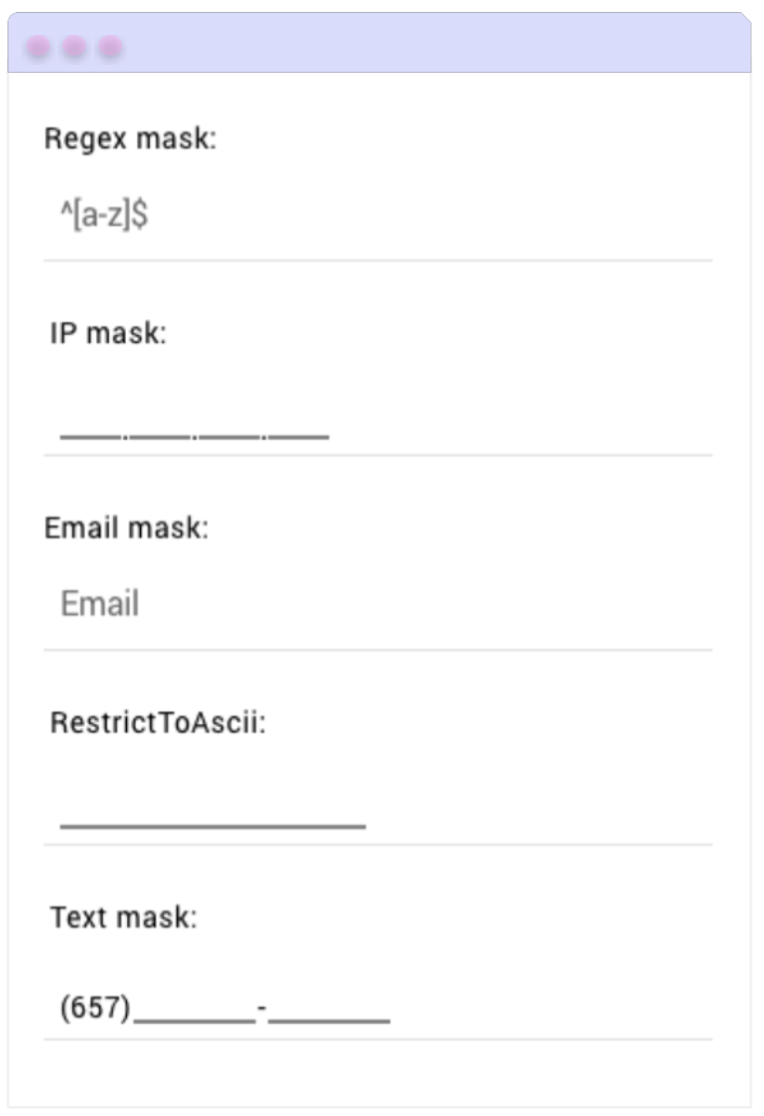
    <content type="text"><![CDATA[<p><span class="featured">Masked Entry can help guide users as they enter data, such as adding credit card or phone numbers into form fields with the correct formatting. This simple control can drastically improve UX for your ecommerce .NET MAUI app!</span></p><p>As a popular customer service sentiment goes: <em>&ldquo;The more pampered your customers are, the more they&rsquo;ll love you!&rdquo;</em></p><p>And that&rsquo;s exactly what we aim for when developing applications&mdash;creating experiences that make users&rsquo; lives easier.</p><p>There are many scenarios where we can achieve this, but one of the most common is when users need to enter data in a specific format like a phone/account number, credit card or PIN.</p><p>And let&rsquo;s be honest &hellip; How many times have we been frustrated by not knowing how to type those inputs correctly?</p><p>For example, imagine a user needing to enter their credit card number in the app. This number usually contains 16 digits (which is already quite a lot) and typically follows a format like <strong>1234-5678-9012-3456</strong>. Now picture having to manually type in those dashes. it feels tedious, prone to mistakes and far from a smooth experience.</p><p>But everything changes when the app guides the user while typing&mdash;automatically formatting the number to match the expected credit card layout. This not only reduces the chance of errors but also makes the user feel more comfortable, more confident and more likely to see your app as an ally that makes their life easier.</p><p>These small details can make a big difference in the overall user experience. That&rsquo;s why in this article, I&rsquo;d love to walk you through the <a target="_blank" href="https://docs.telerik.com/devtools/maui/controls/maskedentry/overview">.NET MAUI MaskedEntry control</a> from Progress Telerik <a target="_blank" href="https://www.telerik.com/maui-ui">UI for .NET MAUI</a>, a tool that helps you guide users by enforcing input formats from the very first tap.</p><h2 id="so-what-exactly-is-the-maskedentry-control">So, What Exactly Is the MaskedEntry Control?</h2><p>.NET MAUI MaskedEntry is a control from Telerik UI for .NET MAUI that allows you to apply input formats and validate text fields, guiding users to enter data correctly from the start. This control is part of the 60+ professional UI components included in the Telerik UI for .NET MAUI library.</p><h2 id="real-world-usage-examples">Real-World Usage Examples</h2><p>Now let&rsquo;s talk about some real-world examples where this kind of guided input truly makes a difference.</p><h3>Credit Card and Account Numbers</h3><p>Imagine you&rsquo;re making a payment or a bank transfer from your app, and you reach the field where you need to enter a card or account number. It requires a long sequence of digits, typically grouped in blocks&mdash;like 16 digits for a credit card or 12 digits for an account number, usually separated by dashes.</p><p>But the input field is completely blank. It doesn&rsquo;t show a format, it doesn&rsquo;t guide you. You start typing quickly, like always, and end up with something like: <strong>123456789012</strong> or <strong>1234567890123456</strong>.</p><p>Notice anything wrong? You&rsquo;re missing the required dashes. Now you have to stop, go back and add the missing separators.</p><p>Now picture a better experience: The moment you start typing, the field guides you with the expected format. You don&rsquo;t even have to type the dashes&mdash;they&rsquo;re already there.</p><p>All you have to do is enter the numbers, and the MaskedEntry takes care of the rest. </p><p>That&rsquo;s what a masked input does. It&rsquo;s not just about restricting what the user can type&mdash;it&rsquo;s about guiding them to the right format without making them overthink it.</p><h3>PIN Codes</h3><p>Picture this: You&rsquo;re in an app trying to change your password. It asks you to enter a four-digit PIN to verify your identity. But the input field has no validation, no visual guidance.</p><p>What happens if you accidentally enter five digits instead of four? Or if you hit a letter without realizing it, even though the PIN should be numeric only? And you only notice the mistake after several failed attempts. That&rsquo;s not just frustrating&mdash;it affects how secure your app feels.</p><p>Now imagine the opposite: The moment you tap the field, you immediately know it expects four numbers. A placeholder guides you, and the field won&rsquo;t let you enter more or less than what&rsquo;s required. It takes two seconds, and you&rsquo;re done.</p><h2 id="now-let’s-take-a-look-at-what-the-maskedentry-control-looks-like">Now, Let&rsquo;s Take a Look at What the MaskedEntry Control Looks Like</h2><p>To help you understand it better, take a look at the example in the image. It includes several fields (like phone, IP and email), each with different validations based on what&rsquo;s required.</p><p>Notice how each field has a specific format, allowing for a clearer, more guided and tailored input experience depending on the type of information being entered.</p><p><img src="https://d585tldpucybw.cloudfront.net/sfimages/default-source/blogs/2025/2025-06/01_-maskedentrysample.png?sfvrsn=1e5b7874_2" title="Masked Entry Sample" width="400" alt="Masked Entry Sample" /></p><h2 id="setting-up-the-environment-for-implementation-">Setting Up the Environment for Implementation </h2><p>Now that you&rsquo;ve explored its benefits, it&rsquo;s time to see how to use it in your own app. Don&rsquo;t worry, getting started is super simple with the free trial from Progress Telerik. First, complete the following steps:</p><ol><li><a target="_blank" href="https://docs.telerik.com/devtools/maui/controls/scheduler/getting-started">Make sure your .NET MAUI app is set up</a></li><li><a target="_blank" href="https://docs.telerik.com/devtools/maui/get-started/first-steps-vs#step-2-download-telerik-ui-for-net-maui">Download Telerik UI for .NET MAUI</a></li><li><a target="_blank" href="https://docs.telerik.com/devtools/maui/get-started/first-steps-vs#step-3-install-telerik-ui-for-net-maui">Install the Telerik component into your project</a></li></ol><p>After installing the Telerik component in your project, you&rsquo;ll be fully equipped to start building your solution.</p><h3 id="step-1-import-the-telerik-namespace">Step 1: Import the Telerik Namespace</h3><p>Open your XAML file and add this line to include the Telerik controls:</p><pre class=" language-xml"><code class="prism  language-xml">xmlns:telerik="[http://schemas.telerik.com/2022/xaml/maui](http://schemas.telerik.com/2022/xaml/maui)"
</code></pre><h3 id="step-2-register-telerik-in-mauiprogram.cs">Step 2: Register Telerik in MauiProgram.cs</h3><p>Head over to your <strong>MauiProgram.cs</strong> file, and inside the <strong>CreateMauiApp</strong> method, don&rsquo;t forget to add <strong>.UseTelerik()</strong> to register the library. Just make sure it goes before <strong>.UseMauiApp()</strong>.</p><pre class=" language-csharp"><code class="prism  language-csharp">using Telerik.Maui.Controls.Compatibility; 
public static class MauiProgram 
{ 
    public static MauiApp CreateMauiApp() 
    { 
    var builder = MauiApp.CreateBuilder(); 
    builder 
    .UseTelerik() 
    .UseMauiApp&lt;App&gt;() 
    .ConfigureFonts(fonts =&gt; 
    {
    fonts.AddFont("OpenSans-Regular.ttf", "OpenSansRegular");
    });
    return builder.Build();
    }
}
</code></pre><h3 id="step-3-adding-the-namespace">Step 3: Adding the Namespace</h3><pre class=" language-xml"><code class="prism  language-xml">xmlns:telerik="http://schemas.telerik.com/2022/xaml/maui"
</code></pre><p>You&rsquo;re all set to add the control! Now let&rsquo;s move on to the next section, where I&rsquo;ll show you an example of how to implement it for each mask type available in the control.</p><h2 id="maskedentry-types">MaskedEntry Types</h2><p>The MaskedEntry control allows you to define the type of input mask a field will use through the Mask property. This property can include both literal and special characters, depending on the type of input you need to configure.</p><p>In total, this control supports five mask types to cover different needs within your app:</p><h3 id="text">Text</h3><p>The <strong>text</strong> type validates general text input.</p><p>Progress Telerik offers a wide variety of mask options that let you control the type of input allowed&mdash;from digits and letters to optional characters and even symbols. You can check the reference list to <a target="_blank" href="https://docs.telerik.com/devtools/maui/controls/maskedentry/mask-types/text">see the full table of available options</a>.</p><p>Let&rsquo;s look at an example of a mask for a bank account number, where:</p><p>▪️ Each <strong>0</strong> represents a <strong>required digit</strong> in the format.<br />▪️ The hyphens (-) are fixed and cannot be moved or deleted&mdash;they always stay in the same position in the input format.<br />▪️ The result is a field that forces the user to enter a bank account number in the following format: <strong>1234-5678-9012.</strong></p><pre class=" language-xml"><code class="prism  language-xml">&lt;telerik:RadTextMaskedEntry 
x:Name="accountNumberEntry" 
Mask="0000-0000-0000" 
AutomationId="accountMask" /&gt;
</code></pre><h3 id="numeric">Numeric</h3><p>The <strong>numeric</strong> type verifires that only numeric values are entered (can be of type double or decimal).</p><p>You can set one of the <a target="_blank" href="https://docs.microsoft.com/en-us/dotnet/standard/base-types/standard-numeric-format-strings#standard-format-specifiers">Standard Numeric Format Specifiers</a>.</p><p>Now, building on this same example, let&rsquo;s see how to apply the percent mask.</p><pre class=" language-xml"><code class="prism  language-xml">&lt;telerik:RadNumericMaskedEntry Mask="P" AutomationId="numericMaskP"/&gt;
</code></pre><p>Now let&rsquo;s look at another example&mdash;this time applying the Currency mask.</p><pre class=" language-xml"><code class="prism  language-xml">&lt;telerik:RadNumericMaskedEntry Mask="C" AutomationId="numericMaskC"/&gt;
</code></pre><h3 id="regex">Regex</h3><p>The <strong>regex</strong> type is ideal for custom formats, as it validates that the user&rsquo;s input&mdash;usually alphanumeric&mdash;matches a specific regular expression. It&rsquo;s <strong>my favorite</strong>! ⭐ The value property is a string. Telerik allows you to use a variety of regular expressions to precisely define what can be entered in the field. (You can check the full list in the <a target="_blank" href="https://docs.telerik.com/devtools/maui/controls/maskedentry/mask-types/regex">official documentation</a>.)</p><p>Let&rsquo;s try the following example, where the user is only allowed to enter letters and numbers&mdash;no spaces or special characters.</p><p>Here&rsquo;s what this does:</p><p>▪️ The expression <code class="inline-code">^[a-zA-Z0-9]{6}$</code> means that exactly <strong>6 alphanumeric</strong> characters are allowed.<br />▪️ If the user enters fewer or more characters, or includes any special symbols, the field will show an error.</p><pre class=" language-xml"><code class="prism  language-xml">&lt;telerik:RadRegexMaskedEntry 
x:Name="accountCodeEntry" 
Mask="^[a-zA-Z0-9]{6}$" 
Placeholder="Enter 6 alphanumeric characters" 
AutomationId="regexMask" /&gt;
</code></pre><h3 id="ip-address">IP Address</h3><p>The <strong>IP address</strong> type captures and validates IP addresses accurately. The value property is a string.</p><p>Let&rsquo;s take a look at an example of how to do it!</p><pre class=" language-xml"><code class="prism  language-xml">&lt;telerik:RadIPMaskedEntry AutomationId="ipMask"/&gt;
</code></pre><h3 id="email">Email</h3><p>The <strong>email</strong> type verifies that the user enters a valid email address. The Value property is a string.</p><p>Let&rsquo;s take a look at an example of how to do it!</p><pre class=" language-xml"><code class="prism  language-xml">&lt;telerik:RadEmailMaskedEntry AutomationId="emailMask"/&gt;
</code></pre><h2 id="wrap-up">Wrap-up</h2><p>And that&rsquo;s all!  In just a few minutes, you&rsquo;ve learned how to work with the Telerik <strong>MaskedEntry</strong> control and all the features it offers&mdash;including the different mask types you can use in your <strong>.NET MAUI</strong> applications.</p><p>I hope this was helpful, and that you&rsquo;ll start integrating it into your apps from now on!</p><p>Remember, Telerik UI for .NET MAUI comes with a free 30-day trial, so go ahead:</p><p><a href="https://www.telerik.com/try/ui-for-maui" target="_blank" class="Btn">Try Now</a></p><p>Thanks for reading! </p><h3 id="references">References</h3><ul><li><a target="_blank" href="https://www.telerik.com/maui-ui/maskedentry">https://www.telerik.com/maui-ui/maskedentry</a></li><li><a target="_blank" href="https://docs.telerik.com/devtools/maui/controls/maskedentry/overview">https://docs.telerik.com/devtools/maui/controls/maskedentry/overview</a></li><li><a target="_blank" href="https://docs.telerik.com/devtools/maui/controls/maskedentry/mask">https://docs.telerik.com/devtools/maui/controls/maskedentry/mask</a></li></ul><img src="https://feeds.telerik.com/link/23064/17189934.gif" height="1" width="1"/>]]></content>
  </entry>
  <entry>
    <id>urn:uuid:269afaa5-87ac-462d-b7df-d66ac51243ca</id>
    <title type="text">Blazor Basics: Why You Might Want to Build Your Desktop App with Blazor Components</title>
    <summary type="text">Learn why integrating Blazor components into desktop applications is a valuable approach.</summary>
    <published>2025-09-23T11:50:13Z</published>
    <updated>2026-04-29T12:52:57Z</updated>
    <author>
      <name>Claudio Bernasconi </name>
    </author>
    <link rel="alternate" href="https://feeds.telerik.com/link/23064/17168910/blazor-basics-why-might-build-desktop-app-blazor-components"/>
    <content type="text"><![CDATA[<p><span class="featured">Learn why integrating Blazor components into desktop applications is a valuable approach.</span></p><p>Blazor was once a promising new web technology that quickly established itself, and today it is a viable choice for .NET developers to build modern, robust and blazingly fast web applications.</p><p>Today, Blazor is primarily associated with web development. While at its core Blazor is a web technology, you can do so much more with it than only build web applications.</p><p>In this article, I will highlight scenarios where using Blazor components in a desktop environment (WPF, WinForms or .NET MAUI) can be a strategic move that you need to be familiar with and what benefits this approach provides.</p><h2 id="the-blazor-component-model">The Blazor Component Model</h2><p>When discussing why you might consider using Blazor components in a desktop application, we cannot get around the <a target="_blank" href="https://www.telerik.com/blogs/blazor-basics-creating-blazor-component">Blazor Component model</a>.</p><p>Its simplistic syntax, the option to use HTML and CSS to define the user interface, and the component-oriented architecture, which is inherently modular and provides a robust and efficient lifecycle, are advantages you cannot overlook.</p><p>Desktop technologies often have their own distinctive way of defining a user interface. We have fewer choices of predefined components, and reusing components for different application types is usually impossible.</p><p>A user profile component developed as a Blazor component for an internal application can be reused in an existing customer-facing desktop application. Adding new features to existing applications (with different technologies) becomes simpler.</p><p>Practical use case: You can reuse existing C# services within Blazor components directly (Blazor Server) or through an API (Blazor WebAssembly). You can share Blazor components between different applications and application types.</p><h2 id="the-integration-between-blazor-and-desktop">The Integration Between Blazor and Desktop</h2><p>Integrating Blazor components in desktop applications requires using a browser-based host component.</p><p>For example, the <a target="_blank" href="https://www.nuget.org/packages/Microsoft.AspNetCore.Components.WebView.WindowsForms/">WebView2 component</a> can be installed from a NuGet package to add Blazor component support to an existing WinForms desktop application.</p><p><a target="_blank" href="https://www.telerik.com/blogs/blazor-basics-using-blazor-components-winforms-blazor-hybrid">Learn more about integrating Blazor components with WinForms</a> from a step-by-step guide.</p><p>Practical use case: Add a NuGet Package to integrate Blazor components into existing WinForms applications.</p><h2 id="why-desktop-still-matters—and-why-blazor-helps">Why Desktop Still Matters&mdash;and Why Blazor Helps</h2><p>There are valid reasons why developers will continue maintaining desktop applications or even start new projects targeting a native desktop application.</p><p>A few industries continue to heavily use desktop applications, including finance, engineering and healthcare.</p><p>The main advantages of desktop applications are:</p><ul><li>Local performance and fewer server resources to manage</li><li>Access to native features</li><li>Offline support</li><li>Offline updates</li></ul><p>With Blazor, we have solutions for the first three points above. We can use Blazor WebAssembly, which mainly uses the local resources. We can use modern web features to access local resources such as a camera. And with <a target="_blank" href="https://www.telerik.com/blogs/blazor-basics-progressive-web-apps-pwa-blazor-webassembly">progressive web applications</a>, we can implement offline support.</p><p>Desktop technologies like WinForms or WPF are around 20 years old. Their user interface definition isn&rsquo;t as flexible and modern as HTML and CSS.</p><p>If you want to make your newly implemented components available to as many application types as possible, implementing them as Blazor components is a great option.</p><p>While some desktop technologies might be limited in some way or another, Blazor offers you the world of the standard web technologies, HTML and CSS, including all available low-level CSS frameworks and complete Blazor UI control libraries, such as Progress&nbsp;<a target="_blank" href="https://www.telerik.com/blazor-ui">Telerik UI for Blazor</a>.</p><p>Practical use case: Blazor component can be (re)used for web, desktop and mobile applications. Future-proof your investments. You can even create new desktop applications using .NET MAUI and mainly use Blazor components to build them.</p><h2 id="reusing-existing-blazor-investments">Reusing Existing Blazor Investments</h2><p>We can look at it from a different angle. Let&rsquo;s say you have a few older desktop applications and a few more recent Blazor-based web applications. You can modernize the desktop applications by adding Blazor components created for the web applications.</p><p>For example, you might implement a form-handling system using Telerik UI for Blazor or other controls with vast support for input validation and modern user feedback.</p><p>You can introduce those new components to the existing desktop applications step-by-step and modernize them without having to rewrite the whole application in one massive migration. With this process, you continuously deliver value and take less risk.</p><p>Practical use case: Reduce risk with a step-by-step modernization of an existing desktop application compared to a costly and long-lasting complete rewrite.</p><h2 id="common-pitfalls-or-gotchas">Common Pitfalls or Gotchas</h2><p>Desktop applications traditionally have longer startup times compared to modern web applications. We potentially add more delay by integrating additional components and leveraging the WebView2 component.</p><p>When introducing Blazor components to an existing desktop application, we must critically investigate and potentially improve the user experience. Blazor components look and feel different from WinForms components.</p><p>We should mitigate it by adapting Blazor components to existing UI patterns and using the same spacing and colors for the components. Luckily, we can do that with CSS comparatively easily.</p><p>By cleverly leveraging dependency injection, we can inject different implementations for a web and desktop application if we need different behavior.</p><p>Practical use case: In web components, we often use links (HTML anchor tag) to navigate to a different page, while in desktop applications, we usually use buttons. We can account for those situations with a good component tree architecture and adapt Blazor components to desktop applications using CSS.</p><h2 id="when-to-choose-this-path">When to Choose This Path</h2><p>Nothing is perfect, and neither are Blazor components. Let&rsquo;s talk about use cases that perfectly fit a modernization strategy with Blazor components:</p><p>Internal tools or admin panels often don&rsquo;t have the same requirements for the application&rsquo;s consistent look and feel. Development speed and cost are more important than getting the last 20% of usability or user experience.</p><p>If you have difficulty finding new developers to maintain your WinForms or WPF applications, integrating Blazor components helps you attract new talent with experience with HTML and CSS.</p><p>However, applications requiring ultra-low-level native APIs or platform-specific libraries, you might want to stick with a tested and trusted desktop application technology.</p><p>Use web technologies such as regular Blazor web applications over .NET MAUI or similarly complex desktop technologies for straightforward and small applications.</p><h2 id="conclusion">Conclusion</h2><p>As a developer who has worked across desktop and web development, I like the versatility of Blazor components and its modern, robust and flexible component model.</p><p>It allows you to upgrade an existing .NET desktop application with new components, and you&rsquo;ll be able to share components between newly written web applications and older .NET desktop applications.</p><p>You can use Blazor to create brand-new applications or enhance existing .NET applications.</p><p>Blazor is a stable bridge between the different worlds in .NET development, including web, mobile and desktop application development.</p><p>You can save hours, days or weeks by sharing components between different applications and utilizing modern web standards to implement user interfaces compared to technology-specific user interface languages, such as WPF or other XAML-flavored tools.</p><p>If you want to learn more about Blazor development, you can watch my <a target="_blank" href="https://www.youtube.com/playlist?list=PLwISgxnkpZGL_LhTQCWwp-WCzupv7lcp0">free Blazor Crash Course</a> on YouTube. And stay tuned to the Telerik blog for more <a target="_blank" href="https://www.telerik.com/blogs/tag/blazor-basics">Blazor Basics</a>.</p><img src="https://feeds.telerik.com/link/23064/17168910.gif" height="1" width="1"/>]]></content>
  </entry>
  <entry>
    <id>urn:uuid:0d9bc8f3-6e8a-415f-a4a9-eabef0e2b993</id>
    <title type="text">Enhancing .NET MAUI App Appearance Using Lottie Animations</title>
    <summary type="text">Learn how to integrate Lottie animations into your .NET MAUI applications, allowing you to add movement and professionalism to your graphical screens.</summary>
    <published>2025-08-04T16:34:19Z</published>
    <updated>2026-04-29T12:52:57Z</updated>
    <author>
      <name>Héctor Pérez </name>
    </author>
    <link rel="alternate" href="https://feeds.telerik.com/link/23064/17111292/enhancing-net-maui-app-appearance-using-lottie-animations"/>
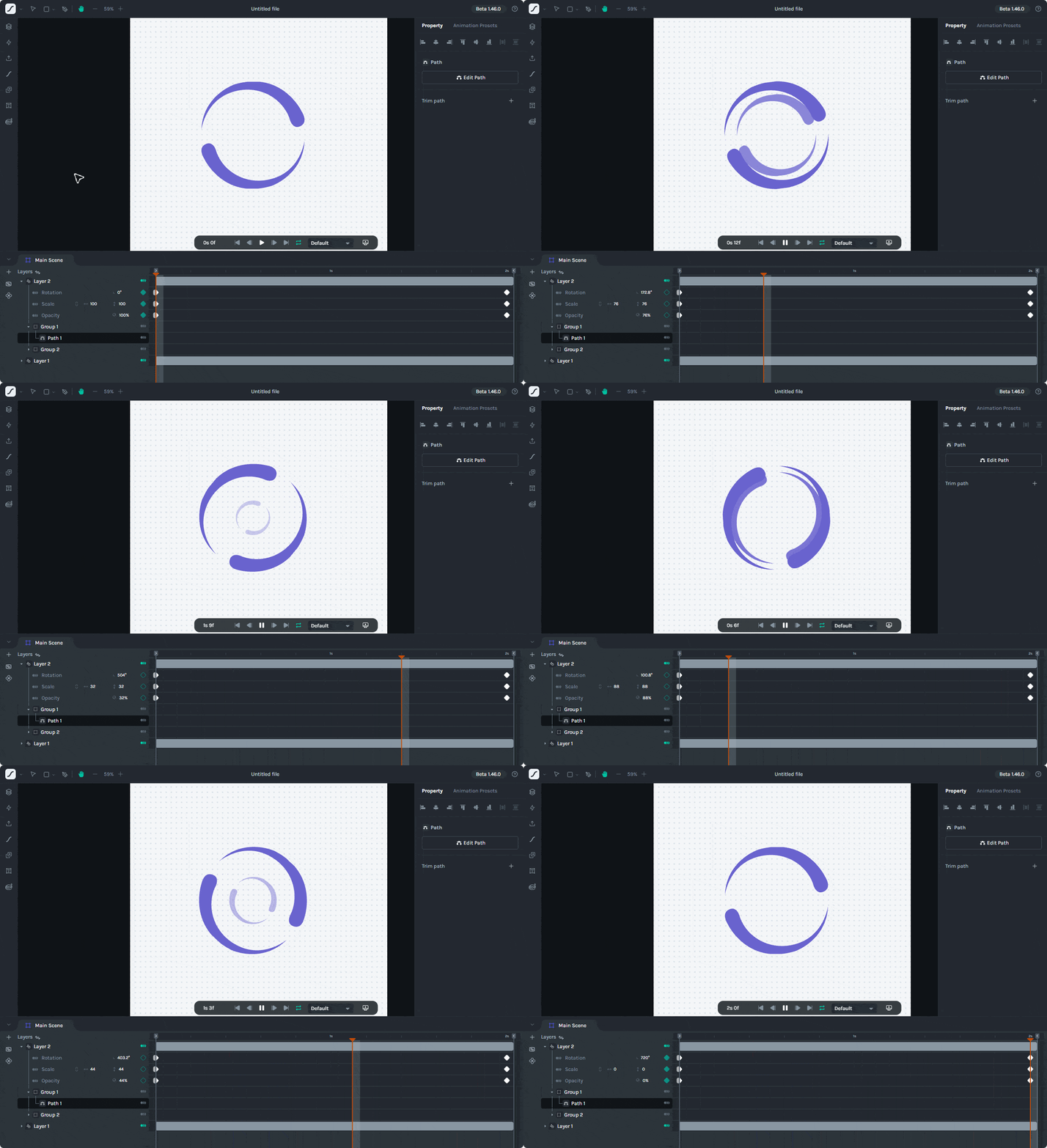
    <content type="text"><![CDATA[<p><span class="featured">In this article, we will analyze how to integrate Lottie animations into your .NET MAUI applications, allowing you to add movement and professionalism to your graphical screens.</span></p><p>Let&rsquo;s get started!</p><h2 id="what-is-a-lottie-animation">What Is a Lottie Animation?</h2><p>A Lottie animation is a type of vector-based animation, represented in <strong>JSON</strong> format, which allows it to be scalable, lightweight and easily integrated across various platforms. Since it is based on vectors and code, it is much less heavy than a GIF animation or a video.</p><h3 id="where-can-lottie-animations-be-found">Where Can Lottie Animations Be Found?</h3><p>There are several websites that have a large collection of Lottie files. One of the most well-known is <a target="_blank" href="https://lottiefiles.com/">LottieFiles</a>, which allows you to download many of these files for free. Additionally, this site has a powerful tool that allows you to create Lottie animations from scratch, with an intuitive interface.</p><p><img src="https://d585tldpucybw.cloudfront.net/sfimages/default-source/blogs/2025/2025-06/lottie-animation-editor-from-the-lottiefiles-website.gif?sfvrsn=71d96bd4_2" alt="In this article, we will analyze how to integrate Lottie animations" /></p><p>Now let&rsquo;s see how to use these animations from your own .NET MAUI apps.</p><h2 id="implementing-lottie-animations-in-.net-maui-projects">Implementing Lottie Animations in .NET MAUI Projects</h2><p>Using Lottie animations in .NET MAUI projects is very simple thanks to community-created projects. I recommend making sure you have searched for and downloaded a Lottie animation of interest to test with the following examples.</p><h3 id="preparing-the-project-to-play-lottie-animations">Preparing the Project to Play Lottie Animations</h3><p>Although there are several open-source projects that allow the use of Lottie animations in .NET MAUI projects, the most popular and oldest is led by the team behind <strong>SkiaSharp</strong>. SkiaSharp is a .NET cross-platform 2D graphics API, which has a project called <strong>SkiaSharp.Extended.UI.Maui</strong>, encompassing controls usable in .NET MAUI projects. This is where we will find the <a target="_blank" href="https://mono.github.io/SkiaSharp.Extended/api/ui-maui/sklottieview.html">SkLottieView</a> control.</p><p>To use the SkLottieView control in your own projects, just follow these steps:</p><ol><li>In your project, search for and add the package <code class="inline-code">SkiaSharp.Extended.UI.Maui</code>.</li><li>Modify the <code class="inline-code">MauiProgram.cs</code> file by adding the <code class="inline-code">UseSkiaSharp()</code> method to the builder, like this:</li></ol><pre class=" language-csharp"><code class="prism  language-csharp"><span class="token keyword">public</span> <span class="token keyword">static</span> <span class="token keyword">class</span> <span class="token class-name">MauiProgram</span>
<span class="token punctuation">{</span>
    <span class="token keyword">public</span> <span class="token keyword">static</span> MauiApp <span class="token function">CreateMauiApp</span><span class="token punctuation">(</span><span class="token punctuation">)</span>
    <span class="token punctuation">{</span>
        <span class="token keyword">var</span> builder <span class="token operator">=</span> MauiApp<span class="token punctuation">.</span><span class="token function">CreateBuilder</span><span class="token punctuation">(</span><span class="token punctuation">)</span><span class="token punctuation">;</span>
        builder
            <span class="token punctuation">.</span><span class="token generic-method function">UseMauiApp<span class="token punctuation">&lt;</span>App<span class="token punctuation">&gt;</span></span><span class="token punctuation">(</span><span class="token punctuation">)</span>
            <span class="token punctuation">.</span><span class="token function">UseSkiaSharp</span><span class="token punctuation">(</span><span class="token punctuation">)</span>
            <span class="token punctuation">.</span><span class="token function">ConfigureFonts</span><span class="token punctuation">(</span>fonts <span class="token operator">=</span><span class="token operator">&gt;</span>
            <span class="token punctuation">{</span>
                fonts<span class="token punctuation">.</span><span class="token function">AddFont</span><span class="token punctuation">(</span><span class="token string">"OpenSans-Regular.ttf"</span><span class="token punctuation">,</span> <span class="token string">"OpenSansRegular"</span><span class="token punctuation">)</span><span class="token punctuation">;</span>
                fonts<span class="token punctuation">.</span><span class="token function">AddFont</span><span class="token punctuation">(</span><span class="token string">"OpenSans-Semibold.ttf"</span><span class="token punctuation">,</span> <span class="token string">"OpenSansSemibold"</span><span class="token punctuation">)</span><span class="token punctuation">;</span>
            <span class="token punctuation">}</span><span class="token punctuation">)</span><span class="token punctuation">;</span>
    <span class="token punctuation">.</span><span class="token punctuation">.</span><span class="token punctuation">.</span>
<span class="token punctuation">}</span>
</code></pre><ol start="3"><li>Add the Lottie files with the <code class="inline-code">.json</code> extension in the <strong>Resources\raw</strong> folder.</li><li>On the page where you will add the Lottie animation, add a reference to the control&rsquo;s namespace, similar to this (you can change the name if you prefer):<br /><code class="inline-code">xmlns:lottie="clr-namespace:SkiaSharp.Extended.UI.Controls;assembly=SkiaSharp.Extended.UI"</code></li></ol><h3 id="running-lottie-animations-in-.net-maui-projects">Running Lottie Animations in .NET MAUI Projects</h3><p>Once you have configured the project with the previous steps, it&rsquo;s time to use the control. The simplest way is as follows:</p><pre class=" language-xml"><code class="prism  language-xml"><span class="token tag"><span class="token tag"><span class="token punctuation">&lt;</span><span class="token namespace">lottie:</span>SKLottieView</span>
    <span class="token attr-name">HeightRequest</span><span class="token attr-value"><span class="token punctuation">=</span><span class="token punctuation">"</span>400<span class="token punctuation">"</span></span>
    <span class="token attr-name">RepeatCount</span><span class="token attr-value"><span class="token punctuation">=</span><span class="token punctuation">"</span>-1<span class="token punctuation">"</span></span>
    <span class="token attr-name">Source</span><span class="token attr-value"><span class="token punctuation">=</span><span class="token punctuation">"</span>button.json<span class="token punctuation">"</span></span>
    <span class="token attr-name">WidthRequest</span><span class="token attr-value"><span class="token punctuation">=</span><span class="token punctuation">"</span>400<span class="token punctuation">"</span></span> <span class="token punctuation">/&gt;</span></span>
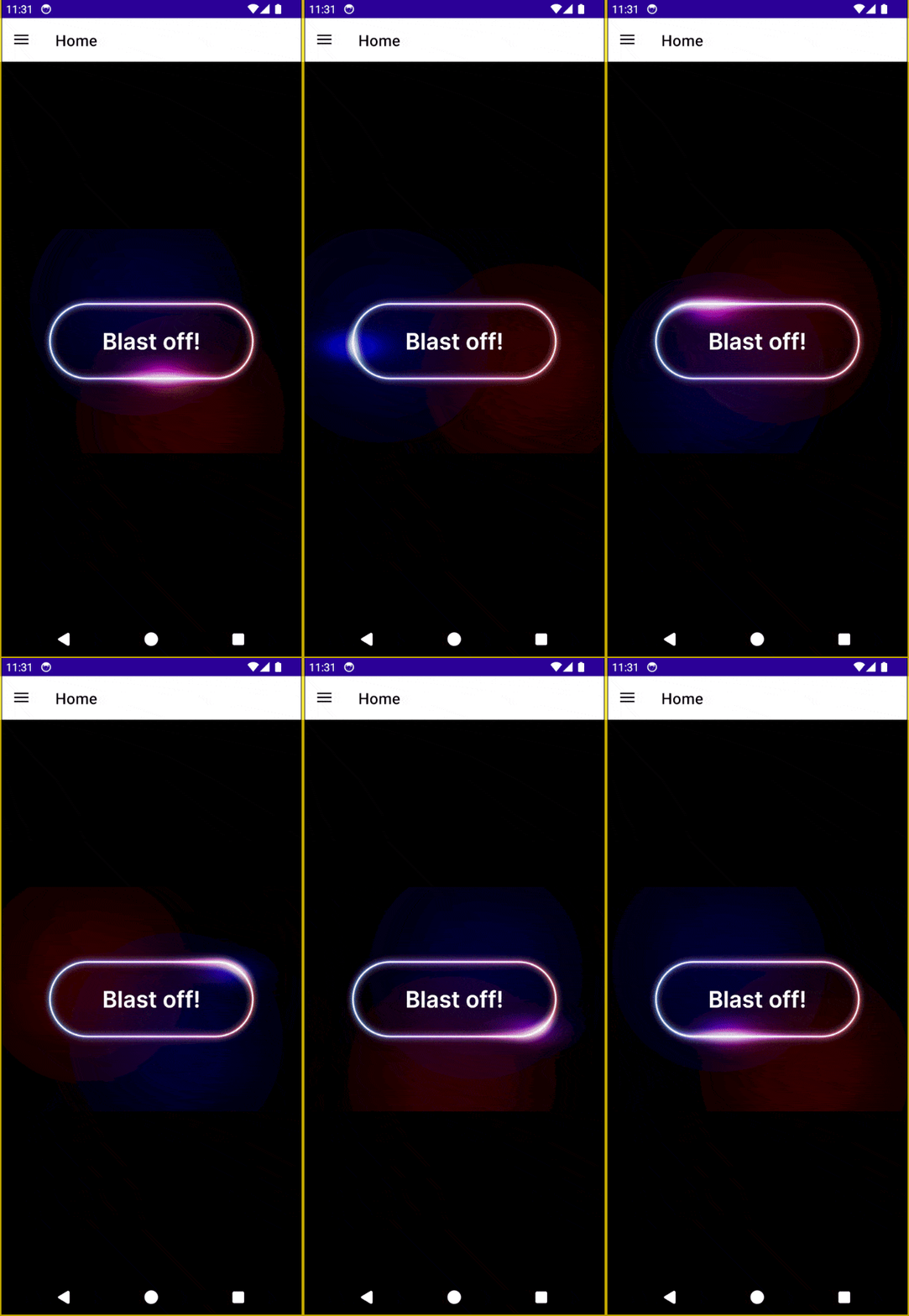
</code></pre><p>From the above code, we can see the following properties:</p><ul><li><code class="inline-code">HeightRequest</code>: Represents the height of the animation on the page.</li><li><code class="inline-code">WidthRequest</code>: Represents the width of the animation on the page.</li><li><code class="inline-code">Source</code>: The name of the JSON file that contains the Lottie animation.</li><li><code class="inline-code">RepeatCount</code>: The number of times the animation should repeat. If it is <strong>-1</strong>, it will repeat indefinitely.</li></ul><p>When running the application, we will see the animation being executed as shown in the following image:</p><p><img src="https://d585tldpucybw.cloudfront.net/sfimages/default-source/blogs/2025/2025-06/lottie-animation-rendered-using-the-sklottieview-control.gif?sfvrsn=95880a0c_2" alt="Lottie animation rendered using the SKLottieView control" /></p><p>In addition to the basic properties shown above, the SKLottieView control also has the following additional properties:</p><ul><li><code class="inline-code">Duration</code>: Allows retrieving the total duration of the animation.</li><li><code class="inline-code">Progress</code>: Gets the current progress of the animation.</li><li><code class="inline-code">RepeatMode</code>: Allows specifying how to repeat the animation, with possible values Restart and Reverse.</li><li><code class="inline-code">IsAnimationEnabled</code>: Sets whether the animation should play or not.</li><li><code class="inline-code">IsComplete</code>: Gets whether the animation has been completed.</li></ul><h3 id="available-events-in-the-sklottieview-control">Available Events in the SKLottieView Control</h3><p>The SKLottieView control has three events that can help you know when things happen in the animation, which are as follows:</p><ul><li><code class="inline-code">AnimationLoaded</code>: Fired when the animation has been loaded successfully.</li><li><code class="inline-code">AnimationFailed</code>: Fired when there was an error loading the animation.</li><li><code class="inline-code">AnimationCompleted</code>: Occurs when the total number of repetitions has concluded. With a value of <strong>-1</strong>, this event is never fired.</li></ul><p>These events are very useful if you want to perform some action immediately after the animation has finished, such as first displaying an animated company logo and then immediately transitioning to the login screen.</p><h2 id="practical-example-replacing-an-activity-indicator-with-a-lottie-animation">Practical Example: Replacing an Activity Indicator with a Lottie Animation</h2><p>Let&rsquo;s assume we have an AI image generator application. Such applications often take some time while generating the image, so it&rsquo;s advisable to provide feedback to the user that their request is being processed. Traditionally, we could use an Activity Indicator to show that the image is being generated. The XAML code example is as follows:</p><pre class=" language-xml"><code class="prism  language-xml"><span class="token tag"><span class="token tag"><span class="token punctuation">&lt;</span>ContentPage</span>
    <span class="token attr-name"><span class="token namespace">x:</span>Class</span><span class="token attr-value"><span class="token punctuation">=</span><span class="token punctuation">"</span>SkLottieAnimationDemo.MainPage<span class="token punctuation">"</span></span>
    <span class="token attr-name">xmlns</span><span class="token attr-value"><span class="token punctuation">=</span><span class="token punctuation">"</span>http://schemas.microsoft.com/dotnet/2021/maui<span class="token punctuation">"</span></span>
    <span class="token attr-name"><span class="token namespace">xmlns:</span>x</span><span class="token attr-value"><span class="token punctuation">=</span><span class="token punctuation">"</span>http://schemas.microsoft.com/winfx/2009/xaml<span class="token punctuation">"</span></span>
    <span class="token attr-name"><span class="token namespace">xmlns:</span>lottie</span><span class="token attr-value"><span class="token punctuation">=</span><span class="token punctuation">"</span>clr-namespace:SkiaSharp.Extended.UI.Controls;assembly=SkiaSharp.Extended.UI<span class="token punctuation">"</span></span>
    <span class="token attr-name">BackgroundColor</span><span class="token attr-value"><span class="token punctuation">=</span><span class="token punctuation">"</span>{StaticResource BackgroundColor}<span class="token punctuation">"</span></span><span class="token punctuation">&gt;</span></span>

    <span class="token tag"><span class="token tag"><span class="token punctuation">&lt;</span>ContentPage.Resources</span><span class="token punctuation">&gt;</span></span>
        <span class="token tag"><span class="token tag"><span class="token punctuation">&lt;</span>ResourceDictionary</span><span class="token punctuation">&gt;</span></span>
            <span class="token tag"><span class="token tag"><span class="token punctuation">&lt;</span>Color</span> <span class="token attr-name"><span class="token namespace">x:</span>Key</span><span class="token attr-value"><span class="token punctuation">=</span><span class="token punctuation">"</span>BackgroundColor<span class="token punctuation">"</span></span><span class="token punctuation">&gt;</span></span>#121212<span class="token tag"><span class="token tag"><span class="token punctuation">&lt;/</span>Color</span><span class="token punctuation">&gt;</span></span>
            <span class="token tag"><span class="token tag"><span class="token punctuation">&lt;</span>Color</span> <span class="token attr-name"><span class="token namespace">x:</span>Key</span><span class="token attr-value"><span class="token punctuation">=</span><span class="token punctuation">"</span>PrimaryTextColor<span class="token punctuation">"</span></span><span class="token punctuation">&gt;</span></span>#FFFFFF<span class="token tag"><span class="token tag"><span class="token punctuation">&lt;/</span>Color</span><span class="token punctuation">&gt;</span></span>
            <span class="token tag"><span class="token tag"><span class="token punctuation">&lt;</span>Color</span> <span class="token attr-name"><span class="token namespace">x:</span>Key</span><span class="token attr-value"><span class="token punctuation">=</span><span class="token punctuation">"</span>SecondaryTextColor<span class="token punctuation">"</span></span><span class="token punctuation">&gt;</span></span>#888888<span class="token tag"><span class="token tag"><span class="token punctuation">&lt;/</span>Color</span><span class="token punctuation">&gt;</span></span>
            <span class="token tag"><span class="token tag"><span class="token punctuation">&lt;</span>Color</span> <span class="token attr-name"><span class="token namespace">x:</span>Key</span><span class="token attr-value"><span class="token punctuation">=</span><span class="token punctuation">"</span>ControlBackgroundColor<span class="token punctuation">"</span></span><span class="token punctuation">&gt;</span></span>#1E1E1E<span class="token tag"><span class="token tag"><span class="token punctuation">&lt;/</span>Color</span><span class="token punctuation">&gt;</span></span>
            <span class="token tag"><span class="token tag"><span class="token punctuation">&lt;</span>Color</span> <span class="token attr-name"><span class="token namespace">x:</span>Key</span><span class="token attr-value"><span class="token punctuation">=</span><span class="token punctuation">"</span>ButtonBackgroundColor<span class="token punctuation">"</span></span><span class="token punctuation">&gt;</span></span>#333333<span class="token tag"><span class="token tag"><span class="token punctuation">&lt;/</span>Color</span><span class="token punctuation">&gt;</span></span>
            <span class="token tag"><span class="token tag"><span class="token punctuation">&lt;</span>Color</span> <span class="token attr-name"><span class="token namespace">x:</span>Key</span><span class="token attr-value"><span class="token punctuation">=</span><span class="token punctuation">"</span>BorderColor<span class="token punctuation">"</span></span><span class="token punctuation">&gt;</span></span>#2E2E2E<span class="token tag"><span class="token tag"><span class="token punctuation">&lt;/</span>Color</span><span class="token punctuation">&gt;</span></span>
        <span class="token tag"><span class="token tag"><span class="token punctuation">&lt;/</span>ResourceDictionary</span><span class="token punctuation">&gt;</span></span>
    <span class="token tag"><span class="token tag"><span class="token punctuation">&lt;/</span>ContentPage.Resources</span><span class="token punctuation">&gt;</span></span>

    <span class="token tag"><span class="token tag"><span class="token punctuation">&lt;</span>Grid</span><span class="token punctuation">&gt;</span></span>
        <span class="token tag"><span class="token tag"><span class="token punctuation">&lt;</span>VerticalStackLayout</span> <span class="token attr-name">Padding</span><span class="token attr-value"><span class="token punctuation">=</span><span class="token punctuation">"</span>20<span class="token punctuation">"</span></span> <span class="token attr-name">Spacing</span><span class="token attr-value"><span class="token punctuation">=</span><span class="token punctuation">"</span>20<span class="token punctuation">"</span></span><span class="token punctuation">&gt;</span></span>
            <span class="token tag"><span class="token tag"><span class="token punctuation">&lt;</span>Label</span>
                <span class="token attr-name">FontAttributes</span><span class="token attr-value"><span class="token punctuation">=</span><span class="token punctuation">"</span>Bold<span class="token punctuation">"</span></span>
                <span class="token attr-name">FontSize</span><span class="token attr-value"><span class="token punctuation">=</span><span class="token punctuation">"</span>24<span class="token punctuation">"</span></span>
                <span class="token attr-name">HorizontalOptions</span><span class="token attr-value"><span class="token punctuation">=</span><span class="token punctuation">"</span>Center<span class="token punctuation">"</span></span>
                <span class="token attr-name">Text</span><span class="token attr-value"><span class="token punctuation">=</span><span class="token punctuation">"</span>AI Image Generator<span class="token punctuation">"</span></span>
                <span class="token attr-name">TextColor</span><span class="token attr-value"><span class="token punctuation">=</span><span class="token punctuation">"</span>{StaticResource PrimaryTextColor}<span class="token punctuation">"</span></span> <span class="token punctuation">/&gt;</span></span>
            <span class="token tag"><span class="token tag"><span class="token punctuation">&lt;</span>Entry</span>
                <span class="token attr-name"><span class="token namespace">x:</span>Name</span><span class="token attr-value"><span class="token punctuation">=</span><span class="token punctuation">"</span>PromptEntry<span class="token punctuation">"</span></span>
                <span class="token attr-name">BackgroundColor</span><span class="token attr-value"><span class="token punctuation">=</span><span class="token punctuation">"</span>{StaticResource ControlBackgroundColor}<span class="token punctuation">"</span></span>
                <span class="token attr-name">HeightRequest</span><span class="token attr-value"><span class="token punctuation">=</span><span class="token punctuation">"</span>40<span class="token punctuation">"</span></span>
                <span class="token attr-name">Placeholder</span><span class="token attr-value"><span class="token punctuation">=</span><span class="token punctuation">"</span>Enter your prompt...<span class="token punctuation">"</span></span>
                <span class="token attr-name">PlaceholderColor</span><span class="token attr-value"><span class="token punctuation">=</span><span class="token punctuation">"</span>{StaticResource SecondaryTextColor}<span class="token punctuation">"</span></span>
                <span class="token attr-name">TextColor</span><span class="token attr-value"><span class="token punctuation">=</span><span class="token punctuation">"</span>{StaticResource PrimaryTextColor}<span class="token punctuation">"</span></span> <span class="token punctuation">/&gt;</span></span>
            <span class="token tag"><span class="token tag"><span class="token punctuation">&lt;</span>Button</span>
                <span class="token attr-name"><span class="token namespace">x:</span>Name</span><span class="token attr-value"><span class="token punctuation">=</span><span class="token punctuation">"</span>GenerateButton<span class="token punctuation">"</span></span>
                <span class="token attr-name">BackgroundColor</span><span class="token attr-value"><span class="token punctuation">=</span><span class="token punctuation">"</span>{StaticResource ButtonBackgroundColor}<span class="token punctuation">"</span></span>
                <span class="token attr-name">Clicked</span><span class="token attr-value"><span class="token punctuation">=</span><span class="token punctuation">"</span>GenerateButton_Clicked<span class="token punctuation">"</span></span>
                <span class="token attr-name">CornerRadius</span><span class="token attr-value"><span class="token punctuation">=</span><span class="token punctuation">"</span>6<span class="token punctuation">"</span></span>
                <span class="token attr-name">HeightRequest</span><span class="token attr-value"><span class="token punctuation">=</span><span class="token punctuation">"</span>45<span class="token punctuation">"</span></span>
                <span class="token attr-name">Text</span><span class="token attr-value"><span class="token punctuation">=</span><span class="token punctuation">"</span>Generate Image<span class="token punctuation">"</span></span>
                <span class="token attr-name">TextColor</span><span class="token attr-value"><span class="token punctuation">=</span><span class="token punctuation">"</span>{StaticResource PrimaryTextColor}<span class="token punctuation">"</span></span> <span class="token punctuation">/&gt;</span></span>
            <span class="token tag"><span class="token tag"><span class="token punctuation">&lt;</span>Border</span>
                <span class="token attr-name">Padding</span><span class="token attr-value"><span class="token punctuation">=</span><span class="token punctuation">"</span>0<span class="token punctuation">"</span></span>
                <span class="token attr-name">BackgroundColor</span><span class="token attr-value"><span class="token punctuation">=</span><span class="token punctuation">"</span>{StaticResource ControlBackgroundColor}<span class="token punctuation">"</span></span>
                <span class="token attr-name">HeightRequest</span><span class="token attr-value"><span class="token punctuation">=</span><span class="token punctuation">"</span>400<span class="token punctuation">"</span></span>
                <span class="token attr-name">Stroke</span><span class="token attr-value"><span class="token punctuation">=</span><span class="token punctuation">"</span>{StaticResource BorderColor}<span class="token punctuation">"</span></span>
                <span class="token attr-name">StrokeShape</span><span class="token attr-value"><span class="token punctuation">=</span><span class="token punctuation">"</span>RoundRectangle 8<span class="token punctuation">"</span></span><span class="token punctuation">&gt;</span></span>
                <span class="token tag"><span class="token tag"><span class="token punctuation">&lt;</span>Image</span>
                    <span class="token attr-name"><span class="token namespace">x:</span>Name</span><span class="token attr-value"><span class="token punctuation">=</span><span class="token punctuation">"</span>GeneratedImage<span class="token punctuation">"</span></span>
                    <span class="token attr-name">Aspect</span><span class="token attr-value"><span class="token punctuation">=</span><span class="token punctuation">"</span>AspectFill<span class="token punctuation">"</span></span>
                    <span class="token attr-name">Source</span><span class="token attr-value"><span class="token punctuation">=</span><span class="token punctuation">"</span>{x:Null}<span class="token punctuation">"</span></span> <span class="token punctuation">/&gt;</span></span>
            <span class="token tag"><span class="token tag"><span class="token punctuation">&lt;/</span>Border</span><span class="token punctuation">&gt;</span></span>
        <span class="token tag"><span class="token tag"><span class="token punctuation">&lt;/</span>VerticalStackLayout</span><span class="token punctuation">&gt;</span></span>
        <span class="token tag"><span class="token tag"><span class="token punctuation">&lt;</span>Grid</span>
            <span class="token attr-name"><span class="token namespace">x:</span>Name</span><span class="token attr-value"><span class="token punctuation">=</span><span class="token punctuation">"</span>Overlay<span class="token punctuation">"</span></span>
            <span class="token attr-name">BackgroundColor</span><span class="token attr-value"><span class="token punctuation">=</span><span class="token punctuation">"</span>Black<span class="token punctuation">"</span></span>
            <span class="token attr-name">IsVisible</span><span class="token attr-value"><span class="token punctuation">=</span><span class="token punctuation">"</span>False<span class="token punctuation">"</span></span>
            <span class="token attr-name">Opacity</span><span class="token attr-value"><span class="token punctuation">=</span><span class="token punctuation">"</span>.8<span class="token punctuation">"</span></span><span class="token punctuation">&gt;</span></span>
            <span class="token tag"><span class="token tag"><span class="token punctuation">&lt;</span>ActivityIndicator</span>
                <span class="token attr-name">HeightRequest</span><span class="token attr-value"><span class="token punctuation">=</span><span class="token punctuation">"</span>35<span class="token punctuation">"</span></span>
                <span class="token attr-name">IsRunning</span><span class="token attr-value"><span class="token punctuation">=</span><span class="token punctuation">"</span>True<span class="token punctuation">"</span></span>
                <span class="token attr-name">Color</span><span class="token attr-value"><span class="token punctuation">=</span><span class="token punctuation">"</span>Blue<span class="token punctuation">"</span></span> <span class="token punctuation">/&gt;</span></span>
        <span class="token tag"><span class="token tag"><span class="token punctuation">&lt;/</span>Grid</span><span class="token punctuation">&gt;</span></span>
    <span class="token tag"><span class="token tag"><span class="token punctuation">&lt;/</span>Grid</span><span class="token punctuation">&gt;</span></span>
<span class="token tag"><span class="token tag"><span class="token punctuation">&lt;/</span>ContentPage</span><span class="token punctuation">&gt;</span></span>
</code></pre><p>On the other hand, the C# code is as follows:</p><pre class=" language-csharp"><code class="prism  language-csharp"><span class="token keyword">public</span> <span class="token keyword">partial</span> <span class="token keyword">class</span> <span class="token class-name">MainPage</span> <span class="token punctuation">:</span> ContentPage
<span class="token punctuation">{</span>
    <span class="token keyword">public</span> <span class="token function">MainPage</span><span class="token punctuation">(</span><span class="token punctuation">)</span>
    <span class="token punctuation">{</span>
        <span class="token function">InitializeComponent</span><span class="token punctuation">(</span><span class="token punctuation">)</span><span class="token punctuation">;</span>
    <span class="token punctuation">}</span>

    <span class="token keyword">private</span> <span class="token keyword">async</span> <span class="token keyword">void</span> <span class="token function">GenerateButton_Clicked</span><span class="token punctuation">(</span><span class="token keyword">object</span> sender<span class="token punctuation">,</span> EventArgs e<span class="token punctuation">)</span>
    <span class="token punctuation">{</span>
        Overlay<span class="token punctuation">.</span>IsVisible <span class="token operator">=</span> <span class="token keyword">true</span><span class="token punctuation">;</span>
        Overlay<span class="token punctuation">.</span>IsEnabled <span class="token operator">=</span> <span class="token keyword">true</span><span class="token punctuation">;</span>

        <span class="token keyword">await</span> Task<span class="token punctuation">.</span><span class="token function">Delay</span><span class="token punctuation">(</span><span class="token number">2500</span><span class="token punctuation">)</span><span class="token punctuation">;</span>

        GeneratedImage<span class="token punctuation">.</span>Source <span class="token operator">=</span> <span class="token string">"ai.jpg"</span><span class="token punctuation">;</span>

        Overlay<span class="token punctuation">.</span>IsVisible <span class="token operator">=</span> <span class="token keyword">false</span><span class="token punctuation">;</span>
        Overlay<span class="token punctuation">.</span>IsEnabled <span class="token operator">=</span> <span class="token keyword">false</span><span class="token punctuation">;</span>
    <span class="token punctuation">}</span>
<span class="token punctuation">}</span>
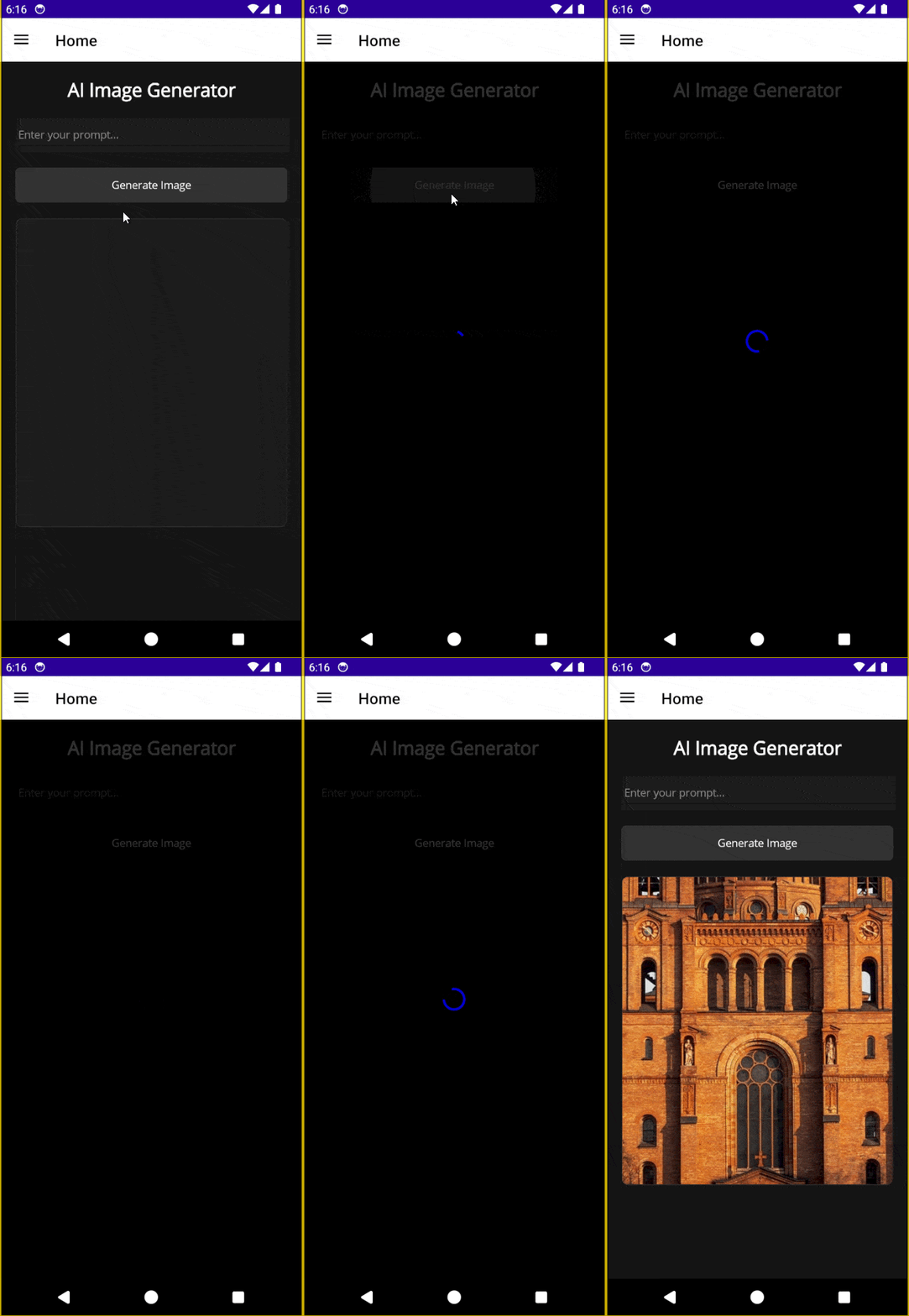
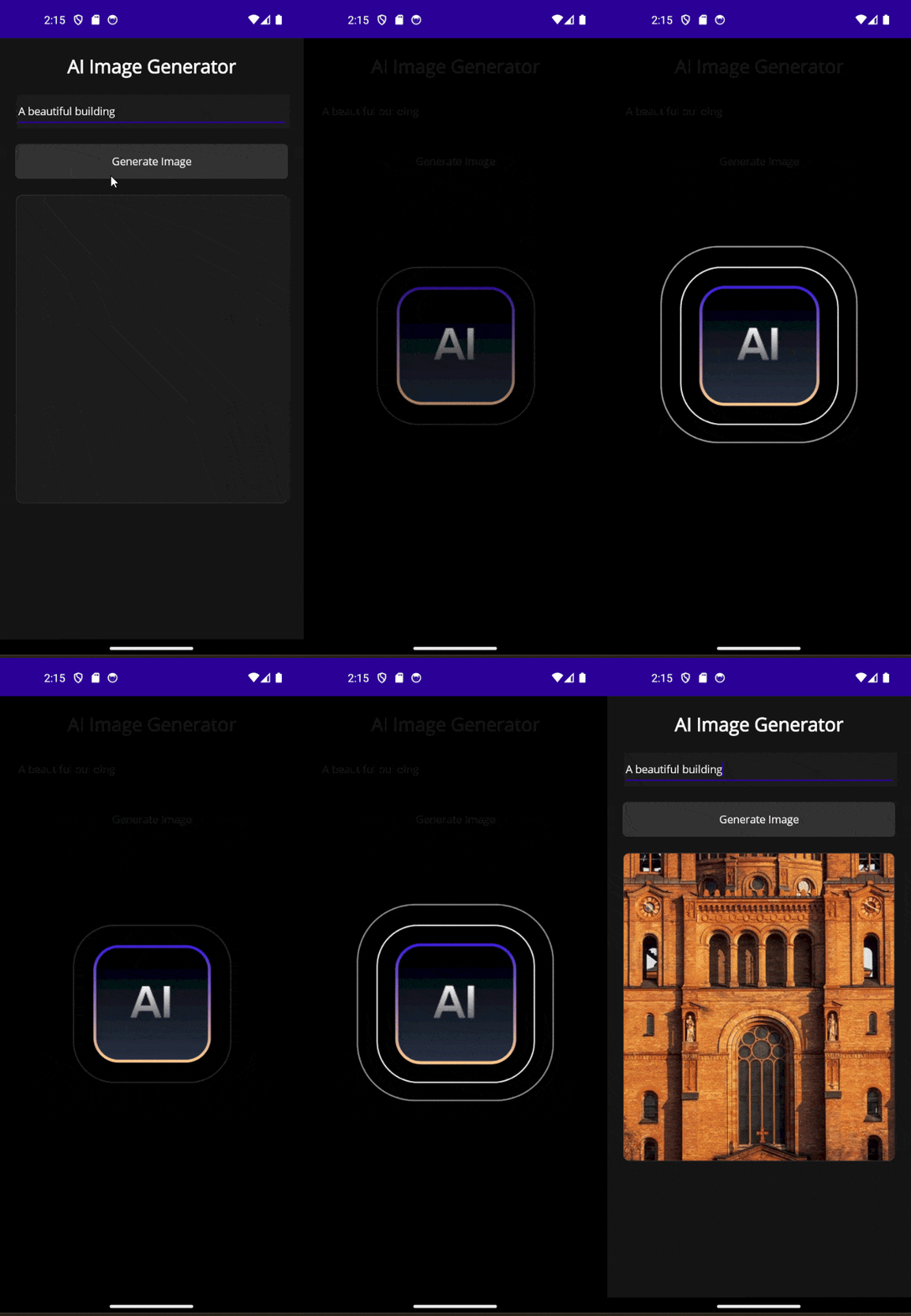
</code></pre><p>You can see that the example is simulated to avoid complicating the code too much. Now, the application running looks like this:</p><p><img src="https://d585tldpucybw.cloudfront.net/sfimages/default-source/blogs/2025/2025-06/an-interface-that-simulates-a-loading-delay-and-displays-feedback-using-an-activity-indicator.gif?sfvrsn=91fddd07_2" alt="An interface that simulates a loading delay and displays feedback using an activity indicator" /></p><p>The application doesn&rsquo;t look bad, but it could look better. In the .NET MAUI environment, we have several solutions that would allow us to display animations as popups easily, as I demonstrated in the article <a target="_blank" href="https://www.telerik.com/blogs/discovering-multiple-ways-create-popups-net-maui">Discovering Multiple Ways to Create Popups in .NET MAUI</a>. In our example, I will choose to use a <a target="_blank" href="https://docs.telerik.com/devtools/maui/controls/popup/overview">.NET MAUI Popup control</a> from Progress Telerik <a target="_blank" href="https://www.telerik.com/maui-ui">UI for .NET MAUI</a>, due to its ease of use. Let&rsquo;s change the Grid that contains the <code class="inline-code">ActivityIndicator</code> to the <code class="inline-code">RadPopup</code> control:</p><pre class=" language-xml"><code class="prism  language-xml"><span class="token tag"><span class="token tag"><span class="token punctuation">&lt;</span>Grid</span> <span class="token attr-name">Padding</span><span class="token attr-value"><span class="token punctuation">=</span><span class="token punctuation">"</span>20<span class="token punctuation">"</span></span><span class="token punctuation">&gt;</span></span>
    <span class="token tag"><span class="token tag"><span class="token punctuation">&lt;</span><span class="token namespace">telerik:</span>RadPopup.Popup</span><span class="token punctuation">&gt;</span></span>
        <span class="token tag"><span class="token tag"><span class="token punctuation">&lt;</span><span class="token namespace">telerik:</span>RadPopup</span>
            <span class="token attr-name"><span class="token namespace">x:</span>Name</span><span class="token attr-value"><span class="token punctuation">=</span><span class="token punctuation">"</span>popup<span class="token punctuation">"</span></span>
            <span class="token attr-name">OutsideBackgroundColor</span><span class="token attr-value"><span class="token punctuation">=</span><span class="token punctuation">"</span>#E6000000<span class="token punctuation">"</span></span>
            <span class="token attr-name">Placement</span><span class="token attr-value"><span class="token punctuation">=</span><span class="token punctuation">"</span>Center<span class="token punctuation">"</span></span>
            <span class="token attr-name">VerticalOffset</span><span class="token attr-value"><span class="token punctuation">=</span><span class="token punctuation">"</span>8<span class="token punctuation">"</span></span><span class="token punctuation">&gt;</span></span>
            <span class="token tag"><span class="token tag"><span class="token punctuation">&lt;</span>Grid</span><span class="token punctuation">&gt;</span></span>
                <span class="token tag"><span class="token tag"><span class="token punctuation">&lt;</span><span class="token namespace">lottie:</span>SKLottieView</span>
                    <span class="token attr-name">HeightRequest</span><span class="token attr-value"><span class="token punctuation">=</span><span class="token punctuation">"</span>300<span class="token punctuation">"</span></span>
                    <span class="token attr-name">HorizontalOptions</span><span class="token attr-value"><span class="token punctuation">=</span><span class="token punctuation">"</span>Center<span class="token punctuation">"</span></span>
                    <span class="token attr-name">RepeatCount</span><span class="token attr-value"><span class="token punctuation">=</span><span class="token punctuation">"</span>-1<span class="token punctuation">"</span></span>
                    <span class="token attr-name">Source</span><span class="token attr-value"><span class="token punctuation">=</span><span class="token punctuation">"</span>loader.json<span class="token punctuation">"</span></span>
                    <span class="token attr-name">WidthRequest</span><span class="token attr-value"><span class="token punctuation">=</span><span class="token punctuation">"</span>300<span class="token punctuation">"</span></span> <span class="token punctuation">/&gt;</span></span>
            <span class="token tag"><span class="token tag"><span class="token punctuation">&lt;/</span>Grid</span><span class="token punctuation">&gt;</span></span>
        <span class="token tag"><span class="token tag"><span class="token punctuation">&lt;/</span><span class="token namespace">telerik:</span>RadPopup</span><span class="token punctuation">&gt;</span></span>
    <span class="token tag"><span class="token tag"><span class="token punctuation">&lt;/</span><span class="token namespace">telerik:</span>RadPopup.Popup</span><span class="token punctuation">&gt;</span></span>
<span class="token tag"><span class="token tag"><span class="token punctuation">&lt;/</span>Grid</span><span class="token punctuation">&gt;</span></span>
</code></pre><p>Similarly, let&rsquo;s modify the code behind to control when the popup should appear on the screen:</p><pre class=" language-csharp"><code class="prism  language-csharp"><span class="token keyword">private</span> <span class="token keyword">async</span> <span class="token keyword">void</span> <span class="token function">GenerateButton_Clicked</span><span class="token punctuation">(</span><span class="token keyword">object</span> sender<span class="token punctuation">,</span> EventArgs e<span class="token punctuation">)</span>
<span class="token punctuation">{</span>
    popup<span class="token punctuation">.</span>IsOpen <span class="token operator">=</span> <span class="token keyword">true</span><span class="token punctuation">;</span>

    <span class="token keyword">await</span> Task<span class="token punctuation">.</span><span class="token function">Delay</span><span class="token punctuation">(</span><span class="token number">2500</span><span class="token punctuation">)</span><span class="token punctuation">;</span>

    GeneratedImage<span class="token punctuation">.</span>Source <span class="token operator">=</span> <span class="token string">"ai.jpg"</span><span class="token punctuation">;</span>

    popup<span class="token punctuation">.</span>IsOpen <span class="token operator">=</span> <span class="token keyword">false</span><span class="token punctuation">;</span>
<span class="token punctuation">}</span>
</code></pre><p>This way, we will have a better animation to show the user that their request is being processed:</p><p><img src="https://d585tldpucybw.cloudfront.net/sfimages/default-source/blogs/2025/2025-06/a-lottie-animation-rendered-inside-a-radpopup-component.gif?sfvrsn=5bd6ab4f_2" alt="A Lottie animation rendered inside a RadPopup component" /></p><p>This is how easy it is to combine a Lottie animation with a Popup.</p><h2 id="conclusion">Conclusion</h2><p>Throughout this article, you have learned what Lottie animations are and how to use them to your advantage, integrating them into your .NET MAUI applications through the use of the SKLottieView control. I encourage you to explore other places where you can add interactivity to your applications using this type of animation.</p><aside><hr data-sf-ec-immutable="" /><div class="row"><div class="col-4 u-normal-full u-small-mb0"><h4 class="u-fs20 u-fw5 u-lh125 u-mb0">Advanced Animations with .NET MAUI</h4></div><div class="col-8"><p class="u-fs16 u-mb0">Learn how to implement some other <a target="_blank" href="https://www.telerik.com/blogs/advanced-animations-net-maui">advanced animation approaches in your .NET MAUI app</a>, like easing functions to smooth out an animation.</p></div></div></aside><img src="https://feeds.telerik.com/link/23064/17111292.gif" height="1" width="1"/>]]></content>
  </entry>
  <entry>
    <id>urn:uuid:36f45677-926c-4a5a-935c-1889f31c325b</id>
    <title type="text">React UI for Native Apps</title>
    <summary type="text">React developers have polished free UI and solid tooling to be productive in making modern web apps. And the same UI can light up native cross-platform apps.</summary>
    <published>2025-07-29T11:12:05Z</published>
    <updated>2026-04-29T12:52:57Z</updated>
    <author>
      <name>Sam Basu </name>
    </author>
    <link rel="alternate" href="https://feeds.telerik.com/link/23064/17105658/react-ui-native-apps"/>
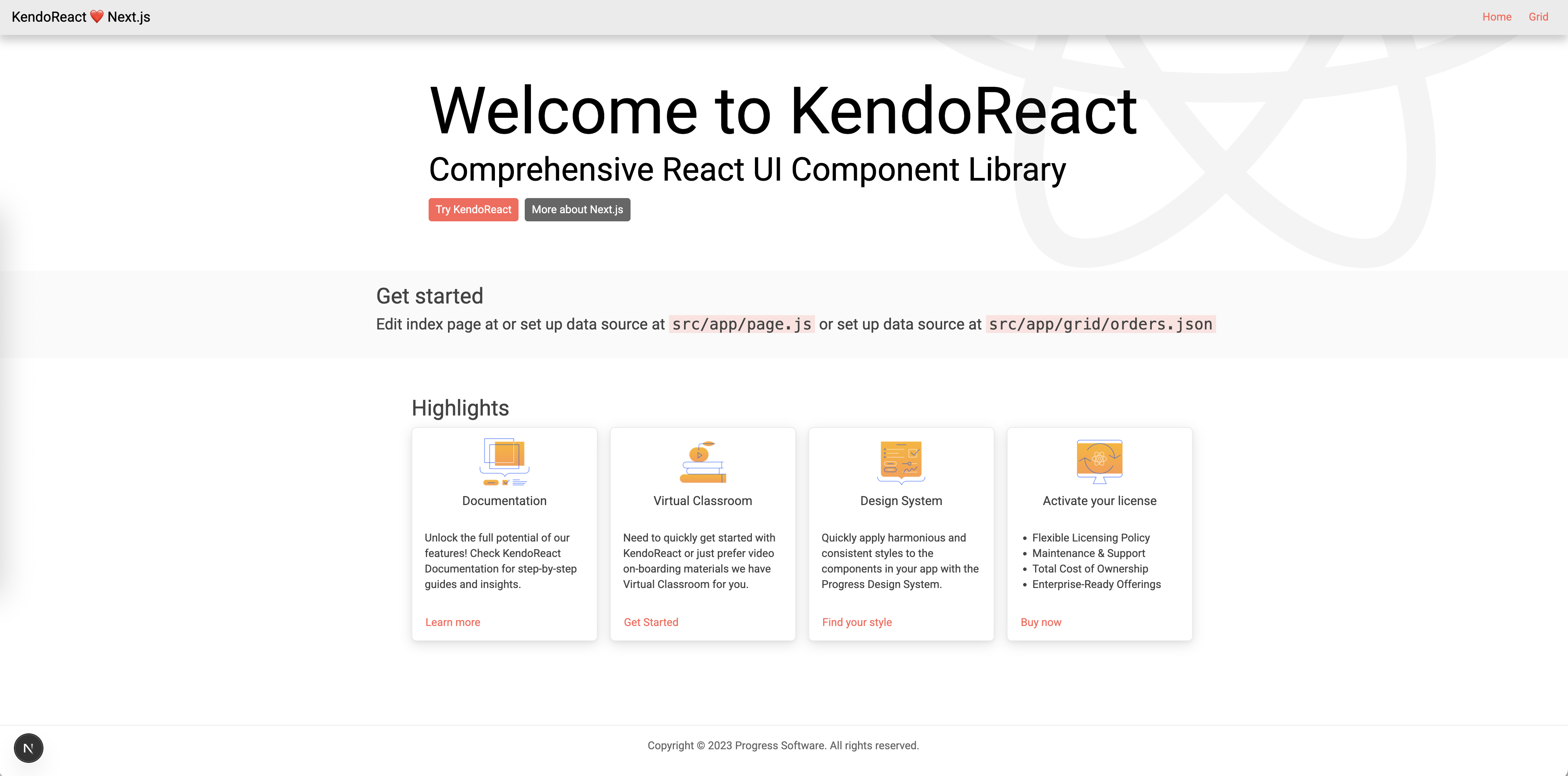
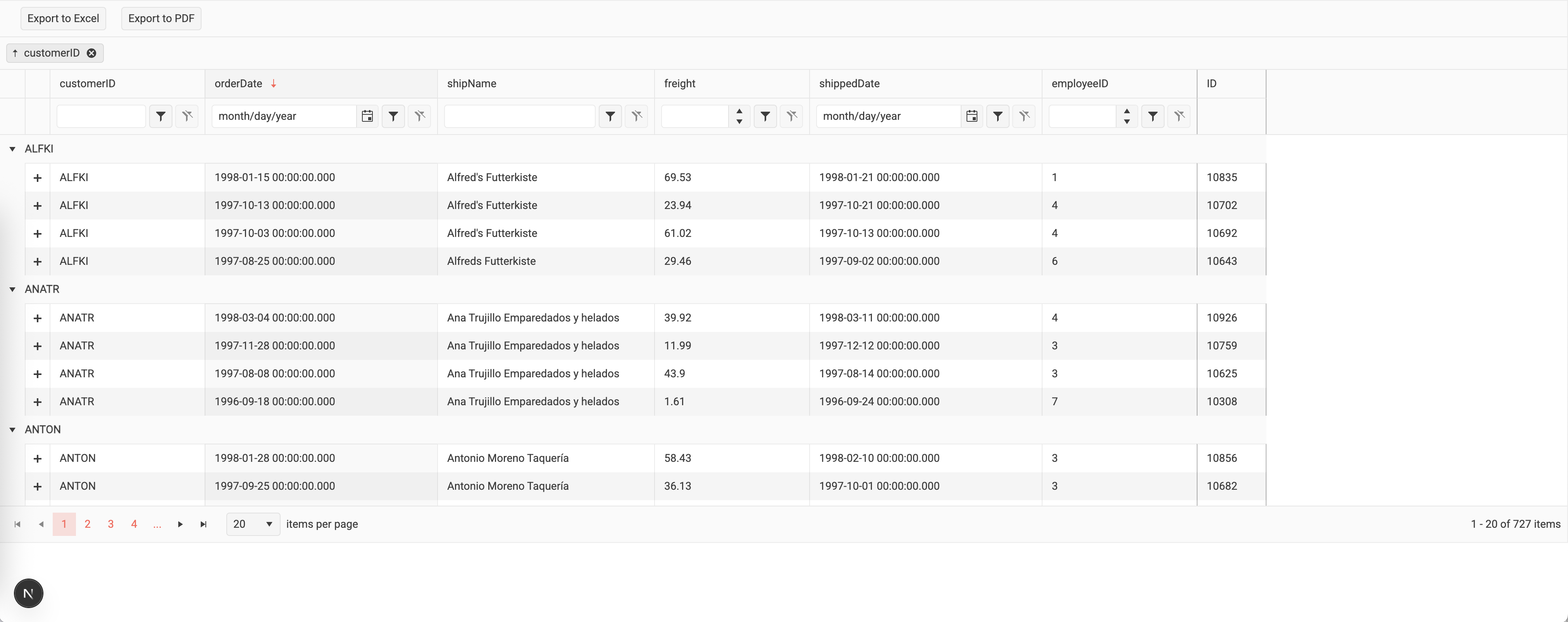
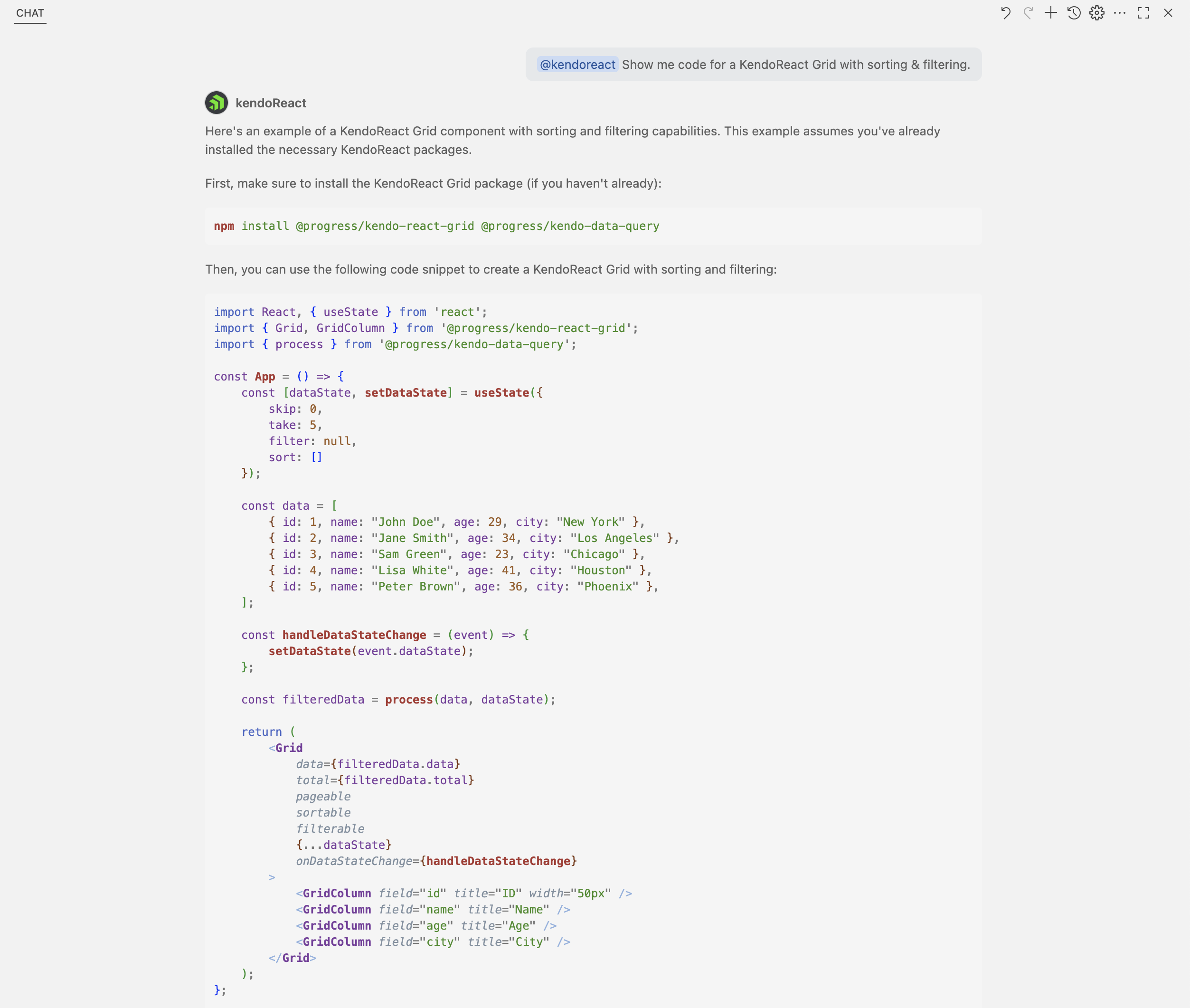
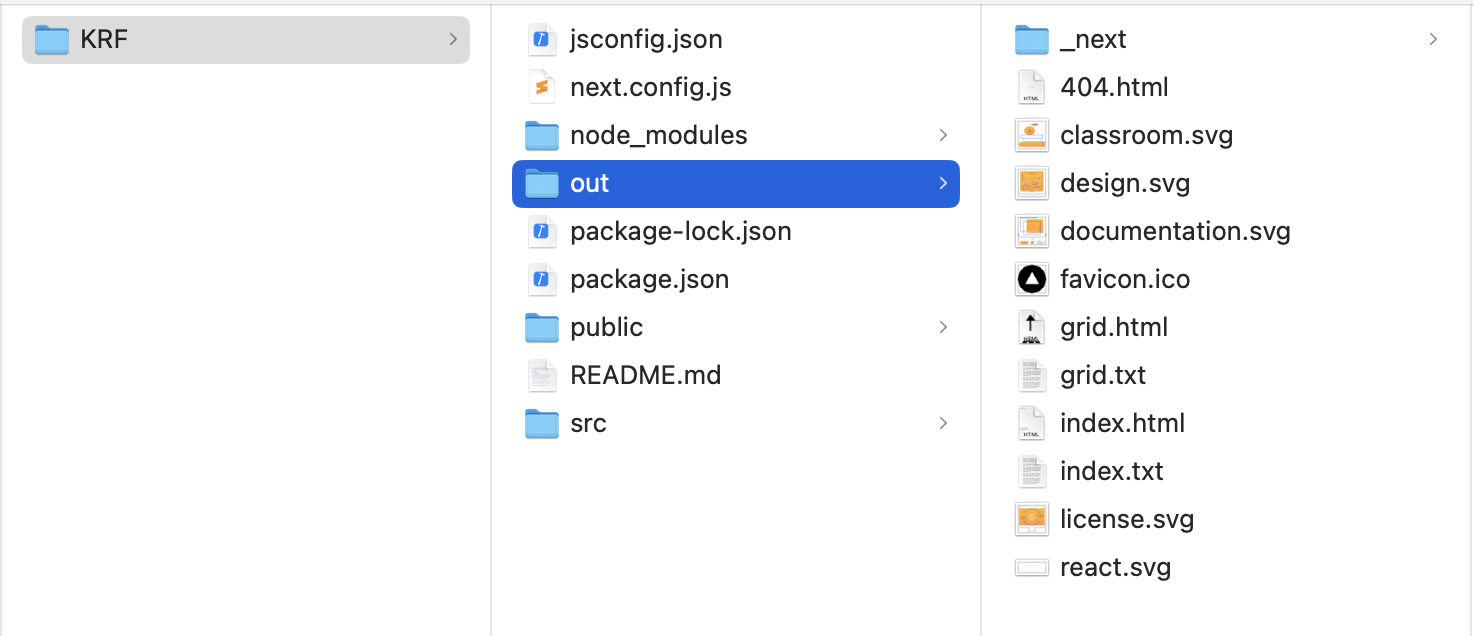
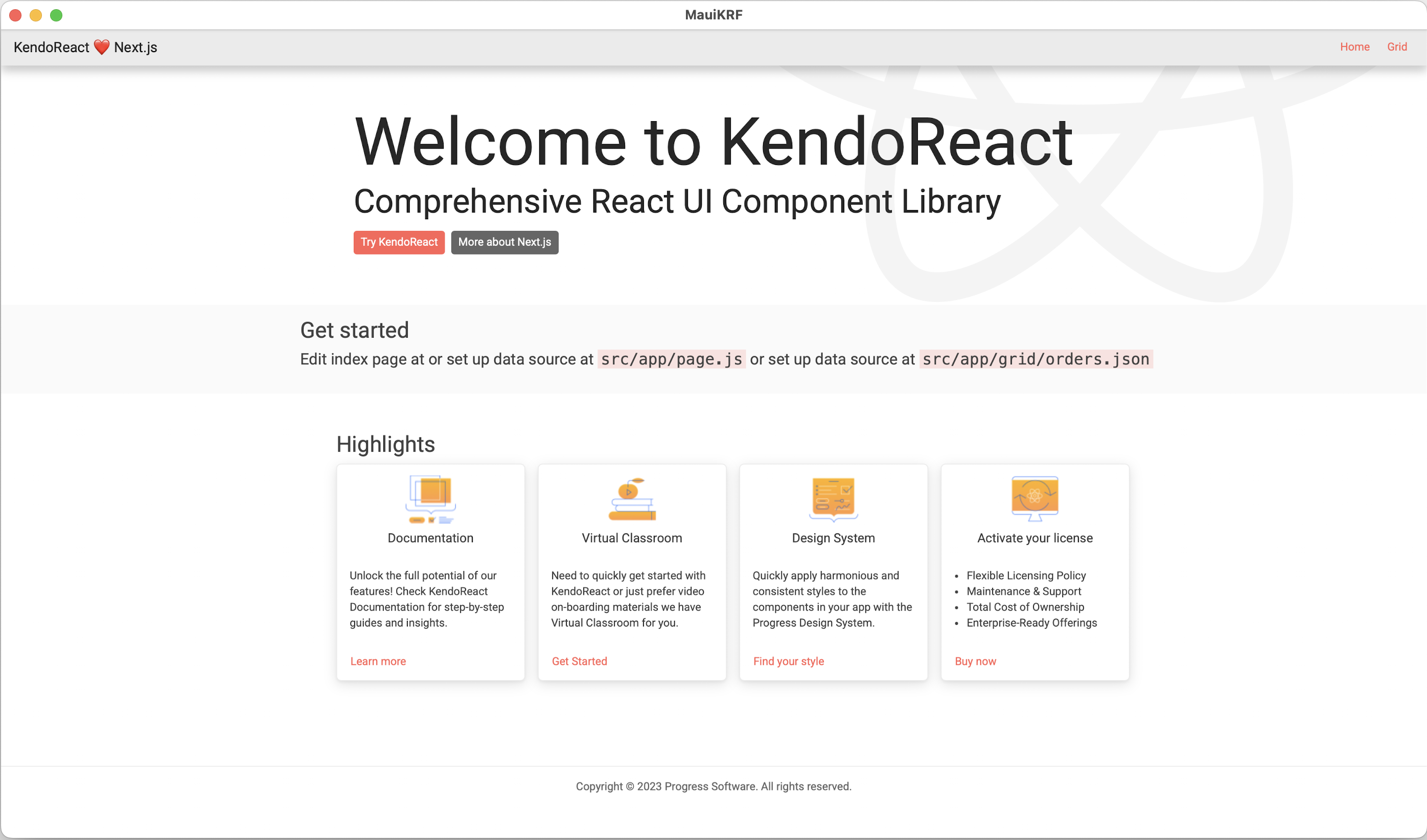
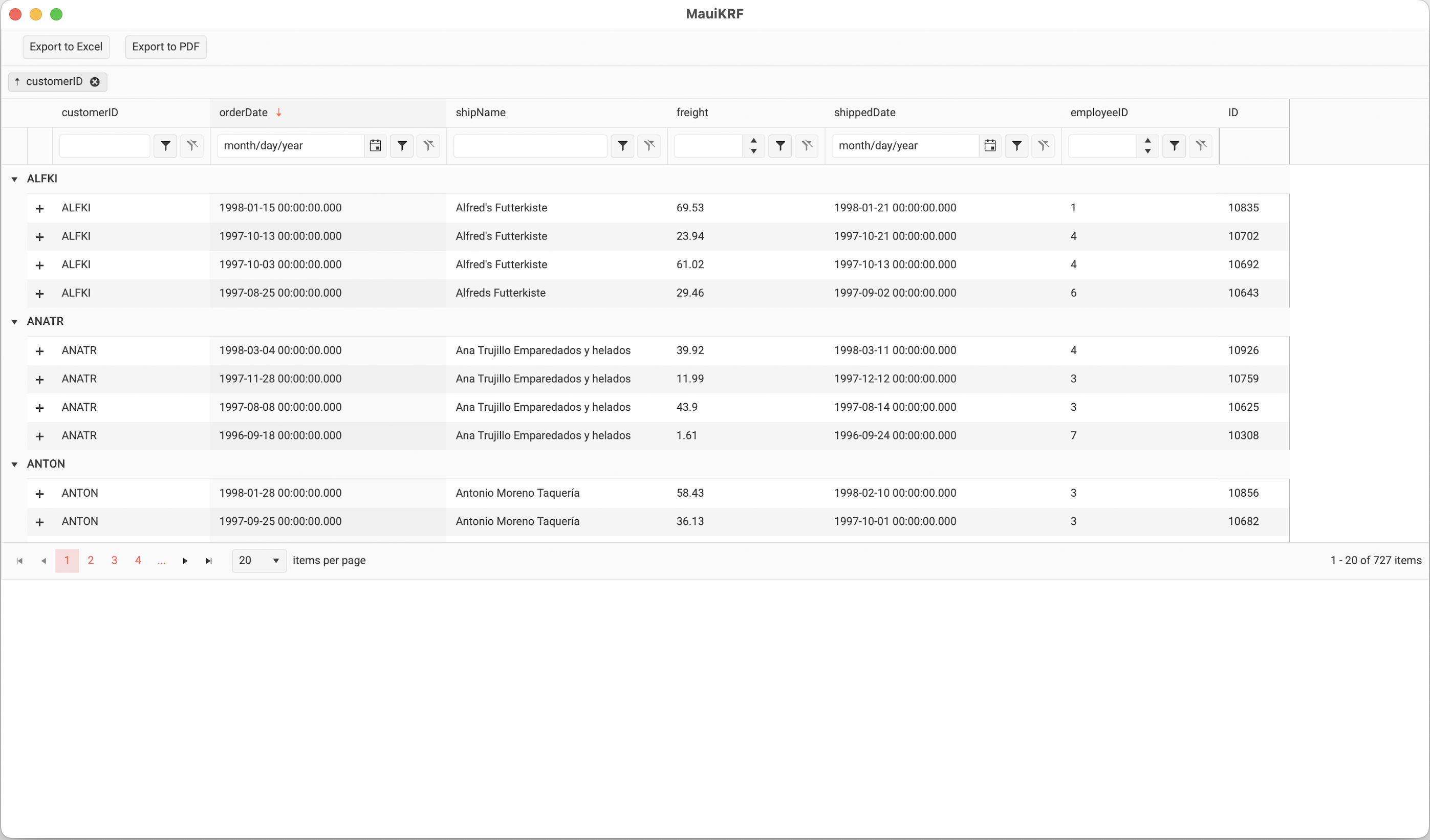
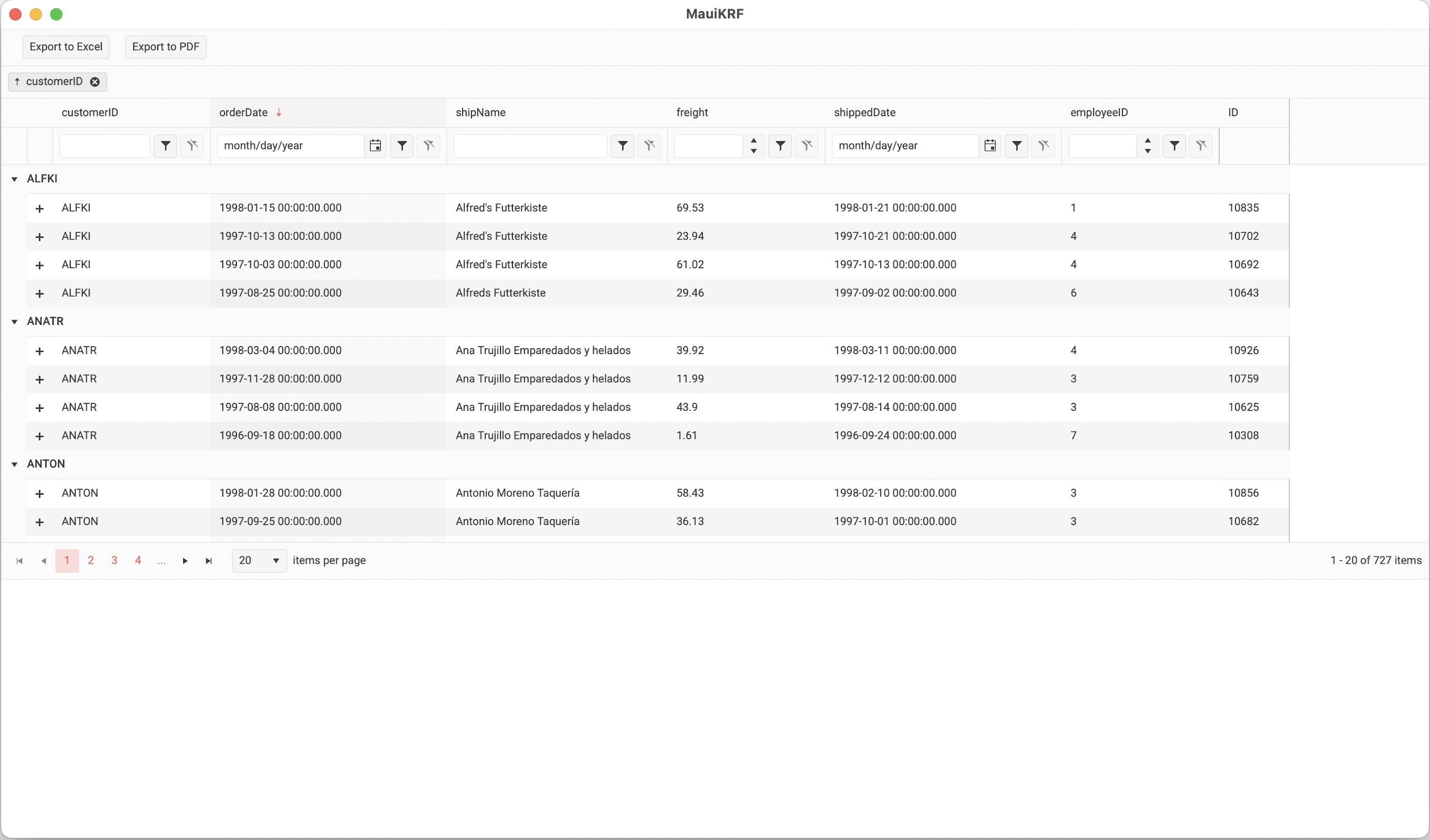
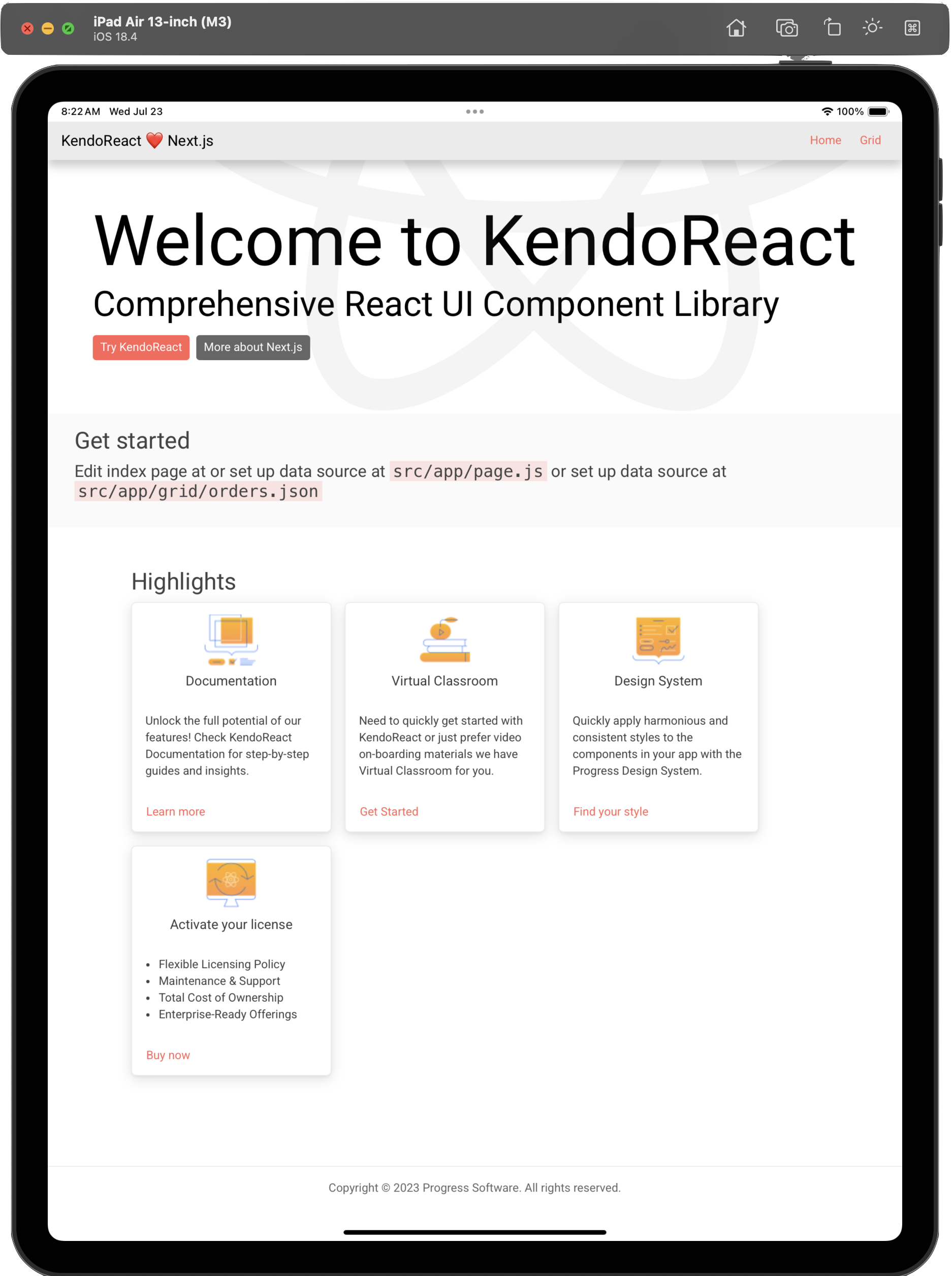
    <content type="text"><![CDATA[<p><span class="featured">React developers have polished free UI and solid tooling to be productive in making modern web apps. And the same UI can light up native cross-platform apps.</span></p><p>This post is a part of <a target="_blank" href="https://goforgoldman.com/posts/mauiuijuly-25/">MAUI UI July</a>. Based on an idea originally started for Xamarin by Steven Thewissen, MAUI UI July is a month-long community-driven event where anyone gets to share enthusiasm and passion for .NET MAUI. Run by Matt Goldman, this is a great opportunity for .NET MAUI developers to learn from each other. MAUI UI July happened all through July 2025.</p><p>Envision this scenario. A seasoned developer joins a startup without much experience in React development. Unfortunately, the rest of the team loves React. The developer has to fly solo to deliver a web app quickly for a customer who is already grumbling about wanting the same experience on mobile/desktop devices. The developer has to show quick success with a high-quality app to earn respect among peers&mdash;and potential bragging rights with use of cool new AI technologies toward better productivity. There are some roadblocks though.</p><h3 id="toc_1">Conundrum 1</h3><p>The developer quickly learns that React is very flexible and unopinionated. It allows for building custom technology stacks to serve specific needs. Unfortunately, this can be a bit overwhelming for folks starting out with React. What core framework like Next/Vite/Astro would be a good starting point? </p><p>Expert React developers are all about CLI tools&mdash;wouldn&rsquo;t it be nice to have some visual tools that gets to a good starting point quickly, instead of learning nuances of each framework? While the web app needs are simple, some performant UI is still needed. It makes no sense to create from scratch; instead of investing in UI libraries, it would be nice to start with something free. And all the cool kids are doing AI for productivity&mdash;how does one check that box?</p><h3 id="toc_2">Conundrum 2</h3><p>The developer also learns that React for web and React Native for mobile/desktop are two very different animals&mdash;there will be appreciable learning curve and potentially rewriting the same app UI twice. Wouldn&rsquo;t it be nice if the React UI for web browsers simply worked adaptively for native cross-platform apps? It would be good to tap into native platform APIs when needed, and flexibility for styling and accessibility support would be great.</p><p>Quite the conundrums. And startup culture needs quick validations for success. Let&rsquo;s explore some options.</p><h2 id="toc_3">React UI for Web</h2><p><a target="_blank" href="https://react.dev/">React</a> has grown to be a popular and dominant frontend framework&mdash;yet it is evolving fast, and a passionate developer ecosystem is fueling further growth. Recent React framework improvements and tooling updates inspire confidence, but React developer productivity is best augmented by a rich ecosystem.</p><p>Progress <a target="_blank" href="https://www.telerik.com/kendo-react-ui">KendoReact</a> is a leading React component library&mdash;an arsenal of 120+ enterprise-grade UI components and tools that simplify design and UI customization. While KendoReact has always served developers well, there was space to lower the barrier to entry and contribute to make React developers more successful.</p><h3 id="toc_4">KendoReact Free</h3><p>Say hello to <a target="_blank" href="https://www.telerik.com/kendo-react-ui/free-react-components">KendoReact Free</a>&mdash;a collection of 50+ customizable, enterprise-grade KendoReact UI components for free. All KendoReact Free components are available for free on npm, with no signups or license needed. The new free tier of KendoReact, the most comprehensive React UI library for business app development, also includes four professionally designed themes, Figma UI Kits and an easy upgrade option, if more complex UI is needed. </p><p>The KendoReact Free components are available to use in production apps and include everything from a powerful React datagrid to essential dropdowns, layout and input UI components. For each free React UI component, developers enjoy extensive features, ease of customization, accessibility, localization, consistent APIs and comprehensive documentation.</p><p>For our startup developer, KendoReact Free is the perfect way to show quick wins&mdash;polished free UI components can light up the web app. The story gets better with tooling&mdash;say hello to <a target="_blank" href="https://www.telerik.com/kendo-react-ui/components/installation/vscode-extensions">VS Code Extension for Kendo UI</a>. Instead of learning the nuances of several core frameworks like NextJS/Vite/Astro, our developer can use visual tooling to get to a good starting point&mdash;they do the same thing as CLI tools to bootstrap React projects, but with KendoReact wired up. </p><h3 id="toc_5">Starting Well</h3><p>Our developer starts up the new project template wizard in Kendo UI VS Code Extension. They chose a starter React project with Next.js, KendoReact Free UI components and few other defaults: </p><p><img src="https://d585tldpucybw.cloudfront.net/sfimages/default-source/announcements-1/vscodewizard.png?sfvrsn=c67c6488_1" alt="Kendo UI Template Wizard - KendoReact Free, Next.js" sf-size="100" /></p><p>Next up is the choice between JS/TS and a default theme for the web app starting from four popular design systems. Time to look professional with UI theming, without actually doing any work:</p><p><img src="https://d585tldpucybw.cloudfront.net/sfimages/default-source/announcements-1/vscodetemplate.png?sfvrsn=3277a6cb_1" alt="KendoReact theme selection" sf-size="100" /></p><p>The end result of template scaffolding is a classic React web app project with Next.js configuration&mdash;and it happens to drop the highly popular KendoReact Grid as a sample UI in a page, with everything wired in:</p><p><img src="https://d585tldpucybw.cloudfront.net/sfimages/default-source/announcements-1/krfsolution.png?sfvrsn=93a625c1_1" width="400" alt="File structure witih next, vscode, node modules, etc." /></p><p>Our developer is already off to the races with a great starting point&mdash;all that&rsquo;s left is to run <code class="inline-code">npm run dev</code> to start the development server. Navigating to <em>http://localhost:3000</em>, our developer sees the React app running locally&mdash;complete with some KendoReact cards pointing to resources.</p><p><img src="https://d585tldpucybw.cloudfront.net/sfimages/default-source/announcements-1/krfweb.png?sfvrsn=1d6220a_1" alt="Welcome to KendoReact" sf-size="100" /></p><p>Need to impress the customer with a quick prototype of a functional data grid? Our developer has things ready with navigation to the Grid link up top&mdash;voila, a full <a target="_blank" href="https://www.telerik.com/kendo-react-ui/grid">KendoReact Grid</a> with features like sorting, filtering, paging, grouping, exports and more, all built in.</p><p><img src="https://d585tldpucybw.cloudfront.net/sfimages/default-source/announcements-1/krfgrid.png?sfvrsn=82c0ef45_1" alt="React Grid using KendoReact component" sf-size="100" /></p><h3 id="toc_6">Sprinkle AI</h3><p>Are you even real if not doing AI these days? Our startup developer is also happy to discover that KendoReact makes room for more productivity&mdash;powered by AI. Say hello to <a target="_blank" href="https://www.telerik.com/kendo-react-ui/components/ai-assistant">Kendo UI AI Coding Assistant</a>&mdash;purpose-built to work directly inside today&rsquo;s leading AI-powered IDEs, working with any AI model, to output high-quality code.</p><p>GitHub Copilot is already one of the most popular and productive coding assistants for developers&mdash;an AI peer programmer that helps developers write better code. KendoReact augments GitHub Copilot with a custom extension called <a target="_blank" href="https://www.telerik.com/kendo-react-ui/components/ai-assistant/copilot-extension">@kendoreact</a>. This brings contextual intelligence powered by the latest documentation, APIs and sample code. </p><p><img src="https://d585tldpucybw.cloudfront.net/sfimages/default-source/announcements-1/kendouicodingassistant.png?sfvrsn=e0adaa60_1" alt="KendoReact AI Code Assistant awaiting prompt" sf-size="100" /></p><p>Our developer doesn&rsquo;t mind reading docs, but also wants quick answers. This is like having a KendoReact expert sitting in the next chair. Developers can ask away anything to do with KendoReact. Responses include sample code and explanations.</p><p><img src="https://d585tldpucybw.cloudfront.net/sfimages/default-source/announcements-1/sampleaicodingassistant.png?sfvrsn=76fc8dc3_1" alt="KendoReact AI Code Assistant responding to prompt: Show me code for a KendoReact Grid with sorting and filtering" sf-size="100" /></p><p>Our startup developer has also heard of AI agents for ultimate productivity&mdash;developers can simply chat using natural language to have AI complete multistep complex coding tasks. AI agents can understand entire codebases and recognize/fix errors automatically, suggest and execute terminal commands, and analyze run-time errors until the assigned developer task is complete. </p><p>To have more confidence in AI agents carrying out tasks, specialized tooling helps. KendoReact exposes all of the same contextual intelligence through a <a target="_blank" href="https://www.telerik.com/kendo-react-ui/components/ai-assistant/mcp-server">Model Context Protocol (MCP) server</a>&nbsp;and the #kendo-react-assistant tool.</p><p><img src="https://d585tldpucybw.cloudfront.net/sfimages/default-source/announcements-1/kendouimcp.png?sfvrsn=7e7c6f9c_1" alt="kendo-react-assistant" sf-size="100" /></p><p>Looks like our developer has done well in choosing KendoReact&mdash;free polished UI, accessibility built-in, custom theming options and AI-powered developer productivity. Time to amaze customers and rest of the startup with a solid React web app.</p><h2 id="toc_7">React UI for Mobile/Desktop</h2><p>Having proven worth with React on the web, now comes the next challenge&mdash;the customers keep asking for the same app experience on mobile/desktop form factors. There are power users who want the experience on a desktop apps, and folks on the go want it on phones/tablets. Having just delivered the web experience in React, our developer would hate to reinvent the wheel&mdash;time to shop around for options.</p><h3 id="toc_8">The Options</h3><p><a target="_blank" href="https://reactnative.dev/">React Native</a> allows developers who know React to create native apps&mdash;however, our developer quickly realizes it is not quite the same thing. Turns out, React Native works best with a framework like Expo. Our developer would have to learn file-based routing, reengineer some views and learn native plugins to access platform features. Progressive Web App (<a target="_blank" href="https://developer.mozilla.org/en-US/docs/Web/Progressive_web_apps/Guides/What_is_a_progressive_web_app">PWA</a>) is another option&mdash;but there are limitations with platform API access and performance isn&rsquo;t truly native.</p><p>A friend with .NET experience recommends <a target="_blank" href="https://dotnet.microsoft.com/en-us/apps/maui">.NET MAUI</a> to our startup developer&mdash;and it is quite refreshing. Turns out, .NET MAUI is built to enable developers to create cross-platform native apps for Android, iOS, macOS and Windows, with deep platform integrations, native UI and hybrid web experiences. Armed with modern smart WebViews, .NET MAUI is more than capable of welcoming web content to native land. </p><p>In fact, React developers should feel empowered to bring web UI components, routing, styling and more to native cross-platform .NET MAUI apps, while gaining complete native platform API access. The same React UI for web would just work in native apps, with solid performance.</p><h3 id="toc_9">The .NET MAUI Route</h3><p>.NET MAUI provides modern WebViews that would happily render web content inside the shell of a native cross-platform app&mdash;but our developer realizes that the first ask is to get the React app ready for static deployment. Next.js enables exporting a web app as a static site or Single-Page Application (SPA)&mdash;all it takes is one small configuration to change the output mode inside next.config.js:</p><div><pre class=" language-javascript"><code class="prism  language-javascript">const nextConfig = {
    output: 'export',
    ...
    ...
}</code></pre></div><p>After running the next build, Next.js will create an <em>out</em> folder with the HTML/CSS/JS assets for the React app&mdash;everything is flattened, minified and ready to be hosted:</p><p><img src="https://d585tldpucybw.cloudfront.net/sfimages/default-source/announcements-1/reactbuild.png?sfvrsn=40316e4f_1" alt="file structure for KRF - out" sf-size="100" /></p><p>Our startup developer is smart. News has gone around that Blazor and .NET MAUI really go well together, with a shared .NET runtime. The need here is to reuse a React app, not Blazor&mdash;but a small hack gets things off to a good start. Our developer creates a new .NET MAUI with a Blazor project from the default template&mdash;this is meant to embed Blazor UI/styles inside a native .NET MAUI app. </p><p><img src="https://d585tldpucybw.cloudfront.net/sfimages/default-source/announcements-1/mauikrfsolution.png?sfvrsn=bdf50e07_1" width="400" alt="maui krf file structure" /></p><p>Here&rsquo;s a look at unchanged default code in <em>MauiProgram.cs</em>:</p><div><pre><code class="language-csharp">using Microsoft.Extensions.Logging;

namespace MauiKRF;

public static class MauiProgram
{
    public static MauiApp CreateMauiApp()
    {
        var builder = MauiApp.CreateBuilder();
        builder
            .UseMauiApp&lt;App&gt;()
            .ConfigureFonts(fonts =&gt;
            {
                fonts.AddFont("OpenSans-Regular.ttf", "OpenSansRegular");
            });

        builder.Services.AddMauiBlazorWebView();

#if DEBUG
        builder.Services.AddBlazorWebViewDeveloperTools();
#endif

        return builder.Build();
    }
}</code></pre></div><p>The key here is to add the <a target="_blank" href="https://learn.microsoft.com/en-us/dotnet/maui/user-interface/controls/blazorwebview?view=net-maui-9.0">BlazorWebView</a>. This is a smart UI component that chooses the right WebView to render web content, based on the target platform the app is running on. While meant for Blazor, BlazorWebView is happy to render any web content&mdash;including ones from the prebuilt React app. Our developer cleans up the <em>MainPage.XAML</em> code. The only XAML UI markup to ever see is the BlazorWebView pointing to an <em>index.html</em> file:</p><div><pre><code class="language-markup">&lt;?xml version="1.0" encoding="utf-8" ?&gt;
&lt;ContentPage xmlns="http://schemas.microsoft.com/dotnet/2021/maui"
            xmlns:x="http://schemas.microsoft.com/winfx/2009/xaml"
            xmlns:local="clr-namespace:MauiKRF"
            x:Class="MauiKRF.MainPage"&gt;

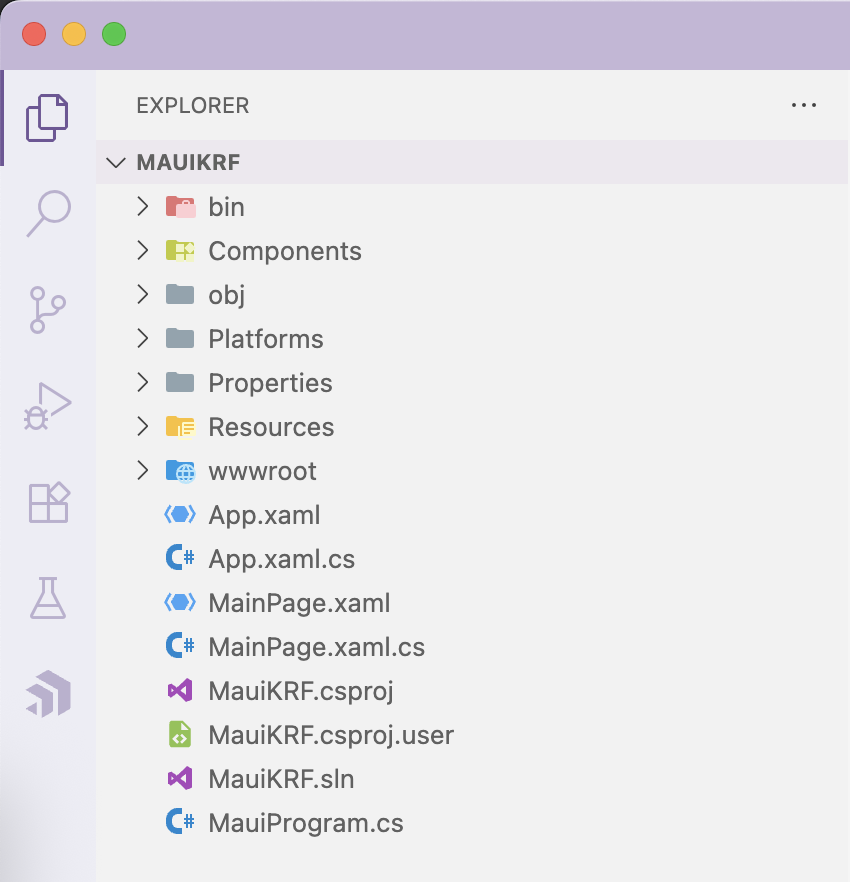
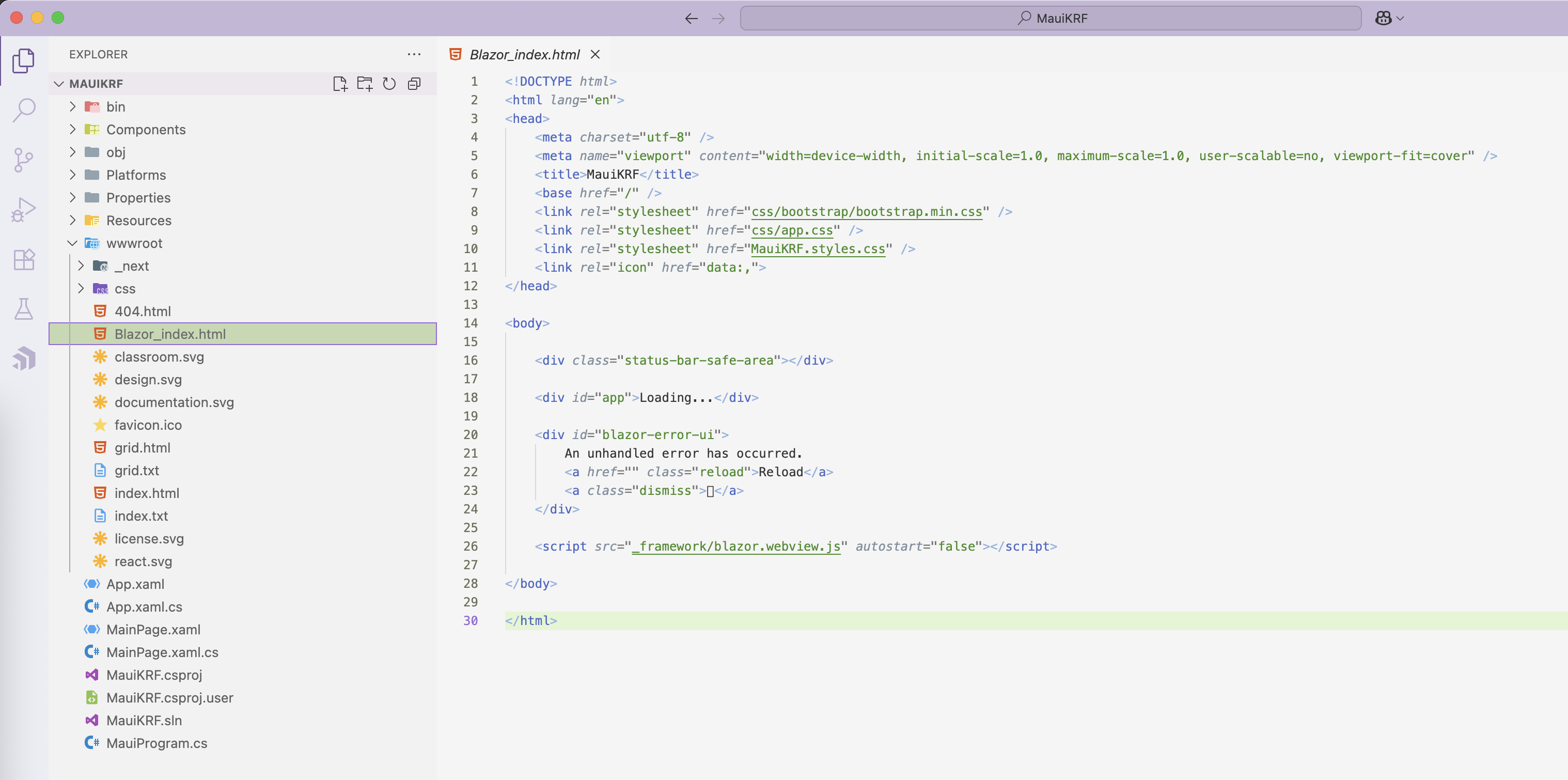
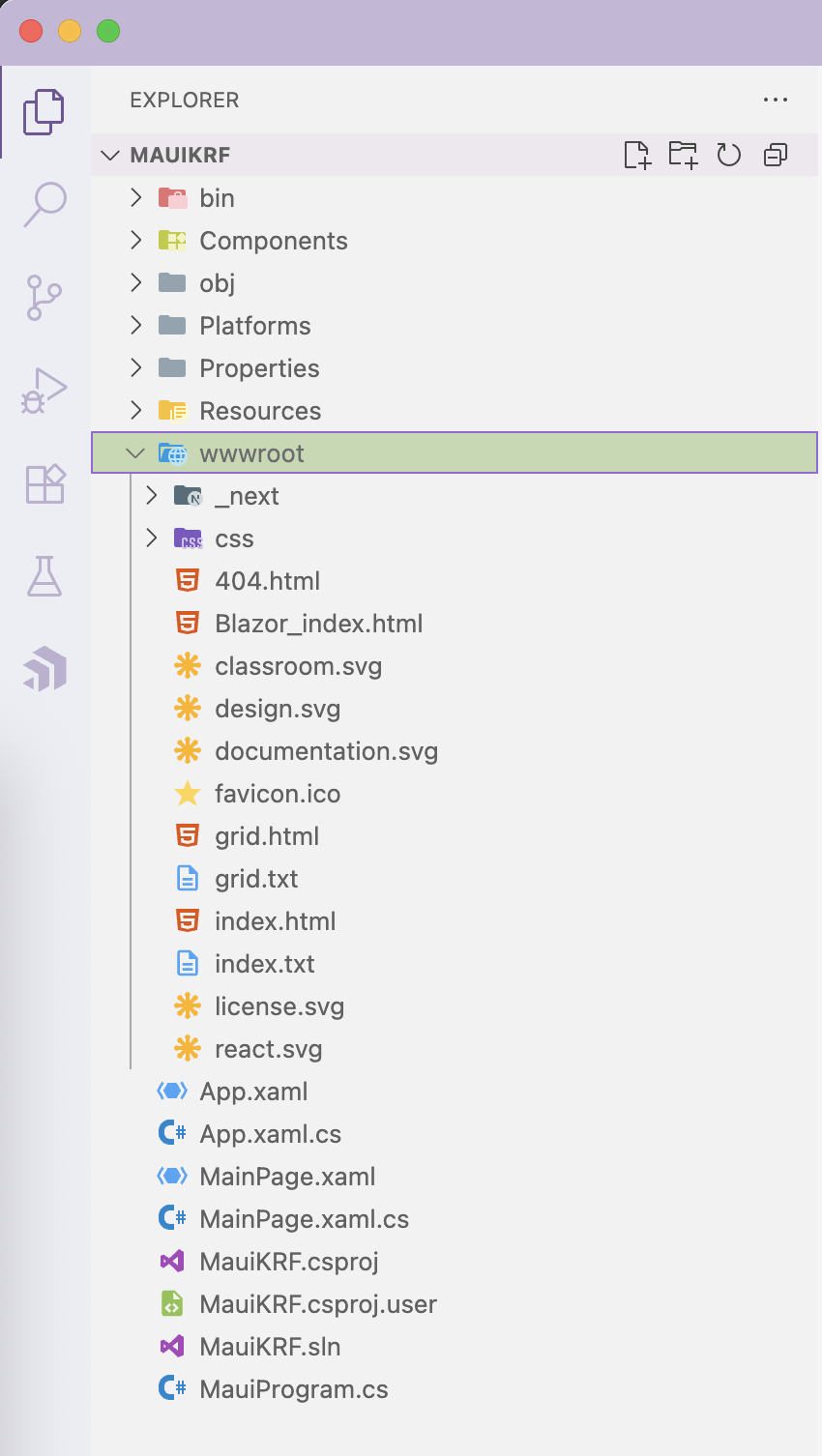
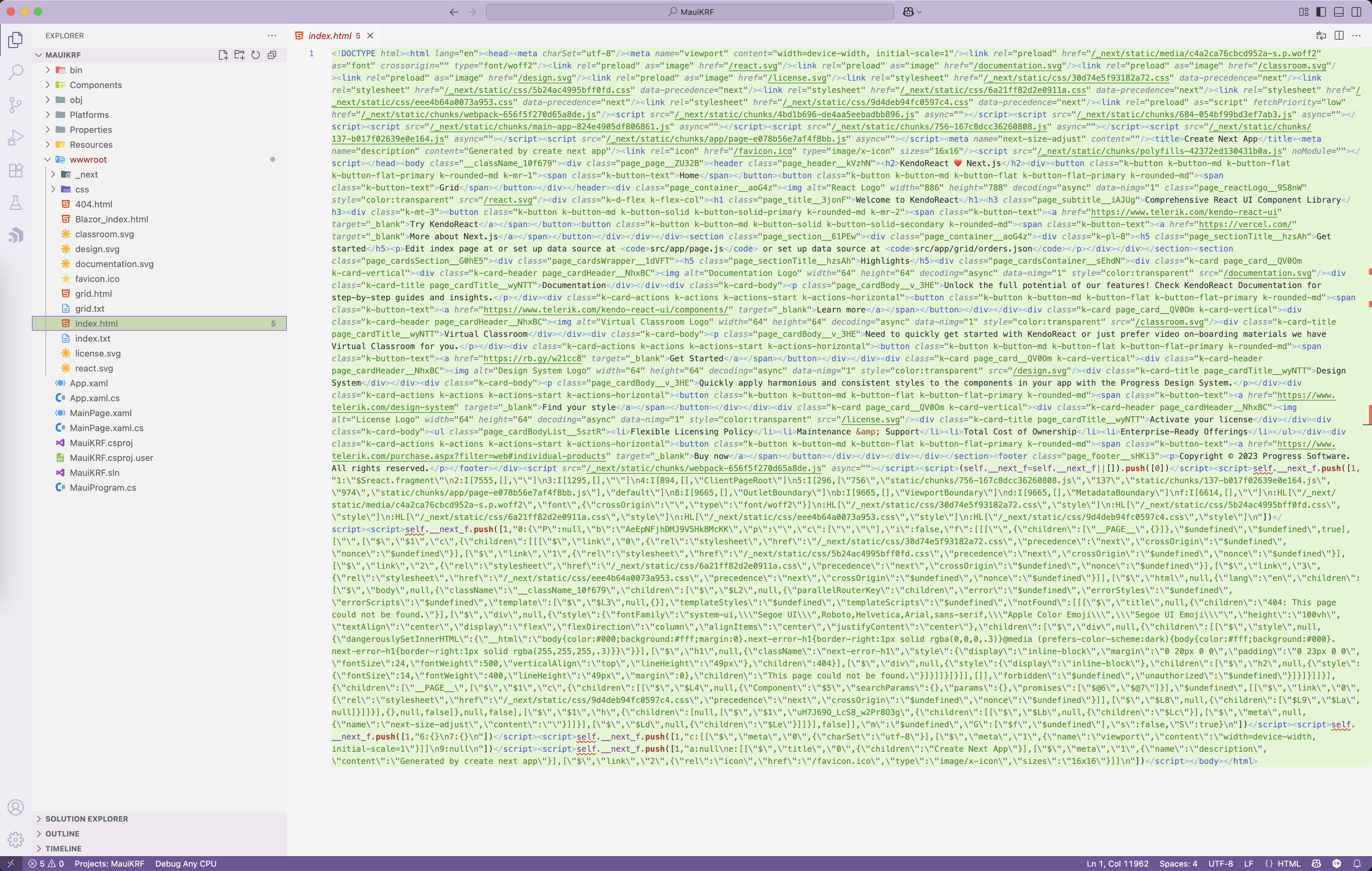
    &lt;BlazorWebView x:Name="blazorWebView" HostPage="wwwroot/index.html" /&gt;

&lt;/ContentPage&gt;</code></pre></div><p>Now, the embedded Blazor UI in the .NET MAUI project starts rendering from a default index.html page. Our developer has marked it as belonging to Blazor. </p><p><img src="https://d585tldpucybw.cloudfront.net/sfimages/default-source/announcements-1/blazorindex.png?sfvrsn=c50be333_1" alt="Blazor_index.html" sf-size="100" /></p><p>Now, here is the little swap&mdash;our developer takes all the files from prebuilt static React app and copies them over to the .NET MAUI-Blazor projects <em>wwwroot</em> folder, like so: </p><p><img src="https://d585tldpucybw.cloudfront.net/sfimages/default-source/announcements-1/wwwroot.png?sfvrsn=15fb539c_1" width="400" alt="MAUIKRF file structure under wwwroot" /></p><p>As compared to Blazor&rsquo;s index.html, the BlazorWebView now points to the index.html file that came from the React app&mdash;flattened and ready for deployment.</p><p><img src="https://d585tldpucybw.cloudfront.net/sfimages/default-source/announcements-1/reactindex.png?sfvrsn=a06d54f2_1" alt="react index.html" sf-size="100" /></p><h3 id="toc_10">Desktop Glory</h3><p>With the file swap, the React web app is now ready to rendered by the BlazorWebView&mdash;just inside the shell of the native cross-platform .NET MAUI app. Our developer fires up the app with desktop target&mdash;voila, same web React UI, now natively on desktop for macOS/Windows. </p><p><img src="https://d585tldpucybw.cloudfront.net/sfimages/default-source/announcements-1/krfdesktop.png?sfvrsn=9cd1e7e7_1" alt="Welcome to KendoReact" sf-size="100" /></p><p>Just the way it did on web, the feature-rich KendoReact Grid works on desktop as well&mdash;a performant Grid UI that just happens to be free.</p><p><img src="https://d585tldpucybw.cloudfront.net/sfimages/default-source/announcements-1/krfdesktopgrid.png?sfvrsn=9a179f10_1" alt="MauiKRF grid" sf-size="100" /></p><p>The KendoReact Grid brings brings one immediate advantage&mdash;adaptive rendering based on device form factor. On the web, when the browser window is resized, the KendoReact Grid adjusts itself. The same functionality powered by media queries works on the WebView as well, just inside a desktop app now.</p><p><img src="https://d585tldpucybw.cloudfront.net/sfimages/default-source/announcements-1/krfdesktopgridb66c8021-97f6-4941-af0e-daaa8247b47b.png?sfvrsn=7f6d1bba_1" alt="MauiKRF grid desktop" sf-size="100" /></p><h3 id="toc_11">Mobile Flexibility</h3><p>Users on the go would want the app working on mobile devices. This is where .NET MAUI shines as a true cross-platform solution. Without any code changes, the same React-UI powered app can be deployed to tablet devices. iPadOS can be the next target platform. </p><p><img src="https://d585tldpucybw.cloudfront.net/sfimages/default-source/announcements-1/krfonipad.png?sfvrsn=fcd415c2_1" alt="Welcome to KendoReact now on iPad Air" sf-size="100" /></p><p>Ultimate portability is through smartphones. Our developer checks the app running on iOS/Android devices. </p><p><img src="https://d585tldpucybw.cloudfront.net/sfimages/default-source/announcements-1/krfoniphone.png?sfvrsn=dee84_1" width="400" alt="App now on iPhone" /></p><p>The responsive KendoReact Grid works on mobile form factors as well&mdash;this time more touch-friendly.</p><p><img src="https://d585tldpucybw.cloudfront.net/sfimages/default-source/announcements-1/krfgridoniphone.png?sfvrsn=ad2fe874_1" width="400" alt="React Grid on iPhone" /></p><h3 id="toc_12">Style/Code Reusability</h3><p>One of the core advantages of .NET MAUI is code reusability across platforms&mdash;the evolution of same .NET code running seamlessly across mobile/desktop devices. With the Hybrid story, .NET MAUI welcomes Blazor and any other web framework like React/Angular/Vue/etc.&mdash;as long as .NET is the runtime or web assets are static, the UI can be rendered.</p><p>This also means shared styles&mdash;CSS for web apps can be reused for native apps and design system customizations through tools like Progress <a target="_blank" href="https://www.telerik.com/themebuilder">ThemeBuilder</a>&mdash;carry forward as well.</p><p>While the UI in this case is React, the app runtime is .NET. Developers have full access to native platform APIs. React code can talk to .NET easily to access .NET MAUI APIs for device sensors&mdash;updated <a target="_blank" href="https://learn.microsoft.com/en-us/dotnet/maui/user-interface/controls/hybridwebview?view=net-maui-9.0">HybridWebView</a> enables easy bidirectional communication. Developers are able to host any HTML/JS/CSS content in a modern WebView suited for target platforms, and have seamless communication between the code in the WebView (JavaScript/TypeScript) and the code that hosts the WebView (C#/.NET). Portability between developer platforms for the win!</p><h2 id="toc_13">Share the Love</h2><p>Our startup developer has made some wise choices thus far. Tasked with building a polished React web app quickly, KendoReact Free is a great way to start&mdash;completely free, but polished UI lights up modern apps. </p><p>Tooling help adds to productivity&mdash;the Kendo UI VS Code Extension scaffolds projects with chosen frameworks, setting up developers for success. And in the age of AI, KendoReact shines with an AI Coding Assistant surfaced as GitHub Copilot Extension or MCP Server, bringing contextual intelligence to developer fingertips. </p><p>With a functional React web app, developers would hate to reinvent app UI&mdash;but there would be obvious needs to have the same app running on mobile/desktop form factors. While there are other choices, .NET MAUI eases code reuse with the exact same React UI and styles, running seamlessly across platforms. With .NET MAUI, developers also get complete access native platform APIs&mdash;React and .NET enable easy bidirectional communication with modern WebViews. </p><p>Modern developers share the love across platforms&mdash;cheers to productivity.</p><hr /><p><strong>Ready to try KendoReact Free?</strong></p><p><a href="https://www.telerik.com/kendo-react-ui/components/free" target="_blank" class="Btn">Try KendoReact Free</a></p><img src="https://feeds.telerik.com/link/23064/17105658.gif" height="1" width="1"/>]]></content>
  </entry>
  <entry>
    <id>urn:uuid:a1f9cfc8-e831-47c5-8a15-9ed643c4ccb6</id>
    <title type="text">Sands of MAUI: Issue #194</title>
    <summary type="text">Welcome to the Sands of MAUI - newsletter style issues dedicated to bringing together latest .NET MAUI content relevant to developers.</summary>
    <published>2025-07-21T13:15:21Z</published>
    <updated>2026-04-29T12:52:57Z</updated>
    <author>
      <name>Sam Basu </name>
    </author>
    <link rel="alternate" href="https://feeds.telerik.com/link/23064/17100982/sands-maui-issue-194"/>
    <content type="text"><![CDATA[<p><span class="featured">Welcome to the Sands of MAUI - newsletter-style issues dedicated to bringing together latest .NET MAUI content relevant to developers.</span></p><p>A particle of sand - tiny and innocuous. But put a lot of sand particles together and we have something big - a force to reckon with. It is the smallest grains of sand that often add up to form massive beaches, dunes and deserts.</p><p>.NET developers are excited with the reality of .NET Multi-platform App UI (<a href="https://github.com/dotnet/maui">.NET MAUI</a>) - the evolution of modern .NET cross-platform developer technology stack. With stable tooling and a rich ecosystem, .NET MAUI empowers developers to build native cross-platform apps for mobile/desktop from single shared codebase, while inviting web technologies in the mix. While it may take a long flight to reach the sands of MAUI island, developer excitement around .NET MAUI is quite palpable with all the created content. Like the grains of sand, every piece of news/article/documentation/video/tutorial/livestream contributes towards developer experiences in .NET MAUI and we grow a community/ecosystem willing to learn &amp; help.</p><p>Sands of MAUI is a humble attempt to collect all the .NET MAUI awesomeness in one place. Here's what is noteworthy for the week of <strong>July 21, 2025</strong>:</p><h2 id="toc_1">Barcodes with .NET MAUI</h2><p>.NET MAUI is built to enable .NET developers to create cross-platform apps for Android, iOS, macOS and Windows, with deep platform integrations, native UI and hybrid web experiences. Modern app users demand rich UX from cross-platform apps, and developers can use all the help &mdash; .NET MAUI and Telerik UI are here to oblige. Barcodes are the visual representation of data that can be read by a scanner and commonly used across many industries - it can be a game-changer, enabling faster workflows, fewer errors and much less stress. Thankfully, .NET developers have it easy and <a href="https://x.com/LeomarisReyes11">Leomaris Reyes</a> wrote up a wonderful article - <a href="https://www.telerik.com/blogs/net-maui-barcode-qr-code-inventory-orders-loyalty">all about Barcodes in .NET MAUI</a>.</p><p>The Barcode UI component in Telerik UI for .NET MAUI enables the creation of variety of barcodes types for use in mobile/desktop apps - an UI paradigm commonly in use for aviation, warehousing, healthcare, retail, government and more. Telerik Barcode UI supports come in various standard formats, including regular and Swiss QR codes - and sizing can be adjusted manually or in proportion to container control. Leomaris starts with the basics and showcases the developer experience in easily rendering the Telerik Barcode UI with flexible API support - a complex UI ready out of the box for .NET MAUI developers.</p><img src="https://d585tldpucybw.cloudfront.net/sfimages/default-source/sandsofmaui/barcodes.png?sfvrsn=104e90b2_1" alt="" sf-size="100" /><p>&nbsp;</p><h2 id="toc_2">GitHub Copilot Productivity</h2><p>.NET MAUI is the evolution of modern .NET cross-platform development stack, allowing developers to reach mobile and desktop form factors from a single shared codebase - maintaining the .NET MAUI framework is a serious engineering challenge. GitHub Copilot, particularly in Agent mode, is quickly graduating from pair programmer to peer programmer - it might be a slow evolution to start considering GitHub Copilot as a developer on the team. In a test of reality, could GitHub Copilot help with .NET MAUI engineering tasks, like fixing simple issues and creating pull request with fixes? This can be an enticing option for many engineering teams and <a href="https://x.com/JonathanPeppers">Jonathan Peppers</a> wrote up an article - <a href="https://devblogs.microsoft.com/dotnet/maui-team-copilot-tips/">how the .NET MAUI team uses GitHub Copilot for productivity</a>.</p><p>As with anything with modern AI, mileage may vary - but with a bit of planning and context, GitHub Copilot can take care of lot of the repetitive work, freeing human developers to focus on higher-value complex problems. Turns out, the .NET MAUI team has been actively using GitHub Copilot in Agentic mode to boost productivity, and Jonathan is happy share some practical tips for getting the most out of it. To start, general context and guidance matters - copilot-instructions file is a great way to convey project context, repository structure and team coding standards. While a security feature, teams may need to configure firewall rules for GitHub Copilot to make external calls - environment variables are a great way to allow specific domains. For integration with Build or CI/CD pipelines, a copilot-setup-steps.yml can help customize Copilot Agent actions, while optional MCP Servers may bring additional contextual tools for Agents to carry out tasks with more confidence. Using GitHub Copilot in engineering tasks is a great early pilot by the .NET MAUI team - small steps towards the dream of treating GitHub Copilot as a fellow developer on the team.</p><img src="https://d585tldpucybw.cloudfront.net/sfimages/default-source/sandsofmaui/mauicopilot.jpeg?sfvrsn=7c60a44b_1" alt="" sf-size="100" /><p>&nbsp;</p><h2 id="toc_3">.NET 10 Update</h2><p>Modern <a href="https://x.com/dotnet">.NET</a> is powerful, open-source, cross-platform and welcoming to all, with mature tooling accompanied by rich ecosystems. With .NET settling on a yearly cadence, there are fresh new bits for developers every November &mdash; the work starts early in the year though. The .NET teams at Microsoft have been working toward the next iteration of .NET and have taken further steps &mdash; <a href="https://devblogs.microsoft.com/dotnet/dotnet-10-preview-6/">say hello to .NET 10 Preview 6</a>.</p><p>The sixth preview release of .NET 10 adds some big enhancements across the .NET Runtime, SDK, libraries, C# and developer frameworks like ASP.NET Core, Blazor, Aspire, .NET MAUI, Post-Quantum Cryptography (PQC) and more. For .NET MAUI developers, the latest .NET release includes the reworked MediaPicker, WebView enhancements, alignment with Apple Xcode 16.4 SDKs, support for Android API levels 35/36 and lots of stability fixes. As the year rolls along, .NET developers can expect a steady cadence of .NET 10 Previews until General Availability in November. As the much beloved .NET platform heads toward the next big release, developers will have much to stay tuned to &mdash; upwards and onwards.</p><img src="https://d585tldpucybw.cloudfront.net/sfimages/default-source/sandsofmaui/net109e6e2cad-da13-4aaa-8ff7-3e9774c2ff3a.jpeg?sfvrsn=c972043a_1" alt="" sf-size="100" /><p>&nbsp;</p><h2 id="toc_4">VS Code Release</h2><p>Modern AI is big opportunity to streamline and automate developer workflows for better productivity. <a href="https://x.com/code">VS Code</a> is the uber popular code editor and comes bundled with GitHub Copilot for AI-driven productivity &mdash; an AI peer programmer that helps developers write better code. The teams behind VS Code have been working hard and recently pushed out a big release - <a href="https://code.visualstudio.com/updates/v1_102">VS Code v1.102</a> is here for primetime.</p><p>GitHub Copilot is already one of the most popular and productive coding assistants for developers &mdash; an AI peer programmer that helps developers write better code. There is a lot of AI goodness in the latest VS Code release - this includes GA support for the full spec of Model Context Protocol (MCP) and open sourcing GitHub Copilot Chat. In addition to Ask/Agent modes, developers can now create custom modes for tailored experiences and there is now better background task management with Copilot coding agent. This is a space of furious innovations and nice to see VS Code/GitHub Copilot pushing the limits to make developers more productive with AI - cheers!</p><img src="https://d585tldpucybw.cloudfront.net/sfimages/default-source/sandsofmaui/vscode.jpeg?sfvrsn=3b96b388_1" alt="" sf-size="100" /><p>&nbsp;</p><h2 id="toc_5">.NET Aspire Dashboard</h2><p>Many modern apps are not giant monoliths anymore. Instead, application stacks are made up of bite-sized microservices, each isolated and deployed separately to make up parts of digital confetti. While such cloud native architectures bring better resiliency and configurability, the cognitive load is also real &mdash; this is where .NET Aspire shines. <a href="https://x.com/daveabrock">Dave Brock</a> has started a five-part exploratory series on .NET Aspire, and the second post is out &mdash; <a href="https://www.telerik.com/blogs/net-aspire-2-developer-dashboard">all about the .NET Aspire developer dashboard</a>.</p><p>Microservices architectures have big benefits, like on-demand infrastructure, independent deployments and self-healing resilience. But there is a cost to pay in terms of complexity, dependencies and lots of configurations. With .NET Aspire, developers get an opinionated toolkit that brings together best practices around service discovery, health checks, telemetry, secret management and more, all with easy built-in defaults. Dave starts with a sample Guitar Shop demo app to showcase the developer experience with .NET Aspire - the dashboard is a key benefit, allowing developers to track app dependencies in real-time through a single user interface. With the .NET Aspire dashboard, observability can be added to existing apps in two ways - using standalone mode or a .NET Aspire project. Dave starts with the default .NET Aspire VS Template and explains all about the AppHost project - the command center for app observability. The .NET Aspire Dashboard provides a unified interface for developers to visualize app dependency status with easy navigation to services and quickly access logs, traces and metrics in one spot - a key benefit towards configuration and observability for increasing distributed containerized application stacks.</p><img src="https://d585tldpucybw.cloudfront.net/sfimages/default-source/sandsofmaui/aspire298cbca8-b2c0-4f9b-9fdd-3d99757094b9.png?sfvrsn=55b8457c_1" alt="" sf-size="100" /><p>&nbsp;</p><p>That's it for now.</p><p>We'll see you next week with more awesome content relevant to .NET MAUI. </p><p>Cheers developers! </p><p>&nbsp;</p><img src="https://feeds.telerik.com/link/23064/17100982.gif" height="1" width="1"/>]]></content>
  </entry>
  <entry>
    <id>urn:uuid:184e8ff6-4475-43df-936c-a0d4add75388</id>
    <title type="text">.NET MAUI Barcode &amp; QR Code: For Inventory, Orders &amp; Loyalty</title>
    <summary type="text">.NET MAUI Barcode &amp; QR Code: For Inventory, Orders &amp; Loyalty</summary>
    <published>2025-07-16T15:03:42Z</published>
    <updated>2026-04-29T12:52:57Z</updated>
    <author>
      <name>Leomaris Reyes </name>
    </author>
    <link rel="alternate" href="https://feeds.telerik.com/link/23064/17097179/net-maui-barcode-qr-code-inventory-orders-loyalty"/>
    <content type="text"><![CDATA[<p><span class="featured">Learn how to get started with the .NET MAUI barcode component for easy support of scanning.</span></p><p><strong>What if all this technological evolution &hellip; ends up taking my job?</strong><br />It&rsquo;s one of the most common questions when talking about new tools or integrating existing ones. But that&rsquo;s where the real mistake lies: seeing them as enemies. In reality, technology is here to support and accelerate our work&mdash;not replace us.</p><p>Today, there are still many manual processes that could be optimized with the right tools. And what do we gain from that? Getting more done in less time, reducing errors and focusing on what truly adds value.</p><p>A clear example of this can be found in many retail companies. Imagine employees spending hours generating and manually typing the codes for thousands of products. But what if, instead, they could simply generate and scan those barcodes using an app?</p><p>It would be a game-changer: faster workflows, fewer errors and much less stress.</p><p>Because yes, we&rsquo;re not just talking about speed&mdash;we&rsquo;re talking about precision. A scanner won&rsquo;t mistype a digit like a human might when entering data quickly. And in environments where a small error can cost time or money, that makes all the difference.</p><p>In this article, I&rsquo;ll show you how barcodes can help streamline inventory and order management. I&rsquo;ll also introduce you to a <a target="_blank" href="https://docs.telerik.com/devtools/maui/controls/barcode/overview">.NET MAUI Barcode control</a> you can easily integrate into your apps using Progress Telerik <a target="_blank" href="https://www.telerik.com/maui-ui">UI for .NET MAUI</a>.</p><h2 id="let’s-start">Let&rsquo;s Start!</h2><p><strong>As developers, we must stay ahead of the curve and continuously add value to the applications we build.</strong> That&rsquo;s why today you&rsquo;ll learn much more about <strong>barcodes</strong> and how they can enhance the functionality of your apps.</p><h2 id="first-of-all-what-is-a-barcode">First of All, What Is a Barcode?</h2><p>It&rsquo;s a visual representation of data that can be read by a scanner. Among its main functions are product identification, inventory tracking, streamlining payments or check-ins, and much more. You can also customize it by setting the foreground and background colors to match your app&rsquo;s design.</p><h3 id="barcode-types">Barcode Types</h3><p>There are different types of barcodes, and the <strong>Telerik Barcode control</strong> supports a wide variety of them. Below, you&rsquo;ll find a graphical representation of each one, along with a brief description of when to use them.</p><p><img src="https://d585tldpucybw.cloudfront.net/sfimages/default-source/blogs/2025/2025-06/01_barcode_type.png?sfvrsn=60aa242_2" title="Barcode types" alt="types of barcodes" /></p><p>The <strong>barcodes that you can create using the Progress Telerik Barcode control</strong> are the ones shown in the image. Let&rsquo;s take a closer look at each of them:</p><ul><li><strong>QR (Quick Response):</strong> A 2D barcode with a capacity of over 7,000 characters. It can store text, URLs and complex data. Ideal for mobile apps, payments and digital interactions.</li><li><strong>EAN-13:</strong> A 1D barcode containing 13 digits. It&rsquo;s the global standard for retail products, widely used in supermarkets and stores.</li><li><strong>EAN-8:</strong> Also 1D, with 8 digits. Designed for small packaging where an EAN-13 code wouldn&rsquo;t fit.</li><li><strong>UPC-A (Universal Product Code):</strong> A 1D barcode with 12 digits, commonly used in the U.S. and Canada for retail products.</li><li><strong>UPC-E:</strong> A compact version of UPC-A, using only 6 digits (expandable to 12). Ideal for small packages where space is limited.</li><li><strong>Code 39:</strong> A 1D barcode that supports 43 characters including letters, numbers and symbols. Commonly used in industrial settings, logistics and ID cards.</li><li><strong>PDF417:</strong> A 2D barcode capable of storing over 1,800 characters. It can encode both text and binary data, and is often used in official documents, boarding passes and licenses.</li></ul><h2 id="support-for-swiss-qr-code">Support for Swiss QR Code</h2><p><img src="https://d585tldpucybw.cloudfront.net/sfimages/default-source/blogs/2025/2025-06/02_barcode_s_type.png?sfvrsn=5e65974b_2" title="Barcode Swiss Types" alt="" /></p><p>The Swiss QR Code is a type of code specifically designed for payments in Switzerland, meaning it includes all the necessary information and complies with regulatory requirements to perform transactions in a structured and secure way.</p><h3 id="how-can-you-set-the-size-">How Can You Set the Size? </h3><p>There are three ways to adjust the barcode size:</p><ul><li><strong>Manual:</strong> Allows you to define how thin the smallest line or dot in the barcode should be.</li><li><strong>Snap:</strong> The barcode stretches to fit, but every line or dot uses a precise number of pixels to avoid distortion.</li><li><strong>Stretch:</strong> The barcode resizes to perfectly fit the space, even if it distorts the original proportions.</li></ul><h2 id="how-do-i-get-started-with-the-barcode-control-">How Do I Get Started with the Barcode Control? </h2><p>Now that you&rsquo;ve seen everything this can do, let&rsquo;s walk through how to bring it to life in your own app. Getting started is easy&mdash;just follow a few simple steps using Telerik UI for .NET MAUI free trial:</p><ol><li><a target="_blank" href="https://docs.telerik.com/devtools/maui/controls/scheduler/getting-started">Make sure your .NET MAUI app is set up.</a></li><li><a target="_blank" href="https://docs.telerik.com/devtools/maui/get-started/first-steps-vs#step-2-download-telerik-ui-for-net-maui">Download Telerik UI for .NET MAUI.</a></li><li><a target="_blank" href="https://docs.telerik.com/devtools/maui/get-started/first-steps-vs#step-3-install-telerik-ui-for-net-maui">Install the Telerik component into your project.</a></li></ol><p>Once everything&rsquo;s ready, you&rsquo;re all set to start building!</p><h3 id="step-1-import-the-telerik-namespace">Step 1: Import the Telerik Namespace</h3><p>Open your XAML file and add this line to include the Telerik controls:</p><pre class=" language-xml"><code class="prism  language-xml">xmlns:telerik="[http://schemas.telerik.com/2022/xaml/maui](http://schemas.telerik.com/2022/xaml/maui)"
</code></pre><h3 id="step-2-register-telerik-in-mauiprogram.cs">Step 2: Register Telerik in MauiProgram.cs</h3><p>Go to your <strong>MauiProgram.cs</strong> file, and inside the <strong>CreateMauiApp</strong> method, make sure to register Telerik by adding the <strong>.UseTelerik()</strong> extension method. It&rsquo;s recommended to place it <strong>above</strong> the <strong>.UseMauiApp()</strong> line, like this:</p><pre class=" language-csharp"><code class="prism  language-csharp">using Telerik.Maui.Controls.Compatibility;

public static class MauiProgram 
{ 
public static MauiApp CreateMauiApp() 
{ 
    var builder = MauiApp.CreateBuilder(); 
    builder 
    .UseTelerik() 
    .UseMauiApp&lt;App&gt;() 
    .ConfigureFonts(fonts =&gt; 
    { 
    fonts.AddFont("OpenSans-Regular.ttf", "OpenSansRegular"); 
    }); 
    return builder.Build(); 
    } 
}
</code></pre><h3 id="step-3-adding-the-namespace">Step 3: Adding the Namespace</h3><pre><code>xmlns:telerik="http://schemas.telerik.com/2022/xaml/maui"
</code></pre><h3 id="step-4-let’s-add-a-qr-code-to-your-.net-maui-app">Step 4: Let&rsquo;s Add a QR Code to Your .NET MAUI App!</h3><pre class=" language-xml"><code class="prism  language-xml">&lt;telerik:RadBarcode x:Name="barcode" 
    AutomationId="barcode" 
    Value="https://www.telerik.com/maui-ui"&gt; 
    &lt;telerik:RadBarcode.Symbology&gt; 
    &lt;telerik:QRCode SizingMode="Stretch" /&gt; 
    &lt;/telerik:RadBarcode.Symbology&gt; 
&lt;/telerik:RadBarcode&gt;
</code></pre><p>To specify the type of barcode you need in your app, you can refer to the available formats mentioned above. For example, let&rsquo;s do it using the Code39 type:</p><pre class=" language-xml"><code class="prism  language-xml">&lt;telerik:RadBarcode
    WidthRequest="200" 
    HeightRequest="100" 
    HorizontalOptions="Center"
    VerticalOptions="Center" 
    Value="58000106"&gt; 
    &lt;telerik:RadBarcode.Symbology&gt; 
    &lt;telerik:Code39 HorizontalTextAlignment="Center" 
    SizingMode="Stretch" 
    ShowText="True" 
    CodeTextSpacing="10"/&gt; 
    &lt;/telerik:RadBarcode.Symbology&gt; 
&lt;/telerik:RadBarcode&gt;
</code></pre><h2 id="wrap-up">Wrap-up</h2><p>And that&rsquo;s it!  With these simple steps, you&rsquo;ve learned how to implement the Telerik Barcode control in your .NET MAUI applications. You also discovered its various use cases and the different barcode types available.</p><p>Go ahead and start integrating them into your apps from now on!</p><p><a target="_blank" href="https://www.telerik.com/try/ui-for-maui" class="Btn">Try UI for .NET MAUI</a></p><p>Thanks for reading! </p><h3 id="references">References</h3><ul><li><a target="_blank" href="https://www.telerik.com/maui-ui/barcode">https://www.telerik.com/maui-ui/barcode</a></li><li><a target="_blank" href="https://docs.telerik.com/devtools/maui/controls/barcode/getting-started">https://docs.telerik.com/devtools/maui/controls/barcode/getting-started</a></li></ul><img src="https://feeds.telerik.com/link/23064/17097179.gif" height="1" width="1"/>]]></content>
  </entry>
  <entry>
    <id>urn:uuid:efe04f3a-c514-4224-ab0d-487ee3de53b2</id>
    <title type="text">Sands of MAUI: Issue #193</title>
    <summary type="text">Welcome to the Sands of MAUI - newsletter style issues dedicated to bringing together latest .NET MAUI content relevant to developers.</summary>
    <published>2025-07-14T11:16:46Z</published>
    <updated>2026-04-29T12:52:57Z</updated>
    <author>
      <name>Sam Basu </name>
    </author>
    <link rel="alternate" href="https://feeds.telerik.com/link/23064/17092650/sands-maui-issue-193"/>
    <content type="text"><![CDATA[<p><span class="featured">Welcome to the Sands of MAUI - newsletter style issues dedicated to bringing together latest .NET MAUI content relevant to developers.</span></p><p>A particle of sand - tiny and innocuous. But put a lot of sand particles together and we have something big - a force to reckon with. It is the smallest grains of sand that often add up to form massive beaches, dunes and deserts.</p><p>.NET developers are excited with the reality of .NET Multi-platform App UI (<a href="https://github.com/dotnet/maui">.NET MAUI</a>) - the evolution of modern .NET cross-platform developer technology stack. With stable tooling and a rich ecosystem, .NET MAUI empowers developers to build native cross-platform apps for mobile/desktop from single shared codebase, while inviting web technologies in the mix. While it may take a long flight to reach the sands of MAUI island, developer excitement around .NET MAUI is quite palpable with all the created content. Like the grains of sand, every piece of news/article/documentation/video/tutorial/livestream contributes towards developer experiences in .NET MAUI and we grow a community/ecosystem willing to learn &amp; help.</p><p>Sands of MAUI is a humble attempt to collect all the .NET MAUI awesomeness in one place. Here's what is noteworthy for the week of <strong>July 14, 2025</strong>:</p><h2 id="toc_1">RichTextEditor for .NET MAUI</h2><p>.NET MAUI is built to enable .NET developers to create cross-platform apps for Android, iOS, macOS and Windows, with deep platform integrations, native UI and hybrid web experiences. Modern app users demand rich UX from cross-platform apps, and developers can use all the help &mdash; .NET MAUI and Telerik UI are here to oblige. Users often need to work with long format text in high fidelity and <a href="https://x.com/LeomarisReyes11">Leomaris Reyes</a> wrote up a wonderful article to help - <a href="https://www.telerik.com/blogs/using-richtexteditor-net-maui-apps">using RichTextEditor in .NET MAUI apps</a>.</p><p>The RichTextEditor in Telerik UI for .NET MAUI is a powerful text editor that developers can integrate right inside cross-platform apps - the performant feature-rich UI component allows users a wide range of editing capabilities. The goal is to empower users to generate rich textual content using a comprehensive array of tools that simplify the creation, editing and formatting of text, paragraphs, lists, hyperlinks and more - the RichTextEditor comes ready with integrated Toolbar, customizable Context Menu, rich Styling API and Localization support. Leomaris showcases the developer experience in working with the Telerik RichTextEditor - while the UI looks complex, it is real easy for developers to implement, while gaining fine-grained flexibility over HTML content and a rich UX for users.</p><img src="https://d585tldpucybw.cloudfront.net/sfimages/default-source/sandsofmaui/richtexteditor61224592-52bd-4a06-9946-a29bb2ca9d4c.png?sfvrsn=22446a25_1" alt="" sf-size="100" /><p>&nbsp;</p><h2 id="toc_2">Device Sensors with .NET MAUI</h2><p>It&rsquo;s July and time for MAUI UI July again. Based on an idea originally started for Xamarin by Steven Thewissen, MAUI UI July is a month-long community-driven event where anyone gets to share enthusiasm and passion for .NET MAUI. Run by Matt Goldman, this is a great opportunity for .NET MAUI developers to learn from each other - <a href="https://goforgoldman.com/posts/mauiuijuly-25/">MAUI UI July</a> is happening again for 2025. Modern mobile devices are loaded with sensors, and developers need to understand nuances to utilize sensors the right way towards optimized UX. <a href="https://x.com/Framinosona">Fran&ccedil;ois Raminosona</a> wrote up an excellent article to help, as a part of MAUI UI July - say hello to <a href="https://blog.francois.raminosona.com/sensors-in-net-maui-mauiuijuly/">sensors in .NET MAUI</a>.</p><p>.NET MAUI provides built-in access to several sensors through the Microsoft.Maui.Essentials package and Fran&ccedil;ois chose to focus on six key sensors - Accelerometer, Gyroscope, Magnetometer, Barometer, Compass and Orientation. Before using the sensors, Fran&ccedil;ois configures the .NET MAUI project for iOS/Android to have the necessary permissions and a clean service pattern that standardizes sensor logic. What follows is a clean implementation for each sensor, explaining the units of measurement, meaning and code to read sensor inputs from the device. Seeing is believing and Fran&ccedil;ois pairs each sensor usage with real-time visualizations of sensor inputs and practical UI patterns to inspire .NET MAUI developers. Overall, this was a wonderfully useful writeup as a part of MAUI UI July - lots more UI inspiration coming up for .NET MAUI developers throughout the month.</p><img src="https://d585tldpucybw.cloudfront.net/sfimages/default-source/sandsofmaui/sensors.png?sfvrsn=a25aeb76_1" alt="" sf-size="100" /><p>&nbsp;</p><h2 id="toc_3">.NET MAUI MediaPicker</h2><p>.NET MAUI is the evolution of modern .NET cross-platform development stack, allowing developers to reach mobile and desktop form factors from a single shared codebase. Almost all modern cross-platform apps use media extensively - immersive photos and videos contribute towards rich UX. Thankfully for .NET MAUI developers, the IMediaPicker interface abstracts away much of the pain of working with nuanced differences across platforms and the story is poised to get even better. <a href="https://x.com/jfversluis">Gerald Versluis</a> produced a video to walk through what's coming up - <a href="https://www.youtube.com/watch?v=8q8I3-qgMW4">MediaPicker improvements in .NET MAUI for .NET 10</a>.</p><p>For the uninitiated, Gerald begins with a refresher of the MediaPicker - the only media UI control .NET MAUI developers need to work seamlessly with any photos/videos across platforms. A lot of work has been put in to implement some big features with the MediaPicker - developers can get access to latest changes in .NET 10 preview bits for .NET MAUI. There are some welcome changes coming up - users can now pick multiple images or videos, control image compression/quality, work with image maximum width and/or height and rotate images. Gerald took the time to demo each of the new features and did a walkthrough of the developer experience of working with the MediaPicker in code. Exchangeable image file format (EXIF) is a global standard supported by almost all digital camera manufacturers, including smartphones &mdash; metadata tags defined in the EXIF standard cover a broad spectrum like camera settings, image metrics, date/time information, location details, copyright information and more. Thanks to a new Plugin, the Mediapicker can now surface EXIF information for picked media - developers can easily extract common EXIF metadata like camera make/model, date taken, GPS coordinates, camera settings and more from images/videos. </p><img src="https://d585tldpucybw.cloudfront.net/sfimages/default-source/sandsofmaui/mediapicker961306ec-ec39-4cfd-9d07-ac3e64d14df1.jpg?sfvrsn=a0a75940_1" alt="" sf-size="100" /><p>&nbsp;</p><h2 id="toc_4">VS Code AI Features</h2><p>Modern AI is big opportunity to streamline and automate developer workflows for better productivity. GitHub Copilot is already one of the most popular and productive coding assistants for developers &mdash; an AI peer programmer that helps developers write better code. With Agent mode, the developer experience with AI is constantly getting better in VS Code and <a href="https://x.com/JamesMontemagno">James Montemagno</a> produced a video to highlight some latest updates - <a href="https://www.youtube.com/watch?v=EpmxbAxOe4A">5 new VS Code AI features &amp; settings that developers should try</a>.</p><p>Model Context Protocol (MCP) is showing a lot of promise as the emerging standard that bridges AI models with the tools they rely on - the point is to provide deep contextual information/APIs/data as tools to AI Agents. With increasing number of MCP Servers/Tools, the latest VS Code update now offers a streamlined UI to browse, install &amp; manage MCP Servers. In Agent mode, developers can let AI run long complex operations - instead of getting interrupted, certain Terminal commands can be automatically allowed/denied, while a Max Request setting keeps the workflow going. GitHub Copilot can now drop a customized Instruction file into projects for personalized AI workings and new custom chat modes can bring further integrations into specific behaviors/tools that developers/teams might want to use - to the stars for developer productivity with AI.</p><img src="https://d585tldpucybw.cloudfront.net/sfimages/default-source/sandsofmaui/aifeatures.jpg?sfvrsn=17b833a5_1" alt="" sf-size="100" /><p>&nbsp;</p><h2 id="toc_5">AI for Image AltText</h2><p>It is the age of AI, and there is a huge opportunity for .NET developers to infuse apps with solutions powered by generative AI and large/small language models. Beyond chat examples, AI can come in to help modern cross-platform apps in interesting ways, often automating the mundane. Accessibility matters and one simple but powerful way to improve it is by adding AltText to images - alternative text helps screen readers describe images to visually impaired users, enhancing overall UX. But writing descriptive AltText for every image can be repetitive and <a href="https://x.com/elbruno">Bruno Capuano</a> wrote up an article to help - <a href="https://devblogs.microsoft.com/dotnet/alttext-generator-csharp-local-models/">local AI with .NET to generate AltText in one C# script</a>.</p><p>Local AI models can be a game changer - developers do not need to worry about rate limits or cloud latency, and have full control over the off-the-shelf/custom models. Bruno starts out with the use Ollama to run local vision model like gemma3, llama3.2-vision, or mistral-small3.2 - these models are great at understanding image content and generating rich natural language descriptions. With the last preview, .NET 10 also introduced a cool new feature where developers can now run a C# file directly with dotnet run - no project scaffolding, just clean, script-like execution. Bruno showed off the code to combine C# scripting with a local vision model - an easy way to generate smart AltText for app images and making apps more accessible.</p><img src="https://d585tldpucybw.cloudfront.net/sfimages/default-source/sandsofmaui/aialttext.jpeg?sfvrsn=120b2a83_1" alt="" sf-size="100" /><p>&nbsp;</p><p>That's it for now.</p><p>We'll see you next week with more awesome content relevant to .NET MAUI. </p><p>Cheers developers! </p><img src="https://feeds.telerik.com/link/23064/17092650.gif" height="1" width="1"/>]]></content>
  </entry>
  <entry>
    <id>urn:uuid:bb9f53af-4cb1-4a16-b4ec-1796d2ef5f06</id>
    <title type="text">Sands of MAUI: Issue #192</title>
    <summary type="text">This week’s .NET MAUI news: Blazor for mobile with AI, UI with C# Markup, MAUI UI July, MCP Dev Days.</summary>
    <published>2025-07-07T16:38:15Z</published>
    <updated>2026-04-29T12:52:57Z</updated>
    <author>
      <name>Sam Basu </name>
    </author>
    <link rel="alternate" href="https://feeds.telerik.com/link/23064/17082117/sands-maui-issue-192"/>
    <content type="text"><![CDATA[<p><span class="featured">Welcome to the Sands of MAUI&mdash;newsletter-style issues dedicated to bringing together the latest .NET MAUI content relevant to developers.</span></p><p>A particle of sand&mdash;tiny and innocuous. But put a lot of sand particles together and we have something big&mdash;a force to reckon with. It is the smallest grains of sand that often add up to form massive beaches, dunes and deserts.</p><p>.NET developers are excited with the reality of .NET Multi-platform App UI (<a target="_blank" href="https://github.com/dotnet/maui">.NET MAUI</a>)&mdash;the evolution of modern .NET cross-platform developer technology stack. With stable tooling and a rich ecosystem, .NET MAUI empowers developers to build native cross-platform apps for mobile/desktop from single shared codebase, while inviting web technologies in the mix.</p><p>While it may take a long flight to reach the sands of MAUI island, developer excitement around .NET MAUI is quite palpable with all the created content. Like the grains of sand, every piece of news/article/documentation/video/tutorial/livestream contributes toward developer experiences in .NET MAUI and we grow a community/ecosystem willing to learn and help.</p><p>Sands of MAUI is a humble attempt to collect all the .NET MAUI awesomeness in one place. Here&rsquo;s what is noteworthy for the week of <strong>July 7, 2025</strong>:</p><h2 id="toc_1">.NET MAUI Community Standup</h2><p>The .NET MAUI team hosts monthly Community Standup livestreams to celebrate all things .NET MAUI and provide updates&mdash;a wonderful way to bring the developer community together. A lot of good things are happening in .NET MAUI as a platform, and developer community excitement is noticeable. <a target="_blank" href="https://x.com/davidortinau">David Ortinau</a> and <a target="_blank" href="https://x.com/BethMassi">Beth Massi</a> recently hosted the July .NET MAUI Community Standup&mdash;<a target="_blank" href="https://www.youtube.com/live/31zDPcvZLRI">bringing Blazor goodness to mobile/desktop with a sprinkle of AI</a>.</p><p>After some usual banter, there was coverage of all the community news&mdash;there were lots of good .NET MAUI content contributions from the developer community as always. Beth talked through a long-standing home asset management app that she had as a web app&mdash;with the Blazor hybrid story, it can easily be brought over to desktop/mobile land. There are multiple Visual Studio templates to encourage code sharing between web/native apps, and the app UI/UX can cater to specific platforms&mdash;desktop version allows for uploading pics, while mobile version leverages the phone camera, all through same APIs.&nbsp;Hooking up the .NET MAUI app to AI Foundry is also trivial and brings AI intelligence to the app UX. </p><p><a target="_blank" href="https://x.com/jfversluis">Gerald Versluis</a> also joined the community standup to talk through some cool things. First steps toward supporting Apple&rsquo;s liquid glass UI through .NET MAUI and the &ldquo;MauiVerse&rdquo; effort to bring the community together, starting with a Discord server.</p><p><img src="https://d585tldpucybw.cloudfront.net/sfimages/default-source/sandsofmaui/standupf25f88c2-aaf8-4c65-9a49-4d60dffb8dc5.jpeg?sfvrsn=efdd8ed3_1" alt=".NET MAUI Community Standup: Blazor for Mobile with AI?" sf-size="100" /></p><h2 id="toc_2">UI with C# Markup</h2><p>.NET MAUI is built to enable .NET developers to create cross-platform apps for Android, iOS, macOS and Windows, with deep platform integrations, native UI and hybrid web experiences. While XAML remains the predominant UI stack to build .NET MAUI apps, there are other options. For lovers of fluent-style UI development, everything can be done very efficiently with C#. <a target="_blank" href="https://x.com/hprez">H&eacute;ctor P&eacute;rez</a> wrote up an article to prove the point&mdash;<a target="_blank" href="https://www.telerik.com/blogs/using-csharp-markup-create-graphical-interfaces-net-maui">using C# Markup to create graphical interfaces in .NET MAUI</a>.</p><p>To simplify writing .NET MAUI UI with C#, the team behind the .NET MAUI Community Toolkit created a set of helper methods and classes called C# Markup. H&eacute;ctor talks through how developers can download the NuGet package and get set up in .NET MAUI projects. While the same UI can be defined in XAML and C#, C# Markup brings in a set of handy Extension methods, like Grid declarations, text alignment and more. </p><p>Data binding is a key part of defining any .NET MAUI UI. With Observable and Bind() methods, C# can marry up efficiency with brevity. H&eacute;ctor build up a sample UI to drive the point home. C# Markup offers a nice alternative to XAML and makes things easy for .NET MAUI developers to do it all in C#.</p><p><img src="https://d585tldpucybw.cloudfront.net/sfimages/default-source/sandsofmaui/markup.gif?sfvrsn=6799545c_1" alt="C# markup demo" sf-size="100" /></p><h2 id="toc_3">.NET MAUI Plugin</h2><p>.NET MAUI is the evolution of modern .NET cross-platform development stack, allowing developers to reach mobile and desktop form factors from a single shared codebase. Imagery is the staple of most modern mobile/desktop apps toward providing rich UX, but developers often have to work with intricacies of image management. Thankfully, there is help for cross-platform developers with <a target="_blank" href="https://x.com/jfversluis">Gerald Versluis</a> pitching in&mdash;a <a target="_blank" href="https://github.com/jfversluis/Plugin.Maui.Exif">new plugin to read EXIF information from images in .NET MAUI apps</a>.</p><p>Exchangeable image file format (EXIF) is a global standard supported by almost all digital camera manufacturers, including smartphones&mdash;metadata tags defined in the EXIF standard cover a broad spectrum like camera settings, image metrics, date/time information, location details, copyright information and more. </p><p>Gerald published a new plugin named Plugin.Maui.Exif. With easy package reference and a single line of code, developers gain the ability to read EXIF metadata from image files in .NET MAUI apps across iOS, Android, macOS and Windows platforms. The plugin offers easy APIs with both static or dependency injection patterns. Developers can easily extract common EXIF metadata like camera make/model, date taken, GPS coordinates, camera settings and more. The open-source plugin offers easy getting started guides and comes with a sample app with plenty of reference code to get developers going. Big kudos to Gerald.</p><p><img src="https://d585tldpucybw.cloudfront.net/sfimages/default-source/sandsofmaui/plugin.jpeg?sfvrsn=762c249f_1" alt="jfversluis/Plugin.Maui.Exif" sf-size="100" /></p><h2 id="toc_4">MAUI UI July</h2><p>It&rsquo;s July and time for #MAUIUIJuly again. Based on an idea originally started for Xamarin by Steven Thewissen, MAUI UI July is a month-long community-driven event where anyone gets to share enthusiasm and passion for .NET MAUI. Run by<a target="_blank" href="https://x.com/mattgoldman"> Matt Goldman</a>, this is a great opportunity for .NET MAUI developers to learn from each other. <a target="_blank" href="https://goforgoldman.com/posts/mauiuijuly-25/">MAUI UI July</a> is happening again for 2025. Matt Goldman was also the first one to start things off for MAUI UI July with a brilliant article series&mdash;Holy MauiGraphics Batmobile edition.</p><p>Trust Matt to push the boundaries of what&rsquo;s possible with .NET MAUI. This time, he&rsquo;s building a retro-futuristic Batmobile telemetry system that includes both input (throttle) and output (RPM dashboard), connected over gRPC. In Part 1, the focus was the input side to build the throttle UI Batman uses to control the beast. MauiGraphics helps in building up the interface with IDrawable, with a good amount of math in drag logic and RPM binding. </p><p>In Part 2, the focus headed into the Batcave to build a live RPM dashboard that visualizes the data stream in real time. A gauge, pointer and telemetry bindings built up a retro-futuristic RPM gauge using nothing but .NET MAUI and a little bit of math. Part 3 of the series dived into Clayface-level trigonometry with swirling vortex of circular logic and animated arcs&mdash;perfect for the nerdiest among us. </p><p>MAUI UI July is happening this year at the Same Bat-time, Same Bat-channel&mdash;lots more UI inspiration coming up for .NET MAUI developers.</p><p><img src="https://d585tldpucybw.cloudfront.net/sfimages/default-source/sandsofmaui/mauiuijuly6519703c-0d24-4f2e-851f-0492562af723.png?sfvrsn=792480e1_1" alt=".NET MAUI mascot beside a sign reading Today is a good day" sf-size="100" /></p><h2 id="toc_5">MCP Dev Days</h2><p>Modern AI is big opportunity to streamline and automate developer workflows for better productivity. The Model Context Protocol (MCP) is an open-industry protocol that standardizes how applications provide context to AI language models. Developers can think of it as a common language for information exchange between AI models/agents. MCP is showing a lot of promise as the emerging standard that bridges AI models with the tools they rely on and there is good news for developers with <a target="_blank" href="https://x.com/okatiesavage">Katie Savage</a>/<a target="_blank" href="https://x.com/MarcBaiza">Marc Baiza</a> writing up the announcement&mdash;say hello to <a target="_blank" href="https://developer.microsoft.com/blog/join-us-for-mcp-dev-days-july-29-30">MCP Dev Days</a> happening July 29-30, 2025.</p><p>Developed as an open standard, MCP aims to provide a standardized way to connect AI models to different data sources, tools and non-public information. The point is to provide deep contextual information/APIs/data as tools to AI models/agents&mdash;MCP services also support robust authentication/authorization toward executing specific tasks on behalf of users. </p><p>Developers can expect a lot from MCP Dev Days&mdash;two days of virtual content with deep technical insight, community connection and hands-on learning. While Day 1 will be all about empowering developers to use MCP in their developer workflow, Day 2 will go deep into implementation strategies and best practices for creating MCP servers for integration into AI workflows. Should be two days of great online learning&mdash;MCP Dev Days promises to be the gateway to the future of AI tooling.</p><p><img src="https://d585tldpucybw.cloudfront.net/sfimages/default-source/sandsofmaui/mcpday.jpeg?sfvrsn=9c41655b_1" alt="microsoft - Join us for MCP Dev Days" sf-size="100" /></p><p>That&rsquo;s it for now.</p><p>We&rsquo;ll see you next week with more awesome content relevant to .NET MAUI. </p><p>Cheers, developers! </p><img src="https://feeds.telerik.com/link/23064/17082117.gif" height="1" width="1"/>]]></content>
  </entry>
  <entry>
    <id>urn:uuid:1c801381-6c30-4843-84dd-b21f776c6831</id>
    <title type="text">How to Migrate Your WPF Components to .NET MAUI</title>
    <summary type="text">When you’re ready to expand your trusty WPF desktop app to multiple platforms, .NET MAUI is an appealing choice. Here’s what that would look like with a DataGrid component as an example.</summary>
    <published>2025-05-21T10:23:02Z</published>
    <updated>2026-04-29T12:52:57Z</updated>
    <author>
      <name>Dimitrina Petrova </name>
    </author>
    <link rel="alternate" href="https://feeds.telerik.com/link/23064/17035122/how-to-migrate-wpf-components-net-maui"/>
    <content type="text"><![CDATA[<p><span class="featured">When you&rsquo;re ready to expand your trusty WPF desktop app to multiple platforms, .NET MAUI is an appealing choice. Here&rsquo;s what that would look like with a DataGrid component as an example.</span></p><p>As you might have a long-standing, well-proven desktop application built with WPF that&rsquo;s delivering a great user experience, you might have already planned to go beyond desktop and covering on all platforms. To align with the business goals and new objectives, your organization may be considering further adjustment to its business model. Consequently, you might be tasked with identifying how to adapt and support new capabilities to effectively reach a broader audience.</p><p>Born as an evolution of Xamarin and with desktop features throughout, the .NET MAUI platform came from Microsoft as a solid choice for migrating apps, enabling developers to create consistent experience across devices. With operating systems from a single project, .NET MAUI is positioned as a solid choice for building applications that run cross-platform, offering a cost-effective solution compared to maintaining separate native platform apps.</p><p>In this blog, I will provide some informed insights and discuss potential challenges posed by current limitations of the framework. Choosing the right UI toolkit to facilitate the process would bring another perspective. As an example, we can take advantage of the robust Progress Telerik UI for <a target="_blank" href="https://www.telerik.com/maui-ui">.NET MAUI library</a> that helps to reduce development time and facilitates the creation of modern-looking, enterprise-ready applications with built-in performance optimizations.</p><p>So, the key question seems to be: What does it take to migrate a WPF app to .NET MAUI? To migrate the application to run not only on Windows desktop, but also natively on Android and iOS, .NET MAUI enables consistent experience across devices and operating systems, rendering it the ultimate solution in the case of applications that needs actual cross-platforming. A logical step would be to seek a cost-effective solution compared to maintaining separate native platform apps.</p><h2 id="explore-the-case-of-migrating-a-wpf-one-grid-app">Explore the Case of Migrating a WPF One-Grid App</h2><p>Let&rsquo;s take a simple WPF app with a grid, bound to any data source and convert it to a <a target="_blank" href="https://www.telerik.com/maui-ui/datagrid">Telerik .NET MAUI DataGrid</a>. To get familiar with the initial steps on setting up the project, be sure to review the basic concepts already discussed in the other blog on <a target="_blank" href="https://www.telerik.com/blogs/considerations-when-porting-wpf-app-net-maui">Considerations When Porting a WPF App to .NET MAUI</a>.</p><h2 id="datagrid-api--definitions">DataGrid API &amp; Definitions</h2><p>The DataGrid offers an extensive set of built-in features like <a target="_blank" href="https://docs.telerik.com/devtools/maui/controls/datagrid/search-as-you-type">Search as You Type</a>, <a target="_blank" href="https://docs.telerik.com/devtools/maui/controls/datagrid/load-on-demand">Load on Demand</a>, plus the standard <a target="_blank" href="https://docs.telerik.com/devtools/maui/controls/datagrid/filtering/overview">Filtering</a>, <a target="_blank" href="https://docs.telerik.com/devtools/maui/controls/datagrid/grouping/overview">Grouping</a>, <a target="_blank" href="https://docs.telerik.com/devtools/maui/controls/datagrid/selection">Selection</a>, <a target="_blank" href="https://docs.telerik.com/devtools/maui/controls/datagrid/scrolling">Scrolling</a>, <a target="_blank" href="https://docs.telerik.com/devtools/maui/controls/datagrid/sorting">Sorting</a> and <a target="_blank" href="https://docs.telerik.com/devtools/maui/controls/datagrid/editing">Editing</a> options.</p><p>Similar to its <a target="_blank" href="https://www.telerik.com/products/wpf/gridview.aspx">Telerik UI for WPF DataGrid</a> cousin, the .NET MAUI version can autogenerate typed columns based on the types of the underlying data. Alternatively, you can manually define the needed columns, as various <a target="_blank" href="https://docs.telerik.com/devtools/maui/controls/datagrid/columns/overview#manual-columns-definition">column types and properties</a> are exposed for direct configuration. <a target="_blank" href="https://docs.telerik.com/devtools/maui/controls/datagrid/columns/reordering">Columns Reordering</a> is also supported.<br />To get started, you might find useful to refer to and compare the full <a target="_blank" href="https://docs.telerik.com/devtools/maui/api/telerik.maui.controls.datagrid">Telerik UI for .NET MAUI DataGrid API</a> to the <a target="_blank" href="https://docs.telerik.com/devtools/wpf/api/telerik.windows.controls.gridview">Telerik UI for WPF GridView API</a> (and similarly to all listed namespaces).</p><p>In addition to the standard ways to populate data, the <a target="_blank" href="https://docs.telerik.com/devtools/maui/controls/datagrid/overview">.NET MAUI DataGrid supports binding</a> to any type that implements the standard IDynamicMetaObjectProvider DLR interface, such as DynamicObject and ExpandObject. See more on <a target="_blank" href="https://docs.telerik.com/devtools/maui/controls/datagrid/populating-with-data/dynamic-data">.NET MAUI DataGrid - Dynamic Data</a>.</p><h2 id="style-the-datagrid-and-its-elements">Style the DataGrid and Its Elements</h2><p>As an example, below is an illustration of how to define a DataGrid with a column and specify a custom CellContentStyle (CellStyle in WPF):</p><p><strong>WPF Code</strong></p><pre class=" language-xml"><code class="prism  language-xml"><span class="token tag"><span class="token tag"><span class="token punctuation">&lt;</span><span class="token namespace">telerik:</span>RadGridView</span>  <span class="token attr-name">ItemsSource</span><span class="token attr-value"><span class="token punctuation">=</span><span class="token punctuation">"</span>{Binding Clubs}<span class="token punctuation">"</span></span>  <span class="token attr-name">AutoGenerateColumns</span><span class="token attr-value"><span class="token punctuation">=</span><span class="token punctuation">"</span>False<span class="token punctuation">"</span></span>  
    <span class="token attr-name">DataContext</span><span class="token attr-value"><span class="token punctuation">=</span><span class="token punctuation">"</span>{StaticResource ViewModel}<span class="token punctuation">"</span></span>  <span class="token punctuation">&gt;</span></span>  
    <span class="token tag"><span class="token tag"><span class="token punctuation">&lt;</span><span class="token namespace">telerik:</span>RadGridView.Columns</span><span class="token punctuation">&gt;</span></span>  
        <span class="token tag"><span class="token tag"><span class="token punctuation">&lt;</span><span class="token namespace">telerik:</span>GridViewDataColumn</span> <span class="token attr-name">DataMemberBinding</span><span class="token attr-value"><span class="token punctuation">=</span><span class="token punctuation">"</span>{Binding Name}<span class="token punctuation">"</span></span> <span class="token attr-name">Header</span><span class="token attr-value"><span class="token punctuation">=</span><span class="token punctuation">"</span>Club Name<span class="token punctuation">"</span></span><span class="token punctuation">&gt;</span></span> 
<span class="token tag"><span class="token tag"><span class="token punctuation">&lt;</span><span class="token namespace">telerik:</span></span> <span class="token attr-name">GridViewDataColumn</span> <span class="token attr-name">.CellStyle</span><span class="token punctuation">&gt;</span></span> 
<span class="token tag"><span class="token tag"><span class="token punctuation">&lt;</span>Setter</span> <span class="token attr-name">Property</span><span class="token attr-value"><span class="token punctuation">=</span><span class="token punctuation">"</span>VerticalContentAlignment<span class="token punctuation">"</span></span> <span class="token attr-name">Value</span><span class="token attr-value"><span class="token punctuation">=</span><span class="token punctuation">"</span>Top<span class="token punctuation">"</span></span><span class="token punctuation">/&gt;</span></span>  
                      <span class="token tag"><span class="token tag"><span class="token punctuation">&lt;</span>Setter</span> <span class="token attr-name">Property</span><span class="token attr-value"><span class="token punctuation">=</span><span class="token punctuation">"</span>Background<span class="token punctuation">"</span></span> <span class="token attr-name">Value</span><span class="token attr-value"><span class="token punctuation">=</span><span class="token punctuation">"</span>#ffcc00<span class="token punctuation">"</span></span><span class="token punctuation">/&gt;</span></span> 
<span class="token tag"><span class="token tag"><span class="token punctuation">&lt;/</span><span class="token namespace">telerik:</span></span> <span class="token attr-name">GridViewDataColumn</span> <span class="token attr-name">.CellStyle</span><span class="token punctuation">&gt;</span></span> 
    <span class="token tag"><span class="token tag"><span class="token punctuation">&lt;/</span><span class="token namespace">telerik:</span>RadGridView.Columns</span><span class="token punctuation">&gt;</span></span>  
<span class="token tag"><span class="token tag"><span class="token punctuation">&lt;/</span><span class="token namespace">telerik:</span>RadGridView</span><span class="token punctuation">&gt;</span></span> 
</code></pre><p><strong>.NET MAUI Code</strong></p><pre class=" language-xml"><code class="prism  language-xml"><span class="token tag"><span class="token tag"><span class="token punctuation">&lt;</span><span class="token namespace">telerik:</span>RadDataGrid</span>  <span class="token attr-name">ItemsSource</span><span class="token attr-value"><span class="token punctuation">=</span><span class="token punctuation">"</span>{Binding Clubs}<span class="token punctuation">"</span></span> <span class="token attr-name">AutoGenerateColumns</span><span class="token attr-value"><span class="token punctuation">=</span><span class="token punctuation">"</span>False<span class="token punctuation">"</span></span><span class="token punctuation">&gt;</span></span> 
    <span class="token tag"><span class="token tag"><span class="token punctuation">&lt;</span><span class="token namespace">telerik:</span>RadDataGrid.BindingContext</span><span class="token punctuation">&gt;</span></span> 
        <span class="token tag"><span class="token tag"><span class="token punctuation">&lt;</span><span class="token namespace">local:</span>ViewModel</span> <span class="token punctuation">/&gt;</span></span> 
    <span class="token tag"><span class="token tag"><span class="token punctuation">&lt;/</span><span class="token namespace">telerik:</span>RadDataGrid.BindingContext</span><span class="token punctuation">&gt;</span></span> 
    <span class="token tag"><span class="token tag"><span class="token punctuation">&lt;</span><span class="token namespace">telerik:</span>RadDataGrid.Columns</span><span class="token punctuation">&gt;</span></span> 
        <span class="token tag"><span class="token tag"><span class="token punctuation">&lt;</span><span class="token namespace">telerik:</span>DataGridTextColumn</span> <span class="token attr-name">PropertyName</span><span class="token attr-value"><span class="token punctuation">=</span><span class="token punctuation">"</span>Name<span class="token punctuation">"</span></span>  
                                    <span class="token attr-name">HeaderText</span><span class="token attr-value"><span class="token punctuation">=</span><span class="token punctuation">"</span>Name<span class="token punctuation">"</span></span><span class="token punctuation">&gt;</span></span> 
            <span class="token tag"><span class="token tag"><span class="token punctuation">&lt;</span><span class="token namespace">telerik:</span>DataGridTextColumn.CellContentStyle</span><span class="token punctuation">&gt;</span></span> 
                <span class="token tag"><span class="token tag"><span class="token punctuation">&lt;</span>Style</span> <span class="token attr-name">TargetType</span><span class="token attr-value"><span class="token punctuation">=</span><span class="token punctuation">"</span>telerik:DataGridTextCellAppearance<span class="token punctuation">"</span></span><span class="token punctuation">&gt;</span></span><span class="token style language-css"> 
&lt;Setter Property=<span class="token string">"VerticalTextAlignment Value="</span>Top"/&gt; 
                      &lt;Setter Property=<span class="token string">"BackgroundColor"</span> Value=<span class="token string">"#ffcc00"</span>/&gt; 
&lt;Setter Property=<span class="token string">"TextMargin"</span> Value=<span class="token string">"2"</span> /&gt; 
        &lt;Setter Property=<span class="token string">"TextColor"</span> Value=<span class="token string">"#000000"</span> /&gt; 
        &lt;Setter Property=<span class="token string">"HoverTextColor"</span> Value=<span class="token string">"#198679"</span> /&gt; 
        &lt;Setter Property=<span class="token string">"SelectedTextColor"</span> Value=<span class="token string">"#00796B"</span> /&gt; 
                </span><span class="token tag"><span class="token tag"><span class="token punctuation">&lt;/</span>Style</span><span class="token punctuation">&gt;</span></span> 
            <span class="token tag"><span class="token tag"><span class="token punctuation">&lt;/</span><span class="token namespace">telerik:</span>DataGridTextColumn.CellContentStyle</span><span class="token punctuation">&gt;</span></span> 
        <span class="token tag"><span class="token tag"><span class="token punctuation">&lt;/</span><span class="token namespace">telerik:</span>DataGridTextColumn</span><span class="token punctuation">&gt;</span></span> 
</code></pre><p>The .NET MAUI DataGrid column <a target="_blank" href="https://docs.telerik.com/devtools/maui/controls/datagrid/theming-and-styles/columns-styling">styling mechanism allows customizing the look and feel</a> by exposing HeaderStyle, FooterStyle, CellDecorationStyle, CellEditorStyle and CellContentStyle. For example:</p><pre class=" language-xml"><code class="prism  language-xml"><span class="token tag"><span class="token tag"><span class="token punctuation">&lt;</span><span class="token namespace">telerik:</span>DataGridTextColumn.FooterStyle</span><span class="token punctuation">&gt;</span></span> 
    <span class="token tag"><span class="token tag"><span class="token punctuation">&lt;</span>Style</span> <span class="token attr-name">TargetType</span><span class="token attr-value"><span class="token punctuation">=</span><span class="token punctuation">"</span>telerik:DataGridColumnFooterAppearance<span class="token punctuation">"</span></span><span class="token punctuation">&gt;</span></span><span class="token style language-css"> 
        &lt;Setter Property=<span class="token string">"TextColor"</span> Value=<span class="token string">"#FFFFFF"</span> /&gt; 
        &lt;Setter Property=<span class="token string">"BackgroundColor"</span> Value=<span class="token string">"#00796B"</span> /&gt; 
    </span><span class="token tag"><span class="token tag"><span class="token punctuation">&lt;/</span>Style</span><span class="token punctuation">&gt;</span></span> 
<span class="token tag"><span class="token tag"><span class="token punctuation">&lt;/</span><span class="token namespace">telerik:</span>DataGridTextColumn.FooterStyle</span><span class="token punctuation">&gt;</span></span> 
</code></pre><p>Then, through the <a target="_blank" href="https://docs.telerik.com/devtools/maui/controls/datagrid/theming-and-styles/style-selectors">CellContentStyleSelector</a>, you could conditionally configure text alignment settings (e.g., <code class="inline-code">TextMargin</code>, <code class="inline-code">HorizontalTextAlignment</code>,<code class="inline-code">VerticalTextAlignment</code>), font options (e.g., <code class="inline-code">FontAttributes</code>, <code class="inline-code">FontFamily</code>, <code class="inline-code">FontSize</code>) and the <code class="inline-code">TextColor</code> property.</p><p>Similar to our Telerik UI for <a target="_blank" href="https://docs.telerik.com/devtools/wpf/controls/radgridview/getting-started/getting-started2">WPF GridView control</a>, the .NET MAUI DataGrid component exposes a conditional styling feature, including GroupHeaderStyleSelector and GroupFooterStyleSelector (GroupRowStyleSelector and GroupFooterRowStyleSelector in WPF). Keep in mind that ShowGroupFooters should be explicitly set to visualize the respective elements.</p><p><strong>.NET MAUI Code</strong></p><pre class=" language-xml"><code class="prism  language-xml"><span class="token tag"><span class="token tag"><span class="token punctuation">&lt;</span><span class="token namespace">telerik:</span>RadDataGrid</span> <span class="token attr-name">AutoGenerateColumns</span><span class="token attr-value"><span class="token punctuation">=</span><span class="token punctuation">"</span>False<span class="token punctuation">"</span></span> 
                     <span class="token attr-name">GroupHeaderStyleSelector</span><span class="token attr-value"><span class="token punctuation">=</span><span class="token punctuation">"</span>{StaticResource MyGroupSelector}<span class="token punctuation">"</span></span> 
                     <span class="token attr-name">ShowGroupFooters</span><span class="token attr-value"><span class="token punctuation">=</span>&rdquo;True&rdquo;</span><span class="token punctuation">&gt;</span></span> 
    <span class="token tag"><span class="token tag"><span class="token punctuation">&lt;</span><span class="token namespace">telerik:</span>RadDataGrid.Columns</span><span class="token punctuation">&gt;</span></span> 
        <span class="token tag"><span class="token tag"><span class="token punctuation">&lt;</span><span class="token namespace">telerik:</span>DataGridTextColumn</span> <span class="token attr-name">PropertyName</span><span class="token attr-value"><span class="token punctuation">=</span><span class="token punctuation">"</span>Capital<span class="token punctuation">"</span></span> 
               <span class="token attr-name">CellContentStyleSelector</span><span class="token attr-value"><span class="token punctuation">=</span><span class="token punctuation">"</span>{StaticResource MyCellContentStyleSelector}<span class="token punctuation">"</span></span><span class="token punctuation">&gt;</span></span> &lt;/&gt; 
    <span class="token tag"><span class="token tag"><span class="token punctuation">&lt;/</span><span class="token namespace">telerik:</span>RadDataGrid.Columns</span><span class="token punctuation">&gt;</span></span> 
<span class="token tag"><span class="token tag"><span class="token punctuation">&lt;/</span><span class="token namespace">telerik:</span>RadDataGrid</span><span class="token punctuation">&gt;</span></span> 
</code></pre><p><strong>WPF Code</strong></p><pre class=" language-xml"><code class="prism  language-xml"><span class="token tag"><span class="token tag"><span class="token punctuation">&lt;</span><span class="token namespace">telerik:</span>RadGridView</span> <span class="token attr-name">AutoGenerateColumns</span><span class="token attr-value"><span class="token punctuation">=</span><span class="token punctuation">"</span>False<span class="token punctuation">"</span></span> 
                       <span class="token attr-name">GroupRowStyleSelector</span><span class="token attr-value"><span class="token punctuation">=</span><span class="token punctuation">"</span>{StaticResource MyGroupSelector}<span class="token punctuation">"</span></span> 
 <span class="token attr-name">ShowGroupFooters</span><span class="token attr-value"><span class="token punctuation">=</span>&rdquo;True&rdquo;</span><span class="token punctuation">&gt;</span></span> 
    <span class="token tag"><span class="token tag"><span class="token punctuation">&lt;</span><span class="token namespace">telerik:</span>RadGridView.Columns</span><span class="token punctuation">&gt;</span></span> 
        <span class="token tag"><span class="token tag"><span class="token punctuation">&lt;</span><span class="token namespace">telerik:</span></span> <span class="token attr-name">GridViewDataColumn</span> <span class="token attr-name">PropertyName</span><span class="token attr-value"><span class="token punctuation">=</span><span class="token punctuation">"</span>Capital<span class="token punctuation">"</span></span> 
               <span class="token attr-name">CellStyleSelector</span><span class="token attr-value"><span class="token punctuation">=</span><span class="token punctuation">"</span>{StaticResource MyCellContentStyleSelector}<span class="token punctuation">"</span></span><span class="token punctuation">&gt;</span></span> &lt;/&gt; 
    <span class="token tag"><span class="token tag"><span class="token punctuation">&lt;/</span><span class="token namespace">telerik:</span>RadGridView.Columns</span><span class="token punctuation">&gt;</span></span> 
<span class="token tag"><span class="token tag"><span class="token punctuation">&lt;/</span><span class="token namespace">telerik:</span>RadGridView</span><span class="token punctuation">&gt;</span></span> 
</code></pre><p>Further details are covered in the associated documentation article: <a target="_blank" href="https://docs.telerik.com/devtools/maui/controls/datagrid/theming-and-styles/style-selectors">.NET MAUI DataGrid Documentation - Style Selectors</a>.</p><p>For actual settings and considerations, let&rsquo;s take an example involving the display of Date values. While in WPF you need to manually specify a DatePicker editor, Telerik UI for .NET MAUI offers a nice ready-to-configure <a target="_blank" href="https://docs.telerik.com/devtools/maui/controls/datagrid/columns/column-types/date-column">DateColumn built-in implementation</a>, featuring a <a target="_blank" href="https://docs.telerik.com/devtools/maui/controls/datepicker/overview">RadDatePicker</a> control for value selection in edit mode.</p><p><strong>.NET MAUI XAML</strong></p><pre class=" language-xml"><code class="prism  language-xml"><span class="token tag"><span class="token tag"><span class="token punctuation">&lt;</span><span class="token namespace">telerik:</span>DataGridDateColumn</span> <span class="token attr-name">PropertyName</span><span class="token attr-value"><span class="token punctuation">=</span><span class="token punctuation">"</span>Established<span class="token punctuation">"</span></span> <span class="token attr-name">HeaderText</span><span class="token attr-value"><span class="token punctuation">=</span><span class="token punctuation">"</span>Date Established<span class="token punctuation">"</span></span> 
                           <span class="token attr-name">CellContentFormat</span><span class="token attr-value"><span class="token punctuation">=</span><span class="token punctuation">"</span>{}{0: ddd-d-MMM-yyyy}<span class="token punctuation">"</span></span><span class="token punctuation">&gt;</span></span> 
<span class="token tag"><span class="token tag"><span class="token punctuation">&lt;/</span><span class="token namespace">telerik:</span>DataGridDateColumn</span><span class="token punctuation">&gt;</span></span> 
</code></pre><p>While the CellContentFormat uses the format string provided by the framework by default, you could add custom options as explained in the <a target="_blank" href="https://docs.microsoft.com/en-us/dotnet/standard/base-types/standard-date-and-time-format-strings">Standard Date and Time Formatting</a> and <a target="_blank" href="https://docs.microsoft.com/en-us/dotnet/standard/base-types/custom-date-and-time-format-strings">Custom Date and Time Formatting</a> articles. And you can find more on how to utilize the <a target="_blank" href="https://docs.telerik.com/devtools/maui/globalization-localization">Telerik .NET MAUI localization and globalization features here</a>.</p><h2 id="theming--challenges---support-resources">Theming Challenges &amp; Support Resources</h2><p>One key challenge in this migration is verifying that any existing WPF visuals will be rendered in the same, if not better, way in your .NET MAUI app across different platforms. It is worth mentioning the component suite adds value not only through controls but also by utilizing icons, scaffolding and other rich styling options, including a platform theme with light and dark variants. These resources can provide more details:</p><ul><li><a target="_blank" href="https://docs.telerik.com/devtools/maui/font-icons/overview">Font Icons - Telerik UI for .NET MAUI</a></li><li><a target="_blank" href="https://docs.telerik.com/devtools/maui/styling-and-themes/overview">Theming Overview - Telerik UI for .NET MAUI</a></li><li><a target="_blank" href="https://docs.telerik.com/devtools/maui/installation/vs-integration/overview">Visual Studio Integration Overview</a></li><li><a target="_blank" href="https://docs.telerik.com/devtools/maui/installation/vs-code-integration/overview">Visual Studio Code Integration</a></li></ul><p>Telerik UI for .NET MAUI comes with a built-in theme that controls the <a target="_blank" href="https://docs.telerik.com/devtools/maui/styling-and-themes/customize-the-component-styles">visual appearance of the components</a>, including colors, borders, backgrounds, size, layout, position and font size. The theme also offers multiple color variations to choose from. The next image shows an example of the basic differences and similarities between the <a target="_blank" href="https://docs.telerik.com/devtools/maui/styling-and-themes/overview#swatch">Purple and Purple Dark swatch</a> (variation) when applied to AutoComplete control.</p><p><img src="https://d585tldpucybw.cloudfront.net/sfimages/default-source/blogs/2025/2025-05/maui-autocomplete.jpg?sfvrsn=141614b_2" alt="Telerik .NET MAUI AutoComplete with applied theme, Picture" /></p><p>Like the WPF suite, you have control over customizing the styles of specific controls or collections of controls, and you can <a target="_blank" href="https://docs.telerik.com/devtools/maui/styling-and-themes/customize-the-component-styles">modify the control-specific theme resources</a>.</p><p>Exploring different theming options, you can get an idea on how the bound column would look like with the Telerik Turquoise Dark configured:</p><p><img src="https://d585tldpucybw.cloudfront.net/sfimages/default-source/blogs/2025/2025-05/maui-datagrid-bound-column-dark.png?sfvrsn=4eb4e5a2_3" alt=".NET MAUI datagrid bound column Telerik Turquoise Dark" /></p><p>The <a target="_blank" href="https://docs.telerik.com/devtools/maui/demos-and-sample-apps/controls-showcase-app">Telerik .NET MAUI ControlsSamples App</a> offers a convenient way to compare the built-in theme swatches. Just go to the Theming example of each of the various components and use the Change Theme button to switch between the theme swatches.</p><p>The <a target="_blank" href="https://www.youtube.com/@telerik">ProgressTelerik channel on YouTube</a> offers more video resources on <a target="_blank" href="https://www.youtube.com/watch?v=XxUvA4fKHzU&amp;ab_channel=ProgressTelerik">Mastering the DataGrid</a>.</p><h2 id="built-in-page-templates">Built-in Page Templates</h2><p>To further enhance productivity, the Telerik UI for .<a target="_blank" href="https://docs.telerik.com/devtools/maui/installation/vs-integration/scaffoldings">NET MAUI Visual Studio extension lets you scaffold</a> an app page (screen). This allows you to quickly add predefined pages and define control parameters through the UI. To display a scaffolded screen in your app, simply specify the page&rsquo;s namespace and set the screen directly inside the xaml file.</p><h2 id="working-with-dоcuments">Working with Documents</h2><p>The built-in <a target="_blank" href="https://docs.telerik.com/devtools/maui/controls/richtexteditor/overview">RichTextEditor</a> and <a target="_blank" href="https://docs.telerik.com/devtools/maui/controls/pdfviewer/overview">PDFViewer</a> can display documents directly. Another benefit provided when using a library such as Telerik UI for .NET MAUI is the additional tooling such as the <a target="_blank" href="https://www.telerik.com/document-processing-libraries">Telerik Document Processing Libraries</a> that facilitate associated tasks such as required manipulation of the most used flow, fixed and spreadsheet document formats for .NET applications without relying on third party software (MS Office, Adobe Acrobat).</p><p><img src="https://d585tldpucybw.cloudfront.net/sfimages/default-source/blogs/2025/2025-05/supported-programs.png?sfvrsn=39ffa622_2" alt="MS Office and Adobe programs whose formats are supported - pdf, xlsx, docx, html, csv, rtf, txt, zip" /></p><p>Migrating and modernizing existing applications to keep up with new business directives and to satisfy the complex demands of today&rsquo;s bring-your-own-device (BYOD) environment is a challenging task that involves extensive investigation and careful planning.</p><p>Partnering with a reliable, knowledgeable technology partner such as Progress Telerik can make the task easier and simplify this process by providing a single source for UI tooling, developer-centric documentation and practical demo resources. We prioritize our customers&rsquo; user experience and security, building our products are on a strong foundation to better safeguard their data and operations. Plus, our enterprise-level support expedites the development of secure, <a target="_blank" href="https://www.progress.com/trust-center">compliant</a> as well as <a target="_blank" href="https://www.telerik.com/accessibility">accessible</a> applications.</p><hr /><p>Explore the full <a target="_blank" href="https://www.telerik.com/devcraft">Telerik DevCraft suite</a>, which includes Telerik UI for WPF and UI for .NET MAUI.</p><p><a href="https://www.telerik.com/try/devcraft-ultimate" target="_blank" class="Btn">Try Now</a></p><img src="https://feeds.telerik.com/link/23064/17035122.gif" height="1" width="1"/>]]></content>
  </entry>
  <entry>
    <id>urn:uuid:e5cbeda8-5dcd-41a3-929f-feed7c5365c9</id>
    <title type="text">Sands of MAUI: Issue #182</title>
    <summary type="text">This week’s .NET MAUI news: April .NET MAUI Community Standup, C# MCP SDK. MonkeyMCP, Blazor AOT, and Microsoft Turns 50.</summary>
    <published>2025-04-07T15:30:16Z</published>
    <updated>2026-04-29T12:52:57Z</updated>
    <author>
      <name>Sam Basu </name>
    </author>
    <link rel="alternate" href="https://feeds.telerik.com/link/23064/17000711/sands-maui-issue-182"/>
    <content type="text"><![CDATA[<p><span class="featured">Welcome to the Sands of MAUI&mdash;newsletter-style issues dedicated to bringing together the latest .NET MAUI content relevant to developers.</span></p><p>A particle of sand&mdash;tiny and innocuous. But put a lot of sand particles together and we have something big&mdash;a force to reckon with. It is the smallest grains of sand that often add up to form massive beaches, dunes and deserts.</p><p>.NET developers are excited with the reality of .NET Multi-platform App UI (<a target="_blank" href="https://github.com/dotnet/maui">.NET MAUI</a>)&mdash;the evolution of modern .NET cross-platform developer technology stack. With stable tooling and a rich ecosystem, .NET MAUI empowers developers to build native cross-platform apps for mobile/desktop from single shared codebase, while inviting web technologies in the mix. </p><p>While it may take a long flight to reach the sands of MAUI island, developer excitement around .NET MAUI is quite palpable with all the created content. Like the grains of sand, every piece of news/article/documentation/video/tutorial/livestream contributes toward developer experiences in .NET MAUI and we grow a community/ecosystem willing to learn and help.</p><p>Sands of MAUI is a humble attempt to collect all the .NET MAUI awesomeness in one place. Here&rsquo;s what is noteworthy for the week of <strong>April 7, 2025</strong>:</p><h2 id="toc_1">.NET MAUI Community Standup</h2><p>The .NET MAUI team hosts monthly Community Standup livestreams to celebrate all things .NET MAUI and provide updates&mdash;a wonderful way to bring the developer community together. A lot of good things are happening in .NET MAUI as a platform, and developer community excitement is noticeable. <a target="_blank" href="https://x.com/davidortinau">David Ortinau</a> and <a target="_blank" href="https://x.com/therachelkang">Rachel Kang</a> recently hosted the April .NET MAUI Community Standup&mdash;<a target="_blank" href="https://www.youtube.com/watch?v=WKqqdMmD6IA">what&rsquo;s next in .NET MAUI with .NET 10</a>.</p><p>After some usual banter, Rachel covered all the community news. Content contributions from the developer community are impressive indeed and demonstrate a healthy ecosystem. With some servicing updates out of the way, David then talked through plans for .NET MAUI with .NET 10&mdash;broad themes are emerging and there some exciting focus areas. </p><p>The overall emphasis on .NET MAUI framework stability and tooling quality should be welcome news for developers. High-impact issues are being looked at and debugging/testing story will improve. There will be platform-specific investments with Android API 36 and XCode 17 integrations, as well as catering to broader trends with .NET Aspire and hybrid story to welcome more web content to native apps. All things looking good&mdash;upwards and onwards with .NET MAUI.</p><p><img src="https://d585tldpucybw.cloudfront.net/sfimages/default-source/sandsofmaui/commstandupaae3e8c3-4b25-4971-93d6-e65fd1924469.jpeg?sfvrsn=f96c9933_1" alt=".NET MAUI Community Standup - Next in .NET 10 and Visual Studio" sf-size="100" /></p><h2 id="toc_2">C# MCP SDK</h2><p>It is the age of AI&mdash;there is a huge opportunity for .NET developers to infuse apps with solutions powered by generative AI and large/small language models. One of the challenges with modern AI, however, is providing context to AI models&mdash;Model Context Protocol (MCP) can help. There is good news for <a target="_blank" href="https://x.com/dotnet">.NET</a> developers, with Maria Naggaga and Mike Kistler writing up the announcement&mdash;say hello to the <a target="_blank" href="https://devblogs.microsoft.com/blog/microsoft-partners-with-anthropic-to-create-official-c-sdk-for-model-context-protocol">official C# SDK for MCP</a>.</p><p>MCP is an open protocol to enable integration between LLM applications and external tools/data sources&mdash;essentially a way to provide more context to AI models. Developers can think of it as a common language for information exchange between AI models. MCP is growing in popularity and has seen rapid adoption in the AI community. The Microsoft and Anthropic partnership to produce the official C# SDK for MCP aims to enhance the integration of AI models into C# applications. The goal of the SDK is to enable C# developers to expose context through MCP Servers or consume info through MCP Clients. A number of Microsoft products are already using MCP, with more to come. Let&rsquo;s see what the future holds for easier exchange of contextual knowledge between .NET apps and AI Models&mdash;MCP is here to help.</p><p><img src="https://d585tldpucybw.cloudfront.net/sfimages/default-source/sandsofmaui/mcp95888d01-d18e-4266-9f30-63d8fcfb2cc4.jpeg?sfvrsn=1cf0c7eb_1" alt="C# loves Model Context Protocol" sf-size="100" /></p><h2 id="toc_3">Monkey MCP</h2><p>.NET MAUI is the evolution of modern .NET cross-platform development stack, allowing developers to reach mobile and desktop form factors from a single shared codebase. However, .NET MAUI apps do not live in silos&mdash;backend services powering client apps often need APIs. And in the times of AI, client apps may have needs to integrate with contextual data and developers may need to host servers that enable communication with AI models. Model Context Protocol (MCP) could be a solution, and <a target="_blank" href="https://x.com/JamesMontemagno">James Montemagno</a> offered up a sample GitHub repo&mdash;<a target="_blank" href="https://github.com/jamesmontemagno/MonkeyMCP">an MCP server with monkey data API</a>.</p><p>While early days, there is plenty of excitement in big tech around MCP. With solid docs and a stable specification, MCP can play a big role in standardizing information exchange between AI models and various data sources for grounded AI responses. </p><p>James showcases how to build a simple MCP Server with .NET 9. On offer is monkey type API data used in the classic Xamarin/.NET MAUI sample apps. MCP servers/clients can implement communication protocols for facilitating interactions between various components in a model-driven AI system&mdash;and .NET developers already have the tools to work with ease using MCP protocol.</p><p><img src="https://d585tldpucybw.cloudfront.net/sfimages/default-source/sandsofmaui/monkeymcp.jpeg?sfvrsn=3c8833aa_1" alt="MonkeyMCP James Montemagno" sf-size="100" /></p><h2 id="toc_4">Blazor AOT</h2><p>.NET MAUI is built to enable .NET developers to create cross-platform apps for Android, iOS, macOS and Windows, with deep platform integrations, native UI and hybrid web experiences. Armed with modern smart WebViews, .NET MAUI is more than capable of welcoming web content to native land. In fact, Blazor/JavaScript developers should feel empowered to bring web UI components, routing, styling and more to native cross-platform .NET MAUI apps, while gaining complete native platform API access. Just like .NET MAUI, Blazor apps can also benefit from runtime optimization, and <a target="_blank" href="https://x.com/CHBernasconiC">Claudio Bernasconi</a> wrote up an article&mdash;<a target="_blank" href="https://www.telerik.com/blogs/blazor-basics-exploring-blazor-webassembly-ahead-time-aot-compilation">exploring Blazor WebAssembly Ahead-of-Time (AOT) compilation</a>.</p><p>Traditionally, the compiler turns C#/.NET code into Intermediate Language (IL). At program startup, the .NET runtime just-in-time (JIT) compiles them into machine code for respective platforms/devices. While this model has some portability advantages, modern .NET is looking for a more streamlined solution&mdash;say hello to native ahead-of-time (AOT) compilation. </p><p>With AOT, .NET code is compiled directly into machine language and runs in a self-contained executables. This obviously has big implications with smaller apps that have less memory footprint. The smaller app package is particularly desirable for in-browser WebAssembly apps or native mobile apps. Developers might want to consider AOT for Blazor WebAssembly and .NET MAUI apps. Claudio showcases how to enable and configure AOT in Blazor WASM&mdash;a little tooling and release builds do the trick. </p><p>There are some tradeoffs between JIT and AOT&mdash;.NET developers should consider app types/dependencies and make a conscious choice.</p><p><img src="https://d585tldpucybw.cloudfront.net/sfimages/default-source/sandsofmaui/aot.png?sfvrsn=a036045a_1" alt="Blazor" sf-size="100" /></p><h2 id="toc_5">Microsoft Turns 50</h2><p>Modern developer frameworks and tooling keep developers productive on Microsoft technology stacks. While we all hustle with modern technology, it is good to sometimes slow down to smell the roses&mdash;especially around big milestones. It&rsquo;s time to say <a target="_blank" href="https://unlocked.microsoft.com/50th/">Happy Birthday to Microsoft</a>&mdash;celebrating their 50th anniversary.</p><p>With modern technologies, a lot has changed in the way we live, work and play. From boxed software discs to cloud native apps, <a target="_blank" href="https://x.com/Microsoft">Microsoft</a> technologies have evolved much in gaming, development stacks, productivity suites and more&mdash;all to empower humans to do more. There were lots of celebrations to mark Microsoft&rsquo;s 50th birthday&mdash;GitHub Copilot used the opportunity to make some <a target="_blank" href="https://github.blog/news-insights/product-news/github-copilot-agent-mode-activated/">big announcements</a>. As we look ahead at the tech landscape for the upcoming decade, everyone can bet their bottom dollar&mdash;AI will play a big role.</p><p><img src="https://d585tldpucybw.cloudfront.net/sfimages/default-source/sandsofmaui/msft50.jpeg?sfvrsn=33b59a4b_1" alt="illustrated pixel art with 50 for Microsoft’s birthday" sf-size="100" /></p><p>That&rsquo;s it for now.</p><p>We&rsquo;ll see you next week with more awesome content relevant to .NET MAUI. </p><p>Cheers, developers!</p><img src="https://feeds.telerik.com/link/23064/17000711.gif" height="1" width="1"/>]]></content>
  </entry>
  <entry>
    <id>urn:uuid:7d75e7fc-dc5d-4183-940e-fe44ff205a63</id>
    <title type="text">Sands of MAUI: Issue #181</title>
    <summary type="text">This week’s .NET MAUI news: Model Context Protocol, .NET MAUI TitleBar, Copilot Experience, Blazor Error Handling and .NET Conf.</summary>
    <published>2025-03-31T15:51:24Z</published>
    <updated>2026-04-29T12:52:57Z</updated>
    <author>
      <name>Sam Basu </name>
    </author>
    <link rel="alternate" href="https://feeds.telerik.com/link/23064/16995813/sands-maui-issue-181"/>
    <content type="text"><![CDATA[<p><span class="featured">Welcome to the Sands of MAUI&mdash;newsletter-style issues dedicated to bringing together the latest .NET MAUI content relevant to developers.</span></p><p>A particle of sand&mdash;tiny and innocuous. But put a lot of sand particles together and we have something big&mdash;a force to reckon with. It is the smallest grains of sand that often add up to form massive beaches, dunes and deserts.</p><p>.NET developers are excited with the reality of .NET Multi-platform App UI (<a target="_blank" href="https://github.com/dotnet/maui">.NET MAUI</a>)&mdash;the evolution of modern .NET cross-platform developer technology stack. With stable tooling and a rich ecosystem, .NET MAUI empowers developers to build native cross-platform apps for mobile/desktop from single shared codebase, while inviting web technologies in the mix. </p><p>While it may take a long flight to reach the sands of MAUI island, developer excitement around .NET MAUI is quite palpable with all the created content. Like the grains of sand, every piece of news/article/documentation/video/tutorial/livestream contributes toward developer experiences in .NET MAUI and we grow a community/ecosystem willing to learn and help.</p><p>Sands of MAUI is a humble attempt to collect all the .NET MAUI awesomeness in one place. Here&rsquo;s what is noteworthy for the week of <strong>March 31, 2025</strong>:</p><h2 id="toc_1">Model Context Protocol</h2><p>It is the age of AI&mdash;there is a huge opportunity for .NET developers to infuse apps with solutions powered by generative AI and large/small language models. One of the challenges with modern AI, however, is providing context to AI models. What do we need to do to surface our info through AI large language models (LLMs)? AI model training can often be a black box and RAG solutions can be hard to scale. Many believe the answer is MCP&mdash;say hello to <a target="_blank" href="https://modelcontextprotocol.io/introduction">Model Context Protocol</a>.</p><p>MCP an open industry protocol that standardizes how applications provide context to AI LLMs. Developers can think of it as a common language for information exchange between AI models. Developed by <a target="_blank" href="https://x.com/AnthropicAI">Anthropic</a>, MCP aims to provide a standardized way to connect AI models to different data sources, tools and non-public information. Need product information and documentation to be surfaced through LLMs? The pitch is to host an API through an MCP server and force LLM responses to be grounded. </p><p>While early days, there is plenty of excitement in big tech around MCP. With solid docs and a stable specification, MCP can play a big role in standardizing information exchange between AI models and various data sources for grounded AI responses.</p><p><img src="https://d585tldpucybw.cloudfront.net/sfimages/default-source/sandsofmaui/mcp.png?sfvrsn=7842736_1" alt="Model Context Protocol diagram" sf-size="100" /></p><h2 id="toc_2">.NET MAUI TitleBar</h2><p>.NET MAUI is the evolution of modern .NET cross-platform development stack, allowing developers to reach mobile and desktop form factors from a single shared codebase. The more customizations developers have, the better chances of adapting modern app UI toward those unique user experiences&mdash;apps need to have personalities too. Modern cross-platform app development stacks are happy to oblige, and <a target="_blank" href="https://x.com/LeomarisReyes11">Leomaris Reyes</a> wrote up a nice article&mdash;<a target="_blank" href="https://www.telerik.com/blogs/exploring-titlebar-net-maui">exploring the Windows TitleBar with .NET MAUI</a>.</p><p>The TitleBar is the horizontal bar located at the top of Windows apps. It serves as the window&rsquo;s header and is easily recognizable with the buttons to close/minimize/maximize the window. While a Windows-only feature, .NET MAUI offers extensive ways to customize the TitleBar for those unique app look and feel. </p><p>Leomaris starts with the anatomy of a TitleBar, and goes on to explore all the properties while creating a TitleBar. With custom content and various visual states, .NET MAUI developers have all the APIs to customize the Windows TitleBar to their heart&rsquo;s content. Hopefully, the feature comes to macOS in the near future.</p><p><img src="https://d585tldpucybw.cloudfront.net/sfimages/default-source/sandsofmaui/titlebar.png?sfvrsn=5a95c74f_1" alt=".NET MAUI title bar parsed" sf-size="100" /></p><h2 id="toc_3">Copilot Experience</h2><p>.NET MAUI is built to enable .NET developers to create cross-platform apps for Android, iOS, macOS and Windows, with deep platform integrations, native UI and hybrid web experiences. Modern AI is also an opportunity to streamline and automate developer workflows for better productivity. .NET MAUI developers can surely benefit from all the AI advancements. GitHub Copilot is already one of the most popular and productive coding assistants for developers&mdash;an AI pair programmer that helps developers write better code. There are documented ways to customize the Copilot developer experience&mdash;say hello to opportunities with <a target="_blank" href="https://code.visualstudio.com/docs/copilot/copilot-tips-and-tricks">tips and tricks for GitHub Copilot in VS Code</a>.</p><p><a target="_blank" href="https://x.com/GitHubCopilot">GitHub Copilot</a> continues to be a leading AI coding assistant. The popular AI pair programmer is surfaced across multiple developers tools like Visual Studio, VS Code and Codespaces. However, as the VS Code team points out, developers do not need to accept the default way GitHub Copilot works&mdash;there are lots of ways to customize the Copilot experience. </p><p>For starters, AI models are not created equal and vary in what they&rsquo;re good at&mdash;developers can choose models accordingly for code completions/chat/edits/reasoning. Copilot responses can be grounded and forced to follow some patterns&mdash;instruction files and prompt customizations can guide code suggestions that match development styles and coding practices. Workspace context allows for indexed local files and dependencies can be looked up through MCP contexts. One can see the additional value Copilot Extensibility can provide if customized correctly. AI developer tools are slowly transforming from pair to peer programmer&mdash;context will be key as we look ahead at Agentic workflows.</p><p><img src="https://d585tldpucybw.cloudfront.net/sfimages/default-source/sandsofmaui/copilotb23183bd-db29-4337-bd7c-12165321889b.jpg?sfvrsn=e492d1a1_1" alt="GitHub Copilot Visual Studio Code" sf-size="100" /></p><h2 id="toc_4">Blazor Error Handling</h2><p>While .NET MAUI is squarely meant for developers to build native mobile/desktop apps, armed with modern smart WebViews, .NET MAUI is more than capable of welcoming web content to native land. In fact, Blazor/JavaScript developers should feel empowered to bring web UI components, routing, styling and more to native cross-platform .NET MAUI apps, while gaining complete native platform API access. As web content increasingly powers native experiences on mobile/desktop, developers have to know how to manage errors and handle exceptions&mdash;lot of the same challenges and workarounds from web world work in .NET MAUI <a href="https://www.telerik.com/blazor-ui/blazor-hybrid" target="_blank">Blazor Hybrid</a> apps as well. It helps to understand Blazor basics, and <a target="_blank" href="https://x.com/CHBernasconiC">Claudio Bernasconi</a> wrote up a nice article&mdash;<a target="_blank" href="https://www.telerik.com/blogs/blazor-basics-handling-errors-exception-logging-blazor-applications">handling errors and exception logging in Blazor apps</a>.</p><p>Like in other modern web development frameworks, Blazor developers need to understand the various types of errors that might happen in an app&mdash;runtime, validation, configuration and unexpected ones. The default C# try-catch mechanism allows for writing defensive code&mdash;developers also have fine grained control over how and where the errors show up. </p><p>Claudio dives into error boundaries that allow developers control over how errors/exceptions travel up the UI component hierarchy&mdash;there are also styling options with CSS to display app errors. Error boundaries with context/error content can also be forgiving, allowing the app to be functional and navigating away from the error location. Blazor apps also benefit from the standard ILogger interface for logging exception. The bottom line is Blazor and Blazor Hybrid developers will do well understanding some best practices around error/exception management towards robust app experiences. Thanks, Claudio, for the writeup.</p><p><img src="https://d585tldpucybw.cloudfront.net/sfimages/default-source/sandsofmaui/blazorerrors.png?sfvrsn=c295187_1" alt="Blazor counter to demo error handling" sf-size="100" /></p><h2 id="toc_5">.NET Conf</h2><p>Modern <a target="_blank" href="https://x.com/dotnet">.NET</a> is powerful, open-source, cross-platform and welcoming to all, with mature tooling accompanied by rich ecosystems. With .NET settled into an annual update cadence, modernization is top of mind for many folks&mdash;moving apps to modern .NET means big benefits for runtime, performance, tooling and more. However, few can afford to throw away existing apps and rebuild from scratch. The goal is to carry investments forward and modernize in baby step. The next .NET Conf should help&mdash;enter&nbsp;<a target="_blank" href="https://focus.dotnetconf.net/">.NET Conf Focus on Modernization</a>.</p><p>Staying ahead demands strategic approaches to keep up with a fast-evolving technology environment. Modernizing .NET apps has never been more important and involves technical upgrades, cloud migration, and modernizing people, processes and skills. </p><p>While .NET Conf is all about new .NET each November, Focus events through the year shed light on other aspects of the ecosystem. The next .NET Conf Focus event doubles down on app modernization. The goal is to bring the realities of modern AI/Cloud Native/Tooling updates to existing .NET apps. The two-day .NET Conf Focus event will feature live sessions with speakers from the .NET community and Microsoft&mdash;definitely worth tuning in to move .NET apps forward.</p><p><img src="https://d585tldpucybw.cloudfront.net/sfimages/default-source/sandsofmaui/dotnetconf5bac4e11-0d20-4098-871a-fb88f0a5d763.png?sfvrsn=866cc455_1" alt=".NET Conf Focus on Modernization - April 22 and 23" sf-size="100" /></p><p>That&rsquo;s it for now.</p><p>We&rsquo;ll see you next week with more awesome content relevant to .NET MAUI. </p><p>Cheers, developers!</p><img src="https://feeds.telerik.com/link/23064/16995813.gif" height="1" width="1"/>]]></content>
  </entry>
  <entry>
    <id>urn:uuid:3918b3e8-f551-46b0-9377-afb0c00a5bcc</id>
    <title type="text">Sands of MAUI: Issue #180</title>
    <summary type="text">This week’s .NET MAUI news: .NET 10 Preview 2, .NET MAUI Community Toolkit Alerts, Blazor Spreadsheet Madness, .NET Developer Mistakes, Progress @ MVP Summit.</summary>
    <published>2025-03-24T15:19:41Z</published>
    <updated>2026-04-29T12:52:57Z</updated>
    <author>
      <name>Sam Basu </name>
    </author>
    <link rel="alternate" href="https://feeds.telerik.com/link/23064/16990578/sands-maui-issue-180"/>
    <content type="text"><![CDATA[<p><span class="featured">Welcome to the Sands of MAUI&mdash;newsletter-style issues dedicated to bringing together the latest .NET MAUI content relevant to developers.</span></p><p>A particle of sand&mdash;tiny and innocuous. But put a lot of sand particles together and we have something big&mdash;a force to reckon with. It is the smallest grains of sand that often add up to form massive beaches, dunes and deserts.</p><p>.NET developers are excited with the reality of .NET Multi-platform App UI (<a target="_blank" href="https://github.com/dotnet/maui">.NET MAUI</a>)&mdash;the evolution of modern .NET cross-platform developer technology stack. With stable tooling and a rich ecosystem, .NET MAUI empowers developers to build native cross-platform apps for mobile/desktop from single shared codebase, while inviting web technologies in the mix. </p><p>While it may take a long flight to reach the sands of MAUI island, developer excitement around .NET MAUI is quite palpable with all the created content. Like the grains of sand, every piece of news/article/documentation/video/tutorial/livestream contributes toward developer experiences in .NET MAUI and we grow a community/ecosystem willing to learn and help.</p><p>Sands of MAUI is a humble attempt to collect all the .NET MAUI awesomeness in one place. Here&rsquo;s what is noteworthy for the week of <strong>March 24, 2025</strong>:</p><h2 id="toc_1">.NET 10 Preview 2</h2><p>Modern <a target="_blank" href="https://x.com/dotnet">.NET</a> is powerful, open-source, cross-platform and welcoming to all, with mature tooling accompanied by rich ecosystems. With .NET settling on a yearly cadence, there are fresh new bits for developers every November&mdash;the work starts early in the year though. With .NET 9 behind us, the .NET teams at Microsoft have been thinking ahead to what&rsquo;s next and have taken further steps&mdash;say hello to <a target="_blank" href="https://devblogs.microsoft.com/dotnet/dotnet-10-preview-2/">.NET 10 Preview 2</a>.</p><p>The second preview release of .NET 10 already adds some big enhancements across the .NET Runtime, SDK, libraries, C# and developer frameworks like ASP.NET Core, Blazor, Aspire, .NET MAUI and more. A recent .NET Unboxed livestream offered a more detailed look into upcoming planned features for Blazor, DevContainers and more. Preview 2 will be a quick pitstop&mdash;as the year rolls along, .NET developers can expect a steady cadence of .NET 10 Previews until General Availability in November. Developers will have much to stay tuned to for the latest in .NET&mdash;upwards and onwards.</p><p><img src="https://d585tldpucybw.cloudfront.net/sfimages/default-source/sandsofmaui/dotnet.jpg?sfvrsn=bee9624_1" alt=".NET Previews Unlocked - .NET 10 Preview 2" sf-size="100" /></p><h2 id="toc_2">.NET MAUI Toolkit Alerts</h2><p>.NET MAUI is the evolution of modern .NET cross-platform development stack, allowing developers to reach mobile and desktop form factors from a single shared codebase. Users do expect modern apps to have solid UX. Mobile apps, in particular, need to have quick interactivity to keep users engaged and informed. The right usage of notifications makes a world of difference, and <a target="_blank" href="https://x.com/hprez">H&eacute;ctor P&eacute;rez</a> wrote up an article to help&mdash;<a target="_blank" href="https://www.telerik.com/blogs/exploring-net-maui-toolkit-alerts">exploring .NET MAUI Community Toolkit Alerts</a>.</p><p>The .NET MAUI Community Toolkit is a collection of reusable elements designed to enhance .NET MAUI app development. It includes a variety of components such as animations, behaviors, converters, effects, helpers and more. The Alerts in .NET MAUI Community Toolkit are excellent options for displaying information to users about the successful completion of a task or its current state, as well as errors or warnings that may need their attention, without disrupting the app flow. </p><p>H&eacute;ctor starts from scratch with .NET MAUI project bringing in CommunityToolkit.Maui and Progress&nbsp;<a href="https://www.telerik.com/maui-ui" target="_blank">Telerik UI for .NET MAUI</a>. With simple configurations, it is easy to build up UI for a sample to-do list app. H&eacute;ctor then dives into two types of alerts&mdash;SnackBar and Toasts for .NET MAUI, exploring respective APIs and platform specific configurations. There are lots of ways to customize the alerts. The end result is intuitive notification system that keep app users informed and engaged.</p><p><img src="https://d585tldpucybw.cloudfront.net/sfimages/default-source/sandsofmaui/toolkitalerts.png?sfvrsn=b555af41_1" alt="Telerik Ninja with .NET MAUI mascot" sf-size="100" /></p><h2 id="toc_3">Blazor Spreadsheet Madness</h2><p>Spring is in the air for much of the world, and that means March Madness in the US&mdash;the couple of weeks everyone suddenly cares about basketball. The real competition for sports enthusiasts is with tournament brackets, and <a target="_blank" href="https://x.com/richardhellwege">Rick Hellwege</a> wrote up a wonderful article bringing in the <a target="_blank" href="https://www.telerik.com/blogs/march-blazor-spreadsheet-madness">March Madness fun with Blazor Spreadsheet UI</a>. </p><p>While .NET MAUI is squarely meant for developers to build native mobile/desktop apps, armed with modern smart WebViews, .NET MAUI is more than capable of welcoming web content to native land. In fact, Blazor/JavaScript developers should feel empowered to bring web UI components, routing, styling and more to native cross-platform .NET MAUI apps, while gaining complete native platform API access. </p><p>The Telerik <a href="https://www.telerik.com/blazor-ui/documentation/components/spreadsheet/overview" target="_blank">Blazor Spreadsheet</a>&nbsp;is a powerful component that shows/manipulates tabular data, but without a predefined schema. Rick was able to utilize a PLEXKITS template to load March Madness data into a Blazor Spreadsheet UI to build brackets, as well as demonstrate SQL data persistence through a custom toolbar. And all this works on native mobile/desktop apps as well, through .NET MAUI. It&rsquo;s a great time to build and show off custom March Madness brackets&mdash;just in time to feed our sports obsession.</p><p><img src="https://d585tldpucybw.cloudfront.net/sfimages/default-source/sandsofmaui/spreadsheet.jpg?sfvrsn=1168b864_1" alt="March Madness bracket in Blazor Spreadsheet" sf-size="100" /></p><h2 id="toc_4">.NET Developer Mistakes</h2><p>.NET MAUI is built to enable .NET developers to create cross-platform apps for Android, iOS, macOS and Windows, with deep platform integrations, native UI and hybrid web experiences. While modern developer platforms provide lots of abstractions, language features, coding guardrails and mature tooling, the fact remains developers are still writing .NET code&mdash;the basics have to be right. As developers write increasingly complex apps with large codebases, battle-tested design patterns can help maintain sanity&mdash;clean code is easier to test and maintain. <a target="_blank" href="https://x.com/AntonMartyniuk">Anton Martyniuk</a> wrote up a nice article to help developers navigate the waters&mdash;<a target="_blank" href="https://dev.to/antonmartyniuk/top-15-mistakes-net-developers-make-how-to-avoid-common-pitfalls-2ol5">top 15 .NET developers mistakes and ways to avoid common pitfalls</a>.</p><p>With modern IDEs/tooling and AI help, .NET developers have all the ammunition to write correct .NET code&mdash;but much of the help might apply to local contexts. Developers still need to think about architecting the whole solution and maintain high standards of coding practices throughout the codebase. Beginner and experienced .NET developers are susceptible toward making common mistakes. It helps to know actionable solutions to get around roadblocks. </p><p>Anton lists out common traps .NET developers can fall into&mdash;like not using DI, async/await, validations, telemetry, libraries, EF, tests and much more. For each type of mistake, Anton points out easy-to-follow code samples that showcase how to rectify toward better solutions&mdash;the end goal being well-organized code that is not over-engineered, but easy to maintain. Cheers to that.</p><p><img src="https://d585tldpucybw.cloudfront.net/sfimages/default-source/sandsofmaui/devtips.png?sfvrsn=dc47331d_1" alt="Top 15 mistake Dotnet developers make: How to avoid common pitfalls" sf-size="100" /></p><h2 id="toc_5">Progress @ MVP Summit</h2><p>For Microsoft MVPs/RDs, the MVP Summit is a weeklong gathering of hardcore Microsoft tech enthusiasts&mdash;folks from all over the world get together on Redmond campus or online. The days do feel like drinking from the firehose, as Microsoft PM/Engineering folks share what&rsquo;s on the horizon across product suites, frameworks and developer tooling. The intersection of roadmap discussions, product feedback and engaged conversations often sets the stage for what&rsquo;s to come next for solutions built around Microsoft technology stacks.</p><p>While Microsoft offers a wide breadth of technologies, .NET is where our love is. Progress has a long history of making .NET developers more productive with Telerik, Kendo UI, Fiddler, Sitefinity and more. MVP Summit is the perfect opportunity to connect with like-minded .NET folks, network and open up new possibilities. </p><p>At the end of a long day of sessions and brainstorming, it would be nice if the nerds had a place to hang out in a relaxed environment&mdash;Progress <a target="_blank" href="https://x.com/Telerik">Telerik</a> folks are here to oblige. Folks are invited to <a target="_blank" href="https://www.telerik.com/blogs/progress-mvp-summit">come hang with Progress</a> @ the Redmond Aloft on March 26, 6-8 p.m. PST&mdash;get some finger food and drinks. Hug old friends, make new ones and talk up all things tech.</p><p><img src="https://d585tldpucybw.cloudfront.net/sfimages/default-source/sandsofmaui/summit.png?sfvrsn=6a4afe9_1" alt="Telerik Ninja slapping high-five with .NET MAUI mascot" sf-size="100" /></p><p>That&rsquo;s it for now.</p><p>We&rsquo;ll see you next week with more awesome content relevant to .NET MAUI. </p><p>Cheers, developers!</p><img src="https://feeds.telerik.com/link/23064/16990578.gif" height="1" width="1"/>]]></content>
  </entry>
  <entry>
    <id>urn:uuid:adbfef04-2ce7-47ea-a09e-4639b87badd5</id>
    <title type="text">Sands of MAUI: Issue #176</title>
    <summary type="text">This week’s .NET MAUI news: Copilot Agent, null in C#, AI model distillation, hybrind apps, Progress Champions.</summary>
    <published>2025-02-27T15:52:21Z</published>
    <updated>2026-04-29T12:52:57Z</updated>
    <author>
      <name>Sam Basu </name>
    </author>
    <link rel="alternate" href="https://feeds.telerik.com/link/23064/16972411/sands-maui-issue-176"/>
    <content type="text"><![CDATA[<p><span class="featured">Welcome to the Sands of MAUI&mdash;newsletter-style issues dedicated to bringing together the latest .NET MAUI content relevant to developers.</span></p><p>A particle of sand&mdash;tiny and innocuous. But put a lot of sand particles together and we have something big&mdash;a force to reckon with. It is the smallest grains of sand that often add up to form massive beaches, dunes and deserts.</p><p>.NET developers are excited with the reality of .NET Multi-platform App UI (<a target="_blank" href="https://github.com/dotnet/maui">.NET MAUI</a>)&mdash;the evolution of modern .NET cross-platform developer technology stack. With stable tooling and a rich ecosystem, .NET MAUI empowers developers to build native cross-platform apps for mobile/desktop from single shared codebase, while inviting web technologies in the mix. </p><p>While it may take a long flight to reach the sands of MAUI island, developer excitement around .NET MAUI is quite palpable with all the created content. Like the grains of sand, every piece of news/article/documentation/video/tutorial/livestream contributes toward developer experiences in .NET MAUI and we grow a community/ecosystem willing to learn and help.</p><p>Sands of MAUI is a humble attempt to collect all the .NET MAUI awesomeness in one place. Here&rsquo;s what is noteworthy for the week of <strong>February 24, 2025</strong>:</p><h2 id="toc_1">Copilot Agent</h2><p>AI presents a huge opportunity for .NET developers to infuse apps with solutions powered by generative AI and large/small language models. AI is also an opportunity to streamline and automate developer workflows for better productivity. For .NET developers, .NET MAUI is built to create cross-platform apps for Android, iOS, macOS and Windows, with deep platform integrations, native UI and hybrid web experiences. But could AI help developers write an entire .NET MAUI app from scratch? <a target="_blank" href="https://x.com/JamesMontemagno">James Montemagno</a> explored the potential&mdash;trying <a target="_blank" href="https://www.youtube.com/watch?v=pUK7MRzoTDc">GitHub Copilot Agent mode to build a full app</a>.</p><p>GitHub Copilot is already one of the most popular and productive coding assistants for developers&mdash;but the new Agent mode looks to change the game further. GitHub Copilot&rsquo;s Agent mode is capable of iterating on its own code, recognizing errors and fixing them automatically&mdash;with developers always being in charge. </p><p>James takes Copilot&rsquo;s Agent mode for a spin to try building a full a .NET MAUI app&mdash;complete with real world demands like SQLite database, MVVM design pattern, navigation and more. While there are rough edges, it is quite remarkable to see Copilot&rsquo;s Agent mode take action based on written/verbal inputs&mdash;clearing up UI, adding NuGet packages, firing up terminal commands and iterating on its own. This is perhaps a glimpse of what the future of app development might look like&mdash;developers are still in pilot&rsquo;s seat, but Copilot is starting to be really smart in automating developer actions. </p><p><img src="https://d585tldpucybw.cloudfront.net/sfimages/default-source/blogs/2025/2025-02/agent.jpg?sfvrsn=7cb6bca3_2" alt="GitHub Copilot Agent Mode - This is insane!" sf-size="100" /></p><h2 id="toc_2">Null in C#</h2><p>Modern .NET is powerful, open-source, cross-platform and welcoming to all, with mature tooling accompanied by rich ecosystems&mdash;and C# dominates as the programming language of choice for .NET developers. Developers can always learn nuances of writing better C# code, and <a target="_blank" href="https://x.com/EdCharbeneau">Ed Charbeneau</a> is here to help&mdash;say hello to the newly published Dometrain course on <a target="_blank" href="https://dometrain.com/course/from-zero-to-hero-working-with-null-in-csharp/">working with null in C#</a>.</p><p>In the world of precise software engineering, the idea of something having a nothing value seems weird&mdash;yet, the absence of a meaningful value in programming paradigms can actually help developers write robust safer code. Over the years, C# has dabbled into null&mdash;features introduced include nullable reference types, keywords and operators. </p><p>The course on null in C# is a big accomplishment and one that should help developer understand nullability better. Coursework dives into lots of details of nullability. Ed also takes a full-stack application and walks through how to reengineer code to make full use of null in C#. Overall, the content should be a great resource for all .NET developers looking to write better safer C# code&mdash;cheers.</p><p><img src="https://d585tldpucybw.cloudfront.net/sfimages/default-source/blogs/2025/2025-02/null.jpeg?sfvrsn=2d44b18e_2" alt="Working with Null in C# - from zero to hero - Ed Charbeneau" sf-size="100" /></p><h2 id="toc_3">AI Model Distillation</h2><p>It is the age of AI. As AI becomes more pervasive in software every day, developers might seek freedom to leverage AI models of their choice&mdash;be it big AI models or homegrown hosted ones behind firewalls. Modern generative AI models come in variety of flavors and capabilities, and with different operational/consumption costs. As the AI landscape gets more competitive, developers will do well understanding modern mechanics of how AI models come together&mdash;a recent article from <a target="_blank" href="https://x.com/educativeinc">Educative</a> explained <a target="_blank" href="https://learn.educative.io/is-deepseek-really-copying-openai">AI Model Distillation</a>.</p><p>The recent OpenAI vs. DeepSeek controversies may seem like giant AI fighting it out&mdash;but the mechanics and forces at play may help developers understand the future of competitive AI. At the heart of accusations is AI model distillation. Distillation is a deep learning technique that leverages powerful AI systems to create smaller, more efficient ones. </p><p>Distillation isn&rsquo;t evil in its own right, but it does cross into some ethical gray areas. What is essentially being given up is a sliver of accuracy for an acceptable compromise for most use cases. Compared to fine-tuning a pre-trained LLM, the benefits are huge savings in operational cost and footprint. As big tech fights it out and regulations try playing catch-up, it will be interesting to see if such distillations become commercially viable solutions over RAG for smaller use cases.</p><p><img src="https://d585tldpucybw.cloudfront.net/sfimages/default-source/blogs/2025/2025-02/distillation.gif?sfvrsn=398dfbc0_2" alt="Model distillation process" sf-size="100" /></p><h2 id="toc_4">Hybrid Apps</h2><p>.NET MAUI is the evolution of modern .NET cross-platform development stack, allowing developers to reach mobile and desktop form factors from a single shared codebase. However, .NET MAUI courts web developers to build hybrid apps by bringing in web technologies within native mobile/desktop app packages&mdash;the clear benefit is code/style sharing. <a target="_blank" href="https://x.com/JamesMontemagno">James Montemagno</a> has been a strong advocate of blending web and native technologies and produced a One Dev Question video to make the case&mdash;<a target="_blank" href="https://x.com/docsmsft/status/1892644016086274058">hybrid apps with .NET MAUI</a>.</p><p>While .NET MAUI is squarely meant for developers to build native mobile/desktop apps, armed with modern smart WebViews, .NET MAUI is more than capable of welcoming web content to native land. In fact, Blazor/JavaScript developers should feel empowered to bring web UI components, routing, styling and more to native cross-platform .NET MAUI apps, while gaining complete native platform API access. </p><p>With .NET 9, there are templates that allow shared Blazor UI/styles to drive experiences for both web and native apps. JavaScript apps are welcome too, with HybridWebViews allowing easy communication between .NET/JS. Hybrid apps could be a nice way forward that encourages shared .NET runtime and maximizes code/style reusability between web/native technology stacks.</p><p><img src="https://d585tldpucybw.cloudfront.net/sfimages/default-source/blogs/2025/2025-02/hybrid.png?sfvrsn=3c4b6a5b_2" alt="Reach of Blazor is websites and PWAs, reach of Blazor + .NET MAUI is hyrbid, reach of .NET MAUI is native" sf-size="100" /></p><h2 id="toc_5">Progress Champions</h2><p>Progress Champions is an unified program from <a target="_blank" href="https://x.com/Telerik">Progress Telerik</a> to recognize and honor friends in the developer community. These are influencers who lead with success, share knowledge and drive the community forward with empathy. Say hello to the refreshed list of all-around awesome folks for the year&mdash;<a target="_blank" href="https://www.telerik.com/blogs/welcome-progress-champions-2025">Progress Champions for 2025</a>.</p><p>The Progress Champions program started with DevTools and Sitefinity, with MOVEit joining this year&mdash;Chef is also on the horizon. The Champions list for 2025 includes mostly renewed folks from last year, but there are several new additions on both Telerik and Kendo UI fronts, as well as, some design/UX specialists&mdash;no dearth of .NET/.NET MAUI expertise in the list. </p><p>Like with most honor programs, Progress Champions are recognized and rewarded annually&mdash;while there a few expectations, most Champions go above and beyond. Progress Champions get access to latest products, inputs in product roadmaps, networking with peers and lots of love and adoration. If you are passionate about technology/design and fond of Progress products, come join the Progress Champions program.</p><p><img src="https://d585tldpucybw.cloudfront.net/sfimages/default-source/blogs/2025/2025-02/champions.png?sfvrsn=4dadea2_2" alt="Progress Champions banner" sf-size="100" /></p><p>That&rsquo;s it for now.</p><p>We&rsquo;ll see you next week with more awesome content relevant to .NET MAUI. </p><p>Cheers, developers!</p><aside><hr data-sf-ec-immutable="" /><div class="row"><div class="col-4 u-normal-full u-small-mb0"><h4 class="u-fs20 u-fw5 u-lh125 u-mb0">Splash Screen in .NET MAUI</h4></div><div class="col-8"><p class="u-fs16 u-mb0">Our app&rsquo;s splash screen is our &ldquo;first impression&rdquo; to our users, usually including the app&rsquo;s name, logo and branding colors. Learn how to create a <a target="_blank" href="https://www.telerik.com/blogs/splash-screen-net-maui">splash screen in .NET MAUI</a>.</p></div></div></aside><img src="https://feeds.telerik.com/link/23064/16972411.gif" height="1" width="1"/>]]></content>
  </entry>
  <entry>
    <id>urn:uuid:fde905d7-69b6-4dbc-84ef-37da02357b2a</id>
    <title type="text">Native Platform Library Embedding in .NET MAUI</title>
    <summary type="text">Learn how to use native embedding in your .NET MAUI app—within native Android, Windows and iOS projects.</summary>
    <published>2025-01-29T15:47:11Z</published>
    <updated>2026-04-29T12:52:57Z</updated>
    <author>
      <name>Héctor Pérez </name>
    </author>
    <link rel="alternate" href="https://feeds.telerik.com/link/23064/16951004/native-platform-library-embedding-net-maui"/>
    <content type="text"><![CDATA[<p><span class="featured">Learn how to use native embedding in your .NET MAUI app&mdash;within native Android, Windows and iOS projects.</span></p><p>In this post, you&rsquo;ll learn what native embedding is and how you can use it to embed components created in a .NET MAUI project, whether using native controls or third-party ones like Progress <a target="_blank" href="https://www.telerik.com/maui-ui">Telerik UI for .NET MAUI</a>, within native Android, Windows and iOS projects. Let&rsquo;s get started!</p><h2 id="what-is-native-embedding">What Is Native Embedding?</h2><p>Native embedding refers to the ability to make graphical components created with .NET MAUI controls consumable in .NET projects for iOS, .NET for Android, .NET for Mac Catalyst and WinUI. These components must be created with controls that derive from the <a target="_blank" href="https://learn.microsoft.com/en-us/dotnet/api/microsoft.maui.controls.element?view=net-maui-9.0">Element</a> type.</p><p>You might wonder why it would be useful to use controls created in .NET MAUI within native applications, so here are some use cases:</p><ul><li><strong>Code reuse</strong>: You might have a new project that will only target one platform and want to reuse graphical components from a previously created .NET MAUI application with certain corporate identity.</li><li><strong>Advanced UI customization</strong>: You might know how to get the most out of native controls by giving them features that you might not find in NuGet packages, combining them with controls that have been previously tested in .NET MAUI projects.</li><li><strong>Projects with native SDKs</strong>: If there&rsquo;s an integration with a native hardware component, like a printer, you might want to develop the controls in .NET MAUI and use them in the native project that will communicate with the native SDK.</li></ul><p>Let&rsquo;s see how to prepare the .NET MAUI project for use from native platforms.</p><h2 id="preparing-components-in-the-.net-maui-project">Preparing Components in the .NET MAUI Project</h2><p>The first thing we need to do to enable native embedding is to prepare our .NET MAUI project so it can be consumed externally. Suppose that in your project you have created a component like the one we&rsquo;ve seen in the post <a target="_blank" href="https://www.telerik.com/blogs/bindable-properties-controltemplates-net-maui">Bindable Properties and ControlTemplates in .NET MAUI</a>, which you want to reuse in a native project.</p><p>I recommend first making a copy of the .NET MAUI project, as it will be modified to contain only the graphical components and the logic behind them. Also make sure that the component is defined in a <code class="inline-code">ContentView</code> and not in a <code class="inline-code">ContentPage</code>&mdash;otherwise, you&rsquo;ll have exceptions when trying to run the native project. The steps to follow are:</p><ol><li>Delete the <code class="inline-code">Properties</code> folder from the project:</li></ol><p><img src="https://d585tldpucybw.cloudfront.net/sfimages/default-source/blogs/2025/2025-01/the-properties-folder-that-should-be-deleted-from-the-net-maui-project.png?sfvrsn=e7964ed5_2" alt="The Properties folder that should be deleted from the .NET MAUI project" /></p><ol start="2"><li>Delete the <code class="inline-code">Platforms</code> folder from the project:</li></ol><p><img src="https://d585tldpucybw.cloudfront.net/sfimages/default-source/blogs/2025/2025-01/the-platforms-folder-that-should-be-deleted-from-the-net-maui-project.png?sfvrsn=4b3814c3_2" alt="The Platforms folder that should be deleted from the .NET MAUI project" /></p><ol start="3"><li>Delete the <code class="inline-code">Resources/AppIcon</code> folder from the project:</li></ol><p><img src="https://d585tldpucybw.cloudfront.net/sfimages/default-source/blogs/2025/2025-01/the-resources---appicon-folder-that-should-be-deleted-from-the-net-maui-project.png?sfvrsn=c1afaf0f_2" alt="The Resources/AppIcon folder that should be deleted from the .NET MAUI project" /></p><ol start="4"><li>The <code class="inline-code">Resources/raw</code> folder must also be deleted from the project:</li></ol><p><img src="https://d585tldpucybw.cloudfront.net/sfimages/default-source/blogs/2025/2025-01/the-resources---raw-folder-that-should-be-deleted-from-the-net-maui-project.png?sfvrsn=8711cf35_2" alt="The Resources/raw folder that should be deleted from the .NET MAUI project" /></p><ol start="5"><li>Delete the <code class="inline-code">Resources/Splash</code> folder from the .NET MAUI project:</li></ol><p><img src="https://d585tldpucybw.cloudfront.net/sfimages/default-source/blogs/2025/2025-01/the-resources---splash-folder-that-should-be-deleted-from-the-net-maui-project.png?sfvrsn=aa4f2357_2" alt="The Resources/Splash folder that should be deleted from the .NET MAUI project" /></p><ol start="6"><li>You must also delete the <code class="inline-code">AppShell.xaml</code> file and its respective <code class="inline-code">AppShell.xaml.cs</code> file from the project:</li></ol><p><img src="https://d585tldpucybw.cloudfront.net/sfimages/default-source/blogs/2025/2025-01/the-appshell-files-that-should-be-deleted-from-the-net-maui-project.png?sfvrsn=1cd35725_2" alt="The AppShell files that should be deleted from the .NET MAUI project" /></p><ol start="7"><li>Go to the <code class="inline-code">App.xaml.cs</code> file and make sure that <code class="inline-code">MainPage</code> has no assigned value, and that the <code class="inline-code">CreateWindow</code> method is not overridden. The resulting file should contain code similar to the following:</li></ol><pre class=" language-csharp"><code class="prism  language-csharp"><span class="token keyword">public</span> <span class="token keyword">partial</span> <span class="token keyword">class</span> <span class="token class-name">App</span> <span class="token punctuation">:</span> Application
<span class="token punctuation">{</span>
    <span class="token keyword">public</span> <span class="token function">App</span><span class="token punctuation">(</span><span class="token punctuation">)</span>
    <span class="token punctuation">{</span>
        <span class="token function">InitializeComponent</span><span class="token punctuation">(</span><span class="token punctuation">)</span><span class="token punctuation">;</span>            
    <span class="token punctuation">}</span>
<span class="token punctuation">}</span>
</code></pre><ol start="8"><li>Delete any <code class="inline-code">ContentPage</code> that is part of the project. In my case, I have to get rid of <code class="inline-code">MainPage.xaml</code> with its respective <code class="inline-code">MainPage.xaml.cs</code> file:</li></ol><p><img src="https://d585tldpucybw.cloudfront.net/sfimages/default-source/blogs/2025/2025-01/the-mainpage-files-that-should-be-deleted-from-the-net-maui-project.png?sfvrsn=b75e9f71_2" alt="The MainPage files that should be deleted from the .NET MAUI project" /></p><ol start="9"><li>The next step is to double click on the project name (not the solution), which will open the configuration file. You&rsquo;ll see a first <code class="inline-code">PropertyGroup</code> section like this:</li></ol><pre class=" language-xml"><code class="prism  language-xml"><span class="token tag"><span class="token tag"><span class="token punctuation">&lt;</span>PropertyGroup</span><span class="token punctuation">&gt;</span></span>
    <span class="token tag"><span class="token tag"><span class="token punctuation">&lt;</span>TargetFrameworks</span><span class="token punctuation">&gt;</span></span>net9.0-android;net9.0-ios;net9.0-maccatalyst<span class="token tag"><span class="token tag"><span class="token punctuation">&lt;/</span>TargetFrameworks</span><span class="token punctuation">&gt;</span></span>
    <span class="token tag"><span class="token tag"><span class="token punctuation">&lt;</span>TargetFrameworks</span> <span class="token attr-name">Condition</span><span class="token attr-value"><span class="token punctuation">=</span><span class="token punctuation">"</span>$([MSBuild]::IsOSPlatform(<span class="token punctuation">'</span>windows<span class="token punctuation">'</span>))<span class="token punctuation">"</span></span><span class="token punctuation">&gt;</span></span>$(TargetFrameworks);net9.0-windows10.0.19041.0<span class="token tag"><span class="token tag"><span class="token punctuation">&lt;/</span>TargetFrameworks</span><span class="token punctuation">&gt;</span></span>
    <span class="token comment">&lt;!-- Uncomment to also build the tizen app. You will need to install tizen by following this: https://github.com/Samsung/Tizen.NET --&gt;</span>
    <span class="token comment">&lt;!-- &lt;TargetFrameworks&gt;$(TargetFrameworks);net9.0-tizen&lt;/TargetFrameworks&gt; --&gt;</span>

    <span class="token comment">&lt;!-- Note for MacCatalyst:
    The default runtime is maccatalyst-x64, except in Release config, in which case the default is maccatalyst-x64;maccatalyst-arm64.
    When specifying both architectures, use the plural &lt;RuntimeIdentifiers&gt; instead of the singular &lt;RuntimeIdentifier&gt;.
    The Mac App Store will NOT accept apps with ONLY maccatalyst-arm64 indicated;
    either BOTH runtimes must be indicated or ONLY macatalyst-x64. --&gt;</span>
    <span class="token comment">&lt;!-- For example: &lt;RuntimeIdentifiers&gt;maccatalyst-x64;maccatalyst-arm64&lt;/RuntimeIdentifiers&gt; --&gt;</span>

    <span class="token tag"><span class="token tag"><span class="token punctuation">&lt;</span>OutputType</span><span class="token punctuation">&gt;</span></span>Exe<span class="token tag"><span class="token tag"><span class="token punctuation">&lt;/</span>OutputType</span><span class="token punctuation">&gt;</span></span>
    <span class="token tag"><span class="token tag"><span class="token punctuation">&lt;</span>RootNamespace</span><span class="token punctuation">&gt;</span></span>CustomControlDemo<span class="token tag"><span class="token tag"><span class="token punctuation">&lt;/</span>RootNamespace</span><span class="token punctuation">&gt;</span></span>
    <span class="token tag"><span class="token tag"><span class="token punctuation">&lt;</span>UseMaui</span><span class="token punctuation">&gt;</span></span>true<span class="token tag"><span class="token tag"><span class="token punctuation">&lt;/</span>UseMaui</span><span class="token punctuation">&gt;</span></span>
    <span class="token tag"><span class="token tag"><span class="token punctuation">&lt;</span>SingleProject</span><span class="token punctuation">&gt;</span></span>true<span class="token tag"><span class="token tag"><span class="token punctuation">&lt;/</span>SingleProject</span><span class="token punctuation">&gt;</span></span>
    <span class="token tag"><span class="token tag"><span class="token punctuation">&lt;</span>ImplicitUsings</span><span class="token punctuation">&gt;</span></span>enable<span class="token tag"><span class="token tag"><span class="token punctuation">&lt;/</span>ImplicitUsings</span><span class="token punctuation">&gt;</span></span>
    <span class="token tag"><span class="token tag"><span class="token punctuation">&lt;</span>Nullable</span><span class="token punctuation">&gt;</span></span>enable<span class="token tag"><span class="token tag"><span class="token punctuation">&lt;/</span>Nullable</span><span class="token punctuation">&gt;</span></span>
    ...
<span class="token tag"><span class="token tag"><span class="token punctuation">&lt;/</span>PropertyGroup</span><span class="token punctuation">&gt;</span></span>    
</code></pre><p>We need to modify this section by removing <code class="inline-code">&lt;OutputType&gt;Exe&lt;/OutputType&gt;</code> and adding the line <code class="inline-code">&lt;TargetFramework&gt;net9.0&lt;/TargetFramework&gt;</code>. Additionally, in my experience, I&rsquo;ve had to comment out the lines containing the <code class="inline-code">TargetFrameworks</code> tag for the <code class="inline-code">net9.0</code> folder and its content to be created, ending up like this:</p><pre class=" language-xml"><code class="prism  language-xml"><span class="token tag"><span class="token tag"><span class="token punctuation">&lt;</span>PropertyGroup</span><span class="token punctuation">&gt;</span></span>
    <span class="token comment">&lt;!--&lt;TargetFrameworks&gt;net9.0-android;net9.0-ios;net9.0-maccatalyst&lt;/TargetFrameworks&gt;--&gt;</span>
    <span class="token comment">&lt;!--&lt;TargetFrameworks Condition="$([MSBuild]::IsOSPlatform('windows'))"&gt;$(TargetFrameworks);net9.0-windows10.0.19041.0&lt;/TargetFrameworks&gt;--&gt;</span>
    ...

    <span class="token tag"><span class="token tag"><span class="token punctuation">&lt;</span>TargetFramework</span><span class="token punctuation">&gt;</span></span>net9.0<span class="token tag"><span class="token tag"><span class="token punctuation">&lt;/</span>TargetFramework</span><span class="token punctuation">&gt;</span></span>
    <span class="token tag"><span class="token tag"><span class="token punctuation">&lt;</span>RootNamespace</span><span class="token punctuation">&gt;</span></span>CustomControlDemo<span class="token tag"><span class="token tag"><span class="token punctuation">&lt;/</span>RootNamespace</span><span class="token punctuation">&gt;</span></span>
    <span class="token tag"><span class="token tag"><span class="token punctuation">&lt;</span>UseMaui</span><span class="token punctuation">&gt;</span></span>true<span class="token tag"><span class="token tag"><span class="token punctuation">&lt;/</span>UseMaui</span><span class="token punctuation">&gt;</span></span>
    <span class="token tag"><span class="token tag"><span class="token punctuation">&lt;</span>SingleProject</span><span class="token punctuation">&gt;</span></span>true<span class="token tag"><span class="token tag"><span class="token punctuation">&lt;/</span>SingleProject</span><span class="token punctuation">&gt;</span></span>
    <span class="token tag"><span class="token tag"><span class="token punctuation">&lt;</span>ImplicitUsings</span><span class="token punctuation">&gt;</span></span>enable<span class="token tag"><span class="token tag"><span class="token punctuation">&lt;/</span>ImplicitUsings</span><span class="token punctuation">&gt;</span></span>
    <span class="token tag"><span class="token tag"><span class="token punctuation">&lt;</span>Nullable</span><span class="token punctuation">&gt;</span></span>enable<span class="token tag"><span class="token tag"><span class="token punctuation">&lt;/</span>Nullable</span><span class="token punctuation">&gt;</span></span>
    ...
<span class="token tag"><span class="token tag"><span class="token punctuation">&lt;/</span>PropertyGroup</span><span class="token punctuation">&gt;</span></span>    
</code></pre><ol start="10"><li>Once the project file has been modified, go to the <code class="inline-code">MauiProgram.cs</code> file where you need to change the constructor signature from this:</li></ol><pre class=" language-csharp"><code class="prism  language-csharp"><span class="token keyword">public</span> <span class="token keyword">static</span> MauiApp <span class="token function">CreateMauiApp</span><span class="token punctuation">(</span><span class="token punctuation">)</span>
</code></pre><p>to this:</p><pre class=" language-csharp"><code class="prism  language-csharp"><span class="token keyword">public</span> <span class="token keyword">static</span> MauiApp <span class="token generic-method function">CreateMauiApp<span class="token punctuation">&lt;</span>TApp<span class="token punctuation">&gt;</span></span><span class="token punctuation">(</span>Action<span class="token operator">&lt;</span>MauiAppBuilder<span class="token operator">&gt;</span><span class="token operator">?</span> additional <span class="token operator">=</span> <span class="token keyword">null</span><span class="token punctuation">)</span> <span class="token keyword">where</span> TApp <span class="token punctuation">:</span> App
</code></pre><p>Similarly, you need to make sure to change the use of the <code class="inline-code">UseMauiApp</code> method:</p><pre class=" language-csharp"><code class="prism  language-csharp"><span class="token punctuation">.</span><span class="token generic-method function">UseMauiApp<span class="token punctuation">&lt;</span>App<span class="token punctuation">&gt;</span></span><span class="token punctuation">(</span><span class="token punctuation">)</span>
</code></pre><p>to <code class="inline-code">UseMauiEmbeddedApp</code> with a generic <code class="inline-code">TApp</code>:</p><pre class=" language-csharp"><code class="prism  language-csharp"><span class="token punctuation">.</span><span class="token generic-method function">UseMauiEmbeddedApp<span class="token punctuation">&lt;</span>TApp<span class="token punctuation">&gt;</span></span><span class="token punctuation">(</span><span class="token punctuation">)</span>
</code></pre><p>Finally, an overload of the constructor that accepts an <code class="inline-code">Action&lt;MauiAppBuilder&gt;</code> argument must be added:</p><pre class=" language-csharp"><code class="prism  language-csharp"><span class="token keyword">public</span> <span class="token keyword">static</span> <span class="token keyword">class</span> <span class="token class-name">MauiProgram</span>
<span class="token punctuation">{</span>
    <span class="token punctuation">.</span><span class="token punctuation">.</span><span class="token punctuation">.</span>    
    <span class="token keyword">public</span> <span class="token keyword">static</span> MauiApp <span class="token function">CreateMauiApp</span><span class="token punctuation">(</span>Action<span class="token operator">&lt;</span>MauiAppBuilder<span class="token operator">&gt;</span><span class="token operator">?</span> additional <span class="token operator">=</span> <span class="token keyword">null</span><span class="token punctuation">)</span> <span class="token operator">=</span><span class="token operator">&gt;</span>
        <span class="token generic-method function">CreateMauiApp<span class="token punctuation">&lt;</span>App<span class="token punctuation">&gt;</span></span><span class="token punctuation">(</span>additional<span class="token punctuation">)</span><span class="token punctuation">;</span>
    <span class="token punctuation">.</span><span class="token punctuation">.</span><span class="token punctuation">.</span>
<span class="token punctuation">}</span>
</code></pre><p>The final class should look similar to the following class:</p><pre class=" language-csharp"><code class="prism  language-csharp"><span class="token keyword">public</span> <span class="token keyword">static</span> <span class="token keyword">class</span> <span class="token class-name">MauiProgram</span>
<span class="token punctuation">{</span>
    <span class="token keyword">public</span> <span class="token keyword">static</span> MauiApp <span class="token function">CreateMauiApp</span><span class="token punctuation">(</span>Action<span class="token operator">&lt;</span>MauiAppBuilder<span class="token operator">&gt;</span><span class="token operator">?</span> additional <span class="token operator">=</span> <span class="token keyword">null</span><span class="token punctuation">)</span> <span class="token operator">=</span><span class="token operator">&gt;</span>
        <span class="token generic-method function">CreateMauiApp<span class="token punctuation">&lt;</span>App<span class="token punctuation">&gt;</span></span><span class="token punctuation">(</span>additional<span class="token punctuation">)</span><span class="token punctuation">;</span>

    <span class="token keyword">public</span> <span class="token keyword">static</span> MauiApp <span class="token generic-method function">CreateMauiApp<span class="token punctuation">&lt;</span>TApp<span class="token punctuation">&gt;</span></span><span class="token punctuation">(</span>Action<span class="token operator">&lt;</span>MauiAppBuilder<span class="token operator">&gt;</span><span class="token operator">?</span> additional <span class="token operator">=</span> <span class="token keyword">null</span><span class="token punctuation">)</span> <span class="token keyword">where</span> TApp <span class="token punctuation">:</span> App
    <span class="token punctuation">{</span>
        <span class="token keyword">var</span> builder <span class="token operator">=</span> MauiApp<span class="token punctuation">.</span><span class="token function">CreateBuilder</span><span class="token punctuation">(</span><span class="token punctuation">)</span><span class="token punctuation">;</span>
        builder
            <span class="token punctuation">.</span><span class="token generic-method function">UseMauiEmbeddedApp<span class="token punctuation">&lt;</span>TApp<span class="token punctuation">&gt;</span></span><span class="token punctuation">(</span><span class="token punctuation">)</span>
            <span class="token punctuation">.</span><span class="token function">UseTelerik</span><span class="token punctuation">(</span><span class="token punctuation">)</span>
            <span class="token punctuation">.</span><span class="token function">ConfigureFonts</span><span class="token punctuation">(</span>fonts <span class="token operator">=</span><span class="token operator">&gt;</span>
            <span class="token punctuation">{</span>
                fonts<span class="token punctuation">.</span><span class="token function">AddFont</span><span class="token punctuation">(</span><span class="token string">"OpenSans-Regular.ttf"</span><span class="token punctuation">,</span> <span class="token string">"OpenSansRegular"</span><span class="token punctuation">)</span><span class="token punctuation">;</span>
                fonts<span class="token punctuation">.</span><span class="token function">AddFont</span><span class="token punctuation">(</span><span class="token string">"OpenSans-Semibold.ttf"</span><span class="token punctuation">,</span> <span class="token string">"OpenSansSemibold"</span><span class="token punctuation">)</span><span class="token punctuation">;</span>
            <span class="token punctuation">}</span><span class="token punctuation">)</span><span class="token punctuation">;</span>

<span class="token preprocessor property">#<span class="token directive keyword">if</span> DEBUG</span>
        builder<span class="token punctuation">.</span>Logging<span class="token punctuation">.</span><span class="token function">AddDebug</span><span class="token punctuation">(</span><span class="token punctuation">)</span><span class="token punctuation">;</span>
<span class="token preprocessor property">#<span class="token directive keyword">endif</span></span>

        <span class="token keyword">return</span> builder<span class="token punctuation">.</span><span class="token function">Build</span><span class="token punctuation">(</span><span class="token punctuation">)</span><span class="token punctuation">;</span>
    <span class="token punctuation">}</span>
<span class="token punctuation">}</span>
</code></pre><p>Once the above modifications are made, make sure to perform a build to verify that the project is configured correctly.</p><h2 id="integrating-the-.net-maui-control-in-native-platforms">Integrating the .NET MAUI Control in Native Platforms</h2><p>Next, we&rsquo;ll see the steps required to use the components from the .NET MAUI project in native platforms.</p><h3 id="creating-the-projects">Creating the Projects</h3><p>The first thing you need to do is add the native projects to the solution that contains the .NET MAUI project with the created controls. You can do this by attaching a previously created native project, or by creating a new project. For my example, I&rsquo;m going to create these projects from scratch.</p><p>I&rsquo;ll start by adding the WinUI project, which I achieve by right-clicking on the .NET MAUI project and selecting the <code class="inline-code">Add New Project</code> option. In the templates window, you should select the <code class="inline-code">Blank App, Packaged (WinUI 3 in Desktop)</code> template and create the project with whatever name you want (I&rsquo;ve called it <code class="inline-code">WinUIProject</code>):</p><p><img src="https://d585tldpucybw.cloudfront.net/sfimages/default-source/blogs/2025/2025-01/selecting-the-template-to-add-the-native-winui-3-project.png?sfvrsn=f24e7d8e_2" alt="Selecting the template to add the native WinUI 3 project" /></p><p>Similarly, I add the Android project following the same steps as above, but selecting the <code class="inline-code">Android Application</code> template (I&rsquo;ve called this one <code class="inline-code">AndroidProject</code>):</p><p><img src="https://d585tldpucybw.cloudfront.net/sfimages/default-source/blogs/2025/2025-01/selecting-the-template-to-add-the-native-android-project.png?sfvrsn=142a204f_2" alt="Selecting the template to add the native Android project" /></p><p>Finally, I add the iOS project, selecting this time the <code class="inline-code">iOS Application</code> template (You can call it <code class="inline-code">iOSProject</code>):</p><p><img src="https://d585tldpucybw.cloudfront.net/sfimages/default-source/blogs/2025/2025-01/selecting-the-template-to-add-the-native-ios-project.png?sfvrsn=3b0283d3_2" alt="Selecting the template to add the native iOS project" /></p><h3 id="preparing-native-projects-to-enable-.net-support">Preparing Native Projects to Enable .NET Support</h3><p>Once you have created the native projects, you must double-click on the configuration file of each project, with the purpose of adding these two compilation properties in the first <code class="inline-code">PropertyGroup</code> section:</p><pre class=" language-xml"><code class="prism  language-xml"><span class="token tag"><span class="token tag"><span class="token punctuation">&lt;</span>PropertyGroup</span><span class="token punctuation">&gt;</span></span>    
    ...
    <span class="token tag"><span class="token tag"><span class="token punctuation">&lt;</span>UseMaui</span><span class="token punctuation">&gt;</span></span>true<span class="token tag"><span class="token tag"><span class="token punctuation">&lt;/</span>UseMaui</span><span class="token punctuation">&gt;</span></span>
    <span class="token tag"><span class="token tag"><span class="token punctuation">&lt;</span>MauiEnablePlatformUsings</span><span class="token punctuation">&gt;</span></span>true<span class="token tag"><span class="token tag"><span class="token punctuation">&lt;/</span>MauiEnablePlatformUsings</span><span class="token punctuation">&gt;</span></span>
<span class="token tag"><span class="token tag"><span class="token punctuation">&lt;/</span>PropertyGroup</span><span class="token punctuation">&gt;</span></span>
</code></pre><p>Similarly, you must add a new <code class="inline-code">ItemGroup</code> to add the <code class="inline-code">Microsoft.Maui.Controls</code> NuGet package to the project:</p><pre class=" language-xml"><code class="prism  language-xml"><span class="token tag"><span class="token tag"><span class="token punctuation">&lt;</span>ItemGroup</span><span class="token punctuation">&gt;</span></span>
    <span class="token tag"><span class="token tag"><span class="token punctuation">&lt;</span>PackageReference</span> <span class="token attr-name">Include</span><span class="token attr-value"><span class="token punctuation">=</span><span class="token punctuation">"</span>Microsoft.Maui.Controls<span class="token punctuation">"</span></span> <span class="token attr-name">Version</span><span class="token attr-value"><span class="token punctuation">=</span><span class="token punctuation">"</span>$(MauiVersion)<span class="token punctuation">"</span></span> <span class="token punctuation">/&gt;</span></span>
<span class="token tag"><span class="token tag"><span class="token punctuation">&lt;/</span>ItemGroup</span><span class="token punctuation">&gt;</span></span>
</code></pre><p>Remember to do this for each of the projects. Additionally, for the <code class="inline-code">WinUI</code> platform, you need to add one last line in the first <code class="inline-code">PropertyGroup</code> section to avoid compilation errors:</p><pre class=" language-xml"><code class="prism  language-xml"><span class="token tag"><span class="token tag"><span class="token punctuation">&lt;</span>PropertyGroup</span><span class="token punctuation">&gt;</span></span>    
    ...
    <span class="token tag"><span class="token tag"><span class="token punctuation">&lt;</span>UseMaui</span><span class="token punctuation">&gt;</span></span>true<span class="token tag"><span class="token tag"><span class="token punctuation">&lt;/</span>UseMaui</span><span class="token punctuation">&gt;</span></span>
    <span class="token tag"><span class="token tag"><span class="token punctuation">&lt;</span>MauiEnablePlatformUsings</span><span class="token punctuation">&gt;</span></span>true<span class="token tag"><span class="token tag"><span class="token punctuation">&lt;/</span>MauiEnablePlatformUsings</span><span class="token punctuation">&gt;</span></span>
    <span class="token tag"><span class="token tag"><span class="token punctuation">&lt;</span>EnableDefaultXamlItems</span><span class="token punctuation">&gt;</span></span>false<span class="token tag"><span class="token tag"><span class="token punctuation">&lt;/</span>EnableDefaultXamlItems</span><span class="token punctuation">&gt;</span></span>
<span class="token tag"><span class="token tag"><span class="token punctuation">&lt;/</span>PropertyGroup</span><span class="token punctuation">&gt;</span></span>
</code></pre><p>Finally, you need to add a reference to the .NET MAUI project from each of the native projects by right-clicking on the solution name | <code class="inline-code">Add</code> | <code class="inline-code">Reference</code>, as shown below:</p><p><img src="https://d585tldpucybw.cloudfront.net/sfimages/default-source/blogs/2025/2025-01/adding-a-reference-to-the-net-maui-project-from-the-native-projects.png?sfvrsn=d2f82461_2" alt="Adding a reference to the .NET MAUI project from the native projects" /></p><h2 id="initializing-.net-maui-in-native-projects">Initializing .NET MAUI in Native Projects</h2><p>The native embedding feature can be done in two contexts:</p><ul><li><strong>App context</strong>: Useful for scenarios where simple .NET MAUI UI interface embedding is required, without access to all framework features such as Hot Reload.</li><li><strong>Window context</strong>: The recommended option, as it has access to all framework features, allowing the greatest compatibility in a window context.</li></ul><p>In either case, it is recommended to create a shared and static instance of MauiApp, which will allow faster loading when trying to display .NET MAUI components, avoiding the delay this could cause:</p><pre class=" language-csharp"><code class="prism  language-csharp"><span class="token keyword">public</span> <span class="token keyword">static</span> <span class="token keyword">class</span> <span class="token class-name">MyEmbeddedMauiApp</span>
<span class="token punctuation">{</span>
    <span class="token keyword">static</span> MauiApp<span class="token operator">?</span> _shared<span class="token punctuation">;</span>
    <span class="token keyword">public</span> <span class="token keyword">static</span> MauiApp Shared <span class="token operator">=</span><span class="token operator">&gt;</span> _shared <span class="token operator">?</span><span class="token operator">?</span><span class="token operator">=</span> MauiProgram<span class="token punctuation">.</span><span class="token function">CreateMauiApp</span><span class="token punctuation">(</span><span class="token punctuation">)</span><span class="token punctuation">;</span>
<span class="token punctuation">}</span>
</code></pre><p>Let&rsquo;s see a practical example of native embedding below.</p><h3 id="practical-example-with-appcontext-embedding-.net-maui-component-in-uwp-project">Practical Example with AppContext: Embedding .NET MAUI Component in UWP Project</h3><p>Let&rsquo;s do a practical example to see how to embed a .NET MAUI component in a native UWP project using <code class="inline-code">AppContext</code>. Let&rsquo;s open the <code class="inline-code">WinUIProject</code> | <code class="inline-code">MainWindow.xaml</code> file, adding a name to the <code class="inline-code">StackLayout</code> container to be able to reference it from the code behind, plus the <code class="inline-code">Loaded</code> event to perform the .NET MAUI control creation operations from the event handler:</p><pre class=" language-xml"><code class="prism  language-xml"><span class="token tag"><span class="token tag"><span class="token punctuation">&lt;</span>StackPanel</span>
    <span class="token attr-name"><span class="token namespace">x:</span>Name</span><span class="token attr-value"><span class="token punctuation">=</span><span class="token punctuation">"</span>Container<span class="token punctuation">"</span></span>
    <span class="token attr-name">HorizontalAlignment</span><span class="token attr-value"><span class="token punctuation">=</span><span class="token punctuation">"</span>Center<span class="token punctuation">"</span></span>
    <span class="token attr-name">VerticalAlignment</span><span class="token attr-value"><span class="token punctuation">=</span><span class="token punctuation">"</span>Center<span class="token punctuation">"</span></span>
    <span class="token attr-name">Loaded</span><span class="token attr-value"><span class="token punctuation">=</span><span class="token punctuation">"</span>Container_Loaded<span class="token punctuation">"</span></span>
    <span class="token attr-name">Orientation</span><span class="token attr-value"><span class="token punctuation">=</span><span class="token punctuation">"</span>Horizontal<span class="token punctuation">"</span></span><span class="token punctuation">&gt;</span></span>
    <span class="token tag"><span class="token tag"><span class="token punctuation">&lt;</span>Button</span> <span class="token attr-name"><span class="token namespace">x:</span>Name</span><span class="token attr-value"><span class="token punctuation">=</span><span class="token punctuation">"</span>myButton<span class="token punctuation">"</span></span> <span class="token attr-name">Click</span><span class="token attr-value"><span class="token punctuation">=</span><span class="token punctuation">"</span>myButton_Click<span class="token punctuation">"</span></span><span class="token punctuation">&gt;</span></span>Click Me<span class="token tag"><span class="token tag"><span class="token punctuation">&lt;/</span>Button</span><span class="token punctuation">&gt;</span></span>
<span class="token tag"><span class="token tag"><span class="token punctuation">&lt;/</span>StackPanel</span><span class="token punctuation">&gt;</span></span>
</code></pre><p>Next, let&rsquo;s go to the code behind, that is, the <code class="inline-code">MainWindow.xaml.cs</code> file to add the shared instance to <code class="inline-code">MauiApp</code> as follows:</p><pre class=" language-csharp"><code class="prism  language-csharp"><span class="token keyword">public</span> <span class="token keyword">sealed</span> <span class="token keyword">partial</span> <span class="token keyword">class</span> <span class="token class-name">MainWindow</span> <span class="token punctuation">:</span> Window
<span class="token punctuation">{</span>
    <span class="token keyword">public</span> <span class="token keyword">static</span> <span class="token keyword">class</span> <span class="token class-name">MyEmbeddedMauiApp</span>
    <span class="token punctuation">{</span>
        <span class="token keyword">static</span> MauiApp<span class="token operator">?</span> _shared<span class="token punctuation">;</span>

        <span class="token keyword">public</span> <span class="token keyword">static</span> MauiApp Shared <span class="token operator">=</span><span class="token operator">&gt;</span>
            _shared <span class="token operator">?</span><span class="token operator">?</span><span class="token operator">=</span> MauiProgram<span class="token punctuation">.</span><span class="token function">CreateMauiApp</span><span class="token punctuation">(</span><span class="token punctuation">)</span><span class="token punctuation">;</span>
    <span class="token punctuation">}</span>
    <span class="token punctuation">.</span><span class="token punctuation">.</span><span class="token punctuation">.</span>
<span class="token punctuation">}</span>
</code></pre><p>The next step is to create a <code class="inline-code">MauiContext</code> from the previously created <code class="inline-code">MauiApp</code> object. This object will help us get the native view of the .NET MAUI control:</p><pre class=" language-csharp"><code class="prism  language-csharp"><span class="token keyword">private</span> <span class="token keyword">void</span> <span class="token function">Container_Loaded</span><span class="token punctuation">(</span><span class="token keyword">object</span> sender<span class="token punctuation">,</span> RoutedEventArgs e<span class="token punctuation">)</span>
<span class="token punctuation">{</span>
    <span class="token keyword">var</span> mauiApp <span class="token operator">=</span> MyEmbeddedMauiApp<span class="token punctuation">.</span>Shared<span class="token punctuation">;</span>
    <span class="token keyword">var</span> context <span class="token operator">=</span> <span class="token keyword">new</span> <span class="token class-name">MauiContext</span><span class="token punctuation">(</span>mauiApp<span class="token punctuation">.</span>Services<span class="token punctuation">)</span><span class="token punctuation">;</span>
<span class="token punctuation">}</span>
</code></pre><p>Once this is done, we must create a new instance of the .NET MAUI control. Next, we&rsquo;ll use the <code class="inline-code">ToPlatformEmbedded()</code> method of the .NET MAUI control we&rsquo;ve created, storing its result in a native platform type, in WinUI it will be <code class="inline-code">FrameworkElement</code>, while in Android the type will be <code class="inline-code">Android.Views.View</code> and in iOS it will be <code class="inline-code">UIViewController</code>. Finally, we&rsquo;ll add the obtained native control in a native container, in our case, we&rsquo;ll use a <code class="inline-code">StackPanel</code>:</p><pre class=" language-csharp"><code class="prism  language-csharp"><span class="token keyword">private</span> <span class="token keyword">void</span> <span class="token function">Container_Loaded</span><span class="token punctuation">(</span><span class="token keyword">object</span> sender<span class="token punctuation">,</span> RoutedEventArgs e<span class="token punctuation">)</span>
<span class="token punctuation">{</span>
    <span class="token keyword">var</span> mauiApp <span class="token operator">=</span> MyEmbeddedMauiApp<span class="token punctuation">.</span>Shared<span class="token punctuation">;</span>
    <span class="token keyword">var</span> context <span class="token operator">=</span> <span class="token keyword">new</span> <span class="token class-name">MauiContext</span><span class="token punctuation">(</span>mauiApp<span class="token punctuation">.</span>Services<span class="token punctuation">)</span><span class="token punctuation">;</span>

    <span class="token keyword">var</span> downloader <span class="token operator">=</span> <span class="token keyword">new</span> <span class="token class-name">Downloader</span><span class="token punctuation">(</span><span class="token punctuation">)</span><span class="token punctuation">;</span>
    FrameworkElement nativeView <span class="token operator">=</span> downloader<span class="token punctuation">.</span><span class="token function">ToPlatformEmbedded</span><span class="token punctuation">(</span>context<span class="token punctuation">)</span><span class="token punctuation">;</span>
    Container<span class="token punctuation">.</span>Children<span class="token punctuation">.</span><span class="token function">Add</span><span class="token punctuation">(</span>nativeView<span class="token punctuation">)</span><span class="token punctuation">;</span>    
<span class="token punctuation">}</span>
</code></pre><p>If we run the application at this point, you&rsquo;ll see that the .NET MAUI component is deployed correctly:</p><p><img src="https://d585tldpucybw.cloudfront.net/sfimages/default-source/blogs/2025/2025-01/a-net-maui-component-being-deployed-in-a-native-uwp-application.png?sfvrsn=47cc328f_2" alt="A .NET MAUI component being deployed in a native UWP application" /></p><h3 id="practical-example-with-window-context-embedding-.net-maui-component-in-android-project">Practical Example with Window Context: Embedding .NET MAUI Component in Android Project</h3><p>Let&rsquo;s now do an example with a Window context. We&rsquo;re going to modify the <code class="inline-code">AndroidProject</code> | <code class="inline-code">Resources</code> | <code class="inline-code">layout</code> | <code class="inline-code">activity_main.xml</code> file as follows:</p><pre class=" language-xml"><code class="prism  language-xml"><span class="token prolog">&lt;?xml version="1.0" encoding="utf-8"?&gt;</span>
<span class="token tag"><span class="token tag"><span class="token punctuation">&lt;</span>RelativeLayout</span> <span class="token attr-name"><span class="token namespace">xmlns:</span>android</span><span class="token attr-value"><span class="token punctuation">=</span><span class="token punctuation">"</span>http://schemas.android.com/apk/res/android<span class="token punctuation">"</span></span>
    <span class="token attr-name"><span class="token namespace">xmlns:</span>app</span><span class="token attr-value"><span class="token punctuation">=</span><span class="token punctuation">"</span>http://schemas.android.com/apk/res-auto<span class="token punctuation">"</span></span>
    <span class="token attr-name"><span class="token namespace">xmlns:</span>tools</span><span class="token attr-value"><span class="token punctuation">=</span><span class="token punctuation">"</span>http://schemas.android.com/tools<span class="token punctuation">"</span></span>
    <span class="token attr-name"><span class="token namespace">android:</span>layout_width</span><span class="token attr-value"><span class="token punctuation">=</span><span class="token punctuation">"</span>match_parent<span class="token punctuation">"</span></span>
    <span class="token attr-name"><span class="token namespace">android:</span>layout_height</span><span class="token attr-value"><span class="token punctuation">=</span><span class="token punctuation">"</span>match_parent<span class="token punctuation">"</span></span><span class="token punctuation">&gt;</span></span>
    <span class="token tag"><span class="token tag"><span class="token punctuation">&lt;</span>LinearLayout</span>
            <span class="token attr-name"><span class="token namespace">android:</span>layout_width</span><span class="token attr-value"><span class="token punctuation">=</span><span class="token punctuation">"</span>wrap_content<span class="token punctuation">"</span></span>
            <span class="token attr-name"><span class="token namespace">android:</span>layout_height</span><span class="token attr-value"><span class="token punctuation">=</span><span class="token punctuation">"</span>wrap_content<span class="token punctuation">"</span></span>
            <span class="token attr-name"><span class="token namespace">android:</span>layout_marginTop</span><span class="token attr-value"><span class="token punctuation">=</span><span class="token punctuation">"</span>16dp<span class="token punctuation">"</span></span>
            <span class="token attr-name"><span class="token namespace">app:</span>layout_constraintBottom_toBottomOf</span><span class="token attr-value"><span class="token punctuation">=</span><span class="token punctuation">"</span>parent<span class="token punctuation">"</span></span>
            <span class="token attr-name"><span class="token namespace">app:</span>layout_constraintEnd_toEndOf</span><span class="token attr-value"><span class="token punctuation">=</span><span class="token punctuation">"</span>parent<span class="token punctuation">"</span></span>
            <span class="token attr-name"><span class="token namespace">app:</span>layout_constraintStart_toStartOf</span><span class="token attr-value"><span class="token punctuation">=</span><span class="token punctuation">"</span>parent<span class="token punctuation">"</span></span>            
            <span class="token attr-name"><span class="token namespace">android:</span>orientation</span><span class="token attr-value"><span class="token punctuation">=</span><span class="token punctuation">"</span>vertical<span class="token punctuation">"</span></span>
            <span class="token attr-name"><span class="token namespace">android:</span>id</span><span class="token attr-value"><span class="token punctuation">=</span><span class="token punctuation">"</span>@+id/layout_first<span class="token punctuation">"</span></span>
            <span class="token attr-name"><span class="token namespace">android:</span>padding</span><span class="token attr-value"><span class="token punctuation">=</span><span class="token punctuation">"</span>8dp<span class="token punctuation">"</span></span><span class="token punctuation">&gt;</span></span>

            <span class="token tag"><span class="token tag"><span class="token punctuation">&lt;</span>Button</span>
                <span class="token attr-name"><span class="token namespace">android:</span>id</span><span class="token attr-value"><span class="token punctuation">=</span><span class="token punctuation">"</span>@+id/button_animate<span class="token punctuation">"</span></span>
                <span class="token attr-name"><span class="token namespace">android:</span>layout_width</span><span class="token attr-value"><span class="token punctuation">=</span><span class="token punctuation">"</span>match_parent<span class="token punctuation">"</span></span>
                <span class="token attr-name"><span class="token namespace">android:</span>layout_height</span><span class="token attr-value"><span class="token punctuation">=</span><span class="token punctuation">"</span>wrap_content<span class="token punctuation">"</span></span>
                <span class="token attr-name"><span class="token namespace">android:</span>text</span><span class="token attr-value"><span class="token punctuation">=</span><span class="token punctuation">"</span>Android button above .NET MAUI controls<span class="token punctuation">"</span></span> <span class="token punctuation">/&gt;</span></span>

            <span class="token comment">&lt;!-- .NET MAUI content will go here. --&gt;</span>

        <span class="token tag"><span class="token tag"><span class="token punctuation">&lt;/</span>LinearLayout</span><span class="token punctuation">&gt;</span></span>
<span class="token tag"><span class="token tag"><span class="token punctuation">&lt;/</span>RelativeLayout</span><span class="token punctuation">&gt;</span></span>
</code></pre><p>Next, let&rsquo;s go to the <code class="inline-code">MainActivity.cs</code> file where we&rsquo;ll add the static class to create the <code class="inline-code">MauiApp</code> instance, just as we did in the AppContext scenario:</p><pre class=" language-csharp"><code class="prism  language-csharp"><span class="token punctuation">[</span><span class="token function">Activity</span><span class="token punctuation">(</span>Label <span class="token operator">=</span> <span class="token string">"@string/app_name"</span><span class="token punctuation">,</span> MainLauncher <span class="token operator">=</span> <span class="token keyword">true</span><span class="token punctuation">)</span><span class="token punctuation">]</span>
<span class="token keyword">public</span> <span class="token keyword">class</span> <span class="token class-name">MainActivity</span> <span class="token punctuation">:</span> Activity
<span class="token punctuation">{</span>
    <span class="token keyword">public</span> <span class="token keyword">static</span> <span class="token keyword">class</span> <span class="token class-name">MyEmbeddedMauiApp</span>
    <span class="token punctuation">{</span>
        <span class="token keyword">static</span> MauiApp<span class="token operator">?</span> _shared<span class="token punctuation">;</span>
        <span class="token keyword">public</span> <span class="token keyword">static</span> MauiApp Shared <span class="token operator">=</span><span class="token operator">&gt;</span> _shared <span class="token operator">?</span><span class="token operator">?</span><span class="token operator">=</span> MauiProgram<span class="token punctuation">.</span><span class="token function">CreateMauiApp</span><span class="token punctuation">(</span><span class="token punctuation">)</span><span class="token punctuation">;</span>
    <span class="token punctuation">}</span>

    <span class="token keyword">protected</span> <span class="token keyword">override</span> <span class="token keyword">void</span> <span class="token function">OnCreate</span><span class="token punctuation">(</span>Bundle<span class="token operator">?</span> savedInstanceState<span class="token punctuation">)</span>
    <span class="token punctuation">{</span>
        <span class="token keyword">base</span><span class="token punctuation">.</span><span class="token function">OnCreate</span><span class="token punctuation">(</span>savedInstanceState<span class="token punctuation">)</span><span class="token punctuation">;</span>

        <span class="token comment">// Set our view from the "main" layout resource</span>
        <span class="token function">SetContentView</span><span class="token punctuation">(</span>Resource<span class="token punctuation">.</span>Layout<span class="token punctuation">.</span>activity_main<span class="token punctuation">)</span><span class="token punctuation">;</span>            
    <span class="token punctuation">}</span>
<span class="token punctuation">}</span>
</code></pre><p>In this scenario, the context must be created through the execution of the <code class="inline-code">CreateEmbeddedWindowContext</code> method of <code class="inline-code">MauiApp</code>, which can be defined as follows:</p><pre class=" language-csharp"><code class="prism  language-csharp"><span class="token keyword">public</span> <span class="token keyword">class</span> <span class="token class-name">MainActivity</span> <span class="token punctuation">:</span> Activity
<span class="token punctuation">{</span>
    <span class="token keyword">public</span> <span class="token keyword">static</span> <span class="token keyword">class</span> <span class="token class-name">MyEmbeddedMauiApp</span>
    <span class="token punctuation">{</span>
        <span class="token keyword">static</span> MauiApp<span class="token operator">?</span> _shared<span class="token punctuation">;</span>
        <span class="token keyword">public</span> <span class="token keyword">static</span> MauiApp Shared <span class="token operator">=</span><span class="token operator">&gt;</span> _shared <span class="token operator">?</span><span class="token operator">?</span><span class="token operator">=</span> MauiProgram<span class="token punctuation">.</span><span class="token function">CreateMauiApp</span><span class="token punctuation">(</span><span class="token punctuation">)</span><span class="token punctuation">;</span>
    <span class="token punctuation">}</span>

    Activity<span class="token operator">?</span> _window<span class="token punctuation">;</span>
    IMauiContext<span class="token operator">?</span> _windowContext<span class="token punctuation">;</span>

    <span class="token keyword">public</span> IMauiContext WindowContext <span class="token operator">=</span><span class="token operator">&gt;</span>
        _windowContext <span class="token operator">?</span><span class="token operator">?</span><span class="token operator">=</span> MyEmbeddedMauiApp<span class="token punctuation">.</span>Shared<span class="token punctuation">.</span><span class="token function">CreateEmbeddedWindowContext</span><span class="token punctuation">(</span>_window <span class="token operator">?</span><span class="token operator">?</span> <span class="token keyword">throw</span> <span class="token keyword">new</span> <span class="token class-name">InvalidOperationException</span><span class="token punctuation">(</span><span class="token punctuation">)</span><span class="token punctuation">)</span><span class="token punctuation">;</span>


    <span class="token keyword">protected</span> <span class="token keyword">override</span> <span class="token keyword">void</span> <span class="token function">OnCreate</span><span class="token punctuation">(</span>Bundle<span class="token operator">?</span> savedInstanceState<span class="token punctuation">)</span>
    <span class="token punctuation">.</span><span class="token punctuation">.</span><span class="token punctuation">.</span>
</code></pre><p>In the above code, the <code class="inline-code">_window</code> reference is declared linked to the current Android activity, and similarly, a <code class="inline-code">_windowContext</code> reference is declared that will be used to obtain the native view of the .NET MAUI component.</p><p>Finally, we&rsquo;ll follow very similar steps to those performed with the UWP project&mdash;that is, create an instance of the native .NET MAUI control, use the <code class="inline-code">ToPlatformEmbedded</code> method that will return the native platform view and attach it to the native UI, in this case, through a <code class="inline-code">LinearLayout</code>:</p><pre class=" language-csharp"><code class="prism  language-csharp"><span class="token keyword">protected</span> <span class="token keyword">override</span> <span class="token keyword">void</span> <span class="token function">OnCreate</span><span class="token punctuation">(</span>Bundle<span class="token operator">?</span> savedInstanceState<span class="token punctuation">)</span>
<span class="token punctuation">{</span>
    <span class="token keyword">base</span><span class="token punctuation">.</span><span class="token function">OnCreate</span><span class="token punctuation">(</span>savedInstanceState<span class="token punctuation">)</span><span class="token punctuation">;</span>

    <span class="token comment">// Set our view from the "main" layout resource</span>
    <span class="token function">SetContentView</span><span class="token punctuation">(</span>Resource<span class="token punctuation">.</span>Layout<span class="token punctuation">.</span>activity_main<span class="token punctuation">)</span><span class="token punctuation">;</span>

    _window <span class="token operator">?</span><span class="token operator">?</span><span class="token operator">=</span> <span class="token keyword">this</span><span class="token punctuation">;</span>

    <span class="token keyword">var</span> context <span class="token operator">=</span> WindowContext<span class="token punctuation">;</span>

    <span class="token keyword">var</span> mauiView <span class="token operator">=</span> <span class="token keyword">new</span> <span class="token class-name">Downloader</span><span class="token punctuation">(</span><span class="token punctuation">)</span><span class="token punctuation">;</span>
    Android<span class="token punctuation">.</span>Views<span class="token punctuation">.</span>View nativeView <span class="token operator">=</span> mauiView<span class="token punctuation">.</span><span class="token function">ToPlatformEmbedded</span><span class="token punctuation">(</span>context<span class="token punctuation">)</span><span class="token punctuation">;</span>
            
    <span class="token keyword">var</span> rootLayout <span class="token operator">=</span> <span class="token generic-method function">FindViewById<span class="token punctuation">&lt;</span>LinearLayout<span class="token punctuation">&gt;</span></span><span class="token punctuation">(</span>Resource<span class="token punctuation">.</span>Id<span class="token punctuation">.</span>layout_first<span class="token punctuation">)</span><span class="token operator">!</span><span class="token punctuation">;</span>
    rootLayout<span class="token punctuation">.</span><span class="token function">AddView</span><span class="token punctuation">(</span>nativeView<span class="token punctuation">,</span> <span class="token keyword">new</span> <span class="token class-name">LinearLayout<span class="token punctuation">.</span>LayoutParams</span><span class="token punctuation">(</span>ViewGroup<span class="token punctuation">.</span>LayoutParams<span class="token punctuation">.</span>MatchParent<span class="token punctuation">,</span> ViewGroup<span class="token punctuation">.</span>LayoutParams<span class="token punctuation">.</span>WrapContent<span class="token punctuation">)</span><span class="token punctuation">)</span><span class="token punctuation">;</span>
<span class="token punctuation">}</span>
</code></pre><p>When running the above code, you&rsquo;ll see the native .NET MAUI control being rendered in an Android project:</p><p><img src="https://d585tldpucybw.cloudfront.net/sfimages/default-source/blogs/2025/2025-01/a-net-maui-component-being-deployed-in-a-native-android-application.png?sfvrsn=c2ee4d3_2" alt="A .NET MAUI component being deployed in a native Android application" /></p><h2 id="conclusion">Conclusion</h2><p>Throughout this article, you&rsquo;ve learned what native embedding is and how it can help you embed .NET MAUI components that include .NET MAUI controls or Progress Telerik controls for reuse in native platforms. Likewise, you&rsquo;ve seen practical cases for embedding components created with .NET MAUI in native platforms, with which it&rsquo;s your turn to try this fantastic feature.</p><hr /><blockquote><p>Ready to try out Telerik UI for .NET MAUI? It comes with a free 30-day trial!</p><br /><p><a href="https://www.telerik.com/try/ui-for-maui" target="_blank" class="Btn">Try Now</a></p></blockquote><img src="https://feeds.telerik.com/link/23064/16951004.gif" height="1" width="1"/>]]></content>
  </entry>
  <entry>
    <id>urn:uuid:0d5e9865-a654-4ca9-aa56-561f9096ab65</id>
    <title type="text">Considerations When Porting a WPF App to .NET MAUI</title>
    <summary type="text">See how WPF and .NET MAUI compare and what to be aware of if you’re going to migrate to .NET MAUI.</summary>
    <published>2024-11-06T09:15:00Z</published>
    <updated>2026-04-29T12:52:57Z</updated>
    <author>
      <name>Dimitrina Petrova </name>
    </author>
    <link rel="alternate" href="https://feeds.telerik.com/link/23064/16876808/considerations-when-porting-wpf-app-net-maui"/>
    <content type="text"><![CDATA[<p><span class="featured">See how WPF and .NET MAUI compare and what to be aware of if you&rsquo;re going to migrate to .NET MAUI.</span></p><p>When starting a new application, a development team needs to carefully consider which framework is best suited to the project&rsquo;s overall requirements.</p><p>While they share some similarities, frameworks differ significantly in terms of architecture, platform support, UI development paradigms, etc. As an example, Microsoft&rsquo;s .NET Framework offers WPF targeted to Windows Desktop development or a more flexible option in .NET MAUI that enables developing a single project targeting a wide range of mobile and desktop devices with the added benefit of sharing code with web apps and services.</p><p>This matter must be well addressed and investigated before proceeding with implementation.</p><p>For a deeper review of how to make a better decision based on the business perspective and the background and learning curve in mind, see our blog post on <a target="_blank" href="https://www.telerik.com/blogs/wpf-net-maui-how-choose">WPF or .NET MAUI&mdash;How to Choose</a>.</p><h2 id="the-why-true-cross-platform-app--macos-support">The Why: True Cross-Platform App | macOS Support</h2><p>.NET MAUI, the multi-platform app UI for .NET, builds on top of the cross-platform layer for you, and in addition it provides cross-platform access to APIs directly in those native platforms. It allows the developer to use the architectural pattern of preference (MVU, MVVM or none) and this can simplify the UI development process.</p><p>Once you&rsquo;ve made the decision on how to proceed, there are certain things to preface before you get started with actual migrating.</p><p>First, you should analyze your existing WPF project and look at all the dependencies. That includes class libraries and third-party control libraries that you are using. If those libraries are from Progress Telerik, then you surely are familiar with our way of distribution.</p><p>Topics to consider when modernizing an app from WPF to .NET MAUI include:</p><h2 id="starting-out-create-fresh-.net-maui-app-project--move-assets-over">Starting Out: Create Fresh .NET MAUI App Project | Move Assets Over</h2><p>To make sure you have a running .NET MAUI application, follow the step-by-step guidance on <a target="_blank" href="https://learn.microsoft.com/en-us/windows/apps/windows-dotnet-maui/walkthrough-first-app">building your first cross-platform app on Windows</a>. Further details on the system requirements and available settings are listed in the <a target="_blank" href="https://docs.microsoft.com/en-us/dotnet/maui/get-started/installation">Microsoft .NET MAUI documentation</a>.</p><p>Then, to proceed with using our third-party libraries, make sure to check the different <a target="_blank" href="https://docs.telerik.com/devtools/maui/installation/approaches">Telerik UI for .NET MAUI Installation Approaches</a> and explore the <a target="_blank" href="https://docs.telerik.com/devtools/maui/installation/download-product-files">Available Product Files and Assemblies</a> as well. Installing Telerik UI for .NET MAUI with NuGet would work both for Windows and macOS machines. Alternatively, you could download an .msi installer for Windows or a .pkg for macOS.</p><p>Benefiting from the <a target="_blank" href="https://docs.telerik.com/devtools/maui/installation/windows/vs-template">Telerik .NET MAUI App and Telerik .NET MAUI Blank App</a> project templates, you can quickly create an application that is pre-configured to use Telerik UI for .NET MAUI.</p><h2 id="understand-differences-layouts--multi-windows--.net-apis--deployments">Understand Differences: Layouts | Multi-windows | .NET APIs | Deployments</h2><p>While WPF is designed for dynamic, visual appealing desktop applications targeting Windows, the base layouts in .NET MAUI are slightly different from WPF, but most perform the same functions you are already familiar with in WPF.</p><p>In both cases the layouts are built using XAML and custom controls or layouts can be developed using C#.</p><p>For example, instead of a StackPanel in WPF, you use a StackLayout in .NET MAUI. I would suggest you take a look at the .NET MAUI documentation before porting the code directly: <a target="_blank" href="https://learn.microsoft.com/en-us/dotnet/maui/user-interface/layouts/?view=net-maui-7.0">Layouts - .NET MAUI | Microsoft Learn</a>.</p><p><img src="https://d585tldpucybw.cloudfront.net/sfimages/default-source/blogs/2024/2024-11/maui-layout-options.png?sfvrsn=32a6ac7_2" alt="StackLayout, Absolute Layout, Grid, FlexLayout" /></p><p>.NET MAUI is excellent for building <strong>cross-platform applications that run on almost any platform as</strong> the MAUI layouts also use XAML and C#, but they are more optimized for multi-device compatibility, automatically adapting to various screen sizes and orientations.</p><p>While WPF natively supports managing <strong>multiple windows</strong> as a straightforward task, .NET MAUI allows creating multiple windows only on platforms that support it, and the concept of multi-windows is limited on mobile platforms that might be constrained by platform-specific behaviors.</p><p>.NET MAUI has a good integration with the .NET ecosystem. It includes platform-specific APIs through dependency injection and handlers, allowing developers to access native APIs for the various platforms within a shared codebase. Further, handlers can be customized to amplify the appearance and behavior of a cross-platform control beyond the customization that&rsquo;s possible through the control&rsquo;s API. Since WPF covers Windows-only, it can take full advantage of all the Windows OS-specific APIs without worrying about cross-platform limitations&mdash;those can be still adjusted.</p><p>As it comes to <strong>deployment</strong>, WPF apps rely on Windows-specific technologies that can&rsquo;t run on other platforms without virtual environments. The apps are typically distributed as .exe files.</p><p>.NET MAUI apps can be deployed using app stores or via direct installers, or as unpacked exe. Blazor Hybrid apps are also supported, allowing a combination of web-based and native UI technologies.</p><h2 id="xaml-differences-namespaces--ui-differences">XAML Differences: Namespaces | UI Differences</h2><p>Why XAML? To separate user interface definition from code and allow you to port UI to different environments (Windows desktop, Windows store, iOS, etc.).</p><p>Both frameworks use XAML for defining the user interface and styling which allows the creation of rich, declarative UI.</p><p>On top of that, .NET MAUI supports more unified XAML syntax across platforms and offers a native look and feel with Windows 11 styling by default. Plus, to support a concise and platform-agnostic way to create UI components, .NET MAUI introduces a fluent API &ldquo;MAUI markup.&rdquo;</p><p>More on XAML in .NET MAUI vs. XAML in WPF/WinUI:</p><ul><li>Some control names are different while the same types of controls exist.</li><li>Some property names are different while used to set the same action.</li><li>XAML works well with the Model-View-ViewModel (MVVM) pattern.</li><li>Markup extensions are supported enhancing the flexibility.</li><li>Mimics with greater visual clarity the parent-child hierarchy.</li></ul><p>While XAML isn&rsquo;t mandatory for a .NET MAUI app, it&rsquo;s the preferred method for UI development due to its conciseness and robust tooling support. Additionally, <a target="_blank" href="https://www.telerik.com/maui-ui">Telerik UI for .NET MAUI</a> suggests theming support and other features are upcoming, as listed on the official <a target="_blank" href="https://www.telerik.com/support/whats-new/maui-ui/roadmap">roadmap</a>.</p><p>.NET MAUI pages would have a similar structure to WPF windows or user controls. For example, this is how a sample view with the respective <a target="_blank" href="https://learn.microsoft.com/en-us/dotnet/maui/xaml/namespaces/?view=net-maui-8.0">XAML namespaces</a> would look like for a .NET MAUI project:</p><pre class=" language-xml"><code class="prism  language-xml">_&lt;ContentView xmlns="http://schemas.microsoft.com/dotnet/2021/maui"_
  _xmlns:x="http://schemas.microsoft.com/winfx/2009/xaml"_
  _xmlns:telerik=_[_http://schemas.telerik.com/2022/xaml/maui_](http://schemas.telerik.com/2022/xaml/maui)  _&hellip;./&gt;_
</code></pre><p>The third namespace above defines the Telerik toolkit. This is how a similar code would look like in a WPF project:</p><pre class=" language-xml"><code class="prism  language-xml"><span class="token tag"><span class="token tag"><span class="token punctuation">&lt;</span>Window</span> <span class="token attr-name">xmlns</span><span class="token attr-value"><span class="token punctuation">=</span><span class="token punctuation">"</span>http://schemas.microsoft.com/winfx/2006/xaml/presentation<span class="token punctuation">"</span></span>
  <span class="token attr-name"><span class="token namespace">xmlns:</span>x</span><span class="token attr-value"><span class="token punctuation">=</span><span class="token punctuation">"</span>http://schemas.microsoft.com/winfx/2006/xaml<span class="token punctuation">"</span></span>
  <span class="token attr-name"><span class="token namespace">xmlns:</span>telerik</span><span class="token attr-value"><span class="token punctuation">=</span>[http://schemas.telerik.com/2008/xaml/presentation](http://schemas.telerik.com/2008/xaml/presentation)</span> <span class="token attr-name">&hellip;</span> <span class="token punctuation">/&gt;</span></span>
</code></pre><h2 id="interactivity-mouse-pointers--event-handling--i-commands">Interactivity: Mouse Pointers | Event Handling I Commands</h2><p>WPF provides deep integration with the mouse as the primary input device, providing rich support for capturing and manipulating mouse input that empowers flexible event handling.</p><p>In .NET MAUI, this ability is more generalized, as touch and gesture handling take precedence on mobile platforms.</p><p>.NET MAUI must abstract away the differences between platforms where event handling would be more straightforward but less flexible.</p><p>As a result, <strong>WPF</strong> offers advanced and specialized system for handling mouse events, whereas <strong>.NET MAUI</strong> abstracts input handling to work across multiple platforms, with less focus on mouse input and more focus on general input methods like touch and gestures. For instance, in .NET MAUI mouse events (<code class="inline-code">MouseEnter</code>, <code class="inline-code">MouseLeave</code>) are mostly relevant to desktop platforms, whereas touch events (<code class="inline-code">Tapped</code>, <code class="inline-code">Swiped</code>) are more relevant to mobile.</p><p>Both WPF and .NET MAUI follow a similar model for basic event handling, but there are differences in syntax and available events due to platform-specific considerations.</p><p>Let&rsquo;s see a simple example with a Button in WPF:</p><pre class=" language-xml"><code class="prism  language-xml">
<span class="token tag"><span class="token tag"><span class="token punctuation">&lt;</span>Button</span> <span class="token attr-name">Content</span><span class="token attr-value"><span class="token punctuation">=</span><span class="token punctuation">"</span>Click Me<span class="token punctuation">"</span></span> <span class="token attr-name">Click</span><span class="token attr-value"><span class="token punctuation">=</span><span class="token punctuation">"</span>Button_Click<span class="token punctuation">"</span></span><span class="token punctuation">/&gt;</span></span>
private void Button_Click(object sender, RoutedEventArgs e)
{
  MessageBox.Show("Button Clicked!");
}
</code></pre><p>The same code in .NET MAUI would look like:</p><pre class=" language-xml"><code class="prism  language-xml"><span class="token tag"><span class="token tag"><span class="token punctuation">&lt;</span>Button</span> <span class="token attr-name">Text</span><span class="token attr-value"><span class="token punctuation">=</span><span class="token punctuation">"</span>Click Me<span class="token punctuation">"</span></span> <span class="token attr-name">Clicked</span><span class="token attr-value"><span class="token punctuation">=</span><span class="token punctuation">"</span>Button_Clicked<span class="token punctuation">"</span></span><span class="token punctuation">/&gt;</span></span>
private void Button_Clicked(object sender, EventArgs e)
{
  DisplayAlert("Alert", "Button Clicked!", "OK");
}
</code></pre><p>It is worth mentioning that WPF uses the <code class="inline-code">RoutedEventArgs</code> class, which supports WPF&rsquo;s routed events, while <strong>.NET MAUI</strong> generally uses the standard <code class="inline-code">EventArgs</code> class for basic events that are handled directly at the source but provides platform-specific event arguments for more advanced scenarios.</p><p>In .NET MAUI, commanding is also available, and it&rsquo;s very similar to WPF. For example, you can use <code class="inline-code">ICommand</code> with a binding in XAML.</p><pre class=" language-csharp"><code class="prism  language-csharp">public ICommand MyCommand { get; }
public MyViewModel()
{
  MyCommand = new Command(ExecuteMyCommand);
}
</code></pre><p>Further, the framework supports all the modern .NET features such as <a target="_blank" href="https://learn.microsoft.com/en-us/dotnet/maui/xaml/hot-reload"><strong>hot reload</strong></a><strong>,</strong> <a target="_blank" href="https://learn.microsoft.com/en-us/dotnet/maui/fundamentals/data-binding"><strong>data binding</strong></a> and <strong>MVU (Model-View-Update)</strong> architecture, which allows for better code reuse across platforms.</p><h2 id="reuse-resources-shared-images--xaml-styles--templates">Reuse Resources: Shared Images | XAML Styles + Templates</h2><p>Reusing resources between WPF and .NET MAUI involves sharing common components or other resources while maintaining flexibility for platform-specific details. To share those efficiently, you can create a common <a target="_blank" href="https://learn.microsoft.com/en-us/dotnet/maui/fundamentals/resource-dictionaries?view=net-maui-8.0">XAML resource dictionary</a> that both can reference (for styles, brushes, colors, templates, converters and other visual resources).</p><p>Even though WPF and .NET MAUI use different mechanisms to handle assets and images, you can organize shared images to be referenced when needed.</p><p>Naturally, the controls on .NET MAUI are automatically reacting with the accessibility settings changed by the end user to assure dynamic font sizes. Further, you can also use <a target="_blank" href="https://learn.microsoft.com/en-us/dotnet/maui/fundamentals/controltemplate">ControlTemplates</a> and <a target="_blank" href="https://learn.microsoft.com/en-us/dotnet/maui/fundamentals/datatemplate">DataTemplates</a> to retain the same UI flexibility as WPF.</p><p>For more information about using images, check out the topic on <a target="_blank" href="https://learn.microsoft.com/en-us/dotnet/maui/user-interface/images/images?view=net-maui-8.0">Add images to a .NET MAUI app project</a>.</p><p>For advanced scenarios, you can explore the <a target="_blank" href="https://docs.telerik.com/devtools/maui/controls/imageeditor/getting-started">Telerik ImageEditor control for MAUI</a> and the respective <a target="_blank" href="https://docs.telerik.com/devtools/wpf/controls/radimageeditor/features/radimageeditorui">Telerik ImageEditor for WPF</a>.</p><h2 id="reuse-business-logic-isolate-c-code-as-libraries--dependencies">Reuse Business Logic: Isolate C# Code as Libraries | Dependencies</h2><p>Reusing code from a WPF app can be a good strategy when migrating and it largely depends on how well-separated your business logic is from the UI. It would be easier if you&rsquo;ve followed a clean separation of concerns (the MVVM pattern).</p><p>For example, you may use interfaces to decouple platform specific implementation. We could consider the code into the following main categories:</p><ul><li><strong>Business Logic</strong>: Domain logic that handles operations based on your app&rsquo;s rules.</li><li><strong>Data Access</strong>: Code that interacts with the database or file system.</li><li><strong>Services</strong>: APIs, third-party integrations, etc.</li><li><strong>Models</strong>: Data transfer objects (DTOs) or view models.</li></ul><p>Then, so that the class library is compatible with both WPF and .NET MAUI, you have to move your core logic to a new class library and make sure to remove or abstract any dependencies on UI components.</p><p>If you need to target an older .NET Framework version of WPF, then you can consider refactoring the business logic into .NET Standard; otherwise, use .NET 6/7/8/9 so your code will run on both WPF and .NET MAUI. The goal would be to structure your code to separate the domain logic from the UI so that it can be shared across different platforms. This means to also refactor any code that directly interacts with WPF-specific namespaces (e.g., <code class="inline-code">System.Windows.Controls</code>, <code class="inline-code">System.Windows.Media</code>, etc.).</p><p>For a reference, the following topic describes all <a target="_blank" href="https://docs.telerik.com/devtools/wpf/common-information/installation-installing-dependencies-wpf">controls dependencies for Telerik UI for WPF</a>.</p><p>For a detailed explanation of using the MVVM pattern in .NET MAUI, refer to <a target="_blank" href="https://learn.microsoft.com/en-us/dotnet/architecture/maui/mvvm">Model-View-ViewModel (MVVM)</a> in <a target="_blank" href="https://learn.microsoft.com/en-us/dotnet/architecture/maui/">Enterprise Application Patterns using .NET MAUI</a>.</p><h2 id="updated-ecosystem-windows-vs-.net-maui-toolkits--cross-platform-nugets">Updated Ecosystem: Windows vs .NET MAUI Toolkits | Cross-Platform NuGets</h2><p>While the Windows toolkit extends the Windows ecosystem with additional controls, helpers and extensions, the <strong>.NET MAUI Community Toolkit</strong> is specifically designed for <strong>cross-platform applications</strong> and provides a set of utilities, extensions and UI components intended to work seamlessly across all platforms supported with minimal platform-specific adjustments.</p><p>To start using .NET MAUI, you should install <a target="_blank" href="https://www.nuget.org/packages/Microsoft.Maui.Controls/">Microsoft.Maui.Controls</a> (corresponding to Systems.Windows.Controls for WPF). There are various other packages available, for example <a target="_blank" href="https://learn.microsoft.com/en-us/dotnet/communitytoolkit/maui/get-started?tabs=CommunityToolkitMaui">CommunityToolkit.Mvvm</a> provides support for MVVM pattern and simplifies the command implementation with attributes, the <a target="_blank" href="https://www.nuget.org/packages/Microsoft.Maui.Graphics/">Microsoft.Maui.Graphics</a> package contains a collection of graphics and drawing APIs.</p><p>In case you are migrating from Xamarin.Forms, you should check the <a target="_blank" href="https://www.nuget.org/packages/Microsoft.Maui.Controls.Compatibility/#readme-body-tab">Microsoft.Maui.Controls.Compatibility</a> package that contains a collection of APIs and views.</p><p>Once you&rsquo;ve set up the base, the  <a href="https://docs.telerik.com/devtools/maui/installation/nuget/overview" target="_blank">Telerik UI for .NET MAUI Toolbox extension</a> can facilitate adding our third-party controls to your .NET MAUI application.</p><h2 id="updated-telerik-ui-wpf-vs-.net-maui--differences-in-namespaces">Updated Telerik UI: WPF vs .NET MAUI | Differences in Namespaces</h2><p>As a vendor of components, we do follow the naming standards set by Microsoft. Although <strong>WPF and .NET MAUI</strong> development has a lot in common, there are differences in the namespaces because WPF is a Windows-specific framework introduced years ago, whereas MAUI is newly designed to best serve cross-platform development.</p><p>Starting with the core UI namespaces, System.Windows in WPF would correspond to <a target="_blank" href="https://learn.microsoft.com/en-us/dotnet/api/microsoft.maui?view=net-maui-8.0">Microsoft.Maui</a>. For a full list, you can refer to the <a target="_blank" href="https://learn.microsoft.com/en-us/dotnet/api/?view=net-maui-8.0">.NET MAUI API reference version 8</a>.</p><p>To look at specific namespaces of the Telerik library, <a target="_blank" href="https://docs.telerik.com/devtools/wpf/api/telerik.windows.controls">Telerik.Windows.Controls</a> in WPF corresponds to <a target="_blank" href="https://docs.telerik.com/devtools/maui/api/telerik.maui.controls">Telerik.Maui.Controls</a>. <a target="_blank" href="https://docs.telerik.com/devtools/wpf/api/telerik.windows.controls.data">Following the pattern, you can extend it to Telerik.Windows.Controls.Data - Telerik UI for WPF</a> that maps to <a target="_blank" href="https://docs.telerik.com/devtools/maui/api/telerik.maui.controls.data">Telerik.Maui.Controls.Data - Telerik UI for .NET MAUI</a>.</p><p>As it follows naturally, <a target="_blank" href="https://docs.telerik.com/devtools/wpf/api/telerik.windows.data">Telerik.Windows.Data</a> in WPF would correspond to <a target="_blank" href="https://docs.telerik.com/devtools/maui/api/telerik.maui.data">Telerik.Maui.Data</a>. You can explore the entire <a target="_blank" href="https://docs.telerik.com/devtools/maui/api/">API reference section</a> that contains a list and descriptions of all publicly available classes, methods and properties of the Telerik UI for .NET MAUI.</p><p>There may be some naming differences&mdash;for example <a target="_blank" href="https://docs.telerik.com/devtools/maui/api/telerik.maui.controls.notifypropertychangedbase">Class NotifyPropertyChangedBase - Telerik UI for .NET MAUI</a> corresponds to <a target="_blank" href="https://docs.telerik.com/devtools/wpf/api/telerik.windows.controls.viewmodelbase">Class ViewModelBase - Telerik UI for WPF.</a></p><p>You can use Telerik UI for .NET MAUI on Windows and macOS. Depending on the operation system you are using and on the preferred way to work with the product, the suite can be installed in the following ways:</p><ul><li><a target="_blank" href="https://docs.telerik.com/devtools/maui/installation/approaches#msi-file-installation">(Windows) MSI file installation</a></li><li><a target="_blank" href="https://docs.telerik.com/devtools/maui/installation/approaches#pkg-file-installation">(macOS) PKG file installation</a></li><li><a target="_blank" href="https://docs.telerik.com/devtools/maui/installation/approaches#nuget-installation">(Windows &amp; macOS) NuGet installation</a></li></ul><p>Installing Telerik UI for .NET MAUI with NuGet would work for both Windows and MacOS machines.</p><p><img src="https://d585tldpucybw.cloudfront.net/sfimages/default-source/blogs/2024/2024-11/telerik-maui-controls-packages.png?sfvrsn=f12fe54b_2" alt="Code and SDK browser for Telerik Maui controls" /></p><p>The Telerik.UI.for.Maui NuGet package supports the latest .NET, and automatically restores the required packages depending on the .NET version you are using in your project.</p><p>Although there is not a one-to-one API mapping from Telerik UI for WPF to Telerik UI for .NET MAUI, the controls share similar APIs with slight changes because of the differences between the frameworks.</p><h2 id="summary">Summary</h2><p>Both WPF and .NET MAUI frameworks offer a lot of possibilities to achieve a good-looking UI that can be easily customized to meet business expectations.</p><p>You can find further examples on how to reuse code in the Styling and Customization section in the blog on <a target="_blank" href="https://www.telerik.com/blogs/wpf-net-maui-how-choose">WPF or .NET MAUI&mdash;How to Choose</a>.</p><p>A great workshop to check out is the one on <a target="_blank" href="https://www.telerik.com/videos/modernization-through-migration-a-.net-maui-workshop">Modernization Through Migration</a>. Plus, Progress Telerik UI for .NET MAUI offers a comprehensive <a target="_blank" href="https://learn.telerik.com/learn/course/external/view/elearning/61/telerik-ui-for-net-maui">getting started video curriculum</a> available to both active trial users and active license holders in <a target="_blank" href="https://learn.telerik.com/learn">Virtual Classroom</a>.</p><p>Make sure to also go through other practical details on how to <a target="_blank" href="https://www.telerik.com/blogs/transform-wpf-app-cross-platform-net-maui">Transform a WPF App to Cross-Platform with .NET MAUI</a>.</p><p>Don&rsquo;t forget you can try both UI for WPF and UI for .NET MAUI in the <a target="_blank" href="https://www.telerik.com/devcraft">Telerik DevCraft</a> suite. It comes with a free 30-day trial.</p><p><a target="_blank" href="https://www.telerik.com/try/devcraft-ultimate" class="Btn">Try Now</a></p><img src="https://feeds.telerik.com/link/23064/16876808.gif" height="1" width="1"/>]]></content>
  </entry>
</feed>